المودات والإضافات لـ Project Zomboid
يسرد هذا الكتالوج ٦٠٬٠٠٠+ مشروعاً لـ Project Zomboid من Steam Workshop. قد تكون العناصر للخادم أو للعميل أو مطلوبة على الجانبين، وقد تشمل خرائط أو محتوى آخر من إنشاء المستخدمين. تحقق قبل التثبيت من صفحة المصدر المرتبطة وإصدار اللعبة والتبعيات.
Horde Night
بواسطة 76561198067671721
2024/12/22 UPDATE: - Fixed a bug linked to b42's new zombie spawning code. - Added Russian language translation. 2024/12/19 UPDATE: - Added Support for b42 unstable branch. - Added German and Thai language translation. 2022/2/1 UPDATE: - Fixing an issue where the horde night may not start if the horde night hour is set to 0. - Greatly turned down the horde night warning sound volume. - Stopped zombies spawning on multiplayer safe house areas. 2022/1/22 UPDATE: - Removed the server log outputs that shows if the SendClientCommand function is called. - Added sandbox setting "HordeNight Indicator", when on, there will be an icon on the top right of the screen when it's currently the horde night day. Note, random Horde Night will not be indicated by this way. 2022/1/15 UPDATE: - Fixing an issue where HordeNight start spawning when someone in MP join the game. - Fixing the Cezch translation encoding problem. - Added Tradition Chinese translation. 2022/1/14 UPDATE: - Fixing an origin unknown issue of sometime in MP, getSpecificPlayer() will fail and cause the whole mod to break. Changed the code to hopefully avoid this issue. - Fixing an issue where the sandbox setting "Months Since The Apocalypse" would mess up the Horde Night day calculation. - Added Cezch translation (credit to BeatlJoe). - Balanced some zombies spawn amounts for random horde night. 2022/1/13 UPDATE: - Fixing an issue where in multiplayer if there is a player with no admin access, the zombies won't spawn. - Fixing an issue where in dedicated server, the Horde Night day calculation get all messed up. - Changed the max values for First HordeNight Day and Frequency, for people want longer experience. 2022/1/12 UPDATE: - Fixing the Multiplayer issue where the game will delete all the Horde Night zombies. This is done by giving zombies dresses... yes, very true. - Adding an new Sandbox Option "HordeNight Spawn Distance", for players who have trouble spawning zombies in Horde Night. 2022/1/11 UPDATE: - Fixing an issue where in multiplayer Client side players can't see the Horde Night zombies. - Expanded the Horde Night zombies spawning distance, now they will spawn at farther range. - Adding an new Sandbox Option "Random HordeNight Chance", for players want an unpredictable Horde Night experience. End-game challenge is here, can you survive this non-stop horde nights challenge? What's a Horde Night? If you have played games like 7 days to die, you will know what's coming. Someday in the night, a big horde will appear around you, and track you down. Present you a big challenge to overcome. What will happen? At the right date and time, you will get a warnning that a Horde Night is coming, not long after, every players will get a big swarm approaching from all sides. Be prepared. Can we custom the Horde Night? Yes, there are 9 sandbox options for Horde Night customizations under "Advanced Zombie Options". - HordeNight Starting Hour: At which hour would the HordeNight start. - First HordeNight Day: At which day would the first HordeNight start. 0 means the spawn day, 1 means the day after the spawn day. - HordeNight Frequency: How many days would a HordeNight start after one another. 1 means HordeNight every day. - HordeNight Starting Zombie Counts: How many zombies would spawn at the first HordeNight. - HordeNight Zombie Increments: How many more zombies would spawn in the next HordeNight after you survived one. - HordeNight Zombie Limits: The maximal amount of zombies could spawn in a HordeNight. - Random HordeNight Chance: The random chance to start a HordeNight, outside of the regular frequency. It will only happen after the first HordeNight and not the day where the regular HordeNight would happens. 0.0 means no random HordeNight, 1.0 means HordeNight everyday. Note: In MP, everyone get their own random horde night, someone could get a horde at a random night and others could just be in peace at that same night. - HordeNight Spawn Distance: The maximal distance for a HordeNight zombie to spawn around players. Turn down the value if you don't see zombies spawning in the HordeNight. - HordeNight Indicator: When it's on, there will be an icon on the top right of the screen when it's currently the horde night day. Note, random Horde Night will not be indicated by this way. Can it run on multiplayer? It should work on MP, but currently, the game has a hardcoded optimization system that removes newly spawn zombies when an area has too many zombies already. So although this mod work with MP, there is still some possibility that some Horde Night zombies will be removed by the game itself, so the Horde Night zombies number may not be what you set to be in MP, by just a small amount. Will the zombies spawn in my house? They will never spawn on tiles that considered "inside" , and they will never spawn in your viewing range. So as long as your base is closed in or near by, no zombies will spawn in your base. Why do I not see the mod sandbox options when editing server setting? Be sure to enable the mod on the main menu first. How many zombies would totally spawn in a multiplayer game? Let's say you set to spawn 100 zombies, and there is 4 players in the server. Every player will get their own horde of 100 zombies. Which means it would a total of 400 zombies spawn, even if they are in the same area. More people more challenges. Can I add this to an existing SP save or MP world? Yes. Why does It spawn way more zombies than I set it to be? Zombies that coming to you won't just be zombies that spawn in the horde night, those pre-existing zombies will also got alerted to you. They are not deaf, they will follow this big swarm event. Workshop ID: 2714850307 Mod ID: HordeNight01 Mod thumbnail modified from "They are billion" trailer Workshop ID: 2714850307 Mod ID: HordeNight01 Mod ID: HordeNight01 Workshop ID: 2714850307 Mod ID: HordeNight01
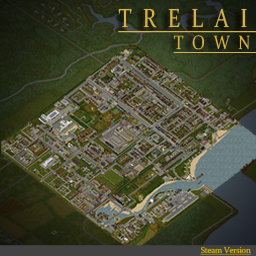
Trelai_4x4 Riverside Expansion
بواسطة 76561198042352363
A New 4x4 Town Riverside Expansion. ( LEGACY ) -- Expands the South of Riverside into a new hustling bustling town called Trelai. -- (Tree-Lie) -- Close Quarters. Custom and Community Built, Unique Places of Interest. -- ____________________ Features & Info ____________________ ▪︎ Trelai_4x4_Steam V0.72 - 22,22 Starting Cell. (16 Cells) - Various Spawns - 1033+ Buildings, RCI Areas - Lootable Map & Annotated Maps - Radio and TV Broadcast - Static Climbable Ladders - Custom Items & Content Custom Tiles -Trelai Tiles Community Tiles From -IncludingBuiltIn: DirkPalooza, Throttle, Azas Posters, Dylan, Apoc, Hydro, Atox, Others+ Update Message: ____________________ Version History ● Trelai V.72 (Build 41.78.16) (LEGACY) ____________________ ____________________ ____________________ (( Please find me on Discord if encounter any and all bugs. Feedback highly appreciated )) (( If you'd like to get involved in improving this map, may it be bug hunting or more, then get in touch. )) (( Special thanks to PZ Official Discord and all the good people there. )) (( Extra Special Thank You...to Everyone who has played the map since its been uploaded and has Rated, Favorited and added it to your collections, this is greatly appreciated. (Discord Server Link ) = Closed For The Forseeable Future Workshop ID: 2800337234 Mod ID: Trelai_4x4_Steam Map Folder: Trelai_4x4 Map Folder: Trelai_spawns Map Folder: Trelai_storyspawn
![Neat Crafting [B42] – Project Zomboid Mod](https://images.steamusercontent.com/ugc/10063063783802541784/F475A666DDE8FE3341B9A224A9403EF02C7FAB6E/)
Neat Crafting [B42]
بواسطة 76561199485575276
Build Support: B42.9 to B42.20.x SP/MP — Build 42 only Neat Crafting replaces the default Build 42 crafting menu with a cleaner, faster and more compact interface. It improves recipe browsing, categories, input/output information, recipe-chain navigation, item tooltips, controller support and handling of large modded recipe lists. Required: NeatUI Framework must be enabled and loaded before Neat Crafting. Important for Existing Saves / Servers Do not load an existing save or server that previously used Neat Crafting with neither Neat Crafting nor its Safe Uninstall Support enabled. Although Neat Crafting is primarily a UI mod, Build 42 can keep registered XUI / WorldDictionary references such as NC_HandCraftPanelLayout in an existing world. If the save/server previously used Neat Crafting: - keep Neat Crafting enabled, - OR replace it with Neat Crafting – Safe Uninstall Support Loading the world after removing both may cause a WorldDictionary error and prevent the save/server from loading. Always make a full backup before changing the mod list of an existing world. Main Features - Cleaner and more compact crafting window - Improved category list with clearer icons - Better recipe input and output panels - Numeric item information and richer tooltips - Input/output alternative-item selection - Recipe-chain search shortcuts - Better handling of large modded recipe lists - Clearer fluid/container ingredient information - Optional transparent UI styling - Controller/gamepad navigation - SP / MP Host / Dedicated Server support Recipe Chain Navigation If a recipe requires an item that can also be crafted, use the magnifying glass beside that input to search for recipes that produce it. The same system works in reverse for outputs: - Input magnifier → find recipes that produce that component - Output magnifier → find recipes that use that item - Available and possible alternative inputs/outputs can be inspected and selected This makes it possible to follow crafting chains without manually rewriting search terms. Input / Output Tooltips Inputs and outputs can show useful information before crafting, including numeric item data where applicable. Depending on the item, this may include information such as: - Weight and condition - Remaining uses - Weapon properties - Container capacity - Clothing protection - Food values Concrete inventory items can use their vanilla inventory tooltip, while possible item types show the information available for that type. Controller / Gamepad Support Neat Crafting supports controller navigation through: - Categories and recipe lists - Inputs and outputs - Alternative-item selectors - Search and filter controls - Recipe actions and main UI controls Controller feedback is welcome, especially for unusual UI flows or third-party recipe mods. Recommended Load Order - NeatUI Framework - Neat Crafting - Neat Crafting addons, if used If NeatUI Framework is missing or loaded after Neat Crafting, the UI may not open correctly. Optional XP & Mod Display Addon For recipe XP, XP multiplier information and source-mod information, use: Neat Crafting & Neat Building – XP & Mod Display It adds optional XP information, source-mod lines and XP/mod filters directly to the recipe list. Compatibility Compatible: - Craft and Build Category Translate - The Shortcut Known incompatible: - what can i craft - what can i craft addon Mods that replace or heavily modify the same crafting UI may conflict depending on load order and Project Zomboid version. Multiplayer Setup For MP Host / Dedicated Server, the required mods must be present in both server lists. Example: Mods=...;NeatUI_Framework;Neat_Crafting;... WorkshopItems=...;3508537032;3502080466;... Important: adding Neat_Crafting to `Mods=` is not enough. Workshop ID 3502080466 must also be present in `WorkshopItems=` so the server downloads and loads the correct Workshop files. Server and clients should use the same current Workshop files. Removing Neat Crafting If an existing world has already used Neat Crafting and you want to remove it: - Make a full backup. - Remove/disable Neat Crafting. - Enable Neat Crafting – Safe Uninstall Support before loading that save/server again. - Do not enable the main Neat Crafting mod and its Safe Uninstall Support at the same time. The support mod is only a compatibility bridge for old saves. It does not provide the Neat Crafting interface. Troubleshooting If the UI does not appear or behaves incorrectly after an update: - Close Project Zomboid completely - Check NeatUI Framework → Neat Crafting load order - Verify Project Zomboid files in Steam - Make sure Steam has downloaded the current Workshop files - Test a new/backup save with only NeatUI Framework + Neat Crafting If the minimum setup works, add your other mods back in small groups to identify the interaction. Bug Reports Please include: - Project Zomboid version - SP / MP Host / Dedicated Server - Mod list and load order - Exact steps to reproduce - Relevant console/server log and stack trace - Screenshot or short video if useful Credits - Original mod by Rocco: PZ Workshop Items - Maintenance, compatibility updates and newer improvements by Afyrmo: PZ Workshop Items Workshop ID: 3502080466 Mod ID: Neat_Crafting
![Dynamic Traits and Expanded Moodles [B41 & B42] – Project Zomboid Mod](https://images.steamusercontent.com/ugc/9672878333671723/E82659C34461C0F74F1ED450D84E1BE727377363/)
Dynamic Traits and Expanded Moodles [B41 & B42]
بواسطة 76561198856518799
Your character changes with the way you play. Dynamic Traits and Expanded Moodles expands Project Zomboid's trait, profession and moodle systems with traits that can be gained or lost during a playthrough, new gameplay effects, profession rebalancing and additional survival mechanics. Build 42 — Coming Soon The Build 42 version is currently in final testing and is planned to be released in the next few days. The current Workshop version is still the original B41 release. The B42 update is a major adaptation rather than a simple compatibility patch. It has been rebuilt and tested against the new B42 systems, including multiplayer. Current testing has already covered many of the main systems, including: - Dynamic gain and loss of traits - Fitness, Strength and Weight related traits - Skill-based dynamic traits - Mood and Moodle related conditions - Alcoholic, Smoker, Anorexia and other long-term conditions - Profession and trait rebalance - Expanded Moodle effects - Overdose, allergies and other additional mechanics - Singleplayer and Multiplayer behavior B42 release: Coming Soon Thank you to everyone waiting, testing and reporting issues. <3 Features - Dynamic Traits — gain or lose positive and negative traits depending on your actions, skills, physical condition, mood, survival time and other conditions. - New Traits — additional static and dynamic traits with their own effects and progression. - Trait Rebalance — vanilla trait costs and interactions are adjusted to better fit the expanded system. - Profession Rebalance — professions receive revised costs, skills, knowledge and special bonuses. - Expanded Moodles — vanilla moodles can have additional consequences and interactions. - New Survival Mechanics — systems such as overdose, allergies, addiction progression and other long-term effects. - Physical Progression — Fitness, Strength, Weight and activity can influence traits over time. - Skill Progression — improving skills can unlock new traits and remove some negative ones. Some examples include fractures from extreme encumbrance, passing out from severe fatigue, changing addiction traits through long-term behavior, and gaining traits as your character develops. Documentation The existing public guide was created for B41 and is currently outdated for the upcoming B42 version. Dynamic Traits — High Level Guide Updated B42 documentation will follow the new release. Compatibility with Other Trait Mods - Evolving Traits World — Incompatible - Simple Overhaul: Traits and Occupations — Incompatible - More Simple Traits — B41 compatible; B42 compatibility still needs confirmation - More Traits — Expected to be compatible, but B42 compatibility is not yet fully confirmed - Dynamic Traits - Sauce Edition — Incompatible Other Compatibility - Snake's Modpack — Full compatibility in B41. B42 compatibility will come after the B42 version of Snake's Modpack is available. - Fitness & Workout Overhaul — Full compatibility in B41 and B42. My Mods - Dynamic Traits and Expanded Moodles - Trees Have Loot - Surviving the Storm - Wash Or Rot If you wish to support the development of my mods, you can do it through PayPal: Copyright 2022 . This mod does not have authorization to be republished on Steam except under the account name PepperCat. Afyrmo has been authorized to upload new versions on this Workshop item. Thanks to Aurora for the poster image <3 Workshop ID: 2459400130 Mod ID: DynamicTraits
![Rosewood VHS & Gun Stores [B41] – Project Zomboid Mod](https://images.steamusercontent.com/ugc/2023839223633297764/C580142251EA04C8D02245E76CB87D3BA73E104A/)
Rosewood VHS & Gun Stores [B41]
بواسطة 76561198041411600
B42 version here Since Rosewood is missing a VHS store and a guns store, this mod adds one of each, south of Rosewood. The VHS store is right next to the southern gas station, with an appartment on the second floor. The gun store is quite isolated in the woods, and to get inside, you'll need a sledgehammer. There is no spawn point to directly spawn there. Just spawn in Rosewood and head south. Zombie density is slightly increased compared to vanilla. The cell used is 27x40. Compatibility I haven't found an other map that uses this cell. If you do, share it in the comments. Compatible with: - Rosewood Expansion - Rosewood Cabins - Rosewood Military Hospital - Westwood - Save Your Station! - Access Road (Research Facility) - ...And many more NOT Compatible with: - 10 Years Later (it changes the entire map) - SecretZ's Rosewood Fossoil Blockade. Do you like this? Try my other map : - West Point Trailer Park & VHS Store : It adds a VHS store south of West Point since it's missing one. - West Point Gated Community : It adds a rich gated community North of West Point. "We want to use this map in a mod pack, do we have permission ?" Yes, as long as it's a private mod pack. "Can I add this midgame ?" If you haven't visited Rosewood in your saved game, yes. "How do I get in the gunstore?" Sledgehammer your way in. For Multiplayer: instructions given by a comment below : How to get the mod to work: 1. Go to the "Map" section of sandbox settings. 2. Choose the map ("Rosewood VHS Store") from the dropdown menu under "Add an available map to the list". 3. Click on "Muldraugh, KY" in the "Maps used by this server" box and click "Move down" until it's at the bottom of the list. Workshop ID: 2922087098 Mod ID: RosewoodVHSGunStores Map Folder: Rosewood VHS Store
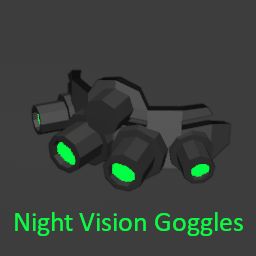
Night Vision Goggles
بواسطة 76561199065348206
!!!! NOT BEING SUPPORTED !!!! I'm not sure about the state of this mod, but I'm no longer supporting it. Thank you for the interest Dependency this mod now depends on NVAPI. Make sure to install it before Introduction This mod adds a new item called FMA_GP_NVG_18. Compatibility You may use this mod to enable Night Vision API on Brita's Armor Pack or any other mod whose Item Display Name contains "Night Vision". Why use this mod? * it works and produces no error * it not only adds an overlay in the screen, but also adds a visibility cone * there is no FPS loss while it is activated * there is no item deleting bug * there is no glitch wearing/unwearing it * the night vision visibility cone matches the character's visibility arc and range * the overlay intensity is now a function of the game's overall light (see images above) * you can now choose different overlay filters (see images above) * item uses battery and it is rechargable * item can be broken if it falls. However, it can be repaired Visibility * upon activation, there's gonna be an overlay in the screen. The brightness will depend on the intensity of available light in the game world. The character's visibility cone is improved to allow you to "realisticly" see through the dark (see video above); * other players can't see the activated visibility cone because it doesn't emit light. A real stealthy thing I must say; Usage * While wearing it, toggle to activate/deactivate the vision; Keymaps You may change the activation key from the Mod Keymap Tab located in the character info panel (see images above) Spawn Points Where will you find it? * 1% chance in the GunStore Display Cases * 2% chance in the Pawn Shop Cases * 0,5% chance in Army Storage Wanna see more mods of mine? * Skills4Ever * ExoSkeleton Workshop ID: 2769995104 Mod ID: NVG Workshop ID: 2769995104 Mod ID: NVG
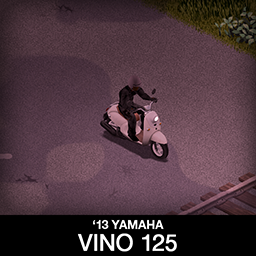
'13 Yamaha Vino 125 + PizzaBoy
بواسطة 76561198089039119
Small, light and silent! Vino may have a newer year of production but the classic look will help it fit in with the older models. It has 3 variants, stock one, rare one with back storage bags already on it and a PizzaBoy tribute variant, everyone that played GTA probably remembers. Main features: - Detachable storage bags on the back - 3 variants - All parts have 3d objects you can remove and place in the world - Many color variations for scooter and bags - Very manoeuvrable - B41.78+ Single Player / Multiplayer Compatible - You can use it in your current save game, just enable the mod in the load menu - Not recolorable - You will need Tsar's Common Library and Autotsar Motorclub - You will NOT need Aquatsar Yacht Club or Cherbourg If you can't wait to find this mod in your game and want to test it right away, use bikinitools to spawn it, hide the items that your character holds in hands while in vehicle, or for all other good stuff that mod has, go get it! If you like my mods, please consider supporting me with a coffee, so I don't fall asleep while making new mods and supporting old ones :) Check out my other bike mods: Side note: This mod has a low poly 3d model and high detail textures, and is highly optimized, so it should not affect the game performance. All models, textures and animations were made by me. Credits: This mod is commission work by request of Cosmic Pizza Boy variant is commission work by request of Greb Thanks to The Indie Stone for making the game and all this possible and to bikinihorst for the huge help with code and optimization. Special thanks to iBrRus for his selfless work on character animations and all the code in our collaboration mod which was the foundation for this mod. Ask for permission This mod can only be added to and extended with the express permission from the original creator. If no permission is received you may not alter the mod, and it must be treated as a mod that is 'On Lockdown'. You are not allowed to repack this mod under any circumstances, ever. Vehicle IDs: vino125, vino125b, vino125pizza Workshop ID: 2878374713 Mod ID: vino125
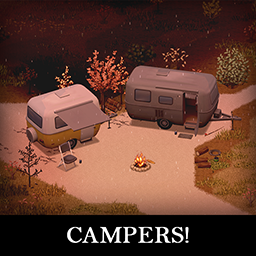
Campers!
بواسطة 76561198089039119
This one was in the making for a long time, some concepts are years old but never saw light of day until now. Mod is far from finished, it currently has some basic features that will be expanded over time, but for now it is a place to store some stuff, sleep, sit and enjoy some nomad rp life. I know it will be mostly used with some of the RV interior mods, so i have left that option open so everyone can setup their own patches for it. More stuff like appliances, liquid management and other things will come in the future for people that want to use it in the original package without addons. Have fun! Also just realized, this is my 100th mod, well... damn! Main features: - 4 Camper trailers (with more to come in the future) - Supports for 2 sets of universal wheels - Armor protection for windows, doors, lights etc - Fully animated parts - All parts have 3d objects you can remove and place in the world - Extra parts to craft and find in the world to make the vehicle truly yours - Multiple texture variations - You can use it in your current save game, just enable the mod in the load menu - Not recolorable If you can't wait to find this mod in your game and want to test it right away, use bikinitools to spawn it, hide the items that your character holds while in vehicle, or for all other good stuff that mod has, go get it! If you like my mods, please consider supporting me with a coffee, so I don't fall asleep while making new mods and supporting old ones :) Check out my vehicle mods: Credits: - This mod is commission work by request of Beornvig - Thanks to The Indie Stone for making this awesome game and all this possible. - Special thanks to bikinihorst for the huge help with code, optimization, and taking care of the multiplayer and part code. Ask for permission This mod can only be added to and extended with the express permission from the original creator. If no permission is received you may not alter the mod, and it must be treated as a mod that is 'On Lockdown'. You are not allowed to repack this mod under any circumstances, ever. Compatibility: ✅ B41 (b41.78.16) Single Player / Multiplayer fully supported ✅ B42 (b42.12) Single Player fully supported ✅ B42 (b42.13+) Single Player / Multiplayer fully supported Vehicle IDs: Trailer87Scamp13, Trailer87Scamp16, Trailer61Bambi16, Trailer54FlyingCloud22 Workshop ID: 3670064951 Mod ID: KI5campers Mod ID: KI5campers
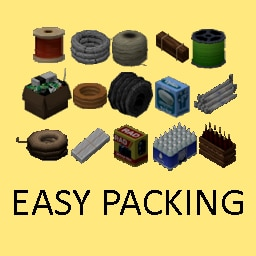
Easy Packing + Organized Storage
بواسطة 76561198028518023
EasyPacking (by GoldBar, Diakon, and Mr. Nekuromu) (Maintained by: Mr. Nekuromu) Build 42 support is in development! Easypacking for Build 42 is being built from the ground up, due to the native packing and large changes made by this build of the game. I don't have a release date in mind, and upon release there will be no addons supported. This will likely change after support for the initial game is finished! I am also for the moment unsure if this workshop version will be left as a legacy and a new 42 updated Easypacking will be created... or this one be upgraded up with a legacy supported version added. I know there is support for an 'all in one' on this mod- however I am not sure with all the models to download it would be efficient on storage space and bandwidth! IMPORTANT - Favorite any item (right-click → “favorite”) if you don’t want it to be packed! What Does EasyPacking Do? - This mod lets you bundle multiple copies of the same item (often in 5s or 10s), saving 30–50% weight. - Works with vanilla items by default; also supports a select few other mods as well via Addons. - For more details (including item lists, translations, and FAQ), see the discussions below! Quick Tips - Just enable EasyPacking to pack vanilla items. - If you see an error about “requires firearmmod” or any other mod, you’ve accidentally enabled an EasyPacking Addon without having that mod installed. Disable that Addon or install the matching mod. Team & Credits - Originally created by GoldBar. - Diakon: Technical improvements & code. - Mr. Nekuromu: 3D modeling, item textures, build 42 support, and current maintainer. - Special thanks to the community translators (see pinned post) and Gid for Gid’s Organized Storage. Translator - Korean (KO): GoldBar - Russian (RU): https://steamcommunity.com/id/infernum13494 - Portuguese-BR (PTBR): https://steamcommunity.com/id/BryanXim - Portuguese-BR (PTBR): https://steamcommunity.com/id/theleoamaral - French (FR): https://steamcommunity.com/profiles/76561197981623248 - English (EN): https://steamcommunity.com/id/theleoamaral - Italian (IT): https://steamcommunity.com/profiles/76561198035263491 - Chinese (CH): https://steamcommunity.com/id/retsniemle - Turkish (TR): https://steamcommunity.com/profiles/76561198197425922 - Spanish (ES): https://steamcommunity.com/id/shakiereagle Click 'View All (#)' and check for the 'Addons Info & FAQ' post just below! Workshop ID: 2438225189 Mod ID: EasyPacking Mod ID: EasyPackingFirearmsB41 Mod ID: EasyPackingGunFighter2
Kept you waiting, huh?
بواسطة 76561198440928318
Website: www.emhadax.com Discord: https://discord.gg/xmqtev9KqG Hey hey everybodiah. I'm still alive if you're curious. Waiting for Build 42 stable to come out. After stable comes out I'll be making mods once more from this account https://steamcommunity.com/profiles/76561199813782304/. Take it easy :p -Madax WorkshopID: 2492565135 ModID: Max
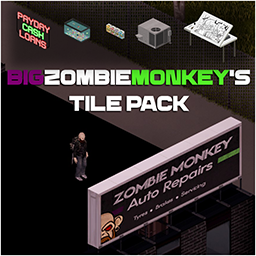
BigZombieMonkeys Tile Pack
بواسطة 76561198008882034
My tilepack was originally designed to add tiles for my map mod Monmouth County, however, I am now started to add tiles for other map modders. As of today I have added: 01/07/21: 1 Set of Bedroom furniture in 10 different colours You can find the tilesheets in this modin the file location: bigzombiemonkeys_tiles_pack>media>Tilesheets (for Map Modders) I will continue to add tiles to this pack for other map modders to use, all I ask is please give credit where it is due. If you have any requests please leave them in the comments and I will see what I can do, just please keep in mind that I make tiles when inspiration hits me so if I choose not to make something it is nothing personal. Thank you for all of the support. Workshop ID: 2804428637 Mod ID: BigZombieMonkeys_tile_pack
![[B41/42] Simple Overhaul: Character Retextures (male and female + makeup) – Project Zomboid Mod](https://images.steamusercontent.com/ugc/1817778245773337349/1F8D5F4C580779DDB53DE32EE99F06C996ED0DAE/)
[B41/42] Simple Overhaul: Character Retextures (male and female + makeup)
بواسطة 76561199005857620
For Working in Singleplayer and Multiplayer. Mod should be installed for both: server and client. I made a retexture for male and female characters because I do not like weird blurry faces with a greenish skin tones which incompatible with some underwear that can be found in the game. - Only textures without changing 3D model. - Realistic texture and tones of the skin with natural faces without giant anime or soapy faces. Particular attention to dark tones. - Underwear, nude and Barbie/Ken (censored) versions. All underwear compatible. - HD textures: 512x512. - Male: every tone have haired version + new texture for stubble. - Female: tones 1 and 5 have pubic hair for nude version. - Makeup: retextured, can be activated as additional mod. Unisex. - Compatible with fingers mod. How to make mod work correctly: 1. Subscribe to the mod outside of the game 2. Start the game and turn on the mod (one id for female, one id for male, optional id makeup) 3. Restart the game 4. Add the mod to your current game or server (one id for female, one id for male, optional id makeup) / start a new game. 5. Enjoy the mod and yourself! ? If it does not work then try the same with using "Mod Manager" mod. You need to choose only one ID for: Female: SimpleRetexturesFemaleBarbie - censored SimpleRetexturesFemaleNude - nude SimpleRetexturesFemaleUnderware - underwear Male: SimpleRetexturesMaleKen - censored SimpleRetexturesMaleNude - nude SimpleRetexturesMaleUnderwear - underwear Optional: SimpleRetexturesMakeup - makeup After activating the mod, it is necessary to restart the game to take effect! Please rate the mod for promotion. Thank you <3 Hairstyles mod at screenshots: Yaki's Hair Salon Recommended mods: - Yaki's Hair Salon - Yaki's BarberShop - Spongie's Hair - Improved Hair Menu You can check out my other works: This mod can only be modified with the express permission from the original creator. When obtaining permission, you must credit the original creator in the files and in the description. If no permission is received you may not alter the mod, and it must be treated as a mod that is 'On Lockdown'. You can add this mod to your mod pack without the permission of the original author in its original form, provided that the mod is properly updated when new versions are released. © Hea 2022-2025 Workshop ID: 2803364788 Mod ID: SimpleRetexturesMakeup Mod ID: SimpleRetexturesFemaleBarbie Mod ID: SimpleRetexturesFemaleNude Mod ID: SimpleRetexturesFemaleUnderware Mod ID: SimpleRetexturesMaleKen Mod ID: SimpleRetexturesMaleNude Mod ID: SimpleRetexturesMaleUnderwear
![KATTAJ1 Clothes Core [B41/B42MP] – Project Zomboid Mod](https://images.steamusercontent.com/ugc/52463316440908304/D6744E19183BD5F840E084150C5B05B06061790D/)
KATTAJ1 Clothes Core [B41/B42MP]
بواسطة 76561198958138845
Description KATTAJ1 Clothes Core is a library that stores 3D models and logic used for all KATTAJ1 clothing mods and can be used as API by community for creating their clothing mods without taking models and files out from this mod. How to use is for creating your own clothing mods? Simply add KATTAJ1 Clothes Core as a dependency, refer to its logic, use the same paths to the models, write scripts for your items, xml files, create textures, and upload your awesome mods to the workshop! Basic modding skills are required. However, don't hesitate to ask. We'll figure something out and may be will make a guide on it together. Any examples? This logic has already been implemented in the KATTAJ1 Military pack mod. The KATTAJ1 Military itself contains only what is necessary for that specific mod: - Loot tables with chances for zombies to spawn with items from the mod. - Loot tables with chances for items to spawn in the world. - Scripts for items with all their characteristics. - Textures. - Icons. - XML files with paths to the models, unique GUID identifiers, chances of items spawning on zombies around. The rest is handled by the KATTAJ1 Clothes Core library. Mods that currently use this library: Permissions This mod's permissions fall under TIS's policy On Lockdown This mod cannot be modified by anyone else, for anything else, at all, ever. Even if the user disappears, he or she would much rather you didn't touch the fruits of their hard labour. Explicitly forbidden to add this mod to any public modpacks. Each modpack with the elements from this mod inside will be taken down. Workshop ID: 3470422050 Mod ID: KATTAJ1_ClothesCore Old Workshop ID: 3079932014 (In case you still somehow used legacy version) Discord: https://discord.gg/mxqZbpgn3S
![[DEPRECATED, CHECK THE DESCRIPTION] The Only Cure – Project Zomboid Mod](https://images.steamusercontent.com/ugc/2056494760641628659/F9AE3C161C1912D046D05100AF7F8AA9C428151C/)
[DEPRECATED, CHECK THE DESCRIPTION] The Only Cure
بواسطة 76561198117640434
SUPERSEDED BY The Only Cure - Rebuilt. THIS VERSION IS NO LONGER SUPPORTED
More Zombie Death Animations (B41)
بواسطة 76561198125411956
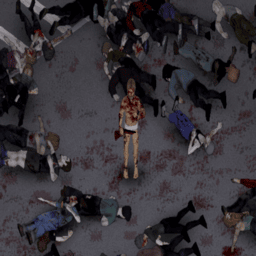
Have you ever felt like cutting down a horde of zombies felt a little underwhelming? Perhaps seeing the same death animation repeat over and over again took away some of the fun and enjoyment that you would have otherwise gotten. Thanks to this mod, cutting down hordes of zombies will be as exciting as ever, featuring both quick and dramatic death animations to enhance your zombie slaying experience. Features: -Changes and adds various zombie death animations utilizing unused developer assets. (five in total) -The animations are tied to a zombie's walk animation, allowing for more animation variety than in vanilla. -Works with melee, ranged, and even throwable weapons -Works with zombies who die to fire and explosives -Compatible with popular animation mods such as Authentic Animations, True Actions, and Fancy Handwork -Should be fully compatible with any mod that doesn't make changes to the zombie death animations or the zombie falldown and walktoward folders Important: This mod works best when zombie speed is set to fast shamblers (default) or sprinters. Zombies set to shambler speed will only have three out of the five death animations. Works with multiplayer. Server-sided. Safe to add or remove from an existing save game. Information Regarding Build 42: Hello everyone, First of all, I just wanted to thank all of you for the support and kind words in the comment section. I'm glad my mod was able to bring enjoyment to your various Zomboid playthroughs. As I have stated previously, I was originally planning to update this mod to build 42 as long as the developers didn't make any major changes to the animation system. However, during my brief testing of build 42's unstable build, it seems that the developers have completely overhauled the part of the animation system that I made modifications to. Their new system seems to take both the weapon type and swing direction into account when a zombie is killed, making my mod inferior to their new system. Additionally, the animation rework that the developers introduced in build 42 was actually my original goal when making this mod. It is for these reasons that I have decided to not update this mod to build 42. It will stay on the Steam page for those of you who prefer to play on build 41, but it will not receive any further updates. Thanks again for the support, and have fun in build 42! Workshop ID: 3147442677 Mod ID: More_Zombie_Death_Animations

Auto Cook B41
بواسطة 76561198329871201
So you are here ? Ah.. you're bored of spending your life preparing your next meal. You've come to the right place. How to initiate the food preparation ? - You need an empty Bowl, Frying Pan or Griddle Pan. - You need accessible food. - See your Character Info Panel 'Cook' tab for more options. - Right click on the Bowl / Pan in your inventory and left click on "Auto Cook XXX" Limitations - Works only on evolved recipes, not on simple recipes. - Requires empty container (cannot continue from manually started preparation). Credits - Version 1.7-1.8 Community propositions implemented by MassCraxx. That's it. Why are you still here ? What ? You have a better algorithm for food selection ? I guess if you explicit this in the dedicated discussion, I could have a look at it and either implement it.. or make fun of you. A mismatch between client and server with B41 Multiplayer? Follow the steps here Ask for permission This mod can only be added to and extended with the express permission from the original creator. Having received permission, credit must be given to the original creator, both within the files of the mod and wherever the mod roams online. If no permission is received you may not alter the mod. You wanna support? Workshop ID: 2640569820 Mod ID: AutoCook
Disassemble Container With Items
بواسطة 76561199017028476
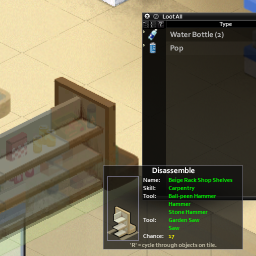
You can take apart the container that contains the item. Workshop ID: 2835852387 Mod ID: Disassemble Container With Items Mod ID: Disassemble Container With Items
Boots Expanded 11 for B41 and B42 (42.15 quickfix)
بواسطة 76561198068839161
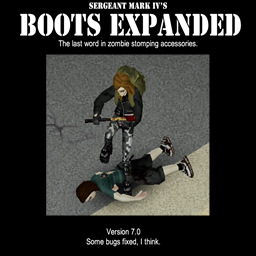
Version 11 for B41 and 0.5b BETA for B42 - Quickfixed for 42.15 Adds 3D models to all vanilla shoes, plus adding many different new shoes and skins, including very rare boots that deals massive stomp damage. Tried to keep everything consistent with the kind of shoes and sneakers that you would see people using in the 90's. The mod also adds a variety of period-accurate clothing such as sleeveless vests, bomber jackets, blazers, dresses, metalhead, goth and punk clothing, and other stuff. It also adds very rare tactical gear such as tactical belts, carry vests, riot armor, knee pads, elbow pads, and football armor. Notes: - A version that only replaces Vanilla shoes is included. - Make sure you load this after everything else. Any other mods that modifies shoes might cause problems with this. - This mod WILL cause problems with several other mods such as Brita's Armor mod, and there is nothing I can do about it. Don't waste your time reporting it as there is nothing I can do to fix it. If you want, use the Vanilla 3D Shoes version to try to reduce the amount of bugs. Special thanks to: - Mauser_Nato (creator of Clothes Box). I used one of his models as base to trace a basic shoe to make this model. - Authentic Peach. Providing me with vanilla models that I could use as reference to align the shoes and providing general help with coding. If you enjoyed the mod, buy me a coffee. Workshop ID: 2850935956 Mod ID: SM4BootsExpandedB42 Mod ID: SM4BootsExpandedB42VanillaONLY Mod ID: SM4BootsExpandedFlatshoes
![Autotsar Tuning Atelier - Chevalier Samara [TUNING 2.0] – Project Zomboid Mod](https://images.steamusercontent.com/ugc/1727713596120374661/89B0268F7832AA27E579BE98265D2A84FD23072B/)
Autotsar Tuning Atelier - Chevalier Samara [TUNING 2.0]
بواسطة 76561198082682625
To access the tuning menu, use the "V" key while standing beside the car and select "Modifications" (the dash key icon with the plus sign). Autotsar is very embarrassed to present its new work. The contract was signed six months ago, but due to force majeure circumstances the production of the upgraded Chevalier Samara has been very delayed. We thank KingRL22 for his patience and apologize to him for the delay. For the Chevalier Samara car available: - wide fenders , - side skirts, - front spoiler lip, - rear spoilers, - four types of hood (animated), - front and rear windows protections, - side windows protection (animated) - wheel protection, - roof rack, - anti-neighbor bullbars. And we have good news for all car owners Fjord Mustard: you will not have to buy a new tuning magazine and again make protection and other parts, because almost all additions from your car without much difficulty can be installed on Chevalier Samara. Mod commissioned by KingRL22 You can freely use this mod on your server. We publish information about mod update times on Discord in advance: https://discord.gg/PHhsuQxDue Mod permission according to TIS policy: Ask for permission Redistribution of this mod without explicit permission from the original creator is prohibited under any circumstances. This includes, but not limited to, uploading this mod to the Steam Workshop or any other site, distribution as part of another mod or modpack, distribution of modified versions. The product can be published on Steam only through an account with the name iBrRus. © iBrRus Version:2.00 Vehicle IDs: ATASamaraClassic, ATASamaraPolice Workshop ID: 2850439818 Mod ID: ATA_Samara
Named skill VHS tapes
بواسطة 76561197998973537
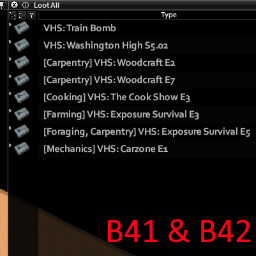
Compatible with B41 and B42.20+ Renames skill-related VHS tapes so they show which skill they train. No more checking the wiki or Steam guides to find the right tape. Safe to add or remove from an existing save and contains no scripts. Support Development I maintain this mod in my spare time. If it has helped you, please consider supporting future development and maintenance on Ko-fi!. The mod will, of course, always remain free and available on Steam. All languages are supported! The mod uses the game's official translations for VHS titles and skill names. Missing localisations fall back to English. Supported Mods - First Aid VHS Tapes - Dynamic Emergency TV Channel - VHS Skill Tapes: Electrical, Farming, First Aid, Fishing, Foraging, Knapping, Masonry, Mechanics, Metalworking, Pottery, Tailoring, Trapping as of 2 August, 2026 This mod must load after any supported mods listed above. Mod Support Use the Mod Support discussion thread to request support for another VHS mod. Build 41 will not receive any additional third party mod support. Support Please use the support discussion thread for any support related questions. Before requesting support, please make sure the mod is enabled both in the main Mods menu and for the specific save or server. Also check that the load order is correct if you use other mods that affect VHS tapes. Workshop ID: 2732294885 Mod ID: NamedSkillVHSTapes
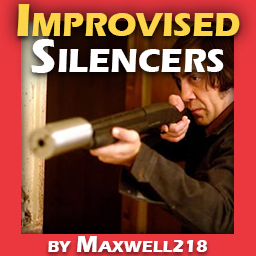
Improvised Silencers by Maxwell218
بواسطة 76561198034307257
This mod adds new craftable silencers and is 100% compatible with existing saves. You will require a screwdriver to attach all silencers. This is how it works in vanilla. If one day someone figures out a way to change that, I will remove the need to use a screwdriver to attach the silencers. Checkout my other mods IMPORTANT - This mod also fixes some of the vanilla weapon attachments offset (for the m16 and m14). The recoil pad on the m14 is a good example of something that vanilla pz currently doesn't show properly. Compatible weapon mod(s) IMPORTANT - So far only VFE is compatible with this mod. Vanilla firearms expansion: https://steamcommunity.com/sharedfiles/filedetails/?id=2667899942 In order to play with both my mod and VFE, please make sure you ONLY enable the patch and VFE. You will also need to assure that my mod loads after VFE (use mod manager for an easier time setting up mod order) New items Silencer - Sound Reduction: 80% - Range Reduction: ~1 Tile - Crafted with: Level 6 MetalWorking - Supported Guns: All firearms (exc double barrel shotguns) - Can be found in the world. Metal Pipe Silencer - Sound reduction: 60% - Range Reduction: 1 Tile - Crafted with: Level 1 MetalWorking - Supported Guns: All firearms (exc double barrel shotguns) Hand Torch Silencer - Sound reduction: 40% - Range Reduction: 2 Tiles - Crafted with: No Skill - Supported Guns: Pistols, M16, M14, Hunting Rifles Water Bottle Silencer - Sound reduction: 20% - Range Reduction: 2 Tiles - Crafted with: No Skill - Supported Guns: Pistols, M16, M14, Hunting Rifles New recipes (Improvised Category) Craft Silencer - 1 x Metal Pipe - 6 x Small Metal Sheet - 5 units of BlowTorch - 1 x Saw or GardenSaw - 1 x Screwdriver - 1 x WeldingMask - Level 6 MetalWorking Craft Metal Pipe Silencer - 1 x Metal Pipe - 1 x Sheet - 1 x DuctTape - 1 x Saw or GardenSaw - 1 x Screwdriver - Level 1 MetalWorking Craft Hand Torch Silencer - 1 x Hand Torch - 1 x Sheet - 1 x DuctTape - 1 x Screwdriver Craft Water Bottle Silencer - 1 x Empty Bottle or Empty Pop Bottle - 1 x Sheet - 1 x DuctTape Credits - Harrycheez for the icons, huge thank you again as I suck at pixel drawing. Here's his workshop - nolanritchie for the original silencer mod: https://steamcommunity.com/sharedfiles/filedetails/?id=639909479 - 00912 for compatibility and bug fixes: https://steamcommunity.com/sharedfiles/filedetails/?id=2688122828&searchtext=silencer - Talismon for the metalworking recipes: https://steamcommunity.com/sharedfiles/filedetails/?id=2782848673&searchtext=silencer - Soulfilcher for his Model Tweaker API, which I modified to use with weapon models: https://steamcommunity.com/sharedfiles/filedetails/?id=2432114128 Translations - English translation by me - Russian translation by #YOLO Workshop ID: 2799742455 Mod ID: ImprovisedSilencers Mod ID: ImprovisedSilencersVFEPatch
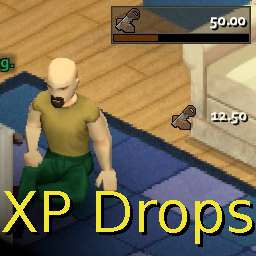
XP Drops - Oldschool Runescape
بواسطة 76561198263237441
Adds an Oldschool Runescape styled experience bar, including experience drops whenever you earn experience to give you those sweet, supple dopamine hits as you grind your carpentry skill up. ------------------------------- The bar can be moved anywhere on screen, and has an option to be hidden if wanted. You can choose freely which skills should show experience drops. (Right-click and choose "Configurate") By default it will track every skill except Strength, Fitness, Lightfooted, Sneaking and Maintenance, since these skills can be a bit "spammy" with experience gains. But you are free to change this if desired. Shows Runescape icons for most skills, although certain icons had to be improvised. Weapon skills show PZ icons. Technically works with any modded skill, but the skill might not have an icon. ------------------------------- Updated on 2023-10-11: Text should now display correctly when using different font sizes. Skill names should no longer overlap when using a language with very long skill names (such as French or Spanish). Text/Checkboxes on the "Configurate" window should no longer run off the window/screen. ------------------------------- This mod is named "OSRS Experience Bar" in the in-game mod list. Feel free to use the mod on any server or in any package/collection you want, I don't mind, it's all good. ------------------------------- Shout-out to Pedguin, say hi to Boba for me. Last updated and tested to be working on version 41.78 Workshop ID: 2758443202 Mod ID: RUNE-EXP
Autotsar Tuning Atelier - MolksAgen Luton Van
بواسطة 76561198082682625
Autotsar Inc. is back in touch with you. Our tuning atelier is open to all! Despite the quarantine, a representative from Dean McKay Company has arrived at our headquarters in Kentucky. He came from Nottingham, England with his own branded "Luton Van" from MolksAgen. Prior to Z-day, Dean McKay provided moving and storage services in the East Midlands. And even after the apocalypse hit, Dean McKay continued to work hard to provide a high level of service and expertise to all its customers. Equally important to the company was the safety and comfort of its drivers, which is why it decided to turn to us. Features of the modified MolksAgen Luton Van: - body protection; - window protection; - roof rack; - modular system to convert the back body into a mobile home (the ability to install a mattress, bedside table, microwave, stove, refrigerator, etc.). You can find all the drawings and instructions in the latest Autotsar Tuning Atelier magazine. Thank you to Dean McKay Company for your confidence. We wish it the best of luck in this difficult time. We hope your drivers enjoy the updated van. You can freely use this mod on your server. We publish information about mod update times on Discord in advance: https://discord.gg/PHhsuQxDue Mod permission according to TIS policy: Ask for permission Redistribution of this mod without explicit permission from the original creator is prohibited under any circumstances. This includes, but not limited to, uploading this mod to the Steam Workshop or any other site, distribution as part of another mod or modpack, distribution of modified versions. The product can be published on Steam only through an account with the name iBrRus. © iBrRus Version:2.00 Workshop ID: 2792425535 Mod ID: ATA_Luton
![[41&42]50% metal weight – Project Zomboid Mod](https://images.steamusercontent.com/ugc/2040738499773697289/7041A8CF4516EC0F9C6EFCB54764F63E347973EE/)
[41&42]50% metal weight
بواسطة 76561198168977693
Affected items: SheetMetal MetalBar MetalDrum MetalPipe ScrapMetal SmallSheetMetal UnusableMetal WeldingRods IronIngot LeadPipe BarbedWire Wire Workshop ID: 2829657632 Mod ID: 50%metalweight
Project Zomboid Guides
تثبيت Mods في Project Zomboid - دليل Workshop
ثبّت Mods في Project Zomboid عبر Steam Workshop بشكل صحيح: أدخل IDs، راجع الترتيب، أعد تشغيل الخادم وأصلح الأخطاء الشائعة.
Project Zomboid Sandbox-Einstellungen: alle 62 Panel-Werte
Project Zomboid SandboxVars.lua im Panel konfigurieren: alle 62 Werte, Build-41/42-Unterschiede, Grenzen und sichere Empfehlungen.
Project Zomboid Build 42 auf dem eigenen Server: Umstieg, Spielstände und Mods
The Indie Stone veröffentlichte am 26. August 2026 Sicherheitskorrekturen für 42.20.4 Stable, 42.19.2 Unstable und 41.78.21 Legacy. Wähle den Patch für…
خادم Project Zomboid مع دعم المودات
ثبّت المودات المتوافقة والمدعومة من لوحة الخادم.
استأجر خادم Project Zomboid