Garry's Mod Mods ও Plugins
এই ক্যাটালগে Steam Workshop থেকে ১৯,৮৪,০০০+টি Garry's Mod প্রকল্প তালিকাভুক্ত আছে। এন্ট্রিগুলো সার্ভার-সাইড, ক্লায়েন্ট-সাইড বা দুপাশেই প্রয়োজন হতে পারে এবং ম্যাপ বা অন্যান্য ব্যবহারকারী-তৈরি কনটেন্টও অন্তর্ভুক্ত করতে পারে। ইনস্টল করার আগে লিংক করা সোর্স পেজ, গেম ভার্সন এবং নির্ভরতাগুলো দেখে নাও।

Best of Toybox
76561198023620192 দ্বারা
Never tired for old addons? So then this is for you! This addon includes old toybox stuff! Hi! There is maybe LUA errors, so tell them to me! Today I present old addon (pack) that is not new and includes new addons: ---------------------------- - Aimbot V2 - Erectin a BOOM - Midas Cannon - Shoop Da Whoop - Tornado Gun - Vuvuzela SWEP - Suicide Gun (Need CSS) - Gas Can - Boomstick (Click here!) - Mega Bass 2000 watt rms (Click here!) ---------------------------- Credits: --- robinkooli- Fixing Lua and adding to workshop. Mew. - Made original Best of Toybox Addon owners - Because they made these! Shoop Da Whoop - Thomas the Dank Engine (ROFLBURGER) ---
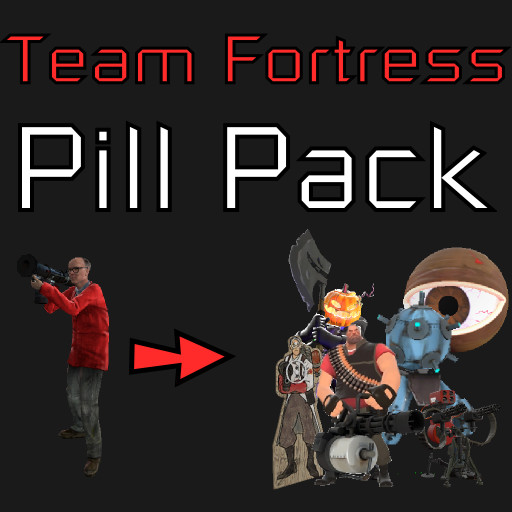
Team Fortress Pill Pack
76561197997945339 দ্বারা
This pack contains morphs that can turn you into NPCs from Team Fortress 2. You MUST have content from Team Fortress 2 to use this. You MUST have the Morph Mod to use this. Find the link in the sidebar. Most of these pills have skins that can be accessed by right clicking on their icons in the spawnmenu and clicking "Spawn with Skin". The pack comes with TF2 weapons, but they DO NOT HAVE VIEWMODELS. You will not be able to see them in firstperson. Controls: Sentries are built/upgraded by pressing the reload key. They can be downgraded by holding the crouch key and pressing the reload key. Everything else should be fairly straightforward.
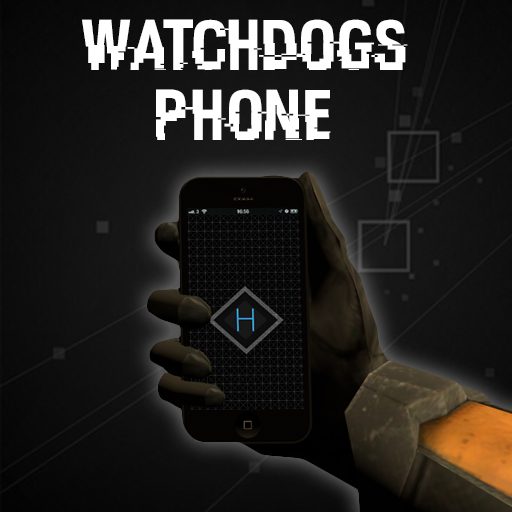
Watch Dogs Phone (OUTDATED)
76561198033513709 দ্বারা
I decided to release this on the workshop as other ones were being released and didn't see the point in keeping it private anymore. So here is my WatchDogs Phone swep! Usage: Hold down 'left mouse button' or the 'h' key while holding the watch dogs phone swep and while looking at a hackable entity. An animation will start and after a second the entity will be hacked and a cooldown started. You can cancel hacking by simply letting go of the 'left mouse button' or 'h' key. Basic info of the swep is, you can hack into different entities to make something happen, whether it be unlocking a keypad, activating explosives, or disabling vehicles. The range on the phone can be increased by being close to a special entity called the 'Signal Amplifier'. It increases the phones range my more than half. Another entity which gives you perks is the 'Power Booster'. This decreases the cooldown time in which you must wait before hacking another entity (default time is 20). You can hack entities through walls which adds more gameplay opportunities. You could easily make this a hacker job on DarkRP, because when making the swep I tried to balance it so it wouldn't be an overpowered admin tool, but something that can be use in a gameplay situation. You can however enable a console command as an admin to remove all cooldowns. Usage: Hold Left Mouse Button to hack entities while looking at them. Hold Right Mouse Buttton to activate your EMP, which hacks all entities in range, but has a much larger cooldown. List of hackable entities: - Keypad - Wire Keypad - Button - Wire Button - Explosive - Vehicles (disables them for 5 seconds) - Players - Hackers (others players with the hack phone, you disable their hacks for 20 seconds) - Camera (with control of view) - Lights - Lamps - Dynamite - Manhack - Shield Scanner - City Scanner - Rollermine - Combine Gunship - Combine Dropship - Combine Camera - Combine Mine - Helicopter - Ceiling Turret - Floor Turret - Strider More will be added upon request, I had more ideas, but wanted feedback on some of the core ones first. Coming Soon: - Profiling (with NPC's and players) (will have DarkRP support) - Battery Hud to represent cooldown - Hack lights (use with EMP to create blackout effect) - More DarkRP support - SCars Compatibility - WAC Aircraft and GBomb support. List of extra entities: wd_explosive - explodes when hacked. wd_signal_amplifier - increased hack range when you are nearby. wd_power_booster - decreases cooldown time before you can hack another entity. Console Commands: wd_nocooldown <1 or 0> - when enabled you have no cooldown (admin only) (1 is on, 0 is off). wd_hackrange <range> - *DEFAULT RANGE IS 400* allows you to change the range you can hack at (admin only). Credits: Me for scripting. Clavus for making the SWEP Construction Kit, used to position the phone model. ( http://steamcommunity.com/sharedfiles/filedetails/?id=109724869 ) Inside for the iPhone 5 model ( http://steamcommunity.com/sharedfiles/filedetails/?id=106688495 ) Feel free to suggest new features! I would love to hear new ideas to be implemented into the swep. Copyright 2014 Ghetto. This item is not authorized for posting on Steam, except under the Steam account named Ghetto.
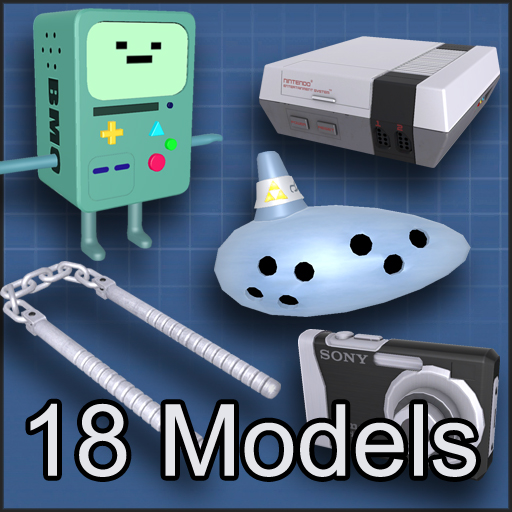
Freeman's "Model a Day" Pack
76561197990409289 দ্বারা
Here's a pack of models I made over the summer because I was bored. Everything here was suggested in a thread on Facepunch, and all the props in this pack where made in less than a day each. You can see in the images what exactly this pack contains.

Draconic Base
76561198050250649 দ্বারা
GitHub Page Wiki for developers Support me on Ko-fi The Draconic Base is a development framework for the content creators of Garry's Mod. It delivers many new modular systems, a lightweight but feature-rich weapon base, and extends greatly upon the game's playermodel customization. FOR SERVER OWNERS Due to petty individuals targeting my codebase I have had to make serverside convars not archive. Please see this page on GitHub for a config list of all serverside convars. Legal The "Draconic Base" is a free-to-use addon. Please adhere to the Garry's Mod Steam Workshop Rules. This notably includes "Do not reupload addons". Please do not reupload the Draconic Base. It is an actively-maintained project, and reuploads will create conflicts. It is a base for a reason. A proper usage agreement can be found in the License file on the GitHub. Help & Support If you need immediate help with the Draconic Base (or any of my addons), developing with the Draconic Base, want to report a conflict/incompatibility for me to fix, or just want to know what I'm working on then consider joining my Discord server.
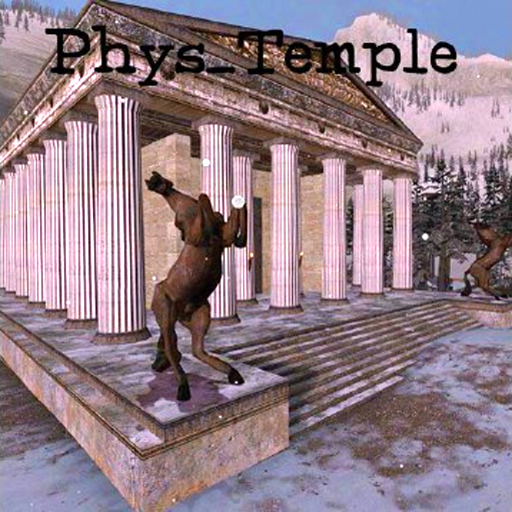
phys_temple (Destructable!)
76561198044283233 দ্বারা
I did not make this, credit goes to Nyko18 He's very lovely and cool. My YouTube! Can we get to 10000 20000 total ratings? Check out my other popular maps: If you're having crashing problems try setting shadows to low or medium. If that doesn't work then its either a conflicting addon or your bad PC, sorry about that. This is a destructable, rebuildable temple, have fun! Once again, I did not make this, credit goes to Nyko18 - TheIA <3
![[LW] Mazda 787b LeMans Race Car – Garry's Mod Mod](https://images.steamusercontent.com/ugc/3314948989862336997/F881825476C533A0E8F31230A65D6ED906E1976A/)
[LW] Mazda 787b LeMans Race Car
76561198073265803 দ্বারা
IF YOU HAVE MISSING TEXTURES, PLEASE DOWNLOAD THE SVN OR ALL OF THE OTHER CARS! SVN Link: https://lwcrs.googlecode.com/svn/trunk/ A driveable 1991 Mazda 787b 'Team Mazdaspeed' LeMans racer, ported from Forza 4 (With some textures from GRID2) by me.The 3rd installment of LW Cars. Sounds by AaO|Davis, Big thank you to him :3 Follow progress on VCmod.net! Follow progress on Facepunch! F.A.Q.: Q: How do I drive this? A: Spawn it from the Vehicles menu, they are under LWCars. Q: Why do they not have lights? A Because I dont have/cant buy VCmod, when it is released properly I will start adding lights to them Q: Can you make ? A: I dont take requests, Sorry.
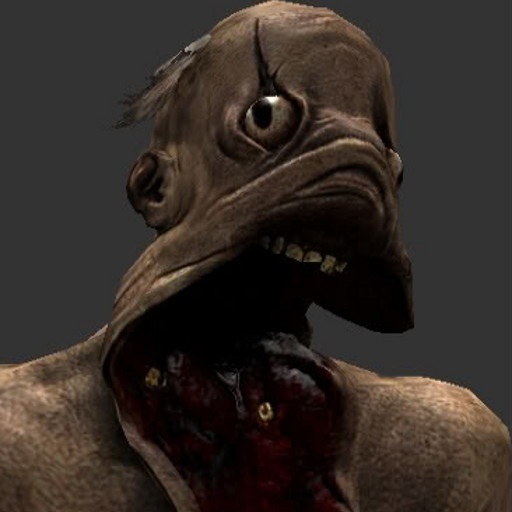
Amnesia SNPC's
76561198028070136 দ্বারা
ATTENTION! As prior to 2018, there are some changes. 1. Convars has been removed, everyting is editable just like any vanilla item (Going to desktop mode, right clicking on entity and selecting "edit properties"), NPC features can be changed only by admins. Regular Players can still change settings relative to their side in "LUNA Settings" desktop app. Settings are saved in "DATA" folder, each for server and client. Changing Entity setting will affect any that is spawned afterwards. 2. This addon received a huge performance update, so you can spawn more of them. 3. Added pigs. 4. DirectX 9 only, for those, who still running on DX8, will be shown warning message. 5. This addons returns to BETA stage from now on. Any changes expect to be changed! 6. More info in attached video. If you encounter problems with invisible old models, you must remove any traces of justine, special, and grunt (mdl, vvd, phy and vtx models) in any gmod directory (this applies to addons that uses those models aswell), any comments regarding this issue will be ignored, it's your fault that you assholes extracted this addon. Now suffer. And suffer even more if you're too fucken lazy to read this description and still commenting like idiots. Credita: Frictional Games: Models and Original textures and sounds Predator CZ: converting to source engine, creating materials, coding, testing TNTPREDARNO: Dark Skin of Grunt This is Steam Workshop exclusive addon, any reuploading/copying/editing/selling is forbidden, I will not give anyone permission about these terms.
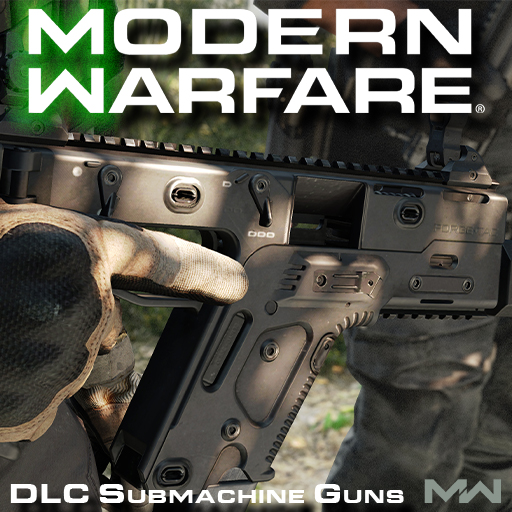
Modern Warfare 2019 SWEPS - DLC Submachine Guns
76561198155440595 দ্বারা
Join the Discord server! Join the steam group to follow development! A comprehensive weapon pack highlighting the DLC Submachine Guns of Call of Duty: Modern Warfare 2019, bundled with customization options and fast paced gunplay. - Mandatory models, materials, animations and sounds from the original retail game. - All the viewmodel mechanics present in MW, including walk, sprint, inspect animations and ADS reloads. - Extensive weapon customization (stocks, grips, sights, barrels, muzzles, caliber conversions, etc...) - Quick melee attacks (USE + ATTACK) - First person VFX (Depth of field, viewmodel blur, scopes and reticles). - Audio reverb. - Completely optimized for multiplayer and singleplayer. - Support for CHands and MW rigs. CONTROLS To edit your controls open the spawnmenu then go to options, under options you will see Modern Warfare. Open the controls tab. - Activision, Infinity Ward, Ben Garnell, Peter Chen, Ben Turner, Mike Velasquez, Jeremy Thurman, Alexandr Khaliman, Ed Fedorei, Nikolay Myhalenko, Aaron Beck, Ranon Sarono, Khoa Le, Mark Grigsby Troy Irving - All the assets used in this pack. - Viper - Porting models, animations, sounds and compiling the models. - Mushroom Guy - Coding the base. SPECIAL THANKS - Scobalula - Greyhound - Thomas Cat- CHands QCI, various scripts/plugins to make our life so much easier, thank u xx - Jacob - Mental support and putting up with my bullshit at 3am asking for uncompressed textures - Ma_rv - Creating various tools - Myster AC - Particles. - Bill - For being from estonia.
![[GTA V] Giant Accessories Pack – Garry's Mod Mod](https://images.steamusercontent.com/ugc/391049082239759544/2B3613DA1C405F91695C442B7146AB645FDEAFA2/)
[GTA V] Giant Accessories Pack
76561198067739267 দ্বারা
Models by Rockstar for GTA V Ported by Sal using OpenIV Follow me on the workshop for more content: http://steamcommunity.com/id/Sal_/myworkshopfiles/ Info: I've ported these for a server I was working on with some friends. It is no longer in the works, so I thought I might share these here. Most if not all of these models are from GTA V. Most of the models have skins. There are over 500 possibilities in this pack. Hats: - Beret 1 - Beret 2 - Baseball Cap - Beanie 1 - Beanie 2 - Beer Hat - Bicycle Helmet - Bowler - Chef Hat - Fedora - Fishing Hat - Flat Hat 1 - Flat Hat 2 - Sombrero - Straw Hat - Top Hat Glasses: - Aviators - Glasses 1 - Glasses 2 - Ray Bans Masks: - Monkey Mask - Ninja Mask - PLEASE STOP Mask - Police Tape Mask - Robber Mask 1 - Robber Mask 2 - Robber Mask 3 - Rubber band Mask - Skull Mask 1 - Skull Mask 2 - Zombie Mask Other: - Armor - Bandana - Headphones - Scarf 1 - Scarf 2 Backpacks: - Camping Backpack - General Backpack - School Backpack Animal Headwear: - Bear - Brown Eagle - Buffalo - Cat - Fox - Owl - Penguin w/ Santa Hat - Pig - White Eagle
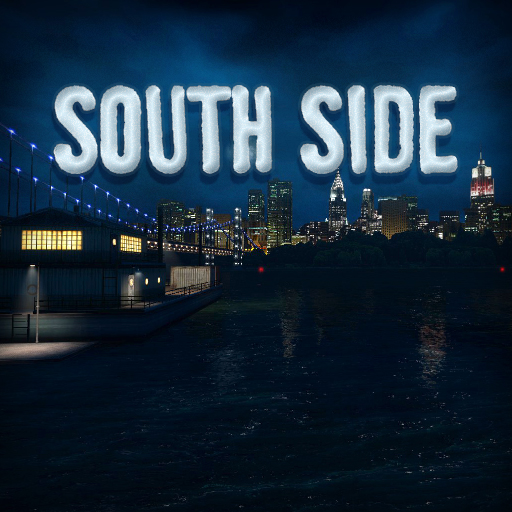
RP_SouthSide
76561197982902446 দ্বারা
The sequel to RP_UnionCity. RP_NYCity , the continuation map to SouthSide has been released Click here for RP_SouthSide Day version RP_SouthSide is set in the southern parts of crime-ridden Union City, somewhere in New York. A large, atmospheric roleplay map with 3 distinct areas: Suburban outskirts, Downtown, Waterfront Click here for a map of SouthSide Nav mesh for AI (Works only for Nextbots) Updated July 9th 2020 Place the .nav file in your garrysmod/maps folder. Big shout-out to: Valkyrie - Playtesting and Lua/technical help Slartibarty - Slammin' Source Tools
Ultimate Workshop Downloader
76561198122763777 দ্বারা
Send Workshop addons from your server to your players automatically. How to use Dedicated servers: add UWD to the server's collection and start the server. Done. Listen servers (p2p, in-game multiplayer): the host player need to subscribe to UWD and start the server. Done. Players never need to subscribe to UWD. Click here If you need legacy addons support (extracted addons). Use our panel if you want to check the addon selection or enable/disable some manually: downloader_menu Features - Automatic; - Extremely fast; - Intelligent addon selection; - Secure; - For listen (p2p) and dedicated servers; - Supports legacy addons (extracted addons); - Has an easy yet powerful panel; - Validates pointshop models; - Actually works (super impressive). Limitations - Sometimes GMod or Workshop can be buggy - contact Facepunch or Steam; - Some addons have errors and don't fully load by themselves - contact their creators; - UWD doesn't send resources from other games like CSS - players must mount these contents; - Addons with improper tags can rarely confuse UWD; - Map contents need to be manually selected through our panel (this is the worst limitation); - UWD can't hotload addons - server owners must ensure they have all the needed addons. How it works? When playing on a server, this script makes people automatically download a selection of your mounted addons from Workshop (using resource.AddWorkshop and resource.AddFile). It checks for the current gamemode, the current map, addons with important resources (such as mdl, vtf, vcd, wav, mp3, ogg, vmt, vtf, png and ttf) and even validates your pointshop models! This process will make players see the server contents correctly, so most ERRORs (missing models) and black and purple textures (missing textures) will be "fixed"! We say "most errors" and not "all errors" because of the limitations listed on the previous section. Other than that UWD supports legacy addons and counts with a cache system that makes the loading process very fast! We mean, once resources are scanned there'll only be new verifications after updates or when new addons are added. That's it! This is probably one of the best "It Just Works" we'll get in its field and we hope you enjoy our work. F.A.Q Does this work with Addon Share It works, but UWD kind of replaces Addon Share. This is also true for many other options such as: Workshop Download Script (WSDL), Automatic Workshop Download and P2P Hero. But feel free to choose what you prefer and don't forget that modders are doing it all for free. is this safe? Yes. Our addon just selects the correct addons and then deletes itself from the memory. Many other questions, like... Do those workshop files get deleted from their computers after they disconnect/exit the game? Where are the mods downloaded to? how to remove addons that this addon downloaded ? Check our extended F.A.Q. for answers. Thank you If you have any questions or ideas, just comment. The code is available on GitHub: https://github.com/ceifa/gmod-workshop-downloader

Active Camouflage
76561198036583412 দ্বারা
Hide from your foes with a wonderful blend of the Crysis Cloak mode and the infamous Active Camo from the Halo series. To Do: - Add bouncy icon in weapon selection. - Make the stealth apply to NPCs. - Add selectable soundpacks, "Crysis" being the default soundpack. Rules of this page: 1. Do NOT post advertisements on this page. You will just get cursed at and your comment will be removed. For example: "hey evry 1 pls chck out my kewl seasgo skin at bit.ly/u3XejK" 2. There is only one rule.
![[LW] Mercedes-Benz G65 6x6 – Garry's Mod Mod](https://images.steamusercontent.com/ugc/3316085120826874602/A85B44AABA29A364997F3C1507295A428D070401/)
[LW] Mercedes-Benz G65 6x6
76561198073265803 দ্বারা
IF YOU DO NOT HAVE THE LWCARS SVN, YOU NEED THE SHARED TEXTURE PACK, OTHERWISE YOU WILL HAVE MISSING TEXTURES, GET IT HERE: http://steamcommunity.com/sharedfiles/filedetails/?id=266579667 I do not take requests, So please don't post them here, you will be ignored. Saying 'This isn't a request but..' does not make it any different. Info A fully drivable Mecedes G65 6x6, Ported from Forza Horizon modified into 6x6 form by Bregel, further modified by me, with bits from 4x4 Offroad Drive. All rights for the original model go to Turn 10 Studios and Bregel. Features -All are fully drivable as a prop_vehicle_jeep -Each car is made of a High Poly, Highly detailed model from some game (Forza, Need For Speed, etc.) -HQ textures -Working rev counter and speedo -Sounds by TheSenDest More stuff from me! Get my SVN instead of this addon! More cars in one download! Join the LWCars Steam Group! Lke the LWCars Facebook page! Follow LWCars on Facepunch! Skin making If you are interested in making a skin for this car, I have made a tutorial detailing how. Its super simple, And I'd love to see what you guys come up with! https://docs.google.com/document/d/1COcmLMUv_4fx2KPWYR5U7ofQr9ErIn74cXVZhYPRiCE/edit# F.A.Q Before posting a question, Please read the FAQ featured on the front page of my Steam group: Join the LWCars Steam Group I also do not take requests, So please don't post them here, you will be ignored. Saying 'This isn't a request but..' does not make it any different. And remember, Suggesting is similar to requesting but is essentially the same thing anyway Bug reports If you have a missing texture or another bug, Please let me know. Be as descriptive as possible so I know what you are talking about, And a picture would help a lot! Just saying 'it dosen't work' or 'missing textures' does not give me enough information Map The map used in the screenshots can be found here. so no one else needs to ask. Legal One again I would like to reiterate that these models were ported from the games listed below and were not outright made by me, only ported through all the methods that involves. Models/Textures Bregel Forza Horizon © TURN 10 STUDIOS Model porting, Texture setup, Scripting LoneWolfie This addon is not endorsed and does not reflect the views or opinions of the companies or anyone involved with said companies mentioned above.
![[LW] Dodge Charger 1970 Fast and Furious Edition – Garry's Mod Mod](https://images.steamusercontent.com/ugc/713034014045891802/9397FD41C05F3F83F7082D016AF74D890A4D1D04/)
[LW] Dodge Charger 1970 Fast and Furious Edition
76561198073265803 দ্বারা
IF YOU DO NOT HAVE THE LWCARS SVN, YOU NEED THE SHARED TEXTURE PACK, OTHERWISE YOU WILL HAVE MISSING TEXTURES, GET IT HERE: http://steamcommunity.com/sharedfiles/filedetails/?id=266579667 I do not take requests, So please don't post them here, you will be ignored. Saying 'This isn't a request but..' does not make it any different. Info "I live my life a quarter mile at a time. Nothing else matters: not the mortgage, not the store, not my team and all their bullshit. For those ten seconds or less, I'm free." A fully drivable Dodge Charger 1970 Fast and Furious Edition, ported from Forza Horizon 2 Xbox 360 by me. Features -Fully drivable as a prop_vehicle_jeep -High poly model -Full HD interior -HQ textures -Working rev counter More stuff from me! Get my SVN instead of this addon! More cars in one download! Join the LWCars Steam Group! Lke the LWCars Facebook page! Follow LWCars on VCmod.net! Follow LWCars on Facepunch! Skin making If you are interested in making a skin for this car, I have made a tutorial detailing how. Its super simple, And I'd love to see what you guys come up with! https://docs.google.com/document/d/1COcmLMUv_4fx2KPWYR5U7ofQr9ErIn74cXVZhYPRiCE/edit# F.A.Q Before posting a question, Please read the FAQ featured on the front page of my Steam group: Join the LWCars Steam Group I also do not take requests, So please don't post them here, you will be ignored. Saying 'This isn't a request but..' does not make it any different. And remember, Suggesting is requesting Bug reports If you have a missing texture or another bug, Please let me know. Be as descriptive as possible so I know what you are talking about, And a picture would help a lot! Just saying 'it dosen't work' or 'missing textures' does not give me enough information
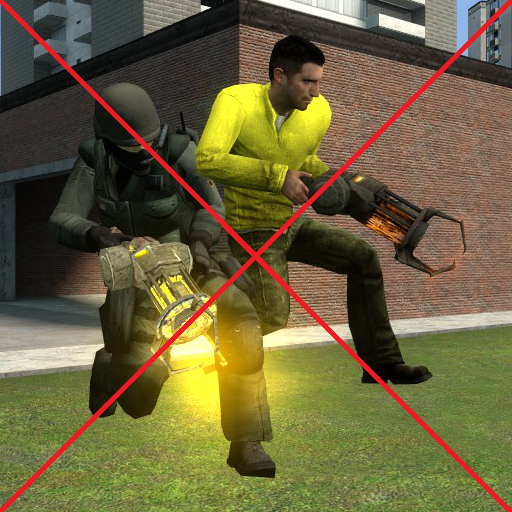
AntiPlayerStuck
76561197978068119 দ্বারা
Players stuck in other Players?! No longer with this addon!
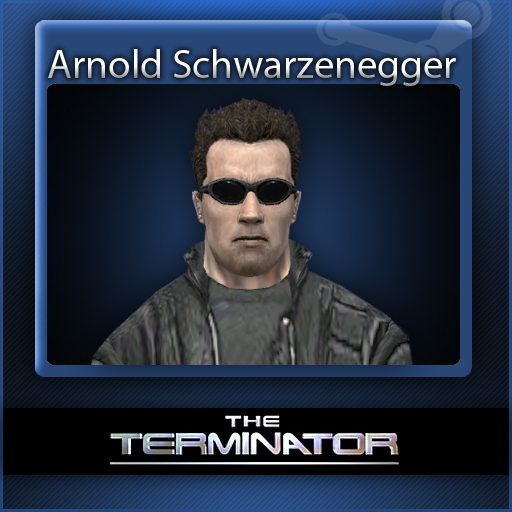
The Terminator: Arnold Schwarzenegger Playermodel
76561198010134457 দ্বারা
Arnold Schwarzenegger Arnold Schwarzenegger from The Terminator - Player Model CREDITS Models and textures: Terminator game devs (Dont know studio name) Porting, rigging and compiling: Voikanaa
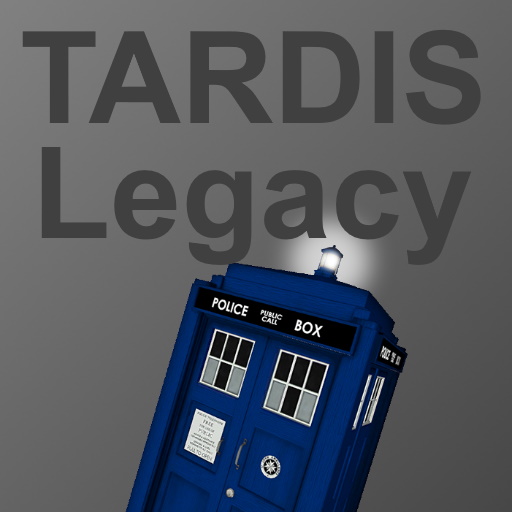
TARDIS (Legacy)
76561198009927934 দ্বারা
This addon is now in legacy status, please check out the newer TARDIS A working entity version of the TARDIS for Garry's Mod. GitHub | Facepunch Check out our discord server: https://discord.gg/s6bujrSryh You can find other legacy TARDIS addons here: https://steamcommunity.com/sharedfiles/filedetails/?id=2670193459 Usage Use the sonic screwdriver (another addon of mine) on the TARDIS to link it to your Sonic device. You may then point at the ground to designate a location for the TARDIS to move to. Press R to initiate de-materialization. Alternatively, you can press R and the TARDIS will move straight to your AimPos. You can also now move the TARDIS directly from Wiremod, with basic inputs or an extensive E2 library (tardis* functions). To go inside the interior, press E on the TARDIS, if you press E on the console you get enter flightmode. During flight, the TARDIS can de-materialise to your AimPos by left clicking. Pressing Mouse2 will put the TARDIS into 'phase mode' and turn it invisible, pressing again reverses this. To exit flightmode or 'third-person', press E and you'll be taken back into the interior. To exit the TARDIS itself, simply walk over to the door and press E on it, or hold alt while exiting third person. With the sonic screwdriver and a linked TARDIS, you can hold left and right click at the same time to initiate tracking mode. The beeps will be faster if you're pointing near it. FAQ: Q: Can it fly? A: Sure, while inside press E on the console to toggle flightmode - WASD for movement, shift to boost, space for up and ctrl for down. Q: Can it turn invisible? A: Yeah, right click when you're inside as the pilot - or right click on it with the sonic. Q: Where can I find this 'Sonic Screwdriver'? A: http://steamcommunity.com/sharedfiles/filedetails/?id=153825236 Q: Help! My view is inside the box? A: Conflicting view addon, Player Resizer is one known to cause issues. (Thanks to PsychoBot for finding this one) Q: It's an error, what do I do? A: You may have too many addons installed. Q: The interior isn't working on <map>, help? A: There isn't much I can do about that, but press Alt-E to get in the tardis, it will bypass the interior and go straight to flight-mode. Q: Can you make a different interior? A: 2013 interior in progress, don't ask for others. Q: I can't link the sonic!? A: Hold walk key (usually alt) + attack key (usually mouse1) Credit to BBC for the exterior/interior models, and to the Doctor Who Team for a code snippet which makes the light on the top. All other coding by me.
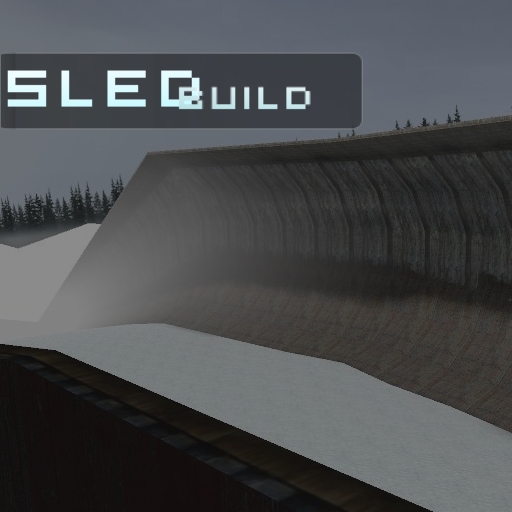
SledBuild
76561198023620192 দ্বারা
BROKEN fixed this old gamemode, SledBuild. This will not entirely work 100%, there are some bugs and limitations due to the above so it will need some patching up. The coding may be a little messy in places, this was GeXeH first gamemode that he learnt to code LUA with. But what GeXeH ask is that you keep the rules and regulations in tact like sled sizes, toolgun restrictions and restricted props (these all help to add to the competition, with these removed the gamemode was VERY boring as the same people created the same sled over and over and won everytime, this made people quit my server and never return to it) GeXeH recommend that 16 player slots is the maximum you host as you'll start hitting source engine limitations (crashes) often. Hope you like it :D Please give GeXeH credit if you decide to revive this unique gamemode. --- Credits -G3X -ReaperSWE -Borsty -Pk191 -BurntFaceMan -Exilion -Aztec -Metroid48 -Kylegar -robinkooli -Meidor --- PS. I can remove this if owner say or map if map owner say.. :P
Ragdoll Resizer
76561198010202238 দ্বারা
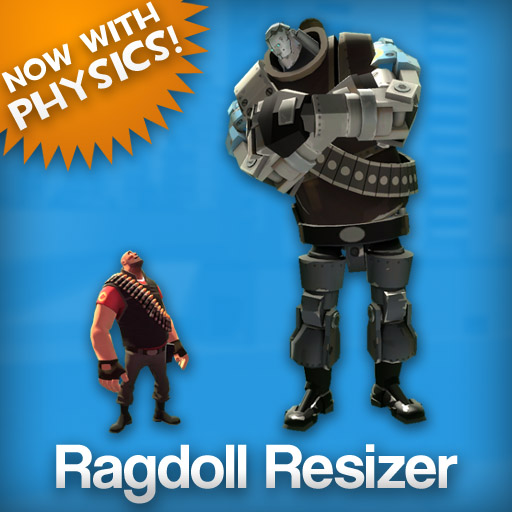
A tool that changes the size of ragdolls. Features: - Can resize a whole ragdoll evenly, or set the size of individual moving parts (physics objects). You can even set separate scales for each axis - you can make parts taller, wider, longer, flatter, or whatever you want. - These aren't the unmovable 'resized ragdolls' from the old addon - these are real, posable ragdolls with working physics that you can do whatever you want with. Pose them with the physgun, weld things to them, use them in scene builds, fling them around, even use them with animation tools like Stop Motion Helper or Henry's Animation Tool. - To use the tool, just right click a ragdoll to select it. This will add a bunch of controls to the context menu (hold C) that you can use to resize the ragdoll, and it'll also show a preview model over the ragdoll so you can see your changes. Once you have the size set the way you want, left click to finish and apply the changes to the ragdoll. - Resized ragdolls are 100% dupe and save compatible. FAQ: - I want to resize some props to go along with my resized ragdolls, how can I do that? Try out the Prop Resizer/Collision Resizer addon here. - I'm a Lua coder. How does this work, is a resized ragdoll a SENT? I thought you couldn't have SENTs with multiple physics objects like this. It actually uses a separate entity for each of the physics objects, which are all constrained together, while the parent entity with the actual visible model uses BuildBonePositions to follow their movements. They also use a bunch of function detours to trick the rest of the game into thinking they're just one entity with a lot of physics objects, so that everything in Lua, even the duplicator, treats them just like they would a normal ragdoll. Known Issues: - Known conflicting addons: - Doors - Seamless Portals (might be fixed?) - Gravity Hull Designator - Potentially any addon that detours util.TraceLine or util.TraceHullIf you're having problems where tools or physgun unfreezing aren't working right on resized ragdolls, then make sure these addons are disabled. If you right-click a resized ragdoll in the context menu and this error shows up, then it's almost definitely an addon conflict. - Since Source doesn't like physics objects that are too big or too small (too big and they won't move properly, too small and the game won't even spawn them), I've had to set a size limit of 0.2x to 50x. You can still go past the limit in singleplayer by typing in a number instead of using the slider, but it's not recommended and things will break. If you want resized ragdolls with sizes past the limit, or just want to pose with normal-sized ragdolls, you can still use the old non-physics ragdoll resizer tool. - Like all resized models in GMod, ragdolls' eyes won't scale up or down when resized, and Lua doesn't have anything to set the eye size of just one model. To let you try and get around this, there's a slider in the controls that changes the size of every model's eyes, which is the closest thing we've got. - Nocollide tool's left click will only nocollide the physics object you clicked on instead of the whole ragdoll; right click still works normally. - Finger poser tool won't always select the hand you clicked on; to get around this, just click on the opposite side of the ragdoll until the tool switches hands. - Not compatible with Advanced Duplicator or Advanced Duplicator 2. Github page: https://github.com/NO-LOAFING/RagdollResizerPhys
Slappers
76561197991989781 দ্বারা
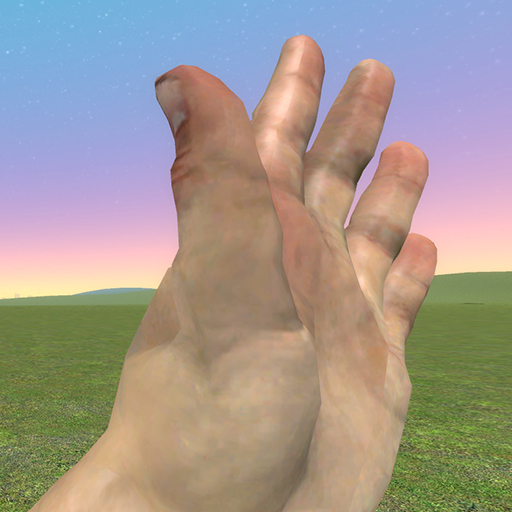
Slap your friends or foe with this weapon. Features actual slapping animations seen in first and third person. You can also slap with your hand of choice using left click and right click respectively. Slap-able Objects - Players - Friendly NPCs - Non-friendly NPCs (Deals Damage) - Props - Breakable Props (Deals Damage) - Buttons (Activates) - Doors (Opens) Console Commands slappers_animated_camera : Disable the animated camera slappers_slap_weapons : Slap weapons out of player or NPC's hands slappers_force : Adjust the force of a slap slapper_vm_hands : Hide/show custom view model hands. Also seen in Elevator: Source (with less features).
Flipoff
76561198057945441 দ্বারা
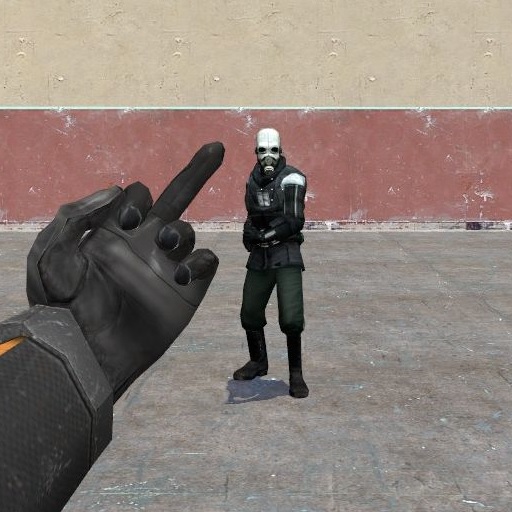
Controls: Left Mouse Button = Middle Finger Right Mouse Button = Thumbs Up Reload button = Cross your arms Originally made by: TechedRonan
![[VManip] Manual Pickup – Garry's Mod Mod](https://images.steamusercontent.com/ugc/1303179417012737276/FD4C34374DFF18923D2113B7D8A9D4C061E2CB95/)
[VManip] Manual Pickup
76561198064800820 দ্বারা
Adds picking stuff up manually, including base entities and any weapon Side note: The yellow halo effect is off by default. See below if you want to enable it Requires VManip sv_vmanip_pickups - 0 to disable the addon, 1 to enable it cl_vmanip_pickups_halo - 0 to disable the halo effect, 1 to enable it
RP Rockford (Models/Materials Only)
76561198000867554 দ্বারা
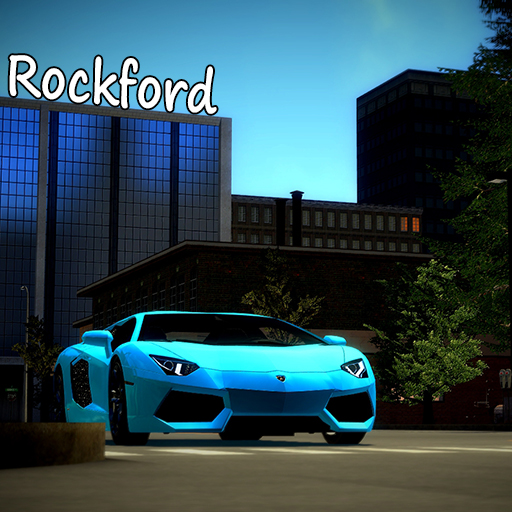
**ATTENTION** This is only some content to allow the map to be uploaded to the workshop. This addon is completely useless without the map itself and if you comment saying this addon is useless, you're absolutely right. Here's the map this content is for: Workshop Link I don't map anymore, however I do have a small community of fans and mappers who are happy to help you learn. I also frequent this discord, offering support when I can. Join this community discord here:
Garry's Mod Guides
Garry's Mod Server einrichten und TTT-Modus aktivieren – Schritt-für-Schritt
GMod-Server aufsetzen und TTT einrichten: Workshop-Collection, ULX-Admin-Tool und TTT-Konfiguration Schritt für Schritt erklärt.
Garry's Mod Workshop Addons installieren
So installierst du Garry's-Mod-Workshop-Addons auf deinem Server: Collection-ID, Steam Web API Key, Auto-Download und Troubleshooting.
Garry's Mod Server mieten – TTT, DarkRP und PropHunt
Garry's Mod Server einrichten: Spielmodus wählen, server.cfg pflegen, Steam-Workshop-Collection verbinden und TTT, DarkRP oder PropHunt testen.
Mod-Support সহ Garry's Mod Server
কয়েক মিনিটের মধ্যেই তোমার নিজের Garry's Mod Server চালু করো।
Garry's Mod Server ভাড়া নাও