Mods et plugins pour Terraria
Ce catalogue répertorie 15 000+ projets Terraria provenant de Steam Workshop. Les entrées peuvent être côté serveur, côté client ou requises des deux côtés, et inclure des cartes ou d’autres contenus créés par les utilisateurs. Avant l’installation, vérifiez la page source liée, la version du jeu et les dépendances.

Blue Sky Ore Mod & Holding Rope And Torch! Compatibility
par 76561198983211065
Blue Sky Ore Mod & Holding Rope And Torch! Compatibility by Nil256 Required Mods: - Blue Sky Ore Mod - Holding Rope And Torch! ---------------------------------------- This mod supports torches of Blue Sky Ore Mod to Holding Rope And Torch! ---------------------------------------- < Release Notes > - v0.8.2.7 Released. Developed By Nil256

JimmyObtain
par 76561198059738673

Lo Kay's Additions
par 76561199196458131
A mod I made to add random things and test the limits of what I can mod into the game. Adds 3 items and nothing else so far. More features will be added in the future. Developed By Lo Kay

Rookies Mod
par 76561199206302805
A new World for a new Mod! It Offers: 1.A new class 2.2 New Melee Items Its A Get Now type of deal!

Beginner's Guide to Plastic Making
par 76561199070133323
A fairly outdated mod that lets you make plastic, and turn the plastic into overpowered tools and other silly things.

Loadout Labels
par 76561198034509944
Loadout Labels Developed with AI assistance (Cursor), curated and playtested manually. Client-only QoL for equipment loadouts. Give each loadout a name, a color, and an item icon — including Extra Equipment Loadouts slots 4–9 when that mod is enabled. How to use it - Open inventory on the equipment page. Under the loadout column (after the stack/scroll tick, if it is shown) click the paintbrush to enter edit mode. - Click a loadout to open its editor. Stay in edit mode to edit another slot; click the paintbrush again (or close the inventory) to leave. - Hover a customized loadout to see its name. Editor - Name — up to 24 characters. Empty falls back to "Loadout N". - Color — presets: Default, Melee, Ranged, Magic, Summoner, Fishing, Building, Mining, Tank, Vanity, Rogue. Colors tint the button and the armor / accessory / dye slot backgrounds. - Icon — search any item, or use the item on the cursor. Reset clears name, color, and icon. Compatibility - Vanilla loadouts 1–3 always. - Extra Equipment Loadouts — optional weak reference. Extra slots 4–9 are labeled the same way when that mod is present. - Also fixes Extra Loadouts refusing to switch back to the vanilla slot you left when Weapon Enchantments is enabled (IL guard conflict). Side Client-only. Safe to keep enabled even if the server does not have it. Developed By Fuzen
Stack Split
par 76561198034509944
Stack Split Developed with AI assistance (Cursor), curated and playtested manually. Vanilla right-click takes one item from a stack. This client-only QoL mod lets you take a useful chunk instead. Controls - Shift + Right Click — take half (floor of the stack). - Ctrl + Right Click — take all but one. If both modifiers are held, Ctrl wins. The taken amount goes onto an empty cursor, or merges onto a matching cursor stack if it fits. One split per press — holding does not keep halving. Where it works - Player inventory, coins, ammo, chests, piggy / safe / Defender's Forge, and Void Bag. - ImproveGame (Quality of Terraria) huge backpack and related extra-slot UIs (when ImproveGame is enabled). Native compatibility No extra patch mods. Enable Stack Split next to the other mod. Magic Storage Works on the storage item grid and on crafting / decraft result slots. - Shift + Right Click takes half. - Ctrl + Right Click takes all but one. - Left click is unchanged (full stack onto the cursor; Shift + Left Click dumps into inventory). Vacuum Bags (androLib) Works inside bag UIs. - Shift + Right Click takes half. - Ctrl + Right Click takes all but one. - Vacuum Bags used Shift + Right Click for whitelist / blacklist, so that gesture is remapped to Shift + Middle Click. What it does not do - Does not change shop buy/sell, crafting recipe slots, reforge, or guide slots. - Does not change world right-click (item alt-use) when the inventory is closed. - Stack of 1 still uses vanilla right-click (pick up or open a bag). Side Client-only. Safe to keep enabled even if the server does not have it. Developed By Fuzen

Base(NOT FINISHED IN IN THE SLIGHTEST)
par 76561199285805962
A game that I'm working on for me and my friends eventually for everyone that wants it. Developed By TheOneTrueBanana
Bohemas' One Damage
par 76561199470050729
Bohemas One Damage Think Terraria is too easy? This challenge mod makes player-controlled attacks deal only 1 damage, turning even basic enemies into a serious fight and making bosses an endurance challenge. Designed for a Terraria "1 Damage" challenge playthrough.
Universal Equipment Jūnihitoe
par 76561199641535579
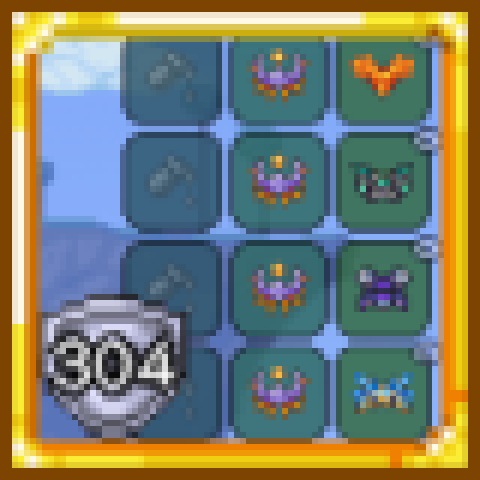
**Armor in accessory slots.** **Duplicate equipment.** **Any armor in any armor slot.** ⚠️Set bonuses only count the three normal armor slots. ⚠️Some effects do not stack. For example, Fire Gauntlet's weapon size increase. ℹ️ **More Accessory Slots (More Accessories):** The same accessory can be equipped multiple times in the additional accessory slots, but armor cannot be equipped there. ℹ️ **Cheat Sheet:** Both accessories and armor can be equipped multiple times in the additional accessory slots. ℹ️ **Wing Slot Extra:** This mod does not interfere with the functionality of Wing Slot Extra. What Is Jūnihitoe? Jūnihitoe (also commonly written as Junihitoe), often translated as a “twelve-layered robe,” is a modern name for an elaborate form of traditional Japanese court dress, especially associated with aristocratic women of the Heian period (794–1185). Jūnihitoe is known for its multiple silk garments, long flowing robes, wide sleeves, coordinated colors, and carefully arranged visible layers. Despite its name, Jūnihitoe is not a single robe made of exactly twelve layers. It is a formal ensemble consisting of several garments worn together. The Layered Structure Garments were worn one over another, with the edges of the inner layers deliberately left visible around the collar, sleeves, and hem. This created bands of color that formed an important part of the outfit's appearance. A simplified arrangement of garments, from innermost to outermost, is: Kosode → Hakama → Hitoe → Itsutsuginu → Uchiginu → Uwaginu → Karaginu + Mo The exact number and arrangement varied depending on the period, occasion, rank, and formality. Main Garments Kosode (小袖) is a relatively simple garment worn close to the body. Its name means “small sleeves.” Over time, kosode became an important outer garment and contributed to the development of the modern kimono. Hakama (袴) is a divided, skirt-like lower garment traditionally associated with red in formal women's court dress. Hitoe (単) is an unlined garment worn over the innermost layers. Itsutsuginu (五衣) literally means “five garments.” It refers to several garments worn one over another, with their colors carefully chosen so their edges could be seen around the collar, sleeves, and hem. Uchiginu (打衣) and Uwaginu (表着) were outer layers worn over the Itsutsuginu. Karaginu (唐衣) is a short, highly decorative upper garment worn over the torso. It is one of the most distinctive parts of the formal ensemble. Mo (裳) is a long, skirt-like train attached around the waist and extending toward the back. Karaginu and Mo together form the basis of the historical term Karaginu-Mo ensemble (唐衣裳装束). Kasane no Irome: The Art of Layered Colors One of Jūnihitoe's most distinctive features is its use of color. Kasane no Irome (襲の色目) describes the aesthetic of combining colors across multiple layers. Color combinations could be associated with seasons, flowers, plants, and other elements of nature, evoking images such as spring blossoms or autumn leaves. The beauty came from the relationship between the layers. Even a narrow strip of fabric could contribute to the overall design. Thus, Jūnihitoe was not simply about wearing many garments. Their colors, fabrics, and visible edges were carefully coordinated to create a harmonious composition. Was It Really Twelve Layers? No. The wearer did not necessarily wear exactly twelve garments. The number of layers was not a permanent technical requirement and could change according to the period, season, occasion, status, and formality. Although Itsutsuginu means “five garments,” the entire ensemble was not simply five or twelve layers. The name “Jūnihitoe” should therefore not be understood as a strict description of its construction. The number twelve is better understood as part of the later common name for this type of court dress. How Heavy Was It? The many layers could make the outfit quite heavy. Depending on the garments and materials used, a complete outfit could weigh several kilograms and, in some cases, around 10 kilograms (22 pounds) or more. It was formal clothing rather than practical clothing for unrestricted movement. In court society, posture, movement, appearance, and etiquette were important aspects of aristocratic culture. Historical Development Jūnihitoe did not appear in exactly its modern form at one particular moment. During the early Heian period, Japanese court dress was strongly influenced by East Asian clothing and customs, particularly those of Tang dynasty China. After Japan stopped sending official missions to Tang China in the late 9th century, Japanese court culture gradually developed more distinctive forms. By around the latter half of the 10th century, basic forms of women's layered court dress are thought to have become established, although they continued to change over time. Jūnihitoe was therefore the result of a long process of development rather than a single costume suddenly created in one period. Jūnihitoe Today Today, Jūnihitoe is rarely worn in everyday life. It can be seen at formal ceremonies, cultural events, museums, historical reconstructions, and occasions associated with the Japanese Imperial Household. Modern formal court dress follows established traditional forms, including Itsutsuginu, Karaginu, and Mo, rather than literally consisting of twelve layers. It is also not an exact reproduction of what every aristocratic woman wore during the Heian period, because court dress changed over the centuries. Today, Jūnihitoe is preserved primarily as a symbol of Japanese court culture and traditional aesthetics. Conclusion The essential characteristic of Jūnihitoe is not the number twelve, but the art of layering. Multiple garments are combined so that their colors, textures, shapes, and visible edges work together as a single composition. Seasonal colors and subtle transitions between layers create an aesthetic that is both elaborate and carefully controlled. For this reason, Jūnihitoe is commonly translated as a “twelve-layered robe,” but it is more accurate to understand it as a modern common name for an elaborate, multilayered form of women's Japanese court dress whose number and composition varied throughout history. One garment is placed over another, and each layer becomes part of a single, harmonious whole. Developed By Anonymous409
Convergence (Development Build)
par 76561198962564063
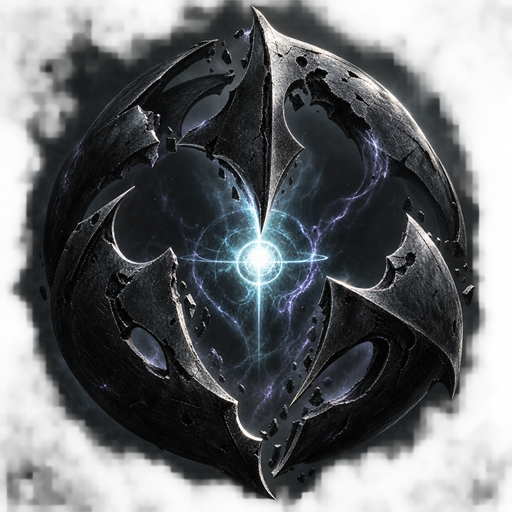
Convergence — Development Build 集まり、散開し、倒れた仲間を起こす。Calamity最終装備向けのマルチ推奨レイド。 最初のレイド「First Severance」で、Null Cantorに挑みます。外殻からの羽化、遠隔の腕、格子ビーム、頭割りと散開、最後の生存フェーズまで進行する実験的なボス戦です。勝利報酬は作業台で近接・遠距離・魔法・召喚・ローグの5形態へ等価交換できます。 開発中のプレイ可能なテスト版です 完成版ではありません。難易度・数値・演出・武器性能は大きく変わる可能性があります。安定動作、全Modとの互換性、セーブ互換性は保証していません。ワールドとキャラクターをバックアップし、まずテスト用ワールドで遊んでください。 必要な環境 - Calamity Mod 2.2.4。検証基準はtModLoader 2026.07系 / Terraria 1.4.4.9です。 - Calamity側で必要な依存Modも導入してください。検証環境では公式Calamity Mod Musicも使用しています。 - 2~4人推奨。Exo MechsとSupreme Calamitas撃破済みワールド、Calamity最終装備を想定しています。人数別バランスは調整中です。 - 参加者全員でConvergenceのバージョンをそろえてください。 レイドの始め方 - 現時点では開始用「Foundation Core」と蘇生用「Resuscitation Kit」に通常レシピがありません。Cheat Sheetなどのアイテム取得補助Modで入手してください。これは開発版のセットアップ手段で、Convergenceの必須依存ではありません。 - Host & Playなどで同じワールドに参加し、周囲・上方に十分な空間のある地面へFoundation Coreを設置します。設置や起動が拒否されたら画面の検証メッセージを確認してください。 - 参加者がCoreの近くに集まり、右クリックで準備開始。その後、各参加者が右クリックしてReadyを設定します。 - 頭割りは示された有効円へ集合、散開は各自の円を重ねず離れます。全員で成功すればそのギミックのダメージはありません。 - 倒れた仲間の近くでResuscitation Kitを使用すると即時蘇生します。アイテム消費・共有トークンはありません。蘇生された人は60秒間、再度の蘇生を受けられません。全員ダウンすると敗北します。 ソロ・既知の制約 1人での起動は開発確認用に有効です。ソロ向けに再設計されたレイドではなく、1人でダウンすると敗北します。 強い発光・点滅・画面揺れ・効果音があります。Mod設定の演出軽減も利用してください。見やすさ、音量、負荷、武器性能、切断・再接続や他Modのダメージ処理との組み合わせは引き続き確認中です。 不具合報告 公開後はこのWorkshopページのコメント欄へ、ConvergenceとtModLoaderのバージョン、人数、導入Mod、再現手順を添えて報告してください。スクリーンショットやログを共有する場合は、個人情報・接続情報を伏せてください。現在、公開GitHub Issuesや専用のサポート窓口は案内していません。 English summary An experimental multiplayer-first Calamity endgame raid. Recommended for 2-4 players after Exo Mechs and Supreme Calamitas. Requires Calamity Mod 2.2.4 and its required dependencies; tested on tModLoader 2026.07 / Terraria 1.4.4.9. Everyone must use the same Convergence version. Spawn Foundation Core and Resuscitation Kit with an item tool such as Cheat Sheet: normal recipes are not implemented yet. Place the Core on open solid ground, gather nearby, right-click to prepare, then each player right-clicks to ready up. Gather for Stack, separate for Spread, and use the reusable kit near downed allies. Revival gives a 60-second recipient lockout; all down means defeat. Solo admission is a debugging convenience, not balanced solo content. Development build: back up saves, expect changing balance and unfinished compatibility. Contains intense visual/audio effects; reduced effects are available. Please report reproduction steps, versions, party size and enabled Mods in Workshop comments after publication. This is an independent addon, not an official Calamity release. Developed By Minamium

RoR Music Mod
par 76561198082058819
Music tweak mod to return the old RoRR music to TerRoguelike Developed By Scovver
![Tradução Cataclysm Mod [PT-BR] – Terraria Mod](https://images.steamusercontent.com/ugc/13055745118175948623/DACF9E83C684E354795065152848851E534C80BF/)
Tradução Cataclysm Mod [PT-BR]
par 76561198423271778
Tradução Completa para o Cataclysm Mod (Clamity) em Português do Brasil (PT-BR)! Traduz 100% dos conteúdos, chefes (Pyrogen, Wall of Bronze, Clamitas), armas, armaduras, acessórios, itens e diálogos de Fanny the Flame. Desenvolvido por Gabriel com apoio da comunidade brasileira. Developed By Gabriel
Grinder's Dream
par 76561199195288445
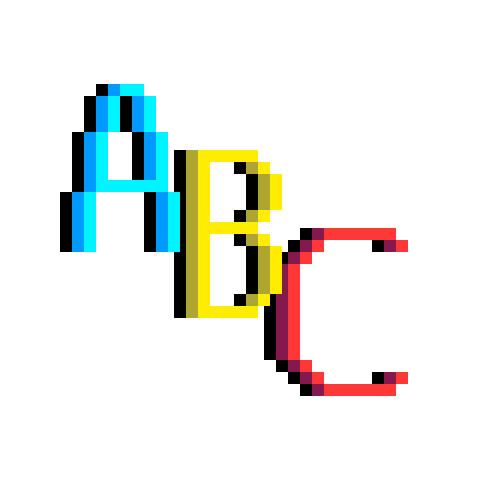
A cool mod that adds lots of collectables to your game that you can grind OR find them by luck in a random playthrough. Recommended to download any mod that shows items in anyway. Mod is NOT EVEN CLOSE TO BE FINISHED! ONLY PUBLISHED TO BE PLAYED WITH FRIENDS! All the letters you can get: Letter "a": - Has a 0.05% chance to drop from Slimes (Blue, Green, Purple), Zombies, or Demon Eyes. - Drop chance is reduced if enemies are spawned artificially. Letter "A": - Has a 1% base chance to drop from King Slime or Eye of Cthulhu. Letter "b": - Has a 0.005% base chance to drop when mining Stone or Dirt. - Drop chance increases with depth. Letter "B": - Has a 0.02% base chance to drop when mining Silt or Clay. - Has a lower chance to drop when mining Mud. - Drop chance increases with depth. Letter "c": - Has a 0.2% chance to drop from any enemy killed with Throwing Knives or Shurikens. - Drop chance is reduced if enemies are spawned artificially. Letter "C": - Alternatively has a 0.02% chance to drop on hit against any boss using Throwing Knives or Shurikens. - Drop chance on hit increases for each Ninja armor piece equipped. Letter "d": - Has a 1% base chance to drop upon player death. - Drop chance increases with the amount of coins held. - Drop chance increases with the lower hp player have by percentage. Letter "D": - Achievement: Die to an enemy with 1 HP while you also have 1 HP. Any dark gray text means they are not implemented! Developed By Kr3atif
Chained together
par 76561198874949193
Chained together This mod forces you to stay close to your friend(s). 2 player (teleport mode) One of you goes too far from each other, you both teleport to the center. 2 player (other mode dunno a good name) You physically cant go too far from each other (Bugs are a feature). 3 or more players (teleport) The mod calculates the average point of all of you, if one of you i too far from that center point, they teleport to it. (i still dont know a good name) You physically cannot go too far from the average center of you and your friends. I have only tried this with myself by having 3 terrarias open at the same time. May not work correctly with omre idk. Developed By Hibeer

GhostLoadouts
par 76561198657323379
GhostLoadouts expands Terraria's equipment system with a fully native 4th Loadout (Loadout IV) and exploit-proof Hologram Cloning. Why it's better than vanilla: Instead of constantly moving accessories or juggling gear across the standard 3 loadouts, create tethered Ghost Holograms of your equipment. Share accessories between multiple loadout sets simultaneously without duplicating items or cheating progression. Features: - Dedicated 4th Loadout: Seamlessly swap via on-screen UI or the F5 hotkey. - Hologram Item Cloning: Hover over any equipment piece and press H to generate a functional ghost duplicate for another loadout slot. - Fully Exploit-Proof: Holograms cannot be placed, consumed, reforged, sold, stored in chests, or dropped. If the original item leaves your possession, the hologram instantly dissipates. - Rapid-Input Stable: Custom memory architecture ensures loadouts never scramble or overwrite, even during rapid key inputs. Developed By Chinito
Посох валуна
par 76561199829986418
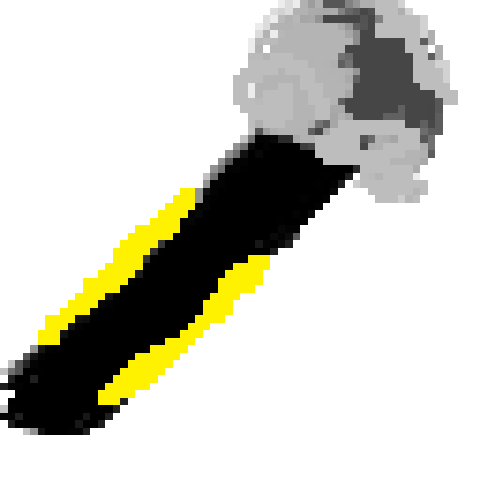
Добавляет посох валуна. При использовании посох призывает каменный валун на место курсора. Рецепт: 20 камня и 10 душ полёта на мифриловой или орихалковой наковальне.
Platinum Coin Accessory
par 76561199829986418
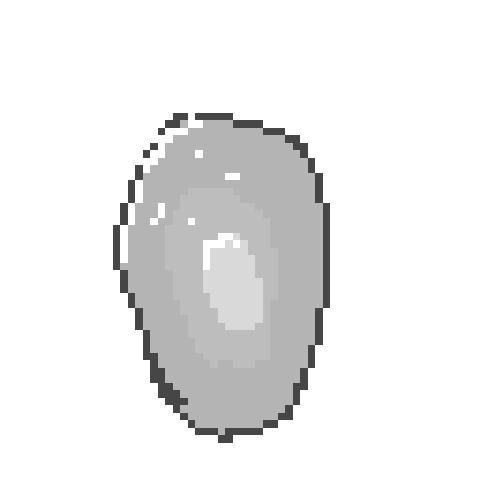
Добавляет аксессуар «Платиновая монетка». Даёт +10 к защите. Крафтится из 10 платиновых монет на железной или свинцовой наковальне. Developed By Manus
par 76561199106976687
ģ����ʽ���������� All Creatures author = TOXXSL V0.2.1 ��ģ����һ����������������ģ�� ���Ӳ���������Ʒ�� Developed By TOXXSL
毁灭者声音变异
par 76561199071940613
让灾厄2043的毁灭者释放激光时会发出具有侮辱性的声音。 aaaaaaaaaaaaaaaaaaaaaaaaaaaaaaaaaaaaaaaaaaaaaaaaaaaaaaaaaaaaaaaaaaaaaaaaaaaaaaaaaaaaaaaaaaaaaaaaaaaaaaaaaaaaaaaaaaaaaaaaaaaaaaaaaaaaaaaaaaaaaaaaaaaaaaaaaaaaaaaaaaaaaaaaaaaaaaaaaaaaaaaaaaaaaaaaaaaaaaaaaaaaaaaaaaaaaaaaaaaaaaaaaaaaaaaaaaaaaaaaaaaaaaaaaaaaaaaaaaaaaaaaaaaaaa Developed By 光滑哈奇
Block Scanner
par 76561199549337484
This mod adds an item that allows you to scan blocks in the selected area and shows their type and quantity. Developed By Kaine

NoCaves
par 76561198058881426
I swear it makes it where caves don't spawn, I 100% garauntee. I spelled guarantee wrong, but my fingers are cross... I meant... my fingers have exploded... I meant... AH MY BONES AH! Where am I? I'm in the TNT HOSPTIAL? NOOOOOOOOOOOOOOOOOOOOOOOOO! Developed By Mega Strike ZERO
HomeroGemi2
par 76561199237704383
Hermano estas a punto de oir el peak de la comedia compadre, usted se muere y va a estar queriando morir a cada rato, gemi2dehomero peak de la comedia Características: - Totalmente compatible con partidas multijugador -king e marisco -Audio iconico del pana homero representado su mayor atrubito - Risas aseguradas al fallar en tus batallas contra jefes o al caer por descuido. - Extremadamente ligero y fácil de usar, solo actívalo y listo. Developed By Woven20

pipipapa
par 76561198878369506
I like boys. This mod represents itt perfectly Please don't ban me Steam, I just want to express my feelings. Developed By PentachordalOpeningAct410
Terraria Guides
Mods et plugins de serveur Terraria – Extensions tShock
Installe des plugins tShock sur ton serveur Terraria, configure régions, groupes et SSC, puis vérifie les erreurs typiques étape par étape.
Louer un serveur Terraria – configurer le multijoueur
Configure ton serveur Terraria avec tShock, une taille de monde adaptée, des droits admin, des plugins et une vérification claire pour le multijoueur.
Serveur Terraria avec support des mods
Installez les mods compatibles et pris en charge depuis le tableau de bord.
Louer un serveur Terraria