Mod & Plugin Garry's Mod
Katalog ini mencantumkan 1.984.000+ proyek Garry's Mod dari Steam Workshop. Entri bisa diperlukan di sisi server, sisi klien, atau di kedua sisi, dan juga dapat mencakup peta atau konten buatan pengguna lainnya. Periksa halaman sumber yang ditautkan, versi game, dan dependensi sebelum instalasi.
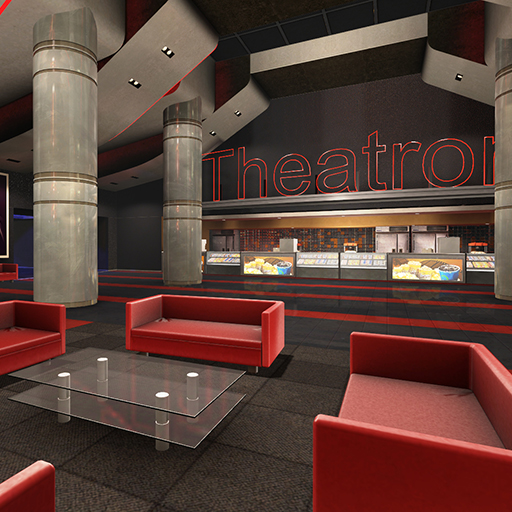
Cinema_Theatron
oleh 76561197970525198
Official map for the Cinema Gamemode. Links Cinema Website Cinema Gamemode

HBOMBS Materials Pack
oleh 76561198035641934
THIS ADDON IS PART OF HBOMBS BASE PACK, THERE WILL BE NO MORE INFORMATION ABOUT THIS ADDON HERE. HBOMBS Base Pack: http://steamcommunity.com/sharedfiles/filedetails/?id=668552230
![[OLD] Call Of Duty: Black Ops II Weapons Pack – Garry's Mod Mod](https://images.steamusercontent.com/ugc/29590816191639857/72FD40B40ECCB9F9D8E638998EC9FE8E3E5F8528/)
[OLD] Call Of Duty: Black Ops II Weapons Pack
oleh 76561198027620293
PLEASE READ BEFORE COMMENTING: I am no longer working on GMod content!!!! I am working on Black Ops 3 custom zombies instead!!! Any requests for guns and/or swep packs will NOT be accepted. Here is an old guide on how to port weapon models into Gmod: http://steamcommunity.com/sharedfiles/filedetails/?id=384822367 Go nuts. Welcome to the release of my Black Ops II weapons pack. Each gun (models and animations) has been ported from Black Ops II and edited to work within gmod as functional sweps. ___________________________________________________________________________________________ Weapons Include: -MSMC -DSR .50 -PDW-57 -KAP-40 -SCAR-H -AN-94 -Peacekeeper -LSAT -Ballista -Executioner -M27 -Tac-45 -Type 25 -Skorpion EVO ___________________________________________________________________________________________ Credits: -Me: Porting and basic lua -Treyarch: Models, Textures, Sounds, and Animations -Tom Crowley: His amazing tools. Without him, NONE of this would be possible! Enjoy!
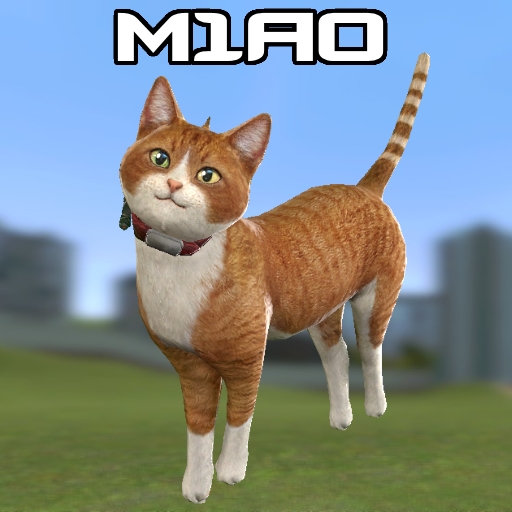
M1A0 Cat Gun
oleh 76561198048089766
Don't be fooled by the adorable appearance! One of the most dangerous weapon is now available for Garry's Mod! Features: - Working Ironsighting and Sprinting animations; - Viewmodel arms (c_arms) compatible; - Can be given to NPCs; - Sandbox and Trouble In Terrorist Town (TTT) gamemodes compatible; - Press Reload button ('R' button) to inspect it when it fully loaded; - No Base or Additional content required. To add it press green Subscribe button on this page. It will appear next time you load the game. Credits: Models, textures, sounds - by Dragonfly GF Co., LTD, Gameforge 4D GmbH (S.K.I.L.L. - Special Force 2 game) Ported and rigged - by Me The idea of putting this stuff into game - by MARK2580 If you like this addon, please don't forget to vote up! Enjoy! :)

SW Blue-X13
oleh 76561198010984952
A tron styled bike. Please read the description for all informations about the addon! Click for the terms of use. Special thanks to: - Grocel Requirements: - You need to have the SW Base Addon installed! Console command: - sv_sligwolf_reload_addon bluex13 Controls: - W (+forward) = Forward - S (+back) = Backward - A (+moveleft) = Steer Left - D (+moveright) = Steer Right - Shift (+speed) = Turbo - Space (+jump) = Handbrake Changeable controls: - R = Enable / Disable Driftmode - Keypad 1 = Extra Camera Left - Keypad 2 = Extra Camera Front - Keypad 3 = Extra Camera Right - Keypad 4 = Extra Camera Back Comments and feedback: In order to centilize our addon maintenance efforts, the comments has been disabled in all addons. Please go to the SW Addons Group to comment and give feedback on our addons. Mind the rules, though! Any problems? Please read those: ► FAQ & Common Issues ► Troubleshooting Still got problems? Post here: ► Bug Reports Please read the description for all informations about the addon! Click for the terms of use.
![[LW] Mercedes-Benz G65 AMG – Garry's Mod Mod](https://images.steamusercontent.com/ugc/3318327417322170455/77181F2D157CA54D8400E853B6CCCE23395CB73B/)
[LW] Mercedes-Benz G65 AMG
oleh 76561198073265803
A driveable 2012 Mercedes Benz G65 AMG W463 ported from Forza Horizon by me. Has a fair few bodygroups for bumpers and the like. Sounds by Dalax, Big thank you to him! Follow progress on VCmod.net! Follow progress on Facepunch! F.A.Q.: Q: How do I drive this? A: Spawn it from the Vehicles menu, they are under LWCars. Q: Why do they not have lights? A Because I dont have/cant buy VCmod, when it is released properly I will start adding lights to them Q: Can you make ? A: I dont take requests, Sorry.
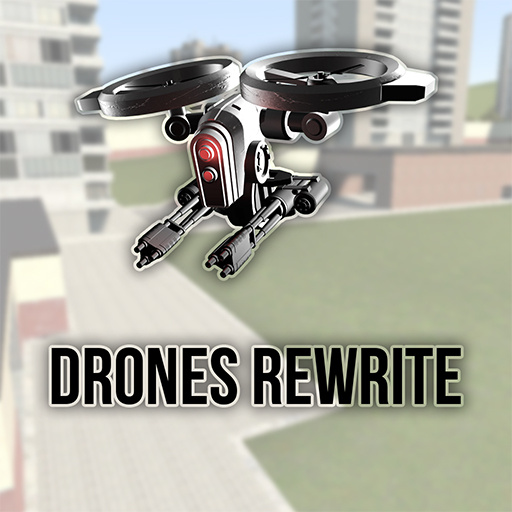
Drones Rewrite
oleh 76561198076062109
Meet Drones Rewrite! It is the last, the biggest and the best part of Drones which contains a lot of new drones, options, weapons and etc. You dont need any previous Drones addons for this to work. F.A.Q.: PLEASE READ INGAME HELP FIRST! Most of the questions can be answered there Q: How to add AI to a drone? A: Go to Entities tab and find there drone upgrades, spawn any and touch the drone with it Q: How can i go to a Thirdperson mode? A: "I" Key Q: How can i use more weapons that installed on my drone? A: To change weapons on the drone you currently controlling you need to scroll your mouse wheel to select a weapon and then press LMB to apply that weapon Q: How do i make it so the drones don't attack eachother/My friends? A: Add your drones to friend settings in Options->Drones Settings->AI->Show Friends Setting. By default all the drones you spawned are considered as enemy Q: How to use winch/refueller/pick up things with Cargo Drone? A: You need to hover RIGHT ABOVE your prop/entity/drone you want to pick up. I suggest using Thirdperson mode ('I' key). Also, you can't pick up or refuel a drone from a mile distance Q: How can i give ammo to drones? A: Go to Entities->Drones Rewrite Ammo and spawn ammo that you needed. After that place your ammo box on top of your drone Q: I can't use drones, my screen goes black when i try to control them. What can i do? A: You should check your addons, especially if you have >20 of them. There are plenty of confilcting ones that can break the render of drone screen. Q: I cant fly far away from myself. What can i do? A: Use "Controller" or "Control station", you can find them in Drones Rewrite Tools Also you can just add module Signal booster or check "No signal" option in Q->Options->Drones Rewrite->Server Q: How to undeploy Ball Turret? A: You can't undeploy it, because it is one use drone. Q: How to refuel drone? A: Go to Q->Entities->Drones Rewrite Tools and spawn an entity called "Gas Station" Grab pump and put it on the drone. After drone's refueling move drone away Also you can refuel other drones with GPRO Assistant Drone Q: How to change keyboard settings? A: Go to Q->Options->Drones Rewrite->Keys Q: How can i make drones fight rebels/cleiners etc... A: Currently that is not possible. We will add this feature in the next updates Q: When I am trying to get drone's controls it says " You can't drive this drone!" A: It means that drone is destroyed or you're not the owner of that drone or drone has AI installed Repair the drone or hack it if you're not owner or remove all AI modules Q: Meloons? A: SWIIIBORG!!!! Why Drones Rewrite is better than Drones 1 and Drones 2 both? In Drones Rewrite there are - Customization - Nice key binding system - Console with 40+ commands - Various controller options - AI - Walker drones, submarines, big ship drone, spiders, nukes, etc - Help window - A gift box Controlling There are 4 ways to control drones: - You press use key (E) while looking at drone and standing afront of it - You spawn Controller (Q->Entities->Drones Rewrite Tools->Controller) and press use key (E) on this and after the menu has been approached you type drone's ID and press Control ***** - You spawn Console and use it's commands For example: > printlist -- Found drones -- ARTL213 G211 > select G211 Selected G211 > control -sel - You take Remote Controller weapon (Q->Weapons->Drones Rewrite Tools ->Remote Controller) and press right mouse button until you find any drone. Also you can look at the drone you want to control and press right mouse button, remote controller will take it's controls, but there is a limit of distance that is 8000 units that allows you to get controls just by looking at the drone. Also you can control drone's keys by clicking Reload key (Default: R) Hacking When you type hack DRONE in console it will give you a lot of symbols and words which length is depending on hacking difficulty. You need to choose one of these words, just type it carefully. You have 4 attempts, if you fail you'll need to wait some time to try again. If you chose incorrect word console will say you how much letters are right. For example: word BREED, password TRIED. There will be 3 correct letters: R, E and D. Remember that DIERT will give you 0 correct letters although it has every letter from TRIED. All letters must be on their places. For more info you can google "Fallout hacking guide" or something like that, our hacking system is ALMOST the same. Credit for it goes to Bethesda Softworks and Obsidian Entertainment. Known bugs - When in multiplayer you fly on drone far from yourself almost all sounds disappear. This is because of Source and we probably cant fix that. - When you are controlling drone from an isolated place like admin room all effects and other stuff can disappear. That is also because of Source. - AI is kinda stupid. - Radar marks disappear occasionally - Drones' HUD is not visible in multiplayer sometimes Credits Code, models, textures: ProfessorBear, Mr. Mind, EgrOnWire Effects: Darken217, ProfessorBear, Mr. Mind Balance: Mr. Mind Testers: DoomSpy Special thanks goes to Darken217 (developer of Darken217's Sci-Fi Weapons) for his beautiful particle effects. Servers with Drones Rewrite Click Drones 1 Drones 2
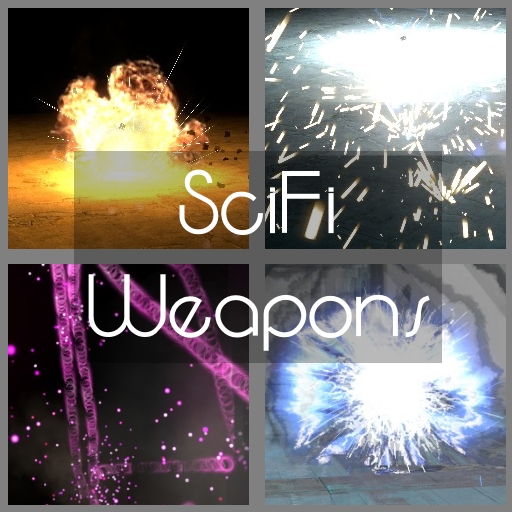
Darken217's SciFi Weapons
oleh 76561198056390178
PLEASE READ THE DESCRIPTION TO AVOID UNNECESSARY PROBLEMS Note April, 2026: This addon is content-complete, meaning there will be no content updates or further additions in the future. I have for all intents and purposes moved on from Gmod a while ago and will only update if the addon becomes broken to the point of being unusable and if I have time to work on a fix. Thank you to everyone who's been engaging with my work over the years, I can only hope that it brought you as much fun as I had making it. Introducing my latest creation: Darken217's SciFi Weapons. This was my first gmod addon. I've updated it over the years to address issues and add more content. It's a collection of multiple kinds of weapons with individual design and techniques, including several energy or plasma weapons as well as elemental tech. Your feedback and constructive criticism is requested. If you like this addon, please give me a thumbs up. :) This addon features - 42 unique weapons - high detail particle effects and materials - dynamic light effects - elemental damage types - new sounds - customizable options - different mechanics and techniques - dynamic recoil - skill rewarding crit mechanics - Left 4 Dead style quick melee attacks and melee weapons/swords - tons of damage to your enemies Additional information Check out the options it the spawn menu. All sfw_ console commands are related to this addon. Most weapon share the same control schemes: Primary Fire: "Attack" (def. "Mouse1") Secondary Fire: "Use" (def. "E") + "Attack" (def. "Mouse1") Aim Down Sights (if available): "Attack2" (def. "Mouse2") Change Fire Modes (if available): "Use" (def. "E") + "Attack2" (def. "Mouse2") Toggle Safety: "Use" (def. "E") + "Walk" (def. "left alt") Quick Melee: Unbound by default. To map it to a key, type bind *your key* +grenade2 in the developer console. Inspect Weapon: Unbound by default. Go to the weapon's settings in the spawn menu to bind it to a key. FAQ Q: Where do I find this weapons? They seem not to be listed in the weapons tab. A: Restart gmod. If that doesn't work, re-subscribe the addon and restart gmod. The weapons should be located in Weapons > Darken217's SciFi Armory. Q: Where can I find customization options and settings for this addon? A: In the spawn menu under the utilities tab (see top-right), as shown in the very first screenshot in the showcase above. Q: How can I change a weapon's firemode? A: Some weapons feature different firemodes. Press "Use" (default: E) and right click to switch. Q: I'd like to use these weapons on my server, but they're way too powerfull for my taste. Is there a way to nerf the damage? A: Yes, there is. Try the options or the console command sfw_damageamp which acts as a multiplier to the damage done by my weapons. Q: The custom does nothing but printing "No function set" into console. Why? A: Obviously, because there was no function set. Check out the options related to this addon in the spawn menu. Q: Where do I find ammo for these weapons? A: The weapons included in this addon either use default ammo types (like ar2, smg1, etc.) or have infinite ammo. The "ID-C 'Umbra'" is the only exception to this, see its purpose and instruction tabs for further information. Q: Can you add NPC weapons or a NPC weapon version of this addon? A: No, I'm not going to do that, since there already are several ways to equip any NPC with any weapon of your liking, i.e. the extended properties mod Q: Can you add *random idea* to this addon? Would be really nice. A: Feel free to post your ideas and concepts in the suggestions thread below. However, I'm not going to add something, just because it has been suggested. It's my addon after all. Q: What is that hud you're using? A: The blue one is not available for download, the other one is. Here you go Q: Is this still being updated / looked at? A: Yes. Even though I can't release new content updates every week or month, I'm always checking for new bug reports and keep up developing this. Depending on how critical a bug is (determining that is up to me) I'll release a hotfix dedicated to that issue. Keep in mind, that I most likely can't fix addon conflicts. Q: Can I use some of your particles/materials/models/sounds for my own addon/mod/game? A: Yes, if you name me in the credits and don't earn money with my work. Q: Can I use your weapon's base for my workshop addon? A: Yes, you can. There are some example weapons in this pack, but I should warn you: I'm primarely an artist, which you also can tell from my non-professional coding. Also, updates may drastically change the base, keep that in mind. Known bugs - Generally speaking, the overwhelming majority of reported bugs are addon conflicts, which is something you can't always work around. If you have issues, please try and disable other addons to find out if one of them has been conflicting and maybe add it the "mods that conflict" discussion on this workshop page. The more information I have, the easier it is for me to narrow down on the conflicting sections and find a solution. - Weapons are stuck in inspection mode. Go into the settings as shown in the very first screenshot above and map "inspect weapon" to a key. This occures to some users due to an unknown conflict. Binding the function to a key should fix the issue. - Weapons show default weapon models or fail to render transparent textures. Make sure you've updated your graphics drivers. See in your game's graphics settings or by typing mat_dxlevel in the console if your game is running on DirectX 9b or higher. (mat_dxlevel > 90) - The engine reports dozens of "Attemped to precache unknown particle system" errors. This is a source engine / gmod problem that I can't fix. Ignore this, as this has no effect on anything. The weapons will still work - Weapon view models spazz around on the screen. This is caused by an interpolation error at extremely low framerates (~7 or lower during testing). If your game is running at 7FPS, you have more pressing issues, but generally speaking, disabling features like viewmodel bob/sway in the weapon's settings (see Spawn Menu > Utilities tab) will at least serve as a temporary fix. Additional Credits Valve Software - Sound references, particle references and tutorials Clavus - SWEP Construction Kit Father Vibimir ; Alex ; Unlight369 ; Eybaro - Testing
![[August 2022 Update] Five Nights at Freddy's 2 NPCs / ENTs (Toy Edition) – Garry's Mod Mod](https://images.steamusercontent.com/ugc/545268748518854030/CCD5C33F8DB0896C50145F8C3C1BB430F6E7CCBB/)
[August 2022 Update] Five Nights at Freddy's 2 NPCs / ENTs (Toy Edition)
oleh 76561198073006536
Five Nights at Freddy's 2 NPCs / ENTs Please read the description before commenting. Includes ENTs, NPCs, Sounds, and Jumpscares. To View Updates, please click here. Disclaimer This addon is not to be edited and / or uploaded / reuploaded without my consent. The base is for my personal use only, modifying or uploading your own NPC using my addon as a base or source is not okay unless my consent has been given. Information After your impatience and harassment, hopefully, it will have been worth the wait. So after the success in my first set of Five Nights at Freddy's NPCs, you guys wanted and demanded more. Please be more patient next time. These Entities and NPCs will do whatever it takes to murder you. They play random scare sounds, death animations, static and robotic whispering. If you enjoyed the game, why not give these a shot. Please restart your game after installing Also view the images below, they describe why the NPCs won't run. Special thanks to I6NIS for developing these models. Console Commands 1 = True. 0 = False. This addon includes an options menu on the right. - fnaf2_scare_off 0 / 1 to toggle Death Animations. False by default. - fnaf2_move_anyway 0 / 1 to toggle the Entities moving when the player is looking or not. False by default. - fnaf2_explode_under_water 0 / 1 to decide if the NPCs/ENTs should explode when exposed to water. True by default. - fnaf2_ent_off 0 / 1 to enable or disable the ENTs. False by default. - fnaf2_npc_off 0 / 1 to enable or disable the NPCs. False by default. - fnaf2_mangle_radio 0 / 1 to enable or disable Mangle's Radio Sounds. True by default. - fnaf2_bb_done 0 / 1 decides if Balloon Boy is hostile or not. False by default. - fnaf2_hallucination_off 0 / 1 to enable or disable the Puppet's Hallucination. False by default. These commands won't work unless Garry's Mod is restarted after installation. NPC List ENTs - Toy Freddy - Toy Bonnie - Toy Chica - Mangle - Balloon Boy / JJ - Puppet - Music Box - Music Box (Chase) - Toy Golden Freddy - Purple Guy NPCs - Running Toy Freddy - Running Toy Bonnie - Running Toy Chica - Crawling Mangle - Running Balloon Boy / JJ - Flying Puppet - Running Gold Toy Freddy - Running Purple Guy Todo - Add proper model for the Music Box - Add a non-nexbot Music Box - Possibly add Non-Haunted Chica - Release the Withered - Release Freddy Mask - Possibly add Premangle Feel free to leave a like if you enjoy this addon. Five Nights at Freddy's 2 © Scott Cawthon

Air-to-surface Missile
oleh 76561198001901053
Blow up your enemies from the sky with a controllable missile! ---------- Usage ---------- Left click to launch a air-to-surface missile from the sky above the aimed position. When launched, use the mouse or the movement keys to direct it, left click to boost it once, and right click to quit controlling it. Reload to open the settings menu.

Easy Animation Tool
oleh 76561197996891752
A tool that allows easy animation playback for all entities that have animations. This will not work on Left 4 Dead 1 and 2, Portal 2, CS:GO models, it's a problem with Garry's Mod, not this mod. Please note that not all models have animations. This tool only shows you animations that the models have. Information / Usage notesA lot of useless NPC animations, like gestures, postures and all those T-pose animations, are excluded by default. There is an option to disable this. Animations on NPCs: You must disable NPC thinking before trying to play an animation, because while thinking is enabled, NPCs will always reset any custom animations you try to play. Animations on ragdolls: By default ragdolls are impossible to animate, because the physics engine kind of animates them. So as a workaround, I added a "Make Animatable" property for all ragdolls. If will disable physics, but will enable animations. Animations on props: For some reason, props reset their animations. So as a workaround, I added a "Make Animatable" property for all props as well. If will disable physics, but will enable animations. Disabling NPC Thinking: Hold C, press "NPCs" button in the menu at the top and select "Disable NPC Thinking". Hiding the Bounding Boxes for the entire server Set rb655_easy_animation_nobbox_sv to 1 to hide the white boxes for everyone on the server. Playing series of animationsYou can play several animations one by one with this tool. For this you will need to select first entity, click on desired animation, configure animation options and press the Add current selection button. Do this as many times as needed. You can also add timed animations for same entity. Once you have all the animations added to the list, left click anywhere and all the animations should be played. NOTICE: You cannot play 2 or more animations on the same entity at once! Notice about "Add more animations" and "This animation is buggy": I DIDN'T make these animations nor I can or will add more animations. This tool gives you every animation for every model if it has any. This fully depends on the model.
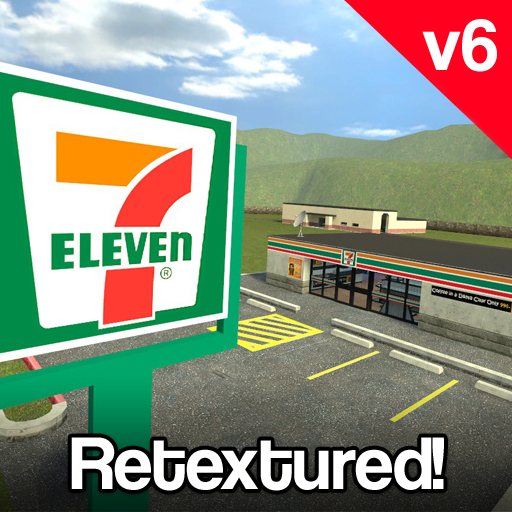
gm_7eleven
oleh 76561197972714394
Current version: gm_7eleven_v6 Night Version now available! Facepunch Thread ~ Info ~ A comical build map centered around a 7eleven, soccer field, gm_construct style buildings, and a mysterious elevator. ~ Credits ~ Vamp: Map ~ Change Log ~ V6: *Fixed Elevator Glitches *Updated interior of 7eleven *Added custom textures *Updated basement V5: *New 3D Skybox *Skybox 2x taller *New grass texture *Additional space discovered in basement *PHX tracks *Train building room *More cubemaps Support for SligWolf's Train I'm open to any suggestions so leave your ideas in the comments below.
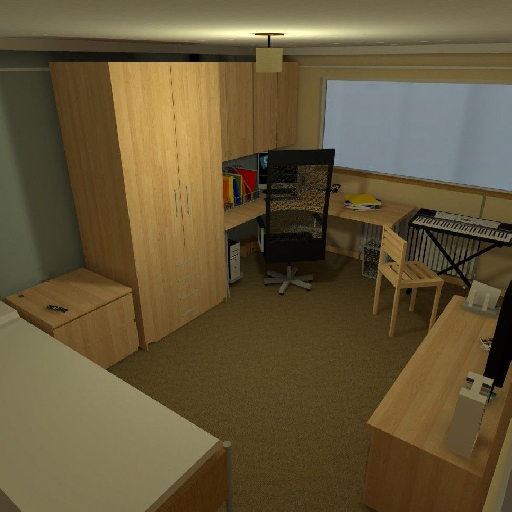
Supersizeroom V2
oleh 76561197983094041
You're a rat inside a huge room.. build and explore! Super size room is a map I created over 5 years ago. It featured on garrysmod.com, and was quite popular on garrysmod.org, Toybox and on the Workshop for GMod 13 Beta. So now that GMod 13 has been fully released, it's now released on the workshop! ///Search tags/// gm_supersize room gm_supersizeroom_v2 gm_supersizeroom2 gm_super size room super size room supersizeroom supersize room

Admin Ball
oleh 76561198023744778
A Ball that when you eat, it gives you 100000 health. Have fun admins ;)
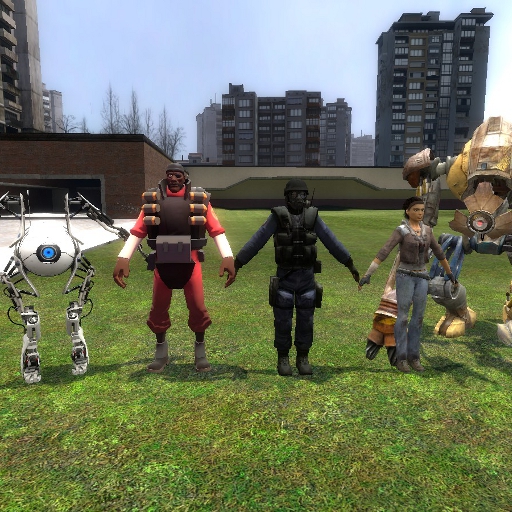
Standing Pose Tool
oleh 76561198001307896
This small tool can pose a ragdoll to it's model pose, which usually is a standing pose for ragdolls. It does not work properly with all ragdolls, but for most of them it does.

Epic Sax
oleh 76561198019062337
Doesn't work for you? Scroll down for FAQ! The Epic Sax Guy is epic, says the internet meme, so is this swep. Ported to meet the giant requests from ppl. Primary: Let the song fly through your ears ps. As always, the video isn't mine (I'm a comfortable person, so why should i bother with it if its already done?), so its author/authors have all the rights to it and can do whatever thay want to do with it- deleting, sending copyright threats, changing it to porn etc. etc. etc. ps.2 If you have an error that is related to one of my sweps, please paste the error code in the comments, instead of saying "it doesnt work trololo sumting sumting" ►Tested on: Machine 1: Core i5 3210M, ATI 7670M, 4GB of RAM, 1366x768 Win8 ►TooFAQ: 1.) No, I will not make U a mod. Yes I know that the mod U'r telling me to port is so damn awesome that without it people will die, Sun will explode and the Earth will collapse itself leaving us in the abyss, but as long as I don't have time/ inspiration it will not happen. EOT 2.) Q: "Can sum1 upload the stuff that has already been uploaded, but I'm so silly that I cannot use the search bar" A: Well, In this case Google/bing/yahoo and tons of other browsers are with you :D 3.) Asking why it doesnt work as you want it to work- thats why its called a "port", it's transferred from older versions to G13, and it probably worked there prety much the same as it's working now, go find an author of the original. 4.) If you will add me to your friends only to ask me #1 or if I can help you with coding/building sumting related to it I will give you link to the famous .doc file "Why your scripts..." and a link to the greatest-invention-of-all-times a.k.a Google. 5.) I prefer Combine over humans, they are much more organized and look better. ▼►If it doesn't work then you probably have some incompatible addons installed, you can disable everything but the epic sax and report in the comments if that helped you. You can also create another useless "it doesn't work" comment, without any technical details, which will be deleted after some time.
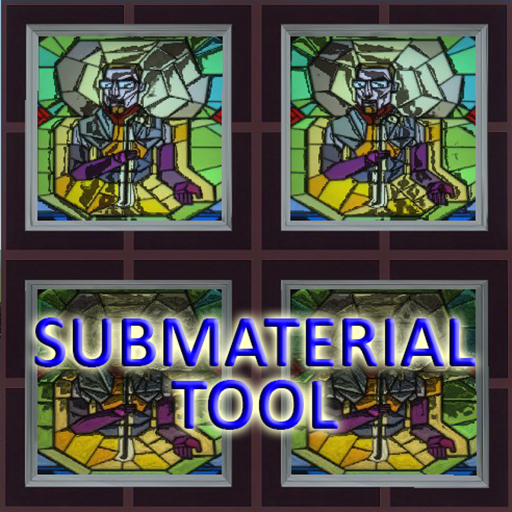
Sub Material Tool
oleh 76561198073762116
2015.03.05 Garry's Mod update brought a good feature with overriding submaterials. This is a simple tool to use it. Duplicator supported. Usage: select index, select material, apply tool. Right click to revert. You can copy current material with selected index from model by Reload. Models with multiple skins can have different set of materials for each skin (other indexes), e.g. same part of model with skin 1 can have material 0, but in skin 2 it will have material 3. Now with HUD, better usability, and can change global material. Still BETA, if you see error or want a feature say it. PS: this is my first working addon, can have bugs...
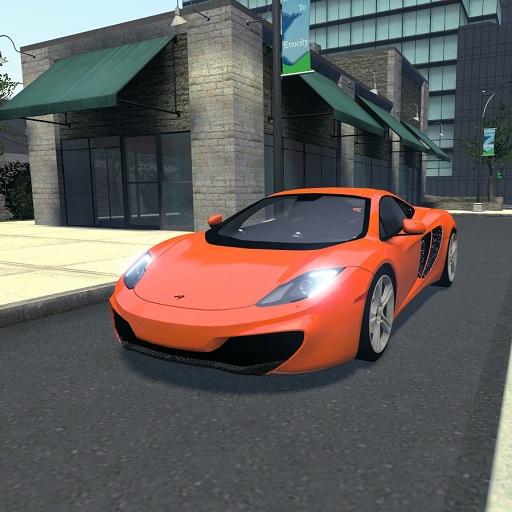
2011 McLaren MP4-12C
oleh 76561197999836749
UPDATED - 5/30/2016 NOTES -------------- entire model has been redone hq interior textures improved handling ORIGINAL MODEL IS STILL INCLUDED F.A.Q. Q: lights??? A: buy vcmod on scriptfodder Q: can i request A: no
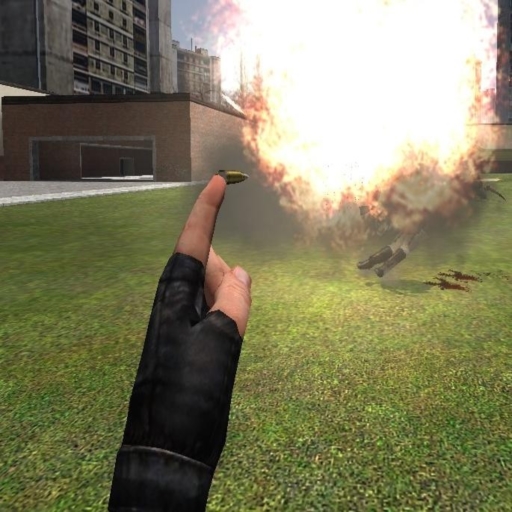
God's Little Finger v4 REUPLOADED
oleh 76561198043027638
This is a God's Little Finger port for GMod 13, however, I added a LOT to it. First of all, I fixed all of the server-side script errors for everything. Second, I added new modes: -Combine Mortar Mode: When you right click, a combine mortar shot descends to your aimpoint. -Headcrab Canister Mode: Right clicking calls down a Headcrab Canister, which spawns a random number of a random headcrab type. If you undo, it will undo the headcrab canister and all the headcrabs. -Teleporting! Alt fire + Use Key! Credit: The original Gods Little Finger author for the base code. Check out Project Impossible: Localized Physics and Infinite Maps!

TDMCars - GMC
oleh 76561197994097627
This is the GMC manufacture pack with all the GMC vehicles found on the SVN. If you have the SVN, please do not subscribe to this addon! The pack currently contains: GMC C5500 (spawns under TDM Trucks) GMC Sierra GMC Syclone GMC Vandura The following is required if you want this to work properly! TDMCars - Base Pack <--------- Model detail must be set to High! This is very important! If you are interested in making skins, templates for GMC are found right here If you have no clue what this is, don't click it.. Please have a look at this guide instead of wasting your time asking questions that are already answered. TDMCars - How to use You can request all you want but it is 100% ignored by me. Occasionally I am hosting request events on Facebook. The fan page is located here TDMCars on Facebook
![[LVS] - Framework – Garry's Mod Mod](https://images.steamusercontent.com/ugc/13380632989319839635/641E6C0ED390E06CC44C9F64183D597639996575/)
[LVS] - Framework
oleh 76561197995010235
Controls (Default) (you can rebind all controls in the control panel) OUTSIDE VEHICLE: - E = Enter Vehicle - ALT + E = Enter closest passenger seat | gunner seat INSIDE VEHICLE: - E + W or A or S or D = Exit Vehicle in desired direction - R = Start Engine - 0-9 (NOT NUMPAD) = switch to Seat - Left Mouse Button = fire selected Weapon - Right Mouse Button = zoom - Mouse Wheel Up = select next Weapon - Mouse Wheel Down = select previous Weapon - Middle Mouse Button + Wheel Up/Down = change camera distance - Ctrl = Toggle First/Third Person View - Alt = Free Look - Space = Toggle Vehicle Function (such as Landing Gear) ADDITIONAL NOTES - As Driver, you can lock the vehicle by pressing 1 - The control panel can be accessed using either the context menu desktop widget or by typing lvs_openmenu into the console. The control panel gives access to following console variables: - lvs_volume - from 0 to 1 changes engine volume, clientside command - lvs_camerafocus - change view-camera focus from -1 to 1, clientside command (mouse aim only) - -1 = Focus Mouse - 1 = Focus Vehicle (when set to 1, camera will roll with the Vehicle. If you don't want this behavior set it to 0.99) - 0 = neutral(default) ) - lvs_freeze_teams - 0 / 1 enable/disable auto ai-team switching, serverside command - lvs_default_teams - 0 / 1 / 2 default player ai-team, serverside command - lvs_show_identifier - 0 / 1 enable/disable plane identifier (red/blue/orange square on other planes), clientside command - lvs_hitmarker - 0 / 1 enables/disables hit marker + sound effect, clientside command - lvs_edit_hud - 0 / 1 enable/disable Context Menu HUD editing, clientside command - lvs_mouseaim - 0 / 1 enable/disable Mouse-Aim Steering Method, clientside command - lvs_sensitivity_x - change mouse sensitivity in X direction (relative to screen: left/right) (Direct Input only), clientside command - lvs_sensitivity_y - change mouse sensitivity in Y direction (relative to screen: up/down) (Direct Input only), clientside command. SET THIS TO A NEGATIVE VALUE TO INVERT THIS AXIS - lvs_return_delta - change how fast the input returns to 0 (Direct Input only), clientside command you can toggle mouse-aim by using lvs_mouseaim_toggle console command or by binding it to a key like: bind X lvs_mouseaim_toggle and then press X convar for max projectile turret is: sbox_maxlvsturret (default 1) Links This Project on GitHub - Planes - Star Wars - Helicopters - Military - Cars - Tanks - Trucks - GTA3d GitHub Discord No version or modification of this content is allowed to be uploaded to the workshop except under the account ID 76561197995010235
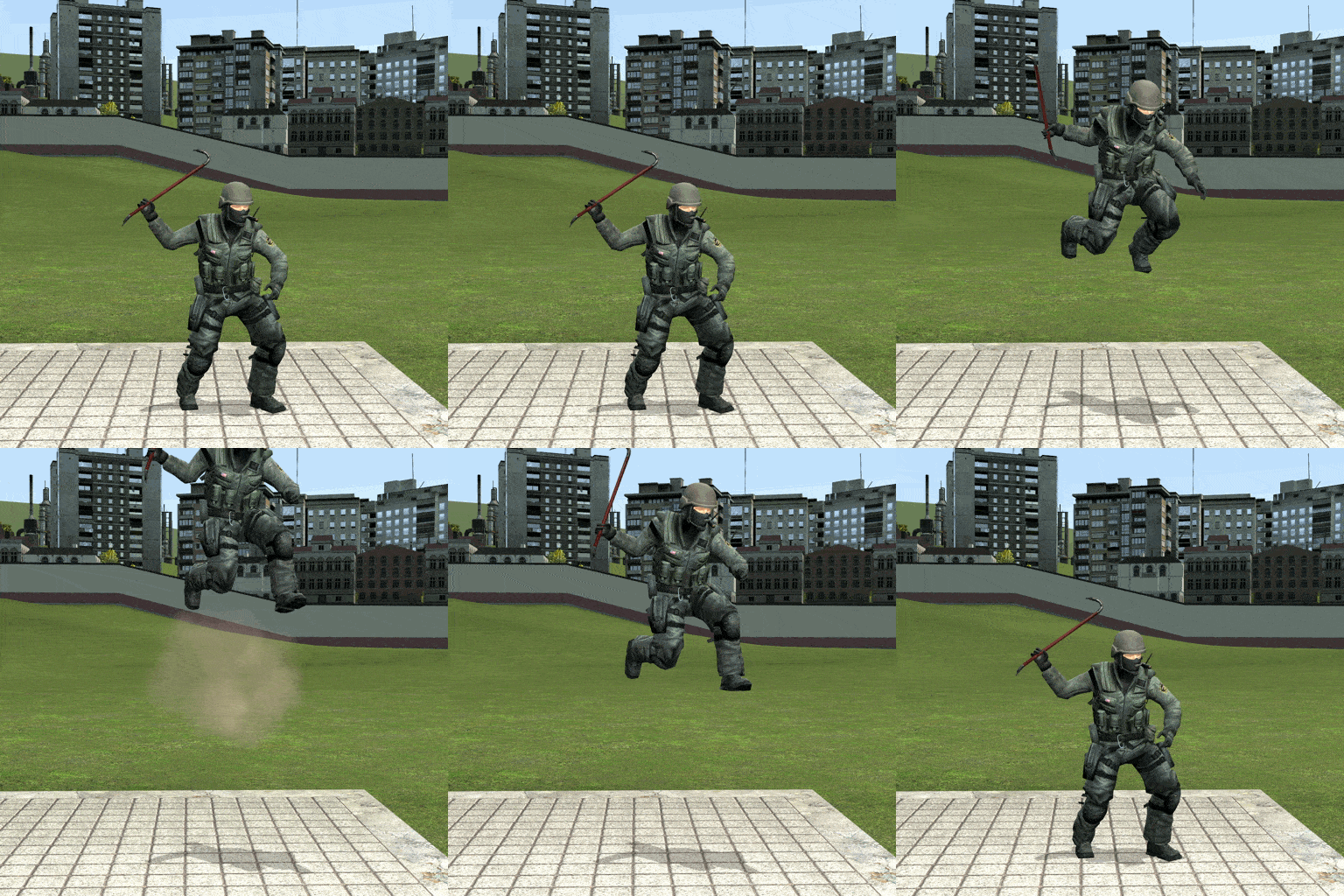
Double Jump!
oleh 76561197998909316
This lets players double jump. The addon is made properly and even predicted ~oooo~. You'll get errors if you don't have Team Fortress 2 installed (it's free, come on.) Configuration The multijump_default_jumps console variable sets the amount extra times players can jump. This can be set in your server.cfg as so (e.g. 2 extra jumps): multijump_default_jumps 2 Installing Workshop Addons on Servers http://wiki.garrysmod.com/page/Server/Workshop Boring Developer Stuff PLAYER:SetMaxJumpLevel(amount of extra times player can jump) Do that somewhen after PlayerInitialSpawn
![[wOS] DynaBase - Dynamic Animation Manager – Garry's Mod Mod](https://images.steamusercontent.com/ugc/2009201890944004176/D3853ED93AFCD257F2C955994C8E6FE518A68B83/)
[wOS] DynaBase - Dynamic Animation Manager
oleh 76561197987779820
The beauty of the ValveBiped form at your fingertips This is a wiltOS Week "Back to 2022" Item: www.wiltostech.com/wosweek/2022/1 Description The DynaBase is an animation base that gives full animation control to the player, the server, and the developers of the community. Change what animations are enabled, what order, or even decide to mount your own custom animations through a menu. Best of all, it will all update immediately so you can make tweaks and continue onward. Pro-Tips This already supports every wiltOS Animation Extension. Please subscribe to the legacy addon in the required content to add quick support for xDR. This is simply so you can actually use them within the menu and customize it. YOU MUST UNSUBSCRIBE FROM ALL OTHER ANIMATION BASES, INCLUDING THE WILTOS ANIMATION BASE (FULL) AND XDREANIMATION BASE, FOR THIS TO WORK! THIS ADDON IS CONSIDERED IN TESTING SO REPORT BUGS OR CRASHES IMMEDIATELY Why is this a big deal? Short Answer: You could never dynamically load animations onto models. Developers can now use IncludeModel( MODEL_PATH ) in lua to add whatever they want, including animations from existing models like NPCs, directly onto the player. Updating it in-game is just a bonus. Long Answer: Previous iterations of animation bases for Garry's Mod, hell the source engine, hinged on not being able to dynamically change model and animation data which meant you were stuck with what you were given in terms of slots. Additionally, you would have to constantly restart and hope you had the exact same content otherwise you would see issues. Developers couldn't even use the ACTIVITY system, something built into animations, reliably because the ORDER of animations addons can ruin everything. As this was iterated with both the wiltOS Animation Base and xdReanimationBase, the inability to merge the server and client so they can work together became increasingly clear. So now, leveraging a lot of things we probably shouldn't be able to, you can do it. How is it done? What I discovered is that there's a fun source engine quirk that allows you to mount any kind of files into includemodel, no matter where it is, including data files. It simply needs to pass the inspection of a valid model pointer. Getting it to do that requires some custom model compilation, but once it's done it will work. However, you cannot flush m/f/z_anm.mdl's because they are considered protected data now. If you include a model however, you can refresh THAT, and data files are not protected. So if you run r_flushlod it will re-assemble everything. Combine all the concepts, we are basically making fake modelptrs in the data folder with whatever the developers are giving us, that are pointing to real models, in the most amazing double dutch you've ever seen. The only problem left is r_flushlod is a usually unstable function that crashes clients. While it has been made a little more reliable in recent years, it still needs some work. By preventing anything from accessing the data during the refresh, it greatly reduces the chances of crashing even on repeat usage. FEATURES Power to the Player - Ability to manage your own animations, or mount your own local models in game with a user mounting system - Animations will work on any server, even those that don't have the animation base, as long as they don't force you to download a conflicting base - Modify how your animations behave per-server, utilizing the server's own whitelisting system or your own Power to the Server - Animation syncing between server and client - Ability to set content permissions, such as which animation extensions or re-animations are allowed, and in the exact order you want them to be - Ability to restrict client mounting permissions. Should they be able to mount animations? Re-animations? Neither? - Ability to disable user mounting to ensure everyone has the same experience Power to Developers - No limitation on what you can or can't include. No asking for animation slots, no worrying about naming the model correctly. Just include it and you're done - IncludeModel now exposed to lua, and hooks for dynamic insertion to models - Registration of models for easy in-game configuration and compatibility checking - Level One animation correction, so there is no ACT collisions. Meaning you can mount NPC models without any problems Fun Other Stuff (WIP) - Automatically fixes itself if another animation base is installed, without you having to do a single restart! Documentation All the documentation on this animation base will be on our community wiki, which I will post about here when I update it: https://wiki.wiltostech.com/3/DYNABASE You fill find installation instructions here: https://wiki.wiltostech.com/3/DYNABASE/Installation Since this is the first time people are probably hearing about it, this is a free developer wiki for anyone, not just me, to use. If you want to read more, you can do that here: https://knockout.chat/thread/43942 Closing Remarks This is a start to a long journey now. I have been experimenting with a lot of ideas for a few years but there is only so much one person can test alone. I'm hoping people are going to help catch problems and edge cases that may exist with the way this addon is made so we can push the tech forward. With this idea alone it will be possible, with some more work, to mount SMD files directly into models, in-game animation retargeting pre-inclusion, or allow each player to have a unique player model with it's own custom animations. I know, because these are the very same ideas I played with some time back. But before we get there, we need to make sure the foundation is right. Regardless of this does or doesn't work out, it will be a learning experience for everyone. Need live help using the addon? Want to keep up to date with wiltOS Technologies? Consider joining our Community Discord!
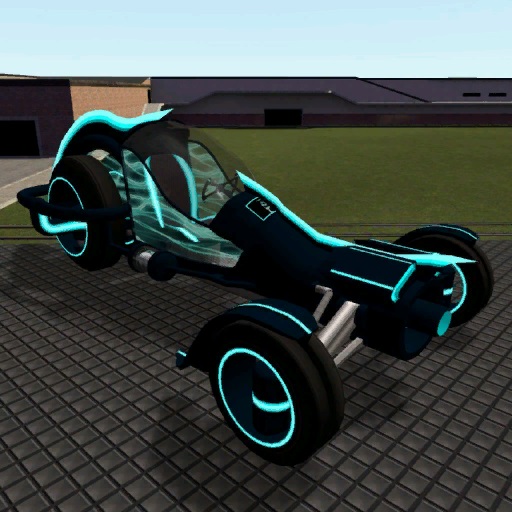
SW Blue-X11
oleh 76561198010984952
A tron styled car. Please read the description for all informations about the addon! Click for the terms of use. Special thanks to: - Grocel Requirements: - You need to have the SW Base Addon installed! Console command: - sv_sligwolf_reload_addon bluex11 Controls: - W (+forward) = Forward - S (+back) = Backward - A (+moveleft) = Steer Left - D (+moveright) = Steer Right - Shift (+speed) = Turbo - Space (+jump) = Handbrake Changeable controls: - Keypad 1 = Extra Camera Left - Keypad 2 = Extra Camera Front - Keypad 3 = Extra Camera Right - Keypad 4 = Extra Camera Back Comments and feedback: In order to centilize our addon maintenance efforts, the comments has been disabled in all addons. Please go to the SW Addons Group to comment and give feedback on our addons. Mind the rules, though! Any problems? Please read those: ► FAQ & Common Issues ► Troubleshooting Still got problems? Post here: ► Bug Reports Please read the description for all informations about the addon! Click for the terms of use.
Garry's Mod Guides
Garry's Mod Server einrichten und TTT-Modus aktivieren – Schritt-für-Schritt
GMod-Server aufsetzen und TTT einrichten: Workshop-Collection, ULX-Admin-Tool und TTT-Konfiguration Schritt für Schritt erklärt.
Garry's Mod Workshop Addons installieren
So installierst du Garry's-Mod-Workshop-Addons auf deinem Server: Collection-ID, Steam Web API Key, Auto-Download und Troubleshooting.
Garry's Mod Server mieten – TTT, DarkRP und PropHunt
Garry's Mod Server einrichten: Spielmodus wählen, server.cfg pflegen, Steam-Workshop-Collection verbinden und TTT, DarkRP oder PropHunt testen.
Server Garry's Mod dengan dukungan mod
Mulai server Garry's Mod milikmu sendiri dalam beberapa menit.
Sewa server Garry's Mod