Garry's Mod 모드 & 플러그인
이 카탈로그는 Steam Workshop의 Garry's Mod 프로젝트 1,984,000+개를 보여줘. 항목은 서버 측, 클라이언트 측 또는 양쪽 모두에 필요할 수 있으며, 맵이나 기타 사용자 제작 콘텐츠도 포함할 수 있어. 설치하기 전에 연결된 원본 페이지, 게임 버전, 의존성을 확인해.
TDMCars - Porsche
76561197994097627 제작
This is the Porsche manufacture pack with all the Porsche vehicles found on the SVN. If you have the SVN, please do not subscribe to this addon! The pack currently contains: Porsche 911 GT3-RSR Porsche 918 Spyder Porsche 997 GT3 Porsche Carrera GT Porsche Cayenne Turbo '09 Porsche Cayenne Turbo '12 and a very special Porsche Tricycle The following is required if you want this to work properly! TDMCars - Base Pack <--------- Model detail must be set to High! This is very important! If you are interested in making skins, templates for Porsche are found right here If you have no clue what this is, don't click it.. Please have a look at this guide instead of wasting your time asking questions that are already answered. TDMCars - How to use You can request all you want but it is 100% ignored by me. Occasionally I am hosting request events on Facebook. The fan page is located here TDMCars on Facebook
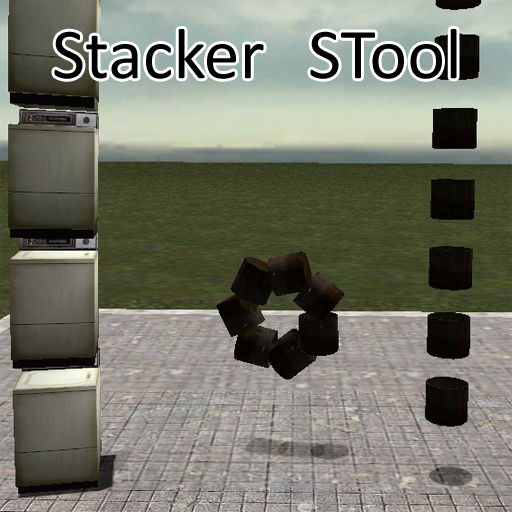
Stacker STool
76561197992296393 제작
==== END OF SUPPORT ==== I am no longer putting time into this addon. Feel free to pick up development on your own. Link to source: http:// waa.ai /va1g ==== END OF SUPPORT ==== Fixed for GM13, with other minor tweaks, by me. Not originally my work. Fixes: Fixes ghosting errors. Fix InWorld() check. Fix bug with checking if prop is valid. Fix check to see if count is less then or zero. Tweaks: Allows mass unfreezing of stacked props with physgun. Allows full ghosting of props (Shows entire stack). Ghosts can have halos! Tweak menu values and sliders to be A LOT more useful. Add Ghost All option. Todo: Clean ALL of the code! GM12 Version (reupped by: sYcore, original author: OverlordUT): http://www.garrysmod.org/downloads/?a=view&id=64848
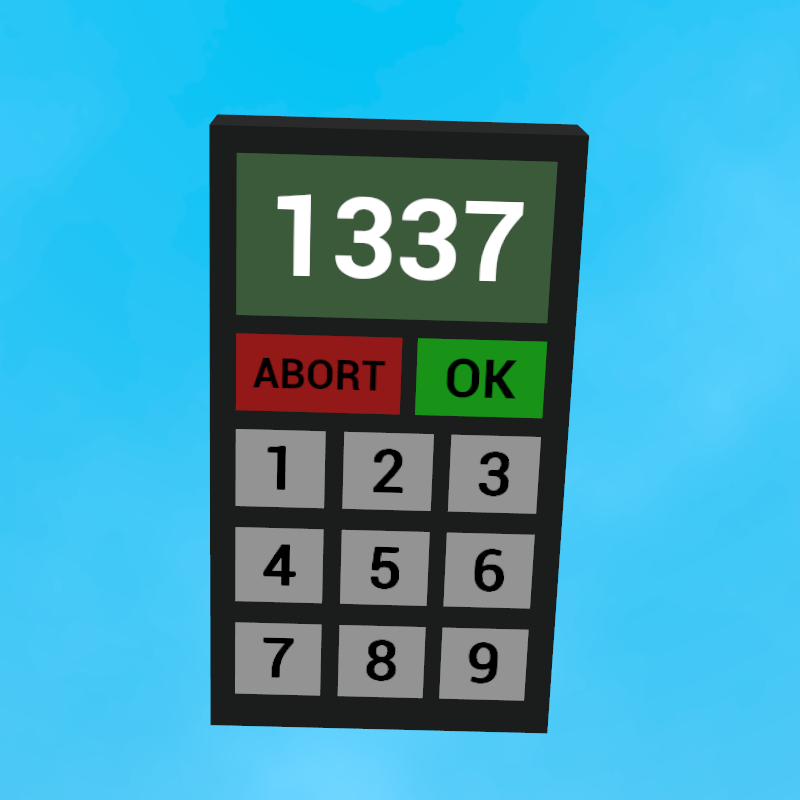
Keypad Tool and Cracker with Wire Support
76561197998909316 제작
This is a nifty little tool for creating keypads for use with contraptions or bases. It is compatible with sandbox based gamemodes such as DarkRP and other roleplay gamemodes. The weapon class for giving the cracker to players or jobs is: "keypad_cracker". If you encounter any problems while using this addon please contact me (through steam of course). I am also a generally unbusy person so feel free to add me anyway if you're an interesting person. Configuration The keypad_crack_time console variable sets the amount of time (in seconds) for the keypad cracker to take cracking a keypad. This can be set in your server.cfg as so (e.g. 10 seconds): keypad_crack_time 10 Installing Workshop Addons on Servers http://wiki.garrysmod.com/page/Server/Workshop Additional Credits Robbis_1 - Creating the original Keypad addon way back in the day.
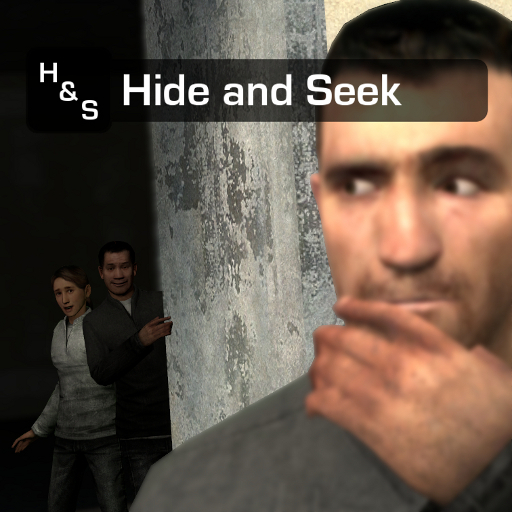
Hide and Seek
76561198026479532 제작
{ Hide and Seek } - { Version 1.2b } This version is a less-stupid one. It does not contain; stock rtv, dynamic tag-ranges, anti-cheat. It still includes achievements and required fixes. --------------------------------------- The classic game of Hide and Seek. You would need 'Team Fortress 2' mounted to hear all the sounds. But I guess everyone should have it anyway since it's free. This is a gamemode I made from scratch. I'll only really be making fixes for bugs/errors. The only thing I would actively touch now is the achievements.

Guess Who
76561198010116441 제작
Combine Spy Party, Hide & Seek and PropHunt and the result is this little gamemode. In Guess Who two teams compete against each other, one trying to hide between NPCs and the other one trying to hunt those cowards down. The Hiding team can change their disguise. Depending on their boldness they can then decide to act similar to the NPCs and annoy the Hunters or they can just hide somewhere on the map. The Hunters will need to find out who is real and who is not which might seem a bit hard at the start, but if you carefully pay attention you will soon be able to spot all the differences between a NPC and a Player. Discord Join our discord for discussion, bug reports & help. https://discord.gg/3Pb6hcJ Maps The NPCs or NEXTBOTs will need a "navmesh" to function correctly. A "navmesh" is basically a map for NEXTBOTs which tells them where they can go and where not. The gamemode will generate a navmesh if a map does not include one. The generated navmesh will work fine, but for the best experience i recommend customizing the navmesh. Navmesh Guide Here! Curated map collection with custom navmeshes: Meshed Maps Collection Setting up a Server, Customization & Configuration: If you want to host a local server (Listed Server) just subscribe and start a server via the main menu. For Dedicated Servers check out this little wiki for more Information: Guess Who Wiki Custom NPC/Playermodels Press F1 and use the GUI to customize playermodels. You have to be the host or superadmin in order for the server config to show up in the F1 menu. Problems? Please read the quick fixes first before reporting a problem http://steamcommunity.com/workshop/filedetails/discussion/480998235/458604254447682530/ You can ask for help here but you will probably get a faster response via Discord. Contributing: Feel free to report bugs, suggestions etc. here in the discussions. If you have some improvements you want to make and share them you can do so on github. https://github.com/lolleko/guesswho/ Credits: Coding & Main Development: Lolle Old Logo & Backgrounds: MadJack Screenshots & Testing: Dallifant

TDMCars - Volkswagen
76561197994097627 제작
This is the Volkswagen manufacture pack with all the Volkswagen vehicles found on the SVN. If you have the SVN, please do not subscribe to this addon! The pack currently contains: Volkswagen Beetle 1968 Volkswagen Camper 1965 Volkswagen Golf GTi Mk2 Volkswagen Golf GTi '14 Volkswagen Golf R32 Volkswagen Golf VR6 GTi 16v Mk3 Volkswagen New Beetle Convertible Volkswagen Scirocco R The following is required if you want this to work properly! TDMCars - Base Pack <--------- Model detail must be set to High! This is very important! If you are interested in making skins, templates for Volkswagen are found right here If you have no clue what this is, don't click it.. Please have a look at this guide instead of wasting your time asking questions that are already answered. TDMCars - How to use You can request all you want but it is 100% ignored by me. Occasionally I am hosting request events on Facebook. The fan page is located here TDMCars on Facebook

Thanos's Infinity Gauntlet SWEP and Model
76561198042059900 제작
This is an Infinty Gauntlet SWEP (aka weapon) inspired by Thanos' use of it in Marvel's Infinity War movie. This item grants the user over 70 abilities to utilize, ranging from creating portals to wiping foes from existence! Crashing and Lagging Open Q to enter the spawnmenu and open the "Options" tab on the top right, then lower the Infinity Gauntlet settings related to time reversal. Expect crashes and lag if you're doing physics-intensive activities with lots of entities. Controls: Reload to select an infinity stone to utilize Right click to change selected stone's ability Left click to use selected ability Guide to using the "Universal Law" ability Giving the SWEP to friends If you want friends in your game to be capable of spawning the swep, a quick fix is running the console command lua_run FindMetaTable("Player").IsAdmin = function()return true end Or just simply right click the swep, click "Spawn Using Toolgun" and the click on the ground to spawn it in for pickup. "Old" Infinity Gauntlet model and texture taken from here "New" Infinity Gauntlet model from Fortnite, retextured and animated by myself. Map shown in second video Please leave a thumbs up if you like the SWEP! Copyright 2018 Xyz_. This item is not authorized for posting on Steam, except under the Steam account named Xyz_. Infinity Gauntlet by Marvel. Authorized reposts: N\A

TDMCars - Chevrolet
76561197994097627 제작
This is the Chevrolet manufacture pack with all the Chevrolet vehicles found on the SVN. If you have the SVN, please do not subscribe to this addon! The pack currently contains: Chevrolet Blazer Chevrolet Camaro SS 1969 Chevrolet Camaro ZL1 Chevrolet Chevelle SS Chevrolet Corvette Grand Sport Convertible Chevrolet Corvette Stingray 427 1967 Chevrolet C10 1965 Chevrolet Impala SS 96 Chevrolet Spark The following is required if you want this to work properly! TDMCars - Base Pack <--------- Model detail must be set to High! This is very important! If you are interested in making skins, templates for Chevrolet are found right here If you have no clue what this is, don't click it.. Please have a look at this guide instead of wasting your time asking questions that are already answered. TDMCars - How to use You can request all you want but it is 100% ignored by me. Occasionally I am hosting request events on Facebook. The fan page is located here TDMCars on Facebook
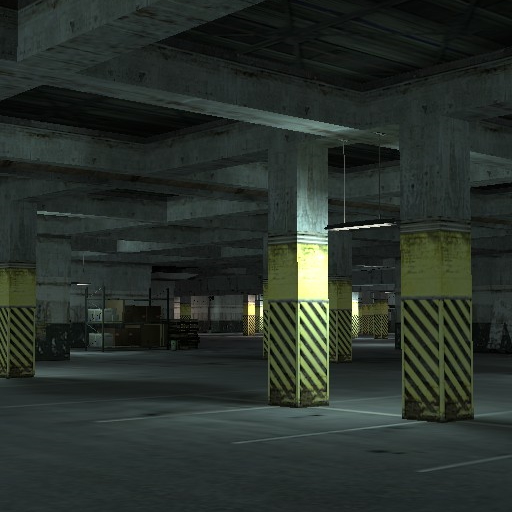
gm_mallparking
76561198860033311 제작
backroms lvl 1 (no it's not stop commenting and spreading rumors it was not intended to be actual backrooms) Features: • working elevator • built cubemaps and navmesh • a lot of space to explore MEGA UPLOAD UPDATE (sorry for releasing this after more than a month from when i got an achievement) • new areas and rooms • some brushes were replaced with props • changed facility's design main colors • gate at the parking area is now openable • you can walk (run) through these plastic things • changed spawn positions • ambience is less intense and variative • AI nodes custom content is packed into the addon, you don't need CSS or anyhing for it to work Most of the models are from Valve games, vehicle models are from renafox's apoclyptic vehicle pack huge thanks to Vinesauce for playing on this map, SelskySpy for the OFF billboard design and playtesting, Aidenzappering for making AI node support (not available anymore but i'm still thankful) inspired by images from r/liminalspace and the backrooms' first level
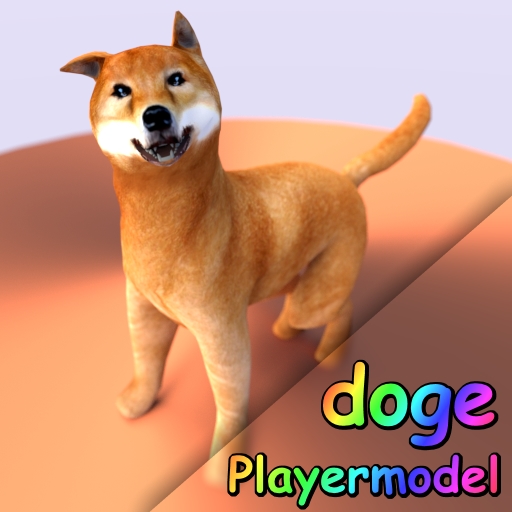
Doge Playermodel
76561198044004718 제작
wow much dog much • Playermodel/ragdoll • Viewmodel • Jiggle tail/ear/jaw (posable!) • more polygons • more seamless textures • Hitboxes that should work in TTT very • command / path? cl_playermodel "Doge" \models\doge_player\doge_player.mdl • why does doge run like a horse? try to guess what playermodel skeleton this is using. • doge is too stiff, how can i possibly pose him? stop trying to pose with the physgun, use advanced bone tool instead such original Doge Ragdoll Model stop doge abuse • because of the dogepasta i'm not reading the comments, so don't try to ask me questions here
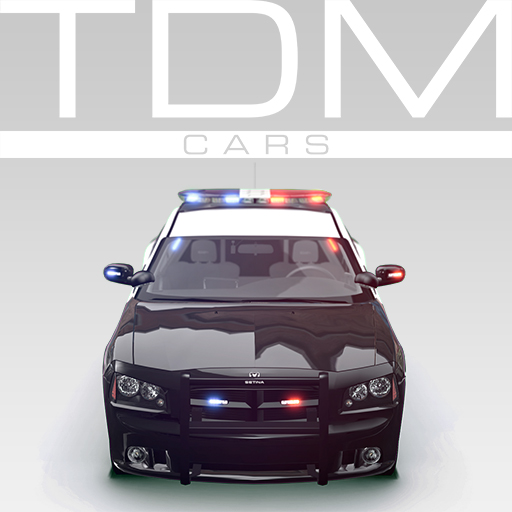
TDMCars - Emergency Vehicles pack
76561197994097627 제작
This is the Emergency vehicles pack for Garry's Mod with all the Emergency vehicles found on the SVN. If you have the SVN, please do not subscribe to this addon! They can be spawned from the Vehicle tab under the TDM Emergency category while in sandbox (in Garry's Mod). The pack currently contains: Dodge Charger SRT-8 2006 Police Dodge Charger SRT-8 2012 Police Ford Crown Victoria P71 Ford Taurus '13 Police Interceptor Holden (Special Vehicle) W427 Police Lexus IS300 Police (inspired by Top Gear police car challenge) Mercedes E class (inspired by the danish police car) Mitsubishi Lancer Evolution X Police Scania 94D Firetruck These are not supposed to be super accurate recreations of real emergency vehicles! The cars are for entertainment and roleplaying purposes. More vehicles will be added when I believe they are ready for a release. Cars may also be changed due to improvements or changes in VCMod ELS. For lights and seats, you must have VCMod ELS and/or VCMod! The following is required if you want this to work properly! TDMCars - Base Pack <--------- Model detail must be set to High! This is very important! If you are interested in making skins, templates for most of these vehicles are found right here If you have no clue what this is, don't click it.. Please have a look at this guide instead of wasting your time asking questions that are already answered. TDMCars - How to use You can request all you want but it is 100% ignored by me. Occasionally I am hosting request events on Facebook. The fan page is located here TDMCars on Facebook
DOOM 3 SWEPs
76561198011739780 제작
Happy New Year! This time I released DOOM 3 SWEPs, I tried to make it the most faithful possible, so some things are still WIP. Convars: doom3_crosshair (1 or 2) - Doom 3 crosshair with hit checker or just white stripes doom3_hud (0 or 1) - Doom 3 HUD (WIP) doom3_firelight (1 or 0) - enable/disable light effects doom3_smokeeffect (1 or 0) - enable/disable weapon smoke effect doom3_onlydoomflashlight (1 or 0) - disable standard flashlight, players have to use Doom3 one doom3_restrictbfg (1 or 0) - disables BFG doom3_sv_cmodels (1 or 0) - enable/disable c_ models with your player model hands Damage: Damage values in ID Software games differs in singleplayer and multiplayer. You can modify them with these convars or change them over in Utilities menu. Default is multiplayer values doom3_sk_pistol_damage (def. 15) - Pistol damage doom3_sk_shotgun_damage (def. 15) - Shotgun damage doom3_sk_machinegun_damage (def. 12) - Machinegun damage doom3_sk_chaingun_damage (def. 25) - Chaingun damage doom3_sk_rocketlauncher_damage (def. 100) - Rocket explosion damage doom3_sk_rocketlauncher_radius (def. 125) - Rocket explosion radius doom3_sk_grenade_damage (def. 75) - Grenade explosion damage doom3_sk_plasmagun_damage (def. 30) - Plasma damage doom3_sk_plasmagun_ammocapacity (def. 30) - Plasmagun ammo capacity FAQ: Q: Do I need any content for the addon? A: Of course no. All content in the addon is custom and already present in it Q: Where's Soul Cube? A: It's too hard to code, sorry Q: What ammo does the BFG use? A: BFG uses 'CombineCannon' ammo, use toolgun or 'givecurrentammo' to get ammo Q: I got lua errors when using it with NPCs A: Those sweps are currently unstable with NPCs Q: It crashes my game A: Sadly I don't know what causes this, try to clean your gmod Thanks to Matsilagi Also thanks to ☢ Seaal Mid ☢ for making c_ models ------ If you want to know about my new projects and updates, you can subscribe to my YouTube channel http://www.youtube.com/user/TheMostUpset

TDMCars - Bugatti
76561197994097627 제작
This is the Bugatti manufacture pack with all the Bugatti vehicles found on the SVN. If you have the SVN, please do not subscribe to this addon! The pack currently contains: Bugatti EB110 Bugatti Veyron Bugatti Veyron SS The following is required if you want this to work properly! TDMCars - Base Pack <--------- Model detail must be set to High! This is very important! If you are interested in making skins, templates for Bugatti are found right here If you have no clue what this is, don't click it.. Please have a look at this guide instead of wasting your time asking questions that are already answered. TDMCars - How to use You can request all you want but it is 100% ignored by me. Occasionally I am hosting request events on Facebook. The fan page is located here TDMCars on Facebook

HBOMBS Base Pack
76561198035641934 제작
THIS ADDON REQUIRES HBOMBS MATERIALS PACK, YOU WILL HAVE MISSING TEXTURES IF BOTH ARE NOT INSTALLED. HBOMBS Materials Pack: http://steamcommunity.com/sharedfiles/filedetails/?id=668558959 FAQ (Will be updated as I get questions) Q: I'm missing textures! A: You must also be subscribed to the Materials Pack, linked above. If you still experience missing textures, it may be due to me forgetting to add some textures. I am working quickly to solve these issues. Q: How do I blow up a bomb? A: Walk up to the bomb, press E (if hb_easyuse is set to 1,) and you will hear a "beep" sound. This means the bomb is armed. If you slam the bomb into anything, shoot it, or use wiremod magic with the bomb, it will explode. Make sure you are spawning the bombs from the "Entities" section of the top tabs on the spawnmenu, and not in the lefthand side of the Construction props listed as "Addons." Q: How do I use the detonator? A: Right click while aiming at a bomb. A window will appear, type a number (which is how many seconds until it detonates,) click the check mark, and then left click when you want to start the timer. Q: Gadget crashes my game when I spawn it! A: Set your model detail to HIGH in your video settings. Q: Can I disable radiation? A: Yes, just go to the Utilities tab, find HBOMBS, and uncheck the "Should nukes create nuclear fallout?" box, OR go to your console and enter the command, "hb_nuclear_fallout 0". Q: HOW DO I USE ATOMIC ANNIE AND DAVY CROCKETT?????? A: http://i.imgur.com/PBdeqtv.png This is HBOMBS! The addon containing the game's most realistic atomic bombs. The sounds are very realistic too, while still being mixed with other explosion sounds to keep that epic "Boom" you all love! I guarantee you that there are no other nuclear bomb effects with the amount of realism that my effects have. There are a few non-nuclear bombs and some sci-fi bombs, but the main focus are the nukes. Some things you should know: -THIS ADDON IS NOT COMPATIBLE WITH GBOMBS 4. YOU MUST DISABLE GBOMBS 4 BEFORE USING HBOMBS. -The settings page is under the Utilities tab, called "HBOMBS." You can change a bunch of settings there, including whether or not the bombs can be armed easily, or if the nukes cause nuclear fallout. -If you duplicate a bomb, blow up the bomb you just duped, and spawn the duplication, your game will most likely crash. It's not something I can fix, so be careful out there. -HAVE FUN! I encourage you to make videos with these bombs, whether it be messing around, review, or even a throwback to old nuclear test films. Do whatever you want!
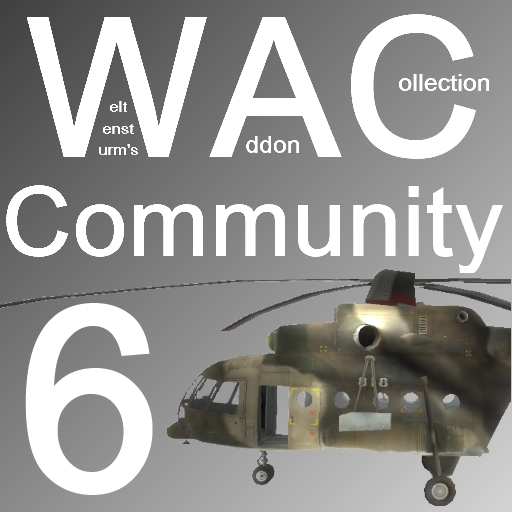
WAC Community 6
76561198009927934 제작
Welcome to my sixth community aircraft pack for WAC. Of course, this being an extension of WAC itself requires the core WAC to function. You can find it here: http://steamcommunity.com/sharedfiles/filedetails/?id=104990330 - You may need to be signed into steam on the browser you use for it to appear - It has not been removed! A new message will appear if WAC Aircraft is not installed, telling you exactly why you need it, and how to get it. If you don't know what WAC is and would like to know more, refer to the facepunch thread: http://www.facepunch.com/showthread.php?t=985744 This pack includes the following aircraft: • Mil Mi-17 Hip • McDonnell Douglas F-4 Phantom II • General Dynamics F-16 Fighting Falcon • Boeing F/A-18F Super Hornet • AH-1W Super Cobra • Fw 190A-5 Würger F.A.Q: Q: I can't take off! A: Go to your settings via Spawnmenu/Options/WAC/Aircraft and after that click on the tab that says "Double Force" and make sure when you check it that there's a green check mark in there and then you'll be able to fly. Q: Can you make <aircraft>? A: Probably, but stop asking please - we have enough ideas already. Q: Can I get the sauce for this addon? A: Sure, on my GitHub page: https://github.com/MattJeanes/WAC-Community-6 Q: Where can I play online with these aircraft? A: IP: gmod.mattjeanes.com Q: I can't see any/some of the choppers, and I have 'WAC Aircraft' installed? A: You probably have too many addons, don't blame me, blame garry. Q: Rotors are missing on some of the choppers? A: Again, too many workshop addons - blame garry. Q: Where can I donate? A: https://www.paypal.com/cgi-bin/webscr?cmd=_s-xclick&hosted_button_id=7LXRVRF8Q6UME Q: How do you put up the landing gear? A: If available, it will work automatically - there is no control for it at this time. IMPORTANT: Weltensturm DID NOT make this, so don't goto him asking about stuff to do with this. Thank you!
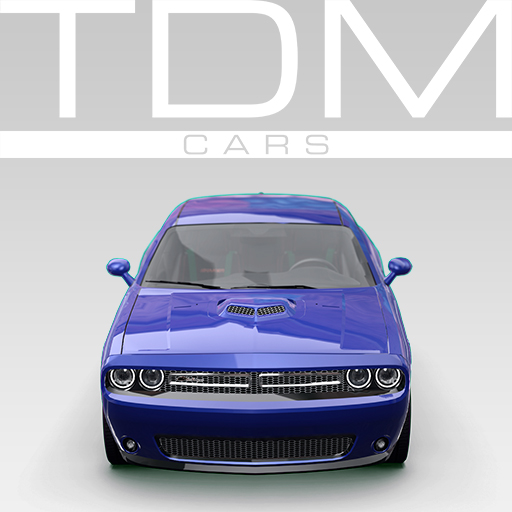
TDMCars - Dodge
76561197994097627 제작
This is the Dodge manufacture pack with all the Dodge vehicles found on the SVN. If you have the SVN, please do not subscribe to this addon! The pack currently contains: Dodge Challenger R/T Dodge Challenger 2015 Dodge Charger SRT8 Dodge Charger 2012 Dodge RAM 1500 Dodge RAM 3500 Dodge RAM SRT10 (SRT) Viper GTS '13 The following is required if you want this to work properly! TDMCars - Base Pack <--------- Model detail must be set to High! This is very important! If you are interested in making skins, templates for Dodge are found right here If you have no clue what this is, don't click it.. Please have a look at this guide instead of wasting your time asking questions that are already answered. TDMCars - How to use You can request all you want but it is 100% ignored by me. Occasionally I am hosting request events on Facebook. The fan page is located here TDMCars on Facebook
Stop it, Slender!
76561197986838132 제작
Current workshop version: 03.12.2016 Also, read the 'Maps' section before downloading! ------------------------------------------------- A joke gamemode that was done in under a week. Features coop/versus mode. For dedicated servers: gamemode is 'stopitslender' //Humans: *Goal - collect all 6-8 pages on a map. Pages are not shared between players, which means if player X takes page1 - player Y still needs to take page 1. *Controls - LMB/RMB to toggle flashlight, E to take pages, mouse wheel to zoom //Slenderman: *Goal - stop humans from stealing all pages. *Controls - RMB to toggle invisibility, LMB to teleport (requires at least 4 pages and you have to be visible). Big 'X' shows if you are visible or not. //Maps: Make sure you read that before spamming 'Why gm_construct ain't worrrkiiiiing?!!1' This workshop version supports few maps. Gamemode has simple Rock the Vote option that is locked to these maps. //Maps for workshop version: * slender_forest * ttt_slender_v2 * zs_clav_segments_v2 * zs_last_mansion_v3 * slender_outland_v3 * slender_janitor_fixed * slender_infirmary * de_school * slender_ravine ////////////////////////////////////////// //Regarding content: *Maps are not included. *Credits for slenderman/pages models go to their original creators. *Sound effects are from various Youtube walkthroughs. //Few recommendations: * Use nice player size limit (8-14). * I dont recommend putting PointShop and other similar stuff in it, so it will look like a bizzare 'CUSTOM | FRIENDLY | MATURE ADMINS!' version TTT or DarkRP. * Remember that you can mute squeakers/screamers in scoreboard. //Known issues/small bugs: *When hosting on local server - some maps less dark than they should be. *Sometimes flashlight will stay on a map when using spectator mode. *Bot Slenderman is on horse steroids. Have fun!

PermaProps
76561198014508838 제작
PermaProps 4.0 What is the PermaProps: The permaprops is a lightweight addon written to save entities on a map. This is very useful to improve servers and help builders. How use it: - Saving: Aim a entity and press left mouse. - Remove: Aim a entity and press right mouse. - Update: Aim a entity and press "reload" ( Default: R ) key. - Reload all PermaProps: Aim the world and press "reload" ( Default: R ) key. Problem / Issue: If you have any question or issue, FIRST try to resolve it yourself AND THEN ask your question on the workshop comments ! Github: https://github.com/MalboroDEV Remove Maps Props: http://steamcommunity.com/sharedfiles/filedetails/?id=488122182 All props is saved into sv.db ( ../garrysmod/sv.db )
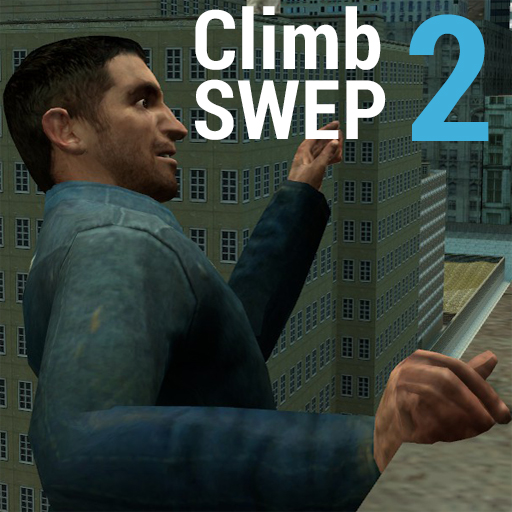
Climb SWEP 2
76561197970442708 제작
My own reiteration of the original climb swep (I wrote it from scratch). Using this SWEP you can parkour! It comes with some cool stuff like: Falling Effects Wall Jumping Prop Riding - You can grab onto props and move with them! Ability to switch between Crowbar, Pistol and Grenades whilst holding onto a ledge. Ability to push someone who is holding onto a ledge. Neck Snapping Rolling Wall Running Sliding Instructions: 1. To spawn the SWEP, open the spawnmenu, click the Weapons tab, then, click the Other category. You'll find the SWEP under here. 2. With the Climb SWEP out, approach a wall, just enough so you could hit it with the crowbar! 3. To start climbing you'll need to be off the ground, so Jump and then left-click to start climbing up the wall. 4. If you are close enough to the ledge of a wall, you can press and hold the right mouse button to grab onto the ledge! (you don't have to keep holding the right mouse button to be grabbed on). During this mode you can move left and right to "shimmy" around the ledge! 5. To climb up the wall you can left-click, however, you must crouch and move forwards to land on the ledge as you climb! Whilst grabbed you can also hold forwards and jump to leap in the direction you are aiming at! 6. To wall run you'll need to be at least 1 story high above the ground, you'll need to aim towards the wall you want run across, hold forwards and press your use key once you hit the face of the wall. Need more help? Refer to the YouTube video above or use this link!: http://www.youtube.com/watch?feature=player_embedded&v=rtONWw-O34Q Additional Instructions: To fall, simply leap carelessly off a TALL building. To push someone whom is holding onto a ledge, left-click! To neck snap (assuming necksnapping is enabled), simply approach someone from behind, then, left-click! To slide, gain momentum and then crouch whilst on the ground. To roll, hold crouch while falling, this will inhibit fall damage. To server owners/single players: Use climbswep2_necksnaps 1/0(default) to enable/disable necksnapping. Use climbswep2_wallrun_minheight to increase/decrease the minimum height needed to perform a wall run. 250 is the default value. Use climbswep2_roll_allweps 1/0(default) to enable/disable rolling with any weapon. Use climbswep2_slide_allweps 1/0(default) to enable/disable sliding with any weapon. Use climbswep2_maxjumps to increase/decrease the amount of jumps you're allowed to perform with the SWEP. 3 is the default value. To players: Use climbswep2_windsound 1(default)/0 to enable/disable windsounds in mid-fall. Use climbswep2_showhud 1(default)/0 to enable/disable the Climb SWEP's HUD. Use climbswep2_falleffect_allweps 1/0(default) to enable/disable the fall effect for all weapons. Hints: In singleplayer, open the console and type mp_falldamage 1, you will now have realistic fall damage! If you want to reset your jumps, wall jump! You can do this in alley-ways. If you hold forwards and jump whilst grabbed onto a ledge, you will wall jump in the direction you are aiming. Please report any bugs you find! Thanks and have fun!

TDMCars - Toyota
76561197994097627 제작
This is the Toyota manufacture pack with all the Toyota vehicles found on the SVN. If you have the SVN, please do not subscribe to this addon! The pack currently contains: Toyota FJ Cruiser Toyota MR2 GT Toyota Prius Toyota Rav4 S Toyota Supra RZ Toyota Tundra Crewmax The following is required if you want this to work properly! TDMCars - Base Pack <--------- Model detail must be set to High! This is very important! If you are interested in making skins, templates for Toyota are found right here If you have no clue what this is, don't click it.. Please have a look at this guide instead of wasting your time asking questions that are already answered. TDMCars - How to use You can request all you want but it is 100% ignored by me. Occasionally I am hosting request events on Facebook. The fan page is located here TDMCars on Facebook
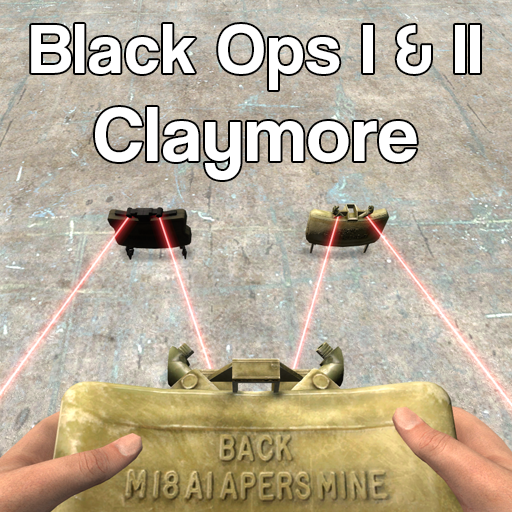
Black Ops Claymore (Sandbox)
76561198026871712 제작
This is the Claymore from BO1 and BO2. Before asking questions in the comments, check if it's answered in the FAQ! Server owners can use "resource.AddWorkshop("323836096") to download files to clients Usage: In Sandbox, simply go to the CoD Multiplayer tab in the weapons menu, and spawn it in. You'll be given the SWEP. Hold left click , the same way you'd hold 4 (or the console equivalent) to pull out and use the claymore. You'll place it when you let go, and the claymore will be planted and armed. What it does It allows you to spawn an active claymore, which uses lasers to detect passing enemys. It blows up if an enemy is detected in range. CVars: "Claymore_Infinite" (default 0) "Claymore_Radius" (default 100) "Claymore_DamageStart" (default 500) "Claymore_DamageEnd" (default 250) "Claymore_DrawBeams" (default 1) "Claymore_OwnerTrigger" (default 0) "Claymore_BeamStyle" (default 1) FAQ Q: C_Arms? A: Yes! Q: Can I have unlimited ammo? A: Yep, I made a convar to allow unlimited ammo. "Claymore_Infinite". 0 is default, 1 is infinite. Q: Can I change something in the code and reupload my own version? A: No. The code is my own and thus protected under copyright. If you have any port requests let me know in the comments below. Credits: Treyarch - Models & Animation Myself - Porting, coding, etc
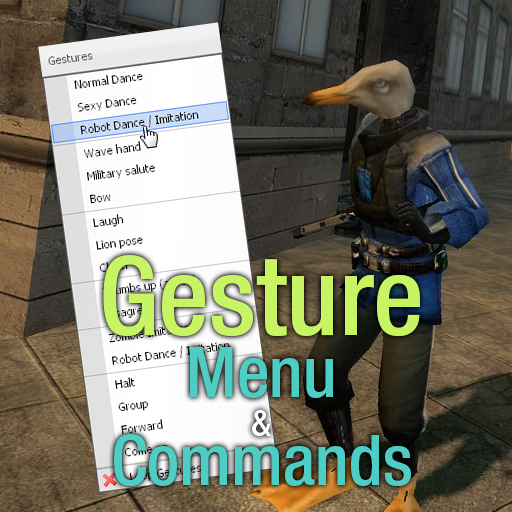
Gesture Menu & Commands
76561198025218043 제작
This addon adds a new sub-menu available in the Context Menu, named ''Gestures''. Clicking any option will make you perform a Gesture, like dancing, or agreeing. You can alternatively use chat commands to trigger them: - /gmc_dance (Normal Dance) - /gmc_muscle (Sexy Dance) - /gmc_robot (Robot Dance / Imitation) - /gmc_wave - /gmc_salute - /gmc_bow - /gmc_laugh - /gmc_pers (Lion Pose) - /gmc_cheer - /gmc_agree - /gmc_disagree - /gmc_zombie (Zombie Imitation) - /gmc_halt - /gmc_group - /gmc_forward - /gmc_becon (Come on) - /gmc_toggleloop (Toggles looping gestures) The command can be shortened like so: /g_becon. If you want to bind these to a key, find a guide on how to bind commands to keys and put this as the command: "act muscle". That would bind a key you chose to do the Sexy Dance. Refer to the list of commands above for other gestures, just make sure to strip the "/gmc_" part. If the add-on doesn't work correctly, or your camera gets messed up, it's entirely your other add-ons fault. For example, this won't work with DarkRP. It uses its own act system different from Garry's Mod's default one. MY ADDON DOES NOT MESS WITH THE CAMERA GESTURES USE, WHICH ARE BOTH PART OF THE BASE GAME. THIS IS ONLY A MENU. Unfortunately, I can't add any gesture to this add-on, as this uses animations from the game, and I'm not that much of an animator in the first place.

Star Wars Vehicles: Episode 1
76561198002318975 제작
This is pack of usable vehicles from the Star Wars Universe, including landspeeders and spaceships, scripted by myself using models found from various sources including both the Workshop and garrysmod.org. This pack contains the following ships: - AAT - ARC-170 - A-Wing - Azure Angel - BARC Speeder - Droid Tri-Fighter - ETA-2 - Imperial Speeder - Millennium Falcon - Naboo N-1 Starfighter - Sebulba's Podracer - Speeder Bike - Slave One - TIE Advanced - TIE Bomber - TIE Fighter - TIE Interceptor - TX-130 - Vulture - V-Wing - X-34 Landspeeder - X-Wing - Y-Wing If you enjoy using my pack, please consider donating if you can. It's taken a lot of work to make this pack and to keep improving it, so please if you can afford it and feel like being awesome, donate. DO NOT REUPLOAD! There is no need as this is public content and do not included in SERVER CONTENT as if both this addon and the content are downloaded it will cause conflict issues and potential errors, you will also not get the latest updates. Credits: Code by Liam0102 TIE Interceptor model ported by Syphadias HUD textures by Lord Trilobite Vulture Droid model by funky Bug Hunting by The Doctor FAQ: I'm a server owner using this addon. Can I configure it at all? Yes! You can enable/disable certain features to potentially increase performance. A guide on how to do it can be found here. What map is that in the Screenshots? The map in the screenshots can be found here, and here Where can I find them? You can spawn them from the Star Wars Vehicles tab next to Entities. Do the speeders have two seats? How do I get in as a passenger? The Landspeeder and Imperial Speeder have two seats. If there is a driver, and another player presses USE on the vehicle they will enter the passenger seat. Alternatively, hold ALT while pressing USE to directly get in the passenger seat. The ships won't move. HELP! Press SPACE to take-off and CTRL + SPACE to Land Why should I land properly? Are there any benefits? Landing properly (Using the land/take-off function) will cause your ship to heal slowly while not in use. Getting out without landing will not heal the ship. It will also deploy the landing gear where available. Why can't I spawn some of the vehicles on a server? The Millennium Falcon, Blockade Runner and Slave One are admin-only vehicles. They have no overheat when firing and have considerably higher health and speed. OMG I WANT THIS THING NOW. YOU OWE US THIS! No I don't get any kind of pay for this. Nothing. So please, stop demanding features as I do this all for free and see no return on it. Will you make an AT-AT, AT-ST, AT-TE? Cody Evans has uploaded some animated walkers using my speeder base. Go bug him. My view is all wonky! You most likely have an addon breaking the view on this one, a common culprit are legs addons or third person ones. Help! I can't go into first-person The first-person toggle is tied to your walk key. Check the bind for "Walk (move slowly)". (Note: not all ships have first-person) Controls: General: W - Forward A,D - Roll R - Reset Roll SHIFT - Toggle Wings (Where available) SPACE – Take Off / Go Up CTRL – Go Down CTRL + SPACE - Land LEFT CLICK - Fire RIGHTCLICK - Torpedo (N-1, Droid Tri-Fighter, Y-Wing, TIE Bomber) R + LEFT CLICK - Toggle Weapons Lock R + SPACE - Turn Throttle to 0 ALT - Change View (Where available) SHIFT + SPACE - Lightspeed SHIFT + R - Change Lightspeed Mode CTRL + R - Toggle Flight Assist Landspeeder, Podracer, Imperial Speeder: W - Forward A - Steer Left D - Steer Right SHIFT - Boost CTRL - Switch View Speeders: W - Forward A - Steer Left D - Steer Right SHIFT - Boost LEFT CLICK - Fire Weapon CTRL - Switch View AAT, TX-130: W - Forward A - Steer Left D - Steer Right SHIFT - Boost ALT - Strafe Left SPACE - Strafe Right LEFT CLICK - Fire Weapon RIGHT CLICK - Cannon CTRL - Switch View (TX-130 Only!) If you've got this far please consider DONATING. I've put a lot of time into this and it helps show you're appreciation not to mention motivates me to keep working on it.
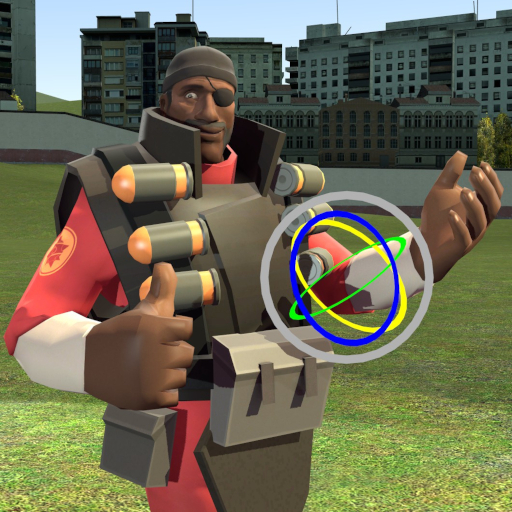
Ragdoll Mover
76561198001307896 제작
What is it? Ragdoll Mover is a tool that allows you to move ragdolls in a similar way to 3D programs. This also includes IK chains. Why should I use it? If you are fine with physgun, then maybe you don't need to use this. But here's a few key features of why you might want to use this in certain situations: -You can move ragdolls without limitations from the ragdoll physics; you can twist the ragdoll's head upside down without problems. -When you rotate a bone, it's child bones will rotate with it. So you can rotate the ragdoll's arm like you've welded the lower arm and hand to the upper arm. (Except, as mentioned, without physical limitations.) -By moving the ragdoll's root bone (usually the pelvis), you can move the entire ragdoll like it's a statue! -Contrary to bones moving relatively to their parent bones, there's IK chains. IK chains are used to keep certain bones in an exact position while moving, for example, the rest of the body. This is most commonly used with legs and arms. I'm still confused Then watch the video! It might clear things up. Are you going to keep updating this? Current version of the tool seems to be doing most of the things I'd like it to do, but in case of any bugs showing up, those would be fixed up. Please read the F.A.Q.! If any bugs occur, report them here. Or, you can report them here: https://github.com/Winded/RagdollMover/issues Interested in improving the tool further? You can test the Beta version of Ragdoll Mover. This version contains new, untested features, which will go to the main version after more testing. We fix bugs and push updates faster on the beta than this version, and it circumvents the long content check wait times! Speaking of long content check times, dim sum un made a write-up which clears up some misunderstandings about Ragdoll Mover's hidden status. There's also a possibility to translate Ragdoll Mover through GMod's resource files, in case if you'd like to help translate the tool in your language, you can help! You can fork ragdoll mover github repo and then add translations there. If you submit a pull request, write either here or contact PenolAkushari to check and update it to the workshop. https://github.com/Winded/RagdollMover
Garry's Mod Guides
Garry's Mod Server einrichten und TTT-Modus aktivieren – Schritt-für-Schritt
GMod-Server aufsetzen und TTT einrichten: Workshop-Collection, ULX-Admin-Tool und TTT-Konfiguration Schritt für Schritt erklärt.
Garry's Mod Workshop Addons installieren
So installierst du Garry's-Mod-Workshop-Addons auf deinem Server: Collection-ID, Steam Web API Key, Auto-Download und Troubleshooting.
Garry's Mod Server mieten – TTT, DarkRP und PropHunt
Garry's Mod Server einrichten: Spielmodus wählen, server.cfg pflegen, Steam-Workshop-Collection verbinden und TTT, DarkRP oder PropHunt testen.