Necesse 모드 & 플러그인
이 카탈로그는 Steam Workshop의 Necesse 프로젝트를 보여줘. 항목은 서버 측, 클라이언트 측 또는 양쪽 모두에 필요할 수 있으며, 맵이나 기타 사용자 제작 콘텐츠도 포함할 수 있어. 설치하기 전에 연결된 원본 페이지, 게임 버전, 의존성을 확인해.
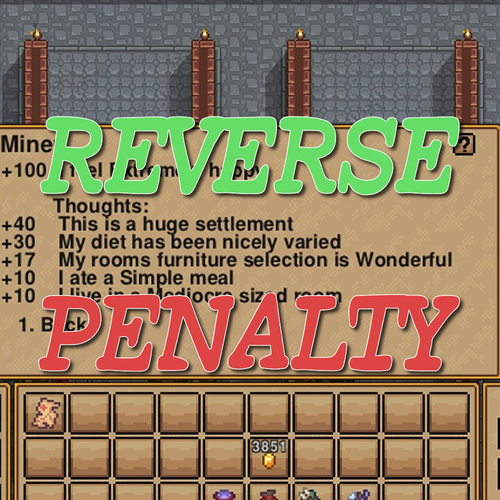
ReverseHappinessPenalty
76561198107149921 제작
Bigger is happier, Isn't that so? This mod changes the happiness penalty based on settler to a happiness bonus. - Settler: ~5 : Happiness: +0 - Settler: ~11 : Happiness: +10 - Settler: ~17 : Happiness: +20 - Settler: ~23 : Happiness: +30 - Settler: 24~ : Happiness: +40 .jar on GitHub
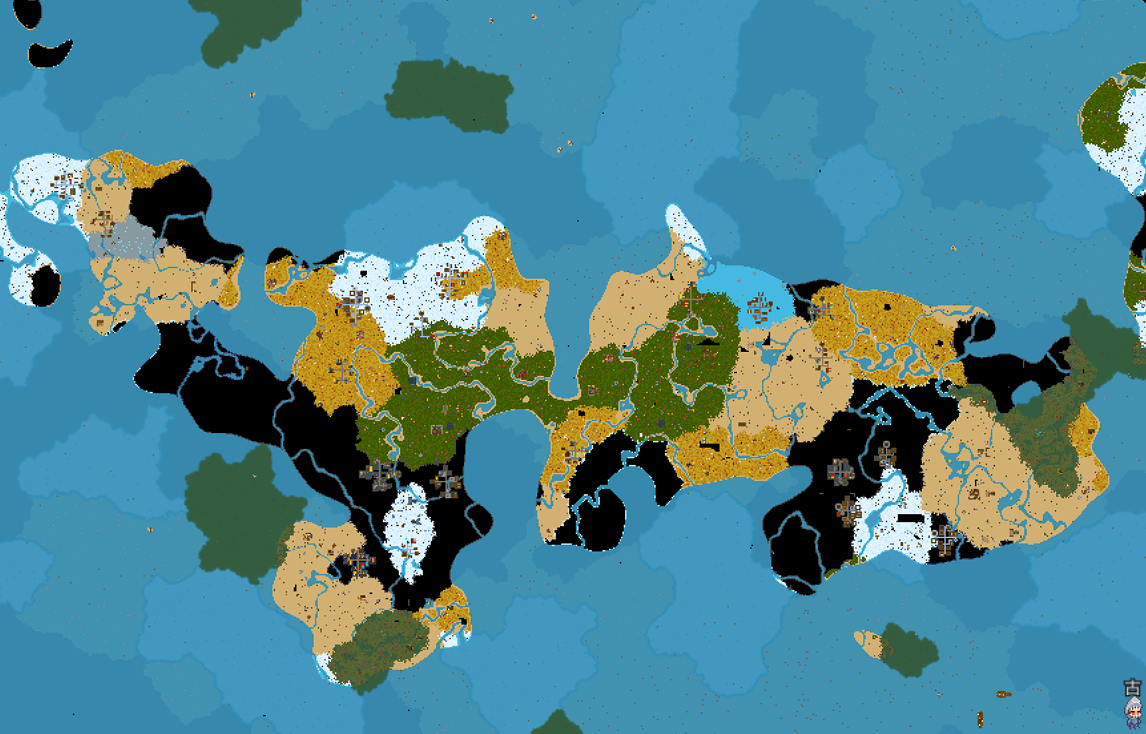
Larger Oceans
76561198863359245 제작
Larger Oceans ✓ The ocean coverage rate can be changed ✓ Continents are more widely distributed ✓ Significantly increased sailing distances ✓ Fixed crash issues when exploring new sea areas ✓ Make the game more challenging ❌ Original biome balance NOT maintained ✓ Partial restoration of the marshland While extensively tested during development, this mod fundamentally alters biome generation at the core level. Please BACKUP YOUR SAVES before use. For the best experience, start a NEW WORLD with this mod enabled. Remember to disable the mod when playing on old saves, as it will affect the generation of unloaded areas. Mod Name: Deathrite (Not Finished) (UPDATED TO 1.0)Issue Description This mod replaces every tile in the Ocean Underworld with starry sky tiles. Fortunately, no game crash issues have occurred so far during use. Configuration Settings Config file path: %APPDATA%\Necesse\mods\OceanSizeMod Vanilla Defaults: maxValue = -0.1 sizeModifier = 0.4 beachSize = 0.04 Current Default Preset: maxValue = 0.12 sizeModifier = 0.07 beachSize = 0.04 Customization Guide: maxValue: Higher values = larger oceans sizeModifier: 0.05 = long, stretched continents; 0.4 = long, stretched oceans beachSize: Controls beach size (range: 0~). Beach area occupies continental land — excessively high values will leave insufficient land and turn continents fully into sand. Note: When the value of the maxValue parameter is a positive number, every increase of 0.01 will cause the distance between the continents to become greater due to the increase in the proportion of the ocean. I have tested from -10 to 10 during the testing phase, but please try not to deviate too much from the original parameter. The game itself has significant restrictions on this parameter. When the sizeModifier is smaller, the continent will be larger. Do not try to input 0 or even smaller values. There will only be one continent. As for whether exploring the ocean will result in an error, it is unknown. Currently, the only possible error is an excessive liquid rendering error. beachSize refers to the width of the beach coastline. 0 is acceptable. I have not attempted a smaller value as it has no significance. When used together with Mountain2.0 mod, the recommended config of Larger Oceans is OceanSizeConfig = { maxValue = 0.12, sizeModifier = 0.04, beachSize = 0.04 } Mod update version: This mod will likely stop receiving updates https://steamcommunity.com/sharedfiles/filedetails/?id=3776317493

GridMod
76561198042878058 제작
Mouse behavior (important) Left-click will always paint tiles and paste blueprints while paint or blueprint placement is active. Right-click deletes paint, exits selection, and cancels blueprint placement. If you feel like you can’t attack or place items, make sure you’ve exited selection mode or blueprint placement – those modes temporarily disable attacking and normal placement so they don’t interfere with painting or blueprint stamping. detailed controls: https://github.com/cr-2-4/necesse-Gridmod/blob/main/docs/controls.md GridMod Workshop Description GridMod is a QoL overlay that makes Necesse's construction and settlement tools feel like a proper level editor. It adds a clean grid, chunk indicators, settlement bounds, and a full paint/blueprint workflow entirely client-side, so you can lay out floors, walls, roads, and decorations with confidence before committing to the world. Recommended keybinds I strongly recommend binding at least these controls in the Controls → Mods → GridMod section: - Open Grid UI – opens the main configuration window. - Toggle Grid – show/hide the base grid overlay. - Paint: Toggle – turn paint logic on/off. - Paint: Clear – clear all paint for the current world. - Paint: Toggle overlay – hide/show the paint layer visually without disabling it. You can bind more later (blueprint hotkeys, settlement tools), but those five make the mod feel good right away. What you can do Grid overlay - Toggle a tile grid on top of the world. - Optionally show chunk and sub-chunk lines (with span/alpha controls). - Adjust grid and chunk opacity from the Grid UI or via hotkeys. Paint overlay - Turn paint logic on/off (Paint: Toggle) without touching your saved data. - Show/hide the paint overlay (Paint: Toggle overlay) while still painting “blind” if you want. - Pick a paint category (floors, walls, doors, lighting, furniture, etc.) in the Grid UI or the quick palette. - Every paint stroke lives on one of three layers (bottom, middle, top) so you can stack walls over floors or add detail passes without erasing your base layout. Switch layers from the quick palette while painting, and use the selection layer dropdown to isolate, copy, or clear individual layers. Lower layers remain visible underneath higher ones, so you can rough-in roads, then overlay walls, then sprinkle props without touching earlier work. - Adjust brush size (1–32) and see a preview square before placing tiles. - Hold Paint: Erase (hold) or use right-click to erase instead of paint. - Change per-category colors (grid lines, paint, selection, blueprint ghost) in the color tabs of the Grid UI. Selection tools - Switch between selection modes in the Grid UI: - None – selection disabled. - Rect – click-drag a rectangle of painted tiles. - Edge – freehand stroke; selects tiles along the path. - Edge+Fill – stroke + fills the enclosed polygon. - All – select all painted tiles. - Choose a selection layer (bottom/middle/wall/top) so only matching layers light up: - Top layer selection includes wall attachments and wall lighting. - Selected tiles glow with the same highlight style as hover, so you can see exactly what will move or be affected. Blueprints GridMod separates three blueprint types and exposes them through the quick palette sidebar: - Relative blueprints (per save) - Blueprints are created from the current selection, not from the entire overlay. - In the Blueprints panel, use: - Selection layer and Selection mode (Rect / Edge / Edge+Fill / All) to decide which tiles are included. - Save (dbl-click) to overwrite the currently selected blueprint with your selection (with a two-click overwrite guard). - Save As to create a new blueprint from the current selection (or overwrite an existing name, also with a two-click guard). - Load a blueprint to get a moveable ghost you can rotate/flip and stamp into the world. - Rename, delete, and manage your blueprints in the quick palette “Blueprints” panel. - Global blueprints - Use the “Global BPs” panel in the quick palette to store layouts that are not tied to a particular world. - Create new global entries, save the current paint into them, reload them later, and delete them when no longer needed. - Default blueprints (read-only pack) - The Default blueprints dropdown exposes curated .gridpaint templates like the Guidehouse and Crafting outline. - Typical use: - Pick a default from the dropdown. - Hit Load default to place it directly as a ghost in the world. - Defaults live inside the mod’s jar, so they never show up in your user blueprint folder and can’t be accidentally deleted or renamed. Blueprint placement works just like normal paint placement: - Use the quick palette buttons or blueprint hotkeys to Rotate CW / Rotate CCW / Flip while the ghost is active. - Left-click stamps the transformed blueprint into the world; right-click cancels placement. Settlement helpers - Toggle a settlement bounds overlay that shows the current tier size as a configurable rectangle. - Snap the settlement center to your current tile, preview the bounds, and adjust tier sizes in the Grid UI. Quick start 1. Bind keys for Open Grid UI, Toggle Grid, Paint: Toggle, Paint: Clear, and Paint: Toggle overlay. 2. Toggle the grid or paint: - Turning Grid on spawns the quick palette panels for Grid and Global BPs. - Turning Paint on adds the Paint, Blueprints, and Settlement panels. Then open the quick palette button on the left side of the screen and expand the panels you need. 3. Turn on Paint: Toggle and pick a paint category (for example Floors) and brush size. 4. Draw a simple layout, then use the Selection layer / Selection mode controls and Save / Save As in the Blueprint panel to store it as a blueprint. 5. Open the Default blueprints dropdown, pick Guidehouse or Crafting outline, and press Load default to place the bundled templates. Controls (as shown in the Controls menu) Control label – What it does Open Grid UI – Opens/closes the main GridMod configuration window. Toggle Grid – Shows or hides the base grid overlay. Grid alpha + / Grid alpha - – Increase/decrease grid line opacity. Chunk lines / Sub-chunk lines – Toggle chunk and sub-chunk guide lines. Chunk span 8/16/32 – Cycle chunk spacing used by chunk lines. Chunk alpha + / Chunk alpha - – Increase/decrease chunk line opacity. Sub alpha + / Sub alpha - – Increase/decrease sub-chunk line opacity. Paint: Toggle – Enables/disables paint logic (brush + selection + blueprint placement). Paint: Clear – Clears all paint data for the current world. Brush size + / Brush size - – Increase/decrease brush size. Paint: Toggle overlay – Shows/hides the paint overlay visually without disabling it. Paint: Erase (hold) – While held, painting erases tiles instead of placing them. Blueprint: Quick save – Saves the currently selected blueprint name to disk. Blueprint: Quick load/place – Loads the selected blueprint and enters placement mode. Blueprint: Rotate CW / Rotate CCW / Flip – Rotates or flips the active blueprint ghost while placing. Settlement: Place here – Moves the settlement center to your current tile and updates the bounds overlay. Settlement: Toggle overlay – Shows/hides the settlement bounds overlay. Settlement: Cycle tier – Cycles the settlement tier size used for bounds. All of these controls start unbound so you can map them to whatever layout makes sense for you. Bind a few essentials first, then add more as you start using the advanced features. --- Source & issue tracker: https://github.com/cr-2-4/necesse-Gridmod
New Jobs: Resurrect
76561198863359245 제작
As an additional extension for the Tamed Monster (NPC) mod. Must subscribe to the Tamed Monster (NPC) mod to use. Adds a new work type that can only be performed by the mod's NPCs: Resurrection. When a revival potion is available in the settlement storage, the mod NPC will take it and revive downed settlers within the settlement area. Tamed Monsters (NPC): Involves NPCs, monsters, settlement livestock areas, special invasions, and the binding mechanism, with significant changes to the vanilla game. Before subscribing to this mod, it is recommended to browse through the Tamed Monsters (NPC) mod description and then consider subscribing. Mod: https://steamcommunity.com/sharedfiles/filedetails/?id=3719995578 Supported languages: English Simplified Chinese

DoubleLightLevel
76561198125574464 제작
Doubles the light level of placed light sources. This only applies to objects with the default in-game light level of 150. We have discovered that there are display issues that make it appear as if some torches are not lit. After analyzing the issue, it appears that the game's processing can only handle screen rendering up to a light level of 250 (probably), and light levels above that appear to result in light sources that are not taken into account during rendering. Since it is difficult to address this issue with a mod, we have created a separate mod (Increase Light Level) that sets the light level to 250. Please use this mod if you are concerned about display issues.
monster trinkets
76561198863359245 제작
As an optional add-on for the Tame Monster (NPC) mod, or can be used standalone. Trinkets Transformed from Monster Abilities, Equipped by Players (Trinket sprites not yet implemented.) Now some mod trinkets can be found in deep chests. Temporarily added only: Sword Shield Series Trinkets: 5 types Grudge Vessel Series Trinkets: 4 types Lightning Series Trinkets: 2 types Supported Languages: English 简体中文
Quarry
76561197997895828 제작
Добавляет в игру каменоломню Adds a quarry to the game Quarry — это полезный и атмосферный мод для Necesse, который автоматизирует добычу ресурсов на вашей базе! Забудьте о бесконечной ручной копке камня и редких блоков: теперь вы можете построить собственную каменоломню и настроить автоматическую добычу. Особенности мода: - Продвинутая система кирки: Установите кирку в специальный слотированный интерфейс каменоломни. Чем выше тир вашей кирки, тем быстрее работает механизм, ниже шанс неудачи и тем больше ценных и редких видов камня открывается для добычи. - 15 уникальных слотов склада: Каменоломня оборудована вместительным хранилищем на 15 слотов, куда автоматически складываются добытые ресурсы. - Полная интеграция с поселениями: Поселенцы могут автоматически взаимодействовать с каменоломней, забирать готовую руду и поддерживать её работу. - Наглядный интерфейс: Удобное кастомное окно отображает текущий прогресс добычи в процентах, время до завершения цикла, текущий статус, а также список всех доступных для добычи с текущей киркой ресурсов. - Разнообразие добычи: От стандартного камня, песчаника и глины до глубоких кристаллических и базальтовых пород при использовании лучших инструментов. --- Quarry is a useful and immersive Necesse mod that automates resource gathering for your base! Say goodbye to endless manual mining of stone and basic blocks: now you can build your own quarry and let it do the hard work for you. Features: - Advanced Pickaxe Tier System: Insert a pickaxe into the quarry's dedicated slot. The higher the pickaxe tier, the faster the mining speed, the lower the failure chance, and the more valuable and rare stone types become available. - 15-Slot Storage: The quarry features a built-in 15-slot output inventory to neatly store all your gathered materials. - Settlement Integration: Fully compatible with settlement mechanics, allowing your settlers to interact with the quarry and manage items automatically. - Sleek Custom UI: A clean, informative interface displays live mining progress percentages, cycle time, current status, and a handy preview of all possible yields based on your installed pickaxe. - Rich Variety of Yields: From basic stone, sandstone, and clay to deep crystal and basalt formations using high-tier tools.

MoreChestHealth
76561198010421601 제작
Tired of breaking your chests with your super-duper powerful pickaxe? Welp, this mod is for you! The mod sets the health of any chest item to 500 by default. You change this value to anything you'd like in the settings. Source code available on Codeberg https://codeberg.org/Valeena/MoreChestHealth
Fantasy Series Weapons
76561199226027758 제작
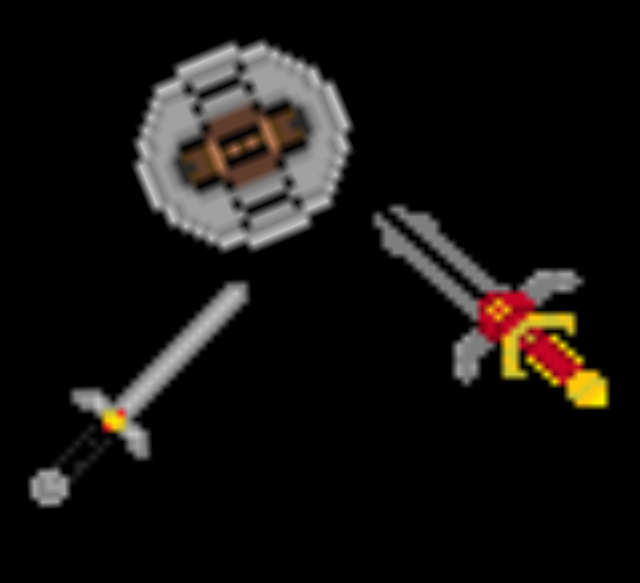
Ok so this mod i made adds 3 new weapons each one is fairly balanced i didnt add any enchantments or buffs but they fit pretty well Thanks for Subbing to it if you do and now im off to make something else thanks and enjoy! Adds: Fable | Sword of Aeons Kingdom of Amalur | Chakram Witcher | Witchers Sword ( i know it should be crafted using silver but i just wanted to pump something out its my first gradle project who knows maybe ill add silver ore later down the road)
Mountain
76561198863359245 제작
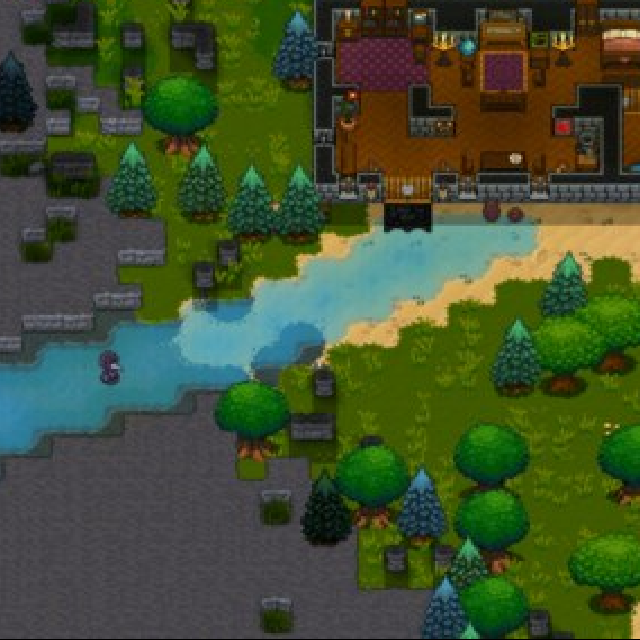
On the basis of continental reconstruction, add mountainous ecosystems (only rocks) There are a total of 10 types of decorative biomes: 4 types of mountain biomes + 6 types of decorative biomes This mod is still usable. If you encounter certain seeds that fail to create worlds, please subscribe to the prerequisite mod. This mod is no longer updated. For the new version with adjustable biome size range: https://steamcommunity.com/sharedfiles/filedetails/?id=3725724457

Achievement 成就
76561198098173735 제작
Using /g and other cheat commands without flagging the save file as cheated, while keeping achievements unlockable. 使用 /g 以及其他作弊指令,存档不被标记作弊,成就依旧解锁。
Mega Salvage Station
76561199204870000 제작
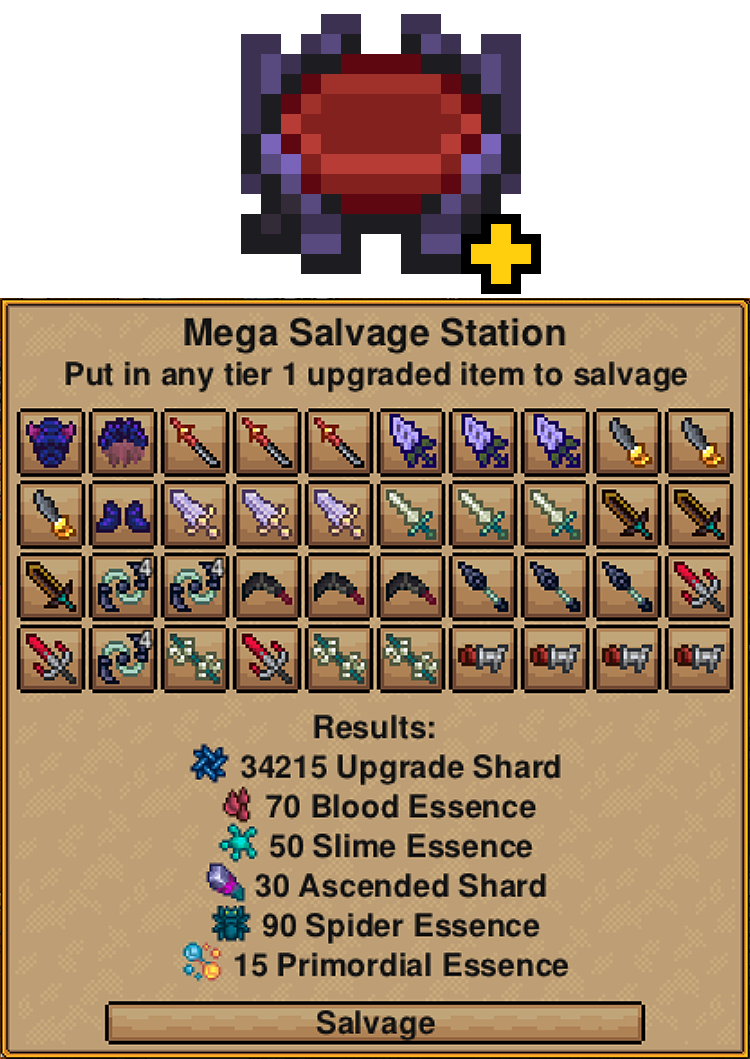
Mega Salvage Station Expands the Salvage Station's slots from 5 to 40. You can craft it at the Fallen Workstation using one original Salvage Station and one Ascended Shard. This is a beta version that simply increases the number of slots. If there is enough feedback, I will consider expanding its features.

Spawn items
76561199309816987 제작
A mod to spawn with the items you would normally find in the spawn house.

Mega Melee Mix
76561198069968485 제작
A collection of melee-focused additions that emphasize resilience and health: ## Weapons The Exsanguinator (sword) - 50% chance to generate 30% of total armor rating as health on hit The Cauterizer (greatsword) - Deals 50% of max health as fire damage per second over 10 seconds The Tranquilizer (hammer) - Paralyzes target for 3 seconds and delivers huge knockback The Boomy Whacker (spear) - Creates an explosion on EVERY attack at cursor location, scaling with weapon damage (Destroys everything but ore, don't use indoors!) ## Trinkets The Warlord's Pauldron - 50% Resilience Gain, +25% Combat Health Regen, 100 Resilience and Max Health, -15% Attack Speed and Crit Chance, +1 Active Food Buffs Github repo
More Names
76561198324373614 제작
Gives the npcs more relevant names. Mostly copied from Terraria. If anybody feel offended, I will change it. Alchemist:Lavoisier, Nobel, Avogadro, Curie, Mendeleev, Bohr, Boyle, Bragg, Bunsen, Chargaff, Dalton, Democritus, Faraday, Franklin, Gibbs, Hoyle, Lawrence, Pasteur, Pauling, Rutherford, Thomson, Volta Angler:Adam,Bart,Billy,Bobby,Charles,Danny,Grayson,Ivan,Izzy,Jey,Jimmy,Johnny,Matty,Miles,Nathan,Phillip,Sammy,Simon,Spencer,Timmy,Tyler Animal Keeper: Blacksmith: Explorer: Farmer: Gunsmith:Borchardt, Browning, Gatling, Kalashnikov, Mauser, Andre,Brimst,Bronson,Dante,Darius,Darnell,Darryl,DeAndre,Demetrius,DeShawn,Dominique,Jalen,Jamal,Malik,Marquis,Maurice,Reginald,Terrance,Terrell,Tony,Trevon,Tyrone,Willie,Xavier Hunter: Mage:Merlin, Alasdair,Arddun,Arwyn,Berwyn,Dalamar,Dulais,Elric,Fizban,Gearroid,Greum,Gwentor,Hirael,Leomund,Maelor,Magius,Merlyn,Ningauble,Sargon,Seonag,Tagar,Xanadu Miner: PawnBroker:Alfred,Barney,Calvin,Edmund,Edwin,Eugene,Finn ,Frank,Frederick,Gilbert,Gus,Harold,Howard,Humphrey,Isaac,Joseph,Kristian ,Louis,Milton,Mortimer,Ralph,Seymour,Walter,Wilbur Pirate:Zheng Zhilong, Drake, Black Beard,Captain Bullywort,Captain Morgan,Captain Stoney Dirt,David,Gunpowder Garry,Jack,Jake,James T. Beard,Red Beard,Wet Beard Stylist:Annabel,Biah,Bri,Brianne,Esmeralda,Flora,Hazel,Iris,Kati,Kylie,Lola,Meliyah,Pearl,Petra,Rox,Roxanne,Ruby,Scarlett,Stella,Tallulah Traveling Merchant:Abraham,Aedan,Aphraim,Bohemas,Eladon,Gallius,Llewellyn,Mercer,Rawleigh,Riley,Romeo,Shipton,Willy Elder:Deeplake, Andrew,Asher,Bradley,Brandon,Brett,Brian,Cody,Cole,Colin,Connor,Daniel,Dylan,Garrett,Harley,Jack,Jacob,Jake,Jeff,Jeffrey,Joe,Kevin,Kyle,Levi,Logan,Luke,Marty,Maxwell,Ryan,Scott,Seth,Steve,Tanner,Trent,Wyatt,Zach

NPC Party Info
76561197970788213 제작
A new entry in our series of "Features so good, they should be Vanilla!" Did you ever wonder what NPCs you actually added to your party / have you following? Did you lose track of them? You cannot find them and wonder if they teleported out or died? Do you want to be able to tell each NPC where to go / guard while in your party? Do you want to have an easy overview over your NPC party members health? Do you want to easily send one or multiple of them back home without having to search around for them? Then this mod is for you! What it does is it adds a typical RPG party view to your NPC settlers. These are all the features and how they work: - The mod adds a face icon of every NPC party member currently in your adventure party to the left side of the screen. It will open more columns if you got too many with you and should adjust to screen size. - Each icon has the NPC name added and a healthbar showing its health as percentage. The healthbar is green when above 66%, yellow when above 33% and red when below that. - You can click a settlers icon and get the same overview you get in your settlement when selecting a settler (see screenshots) - This also enables you to select multiple of them while holding shift and sending them back home at once - And even better, when you select a settler by clicking his icon you can then right click to where you want him to guard. You see a dangerous enemy and dont want to go first? Send your settler first! Or a whole group of them and stand back and watch! - With the above mentioned feature you could nearly play it like an RTS with just selecting NPCs and sending them where you want to them to go either alone or in groups - When a settler dies (if option is enabled in vanilla world settings) or gets downed or teleports out when low on HP the icon immediately is removed from the overview. - Added Weapon Icon besides the name for easy checks - Added a config file to change element size from 1.2 default (120%) to between 0.5 and 3.0 and also made an opt out option for the weapon icon border File can be found under C:\Users\<Username>\AppData\Roaming\Necesse\mods\NPCPartyInfo FOR LINUX USERS: apparently there is an issue with parsing config files when they contain comment tags. if you want to configure something while using linux then just remove the full comment statement explaining the functions. that should work. If you like my mods and want to support me, check out https://ko-fi.com/thealmightylootius

Autominer Fix
76561198167092251 제작
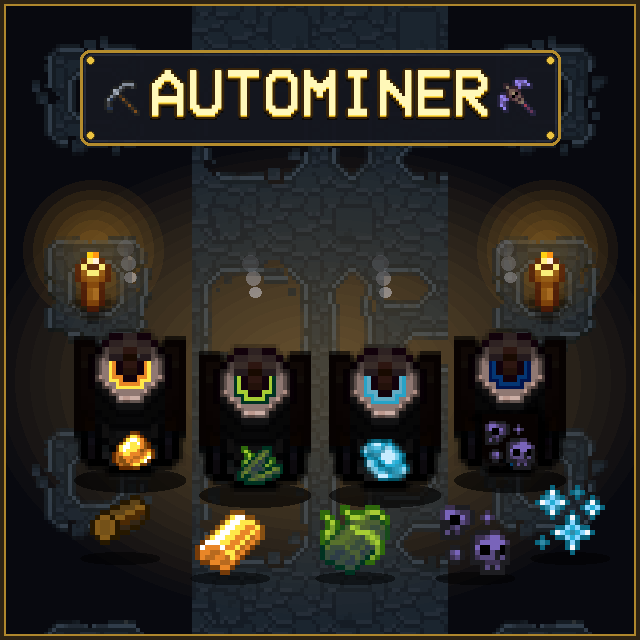
Tired of spending endless hours swinging pickaxes in dark caves just to get enough iron, tungsten, or obsidian for your next gear tier? Want to build massive settlements without grinding stone and clay until your fingers hurt? Autominer solves the resource grind by bringing automated mining stations to Necesse! Place down miners, let your settlers keep them fueled with wood logs, and focus on what’s actually fun like exploring incursions, conquering dungeons, and slaying bosses. Why You Need This Mod - 60+ Auto Miners: Covers everything from basic dirt, stone & copper to deep cave metals, demonic mob drops, and endgame incursion essences. - Settlement Automation Ready: Fully integrates with Necesse's settlement system — your settlers will automatically haul mined materials to storage and restock wood fuel. - Fair & Balanced Progression: Miners unlock naturally at their respective crafting tiers (Workstation ➔ Demonic ➔ Tungsten ➔ Fallen). No skipping progression! - In-Game Settings UI: Seamlessly configured via CustomSettingsLib in the game settings menu without restarting. - Chat Command Fallback: Don't use CustomSettingsLib? Easily tweak fuel, speed, and balance directly with /autominer commands. - Customizable Balance: Turn fuel requirements on/off, tweak burn times, and adjust mining speed from 1x to 10x. - Multi-Language Support: Fully translated into English, German, Spanish, and Korean. Supported Miners by Tier - Workstation (Surface & Early Caves): Stone, Clay, Sand, Sandstone, Snowstone, Swampstone, Copper, Iron, Gold, Frost Shards, Amethyst, Topaz, Emerald, Sapphire, Ruby, Diamond, Amber, Batwing, Bone, Silk, Wool, Cloth Scraps - Demonic Workstation (Mid Game & Dungeon): Ivy Ore, Quartz, Spiderite, Life Quartz, Void Shard, Ectoplasm, Phantom Dust, Blood Essence, Slime Essence, Slime Matter, Slimeum, Spider Essence, Spider Venom, Cave Spider Gland, Spider Stone, Worm Carapace - Tungsten Workstation (Deep Caves & Cold Biomes): Deep Stone, Deep Sandstone, Deep Snowstone, Deep Swampstone, Granite, Basalt, Runestone, Tungsten, Obsidian, Glacial Ore, Glacial Shard, Ancient Fossil, Mycelium, Nightsteel - Fallen Workstation (Endgame & Incursions): Upgrade Shards, Alchemy Shards, Altar Dust, Omnicrystal, Shadow Essence, Cryo Essence, Bio Essence, Primordial Essence Configuration Options Via In-Game Settings UI (with CustomSettingsLib): Esc ➔ Settings ➔ Mod Settings ➔ AutoMiner - Require Wood Log Fuel: On / Off (Default: ON) - Mining Speed Multiplier: 1x - 10x (Default: 1x) - Fuel Duration Multiplier: 1x - 10x (Default: 1x) - Enable Endgame Miners: On / Off (Default: ON) Via Chat Commands (Standalone): /autominer status /autominer fuel <true|false> /autominer speed <1-10> /autominer fuelduration <1-10> /autominer endgame <true|false> Source Code & Releases Source code, issue tracking, and manual download releases are available on GitHub: GitHub Repository Dedicated Server Jar 🤝 Credits & Disclaimer All credit for the original concept, code, and sprite assets goes to the original creators: - KKDJ20 — Auto Miner - Agath — AutoMiner - Mako — AutoMiner I only fixed and updated this mod because the previous versions appeared abandoned and were not updated on newer Necesse versions. If any of the original creators want this upload removed or wish to resume maintenance, please reach out and I will gladly remove it.
Necesse Grinder
76561199116545985 제작
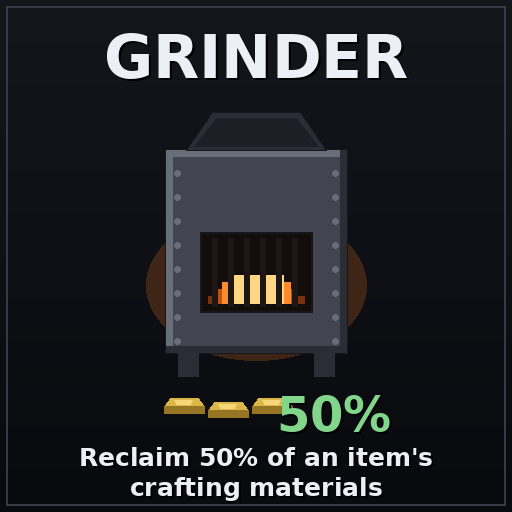
Adds the Grinder: a dark Incinerator that reclaims 50% of an item's crafting materials.

Creative Tools
76561198144627399 제작
Spawns you with a tool that can be used to access the creative inventory in survival mode. Must have the relic and the tool in inventory, to use it hold the tool like a weapon and right click (secondary attack) Super useful for world building. Item-gated creative builder tools for survival worlds without cheats. Enjoy! :)
Move Tracker
76561197981583885 제작
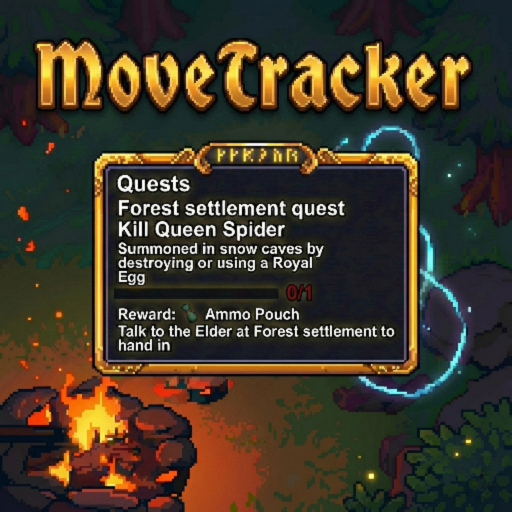
Move Tracker (Client-Side) Easily reposition your quest tracker by holding Shift and dragging it to a new location that saves automatically. What this mod does - Lets you move the quest tracker while holding SHIFT + Left Click and saves it position Installation / Requirements - Client-side only (players install it) - Servers do NOT need this mod Support the mod
RO Music Replacer
76561198017706346 제작
Replace game music from the popular MMORPG Ragnarok Online. |---------- NOTICE ----------| I used Copilot AI to make the image thumbnail. Unfortunately I don't know how to make the mod CLIENT-SIDE only. So until I can figure that out I won't be making any changes. The volume is REALLY LOUD currently so I would suggest setting your in-game music volume to 30 or lower. I'm worried lowering the volume in each track (via audacity) it might lower the quality. |---------- NOTICE ----------| Here's a list of BGM that were replaced. Game Title Screen - RO Title Screen/Character Selection Forest Island (Day) - Streamside Forest Island (Night) - Tread On The Ground Forest Caves - Treasure Hunter Forest Deep Caves - Pampas Upas Dungeon - Risk Your Life Pirate Village - High Roller Coaster Plains Island (Day) - Theme of Alde Baran Plains Island (Night) - Plateau Plains Caves - TeMPoison Plains Deep Caves - Labyrinth Snow Island (Day) - One Step Closer Snow Island (Night) - Be Nice n' Easy Snow Caves - Watery Grave Snow Deep Caves - I Miss You Swamp Island (Day) - Travel Swamp Island (Night) - Into The Abyss Swamp Caves - Ancient Groover Swamp Deep Caves - Under The Ground Desert Island (Day) - Theme of Morroc Desert Island (Night) - Desert Desert Caves - Back Attack!! Desert Deep Caves - TeMPorsche Surface Raids - We Have Lee but you don't have ::yup, that's the title:: BOSSES Evil's Protector - Through The Tower Queen Spider - Naive Rave Void Wizard - Zingaro Runebound Chieftain - Ethnica Swamp Guardian - Help Yourself Ancient Vulture - Don't Piss Me Off Pirate Captain - Dreamer's Dream Reaper - TeMP It Up Cryo Queen - Dancing Christmas On The 13th Month The Cursed Crone - Monastery in Disquise Pest Warden - Rose of Sharon Sage and Grit - Erebos' Prelude Fallen Wizard - Fear... INCURSION BOSSES These aren't official RO sound tracks. Instead I got them from a side scrolling beat 'em up game called Ragnarok Battle Offline. Mother Slime - Happy Blue Rabbit Night Swarm - Messenger From The Deep Sea Spider Empress - Absolute Power Sunlight Champion - Crossing The Scorched Ground Moonlight Dancer - In The Cold Silence Crystal Dragon - Wind of Tragedy ::this one's an RO track:: Ascended Wizard - Devil's Enchantment ??????????????? - Labyrinth Suite

Tango Upgrade Station
76561197993022924 제작
Tango Upgrade Station: allows you to upgrade from tier 10 to tier 1000!!! - works with armour, all weapons, and tools! - added features for tools and weapons every 11th tier (11, 21, 31, etc....) - enjoy your overpowered Journey! - check the config to change your settings located AppData\Roaming\Necesse\cfg\mods to change stat bonus multiplier cost reducer and tier limit i think 1000 is pretty fun

RandomTP (1.2 Update)
76561198035688053 제작
Teleport to Random Coordinates! Very small mod to randomly teleport to random coordinates. Completely server side! Only the server/host needs this mod, other player's don't need to do anything! One single command, /randomtp Default settings teleport you between -20000 & 20000 on both X & Y coords. You can change that in the world's world.dat file found in the world's zip file. Features: - Completely configurable in the world.dat file. - Randomly teleport to different locations. - Configurable cooldown rate between teleports. - Configurable confirmation before teleporting. - Configurable Permission setting, defaults to everybody can use the command. - (From 1.4 and on) Change settings from in-game, more info below. - Completely server side! Only the server/host needs this mod, other player's don't need to do anything! Default Settings: RANDOMTP = { confirmation = true, // True/False to confirm when using RandomTP. cooldown = 30, // Amount in seconds for cooldown to use RandomTP again. Set to 0 for no cooldown. permission_level = USER, // Valid inputs are USER, MODERATOR, ADMIN, OWNER, SERVER min_X = -20000, // Minimum X value to randomly pick from. Needs to be lower than max_X min_Y = -20000, // Minimum Y value to randomly pick from. Needs to be lower than max_Y max_X = 20000, // Maximum X value to randomly pick from. Needs to be greater than min_X max_Y = 20000 // Maximum Y value to randomly pick from. Needs to be greater than min_Y } 1.4 Update: You can now change settings from in-game! No more worrying about messing up your save file. Can change any setting from in-game by typing: /randomtp These values behave exactly like in the save file, except if you make a mistake it'll tell you why. Valid settings include: confirmation, permissionLevel, cooldown, min_x, min_y, max_x, max_y. Interested in your own 24/7 Dedicated Necesse Server? Want to contribute to the project? Have an issue? Maybe make a fork? Need server jar? Or request a feature? Check it out on Github: https://github.com/Yovez/Necesse-RandomTP Workshop ID: 2924983797