Mods & plugins voor Barotrauma
Deze catalogus bevat 81.000+ Barotrauma-projecten van Steam Workshop. Items kunnen server-side, client-side of aan beide kanten nodig zijn en ook maps of andere gebruikerscontent bevatten. Controleer vóór installatie de gelinkte bronpagina, gameversie en afhankelijkheden.
Barotrauma mods installeren op je server
Ontdek populaire Barotrauma-mods uit de Steam Workshop en stel een eigen modlijst samen voor je campagne. Gebruik bij alle spelers en op de server dezelfde Workshop-versies om verbindingsproblemen te voorkomen.
- Zoek op naam en bekijk populaire Workshop-mods
- Controleer afhankelijkheden voordat je een campagne start
- Houd de laadvolgorde op server en clients gelijk
- Test updates eerst met een back-up van je wereld
Servermods kunnen onderzeeërs, items, monsters en complete campagnes toevoegen. Controleer altijd of een mod geschikt is voor de huidige Barotrauma-versie en voor dedicated servers.

Dynamic Europa - Short N Spicy Levels Patch
door 76561198131472437
Dont wan't to take 30 minutes to get across a map on your Dynamic Europa campaigns? This shortens the map by 70%. As a nerf, Levels have the ability to be 20% harder than normal, with slightly reduced minimum difficultys for break levels. How to Install: ensure mod is ABOVE Dynamic Europa on your mod list. Use fresh campaign run.

Carlo's Armoury Expansion: SKS
door 76561198045566662
You know it, you love it, the glorious SKS chambered in 7.62x39mm. Originally imported to Europa in large quantities as a cheap solution to the native fauna, the venerable SKS has served her operators well as a reliable and effective pest control measure. In recent times, as the supply ships to Europa have stopped arriving, the Europan Coalition has been producing domestic variants of the SKS. These variants have proven to be higher quality than the old Earth imports, and have proven almost as popular as standard-issue SMGs. Special thanks to LordPuttPutt for the assistance.
Berilia Aftermarket
door 76561197970725190
Based on the Vanilla sub and hUbert 2's modded 2.0 version. A mash up of the redesigned vanilla berlia with its lounge and electrical room with the older Berilia 2.0 changes to gunnery and rooms. Changes include double bunk beds, additional storage scattered around the ship, battery isolator control so your battery array doesn't bleed back into itself on a loop!, safety lever on the depth charge and captain reactor shutdown.
Leonov V
door 76561198041217499
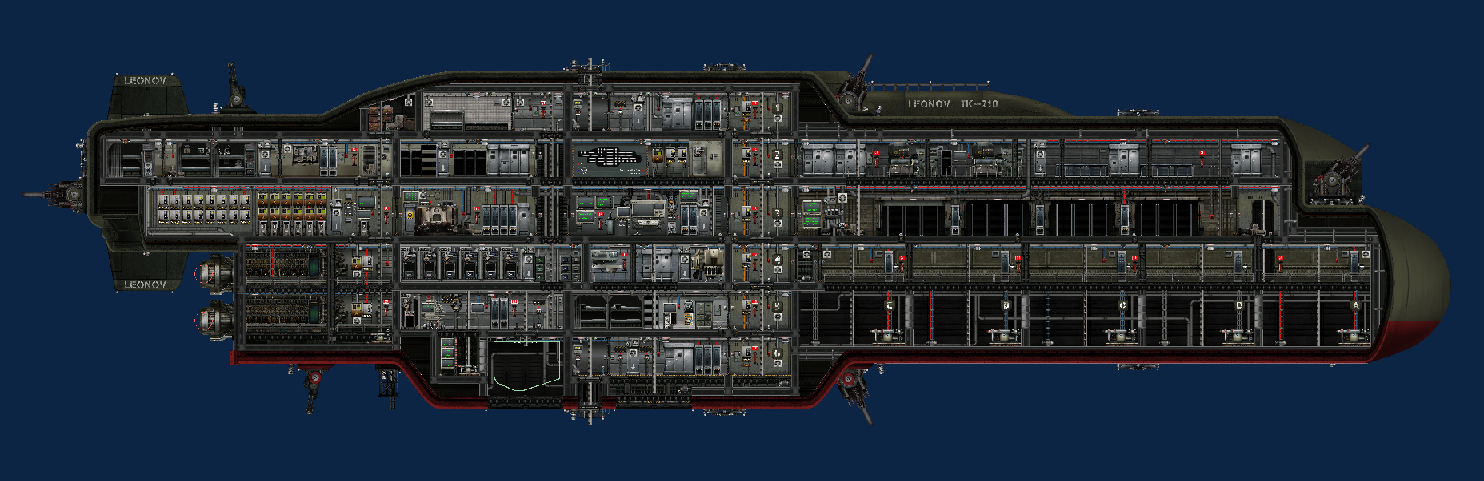
"The newly named Leonov V an Akula Class Submarine, is designed for long-duration missions under the ice of Europa. Capable of defending itself against almost any enemies it may encounter and featuring onboard manufacturing systems the Akula Class is the perfect choice for operation in hostile environments. Comes equipped with a remote and manually-piloted Mule drone for supporting away teams in missions outside of the sub." The sub requires no mods to function, but the Experimental Performance Fix mod is recommended if you encounter lag. High item count is due to the circuitry and wiring to try and automate a lot of useful functionality into the sub. This was the culmination of our first playthrough amongst my local group for Barotrauma and we wanted to iterate the design of the sub as we played through to reflect this. This is the final step in the design having solved and fixed issues we encountered throughout our campaign. ARMAMENTS The Leonov comes equipped with 4 Flak Cannons, 2 Chainguns and several Discharge Coils mounted externally. The coverage of the defences is very strong, but attempts were made to not just rely on the tried-and-true coilgun/railgun combination. Arcs of fire were selected to give a sense of practicality when operating this sub, and given the dangers the Europan waters contain make a lot of sense. This is a Tier 3 sub though, and has managed to face a lot of dangers and still emerge in one piece (We did fight 3 Endworms one after another in this at one point and only just survived, so it will still suffer if facing a challenging foe). ALERT STATES There are several alert states the Leonov can be in during the game, and these all have various lighting levels which can be adjusted in the Maintenance Bay (see Maintenance section). They are as follows: No Alert is the standard alert state, where the lights are at normal level and the security doors are held in an open state. Some doors are still on delays for closing, but these are appropriate doors (such as the Armoury and Barracks). Yellow alert indicates increased levels of readiness, and to reflect this the lights will turn a relaxing shade of yellow. Doors will revert to automatic functionality, and will close after a few seconds delay when opened. No alarm will sound however, so it is recommended to use this mode if you wish to prevent accidental ship flooding or keep doors closed to prevent unwanted guests but without the need for an alarm siren. Action Stations is the same as Yellow Alert, but with the added emergency siren and panic-inducing red lights to reflect the major catastrophe you have found yourself in. This can be triggered from the Navigation Terminal or by any of the red alarms found throughout the ship. In the event of a fire breaking out onboard, this alert will automatically be triggered until the blaze has been removed. Silent Running is the final alert state, and reflects when the ship requires stealth to bypass certain obstacles or creatures. Once engaged, all fabricators and noisy machinery is switched off, the reactor is issued a shutdown command and the engines are capped at 20% thrust to prevent noise. The lighting will be a dark blue to indicate the need for stealth. MULE DRONE The Leonov comes equipped with a Mule Drone, designed to function as a small shuttle to and from wrecks and caves, as well as for remote exploration or pathfinding when a direct route isn't obvious. It has a range of approximately 250-300m from the Leonov on remote control, but can be manually piloted at whatever range is required. The drone does not have any life support functionality, so it is essential to wear protective suits whilst operating it manually. The drone can be remote controlled from the Leonov, or manually piloted by crew within it. Remote control will override any commands issued locally, so it is essential to ensure coordination between crew onboard and crew remaining on the Leonov. A switch indicates whether remote control is enabled or disabled. The drone comes equipped with a depth charge launcher and a single depth charge loader slot. This can be remotely fired by the Drone Navigation Terminal and will do one of 2 things depending on whether the lower hatch is open or not on the drone: 1) If the hatch is CLOSED the drone will self-destruct, killing anyone onboard but doing large damage around itself 2) If the hatch is OPEN the charge will drop out the bottom and allow the drone to function as a small bomber The following wi-fi channels are used by the drone: 501 - Set X Force (Engine) 502 - Set Target Level (Ballast) 503 - Transducer OUTPUT 504 - Searchlight Position In 505 - Searchlight Toggle 506 - Battery Charge 507 - Toggle Docking 508 - Self Destruct 509 - Exit Hatch Status 510 - Remote Control Status Workshop Link for Mule Drone: https://steamcommunity.com/sharedfiles/filedetails/?id=3311808125 PNEUMATIC ITEM DELIVERY The Leonov incorporates an onboard pneumatic item delivery system, which can be found in any cabinet with a down arrow on it. This allows items to be moved around the ship instantly and can greatly speed up any wreck salvage operations or manufacturing jobs that need to be done. These can be found throughout the ship, with at least one in every major compartment of the ship. MAINTENANCE: The Leonov operates an RGB lighting system, as well as an extensive logic-based control system. These circuit blocks are hidden within the walls of the ship itself and are extremely hard and dangerous to access mid-mission. If you need to adjust any wiring, it's advised to do so with care. Some aspects can be changed and modified though, including the RGB values for lighting in all alert states as well as values such as maximum battery capacity and reactor power outputs. This allows the onboard systems to be updated as you purchase battery capacity upgrades or unlock additional reactor output with perks or upgrades. When modifying the RGB values you will see a string like this: 255,000,000,255 (CORRECT) This is an example of an all-red light with maximum brightness. If you change any of these it's vital to ensure the values have 3 digits each, otherwise they won't work. The above example will do nothing if it looks like this: 255,0,0,255 (WRONG) Please ensure if you change any RGB values, you make sure you have 3 digits for each section. ADDITIONAL FUNCTIONALITY The Leonov also boasts the following features and functionality throughout the ship: - Salvage Bay (Moon pool) - Fabriaction Deck (2x Fabricators, 2x Deconstructors) - Medical Bay (2x Bunks, Medical Fabricator) - Dual Large Engines - 5C Reactor control (Automatic control not required) - Robust Powergrid - Smart charging Batteries - Ballast Flora Detection - Remote lockable Armoury - Emergency Ballast Purge PLEASE NOTE: The sub is designed for a large crew, you need a LOT of people to man this effectively (We routinely play with a group of 4 people and have about 6/7 bots manning the guns and helping around). All hull values are default, and reactor output is 10k as default in the sub editor. When we've needed more armour I've added additional plating, but I've tried to make it look reasonable and not just clipped them inside each other just for the sake of it.
EK | Gunnery Mining Laser Only
door 76561198208785012
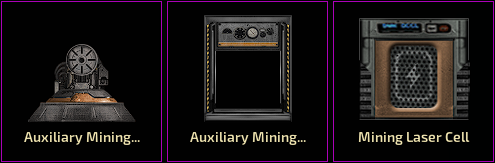
Adds to the game only the Auxiliary Mining Laser from EK Gunnery. (Also the Magazine Storages and Loading Elevator)

99 Cameras - Scalable Camera Array - Accessories Update
door 76561198095381937
99 Cameras is Multi-camera system with THREE different options for how to switch between cameras. I have included with the mod 99 cameras pre-wired and configured for your convenience, just enter the number of cameras you are using, copy, paste and go! *INFORMATIVE BUT NOT REQUIRED INFORMATION BELOW* CHOOSE FROM 3 CAMERA SWITCHING OPTIONS (or a combination of them) 1. AUTO SWITCH - Click the mouse button once to start auto switching between the cameras every 2 seconds (this time is configurable). This is how I imagined a REAL security guard uses a camera system. Just sit back, relax, and watch for any signs of trouble on the high seas without lifting a finger! Click again to stop the auto switching if you see something interesting, and restart with another click. 2. RADIO SWITCH - Use a the radio chat by opening chat and selecting a radio channel, then send the number of any camera at any time to switch to that camera. The Wifi channel for switching is configurable. IMPORTANT: Make sure 'radio' is selected on the bottom left. 'Local' does not send the commands to the wifi network. 3. SWITCH-ON-CLICK - The classic version of a camera system, it switches to the next camera with a left click. These three versions are available within the mod individually or in combinations. Use the setup that is right for your sub! TWO MOD VERSIONS ARE AVAILABLE 1. SWITCH WITH WIFI CHANNEL This version increments the channel of the wifi component to switch between cameras. This has the LOWEST number of components with only one wifi component needed per camera. Includes an optional display for the number of the camera you are on. IMPORTANT: Make sure 'radio' is selected on the bottom left when sending camera commands. 'Local' does not send the commands to the wifi network. *NOTES ON THIS VERSION* Is Configuration required? Yes, you have to choose and enter the number of cameras into a memory component. Additional cameras above the number you enter will be ignored, the default is set to 10. Is Additional configuration available? Yes, but these are not necessary to change: - > You can change the auto switch delay (2 s default) in game or in the editor. - > You can change the radio switch wifi channel (1 default) in game or in the editor. - > You can change the starting Wifi channel (currently 101), BUT you will also have to change other components in order for the display to work. Is this version easily customizable with my own additions like searchlights, lamps, motion sensors etc? NO, as a trade-off for only using one wifi component per camera, there are limited options for sending logic signals without adding several more components to the base circuit. Is there Wifi Interference? NO, other logic signals sent on wifi channels shared by the cameras cannot interfere in any way with the control of the cameras or switching. Won't the wifi channels of the cameras interfere with other wifi signals on the sub? For the most part NO. The camera control wifi signal is immune to other electrical logic signals sent on the same channel, ie. it does not effect the control of the camera in any way. Also, the 'control' signal sent by a periscope is ignored by electrical components in turn. It will not activate logic components under normal circumstances. The control signal will only interfere with other periscope control signals on the same channel; for example if a drone sub is being controlled remotely. Known limitation: This version does not work if you go beyond 99 cameras without adding more components. 2. SWITCH BY CAMERA NUMBER (noted as LEGACY in the mod file) This version increments a number which is sent as a logic signal on a fixed wifi channel to activate relay components on individual camera modules. This version uses significantly more components as each camera requires 4 components to function. Includes an optional display for the number of the camera you are on. *NOTES ON THIS VERSION* Is Configuration required? Yes, you have to choose and enter the number of cameras into a memory component. Additional cameras above the number you enter will be ignored, the default is set to 10. Is Additional configuration available? Yes, but these are not necessary to change: - > You can change the auto switch delay (2 s default) in game or in the editor. - > You can change the radio switch wifi channel (1 default) in game or in the editor. Is this version easily customizable with my own additions like searchlights, lamps, motion sensors etc? YES!, because each camera gets a unique logic signal (as opposed to just a control signal), additional lights, motions sensors, etc, can be easily added along with each camera. For example, lamps are used in this mod to indicate when a camera is active. Can there be Wifi Interference? YES, this version uses a dedicated channel (default 12) to send the number of the camera. Logic signals sent on this channel CAN and WILL break the switching if there is interference. This is not possible with the first version of the mod that switches wifi channels. Known fail states: It is possible to 'double count' when starting the auto switching by clicking in a frenzy. This causes the auto switch to skip one camera. However, stopping the auto switching briefly will clear up this erroneous double signal and return the system to normal function. This behaviour could be prevented (double click prevention is already built in, just not FRENZY click prevention), but more components would be required. UPDATES: (a) Skip/Replace one Camera: One Camera can be simply skipped or added using a signal check component. See the attached image above showing the wiring layout. (b) Regex Input protection: Prevents inputs to the camera selector other than numbers 1-999. I discovered a bug where some letters would be treated as numbers for input the greater component, causing a bugged state (you go to 'camera 0'). All versions of the cameras in the mod have been updated, if you have this camera mod installed on your sub I recommend you add this component. (c) Room/Location Legend: Replaces the 'Camera number' dialogue on the display with any text. 18 Signal check components are pre-wired for 18 unique location names to replace any camera numbers of your choice. Replace the signal check 'Output' value with the name of the room/location corresponding to the target value, where the target value is the camera number you will replace. Also, the room location is output as text on channel 1 in a small area (100 size). Place the wifi component nearby the periscope so only the operator receives the text updates.

Medkit (Advanced Medicine)
door 76561198739738016
A go-to kit for emergency use. Acts as a container for medical supplies. MODIFED TO WORK WITH ADVANCED MEDICINE MOD. REMEMBER TO PLACE ABOVE ADVANCED MEDICINE TO WORK PROPERLY.
Osprey
door 76561198987580269
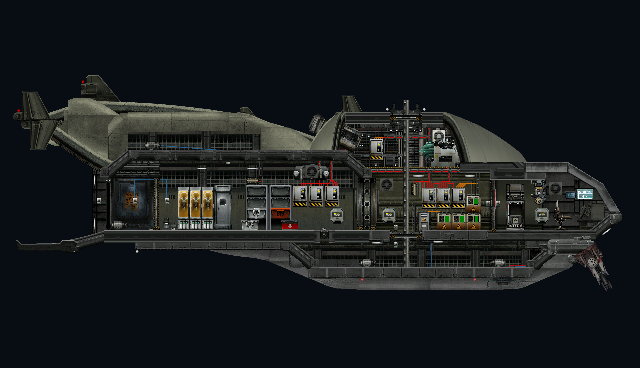
Once fielded as an exo-atmospheric VTOL dropship, this small yet reliable vessel has maintained its rugged versatility even after its offhand conversion in order to suit the more... aquatic needs of the Europan colony. This craft is intended to be deployed from larger vessels in order to provide close fire support to crews tasked with clearing dangerous sites such as caves and wrecks.
Bad Apple MV
door 76561198026944939
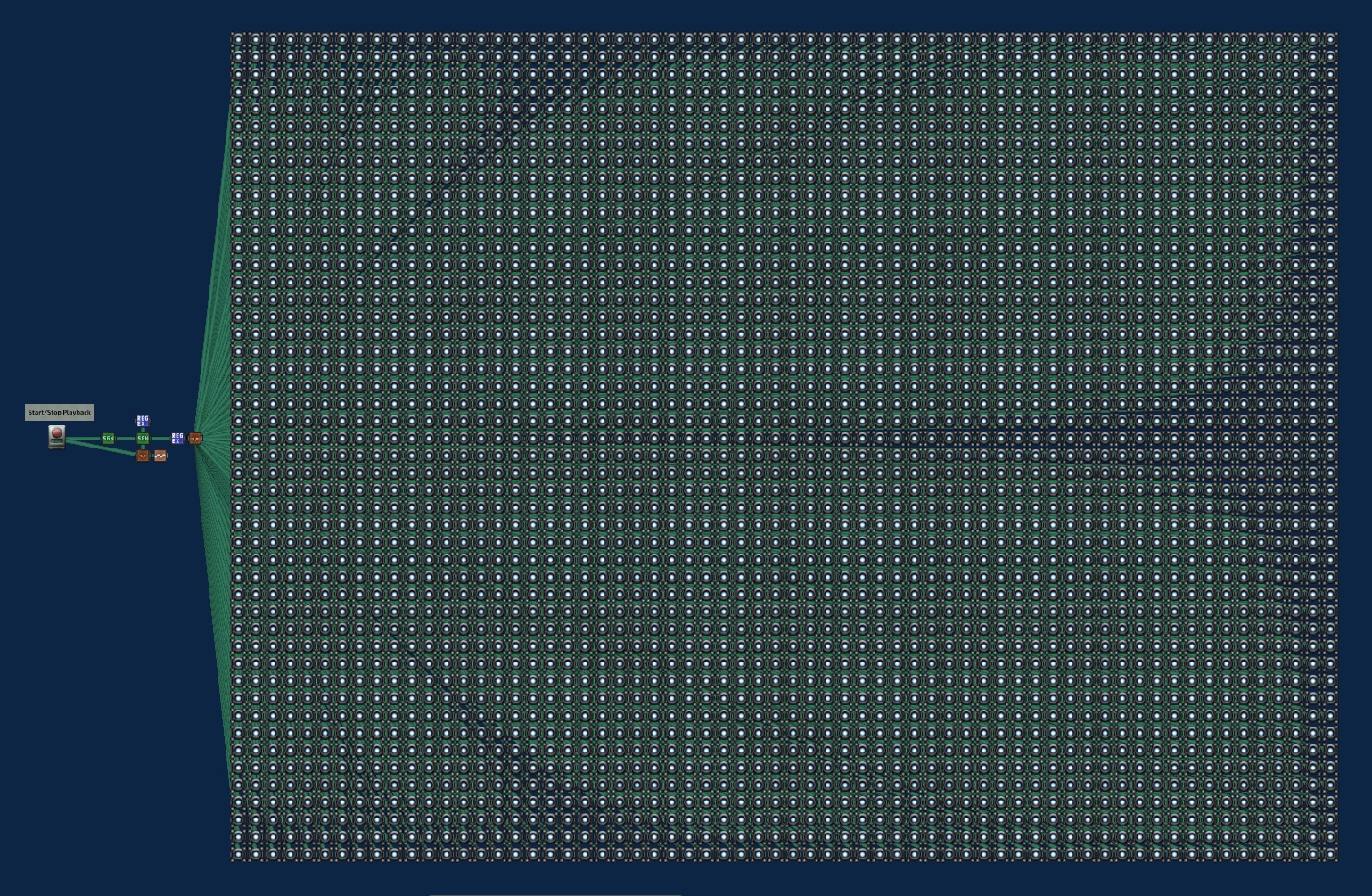
Overview Playback of complete Bad Apple!! MV on a 64x48 LED array @ 30FPS. This is a tech demo more than anything, expect significant delay after inserting this assembly in your sub-editor workspace. Expect an even longer delay when you launch into game mode. I really don't recommend adding this assembly into an existing sub/station. I am able to achieve smooth playback on my machine but YMMV depending on your setup Details The item assembly was created using custom code. The basic idea is making a circuit which performs the following operations: - Extract one frame worth of data from the bitmap array - Feed the data into each pixel block using a relay chain - Each pixel's associated regex block extracts its relevant bit - The light state is toggled based on this pixel bit data Pixel data is compacted in to groups of 4; the bits are mapped to lower nibble of ASCII range "8-?". Staying within the printable character range is important as the mod cannot be imported otherwise (due to XML de-serialization errors). Sources & References Bitmap data for playback is available here: https://github.com/muenzuka-code/badapple-64x48-bitmap Kwogger's ffbaro was used as a reference for the XML template, which I highly recommend checking out: https://github.com/kwogger/ffbaropy
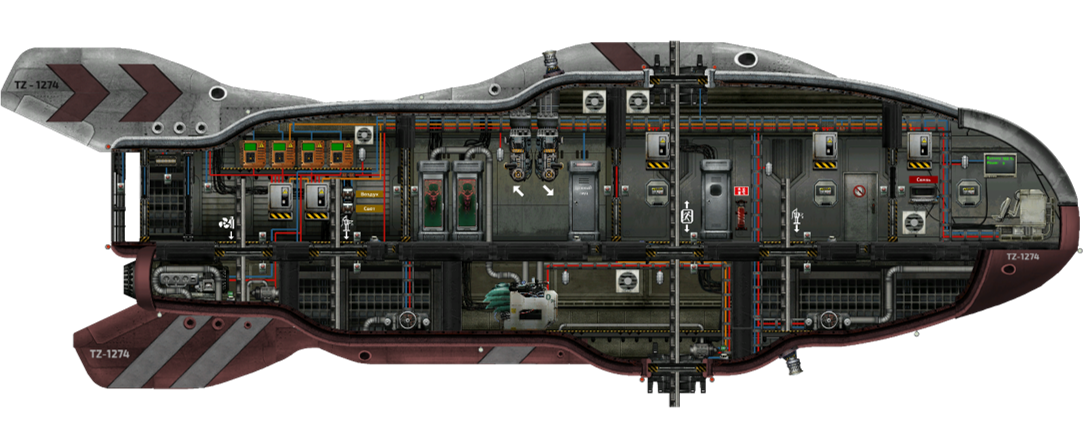
Hemulen-2
door 76561198155354549
A modified version of the Hemulen built in the Team Zero shipyards. The main differences from the Hemulen: 1. Hull contours have been changed. At the same time, the dimensions and internal compartments remained the same. Due to the new hull, the bow ballast compartment has been enlarged. 2. Pump in the engine compartment 3. Switchable lighting and oxygen generator - allows you to significantly save battery power. 4. Radio station for communication with the main ship on the zero channel. Range: 500m. 5. Diving suits and supplies are painted red - to prevent the team from being carried out when docking. 7. Additional supply cabinet - can be filled with the appropriate console command. In this case, the indicator lamp changes color. (Only on Team Zero servers) 8. The serial number on the case changes every round. (Only on Team Zero servers) This vessel is the main shuttle on the Team Zero servers and has been fully tested.
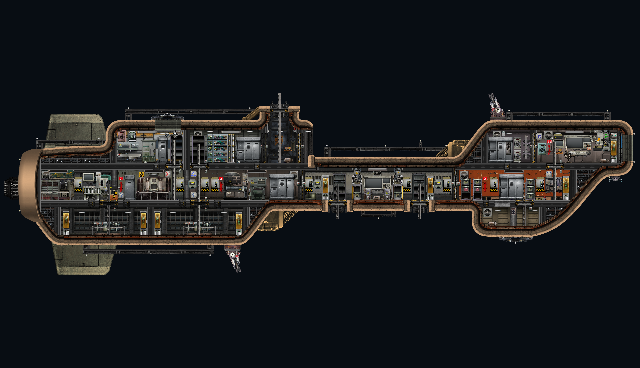
Plymouth MK1
door 76561197969249371
An old, slightly rusted vessel of a carrier from an old design when Humanity first touched down on Europa. It houses only a few coil guns and EDC's to keep threats at bay but dispite of that it has everything needed to keep the vessel continuing its service. Fitted with modern equipment for fabrication and its two shuttles "Guppies" have been refitted for combat use dispite of their old age. The bridge connects the command room while the rest of the crew remain in the back doing their duties.
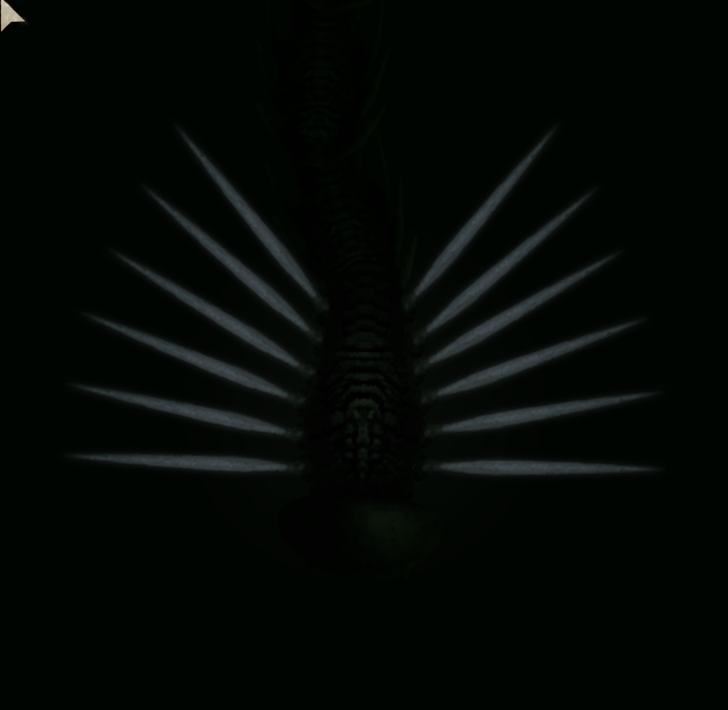
Alpha Spineling
door 76561198050962779
A big spineling with big spikes. Also an attempt to include natural spawning (unconfirmed).
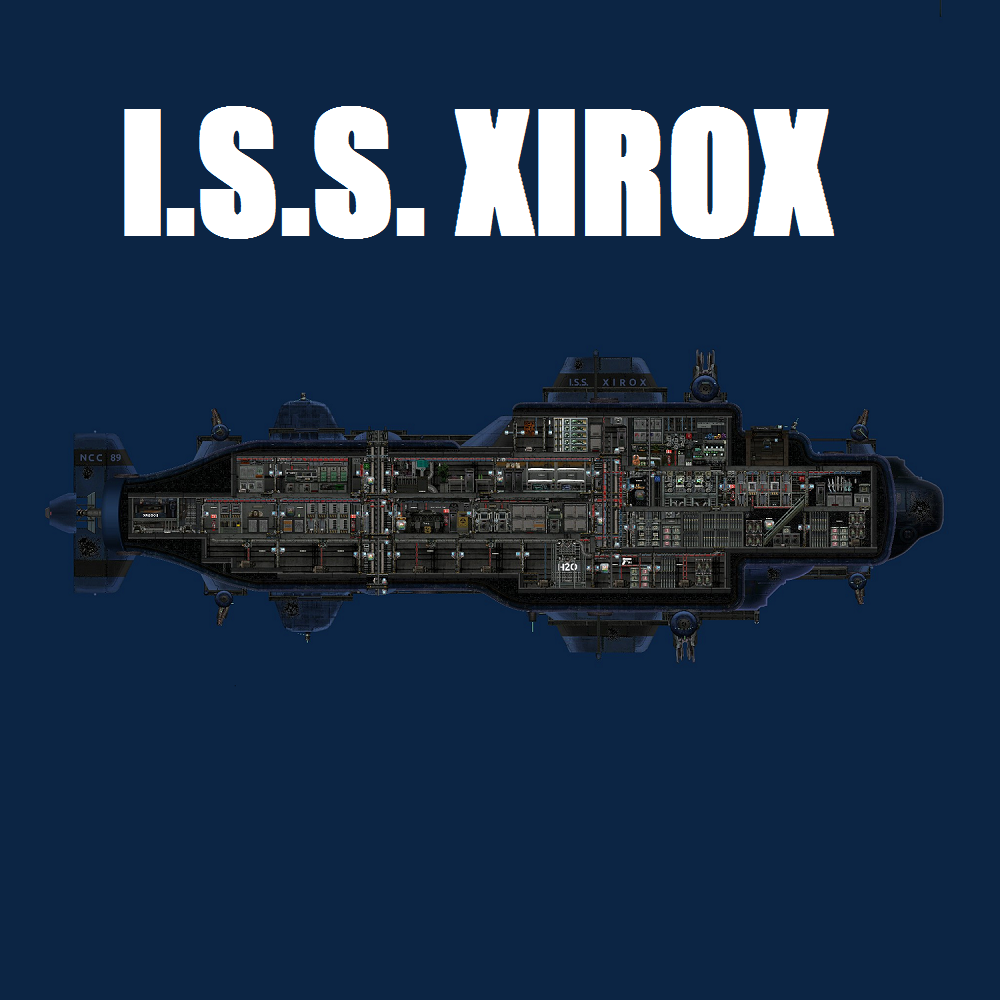
I.S.S. XIROX (legacy)
door 76561198023694148
Rufus
door 76561198077795503
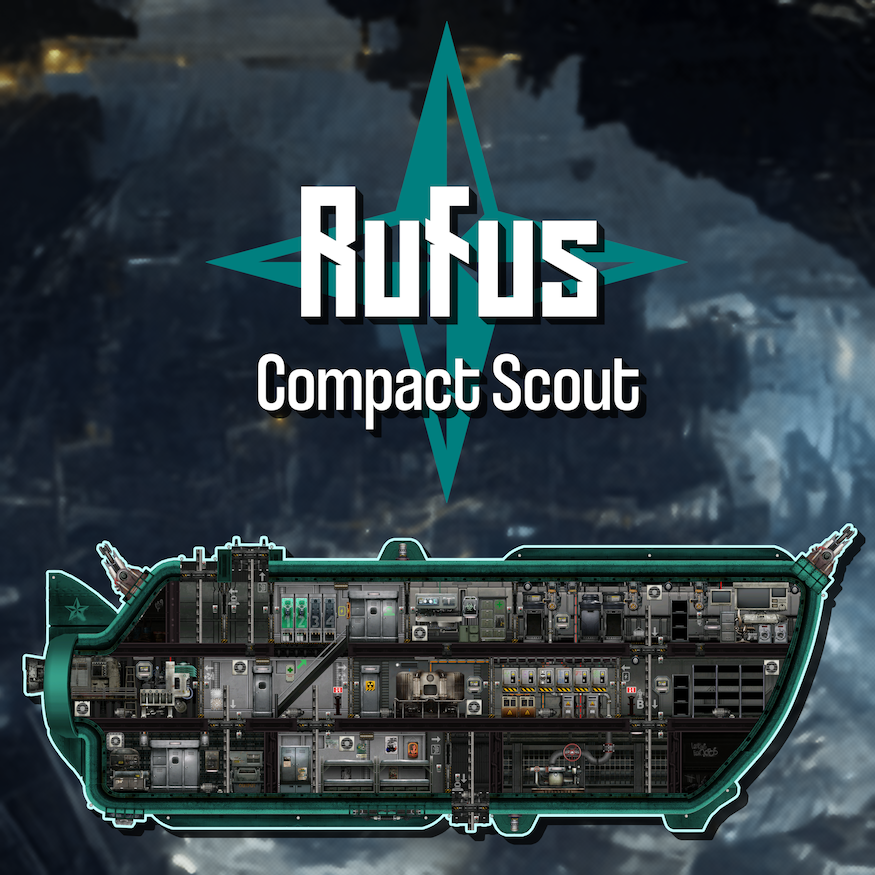
In-Game Description: Price - 6,500 mk Dimensions - 27x10 m Cargo capacity - 12 crates Recommended crew size - 1 to 4 Recommended crew experience - Intermediate Originally built as a simple cheap coalition crew hauler. This model has been retrofitted for self-sustainability, although the compact design still suffers from a lack of a dedicated security room. Ballast A has been converted to an engineering room at the cost of reduced descent speed. A coilgun and electrical discharge coil have been added for extra offensive capabilities. Recommended for small crews familiar with Barotrauma. Special Features! Custom-made reactor fuel indicator circuit box. Percentage values can be edited to your liking and more text terminals can be hooked up by interacting with the circuit box behind the reactor. Auto-Resetting Airlocks Both the dedicated top airlock and combination bottom airlock/docking hatch will automatically close the outer hatch and open the inner door after 10 seconds. Valve State Lights A valve inside the ballast pump will turn off water to the pump and the pipe weak points for fixing the pipe weak points without drowning, and lights will let you know when the valve is in the closed state so you can open it again afterwards. Searchlights A single periscope can operate both searchlights for better visibility outside the sub or to give your diving crews some much-needed shining light in the darkness. Simply press the button bellow the periscope to switch between lights. Sub-wide Light Switch Turns off all major lights inside and outside the submarine. Useful for saving that tiny bit of power, going stealthy, setting an emergency light based mood, or just messing with your crew. This is the first submarine I've made and uploaded to the workshop, let me know what you think! I hope you enjoy playing aboard it.
Reactor controller advanced
door 76561198353669047
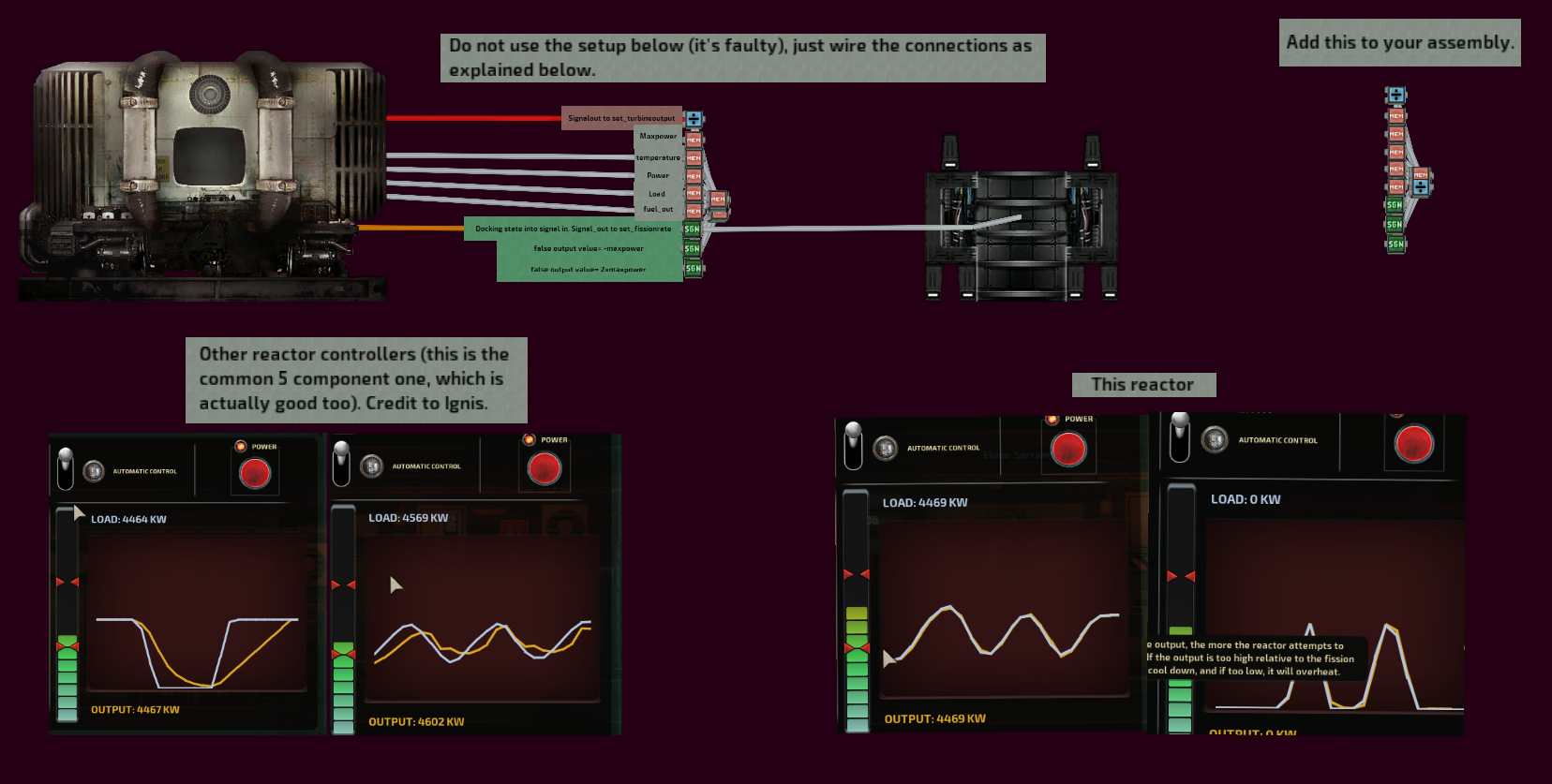
Accellerating reactor controller for even more perfect load match curves.
Ulysses 3.0
door 76561198087398642
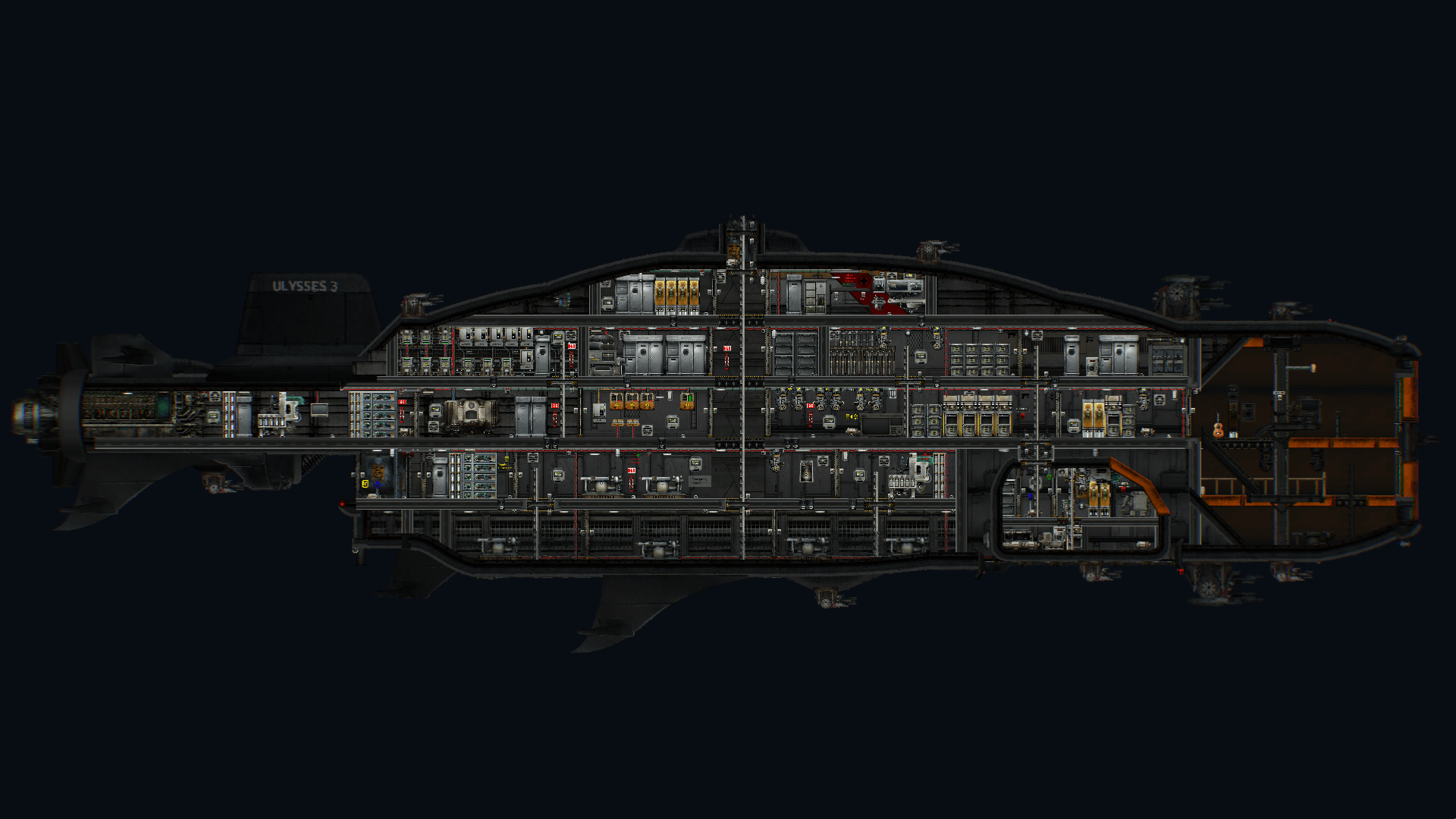
Based on a famous vessel that searched for the ruins of the Atlantis, this submarine has been customized for more practical uses. It's large size makes it more suitable for larger crews. Heavly armed and being able to fire in all directions this submarine should have easy time dealing with even the largest enemies. Comes with an expedition shuttle for fast transportation. This submarine is a customized version of the MidnightShadow's Ulysses. Characteristics: - Dimensions: 55x13m - Recommended crew size: 4 - 10 - Recommended experience: Intermediate - Velocity: 30 - Descent velocity: 12 - Game version: v0.13.3.11 Major improvements - made command room more practical and secure - completely remade the entire ship's wiring - removed some unused stuff (oxygen and water detectors wired to nothing) - remade power grid using relay components to minimise number of junction boxes used - all doors are automatically closed when hull breach is detected - fixed shuttle batteries causing 4000kW power spike that would break all junction boxes about one minute after start - airlock doors now use set_state instead of toggle_state (won't desync when one door is broken) - added extra airlock in top docking port and diving supplies nearby - moved some stuff around the gunnery compartment - replaced shuttle with a larger one
Escort Submarine ISHIGAK
door 76561199052682257
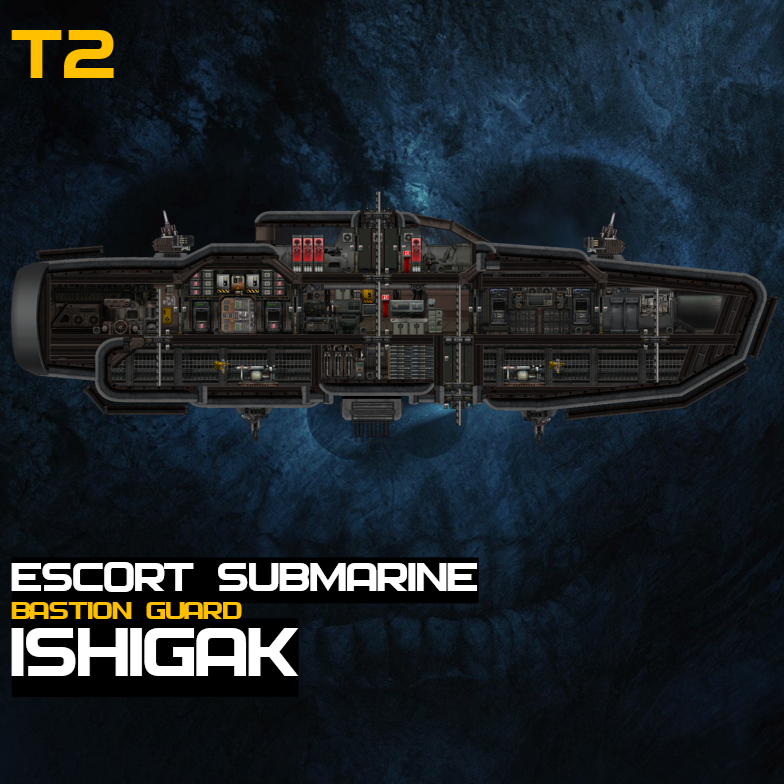
ISHIGAK Escort Submarine >一艘巨型艦隊運載艦的護衛艦 >An escort submarine of a fleet carrier - https://steamcommunity.com/sharedfiles/filedetails/?id=3776559916 >小型潛艇 (34m x 9m) >Small submarine (34 m × 9 m) >良好機動性 >Good maneuverability >上下皆有對接接口 >Docking port on both the top and bottom >部份位置有額外裝甲防護但受到穿甲武器直擊依然會造成嚴重損傷 >Some areas have additional armor protection, but a direct hit from armor-piercing weapons will still cause severe damage >良好的火力足夠應付大部份遭遇戰 >Good firepower sufficient to handle most encounters >火力配置 -破片炮 x2 -電磁槍 x2 (自動炮塔) -三聯裝軌道炮 x1 >Armament: -Flak Cannon × 2 -Coilguns × 2 (auto-turrets) -Triple-mounted railgun × 1 如發現任何問題歡迎留言告訴我,我會盡快修改並更新 If you find any bugs or problem, feel free to comment and let me know. I'll fix it and update as soon as possible

Casualties Unknown (Scav Prototype) Lifepod
door 76561199034536835
GO PLAY CASUALTIES UNKNOWN IF YOU HAVEN'T ALREADY https://orsonik.itch.io/scav-prototype i made this after getting the idea to making it in barotrauma since scav prototype reminds me of barotrauma alot, even both communities are addicted to opiates how it works: pod sinks as fast as it can when undocked, gets locked at 31% water when docked so it doesn't weigh you down more than it already does, shower included you get inside the pod using the doors and the water will drain through the pump wire a button to a wifi component set to the channel 2025 to be able to open the doors remotely the pod has unlimited power to make it lore-accurate to C:U, although cramming 3 people inside might make them suffocate you still have to repair the pump, also no sonar so ya just gotta trust your captain to drop you off somewhere safe

More Dangerous Alien Blood
door 76561199014928742
This mod makes alien blood more dangerous than it already is. Have you noticed how you can use completely alien and non-human blood to heal yourself? Well not anymore! With this mod, this unsafe, alien blood now: - Only gives you 2/4 blood recovery. 2 if unsuccessful and 4 if successful. - 30/100 nausea. 30 if successful and 100 if unsuccessful. - 10/30 organ damage. Ouch. - No longer appear as suitable treatment for blood loss. Put your alien blood into toxin cabinets! Low skill assistants can now be deadly!
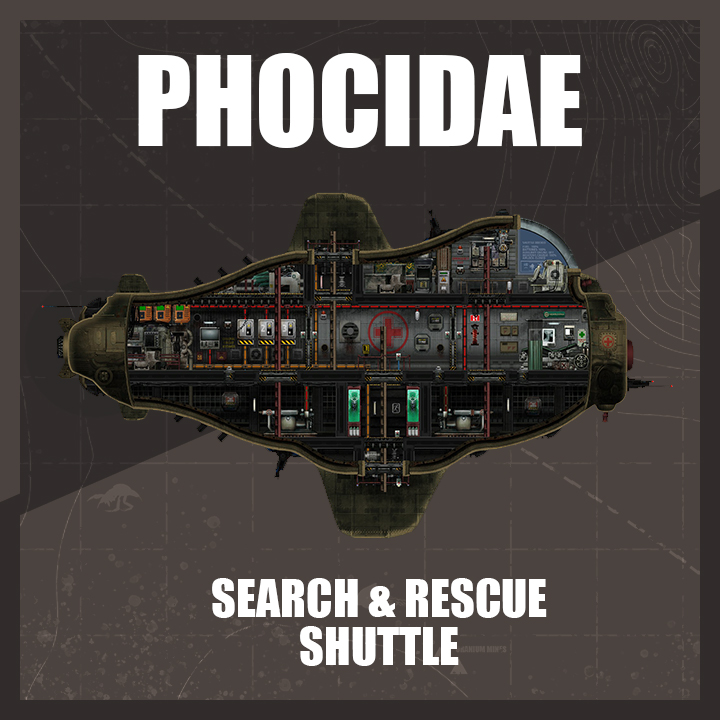
Phocidae Shuttle
door 76561198302202759
The Phocidae is a search and rescue shuttle. It carries the necessary equipment to help and provide first aid to sailors in distress and shipwrecked people. Its small size allows it to go almost anywhere. Specifications: - Shuttle - Crew size: 1-3 - Crew experience: beginner - Size: 21x11m - Price: 2100mk - Speed of ascent/descent: +-20km/h; - Primary engine: max speed: +-30km/h + auxiliary engine: +-50km/h controlled via the navigation terminal (consumes a lot of energy) - Battery autonomy: ~4min (without auxiliary engine) Features: - Automatic switching between reactor/batteries and vice versa - Automatic idle the reactor to save fuel when the shuttle is docked at a powered docking port - Automatic charge not fulled batteries when the shuttle is docked or if the reactor is online - Upper docking port also serves as an emergency exit - Lower docking port also serves as an airlock - 2 auto-oscillating searchlights controlled via the navigation terminal - 1 Status monitor - HUD monitoring - Sonar transducer - General circuit breaker - Low power emergency lighting Weapons: - 2 Coilguns (1 top + 1 bottom) controlled via the periscope with a button to toggle between them - 2 Electrical discharge coils (1 top + 1 bottom) controlled via the navigation terminal Items: Medical: Diving: Tools: Supplies: - 1 Syringe gun - 1 Health scanner HUD - 4 Saline - 2 Blood pack - 4 Bandage - 2 Tonic liquid - 2 Antibiotic glue - 1 Morphine - 2 Diving mak - 2 Diving suit - 2 Underwater scooter - 1 Sonar beacon - 1 Handheld sonar - 4 Glowstick - 4 Flare - 2 Welding tool - 2 Plasma cutter - 2 Flashlight - 1 Crowbar - 1 Screwdriver - 1 Wrench - 1 Fuel rod - 8 Welding fuel tank - 6 Oxygen tank - 2 Red wire - 1 ???? ⠀⠀⠀⠀⠀⠀⠀⠀⠀⠀⠀⠀⠀⠀⠀⠀⠀⠀ ⠀⠀⠀⠀⠀⠀⠀ ⠀⠀ ⠀ Like this mod ?
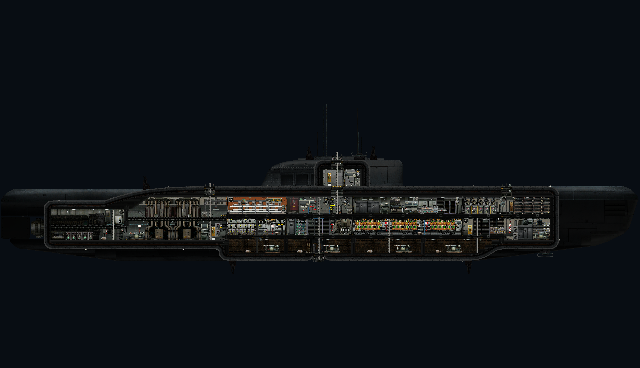
U-2540
door 76561197976037325
Based on museum ship Wilhelm Bauer (U-2540). An XXI Class submarine designed just before the end of the second world war and became the template for most cold war submarines.
THG Armory - 'Vanilla' Turret pack FIXED + Immersive Ammunition Boxes (PATCH)
door 76561198084375149
This mod combines my previous patch for the THG turret pack with the changes made by the Immersive Ammunition Boxes Compatibility Patch Technically doesn't require Immersive Ammunition Boxes, if you only want those features on the modded ammo?
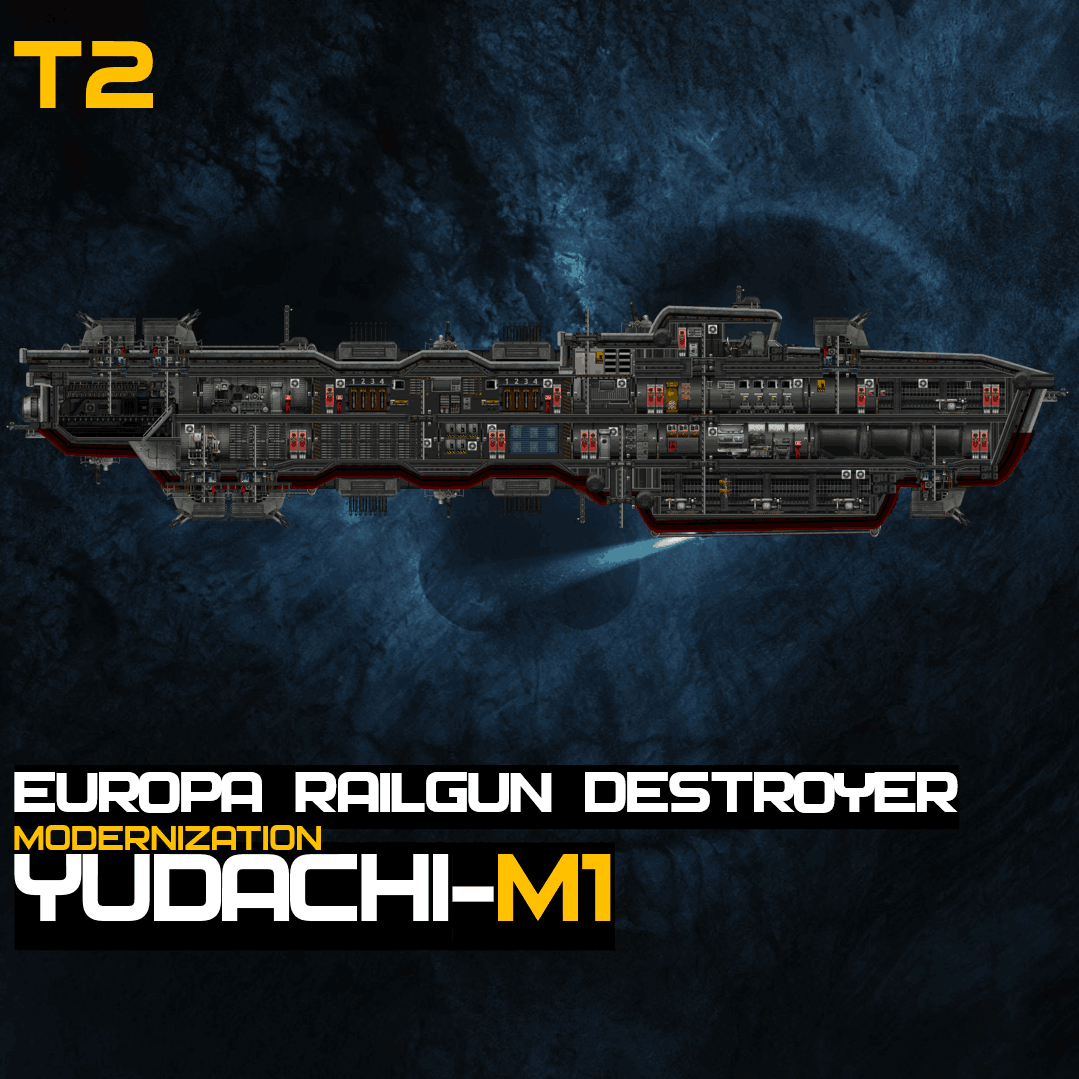
YUDACHI-M1
door 76561199052682257
YUDACHI 軌道炮驅逐艦 現代化改造 >更改部份房間位置分布,提供更多的運貨空間 >The layout of some rooms has been partially reconfigured to provide more cargo space. >將所有主炮塔更換成無人炮塔,能夠在船內其他地方安全地進行操控,降低戰鬥時造成的人員損傷 新的炮塔換上了自動裝彈機,不用像以前一樣需要擔心戰鬥中突然沒有彈藥,但無人炮塔內的組件比較多,如有損壞的 話會影響炮塔運作 >Replace all main turrets with unmanned turrets, which can be safely controlled from elsewhere within the sub, thereby reducing personnel casualties during combat. New turrets have been equipped with autoloaders, eliminating the previous concern of running out of ammunition during combat. However, the unmanned turrets contain more complex components, and any damage sustained could impair their functionality. >炮塔組件狀態都能在火控中心看到,有損壞的話會有指示燈閃爍,圖中四種指示燈 -籃框代表旋轉機構,損壞的話炮塔將不能瞄準但仍然能開火- -綠框為供電池,損壞的話炮塔將失去電力不能開火- -紅框為供彈裝置,兩個裝彈機同事損壞的話炮塔將失去彈藥供應失去戰鬥能力- -黃框為水傳感器,炮塔內有水的時候會閃爍- >The status of all turret components can be monitored in the fire control center. If damage occurs, indicator lights will flash. The four indicator lights shown in the diagram are as follows: -Blue Frame (Rotation Mechanism): If damaged, the turret cannot aim but can still fire. -Green Frame (Power Supply Unit): If damaged, the turret loses power and cannot fire. -Red Frame (Ammunition Feed System): If both autoloaders are damaged simultaneously, the turret loses ammunition supply and combat capability. -Yellow Frame (Water Sensor): Flashes when water is detected inside the turret. >已更改所有攝像機切換的操控方式,使其更換不同攝像機視覺的速度更快 >The control method for switching between all camera feeds has been updated, allowing for faster transitions between different camera.
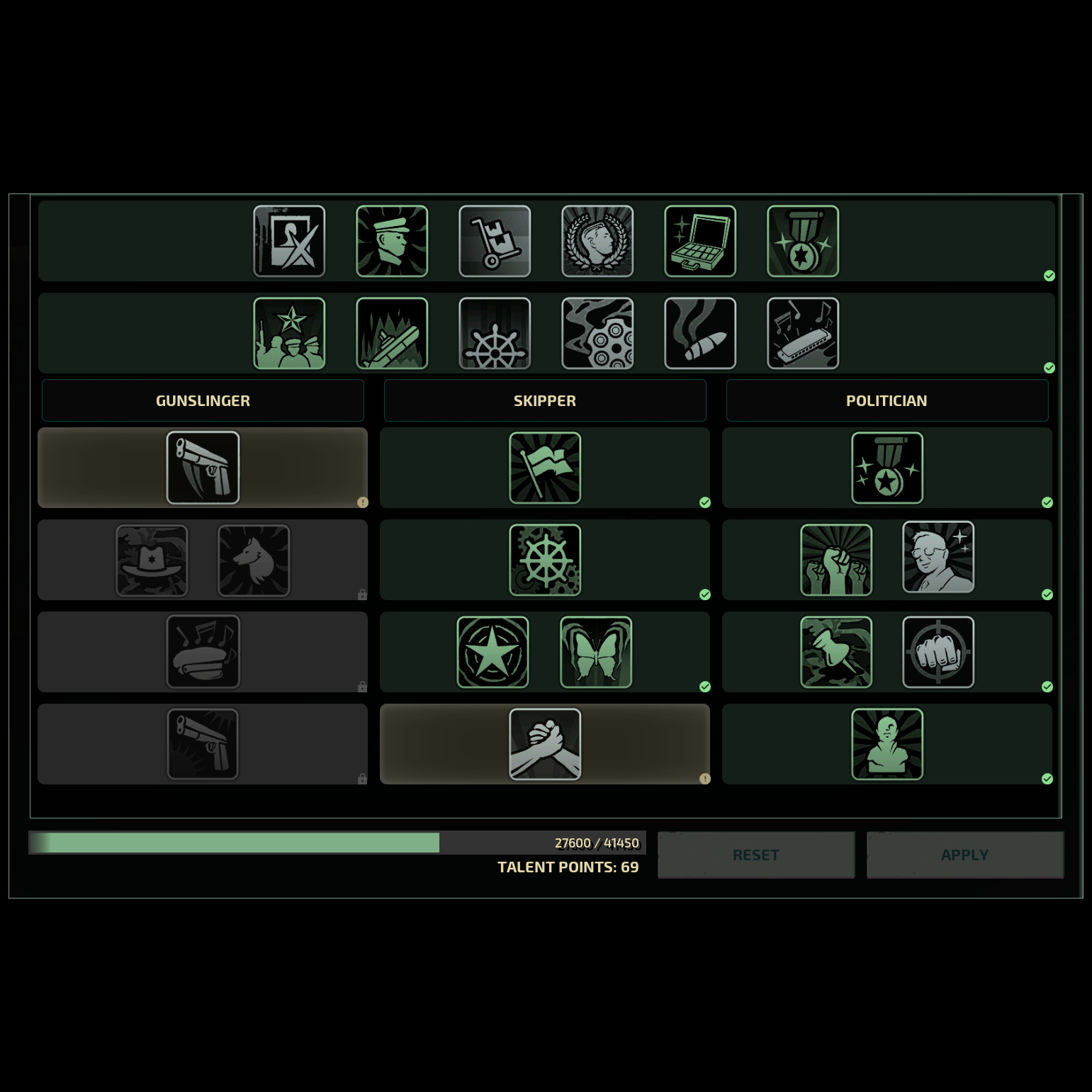
Unlock Parallel Talents (Reupload)
door 76561198059789462
Just a reupload of the original mod as it has been removed from the Workshop.
Barotrauma server met modondersteuning
Start je eigen Barotrauma server in een paar minuten.
Huur een Barotrauma server