Mods & plugins voor Terraria
Deze catalogus bevat 15.000+ Terraria-projecten van Steam Workshop. Items kunnen server-side, client-side of aan beide kanten nodig zijn en ook maps of andere gebruikerscontent bevatten. Controleer vóór installatie de gelinkte bronpagina, gameversie en afhankelijkheden.

Unlimited Arena Buffs
door 76561198023139902
Unlimited Arena Buffs allows you to craft an item out of Heart Lanterns, Bottled Stars, Campfires, Bottled Honey, Sunflowers, and Bast Statues and gives you those buffs anywhere as long as you carry it. This allows you to do all your boss-fighting needs without needing to spend so much time setting up your arena. This mod was made mostly to compliment mods that already give infinite potions, such as Fargo's Mod or Defender Forge Unlimited Buffs. It is also highly recommended to use some form of Unlimited Buff Slots mod. The item requires 15 Heart Lanterns, Campfires, Star in a Bottles, and Sunflowers, 50 Bottled Honey, and 5 Bast Statues at a Crystal Ball to craft. Version 1.0.9 Changes - Updated item name to 'Soul of the Arena' and changed rarity. Join the Discord for suggestions and feedback: https://discord.gg/8ykXGXRJ6c Developed By Lord Of Otakus

Ethereal Boots
door 76561198376896871
Adds a combined version of the Terraspark Boots and the Soaring Insignia. Changelog: - 2.1.0 Added ability to reforge(how did I never notice it wasn't reforgable) - 2.0.0 Updated to tModLoader 1.4.4 - 1.10 Updated to newest Modloader Update - 1.9 Fixed the bug of not giving infinite flight depending on the slot the accessory is in - 1.8 Now has a config for still giving infinite flight with Calamity Mod - 1.7 Updated to newest Modloader Update - 1.6 Fixed a tooltip - 1.5 Added some new Features with Configs (Integrated Lucky Horseshoe, Harder Crafting Recipe, Change Crafting Station) - 1.4 Fixed the bug of accelerating too quickly - 1.3 Also changed mod name from "Boots of Insignia" to "Ethereal Boots" - 1.2 Moved description from Steam Workshop to the Mod itself - 1.1 Changed item name from "Boots of Insignia" to "Ethereal Boots" - 1.0 Initial Release Developed By Boaphil
Miscellanaria
door 76561198189433167
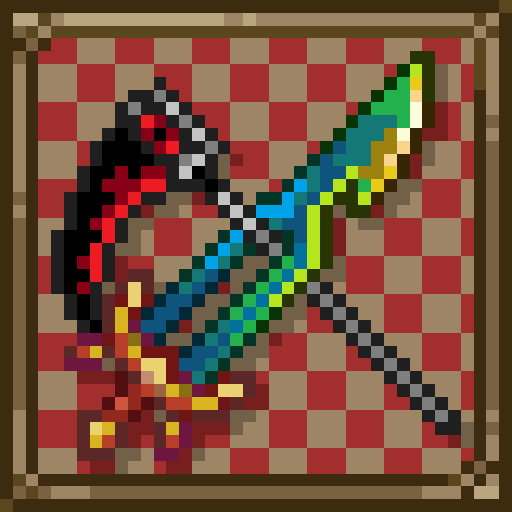
Miscellanaria is a mod that aims to bring old and unreleased Terraria items, mechanics and features back, reworked and rebalanced for modern Terraria. This includes: - First Fractal - an original endgame Terraria sword - Luminite Axes, Hammers and Chainsaws - Scythe, Soul Scythe and Icemourne - Skull Bow - Key Molds - Unimplemented boss bags - Color-Only Dye - Orb of Light pet - White Cultist banners - Dreadnautilus Trophy and more! This mod doesn't significantly affect the balance of vanilla game, so you can play it alongside other, larger content mods, such as Thorium or Calamity without any problems. ▁▁▁▁▁▁▁▁▁▁▁▁▁▁▁▁▁▁▁▁▁▁▁▁▁▁▁▁▁▁▁▁▁▁▁▁▁▁▁▁▁▁▁▁▁▁▁▁▁▁▁▁▁▁▁▁▁▁ Credits: - Sparcdoctor for bringing some awesome ideas - HenryChe for bringing some awesome ideas - Reobtainable Mod for inspiring me to start this project ▁▁▁▁▁▁▁▁▁▁▁▁▁▁▁▁▁▁▁▁▁▁▁▁▁▁▁▁▁▁▁▁▁▁▁▁▁▁▁▁▁▁▁▁▁▁▁▁▁▁▁▁▁▁▁▁▁▁ 🖥 Mod guide and source on GitHub 🧧 This project is fully maintained by a single person. If you really enjoy it & would want to support the future of it, you can buy me a small coffee here. I would gladly appreciate it! Developed By KondiU

Rothur Mod
door 76561199015010691
Zero Project - coder StarL - spriter Rothur Mod is a new mod that adds new items and monsters to the game v 0.2.5 already available! :) - 200+ new items - 15+ new enemy - 3 new mini bosses - 4 new bosses - new class - new biome ___________________________ Rothur Mod - это новый мод добавляющий в игру новые предметы и монстров v 0.2.5. уже доступна! :) - 200+ новых предметов - 15+ новых врагов - 3 мини босса - 4 босса - новый класс - новый биом Discord Server - https://discord.gg/dvNMkpEZ

Block's Info Accessories
door 76561198190289103
Block's Info Accessories Ever wish there were information displays for more things, such as luck? Block's Info Accessories has you covered with 9 new displays, each with corresponding items and configurable integration with the PDA, Cell Phone, and Shellphone! Introducing: - Fortune Mirror - Displays luck, and also increases it a little when equipped! Obtained by shimmering a Magic Mirror (But not a Ice Mirror!) - Attendance Log - Displays max and current minion count. Crafted from a Book, Gel, and Black Ink @ Table + Chair. - Engineer's Registry - Displays max and current sentry count. Sold by the Goblin Tinkerer. - Scrying Mirror - Tinker of the Lucky Mirror, Attendance Form, and Engineer's Register. - Hit Marker - Displays 'combo', listing the amount of consecutive hits you've inflicted within 3 seconds of eachother, and the total damage and time duration of the combo. Excellent supplement to the DPS meter. Crafted from a Copper Watch, Lens, and Demonite/Crimtane Bars @ Anvil. - Smart Heart - Displays life regen (Or loss, if taking debuff DoT). Obtained by shimmering a Band of Regeneration. - Magimeter - Displays mana regen (Or loss, if using mana-consuming weapons/items). Crafted from a Mana Crystal, Glass, Gold/Platinum Bars, and a Diamond @ Work Bench. - C.R.M. Counter - Tinker of the Hit Marker, Smart Heart, and Magimeter. - Safety Scanner - Displays spawn rate, in the form of average spawn count per seconds (Ex: 1/600 spawn rate => approx. 0.1 spawns per second). Sold by the Skeleton Merchant during a Blood Moon or Solar Eclipse, or while in most underground biome variants; Ice/Snow, Jungle, Desert, Corruption, Crimson, and Hallow. - Biome Crystal - Displays the biome(s) you are currently in. Supports many modded biomes from a large handful of mods! Obtained by shimmering a Forest Pylon. - Wanted Poster - Displays aggro. Sold by the Arms Dealer. - Threat Analyzer - Tinker of Safety Scanner, Biome Crystal, and Wanted Poster. (Mods supported by Biome Crystal: 'Thorium Mod', 'Calamity Mod', 'Mod of Redemption', 'Exxo Avalon Origins', 'The Stars Above', 'Spirit Mod' (Classic & Reforged), 'Spooky Mod', 'Confection Rebaked', 'The Depths', 'Aequus', 'Verdant', 'Food, Furniture & Fun', 'Valhalla Mod', 'Remnants', and 'Rise of Ages') Config: PDA/Cell Phone/Shellphone Integration - By default, the Scrying Mirror, C.R.M. Counter, and Threat Analyzer have been added to the PDA's recipe, and provide their displays to it, the Cell Phone, and Shellphone. However, this feature can be toggled, for those who don't want to have to gather even more info accessories for their cellular device. Also has some cross-mod support, including; - Thorium's Wishing Glass - Avalon's Shadow Phone - The Depth's respective Shellphone variant - Fargo's World Shaper Soul (and upgrades) - Maddie's Completeness Mod's Cell Phone+ (and upgrades) Easier Attainment - Don't want to jump through more hoops for more info? With this toggle you can make it so that the Merchant will sell all the new accessories (Excluding the tinkers) based on moon phase, making your life that much easier. Open Source - This mod is open-source under the GNU GPLv3 license. In short, you’re allowed to view and utilize code from the source if you’d like, but if you want to publish any work you did with it, that project will have to use the same license (GNU GPLv3). The mod's LICENSE file contains the full details of terms and conditions, etc. - You can access the source-code using tML's extract function (Found in-game on the mod's More Info page in your Mods List). Localization This mod inherently supports the English language, though I am unable to provide any other languages since that's the only one I'm fluent in. However, localization contributions on GitHub are welcomed and appreciated. Below is a list of supported languages so far: - English (Base) - Simplified Chinese (Contributed by Urgiv & Shrinkviolet77) - French (Contributed by DiamondCed) - Russian (Contributed by KobaWHO) If you desire to contribute localization, please make a PR in the GitHub repository for my mods' .tmod files. Please first read the pinned discussion 'FAQ Thread: Compatibility, Known Issues/Bug Reports, Roadmap & More' if you have any questions! Developed By BlockCrusader

Weapon Augments
door 76561198190289103
Weapon Augments Weapon Augments is another weapon-upgrading mod by yours truly (BlockCrusader); this time featuring a variety of effects - called Augments - which you can attach to weapons to empower them. Getting Started (READ THIS!!!): - The first thing you should do is make an Augment Workstation from a Heavy Work Bench and 3 Fallen Stars. - The Workstation is used to access the mod's UI for adding/removing Augments, and also for crafting all Augment-related items! - As you defeat enemies, they'll occasionally drop Shards of Power - Once you have 4 Shards of Power of the same type, your Workstation can combine them into a Crystal of Power - Crystals of Power act like grab/loot bags; right click on one from the inventory and you'll get an Augment Jewel - Augment Jewels are used to apply their respective Augment - Right click a placed Workstation to open its UI. Insert your desired equipment and Augment Jewel, then press the 'Apply' button! - If all goes well, the Jewel should be consumed and your item will have its Augment. Otherwise, the 'Apply' button's tooltip should tell you what's wrong Feature Overview: - Obtain Augment Jewels and apply their Augments to weapons to grant them special effects and/or bonuses! - Augments come in many varieties, and multiple tiers of power - There are also a few special Augments for accessories! - Use Void Shards to remove unwanted Augments from gear, and Augment Stamps to move Augments between items - Config options for customizing certain mod aspects, such as drop rates and crafting For more detailed information on all of the mod's features, refer to this pinned discussion thread! Open Source - This mod is open-source under the GNU GPLv3 license. In short, you’re allowed to view and utilize code from the source if you’d like, but if you want to publish any work you did with it, that project will have to use the same license (GNU GPLv3). The mod's LICENSE file contains the full details of terms and conditions, etc. - You can access the source-code using tML's extract function (Found in-game on the mod's More Info page in your Mods List). Localization This mod inherently supports the English language, though I am unable to provide any other languages since that's the only one I'm fluent in. However, localization contributions on GitHub are welcomed and appreciated. Below is a list of supported languages so far: - English (Base) - Simplified Chinese (Contributed by Urgiv & ylnx-ccff) If you desire to contribute localization, please make a PR in the GitHub repository for my mods' .tmod files. Disclaimers/Final Notes: - You'll find that most Augments make a small/negligible difference; this is to reduce the impact of Augments - which are generally entirely beneficial - on balancing. Regardless, they should add a little spice to your gear. - Should be compatible with other mods, including cross-mod features with another of my mods; Block's Leveling Mod. Just remember this mod isn't very friendly to vanilla balancing due to its nature as an 'upgrade' mod - As for multiplayer, it isn't thoroughly tested, but there is netcode to sync Augments; Your weapon data shouldn't suddenly be wiped and game-breaking issues are very unlikely, but here be dragons nonetheless If you have any questions, please first read the workshop page's full description and pinned discussions! Developed By BlockCrusader

Mod Manager
door 76561199111643075
⠀⠀⠀⠀⠀⠀⠀⠀⠀⠀⠀⠀⠀⠀⠀⠀⠀ MOD MANAGER This mod is intended to improve the experience of interacting with the tModLoader interface by replacing it with the new one and adding more feathures. Currently the mod is IN ALPHA VERSION and may contain bugs and contain raw content. ⠀⠀⠀⠀⠀⠀⠀⠀⠀⠀⠀⠀⠀⠀⠀ NOT SUPPORTED MODS - Concise Mod List (but implements its functionality) - Smart Mod Management (For TML) (but implements its functionality) - Show Mod Side Icon (but implements its functionality) - Mod Folder System (but implements its functionality) - Maybe some other mods ⠀⠀⠀⠀⠀⠀⠀⠀⠀⠀⠀⠀⠀⠀⠀ SHOWCASES Showcase: Scaling Showcase: Filters Showcase: Renaming Showcase: Folders And Paths Showcase: Collections Showcase: Customization Showcase: Resource Packs Showcase: Mod Browser Thanks everyone for support! Developed By Drovyng

Dragon Ball Terraria: Blue Evolution Addon
door 76561199058810995
DON'T ASK QUESTIONS ABOUT THIS ADDON IN THE DBT SERVER THEY HAVE NOTHING TO DO WITH THIS MOD!!! IF YOU HAVE ANY, FEEL FREE TO ASK THEM IN TBS SERVER, LINK BELOW. What does it add? -A bunch of extra forms- -New items, including Ki Scroll and Ki Fragment- -New Ancient Trait- Items -Fruit of Might- *Drops from Eye of Cthulhu *Increases Max HP by 50 and Max Ki by 500 -Enchanted Dragon Ball (Accessory)- *Craft: FourStarDB, 'World Evil' Powder, Fruit of Might *Gives exclusive power up, increases HP, increases Max Ki and Ki damage -Crimson Mask- *Drops from Plantera *Increases your hp by 100 and increases charge speed *Decreases Max Ki by 2500 *Gives other bonuses after lethal hit -Skilled Ki Scroll- *Craft: AngerKiCrystal, Soul of Sight, Antlion Mandible *Consumable which increases charge speed -Skilled Ki Fragment- *Drops from Golem bag *Consumable which increases Max Ki by 1000 -Transformation Hairs- *Craft: SpiderWeb *Vanity hairs, have fun New Trait --Ancient Trait-- If you got ancient trait, your eyes should turn red and Ki ball on the bar should become black (if you have new ki bar config turned off, your ki bar should have black-red gradient) + This trait gives 5 passive defense to the player + Gives access to exclusive Evil Saiyan form, which can be stacked on any other form - Restricts access to god forms, if you try to use them, they will automatically turn off, godly spirit can't be picked up Transformations and how to obtain them False Super Saiyan: Can't be permanently unlocked, if Eye Of Cthulhu is defeated in this world and SSJ1 isn't unlocked, you can transform into it with a small chance while fighting any boss. (You can bring this form back onto the panel with config, it will also bring back old unlock condition, which is getting under half HP while fighting Eater Of Worlds / Brain Of Cthulhu) Evil Saiyan: Exclusive to ancient trait, you can get this form by consuming the Fruit of Might that drops from the Eye Of Cthulhu, it gives 1.5k extra ki when used and its damage upgrades after killing certain bosses. ~ +20% (Eye Of Cthulhu) -> +30% (Skeletron) -> +50% (Plantera) -> +75% (Moonlord) ~ Berserker: Can't be permanently unlocked, you can have this form only if you aren't an ancient saiyan and if you have Evil Saiyan user nearby. Super Saiyan Full Power: Unlocks after mastering Super Saiyan 1, has almost no Ki consumption, while retaining all of SSJ1's benefits. Wrathful: Exclusive to legendary trait, unclocks after defeating the Wall Of Flesh, each 15 seconds Wrathful gets 'Rage Burst', it increases form damage by 10%, these 'Bursts' can be stacked up to 10 times (takes around 2,5 minutes), once you reach this limit your form will change to Full Power Super Saiyan. Full Power Super Saiyan: Can't be permanently unlocked, this form has unstable(random) ki drain, but in exchange it gives you 3000 extra Ki and 100 HP, you can access it only by using Wrathful, can be sustained only for 45 seconds, when this timer ends, form will have 3 minute cooldown/ Legendary Limit Break: Exclusive to legendary trait, unlocks the moment you get Legendary Super Saiyan 2, this form gives good defense, but its damage scales with your Ki, you can't use this form for more than 10 seconds, after that you will get 50 seconds cooldown. Time limit and Cooldown can be increased/shortened by mastering this form. (Inspired by Limit Break addon from 1.4.3, you can use this form to keep legendary more relevant in post MoonLord) Super Saiyan Rage: Legendary and ancient saiyans can't access this form, unlocks after defeating Slime Queen and Cultist. Super Saiyan 3 Full Power: Exclusive to ancient trait, unlocks after absorbing evil spirit from Lunar Towers, this form can increase its strength by extra 40% if player lands Ki attacks, it also restores players Ki, if you have less than 35% of Max Ki you will start to lose HP. Perfected Super Saiyan Blue: Unlocks after mastering Super Saiyan Blue, is just a better version of Super Saiyan Blue, nothing more to say. Super Saiyan Blue Evolution / Super Saiyan Blue Kaio-Ken: After mastering SSJB you get a choice of these forms, if you transform into one, the second one will be locked, so be cautious, you can remove the lock after using scroll that you can buy from the merchant, if you master one of the forms it will no longer lock another form. Super Saiyan Blue Evolution gives most defense out of all blue forms, it has better Ki drain and HP regeneration (HP regeneration increases when you charge your ki), because of other benefits this form gives, it only has slightly more damage than SSRose. Super Saiyan Blue Kaio-Ken(x10) gives most damage out of all blue forms, but it gives less defense in exchange and has expensive ki drain, becomes slightly better after mastering and unlocking SSBKKx20. *Some things to keep in mind -Due to form library using inaccurate calculations, form ki cost shows the wrong number, for example, perfected blue shows +155% ki cost, but its actually +55%, it aplies to only addons forms, to get true ki cost just subtract 100% from given number -The mod is no longer being worked on due multiple reasons i wont disclose here, i might fix a game breaking bug if such appears, but no promisses on that -Highly recommed to use it with calamity addon, form amount will feel a little less bloated and you will have enough time to try each one Dragon Ball Terraria Server! Terraria Ball Super Server! Code can be freely extracted in tModLoader Sprites Edited/Based on Dragon Ball Terraria's Sprites. Credit to the original team. Developed By GoldFix1

Fargo's Fish Anything
door 76561198096315536
-You can fish any item from any water -Items with lower rarities are more common -Have fun NEW UPDATE - V 1.1 -Updated to latest tmod 1.4.4 NEW UPDATE - V 1.0 -Added several config options -You can now set a percentage of fishing random loot, so you can still get fish normally as well -You can cap the rarity level of items fished up. This includes Expert/Master drops (rarity 12 and 13). Default is no cap. -Options to never fish up block/furniture or vanity items NEW UPDATE - V 0.7 -Updated to latest tmod NEW UPDATE - V 0.6 -Updated to tmod 1.4 NEW UPDATE - V 0.4.1 -Added an icon! -Items with negative rarity can now be caught (custom rarities, fishing junk, quest fish) -Vanity items and furniture have a 20% of being rerolled now -Having over 50 fishing power will increase reroll chance to 50% -Items with rarity 7 and higher cannot be fished until Hard Mode Developed By Fargowilta

Rain++
door 76561199276356625
This mod includes a visual overhaul for the rain event, replacing the vanilla rain particles with warp streaks and fog. Many aspects are configurable, such as rain size, amount, and spawn chance. This mod should work just fine in multiplayer as the visuals are entirely client side. The logo was done by Zoe, who also contributed to some helpful code cleanup. This mod will NOT be usable when retro lighting is enabled, please see This mod if you wish to use it with it enabled. So yeah I decided to quit tmod and cleared out my workshop (was mostly random garbage) and decided to remove this too, mainly because I was disinterested in updating it / keeping it alive when updates come But I noticed that people seemed to actually like the mod despite it being slop i threw together in a few hours so...here it is again...enjoy the slop! (i redid the particle system so it should be much more performant this time around) Developed By the voices

Luck Reader
door 76561198020845329
Luck Reader displays a breakdown of each factor in your luck stat in a configurable buff. =Displays:> - Total, Torch, Ladybug, Lantern, Potion, Pearl, Equip', Coin, & Gnome lucks =Includes:> - 1 Buff (+2 configs) - 1 ModPlayer -Changelog-> See the workshop page's Change Notes or the in-game description. Older versions are also available through branches on Github Developed By Tacomancer

Better Potions
door 76561198847194261
Better Potions adds unique potions, modifies vanilla potions, and adds a few quality of life changes! TLDR - Adds 13 new potions - Buffs 6 vanilla potions - Makes (most) potions last 10 minutes and allows them to persist after death - Multiplayer is supported - Highly configurable - Currently supports English and Russian, see below if you'd like to contribute another translation New Potions Name Effect Acquisition Notes Grave Potion Teleports you to where you last died Crafted with bottled water, specular fish and deathweed War Potion Increases enemy spawn rate and cap by 400% Crafted with battle potion and soul of fright Mutually exclusive with battle potion Instigating Potion Makes enemies more likely to target you Crafted with bottled water, tissue sample, and deathweed Deterring Potion Makes enemies less likely to target you Crafted with bottled water, shadow scale, and deathweed Disco Inferno Potion Engulf nearby enemies in dazzling flames Crafted with inferno potion and crystal shard Mutually exclusive with inferno potion Orichalcumskin Potion Increases defense by 14 Crafted with ironskin potion and orichalcum/mythril ore Mutually exclusive with ironskin potion Berserker Potion Increases melee damage and speed by 10% Crafted with bottled water, rotten chunk/vertebrae, shiverthorn, and fireblossom Piercing Potion Increases armor penetration by 10 Crafted with bottled water, demonite/crimtane ore, and deathweed Leaping Potion Increases jump speed by 50% and enables auto-jump Crafted with bottled water, cloud, blinkroot, and waterleaf Steelfall Potion Increases falling speed, press DOWN to fall faster Crafted with bottled water, daybloom, blinkroot, and iron/lead bar Heightened Senses Potion See nearby sources of danger, see better in the dark and see the location of enemies Crafted with bottled water, soul of sight, daybloom and blinkroot Mutually exclusive with night owl, dangersense, and hunter potions Immovable Potion Grants immunity to knockback Crafted with bottled water, soul of might, shiverthorn, and moonglow Flight Potion Grants you ethereal wings to fly with Crafted with bottled water, soul of flight, feather, and daybloom Vanilla Potion Changes - Ammo Reservation - 50% (was 20%) chance to not consume ammo - Archery - Has been turned into the Predator Potion, 10% increased ranged damage and critical chance - Builder - Increased placement range by 3 (was 1) tiles and increased placement speed by 50% (was 25%) - Mana Regeneration - Also grants a constant 4 mana regeneration per second which happens even if you’re using a magic weapon - Obsidian Skin - Also makes you immune to cursed inferno and ichor - Summoning - Also grants +1 sentry slot and increases summoning damage by 10% Quality of Life Changes - Buffs are persistent after death with a penalty of 25% of the remaining time - Most potions now last 10 minutes. Potions that lasted longer haven’t been changed and Luck potions also haven’t been changed - Some potions and buffs have had their tooltips changed to be more informative and consistent Configuration - Whether buffs are persistent after death and how much of the remaining time is lost - Whether most potions last 10 minutes, including a blacklist - Whether vague potions and buffs have tooltips changed - Toggle for each vanilla potion change - Toggle for each added potion Credits - Teftelnik for Russian translation - DamageMaximo for sprites Source code: https://github.com/stormytuna/BetterPotions Join the discord server! If you enjoy my work, please consider donating If you're able to contribute translations it would be greatly appreciated! Please open an issue with the translations, or create a PR with the new .hjson localization file. Developed By stormytuna

Calamity Gem Tech Post-Noxus
door 76561198300440194
I didn't like how useless Gem Tech armor was, so now it can be used to make an accessory with the same benefits after defeating Noxus in Wrath of the Gods. Mod description-ing is hard... Developed By EclipseSword

Expanded Terraria
door 76561198131789269
Expanded Terarria is a mod that expands the vanilla terraria experience by adding a plethora of new items, gameplay options and changes to enhance the game progression. All of that while keeping the vanilla feel, vibe and style as much as possible. This bring us to 1325+ new items and changes such as: - quality of life changes - new starting gear - new weapons - new armour - new tools - new accessories - new hostile npcs - new npc loot - new mini-bosses - new npc invasion events - new town npcs - new items in npc shops - new underground merchants - new chest loot - new fishing loot, crates, rods, baits - new ways of progression - new biomes and mini-biomes - expansion of existing biomes' features - more customized accessory slots for expert/master - expanded events - new events - many additions to expert mode - a lot of additions to master mode - improved expert/master mode scaling - improved luck-based systems - new item rarities as well as "legendary items" - new difficulty "abyssal" - rune scroll slots which grant certain bonuses and set bonuses - npc affixes that vary between events or game progression - weapon enchanting that rolls through many rarity tiers or unique powers - armour reforging that rolls various bonuses - armour sanctifying that grants even more bonuses - themed accessory modifying that rolls various themed bonuses - rune scroll enchanting that rolls various bonuses - vanilla tweaks and balance changes and so much more! * Keep in mind that this mod is in it's rather early stages and balance might be off after new updates, but everything will be well balanced in the end! * To find your way around please make use of QOL mods like Quite Enough Recipes! * If you need more help make sure to join our discord server! Link: https://discord.gg/aZVe7EPrTY * Feel free to ask me any questions there, give suggestions or report bugs! * There's 1k members, so if I'm offline I'm sure someone else will help you out! * We also have a #FAQ channel with more detailed descriptions for item obtaining * If you encounter accessory slot incompatibility, you can now toggle them in the config, do it from the mod list though as it needs a reload! Thank you very much for your continuous support! Enjoy! Eldermire Theme Song Credits: Raxx Localization Credits (Outdated) Brazilian Portuguese: @Prupro, @serquesechamaalmir Simplified Chinese: @Subparman, @简境巧 Developed By rapidblaze
![Thrown Spears[Beta] – Terraria Mod](https://images.steamusercontent.com/ugc/17537939274637496638/58A725D3041344B802113D6888D721FF934AEDE1/)
Thrown Spears[Beta]
door 76561198985306698
Welcome to mod! This mod adds an unique throwing mode to all vanilla spears. This mod is still under polishing, its VFX, SFX, bugs and mp experience needs improvement. Thanks for your understanding ==Spears to Throw== Set an keybind in Controls, hold the spear in hand, and press the hotkey to turn it into a javelin! Listed spears are affected: *Spear, Trident, Swordfish. *the Rotted Fork, Storm Spear, Dark Lance. *Cobalt Naginata, Palladium Pike, Mythril Halberd, Orichalcum Halberd. *Adamantite Glaive, Titanium Trident, Obsidian Swordfish. *Gungnir, Mushroom Spear, Ghastly Glaive, Chlorophyte Partisan. *Scourge of the Corruptor, the North Pole. *Sky Dragon's Fury, Daybreak. ==New Items== This mod added several spear related items, have them a try! *2 Gloves. Grant javelins ability to charge for an attack. *8 Premiere Ore Emblems. Grant varous bonus. *Nightmare Glaive, the corruption alt of the rotted fork. ==New Mechanism== A few mechanics are added to help about javelin playthrough. *Recipe for some early spears are added. *You can change some bars consuming a gem, for example: Adamantite Bar + Diamond = Titanium Bar. *Late-game spears that is hard to obtain are granted a harder recipe. *Wyrm spawning disable when any Ice Queen present. ==Hidden Weapons== These weapons cannot be obtained in common ways. Keep curious and good luck! *Tonbogiri, a treasure after mechanical maythem, and a token from the old days. *Titan's Revenge, thunder nurtured by ectoplasm. *The Solar Wind, the ultimate lance. Developed By Plantare(BiliBili@世纪小花)
DPSExtreme汉化
door 76561198846930919
为DPSExtreme提供中文翻译 基本上都是AI翻的 侵权了我就下架 Developed By Eric-WYH

Mod Folder System v0.7.3.2
door 76561198997453836
Summary "Mod Folder System" is designed to manage mods in folder system, making it convenient for players with a lot of mods subscribed. Left-click at the "Manage Mods" button to open the folder system. (and right-click to enter the original mod manager. This can be switched by configuration) Double-click a mod to toggle it (disable a mod when pressing Shift would also disable its redundant dependencies (dependencies that are not used by other enabled mods)), or a folder to enter (first you should create a folder using the button "Create Folder" below). Left-click and drag an item to move its position (when moving a mod into a folder, pressing shift to copy it). When at custom order, you can change the order of items; When at the folder system (not to show all mods), you can move an item in or out a folder (moving in a folder named ".." is equivalent to moving to the previous directory, or you can just move to a folder in the path). When deleting an item, you should press Ctrl or Shift or both. Pressing Ctrl means unsubscribe (for folder it means unsubscribe all mods in the folder), just like the vanilla; Pressing Shift means delete the index, so the mod or mods in the folder would go back to the root. If you just unsubscribe but not delete the index, the item would still be there, and you can continue to manage its location, but you nned to resubscribe to enable it again. Click a mod when pressing Alt to favor it. Favorite mods won't be disalbed due to "Enable & Disable" button, unless you press Ctrl at the same time. This mod's data is saved in "ModFolderData.json" in the mod folder, please do not delete or modify it arbitrarily (if you want to modify it, please make a backup!) Description - Thinner mod items, and smaller mod icon (use icon_small when available, and show the original when hovered) - Set alias to a mod, and hover to see the original name and authors - Double click on a mod to toggle it, and show the enable status via different background color. (transparent - disabled, white - enabled, green - to be enabled, red - to be disabled) - Left-click to drag an item to sort (support multi-select by using Ctrl and Shift) - Create a folder to hold mods or other folders. You can drag an item into the folder or out the folder (through special folder ".."), Especially, you can drag into or out a folder while holding Ctrl to copy the mod's index, allow to have a mod in different directory. - Delete is seperated into unsubscribe and delete the index. If a mod is unsubscribed but keep the index, it would still show in the directory, and player can easily resubscribe and install it. And if you delete the index but don't unsubscribe the mod, it would show up at the root folder if it don't has a copy anywhere else. - Delete the folder behave similarly, but unsubscribe all is more dangerous, so double confirm is always needed by default. - "Enable & Disable" button is a powerful button to enable or disable certain mods (current folder, current folder with sub folders, all mods). More detailed see in the picture. - Alt-click a mod to favor it, and favorite mods would not be disabled by the button below by default. (now its appearance is not pretty, and the feature may vary) - "Back" button will prioritize returning to the previous directory, but you can press Shift to directly go to the main menu. - "Copy Enabled" button could copy all enabled mods to current folder, make it easy to build a simple "mod pack" - "Disable Redundant" button could disable redundant dependencies (mods that have dependents but no dependent is enabled) - Top left buttons mainly handle sorting and filtering mods. - Load mods' icon and dependencies tree asynchronously to optimize the loading time - data is saved at "ModFolderData.json" at the Mods folder of tModLoader Contact Us QQ: 574904188 Join a dicussion on the dev's discord: https://discord.gg/fjFpgBkRBZ Developed By Tigerzzz

IPv6 Multiplayer Support
door 76561198805079871
IPv6 is faster and more reliable than IPv4, and it's so smooth that you won't even feel any latency if you have a good internet connection. However, Terraria doesn't natively support IPv6 for online multiplayer. But don't worry, this mod allows you to play multiplayer over IPv6 But hold on, before you dive in, make sure both you and your buddies have an IPv6 connection. You can easily check by visiting this website: http://ipv6-test.com/ As a host: You must have a public IPv6 address As a client: You must be able to have an IPv6 connection with the host. Type "ping -6 <Host's IPv6 Address>" in cmd to test it The host just open a server as usual. The client should choose "Join via IP", copy and paste the host's IPv6 address when Terraria tells you to enter server IP address, and then connect. That's it! Developed By Cyrilly, JerryAZR

Alternatives Library
door 76561198315357022
Alternative Biomes Library is library mod to enable the creation of alternatives to various vanilla biomes and ores, without the need for complex IL editing knowledge. This mod is used by developers to reduce the amount of repeated code involved in the process, as well as to ensure a baseline of compatibility between multiple mods that add alternates to vanilla content. Our GitHub: https://github.com/Tyfyter/AltLibrary Report any issues you find here: https://discord.gg/dWrsraK4HZ Wiki: https://github.com/Tyfyter/AltLibrary/wiki Note that while compatibility is a goal of this library, mods which add the features it is designed to enable without using it cannot gain the benefit of that compatibility, and may resultingly be as incompatible with mods which use this as if the other mod did not use it, some incompatibility with world creation nay be resolved by using the legacy world creation interface. Extra Credits: Ouroel - advanced converting code, drunk hardmode ores Note: "secret features" and some minor menu visuals may be missing from version 1.1 and onward, as priority was given to the mod's functionality and availability as a library mod over content, these will likely not be restored, as they did not belong in a library to begin with Developed By Moonlight Glint (1.1 and onward), formerly FoxXD_ and RQXY // cace

Cozy Houses!
door 76561199467414450
TLDR: Immerses you when entering a house by zooming in and dimming the outside world. DESCRIPTION Ever wanted to make your world more immersive? Ever wanted to feel truly INSIDE your houses in terraria? Well now you can enter a house and be fully immersed inside, having the entire world around you dimmed. This mod is inspired by Stardrew Valley and other games that have features where you can enter houses. Welcome to the new era of building. Get the new DLC Layers! FEATURES - {NEW!} Cozy Houses Menu: Upon setting a keybind in the menu, you can edit a house area if the detection logic was dodgy; or make a new house selection. This menu also displays commands and music IDs for the /track command. - Building Mode: When holding tools or building blocks, the mod will automatically make the dimness less so you can build without having to turn off the mod. - Smooth Transitions: When entering a house, the surroundings transition to darkness and the zoom is smooth. - Smooth Lighting: The lighting isn't blocky like terraria's default lighting, so when you enter a house it'll look just perfect! - A Peek Keybind: A keybind that changes the dimness to 0.25 so you can see outside the house until you press it again. - Music: Music volume lowering upon entering a house (configurable), and a toggle that enables Zelda music when entering a house (default off). - Cozy Sleeping: The outside turns completely black when in bed. - Customisable Settings: Dimness and other visual settings are customisable, + QOL features. - Room Transitions: When moving between /separated rooms, you can enable room transitions in config to have a nice animation while entering. (also with an Extra config to enable Animal Crossing Transitions - Lock Cam to Centre: A new toggle lets you lock the camera to the centre of your house and /separated rooms, just like Stardew Valley! (Incompatible with camera mods, planned to be fixed in the future). - House Walls: Houses, when outside, can be closed up by the walls behind them (as a new layer on top of them) by a toggle, so you can only see the inside of houses while.. inside! - {NEW!} See Outside Windows: Experimental currently, but lets you see outside windows with a V ray. - {NEW!} House Detection Config: Wanna make your builds detected by Cozy Houses when they aren't? Change the maximum build distance! - Extra: Animal Crossing extra features! (animal crossing transition effects) COMMANDS & KEYBINDS - /separate | Separates the room you're in from the rest of the house as seen in the third video. - /unseparate | Re-attaches the current room to the main house lighting. - /unseparate all | Clears all custom room separations created using the /separate command. - {NEW!} /attach | Attaches the nearest /separated room to the current separated room to have both light up at the same time. Connect them together moreso. - {NEW!} /unattach | Self explanatory. - {NEW!} /track <ID> | With info from the Cozy Houses menu select a track (e.g. 47 being town music) to play when in a specific room. - {NEW!} /track | Without putting an ID sets the room track to default. - {NEW!} /shop & /deshop | Personal command lol. Plays Zelda shop music when inside room. - /dehome | Marks the house/room you are standing in as not a house. The mod will ignore this area, disabling dimming and zoom effects while inside. Useful for houses you don't want the effects in. - /rehome | Clears all rooms marked with the /dehome command, making them act as houses again. - /refresh | Automatically recalculates ALL separated rooms dimness if they look weird or the dimness is out of place. - Keybind: P | OPENS THE COZY HOUSES MENU! Lets you edit area, access help & track IDs, delete houses, etc. - Keybind: Right Ctrl | Toggles Building Mode. When active, dimness is lowered to 0.25, allowing you to see outside clearly for building purposes. THE UPDATE HAS RELEASED! Thank all of you for the patience! New edit area, manual house select, new commands and more! A ray of light will show a V outside windows based on where youre standing in the room (and shows based on distance, too). This currently is still experimental. This update is thanks to @notcl4y for providing code I needed help with for the edit house area features! Texture/Resource Packs are: - Secrets of the Shadows Texture Pack - TerraEnhanced - Audio Overhaul by Just JK - FancyUI WARNING: It is suggested to use the /refresh command after updates. It should fix dimness in the wrong places inside /separated rooms. Developed By LevitatingGT

Vein Miner
door 76561199798394987
Features: ▸ Hotkey: . . .▸ Vein Mine (if you want no hotkey bind it to mouse1) . . .▸ Whitelist (hold the hotkey and right click to add and remove selected tile from config) ▸ Max Tiles: (1 to 9999) ▸ Tiles Per Frame: (1 to 10) ▸ Diagonal Mining ▸ Smooth Border Tiles ▸ Enable Particles ▸ Whitelist ▸ Works in multiplayer (at least I think it does) ▸ Vanilla ores included You can vein mine modded tiles you just need to add them in the whitelist. If you find anything that's wrong, comment it and I'll get it fixed.

Dynamic Lights
door 76561198085551319
This mod makes light sources in Terraria dynamic (lights cast shadows and directly illuminated areas are brighter). Looks fancy sometimes. Explanation for options: Shadow Quality determines the resolution of the rendered shadows. An increase by one doubles the resolution and thus decreases performance. Below 8, you might experience inaccuracies or artifacts like very thin objects not casting shadows. Values above 12 need VERY good GPUs (3070+) with very high VRAM, and will potentially crash your game or system otherwise. Brightness Cutoff removes lights that are dimmer than the set value from casting shadows. This helps performance, as every light (including tiny glimmers) that casts shadows needs to be calculated. For reference, gemspark blocks have a brightness of 0.25 to 0.5 depending on color, and torches a brightness of 1. Maximum Light Cap limits the amount of lights rendered at the same time. Will prioritize brighter lights. If you don't want to increase the brightness cutoff or decrease quality and only experience performance issues with a lot of particles, decrease this number. Shadow Smoothness determines how crisp the shadows are. The higher the value, the smoother and less pronounced are the shadows. Shine Distance is a multiplicator for how far the dynamic light is cast from a source. Darkest Brightness determines how much darker areas unlit by dynamic light are. If set to 0, unlit areas are black. If set to 1, unlit areas are as normal. Brightest Brightness determines how much brighter lit areas are. If set to 1, lit areas are as normal, higher values makes them brighter. Together, these values control the magnitude of the effect. The farther the values are apart, the stronger the effect. Special modes are with darkest brightness at 1, which will only make lit areas brighter than normal, and with brightest brightness at 1, which will only make unlit areas darker than normal. Brightnes Falloff controls, how very bright lights compare to darker lights. The closer the value is to 1, the more will brighter light sources appear to be brighter. The larger the value gets, the more will brighter lightsources appear to light further, instead of brighter. Increase Surface Lighting will not dim unlit areas as harshly when the player is in the surface level or above. This can help alleviate issues with a seemingly dark day when the darkest brightness is set to low values. Show Sun will make the sun cast shadows. This is not recommended unless you have a shadow quality of at least 11, or it will look bad. Developed By Lafiel

Improved Teleporters
door 76561198160651401
This mod adds a 1x1 teleporter which doesn't produce light or create noise, for all of your building needs. They do not require switches either, as you just have to right click them and hook up wire to another teleporter. It now also adds a new "Door Teleporter" tile which functions identically, but looks like a vanilla door, and uses hotkeys to cycle through the vanilla door's spritesheet. Both teleporter types are purchased from the mechanic in prehardmode, and can be crafted into each other. •You can still use smart cursor to interact with them, despite the highlight being missing; this is because they are intended to be used in background doors, so they are intended to be less visible. •Note that they are best used with switches rather than pressure plates & player above sensors, as an improper setup can result in an infinite teleporting loop. -For example, if you're using pressure plates, do NOT use the same wire to connect all plates and teleporters. In stead, connect the plates to individual teteleporters with separate wire colors. -Also, avoid putting pressure plates directly below teleporters. •Also, unfortunately it is nearly if not completely impossible to make wiring like this function in multiplayer, as wiring is only executed in the world and by the server and thus cannot easily collect player data; teleporting will not work in multiplayer. Credits: •Alino4kaHvoshch & xenofite (Russian translation) Also Try: ----- Polaris Texture Pack --------- Backgrounds o' Plenty -------- PRIME Texture Pack ----- My Other Mods: ------- Better Blending ----------- Atmospheric Torches ------------ Smart FPS Cap -------- -Improved Movement Visuals ------- Artificial Biomes ------ Developed By Orion
JoJoStands: FanStands
door 76561198369281833
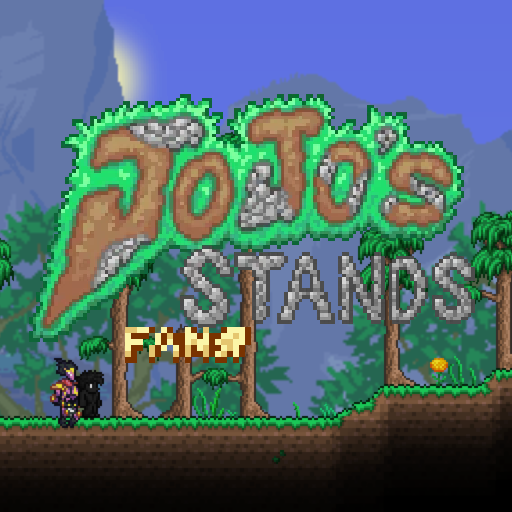
JoJoStands: FanStands is a mod implementing the stands of people who have created their own custom Stands! Contributor Dev-Stands are implemented in this mod. Want to commission your own Stand into the mod? Join the JoJoStands Discord (https://discord.gg/EYKBhpK) and submit a fanstand commission request! Warning: Attempting to play this mod in multiplayer can cause a few or many issues with some Stands! Developed By AnotherGuy
Terraria Guides
Terraria Server Mods en Plugins – tShock-uitbreidingen
Installeer tShock-plugins op je Terraria-server, stel regio's, groepen en SSC in en controleer typische fouten stap voor stap.
Terraria Server huren – Multiplayer instellen
Stel je Terraria Server in met tShock, passende wereldgrootte, adminrechten, plugins en een duidelijke controle voor multiplayer.
Terraria server met modondersteuning
Installeer compatibele, ondersteunde mods via het serverdashboard.
Huur een Terraria server