Mods e plugins para Don't Starve Together
Este catálogo lista 25.000+ projetos de Don't Starve Together de Steam Workshop. As entradas podem ser do servidor, do cliente ou necessárias nos dois lados, e incluir mapas ou outro conteúdo gerado por utilizadores. Antes de instalar, verifique a página de origem ligada, a versão do jogo e as dependências.
Fast Travel
por 76561198066992329
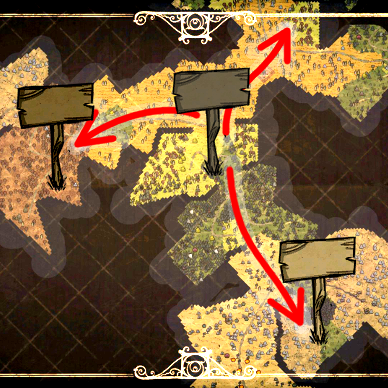
Build a fast travel network using home signs. You can travel from one home sign to any other home signs instantly. Instruction - Right click on a home sign to select destination. Right click repeatedly to cycle through all available destinations. After having selected a destination, stay close to the home sign to travel. - Fast travel costs hunger and sanity just like normal travel. The cost is directly proportional to the distance travelled, and is configurable. The cost is shown when you select a destination. Travelling in summer costs 25% less sanity; travelling in winter costs 25% more sanity. Group Travel Each individual in a group should right-click the same home sign once. Let the last person select the destination. Then stay close to the home sign to fast travel. Cancel Travel Just walk away and stay away from any home signs. Your travel will be cancelled in 15 seconds. Ownership Restriction If you have installed the Ownership mod, you can apply ownership restriction through configuration option (disabled by default). A player cannot travel from or travel to a home sign he doesn’t own (private home signs won’t appear on destination list). Other Restrictions A player may not fast travel if: - The home sign at destination is destroyed before departure. - His/her character is dead or is a ghost. - His/her character is still in combat or is near danger. - His/her character doesn’t have enough hunger or sanity. Notes - Arrow signs are not part of fast travel network. - Describe/Name your home signs sensibly. The name/description is later used to identify the destination. - The maximum travel distance per trip is 1640 units. In a default DST world, you might not be able to travel from one corner of the map to the opposite corner in one single trip (it normally requires 1 stop). - This mod works with existing world and home signs that are already built. However, you cannot rename signs. - There is no map interface integration.
45 Inventory Slots
por 76561198039805936
Increases the number of inventory slots to 45. #Don't use this mod with other mods that increase your inventory. #If this mod crash your game, pls give me a crash screenshot or client_log.txt file (Documents\Klei\DoNotStarveTogetherANewReignBeta(or just DoNotStarveTogether)\client_log.txt) v1.4.1 : Now supports at max 3 more extra equip slots (compass/archery/medicine) v1.4 : Now supports extra compass slot (enable this option in mod setting) v1.3 : Added option to change inventory size (15/25/45) v1.2.2 : Bug fixed. v1.2.1 : Temporarily disabled new feature, need more work. v1.2 : Added option to allow/not allow backpack to be stored in inventory. v1.1 : Added Inspect Self button. Credits goes to the authors of "More Inventory" and "RPG HUD" mods. My other mods
No Thermal Stone Durability
por 76561198038824153
Like seriously Klei, it was the last item you would've ever wanted to nerf. Server-side only.
Your Skeleton Respawn
por 76561198041015229
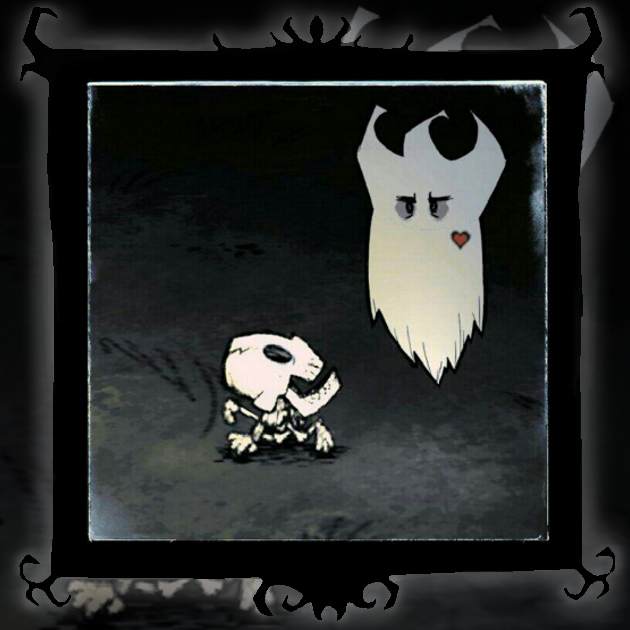
Resurrection from your skeleton! Allows you to resurrect yourself on your skeleton. ----------UPDATED---------- + Added the ability to configure health penalty Bloody sacrifice - | 0% | 5% | 10% | 25% | 30% | 40% | 50% | 60% | 70% | 75% | + Penalty removed from Relaxed game mode ---------------------------------- If you like this mod, don't forget to hit the button. Thanks

Campfire Respawn
por 76561198000918841
Allows you to respawn, when you haunt campfires. Works the same way as the Jury-Rigged Portal. Enabled by default to Respawn by : - Campfire - Firepit - Endothermic Fire - Endothermic Fire Pit Only works in Endless and Survival mode. You can toggle everything on/off as you please. Additional Features All these below are disabled by default. Resurrectors - Skeleton Respawn when you Haunt a Skeleton or Player Skeleton. - Telltale Heart Respawn when you Haunt a Telltale Heart that lies on the ground. Consumes the Heart. - Use Tags Blocks all other Campfire settings, uses the "campfire" tag to add the resurrection mechanic to all prefabs with that tag. This should make the mod work with other mods, aslong as their prefabs have that tag. Health Penalties - Generic Health penalty when respawning by a Telltale Heart, used by a player on a ghost. - Portal Health penalty when respawning by the Jury-Rigged Portal. - Generic Max The max percentage of health the player can lose from penalties. - Campfire Health penalty when respawning by a Campfire - Skeleton Health penalty when respawning by a Skeleton - Attunement - Meat Effigy Amount of Health it cost to Attune at a Meat Effigy. - Health Respawn Amount How much Health can the player respawn with? This is a base value that'll be affected by other vanilla modifiers. Health can never be above the characters Max Health. Extra Features - Return Hotkey Will return you to the last place you respawned or the Jury-Rigged Portal. Does not work inbetween loads. - Last : Will try to respawn you at the Last place you respawned at, does not work inbetween loads. - Closest : Will try to find the Closest place you can respawn, doesn't work with the Meat Effigy, Telltale Hearts, Skeletons. Max Range is 1000. If either option fails, you'll be respawned at the Jury-Rigged Portal, unless in Survival mode where you can't respawn using the portal. - Kill Me Kill bind that kills you when you press it, only possible while your character has the 'idle' animation tag. - Respawn Me Respawn bind that respawns you when you press it, only possible while your ghost character has the 'idle' animation tag. - No Player Skeletons Players Won't drop Skeletons when they die. Actually the skeleton will instantly get removed when it spawns but you shouldn't be able to notice it. This will also remove any existing player skeletons in the world too! - Spawn Protection When Haunting to Respawn, you'll get Spawn Protection like Griefer Spawn Protection. - Keep Inventory Don't drop anything on death. Except for WX-78's installed modules. - Keep Inventory - Bug Fix Fixes a bug where when respawning by haunting and having 'Keep Inventory' enabled, the player's hat will not be visible. The fix seems to work most of the time. 1.6.10 : - Added: "Respawn Me". 1.6.9 : - Added: Health penalty for respawning by haunting a Skeleton. Disabled by default. - Added: Health penalty for respawning by haunting a Campfire. Disabled by default. - Added: "Keep Inventory - Bug Fix". - Change: The mod configurations have been organized a bit and some options have had their names and descriptions updated. - Change: The way the resurrection mechanic is added has been changed, to accommodate the new health penalties, do tell if you experience any issues. Version 1.6.10 License : Public Domain
Smart Minisign
por 76561198076228231
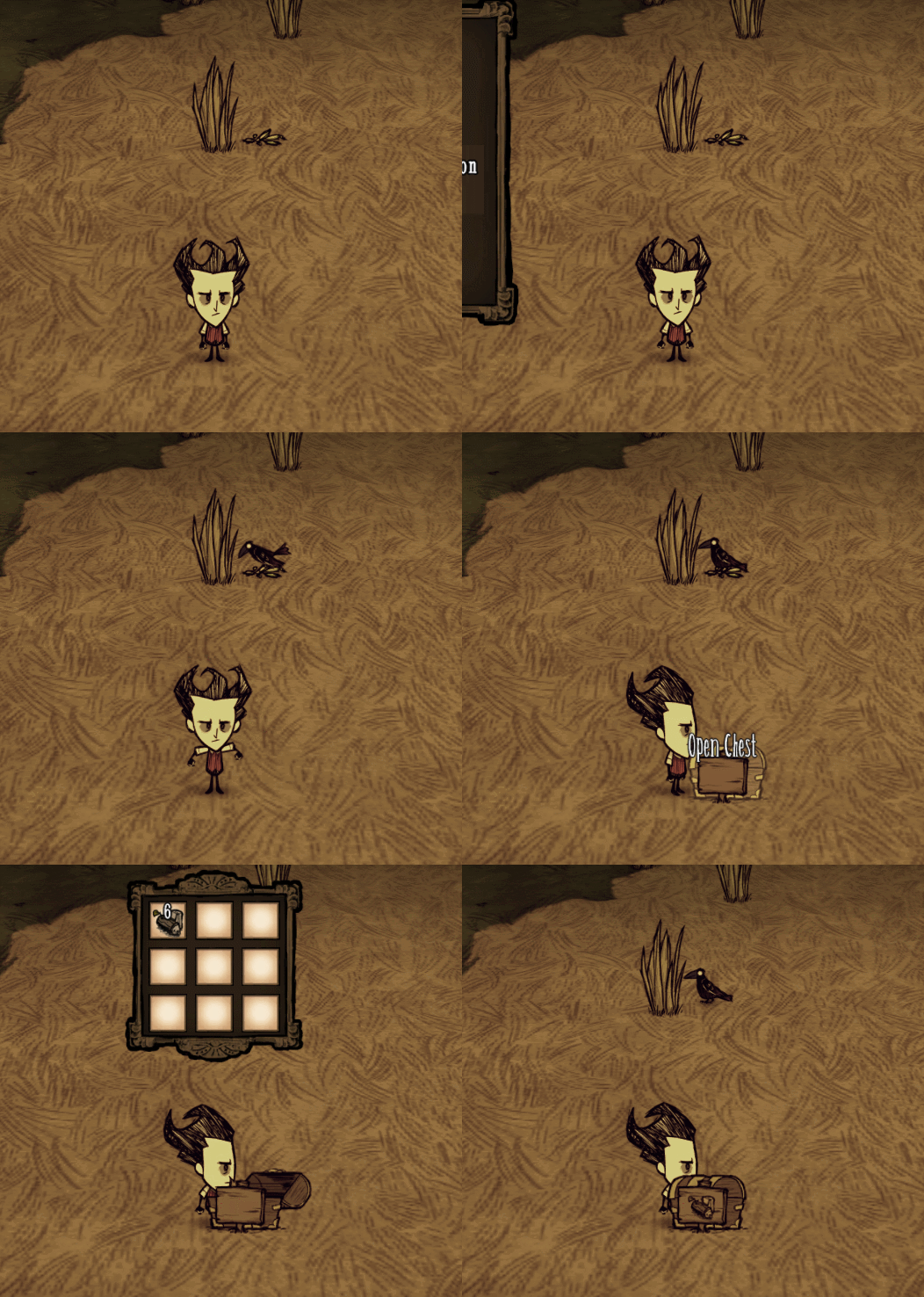
救救孩子的英语吧 go die! You have to learn to draw by yourself! 1.1.4 Support Skin (Can be disabled in the settings) 1.1.1 Update Now can draw spiced foods. 1.1.0Update 1.0.8 Update Now it can draw all the mods items! Added an API for other modder. If you want to make smartminisign for your own chester. Please write like this in your chester: if TUNING.SMART_SIGN_DRAW_ENABLE then SMART_SIGN_DRAW(inst) end 1.05 Update The minisign can be dug by shovel ! 1.04 Update Now it can show the item in the bundle! Create a minisign when building the treasurechest. (can't be removed unless the treasurechest is burning or has been removed) When closed, draw the first item it saw .(excluding mod) 1.03 Update Fixed the bug which the signs appeared behind the chest. 1.01 Update You can also add minisign for Icebox and dragonfly_chest from here! 谢谢逆行人生大佬的帮忙测试!
![[TMIP]Too Many Items Plus – Don't Starve Together Mod](https://images.steamusercontent.com/ugc/1003682288849422164/7947274940302070CAB6F6BB6D334A6FF1CFEB1D/)
[TMIP]Too Many Items Plus
por 76561198311311669
Stop maintenance 2021.12.10 Git repo: https://github.com/ariwori/toomanyitemsplus Too Many Items Plus Version: 1.0.8.1 Allows you to spawn any item you want and more powerful features. You must be a Admin to use this. Press (T) to open spawn menu. Left Click to spawn 1 item. Right Click to spawn 10 items. Toggle Button and spawn num are Configurable. You can customize a special item list. (Add or Delete a item by hold down the ctrl key and click.) Codes by C.J.B. | Items and bug fix by GaRAnTuLA. | DST version by Skull. | FIX By TheMightyPikachu & Electroely. UI and codes optimization by Tendy. | Classify,art design and some updates by 乐十画.

Insight (Show Me+)
por 76561198277438128
Thank you for 1 million subscribers! I never expected this many users. Thank you for your support! Background Information Inspired by Show Me. Because I like to know everything about everything. Show me was nice, but it was inaccurate/weird for some things and just didn't have what I was looking for. This was coded from scratch, and I originally made it for DS. I ported it over! Click for DS Version Details Whereas some mods provide information only on inspection, this provides a tooltip with various information on mouse over. Information is cached for items in your active area (Klei has this set to about 2 screens length) and seeks to find a balance between efficiency and convenience. Server/Client Configuration Clients and servers share most of the options, with some being exclusive to the client. By default, undefined options are chosen which means the client can choose what they want. Otherwise, the server has authority. Server Configuration: Main Menu -> Host Game -> Mods -> Server Mods -> Insight -> Configure Mod Client Configuration: Main Menu -> Mods -> Server Mods -> Insight -> Configure Mod A lot of this stuff is controlled in the mod configuration. In general, if it has to do with HOW the information is displayed, it's a client setting. If it has to do with the information itself, it's a server setting. Features - Controller Support - Farm Information - Text coloring - Icon Mode - Attack ranges - Health - Damage - Fuel - Food Value - Durability - Chest/Item/Bundle Highlighting - Item/Cookbook Lookups - Naughtiness - Combined Status Integration (for Naughtiness and corrected moon cycles) - Follower Info - Most things, really. FAQ Is this a server mod? Can you make a client mod version of this? This is a server mod. A client-side version of this mod would have almost none of the information this mod displays. The server contains almost everything. That's why this is a server mod. How do I turn <thing> off? Pretty much everything can be configured to turn on, off, or adjust the level of detail. If you can't find a configuration option from the main menu, you can double check the in-game configuration menu (Insight Menu -> Config Button). There's too much information! I'm overwhelmed! I've gotten feedback that the amount of information Insight provides can be overwhelming, or that it's too much effort to adjust all the configs. Insight now comes with some presets to adjust configurations in bulk: - New Player - Recommended for new players, configured for a tiny amount of information to allow them the "authentic vanilla" experience. - Simple - Recommended for players who liked Show Me's limited amount of information. - Decent - More or less the default configuration layout with a few tweaks. - Advanced - Recommended for players who like having a lot of information available. You can access these presets by going to the in-game Insight Menu -> Configure Mod -> Presets. Detected first-time users will be prompted to select a preset when first playing with Insight. Feedback Feel free to suggest features or provide feedback, good or bad. This mod is still being developed, so it's possible for issues to occur. If you do encounter one, please check the bug reporting discussion post here. You can also enable the automatic crash reporter, which will try to report your crashes for you. Also, check out this link from Klei for advice on finding logs & submitting bugs. Thank you's A big thank you to Zarklord for helping me figure some stuff out. A big thank you to rezecib for helping me implement naughtiness for Combined Status and providing feedback on Insight's support for altered moon cycles. A big thank you to licet_insanire for beta testing. A big thank you to Maxwell, Cloudy Young, and 虚の刃#28 for doing the translations to Chinese. A big thank you to Senorita Buss for doing the translations to Portuguese. A big thank you to Diegowo for doing the translations to Spanish. A big thank you to Лёха Секс for doing the translations to Russian. A big thank you to Seraf for doing the translations to Korean. Source Code You can find the source code here. Do not copy this mod. Copyright 2020-Current penguin0616. This item is not authorized for posting on Steam, except under the Steam account named penguin0616.
![[DST] Storeroom – Don't Starve Together Mod](https://images.steamusercontent.com/ugc/316745398479109294/12952B272B5CBA59EFBB1BB2C8A35A159EEA6BFD/)
[DST] Storeroom
por 76561198174493482
If You like this, give a thumbs up! Slots Count - 80, 60, 40, 20 Craft 80 slots: • Easy - 11 Cut Stone, 4 Marble, 11 Boards • Normal - 20 Cut Stone, 4 Marble, 20 Boards • Hard - 30 Cut Stone, 10 Marble, 30 Boards 60 slots: • Easy - 8 Cut Stone, 3 Marble, 8 Boards • Normal - 15 Cut Stone, 3 Marble, 15 Boards • Hard - 23 Cut Stone, 6 Marble, 23 Boards 40 slots: • Easy - 5 Cut Stone, 2 Marble, 5 Boards • Normal - 10 Cut Stone, 2 Marble, 10 Boards • Hard - 15 Cut Stone, 4 Marble, 15 Boards 20 slots: • Easy - 2 Cut Stone, 1 Marble, 2 Boards • Normal - 5 Cut Stone, 1 Marble, 5 Boards • Hard - 7 Cut Stone, 2 Marble, 7 Boards Can slow down, stop and boost food spoilage. Destroyable: All - сan be destroyed by the player, giants, meteorites and etc. Only Player - сan be destroyed only by the player Disabled - сan't be destroyed by the player, giants, meteorites and etc. Supported languages: English, Finnish, Francais, Croatian, German, Chinese, Polish, Portuguese, Spanish, Swedish, Russian (auto detect), Turkish DS Version ALL QUESTIONS ABOUT OF THE MOD'S ERRORS WITHOUT A LOG FILE OR SCREENSHOT WILL BE IGNORED OR DELETED. How to report a crash Tags: chest, storage, cellar, icebox, perishable
![[API] Gem Core – Don't Starve Together Mod](https://images.steamusercontent.com/ugc/955222594985469412/D845F03ECE3F90C1BE26760BFE39B3B5F679520A/)
[API] Gem Core
por 76561198073898182
Version 5.1.46 Library of powerful modding tools for mod developers. Visit Gem Core Wiki for API info For bug reports and feature requests go to the Gem Core Issues Page page and create a issue documenting your bug/feature request. Contribute to this mod on gitlab IF YOU HAVE A CRASH AND YOU DON'T GIVE ME THE CRASH LOG I CANNOT FIX IT! Want to talk to me about a crash your having? Need help using a feature of Gem Core in your mod? You can find me on discord. Credits: Zarklord - For creating this API. Fidooop - Helping out on usability. Rezecib - For his wonderful upvalue hacker. NSimplex - For memspikefix. ksaab - For helping with the tag entity.

Myth Characters-神话人物
por 76561198850858081
Characters here! Welcome to the Myth Characters mod. Hello survivors, welcome to our world, may the spirits be with you… For our world is filled with many dangers, many challenges, all waiting for you. Will you choose to enjoy the beautiful sights, lounge around and enjoy the nature around you, or will you be the one to defend it and fight the evil which resides deep in the core of this world. Get ready for your adventure to start, pick up your blades or your garden hoes and get ready to step into this magical world of Myth Characters! ~~~~~~~~~~~~~~~~~~~~~~~~~~~~~~~~~~~~~~~~~~~~~~~~~~ Will you choose to run through the world carelessly as the great and dynamic Monkey King himself? With the aid of his magical cudgel the world is your oyster; either you’ll be obliterating your opponents with quick attacks which summon your trusty clones, or you’ll be exploring the world. Only you can unlock the cudgel’s secrets. ~~~ Or maybe you’re a person who just likes to sit back and relax. Well then, if this is your playstyle of choice, then Marshal Canopy is the hero for you! With his trusty Rake you’ll be gardening up a storm, providing yourself with a snack sure to fill you up when you’re hungry! Just make sure to farm up the food, for this piggy is a hungry one! ~~~ Beware of the mist… Or embrace it as our sensual and mesmerizing lady White Bone as you leisurely raise an army of undead soldiers and laugh at your enemies’ downfall. With necromancy and elegance on her side, nothing will be a threat to your greatness. And if anything is, just retreat into the mist, never to be seen again… Or become a beautiful lady and dwell in these lands carelessly. ~~~ What about gracefully tearing down your opponents with precise attacks and ranged dominance, as well as being able to protect yourself with the powers of the mystical lotus flowers as the mighty prince NeZha? With range and impeccable defense at your disposal, you will be the victor in every fight, maybe not a king, but a prince nonetheless. And the last, but certainly not the least, we have the Three Eyed God himself. A man whose poise and regal manners portray a true deity. But don’t mistake his regal grace for weakness, otherwise you’ll be met pain worse than a thousand lightning. With the trusty Sky Dog to help him survive( and keep him company) and his magnificent Fork Spear, any enemy in their path will be met with an electrifying demise, for his Fork Spear holds the power of pure lightning. Now survivors, are you ready…? For your adventure to begin. by @Nikki Darks
Moving Box
por 76561197972487188
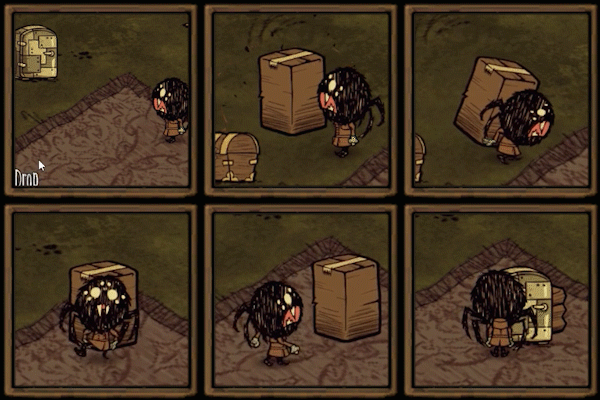
This item allows players to move structures around. You can drag an empty Moving Box over a structure to begin packing it up. Once its packed, you can carry the box to its destination. You can set it down and unpack it anywhere. To craft it, you need a Science Machine, 3 papyrus, and 1 silk. You can find it under Tools. - Fixed issue with clients crashing due to Advanced Tooltips and Item Info - Added third-party mod support This feature is disabled by default. We use a broad set of rules for what is and isn't allowed to be packaged. It could result in unexpected behavior. - Fixed players being unable to package the Iceflingomatic - Removed ability to package Siesta Lean-to - Removed ability to package Ocuvigil - Adjusted action distance
Snapping tills
por 76561198234454040
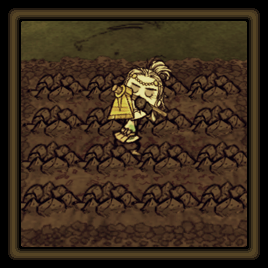
Aligns plowing to the grid. LeftShift + RightMouseClick: Launch auto tilling on tile. Key "L": Toggle snap modes, off/optimized/4x4/3x3/2x2/hexagon. Optimized mode checks for an adjacent soil tile, if not found adjacent soil tile then uses 4x4 else uses 3x3. You can bind key in configure mod. Important: "Geometric Placement" has priority, so that to use this mod, "Geometric Placement" must be OFF in game (key B -> "off") or disabled "snap till" in options (key B -> disable "snap till") (look at screenshots) Сontroller support. Compatible with Geometric Placement Compatible with ActionQueue Reborn (ActionQueue RB2) Thanks Tranoze for code "mode hexagon". Thanks 琪莎猫 for translate to Chinese (simplified) language. Thanks KryzDST for translate to Spanish language.
Myth Words Theme-神话书说
por 76561198850858081
Characters are here: https://steamcommunity.com/workshop/filedetails/?id=1699194522 . . . . . .

Chinese Plus
por 76561198111246140
中文增强 Do Not Use This. Only for chinese! If you want to know what this mod do. Just make the game support Chinese better. Nothing else. If you want to see more content, please change your display language. Thanks.
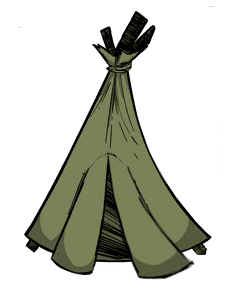
Infinite Tent Uses
por 76561197995674894
Simple mod that makes tents infinitely durable (aka sets the amount of uses to an unreasonably high number). Configure how many uses your tents have if you so wish, default setting is infinite. Now with Siestas, too.
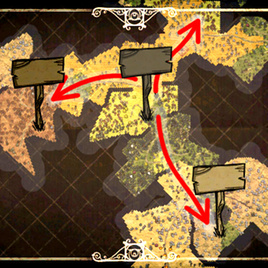
Fast Travel (GUI)
por 76561198326489103
Description the original author is Isosurface. Build a fast travel network and travel instantly from sign post to sign post. Introduction - pop destination select dialog when right click on homesign. Notes - nearby movable heavy objects will be teleported together. About Bugs please provide details: screenshot, log files such as "master_server_log.txt", "caves_server_log.txt" and "client_log.txt" located in your "C:\Users\<User>\Documents\Klei\DoNotStarveTogether" folder. you can send they by email: [email protected] or submit issue on github
Restart
por 76561198111246140
Server side mod. Instruction: - Type cammands below to Re select your character / resurrect / Kill youself. - spam can be stop by set the time interval! - Drop function supported. - Configuration supported. Commands: - #restart - (Returning to character select screen to choose another character.) - #restart_d - (Drop Everything and return to character select screen to choose another character.) - #resurrect - (You will get a new life.) - #kill (Kill youself) Configuration - Ignoring Admin(default: On) - )Admin can restart all the time.) - Interval (min) (default: 5) - (Specifies the amount of time that is allowed between restart. (minutes: 1/2/3/4/5/7/10) Need Protect On.) - Interval Bonus ( Off(default) / Increase(choose a value) ) - (Cooling time will increase per use?) - Max Interval (min) ( None(default) / Some Time(choose a value) ) - (Max Cooling time if 'Interval Bonus' works.) - Force Drop All(default / Drop / Not Drop) - (How to use commands.) - Map Data( Yes / No(default) ) - (Restart whether to save the map data?) - Resurrect Health( Default / Reduce(Get health Less and less) / Random / *% of max health(choose one) ) - (After resurrection you will get some health.) - Chat mode( Say / Whisper / All(default) ) - ('Restart' Drop Everything or not.) - Welcome Tips (default: On) - (Tell player first join the server how to use this mod.) - Tips time (default: 6) - (How long the tips will last.) Notes - #restart will lost all your items, try #restart_d instead. - In mods menu you can find 'Configure mod' button to choose the restart mode. - If you Crash, try Reset All Settings! Not Important Admin command to restart(You must be a Admin or Host) ---- DO NOT NEED THIS MOD. DST NATURE FUNCTION. 1.press "~". 2.type "c_listallplayers()" 3.Find the correct player who wants to restart. 4.type "c_despawn(AllPlayers)". num is the player number at 3. (remote) 5.Example: force the Host to restart ----------------- type "c_despawn(AllPlayers)".
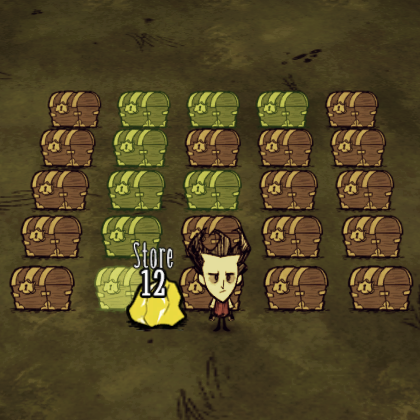
Finder
por 76561198333772442
Highlights nearby containers that contain necessary items. Helps to manage storages of two and more chests and other containers without burden to search items manually or remember them. This mod is also available for Don't Starve (Vanilla/RoG/SW) here. Chinese: 突出显示附近包含必要项目的容器。 有助于管理两个和更多的箱子和其他容器的存储,无需负担手动搜索项目或记住它们。单人版的这个 Spanish: Hace hincapié en los contenedores cercanos que contienen los elementos necesarios. Ayuda a gestionar el almacenamiento de dos o más cofres y otros recipientes sin tener que buscar los elementos de forma manual o recordarlos Arabic: يسلط الضوء على الحاويات المجاورة التي تحتوي على المواد الضرورية. تساعد على إدارة المخازن من اثنين وأكثر من صدورهم وغيرها من الحاويات دون عبء للبحث بنود يدويا أو تذكرها. German translation by Zephyr: Markiert naheliegende Kisten und andere Lagermöglichkeiten welche die Gegenstände enthalten die für ein Crafting-Rezept benötigt werden. Designt um dir das Suchen nach bestimmten Items zu erleichtern Russian: Подчеркивает близлежащие контейнеры, которые содержат необходимые вещи. Помогает управлять запасами двух и более контейнеров без необходимости поиска предметов вручную или вспомнить их. Portuguese translation by thiago_thepower: Destaca os recipientes próximos que contenham itens necessários. Ajuda a gerenciar o armazenamento em dois ou mais baús e outros recipientes sem necessidade de procurar itens manualmente ou de se lembrar deles. Controls When ingredients are hovered in crafting menu or an item is held by cursor this mod automatically highlights nearby containers that have items of the same type. Doesn't require special controls. Compatibility Should be compatible with everything: Don't Starve Together Don't Starve Reign Of Giants Shipwrecked (Link to the DS/RoG/SW version)
DST Storm Cellar
por 76561197989646930
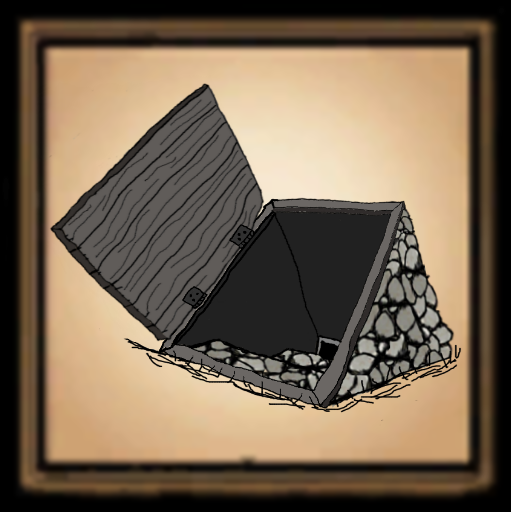
Please make Jesus Lord of your life today, I love you! Note: If some of the slots are off screen or hidden by the crafting menu,go ingame main screen to options\settings\hud and lower the hud size. The Storm Cellar is fireproof. The Storm Cellar is a massive storage hole with 80 slots The Storm Cellar has fridge function with option to disable if ya want. The Storm Cellar is craftable under the Structures Tab Recipe = 20 cut stone,20 wood flooring and 1 gold shovel There are 2 condfigurations for the slots Default 5x16 8x10 for low resolution monitors. Added workable option in mod config. If Nope is chosen in the config, the Storm Cellar can only be destroyed with a Destruction Staff. This option makes the Storm Cellar Giant and Meteor proof. Note: For those who think this is unbalanced 9 Chest with 81 slots = 108 logs 1 Storm Cellar with 80 slots = 80 logs ,60 rocks ,4 twigs and 1 gold nugget So the verdict is in, for convenience you must pay more Besides all that BS, it's cool! You may also buy me a burger or soda @ https://paypal.me/afro1967?locale.x=en_US If you like the mod, thumbs up and enjoy!

Extended Indicators WIP
por 76561198046734376
The Extended Indicators mod will show a player icon on your HUD at all times no matter how far away the other players are. This will point to their direction showing you where they are in the world. Includes a config option that lets you enable / disable the indicators, adjust their size or change the max range of it. **CURRENTLY ONLY WORKS FOR THE HOST OF THE SERVER** I'm still developing this mod and am looking into ways to make it work properly for both the host and client computers. For more infomation please see the following link. http://forums.kleientertainment.com/topic/47466-help-with-server-client-communication-and-client-network-view If you think you can help solve this problem or have any additional input into the matter please also visit this link. Thanks If you have any feedback with suggestions or if you find any bugs please tell me so i can try to address them. To Do List: 1. Add configurable distance before the indicator disappears. 2. show player icons on the map. 3. Make it work properly on both the host and client computers. 4. Make a optional configuration that will use a craftable item to enable the indicators, sort of like a player scanner so at first you won't easily be able to find people. (possibly upgradable increasing the scanner range.) 5. Option to only make the indicators show if a button is held down. 6. There seems to be a small bug where the indicators don't show up for new players who join the server until they go on screen with you at least one time. Probably not too hard to fix. 7. Show player distances under the icons, possible to have a config option to only display this if you hover over the icon. CHANGE LOG V1.1 - 22/12/14 Adding Config options: Enable / disable the indicators. Adjust the indicator size. Adjust the indicator range. V1.0 - 20/12/14 Base mod released
![[Tips]Show attack time for hounds and bosses – Don't Starve Together Mod](https://images.steamusercontent.com/ugc/758220551896462600/B688D2B2B4DEA3D6B524021FA88827D2E10BC044/)
[Tips]Show attack time for hounds and bosses
por 76561198423073837
function To prompt the attack time of the hound (worm) and the Boss. The coordinates will be displayed when the Boss already exist. If not, it indicates that the Boss doesn’t fit the conditions for generation. - To display the attack time of the hound and the Bosses of four seasons. - To display the refresh time of the designated creature when instructions are given in the chat window. - The time is in dd:mm:ss format. instructions - /help tips - /tips hd - /tips pm - /tips dr - /tips dc - /tips bg - /tips ks - /tips mt - /tips tt - /tips ck - /tips al - /tips df - /tips ag - /tips bh - /tips lp - /tips dw - /tips dw2 - /tips wr - /tips pt - /tips sx x - /tips sy y
Always fresh
por 76561198078635366
Always fresh 冰箱里物品永远不坏 中文mod http://steamcommunity.com/sharedfiles/filedetails/?id=460972875
![🌍组合状态[最新/中文]-Combined Status – Don't Starve Together Mod](https://images.steamusercontent.com/ugc/1826783755515477320/5CA399EE2B4B5724B63C5CF50F799233F50C8130/)
🌍组合状态[最新/中文]-Combined Status
por 76561198405448255
🔎 原作者模组传送门:《Combined Status 》🔍 🔎 淘气值必须搭配Insight使用:《Insight (Show Me+)》 🔍 “组合状态”“综合状态”“状态显示”《Combined Status》《显示三维》《三维显示》《三维》《季节时钟》《显示季节》《季节》《更多状态》《状态栏》 原作者模组传送门:\nhttps://steamcommunity.com/sharedfiles/filedetails/?id=376333686 自用,仅供学习与参考【汉化者:zhonger】 模组介绍:显示饥饿值,san值,生命值,温度,季节,月相和世界总天数...... 更多介绍请点击右下角【更多信息】 当地球位于月球和太阳之间时,我们可以看到整个被太阳直射的月球部分,这就是满月。当月球位于地球和太阳之间时,我们只能看到月球不被太阳照射的部分,这就是朔月;而当首度再见到月球明亮的部分时,称为“新月”。当地月联线和日地联线正好成直角时,我们正好可以看到月球被太阳直射的部分的一半,这就是上弦月。 月相变化的顺序是:新月–蛾眉月–上弦月–盈凸–满月–亏凸–下弦月–残月–新月,就这样循环,月相变化是周期性的,周期大约是一个月。 🌍模组介绍 “玩家体温”【显示玩家的体温。】“已开启” “世界温度”【显示世界的温度。(这不考虑诸如火等热源)。】“已关闭” “温度图标”【在【玩家体温】和【世界温度】的左边显示小图标,方便辨认每个温度的含义。】“图标+数字” 图标+数字:更直观的图标显示+数字显示。(仅当两个温度都被显示时,才会显示图标)。 数字:更简洁的数字显示。 “温度单位”【选择您想要的温度单位。(原作者的小吐槽)华氏度:你喜欢但没有意义的温度单位。】“游戏单位” 游戏单位:游戏使用的温度单位。0过冷-70过热(每5度警示一次)。 摄氏度:游戏使用的温度单位,但减半后更为合理。0过冷-35过热(每2.5度警示一次)。 华氏度:游戏使用的温度单位,但翻倍后更为直观。32过冷-158过热(每9度警示一次)。 “提醒月圆”【分别展示出盈月和亏月的月相。(在【饥荒联机版】没用,因为联机版自带这个功能)。】“已开启” “显示月相”【白天+黄昏+夜晚显示月相的图标。】“黄昏+夜晚” 夜晚:和往常一样,仅在夜晚显示月相图标。 黄昏+夜晚:仅在黄昏和夜晚显示月相图标。 白天+黄昏+夜晚:全天显示月相图标。 “预测月圆”【月圆当天提醒月圆。】“已开启” “翻转月相”【镜像翻转月相的图标,让月亮显示为在南半球的样子(确实是恢复了旧版的行为方式)。在南半球的月亮是C形,在北半球的月亮是反C形)。】“默认” 翻转:和南半球的月相一致。 默认:和中国的月相一致。 “季节时钟”【添加一个显示季节的时钟,并重新排列右上角全部图标,让整体布局更合理。或者,添加一个图标,显示进入季节的天数和鼠标悬停时剩余的天数。】“时钟版” “淘气值”【显示玩家淘气值,淘气值升满时会有坎普斯(小偷)来攻击玩家。此功能无法在【饥荒联机版】中直接使用(除非订阅了模组:Insight)。】“已开启” “原木值”【当伍迪是人类时,显示他的原木值。 此功能无法在【饥荒联机版】中使用。】“已开启(Always始终)” “洞穴时钟”【在洞穴中显示时钟。仅适用于【巨人国的统治】单人游戏。】“已开启” “状态数值”【选择您想显示【饥饿值,san值,生命值】的数字样式。】“当前” “最大值提示”【在【饥饿值,san值,生命值】到达最大数值时显示“Max:”使其更直观。】“已开启” “季节时钟拓展”【【已开启】:始终显示天数和当前季节【已关闭】:鼠标悬浮在季节时钟时显示信息】“已开启” “HUD大小”【让您可以独立于游戏的HUD比例调整此模组图标和时钟的大小。【官方解释(HUD大小:自定义抬头显示的大小)】】“1” 首先,感謝作者rezecib願意讓我翻譯,你可以在這裡看到成果: 成果第一張、成果第二張。 你可以在這裡看到文本內容:https://pastebin.com/7AWE3hLV。 我把檔案放在我的MEGA免空,但是這個討論區會刪除連結,所以我只好把下載連結集中放在我的部落格 檔案的位置是SteamLibrary\steamapps\common\Don't Starve Together\mods\workshop-376333686,請下載之後直接用替換的方式把modinfo蓋過去。 配置選項 選項 描述 體溫 設定是否顯示玩家的體溫。預設是顯示。 顯示氣溫 設定是否顯示氣溫。預設是隱藏。 顯示小圖示 在體溫和氣溫指數的左邊標上小圖示來方便辨認。預設是顯示。 溫度單位 可選擇遊戲溫度(預設)、攝氏或華氏。 遊戲溫度:在0度凍結,在70度過熱,每5度得到警示。 攝氏:在0度凍結,在35度過熱,每2.5度得到警示。 華氏:在32度凍結,在95度過熱,每4.5度得到警示。 顯示月光變化 月相減少時也顯現出來。預設是顯示。(遊戲原本的功能只會顯現月相增加的樣子)。在多人版,這已經是內建的功能。 顯示月光狀態 設定要在哪個時段顯示月光狀態。預設是只在晚上,也可以選黃昏和晚上顯示,或者全天候顯示。 預測滿月 預測下一個滿月的天數。當滑鼠移到標示上面時顯示。預設是顯示。 翻轉月亮 翻轉月相,讓它變成位於南半球的人所習慣看到的月相。預設是"否",顯示北半球的月相。 季節時鐘 增加顯示季節的時鐘。預設是時鐘的模樣。也可以選擇緊湊型、最簡易型,和不顯示。 罪惡值 設定是否顯示玩家的罪惡值。預設是顯示。此功能無法在多人版使用(除非安装了Insight)。 海狸值 當伍迪(Woodie)還是人類狀態的時候就顯示海狸值。預設是顯示。在多人版,這已經是內建的功能。 洞穴時鐘 在洞穴中顯示時鐘。預設示顯示。此功能只適用於Reign of Giants的單人遊戲,原味單人無法使用。在多人版,這已經是內建的功能。 狀態值 不需要滑鼠移到標示上面才能看,直接顯示當前的健康、飢餓度和血量的數字在圖示下面。預設是永遠顯示。 顯示狀態最大值 滑鼠移到標示上面就能看到該狀態的最大值時多少。預設是顯示。 HUD比例 讓你可以自由調整整個狀態界面的整體大小。預設值為1。
Don't Starve Together Guides
Instalar mods de Don't Starve Together – servidor e cliente
Instala mods de Don't Starve Together por ID do Workshop, ativa-os por shard e corrige erros comuns no servidor sem complicações.
Alugar um servidor Don't Starve Together – guia cooperativo
Configurar um servidor Don't Starve Together: Cluster-Token, Caves, mods, opções de mundo, verificação e troubleshooting para o teu servidor cooperativo.
Servidor Don't Starve Together com suporte a mods
Instale mods compatíveis e suportados pelo painel do servidor.
Alugar um servidor Don't Starve Together