Mods e plugins para Garry's Mod
Este catálogo lista 1.984.000+ projetos de Garry's Mod de Steam Workshop. As entradas podem ser do servidor, do cliente ou necessárias nos dois lados, e incluir mapas ou outro conteúdo gerado por utilizadores. Antes de instalar, verifique a página de origem ligada, a versão do jogo e as dependências.
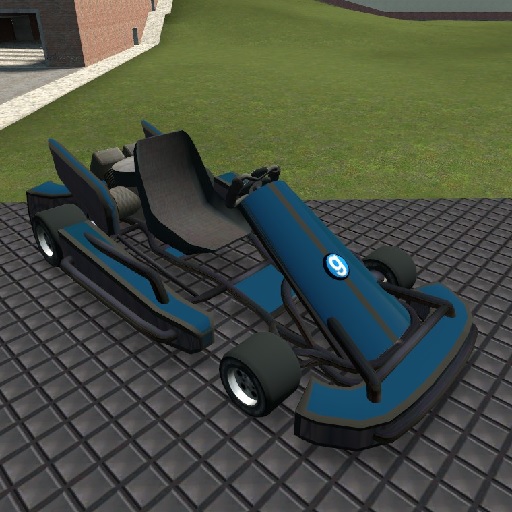
SW Gokart
por 76561198010984952
A gokart. Please read the description for all informations about the addon! Click for the terms of use. Special thanks to: - Grocel Requirements: - You need to have the SW Base Addon installed! Console command: - sv_sligwolf_reload_addon gokart Controls: - W (+forward) = Forward - S (+back) = Backward - A (+moveleft) = Steer Left - D (+moveright) = Steer Right - Space (+jump) = Handbrake Changeable controls: - Shift = Turbo - Keypad 1 = Extra Camera Left - Keypad 2 = Extra Camera Front - Keypad 3 = Extra Camera Right - Keypad 4 = Extra Camera Back Comments and feedback: In order to centilize our addon maintenance efforts, the comments has been disabled in all addons. Please go to the SW Addons Group to comment and give feedback on our addons. Mind the rules, though! Any problems? Please read those: ► FAQ & Common Issues ► Troubleshooting Still got problems? Post here: ► Bug Reports Please read the description for all informations about the addon! Click for the terms of use.

SW Bus and Bendy Bus
por 76561198010984952
A bus, articulated bus and bi-articulated bus. Please read the description for all informations about the addon! Click for the terms of use. Special thanks to: - Grocel - Das Schaf - Emperor Zin - GMN Mister-M Requirements: - You need to have the SW Base Addon installed! Info: - Doors can be open with E (+use)! - New bus! (Bi-Articulated Bus) - Many new colorable vehicleparts! - Passanger can make a stop call with Space(+jump) Console command: - sv_sligwolf_reload_addon bus - sv_sligwolf_busstopcall 0/1 (Default 1) (Allow the passenger to make a stop call to the bus driver via sound and skin cahnge on the driver pc.) Chat command: - !sligwolf_bus NUMBER TEXT Example: "!sligwolf_bus 1337 Hello World" The chat command works only if you sitting in the driver seat. It puts a number and text on the displays. By using a very big number the display will show: 404 Entering a very long text will show: Too Long! Prop protection: - Be sure your buddy is allowed to use your stuff. - Otherwise your buddy can't use the seats and doors. Controls: - W (+forward) = Forward - S (+back) = Backward - A (+moveleft) = Steer Left - D (+moveright) = Steer Right - Shift (+speed) = Turbo - Space (+jump) = Handbrake Controls Passanger: - Space(+jump) = Make Stop Call Changeable controls: - F = Headlight - M = Opens a menu to type number/destination! - R = Horn - 1 = Warning Indicator - 2 = Indicator Left - 3 = Indicator Right - 4 = Toggle First Door - 5 = Toggle Second Door - 6 = Toggle Third Door - 7 = Toggle Fourth Door - T = Reset Stop Call (Or open any door!) - Keypad 1 = Extra Camera Left - Keypad 2 = Extra Camera Front - Keypad 3 = Extra Camera Right - Keypad 4 = Extra Camera Back - Keypad 5 = Extra Camera Interior Front - Keypad 6 = Extra Camera Interior Back Comments and feedback: In order to centilize our addon maintenance efforts, the comments has been disabled in all addons. Please go to the SW Addons Group to comment and give feedback on our addons. Mind the rules, though! Any problems? Please read those: ► FAQ & Common Issues ► Troubleshooting Still got problems? Post here: ► Bug Reports Please read the description for all informations about the addon! Click for the terms of use.
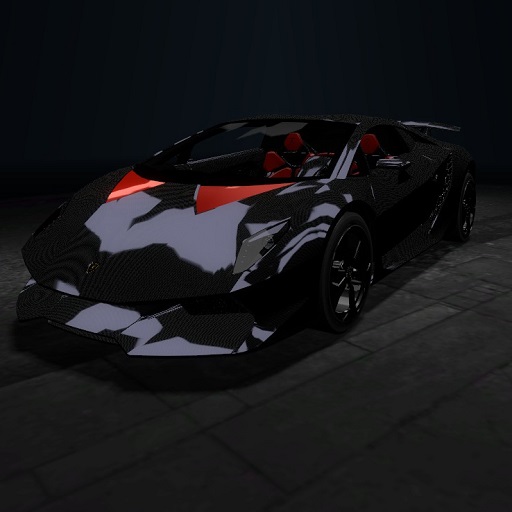
2011 Lamborghini SestoElemento
por 76561197999836749
F.A.Q. Q: How do I turn on the lights? A: You can't, because it's part of an unreleased addon that I sadly can not give out because I don't have the permissions to do it. Q: Can I request cars? A: Yes, but theres a huge chance it won't be made, but I'll try to make some if they are available for me.
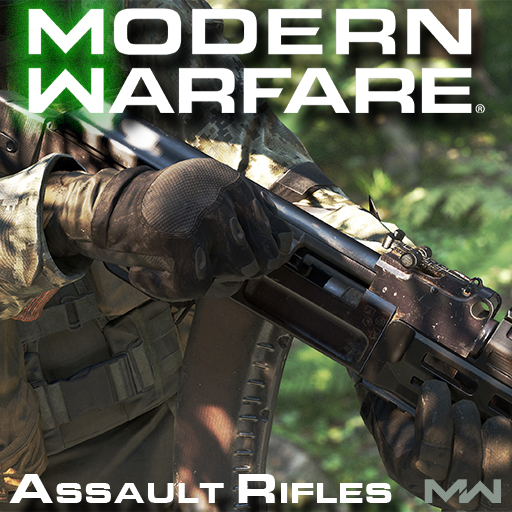
Modern Warfare 2019 SWEPS - Assault Rifles
por 76561198155440595
Join the Discord server! Join the steam group to follow development! A comprehensive weapon pack highlighting the assault rifles of Call of Duty: Modern Warfare 2019, bundled with customization options and fast paced gunplay. - Mandatory models, materials, animations and sounds from the original retail game. - All the viewmodel mechanics present in MW, including walk, sprint, inspect animations and ADS reloads. - Extensive weapon customization (stocks, grips, sights, barrels, muzzles, caliber conversions, etc...) - Quick melee attacks (USE + ATTACK) - First person VFX (Depth of field, viewmodel blur, scopes and reticles). - Audio reverb. - Completely optimized for multiplayer and singleplayer. - Support for CHands and MW rigs. CONTROLS To edit your controls open the spawnmenu then go to options, under options you will see Modern Warfare. Open the controls tab. - Activision, Infinity Ward, Ben Garnell, Peter Chen, Ben Turner, Mike Velasquez, Jeremy Thurman, Alexandr Khaliman, Ed Fedorei, Nikolay Myhalenko, Aaron Beck, Ranon Sarono, Khoa Le, Mark Grigsby Troy Irving - All the assets used in this pack. - Viper - Porting models, animations, sounds and compiling the models. - Mushroom Guy - Coding the base. SPECIAL THANKS - Scobalula - Greyhound - Thomas Cat- CHands QCI & helping with porting, various scripts/plugins to make our life so much easier, thank u xx - Ma_rv - Creating various tools - Myster AC - Particles. - Bill - For being from estonia.
![[LW] Bentley PM Continental GT – Garry's Mod Mod](https://images.steamusercontent.com/ugc/3317204693914408995/F2773745494E1DD5336E558C59DE81EE1748327C/)
[LW] Bentley PM Continental GT
por 76561198073265803
A driveable 2011 Bentley Platinum Motorsports Continental GT ported from Forza 4 by me. A skin template for this car can be found in the SVN, Which can be found at: https://lwcrs.googlecode.com/svn/trunk/ SVN USERS WILL NOT NEED TO SUBSCRIBE TO THIS AS IT IS ALREADY INCLUDED Features full VCmod support, Including Lights, Seats and Exhausts. Please tell me if the VC lights look different from in the video, I have a sneaking suspicion that my VCmod is a bit different. Thank you to: AaO|Davis - Sounds Raptor Jesus - Scripting Follow progress on VCmod.net! Follow progress on Facepunch! F.A.Q.: Q:How do you turn on the lights? A: You cant unless you have VCmod by Freemmaann, which is not finished yet. In the meantime you can buy the old VCmod from CoderHire behind this fancy text If you have VCmod, Its F for lights, H for hazards and F + A/D for Indicators. Q: How do I drive this? A: Spawn it from the Vehicles menu, they are under LWCars. Q: Can you make ? A: I dont take requests, Sorry.
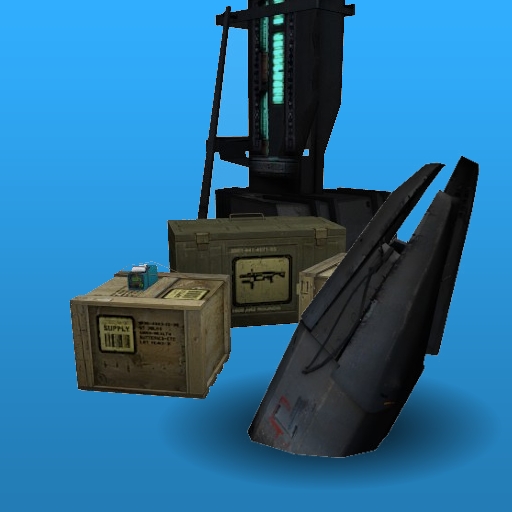
Half-Life 2 Tools
por 76561197996891752
A set of Half-Life 2 inspired/themed tools. Fully compatible with duplicator. Tool list - Headcrab canister tool ( sbox_maxenv_headcrabcanisters ) - Ammo crate tool ( sbox_maxitem_ammo_crates ) - Item crate tool ( sbox_maxitem_item_crates ) - Thumper tool ( sbox_maxprop_thumpers ) - Door tool ( sbox_maxprop_doors ) - Suit/Health Charger Spawner GitHub repository with the code: https://github.com/robotboy655/gmod-hl2-tools

Food Mod
por 76561197989811664
Food Mod is a mod that consists of edible food that can be consumed for health. There are more than 15 different foods that people can consume which makes it perfect for roleplay or just general fun. This is a simplified health only version of food mod. If you're looking for DarkRP Hungermod support please download the git version off of github. Come check us out at https://scrubz.gg Check out our server at @ rp.scrubz.gg:27015 Github: https://github.com/dkoz/foodmod Facepunch: http://facepunch.com/showthread.php?t=1291463 Credits: Discopears Disclaimer: If you wish to use Food Mods code in anyway you must first seek permission from me, Koz. Anyone caught uploading my code to the workshop will be forced to take it down if no permission was given by me.
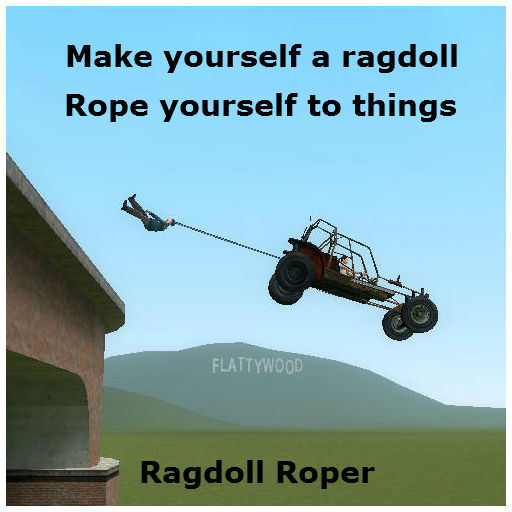
Ragdoll Roper
por 76561198056655896
(2020 update: Error fixed) LEFT CLICK = Become ragdoll + rope yourself to whatever you are aiming at. RIGHT CLICK = Unragdoll. R (reload) = Change target bone. WASD (move) = Move ragdoll. SHIFT (run) = Shorten rope. ALT (walk) = Lengthen rope. Regular attack creates an elastic rope that you can make longer/shorter. If you hold USE (E) when you attack it will make a regular rope that cannot change length. If you are repoting some kind of bug, take a screenshot if possible, otherwise describe it in as much detail as possible. "Dosnt werk 4 me" is not helpful.
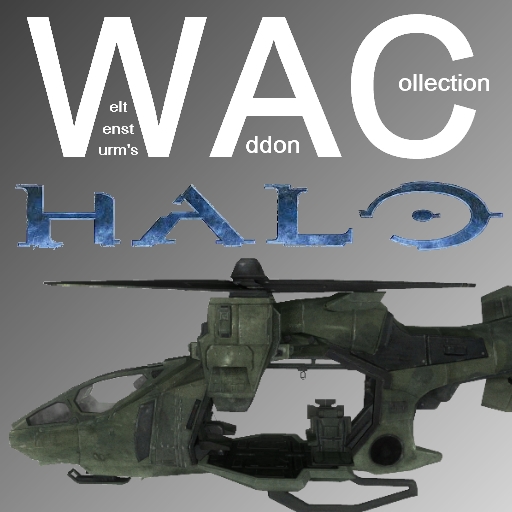
WAC Halo
por 76561198009927934
Welcome to a special edition pack for WAC. This being an extension of WAC itself requires the core WAC to function. You can find it here. If you don't know what WAC is and would like to know more, refer to the facepunch thread here. This pack includes the following aircraft: • UH-144 Falcon • AV-14 Hornet • D77H-TCI Pelican F.A.Q: Q: I can't take off! A: Make sure you're pressing the right buttons and stuff. Q: Can you make 'aircraft'? A: Probably, but stop asking please - we have enough ideas already. Q: Can I get the source for this addon? A: Sure, on my GitHub page here. Q: Where can I play online with these aircraft? A: IP: gmod.mattjeanes.com Q: I can't see any/some of the choppers, and I have 'WAC Aircraft' installed? A: You probably have too many addons, don't blame me, blame garry. Q: Rotors are missing on some of the choppers? A: Again, too many workshop addons - blame garry. Q: Where can I donate? A: https://www.paypal.com/cgi-bin/webscr?cmd=_s-xclick&hosted_button_id=7LXRVRF8Q6UME Q: How do you put up the landing gear? A: If available, it will work automatically - there is no control for it at this time, but there will be. Q: Didn't you say no unrealistic aircraft? A: Sort of, I don't take requests for them, but if I'm bored I might do it anyway. Q: Why did you make this? A: It was a commission from 'The Mendicant'. Weltensturm did not create this addon, so questions about it should not be thrown at him. Thank you.
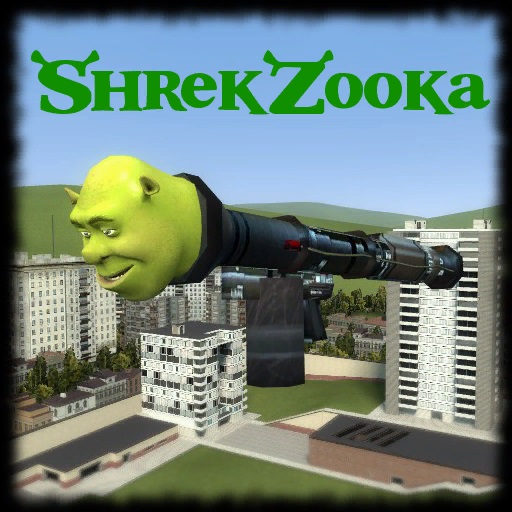
Shrekzooka - by Gidz
por 76561198068728821
The Shrekzooka (Panzershrek) Blast away your enemies with the new and original Shrekzooka! Launch Shreks out of the end of your bazooka. Custom sounds, models and code! Please report any bugs if or when they may appear, I'll fix them asap. See the video for more details! Thanks, Mr.Gidz
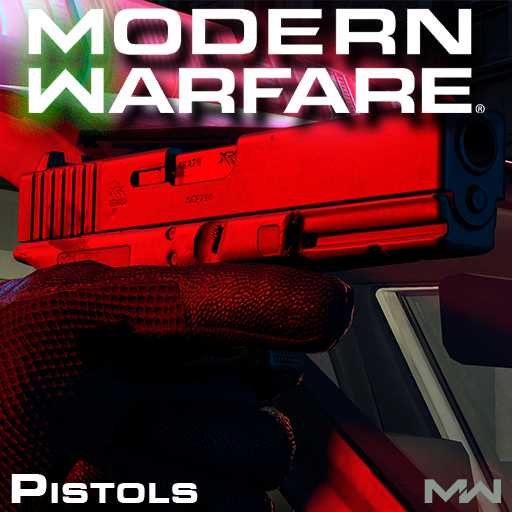
Modern Warfare 2019 SWEPS - Pistols
por 76561198155440595
Join the Discord server! Join the steam group to follow development! A comprehensive weapon pack highlighting the sidearms of Call of Duty: Modern Warfare 2019, bundled with customization options and fast paced gunplay. - Mandatory models, materials, animations and sounds from the original retail game. - All the viewmodel mechanics present in MW, including walk, sprint, inspect animations and ADS reloads. - Extensive weapon customization (stocks, grips, sights, barrels, muzzles, etc...) - Quick melee attacks (USE + ATTACK) - First person VFX (Depth of field, viewmodel blur, scopes and reticles). - Audio reverb. - Completely optimized for multiplayer and singleplayer. - Support for CHands and MW rigs. CONTROLS To edit your controls open the spawnmenu then go to options, under options you will see Modern Warfare. Open the controls tab. - Activision, Infinity Ward, Ben Garnell, Peter Chen, Ben Turner, Mike Velasquez, Jeremy Thurman, Alexandr Khaliman, Ed Fedorei, Nikolay Myhalenko, Aaron Beck, Ranon Sarono, Khoa Le, Mark Grigsby Troy Irving - All the assets used in this pack. - Viper - Porting models, animations, sounds and compiling the models. - Mushroom Guy - Coding the base. SPECIAL THANKS - Scobalula - Greyhound - Thomas Cat- CHands QCI, various scripts/plugins to make our life so much easier, thank u xx - Ma_rv - Creating various tools - Myster AC - Particles. - Bill - For being from estonia.
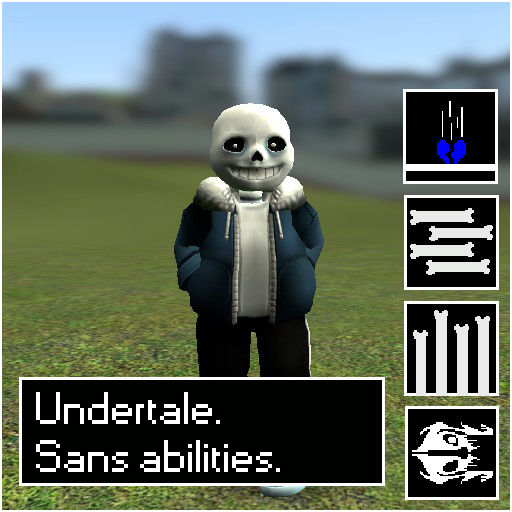
Undertale Sans abilities.
por 76561198039998355
>>This addon is no longer supported<< Features: Miss: Every 0.5 Seconds, Miss is reapplied, Rendering all damage taken ineffective, Any damage taken between misses has a chance to instantly kill you, If not do alot of damage. (After all, Sans only has one hit point.) Gaster Blaster: Left Click, Holding the button summons and fires them rapidly. - 25 damage per shot. Bone Throw: Right click, Holding the button shoots bones rapidly. About the same damage as a pistol shot. Bone Field/Impale: Press your reload key aiming at the ground or the wall, Does not work on the ceiling, It paralyzes and damages your opponent. I think about 30 damage. Telekinesis: Hold E over an >Enemy< (For clarification, Anything alive that would shoot or smack you.) 15-30 Damage when they touch any surface in this state. 'Dunked On' Ability: Not an official title unless added to the description, But you combine Telekinesis and Bone Throw, I think it does about 40-50 damage per hit. You can also combine this with Gasterblasters, Which do the same damage they normally would, But your opponent can't move, This also works with Bone Field/Impale, And can do damage for both attacks. Pressure: Using Telekinesis, Aim towards the ground, If you hear damage being dealt, You're doing damage with Pressure, Pressure does the same damage as smacking someone with telekinesis, But you hold the opponent to a wall or against the floor, Dealing damage over time. (You COULD technically use Pressure on the ceiling as well, But it doesn't work as effectively.) Bad Time Mode reduces the cooldowns, Gatling Blasters, Machine Gun Bones. etc. To activate a Bad Time Mode you need to write a console command "pc_sans_rage_mode" or just bind it to a any button like this "bind k pc_sans_rage_mode" Admin version which makes Telekinesis last almost indefinitely, Increasing the speed of other attacks as well. Note This addon also uses these addons: http://steamcommunity.com/sharedfiles/filedetails/?id=566309703 https://steamcommunity.com/sharedfiles/filedetails/?id=574852065 but it works fine without it. it is just replaced with the standard models. PS This guys helped me with this addon: Debug, workshop page work: http://steamcommunity.com/profiles/76561198102371779/ Norton Antispyrus ma man get Description: http://steamcommunity.com/id/11121987133709122000 http://steamcommunity.com/profiles/76561198148618400/ Sas powur: https://steamcommunity.com/profiles/76561198029219211/ for guys who know how to code lua, and want to look at my source code. -Anyone can ripoff this, and make other abilities from this (but try your best and don't just replace some models and textures (try to cutoff all about sans))
TDMCars - Mitsubishi
por 76561197994097627
This is the Mitsubishi manufacture pack with all the Mitsubishi vehicles found on the SVN. If you have the SVN, please do not subscribe to this addon! The pack currently contains: Mitsubishi Colt Mitsubishi Eclipse GSX Mitsubishi Eclipse GT Mitsubishi Lancer Evolution X Mitsubishi Lancer Evolution VIII The following is required if you want this to work properly! TDMCars - Base Pack <--------- Model detail must be set to High! This is very important! If you are interested in making skins, templates for Mitsubishi are found right here If you have no clue what this is, don't click it.. Please have a look at this guide instead of wasting your time asking questions that are already answered. TDMCars - How to use You can request all you want but it is 100% ignored by me. Occasionally I am hosting request events on Facebook. The fan page is located here TDMCars on Facebook
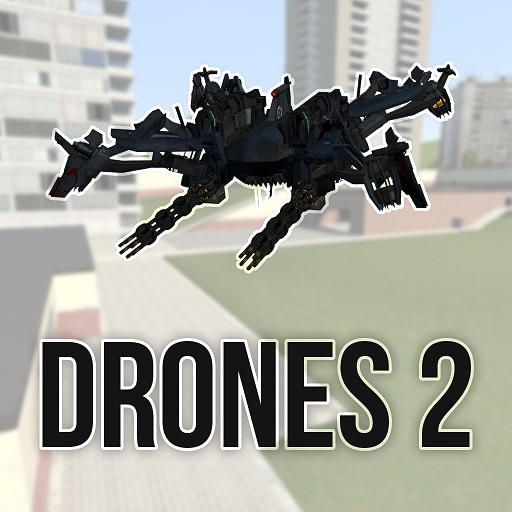
Drones 2
por 76561198076062109
This addon contains 44 drones, 2 sweps and one entity. Also this will NOT be updated with new drones and entities, also we will completely make this addon independent of previous part by porting here weps and ents. Since old console DOES NOT work with new drones, if you want hack, you'll need to wait us to port it or use hack system integrated in Spy Drone. But sweps like radar or repairer are working. TO TURN ON FUEL CONSUMPTION YOU NEED TO ENABLE sv_cheats AND THEN ENABLE dr2_fuelconsumption. Then you need to restart your server for changes to apply. Same with ammo (dr2_ammoconsumption). How to use WSAD - moving Left Mouse Button - primary fire Right Mouse Button - secondary fire (default SPACE) - up (default CTRL) - down (default ALT) - special fire mode (default SHIFT) - sprint (default R) - nightvision Now drones have ammo - pistol rounds, rockets, etc. To load ammo in drone, you need to put HL2 ammo entity on drone. Also, you can get help by writing "dronestwohelp" in console (without quotes). Dont spam comments like "when i launch map it crashes my game". Try deleting some addons or checking your game cache. If you cant see materials (like grey plates instead of rotors) maybe you use too old videocard with DirectX 8.0 and it may not support that. Try launching GMod with -dx9 parameter. F.A.Q. Q: HOW TO TURN THIS ON?!?!?!?!?? A: You need to fill drone up with fuel. Mk. 1 drones need diesel fuel, go to Weapons -> Drones 2: Fuel -> Diesel Can; Mk. 2 drones need plasma to work. To get plasma you need to take Plasma Can from Weapons -> Drones 2: Fuel and then click RMB with it on Generator which can be found in Entities -> Drones 2: Fuel. Marks 3 dont need fuel at all. Also theres a lot of unique drones without marks. Q: GREY PLATES INSTEAD OF ROTORS!!111 A: See above. Q: THIS CRASHES MY GMOD!!1 A: See above. Q: my view is inside the drone A: doubletap TAB, as I know its only way to fix that Drones' Abilities (Captain Obvious isnt here) Spy: LMB - use, RMB - hack Microwave: LMB - release heat wave that will temporarily turn off nearby drones Sniper: LMB - shoot, RMB - zoom, Alt - invisibility Cargo Drones: hover above a prop - click LMB on it - take prop Refuelers: LMB on nearby drone - refuel Supply: LMB - drop random ammo, RMB - heal/battery Universal Healer - LMB - heal people, RMB - heal drones Medic Drones - LMB - heal players Repair Drones - LMB - repair drones Grenadier Drone - LMB - fire grenade, Alt - change mode (theres 3 modes - touch, timed and sticky), RMB - explode all sticky grens Old Drones: click. Also, if you want to share your videos/arts/posing with Drones, post link in comments and I'll publish it. Hope this addon will be as good as Drones 1. If you like it, click Rate and Favorite! This will help us a lot. Credits Me (Mr. Mind) - SCK models, some code, setting, balance, icons, ideas, etc. ProfessorBear aka creator of MHS part one and co-creator of Drones - main code, some models, ideas. Clavus - SWEP Construction Kit Everybody who posted comments in "Top requested drone types" topic - ideas, thanks for participating!
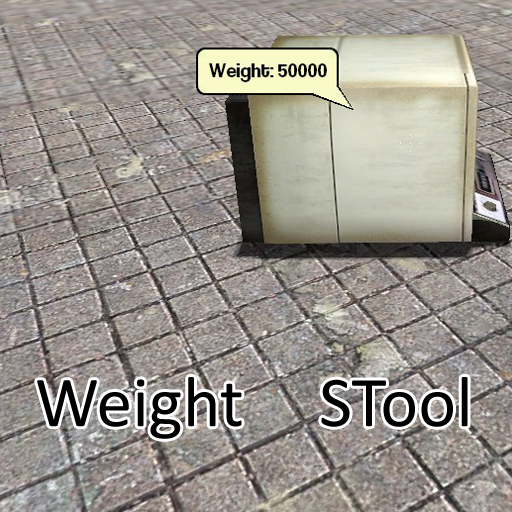
Weight STool
por 76561197992296393
==== END OF SUPPORT ==== I am no longer putting time into this addon. Feel free to pick up development on your own. Link to source: http:// waa.ai /va16 ==== END OF SUPPORT ==== EDIT: Here's a link to the original author's version of the STool. http://steamcommunity.com/sharedfiles/filedetails/?id=115428800 Go ahead and use his version if you like. Fixed for GM13, by me. Not originally my work. Tweaks: New Tooltip (Type "weight_use_oldtooltip 1" without quotes into the console to use the old tooltip. If you don't like the tweaks I made to the old tooltip, please complain. I don't think it's too big of a change, but people may not like it.) Fixes: Fix CreateFont argument error. Fix to use new net Library GM12 Version (reupped by: Chocolate Blue, original author: Spoco(?)): http://www.garrysmod.org/downloads/?a=view&id=125907

TDMCars - Jeep
por 76561197994097627
This is the Jeep manufacture pack with all the Jeep vehicles found on the SVN. If you have the SVN, please do not subscribe to this addon! The pack currently contains: Jeep Grand Cherokee SRT8 2012 Jeep Willys MB Jeep Wrangler Fast and Furious Edition Jeep Wrangler Rubicon Jeep Wrangler 1988 The following is required if you want this to work properly! TDMCars - Base Pack <--------- Model detail must be set to High! This is very important! If you are interested in making skins, templates for Jeep are found right here If you have no clue what this is, don't click it.. Please have a look at this guide instead of wasting your time asking questions that are already answered. TDMCars - How to use You can request all you want but it is 100% ignored by me. Occasionally I am hosting request events on Facebook. The fan page is located here TDMCars on Facebook
Tda Hatsune Miku (v2)
por 76561197977063670
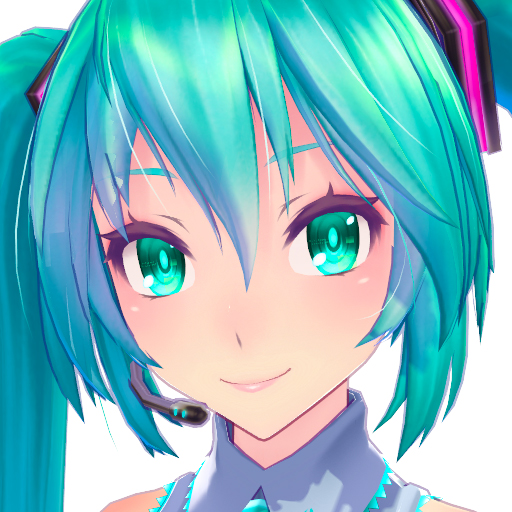
Tda Hatsune Miku - Version 2 Revision 1 December 26, 2014 Credits: - Tda: Original model - Kanekoran: Original Miku classic edit - CaptainBigButt: Porting, rigging, editing - Satariia: Miku v3 skin variant - Sculp: Posing (Images 1 and 2) Get the optional features here: http://steamcommunity.com/sharedfiles/filedetails/?id=309799000 Features: - Jigglebones - Faceposing - Eye flexes (faceposing) - Polished Materials - First Person Arms - PAC Bodygroups (hair) - Custom Proportions / Height - Skin Variants
TDMCars - Aston Martin
por 76561197994097627
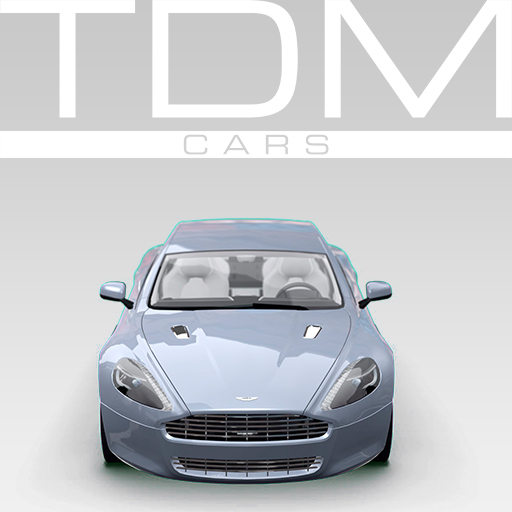
This is the Aston Martin manufacture pack with all the Aston Martin vehicles found on the SVN. If you have the SVN, please do not subscribe to this addon! The pack currently contains: Aston Martin DBS Aston Martin DB5 Aston Martin Rapide Aston Martin V12 Vantage The following is required if you want this to work properly! TDMCars - Base Pack <--------- Model detail must be set to High! This is very important! If you are interested in making skins, templates for Aston Martin are found right here If you have no clue what this is, don't click it.. Please have a look at this guide instead of wasting your time asking questions that are already answered. TDMCars - How to use You can request all you want but it is 100% ignored by me. Occasionally I am hosting request events on Facebook. The fan page is located here TDMCars on Facebook
gm_BlackMesa_Sigma
por 76561197989875617
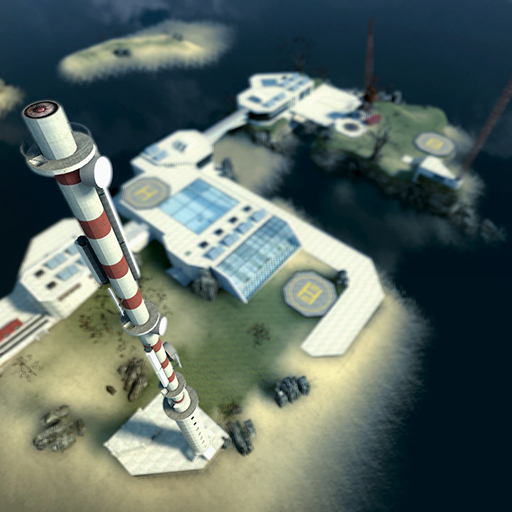
Get the night version here: https://steamcommunity.com/sharedfiles/filedetails/?id=104482189 !!To remove the overbright bloom, open the "post-processing"-tab, enable bloom and set the multiply amount to 0 If the reflections are too bright, you can disable them in the console with "mat_specular 0" Features: - Modern, clean setting - Tons of custom content - All buildings are highly detailed and enterable - Lots of rooms with fully functional doors and gates - A portal leading to the mysterious dimension of Xen - A huge radio mast to climb - An underground-area with an reactor - Two relay-stations - Lots of space to build - Many objects to interact with - AI nodes providing excellent AI-pathfinding - Two smaller islands - 4 Helipads - Two working elevators - A big skybox with lots of airspace - HDR - A 3D-skybox --- Credits: Me (TimRichter, aka. Freakrules) for the concept, the map and most of the custom textures. Komaock ( http://www.gamebanana.com/textures/3007 ) for the skybox. Superb as usual :D Kloetengott (gaming-models.de) for making the Solarpanel-texture. Nebukadnezar (gaming-models.de) for making the plants. Needs Halflife2-content
GMod Tower: Player Model Pack
por 76561197972354223
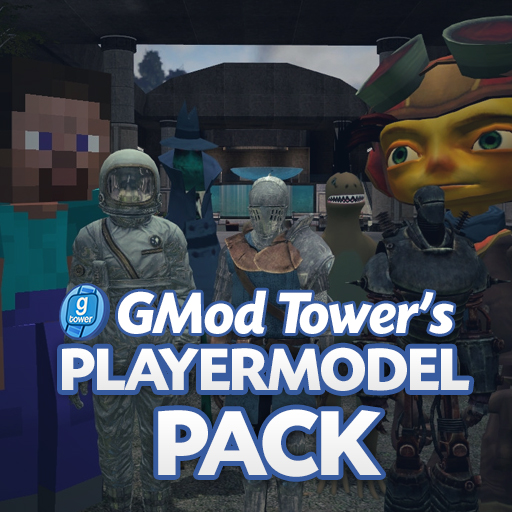
**NOTE: THIS PLAYER MODEL PACK WILL NO LONGER BE UPDATED.** This is a pack of all the player models that were used in GMod Tower. Yes, they are compatible with Sandbox. Most player models have coloring support unique to their original models. Credits for coloring: Vipes, MacDGuy, Digi About the Creators There are 9 player models that were created by the GMT developers. The rest were created by other authors, most of which have allowed us to use them. For example, Jason278 allowed us to use his player models. If any author of the following models do not wish for us to use their models, please contact me and I will take them off ASAP. I have tried to find the authors for each player model, but some of them are impossible for me. Some of the authors link to their Workshop upload. Please subscribe to them as well! I am currently adding all the original authors as contributors to this pack. It is a slow process, though. Player Model List Agent Smith - By Captain Charles Alice - By S-low and ThisDude Altair - By Cerebrate Aperture Haztech - By Captain Charles Big Boss - By Voikanaa Boba Fett - By Captain Charles Carley - By NikouT Chewbacca - By Captain Charles Chris Redfield - By Jason278 Classy Gentleman - By Captain Charles Crimson Lance - By Vipes Danboard - By .V Deadpool - By vad36 and natko Deathstroke - By Norpo, NikouT, and Granty Dinosaur - By Sam Dishonored Assassin - By NikouT Doomguy (Quake 3) - By EonDynamo Faith - By Voikanaa Freddy Kruger - By PYROTEKNIK G Men - By Sam Gordon Freeman - By Unknown (please let us know!) Harold Lott - By IgnisCitrinus Harry Potter - By Voikanaa HEV Suit Helmet - By LukeG Iron Man - By Dusty Isaac Clark - By Unknown (please let us know!) Jack Skellington - By Vinrax Jack Sparrow - By Voikanaa Jailbreak Source Robot - By Vipes Jawa - By Captain Charles Joker - By Jason278 and S-low Kilik - Original author currently unknown Knight - By Mr. Sunabouzu L4D Hunter - By Jason278 Leon - By Jason278 Liberty Prime - By Sam Link - By PYROTEKNIK Luigi - By Unknown (please let us know!) Mario - By Unknown (please let us know!) Marty - By Unknown (please let us know!) Masked Breen - By Mr. Sunabouzu Mass Effect 2 Inferno Armor - By Silver Spirit UK Mega Man Volnutt - By Vinrax Midna - By MacDGuy/Nican Minecraft Steve - By Sam and Foohy Niko - By Jason278 Postal Dude - By Jason278 Rayman - By Max Raz - By Noodleneck's Friend/Nican Red - By Masterlegodude Robber - By Captain Charles Roman - By PYROTEKNIK Rorschach - By Captain Charles and S-low RP Cop - By DPotatoman Scarecrow - By SilverSpiritUK and S-low Scorpion - By Jason278 and S-low Shaun of the Dead - By RustyZombie and Jason278 Skeleton - By Sam Spacesuit - By Sam Spartan (Halo 1) - By Vipes Stormtrooper - By Captain Charles Subzero - By Jason278 and S-low Tesla Power Armor - By Captain Charles and S-low TF2 Spy - By Dr. PySpy The Arrow - By PYROTEKNIK Tron Anon - By Rokay Undead Combine - By Jason278 Walter White - By The Scientist and Saintbrutal Wind Ranger - By BlueFlytrap Yoshi - By MacDGuy Zelda - By FluxMage Zero Suit Samus - By FluxMage Zero - By Vipes Zoey - By Captain Charles Please use and credit the original author's addons whenever possible! Names may change due to the nature of Steam, the links are more important!

TDMCars - McLaren
por 76561197994097627
This is the McLaren manufacture pack with all the McLaren vehicles found on the SVN. If you have the SVN, please do not subscribe to this addon! The pack currently contains: McLaren F1 McLaren GT MP4-12C GT3 McLaren P1 The following is required if you want this to work properly! TDMCars - Base Pack <--------- Model detail must be set to High! This is very important! If you are interested in making skins, templates for McLaren are found right here If you have no clue what this is, don't click it.. Please have a look at this guide instead of wasting your time asking questions that are already answered. TDMCars - How to use You can request all you want but it is 100% ignored by me. Occasionally I am hosting request events on Facebook. The fan page is located here TDMCars on Facebook
ARC9 Weapon Base
por 76561198072670107
"The conqueror is always a lover of peace; he would prefer to take over our country unopposed." -- Carl von Clausewitz, on War ARC9 is a modern weapon base and a successor to the ArcCW base that brings customization to an entirely new level. Infinite possibilities with community-crafted content at its core, allowing you to customize your weapon in ways never before possible. Once upon a time, when I had barely just started playing Garry's Mod, I dreamed about a weapon base that would truly allow for weapons like nothing else. In 2015, I lacked the skills to make this a reality. After a year in development, I am pleased to report that that is no longer the case. >>> JOIN THE DOVES INTERNATIONAL DISCORD SERVER <<< Features - Extensive customization with attachment subslots - Third-Person Inverse Kinematics (TPIK) - Animations are shown in third-person! - Support for Stickers, Camouflages and Charms (Only on supported weapon packs) - Dynamic Icons for HUD & Killfeed - They even display attachments! - Saveable and exportable Weapon Presets - Share them with your friends and family! - Quick-Throwable grenades - Bind a button to +grenade1 - Highly customizable settings to make ARC9 work just like you want it to - Controller-Friendly Mode - Glyphs, Aim Assist and more - Fully translated to Russian, German, Spanish, Swedish & Chinese Improved features from previous bases - Full NPC Support - Physical Bullets with ricochets & penetration - Free Aim & Sway, now with breath hold mechanic! - Weapon Malfunction & Overheat Mechanics - Functional attachments - Advanced scopes, Underbarrel weapons, Bipods, and more - Dynamic weapon stats And much more! FAQ For users Question Answer Where are the weapons? This is just the weapon base. You can find ARC9 weapon packs on the Steam Workshop. Where are my attachments? Ensure that Free Attachments is enabled in your ARC9 Settings (under 'Attachments & NPCs'). Can I blacklist attachments from being used? You can open a Blacklist Menu in the ARC9 Settings (under 'Attachments & NPCs') where you can restrict attachments from being used. Can I use different keybinds? You can bind +arc9_melee / +arc9_ubgl / +arc9_inspect / +arc9_switchsights to use a single key action instead of a two-key action. Can I always show the controls? You can ensure controls are always visible, only visible when performing certain actions (such as aiming) or always hidden through the ARC9 Settings (under 'Game HUD'). Why was the ability to lean removed? Can I have it back? The official leaning implementation within ARC9's base code wasn't well made and we have delegated this feature to what is known as the "RelaxTakeNotes" leaning mod. We've worked with them to add proper ARC9 feature support. You can get it here: https://steamcommunity.com/sharedfiles/filedetails/?id=3138563659&searchtext=lean How do I use Super Modifiers? Super Modifiers let you broadly change a specific aspect of every weapon running on ARC9. An example would be to make every weapon have 25% less spread while crouching or 100% less volume when suppressed. By default, there is a wide range of options to pick from. Start by selecting a type of stat you want to modify, then select a condition that is required for this stat change to take effect (i.e. when the user is crouching or if the weapon is suppressed). For advanced users who know how this system works and needs a reference sheet of ALL supported ARC9 functions, refer to here: https://github.com/necoarctic/ARC-9/blob/main/lua/weapons/arc9_base/shared.lua . Remember to remove "SWEP." from your statistic, as Super Modifiers does not need (and will not work) with that data. For developers Question Answer Can I get help with development? Join our Discord server! There you'll find developers who can help you. You can also check the GitHub repository Where can I get Workshop asset templates? Right here I wanna make stickers! Where do I start? You can easily make stickers by using the NEW sticker pack maker (courtesy of user Midawek) Credits - Arctic - The one and only - Darsu - Coding, bug fixes, UI design, models, Russian translation - TheOnly8Z - Coding, bug fixes, UBGL system, Chinese translation - Fesiug - Controller-friendly mode, UBGL system, coding, bug fixes - Radon - Code optimization - Hyouin Kyouma - Coding, bug fixes - WholeCream - TPIK code - Onge org - TPIK improvements & optimization - Twilight Sparkle - Assets - Cturix & rzen1th - Sounds - Mushroom guy - Envmap fix - SherrifDoggo - Model for Gun Screen - Neosun - Graphics & workshop assets - Palindrone - Coding - Moka - Coding, bug fixes, Swedish translation - NeonX - Spanish translation - Ma_rv & Marig - German translation - The Diamond Doves Community - Included Stickers
Five Nights at Freddy's Gamemode
por 76561197996826023
The gamemode goal is to improve the gaming experience on the FNaF map! - Subscribe to download the gamemode - Download Freddy Fazbear's Pizza - Make sure that you have Counter Strike: Source installed and mounted for Freddy Fazbear's Pizza. - Five Nights at Freddy's Animatronics for the animatronics models. - I recommend you to subscribe to all the addons in this collection - Select the gamemode - Select the freddysnoevent map - Enjoy! - "fnafgm_sgvsa 1" or press F1 and click on "Toggle SGvsA" - How to play as animatronic: https://youtu.be/N8Uc08KtJ2E - Freddy Fazbear's Pizza. - Five Nights at Freddy's Animatronics for the animatronics models. - Security Guard Playermodels for the playermodels fallback. ➡ FAQ ➡ Installation on a Dedicated Server ➡ Customise the gamemode ➡ The gamemode is on GitHub "Five Nights at Freddy's" is a game by Scott Cawthon. ❗ Please carefully read all the description and the FAQ ❗ ❗ Free public support and feedback has been closed ❗
gm_boreas
por 76561197973077536
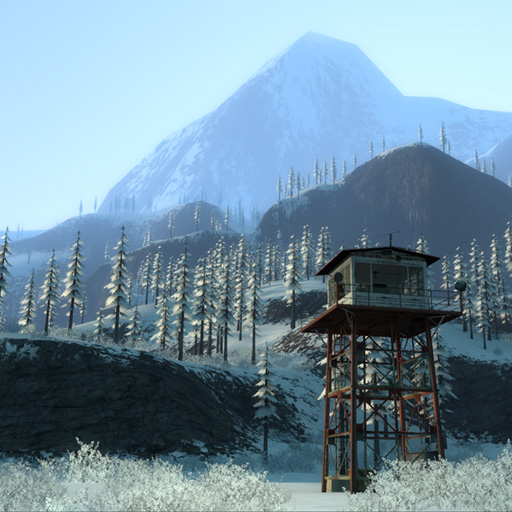
A large, snowy landscape with a sprawling underground research facility. No other games or addons are required! To fix crashes and lag/performance issues, read this thread. For other issues, check out the FAQ and troubleshooting guide first. Features - An underground base with multiple entrances and many detailed rooms to explore - A large terrain (maximum map size) with mountains and trees - Lots of bendy roads to drive on - Landing strips and a tall skybox for flying - Several above-ground buildings with interiors - HDR and LDR support - NPC/NextBot navigation support - Custom soundscapes If you like this map, check out my other map gm_fork as well! Special thanks - Grenade Man for providing modified HL2 door models - Textures.com for custom textures - The Facepunch mapping community for testing and feedback Source VMF The source files are free to download here: https://steamcommunity.com/workshop/filedetails/discussion/1572373847/2843417619896858248/ If you enjoy my work, please consider donating via PayPal or supporting me on Patreon: https://www.paypal.me/wouterpleizier https://patreon.com/blueberry_pie
Garry's Mod Guides
Configurar um servidor Garry's Mod e ativar o modo TTT
Configura um servidor Garry's Mod, ativa o TTT, liga uma Workshop Collection, usa ULX e resolve erros típicos de forma estruturada.
Instalar addons do Workshop do Garry's Mod
Aprende a instalar addons do Workshop do Garry's Mod no teu servidor: Collection-ID, Steam Web API Key, download automático e resolução de problemas.
Alugar um servidor Garry's Mod – TTT, DarkRP e PropHunt
Configurar um servidor Garry's Mod: escolher modo de jogo, manter a server.cfg, ligar uma Collection do Steam Workshop e testar TTT, DarkRP ou PropHunt.
Servidor Garry's Mod com suporte a mods
Crie o seu próprio servidor Garry's Mod em poucos minutos.
Alugar um servidor Garry's Mod