Моды и плагины для Garry's Mod
В этом каталоге перечислено 1 984 000+ проектов Garry's Mod из Steam Workshop. Они могут быть серверными, клиентскими или требоваться с обеих сторон, а также включать карты и другой пользовательский контент. Перед установкой проверьте связанную страницу источника, версию игры и зависимости.
![[LW] 1992 Lancia Delta Integrale – Garry's Mod Mod](https://images.steamusercontent.com/ugc/3405020349356455354/344D14404990BFB3961C87FD9D2844B2163EA481/)
[LW] 1992 Lancia Delta Integrale
автор 76561198073265803
A driveable Lancia Delta Integrale by me. My first released car, expect more in the future! Fully colourable, with guage and steering wheel animations, and has a few bodygroups. Big thank you to AaO|Davis® for the sounds and carbon texture! Follow progress on VCmod.net! Follow progress on Facepunch! F.A.Q.: Q: How do I drive this? A: Spawn it from the Vehicles menu, they are under LWCars. Q: Why do they not have lights? A Because I dont have/cant buy VCmod, when it is released properly I will start adding lights to them Q: Can you make ? A: I dont take requests, Sorry.
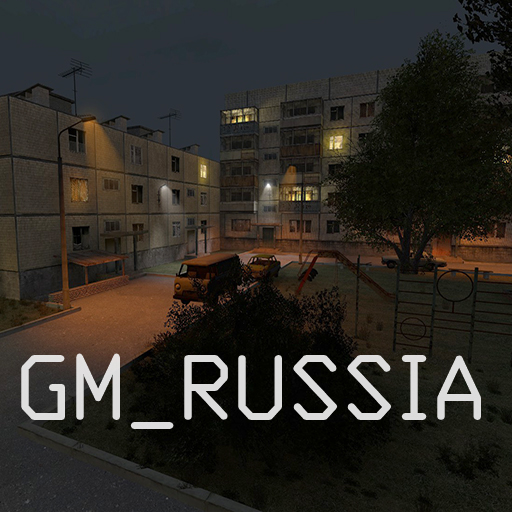
gm_russia
автор 76561198161080052
Outskirts of the Russian town. Night is coming, it's time to go home. But you stayed to enjoy these moments, when the street is empty and only the distant sounds of passing cars or barking dogs are heard. The map is on the way: Sandbox ---> gm_russia Map info: -All content is sewn into the map. -Soundscapes. -Entrance with apartments. -Dorm with rooms. -Sewerage. -Basement. -Boiler room. -Radio can be turned on or off (Don't worry about copyright, all the music on the map can be easily inserted into the video.) Important points: -To increase FPS, write gmod_mcore_test 1 -There are no cubemaps on the map, respectively, there are no reflections either, so if there are visual glitches, write mat_specular 0 I must say right away that I had to give up a lot, including NavMesh, since I exceeded the limits. If there are too many Entities on the map, then some things simply refuse to work, so that's it. Have a nice game :) Support the author: Yoomoney - 4100116438671818 WMR - R208605151199 WMZ - Z689590576118
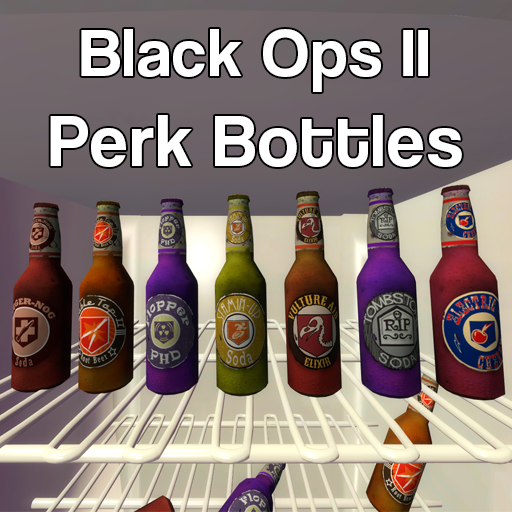
Black Ops Zombies Perk Bottles (Sandbox/TTT)
автор 76561198026871712
If you have any questions/comments/concerns, feel free to ask in the comments! These are a series of perk bottles from Black Ops Zombies! You can get them in sandbox and ttt. Current bottles: - Juggernog - PHD Flopper - Double Tap - Stamin-Up - Vulture-Aid - Electric Cherry - Tombstone Juggernog When drank, you will gain 150 health. The perk is removed once you lose that 150. PHD Flopper Drinking it removes all fall damage and self-caused explosion damage, and creates a small explosion when you land from a semi-high fall while crouching. It creates the explosion at the height where you'd take fall damage. Stamin-Up Stamin-Up makes you walk and sprint much faster. Double Tap 2.0 Double tap doubles your damage from every shot. In TTT, it doubles your firing speed. Electric Cherry Electric Cherry creates a shock-lightning upon reloading. It has a cooldown of 2.5 seconds, preventing you from spamming reload. Vulture-Aid When drank, Vulture-Aid makes enemy NPCs and players drop ammo boxes when they are killed. Sometimes a green smoke cloud will spawn too, which will make the player invisible to enemy NPCs when standing in it. Tombstone Players with tombstone will spawn a grave where they died. When a player returns to the tombstone and interacts with it, they will get all their weapons back. Dying with tombstone while another tombstone is already active will replace the old one, and those items will be lost. Random Perk Bottle Entity When walked through, a player will be given a random perk bottle from all of the available bottles. If a player has the random perk, it will find one that the player doesn't have. If they already have all of the perks, the player is ignored and nothing happens. Someone else can pick up the perk instead. Thanks to: Treyarch - Models & Animation Myself - Porting, coding, etc Roach - Vulture aid smoke Server Owners Use resource.AddWorkshop("273623128") to forcedl all the files. CVars: Perks_PerkLimit (default 0 = all of them) Perks_Jug_BonusHealth (default 150) Perks_VultureAid_SmokeChance (default 20) Perks_VultureAid_AmmoChance (default 10) Perks_DoubleTap_DamageMultiplier (default 2) Perks_ElectricCherry_Damage (default 50) Perks_ElectricCherry_Cooldown (default 2.5 seconds) Perks_ElectricCherry_Radius (default 100) Perks_Staminup_RunSpeed (default 2.0) Perks_Staminup_WalkSpeed (default 2.0) Perks_PHDFlopper_Magnitude (default 75) Perks_PHDFlopper_ProtectSelfOnly (default 1) Perks_TTT_DoubleTap_EnableFastShoot (default 1) Perks_TTT_DoubleTap_FastShootMultiplier (default 2) FAQ: Q: Can I change something in the code and reupload my own version? A: No. The code is my own and thus protected under copyright. Q: How do I disable fast firing speed in TTT for Double Tap? A: Use the cvar 'Perks_TTT_DoubleTap_EnableFastShoot 0' Q: Why is Speed Cola not in? A: Every weapon base handles reloading differently, so it's not possible to account for all of them. Q: Why are there no newer perks like Widow's Wine, etc? A: There are way too many perks so I set a stopping point at Black Ops 2 Zombies perks Q: Are there going to be perk machines? A: I will release a separate addon for machines, coming soon(tm) Q: How do I limit the amount of perks a player get? A: Use the cvar: Perks_PerkLimit (default 0)
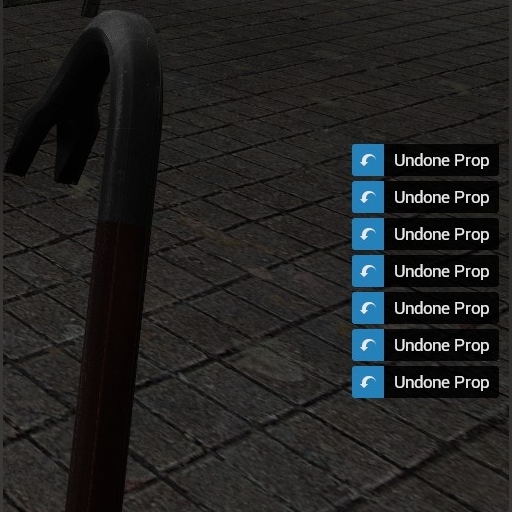
Modern Notifications
автор 76561197997619351
Little cosmetic update for default Sandbox notifications.
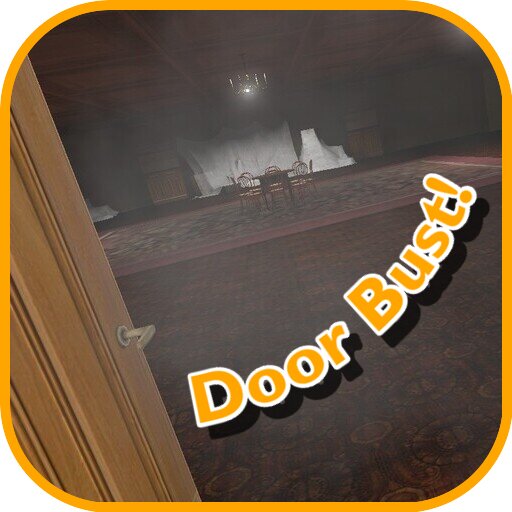
Door Bust!
автор 76561198117987960
Always wanted to just run into the door and bust it on full speed? Well, now you can! This small addon lets you do badass door busting while sprinting (so you won't have to open it with "+use" while running away from NextBots, for example) Features: • Ramming through one or double doors or even most breakable glass • Player third person bust animation • Cool ahh dust effects Works with prop_door_rotating and func_door_rotating (almost) entities now! Doors must NOT be locked. Commands: Everything that starts with "bust" in console (Also there are options in menu) Special thanks to 22050hz amen break sample for help and improving stuff! Happy busting! FAQ: Q: It doesn’t work in multiplayer! A: It have to. You’ll probably need to wait a little time after joining the server to make it work Q: No sound! A: Try to disable all addons and try it again. I don’t know why, but sometimes addons can mute sounds of each other. Also, if you have manually mounted content from other games (CS:S, TF2, EP1…) in your “addons” directory then you’ll probably have to delete sound script file from “lua” directory (or just delete all scripts from mounted game content folder) Q: There are effect and sound, but the door won’t bust A: There are 2 possible cases: • You probably tried to bust through the wrong side of the door if it's “func_door_rotating” entity. • You tried to bust into the LOCKED door. Heavily inspired (and also yoinked some code) by Mighty Foot Engaged. Check it out Map from the video: Places from your Dreams Hands I used: Apex Legends: Holster/Melee SWEP (And some VManip stuff) Gru Nextbot is from Ultimate Nextbots Pack

Custom ULX Commands
автор 76561198139167950
-- Original CULX Created by http://forums.ulyssesmod.net/index.php?action=profile;u=6288 -- This is a updated and optimised version of Custom ULX Commands, we make sure it runns as best as possible and also complies to any Gmod Rule changes like the operator one! List of commands: - ulx administrate - Cloak yourself, noclip yourself, and god yourself. (say: !admin) (opposite: ulx unadministrate) - ulx bancheck <string> - Checks if a steamid or ip address is banned. (say: !bancheck) - ulx banip <minutes, 0 for perma: 0<=x> <address> - Bans ip address. - ulx bot - Spawn or remove bots. (say: !bot) (opposite: ulx kickbots) - ulx cancelcmd - Runs the specified command after a number of seconds. (say: !cancelcmd) - ulx cleardecals - Clear decals for all players. (say: !cleardecals) - ulx color <players> <color> - Add trails on players. (say: !setcolor) (opposite: ulx resetcolor) - ulx convar <variable> <value> - Change a server ConVar. (say: !convar) (opposite: ulx sconvar) - ulx csaycolor <message> <color> - Send a message to everyone in the center of their screen with color. (say: !csaycolor) - ulx dban - Open the disconnected players menu (say: !dban) - ulx donate - View donation information. (say: !donate) - ulx enter <player> - Force a player into a vehicle. (say: !enter) - ulx exit <player> - Force a player out of a vehicle. (say: !exit) - ulx explode <players> - Explode a player (say: !explode) - ulx fakeban <player> - Doesn't actually ban the target. (say: !fakeban) - ulx fbring <player> - Brings target to you and freezes them. (say: !fbring) - ulx forcerespawn <players> - Force-respawn a player. (say: !forcerespawn) - ulx frags_deaths <players> <number> - Set a player's frags and deaths. (say: !frags) (opposite: ulx deaths) - ulx friends <player> - Print a player's connected steam friends. (say: !friends) - ulx fteleport <player> - Teleports target and freezes them. (say: !ftp) - ulx getcommandtable <player> - Get a player's table of concommands that have been added with lua (say: !getcommandtable) - ulx gethooktable <player> - Get a player's table of hooks that have been added with lua (say: !gethooktable) - ulx give <players> <entity> - Give a player an entity (say: !give) (opposite: ulx sgive) - ulx giveammo <players> <amount: 0<=x> - Set a player's ammo (say: !giveammo) (opposite: ulx setammo) - ulx gravity <players> <gravity> - Sets target's gravity. (say: !gravity) - ulx hide {command} - Run a command without it displaying the log echo. (say: !hide) - ulx hook <type> <identifier> <args> <string to run> - Hook a function to run a string on the server. (opposite: ulx printhooks) - ulx ip <player> - Copies a player's IP address. (say: !copyip) - ulx jumppower <players> - Set a player's jump power. Default=200 (say: !jumppower) - ulx launch <players> - Launch players into the air. (say: !launch) - ulx maprestart - Forces a mapchange to the current map. (say: !maprestart) - ulx material <players> <material> - Set a player's material. (say: !material) (opposite: ulx resetmaterial) - ulx model <players> <model> - Set a player's model. (say: !model) - ulx multiban <players> - Bans multiple targets. - ulx notepad - Open the admin note (say: !notepad) - ulx notifications <players> <text> <type> - Send a sandbox-type notification to players. (say: !notifications) - ulx pgag <players> - Gag target(s), disables microphone using pdata. (say: !pgag) (opposite: ulx unpgag) - ulx printpgags - Prints players who are pgagged. (say: !printpgags) - ulx profile <player> - Opens target's profile (say: !profile) - ulx removehook <type> <identifier> - Remove a previously added hook. - ulx removehookcl <player> <type> <identifier> - Remove a previously added hook. - ulx removeragdolls - Remove all ragdolls. (say: !removeragdolls) - ulx resetdata <player> - Reset easter egg data. - ulx resetmap - Resets the map to its original state. (say: !resetmap) - ulx runscript <pathname> - Run a lua script on the server. (opposite: ulx srunscript) - ulx runscriptcl <players> <pathname> - Run a lua script on target(s). (opposite: ulx srunscriptcl) - ulx sasay {message} - Send a message to currently connected superadmins. (say: $) - ulx sban <player> - Bans target silently. (say: !sban) - ulx scale <players> <multiplier: 0<=x, default 1> - Set the model scale of a player and also changes the players viewpoint depending on what scale was set. (say: !scale) - ulx sendlua <players> {string} - Run a lua string on a client. ssendlua = silent echo (say: !sendlua) (opposite: ulx ssendlua) - ulx serverinfo - Print server information. (say: !serverinfo) - ulx setwarp <name> - Sets a warp position. (say: !setwarp) - ulx shock <players> - Shock players (say: !shock) - ulx skick <player> - Kicks target. (say: !skick) - ulx soundlist - Open the server soundlist (say: !soundlist) - ulx speed <players> <walk speed: 0<=x<=20000, default 0> <run speed: 0<=x<=20000, default 0> - Sets target's speed. Set a value to 0 to leave it unchanged. Set both to 0 to reset (say: !speed) - ulx stopsounds - Stops sounds/music of everyone in the server. (say: !ss) - ulx thirdperson - Toggles third person mode (say: !thirdperson) - ulx timedcmd <command> <seconds: 1<=x> - Runs the specified command after a number of seconds. (say: !timedcmd) - ulx timescale <multiplier: default 1> - Set the server timescale. (say: !timescale) (opposite: ulx resettimescale) - ulx trail <players> <color> <Start Width: default 16> <End Width: default 0> <Length: default 5> <type> - Add trails on players. (say: !trail) (opposite: ulx removetrail) - ulx tsaycolor <message> <color> - Send a message to everyone in the chat box with color. (say: !color) - ulx unbanip <address> - Unbans ip address. - ulx unvotegag <players> - Ungag the player (say: !unvotegag) - ulx unvotemute <players> - Unmute the player (say: !unvotemute) - ulx url <players> {url} - Open a URL on target(s). (say: !url) (opposite: ulx surl) - ulx votegag <player> - Starts a public vote gag against target. (say: !votegag) - ulx votemute <player> - Starts a public vote mute against target. (say: !votemute) - ulx warp <name> - Warps to a set position (say: !warp) - ulx watch <player> {reason} - Watch or unwatch a player (say: !watch) (opposite: ulx unwatch) - ulx watchlist - View the watchlist (say: !watchlist)
My Nightmare
автор 76561198040070582
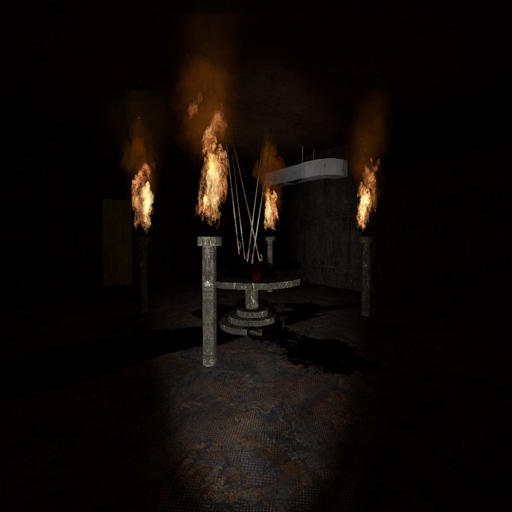
--A Horror Map-- PLEASE SUPPORT! -- LIKE THIS IF YOU ENJOYED IT! READ EVERYTHING BELOW: TELL YOUR FRIENDS! My new horror map is finally out! Rules: *This is classic style, play with the default Sandbox Gamemode! *NO FLASHLIGHTS - type mp_flashlight 0 in the console *NO AMNESIA LANTERN, DAMMIT! USE THE ONE I GIVE YOU IN THE MAP, OR ELSE IT WON'T WORK RIGHT!!!!! *NO MINECRAFT TORCH, OR OTHER LIGHT SOURCES EXCEPT FOR THE MAP's LANTERN, PERIOD! *You may find pillars with glowing orbs on them, press 'e' on them to save that location as a respawn. If you die, your friends can come and pick you up at the latest save-pillar. Enjoy! Credit to to DrVrej for the custom models! Tags: Scary, Horror, Ghost, Nightscout, Nightmare, Zombie, Coop, Co-op, Multiplayer, Monsters, Map, Awesome, Spooky, Eerie, Custom.

SW Blue-X14
автор 76561198010984952
A tron style armed car. Please read the description for all informations about the addon! Click for the terms of use. Special thanks to: - Grocel - Timo - Lyzz - Clanof - Marcel - Das Schaf - Tagar - Spacecode - Camotrax Requirements: - You need to have the SW Base Addon installed! Info: - The PVP version will explode if you leave the car. It's supposed to mean giving up. Console command: - sv_sligwolf_reload_addon bluex14 Controls: - W (+forward) = Forward - S (+back) = Backward - A (+moveleft) = Steer Left - D (+moveright) = Steer Right - Space (+jump) = Handbrake - Shift (+speed) = Fire Gatling Gun - LMouse = Fire Rocket - RMouse = Drop Mine Changeable controls: - R = Flip Car - Keypad 1 = Extra Camera Left - Keypad 2 = Extra Camera Front - Keypad 3 = Extra Camera Right - Keypad 4 = Extra Camera Back Comments and feedback: In order to centilize our addon maintenance efforts, the comments has been disabled in all addons. Please go to the SW Addons Group to comment and give feedback on our addons. Mind the rules, though! Any problems? Please read those: ► FAQ & Common Issues ► Troubleshooting Still got problems? Post here: ► Bug Reports Please read the description for all informations about the addon! Click for the terms of use.
MW/WZ Skydive/Parachute + Infil
автор 76561198054342556
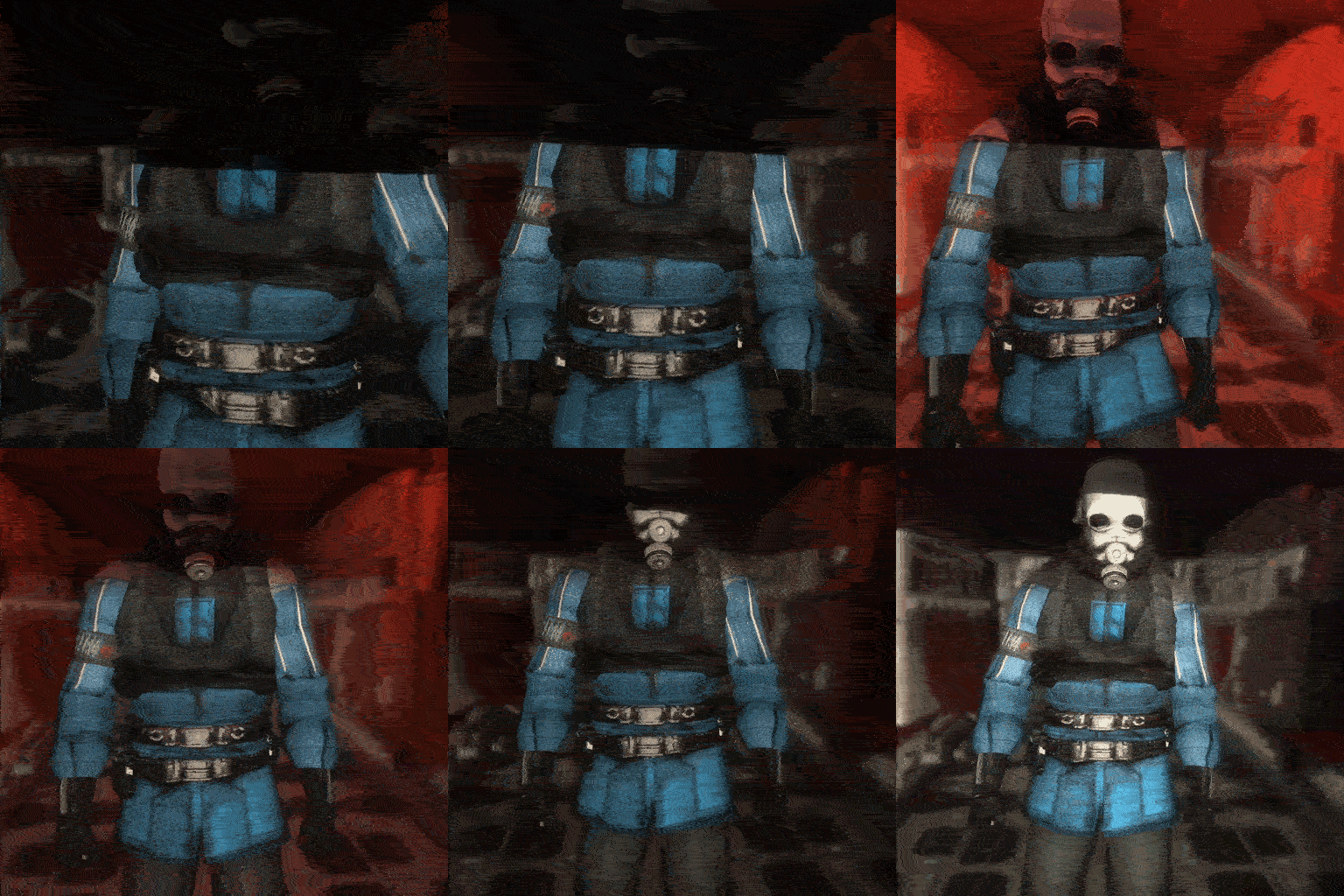
if you were unironically linked to this by like a resume that's probably full of ai slop, just tab back and deny them, you're welcome --- Call of Duty: Modern Warfare / Warzone Skydiving, Parachute, and Infil plane all in one. --- Controls: 1. Open the Path Editor or jump off a building idk and then read the awesome in-game tutorial. 2. After setting the plane path, go into the Q menu options and select the launch menu. --- GAME/MAP HDR IS REQUIRED to infil. Game looks awful without it anyway so. Set shadow quality to highest to have real-time shadows. FOV/Viewbob addons can cause issues as they can take-over the camera. Console Commands under vwarzone_ --- Credits: cuda - scripting, asset porting, etc rische - parachute, skydive animations IW --- dont reupload, i will always update eventually trust me bro
Advanced Light Entities
автор 76561198046273552
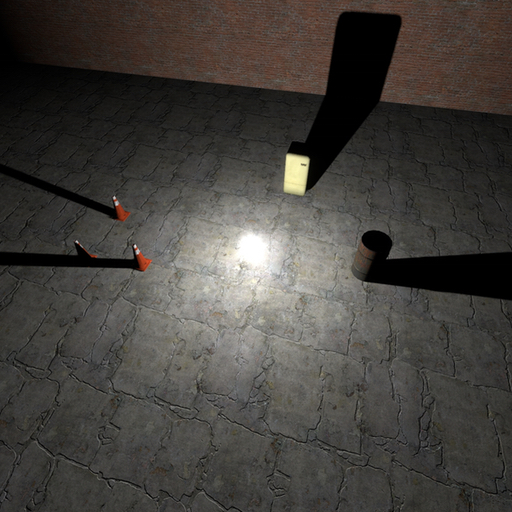
2026/7/6 A new update is here! This update is mostly an "internal" update (refactoring, optimizations, bug fixes, and general code cleanup). The only significant "user-visible" feature is the addition of an option to disable shadow updates for the projected light and the expensive light. This update improves my special "code-organizing system" and should fix potential issues with files not loading correctly in multiplayer. After extensive testing, this update should not break anything from previous versions (unless you are a modder and have been doing extremely hacky things that you really should not be doing). However, let me know if anything is not working! I am ready to revert to the previous version if anything breaks. Update Summary: - Extensive code cleanup (refactoring, optimizations, etc.). - Updated my special "code-organizing system". - Potentially fixed some bugs, such as issues with files loading in multiplayer. - Added the option to control shadow updates for the projected light and the expensive light. - Maybe more. Notes on Compatibility with the Original Legacy Version: - All six original light entities from the old version of this addon are still implemented in this current version! This means that this current version should not break any content that uses the old version, as the original entities still exist in the game (they're just not in the spawn menu by default). However, let me know if anything does not work correctly! - Because the original legacy entities still exist alongside the new ones, you can still spawn them if you need to. You can do this by right-clicking on an icon for a light entity, going to "Spawn other version", and clicking on a class name: You can also spawn them by using the console command gm_spawnsent with the name of the entity class, like this: gm_spawnsent cheap_light The class names of the legacy entities are cheap_light, expensive_light, expensive_light_new, projected_light, projected_light_new, and spot_light. - Certain other mods (such as Stop Motion Helper and similar) that have support for the old version of this mod may not yet have support for the new entities. Until those other mods update to be compatible, you can spawn the original legacy entities to use with them as explained above. - I felt having a separate cleanup option for each type of light entity was cluttering the cleanup menu, so I replaced the separate options with a single "Advanced Lights" option. - If you have any issues with the new version, set the console variable advlights_legacy to 1 and restart. This will disable all new content and make the original legacy light entities available from the spawn menu again (but without spawn icons). This will also restore the original cleanup options. - You can convert a legacy entity to a new version using the console command advlights_update. Calling this with "trace" will convert the entity you're looking at, using "pvs" will convert all lights in the current potentially visible set, and using "world" will convert all lights in the current map. Using a number as a second optional parameter allows you to specify a delay. Currently, this concommand simply replaces the old entity with a new entity and copies over light settings. It does not copy any other external things, including attached constraints! Description: This addon adds four simple entities to the game: - A one-of-a-kind, shadow-casting point light - A normal ("cheap") point light - A projected light - A "spot" light (that uses the built-in light_dynamic entity) Each entity is very basic and fully editable! You can spawn them from the entities tab in the spawn menu, and you can edit them by right-clicking from the context menu and selecting "Edit Properties". The "cheap" point light is the same kind that the light tool creates, and the projected light is the same kind that the lamp tool creates. What makes these entities so special is that they are very simple -- no models, no ropes -- just the basic light. And they are also fully editable! They can have any of their many properties changed in real time, just like the editor entities! You can use the material tool and the lamp tool to change the texture of the projected light, and you can use the color tool and the light tool to change the color of any light! Notes: - You must have Shadow Detail set to High for shadows to work! From the main menu, go to Options -> Video -> Advanced -> Shadow Detail and set Shadow Detail to High. If there is no option for High, try this: From your game library, right click on Garry's Mod, go to Properties, click on SET LAUNCH OPTIONS... and try adding: -force_vendor_id 0x10DE -force_device_id 0x1180 or -force_vendor_id 0x10DE -force_device_id 0x1180 -dxlevel 95 - To spawn more than one expensive light you must increase the number of shadow textures. The projected light uses 1 shadow texture and the expensive light uses 6 shadow textures. By default, the engine does not support more than 8 shadow textures. To increase this number, do this: From your game library, right click on Garry's Mod, go to Properties, click on SET LAUNCH OPTIONS... and add: -numshadowtextures 16 You don't have to use exactly 16, but don't set it too high. - Textures not specifically made to be projected may not project correctly on to models in Windows, and may not project correctly on to anything in OSX or other operating systems. - The "Simple FOV Mode" setting for the projected light makes the light entity simply obey the "FOV" setting. Disabling this setting will make the entity obey the separate "Horizontal FOV" and "Vertical FOV" settings, which don't seem to currently work correctly.
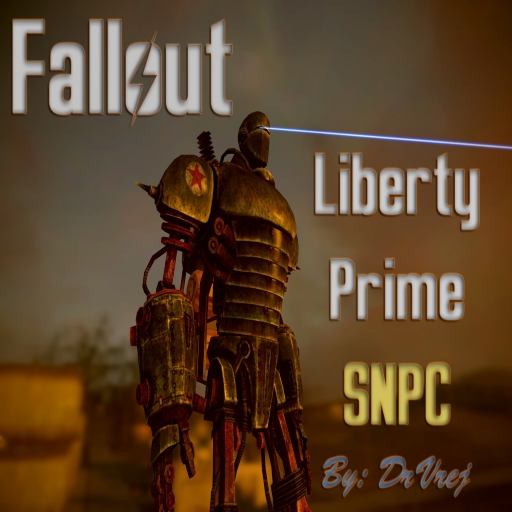
Liberty Prime SNPC
автор 76561198005642324
Welcome to Liberty Prime SNPC! *NOTICE* VJ Base is required for this addon to work! Link Update Changelogs are located in the Change Notes. FEATURES Check VJ Base's workshop page for full feature list! - Adds 2 New SNPCs & Entities - Friendly Liberty Prime - Enemy Liberty Prime - Mini nukes! - Lasers! - Stomps any communist that comes close! - Anti-communist! - 30k health! - Awesome death scene! - Has an awesome sound track! - War Of The Monsters OST - Robo 47 (Fight) CREDITS - DrVrej(Me) - Everything, from coding to fixing models and materials to sound editing - Steph - Original particle for the Mini Nuke - Bethesda Softworks - Original models and sounds - Silverlan - Model port
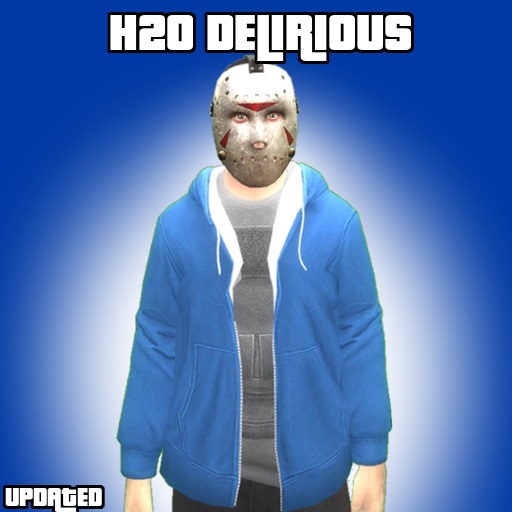
H2O Delirious Player Model
автор 76561198013819520
Here it is, a H20 Delirious Player Model. Includes Player model Ragdoll Finger Posing Feature Credits and Huge Thanks To Rockstar- Clothes, Textures, models Super Chief- (me) making it to a player model, porting models and textures from GTA V & rigging the model.
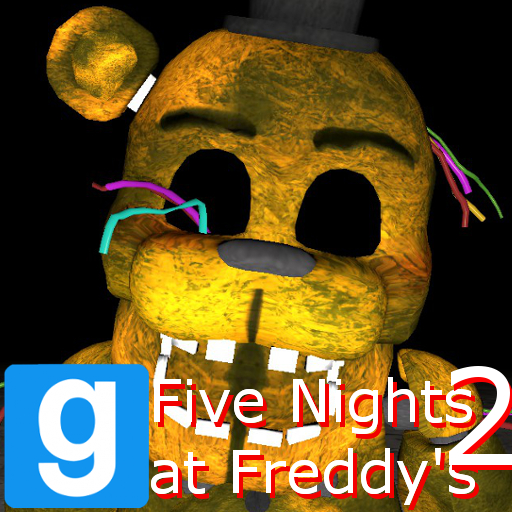
Withered Golden Freddy NPC / ENT (RafaX45)
автор 76561198073006536
Withered Golden Freddy NPC / ENT (RafaX45 Edition) REQUIRES THE FNAF 2 NPCS! Includes an ENT, NPCs, a Sound, and a Jumpscare. https://www.youtube.com/watch?v=K81ccLPJobQ **************MESSSAGE FROM SMOKE THE BEAR*************** Why not check out and subscribe to my Youtube Channel. https://www.youtube.com/user/gruntlegend/featured BY SUBSCRIBING AND SHARING THE VIDEOS YOU GENERATE REVENUE WHICH FUNDS PROJECTS LIKE THIS. So please check it out so we can make more. If you use this in a video do me a solid and add a link to my channel in your description, but you don't have to, PLEASE ENJOY THE NPC. Disclaimer This addon is not to be edited and / or uploaded / reuploaded without my consent. Information Found under NPCs / ENTs Five Nights at Freddy's 2A Finally, I get the excitement of uploading another addon. Smoke The Bear and I decided to do a collaboration and create NPCs with his models. Because Smoke hadn't commisioned a Withered Freddy model and we didn't want to leave you guys hanging, I turned the RafaX45 models into NPCs. Please restart your game after installing NPC List ENT - Withered Golden Freddy NPC - Flying Withered Golden Freddy - Flying Withered Golden Freddy Spawner Feel free to leave a like if you enjoy this addon. Click here to download the Five Nights at Freddy's 2 NPCs / ENTs (Toy Edition) REQUIRES THE ABOVE! Five Nights at Freddy's 2 © Scott Cawthon
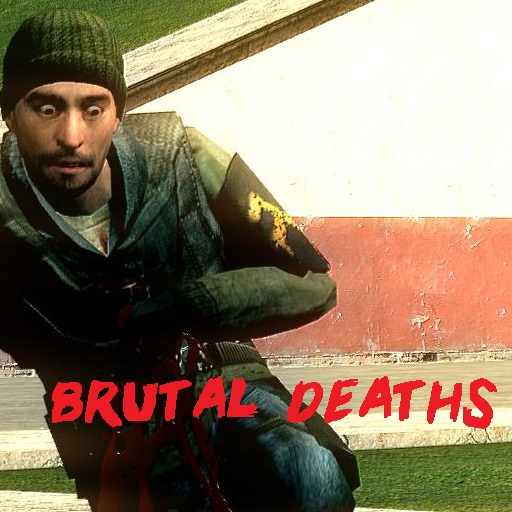
Brutal Deaths
автор 76561198046831147
(NOTE: Because some people are getting confused, these are just SOUNDS, no other addition or function. You can find how to make your death experience much more dramatic further in the description.) Ever felt the overwhelming realizaton of silliness on the workshop? Felt as if we needed to bring the PTSD to GMod? Are your PvP battles boring and stale with the default 'augh' or nothing at all? Look no further! (batteries not included) FEATURES: - Player and NPC Support! - Male and Female Sounds, depending on model! - Variety of lengths and styles! - Sourced from games like Red Orchestra, Battlefield, and even Mortal Kombat! PAIRS WELL WITH THESE ADDONS First Person Death w/ Fade to Black Blood on Ragdoll Impact Bodies roll around for a bit then stop This was inspired by Advanced Hurtsounds 3. Enjoy!
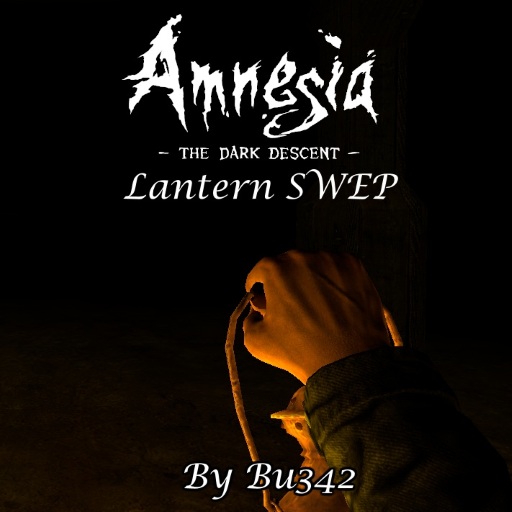
Amnesia Lantern Rework
автор 76561198023744778
A complete rework (from the ground up) of my original Amnesia: TDD Lantern Swep. This is an incredible improvement over my old mod, and I think it shows well just how much passion and willingness to keep trying and improve can affect someone's work. I barely could work with Lua, much less even edit a model back when I released that addon. Now look how much that thing has changed. I think this serves an awesome lesson that people should keep trying the things they like, no matter how much other people say that your work is terrible. It's only a matter of time until you get get the hang of it, and I'm sure you'll be able to release something really cool. Comes with 2 weapons (placed in the Lantern Category of your Q Menu). You have the choice between a lantern which works forever, or a lantern that runs on Oil (which can be spawned via the entities tab, Lantern Catergory, in your Q menu). The oil lasts up to 5 minutes, and each jar increases your current oil by 75 seconds (Not going over). These settings can be easily changed by decompiling the .gma and editing the lua of the swep and entity. You spawn with no oil, and upon equipping the lantern, you must left click to raise it. Controls - Left Click to Raise/Lower the lantern. - Right click to Enable/Disable the HUD showing the amount of Oil left Features - Two lanterns, one that runs on oil and one that runs forever - Oil entity to fill up the lantern with - Networked code, for multiplayer use. Works almost perfectly for players with 300+ ping! - Viewmodel/Worldmodel that glows in the dark. - Custom viewmodel animations with playermodel based hand support. - Custom viewmodel movement. Your hand bobs up and down when moving, your model gets closer to your screen when crouching, etc... - Jigglebones that react to gravity - Worldmodel with Jigglebones - Proper thirdperson hold. Your playermodel is actually holding the swep like a lantern. - HUD scales with screen size. - No game/addon requirements. Runs straight out of the box. Credits - Original Model, textures and sounds taken from Amnesia: The Dark Descent, by Frictional Games - Everything else by me (coding, animation) FAQ Q: No oil :( A: Spawn it in the Entities->Lantern tab of the Q Menu Q: No viewmodel/Light :( A: Try left clicking to raise the lantern. If using the oil version, make sure you have oil. Q: No HUD/Don't want HUD :( A: HUD is only for the Oil lantern. Right click to hide/show the hud. Q: No Father :( A: Ok. Q: Where have you been? A: Dead Q: Can't pick up objects with E while the lantern is out A: Yes. It's on purpose. Lower the lantern or holster the swep. Q: I have FPS issues with the lights A: Blame whoever runs GMod. It's a problem with Dynamic Lights. If this SWEP causes FPS problems, so will the light tool in Sandbox Q: Gmod says "Amnesia Lantern Rework is Creating Script Errors" A: Watch this video. Q: What playermodel? A: https://steamcommunity.com/sharedfiles/filedetails/?id=875385709 Q: What map? A: Video 1 + Screenshots Video 2 Q: Can you please make X A: No. I'm fine with taking suggestions but don't ask me to make stuff for you. I have my own projects and things to do, and making something for someone I've never met for no incentive whatsoever is not one of them. I am perfectly fine with adding additional content to my current work, however.
Enhanced Damage Addon
автор 76561197993911391
This addon makes the damage system in gmod more 'realistic' If you get shot in the head the damage done is tripled. If you get shot in the arm the damage is significantly reduced and there is a chance of you dropping your weapon if you get shot in your hand there is a large chance that you will drop your weapon but the damage is almost non existent If you get shot in the leg you are slowed down enhanceddamage_enabled 1/0 for toggling it on an off enhanceddamage_BODYPARTdamagescale -Change the damage scale for the chosen bodypart (head, arm, leg, chest, stomach, nuts and hand) enhanceddamage_enablesounds - Enable/Disable hurt sounds enhanceddamage_armdropchance -The weapon drop chance for arm hits (Defaults to 20%) enhanceddamage_handdropchance - The weapon drop chance for hand hits (Defaults to 40%) NPC's can't slow down but they can still lose their weapons and will try to run away from player after they lost it (WIP, only works on rebels for now) enhanceddamage_npcweapondrop - Enable weapon dropping for npcs (Really buggy) enhanceddamage_falldamage - Enable custom falldamage enhanceddamage_ragdolls - Enable/Disable ragdolls enhanceddamage_legbreak - Leg slowdown enhanceddamage_npcfalldamage - NPC Fall damage enhanceddamage_drowningdamage - Drowning damage This addon is not being worked on at the moment If there are any features you want to add feel free to send a pull request on gitlab and I will upload an updated version to the workshop Updated version by $@ⓊḈγ $@ȵĐω1€ℏ
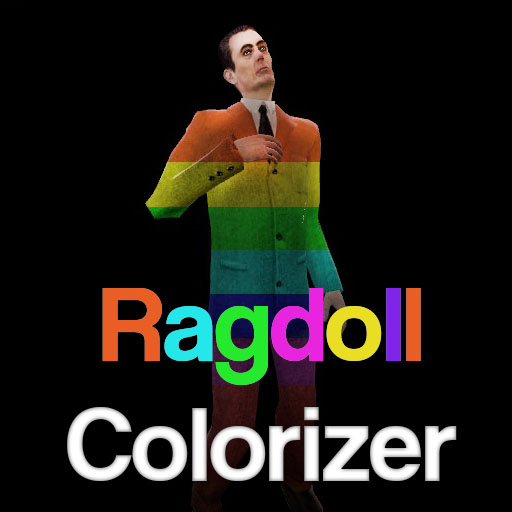
Ragdoll colorizer
автор 76561198044940228
It's a simple tool that let you change players ragdoll color If this doesn't work, it's because you are painting ragdolls models that doesn't have the colorable properties like the player models does If you want to use this, you must spawn a playermodel, find it on Search>Games>Garry's Mod>player These models normally are able to be painted, other don't...But okay, test it by yourself, i don't think that you could find a kind of bug, so this is just a simple upload that doesn't require maintance I forgot, this stool was a request from: http://steamcommunity.com/id/BLANCOdeCOMBATE/ Source code: https://gist.github.com/gonzalologorg/edd42a8ac7c8dd76a543b05d53bfade3
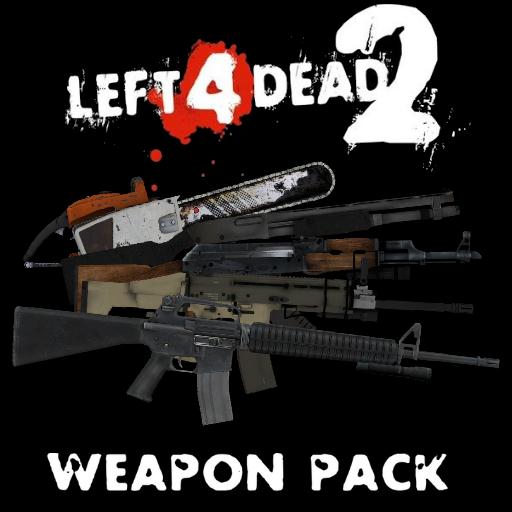
Left 4 Dead 2 Weapon Pack REWORKED
автор 76561198116561652
Weapons from L4D2. All textures, models and sounds are made by Valve, ported and scriptet by me. Included: WEAPONS: AK-47 Assault Rifle Auto Shotgun Axe Baseball Bat Chainsaw Charger Claw Chrome Shotgun Combat Knife Combat Rifle Combat Shotgun Cricket Bat Crowbar Dual Pistols First Aid Kit Frying Pan Golf Club Grenade Launcher Guitar H&K MP5 Jockey Claws Katana Krieg 552 M60 Machete Magnum Pistol Nightstick P220 Pistol Pump Shotgun Silenced Submachine Gun Sniper Rifle Spitter Claws Submachine Gun ENTITIES: Ammo Pile If you found a bug - write about this in comments, and I will fix this bug.
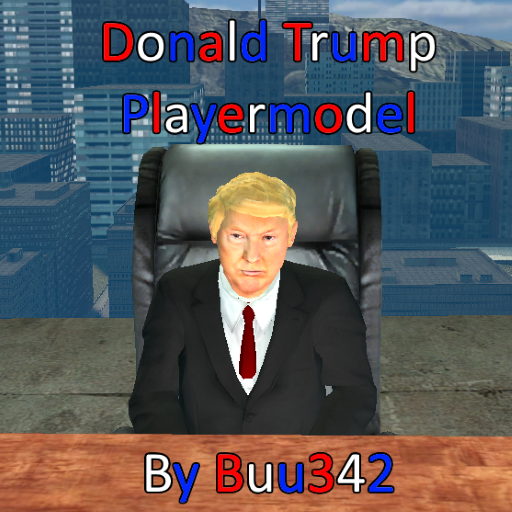
Donald Trump Playermodel
автор 76561198023744778
Requested to me by Templar Knights. First attempt at making a custom face model. - Edit 14/12/2021 - I have disabled comments because I cannot be arsed to moderate the garbage and insane misinformation you people post. This is the workshop page for a model for Garry's Mod, not /pol/. If you want to circlejerk and echo chamber over your idol, go somewhere else.
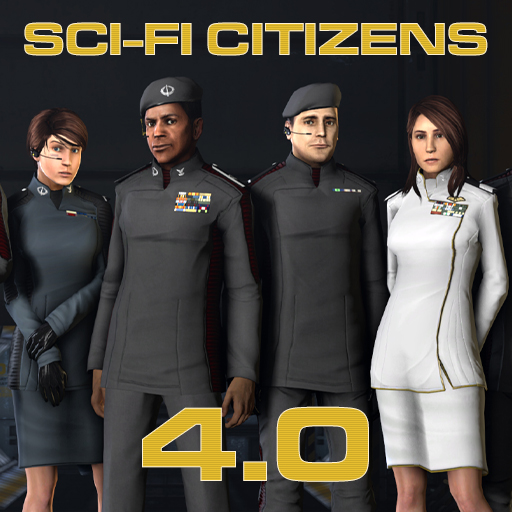
Sci-Fi Citizens v4
автор 76561197972497202
I present to you version 4.0 of the Sci-Fi Citizens. PLAYERMODELS ARE AVAILABE AS A SEPERATE DOWNLOAD HERE: Playermodels - Workshop Link Included in this download are 27 models, including all 15 standard Half-Life 2 citizens, all retextured with high-resolution facemaps and masked normalmaps, plus another 12 new fully faceposable characters. From Left 4 Dead: Bill, Louis, Rochelle, and Zoey Three generic males from Max Payne 3, as well as two generic Males from Battlefield 3 Dragon Age 2’s Lady Hawke, FFXIII Fang, and Wraithcat, a local reskin of Jessica from Sin:Episodes. All characters have bodygroups for berets, a holographic mouth/earpiece/HUD, collar and beret insignia, shoulder ranks, military style ribbons, and a few choices in pants. All characters also come with three skingroups, including ‘Classic,’ ‘Blacklight,’ and ‘Formal White.’ The Blacklight skingroup also changes the heads up display to a Blacklight: Retribution health meter/ingame lower-right HUD component. For the gmod posers, the model uses Bloocobalt’s Enhanced Citizen physics. All models are compiled onto the valve skeleton; every one of them has the full suite of default HL2 citizen and player animations, as well as gmod’s player animations. The optional playermodel pack (NOT INCLUDED IN THIS DOWNLOAD) enables full skin and bodygroup playermodels, complete with viewmodel hands. (These hands are set to the proper skintone per character; the model does support all skingroups and gloves with simple LUA modification, however). Modeling wise, these ragdolls are the combination of so many disparate sources that they form thei own style. They weren’t designed to mimic any one film or television show costume, instead they’re intentionally stylistic but generic. The goal is for the user to tell a story with them, not for them to tell a story to end users. These uniforms can represent any kind of futuristic military, and are perfect for what you want them to be. Almost every component was unwrapped and retextured from scratch. Just about every texture that isn’t a face was scratch done by me, fully leveraging everything the source shader engine can being to bear. Phong, specular mapping, rimlighting, albdeto tinting, detail maps, illumination maps, translucency, even complex material proxies, and complex eye shaders. They’re all there, contributing in some way, and targeted to get the most out of existing scene lighting. Created by: Lt_Commander The following are contributing authors to this project at large, listed are names and roles/contributions: Taggart - male_01 texture, male hands, partnership in the older versions Wraithcat - pants/skirt/boots, kit head, additional heads BlooCobalt - Skeleton, physics, female hands, final rigging FloaterTWO - Generic female hair meshes, rigging Nirrti - epulettes, citizen mouth texture Squiddy - Female heads, phongwarps, file system architecture Ninja_Nub - additional custom heads, rigging -Rusty- - citizen head textures Simkas --K&L porting backend Haxxer - ME2 officer ports Plasmid - female skirt/legs (DR Jessie) FakeFactory - head texture base files Dean - Q&A Blooper Reel & Hunterdnrc - Promotional shots --------- Half Life 2 - base skeleton, Mossman's hands, base eye shaders, citizen pants Dead Rising - Female legs, pumps Eve Online - Skirt, female boots Kane & Lynch - male pants Mass Effect 2 - Tunic/Coat Mass Effect 3 - Female hair meshes Dragon Age 2 - Hawke Head Sin Episodes - Jessica head mesh Final Fantasy XIII - Fang head mesh L4D - Beret, heads L4D2 - Ellis's hands, heads Max Payne 3 - Male heads Battlefield 3 – Heads USAGE AND USER RIGHTS: May be used for Machinima. May be used for Rolepaly. May NOT be used as a premuim item where some form of currency is traded to gain access to them (no selling this - pointshop or real money wise). Please contact me before redisrtibution. You may modify the pack, or decompile and reuse in other projects, however I would like to be consulted. I have source files that maky make it easier for you to do your project, and I could be able to help. For a ‘behind the scenes’ developer blog and project history, check out my 17 page post on Internet Hate Machinae. There I discuss virtually everything that went into this project, and have written down all those neat little tips most hacking veterans guard with jealousy. If you want to to get a direct download or have problems with this one, this thread has a link to a direct download of the files as a .7z archive.

TTT - Jetpack
автор 76561198020938759
This device can be bought by both traitors and detectives for 1 credit. Simply hold your jump button while holding it in your hand and watch yourself fly upward ! Just be careful, as getting up is easy, but going down or changing direction mid air is a real challenge that might cost your life. To have it on your listen server, simply subscribe to this addon. Convars : ttt_jetpack_force : allow you to set the force of the jetpack (default is 12, can't fly below 11)
![Horrorween [Horror] – Garry's Mod Mod](https://images.steamusercontent.com/ugc/773903880488724600/52BED4C008B653AB21FB384EF4C6FD6158273E5D/)
Horrorween [Horror]
автор 76561197969753825
Happy halloween 2020! Play part 2 here Music By: Purple Planet Kevin MacLeod Edmund McMillen & Danny Baranowsky Misc Credits: Freesound (SFX) Soundbible (SFX) Mr. Beepo (SFX) Professor Toaster (SFX) Sonomic (SFX) Mr. Kit (Pumpkin models) Capcom (SFX) Komaokc (Grass Texture) Dune Jumper & Fudge Badger (Headcrab remover) Mr. Keyb0red (Pack-o-spooks) tags: scary horror map adventure traps saw death gear of the dream hell's hells prison resort island campaign coop singleplayer sp multiplayer mp disable your addons also boobs you feel a tickling sensation in your pants part2 part 2 coming in 2020 well actually never
![[ArcCW] Firearms: Source 2 – Garry's Mod Mod](https://images.steamusercontent.com/ugc/1767070238547848870/1E3A6A925D2C7EF9EA8966643959EB99425E69EF/)
[ArcCW] Firearms: Source 2
автор 76561198319904471
arccw updates has fucked with this mod so a lot of feature has been messed with and no longer works: UI update- pistol optic flag no longer works ADS update- zooming is a lot closer so clipping issue when firing general base update - lots of feature such as animation hierarchy for reload and lhik order (including akimbo)just flat out stop working I can no longer be bothered to fix any of this not my fault the arccw devs screw old features every other month 23 Weapons, 302 Attachments. It's a lot of stuff -Overview- Development starts shortly after the disappointment that is Gunsmith Offensive Featuring nearly* every weapon from Firearms Source 2 (and some custom one) packed to the brim with kitbashed attachments Words and previews alone cannot describe how much stuff is in this so give it a go, you probably wont regret it The main focus of this mod is not and never will be realism so don't complain about that. -Credits- TheOnly8Z - fixing my brain capacity, general coding, lotsa cool feature Fesiug - qci, icons, thumbnail, -refining-, stuff i cant remember FAS2 Team, - Original Assets. you can read who did what in details in the credit file of the mod. the list is too long, I can't list everyone and everything >>> GitHub Link <<< (has workfiles so feel free if you want to poke around)
Garry's Mod Guides
Настройка сервера Garry's Mod и активация режима TTT — шаг за шагом
Разверните сервер GMod и настройте TTT: коллекция Workshop, админ-инструмент ULX и конфигурация TTT с пошаговыми объяснениями.
Установка аддонов Workshop для Garry's Mod
Установи аддоны Workshop для Garry's Mod на сервер: Collection-ID, Steam Web API Key, автозагрузка для игроков и решение частых ошибок.
Арендовать сервер Garry's Mod — TTT, DarkRP и PropHunt
Настройка сервера Garry's Mod: выбери игровой режим, подготовь server.cfg, подключи Steam-Workshop-Collection и протестируй TTT, DarkRP или PropHunt.
Сервер Garry's Mod с поддержкой модов
Запустите собственный сервер Garry's Mod за несколько минут.
Арендовать сервер Garry's Mod