Моды и плагины для Garry's Mod
В этом каталоге перечислено 1 984 000+ проектов Garry's Mod из Steam Workshop. Они могут быть серверными, клиентскими или требоваться с обеих сторон, а также включать карты и другой пользовательский контент. Перед установкой проверьте связанную страницу источника, версию игры и зависимости.
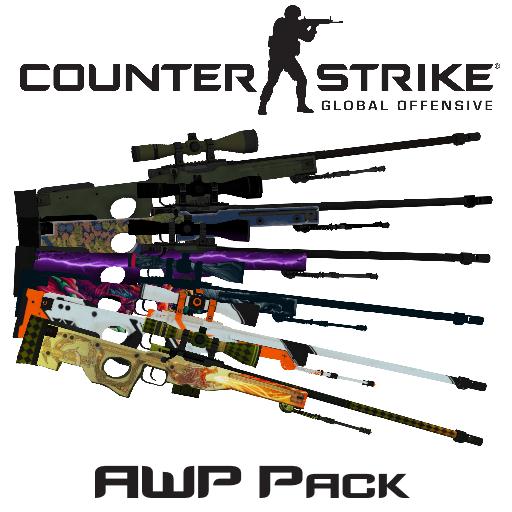
Counter-Strike: Global Offensive AWP Pack
автор 76561198116561652
I know, animations are too bad... But this is my first time, when I animated a weapon. Original CS:GO animations are broken, and I needed to create animations myself. Models, textures and sounds created by Valve, skins created by: Arbitron - Man-o'-war; Coridium - Asiimov; Renegade and Baddrock - Hyper Beast. Weapons in GMod created by me. Included: AWP AWP | Asiimov AWP | Dragon Lore AWP | Hyper Beast AWP | Lighting Strike AWP | Man-o'-war If you found a bug - write about this in description, and I will fix this bug.
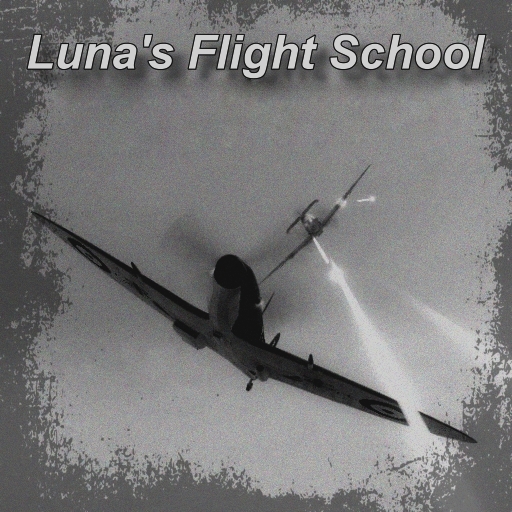
Luna's Flight School
автор 76561197995010235
YOU NEED - Framework FOR THIS ADDON TO WORK No version or modification of this content is allowed to be uploaded to the workshop except under the account ID 76561197995010235
![[LW] Lotus Esprit Turbo – Garry's Mod Mod](https://images.steamusercontent.com/ugc/3282312183801499245/EB31EBD54EC97A6D4837A4E744A6DD177D7E57E5/)
[LW] Lotus Esprit Turbo
автор 76561198073265803
IF YOU DO NOT HAVE THE LWCARS SVN, YOU NEED THE SHARED TEXTURE PACK, OTHERWISE YOU WILL HAVE MISSING TEXTURES. YOU ALSO WONT BE ABLE TO SEE THE MIRRORS WITHOUT IT: http://steamcommunity.com/sharedfiles/filedetails/?id=266579667 A drivable Lotus Esprit Turbo ported from Forza 4 by me. Also features fully working mirrors, Thanks to Mohamed RACHID! Now you can finally see whos tailgating you without turning around. The mirrors are only visible in Firstperson, And you may experience a slight fps drop when the mirrors are in view. You NEED the shared texture pack to see the mirrors if you arent using the SVN! Follow progress on Facebook! Follow progress on VCmod.net! Follow progress on Facepunch! A skin template for this car can be found in the SVN, Which can be found at: https://lwcrs.googlecode.com/svn/trunk/ SVN USERS WILL NOT NEED TO SUBSCRIBE TO THIS AS IT IS ALREADY INCLUDED Give some love to these guys: TheRapJés - Handling script Mohamed RACHID -Mirrors Lua DO NOT UPLOAD THIS CONTENT TO ANYWHERE WITHOUT MY EXPRESS PERMISSION F.A.Q.: Q: How do I change the colour/skins/bodygroups? A: Use the colour tool for the colour, And EasyBodygroup tool for the skins/bodygroups Q: I cant see the mirrors! Help! A: Make sure you are in Firstperson, And that you also have the Shared Texture Pack Q: Can you make ? A: I dont take requests, Sorry. If you would like to pay for a commission however, Drop a comment on my profile or contact me via Facebook or Facepunch Q:How do you turn on the lights? A: You cant unless you have VCmod by Freemmaann, which is not finished yet. In the meantime you can buy the old VCmod from CoderHire behind this fancy text If you have VCmod, Its F for lights, H for hazards and F + A/D for Indicators. Q: How do I drive this? A: Spawn it from the Vehicles menu, they are under LWCars.
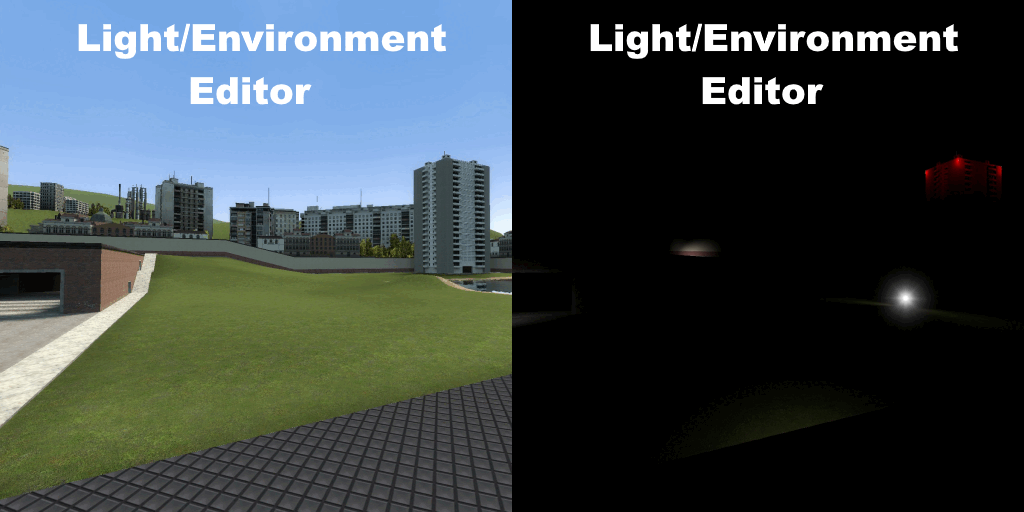
Gmod Light / Environment Editor
автор 76561197993919498
- About This Addon - To put it simply, this addon is meant to allow you to mess with the lighting of maps mid-game, while also reducing the negative side effects of doing so as much as possible. If you need one, the first video on the workshop page is a quick tutorial on how to use this. (Though it is currently outdated, and a lot of things have been improved or added since then.) - Extra Details - This addon has the most functionality on maps with named light_environments, as this separates ambient light and sunlight (allowing you to adjust both separately). The rest of the addon works more-or-less the same with/without one, though you may need a different combination of work-arounds as the lighting behaves slightly differently in both contexts. Since neither source nor gmod were designed to accommodate what this addon does, there's a lot of weird jank and a few unfixable issues. Nothing this addon does will persist beyond a restart. You may encounter entities that don't update their lighting with the ambient light slider. There's usually nothing that can be done about this, and there are a number of buttons to outright remove these for that reason. Wherever there are seemingly arbitrary limitations (e.g. the 1-26 range for light level) these are usually for technical reasons and can't be changed. This addon may very rarely cause lamps/lights to not work properly at all, in which-case you can disable the lamp/light fixer to make them work normally again. The "Skybox Texture" box directly changes sv_skyname, you can find the skybox names for most games by just searching for them on your preferred search engine; But to save you the trouble: Here's the list of skyboxes for half-life 2 - Console commands - - Environment_ambientLightLevel (1-26) - Controls light in shadows and from artificial sources, 12 is default, 1 is pitch black. - Environment_SunLightLevel (1-26) - Controls direct light from the sun, 12 is default, 1 is pitch black - Environment_ChangeLightStyle (0-1) - Whether or not the fix for lamps/lights is activated - Environment_ForceDisabledSkybox (0-1) - Sets r_3dky to 0 for all players - Environment_ForceDisabledCubemaps (0-1) - Sets mat_specular to 0 for all players - Environment_ForceRadiosityZero (0-1) - Sets r_radiosity to 0 for all players (which helps in outdoor areas and with static/dynamic props still being lit) - Environment_DarkenWater (0-1) - Darkens the colour of water fog based on the current value of Environment_ambientLightLevel to fix water sources appearing glow-y. - Environment_DarkenRopes (0-1) - Sets the colour of any ropes that were part of the map to black (The commands in this table remove all of a certain entity type from the map) Command Target Environment_Destroy_Beams Lightbeams Environment_Destroy_Soundscapes Soundscapes Environment_Destroy_AmbientGeneric Sound Emitters Environment_Destroy_Sprites Sprites Environment_Destroy_SmokeVolume Smoke effects - Environment_stopSoundscape - Runs stopsound and stopsoundscape for all players. Requires sv_cheats 1 to work properly. - Environment_DisableStaticAmbientLighting - Uses black-magic to disable the map lighting on static props entirely. This will last until you start a new game/restart the server, so only use it if you're planning to keep the map pitch-black for the entire session. - Environment_DisableStaticSelfIllum - Disable self-illumination on all static props. This one can be toggled on/off. This is useful for any lamp props that are part of the map, as otherwise they'll be fully-bright/glowing. *Note: This edits the material rather than the static prop itself, so props with the same material as a static prop on the map will also have no self-illumination while this is turned on. If you wish to contribute, a github repository for this is available here There's also a channel set up for this addon in the Octantis Addons Discord.
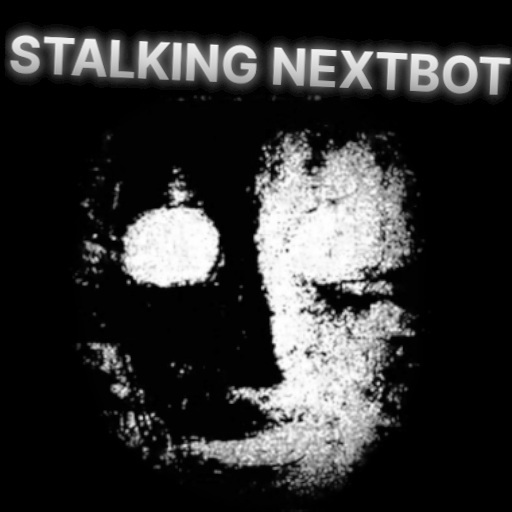
Gargitron NextBot
автор 76561198292767633
This Nextbot was an experiment made for my youtube channel. Check out the video explaining the process here: https://youtu.be/iXyRKXb2NQQ When you spawn Gargitron in it will teleport to a random spot and start stalking. Watch out, he could be around any corner. The face is SCP-079's face. Sounds used are 'Silent Heaven' from the Silent Hill 2 OST, and Mangle's noise from FNAF. I should add- I designed Gargitron with singleplayer in mind. There will be bugs in multiplayer and it would take almost a complete redesign to make it work in multiplayer. But it is NOT impossible to create a nextbot, like this one, that works in multiplayer; if anyone has an idea on how they would do so, please feel free to take the code and try and make your own. I myself will not be continuing support for Gargitron, but I hope that it inspires enough people to try and build their own based on this concept, or maybe that it even inspires new nextbot ideas and concepts.
Star Wars Weapons Extras
автор 76561198013516508
Updated Star Wars Weapons: This pack contains modified Star Wars Weapons and new ones as well. Also includes icons for some other Star Wars weapon packs that don't have any for some reason. This pack is in BETA and therefore you can expect bugs and random updates that may break things. Credits: Original Weapons by Syntax_Error Dannelor for some help with stuff StrickenNZ for Vibro-Scalpel, Bacta Tube, and Stim Kit Doctor Jew for Updating To Do: INCLUDED WEAPONS: - DC-15S Universal - DC-19 Stealth - Bacta Grenade - Shadow Virus Grenade - DC-17m Anti-Armor - DC-17m Shotgun - WESTAR-M5 - T-7 Ion Disruptor - EMP Rifle - X-8 Night Sniper - Improved Detonator - Improved E60-R - Star Wars Oribital Laser - Z-6 Rotary Blaster Cannon - Bacta Tube - Field Stim Shot - Vibro-Scalpel CONTROLS: Universal & Stealth Weapons: LEFT CLICK > Fire weapon. RIGHT CLICK > Aim down sights. SHIFT + E > Change weapon function. ALT > Print current weapon mode. Detonator: LEFT CLICK > Plant detonator. RIGHT CLICK > Toss detonator. R > Change timer on tossed detonator Star Wars Laser: LEFT CLICK > Republic orbital laser. RIGHT CLICK > CIS orbitial laser. All other controls are self explanatory. IMPORTANT SERVER SETTINGS: sw_enable_stun 0/1 - Disable/Enable the stun function on weapons (Default: 1) sw_enable_vaporize 0/1 - Disable/Enable the vaporize function on weapons (Default: 0) sw_scalpel_harm 0/1 - Disable/Enable the harm function on the Vibro-Scalpel (Default: 0) REQUESTS: Requests are open. Leave them below :) CONTRIBUTIONS & RESOURCES: If you want to contribute to this addon, please do so on the GitHub page. Manual download can be found here. You may redistribute this addon with permission. As this addon is under the GNU GPL v3 license, ALL modifications must have their source made CLEARLY publicly available. (This means no disguising a modified version of my pack for your crappy Star Wars server.)
![[vFire] Simfphys Support – Garry's Mod Mod](https://images.steamusercontent.com/ugc/999178352746156542/69F3B8AFE67FA7933E9A45EA6150444D66BACC1E/)
[vFire] Simfphys Support
автор 76561198100664745
Adds vFire support to Simfphys This removes Simfphys client side fire and instead uses vFire. Works on all Simfphys vehicles! Please keep in mind vFire spreads, it may cause problems for sever owners. (CHECK vFIRES ADDON PAGE FOR CONSOLE COMMANDS) ___________________________________________ I never even thought that my cars should have the ability to actually be on fire, but now with this add-on, I can't imagine a world where it isn't. Thank you for this beauty. Aye I was hoping for something like this! :D Thanks for making this Yeeting Iggy This is a small mod that really has no explanation. Watch the video if you are confused. Questions: Whats the map? gm_construct_night Whats the vehicle in the screenshots/video? It was a vehicle that I worked on a bit ago, not gonna be released. Can it be put out? Yes, once the vehicle receives more damage the fire will start again. I don't get cookies?! im still crying... If it doesn't work on a specific Simfphys vehicle please let me know the vehicle so I can test it! THIS WILL NOT WORK IF THE ADDON CREATOR HAS SET THE ENGINE POSITION FOR THEIR VEHICLE IN AN INCORRECT SPOT Aka, leaving the engine position set in the air. I am guilty. You may have off with my head now.
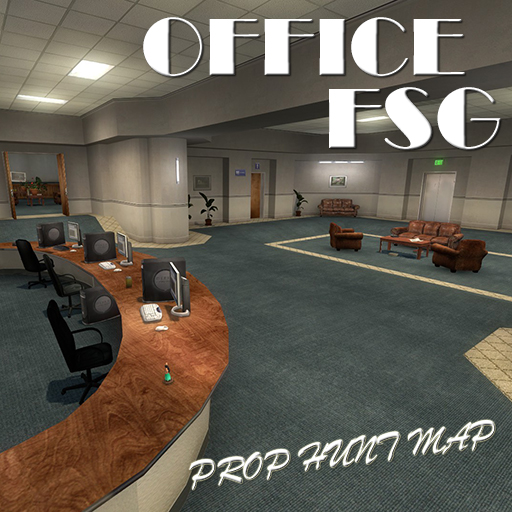
Prop Hunt : Office FSG
автор 76561198001664307
New map name: "ph_office_fsg_v2" The prop hunt map set in the classical cs_office theme. NO Counter-Strike: Source required!!! - Since 2021 CSS content is packed! Mirror: http://gamebanana.com/maps/189698

Saitama fists
автор 76561198077942133
"100 push-ups, 100 sit-ups, 100 squats and 10km running! Every single day!!! " ________________________________ Control: Left click - serious punch Right click - quick punchs Left click + space - hight jump Commands: 1) Enable slow motion after serious punch: saitama_slomo 2) Disable: saitama_normal ________________________________ Sorry about my english... ________________________________ Version: 1.0.4
![[TTT/2] Galil (CS:S) – Garry's Mod Mod](https://images.steamusercontent.com/ugc/451793768214066837/F59E0EC3F1961EB9C57E69080A1017CDDCE18EF0/)
[TTT/2] Galil (CS:S)
автор 76561198032479768
NOTICE: This Addon only works for the "Trouble in Terrorist Town" and "Trouble in Terrorist Town 2" - Gamemodes. This weapon will not show up in sandbox mode. Features This Weapon spawns random on the map. Type: Rifle Ammo: Rifle-Ammo Firemode: Automatic Magazine: 30/60 Includes an individual .vmt and .vtf weapon icon. Server Infos Add it to your server by following this guide: Workshop for Dedicated Servers You can add "galil_name" to your translation file, to translate this addon. Source The whole source code can be found on GitHub, feel free to contribute. Thanks for reading, enjoy and have fun!
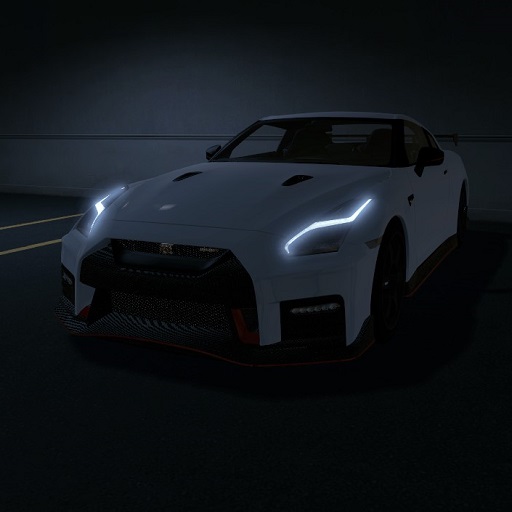
2017 Nissan GT-R Nismo
автор 76561197999836749
o shit its a christmas miracle i uploaded a car debatably the greatest gt-r to ever bless the gmod workshop - and a few more cars to come ;) features -------------- full hd interior interior emissive lighting (vcmod) texture override for some light effects (vcmod) custom sounds carbon fiber hood bodygroup lhd (master race) faq ------------- q: still trash descriptions? a: yep q: missing textures a: dl my shared textures buddy its been like 2 years
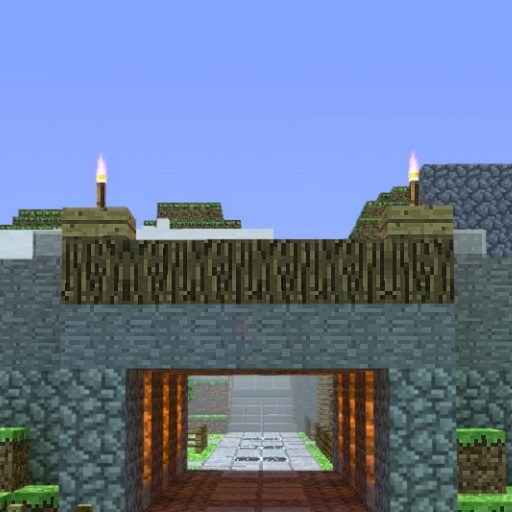
TTT Maps: Minecraft City V3
автор 76561198044945770
This is not mine, but it is used on many servers and I was surprised noone had uploaded it here yet. Please Enjoy this map, again, IT'S NOT MINE. ~Natolikin
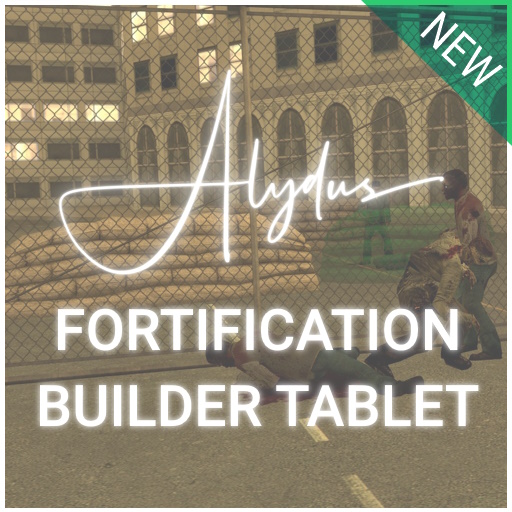
Alydus's Fortification Builder Tablet
автор 76561198075511009
Alydus's Fortification Builder Tablet Want to make your fortifications destructible? Download the destructible fortifications extension! Alydus's Fortification Builder Tablet adds a convenient, simple to use serverside tablet weapon that allows users to deploy barricades, fences and other fortification type objects. Perfect for roleplay, sandbox and building gamemodes. It works on singleplayer and multiplayer. This addon came from an engineering holotablet I created for a StarwarsRP server I was developing for, I wanted to add a mode to it to create barricades, but I never got round to it. However, I've decided against that now, so I've made a public fortification builder, with built-in appropriate used models, so the addon is entirely standalone. It works for all gamemodes, including (but not limited to), all sandbox derived gamemodes (DarkRP, Clockwork, Nutscript) and other non-sandbox derived gamemodes. Is it laggy? The tablet is designed to be the most convenient for multiplayer, because of this, the hologram/preview of the fortification you are about to build is visible to all players near you. This can cause minor server lag, but this will, like many things, become exponentially larger when multiple people are building fortifications. Simply restrict the number of people allowed to build fortifications, or create a fortification delay or maximum limit via utilising the restriction in the section below. The fortification models are automatically cached on the client and server, so there shouldn't be any lag spikes when switching between fortifications via your tablet. Can I restrict the tablet use? Yes, if you have basic Garry's Mod Lua knowledge you can hook into the system serverside and create conditions for if a barricade is placeable by a player, here is an example. hook.Add("Alydus.FortificationBuilderTablet.CanBuildFortification", "AnyIdentity", function(ply) if not ply:IsSuperAdmin() then return false end end) You could, for example, place this code into a lua file at /lua/autorun/server/fortificationrestrictions.lua (create the folders in that filepath if they don't exist, in the order specified). What map is that in the screenshots and workshop thumbnail? The media features the map gm_goldencity, created by Skerion. How do I increase the fortification limit? The default fortification limit is 15, increase this by using the console command 'sbox_maxfortifications (amount)', e.g. 'sbox_maxfortifications 65' to set the maximum placed fortifications to 65. How do I rotate fortifications? Simply rotate your player/look around, this is to make the placing more realistic in multiplayer (since you’re always facing the fortification when placing), some people find this easier to rotate also. Rotation controls would require more binded keys for the swep, which creates more compatibility issues. How can I add fortifications? If you would like to add more fortifications to the builder tablet, you can hook into the system serverside, just like you were if you wanted to restrict the tablet. You can specifiy the fortification display name, model, spawn offset and angle offset; which are applied when the fortification is selected, and when created. Example (don't use this, it is already added): hook.Call("Alydus.FortificationBuilderTablet.AddFortification", {name = "Police Barricade Triple", model = "models/props_street/police_barricade2.mdl", spawnOffset = Vector(0, 0, 0), angleOffset = Angle(0, 0, 0)}) Replacable code: hook.Call("Alydus.FortificationBuilderTablet.AddFortification", {name = "BARRICADENAME", model = "BARRICADEMODEL", spawnOffset = Vector(0, 0, 0), angleOffset = Angle(0, 0, 0)}) What does this addon require? This addon includes everything required for the addon to work correctly, simply add it to your servers workshop collection, or subscribe to it and enable the addon when hosting a singleplayer server. The addon will make users connecting to your server automatically download this addon, so the models won't be errors for them. What fortifications does it include, and who made them? This addon includes ready-to-use fortification-able models from a number of different creators (and the tablet model itself), below are the credits for the models, and which models are included from the packs. I apologize for including your models inside of this addon, however, I'll keep a good eye on your addons, and if they are updated, these will be aswell. If you already have these installed individually, this addon will use them. Adding these addons as a dependency is not generally a good idea due to the increased number of things that can go wrong with loading the models (at the users fault). - Fortification Props Model Pack - Modified DoD Fortification Props, addon by sAL. - Left 4 Dead 2 Fortifcations & Misc Survival Gear, placed onto the Garry's Mod workshop by Pntmn, however all credits of the models go to Valve. - Mobile Computing Pack, specifically using the tablet model within it, created by Nirrti. - Insurgency Hesco Barriers, huge credit to for uploading these and porting them from insurgency, and also obviously the developers of insurgency. - Barne's props, specifically the barriers/police barricades within the prop pack. Originally from garrysmods.org, supposedly created by a guy called 'Barnes' / 'jbarnes' - let me know if you can find his profile so I can credit him correctly. (these are only prop reskins, from what I can gather). Misc Credits - Pac for helping with testing the rewrite Tags: Barricades Star Wars Fortifications Defense Base Barricade Police Barricade Shield Base Wars
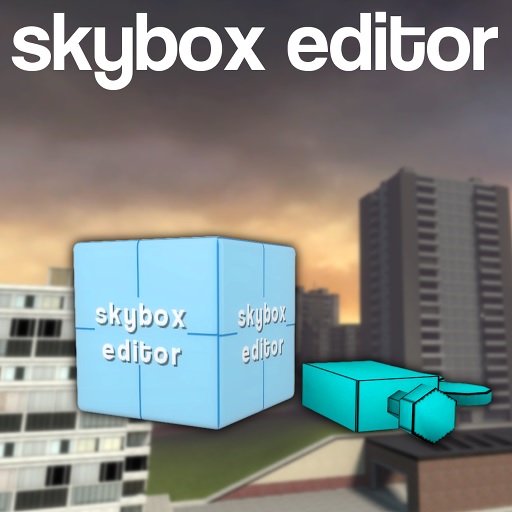
Skybox Editor Tool
автор 76561198089945134
About What can this tool do? Well, using this tool you can: - Change the Sky texture, thus changing the mood, day time of a map - Set a matching fog color - Add a 3D Skybox to a map that does not contain it (props, buildings in the background, outside of playable area) It's worth noting that this tool, unlike the built-in Sky Editor, works on every map with visible sky. The 3D skybox feature does not work on 3D skybox containg maps but in that case you don't need it, because you can just fly out into the skybox and change it. How to use it Go to Entities/Jakub Baku and spawn the Skybox Editor. Press C and right-click the entity, then click Edit Properties... Press "E" while aiming at the entity (use it) to open up the Skybox selection menu. Just click a skybox you want and it will be applied. Properties: General - Skybox Texture - ex. "skybox/sky_day02_07". You can find a list of skyboxes by using (pressing E) the Skybox Editor. Do not include ".vtf" or "ft", "bk", "up" postfixes. You can also pick a sky texture from a menu (press E on the entity) - Skybox Rotation Speed - speed at which the skybox rotates. 0 for normal, stationary skybox. It makes up for an interesting effect with the clouds slowly moving in the background. - Greenscreen Skybox - skybox turns monochromatic, good for chroma-keying - SkyboxColor - the color of the "green screen" skybox Fog - Override Fog - should this entity affect the fog - Auto Fog Color - if enabled the fog color will be matched to that of a skybox. Disable it for manual color selection - Fog Editor settings - the same as in regular Fog Editor Sky Camera (Advanced!) (more on that below) - Enable Sky camera - should the 3D skybox be rendered - Disable updating skybox - if checked the entity won't refresh the skybox models. You can build a skybox, enable that option and then remove the props. - Skybox scale - controls how much bigger will 3D Skybox models be (does not affect the default map 3D Skybox) - Skybox Radius - searches for props to render in 3D skybox in that radius (relative to the editor entity) - SkyCamera as origin - if set the 3D Skybox will be rendered relative to the Sky Camera entity Making a 3D Skybox This tool works really similar to the Hammer Editor's sky_camera entity, so if you're familiar with 3D skybox creation in Hammer it will be easier for you. What is a 3D Skybox? It's a 3D background of the map giving an illusion of the map being much bigger. Some maps do not contain such thing and there's just an empty void outside of a playable area. With this tool however you can change it! First, spawn a Skybox Editor, set it up as you like it and then check the Enable Sky camera option. Now you can start building a skybox around the entity. Make sure that the props are in a Skybox Radius. You should see a much bigger version of the prop floating somewhere around. Adjust the position so that the prop is not "clipping" into the world and it stays outside of the map in the skybox. Repeat the process for as many props as you like. You can weld the props to the entity for easier transportation and ability to duplicate it. Second, what is a Sky camera? It's a "dummy entity". Normally the props are rendered in a 3D skybox relative to the editor entity itself, however there are cases where you want them to be rendered relative to some other point - let's say you have your skybox built in a remote location but you want to render it relative to center of the map. No big problem - just spawn a Sky Camera at the center (or wherever you want), fly back to the editor entity and check the SkyCamera as origin. The skybox will be rendered relative to the Sky Camera now. It's worth noting that the "system" will choose a last spawned sky camera (the newest one if multiple exist) and it will do so only in the moment of enabling the mentioned option, so if you've made a new sky camera make sure to disable and re-enable the SkyCamera as origin. Known bugs - 3D Skybox does not work on maps with default 3D Skybox but that's okay, because if there is a 3D skybox then you can edit it just by flying there and placing props. - Some weird reflections in water, I can't fix it, it's a problem with GMod's rendering. Sorry :P The reflections are no longer buggy, but the skybox is not reflected in the water - Some skyboxes have visible "seams". - It prevents a "unable to shade polygon normals" error, so it's really good! Passive Agressive FAQ - No day/night cycle, no dynamic weather and tornadoes. This addon is s**t. - It's a skybox editor, there are many other addonds for day/night cycle. I won't add it. It's not a purpose of that tool. - How does auto-fog color work? How does it know what fog color should be used with a selected skybox? - Well that's easy, I just have a big, 200+ entries list of pairs. Every texture has an manually asigned color picked by me and 10 of my friends. We've divided the work and were able to complete the job in a little under 2 days of almost constant work. Yeah, just kidding. I've used a feedback loop based neural network. - 3D Skybox is laggy! It stutters. - The skybox is laggy so that your game is not. It's refreshed every 0.3 second (if I remember correctly) so it's not super taxing on resources and there's quite a few things to do during refresh. BTW Skybox is supposed to be static, and not some kind of dancing Ryszardo Miłosz. - Can you add a portal to Siren head dimension opening from the sky? Or Five nights at freddy's orbital attack? - . . .
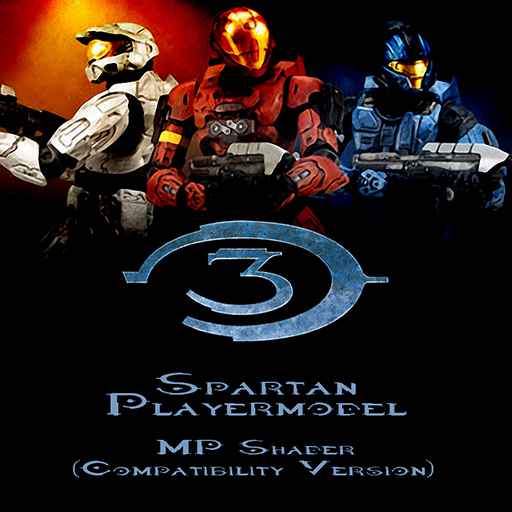
Halo 3 Spartan Playermodels (MPSC)
автор 76561197995003316
The Multiplayer Shader (Compatibility) version of my Halo 3 Spartan Playermodels Want to use this in Pointshop? Click here! Be sure to use it with the Playerpaint Accessory! Put in the Accessory folder! Bodygroups Playercolor FP Arms 78,848 unique possibilities alone by just using the bodygroups! SFM - Coming Soon Halo 3 Spartan Playermodel (SPSC) - Coming Soon ??? - Coming Soon ??? - Coming Soon Special thanks to RTB and Apoc! Notes: The Model of the Spartan had to be edited to fit the HL2 Skeleton. Because it is, it may look a bit "different" but the model itself does not break, bend weirdly or deform. I recommend waiting for the SFM release to pose and record with, as when that comes out it will not be edited, the proportions will be as they are in Halo 3, and will release with a Ragdoll version for GMod. Tags: Halo 3 Spartan Spartans Bungie 343i 343 Industries armor MJOLNIR Powered Assault Armor Mark VI CQB EVA EOD Hayabusa Katana Security Recon Scout ODST Mark V Rouge Maps used GM Blood Gulch Halo Map Pack - Chillout Headlong Recommended Addons Halo SCars Halo Marine Players Halo 3 Model Pack Halo 3 Sangheili + Permutations Hunter (Halo 3) Halo 3 Grunt Model Halo 3: Elite Ragdoll/Playermodel/NPCs Halo 3/Reach Jackal playermodel/NPCs + Kinect conversion Halo 3 - Brutes (NPCs/Playermodels/Ragdoll) Halo 3 Arbiter playermodel + Kinect conversion Body Glove Elite playermodel + Kinect conversion WAC Halo Halo SWEPs- UNSC Halo SWEPs- Covenant
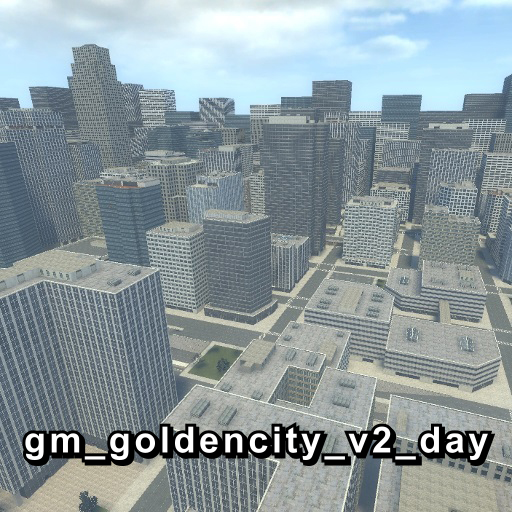
gm_goldencity_v2_day
автор 76561198018608266
Sorry that the daytime version of this map took so long to finish, but I've finally gotten around to getting this out. Also, some minor-ish changes have been made to this map that aren't currently in the night version, mostly consisting of extra foliage and some geometry/lighting changes and etc. At some point, I'll get around to updating the night version of this map so that it's more consistent with this version. New features: - Improved areas - Improved nodegraph. There are now AI nodes in the interiors. - Improved cubemaps - About a dozen more interiors - A couple new underground areas - Some new areaportals in an attempt to improve the optimization - Probably some other stuff I forgot Credits: Doctor Flounder Box, for the basketball hoop model Grenade Man, for the door pack he made Blueberry_Pie, for coming up with the illuminated window technique KingPomme, for expanding on that technique bshadow, for the invisible rad light technique used for the streetlights Jakobi O'Brien, for helping me out with a bit of optimization Valve and CGTextures, for the source material used for the custom textures Slartibarty, for creating the tools that allowed me to make further additions to the map Everyone who gave feedback on the map You won't need Counter Strike: Source or Left 4 Dead for the textures on this map to work, for those of you who don't have either game. Also, you'll need to have detail textures enabled, otherwise the building textures won't look right. Regarding map edits: I haven't gotten around to releasing the VMF since it's kind of a massive logistical nightmare with all the custom assets and whatnot I'd have to keep track of and include with the VMF. Having said that, if you do decide to decompile the map and make changes to it, I ask that you at least include this in lights.rad prior to recompiling the map so that certain textures will emit light as intended: de_nuke/nukwindowb_light 255 220 113 800 skerion/lights/invisiblelight 255 210 117 75 skerion/buildings/glasstorefront_light 255 220 113 400 skerion/buildings/glasstorefront2_light 255 220 113 400 skerion/lights/poollight 138 223 255 5 skerion/lights/invisiblelight2 255 135 15 75 skerion/lights/entrancelight 255 220 113 1 invisiblelight.vmt isn't really used for anything in the current version of the map, so it isn't super important that it's included in lights.rad. It was mostly a holdover from when I got lazy and just placed invisible passthrough brushes above the streets that emitted light instead of manually placing the lights. Edit: I realized I could have just put together some VMFs and release them and let people figure out acquiring the custom assets themselves since sorting through all the different versions of assets I made and which CSS/L4D asset was needed was genuinely going to be too much of a gargantuane task for me. I wish I had thought to do this 5 years ago, but oh well. Have fun with these. https://drive.google.com/file/d/1mLMuFwfbFG3lFQscd6kOKgjoqhxohkK6/view?usp=sharing I kind of haphazardly put these together, so I'm hoping nothing in these VMFs is outdated or something. Another edit: I have one more request for anyone who plans to make edits of this map. Back when I first released this, I included an AI-generated face texture as a funny easter egg hidden behind a door. In retrospect, this was kind of a bad idea and I made a very similar recreation of it in Photoshop CS6 using a photo of Eric Andre. I ask that you replace that texture with this recreation: https://drive.google.com/file/d/1SBE5QqzypsR4--aUnbnu7OY79iL13OZZ/view?usp=sharing I attempted to update the map with this new texture, however the tool I had been using to upload and update Workshop submissions wouldn't let me update the map since it detected a file type that wasn't whitelisted. If I remember correctly, it was one of the file types used for models that was previously allowed but currently isn't for some reason. I may or may not get around to trying to get that sorted out.
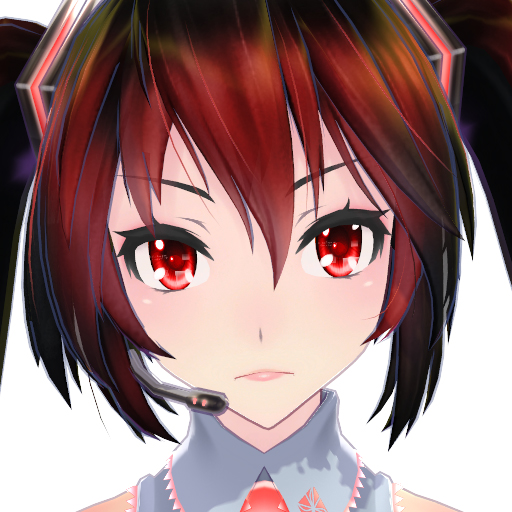
Tda Zatsune Miku (v2)
автор 76561197977063670
Tda Zatsune Miku - Version 2 Revision 1 February 19, 2015 Credits: - Tda: Original model - Kanekoran: Original Miku classic edit - CaptainBigButt: Porting, rigging, editing - Lacie: Original concept - Satariia: White shirt texture - Sculp: Posing (Images 1 and 2) Get the optional features here: http://steamcommunity.com/sharedfiles/filedetails/?id=309799000 Features: - Jigglebones - Faceposing - Eye flexes (faceposing) - Polished Materials - First Person Arms - PAC Bodygroups (hair) - Custom Proportions / Height - Skin Variants
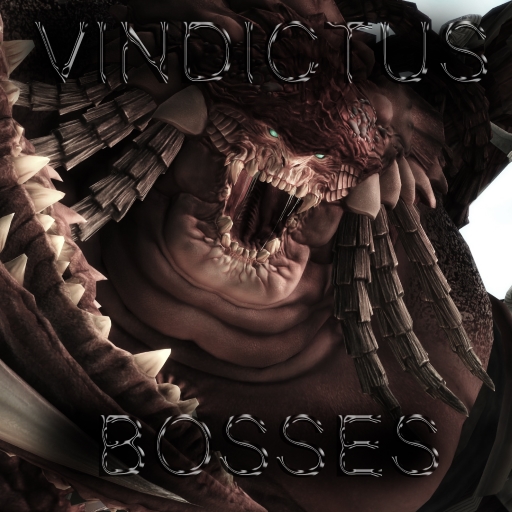
Vindictus Bosses 2
автор 76561198010021381
What is this? Second part of vindictus bosses Some models can be animated using Animated Prop Tool Recommended Mods for easy use Joint Tool Animated Tool SNPC Problems you may encounter: Undesirable reflection on some maps (can be bypass by typing mat_specular 0 in the console) Heavy Ragdolls Inconsistent Animation Some Sutff https://pastebin.com/5J8Sfp4s This addon consist of: Without Animations Some Buggy Animations Bear Urkul Braha Old Braha Young Glasgavelen Glasgavalen 2 Golen Ahglan Golen Colru Kraken head Neit Please post bugs in the comment section~ Thanks in advance! All rights belong to their respective owners. If you're looking for SNPC go here SNPC
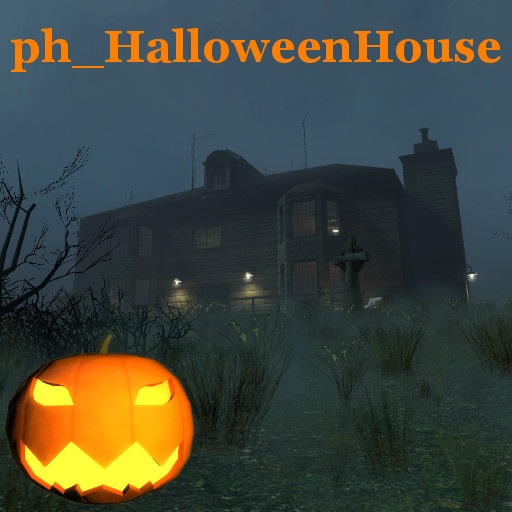
Halloween House - Prop Hunt Map
автор 76561197977848814
A Halloween themed map for Prop Hunt. Features a 4 storey house, a back yard, a foggy front yard and an abandoned mine shaft. Halloween themed surprises. 32 spawn points. Thank you to everyone who puts videos of themselves playing this online. Your videos pointed out issues with the map that would have otherwise gone unnoticed. Thank you for helping me to improve this map. Happy Halloween everyone.
![[VJ]Vindictus Boss SNPC : Season1 – Garry's Mod Mod](https://images.steamusercontent.com/ugc/96103261790200617/DE03E925403AA60394D9C320DF8CB501290B4B55/)
[VJ]Vindictus Boss SNPC : Season1
автор 76561198127088638
Welcome to my Vindictus BOSS Npc, you need vj base to make it work. ====================================================================== if the addon isn't working please read this http://steamcommunity.com/groups/vrejgaming#announcements/detail/275116452571191931 notice:If you are missing some particle effects, maybe you need half life 2 episodes Two new npc pack: http://steamcommunity.com/sharedfiles/filedetails/?id=1192054917 ====================================================================== Npc list Including these NPCs : ●Elahan( new!!!!) ●Heavy havan ●Juggernaut ●eochaid ● Havan ● Rakiora ● Reaper ●Lavasat ●Habitant ●Braha ●Braha Old ●Bear ●Ice Bear ●Neit Core ● dullahan ● KRAKEN ============================================================================= new update : Add new Boss ---- Elahan ========================================================================= Q:Can I turn off the havan dust? A:yes, go to the drvj option and find vindictus menu. Q:Where can I find them? A:You can find them in Vindictus Boss list Q:why the new boss isnt showing up in the Vindictus Boss List A:try to Find the vindictus boss.gma in the garrysmod / addon folder and delete it Then download again, its steam bug Q: Why does kraken die when spawn it ? A:please read this http://steamcommunity.com/groups/vrejgaming#announcements/detail/275116452571191931 Q:Why my kraken head is ERROR? A:Make sure you download two model packs ====================================================================== Sculp---Made the perfect Vindictus Bosses model, I have to say that this model is fantastic. Stiffy360 kud --- Rakiora models:http://steamcommunity.com/sharedfiles/filedetails/?id=261459124&searchtext=+Rakiora DrVrej - Creating VJ Base and some great special effects code me- made this and some effect music ---Vindictus Copyright © 2017-20XX by Lawrence, All rights reserved. All trademarks belong to their respective owners. All content not owned or claimed by Lawrence belong to their respective owners. Nothing in these files or/and code may be reproduced, copied, adapted, merged or modified without prior written consent of the original author, Lawrence. Doing so would be violating Valves Terms and Conditions and the Steam Workshop Rules.
![[LW] Subaru Impreza WRX STi 2001 – Garry's Mod Mod](https://images.steamusercontent.com/ugc/706276952998647960/12B3D2CC51F4BAA337270388C46C52B53ACC6E93/)
[LW] Subaru Impreza WRX STi 2001
автор 76561198073265803
IF YOU DO NOT HAVE THE LWCARS SVN, YOU NEED THE SHARED TEXTURE PACK, OTHERWISE YOU WILL HAVE MISSING TEXTURES, GET IT HERE: http://steamcommunity.com/sharedfiles/filedetails/?id=266579667 I do not take requests, So please don't post them here, you will be ignored. Saying 'This isn't a request but..' does not make it any different. Info A fully drivable Subaru Impreza WRX STi 2001. Lots of bodygroups and a skin to turn it into a replica rally car. Features -Fully drivable as a prop_vehicle_jeep -High poly model -Full HD interior -HQ textures -Working speedometer and rev counter -Forza 5 engine sounds (By Spy) More stuff from me! Get my SVN instead of this addon! More cars in one download! Join the LWCars Steam Group! Lke the LWCars Facebook page! Follow LWCars on VCmod.net! Follow LWCars on Facepunch! Skin making If you are interested in making a skin for this car, I have made a tutorial detailing how. Its super simple, And I'd love to see what you guys come up with! https://docs.google.com/document/d/1COcmLMUv_4fx2KPWYR5U7ofQr9ErIn74cXVZhYPRiCE/edit# F.A.Q Before posting a question, Please read the FAQ featured on the front page of my Steam group: Join the LWCars Steam Group I also do not take requests, So please don't post them here, you will be ignored. Saying 'This isn't a request but..' does not make it any different. And remember, Suggesting is requesting Extra thanks Spy - Sounds Bug reports If you have a missing texture or another bug, Please let me know. Be as descriptive as possible so I know what you are talking about, And a picture would help a lot! Just saying 'it dosen't work' or 'missing textures' does not give me enough information
First Person Death Mod
автор 76561197967445801
First Perso Death Mod keeps you in first person view when killed. It also spawns a server side ragdoll with which players can play. It aims to be really simple and shouldn't have conflicts with other addons... I hope. The following variables can be modified: fpdm_enabled 0/1 - Enable/disable the mod fpdm_sounds 0/1 - Enable/disable sounds fpdm_drop_weapon 0/1 - Enable/disable weapon drop when killed Please tell me if you find any bug or if you have suggestions.
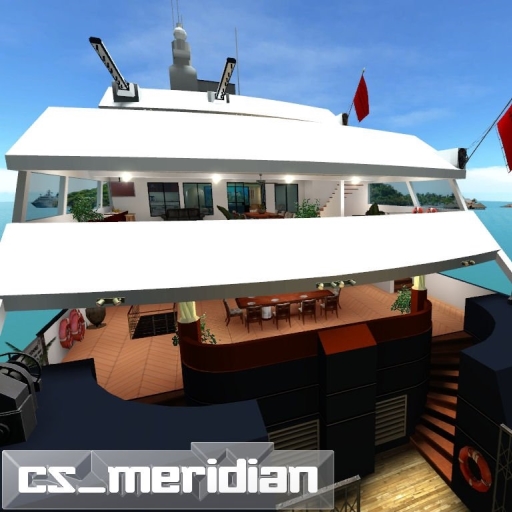
cs_meridian
автор 76561198058473573
cs_meridian by K!LLER^WORM (i'm just uploader) REQUIRES Counter Strike: Source CONTENT! The map takes place on a yacht in the Caribbean by the port of Tikiman's Island. The map is not too large but consists of 4 total floors. You can go inside almost every room in the map (cockpit, kitchen, lounge, office, bar, flying bridge deck, and others). Very good for making posters or videos.
Henry's Animation Tool
автор 76561198000787984
This tool is no longer being maintained. Consider using Stop Motion Helper instead. Thanks! Create smooth animations, just by posing! I started working on HAT way back in 2009, and back then it was called SMoSuite/Stop Motion Suite. Before, it just hopped from frame to frame without any transition. Now with Vector and Angle lerp-ing, frame to frame transitions smooth into each other. ***IMPORTANT*** After downloading this addon, you need to bind a key to the +hat_menu console command. You can do this by opening the console ( ~ ) and typing "bind x +hat_menu" To select props and ragdolls to animate, open up the HAT menu and right click on a prop or ragdoll. To do finger facial, or eye animation, you need to right click on the ragdoll's face or hands. Just right clicking on the ragdoll will not record any facial/finger poses. You can select multiple props and ragdolls, they will all have different timelines. You can subscribe to my youtube channel here: http://www.youtube.com/user/SuperFancyGentleman
Garry's Mod Guides
Настройка сервера Garry's Mod и активация режима TTT — шаг за шагом
Разверните сервер GMod и настройте TTT: коллекция Workshop, админ-инструмент ULX и конфигурация TTT с пошаговыми объяснениями.
Установка аддонов Workshop для Garry's Mod
Установи аддоны Workshop для Garry's Mod на сервер: Collection-ID, Steam Web API Key, автозагрузка для игроков и решение частых ошибок.
Арендовать сервер Garry's Mod — TTT, DarkRP и PropHunt
Настройка сервера Garry's Mod: выбери игровой режим, подготовь server.cfg, подключи Steam-Workshop-Collection и протестируй TTT, DarkRP или PropHunt.
Сервер Garry's Mod с поддержкой модов
Запустите собственный сервер Garry's Mod за несколько минут.
Арендовать сервер Garry's Mod