Project Zomboid Mods & Plugins
Propane and Gasoline
بواسطة 76561198996186547
REVAMPED Create Propane and Gasoline Make a new propane tank with 7 units of a propane torch, 8 metal sheets, 2 Welding Rods and level 7 metalworking Refilling gas and propane will prioritize empty tanks/canisters Refill Lighters with gasoline Turn every part of a tree into mulch distillery, mulch, and heat = flammable gas(Propane) distillery, condenser, crude bio oil, and heat = gasoline distillery, condenser, mulch, and heat = crude bio oil distillery is made using a cooking pot, metal sheet, metal pipe, 1 units of a propane torch, 1 welding rod, level 5 metalworking A condenser is made using a bucket, 2 small metal sheets, 3 metal pipes, 1 welding rod, level 6 metalworking Nothing will spawn, you need to make them Based off real science, but you might want to refine your gas a bit more... (Don't kill yourself hauling logs) send me ideas https://discord.gg/xzPyyDm4Ek Workshop ID: 2651349283 Mod ID: PropaneandGasoline Mod ID: PropaneandGasolineLegacy Workshop ID: 2651349283 Mod ID: PropaneandGasoline Mod ID: PropaneandGasolineLegacy

Named Literature
بواسطة 76561198012326036
More flavor text and functionality for literature items found in game. This mod does not use item scripts. Everything is lua based. Applied to: Books, Magazines, HottieZs, TVMagazines, Comic-Books, Newspapers, Wordsearches, Crosswords. - Titles are applied randomly to books from a list of over 3000+ titles. - The 3000+ titles are sorted by year/decade/century written, with a preference for modern (1993); include every century up to the 4th. - Book descriptions and tooltips will also include author and publication date for extra flavor (text). - Magazines utilize a similar system but just of magazine titles from a list of 60+ titles. - Additional Features: - Literature items can be re-read for a diminished stress/boredom/unhappiness relief. (If given enough time you can re-read for full amount.) - Literature items are color coded (based on a seeded process), colors should always be consistent. (Coloring 3D models not yet working/may not be possible.) Copyright 2026 Chuckleberry Finn. This item is not authorized for posting on Steam, except under the Steam account named Chuckleberry Finn. Workshop ID: 2822983942 Mod ID: Named Literature
![Improved Backpacks [UPDATE]](https://images.steamusercontent.com/ugc/1860549372705868961/C8EC5A3F9B34BA50A556ED99CA0669790A2BBC6E/)
Improved Backpacks [UPDATE]
بواسطة 76561198048940067
All backpacks, bags and briefcases have now been reduced in weight and increased in size with the movement penalty disabled for all ... Increases the capacity of all backpacks and bags by 40% and removes the movement penalty from everyone and reduces their weight by 50% NOTE Existing backpacks and bags will not be changed, to get bigger backpacks you will have to search in containers or unexplored places MODIFIED BACKPACKS - Golf Backpack - School backpack - Hiking backpack - Backpack - Military Backpack - Large Backpack - Plastic bag - Garbage bag - Tote - Hand Bag - Empty Sandbag - Suit case - Toolbox - First Aid Kit - Lunch box - Flight case - Guitar case - Fanny Pack Front - Brief case - Satchel - Cooler >>>>>>>>>>COMPATIBLE MODS<<<<<<<<<< Clothes BOX (41) Brita's Armor Pack Authentic Z ClothesBox Redux How to reduce weight is to remove the speed penalty Works in multiplayer See also my other mods COLLECTION MODS Workshop ID: 2707607167 Mod ID: improvedbackpacks Mod ID: improvedbackpacksauthenticZ Mod ID: improvedbackpacksclothesboxredux Mod ID: improvedbackpacksspiffoBackpack Mod ID: improvedbackpacksundeadSurvivor
![Fort Boonesborough [B41/B42]](https://images.steamusercontent.com/ugc/6295715988645943/17910F41043618EF29FD390A451153AB196A27F5/)
Fort Boonesborough [B41/B42]
بواسطة 76561198060684932
⚠️MAP UPDATED FOR BUILD 42 UNSTABLE!⚠️ This map has been updated for build 42. There might be bugs and issues with the map in this version. This update does not affect the build 41 version, it should still work the same as before. A reconstructed civil war fort located in the forest east of Louisville. The settlement has multiple cabins, blockhouses and a courtyard with a small garden. A small lake for fishing can be found in the forest nearby. This location does not have vehicles or loot, it is meant to be used as a player group base. The fort is based on the real-life recreation of Fort Boonesborough in Madison County, Kentucky. This map can be used as a multiplayer safe zone or settlement. The fort has multiple cabins that can be used as safe houses. Spawn locations The fort has two spawn locations inside the cabins next to the main gates. Map location The fort is located east of Louisville in the forest next to the music festival. This mod will conflict with other map mods that use the same cells. Link to online map Modpack Permission You are allowed to use this mod in private and unlisted modpacks. Mod info Version: 2.0.1 B41 cells: 46x6,47x6 B42 cells: 54x7, 55x7, 56x7 Workshop ID: 2968421358 Mod ID: Fort_Boonesborough Map Folder: Fort_Boonesborough Coordinates: 14112x1992

Defecation v3.58 (Build 42.19mp+)
بواسطة 76561197991652181
With this mod installed, players will need to defecate. This can be noisy and you'll need some kind of toilet paper, but holding it in too long will only make matters worse. Combine this with the zombie apocalypse and you get some interesting scenarios... Note: The B41 version will not be updated past version v2.24 (12/29/2021). New game is not required for this mod, it should be safe to add/remove the mod to/from any game. Nothing is tied to new game creation. ⠀⠀⠀⠀⠀⠀⠀⠀⠀⠀⠀⠀⠀⠀⠀ =New Features in 3.0 (B42 version)= - Burn piles of feces on the ground - Context menus are located under the menu of the item like vanilla 'fill' and 'wash' commands - Optimizations =Features= - GUI - Get the poop scared out of you requiring sterilization with bleach or cleaning liquid - Diarrhea - Multiple sounds with their own noise radiuses - Lucky/Unlucky and Iron Gut/Weak Stomach compensations - Rebindable hot-key - Feces can be used as compost or fuel in a fire - Feces can be used in food as a poison like bleach (it is easily detectable and 6 times weaker than bleach) - Slowly gain unhappiness/food sickness from piles of feces - Burn piles of feces on the ground - Configurable settings =Community Translations= - Spanish (partial) - @Mr. Moon - Italian (partial) - @Lore11 - Traditional Chinese (partial) - @UnsetLay - Argentinian Portuguese (full) - @SIMBAproduz =How to Use= How to open/use GUI How to defecate Piles of feces are dangerous! How to burn feces How to clean defecated clothes How to deal with diarrhea =Config= As of version 2.1 the settings are now located in the vanilla sandbox settings under the 'Defecation' category. Any of these values can be set to a decimal value (0.25, etc). Please note these are all multipliers, so whatever the default value is times this value, these are not the actual values. This file is not easily editable on a single player save. If you would like to change settings after starting a single player save: - Make a new sandbox game with the settings you want . - Go to /users/yourname/Zomboid/saves/sandbox/ - Make a backup of your saves - Copy the file map_sand.bin (where the settings are stored) from your new game, over the top of the map_sand.bin of your old game. Shameless tags so this shows up in results: Excrementum, Bathroom Functions Please do not upload edited versions of my files publicly without permission. The only exception to this is translations. Edits can be made ONLY IF distributed privately. Workshop ID: 1436878551 Mod ID: Defecation
![1993 Mazda RX-7 (JM1FD) USDM [B42/41]](https://images.steamusercontent.com/ugc/2056489234183986875/9762E80F4A37AA1BE05361CF094D2B9156A7B1CA/)
1993 Mazda RX-7 (JM1FD) USDM [B42/41]
بواسطة 76561198013844238
1993 Mazda RX-7 (FD) Now updated for B42. Spawn rates have also been increased significantly based on user feedback. Tested and works on B42MP 42.13.1 Car showing up dark? Increase Max Vehicle Texture Size in Settings! My first mod for Zomboid. Contains two trim levels, Base (w/ optional fog lights) and R1 (factory aero kit, stiffer suspension). Compatible with Vehicle Spawn Zones Expanded. Tends to spawn around nicer areas, import, and new car dealerships, with the Base trim being more common. Also contains an additional mod which switches to fictional names (Matsuda Zavana) for lore friendly applications. Workshop ID: 2913313821 Mod ID: kg93rx7fd Mod ID: kg93rx7fd_FictionalNames

WesternScrapCarYard 西部森林废车场
بواسطة 76561199200227341
********************************************************************************* CN: 更新内容:在一楼二楼与三楼平台上面分别增加了1个消防水管,它不会受停水事件影响,无限容量。(使用方法,右键对准消防水管龙头的部分,与游戏内正常的取水一样。)提示:如想要有这次更新的内容,您需要重开新游戏。 EN: Update content: 1 fire water pipe is added on the platform on the first floor, the second floor and the third floor respectively. It will not be affected by the water outage and has unlimited capacity. (To use it, right click on the part of the fire hose faucet, which is the same as the normal water intake in the game.) Tip: If you want to have this updated content, you need a new game. ------------------------------------------------------------------------------------------------- CN:地图小故事: 这里地处偏僻,商人们有计划的在这里建设综合百货大厦和二手车交易中心。商人们希望可以带动更多的投资者来这片森林建立城镇,不过这一切都因为突然爆发的病毒感染事件而告终。 该模组在世界地图的 Cell 29x30 中创建了一个废旧车回收中心,中间有一栋四层建筑:一楼是汽车修理与零配件商店以及库房与材料存放区。二楼有汽车配件商店、野营渔具与狩猎商店、书店、工具店、快餐店和咖啡店。三楼是住宅区与服装店以及枪店,三楼露台有可以种植的区域,四楼有一个游泳池。模组目前还在不断完善中,希望你能喜欢。(停车场:支持二手车/Filibuster Rhymes' Used Cars!、67两栖装甲车/'67 Cadillac Gage Commando、86重型卡车与拖车/'86 Oshkosh P19A + Military Trailers、军用重型卡车/'82 Oshkosh M911 + Military Semi-Trailers、特警装备与警用车辆/SWAT & RIOTPACK for BUILD、军用车辆/Military and Police Used Car Skins等等。。。) EN:Map Story: It is located in a remote location, and businessmen have plans to build a comprehensive department store and a used car trading center here. The businessmen hoped to bring more investors to this forest to build towns, but all this ended because of a sudden outbreak of virus infection. This mod creates a scrap car recycling center in Cell 29x30 on the world map, with a four-story building in the middle: the first floor is a car repair and spare parts store, as well as a warehouse and material storage area. On the second floor there is an auto parts store, a camping gear and hunting store, a bookstore, a tool store, a fast food restaurant and a coffee shop. The third floor is a residential area with a clothing store and a gun shop, the third floor terrace has an area for planting, and the fourth floor has a swimming pool. The mod is still being improved, I hope you like it.(Parking lot: Support Filibuster Rhymes' Used Cars!, '67 Cadillac Gage Commando, '86 Oshkosh P19A + Military Trailers, '82 Oshkosh M911 + Military Semi-Trailers, SWAT & RIOTPACK for BUILD, Military and Police Used Car Skins, etc. . . ) 特别感谢:金色喵球 ★★★★★★★★★★★★★★★★★ CN: A1修复了三楼酒吧柜台摆放错位的问题。 A2增加了8台容量200单位的大型冷柜 EN: A1Fixed the misplacement of the bar counter on the third floor. A2Added 8 large freezers with a capacity of 200 units ★★★★★★★★★★★★★★★★★ ------------------------------------------------------------------------------------------------- Workshop ID: 2646041510 Mod ID: WesternScrapCarYard Map Folder: WesternScrapCarYard
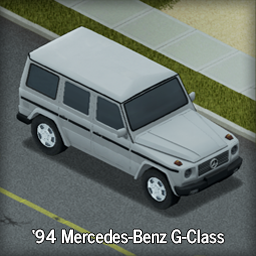
Mercedes-Benz W463 G-Wagen
بواسطة 76561197995400337
Support our efforts to bring more military (and other) vehicles into PZ cytt0rak Shark Mercedes-Benz W463 G-Wagen The Mercedes-Benz G-Class, in American English sometimes called G-Wagon, is a four-wheel drive automobile manufactured by Magna Steyr (formerly Steyr-Daimler-Puch) in Austria and sold by Mercedes-Benz. Originally developed as a military off-roader, later more luxurious models were added to the line. The G-Wagon is characterised by its boxy styling and body-on-frame construction. It uses three fully locking differentials, one of the few passenger car vehicles to have such a feature. Check out our Mercedes-Benz 290-GD mod The G-Class was also adopted as as a replacement of the M151 MUTT. It is known as the Interim Fast Attack Vehicle. (Coming soon) The mod features a multitude of colors: Blue, Green, Red, Purple, Orange, Silver, and White Pros: - Civilian off-road vehicles have never looked better. - Medium amount of storage space. Cons: - Since its an imported luxury vehicle; it's going to be rare. - Due to rarity, sourcing a replacement vehicle will prove difficult. G-Wagens will spawn elsewhere in traffic jams and wealthier areas but will be uncommon as this is an import. Rarity edits will come later when we decide whats best. Future plans: - Vehicle fortifying - GD 290 Workshop ID: 2791949767 Mod ID: GWagen
Added sounds effect to dismantle action - Lite version
بواسطة 76561198073717195
Add sounds to dismantle objects Sounds effects is added during action when you Dismantle Objects. This sounds is my creation from audio samples like all my others audio mods. My others mods with Sounds effects: dead body corpse sounds effects: https://steamcommunity.com/sharedfiles/filedetails/?id=2811441212 add mechanic sounds LITE version: https://steamcommunity.com/sharedfiles/filedetails/?id=2840211821 add mechanic sounds + action time added: https://steamcommunity.com/sharedfiles/filedetails/?id=2738293620 transfer item sound effect: https://steamcommunity.com/sharedfiles/filedetails/?id=2840177363 dismantle objects sounds effects with action time added: https://steamcommunity.com/sharedfiles/filedetails/?id=2802234947 dismantle objects sounds effects LITE: https://steamcommunity.com/sharedfiles/filedetails/?id=2840232121 True Alert Sounds (no replace): https://steamcommunity.com/sharedfiles/filedetails/?id=2847593195 Replace sound to Level Up : Resident Evil: https://steamcommunity.com/sharedfiles/filedetails/?id=2845527101 Replace Death Music: https://steamcommunity.com/sharedfiles/filedetails/?id=2859030266 If you think this mod would be interesting for the community Workshop ID: 2840232121 Mod ID: addDismentleObjectSoundLITE
Map Symbols Plus (Hand-drawn)
بواسطة 76561197987731931
New symbols for drawing on the map. This is a hand-drawn edition. For Stensil edition go here: Map Symbols Plus (Stensil) I was missing ability to mark a few objects, especilly considering that some of the old map symbols mods aren't updated yet. So I've decided to make my own. Highly recommended with the following mod -Map Symbol Size Slider Contents LOCATIONS category - Pins: "Safe" pin, "Unknown" pin, "Warning" pin - Location types: Bunker, Basement, Gas station, Parking, Safehouse - Heads: skull, gasmask, helmet with skull, helmet with gasmask LOOT category - Consumables: Water, Bottle, Fresh food, Preserved food, Fork and spoon, Propane tank - Ranged weapons: Ammo 1, ammo 2, shells, pistol, assault rifle, shotgun, sniper rifle SYMBOLS category - Area: Circle with lines inside - Vehicles: bus, crossover, military, motorcycle, passenger car, pickup, RV, trailer truck, van, car wreck - Workstations: generator, BBQ, forge, furnace/kiln, metal bandsaw/lathe, stove, well, water pump - Animals: chicken, cow, pig, rabbit, sheep, turkey Suggestions for symbols are welcome. P.S. It IS working on B41 now too, but due to the size difference with B41 vanilla icons, you MUST be using Map Symbol Size Slider to set proper icon size on B41. Workshop ID: 3399645148 Mod ID: MapSymbolsPlusDeonHand

Mods Korean language
بواسطة 76561198059533737
Mods Korean language & font ARIOCH Workshop ID: 2485028088 Mod ID: Font_Arioch Mod ID: ModsKoreanlanguage
Engine Keeper
بواسطة 76561198329871201
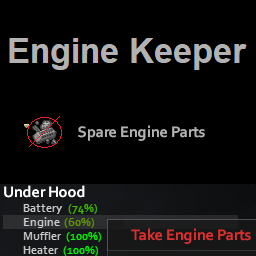
Inhibits taking parts from an engine at and above 60% condition. The value can be modified with modoptions. The value can be modified with sandbox variable Mod EngineKeeper ECT. (deactivated by default with -1 value) Ask for permission This mod can only be added to and extended with the express permission from the original creator. Having received permission, credit must be given to the original creator, both within the files of the mod and wherever the mod roams online. If no permission is received you may not alter the mod. Workshop ID: 2710075476 Mod ID: EngineKeeper
Immersive Overlays Retexture
بواسطة 76561198127632493
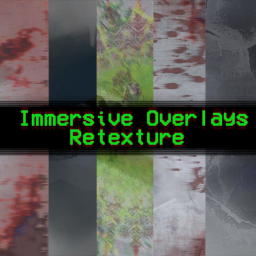
This is a retexture and integration of two mods: -Immersive Overlays -ImmersiveOverlaysExtanded The .lua scripts are NOT created by me! I just redone the overlay textures for both of them and I couldn't find a way to replace only the textures files, both of the mods are merged in this one SO MAKE SURE ONLY THIS MOD IS ENABLED!!! Please, make sure to endorse BOTH of the original Immersive Overlays Mods okay? If any of the creators of the Immersive Overlays and ImmersiveOverlaysExtanded mods want this mod down just contact me and I will remove it from Workshop as soon as possible :) I tried to make that the overlays doesn't fill too much of the screen in a realistic/intense style. The wet texture doesn't fill all of the screen feels like you're really wet and sweaty. Pain, injury and bleeding gives you a intense feel like you've been trully damaged. When you are tiered IRL doesn't feel strange and like you're tripping a little bit? That's what i tried to reach. Hypothermia gives you an icy chilling feel and Hyperthermia gives you that burning feeling :) When you become a zombie everything is trippy and strange. There is a Less intrusive version too. But only enable ONE OF THEM! I'm always open to suggestions! _____ Help me _____ Workshop ID: 2857584360 Mod ID: ImmersiveOverlaysRetexture Mod ID: ImmersiveOverlaysRetextureLessIntrusiveVersion
Guns of 93 (B41)
بواسطة 76561198051832220
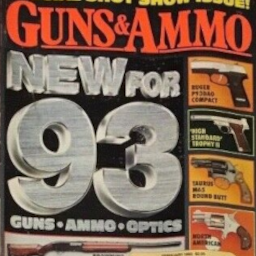
Guns of 93: B42 Test Build is available, though unfinished, for those who would like to test the mod for B42. It is being reworked with new features. Note: As a general rule with Zomboid, don't mix gun related mods. If a gun related mod does not explicitly say it is compatible with Guns of 93, it probably is not. Guns of 93 is an attempt to add more variety to Zomboid firearms, adding more than 100 various guns and related items. It is mostly focused on civilian firearms that would have been available before July 1993, though it does add a few military and police arms, along with a few rare guns that were culturally noteworthy for the time. This originally was a project for a private server with friends. After some pushing by said friends, it was made public and has grown into a much larger thing than I could have expected. You have them to thank. What to expect: While I attempt to keep a vanilla like feel, the guns have been rebalanced. Rifles and shotguns should be easier to use at low levels than handguns, and damage scales by the caliber used and barrel length, along with other stats like sound radius, aiming time, and recoil delay. Shotguns multi-hit scales with barrel length and has been reduced to make shotguns less meta, though still the best for clearing larger groups. Few other additions: - Fouling: Firearms now have a fouling stat displayed in their tooltip that will increase with use. The higher the fouling, the more likely the firearm will jam and its condition will decrease more rapidly. Gun Cleaning Kits (which can be crafted) can be used to decrease a firearm’s fouling. - Caliber Switching: Shotguns can now switch between using buckshot and slugs. .357 Magnum firearms can be switched to use .38 Special. The S&W 625 can be switched to use moon clips. Option is available in the firearm’s context menu, under Firearm Options, and radial menu. - Weapon Upgrade Tools: Upgrades no longer only require a screwdriver. Some may now require a wrench, while others may require no tool at all. If a weapon upgrade requires a tool, it will be stated in the upgrade’s tooltip. - Scope Rail: Some firearms (like the AR-15, M14, HK91, 1911s, some revolvers, etc.) now require a scope rail if you want to mount a red dot or scope to the firearm. - Bayonets: Bayonets can now be found, sometimes even stuck in zombies after enough time. Once a bayonet is fixed to a firearm, its use can be toggled by context menu, under Firearm Options, and radial menu, along with the use of the Z key (which you can change in the settings). The bayonet’s condition will decrease with use and its current condition will display in the firearm’s tooltip. - Silencers: Though rare, silencers can now be found at gun shops and military locations. Silencers will usually reduce a firearm’s sound radius by around 25%, though its efficiency is different based on caliber, silencer type, and if the gun is manually operated or not. Silencers also have a fouling stat like firearms and their efficiency will decrease with fouling, along with condition decreasing faster. Silencers can only be mounted to firearms with threaded muzzles and some handguns require a silencer booster to be installed in the silencer (should be stated in the firearm’s tooltip) to function reliably. - New Crafting: Along with sawing down shotguns, you can now thread the muzzle of firearms that don’t already have them, as long as you have found a tap and die set and enough metalworking skill, allowing them to install muzzle brakes, silencers, and chokes for shotguns. A tap and die set will also allow for the crafting of a thread adapter, which will allow you to use oil filters as makeshift silencers. - New Recipe Magazines: There are also two new crafting magazines titled Informational Purpose Only (IPO), which can occasionally be found at gun shops and a few other places magazines are found at. IPO: Silencer Construction allows making of homemade silencers with the right aiming and metalworking skill. IPO: Full-Auto Conversion allows converting most semi-auto firearms to full auto, also with the right aiming and metalworking skill. - Sandbox Options: The mod has various sandbox options to customize your game or server. Various spawn rates can be adjusted, firearms can be disabled by caliber, recoil delay and sound radius can be adjusted, etc. Special thanks to my friends I annoy with this mod and to everyone who helped test the Test Build of the mod, particularly Matt Boah and Chunkeemonkee (who might as well be the unofficial head QA tester of Guns of 93). This mod includes Poltergeist’s Firearms Burst-Fire as part of the mod. Caballeros Sombreros’ Real Full Auto is not required, though highly recommended. Anything in this mod, not listed as someone else's work, can be freely modified, reposted, and used in other mods, as long as credit is given. Translations are currently partial. Simple Chinese language translation by EtherealTenG Russian language translation by Kirov Reporting Brazilian Portuguese by Seeker Guns of 93 Discord Server Like the mod? Workshop ID: 3077078907 Mod ID: Guns93
Hyrule County
بواسطة 76561197992292739
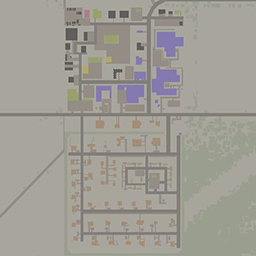
Hyrule County, here to provide you with everything you could wish for. (one spawn for now located at the mall) -Works with in-game map, includes a curved road - uses cells 31,26 and 31,27 -Features a Military Area - 2 Gas Stations, Trailer Park, Barn (The barn area will spawn FARM vehicles from agrotsar mod.), Farming Areas (greenhouses) - A commercial area which include Police Station, Fire Station, School, Music Store, Gun Store, General Store, Fishing Store, Army Surplus, Book Stores, Gas Station, Autobody shops, Electronics Store, Medical Store, Grocery Store, Pawn shop, Jewelry store - A Mall (working elevators) -Residential neighborhoods (working elevators) -medium-to high zombie population -residential areas / mall spawns mostly sport vehicles, military area spawns military vehicles, fire stations spawns fire vehicles, police station spawns police vehicles. Credit to DaddyDirkieDirk for the tiles / houses in the majority of the map / building poolv2 This map was recently updated and moved(4/25/22), will require a new save or knowledge of how to put into an existing save. Was made to be compatible with olds military, previous version was deleted. If you're looking for a dedicated MP server check out our heavily modded community EZ-PZ https://discord.gg/hvv3zu7UdB Mod ID: Hyrule County Map Folder: Hyrule County Workshop ID: 2799194382 Mod ID: Hyrule County Map Folder: Hyrule County
![[B42]统一·模组汉化](https://images.steamusercontent.com/ugc/10441738352793159574/E060E54537E2137E2560C40C7C34AD69DC8BB7B3/)
[B42]统一·模组汉化
بواسطة 76561198794350102
Chinese localization for Project Zomboid Mods. Workshop ID: 3556540080 Mod ID: B42ModTrans_CN
![[B42MP] Frockin Splendor! Vol.3](https://images.steamusercontent.com/ugc/59213011605488659/2CC62F4889923D2BE8453E5D842DA47068629D62/)
[B42MP] Frockin Splendor! Vol.3
بواسطة 76561198087493411
FROCKIN SPLENDER PHASE 2 IS UNDERWAY!! ***March 2026 Update*** SUPPORT B42.19 - B42.15 MULTIPLAYER! Retained support for legacy versions: B42.14, B42.13, B42.12. ***December 2025 Update*** NOW UPDATED TO B42.13 MULTIPLAYER! Backwards compatibility to B42.12 deployed! Volume 3 is now compatible with B42.12! Please report any bug related to clothing slots (bodylocations) in the bug report section! Every piece of high quality, shiny black leather clothing you will ever need: bodysuits, leotards, tops & crop tops, boleros, shorts, skirts, leggings, pants, gloves, corsets, harnesses and stockings. Big ticket items include leather trench coats, cropped jackets and a selection of eight high heels and boots*. Certain clothing types have designer, novel and super variants. 95 different items, 736 variants in total. All can be found in containers at reasonable places, and worn by zombies. Use context menu options to adjust the appearance of the outfits: wear on different limbs, roll sleeves, zip up or down, wear with or without accessories, etc. This mod is the first of a multi-stage project to bring a certain B41 mod to B42. Make no mistake, this is not, and will not be a simple port. Everything has been revisited, remastered and expanded with new tech, functionality and depths (ha). You can expect the same level of improvement for the remaining parts when they come to B42. ***OPTIONAL!*** Due to the introduction of a new tech in B42, "depth mapping", high heels will now appear to be clipping into the floor. To work around this issue, a modified depth map is included in the mod folder that is specifically fine tuned to resurface the heels while causing minimal disruption. This solution requires manual installation: 1. Navigate to your "Project Zomboid" installation and media folder (by default should be something like: "C:\Program Files (x86)\Steam\steamapps\common\ProjectZomboid\media"), and locate the "depthmaps" folder. 2. In another window open the mod folder (by default should be: "C:\Program Files (x86)\Steam\steamapps\workshop\content\108600\3431256608\mods\Frockin Splendor! Vol.3\42\media\"), and locate the base game "depthmaps" folder. 3. Copy the "depthmaps" folder (which should contain a single png file named "DEPTH_preset_depthmaps_01.png") and paste it to the base game media folder, and overwrite the original "DEPTH_preset_depthmaps_01.png". With game updates it will be restored to default so you may need to repeat the installation process. Q: Is this mod save compatible? A: YES. Though the new items will not spawn in already discovered areas, zombies with Frockin Splendor! clothes should start spawning after installation. Q: Where are the zombies wearing your clothes? A: They are relatively rare to avoid crowding out the spawn table. Keep killing them and you'll run into one. Alternatively, make your way to a certain establishment in Louisville and you'll see plenty of them. Q: I can't find the stuff in containers! A: While the mod is save compatible, you will need to go to areas previously unexplored for the new items to start spawning in. A new tech has allowed this mod to place items in custom containers, or, "gift boxes", inside other containers such as wardrobes or crates. This way all Frockin Splendor! clothes can be found in reasonable quantities, while not crowding out the loot tables for vanilla and other modded items. These "gift boxes" have between 0.55% and 1.19% chance to spawn. Q: Why didn't you port the crafting system to B42? A: At the current stage B42 crafting is in a very unfinished state. There are placeholder codes and recipes and are clearly subject to change. It would be unwise to overhaul the old crafting recipes only to have to redo it when The Indie Stone inevitably changes things. Crafting will come later. Q: Can I use your mod in my mod pack? A: Ask for permission! Q: Mod compatibility issues? A: All Frockin Splendor! mods are guaranteed to be compatible with each other. There should be no conflicts with other mods, to the best of knowledge. Please report any error you encounter in the BUG REPORT post. Q: What about character model mods? A: A majority of the clothing items do not have a separate mesh, meaning that they can be used with various character model mods without issue. Some of the items that do have separate models may have minor clippings if you use a character model that deviats too much from the base game. Liking the mod? Give it a rating to show your support! This mod is part of the Frockin' Splendor! Phase 1 Series. Click on the image below for the whole collection: Toss a coin to your local Project Zomboid modder Please respect and support the original release and do not edit, re-package or re-upload this mod without permission TY. Mods used in thumbnails and preview images: TTRP Poses by CrystalChris Simple Character Retextures by heafoxy Boots Expanded by Mark IV and various hairstyle mods. All recommanded. Workshop ID: 3431256608 Mod ID: GanydeBielovzki's Frockin Splendor! Vol.3
Spears: Twine and Leather Binding, Chipped Stone Spearheads
بواسطة 76561198014897042
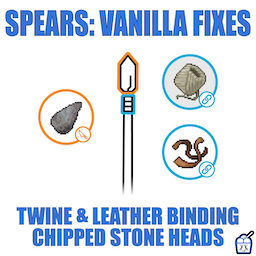
Update: Bugfix and Optional Improvements to Vanilla Calculation of Spear Quality - Mod now fixes vanilla game's math error that unfairly caps the durability of spears at 50% - Optional submod has been added, with more significant changes - Handy trait is now factored into the spearmaking calculations, essentially boosting your woodworking level in all calculations - In addition to higher durability, high woodworking skill now also boosts maximum durability. - Very high woodworking skill boosts maximum damage - Twine, leather strips, and duct tape are each factored into calculations differently from one another - Duct tape provides a flat bonus, ideal for characters with low crafting levels - Twine provides a bonus that scales with crafting skill, ideal for high level crafting characters - Leather strips, being abundant and easy to find, offer no bonus The quality of spearhead has a bigger impact on the quality of your spear than in the vanilla code. For instance, machete spearheads will now outperform scissor spearheads to the same degree that machetes outperform scissors. Because Cavemen Didn't Have Duct Tape You can now also attach spearheads using leather or twine. Help Me Translate I will add language support for your language if you send me a translation. Please translate the phrases on the right. Do not change the left side. recipe_Bind_Bread_Knife_to_Spear_with_Twine = "Bind Bread Knife to Spear with Twine", recipe_Bind_Butter_Knife_to_Spear_with_Twine = "Bind Butter Knife to Spear with Twine", recipe_Bind_Fork_to_Spear_with_Twine = "Bind Fork to Spear with Twine", recipe_Bind_Letter_Opener_to_Spear_with_Twine = "Bind Letter Opener to Spear with Twine", recipe_Bind_Scalpel_to_Spear_with_Twine = "Bind Scalpel to Spear with Twine", recipe_Bind_Spoon_to_Spear_with_Twine = "Bind Spoon to Spear with Twine", recipe_Bind_Scissors_to_Spear_with_Twine = "Bind Scissors to Spear with Twine", recipe_Bind_Hand_Fork_to_Spear_with_Twine = "Bind Hand Fork to Spear with Twine", recipe_Bind_Screwdriver_to_Spear_with_Twine = "Bind Screwdriver to Spear with Twine", recipe_Bind_Kitchen_Knife_to_Spear_with_Twine = "Bind Kitchen Knife to Spear with Twine", recipe_Bind_Hunting_Knife_to_Spear_with_Twine = "Bind Hunting Knife to Spear with Twine", recipe_Bind_Machete_to_Spear_with_Twine = "Bind Machete to Spear with Twine", recipe_Bind_Ice_Pick_to_Spear_with_Twine = "Bind Ice Pick to Spear with Twine", recipe Bind_Chipped_Stone_to_Spear_with_Twine = "Bind chipped stone to spear with twine", recipe_Bind_Bread_Knife_to_Spear = "Bind Bread Knife to Spear", recipe_Bind_Butter_Knife_to_Spear = "Bind Butter Knife to Spear", recipe_Bind_Fork_to_Spear = "Bind Fork to Spear", recipe_Bind_Letter_Opener_to_Spear = "Bind Letter Opener to Spear", recipe_Bind_Scalpel_to_Spear = "Bind Scalpel to Spear", recipe_Bind_Spoon_to_Spear = "Bind Spoon to Spear", recipe_Bind_Scissors_to_Spear = "Bind Scissors to Spear", recipe_Bind_Hand_Fork_to_Spear = "Bind Hand Fork to Spear", recipe_Bind_Screwdriver_to_Spear = "Bind Screwdriver to Spear", recipe_Bind_Kitchen_Knife_to_Spear = "Bind Kitchen Knife to Spear", recipe_Bind_Hunting_Knife_to_Spear = "Bind Hunting Knife to Spear", recipe_Bind_Machete_to_Spear = "Bind Machete to Spear", recipe_Bind_Ice_Pick_to_Spear = "Bind Ice Pick to Spear", recipe Bind_Chipped_Stone_to_Spear = "Bind chipped stone to spear", DisplayNameSpearChippedStone = "Spear with chipped stone", The mod currently supports - Español - Portugues - Русский - 한국어 Credits: Chipped stone spearhead model was created by Steam player MrDanny Poster art created using "Spear" Icon by Anthony Ledoux from The Noun Project. If you enjoy this mod please like and favorite Fake internet points are easy to give, totally free, and I enjoy them immensely! https://i.imgur.com/p7Fv1Z6.gif https://i.imgur.com/jEczML7.png Tags:B41,Items,Models,Realistic,Weapons Workshop ID: 2036922754 Mod ID: TieOnSpearheads Mod ID: TieOnSpearheads_MP Mod ID: TieOnSpearheads_Crafting
Climb B41
بواسطة 76561198329871201
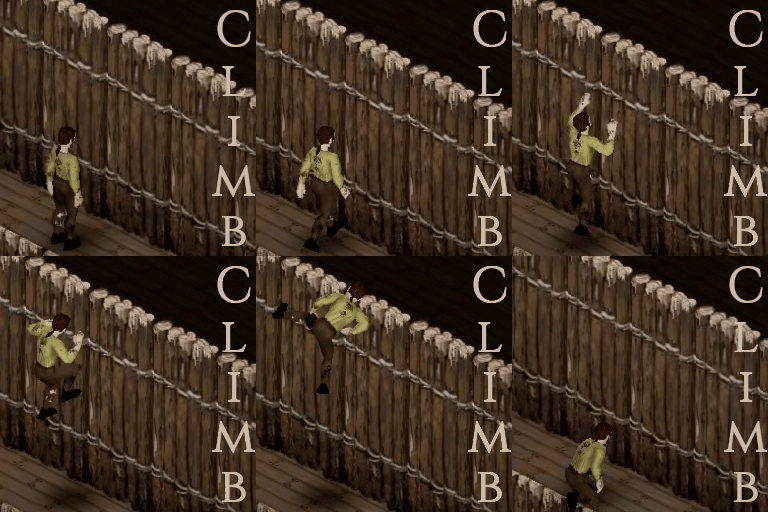
You can climb one level up. How to climb - You can climb to a place one level higher but not directly over you. - The target place must have a floor (but no stairs). - The target place must have no wall window or fence blocking the climb. - There must be nothing on top of your head blocking the climb. - You must not be on stairs. - You must be in good health conditions*. - Press the Climb key, 'F' by default, configurable Health condition* - Each of the following points apply to the torsos, arms and hands body parts. - Health must be above 50 percents. - Exercise fatigue (stiffness) must be below 50 percents. - No fracture. - No deep wound. Success / Struggle / Failure Computation details: - Base chance: 80% - Each point in Strength and Fitness adds 2% (at best +40%) - Each level of Endurance removes 10% (at worse -40%) - Each level of HeavyLoad removes 16% (at worse -64%) - Any trait among Emaciated / Obese / Very Underweight removes 25% (at worse -25%) - Any trait among Underweight / Overweight removes 15% - Each zombie attacking the player from its initial tile removes 25% (no limit) - Each zombie not attacking the player from its initial tile removes 7% (no limit) - Success chance: sum of all variables above - 25% - Struggle chance: 25% (if Success chance < 100%). 0% (if Success chance >= 125%) - Fail chance: 100% - Struggle chance - Success chance. - Critical success: 1% (there is always a chance). - Critical failure: 0% (no critical failure for PZ. player must be able to guarantee success if carefull). - A struggle result leads to a new computation. Exemple 1 Fresh New Bill : Player with 5 fitness, 5 strength, no moodle, no trait, no zombie around. - Base = 80% + 2%*(5+5) = 100%. - Success = Base -25% => 75%. - Struggle = min(Base,25) = 25%. - Failure = 0%. Exemple 2 Zero (Wannabe Hero) : Player with 0 fitness, 0 strength, First Endurance moodle, Obese trait, one zombie attacking. - Base = 80% - 10% - 25% -25% = 20%. - Success = Base - 25% => 1%. (critical success only) - Struggle = min(Base,25)-critical success = 19%. - Failure = 80%. Exemple 3 Hero (Experienced Zero) : Player with 10 fitness, 10 strength, First Endurance moodle, no trait, one zombie attacking. - Base = 80% + 2%*(10+10) - 10% -25% = 85%. - Success = Base - 25% => 60%. - Struggle = min(Base,25) = 25%. - Failure = 15%. Endurance consumtion - Success: 6.24% endurance. - Failure: 6.24% endurance. - Struggle: 2.6% endurance per struggle. Warnings - Animation is clunky. - You will get access to places you usually don't: beware the holes in some roofs. - Close range teleport is used. - I've not had any death while climbing, but I cannot guaranty you wont. - Play it safe: Back Up Your Save. Other details - Safe to be removed / added for any save. (set aside the warnings above) - Should work in any mode (untested in MP and local coop, you tell me). - Use bug reports discussion for bug reports. - Use evolution requests discussion for all change requests (and don't get high hopes). Ask for permission This mod can only be added to and extended with the express permission from the original creator. Having received permission, credit must be given to the original creator, both within the files of the mod and wherever the mod roams online. If no permission is received you may not alter the mod. You wanna support? A nice word is always welcome. Constructive feedback too. Else you can Workshop ID: 2996504752 Mod ID: ClimbWall
RV interiors for Special Emergency Vehicles & FBI
بواسطة 76561198011463963
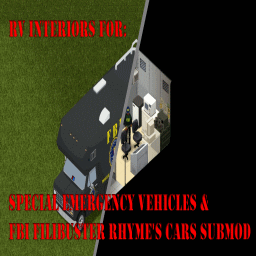
Seems that Project RV Interior added support for my mods including this one, so i will not Update this mod for b42, you can get it here https://steamcommunity.com/sharedfiles/filedetails/?id=3543229299&searchtext=%5BB42%5DProject+RV+Interior You can calso use :Project RV Interior:https://steamcommunity.com/sharedfiles/filedetails/?id=3543229299&searchtext=%5BB42%5DProject+RV+Interior or RV Life: https://steamcommunity.com/sharedfiles/filedetails/?id=3553635874 or Vanvival - Build's 42 Nomadic Experience: https://steamcommunity.com/sharedfiles/filedetails/?id=3547444619 or: RV Interior Expansion : https://steamcommunity.com/sharedfiles/filedetails/?id=3618427553 All of them have compatibility! This patch adds compatibility for RV interiors and Special Emergency Vehicles & FBI for Filibuster Rhymes' Used Cars! and provides unique interiors for those vehicles. ---------------------------------------------IMPORTANT!--------------------------------- Test fix for RV_INTERIORS 1.3 added - Follow new instructions in RV Interiors mod description, this fix was tested on SP and local MP, please report if works correctly on Dedicated servers. NO LONGER REQUIRES Requires Filibuster Rhymes' Used Cars, CAN BE USED ALONE,AND WITH BOTH Filibuster Rhymes' Used Cars VERSIONS, ANIMATED OR NONANIMATED (activate only 1 of them ) -Filibuster Rhymes' Used Cars (non animated atm): https://steamcommunity.com/sharedfiles/filedetails/?id=1510950729 -Filibuster Rhymes' Used Cars! - Animation Beta https://steamcommunity.com/sharedfiles/filedetails/?id=3315561157 REQUIRES: Special Emergency Vehicles & FBI for Filibuster Rhymes' Used Cars! https://steamcommunity.com/sharedfiles/filedetails/?id=2849455153 **Before posting any errors make sure you did follow the new instructions on RV interiors mod page.*** ****LEGACY VERSIONS OF THIS MOD ARE DELETED********* In case you still get them on mod loader, unsub (make sure mod is deleted) and re sub to the mod. Im not resposible of savegame incompatibilities caused by this, please read descriptions before reporting bug or downvoting. ------------------------------------------------------------------------------------------------ At this moment the patch adds interiors for: -86 Bounder Hazardous Materials Unit (Hazmat Fire Dept livery) -86 Econoliner Mobile Command Center (Louisville & FBI liveries) -F 700 box Bomb Squad truck (both variants) (special emergency vehicles mod truck not KI5) -FEMA HAZMAT Truck. -Jefferson County KY Sheriff's police Special Operations Group Command Truck. -ATF & DEA trucks. Follow the steps to install RV_Interiors on Mp on their mod page here: https://steamcommunity.com/sharedfiles/filedetails/?id=2822286426 Map priority order: RV_interiors map SpecialfbasvehiclesInteriorsmap other maps Muldraugh please report. if it works or not on dedicated servers Cells used: Cells used 70x20,70x21,70x22,70x23,70x24,70x25,70x26,70x27,70x28,70x29 compatible with any maps (that im aware of) except standalone maps (those that are not linked to kentucky), those needs a exclusive mod for them. Huge thanks to Maxwelt44 for allowing and helping me in the making of this patch. known issues: -Teleported in the void: Mod was added on an existing save or vehicle_interior and SpecialfbasvehiclesInteriorsmap wasnt put in top priority (check the map name as it was recently updated) -Messed up interior textures: Enable double sized textures -Kicked from the server: Anticheat 2 and 12 weren't disabled -No enter or exit menu: Mod conflict -Zombies on interiors: Can't fix as it's not from my mod, its how's the game is. -Problems when installing on existing saves: Check Discussions -Local variable 'foundID' referenced before assignment": Ignore that error, the mod seems to load in the server. -Vehicles not having get in action on the Radial menu on Dedicated servers: Not a mod issue as long i can see, please make sure RV interiors is installed correctly and updated, also make sure this mod is also correctly installed, follow instructions provided on both mods descriptions. Requires: Filibuster Rhymes' Used Cars!: https://steamcommunity.com/workshop/filedetails/?id=1510950729 Rv Interiors https://steamcommunity.com/sharedfiles/filedetails/?id=2822286426 Special Emergency Vehicles & FBI for Filibuster Rhymes' Used Cars! https://steamcommunity.com/sharedfiles/filedetails/?id=2849455153 Report any Issue Support me on: https://ko-fi.com/asierus24 Workshop ID: 2878611998 Mods ID: SpecialfbasvehiclesInteriorsmap_12 Map Folder: SpecialfbasvehiclesInteriorsmap
![Necro Forge 2.9b [Build 41]](https://images.steamusercontent.com/ugc/1791890659530381406/1B88FA5AE0FF2EF3E58F85D4F1B6D8EA72A39438/)
Necro Forge 2.9b [Build 41]
بواسطة 76561198172096253
NecroForge - GUI Based Item Spawner, Debug Utility, Map Editor Lite Credits: Original NecroForge Code - ExcentriCreation Original NecroForge Data - ExcentriCreation and ZedHead Continued by Svarog Data Entry - NecroForge AutoGen v.0.5 by Svarog NecroForge Is a mod solely used for testing purposes and just screwing around in Project Zomboid if one so pleases. NF is not a cheating tool nor will it be referred to as such, really we wanted NecroForge to be a testing utility for devs and modders alike in Project Zomboid so please enjoy and give feedback on the forums, in the comments or on PZ-Mods. Workshop ID: 717015179 Mod ID: NecroForge
Autotsar Tuning Atelier - Dadsun 240Z '69
بواسطة 76561198082682625
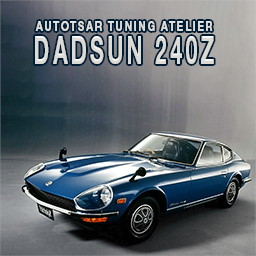
"Drive a Dadsun, get the girls!" Fully animated car with survivalist kit: - front and rear windows protections, - side windows protection (animated) - wheel protection, - roof rack, - roof lights, - bumpers and bullbars. This mod is commission work by request of EarDog. You can freely use this mod on your server. We publish information about mod update times on Discord in advance: https://discord.gg/PHhsuQxDue Mod permission according to TIS policy: Ask for permission Redistribution of this mod without explicit permission from the original creator is prohibited under any circumstances. This includes, but not limited to, uploading this mod to the Steam Workshop or any other site, distribution as part of another mod or modpack, distribution of modified versions. The product can be published on Steam only through an account with the name iBrRus. © iBrRus Vehicle IDs: ATADatsun240z Item IDs: Autotsar.ATATuningDatsun240z Autotsar.ATADatsun240zBumperItem Autotsar.ATADatsun240zBumperRearItem Autotsar.ATADatsun240zHood2Item3 Version: 1.00 Workshop ID: 2984487137 Mod ID: ATA_Datsun_240z
![[B42] Moodle Descriptions Expanded](https://images.steamusercontent.com/ugc/10796779771184863/DF08C64B4E72A0EDE6254831B6084C16B40D1969/)
[B42] Moodle Descriptions Expanded
بواسطة 76561198129517056
Please read the description Updates paused until early-May. Version 1.27 Track the progress of updates here: Changelog Mod Overview MDE aims to re-write vanilla descriptions to be less vague and provide players with more informational negative or positive status effects caused by in game Moodles by introducing the appropriate +/-% and qualitative ratings to indicate severity of status effects. This mod is by no means related to any other previous Moodle description mods - This mod is purely based on my own interpretations and of the translators who have contributed to the mod. All descriptions should be represented accurately according to PZWiki Moodles. Compatability • Compatible with everything that does not change Moodle descriptions. • Compatible with Survival HUD • For the best possible compatability, just to be sure. Enable the mod after any moodle mod. • Ongoing save compatible. Recommended to be used with this mod by Jetmax937 Detailed Descriptions for Occupations & Traits Translations German (DE) - Gabes (help needed lol. - Unfinished/Unsupported) Español (ES) - Fiercefern5554 French (FR) - Furthick Russian (RU) - Guzzlo and Borzoi_07 Brazilian Portuguese (PTBR) - Vinicius, Lionnic Chinese (Traditional) - 路人 Chinese (Simplified) - Sdinm, 夜斗 and Yakuzadog Turkish (TR) - Borzoi_07 Contribute to translating the mod here. Other works from Gabe for Project Zomboid: Steam Link to How to Gunplay Steam Link to the Icelandic Community Translation Mod - Ongoing development Workshop ID: 3389003300 Mod ID: B42MoodleDescriptionsExpanded

Random Zombies - Day and Night
بواسطة 76561197996235264
Add distribution of different type of zombies with two separate distribution sets, one for the day and one for the night. Also a special schedule is available in which you can choose how the zombies act when there is rain, snow or fog. Works on both single player and multiplayer. You can decide: - When the mods should consider the time being "night" for each season - if you want zombies to behave differently in a specific weather (rain, snow, fog) and on which intensity (any, light, average, heavy) of the selected weather. - Specifically, if you want only some presets to be enabled (day, night, rain) - For each preset, which kind of zombies are more or less common between Crawlers, Shamblers, Fast Shamblers, Sprinters - For each preset, how many zombies are going to be flimsy, average or tough in terms of health - For each preset, if there is a percentage of "smart" zombies that can open doors and long memory. They *will* hunt you down! HOW IS THIS WORKING? The mod will check at the start of your single player session or server start and determine if it's "day", "night" or "special". "Special" will always have priority over day/night if it's enabled. Then proceed to load the values you decided in the relative preset. The "Frequency Override" determine how often the zombies in the current active cells are being overridden with the values you selected in the mod. It's in milliseconds which means that the default 7500msc translate to 7.5 seconds. Until the override runs, the zombies in a cell will behave according to the "proper zombies" settings. Every in game hour, the mod will check again the day/night/special event and update the preset. Be aware that the mod will not update the preset every hour in case the current preset is already the one that should be assigned. I considered updating more often to catch the special event as soon as it start but don't want to complicate the logic too much for now. Look at it as "the zombies need some time to get "influenced by the weather" and you have that time to prepare accordingly :) An example of the SandboxVars configuration block is available here: https://pastebin.com/raw/XUJ60mQj FAQ - What I need to do to enable this mod? By default the day and night distribution is already enabled if you installed and activated the mod. Check that you activated it by opening your "mods" section in game after subscribing. For the details on the default distribution you can check the screenshots in this same page. - How do I check if the mod is working? The mod works on both solo and multiplayer (hosted and dedicated servers). If you see something like this on your server/game logs, the mod has loaded and is working as it should. If there is some error happening, you should be able to see it in your server logs or in `C:\Users\\Zomboid\Logs\_DebugLog.txt` for game hosted locally, either single or multiplayer. - Can I have the special preset trigger for more than one weather pattern? Unfortunately not. The reason is that I wanted to keep the mod's logic simple and already there are parts that are quite complex. Adding the possibility to have multiple weather detected or all of them would make for a much more complex logic to cover all possible combinations and not just in the code. Also the interface for the options would be quite hellish. This is the main reason I've added support for plugins. So that if you want a niche or specific combination, you can write your own logic and have it load up with higher priority over the regular presets and triggers. However, the plugin example here will do exactly that if you want to try. - What are the percentages for the weather pattern intensity? When selecting the special schedule's trigger, you can select the intensity on which the preset actually get triggered. Intensity in the code goes from 0 to 1, using the decimals. The values used as thresholds are: -- Any means Intensity > 0.0 -- Light means Intensity > 0.3 -- Average means Intensity > 0.5 -- Heavy means Intensity > 0.7 - What if I have multiple plugins with overlapping triggering conditions? Plugins will require this mod to work (duh!). What determine the priority in the plugins loaded, in case there are more than one, is the order in which they are loaded. A typical order with multiple plugins will be something like: -- -- rzf_plugin_a -- rzf_plugin_b -- randomzombiesfull -- Assuming plugin_a and plugin_b share the same trigger (let's say "rain and fog") the lower in the list will be the one that gets activated. BUGS!? Please report bugs here, following the instructions provided. If you don't follow the instructions, I won't be checking on the bug report. I'm sorry to be this harsh but I need to have some clear indication of what/where to check for a bug as this is a free product that I made in my free time and it's a limited resource :) SOURCE CODE I believe that open source helps immensely in improving a product, no matter the nature. Also, you could just subscribe the mod and get the source code anyway :D So here is the official repository for it. Contribution and feature requests are welcome. The latter will always be considered as long as they fit the scope of the project. Cheers! Build 42 Update Alright so, build 42 is out in an unstable release. I did a couple run in these past days and had chats with other mod devs from the official discord. It seems that b42 is still quite unfinished and lots of things are disabled due to "needing some more work" or very much changed. Zombies are one of those things that have changed, see the "new stealth mechanics" for example. Which means it doesn't make much sense to me to spend time messing with this at this time. On top of that, the game devs already implemented some more randomisation in the zombie lore options, which I experimented a bit in the couple runs I did. In short, I am not so sure this mod need to keep existing going forward. Eventually this can be a good moment to write it back from scratch but right now it's more of a "sits and wait". Things are too much *unstable*. CREDITS This mod has been made as I needed (and loved) Random Zombies by "Belette" but also wanted a day/night variation as Night Sprinters by "The Illuminati" does. I used the chance to try my hand at modding Project Zomboid. Random Zombies Night Sprinters ===================== Workshop ID: 2888099799 Mod ID: RandomZombiesFull
Project Zomboid Guides
خادم Project Zomboid مع دعم المودات
ثبّت جميع المودات مباشرةً من لوحة التحكم بنقرة واحدة.
استأجر خادم Project Zomboid