Garry's Mod Mods ও Plugins
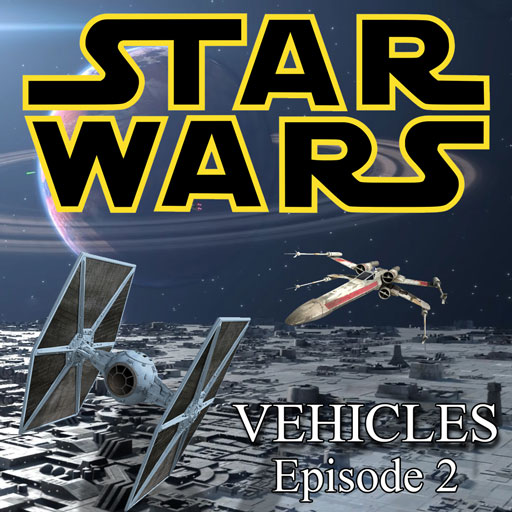
Star Wars Vehicles: Episode 2
76561198002318975 দ্বারা
[img]http://i.imgur.com/oEtvFdv.png[/img][url=http://steamcommunity.com/id/ronon_dex/myworkshopfiles/][img]http://i.imgur.com/aJmBEpZ.png[/img][/url][img]http://i.imgur.com/Mftyk3C.png[/img][url=https://www.paypal.com/cgi-bin/webscr?cmd=_s-xclick&hosted_button_id=CXLPN943QCVEL][img]http://i.imgur.com/uPY3dEJ.png[/img][/url] [img]http://i.imgur.com/3n5JQPF.png[/img] Welcome to Episode 2 of Star Wars Vehicles. So I reached the limit for the size of an addon with the first Episode, so new vehicles will be included here now. You NEED Episode 1 in order for this to work. Please refer to the [url=https://steamcommunity.com/sharedfiles/filedetails/?id=495762961]original addon[/url] for more information. [h1]Vehicle List:[/h1] [list] [*] Acclamator [*] Blockade Runner [*] Bloodfin Speeder [*] Consular-class Cruiser [*] Delta-7 [*] Geonosian Fighter [*] LAAT [*] Lambda-class Shuttle [*] Mon Calamari Cruiser [*] MTT [*] Munificent [*] Republic Attack Cruiser [*] Sentinel-Class Landing Craft [*] STAP [*] Star Destroyer [*] Storm IV Cloud Car [*] T-47 Airspeeder [*] XJ-6 Speeder [/list] [h1]FAQ:[/h1] [b]It's not working. Help![/b] You need [url=https://steamcommunity.com/sharedfiles/filedetails/?id=495762961]Episode 1[/url] in order for this to work, so please go subscribe there. [b]I can't shoot in the big cruisers![/b] There are two Gunner seats in the Republic Cruiser/Star Destroyer, if no-one is flying hold ALT while outside the vehicle to get into the gunner position or if someone is flying just press E. [b]Why doesn't the Acclamator/Munificent have guns?[/b] The Acclamator and the Munificent act as carrier ships. Any ships in or close to the ships will heal and if the Acclamator or Munificent, then jumps to Lightspeed any ships inside will be taken with it. As such they will not be given weapons. [b]I can't get in the LAAT[/b] To fly the LAAT press the USE key when standing in the forward-most section. [b]Something, something, AT-AT, something, something[/b] If you ask me to make a walker, you are dead to me. [b]What's the map in the pictures?[/b] It's sb_gooniverse [h1]Credits:[/h1] Scripts/Lua by [b][url=http://steamcommunity.com/id/ronon_dex]Liam0102[/url][/b] Republic Cruiser model ported by [b]Stefanos[/b] Star Destroyer, Acclamator, Munificent, Bloodfin Speeder, Consular-class Cruiser, MTT, Blockade Runner, B-Wing and XJ-6 Models ported by [b][url=http://steamcommunity.com/id/LegionOfZombies/]Syphadias[/url][/b] LAAT model ported by [b][url=http://steamcommunity.com/id/kazatnip]Ishi[/url][/b] Lambda and Sentinel models by [b][url=http://steamcommunity.com/id/lordtrilobite/]Lord Trilobite[/url][/b] You need Episode 1 in order to use this Episode. You can get Episode 1 [url=http://steamcommunity.com/workshop/filedetails/?id=495762961]here.[/url]

TDMCars - Maserati
76561197994097627 দ্বারা
This is the Maserati manufacture pack with all the Maserati vehicles found on the SVN. If you have the SVN, please do not subscribe to this addon! The pack currently contains: Maserati Ghibli S Maserati Quattroporte GTS [u][b]The following is required if you want this to work properly![/b][/u] [url=http://steamcommunity.com/sharedfiles/filedetails/?id=112606459]TDMCars - Base Pack[/url] [b]<---------[/b] [u][i]Model detail must be set to High! This is very important![/i][/u] [img]https://dl.dropboxusercontent.com/u/10800905/modelsetting.png[/img] If you are interested in making skins, templates for Maserati are found [url=http://svn.code.sf.net/p/tdmcarssvn/code/trunk/SKINS_TEMPLATE_FOLDER/Maserati/]right here[/url] If you have no clue what this is, don't click it.. Please have a look at this guide instead of wasting your time asking questions that are already answered. [url=http://steamcommunity.com/sharedfiles/filedetails/?id=121672707]TDMCars - How to use[/url] You can request all you want but it is 100% ignored by me. Occasionally I am hosting request events on Facebook. The fan page is located here [url=http://www.facebook.com/tdmcars]TDMCars on Facebook[/url]
![[LVS] - Planes - Pack](https://images.steamusercontent.com/ugc/2011453237910257382/B7C9A41BD6A2C67F112188EB9A27E15CB3933C2F/)
[LVS] - Planes - Pack
76561197995010235 দ্বারা
[quote] [h1][b]YOU NEED [url=https://steamcommunity.com/sharedfiles/filedetails/?id=2912816023][LVS] - Framework[/url] FOR THIS ADDON TO WORK[/b][/h1] [/quote] [img]https://i.imgur.com/rTv7Qel.png[/img] [h1][b]Controls (Default)[/b][/h1] For Base-Controls see [url=https://steamcommunity.com/sharedfiles/filedetails/?id=2912816023][LVS] - Framework[/url] [h1]INSIDE VEHICLE:[/h1] [list] [*] W or S = Increase / Decrease Throttle [*] A or D = Yaw Left / Right or Roll Left / Right if Mouse-Aim Steering Method is used [*] Space = Toggle Landing Gear [/list] You can switch between direct-input and mouse-aim using the [url=https://steamuserimages-a.akamaihd.net/ugc/5077278535594422537/E45346B4CE6E9E3900BE666BE926B1B45DB2B4BA/?imw=5000&imh=5000&ima=fit&impolicy=Letterbox&imcolor=%23000000&letterbox=false]control panel[/url] [img]https://i.imgur.com/rTv7Qel.png[/img] [h1][b]Want to make your own Plane based on this base?[/b][/h1] A template can be found [url=https://github.com/SpaxscE/lvs_planes/tree/main/lua/entities/lvs_plane_template]here[/url] [img]https://i.imgur.com/rTv7Qel.png[/img] [h1][b]Links[/b][/h1] [url=https://github.com/SpaxscE/lvs_planes]This Project on GitHub[/url] [url=https://github.com/SpaxscE]GitHub[/url] [url=https://discord.gg/UqRpVde8yC]Discord[/url] [img]https://i.imgur.com/rTv7Qel.png[/img] [quote]No version or modification of this content is allowed to be uploaded to the workshop except under the account ID [url=https://steamcommunity.com/profiles/76561197995010235/]76561197995010235[/url][/quote]

Star Wars Ships
76561198031446096 দ্বারা
[img]https://dl.dropboxusercontent.com/u/74549506/deschedder_starwars_01.png[/img] [h1]Description:[/h1] A pack of useable Star Wars ships with working weapons; the ships use an edited copy of the shuttle script. If you make use of these ships on your server, you must give appropriate credit. Note that some of the models have been rescaled for gameplay reasons. Also take a look here: [url=http://steamcommunity.com/sharedfiles/filedetails/?id=265101343][b]Star Wars Ships Outtakes[/b][/url] These ships were made for a Star Wars server! Take a look here: |HFG| StarwarsRP Server #1 216.155.130.18:27028 |HFG| StarwarsRP Server #2 108.61.134.218:27028 Webpage: http://hammerfallnetworks.com/ [b]This pack contains the following ships:[/b] A-Wing ARC-170 Delta-7B Droid Tri-Fighter Eta-2 (Red) Firespray-31 (Jango) Geonosian Fighter LAAT Class Gunship Lambda-Class T-4a Shuttle N-1 R-41 Starchaser S-250 Chela-class Starfighter Sentinel Class Landing Craft Sith Fighter Skipray Soulless One Starviper Storm IV Twin-Pod Cloud Car T-47 Airspeeder The Ebon Hawk The Millennium Falcon TIE Advanced x1 TIE/LN starfighter TIE/sa Bomber V-Wing Vulture Droid X-Wing Y-Wing E - Enter and/or exit ship. W - Accelerate. A - Roll Left. D - Roll Right. LEFT SHIFT - Hover. LEFT CTRL - Zoom In. SPACE - Zoom Out. LEFT MOUSE - Fire Weapons. R - Open/close S-Foils - Note that the X-Wing cannot fire its weapons with the s-foils closed. TAB - Toggle view. [h1]Frequently Asked Questions and Issues:[/h1] [b]How does one download this?[/b] Click on the green "Subscribe" button, and Garry's Mod will download it the next time you start it. [b]How does one activate DOD:S in Garry's Mod (for addons which require DOD:S)?[/b] Tick it in the pop-up menu that appears when you click on the game controller icon in the bottom right of the Garry's Mod main menu. [b]It does not show up in-game.[/b] Try deleting the addon's GMA file from the Garry' Mod addon folder, and allowing Garry's Mod to re-download the addon. [b]When they die they enter the T pose position (for NPCs).[/b] This is known to be caused by addons and/or mods which remove and/or replace the error model. [b]It does not work and/or crashes the game, please fix.[/b] How do you expect me to do anything if you give me no information? Try checking for addon and/or mod conflicts. [h1]Notes:[/h1] [b]Whence I obtained the models:[/b] A-Wing - Star Wars: Battlefront II. ARC-170 - Star Wars: Battlefront II. Delta-7B - A mod for Star Wars: Jedi Knight: Jedi Academy. Droid Tri-Fighter - Unknown (a friend had it). Eta-2 - A mod for Star Wars: Jedi Knight: Jedi Academy. Firespray-31 - Unknown (a friend had it). Geonosian Fighter - Star Wars: Republic Commando. LAAT Class Gunship - Star Wars: Republic Commando. Lambda-Class T-4a Shuttle - Star Wars: Jedi Knight: Jedi Academy. N-1 - Unknown (a friend had it). S-250 Chela-class Starfighter - Star Wars: Knights of the Old Republic. Sentinel Class Landing Craft - [url=http://steamcommunity.com/sharedfiles/filedetails/?id=109211428]Star Wars Sentinel Landingcraft[/url] Sith Fighter - Star Wars: Knights of the Old Republic. Skipray - Unknown(A friend had it). Soulless One - Star Wars: Republic Commando. Starviper - Unknown(A friend had it). Storm IV Twin-Pod Cloud Car - Star Wars: Jedi Knight: Jedi Academy. T-47 Airspeeder - A mod for Star Wars: Jedi Knight: Jedi Academy. The Ebon Hawk - Star Wars: Knights of the Old Republic. The Millennium Falcon - Star Wars Battlefront II. TIE Advanced x1 - Unknown(A friend had it). TIE/LN starfighter - Star Wars Battlefront II. TIE/sa Bomber - Star Wars: Jedi Knight: Jedi Academy. V-Wing - Unknown (a friend had it). Vulture Droid - [url=http://steamcommunity.com/sharedfiles/filedetails/?id=388398558]Star Wars - Vulture Fighter[/url] X-Wing - Star Wars: Jedi Knight: Jedi Academy. Y-Wing - Star Wars: Battlefront. [url=http://steamcommunity.com/sharedfiles/filedetails/?id=230430114][img]https://dl.dropboxusercontent.com/u/74549506/colllink_starwars.png[/img][/url] [h1]Steam Group:[/h1] [url=http://steamcommunity.com/groups/KSHGM][img]https://dl.dropboxusercontent.com/u/74549506/Steampunk_Garry%27s_Mod_small.png[/img][/url] [url=http://steamcommunity.com/groups/KSHGM][b][u]Historical Garry's Mod.[/u][/b][/url]
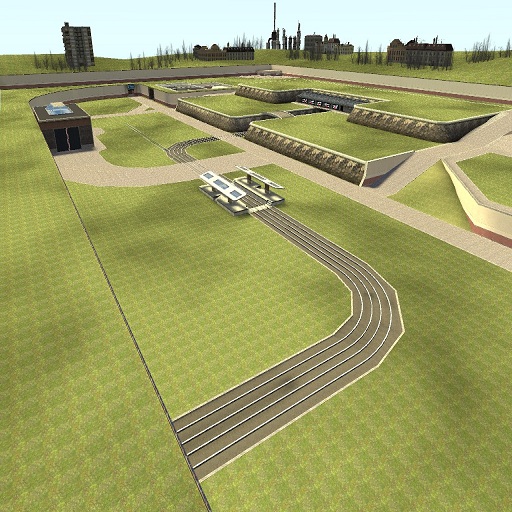
gm_mobenix_v3_final_mp_fixed
76561197971096469 দ্বারা
[b]This map is made by Sportkeks![/b] I have fixed the lua/script errors, You can now play multiplayer on this map with no problems. [u][b]Map features[/b][/u] -Train System with gnome driver -Bowling Alley -Disco -Racetrack with NPCs -Construct Area -Nice river -Taxi System -Tunnel editor -HDR -Some secrets [u][b]Tracklist[/b][/u] 1:Banana phone 2:Portal Still Alive 3:Portal The Device has been Modified 4:Loituma (Techno Remix) 5:Tetris (Trance remix) 6:Vlvx song24 7:Vlvx song22 8:Hl2 song31 9:Hl2 song29 10:MBX Techno 11:The D-Smiley Ball | Please let me know if any of these are wrong. This now works with the sky, Sun and fog editors. For people who have trouble downloading big workshop addons, Here is the none workshop version: [b][u][url=http://www34.zippyshare.com/v/10504998/file.html]None workshop version[/url][/u][/b]
![[ARC9] Escape from Tarkov SHARED](https://images.steamusercontent.com/ugc/15626482573741657967/62D228AF7A052DC6EF4183F42AEFD38E5C220227/)
[ARC9] Escape from Tarkov SHARED
76561198150706935 দ্বারা
This addon is required for any ARC9 EFT weapon. Contains various necessary systems & functions and most importantly attachments and ammo types - scopes, lasers and flashlights, iron sights, foregips, few grips and stocks - >220 attachments in this addon, 123 ammo types, 49 camos from EFT: Arena. [h2]⚠️ Includes only bare necessity attachments![/h2]• Attachments like sniper scopes are stored in Sniper Rifle pack. To get all attachments on all guns you should install all weapon packs. [h2]About this project: [/h2][list][*]This project is my attempt at recreating [b]Escape From Tarkov[/b] weapons as close as possible - all guns with [b]>2200 attachments[/b] in total [*]Same animations, same recoil, same sounds (sound engine is different soo they're not 1:1) [*]Some similar weapons are combined into single one and use special attachments for conversions [*]Best played in singleplayer or high tickrate server [/list] [h3]Some of cool features:[/h3][list][*][b]Quick reload[/b] feature - double-tap [b]R[/b] to drop magazine on ground [*]Checking magazines, switching scopes and fixing malfunctions output [b]hints[/b] like in the game on screen [*]Variable zoom scopes work exactly same [*]Visible bullets in trasparent magazines [*]Some of [b]cut content[/b] from game files was restored [*]Ejected sells make sound based on ground material [*]All animations are properly configured for third-person, magazines are dropped on ground during reloads [*]On most weapons, you can take off magazine to load round directly into chamber [*][b]Fully translated[/b] to Czech, German, English, Spanish, French, Hungarian, Italian, Japanese, Korean, Polish, Portuguese, Russian, Turkish and Chinese using orignal localization files. [/list] Damage is lowered 2x for most calibers, because player in EFT has 440 health. You can use settings to configure damage multipliers & more. [i]All content included in this mod belong to Battlestate Games Limited. I do not make money off this content in any way, shape, or form. I am not affiliated with Battlestate Games Ltd. in any way. This workshop addon is completely free of charge and can be downloaded by any Steam user. You can purchase Escape From Tarkov and download it from official website https://www.escapefromtarkov.com/[/i] [h3]Credits:[/h3][list][*][b]Battlestate Games LTD[/b] - assets [*][b]Darsu[/b] - porting and lua [*][b]hörjenger[/b] - material setup [*][b]GroveZ[/b] - qci used on weapons [*][b]Mal0[/b] - help at start of project [*][b]Stan_Jacobs[/b] - testing, addon reuploading, minor fixes [*][b]Moka[/b] - adapting localization files, partial Swedish translation [/list] [h3]Have fun and don't ask for more stuff please[/h3]
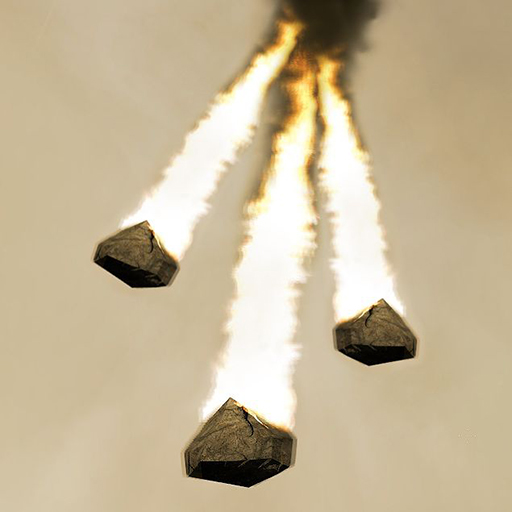
The Meteor Storm
76561198034390498 দ্বারা
The Meteor Storm is back, now for GMod 13. Left click to designate a target to rain hell on Earth. Right click to designate a target to bring down a single meteor. DISCLAIMER: This is the only OFFICIAL Meteor Storm SWEP for GMod 13. If you got this from some place other than here, I am not responsible for how it works (or doesn't work). You have been warned.
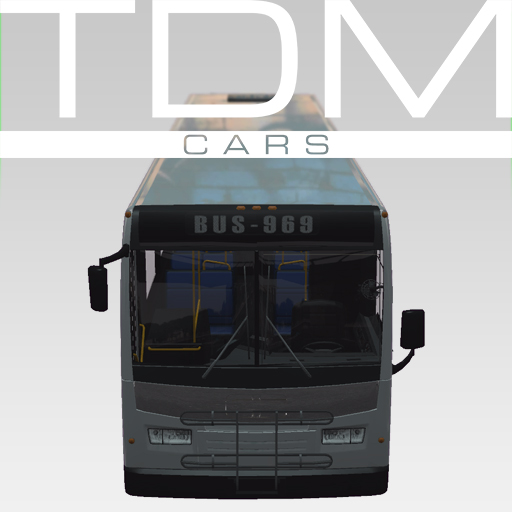
TDMCars - Commercial Vehicles
76561197994097627 দ্বারা
This is the Commercial vehicles pack with all the commercial vehicles found on the SVN. If you have the SVN, please do not subscribe to this addon! The pack currently contains: A Courier Truck Orion VII NG Bus [u][b]The following is required if you want this to work properly![/b][/u] [url=http://steamcommunity.com/sharedfiles/filedetails/?id=112606459]TDMCars - Base Pack[/url] [b]<---------[/b] [u][i]Model detail must be set to High! This is very important![/i][/u] [img]https://dl.dropboxusercontent.com/u/10800905/modelsetting.png[/img] If you are interested in making skins, templates are found [url=http://svn.code.sf.net/p/tdmcarssvn/code/trunk/SKINS_TEMPLATE_FOLDER/]right here[/url] If you have no clue what this is, don't click it.. Please have a look at this guide instead of wasting your time asking questions that are already answered. [url=http://steamcommunity.com/sharedfiles/filedetails/?id=121672707]TDMCars - How to use[/url] You can request all you want but it is 100% ignored by me. Occasionally I am hosting request events on Facebook. The fan page is located here [url=http://www.facebook.com/tdmcars]TDMCars on Facebook[/url]
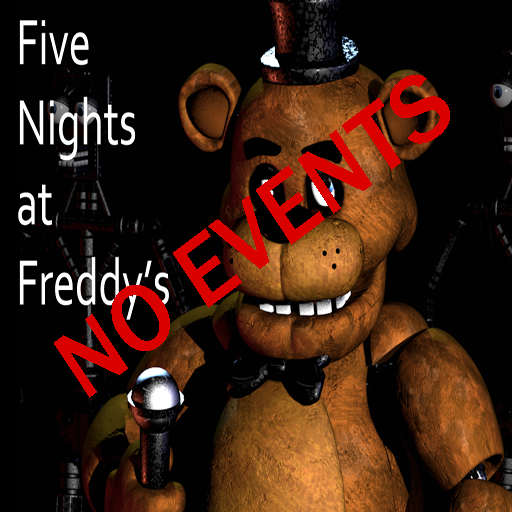
Freddy Fazbear's Pizza (No events)
76561198010891485 দ্বারা
PLEASE READ ALL OF THE FOLLOWING BEFORE COMMENTING!!! This version of the map contains NO jumpscares, spooky sounds, or anything of that nature. REMEMBER TO CHECK THE CHANGE NOTES AS I WONT UPDATE THE SCREENSHOTS RIGHT AWAY!! The map can be found in the "Other" category and is titled "freddysnoevents" THIS MAP REQUIRES COUNTER STRIKE: SOURCE! -------------------------------------------------------------------------------------------------------------------------- Here it is! The map for those of you who don't wanna be spooked, would like to make videos uninterrupted by Freddy and friends, or who just wanna play around without the fear of animatronic releated horror. This map is the exact same as the regular version except that it excludes the creepy sounds, triggers, and animatronics. The power can still be disabled and the generator room can still be opened. HOWEVER, the power in the security office will NOT run out in this version. Hope you enjoy! Credits: Scott Cawthon - Original game, sounds, and building design Me - 3D mapping and custom textures Badhamknibbs - 3D mapping I6NIS- Custom props ErrolLiamP - Custom props, menu map icon -------------------------------------------------------------------------------------------------------------------------- Check out the version with events [url=http://steamcommunity.com/sharedfiles/filedetails/?id=300674206[/url] here.
GMod Roleplay Pee Swep
76561198035320226 দ্বারা
This is a fun little SWEP or Weapon i made on free time. Bascially you just pee. Comic fun really. Can be used for Roleplay or trolling. Enjoy How does it work? Left Click = Pee Right Click = Talk Yes you can use it in your servers just do not reupload this in any way shape or form. Can be used for - DarkRP Sandbox Really anything Credits Buzzofwar = Coding and everything Valve = Sounds and Engine Copyrights 2014, June, 19. All rights are owned to Buzzofwar. Copying any of the following files will be going against Steam Agreement Forms.

Doors (World Portals)
76561198009927934 দ্বারা
This addon takes the bigger-on-the-inside code from the [url=http://steamcommunity.com/sharedfiles/filedetails/?id=307175678]TARDIS[/url] into it's own generic addon that can be used as a library which other addons can take advantage of. It also bundles the [url=https://github.com/AmyJeanes/world-portals]World Portals[/url] addon into it. These portals can be used standalone as part of map making or other use cases. See the repository for more information. [b]This addon doesn't add anything to your game on it's own.[/b] [url=https://github.com/AmyJeanes/Doors]Doors GitHub[/url] [url=https://github.com/AmyJeanes/world-portals]World Portals GitHub[/url] [b]FAQ:[/b] [b]Q: [/b]Where can I find it/How do I use it? [b]A: [/b]This is a base addon, other addons rely on it but it doesn't do anything on it's own. [b]Q: [/b]No I mean where is it in the spawnmenu? [b]A: [/b]... [b]Q:[/b] What's that big door frame portal? [b]A:[/b] That's the [url=http://steamcommunity.com/sharedfiles/filedetails/?id=210294043]Safe Space[/url] addon. [b]Q:[/b] How is this different from the TARDIS? [b]A:[/b] This addon contains generic 'bigger on the inside' portal code which is generic and is not associated with Doctor Who or anything else. The TARDIS uses this addon to handle it's 'bigger on the inside' stuff then adds the Doctor Who TARDIS elements on top of it.
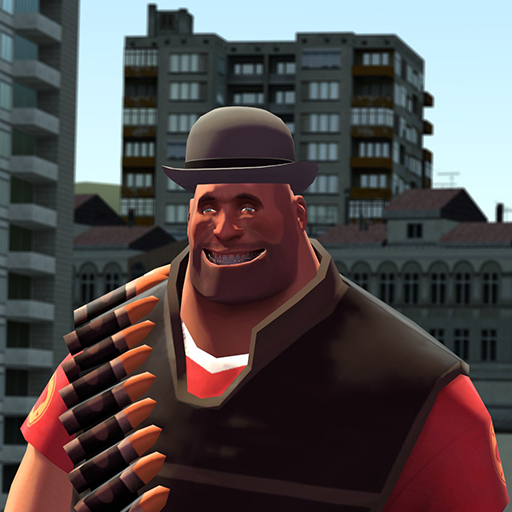
Bone Merger
76561197989048555 দ্বারা
The original bonemerge tool from GMod 12 now updated to work in GMod 13! This tool allows you to attach an entity to another entity using an effect called bonemerge. Original algorithm by MaxOfS2D, Winded and Mecha the Slag. I just made it into a tool. Console version: http://source.maxofs2d.net/lua/autorun/bonemerging.lua You can now bonemerge entities to yourself by holding ALT (or whatever you binded to Walk) and shooting the ground with the tool and then selecting the entities you want attached. Remove bonemerged entities on you by right clicking on the ground.
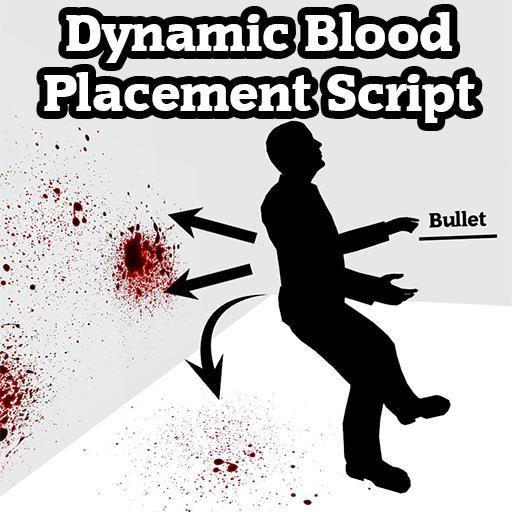
Dynamic Blood Placement
76561198035971292 দ্বারা
[h1][b]08/29/2022 - I'd like to suggest that players try out Zippy's [url=https://steamcommunity.com/sharedfiles/filedetails/?id=2837128795]'Enhanced Blood Splatter System'[/url] addon. It's essentially what I envisioned for Dynamic Blood Placement 2.0, and it's far better than this version.[/b][/h1] [b]Hey Crunchy, what is this?[/b] Hey Person, this is a simple script that gives blood impact decals the ability to spread and land in different directions. The Source engine's way of determining where blood should land is defined entirely by the direction from which the bullet is hitting the NPC, and the distance of the nearest surface. This script improves upon that by adding a small chance for blood to spurt anywhere within a 360 degree radius of the NPC/Player, creating more satisfying combat and gore. It can even splat blood decals directly onto the NPC/Player! [b]Does this replace my decals or particles?[/b] Nope! This script will work with any blood decal/particle replacements that you have installed. It is compatible with dismemberment mods, however it may add ridiculous amounts of blood. [b]What blood decals are in the video/photos?[/b] That's my Carnage Blood Mod, which you can download here https://steamcommunity.com/sharedfiles/filedetails/?id=1929418437&searchtext=. [b]Are there any bugs?[/b] Not necessarily. Ragdolls will also bleed when shot or heavily impacted, however I decided to keep this feature. [b]Can I turn it off in game?[/b] Yes! You can use dynamicblood_enabled 1 to turn it on, and dynamicblood_enabled 0 to turn it off in-game. [b]I love you?[/b] Crunchy loves you too. [h1]If you wish to modify the script or improve it, shoot me a message and we'll chat! Thanks for visiting and I hope you enjoy the addon, cheers.[/h1]
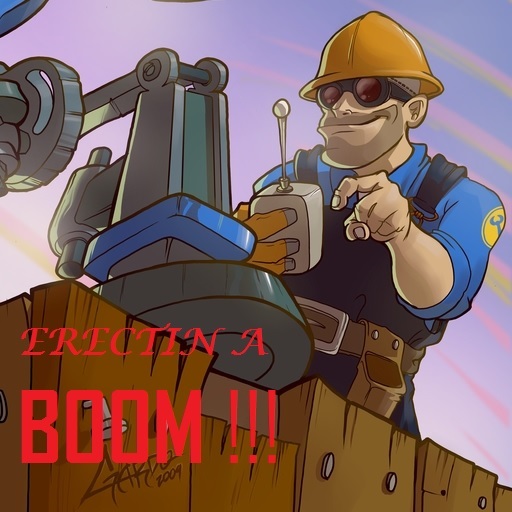
Erectin' a Boom
76561198019062337 দ্বারা
The well-known Uber-radio comes back to GMOD 13. Primary Fire: Unleash the Power of TECK NO Of course, I'm new to 1. Porting, and 2. Lua Programming, so please post comments about all your problems. :D PS: The video isn't mine, so its authors may feel free to take all their rights and do whatever they want to do with it. MAJOR UPDATE 08.09.2013 ►Reduced size from ~40MB to 6.90MB PPL with slow connection praise the lord!!! ►►►NON-COMPATIBLE LIST◄◄◄ So far, it's been confirmed to be incompatible with: gmDoom mod: http://steamcommunity.com/sharedfiles/filedetails/?id=133300986 The Song used in this is "Erectin' a River" by Wazgul. >Links are not mine, so dont go to me with them [url=cur.lv/mp4y] Erectin' A River (Video) [/url] ►►►►BE SURE TO CHECK MY NEW WEAPON - YMCA GUN ◄◄◄◄ [url=http://steamcommunity.com/sharedfiles/filedetails/?id=294623528] CLICK HERE [/url]
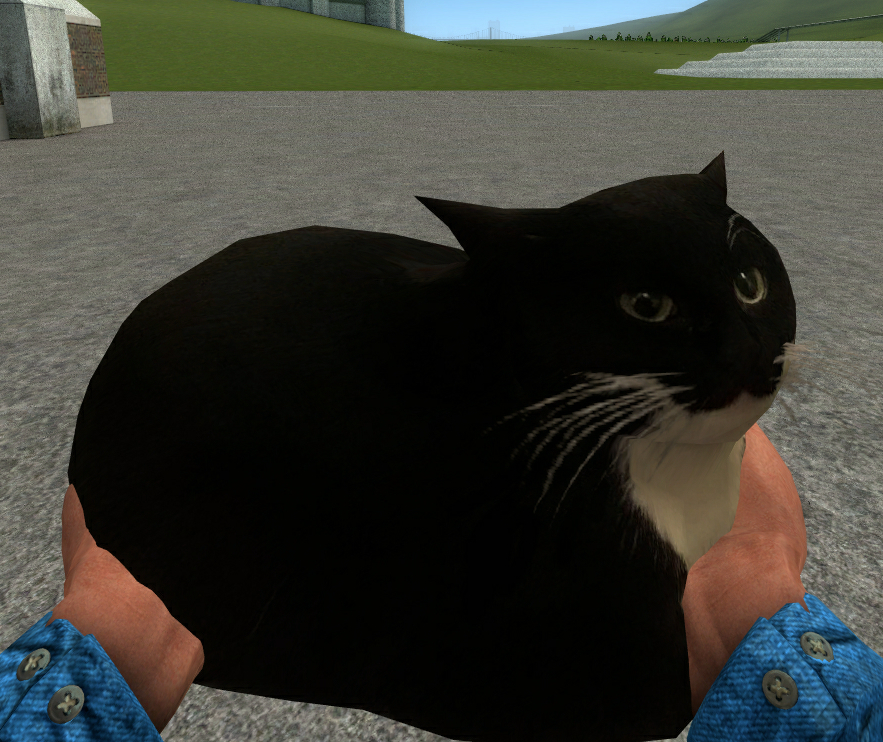
Maxwell the carryable cat
76561198165119672 দ্বারা
You have none of friends to explore new maps? Maxwell the cat will be your best companion! [h1]DO NOT RE-UPLOAD WITHOUT AUTHOR'S AGREEMENT OTHERWISE YOUR COPY WILL BE REPORTED![/h1] You have been warned - ScottRim Located under Other tab in Weapons Credits: https://steamcommunity.com/sharedfiles/filedetails/?id=2874462324 - Cat model] Clavius - SWEP construction kit ♤SotosGamer633♤ - For kennel prop Fb6t - Addon's idea Tags: Cat, Kitten, Carryable, HL2, Half-Life 2, Cute

BubbleGun
76561198029942789 দ্বারা
BubbleGun - A toy gun. Blows bubbles, it's fun. -------------------- FREE and always will be.
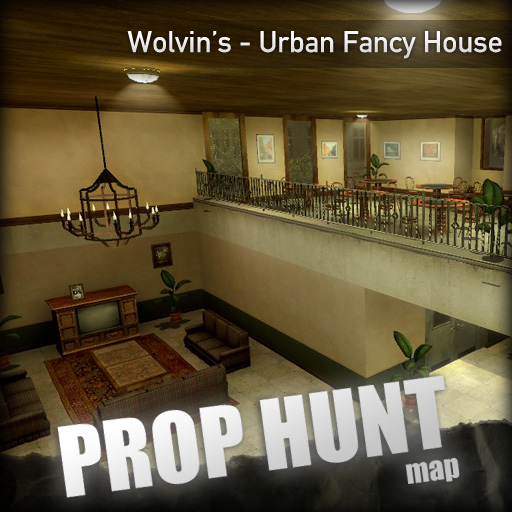
PROP HUNT Fancy Suburban House ( ph_fancyhouse )
76561198086789110 দ্বারা
[h1]Support my Maps by donating![/h1] [url=https://www.buymeacoffee.com/wolvindra][img]https://i.imgur.com/sPHiFAP.png[/img][/url] [url=https://ko-fi.com/wolvindra][img]https://i.imgur.com/F36r1rm.png[/img][/url] [h1]Description[/h1] I have no idea for the [i]perfect[/i] title, but mainly the map's theme and appearance is supposed to be somewhere in sub-urban areas. (actually, but I shorten as 'urban' instead) [i]A simple, fancy, and playful house map.[/i] A collaboration map made with my friend, [url=http://steamcommunity.com/id/joshua_lorenzo]Lorenzo![/url], thanks from him for the based idea and his quite good design with some extra several tweaks, optimisation and some additional contents from myself for better prop hunt gameplay experience. This is my first version of the map collaboration, so probably in future time, there would frequent updates of map including map extension and others. [h1]FAQ[/h1] Q: Can I use this map design outside of garry's mod? A: No. Q: Help! I got "map differs from server" error when join to any Server! A: Here's how to fix: 1. Contact the Server Administrator [b]immediately[/b] - Tell them to update the map and delete the existing server's map. 2. Disable 'this' addon on your Garry's Mod "Addon" menu and join to the server, let the map downloads from the server by itself (Since they're still using FastDL). 3. Re-enable 'this' addon again if you want to join to the servers with updated map. [b]!! Server Owners: Please avoid renaming the *NEWER* version of the map or otherwise some visual bugs might happened.[/b] Q: Is there any additional notes/contents/etc info? A: [list] [*]Provides additional 60+ Player spawns. [/list]
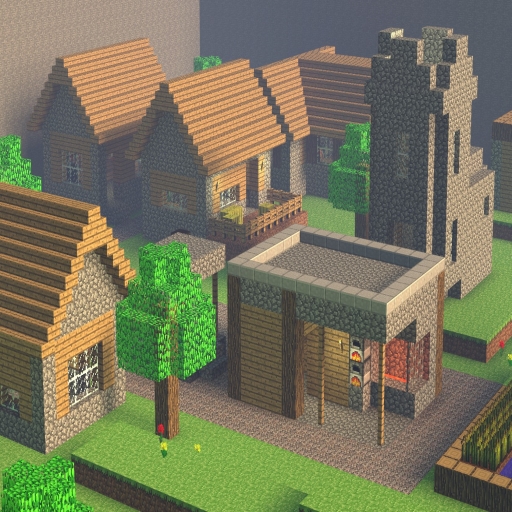
Minecraft Realms
76561198039027112 দ্বারা
[b]Author:[/b] Portalwreck (Trollgineer and Mr.Ofdensen). Content Required: Team Fortress 2 TFMaps Link: http://www.tfmaps.com/details.php?file=1042 FPSBanana Link: http://tf2.gamebanana.com/maps/174851 Minecraft Realms is a large open map that takes the biome mechanic from Minecraft and splits the map up into four corners that give a different and unique playing field for competitive play. There is lots of magnificent detail to see faithful to the original game, featuring blocks, textures, sounds and music pulled straight from Minecraft itself. --- [b]Features:[/b] - Spawn rooms made for Team Fortresses RED and BLU teams, coming free with teleports that lead to each individual biome. - Large Village for you to explore, all buildings can be entered and all detail is faithful to the original game. - Large mountains with a working Minecart that goes in and out a small cave that leads you into different points of the map. - Desert Temple with a library inside and a mysterious portal that takes you to a special area. - Chilling Ice Wasteland with a woodland house that can be entered. - Deep underground stronghold with a large library that comes with a working The End and Nether teleport that takes you to their respective zones. - Skyblock Island. - Ingame music pulled straight from Minecraft. - [b]Herobrine removed from map.[/b] --- All blocks and items in the map cannot be altered with. To easily traverse over the map crouch-jumping is recommended. All credit is due to their original creators; I do not claim this map as my own in any type of form and permission was granted by the creators for use on the Steam Workshop.
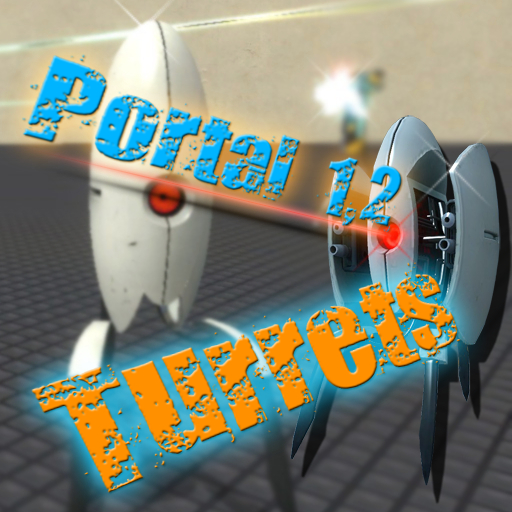
Portal 1 and 2 Turrets
76561198068776242 দ্বারা
!!! WARNING !!! I'M JUST A PUBLISHER, SO FUTURE UPDATES AND IMPROVEMENTS ARE NOT PROVIDED, SORRY FOR THAT !!! WARNING !!! FALL ERROR CAN BE SOLVED THROUGH DISABLING "KEEP CORPSES" FUNCTION IN NPC MENU. Adds the turrets from Portal 1 and Portal 2 to your NPC menu.

Sanic Hegehog
76561197982685886 দ্বারা
[h1]SANIC THE HEGEHOG[/h1] -- It's fun for five minutes! Sanic will chase down any players or NPCs that find themselves close enough to be noticed. When Sanic is near, their theme (gradually increasing in volume as they draw closer) will let you know of their presence. Many configuration variables are provided, and are listed below. [h1][b]####[/b] [u]FIRST AND FOREMOST[/u] [b]####[/b][/h1] I sincerely hope you already know this, but please note that the art and sounds for Sanic are not my creation. [b][u]The music and drawing of Sanic were originally created by 0nyxheart[/u][/b]. The trailer above was kindly provided by Nate Wingman. [u]PLEASE CONTINUE TO READ FOR AT LEAST ONE MORE LINE.[/u] Your ears may thank you. [h1][b]Configuration Variables[/b][/h1] [b]npc_sanic_music_volume[/b] - This is Sanic. Sanic is loud, and that may not always be enjoyable. This variable controls the music volume when being chased by Sanic (a number between 0 and 1, 1 being the loudest). [b]npc_sanic_smash_props[/b] - Whether or not Sanic should smash everything in their path to get to someone. [b]npc_sanic_allow_jump[/b] - Whether or not Sanic should be able to jump. [b]npc_sanic_force_download[/b] - Whether or not connecting clients should be forced to download this addon's resources. I've kept the filesize down below 0.5MB, so this shouldn't be an issue. [h1][u]Targetting[/u][/h1] [b]npc_sanic_acquire_distance[/b] - The maximum distance at which Sanic will notice and chase targets. [b]npc_sanic_spawn_protect[/b] - If set to 1, Sanic will not target players or hide within 200 units of a spawn point. [h1][u]Attacking[/u][/h1] [b]npc_sanic_attack_distance[/b] - The maximum distance Sanic's attack can reach. [b]npc_sanic_attack_force[/b] - The physical force of Sanic's attack (applied to vehicles being attacked). [b]npc_sanic_attack_interval[/b] - The time (in seconds) between attacks. [h1][u]Technical[/u][/h1] [b]npc_sanic_hiding_scan_interval[/b] - Sanic will only seek out hiding places every [i]X[/i] seconds. This can be time consuming, so it is not recommended to lower this too much. However, if distant Sanics are not hiding from you quickly enough, you may consider lowering this a small amount. [b]npc_sanic_chase_repath_interval[/b] - The path to and position of Sanic's target will be redetermined every [i]X[/i] seconds. [b]npc_sanic_hiding_repath_interval[/b] - The path to a hiding place will be redetermined every [i]X[/i] seconds. [b]npc_sanic_expensive_scan_interval[/b] - Slightly expensive operations (distance calculations, entity searching, etc) will occur every X seconds. [h1][b]Known Issues[/b][/h1] [*] Sanic is really bad at jumping. That's because there's no code to detect whether or not they're making a good jump. They just get near and leap for it. And no, there is no limit on their jump height.
![[wOS] Animation Extension - Prone Mod](https://images.steamusercontent.com/ugc/823440938850421681/7EB5C1D03F47996AE83BCA83F54C7B7425AFC33C/)
[wOS] Animation Extension - Prone Mod
76561197987779820 দ্বারা
[h1]YOU NEED THE wOS ANIMATION EXTENSION BASE FOR THIS TO WORK!![/h1] Here it is! The official Prone Mod extension to the wiltOS Animation Base, for use with Prone Mod All credit goes to Stiffy and the people at Valve for making the HL2 prone layers and prone base layer respectively. Also to Stalker for creating Prone Mod. I simply made the animations compatable with the base. The register for this addon is as follows: [code]wOS.AnimExtension.Mounted[ "Prone Mod" ][/code] [h1]Keep up to date with wiltOS Technologies by joining [url=http://steamcommunity.com/groups/wiltoscommunity]our Community Steam group![/url][/h1]

TDMCars - Vauxhall
76561197994097627 দ্বারা
This is the Vauxhall manufacture pack with all the Vauxhall vehicles found on the SVN. If you have the SVN, please do not subscribe to this addon! The pack currently contains: Vauxhall Agila Vauxhall Astra VXR Vauxhall Corsa VXR Vauxhall Insignia VXR [u][b]The following is required if you want this to work properly![/b][/u] [url=http://steamcommunity.com/sharedfiles/filedetails/?id=112606459]TDMCars - Base Pack[/url] [b]<---------[/b] [u][i]Model detail must be set to High! This is very important![/i][/u] [img]https://dl.dropboxusercontent.com/u/10800905/modelsetting.png[/img] If you are interested in making skins, templates for Vauxhall are found [url=http://svn.code.sf.net/p/tdmcarssvn/code/trunk/SKINS_TEMPLATE_FOLDER/Vauxhall/]right here[/url] If you have no clue what this is, don't click it.. Please have a look at this guide instead of wasting your time asking questions that are already answered. [url=http://steamcommunity.com/sharedfiles/filedetails/?id=121672707]TDMCars - How to use[/url] You can request all you want but it is 100% ignored by me. Occasionally I am hosting request events on Facebook. The fan page is located here [url=http://www.facebook.com/tdmcars]TDMCars on Facebook[/url]
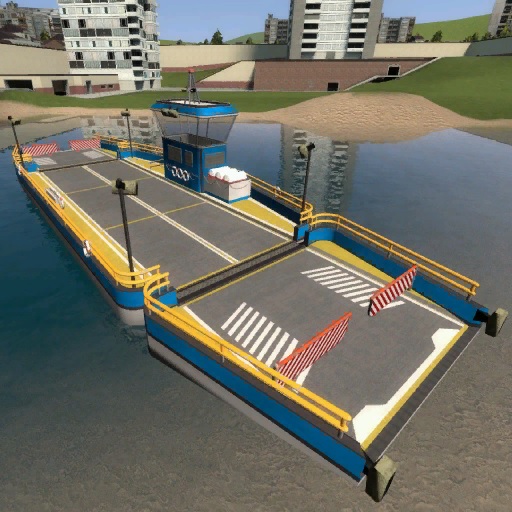
SW Ferry
76561198010984952 দ্বারা
[b]A car ferry.[/b] [hr][/hr] [h3]Please read the description for all informations about the addon! [url=https://steamcommunity.com/groups/SligWolfAddons/discussions/0/4513255384648080868/]Click for the terms of use.[/url][/h3] [h2][u]Special thanks to:[/u][/h2] [list] [*][url=http://steamcommunity.com/id/grocel]Grocel[/url] [*]Spacecode [*]Bullet [*]AGC | #NaN [*]Zinyak [/list] [h2][u]Requirements:[/u][/h2] [list] [*]You need to have the [url=https://steamcommunity.com/sharedfiles/filedetails/?id=2866238940]SW Base Addon[/url] installed! [/list] [h2][u]Console command:[/u][/h2] [list] [*]sv_sligwolf_reload_addon ferry [/list] [h2][u]Prop protection:[/u][/h2] [list] [*]Be sure your buddy is allowed to use your stuff. [*]Otherwise your buddy can't use the doors. [/list] [h2][u]Changeable controls:[/u][/h2] [list] [*]W = Forward [*]S = Backward [*]A = Steer Left [*]D = Steer Right [*]Shift = Drift Left [*]Space = Drift Right [*]Alt = Freeze Ferry [*]F = Light [*]R = Ship Horn [*]1 = Toggle Front Gate [*]2 = Toggle Back Gate [*]Keypad 1 = Extra Camera Left [*]Keypad 2 = Extra Camera Front [*]Keypad 3 = Extra Camera Right [*]Keypad 4 = Extra Camera Back [/list] [h2][u]Comments and feedback:[/u][/h2] In order to centilize our addon maintenance efforts, the comments has been disabled in all addons. Please go to the [url=https://steamcommunity.com/groups/SligWolfAddons]SW Addons Group[/url] to comment and give feedback on our addons. [url=https://steamcommunity.com/groups/SligWolfAddons/discussions/0/4513255384647390528/]Mind the rules, though![/url] [h2][u]Any problems? Please read those:[/u][/h2] [h3][b][url=https://steamcommunity.com/groups/SligWolfAddons/discussions/0/4513255384647370536/]► FAQ & Common Issues[/url] [url=https://steamcommunity.com/groups/SligWolfAddons/discussions/0/4513255384647367107/]► Troubleshooting[/url][/b][/h3] [h2][u]Still got problems? Post here:[/u][/h2] [h3][b][url=https://steamcommunity.com/groups/SligWolfAddons/discussions/1/]► Bug Reports[/url][/b][/h3] [h3]Please read the description for all informations about the addon! [url=https://steamcommunity.com/groups/SligWolfAddons/discussions/0/4513255384648080868/]Click for the terms of use.[/url][/h3]
![[LW] Audi R18 TDI](https://images.steamusercontent.com/ugc/3300323068647014933/8281C86ED6CFB25874E00D3ED52D55F0F3DCD94C/)
[LW] Audi R18 TDI
76561198073265803 দ্বারা
[img]http://i.imgur.com/jW2ACow.png[/img] A drivable Audi R18 TDI LeMans Racecar ported from Forza 4 by me. Fun fact: This car has over 260 individual VCmod lights [url=https://www.facebook.com/LoneWolfieCars]Follow progress on Facebook![/url] [url=http://vcmod.net/index.php?topic=57.0]Follow progress on VCmod.net![/url] [url=http://facepunch.com/showthread.php?t=1357681]Follow progress on Facepunch![/url] A skin template for this car can be found in the SVN, Which can be found at: https://lwcrs.googlecode.com/svn/trunk/ SVN USERS WILL NOT NEED TO SUBSCRIBE TO THIS AS IT IS ALREADY INCLUDED Give some love to these guys: [url=http://steamcommunity.com/id/pwnerjay]TheRapJés[/url] - Handling script [b]DO NOT UPLOAD THIS CONTENT TO ANYWHERE WITHOUT MY EXPRESS PERMISSION[/b] F.A.Q.: Q: How do I change the colour? A: [i]Use the colour tool[/i] Q: Can you make [this car]? A: [i]I dont take requests, Sorry.[/i] Q:How do you turn on the lights? A: [i]You cant unless you have VCmod by Freemmaann, which is not finished yet. In the meantime [url=http://coderhire.com/browse/script/652/vcmod-vehicle-controller-modification]you can buy the old VCmod from CoderHire behind this fancy text[/url] If you have VCmod, Its F for lights, H for hazards and F + A/D for Indicators.[/i] Q: How do I drive this? A: [i] Spawn it from the Vehicles menu, they are under LWCars. [/i] [img]http://i.imgur.com/zRYhWGg.png[/img]
Mod-Support সহ Garry's Mod Server
সব Mods সরাসরি Dashboard-এ One-Click দিয়ে ইনস্টল করা যায়।
Garry's Mod Server ভাড়া নাও