Mods y plugins para DayZ
Este catálogo incluye 105.000+ proyectos de DayZ procedentes de Steam Workshop. Las entradas pueden ser para servidor, cliente o ambos, e incluir mapas u otro contenido generado por usuarios. Antes de instalar, comprueba la página de origen enlazada, la versión del juego y las dependencias.

CF
por 76561198103677868
This is a Community framework for DayZ SA. One notable feature is it aims to resolve the issue of conflicting RPC type ID's and mods. For help on using this mod in your own projects, follow this README on github the Community-Framework github here. Installation: Before you install the mod, you will need to wipe your server. Monetization: You are hereby given monetization approval under the conditions that you follow the DayZ Server Monetization agreement and have obtained permission from Bohemia. Read more here. Repacking: You are not permitted to repack any part of Community Framework.
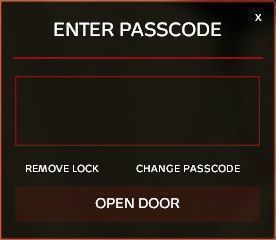
Code Lock
por 76561198047572402
Introduction: Code Lock is aimed at simplifying the base combination lock. No longer will you have to scramble to lock a gate that gives access to your base. There are also tons of configurable settings for this mod including logs, raid times, raid settings, client rate limiting and more! ---------------------------------------------------------------------------------------------------- Contributions: Thanks to WarDog for the new UI! : https://steamcommunity.com/id/officialwardog/ Thanks to OP for implementing the custom model!: https://steamcommunity.com/profiles/76561198379941795/ Model used for Lock: https://sketchfab.com/3d-models/keypad-b9968a00bc9249df927ff1969acf2f7e ---------------------------------------------------------------------------------------------------- LICENSE: PERMISSION IS NOT GRANTED FOR THIS MOD TO BE INCLUDED IN A "SERVER PACK" or "MOD PACK". Use a Collection if you want to include this mod on your server for your users. Monetization while using this mod is NOT approved. Requests for monetization MUST go through Room Service. Copyright 2023 Room Service. This item is not authorized (strictly forbidden) for any of these conditions: - posting on Steam, except under the Steam account theroomservice. - hosting on any download server other than Code Lock's current workshop download. - hosting on any launcher for distribution other than Code Lock's current workshop download. - to be packaged in any form other than Code Lock's current workshop download. - to create derivative works.

VPPAdminTools
por 76561198420222029
Rent your DayZ Server From: DZServers.Host This is the official Steam Workshop page for VPPAdminTools. Join our Discord (click image above) to leave feedback / suggestions. Project source code & contributions: Install & Configuration Full Wiki (click image) ►: Donate:‒‒‒‒‒‒‒‒‒‒‒‒‒‒‒‒‒‒‒‒‒‒‒‒‒‒‒‒‒‒‒‒‒‒‒‒‒‒‒‒‒‒‒‒‒‒‒ DaOne GravityWolf Installation Guide:‒‒‒‒‒‒‒‒‒‒‒‒‒‒‒‒‒‒‒‒‒‒‒‒‒‒‒‒‒‒‒‒‒‒‒‒‒‒‒‒‒ Required mods: CF (Community Framework) Dedicated Servers: First, subscribe to the dependencies above. Second, launch the normal DayZ launcher, not DayZ SA Launcher, and in the bottom of the window it should verify that you just recently subscribed, and downloaded the mods. Goto the mods tab, right click on VPPAdminTools, and click on Open Folder. Inside of the newly opened window, Copy both @VPPAdminTools, @CF from the !Workshop folder to your servers Root Directory. Next, you will have to add these mods to your start up command line. The vanilla process of installing mods is by adding -mod=@CF;@VPPAdminTools to your start up command line (Server). Please make sure that your last mod doesn't end with a semicolon. Game Service Providers: Most popular providers offer you automatic mod installation, if that's not the case; follow the instructions above with your FTP access point or File Manager from your providers panel. Contact your provider for guides on how to use their services to install mods. Profiles folder (what/where): What is a profiles folder? It is the directory that houses all the logs and config files that are generated by the server and the mods it has installed on it. This folder can be named different things depending on your provider, use your services' File Manager or FTP to locate the folder (typically its in the root directory of the server itself) it will contain files of type .RPT, .log and .adm plus many other config folders and files generated by the mods you have installed. VPPAdminTools within the Profiles folder is where you will find ALL configurations about the tool. Adding a Super Admin & Password Setup: To add a SuperAdmin; The file SuperAdmins.txt file located in your Profiles folder at: VPPAdminTools/Permissions/SuperAdmins. The folder will automatically generate during first server startup after adding the mods. Within this file you will add steam ID's, these id's are for those who have the highest permissions over UserGroups. SuperAdmins are the only users in which can add other users into UserGroups. In order to make yourself super admin, you will need to add your own Steam 64 ID. To setup a password; Navigate to Profiles/VPPAdminTools/Permissions/credentials.txt and follow the instructions written in the generated file. You MUST set a password otherwise the tool will not function. Server restart is required to apply changes. If you don't wish to run the extra security layer (password input) follow these instructions: (vppDisablePassword = 1;) add to your server config to disable password security layer. Note: If you add multiple steam id's, each one has to be on it's own line with no empty spaces at the start or end. You can get your Steam ID: SteamId.io Keybinds:‒‒‒‒‒‒‒‒‒‒‒‒‒‒‒‒‒‒‒‒‒‒‒‒‒‒‒‒‒‒‒‒‒‒‒‒‒‒‒‒‒‒‒‒ All the keybinds can be found in the game settings menu, keybinds tab under VPPAdminTools. Monetization:‒‒‒‒‒‒‒‒‒‒‒‒‒‒‒‒‒‒‒‒‒‒‒‒‒‒‒‒‒‒‒‒‒‒‒‒‒‒‒‒‒ You are hereby given permission to use this content on your monetized servers as long as you follow the guidelines & rules by Bohemia Interactive.Monetization FAQ Repacking:‒‒‒‒‒‒‒‒‒‒‒‒‒‒‒‒‒‒‒‒‒‒‒‒‒‒‒‒‒‒‒‒‒‒‒‒‒‒‒‒‒‒‒‒ Copyright 2026 DayZ SA Vanilla++ This item is not authorized for posting on Steam, except under the Steam account named: DaOne This means no repacks! Search engine stuff: Admin Tools AdminTools v++ admin tools v++ tools v++ vpp tools dzservers hosting dayz hosting services dzservers host dzservers.host dayz server hosting how to start dayz server 2026 dz server DayZ server provider DayZ Server Hosting
BuilderItems
por 76561198018914897
BuilderItems is a mod that allows server owners to have a much wider range of options when placing details on the map. This is not the editor itself, but a mod to give you more options with the editor! You still need to download and use community offline mode. Watch the video. This is NOT a server side mod only. It needs to be loaded on all clients connecting to the server. It needs to be loaded on the server for the items to show up. For editing only: In order to get names of items already on the map you need to install this now: https://steamcommunity.com/sharedfiles/filedetails/?id=1570627596. Do not use it on client or server, only for offline mode. Currently, Builder gives about ~1700 props, walls, roads, map objects, etc etc proper class configurations so that owners may use them as decoration or design of their map. If you're just a player, all you have to do, is hit subscribe and forget about it, this mod doesn't really change anything as far as you're concerned. For server owners, here's a guide on how to use this to increase your options when editing the map, and a guide on how to use COM for placing objects in general: https://youtu.be/2KX2tRTO-ag Link to COM dev branch: https://github.com/Arkensor/DayZCommunityOfflineMode BuilderItems is built into DayZ Expansion. Do not load this mod if you're using Expansion! Specifically this mod if you're using a split setup, https://steamcommunity.com/sharedfiles/filedetails/?id=2792983824 Anyone who wants to repack this mod into their server mod, I give you full permission to do so, as this is such a basic mod. Can be used on monetized servers as well.

Dabs Framework
por 76561198247958888
Dabs Framework is an Open Source, lightweight modding framework, designed to give modders and server owners tools to quickly and effectively create new mods for the community. Source Code: All source code is available on the Github Monetization: You are hereby given monetization approval under the conditions that you follow the DayZ Server Monetization agreement and have obtained permission from Bohemia. Read more here . Repacking: You are not permitted to repack any part of Dabs Framework. We don't give permission to anyone to repack it. We won't approve your request to repack it. DON'T ASK I am grateful to hear any feedback and suggestions from anyone, the best place to give it to us would be me Discord, please also join if you have any questions too! This item is not authorized for posting on Steam, except under the Steam account https://steamcommunity.com/id/InclementD or as a contributor if direct authorization is given by the author of this item.

FlipTransport
por 76561198282979857
Description Ever drove your vehicle so fast around a corner that it flipped? Or your vehicle launched so far into the sky your friends lost sight of you? Well when the vehicle finally decides to come down from the sky and roll over on it's side or on it's back, you can flip it over back on it's wheels on your own with your handy dandy wrench! That's right! No more having to setup camp next to your turtled vehicle, you can flip that lazy POS over and keep on cruisin' down the roads of Chernarus! I chose the wrench to be the tool to flip vehicles since they're no real use for them currently and they're unrepairable by default, you can go forth from now on collecting wrenches and being the handy man you've always wanted to be! In recent, you're also able to push vehicles around; to effectively push a vehicle, make sure the engine is off and the vehicle is in neutral. Pushing a vehicle from behind or in front, will result in the vehicle getting pushed in the direction of the vehicle. This is pretty safe for servers that have Trader or mods with safezones, as pushing a vehicle that is in a gear other than neutral will result in very little to no movement of the vehicle. The hydraulic jack and traffic cone have been added into production, the jack will allow you to flip vehicles over without a wrench and with no time penalty. If you do not want the jack on your server, just don't add it to your types file. Showcase

WindstridesClothingPack
por 76561198059591114
v13.4 This mod pack will bring to life clothing items that i think fits the post-apocalyptic Chernarus. All the items in this pack feature ground models, damage states textures, LODs, male and female models, and some of them, texture variants and custom hand profiles. All the models are developed from scratch by myself, some of them based on existing concepts. I do take commissions in my free time. Wet Textures Credits to Helkhiana, Zelik, and Jad for their scripting work on this feature. - Leggings Color/Material variants: - PMK-5A Gas Mask - Poncho Color Variants: - Military Sweater Color Variants: - Fingerless Gloves Color/Material Variant: - Knee High Sneakers Color Variants: - Layered Shirt Color Variants: - Shemagh Credits to Ammo for scripting work The bandit wrap of the shemagh clips with most headgears, i might or might not find a solution for this in the future. Color Variants: - Canvas Backpack A special thanks to: Not a Banana and Helkhiana for writing the scripts involved in the backpack functionalities! Attachments: Color Variants: - Pins Pins that can be attached to the canvas backpack for the sake of customization. - Ragged Eyepatch - Kneepads Jeans Color Variants: - Winter Parka Color Variants: - Baseball T-Shirt Color Variants: - Flip Flops with Socks - Skull / Skull Mask Human Skull can be obtained by cutting up dead bodies. Skull Mask craft recipe: Human skull + knife = Skull Mask - Slouch Hat - Skate Sneakers - Round Glasses - Eyepatch - Tactical Leg Holster - Skinny Jeans And more... This mod is not allowed to be monetized, repacked or reuploaded, unless you got permission from me in the past. Retextures of my mod are allowed. Class Names can be found on a .txt file inside the mod folder. How to make the items spawn in the world? / How to install the mod on the server? Inside the mod folder "@WindstrideClothing" you can find a "Types.xml" file, copy the contents of this file. Go to your Dayz Server folder, and then go to DayZServer/mpmissions/dayzOffline.chernarusplus/db/ In this location you will see a Types.xml file, paste the contents you previously copied into this file. You can always adjust the values to your liking. Contact Windstride#3774 on Discord. Join my Discord server! Do you want to support this mod to keep going with new updates? Consider donating! Huge Thanks to OP from OP_BaseItems, he helped me so much with everything regarding coding and Dayz Tools, if it wasn't for him i wouldn't be modding, check out his mod if you don't know it, it's awesome!
BaseBuildingPlus
por 76561198207021927
Updated for 1.27! After 2+ years, BBP has been updated with some fixes for the 1.27 update. Visit the discord to view the fixes, please report any other bugs to the discord so I can get those fixed. Thanks! BBP 2.0 update was released for Dayz 1.18, it brought much needed life, polish and love back into BaseBuildingPlus! The update brought plenty of new QoL features/requests and includes a rework/addition of 30+ building parts! Building Recipes of all Parts https://basebuildingplus.fandom.com/wiki/Building_Recipes Need help or have suggestions!? Join the Discord! Carpets, Wallpaper and Plaster have also been added! PLEASE NOTE No repacking or reuploads under any circumstances. This item is not authorized for posting on Steam, except under the Steam account named Chopper or HennySea. To enable vanilla damage on all BBP parts, use this mod: https://steamcommunity.com/sharedfiles/filedetails/?id=2815794944 To enable vanilla damage on BBP doors only, use this mod: https://steamcommunity.com/sharedfiles/filedetails/?id=2815793829 BBP 2.0 is focused on being server and FPS friendly as possible, which is why many cosmetic and "extra" items have moved to the BBP_item pack. BBPItemPack If you prefer to continue using the old version of BBP temporarily, you can switch to the legacy version: BaseBuildingPlus_Legacy Server Owners INSTALLATION: 1. Copy the @BaseBuildingPlus folder from !Workshop to your server root folder. 2. Copy BBP.bikey file from the keys folder to your keys folder. 3. Add "-mod=@BaseBuildingPlus" to your server startup parameters. 4. Merge your server types.xml file with the types.xml provided in the info folder. ^^(IMPORTANT to prevent despawning)^^ 5. (Optional) Use the other examples to add BBP items to any other mod configs. UPDATING: 1. Replace the @BaseBuildingPlus folder in your server root folder with the new one from !Workshop. 2. Check the Change Notes for any instructions. Update types.xml and mod configs if new items were added. Donations This mod is completely free to use. If you want to contribute towards the future development you can do so by donating via PayPal or our official Patreon page, thanks :) PayPal Donations Patreon Donations Further Support If you have time, please check out these upcoming games from the developers.. ZSGO: Zombie Survival Game Online ZSGO is an open-world, zombie survival indie game developed by Jest and his friends: ZSGO on Steam MidEvil: Medieval Zombie RPG MidEvil is a multiplayer open-world survival RPG developed by HennySea and Chopper: MidEvil on Steam
Advanced Weapon Scopes
por 76561198002219612
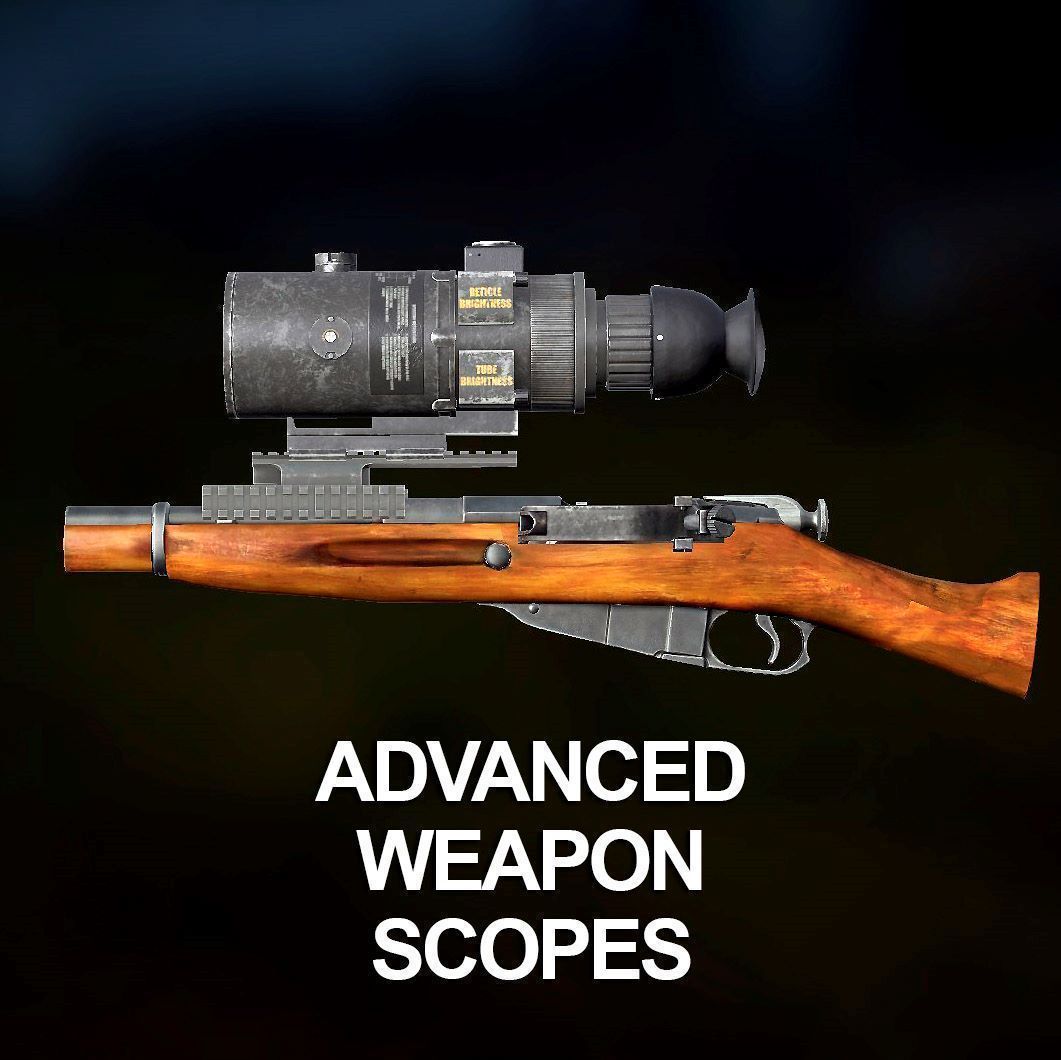
This mod is designed as almost complete replacement for vanilla scopes for providing more smooth game experience since only my scopes has unique abilities. My recomendation is getting rid of any vanilla scopes except PU, Kobra, PSO and 1PN51. Mod content: - EOTech XPS3-4 - familiar holographic sight with ability to attach a G33 magnifier for magnification doubling; - Leupold 3.5-10x40 Mk 4 - Riflescope for mid and long range shooting, illuminated reticle; - ACOG - Well known scope with 4x magnification. This scope has different reticle from vanilla one and has the option of mounting an additional RMR red dot sight; - SpecterDR 1.5-6x - A sight that combines all the advantages of collimator and telescopic sights for short- and medium-range shooting; - RMR - Small collimator sight, which can be mounted on an ACOG or a pistol. Also has optional mounts with two different heights for mounting on any other weapon; - Dedal DHF-5 - Russian-made optical scope designed for high-precision shooting. Has 5-20x magnification; - NF ATACR 7-35x56 - This scope takes accurate long range shooting to a whole new level. Has a 7-35x magnification; - NF ATACR 1-8x24 - Is designed and built to be the ultimate low-power variable riflescope. Has a field of view at 1x equivalent to open sights… But vastly more precise; - Walther MRS - Open type collimator sight. Because of its design is not often used by military, but is popular among hunters and fans of military tactical games; - OKP-7 - Russian-made collimator sight. Extremely convenient in use due to its design; - AN/PVS-4 - Passive US Army 2nd generation night vision optical sight. 3.6x magnification; - Pilad 4x32 - Russian hunting optic sight. Cheap, heavy, has fixed 4x magnification; - Zenit B-13 AK Side Mount - Russian made lightweight genuine Zenit rail mount for AK, allows you to mount ANY of the these sights on the AK mount system; - Tri-rail Mount - Aluminum sights mount, allows you to mount ANY of the these sights on the Mosin rifle, SKS, SVT etc. Idea of this mod is give ability to players use any scope on any weapon in this game without unliked limits of "hunting" and "RIS" slots. So to attach scope to the mount you need both items, then combine one with another. To unmount scope from mount - put item in your hands and press LMB. You can repair any scope by Electrical Repair Kit. All of these scopes and mounts uses vanilla slots so this mod is compatible with almost any weapon mod. Red dot sights are made for comfortable use - they are not subject to sun backlighting unlike vanilla ones. Names and description of every item are translatedinto English and Russian (if you want to help with it, contact me). Donation Some of the models and textures used here are made by me from scratch, while others are bought. If you want to donate to support my work, you can do it here: Hipolink Boosty Thank you! Contact me in Discord Inkota#3273 for any questions. I WON'T ACCEPT STEAM FRIENDS REQUEST You can use this mod on monetized severs (if you have BI approval). Copyright 2021-2024 Inkota. This item is not authorized for posting on Steam (i.e. reuploaded, repacked), except under this Steam account named "Inkota".
Trader
por 76561198129280379
This Mod brings AI Trader, Tradercitys and Safezones to DayZ! The standard Currency is the Ruble Item. You can Buy and Sell Items at the Tradercitys or just relax at the Safezones. The standard Tradercity-Locations are at Green-Mountain and Kumyrna. Serverowners can configure the Tradercitys, Safezones and Items. So you can build your own Tradercitys easily! If the Serverowner does'nt add the Currency Item to his Loottable, the Currencys will not spawn as Loot in the Game. Only by selling Items to the Traders. I DO NOT ALLOW ANYONE TO REUPLOAD THE MOD IN A MODIFIED OR UNMODIFIED STATE! FAQ Q: How do I install the mod? You add it to your mod list same as all the other mods. After that, copy the Trader folder from inside the extra folder in the mod to your profiles folder. If you don't know where the profiles folder is, ask your hoster or check their FAQ. You can also check this Youtube tutorial. Click here for the Video Tutorial Q: Vehicles are despawning after buying them from trader Change <lifetime>3</lifetime> to <lifetime>3888000</lifetime> for your vehicles . Check this video too. Click here for the Video Tutorial Q: How do I spawn the vehicle with MuchCarKey key? You need to put the vehicle in the TraderConfig as VNK. Then add the MCK key in the vehicle parts. This will add it to the inventory of the car. Q: Can I have multiple currencies? This is a bit of complicated answer. Short answer is no. But you can add other items as currency with a different value in the list. Q: I get this error: Can't compile "World" script module! WG_TraderFix/scripts/4_World/tradermenu.c(1): Multiple declaration of class 'TraderItem' You need to remove the mod Trader Fixes and Features. This mod has been integrated in the Trader mod. If you don't run this mod, then another mod you run has repacked it. Check the server mods or layout mods you run and remove them. Q: I cannot interact with the vending machines or NPC traders There's several reasons this could happen: 1. You may have the machines spawning through some other method than just TraderObjects. Traders (humans or static objects) must be spawned ONLY through TraderObjects. 2. Your coordinates don't match for <TraderMarkerPosition> and <ObjectPosition>. These must be identical 3. Another mod is interfering Q: X Thing doesn't work. My server doesn't start. You need to give us exact information as to why you having this issue. Join the discord and share screenshots of the errors you get. We can only help you if you give us all the information. Up to date Trader profiles folder Click here for up to date files Added Classnames: MoneyRuble1, MoneyRuble5, MoneyRuble10, MoneyRuble25, MoneyRuble50, MoneyRuble100, Hoodie_DrJ0nes, Hoodie_GraffitiTiles, Land_RoadCone Using non Character Traders: To use Objects such as a Vending Machine or an Cashbox you need to add <ObjectAttachment> NPC_DUMMY to the <Object> Entry! This is needed to make the User Actions for the Trading Menu work on non Character Objects that act as Traders. Example: <Object> VendingMachine <ObjectPosition> 3699.27, 402.13, 5967.91 <ObjectOrientation> -13.234265, 0, 0 <ObjectAttachment> NPC_DUMMY Other Currencys If you want to use other Currencys as the Rubles that come with the Trader Mod you can checkout this Links: OFG_Money_Euro LatvianCurrency MoneyMod(Trader) 人民币模组 RMB(CNY) Money for Dayz The above Links lead to Mods from other Devs! They are not Part of the Trader Mod! I just link them here! Use at your own Risk! Setup Example for the Euro Currency: You have to change the Currency Part of the TraderConfig.txt like this: <CurrencyName> Euro <Currency> Euro, 1 <Currency> Euro5, 5 <Currency> Euro10, 10 <Currency> Euro20, 20 <Currency> Euro50, 50 <Currency> Euro100, 100 Checkout the individual Links for further Assistance or Guides. Keep in Mind that you always need an Currency in the Config that is worth exactly 1! Order matters! Lowest Worth first, highest Worth Last! Copyright Repack is not allowed. ALL RIGHTS RESERVED. Copyright Helkhiana, MDC, Dr J0nes This item is not authorized for posting on Steam, except under the Steam accounts Helkhiana MDC Dr J0nes. Credits: Credits go to Dr_J0nes who have done the Mod. Helkhiana and MDC for expanding the mod. ComatoseBadger for the Ruble 3D-Model. inkihh for the Key Lost Mechanic. Translations: Avallanche, TH, many others I forgot the name unfortunately.. :/ Special Thanks to: Septic Falcon and Astley for testing on their Modded Server and all the Support! Classified Rebel for testing DZSA Launcher automatic Mod downloading with me. Everyone on the DayZ Modders Discord Server for helping me out with every Question I had!!! DatLooter for all the support. Of course everyone who helped me to test this Mod or reported Bugs!

VanillaPlusPlusMap
por 76561198420222029
Rent your DayZ Server From: DZServers.Host Usage: Press M to open the map. Press K to show/hide 3D markers. ---------------------------- Server Host Installation: You need to download our dependency mods. Get CF and VanillaPlusPlusMap files from the steam workshop folder ( where ever the content downloads to ) Place @VanillaPlusPlusMap & @CF in your server directory and append `@CF;@VanillaPlusPlusMap` into your server launch parameter. eg: -mod=@CF;@VanillaPlusPlusMap Make sure you also add the signature key into the `Keys` folder that is located in your server directory. You can get the keys from the mod folder. The server side config file can be located in your profiles folder (where server logs are generated) under the name VPPMapConfig.json it is auto-generated on server start. You can edit it while the server is running, changes will apply when you save the file. Relog on client side to load new changes. Features: -Client: Place Markers on map that save across all servers and or server specific. -Client: A variety of unique marker icons for use -Client: Ability to add and remove markers -Client: Ability to see your current position (if not disable by server owners) -Client: Ability to add 3D Markers ( shows distance, icon, marker name ) -Server: Ability to force disable 3D Markers for server host. -Server: Ability to add global markers for players to see during session ---------------------------- Monetization: You are hereby given monetization approval under the conditions that you follow the DayZ Server Monetization agreement and have obtained permission from Bohemia. Read more here Vanilla++ Map Mod Developed by DaOne, GravityWolfNotAmused & MrMaffen Keep Up with updates and full change logs! Click logo below to join Our Discord IMPORTANT NOTICE: - You are not allowed to repack or republish this mod on any platform including steam - You are not allowed to unpack this mod and create derivative work from its source code. A DMCA take down will be issued if necessary Support the creators: DaOne, GravityWolf dzservers hosting dayz hosting services dzservers host dzservers.host dayz server hosting how to start dayz server 2026 dz server DayZ server provider DayZ Server Hosting

CannabisPlus
por 76561198006062654
CannabisPlus CannabisPlus adds a cannabis production loop to DayZ with configurable strains, drying, crafting, and a deployable processing workbench. It includes JSON configuration files (global + per-strain) and gameplay effects tied to smoking. Features - Multiple cannabis strains with per-strain settings (JSON): GrowTime, CropCount, SeedCount, plus visual effect tuning (HueIntensity, radial blur X/Y, rotational blur). - Default strain configs auto-generated if missing: Skunk, BlueGod, PurpleKush, Stardawg, S1, Future, Nomad, BlackFrost. - Drying system via a placeable CP_DryPost: - Attach raw cannabis plants to hanging slots and start drying. - Drying time is controlled by TimeToDryCannabisPlant. - During drying, attachments are locked to prevent removal. - When finished, dried cannabis buds are spawned into the post inventory and the raw plants are cleaned up. - The drying post cannot be put into hands or cargo. - Deployable Cannabis Workbench (CP_Workbench) + craftable kit (CP_Workbench_Kit): - Craft “Make Cannabis Workbench Kit” using WoodenPlank x10 + Nail x20. - Deploy the kit to place a workbench. - Workbench attachment slots include: Wrapper, Bagger, LargeBattery, Empty Bags, Plastic Roll, Cannabis Buds, Cannabis Bags, Cannabis Bricks. - Workbench processing can be configured to require a battery, consumes configurable power, uses configurable plastic wrap usage, and runs on a configurable processing time interval. - Workbench produces: - Buds -> Bags (consumes buds + empty bags) - Bags -> Bricks (requires full bags + plastic wrap; wrapper must not be ruined) - Production can be started and stopped with in-world actions (including a stop action while running). - Crafting recipes: - Fill Bag: CP_CannabisBud (min qty 2) + AC_EmptyBag - Wrap Brick: CP_CannabisBags (min qty 16) + DuctTape (min qty 25) - Roll Joint: CP_CannabisBud + AC_RollingPapers - Make CBD Crude Oil: CP_CannabisS1 + DisinfectantAlcohol (uses 100 quantity) -> CP_CBDCrudeOil - Create a pack of joints: uses CP_JointBase + AC_CigarettePack_Empty - Player effect: Stoned modifier: - 30 second duration. - Chance to trigger coughing or laughter symptoms during the effect. - Drains water while active. - Config & debugging: - Global JSON config with versioning, validation, and automatic backup of old configs. - Server/client debug logging toggles. Installation - Subscribe to the mod on Steam Workshop. - Enable it in the DayZ Launcher (client and server). - Start the server once to generate the CannabisPlus configuration files in the server profile, then adjust as needed. Configuration CannabisPlus uses JSON config files for global settings and per-strain settings. - Global settings include: - Joint/cigarette smoking effect toggles, durations, and activation cycle settings - WorkbenchSettings: RequireBattery, PowerUsed, PlasticWrapUsage, ProcessingTime - TimeToDryCannabisPlant - EnableServerDebugLogging / EnableClientDebugLogging - Per-strain settings include: - GrowTime, CropCount, SeedCount - WeedEffects (HueIntensity, RadBlurXPower, RadBlurYPower, RotBlurPow) Compatibility - Uses items/classes with the AC_ prefix (e.g., AC_EmptyBag, AC_RollingPapers, AC_CigarettePack_Empty). Ensure the required content providing these classes is present on your server/modset. - Workbench config references VehicleBattery energy usage when battery requirement is enabled. You may NOT repack this mod. Other https://discord.gg/q9kRXR5
DayZ Editor Loader
por 76561198247958888
This is a loader mod for edits created in the DayZ Editor. Only mod that implements deletions, currently can delete 40k objects per second, deleting NWAF is fine Instructions: 1) Load the mod on your server, this will generated a folder called "EditorFiles" in your Servers Mission Folder 2) Drag your .dze files into this folder (you can find these in your profiles/Editor folder of your client when saving files) 3) Run server! Spawning Loot: Editor Loader can automatically export loot on server start (< 1s). There is no need to intervene to spawn loot yourself. To enable this feature, set enableAutoMapGroupPosExport=1 in your server config. Repacking: You are not permitted to repack any part of DayZ Editor Loader. We don't give permission to anyone to repack it. We won't approve your request to repack it. DON'T ASK We are grateful to hear any feedback and suggestions from anyone, the best place to give it to us would be our Discord, please also join if you have any questions too! (c) InclementDab 2025 This item is not authorized for posting on Steam, except under the Steam account https://steamcommunity.com/id/InclementD or as a contributor if direct authorization is given by the author of this item.

Community-Online-Tools
por 76561198103677868
NOTICE There may be some bugs. If you do find some, report them in them on my GitHub here Information: This is the first set of GUI based admin tools created by the developers of DayZ Community Offline Mode. This makes use of a modular design which allows other mods such as DayZ Expansion or DayZ HypeTrain to add their own menu's for admins to have further control of their servers. Community Online Tools allow you to teleport players, set player health, blood, shock, change the weather of the server, and even spawn in vehicles. Also, this mod allows you to set the aiming mode for players to the old 0.62 system if you, the server admin wishes to use it. Server Installation Instructions: - Install the mod using your preferred method for installing mods. I recommend using a server manager such as OmegaManager. - Launch the server once and then after it has fully launched turn it back off. - Locate the profiles folder used for the server. If using OmegaManager this folder would be called ‘profiles’ otherwise you can find what it is called by checking the command line parameter ‘-profiles’ and seeing what that is set to. Once in that folder enter the ‘PermissionsFramework’ folder and then enter the ‘Players’ folder. - Inside that folder create a .json file with your GUID/SteamID. Inside of that JSON file paste the contents of this pastebin. - Congratulations, you have successfully installed COT. You can assign roles to others while in-game. Webhooks: Webhooks can be configured like the following https://pastebin.com/AR3Bk9E5 where there can be multiple connections. Say you want players to see when the weather is changing but want another channel for every admin action to be logged in or you want this information to be logged across multiple discord servers. Controls: Y - Open the toolbar menu INSERT - Toggle free camera H - This teleports you to the position you are looking at END - Toggles Community Online Tools keybindings on/off Monetization: Monetization is allowed on your servers but it would be nice that a small percentage is sent as a donation. This is not enforced but would be greatly appreciated. Donate: If you like this mod do feel free to send a donation to my paypal here. This mod is released for free for all to use and monetize of but any donation would be greatly appreciated.
Breachingcharge
por 76561198015756989
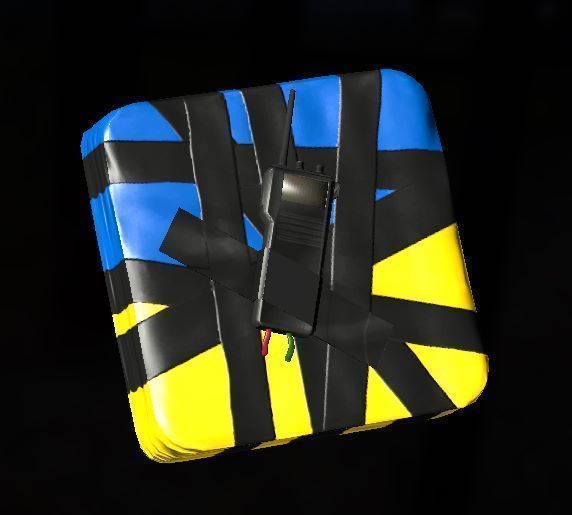
If you are looking for a base raiding/explosive mod that works directly with DayZ's damage system you should check out my new mod More Explosives. This mod enables base raiding with a c4 breachingcharge, which can be used to destroy fences and gates, as well as walls and other objects from mods such as BBP, Simple Base, More Doors and Expansion. In order to make it compatible with the Expansion mod you will need this compatibility mod. If you are using the codelock mod you will also need this compatibility mod. More information about the mod (e.g.,classnames, crafting recipes and a types template) can be found on the github wiki page. Discord: If you have any questions about the mod or have any issues with it feel free to join the mod's discord. Please take a look at the FAQ first in-case your question/issue has already been answered there. (Incase the link gets removed: /ZC7NsZ9) Usage: - Distribution and direct modifications of this mod (i.e., repacking) are not allowed. - Derivatives are not allowed, unless explicit permission has been given. Monetization: - To use this mod on a monetized server you must be approved for monetization by Bohemia Interactive, follow their monetization rules and do not provide paying players with any kind of in-game advantage (e.g., weapons or equipment items, bases, vehicles). - It is not allowed to monetize any aspect of this mod directly (e.g., selling reskins or any other form of derivatives). https://www.bohemia.net/monetization https://www.bohemia.net/monetization/faq Donations: Feel free to donate through Paypal, I would really appreciate it! Please note that you won't receive anything in return for a donation and they are non-refundable.
Ear-Plugs
por 76561198023797229
Ear Plugs allow you to lower and toggle your sound effect volume so you can hear VOIP easier. Perfect for driving, or flying. What does it do? Ear Plugs allows you to lower your volume via a rebindable key to a custom set level which you can then toggle on and off. While EarPlugs is active there will be a small icon on the left side of the screen to let you know that your sound level is being modified. When changing the audio level up and down a new number showing the audio value (In percent) will be displayed before fading out - The default audio level reduces all sound effects by 80%. Server Owner Instructions As with most mods install instructions follow the same patten. - Copy the mod from !Workshop to DayzServer root. - Copy the CooltrainV3.bikey into your server keys folder. - Add the @Ear-Plugs to your server launch parameter. What version does it require? Working on the 1.27 stable version. What are the keybindings? The defualt keybindings are: Toggle Earplugs - N Increase Mute Volume - Equals (=) Decrease Mute Volume - Minus (-) You can rebind your keys ingame. Is this compatible with Expansion? Expansion has its own version of Earplugs you can use, though if you prefer this version - yes its compatible. Can I repack this mod? Can I monetize earplugs? Copyright 2025 Cooltrain | This mod is not allowed to be repacked, or reuploaded in any other configuration. You are not allowed to monetized this mod unless your mod is an Approved Monetized Server. And access or use of this mod is not part of the monetization. Rate, Favorite & Donate

MuchStuffPack
por 76561198008668429
Mod Support ended with Version 1.26 Mod will work until it won't. Use it if you want but there won't be any more updates Repack is still not allowed. Use DayZ modding system to do fixes if you wish so. THIS REQUIRES MUCHFRAMEWORK ON YOUR SERVER MuchStuffPack is an extensive collection of base, furniture and decorative items as well as melee weapons and custom clothing. FAQ Q: How can we dismantle the kits? All placed kits can be dismantled by Screwdriver, Pliers or Hammers. Q: How can I use the stone fireplace? I cannot see inventory of fireplace. You have to craft the fireplace and put it in your hands. Look at the grill of the stone fireplace and click place. Q: I cannot attach or put more than amount of item in the item. Why is that? A. Another mod is overriding the slots. You are probably running a mod that is changing inventory slots. Find what mod is causing it and ask them to change inventorySlot[] = { "Shoulder", "Melee"... to inventorySlot[] += { "Shoulder", "Melee"... Q: My items are disappearing. Check your types.xml file with these 2 websites: https://www.xmlvalidation.com/ and http://dayztypes.pro/ Your issue most likely lies in having a bad types.xml. If you have fixed it and they still disappearing, you might have to delete your types.bin files in storage folder. Q: The bases are getting very laggy due to weapons displayed in proxies. What can we do?. Use the provided config in the profiles folder to hide the proxies. Credits Windstride - Boxing shorts, medic bag, basically all the clothes <3 best one out there FracturedRP - Gunwall Creep - Fridges models, vanilla looking Gazebo model Texture fix for Medic Bag by s廾ade Monetization You may run this on monetized servers as long no item or retexture of an item from this pack is monetized. Copyright Repack is not allowed. Copyright Helkhiana This item is not authorized for posting on Steam, except under the Steam account Helkhiana. Donations
DayZ-Expansion-Licensed
por 76561198959715227
DayZ-Expansion-Licensed contains licensed material from Bohemia Interactive that has been licensed under ADPL-SA. With this license you are free to adapt (i.e. modify, rework or update) and share (i.e. copy, distribute or transmit) the material under the following conditions: • Attribution — You must attribute the material in the manner specified by the author or licensor (but not in any way that suggests that they endorse you or your use of the material). • Noncommercial — You may not use this material for any commercial purposes. • Arma and Dayz Only - You may not convert or adapt this material to be used in other games than Arma and Dayz. • Share Alike — If you adapt, or build upon this material, you may distribute the resulting material only under the same license. To view a copy of this license, visit https://www.bohemia.net/community/licenses/arma-and-dayz-public-license-share-alike-adpl-sa Installation If you need help to install the mods or the mission files please follow this guide: https://steamcommunity.com/sharedfiles/filedetails/?id=2430317812 Feedback We're grateful to hear any feedback and suggestions from anyone, the best place to give it to us would be our Discord ( https://discord.gg/rMZuS4F ), please also join if you have any questions too! Copyright 2021 DayZ Expansion Mod Team. This item is not authorized for posting on Steam, except under the Steam account https://steamcommunity.com/id/dayzexpansion/

DayZ-Expansion-Core
por 76561198959715227
Features DayZ Expansion Core act as a foundation for all expansion mods and is required for all expansion mods. This mod also add a few features such as : - Safezones - Expansion related logs - Debug settings Installation If you need help to install the mods or the mission files please follow this guide: https://steamcommunity.com/sharedfiles/filedetails/?id=2430317812 Guides: Please visit the Expansion Wiki for further info on how to use the mod: https://github.com/salutesh/DayZ-Expansion-Scripts/wiki/ Feedback We're grateful to hear any feedback and suggestions from anyone, the best place to give it to us would be our Discord ( https://discord.gg/rMZuS4F ), please also join if you have any questions too! Copyright 2021 DayZ Expansion Mod Team. This item is not authorized for posting on Steam, except under the Steam account https://steamcommunity.com/id/dayzexpansion/
MuchCarKey
por 76561198008668429
Mod Support ended with Version 1.26 Mod will work until it won't. Use it if you want but there won't be any more updates Repack is still not allowed. Use DayZ modding system to do fixes if you wish so. WARNING: Install this after a vehicle wipe. This will unlock any cars locked by expansion or trader keys or it could even wipe your cars. This mod will be updated at my convenience and by using it you're agreeing to this. If you don't like it, don't use it. This mod allows you to lock any car, spawned or from trader. The car keys come in several colours and they have a tag for easier organisation. You can sell the keys separately at trader, make them spawn with the car or findable in the world. FAQ Q:How it works? Take key in hand, look at car (must have all doors closed and all doors including trunk and hood in the slots). It will give you an option to assign key to car. After assiging key you can use it to lock,unlock the car. Q:How do you get more copies of a key? Server owner can place a MCK_Grinder at places where you can duplicate your key. You can only make duplicates if key was assigned. Your key takes damage each time you make a copy. e.g. 1 key gives you 2 keys before its ruined. then you can turn 2 keys into 4 and so on. You can craft a key by using a wrench at the grinder too. Q:Can an admin unlock cars? You have MCK_MasterKey and MCK_ResetKey. These are spawnable by admins. Master key will be able to unlock/lock any car, regardless if they have key assigned. Reset key will be able to reset a car's assigned key, only works if car unlocked. Q:Is there raiding available? Yes. You can change in the config to allow raiding aka lockpicking. You can choose in config the tool of your choice. In config you can also set if the lockpicking has 100% success rate or lower chance. Q:As an admin how can I place the grinder? MCK_Grinder is spawnable with VPP object builder, COM or DayZEditor. This won't show in regular item spawn for VPP and with COT you won't be able to choose position. Q:I don't have trader. How do I get keys spawned? You can try spawning them with the car or as regular item. That stuff is your server's choice. Q:Can I make trader give your key when buying a vehicle? No. Sell it as separate item. And put your vehicles as VNK to not give the trader key. Lifetime Maintenance How does lifetime maintenance work? In config there's 2 sets of lifetimes, MaxLifetime and MaxLifetimeWithoutAnyPlayerInteraction For MaxLifetimeWithoutAnyPlayerInteraction you should set a lower amount. e.g. if you spawn cars with CE and there's a single car in a very obscure place, you can use this to maintain their lifetime For MaxLifetime you should put maximum you ever want cars to be sitting around. If a player starts a car that doesn't have a key it will set lifetime to MaxLifetimeWithoutAnyPlayerInteraction If a player starts a car that had a key assigned, it will set the lifetime to MaxLifetime Opening doors, interacting with the car in any other ways other than the ones below won't count towards the lifetime reset What does reset lifetime? - Starting a car - Assigning a key - Locking the car - Unlocking the car Do we still need lifetimes in types set correctly? Yes you do. I'd recommend to put same amount or higher than MaxLifetime Why would we do this? You'd have 2 lifetimes to maintain cars in the world as cars spawned with CE will never despawn unless they are destroyed. This ensures cars will cycle spawns. I use 5 days without key, 2 weeks with key. This will ensure active people keep their cars and new ones will come into the world. Credits Dr. Jones - For allowing me to use parts of his car locking mechanism. Check out his trader mod -> https://steamcommunity.com/sharedfiles/filedetails/?id=1590841260 Wardog, DaOne and Jacob for helping me understand RPCs and NetVariables. Jest - for being my tester <3 and having this idea in first place Monetization You may run this on monetized servers as long no item or retexture of an item from this pack is monetized. Copyright Repack is not allowed. This item is not authorized for posting on Steam, except under the Steam account Helkhiana. Donations

SNAFU Weapons
por 76561197974118919
SNAFU Weapons Mod Pack – Overview and Legal Notice This mod pack has been developed and expanded in response to requests from the DayZ community. While it may not suit every playstyle, our goal is to bring a wide variety of firearm models into the game to enhance realism and gameplay diversity. All models included in this pack have either been purchased or custom-designed specifically for the SNAFU Mod Team. We do not use ripped or unauthorised assets. Please note: This version of the mod has been tested alongside many other weapon mods, but due to the sheer number of combinations and server setups, full compatibility cannot be guaranteed. If you encounter any issues or errors, please report them in the comments or via our Discord. Due to the volume of content, we’re unable to showcase every weapon image on Steam. Download the pack, explore it in-game, and let us know what you think. Join our Discord for support, feedback, and direct contact with the GCGN Mod Team: https://discord.gg/nSZHKWYAw6 Credits & Thanks Special thanks to Bohemia Interactive and all contributors who have supported this project—including members of the SNAFU Discord and Steam Workshop community. License & Legal Terms This mod is released under the DayZ Public License – No Derivatives (DPL-ND) and is intended solely for use with the DayZ platform by Bohemia Interactive. By downloading or using this mod, you agree to the following terms: 1. Permitted Use - You may install and use this mod pack on any DayZ server for personal or community use. - You may include this mod in your server’s mod list, provided it is not repackaged or redistributed. 2. Monetized Servers - You may use this mod on monetized servers only with prior written permission from the SNAFU Mod Team. - Contact us via the SNAFU Discord to request approval. 3. Commercial Use - Commercial use, including paid access, resale, or monetization of this mod or its contents, requires explicit permission from the SNAFU Mod Team. 4. No Derivative Works - You may not modify, repackage, reverse-engineer, or redistribute any content or PBO files from this mod without prior written consent. - You are permitted to create override configuration files for your server pack. These allow you to customise behaviour without altering the original mod files. 5. No Reuploads - Do not reupload this mod to the Steam Workshop or any other platform. - Any unauthorised uploads will result in a takedown notice under the DMCA and may be subject to legal action for intellectual property infringement. - This includes standalone reuploads or inclusion in bundled mod packs. 6. Steam Workshop EULA Compliance - Reuploading or repacking this mod violates Steam Workshop EULA Section 6D and may constitute theft of intellectual property. - We reserve the right to issue takedown notices without warning and pursue damages where applicable. 7. Custom Requests - If you’d like a custom weapon or model with your own skin or branding, please reach out via the SNAFU Discord. We have modders available for hire and community members willing to assist. Support & Funding This project is currently self-funded by one of our developers, who has invested over $8,000 into its development. If you enjoy the mod and would like to support future updates, we welcome any contributions or offers of assistance. Copyright © 2026 SNAFU Mod Team This item is not authorised for posting on Steam except under the official developer accounts listed on the mod page.
Airdrop-Upgraded
por 76561198239565272
Airdrop-Upgraded v1.26.01.04 This DayZ mod provides for air delivery of randomly selected loot containers to selected locations scattered across the map. It also provides ‘Player Called’ loot container drops via Airdrop Flares (AirdropFlare). Server administrators can configure the frequency of airdrops, the type of loot that will be delivered, and the type of zombies that will spawn at the drop area. Additional settings control how messages are delivered to the players, how the aircraft and containers behave, as well as how loot is placed around the container after touchdown. Please check our Discord channel for more information and Technical Support @ https://discord.gg/r6Xdk6U7vn. Features... » Detailed 'Airdrop Server Guide' » More control over all Airdrop functions » Better randomization for all functions » Customizable zombies per drop location » Unlimited Drop Types & Content » Adjustable Aircraft Terrain Following » Specific lifespans on all spawned items » Customizable to any DayZ map or area therein » Customizable & Detailed Airdrop-Upgraded activity logging » AN-12 transport aircraft (replaced the old parked C-130-J) » DayZ Update Proofed! Years without an update and still running strong. » Automatically converts Airdrop settings file. How To Use... The Airdrop-Upgraded mod is required on both the Client and the Server and all of it's various functions are fully automated. Players that obtain an 'AirdropFlare' (either in an airdrop, on the map, from other players, or at Traders) can call a private airdrop to their current location by activating an Airdrop Flare (AirdropFlare). Requirements... NONE! The Airdrop-Upgraded mod DOES NOT require any other mods to be installed on the DayZ Client or Server: Note: If custom AI and/or loot mods are installed on your server they should be be listed before the Airdrop-Upgraded mod in your startup script so their code & content is loaded first! Client/Server Configuration... » Players: Subscribe to the Airdrop-Upgraded mod and make sure you activate it in your launcher before starting your DayZ client. » Server owners: Refer to the Airdrop Server Guide (linked below & in the mod folder) within the downloaded '@Airdrop-Upgraded' folder. This guide details everything you need to know about setting up your server. Notes: » After using this mod please give us a Rating, post your Comments and list your Server. » I don't mind bad ratings, but please post an explanation of why it's bad so I can fix it. Developers/Contributors... » DiGiaComTech, developer of Airdrop-Upgraded mod. » Philippi, developers of the original 'Airdrop' mod. » AN-12 aircraft model by Overlordchaos ... https://sketchfab.com/overlordchaos Special Thanks to... » Aflyingcougar, Ghosttown, Gravitywolf, HunterzCZ, MarioE, & Zedmag ... you guys ROCK! Additional Links... ~~~~~~~~~~~~~~~~~~~~~~~~~~~~~~~~~~~~~~~~~~~~~~~~~~~~~~~~~~~~~~~~~~~~~~ !!! Remember to save these link as I update them more often than I update the mod !!! ~~~~~~~~~~~~~~~~~~~~~~~~~~~~~~~~~~~~~~~~~~~~~~~~~~~~~~~~~~~~~~~~~~~~~~ » Airdrop Server Guide: http://games.digiacom.com/Airdrop_Server_Guide.pdf » Tech Support Discord: https://discord.gg/r6Xdk6U7vn (airdrop-general channel) » Trello, Main Updates & 'To-Do' List: https://trello.com/b/PezNHPuF/dayz-airdrop-upgraded » Donations: https://paypal.me/TheFilthyCrew?country.x=US&locale.x=en_US Legal Notice... The 'Airdrop-Upgraded' mod may NOT be packaged and/or re-packaged within any other mods and/or made available via any other methods. Permission from the developer and/or contributors (including but not limited to the individuals listed above) will not be granted to anyone under any circumstances. The 'Airdrop-Upgraded' mod is released on Steam with permission from the original developer of the 'Airdrop' mod. This mod MAY be used on monetized DayZ servers provided the server owners have secured all right necessary from Bohemia Interactive to operate a monetized server. Note: You may FREELY distribute any 'Airdropsettings.json' settings files. Please be sure to include the name of the MAP it is intended for and provide a list of any Mods that provide zombies or loot used in your settings files. ©Copyright 2019 through 2026 by DiGiaCom Technologies - » All Rights Reserved « \/\/\/\/\/\/\/\/\/\/\/\/\/\/\/\/\/\/\/\/\/\/\/\/\/\/\/\/\/\/\/\/\/\/\/\/\/\/\/\/\/\/\/\/\/\/\/\/\/\/\/\/\/\/\/\/\/\/\/\/\/\/\/\/\/\/\/ !!! VISIT MY DISCORD CHANNEL FOR ALL TECHNICAL SUPPORT ISSUES !!! !!! READ THE AIRDROP SERVER GUIDE FOR SERVER SETTINGS INFO !!! /\/\/\/\/\/\/\/\/\/\/\/\/\/\/\/\/\/\/\/\/\/\/\/\/\/\/\/\/\/\/\/\/\/\/\/\/\/\/\/\/\/\/\/\/\/\/\/\/\/\/\/\/\/\/\/\/\/\/\/\/\/\/\/\/\/\/\

Banking
por 76561198048233208
This mod adds a banking system that lets players interact with ATMs around the map to deposit and withdraw money from their banking account. As the mod is highly configurable, how it is used in practice really depends on the server and its goals for the player experience. For example, it could be used to allow players to store a certain amount of money across multiple lives to buy more expensive equipment or to ease the gearing up process by providing essential items at traders to players that have saved up enough money, enabling servers to be balanced around this progression to provide more long-term goals. More information about this mod, including its features, the installation and setup process, and example locations for the ATMs, can be found on the mod's github page. Usage & Monetization - Distributing, reuploading, and repacking of this mod or any of its contents is not allowed - Derivatives and modifications of this mod require my prior permission - Monetizing features of this mod, e.g., selling increases in maximum storable currency, is prohibited - Should your server break Bohemia Interactive's monetization guidelines in any way, you are also prohibited from using this mod on your server

Server_Information_Panel
por 76561197983022248
This mod brings you a server Panel to Dayz, If u have some idea of suggestion don't hesitate to let me know. Default menu key is PAUSE/BREAK Key here is a picture to see the key PLEASE DON'T REUPLOAD/REPACK THIS MOD, U CAN HELP ME IF U WANT TO IMPROVE IT. DON'T FORGET TO ADD IT TO YOUR STEAM COLLECTION ! ;) (Ask me if u need something :) ) Here is a video that someone made to configure the mod: https://www.youtube.com/watch?v=cHZZNr1yfFQ&t=77s Installation: - Make sure that you have installed Community Framework by Jacob_Mango & Arkensor - Download latest release of Server_Information_Panel - Add CF and Server_Information_Panel to your game and server launch options. For example: -mod=@CF;@Server_Information_Panel On server: - Copy file ServerPanel_V3.bikey from ServerPanel\keys into server keys folder - ServerPanelConfig.json is used to configure the panel and should be inside a ServerPanel folder inside your Serverprofile folder - U can leave link blank, the button will disapear !!! Comments aren't allowed in config file !!! WARNING: Don't put any comments in Configuration Files Q: Can i change default menu key ? A: Sure, U can now change default menu key client side directly by editing your key in config key menu Join us on Discord if u get some trouble: https://discord.gg/GHX6Za2 Special Thanks to HunterZ, TripleZ and Connor for your help with some translations :) Special Thanks to Shix from Aftermath for his tabs effect ! Special Thanks to TH for his help with 1.11 patch ! Special Thanks to Vaker from Zomberry Admin Tools for his help ! Vaker: https://steamcommunity.com/sharedfiles/filedetails/?id=1582756848 Special Thanks to Da0ne from Vanilla++ for his help too :) Vanilla++ Github: https://github.com/VanillaPlusPlus Please Rate the mod, comment your issues below and i will try to find time and help you :) Donation: Paypal
Página 1 de 4491 (107,773 resultados)
Servidor DayZ con soporte de mods
Crea tu propio servidor DayZ en pocos minutos.
Alquilar un servidor DayZ