Mods y plugins para Necesse
Este catálogo incluye proyectos de Necesse procedentes de Steam Workshop. Las entradas pueden ser para servidor, cliente o ambos, e incluir mapas u otro contenido generado por usuarios. Antes de instalar, comprueba la página de origen enlazada, la versión del juego y las dependencias.

Power Bedroll
por 76561198016359649
Power Bedroll - Sleep Anywhere English Power Bedroll adds the Golden Bedroll, a stationary mount that lets your character lie down and use Necesse's native sleep system wherever they are. - Sleep outdoors, underground or far away from your base. - Uses the normal mount slot and mount key. - Compatible with Power Mounts without requiring it. - Keeps the vanilla requirement that every online player must sleep before time advances. - Damage wakes you up. - Bosses and events that normally prevent sleep still prevent it. - Does not create or change a respawn point. Recipe: Workstation — 10 Gold Bars, 10 Wool and 5 Leather. This is a content mod and must be installed on the server and all connecting clients. Português (Brasil) Power Bedroll adiciona o Saco de Dormir Dourado, uma montaria estacionária que permite ao personagem se deitar e usar o sistema nativo de sono do Necesse onde estiver. - Durma ao ar livre, no subterrâneo ou longe da base. - Usa o slot e a tecla normal de montaria. - Compatível com Power Mounts sem torná-lo obrigatório. - Mantém a exigência original de todos os jogadores online dormirem para o tempo avançar. - Sofrer dano acorda o personagem. - Chefes e eventos que normalmente impedem o sono continuam impedindo. - Não cria nem altera o ponto de respawn. Receita: Bancada de Construção — 10 Barras de Ouro, 10 Lãs e 5 Couros. Este mod adiciona conteúdo e deve estar instalado no servidor e em todos os clientes.

Settler Ravens Feather Remover
por 76561198024345013
Lower-end computers often struggle if too many settlers have the Raven Lord armor set equipped, as each settler spawns additional raven's feather projectiles. This changes the armor's behavior for settlers so that they only spawn feathers while in combat. This means settlers will not spawn feathers simply by walking, and reduces the amount of entities flying around overall.

LiveSplit Hooks
por 76561198301620167
LiveSplit Hooks An auto-splitter/config/util mod for Necesse that pairs with LiveSplit Features - Configurable auto-splitting - Custom new world setting overrides (i.e. difficulty/starting island/etc.) - Game time tracking in LiveSplit (removes level loading times) How to use this mod This mod requires the LiveSplit Server plugin to be downloaded and running. Install the LiveSplit Server plugin Navigate to the downloads page and download the latest `LiveSplit.Server.zip`. Locate the LiveSplit installation directory (i.e. `C:\Program Files\LiveSplit_1.8.25`) and extract the contents of the `.zip` file into the `Components` directory. Add the Server plugin In the LiveSplit layout editor, find the Server control (under Control > LiveSplit Server) and add it to the layout anywhere. You shouldn't need to change the port number but if you do, make sure to edit the options for this mod to match. Connect Necesse to the LiveSplit Server Boot up Necesse and check the LiveSplit icon in the main menu icon tray (bottom right). If the icon is green, then all is good and speedrunning can begin! If the icon is red, ensure that the LiveSplit Server is running (LiveSplit context menu > Control > Start Server) Once the LiveSplit Server is up and running, press the LiveSplit icon in Necesse to attempt to reconnect. If you have changed the default port for the LiveSplit Server, open the Necesse Settings menu and click the LiveSplit entry. The port number can then be configured using the top option. Start a new world and go fast The LiveSplit timer will automatically be reset/started when creating a new world. The timer is also stopped once the final segment is completed. Source Code Source code can be found on GitHub here: snoobinoob/livesplitHooks

No Cost Craft
por 76561198098173735
Removes material costs for crafting and upgrading at workstations

Googlecesse
por 76561198136170669
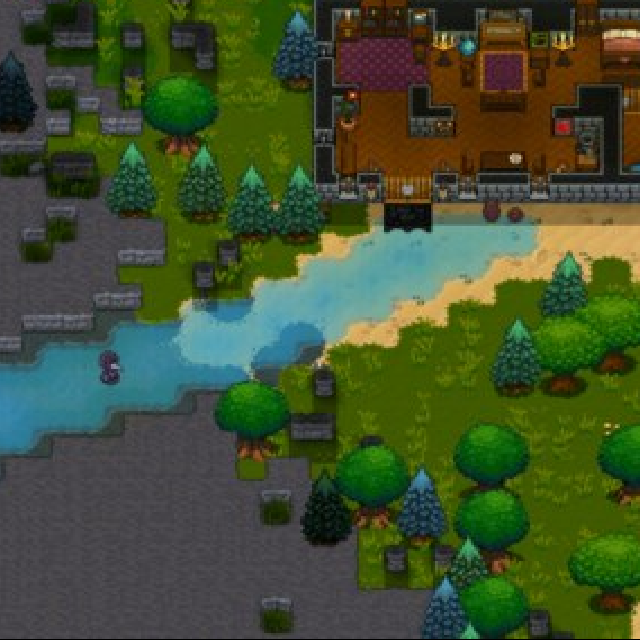
Translation translation translation It's a translation mod in which every written part of the game was translated into other languages and back to the original, which causes some funny effects.

Mountain3
por 76561198863359245
Rocky Mountains & Expanded Decor Biomes // mountain biomes. // six decorative biomes. // Mountain3 (New): Compatible with vanilla extra large biomes. // Mountain3 (New): More natural mountain generation, with possible canyons and inner valleys. Update spawn point detection: removed the requirement for forest biome. Prioritizes spawning in vanilla biomes. If no vanilla biome is found, defaults to (0, 0). Config file: %APPDATA%\Necesse\mods\BiomeSizeMod Biome Size and Mod Biome Switches Default All On: true/false coordinate_scale = 18, // 1 ~ 100, higher = greater distance between mountains continent_threshold = 0.95, // 0.0 ~ 1.0, higher = fewer and smaller mountains ruggedness_threshold = 0.94 // 0.0 ~ 1.0, higher = fewer and smaller mountains Note: Do not subscribe to other Mountain mods at the same time. 山脉与扩展装饰群落 //山脉群落。 //六种装饰性生物群落 //Mountain3(新):兼容原版超大生物群落 //Mountain3(新):山地生成更自然,可能出现峡谷和内谷 更新出生点检测,取消游戏原版必须出生点在森林,优先出生在原版生物群落,找不到原版群落才会默认出生在(0,0) 配置文件:%APPDATA%\Necesse\mods\BiomeSizeMod 生物群落大小和模组生物群系开关默认全开:true/false coordinate_scale = 18, //1 ~ 100,越大山脉间隔越大· continent_threshold = 0.95, //0.0 ~ 1.0越高山脉越少越小 ruggedness_threshold = 0.94 //0.0 ~ 1.0越高山脉越少越小 注意:不可与 其他Mountain 模组同时订阅。

Themer
por 76561197983999638
Adds a /theme command for admins to regen areas to a different biome

Published Server List and Browser
por 76561198000086966
View a list of public servers (in client) or list a public server (in server) This mod is provided as a Wolfjaw Studios side project to support the Necesse player community and preview new tech. On clients, a "Find a server" multiplayer menu option. This will display a list of published servers. On dedicated or client-hosted servers, automatically report server status so it is displayed in the published server list. Get feedback about whether the server is connectable at its reported address with the /serverlist status chat/command. By default, a dedicated server using this mod will attempt to auto-detect its public IP. If it fails to find the correct address or you wish to use a domain name, then please configure a ReportAddress manually: 1. Locate the cfg directory on the server, ex: ~/.config/Necesse/cfg or data/cfg 2. Create or edit serverlistmod.cfg to add the ReportAddress. It should look like this with the BackendBaseUrl: { BackendBaseUrl = https:\/\/necesse.wolfjawtools.com, ReportAddress = ip-or-hostname:14159 } When the game is first started with this mod the config file will be created automatically with the BackendBaseUrl. The ReportAddress can be added and the game restarted.
Swamp Path Fix (Legacy)
por 76561198024345013
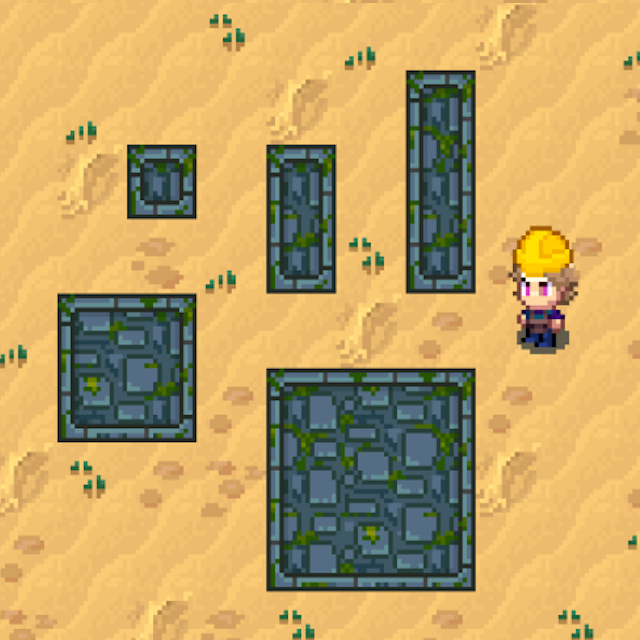
This mod fixes the broken texture on Swamp Paths. This has been fixed in the base game as of update 0.30. (1/23/25)
Autominer Fix
por 76561198167092251
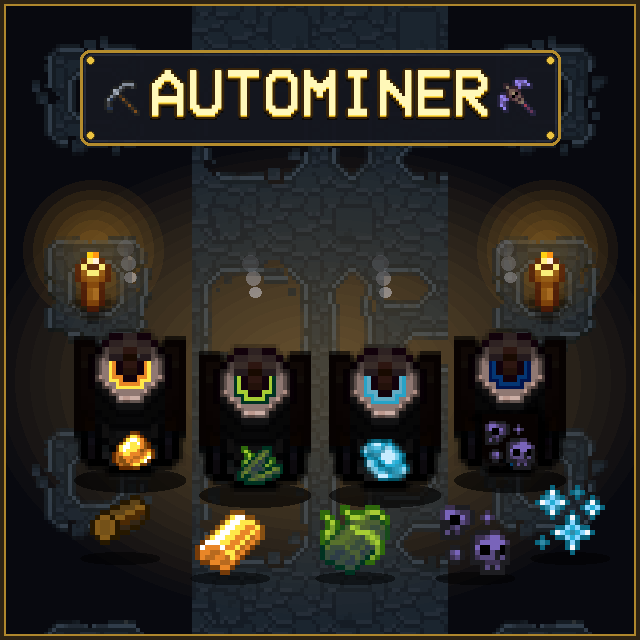
Tired of spending endless hours swinging pickaxes in dark caves just to get enough iron, tungsten, or obsidian for your next gear tier? Want to build massive settlements without grinding stone and clay until your fingers hurt? Autominer solves the resource grind by bringing automated mining stations to Necesse! Place down miners, let your settlers keep them fueled with wood logs, and focus on what’s actually fun like exploring incursions, conquering dungeons, and slaying bosses. Why You Need This Mod - 60+ Auto Miners: Covers everything from basic dirt, stone & copper to deep cave metals, demonic mob drops, and endgame incursion essences. - Settlement Automation Ready: Fully integrates with Necesse's settlement system — your settlers will automatically haul mined materials to storage and restock wood fuel. - Fair & Balanced Progression: Miners unlock naturally at their respective crafting tiers (Workstation ➔ Demonic ➔ Tungsten ➔ Fallen). No skipping progression! - In-Game Settings UI: Seamlessly configured via CustomSettingsLib in the game settings menu without restarting. - Chat Command Fallback: Don't use CustomSettingsLib? Easily tweak fuel, speed, and balance directly with /autominer commands. - Customizable Balance: Turn fuel requirements on/off, tweak burn times, and adjust mining speed from 1x to 10x. - Multi-Language Support: Fully translated into English, German, Spanish, and Korean. Supported Miners by Tier - Workstation (Surface & Early Caves): Stone, Clay, Sand, Sandstone, Snowstone, Swampstone, Copper, Iron, Gold, Frost Shards, Amethyst, Topaz, Emerald, Sapphire, Ruby, Diamond, Amber, Batwing, Bone, Silk, Wool, Cloth Scraps - Demonic Workstation (Mid Game & Dungeon): Ivy Ore, Quartz, Spiderite, Life Quartz, Void Shard, Ectoplasm, Phantom Dust, Blood Essence, Slime Essence, Slime Matter, Slimeum, Spider Essence, Spider Venom, Cave Spider Gland, Spider Stone, Worm Carapace - Tungsten Workstation (Deep Caves & Cold Biomes): Deep Stone, Deep Sandstone, Deep Snowstone, Deep Swampstone, Granite, Basalt, Runestone, Tungsten, Obsidian, Glacial Ore, Glacial Shard, Ancient Fossil, Mycelium, Nightsteel - Fallen Workstation (Endgame & Incursions): Upgrade Shards, Alchemy Shards, Altar Dust, Omnicrystal, Shadow Essence, Cryo Essence, Bio Essence, Primordial Essence Configuration Options Via In-Game Settings UI (with CustomSettingsLib): Esc ➔ Settings ➔ Mod Settings ➔ AutoMiner - Require Wood Log Fuel: On / Off (Default: ON) - Mining Speed Multiplier: 1x - 10x (Default: 1x) - Fuel Duration Multiplier: 1x - 10x (Default: 1x) - Enable Endgame Miners: On / Off (Default: ON) Via Chat Commands (Standalone): /autominer status /autominer fuel <true|false> /autominer speed <1-10> /autominer fuelduration <1-10> /autominer endgame <true|false> Source Code & Releases Source code, issue tracking, and manual download releases are available on GitHub: GitHub Repository Dedicated Server Jar 🤝 Credits & Disclaimer All credit for the original concept, code, and sprite assets goes to the original creators: - KKDJ20 — Auto Miner - Agath — AutoMiner - Mako — AutoMiner I only fixed and updated this mod because the previous versions appeared abandoned and were not updated on newer Necesse versions. If any of the original creators want this upload removed or wish to resume maintenance, please reach out and I will gladly remove it.

FLBG-Extras
por 76561198088809652
custom mod for FLBG Collection. Current Features: - Starting Equipment for new characters - Modifies recipes for Auto Miners - Allows crafting "Better Torch" in inventory - Modifies recipe of "Tome of Power" mod item (Tungsten Workstation) Planned Features: - Add an NPC who sells progression based autominers, instead of recipes.

Realism Enhanced - Thirst Module
por 76561198051134153
Realism Enhanced - Thirst Module Part of the Realism Enhanced series - a modular approach to survival realism in Necesse. Each module operates independently, allowing you to build your ideal survival experience one system at a time. This Module: Thirst Transforms liquid consumption from an afterthought into a vital survival mechanic. Water and other beverages become essential resources that require constant attention and strategic planning for long expeditions. Features - Dynamic thirst system with buffs and debuffs based on hydration level - Thirsty debuff (≤20% hydration): Configurable movement speed penalty - Dehydrated debuff (0% hydration): Severe speed penalty and continuous health damage - Hydrated buff (≥80% hydration): Movement speed bonus for staying well-hydrated - Fully configurable thirst drain rate, speed penalties, and dehydration damage via simple config file - Debug command (/setthirst) for testing and balancing - Works as a standalone mod or alongside other Realism Enhanced modules - Compatible with existing saves and multiplayer - No performance impact Configuration Edit realismenhanced-thirst.cfg (located in %APPDATA%\Necesse\) to adjust difficulty. Three main settings control your experience: Thirst Drain Multiplier Controls how quickly you become dehydrated: Multiplier Difficulty Time Until Dehydrated 1.0x Vanilla 3 hours 1.5x Mild Realism 2 hours 2.0x Moderate (Default) 90 minutes 3.0x Hardcore 60 minutes 5.0x Extreme 36 minutes Thirsty Speed Penalty Controls how much the Thirsty debuff slows you down when hydration drops below 20%: Value Effect Best For 0.2 -20% speed Light penalty 0.3 -30% speed Balanced (Default) 0.5 -50% speed Strong penalty 0.7 -70% speed Very strong penalty Dehydration Damage Controls how much damage you take when completely dehydrated (0% hydration). Damage is dealt every 5 seconds: Value Effect Best For 5 5 damage/5s Forgiving (Default) 10 10 damage/5s Moderate 15 15 damage/5s Punishing 20 20 damage/5s Deadly Gameplay Tips - Always carry liquid consumables when exploring - they're no longer optional - Maintain above 80% hydration to enjoy the Hydrated speed bonus - Don't let hydration drop below 20% or face the Thirsty penalty - NEVER let hydration reach 0% - dehydration deals continuous damage and severely slows you down - Stock up on drinks before long mining sessions or boss fights - Plan your expeditions around water sources and liquid supplies Debug Command Use /setthirst <0.0-1.0> to instantly set your thirst level for testing Example: /setthirst 0.19 sets hydration to 19% (triggers Thirsty debuff) Other Realism Enhanced Modules Hunger Module - Makes food a critical survival resource Sleep Module - Adds vital sleep mechanics with buffs and penalties Mix and match Realism Enhanced modules to create your perfect survival challenge. More modules coming soon!

Simple Independent Drink Buff | 独立饮料增益
por 76561198410496267
Separates vanilla drink buffs from food buffs. Drinks replace other drink buffs while food and drink buffs can coexist. Distinguish based on sound consumption. Enjoy more buffs! 将原版的食物和饮料效果分开,使得食物和饮料的效果能够同时存在。饮料增益同时只能存在一种。区分的原则是消耗品使用时的声音。 享受更多增益!

Necesse Randomizer
por 76561198979132550
This mod randomizes different parts of Necesse When you launch the game with this mod downloaded, a file will be created at: steamapps/common/Necesse/settings/randomizer/settings.cfg Edit that file to change the seed and enable or disable the different randomizers The initial seed is quite easy, and surely many other people have tried it, so I recommend changing it This works with other mods, just make sure this one is the last mod to load LINKS Package: https://github.com/AizSave/NecesseRandomizer/packages/ Want to support me? This mod is no longer actively developed, but it will remain available for everyone to use. If you enjoyed the mod and would like to support my work or future projects, you can buy me a coffee: ☕ https://buymeacoffee.com/aizsave Any support is greatly appreciated ❤️

Zoom-fix
por 76561198273746011
Desactiva el zoom por defecto en los binoculares y el rifle de francotirador, ahora debes mantener click derecho para usarlo. Soy nuevo en el modding así que comenten bugs o recomendaciones por favor. =========================================================================== Disable the default zoom on the binoculars and the sniper rifle; you must now hold the right click to use it. I am new in modding so please comment any bug or recomendation you have.

No Player Damage
por 76561198024345013
Makes the player unable to damage or target all mobs. For the players looking for a challenge. This mod makes the following changes: - Disables attack targeting by the player (attacks do nothing) - Players are allowed to attack boats and minecarts - Disables summon targeting by the player - Void Wizard & Fallen Wizard automatically attack the player upon entering their arenas - Enabled all journal challenges to be completed by non-player NPCs (party members) - Disables thorns potion damage effect for players Requested by Discord user bjorntoparty on the Necesse Discord.
Seamless Connected Walls
por 76561198098084237
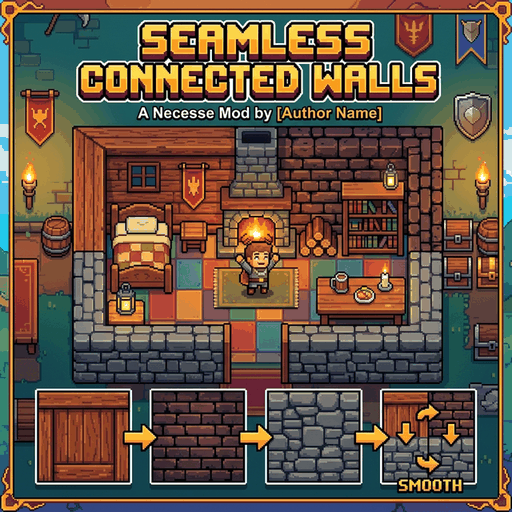
Enables all different wall materials (wood, stone, sandstone, obsidian, dungeon, etc.) to connect seamlessly without separation borders or gaps. This mod was created using AI.

Modified Mounts
por 76561198863359245
Got tired of bumping into trees in 1.3, so I made a quick modded mount version. Adds: Enhanced Seahorse - Buffed original seahorse with greatly increased speed. Modded Mounts - No collision, auto-chop and collect trees while riding: 1.Modded Jumping Ball - Removed jump, increased speed. Crafted at Workstation. 2.Modded Hoverboard - Increased speed. Crafted at Workstation. 3.Chainsaw Car - Bumper Car + chainsaw. Slightly increased speed, amphibious. Crafted at Fallen Workstation. 1.1.1: No-collision for Modified Jumping Ball and Modified Hoverboard only works on the surface. Languages: English, Simplified Chinese
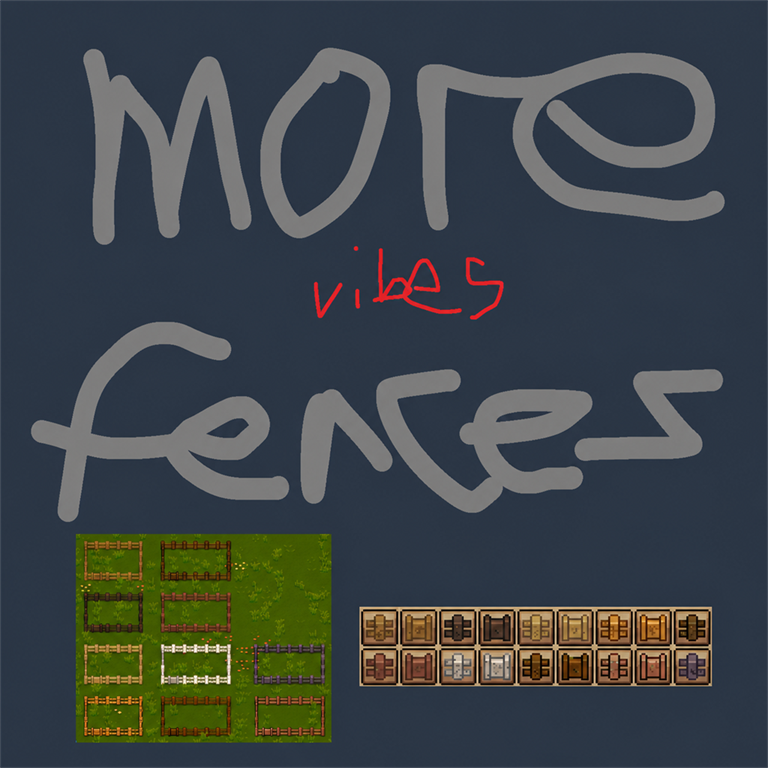
More Fences
por 76561197999130071
More wood. More gates. More fences. Necesse already had ten perfectly good wood families and, frankly, an unacceptable shortage of matching things to put around rectangles. This fixes that—and then decorates the rectangles. More Fences adds a fence and fence gate for every base-game wood family: - Oak - Spruce - Pine - Palm - Willow - Maple - Birch - Dryad - Bamboo - Deadwood It also adds three universal fence decorations through the same native layer as a torch. Climbing Wildflowers wrap the selected post and rails in leafy flower clusters. Halloween Trimmings add dark vines, compact cobwebs, prominent muted-orange pumpkins, and a few bone and purple accents. Festive Lights drape a dark wire and muted colored bulbs along every connected rail. All three work on vanilla fences, More Fences families, or whatever compatible fence your mod list has conspired to produce. Gates remain undecorated. What you get - 23 new placeable objects - Material-specific world sprites and matching inventory icons - Three universal decorations for compatible fences - Native fence connections, gate behavior, collision, and torch placement - Recipes in the normal Fences & Gates crafting category - No dependencies and no configuration menu Fences cost 2 matching material units. Gates cost 4. Oak through Birch are made at the Workstation; Dryad, Bamboo, and Deadwood are made at the Tungsten Workstation. Any vanilla flower makes five Climbing Wildflowers at the Workstation. They occupy the fence-decoration slot instead of replacing the fence, so the wood stays wood and the flowers can move wherever the vibes require. One Pumpkin makes five Halloween Trimmings at the Workstation. They are cosmetic, non-luminous, and deliberately pumpkin-heavy rather than a row of glowing lanterns. One Torch makes five Festive Lights at the Workstation. They emit a soft warm light—much dimmer than a normal Torch—with no flame particles or candy-colored glare. Credit where it blooms Climbing Wildflowers were suggested by Ophemist's wife. It was too lovely an idea to trap on only one kind of fence. Vibe-coded disclosure, but loud Yes, this mod was vibe coded. A human supplied the idea, taste, increasingly specific fence opinions, in-game art direction, testing, and final decisions. Generative AI assisted with implementation, research, documentation, and original sprite concepts. Then the results were repeatedly rebuilt, visually corrected, and bullied through automated sprite-contract checks until they behaved. So: vibe coded loudly, tested quietly, and released because ten rectangles deserved better boundaries. Compatibility Built for Necesse 1.3.2. This is a content mod, so multiplayer clients and the server should all have the same version installed. Source, build instructions, art process, and release procedure are public on GitHub: github.com/Ophemist/Necesse-More-Fences

Nourished Choices | 傻吃猛长
por 76561198410496267
═══════════════════════════════════════ ★ Nourished Choices · 傻吃猛长 ★ ═══════════════════════════════════════ "Eat more, grow stronger." 吃得越多,长得越强。 ─────────────────────────────────────── 📖 中文说明 ─────────────────────────────────────── 每次尝到一种新的食物或饮料,进度 +1。 (同一种只算一次,整个存档永久去重) 攒满指定数量后(默认 10 种,可在 Mod 设置中调整), 冒险手册会出现一份可领取的奖励。 领取后获得 "滋养抉择" 物品,使用它可从九种永久增益中任选其一: ★ +10 最大生命值 ★ +20% 魔力回复 ★ +4% 韧性获取 ★ +10 最大韧性 ★ +4% 暴击率 ★ +4 护甲 ★ +4% 攻击速度 ★ +4% 移动速度 ★ +4% 伤害 【增益永久生效,重复选择同一项可继续叠加。】 支持单人游戏和多人游戏,进度由服务器保存。 ─────────────────────────────────────── 🇬🇧 English ─────────────────────────────────────── Taste new foods and drinks (each counts once per save). Once you reach the required number (10 by default, configurable), claim a reward from your Adventurer's Journal: a "Nourished Choice" item. Use it to pick one of nine permanent bonuses: ★ +10 max health ★ +20% mana regen ★ +4% resilience gain ★ +10 max resilience ★ +4% crit chance ★ +4 armor ★ +4% attack speed ★ +4% movement speed ★ +4% damage Supports singleplayer and multiplayer. Progress is saved by the server. ─────────────────────────────────────── 📦 依赖 / Requires ─────────────────────────────────────── ModSettingsLib SimpleIndependentDrinkBuff (通过创意工坊订阅后自动安装) (Auto-installed from the Workshop)

ColourRGB
por 76561197983999638
Adds a new wire powered Object that can be coloured using a UI

Pride Month Decorations
por 76561198175462403
This mod adds five LGBTQ+ Pride flags and a rainbow carpet to celebrate Pride Month 2026. You can purchase these items from any Elder NPC at any time. Happy Pride Month 2026!

Power Blueprints
por 76561198016359649
Version 0.6.2 - Universal Window Fix Bug fix - Fixed blueprints incorrectly requesting material-specific window items such as Wood Wall Window or Stone Wall Window. - All visual wall-window variants now correctly use Necesse's single universal Window item. - Windows already present in the player's inventory are now accepted when contributing materials to a ghost project. - Existing ghost projects with incorrect window requirements are automatically migrated when loaded. - The fix also applies to Cut mode and compatible-material blueprints. - Exact-material blueprints preserve the captured window style, while compatible builds adapt windows to the substituted wall family. Versão 0.6.2 - Correção da Janela Universal Correção de bug - Corrigido o problema que fazia blueprints solicitarem janelas específicas de materiais, como Janela de Parede de Madeira ou de Pedra. - Todas as variações visuais agora usam corretamente o único item universal Janela do Necesse. - Janelas existentes no inventário passam a ser aceitas ao entregar materiais para uma obra fantasma. - Obras fantasma antigas com requisitos incorretos de janela são migradas automaticamente ao carregar. - A correção também se aplica ao modo Cut e às blueprints com materiais compatíveis. - No modo exato, a janela preserva o visual capturado; no modo compatível, ela acompanha a família da parede substituída.
Servidor Necesse con soporte de mods
Instala mods compatibles y admitidos desde el panel del servidor.
Alquilar un servidor Necesse