Моды и плагины для Necesse
В этом каталоге перечислены проекты Necesse из Steam Workshop. Они могут быть серверными, клиентскими или требоваться с обеих сторон, а также включать карты и другой пользовательский контент. Перед установкой проверьте связанную страницу источника, версию игры и зависимости.

Increased Stack Size
автор 76561198124071398
Mod Information Mod version: 2.1.1 Game version: 1.0.2 Increased Stack Size Feeling that your inventory is always full of stone when mining? Wish to increase the stack size of items? This is the perfect mod for you! Increased Stack Size 2.0 Released ❗❗ In November 2025, a whole new version of Increased Stack Size is released! Let us welcome the Increased Stack Size 2.0! Well, what's new in this version, you might ask? Roll the drum please... PER-CLASS STACK SIZE MULTIPLIER!!! Now, you can set a separate multiplier for each class! Want your stone to have a multiplier of 10 but not your pickaxe? I got you covered! Just use the command `/stacksize set StonePlaceableItem 10 and `/stacksize set PickaxeToolItem 1`. The settings are world-based, so you have to set them for each world... right? Nope, global settings can be configured by editing the file `dianchia.increasedstacksize.cfg` located at `%APPDATA%\Necesse\cfg\mods` for Windows and `.config/Necesse/cfg/mods` for Linux. You can refer to the next section for a detailed explanation on how to set up this configuration file. But WAIT, how do I know the class name? I only know the in-game display name. Fear not, the mod author (me) has provided a way to search for the class name via the display name. Just visit here and you are good to go~ Setting the multiplier Version 2.x Three commands are provided for admin, a.k.a., the one with OWNER permission. /stacksize set <classname> <multiplier> /stacksize get /stacksize unset <classname> - `/stacksize set`: `classname` and `multiplier` arguments are required. - `/stacksize get`: returns all multipliers set if no arguments are provided. - `/stacksize unset`: `classname` is required. This command unsets the multiplier for the specified item, causing the item to inherit the multiplier from its parent class. To set a multiplier globally, use `/stacksize set global <classname> <multiplier>`. For example, `/stacksize set global CoinPouch 1`. As for normal users, there's only one command provided. /getstacksize This command returns the stack size set for the specified item, or all items if none are specified. Global Configuration For those playing on server, please make sure that the config file is on your server and not your local computer Optionally, a config file can be used to configure the stack size globally. If you're on Windows, navigate to `%APPDATA%\Necesse\cfg\mods` to find the file. On Linux, you can find it under `.config/Necesse/cfg/mods`. The file `dianchia.increasedstacksize.cfg` should already be created if you've played the game with this mod enabled. But if not found, create the file manually, just make sure the name is the same. Below is an example of the content of the file. Copy it into the file and modify it as you like. { SETTINGS = { IncreasedStackSize = Item:5;necesse.inventory.item.miscItem.CoinPouch:1 } } You can either use a fully qualified name, such as `necesse.inventory.item.Item` or a simple name `Item`. The simplified name will be converted to a fully qualified name when the configuration is saved by the game. Refer to this website to find the class an item belongs to. Version 1.x Two commands are provided, `/stacksize set <multiplier>` and `/stacksize get`. Version 0.x To set the multiplier, run the command "/setstacksizemultiplier" in the game. Note that you can only run this command if you have permission higher than or equal to "OWNER" Please only give this permission to someone you trust. Multiplayer This mod needs to be downloaded for both the host and client if playing in multiplayer. Important Notes - If you decrease the multiplier, DO NOT sort your inventory or any chest, as you will lose the item that has a stack size more than the current maximum stack size. Instead, drop the item on the ground and pick it up again. Disclaimer: The mod author is not responsible for any items lost due to incorrect usage of this mod Known Bugs - A stack of items can be enchanted with a single scroll. GitHub Bugs can be reported to here Collection here are a few mods I wrote Support me ☕ The mods are created without any profit motive, but if you like the mod, consider buy me a coffee
![Aphorea Mod [Updated to Necesse 1.2] – Necesse Mod](https://images.steamusercontent.com/ugc/2397690083449857901/B9F9FE1A89FC846C5D8FBCFB9051CBBE0EC1675A/)
Aphorea Mod [Updated to Necesse 1.2]
автор 76561198979132550
AVAILABLE IN EVERY LANGUAGE SUPPORTED BY NECESSE This mod adds content without destroying the original game experience! At the moment, there are no plans to add more content to this mod, but it will be updated to fix bugs and ensure compatibility with new game versions. LANGUAGES - English - Spanish - All other languages made by AI LINKS Official Wiki: https://aphorea.wiki.gg/wiki/Aphorea_Mod_Wiki GitHub: https://github.com/AizSave/AphoreaMod Package for Dedicated Servers: https://github.com/AizSave/AphoreaMod/packages/ CREDITS - Save: Mod and wiki creator - Pooper: Artist - Translations: - English: Save - Spanish: Save Want to support me? This mod is no longer actively developed, but it will remain available for everyone to use. If you enjoyed the mod and would like to support my work or future projects, you can buy me a coffee: ☕ https://buymeacoffee.com/aizsave Any support is greatly appreciated ❤️

Mod Settings Lib
автор 76561198979132550
A small library that makes it easy for mods to provide custom settings. For players This mod/library does not add new gameplay content by itself, it only provides configurable settings that other mods can use to change how those mods behave. If a setting is not working, that's an issue with the mod using the library, not this library Settings marked Disabled when playing can only be changed from the main menu (before joining or creating a world) For those settings, only the host's value is used while playing, other players' local values are ignored For server owners To change server settings, adjust them in-game and then copy the resulting settings file to your server files. Client settings (those that players can modify while in a world) will ignore server-side configuration. For modders Full package, installation steps, and usage instructions are available in the repository: https://github.com/AizSave/CustomSettingsLib/ Want to support me? Donations help cover the time needed to keep it compatible after game updates. If you want to help, buy me a coffee: ☕ https://buymeacoffee.com/aizsave Any support is greatly appreciated ❤️

Boss Fight Summary
автор 76561198009412110
Description Are your friends not doing their part? Are you dealing ALL the damage? Then this mod is for you to prove it! It shows a summary of dealt damage, time taken and how low you got it at the end of a boss fight. So now you can really flame your slacking friends. Or maybe you will find out it's actually you that's lacking behind :D Features - Can be added and removed from saves at any point. - Only the host or server needs to have this mod for all players to get the summary. The mod does currently not track adds summoned by bosses and bosses like Sage & Grit are tracked individually. However, Night Swarm is tracked as a whole. If you have any problems, please post in the comments below. Remember to upvote if you like it! Source can be found on GitHub. Older versions and download for dedicated servers can be found in releases. Note: This is the first Steam workshop mod, created by the developer of Necesse. If you want to get into modding yourself, check out the modding wiki.

More Trinket Slots
автор 76561198065918126
Changes the amount of trinket slots you can obtain in game. By default the mod increases the max trinket slots to 8. This mod can be configured to let you get more or less trinket slots than the game typically allows. Make the game easier by making it possible to obtain more trinket slots than the vanilla game. Or give yourself a challenge by limiting your trinket slots more than the vanilla game. You can use built in presets for the mod or modify the settings to fit your specific playstyle. Note: This mod should be completely safe to use on existing saves. However, to be safe you should always backup your world when using a new mod your world. Note: Currently I left the vanilla Wormhole Locket as obtainable. It currently can’t be configured and ignores the mod’s max trinket slot size setting. I will look into fixing this in the future. Features at a glance: - ability to change how many trinket slots you start with - ability change how many trinket slots can be obtained by setting which bosses drop items to increase trinket slots (and by how much) - adds 20 items that can be configured to give more trinket slots - adds 4 unobtainable items to add/remove trinket slots - adds 1 unobtainable sword to instantly kill mobs (for testing) - adds a file to each world save file that is used to configure the mod for each world - adds 3 commands to configure the mod and check it's current settings - changes the broker price of all items that increase the amount of trinket slots to 100 - this is currently due to a game limitation of not being able to change the broker price of items once the game has loaded - if I find a way, I plan on adding the broker price of each item to the mod's setting file and changing the broker price of each item when the save is loaded - adds textures for dectrinkets and inctrinkets Default Settings By default this mod is set so the player starts with 4 trinkets slots and can get a max of 8 trinket slots. To see details how check Default under the Preset section below. Commands This mod add 3 commands: MTS.info <slots/bosses/items/all> - Outputs information about the mod's settings to chat for the user. - Permission Level: User MTS.trinketslots {player/all/online/offline} {set/reset/max/adjust} {new amount} - Change the amount of trinket slots for the target player(s). - Permission Level: Owner - Note: Items in trinket slots that are remove because of this will be lost. MTS.loadpreset {default/vanilla/nogain/zerotohero} {subpreset number} - Changes the mod settings to a built-in preset. - Permission Level: Owner - Note: When changing presets it is recommended to use `MTS.trinketslots all adjust` or `MTS.trinketslots all reset` to ensure all players have a trinket slot amount that fits within the preset's restrictions. Presets Default (default) Changes the game to make it possible to get 8 trinket slots. - Empty Pendant - Dropped By: Void Wizard - Sets trinket slots to 5 - Pocket Protector - Dropped By: Ancient Vulture - Sets trinket slots to 6 - Wizard Socket - Dropped By: Fallen Wizard - Sets trinket slots to 7 - Wormhole Locket - Obtained through Vanilla Quest - Sets trinket slots to 8 Vanilla (vanilla) Preset that uses the same exact settings as the base game so you get a "vanilla" experience. Useful if you want access to the commands to change slots but don't want to actually change the game. No Gain (nogain) Players can not gain more trinket slots, what they start with is what they get. Removes all boss drops that give trinket slots and changes items to give no slots. By default it is set to 4 trinket slots but you can use the optional {subpreset number} parameter to set the amount of trinket slots you get. For example you could use `MTS.loadpreset nogain 1` so players only have 1 trinket slot and there are no drops to get more. Zero to Hero (zerotohero) Players start with 0 trinket slots and more bosses drop items to increase trinket slot size. There are six sub presets for this that can be chosen by entering 4, 6, 8, 10, 11, or 12 for the optional {subpreset number} parameter. These change drops so the max slots that can be obtained are 4, 6, 8, 10, 11, or 12. By default it choses the 6 preset. The subpresets are shown below. Settings File You can configure the mod yourself by modifying the settings file that it creates. This mod creates a file called `mtsSettings.cfg` in each save file. This file is used to load settings for this mod. This makes it so each save file can have their own settings. Save files on windows can be found at `C:\Users\Your Username\AppData\Roaming\Necesse\saves`. Save files are stored as zip files, so to edit the settings file you will need an application to view and edit files inside zip files. More details can be found on github here. Jar File Download for Servers and Previous Versions You can download the jar file for every version of the mod here. Basic steps to install older versions on your client can also be found in the How to Install Older Versions discussion. Bugs, Future Updates, and Recommendations I primarily only update the mod to fix bugs and keep it up to date for future game updates. But, Recommendations for how to improve this mod are highly appreciated. You can report bugs, suggest updates, or ask for help on github issues pages here. Or you can leave a comment in the steam discussions: - Suggestions - Bug Reports

Ore Excavator
автор 76561199388686377
Ore Excavator New: Updated for Necesse 1.0 This mod allows you to mine ore vines quickly to avoid wasting time. It works by breaking all ores in a vein the moment one of them is broken. This mod supports Necesse 1.0.1. How to use? After subscribing to the mod, make sure that the host player has the mod enabled. After that, mining ores should automatically mine the entire vein. What are ores veins? Veins are all ores that are adjacent to each other (not diagonally, so the ore rocks must be touching for them to count as part of the same vein). Does it break the game? This mod respects the tool tier to avoid breaking the game. Special thanks Special thanks to these awesome people for their support! - Save - Blackeremy - ToonStar How can I contribute / report bugs? Feel free contribute or raise issues on the mod's Github repository . Have fun!

Chests Expanded
автор 76561198105679714
Chests Expanded! Tweaks the demon chest to have additional storage space, and adds 3 additional chests with increased storage for your mid and late-game settlements as an alternative to raising stack sizes. Added Content Demon Chest (Adjusted) 40 slots -> 50 slots, costs 3 demon bars from Carpenter Bench Ivy Chest - 60 slots, costs 8 ivy bars from the Demonic Workbench Tungsten Chest - 70 slots, costs 8 tungsten bars from the Advanced Workbench Ancient Fossil Chest - 80 slots, cost 8 ancient fossil bars from the Advanced Workbench Costs are customizable using the configuration file located at Appdata/Roaming/Necesse/cfg/mods/ChestsExpanded/config.cfg Compatibility I do replace the demon chest with my own 50 slot version, so it's possible there may be some compatibility issues if another mod also modifies the demon chest, though there also may not be. Leave a message in the relevant discussion if you encounter any issues and I'll get to it asap. Otherwise there shouldn't be any issues, stack-size adjusting mods should all work with these chests as they do with vanilla storage boxes. Changelog v0.92 - Added a configuration file to Appdata/Roaming/Necesse/cfg/mods/ChestsExpanded/config.cfg that allows you to customize the price in bars for each chest if you feel they're too low/high. Just edit & change the numbers.

Extended Range
автор 76561199375329607
A mod for changing the range of the Crafting stations. This mods highers the range of the "use nearby inventory" of the workstations from the vanilla 15 to a customisable value that by default is 30 Command /craftingStationsRange <new range> Set the range of the Crafting stations 'use nearby inventory' property to the given value, returns the current value if empty. The changes will be immediately active, but may require to correctly quit the game to save the changes permanently. Config file If you want to change the configs in a more reliable way, edit the config file, located: - On Windows: "%APPDATA%/Necesse/cfg/mods" - On Linux "$HOME/.config/Necesse/cfg/mods" ($HOME -> /home/yourusername) Updates This mod is unlikely to break between updates, so if the game says "wrong game version" give it a try

Ultra Storage
автор 76561198979132550
Compatible with version v0.33 This mod adds 11 Vaults, chests with large capacity and a new, more convenient interface to manage so many slots! ⚠ For Ultra Storage to work perfectly in multiplayer, all players must have the game set to the same language FOR DEVELOPERS AND SERVERS GitHub (open-source code): https://github.com/AizSave/UltraStorage Package for Dedicated Servers: https://github.com/AizSave/UltraStorage/packages/ Want to support me? This mod is no longer actively developed, but it will remain available for everyone to use. If you enjoyed the mod and would like to support my work or future projects, you can buy me a coffee: ☕ https://buymeacoffee.com/aizsave Any support is greatly appreciated ❤️

RPG Mod v0.7
автор 76561198979132550
☕ Development of the v0.8 update has slowed down due to real life responsibilities. ⚠️ Non-English / Community made languages are temporarily disabled. Will be added back with v0.8 (NOT) AVAILABLE IN EVERY LANGUAGE SUPPORTED BY NECESSE RPG Mod adds RPG mechanics to the game core such as levels, attributes, skills, and much more! This mod is currently under development, and its content will continue to expand ⚠️ Joining a world without the mod enabled or changing your character name will reset your data. If you lose progress, you can adjust the mod settings to increase EXP gain (up to x100) until you recover everything ⚠️ Your character's progress is separate in each world! Dependencies: - AphoreaMod - Mod Settings Lib If the mod does not work: 1. Make sure you have the latest version. Unsubscribe, then subscribe again to force Steam to update it. 2. Do you have all required dependencies? Make sure each one is up to date. 3. Is any dependency disabled? Try unsubscribing the RPG Mod and then re-subscribing after you check it in-game. 4. Verify the integrity of the game files in the game properties. 5. Still not working? Ask for help. Translations: The only official language is English In-game files (community contributions): - Russian by jenkies5 All other translations are AI-generated Translation Mods (optional human translations): - Chinesse by LoserINK NEW CONTENT Levels Gain experience by killing enemies and level up to increase your Attributes and unlock Skills! But be careful, it's not just you who has levels, mobs do too. The higher the biome difficulty or incursion tier, the higher their level will be Classes Currently, there are 6 classes out of the 8 planned: - Warrior - Ranger - Wizard - Necromancer - Cleric - Druid Classes will allow you to get fun Active and Passive Skills as you level up Mobs also have their own classes. This will add more variety to enemies and force you to play differently depending on what you face Mastery Skills Every 20 levels, you will earn a Mastery Point that you can spend on a Mastery Skill There are 18 different Mastery Skills to choose from, so you can pick the ones that suits your playstyle the best! Items - Attribute Rings: A wide variety of rings of different qualities that increase your Attributes when equipped as trinkets. Looted from any enemy - Rings Box: A box that allows you to store lots of Attribute Rings so they don't clutter your inventory. Craftable - Scroll of Oblivion: When you level up you get 5 Reset Points, but with this consumable item, you get 2 Reset Points without leveling up. Looted from any enemy | Crafted in Fallen Workstation Enchantments The mod adds the following enchantments for Trinkets: - Evasive - Stalking - Regenerative - Energetic // Depleted Controls The Skill Wheel replaces the Expression Wheel. Make sure to have the Expression Wheel bound to a convenient key to use your active skills Also, new controls have also been added: - RPG Menu - Default: Key K - Active Skill 1 - 12 - Transformation Ability 1 & 2 Commands They require cheats on: - /modexp <amount> - Modify experiencie - /modresets <amount> - Modify reset points [] are optional params LINKS Discord Server: https://discord.gg/xrVkfz4EcZ GitHub: https://github.com/AizSave/RPG_Mod Package: https://github.com/AizSave/RPG_Mod/packages/ - Or find it in Steam\steamapps\workshop\content\1169040 CREDITS - Save: Creator - Kiwi: Artist of class icons - Mingau_244: Artist of some skill icons - IndieMaze: Provided the asset used in the mod icon - Onyx: Tester - Vulpes Nova (Mod): Fox sprites Want to support me? This mod is developed by one person in their free time. If you enjoy the mod and want to support future updates, you can buy me a coffee: ☕ https://buymeacoffee.com/aizsave Even small support helps keep the project alive ❤️

Defense Tower
автор 76561198124071398
Mod Information Mod version: 1.2.2 Game version: 1.0.2 Defense Tower Raid, raid, raid. You love it and you hate it. It brings new challenge to your game, but it brings pain to you. Isn't it painful to see your settlers die to raiders? Fear not, now you have the option to defend your base, with tower! Side notes: The tower is also a lighthouse Multiplayer This mod is required on both server and client. Important Notes: - The tower will attack the closest mob, even if it is behind a tree! So be sure to clear out all trees in tower's range. Update Notes: - v1.0.2 - Tower now will not target bosses. Added new tower type, cannon tower - v1.0.3 - New tower type: Tower which target bosses. Cost tungsten bar instead of iron bar. - v1.1.0 - Light of the tower can now be turned on and off using wires. Default to off, and turned on when wire is active. - v1.1.1 - Fixed game crashed when hovering over tower and updated to game version 0.21.25 - v1.1.2 - Updated to game version 0.21.27 - v1.1.3 - Updated to game version 0.21.28 - v1.1.4 - Updated to game version 0.21.29 - v1.1.5 - Updated to game version 0.22.0 - v1.1.6 - Updated to game version 0.22.1 - v1.1.7 - Updated to game version 0.24.0 - v1.1.8 - Updated to game version 0.29.0 - v1.1.9 - Updated to game version 0.32.1 - v1.2.0 - Updated to game version 1.0.1 - v1.2.1 - Attempt to fix game crash on tower attack - v1.2.2 - Attempt to fix tower despawning randomly GitHub Bugs can be reported to here For server, jar file can be found here Collection See my collection of mod here

AnotherVeinMiner - Fixed
автор 76561198052602382
Mod Version Information Mod Version 1.58 Necesse Version 1.3.1 ==> Credit to original author TriHardest. <== Description A quality of life mining mod. Mining a single tile in an ore vein will mine the full vein. Use Information Hold set keybind to veinmine. Default speedkey is z. You can also clear the keybind in controls with escape to always have veinminer active. Most recent changes Updated to new version of Necesse. 1.3.1 - Updated for new 1.3.1 version. - Updated config list for more ores. - Added Basalt Ores - Added Granite Ores - Added Slimeum and Spiderite Ore - Added Alchemy Ores for Crystal, Slime, Spider biomes - Added Upgrade Ores for Crystal, Slime, Spider biomes Please delete the config so the mod can recreate it with added ores. Backup the config if you added any special tiles, so you can add them back. Information regarding the config If you want the most recent updated config, delete the old one first, then restart the game. You can edit which blocks work with veinmining by editing the config. Default location: (%APPDATA%\Roaming\Necesse\AnotherVeinMiner\config.json)
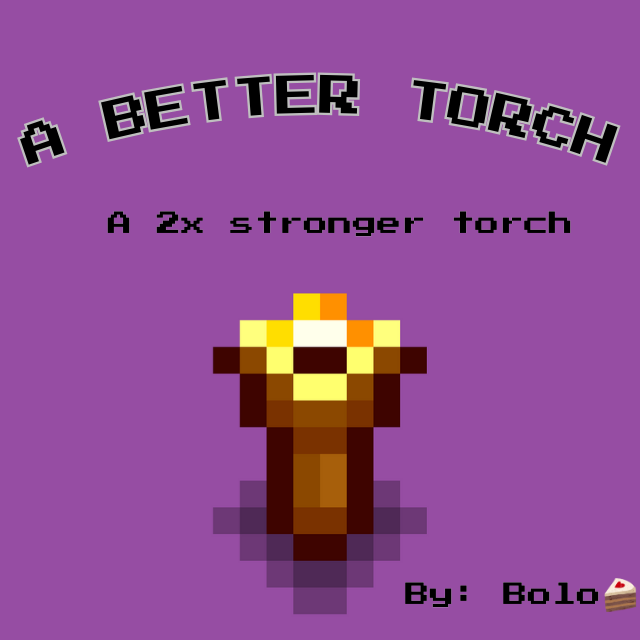
A Better Torch
автор 76561198053431161
A Better Torch Mod A simple stronger torch, 2x the light of the vanilla one and 4x the price to make. - Crafting at workstation (or better) - Recipe is just 4 torches for 1 better torch - You can also uncraft them, turning 1 better torch back into 4 torches Mod Info - Mod Version: 1.2 .1 - Game version: 0.33.1 Now you can edit the light color, intensity and crafting on the configs file :) How to edit: - After downloading the mod, run the game at least once - A folder should appear in the game's local folder, which you can find by right-clicking Necesse in your Steam library → Manage → Browse local files Go to settings/bettertorch/settings.cfg and modify the values as explained inside the file. Lines starting with # are comments. Note: If you have any errors after editing the values, you probably put a invalid value, in any case, you can just delete the file and run the game again, a new file will be generated. Github page JAR for servers Credits - Bolo ð° Discord: bolo422 Always open to new art I'm not an artist, so if you want to make a better texture, feel free to do it, you can find the instructions to get the current textures and how to submit new one at the github page. Future plans: - No idea, just update as the game versions update, if you have any suggestions, leave below :) *A shoutout for dianchia for your mods configs file, I used as an example for mine and saved me some headaches

Necesse Expanded (UPDATED)
автор 76561198175462403
Overview Necesse Expanded is an all-in-one mod package intended to overhaul the vanilla Necesse experience with vast amounts of new content, new gameplay mechanics, and improvements to vanilla gameplay mechanics. DEVELOPER NOTICE: Please note that this mod is no longer being worked on due to technical/management issues within the project itself. Do not expect any further updates except for major issues that cause crashes. It is unfeasible for me to continue development any further. Content from this mod is being reworked and posted as a number of smaller mods, which will be published over time. These mods can be found at the Necesse Expanded collection: https://steamcommunity.com/workshop/filedetails/?id=3705804833 What does this mod include? - A vast amount of new content, including 3 biomes, 66 items, 35 mobs, 152 recipes, new journal challenges, new world presets, new expeditions, and much more! - An overhauled raid system, with new complex raids that offer a more challenging experience, and more interesting loot! - Other minor improvements to gameplay, such as modified loot tables, NPC behaviour tweaks, configurable chest storage slots, configurable player movement speed, and more! Miscellaneous - Necesse Expanded can be installed at any time during a playthrough, but some additional content, such as biomes and world presets, will require players to explore new areas to allow them to spawn. This mod's custom raid types will spawn based on quest progression, so settlements that have already completed all quests will only encounter the highest level raids. Playing with raids enabled is recommended. - This mod is confirmed to be compatible with Aphorea, RPG Mod, and other popular Necesse mods. - If you've experienced game crashes or other unexpected issues, please verify your game files to ensure your mod list is up to date, and that your load order is correct. Steam Workshop has been known to fail to automatically update installed mods for Necesse, so please make sure you've verified your game files before posting about the issue here or on the mod's Github page. - The public GitHub repository for this mod can be found here. The complete source code for this mod is freely available to everyone. Please feel free to take a look at the code for examples on how to implement your own mods, or to use it in your development process. The repository also contains a wiki document that provides further information. Additional Credits - Save: For providing the Spanish translation, and helping with bug fixes. - Kenjiyrn: For providing the Polish translation! - Valeryn4: For providing the Russian Translation!

Merge Everything
автор 76561198164780395
Adds 16 new trinket recipes, with new merge options. How to discover the new stuff Just search for "mge" in a Tungsten Workstation Known Issues - Duplicated tooltips (it's been something that I'm trying to work but for now, keeping it "as it is" gives more translation support) - Tooltips causing crashs in multiplayer games Game version Game updates, generally, don't brake the mod, but I always try to keep it updated with the last game version see changelog Suported Languages - English(NewtonGR) - Brazilian Portuguese (NewtonGR) - Spanish (Pejelagarto & Koltuz) - Ukranian (Google translate) - French (Eleazar & Yibbel) - Simplified Chinese (雨过路未熙) - Russian (Black_Malanka*OST) - Italian (Art_Tippet) - Traditional Chinese (asdio) - Korean (sbg2005) Credits Mod author: NewtonGR New sprites: Logar

Summoner Expansion
автор 76561198334291362
This mod focus on expanding the summoner class, start by crafting a summoner table to find most recipes of this mod. Updated to 1.3.2 72 summon weapons New weapon types: support summons - minions that either don't attack or deals little damage in exchange for helpful buffs (providing light, slowing enemies, healing players) druid claws - 9 weapons that works similar to katanas and can trigger special effects after X hits transformations - 12 new mounts that can shoot projectiles, summon minions or buff the player 57 trinkets 10 potions 16 foods 7 stand banners 12 helmets for vanilla armor sets 9 new summoner sets New mobs: druid - a new settler that sells druid claws and other summon weapons horror portal - a post-captain boss that summons mobs to attack the player 7 new enemies 1 critter New Objects: 3 crafting stations 2 objects that buffs nearby players and settlers 1 new bush type 18 decorations 6 statues 2 chests 1 trap 1 dummy Also adds: a new mini-biome - ancient forest 12 journal challenges 23 enchantments 1 incursion perk 8 personalities 18 presets 11 tiles 5 walls 1 fence and gate Compatible with: https://steamcommunity.com/sharedfiles/filedetails/?id=3774984406 Mod guide: https://steamcommunity.com/sharedfiles/filedetails/?id=3467516104 Mod Github:Github For servers:Jar file

Elthen's Graphics Overhaul Mod
автор 76561198075190306
This is a graphics overhaul mod for Necesse that replaces the vanilla textures with cleaner, more readable textures. With the developer working on a graphical overhaul, I no longer see a reason to continue working on this. Thank you all for all the community awards and support. Update: The official graphics overhaul is already here so I won't be doing any more updates to this mod. Progression Objects Re-Textured: 132 / 313 Tiles Re-Textured: 7 / 57 Items Re-Textured: 0 / 724 Support developer of this mod!

Quick Recipes Menu v2.0
автор 76561198979132550
Hate having to buy the Recipe Book and rely on the Crafting Guide at the start of your games? Tired of always having to carry the Recipe Book or Crafting Guide in your inventory, taking up a slot you could use for something else? Tired of opening two inventories just to search for recipes? Here's the solution! Quick Recipes Menu is a QoL mod that lets you open a better recipes menu without needing to have the Recipe Book in your inventory and a items menu! NEW IN v2.0: Now, right next to your inventory you’ll also find a handy shortcut to access the menu without using any keys. Plus, the mod has evolved beyond just items and recipes. You can now consult details on mobs and biomes. Not only that, you’ll be able to view all the information related to obtaining items, where mobs appear and what they drop, as well as which items can be found in each biome and which mobs inhabit them Key O - Quick Items Menu Key P - Quick Recipes Menu You can change the keys in the controls settings Also works with other mods FOR DEVELOPERS AND SERVERS Mod Source: https://github.com/AizSave/QuickRecipesMenu Package for Dedicated Servers: https://github.com/AizSave/QuickRecipesMenu/packages Want to support me? This mod is no longer actively developed, but it will remain available for everyone to use. If you enjoyed the mod and would like to support my work or future projects, you can buy me a coffee: ☕ https://buymeacoffee.com/aizsave Any support is greatly appreciated ❤️

Endless buffs
автор 76561199375329607
Ever wanted to spam potions without the fear of cunsuming them all? Now you can craft an infinite version of that potion, with an effect that last over 8 hours and that doesn't get consumed! The mod adds: - endless potions - endless foods - improved banners - improved campfire the crafting it's pretty simple, 15 unit of the potion you want infinite, and then you can upgrade it to the greater version with just the shards. Health and mana potions require 50 of each instead, but then you can upgrade them This potions works like regular potions, so you can use them for quick buff, adventure party or everything else, like a vanilla potion will do Credits: - korean localization by @sbg2005 - french localization by @caranud

Soul Chasm (v2.5.20)
автор 76561199069828637
Updates: Current version: 2.5.20 - 2.5.20 - Updated to game version 1.3.0 - 2.5.19 - Updated to game version 1.2.0, Soul Idol (summoner weapon) now displays summon amount properly (not sure why Necesse doesn't take into account how many slots summon is using, so I just added it myself) - 2.5.17 - Updated French translation by CaranudLapin Description: Soul Chasm is a (relitevely) small content mod that adds new incursion - Soul Chasm and with it new materials, weapons, armor, mobs and other stuff, like Phantom Wood - new wood type - and with it new furniture, walls, doors and floors. You can make 7 new weapons, new armor set with set bonus and utilise new trinkets. Aside from items, inside Chasm you can find new opponents and a new boss. As for the non incursion-specific content you can now craft Big Jars, which you can use as store or display, or you can turn it into light source by catching fireflies (or wisps) using net. Also, my first mods makes a return - you can now craft Asphalt Tile, that makes you go faster :) And final on the list of content are plushies! You can sometimes buy one from Travelling Merchant after beating at least one (any) incursion. Mod also adds new Incursion Modifier - Haunted - that causes killed enemy to spawns a ghost that attacks you. Credits: Many sprites and code are heavly based on game's assets, so huge thanks to Fair (and other developers) for making them easily accessible for us! Many things wouldn't work (or even exist) without help of amazing and talented people from Necesse's Discord server, so thank you guys for help! Also, huge thanks to: - Save for helping me out with code (thank u!) - Aleksandr009 for Russian translation - Chris for Italian translation - Yibbel for French translation - CaranudLapin for updating French translation - shenyx110 for Simplified Chinese translation - ༺ஐ༻ for updating Simplified Chinese translation - a42484084 for Traditional Chinese and Japanese translation - isravera for Spanish translation - Mad Khajiit for Turkish translation - sbg2005 for Korean translation Important: - Source code is available on <Github> I don't plan on expanding this mod further, I may add smaller things from time to time, but I will maintain it for as long as possible. If you want to discuss something with me, such as balance changes, write here or on Discord (@endzio). - If you encounter any problem/crash - before submitting crash log check if mod's version is correct - this mod is/was affected by a Steam Workshop bug - if you don't have newest version, try verify game files (should download newest version) or download latest release directly from GitHub repository.

Carpenters Salvation
автор 76561198027193285
Version Information Mod Version 0.3.0.5 Game Version 0.24.1 Make sure you backup your saves on installation/uninstallation and after every update! Carpenter's Salvation The early stages of a mod for Necesse that strives to add various building objects and cosmetic options to in game structures. Some features of this mod are very vanilla-like and may be added to the base game as actual features, in the event that this occurs the duplicate object will be removed, however the texture I make for it will persist. I may create a texture pack for "legacy" textures in the future. Current Features - Oak Walls, Doors, and Floors. - Spruce Walls, Doors, and Floors. - Willow Walls, Doors, and Floors. - Willow Furniture (Same as the other wood variants). - Lanterns, and Wall Lanterns. - Single Streetlights, Double Streetlights, and Quadruple Streetlights - Wood Walls, Doors, and Floors have been renamed to "Treated Wood" for better communication. - New Deep Snow Stone Textures. Deep Snow Stone Columns. Deep Snow Stone Tiled floors. - New Textures for Deep Stone Columns. New Textures Deep Swamp Stone Colums. Deep Swamp Stone Tiled Floors. - Ice walls and doors are now craftable! - Copper Walls, doors, and floors. Iron Walls, doors, and floors. Gold Walls, doors, and floors. Github The github will most likely update faster than the workshop version of the mod so make sure to compare version numbers! Here it is! Localization Brazilian Portuguese, Spanish, Italian, Polish, Korean, and French localization done by Yuri Cunha! Spanish localization done by nahuen_89! Russian localization done by frv! Simplified Chinese localization done by LuXts!
![[1.0] Ambience and Footsteps – Necesse Mod](https://images.steamusercontent.com/ugc/8541973387114259/00DFB2989A757699827299AD85F37649E2A1AE9B/)
[1.0] Ambience and Footsteps
автор 76561198129359862
Description This mod brings the magic of footsteps, animal noises, and biome/time-specific ambience to the world of Necesse. The sounds were carefully sourced from various online free libraries to match the feel of Necesse, while still not overpowering the rest of the game's soundscape. This adds both footsteps and environment-based audio (like wind), both of which are adjustable independently by volume sliders. This is an (on-hold as of 2026) work-in-progress. Most sound design has been focused on surface animals and biomes. Some tiles may be missing distinct noises, but there is enough to be immersive. Updates (fixes) will come when things break. Please report in the comments or GitHub when something breaks! Why ambience? The first thing I noticed when I played Necesse was the dead silence of the game world. If you are playing with the music off, the game feels so empty. By having these small audio-details, the game environment feels much more populated and rich. Listen to the trailer video above and decide for yourself if you are interested. Multiplayer This is a CLIENT-SIDE mod meaning it works in multiplayer. The host does not need it for you to use it, and other players don't need it to play with you. The same rules extends to dedicated servers--you don't need to place this mod on the server for you to use it. Dedicated server owners: Please do not put this on a dedicated server! This mod is meant to be used on actual game clients. It won't do anything for a server, even if it doesn't crash. FAQ It's too loud/quiet! You can turn up/down the footstep/wind volume in Settings > Sound. It defaults to 50% to spare your ears. I don't like ___ sound Sorry! The most you can do is turn down the volume slider relevant to the sound that is being made. Or you can open an issue at the GitHub repository below Can you add ____? I might, but if you can find some sound files for me that you think are good, I will be much more likely to add it! Please go to the GitHub page for specific requests. It's not working!!! If you have the mod enabled and you don't hear anything, check your volume for the default Sound Effects slider is up & that the relevant mod-sliders are turned up. If something is not working, please nag me in the comments or on Github. GitHub Repository You can find the source code, report bugs, or create a PR at the mod's GitHub repository below. https://github.com/thebigsleepjoe/NecesseAmbience While I prefer you report problems at the GitHub, I will still reply to anyone needing support in the comments below :)

Pawnbox
автор 76561198070570430
A storagebox that automatically sells the items it contains. For balancing, a single item is sold every 1 second and its value in coins appear in the pawnbox inventory. However multiple pawnboxes can be crafted and the settlers can interact with their inventory like any other chest. Crafting recipe: 1 Storagebox + 5000 coins at a Demonic Workstation Version 1.1: - Fixed recipe coin cost - No longer pawns coin pouches Source code at Github

AnotherVeinMiner
автор 76561198103886364
PLEASE REPORT BUGS HERE https://github.com/Osanchez/AnotherVeinMiner/issues a quality of life mining mod. Break an ore rock and watch as the other ore rocks connected to this ore rock tremble in fear and drop their beautiful ores at once. As a clean up measure, please delete the old configuration file directory. You can access this within your game files C:\Program Files (x86)\Steam\steamapps\common\Necesse\AnotherVeinMiner\config.json Like others, I will be updating the github more often than the workshop mod. Consider the github to be your first stop for latest releases, I would like to keep the steam workshop with stable versions only. https://github.com/Osanchez/AnotherVeinMiner/releases/ CHANGES: v1.21 bug fixes - nullpointer when breaking grass block - infinite onDestroyed loop (should fix some server crashes) v1.2 0 re-coded mod so it works from client side added key bind for fast mine (Default Z key), this means you will only fast mine when holding down the Z character. You can change this key from the controls menu added sand stone iron ore rock to default list of ores The configuration file will now be generated at mod start. Due to recent feedback I have moved the mod configuration files over to the Necesse app data folder. You can access the mod config here if needed (%APPDATA%\Necesse\AnotherVeinMiner\config.json). Default config.json https://pastebin.com/fqHajrTU Some IDs to add to the config. Theoretically, anything that is considered a game object should be breakable. Here are some ID's I took out of source code that could be useful. https://pastebin.com/jDPavWtG
Страница 1 из 22 (517 результатов)
Сервер Necesse с поддержкой модов
Устанавливайте совместимые поддерживаемые моды из панели сервера.
Арендовать сервер Necesse