Mods y plugins para Necesse
Este catálogo incluye proyectos de Necesse procedentes de Steam Workshop. Las entradas pueden ser para servidor, cliente o ambos, e incluir mapas u otro contenido generado por usuarios. Antes de instalar, comprueba la página de origen enlazada, la versión del juego y las dependencias.

Realistic Footsteps
por 76561197987951774
Realistic footstep sounds sourced from real foley recordings, switching by the surface you walk on. Ten surfaces with up to sixteen variations each, drawn so the same recording never lands on two steps in a row. Footstep volume is adjustable in Settings > Sound. CREDITS / LICENSE Most footstep recordings are adapted from NecesseAmbience by thebigsleepjoe (github.com/thebigsleepjoe/NecesseAmbience), licensed CC BY/SA 3.0. This mod is therefore released under CC BY/SA 3.0 as well. Snow uses 42 Snow and Gravel Footsteps by Corsica_S (OpenGameArt, CC0). Ice, ash and lava are cut from Pixabay Content License recordings.

Cursor Windows 10 Resprite
por 76561198131713495
A small resprite that gives the in-game cursor the same look as Windows 10's one
Husbandry Fix
por 76561199082417080
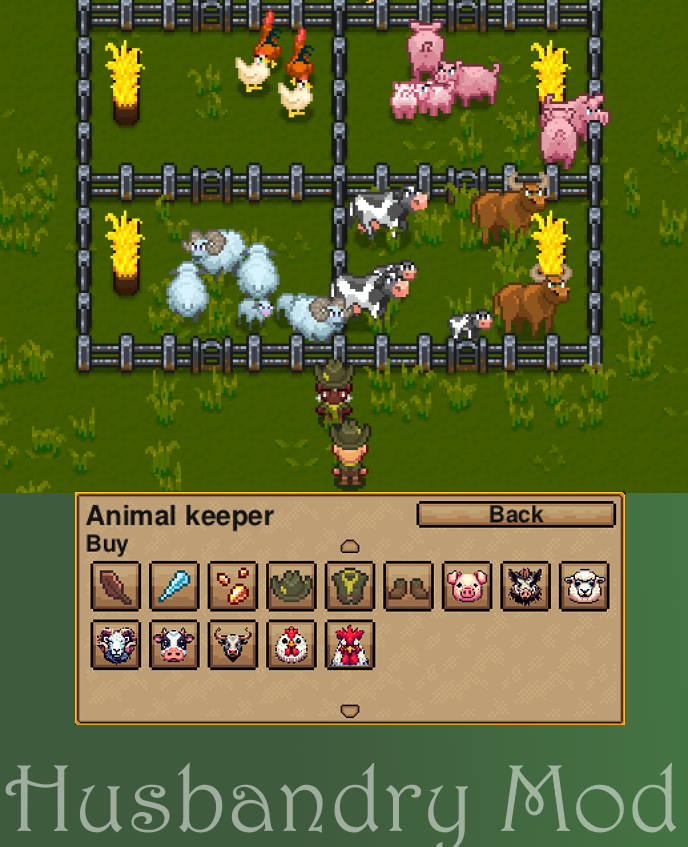
Fork and update https://steamcommunity.com/sharedfiles/filedetails/?id=3339039710, restoring animal keeper animal sales for current Necesse versions (1.3.2)
Vast World Generation
por 76561198863359245
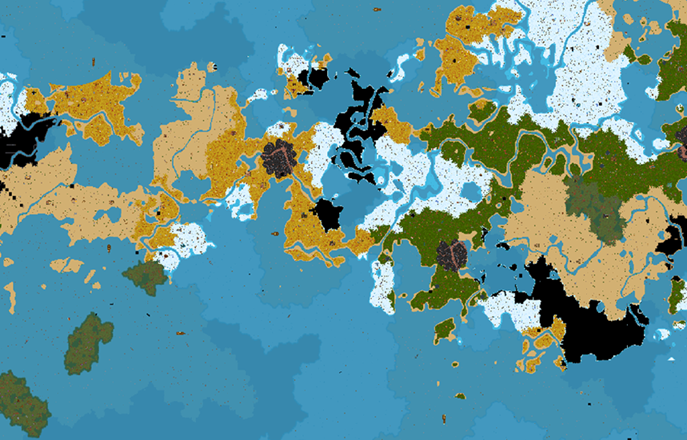
This is an updated version of the "Larger Oceans" mod If you are subscribed to any of the Mountain series mods, you do not need to subscribe to the spawn point patch Because the continents and oceans generated by this mod are simply too large, they can only be shown through noise maps. Note: Shown at 1/16 scale Changes from the original: Larger oceans Larger continents Starts with an ocean mount, witch broom, and maps as starting items. Features oceans comparable to the original in size, Mid-ocean zones several times larger than the original along continental edges, Outer oceans larger than entire continents beyond the coastline, And islands scattered along the edges of continents. Everything except biomes is far larger than the original. Use on a new world after subscribing disabling this mod on an existing world will cause map generation seams in explored areas. This is a common issue with all terrain generation mods. Configuration Config file location: %APPDATA%\Necesse\mods\VastWorld Parameters largeScaleDenomX: Horizontal spacing between continents. Higher = fewer continents, more ocean. Default 35 largeScaleDenomY: Vertical spacing between continents. Default 27 continentLimit: Continent interior range ratio. Default 0.35 midLimit: Mid-ocean (archipelago transition zone) range ratio. Default 0.55 outerTransitionLimit: Outer ocean transition zone range ratio. Default 0.57 continentOceanStart: Ocean coverage at continent center. Default 0.22 (22%) continentOceanEnd: Ocean coverage at continent edge, also the start of mid-ocean. Default 0.45 (45%) midOceanEnd: Ocean coverage at mid-ocean edge, also the start of outer transition. Default 0.75 (75%) outerOceanEnd: Ocean coverage in outer ocean. Default 0.97 (97%) All parameter changes take effect after restarting the game.
Admin Tools Storage and Vein Miner
por 76561197996179270
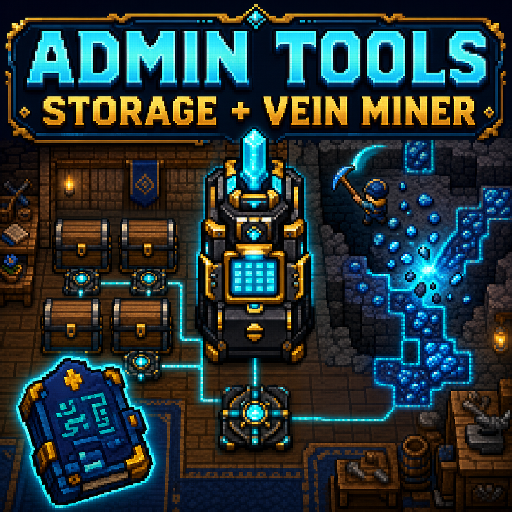
Admin and Owner GUI tools with expandable linked chest storage settlement support and protected vein mining up to 256 blocks.
MMOStyleNameplateMod
por 76561198144627399
MMO-style player nameplates with adjustable density, bars, smoothing, scaling, and drag positioning. ctrl+shift+n or /nameplates will bring up the menu so you can drag them around.
Hover Ranges
por 76561197987951774
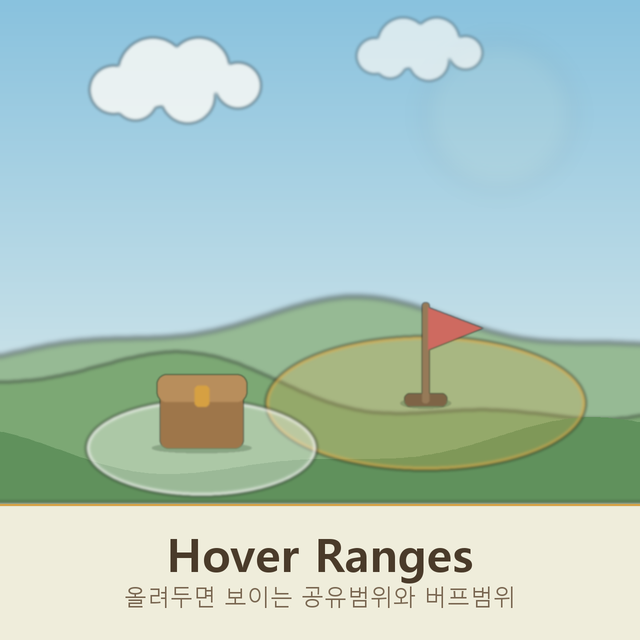
Hover a chest and the mod outlines every tile a crafting station could reach it from. Hover a workstation, forge, anvil, alchemy table or upgrade station and it outlines what that station pulls from. Hover a Banner Stand holding a Banner of Speed, Damage, Defense or Summon Speed and it outlines the circle that banner buffs, Banner of Peace included. No clicking, no menus, no placement mode. Both overlays use the game's own range renderer, the same one the crafting menu shows behind its Use nearby inventories checkbox, and both are built from the numbers the game itself tests against, so the shape you see is the shape that applies. Switchable in Settings > Interface. Client side only, so nobody else needs it.

Blueprinter and builder mod
por 76561197969654792
Copy or design structures as physical blueprints, then have settlement builders reconstruct them using materials from settlement storage. Features - Blueprinter: Select an existing structure and turn its floors and objects into a Blueprint item. - Blueprint Designer: Design structures in a searchable 64 x 64 workspace, rotate objects, review material counts, and save the result as a Blueprint. - Blueprint Book: Store, sort, restock, rename, and quick-stack up to 24 Blueprint items. - Paster: Preview a loaded Blueprint at the target location and queue its construction inside your settlement. - Builder job: Settlers collect the required placement items from settlement-enabled storage and construct the plan. - Persistent, multiplayer-synchronized construction previews with missing-material notifications and plan cancellation. Important details - Copies player-placed floors and base-layer objects, including orientation. - Does not copy chest contents, sign text, wire state, object-entity state, or natural terrain. - Blueprints can be up to 64 x 64 tiles. - Placement must be wholly inside a settlement belonging to the player. - Builders do not demolish obstructing objects; blocked jobs resume after the obstruction is cleared. - Build Planner uses items that you have discovered in survival. Will use all items in Creative Mode Multiplayer This is not a client-only mod. The server and all connecting clients must have the same mod installed and enabled. Mod version: 0.7.2 Target Necesse version: 1.3.3 Author: 1776

npc姓名格式替换
por 76561198863359245
姓名 村民 → 姓名 姓名 农夫 → 姓名 姓名 铁匠 → 姓名 姓名 守卫 → §4§r 姓名 姓名 法师 → 姓名 姓名 军火商 → 姓名 姓名 炼金术师 → 姓名 姓名 猎人 → 姓名 姓名 长者 → §4§r 姓名 姓名 渔夫 → §4§r 姓名 姓名 饲养员 → 姓名 姓名 典当商 → §4§r 姓名 姓名 造型师 → 姓名 姓名 失落海盗 → §6§r 姓名 姓名 探险家 → §4§r 姓名 姓名 矿工 → §4§r 姓名 姓名 游商 → §4§r 姓名 姓名 异域商人 → §4§r 姓名 姓名 友善女巫 → §5§r 姓名 可疑的篮子 → 可疑的篮子 乔纳斯 → 乔纳斯 守卫,探险家,矿工之类职业颜色更改为黑色 --Chinese --English --zh_TW
DefaultLightLevel
por 76561198125574464
This mod is a fix for the issue where the brightness of the torch would not return to normal when a similar mod I created was uninstalled. It actually registers the brightness level at the default of 150.
GateKeeper
por 76561198091972211
GateKeeper – Access Control for Necesse Servers Adds whitelisting to multiplayer servers — no more random joiners or griefers. It uses a server-side whitelist (by SteamID) so only approved players can connect. No client mod is required for normal players. Full command documentation is on the GitHub. Always back up your world before enabling new mods! Highlights - SteamID-based whitelist — secure, server-side enforcement - Easy admin workflow: /whitelist enable, have players join once, then /whitelist approve-last - Emergency lockdown mode and rate-limited join notices - /whitelist reload safely re-reads edits to whitelist.json - if parsing fails, GateKeeper keeps the old settings and backs up the broken file Notes If you see it listed as a “client mod,” that’s just how Steam categorizes things. The server still controls access — but installing it on your admin client makes the commands appear in your list. Issues & Support GitHub: https://github.com/butterflysky/necesse-gatekeeper Include server logs and your GateKeeper/ files when reporting issues.

Wall Protection
por 76561198373059116
I accidentally created a new Workshop page when uploading the latest version. Please switch to the updated version here https://steamcommunity.com/sharedfiles/filedetails/?id=3604945277 Prevents multiplayer griefers from destroying settlement walls using bombs and other player attacks. Essential for protecting your settlements - put everything you need protected from griefers inside your walls. This mod specifically blocks player damage to settlement walls while allowing normal damage from mobs and environmental sources. Best used together with Settlement Multiplayer - Anti Grief mod: Anti Grief protects from unauthorized access and tampering, while this mod protects from bomb destruction and player attacks that Anti Grief cannot prevent.

Animal Cloner
por 76561198179175645
Adds the cooldown-free Clone Wand and adjustable Mass Lasso as one animal-management toolkit. Clone registry-backed non-player mobs in 5x
Give Item Mod
por 76561198098173735
Adds /g command to give any item by Chinese name or stringID 回车键输入 /g 铁锭 100 就生成在背包里了。
Hitbox Switcher
por 76561199065354973
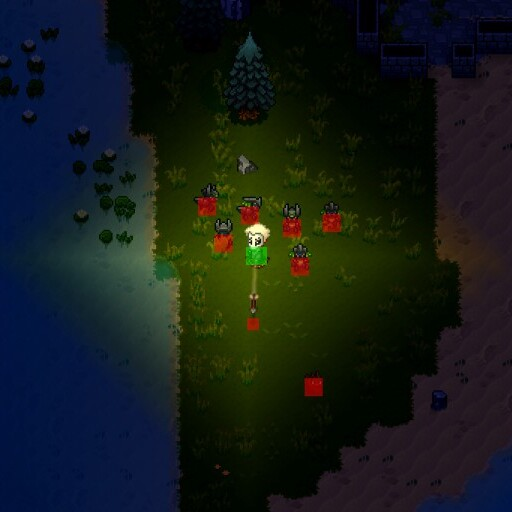
Hitbox Switcher - Toggle hitbox display in Necesse Features: - Client-side mod (works on any server) - Configurable keybinding (default: Home) - Displays player hitbox (green), mobs and projectiles (red) Installation: Subscribe to this mod in Steam Workshop and launch the game. Usage: Press the Home key (or your configured key) to toggle hitboxes on/off. Keybinding Configuration: Settings → Controls → Hitbox Switcher → Toggle Hitboxes

Adventure Journal Search
por 76561197999130071
Adds a live search box to the Adventure Journal. Searches: - Biomes and journal entries - Mobs - Biome loot - Treasures and vinyls - Mob drops Results update as you type. Right-click the search field to clear it. This is a client-side quality-of-life mod. It does not add content, alter saves, or need to be installed on multiplayer servers. Compatible with Necesse 1.3.3. Certified AI slop disclosure: AI helped make this tiny mod, including the gloriously overproduced thumbnail. Fortunately, the search box still works.
Boss Fight Summary Extended
por 76561198167092251
WORKS ON NECESSE V1.3.3 'Bro, I swear I did like 80% of the damage, I was just kiting!' *Checks stats: 412 total damage dealt, 7 deaths, 45 seconds spent running back from spawn.* We've all got that one friend who drinks 12 buff potions, explains their 'broken meta build' for 20 minutes, dies 10 seconds into the fight, and still rushes to grab the boss loot bag. Boss Fight Summary Extended gives you the cold, undisputed receipts. Finally put an end to the lobby debates, expose who actually broke their back carrying the raid, and see who was just providing moral support from the death screen. No more 'my game stuttered'. No more 'I was focusing on mechanics'. The numbers don't lie. Features - Post-Fight Damage Report: Instant breakdown in chat when the boss falls (or wipes the party). See total damage, DPS, damage share %, damage taken, and total deaths. - Live DPS Meter HUD (/fs meter): Floating overlay so you can watch your friend's DPS flatline live the moment they get one-shot. - In-Game Scoreboard UI (/fs board): Pop open the full combat scoreboard with tabs for multi-boss encounters, phase splits, and hit/crit percentages. - Sage & Grit Phase Split: Separate Sun & Moon damage tracking to catch whoever kept attacking the wrong bird and wiped the entire lobby. - Personal Bests & History (/fs pb / /fs history): Track your fastest speedrun kill times and peak damage records for ultimate bragging rights. - Incursions & Multi-Part Bosses: Full support for tiered Incursions, Worm body segments, and Night Swarm targets. - Multiplayer & Server Ready: Works in singleplayer, co-op host & play, and dedicated servers. Chat Commands - /fs board - Open the interactive scoreboard modal - /fs meter - Toggle the floating live DPS meter overlay - /fs pb - View boss kill records and personal best times - /fs history - View recent boss encounter logs - /fs last - Re-post the last fight summary to remind everyone who carried - /fs help - Display command help Configuration Edit cfg/mods/bossfightsummary.cfg if you want to customize chat detail styles, change default HUD visibility, or adjust tracking thresholds. Links & Source Code - GitHub Repository - Dedicated Server Jar Credits & Acknowledgements This mod is an extended version based on the original Boss Fight Summary mod created by Fair. Huge thanks to Fair for creating the original foundation!
Terraformer Fix
por 76561198167092251
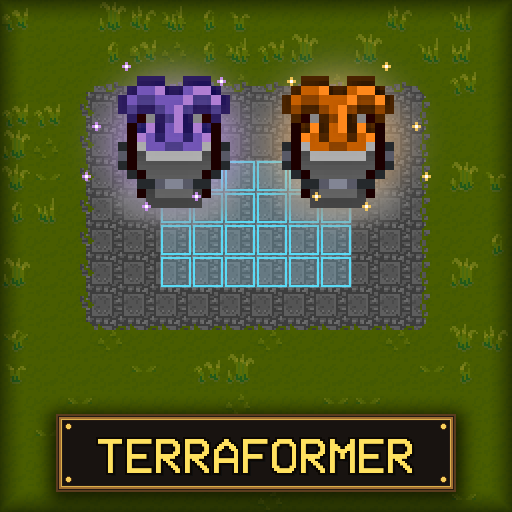
A landscaping and construction tool for Necesse that allows bulk placement and removal of tiles, objects, and liquids. Overview Adds two tools purchased from the Elder (5,000 coins each): - Terraformer: Place and remove tiles (dirt, stone, grass, wood, etc.) and liquids (water, lava). - Builder: Place and remove objects, walls, and furniture. Features Shapes and Sizes Choose from Square, Checkerboard, Line, Circle, Ring, or Line Box shapes. Open the settings menu by right-clicking the item in your inventory. You can also adjust the shape size dynamically with in-game hotkeys: - . (Period): Increase shape size - , (Comma): Decrease shape size Bulk Placement & Removal Bulk build, dig, pave roads, clear forests, and terraform landscapes effortlessly. Scoop and Place Liquids Easily collect water or lava and relocate it across your settlement. How It Works - Left-Click: Place stored tiles/objects in the selected shape. - Right-Click: Scoop/remove matching tiles, liquids, or objects. - Right-Click (in inventory): Open settings configuration menu. - When scooping, only the tile/object type currently stored in the tool will be collected. If the tool is empty, the first tile targeted (marked in orange) is selected. - Any collected items that exceed the tool's capacity go to your inventory. - Line direction is based on the character's facing direction. - Both items can be upgraded at the Upgrade Station for increased range and shape size. Dedicated Server Jar Credits - Maintained and updated by Xeraphire - Original Mod by FerrenFx: Terraformer Workshop Page
SettlerPlus
por 76561198981469140
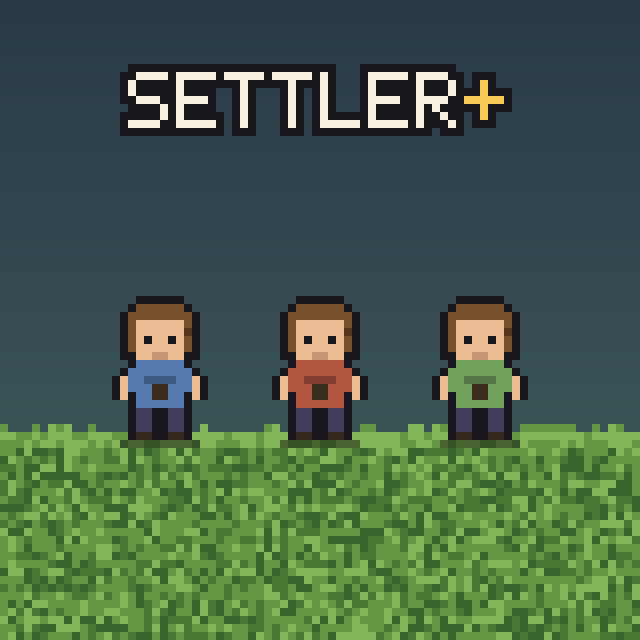
Adds new kinds of settlers, starting with the Hauler - an NPC that automatically ships goods between your settlements. The Hauler. How it works: Recruit a Hauler NPC (5000 coins), then buy Hauler Chests from their shop (7500–10000 coins each, randomized). You need a Hauler Chest placed in both settlements — the one sending goods and the one receiving them. On the sending chest, pick which settlement it should ship to (and set how many stacks to wait for before a shipment goes out — default 5). Fill that chest up to the threshold, then add "Hauling Mission" to your Mission Board and pay for the trip (1750 coins per trip). The Hauler carries the goods over and delivers them straight into the Hauler Chest waiting at the other settlement — no manual travel required, but both ends need a chest set up first.
Necesse Mouse Tweaks
por 76561199101166468
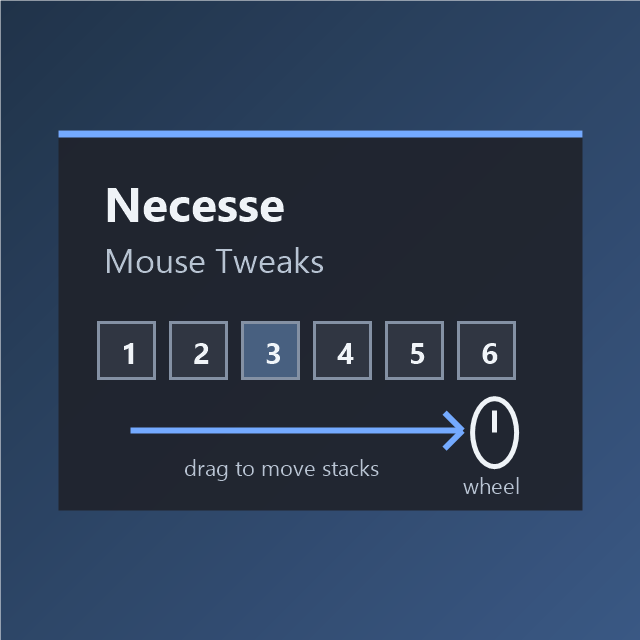
Client-side mouse drag and wheel inventory tweaks for Necesse.
Necesse Whale NPC
por 76561199067859880
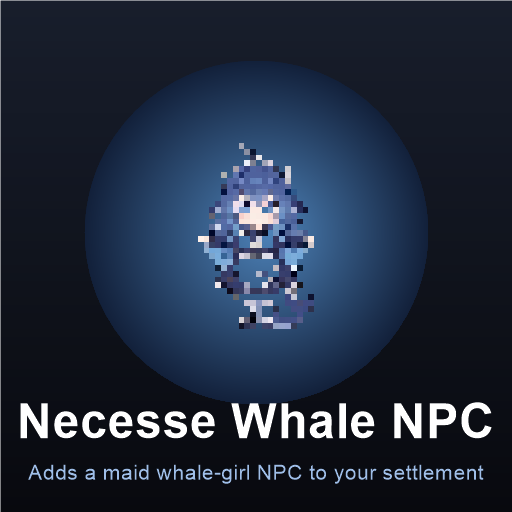
Adds the maid whale-girl NPC with the Universal Assistant job and custom dialogues
NPC Commands
por 76561197987951774
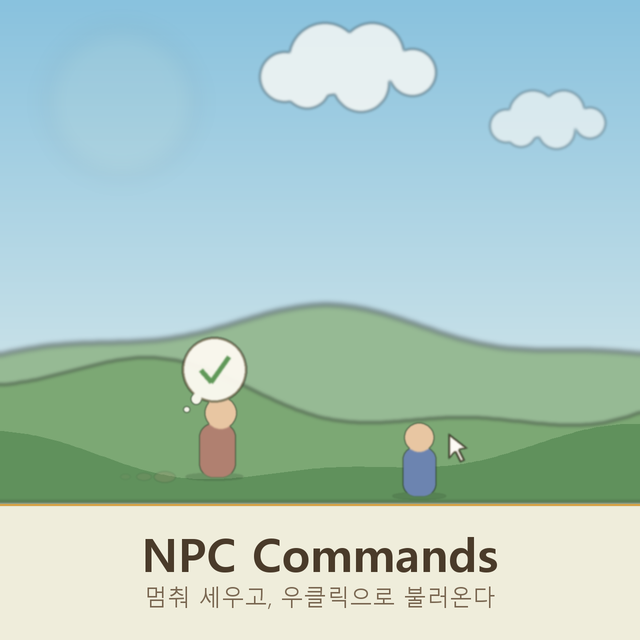
Hold Alt and point at one of your settlers to stop them where they stand, exactly the way they stop when you talk to them. They face you while you hold the cursor there and go back to work about two seconds after you look away. Right click a settler who is too far away to talk to and they walk to where you called them from, wait a moment, then carry on with their day. They do not trail after you: this is a summon, not a follow order. Right click again to point them at wherever you have moved to. No modifier key is needed, a plain right click is enough. A tick above their head means they are on their way, a cross means no path reaches that spot, and a line of text means the game will not let that settler be called right now. Settlers already within talking range are left alone so the normal right click still opens their menu. Settlers who like flowers, gems or coins no longer hide their fetching toggle in a dialogue option. Each one is a row in the work priorities table instead, so every settler has the same command numbers and you can see at a glance who is set to help themselves from storage. Settlers with a favourite dish can now go and make one. Turn on the cooking row and they head for a workstation before hunger sets in, cook their dish and eat it on the spot. They only ever cook what your diet filter already allows. The settlement diet screen gains one button above the settler list: paste the copied diet to every settler at once, instead of pasting into each row by hand. Nothing is stored on the settler by the hold and call effects. Their job, their orders and their adventure party are untouched, so both end by themselves if you disconnect or remove the mod. Only your own settlers respond. Anyone away on a mission, on strike, leaving, or visiting from elsewhere is skipped. SERVER AND CLIENTS BOTH NEED THIS MOD It registers network packets and job types, so every player on a server must have the same version installed and so must the server itself. Singleplayer just works, since the client hosts its own server. Switchable in Settings > Interface.

Voice Chat Plus
por 76561197983400467
Expansion for the Voice Chat Service mod. Adds a long range radio broadcast on its own rebindable key with a radio filter effect on the voice, lets you move the voice HUD button and applies the proximity voice range on dedicated servers (the base mod only reads its config on clients). Requires the Voice Chat Service mod. https://steamcommunity.com/sharedfiles/filedetails/?id=3769951336
Servidor Necesse con soporte de mods
Instala mods compatibles y admitidos desde el panel del servidor.
Alquilar un servidor Necesse