ARK: Survival Evolved के लिए मॉड और प्लगइन
यह कैटलॉग Steam Workshop के 28,000+ ARK: Survival Evolved प्रोजेक्ट सूचीबद्ध करता है। एंट्री सर्वर-साइड, क्लाइंट-साइड या दोनों तरफ आवश्यक हो सकती हैं और इनमें मैप या अन्य यूज़र कंटेंट भी हो सकता है। इंस्टॉल करने से पहले लिंक किए गए स्रोत पेज, गेम वर्शन और निर्भरताएँ जाँचें।

PVP deathmatch
76561198032297167 द्वारा
For arcade DOOM-style fight (v 1.2) (RU,EN - automatic detection). - 5 squared mini map in 1 - support random teleport. Red - decrease HP , blue - free teleportation - target teleport at desert earth, and return on any island - support lootbox for ammo, shield, weapon (balance and fun) KILL EM ALL! Plugin: SERVER API Shop Rewards & Stats for dedicated server - recommended Known bug: hide 3D icon in local game. I will fix it. Map for Dedicated server only!

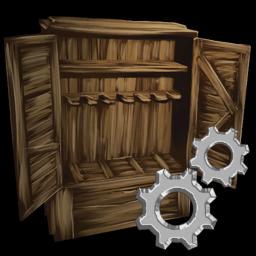
Pennysworth Configurable Storage
76561197997526610 द्वारा
This is a configurable storage to use it put the items you want to be stored and bring up the radial menu and hit set filter. This will set it so only the items in the inventory when you hit this they will be the only items it can store until you clear the filter.


Scorched Crops
76561198022371409 द्वारा
Adds medium crop planters that can be placed anywhere on Scorched Earth, overcoming the sun-lit biome restrictions.

Access Tweaks
76561198010670609 द्वारा
MOD ID: 2367597137 A few new hotkeys for players to make the game more user-friendly. If added to an existing save, players will have to die and respawn (bed teleport may work) before the changes take effect. Features: - **NEW** Implementation of a “Flyer Seatbelt” – automatically engages only when mounted on a flyer that is actively flying. Tapping the use button while flying will no longer instantly dismount you -- press and hold the Use button (E) for 1 second or longer to dismount from a flying dino. When the flyer is landed, or if on a non-flyer dino, dismount should function as normal. This seatbelt feature can be disabled with an ini option. - Hotkey to make your character automatically follow another player. Simply look at the desired leader and hit the hotkey. Default binding: Numpad * ---------------Same rules as autowalk. (Right Shift to run, no stamina considerations) ---------------------Will automatically stop if you get too far from the character you’re trying to follow. What’s considered “too far” is configurable. - Hotkey to make your character or mount auto-walk forward. Default binding: Numpad / -------------Combine with default game option to toggle run, Right Shift, for auto-run. ---------------Note there is no built-in stamina considerations. - Hotkey to access shoulder-mounted pet's inventory while it's still on your shoulder. Default binding: Alt + F - Hotkey to specifically open doors (no more accidental dismounting). Default binding: G - Hotkey to make your mount continuously (main) attack. Default binding: (Hold) Alt + Mouse 1 - Hotkey to make your mount continuously (secondary) attack. Default binding (Hold) Alt + Mouse 2 Important! These keybinds are customizable, but *EACH USER* must edit a file to set what those bindings are. This file is found in your ARK installation folder. The path is (Your steam installation drive)/Ark/Shootergame/Saved/Config/WindowsNoEditor, and the file is “Input.ini” Open that file with any text editor, notepad works fine. Scroll almost to the bottom. There will be many “ActionMappings” and then “AxisMappings” – Add the quoted text below the final ActionMapping and above the first AxisMapping. Save the file, and you’ll be all set. If you want to CHANGE your binding, this is also where to do it. Simply change the relevant binding to whatever you want it to be. I highly recommend keeping a modifier key (i.e. the need to hold Shift, Ctrl, or Alt) in order to reduce conflicts. ActionMappings=(ActionName="AutoFollow",Key=Multiply,bShift=False,bCtrl=False,bAlt=False,bCmd=False) ActionMappings=(ActionName="AutoWalk",Key=Divide,bShift=False,bCtrl=False,bAlt=False,bCmd=False) ActionMappings=(ActionName="ShoulderInventory",Key=F,bShift=False,bCtrl=False,bAlt=True,bCmd=False) ActionMappings=(ActionName="ConstantFire",Key=LeftMouseButton,bShift=False,bCtrl=False,bAlt=True,bCmd=False) ActionMappings=(ActionName="ConstantAltFire",Key=RightMouseButton,bShift=False,bCtrl=False,bAlt=True,bCmd=False) ActionMappings=(ActionName="MountedDoorOpen",Key=G,bShift=False,bCtrl=False,bAlt=False,bCmd=False) Ini Config(s): DoorRange=600 FollowStartDistance=300 FollowStopDistance=1800 FlyerSeatbelt=true - DoorRange adjusts the range at which you can trigger doors/gates using this mod’s hotkey. Accepts any number between 0 (off) and 3600. For reference, one foundation = 300. Set to 600 (2 foundation’s distance) by default. - FollowStartDistance adjusts when the follower starts moving towards the leader. FollowStopDistance adjusts when the follower stops moving towards the leader. - FlyerSeatbelt either enables or disables the need to long-press the Use key to dismount a flying dino. Enabled by default.

Havoc Ark Community Mod
76561198013718992 द्वारा
Custom mod for the Havoc Ark community


No Duplicate Engrams (v1.0.3)
76561198024182120 द्वारा
Version: 1.0.3 Mod ID: 758195284 Last Cooked with Dev Kit: 245.95 This mod is rated: Clean and Stackable This utility will allow you to remove duplicate engrams that are showing on your crafting list. To use, put the item on the hot key bar and activate it. You will see a list of duplicated engrams that have been removed assuming you had any duplicates. Admin command to summon this utility: cheat giveitem "Blueprint'/Game/Mods/NoDupEngrams/PrimalItemWeapon_Remove_Dup_Engrams.PrimalItemWeapon_Remove_Dup_Engrams'" 1 0 0 The mod is free and comes with limited support (when I'm available). You can leave messages here on Steam or stop by the DragonClaw Studio's Discord. If you like this mod and would like to donate please click on the donation link below. If you are looking for a hosting company, you should check out ASHosting! If your looking for a gaming community feel free to stop by the Orion Cluster Discord. We play a number of games, share, chat and have some fun. If you enjoy the DragonClaw Studio modding experience, we’d love your support in our next venture: TwilightStar: Heart of Eir. As our first, full length feature game as a studio it will feature all the mechanics we love to see in modern games; layered on top of a rich story line and extensive world mapping. A love letter to classic RPGs of the 90s, you can follow our progress online at https://www.dragonclawstudios.com/ or join the conversation on Discord: https://discord.gg/HdnCcH

TranqMod v2.0
76561198108707397 द्वारा
This mod only give you super powered Tranq Arrows. This is purely for testing purposes. If you need to knock a dino out in one shot, this is what you need. cheat giveitem

Extinction Extension
76561198171834141 द्वारा
Extinction Extension This mod is provided to the community for free by Sloths. We aimed to make Ark's classic meta more enjoyable, and in return, we only placed our logo on obelisks in the maps. All existing issues and open meshes in the maps have been fixed. While preparing the mods, we made an effort to keep the mod file as small as possible, thus avoiding extra changes. With the updates to be made along with your feedback, it will be further improved over time. You can reach us by joining our Discord server. If you want to have custom maps and various mods made for your own servers, you can contact us. Discord: https://discord.gg/HJmGcUPfkB Terminal Structure Changes: - Cave entrance redesigned to stego size. cheat setplayerpos -244634 101255 -30152 166.78 26.88 Coordinates: Lat 62.6 Lon 19.4 Corrupted Cave Changes: - Cave entrance redesigned to stego size. cheat setplayerpos 97451 124723 -28185 -34.54 -7.43 Coordinates: Lat 65.5 Lon 62.1 Dome Treatment Cave Changes: - Cave entrance redesigned to stego size. cheat setplayerpos 257894 -29422 -6888 16.13 6.08 Coordinates: Lat 46.3 Lon 82.2 Sanctuary East Sewer Changes: - Cave entrance redesigned to stego size. cheat setplayerpos 87641 32132 -28392 -53.86 -0.20 Coordinates: Lat 54.0 Lon 60.9 Sunken Forest Ramp Changes: - Cave entrance redesigned to titan size. cheat setplayerpos -249568 -164617 -61087 12.47 10.65 Coordinates: Lat 29.4 Lon 18.8 Sanctuary East Rat Hole Changes: - Cave entrance redesigned to stego size. cheat setplayerpos 173479 5662 -23418 -85.24 -2.07 Coordinates: Lat 50.7 Lon 71.6 Sunken Forest Entrance Rat Hole Changes: - Cave entrance redesigned to human size. cheat setplayerpos -257109 -233440 -68681 -0.47 -9.29 Coordinates: Lat 20.8 Lon 17.8 Cave Wasteland Changes: - Cave entrance redesigned to turtle size. cheat setplayerpos -67333 -225732 3889 -164.03 2.83 Coordinates: Lat 21.7 Lon 41.5 Rathole South Gate Changes: - Cave entrance redesigned to trike size. cheat setplayerpos -18247 96758 -31299 154.24 -6.21 Coordinates: Lat 62.0 Lon 47.7 GreenOB Cave Changes: - Cave entrance redesigned to trike size. cheat setplayerpos -149939 -17254 -23460 -56.64 6.32 Coordinates: Lat 47.8 Lon 31.2 Alpha Tree Changes: - Two entrance closed. cheat setplayerpos -386209 -157578 -86271 -95.33 3.33 Coordinates: Lat 30.3 Lon 01.7 Skylight Changes: - Expanded cheat setplayerpos -329916 -146320 -34355 89.62 9.50 Coordinates: Lat 31.7 Lon 08.7


One Piece
76561198357636352 द्वारा
新增2.0 一件解锁 解锁发型 飞行背包 隐身衣 有想买授权的联系QQ:87161701 QQ群:761873735


PrimitiveLite
76561198085276826 द्वारा
A simple mod to remove high tech engrams. A full list of engrams removed by this mod can be found here: https://steamcommunity.com/workshop/filedetails/discussion/2096137924/4203492762812315722/ Items can still be spawned in by an admin or found in loot tables for supply crates, alpha dinos, and fishing. I may update the mod in future to edit the loot tables. This mod is a successor to https://steamcommunity.com/sharedfiles/filedetails/?id=1534593566 which could not be updated due to being stored on a different computer. A version of this mod with no guns exists here: https://steamcommunity.com/sharedfiles/filedetails/?id=2096316171


ARK: Survival Evolved Guides
ARK Admin Commands – सभी Cheats और कमांड 2026
सभी ARK Admin Commands और Cheats: Dinos स्पॉन करें, उड़ें, Items और सेटिंग्स बदलें।
ARK सर्वर किराए पर लें और सेट करें – शुरुआती गाइड 2026
अपना ARK: Survival Evolved सर्वर सेट करें। Maps, सेटिंग्स और Taming-दरों को सही तरीके से कॉन्फ़िगर करें।
ARK Mods इंस्टॉल करना – Steam Workshop और मैनुअल इंस्टॉलेशन
Steam Workshop-ID के जरिए ARK Mods साफ तरीके से इंस्टॉल करो: तैयारी, ActiveMods कॉन्फिगरेशन, क्रम, रीस्टार्ट, जांच और Troubleshooting।
मॉड सपोर्ट के साथ ARK: Survival Evolved सर्वर
कुछ ही मिनटों में अपना खुद का ARK: Survival Evolved सर्वर शुरू करें।
ARK: Survival Evolved सर्वर किराए पर लें