Garry's Mod Mods & Plugins
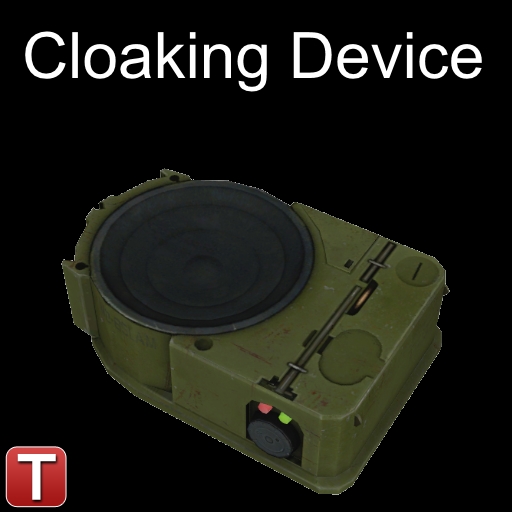
TTT - Cloaking Device
76561198020938759 द्वारा
I'd first like to thanks v_hana for helping fixing bugs. A functionnal cloaking device for our dear traitors in TTT. For 1 credit (like all equipments), you can buy this wonderful piece of technology. Simply hold it in your hand to be nearly invisible (look at the pictures), and to become visible again, simply switch to another weapon or drop it. However, this isn't perfect, and remember the following things : -Cloaking/decloaking will make a distinguishible and loud noise. -Anyone who shot you will see the blood on you, even if you are invisible. -Your name will not be hidden while invisible, which can give away your presence; get a Disguiser to overcome this. -Your shadow will still be visible, which might also give away your presence. How to install in a listen server : simply subscribe to this addon, wait for the download to finish, and voilà! Report any problem you find or suggestion you have in the comments below.
Head Bobbing
76561197998218505 द्वारा
A Simple Head Bobbing Script An adjustable & customizable head bobbing script. Find the options panel under Options > V92 > Head Bobbing Features - Preset - Create your own quick settings, use my custom blend, or reset it to default - Master Toggles - Hard disables the whole mod or certain functions at will - Standing toggle and multipliers - Crouching toggle and multipliers - Prone toggle and multipliers - Strafe tilt toggle - Water toggle & multipliers - Landing roll toggle, multiplier, and frame blend - Blacklist toggles for Physics Gun, Tool Gun, Camera. Sandbox builders rejoice. - Support for Stuffy360's Prone Mod (Not included, but I personally swear by this one) Credit Where It's Due - LuaPineapple - Original script - V92 - Re-write/updates - Stuffy360 - Prone Mod
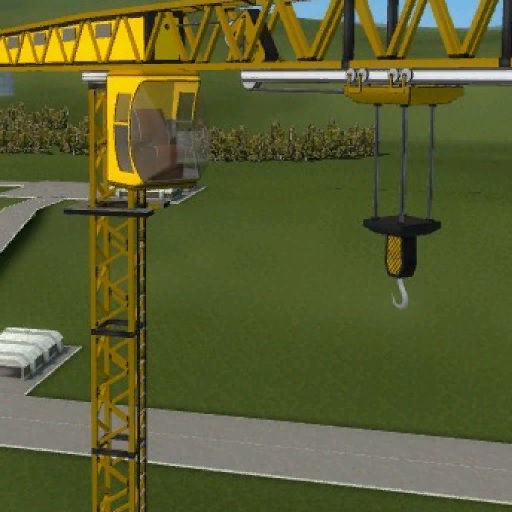
SW Crane
76561198010984952 द्वारा
A construction crane. Please read the description for all informations about the addon! Click for the terms of use. Special thanks to: - Grocel - Marcel - Bullet - Kevin Requirements: - You need to have the SW Base Addon installed! Console command: - sv_sligwolf_reload_addon crane Prop protection: - Be sure you're allowed to use the stuff of your buddy. - Otherwise you can't pick up his stuff. Changeable controls: - W = Hook Forward - S = Hook Backward - A = Turn Left - D = Turn Right - Space = Hook Down - R = Hook Up - F = Grab / Release - 1 = Toggle Hook Speed - 2 = Turn Object Left - 3 = Turn Object Right - Keypad 1 = Extra Camera Hook Comments and feedback: In order to centilize our addon maintenance efforts, the comments has been disabled in all addons. Please go to the SW Addons Group to comment and give feedback on our addons. Mind the rules, though! Any problems? Please read those: ► FAQ & Common Issues ► Troubleshooting Still got problems? Post here: ► Bug Reports Please read the description for all informations about the addon! Click for the terms of use.
![[LW] Aston Martin Cygnet](https://images.steamusercontent.com/ugc/541883619713567350/D177CFD73C0E50D36DEC806A7FAA8441DA80037E/)
[LW] Aston Martin Cygnet
76561198073265803 द्वारा
IF YOU DO NOT HAVE THE LWCARS SVN, YOU NEED THE SHARED TEXTURE PACK, OTHERWISE YOU WILL HAVE MISSING TEXTURES, GET IT HERE: http://steamcommunity.com/sharedfiles/filedetails/?id=266579667 Info Here it is, What a lot of you have been questioning, Totally redone from the original model. A fully drivable Aston Martin Cygnet ported from Forza 4 by me, Along with a bonus surprise. IMPORTANT NOTE: When driving the 'bonus surprise', lift off the accelerator as you go over a jump, otherwise the car will flip backwards. This is not an issue I can fix, its just the strange way source handles high powered vehicles. Features -Fully drivable as a prop_vehicle_jeep -High poly model -Full HD interior -HQ textures -Working speedometer and rev counter -Asseto Corsa engine sounds -A few bodygroups More stuff from me! Get my SVN instead of this addon! More cars in one download! Join the LWCars Steam Group! Lke the LWCars Facebook page! Follow LWCars on VCmod.net! Follow LWCars on Facepunch! Skin making If you are interested in making a skin for this car, I have made a tutorial detailing how. Its super simple, And I'd love to see what you guys come up with! https://docs.google.com/document/d/1COcmLMUv_4fx2KPWYR5U7ofQr9ErIn74cXVZhYPRiCE/edit# F.A.Q Before posting a question, Please read the FAQ featured on the front page of my Steam group: Join the LWCars Steam Group I also do not take requests, So please don't post them here, you will be ignored. Saying 'This isn't a request but..' does not make it any different. And remember, Suggesting is requesting Bug reports If you have a missing texture or another bug, Please let me know. Be as descriptive as possible so I know what you are talking about, And a picture would help a lot! Just saying 'it dosen't work' or 'missing textures' does not give me enough information
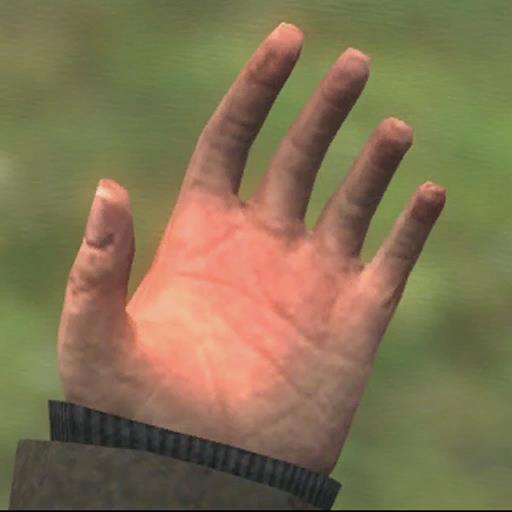
Hands SWEP
76561198150118761 द्वारा

Compa Playermodel & NPC
76561198047970938 द्वारा
Compa from the Hyperdimension Neptunia series! ___________________________________________________ This Model Features: • Playermodel • NPC • Ragdoll • Viewmodel hands • Bodygroups • Eye Skingroups Jigglebones: • Hair • Bangs • Boot pieces ___________________________________________________ Compa from Hyperdimension Neptunia is now playable in GMOD! I've been meaning to do a Neptunia character for a LONG time. So after a friend suggested her I finally decided it was about time I did. I love this game and I hope you all love her! Feel free to leave a Like, Comment, Favorite and Subscribe if you enjoyed, It really helps. I hope you all like it! Enjoy! ___________________________________________________ Model from: Hyperdimension Neptunia Model and all rights belongs to: Hyperdimension Neptunia; ©Idea Factory and Compile Heart Posed Picture: PootiePew Model and Textures: RandomTBush Rigging: ❤Yuki❤

Saul Goodman Nextbot (Original)
76561198363550912 द्वारा
You cant escape Saul. Dont bother. the map (from screenshots): https://steamcommunity.com/sharedfiles/filedetails/?id=277114888 Uploaded with gmpublisher https://tenor.com/view/cry-about-it-cry-about-it-meme-saul-goodman3d-saul-goodman-better-call-saul-gif-24033175

SW Blue-X15
76561198010984952 द्वारा
A tron styled 4-in-1 vehicle. Please read the description for all informations about the addon! Click for the terms of use. Special thanks to: - Grocel - NaibaXD - Ron Thunderr - Sheppard Requirements: - You need to have the SW Base Addon installed! Info: - Watch at the seat to enter the vehicle. - The vehicle have also a magnet on the bottom to lift small things. Console command: - sv_sligwolf_reload_addon bluex15 About the different modes: - Hover-Mode (Hover slightly over ground.) - Boat-Mode (Drive on the watersurface.) - Fly/Submarine-Mode (Fly around in the air or underwater.) - Railway-Mode: (Drive on the rails.) Reasons why you can't change the mode: - If the dashboard lamp is red, then it is not possible to change the mode. - You are to fast, brake down under 25 kph. - The vehicle is not straight enough to enable the fly mode. - There is not enough space underneath your position to enable the railway mode. Controls: - W (+forward) = Forward - S (+back) = Backward - A (+moveleft) = Steer Left - D (+moveright) = Steer Right Only in Hover-Mode: - Space (+jump) = Jump Only in Fly- and Railway-Mode: - Space (+jump) = Move Up - Alt (+walk) = Move Down Changeable controls: - F = Light - V = Grab Object / Release Object - R = Move Right - Shift = Move Left - 1 = Hover-Mode - 2 = Boat-Mode - 3 = Fly/Submarine-Mode - 4 = Railway-Mode - Keypad 1 = Extra Camera Left - Keypad 2 = Extra Camera Front - Keypad 3 = Extra Camera Right - Keypad 4 = Extra Camera Back Comments and feedback: In order to centilize our addon maintenance efforts, the comments has been disabled in all addons. Please go to the SW Addons Group to comment and give feedback on our addons. Mind the rules, though! Any problems? Please read those: ► FAQ & Common Issues ► Troubleshooting Still got problems? Post here: ► Bug Reports Please read the description for all informations about the addon! Click for the terms of use.

Catmull-rom Cinematic Cameras
76561198007934416 द्वारा
Re-introducing the Catmull-Rom Cinematic cameras by Lua Pineapple There were quite a few hacky fixes in this version, beware! Yes, ive asked LuaPineapple (though it was a while ago) If i can re-upload this, and was approved to do so as long as I provided proper credit. NOTICE: I've fixed the linker tool, sort of. Don't try to link two cameras on the same tracks, it can only be used to link two separate tracks. Otherwise it will crash your game. They should function exactly as in garrysmod 12, enjoy, and please report any bugs! (NOTE: Strange console output is not a bug, don't paste it here, thanks)
![SUIT GUY [PLAYERMODEL] // AMONG US](https://images.steamusercontent.com/ugc/1637577732936893536/0BFE84B446BD9ADE9B3C94B449EAC5C3767B325D/)
SUIT GUY [PLAYERMODEL] // AMONG US
76561198020545493 द्वारा
SUIT GUY // AMONG US UPDATED - Fixed ragdoll, increased the size a bit. - About people asking for hands, I have no plans at the moment, I was just looking for something like the game. So create your custom kill cinematics/overlays :P. - Maybe more hats in the future. - Basic custom animations like the game. - Colorable | CONTACT FOR COMMISSIONS: Playermodels (Fast and quality rig) Weapons (View models and World models) Npc's (Custom animations) Props (3D Modelling) | CHECK MY WORKS: http://kaesar.info/ // https://steamcommunity.com/id/40676D61696C2E636F6D/images/ | STEAM: https://steamcommunity.com/id/40676D61696C2E636F6D/ | DISCORD: Kaesar#5163 | BANNER: https://www.deviantart.com/redline2311
![[CW 2.0] PPSh-41](https://images.steamusercontent.com/ugc/707401792813016622/C7F99E81F9516AEE2CDC348FF3A4786295B69DAA/)
[CW 2.0] PPSh-41
76561198040751970 द्वारा
Report any problems in the comments below, and i'll do my best to fix them, or comment how awesome I am to let me know I am doing everything right. The model is from Game Banana submitted by Mr.Scratch ===Requirements=== ===Recommended For More Awesomeness=== Gets you the sexy holo-scope ===Questions=== Q: Gun dose not shoot/ no ammo counter A: You did not get the Customizable Weaponry 2.0 whitch I said you should ===CREDITS=== Model on Game Banana: Mr.Scratch Makers of the Customizable Weaponry base: Spy, tigg, SlaYeR™, bro, Matsilagi Coding the weapon for Customizable Weaponry as well as error fixing: White Snow
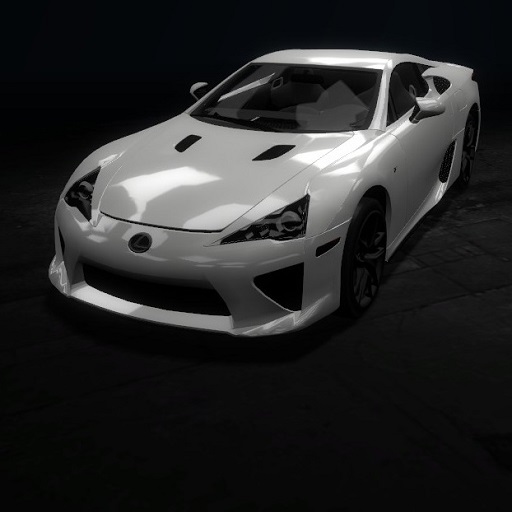
Lexus LF-A
76561197999836749 द्वारा
I made this with my spare time. Has no bodygroups. I will be doing a contest and the winner gets to request a car. I will post more details about the contest in my group which can be found at : http://steamcommunity.com/groups/sentrysgarage F.A.Q. Q: How do I turn on the lights? A: You can't, it's part of an unreleased addon that I sadly can not give out because I don't have the permissions to do it. Q: Can I request cars? A: Yes, but theres a huge chance it won't be made, but I'll try to make some if they are available for me. Q: Are these TDM Cars? A: TDM Cars are cars made by TheDanishMaster. I am not TheDanishMaster and my cars are in no way affiliated with his vehicle pack, except he helped me with textures. TheDanishMaster does NOT do support for my vehicles so don't ask him anything about them.
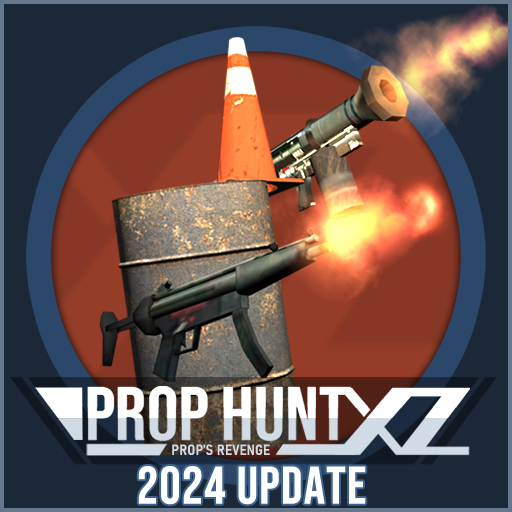
Prop Hunt: X2Z
76561198086789110 द्वारा
STATUS OF THE GAMEMODE: HIATUS: DUE TECHNICAL HARDWARE PROBLEM - Click here to learn more and if you want to help out Having Issues? Use Discord: https://discord.gg/avaTPM7 Help and support are done by moderator and community, as currently I am unable to responds due to hardware problem that was unablet to access discord and other platforms. This also includes github PR and other fixes were currently on hold. I'll get back shortly once hardware problems are gone - Sorry about that! Support the Development - Buy me a Coffee - Ko-Fi Prop Hunt X2Z A modernized, customizable and updated version of Classic Prop Hunt that features a lot of new things. Features - Last Prop Standing (Prop with Gun) - Prop Strikes Back (Can Attack Hunters) - New Prop Items - Prop Decoy - Fake Taunts - Taunt Favorites - Prop Rotating - Team Balance, Rotating, Anti-Consecutive Hunting - New Game Mechanics - Feature-rich & customizable - More gamemode events - Integrated Prop Menu (Prop Chooser) - Tweaks and Optimisation - Many more or you could watch the video here: https://www.youtube.com/watch?v=aK_CVilBz5Y Guides - Adding Custom Taunts: https://steamcommunity.com/sharedfiles/filedetails/?id=2847440960 - Configuration ConVars and Commands: https://steamcommunity.com/sharedfiles/filedetails/?id=2851968180 - Guide for "Advanced Prop Hunt Menu" Window: https://github.com/Wolvin-NET/prophuntx/blob/master/Prop_Hunt_Menu_Guide.md - Wiki & Manuals: https://github.com/Wolvin-NET/prophuntx/wiki Changes - https://github.com/Wolvin-NET/prophuntx/blob/master/CHANGES.MD Links - Website: https://gmodgameservers.com/prophuntx - Git: https://github.com/Wolvin-NET/prophuntx/ - WARNING: Repository will moved to a new host next year! - Wiki & Manuals: https://github.com/Wolvin-NET/prophuntx/wiki - Readme: https://github.com/Wolvin-NET/prophuntx/blob/master/README.MD Extra Notes - Looking for Language Translators! - Using: glua-soundduration Library: https://github.com/yobson1/glua-soundduration - Using: forked MapVote system: https://github.com/willox/gmod-mapvote - Using a forked eChat for Temporary ChatBox Replacement: https://github.com/Exho1/eChat - May use additional game contents for customisation and maps you play on servers - To Call other Map Vote addition from your addon, set 'ph_use_custom_mapvote' to '1' and change the 'ph_custom_mv_func' to something to call for MapVote. Global Function Only. This ConVar is hidden so better off write this ConVar under your server config file. - May requires ULX & ULib. Using other admin mod/admin-less addons can still work but feature for "Group and Access Setting" will be unavailable. - Optional: Require M9K or TFA for Custom Bren MKII weapon to work. Known Issues - Fixes: Player Error while Joining to PH:X Servers - Info: List of Addon Conflicts - Fixes: PointShop 2 Fixes FPS Issues/Lags on Some Maps Click Here to Activate Multicore and Other Improvement via Console seo prop hunt enhanced x prop-hunt-x phx phx2z prop_hunt prophunt prophuntx gamemode customization x2z xiiz wolvin wolvindra rotation lock locking rotating enhance update updated last prop standing prop decoy fake taunt custom-taunt taunts
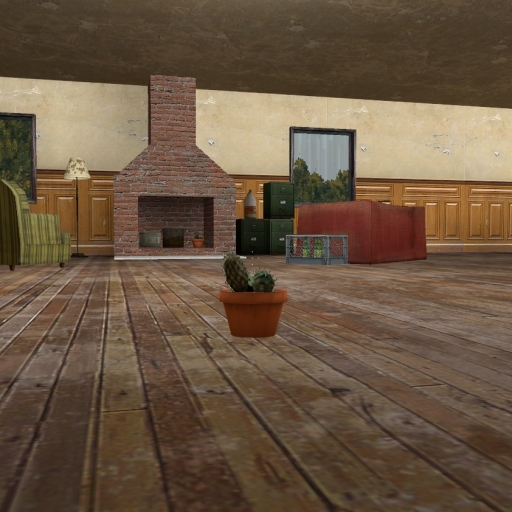
ph_House
76561198025621141 द्वारा
This is my first map and it's created for prophunt gamemode.
![Bulldozer (Payday 2) [player/npc]](https://images.steamusercontent.com/ugc/398931372049970495/6EC4BD161211E9CB74FD342CFB72D0DC69BD68C7/)
Bulldozer (Payday 2) [player/npc]
76561198010780650 द्वारा
finger posing eyes posing ragdoll player model npc rebel / combine hands from 1st person 3 skins (green / black / skulldozer) CLOAKER - http://steamcommunity.com/sharedfiles/filedetails/?id=293351182 Elite GenSec SWAT - http://steamcommunity.com/sharedfiles/filedetails/?id=588028054 NEXT - GenSec Elite 3 in 1
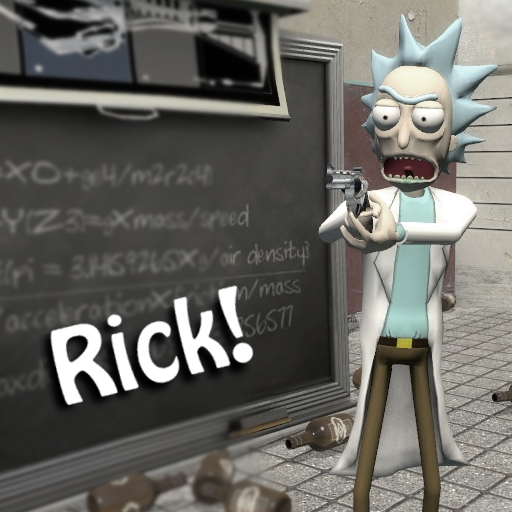
Rick playermodel, NPCs, and ragdoll
76561197996495504 द्वारा
Rate up if you enjoy! A friendly and a hostile version of the Rick NPC has been added to the Humans + Resistance category. A ragdoll should also be available in the spawn menu under 'addons' Hold C and choose player model to change your playermodel to Rick! Mr. Meeseeks is also available here: https://steamcommunity.com/sharedfiles/filedetails/?id=550768935 The giant heads from Get Schwifty are here: https://steamcommunity.com/sharedfiles/filedetails/?id=613685804 Inspired by "Rick and Morty" on Adult Swim (Model, Texture, and Rigging by Hummy_Seed)

Fly By Sounds
76561197991036835 द्वारा
Dynamic wind sounds when props fly past you. (Updated & Optimized 2025) Have a fix or optimization? Contribute here! More Info: Applies to props, ragdolls, 'Bouncy Ball' from Sandbox, and more. Volume and Pitch scale based on multiple variables such as speed, shape volume, and distance. The pitch and volume ranges can be modified via server console variables: sv_flybysound_minspeed (default: 100) - Minimum speed required for sound to be heard. sv_flybysound_maxspeed (default: 1000) - Volume does not increase after this speed is exceeded. sv_flybysound_minshapevolume (default: 1) - Pitch does not increase when shape volume (3D area) falls below this amount. sv_flybysound_maxshapevolume (default: 300) - Pitch does not decrease when shape volume (3D area) exceeds this amount. sv_flybysound_minvol (default: 30) - Object must have at least this much volume (area) to produce fly by sounds. sv_flybysound_playersounds (default: 0) - Script applies to players. cl_flybysound_updatedelay (default: 0.05) - How often the script updates sound effects (pitch, volume). Smaller values give smoother sound transitions but more CPU intensive. cl_flybysound_scandelay (default: 0.5) - How often the script scans for relevant entities. Smaller values give faster feedback but are more CPU intensive. cl_flybysound_cutoffdist (default: 3000) - Maximum distance at which sounds can be heard. Smaller values can give better performance in large maps. cl_flybysound_altsound (default: 0) - If set to 1 then an alternative wind sound will play. (Portal 2) sv_flybysound_spinsounds (default: 0) - If set to 1, the sound will be heard when an entity is spinning. cl_flybysound_loudness (default: 1.0) - The overall volume of the audio can be scaled down by setting values below 1.0 (If these variables confuse you, probably best not to change them.) (Sorry Note: Sorry for confusing variable names because sound 'volume' and 3D area 'volume' are both the same spelling. Next time I will name area volume 'size' for less confusion, but I do not want to change the variables in this script or people will lose their console variable settings.) A tool to mute the sounds on specific entities is available here. Enjoy! :) Credits Sofibyte addon author Wontairr alternative wind sound, bug fixes, spin sounds, spawn-menu options Taux icon
![[LVS] - Tanks - Pack](https://images.steamusercontent.com/ugc/2097046179621178467/1B3BBAA2DB211CBA2C075D135CB44FF807143300/)
[LVS] - Tanks - Pack
76561197995010235 द्वारा
YOU NEED - Framework FOR THIS ADDON TO WORK A small WW2 Tank pack to expand on the - Cars Tank selection. All features are implemented, like armor system, ammo racks that can explode, fuel tanks that can be lit on fire, destroyable tracks, destroyable turret... This pack includes: - Panzer II C - Panzer III E - Panzer III F - Sturmgeschütz III - Sd.Kfz. 124 "Wespe" - T-34 - T-34-57 - T-34 (shielded variant) - Cromwell V - Crusader AA Mk.I - Crusader AA Mk.II - Crusader III Controls (Default) For Base-Controls see - Framework INSIDE VEHICLE: - W = 50% Throttle - W + Shift = 100 % Throttle - S = Brake - Space = Handbrake - A or D = Turn Left / Turn Right - R = Toggle Engine - (Hold) = Turn Off Lights / Turn On FogLights - (Quick Press) = Turn On Lights / Toggle Highbeams if available - B = Open Turn Signal Menu You can switch between direct-input and mouse-aim using the control panel Want to make your own Car based on this base? A template can be found here Thanks to Bounce - research Luna - scripting / sounds / effects Digger - modelling / texture work / research Links This Project on GitHub GitHub Discord No version or modification of this content is allowed to be uploaded to the workshop except under the account ID 76561197995010235
ORAORAORA
76561198061817136 द्वारा
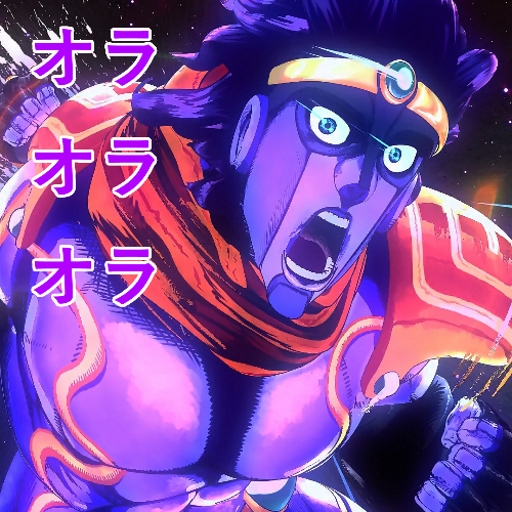
Yare yare daze, do I have to explain what this SWep is? You can now become 「STAR PLATINUM」 and launch a barrage of punches of people by simply left clicking! Or if you want a single ORA, right click! You can also use ZA WARUDO by pressing R (reload), though the video doesn't show it since that's the 1st version. The extended version has the same controls as the other JoJo SWeps I've created! There's 2 versions for the normal one click ORAORAORA: one with music (Stardust Crusaders) and one without it. It also gives you 1000 HP. Almost all of the sounds excluding one is from JoJo's Bizarre Adventure: Eyes of Heaven, while the others are from the Part 3 TV anime adaptation. IF YOU WANT NPCs TO RAGDOLL ON DEATH, ENABLE 'Keep Corpses' FROM THE CONTEXT MENU! Big thanks to tommy.s (credit name Silly) for letting me modify his work to make this masterpiece! Original addon right here. Also credit to Luigitroller and Mario for letting me use their time stop script! Their addon here. And thanks to SuperBongoTime for testing my mod as well as making a preview video! Please tell me if there's any problem with this mod, I'm learning to be decent with lua coding so I'll be able to do original works too! I do not own any of the content related to Jojo's Bizarre Adventure. Credit goes to Hirohiko Araki for all of the JoJo content, Part 3 TV anime and CyberConnect2 + Bandai Namco for the game I ripped the sounds from.
![[VManip and SWEP] Extended Flashlight](https://images.steamusercontent.com/ugc/2032851591895718886/F7E5B684D9F2E9A4784AAD8F52F7B6F659D07911/)
[VManip and SWEP] Extended Flashlight
76561198869328954 द्वारा
This addon adds a flashlight which you can use for posters or animations, i originally made it for my gamemode but i think it turned out pretty cool so i made addon version of it It's the first time i made something like this, so i will be glad if you report any bugs. to use vmanip flashlight bind shaky_flashlight_use (need VManip base installed) bind f shaky_flashlight_use in console, and after that when you press f, the flashlight will appear (if you want to get back to default flashlight: bind f "impulse 100" ) Features - Flexible settings - Supports animated textures - Animation of running/walking and light toggling - Animated viewmodel camera - Ability to fully edit the light - You can see other players light - ability to attack with the flashlight - VManip version of the flashlight (VManip base must be installed to work) - and some other stuff map from screenshots is zs_dezecrated GitHub Repository Credits Shaky - code, animations SelMash - images and screenshots DiseDR - creator of the original model

Garry's Fireworks 2
76561198131059186 द्वारा
This addon was not created by me! It was created by Rogue Cheney I had Garry's Fireworks 2 on my pc so i decided to reupload it. Enjoy! Rogue Cheney allowed all of his work to be uploaded, modified or redistributed. --------------------------------------------------------------------------------------------------------------------------- http://steamcommunity.com/groups/gbombsseries#announcements/detail/100559288318162089 ---------------------------------------------------------------------------------------------------------------------------

Witcher Gates
76561198056493437 द्वारा
What is it? A tool to create linked pairs of portals which can be used to travel between two locations. Inspired by the magic portals from the game "The Witcher 3: The Wild Hunt" Why do I care? Because they look cool. Also portals. How do I use it? Pull out the tool, select a key you want to toggle the portal with, choose a color, click two points, press toggle key. Done. Caveats • You will sometimes get stuck when transitioning from a floor/45degree portal to a wall portal. • Ceiling portals are bad. Fixed, probably. • Floor portals are also arguably bad. • Bullets don't go through portals. Yet. I CAN'T SEE THE PORTALS! Some users are reporting being unable to see the portals. Apparently older versions of DirectX are not compatible with this addon. To fix it, change to DirectX 9 by typing in console: mat_dxlevel 90 or mat_dxlevel 95 LATEST CHANGES Added a new entity to the Q menu. Find it under the category 'Portals.' This entity will create a small stone gateway that users can toggle on/off by pressing E on them. The gateways must first be linked, though. To link a pair of gateways, hold ALT and press E while aiming at and near a portal. Then, find the corresponding portal and press ALT and E again. You can also make these gateways persist across map restarts by using the new context menu options. The option 'Always On' means no one can toggle the portal off, except a super admin. Useful for placing travel points around the map. The option 'Toggleable' will preserve the functionality where any user can enable/disable the gateway. 'None' obviously prevents the portal from saving.
![[LW] Mazda MX-5 Miata](https://images.steamusercontent.com/ugc/3316083131229545775/6ECE737F721BC310317EEDCB1872ED5E23DAA60C/)
[LW] Mazda MX-5 Miata
76561198073265803 द्वारा
A drivable Mazda MX-5 Miata Series 1 ported from Forza 4 by me. Follow progress on Facebook! Follow progress on VCmod.net! Follow progress on Facepunch! A skin template for this car can be found in the SVN, Which can be found at: https://lwcrs.googlecode.com/svn/trunk/ SVN USERS WILL NOT NEED TO SUBSCRIBE TO THIS AS IT IS ALREADY INCLUDED Give some love to these guys: TheRapJés - Handling script AaO|Davis - Sounds DO NOT UPLOAD THIS CONTENT TO ANYWHERE WITHOUT MY EXPRESS PERMISSION F.A.Q.: Q: Can you make ? A: I dont take requests, Sorry. Q:How do you turn on the lights? A: You cant unless you have VCmod by Freemmaann, which is not finished yet. In the meantime you can buy the old VCmod from CoderHire behind this fancy text If you have VCmod, Its F for lights, H for hazards and F + A/D for Indicators. Q: How do I drive this? A: Spawn it from the Vehicles menu, they are under LWCars.
Jetpack
76561197998646590 द्वारा
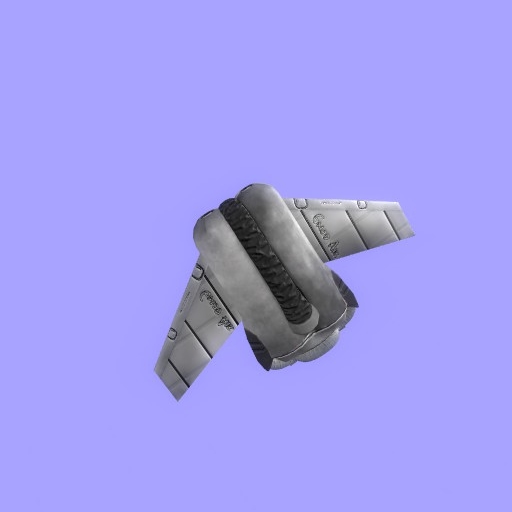
It's a jetpack! You can equip it by pressing USE ( default key is E on your keyboard ). WASD to move, shift to hover, jump to rise up and crouch to go down. You can unequip it by using "pe_drop sent_jetpack" in the console or by dying, there will be a panel for that in the future.
मॉड सपोर्ट के साथ Garry's Mod सर्वर
डैशबोर्ड से सभी मॉड्स एक क्लिक में सीधे इंस्टॉल करें।
Garry's Mod सर्वर किराए पर लें