Necesse के लिए मॉड और प्लगइन
यह कैटलॉग Steam Workshop के Necesse प्रोजेक्ट सूचीबद्ध करता है। एंट्री सर्वर-साइड, क्लाइंट-साइड या दोनों तरफ आवश्यक हो सकती हैं और इनमें मैप या अन्य यूज़र कंटेंट भी हो सकता है। इंस्टॉल करने से पहले लिंक किए गए स्रोत पेज, गेम वर्शन और निर्भरताएँ जाँचें।
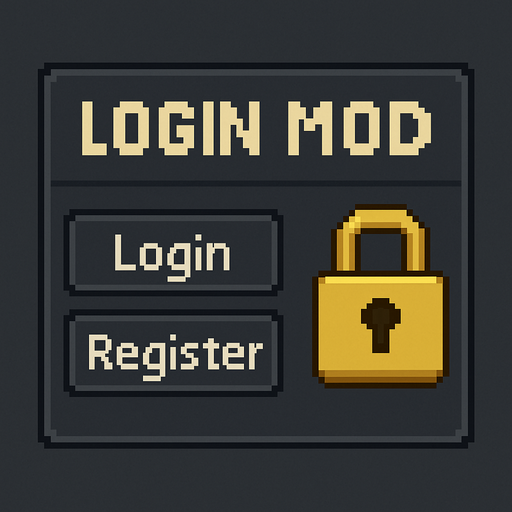
Login and Register Mod
76561198040279001 द्वारा
🔒 Login & Register Mod A simple, lightweight security system for Necesse servers. ✨ Features Adds /login, /register, and /changepass commands Prevents players from interacting with the world until they log in Protects against griefers, bots, and random joiners Works on any world, any server, fully multiplayer compatible Zero performance impact 📌 How It Works New players must create an account using: ➡️ /register <password> Returning players must log in using: ➡️ /login <password> Players can change their password anytime: ➡️ /changepass <old> <new> 👑 Admin Command: /resetuser <username> — resets a player's login data If a player is not logged in, they cannot: 🚷 Move items 🔨 Break or place blocks 📦 Interact with chests, doors, NPCs ⚔️ Attack, use items, or open menus They are fully locked until authentication is complete! 🌍 Used On Eternal World RPG Server A clean, optimized RPG-style Necesse server with custom systems. Join our community: 🔗 https://discord.gg/Kpw6PNPwfb

NPC名字汉化
76561198863359245 द्वारा
替换后续游戏内所有生成的NPC名字为中文名 自定义姓名: 打开模组JAR包,在resources\locale\目录下编辑zh-CN.lang,修改后重启游戏生效 其他语言: 在resources\locale\目录下新建语言文件,保持与zh-CN.lang相同的格式 我刚学习如何制作模组,对于联机部分,我从未试过联机 模组路径:steam\steamapps\workshop\content\1169040\3592633593 Replaces all newly generated NPC names in-game with Chinese names For other languages: Add language files in the mod's folder at resources\locale\ Use the same format as zh-CN.lang GitHub:https://github.com/leiyim/custom-naming-mod-1.0

Hardcore Lite
76561198370410892 द्वारा
Adds a new death penalty. This mod changes how the hardcore penalty works fundamentally. In normal hardcore when you die you are locked out of your save or practically banned from the world. This doesn't make for very good gameplay with friends. This mod makes you recreate your character on death. You will lose any max health upgrades or trinket slot additions. Items are still dropped but all player data is reset. Special thanks to Zillion for making another phenomenal thumbnail for this. Special thanks to GoliathX211 for creating this mod. Changelog: Version 1.1.1: * bumped Necesse version to 0.25.1 Version 1.1: * updated for Necesse 0.25 * added support for preserving team membership
Mountain2.0
76561198863359245 द्वारा
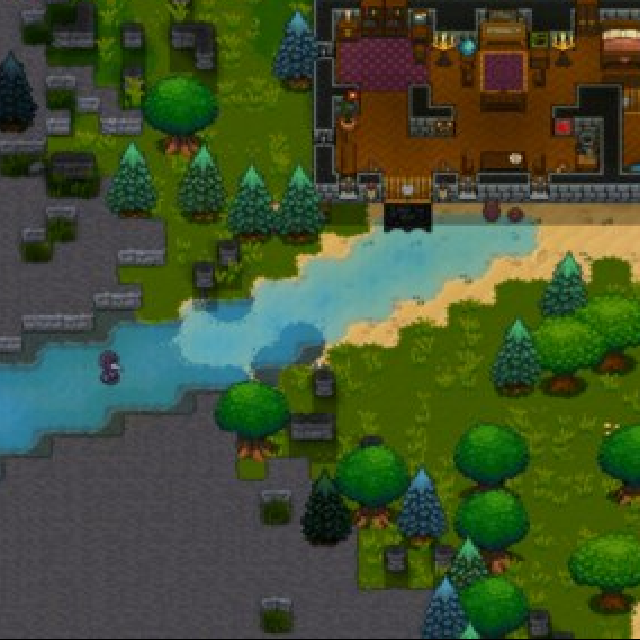
Rocky Mountains & Expanded Decor Biomes //New mountain biomes. //Six new decorative biomes. //Larger biomes, defaulting to 1×1 to 24×24 times the original size. Update spawn point detection: removed the requirement for forest biome. Prioritizes spawning in vanilla biomes. If no vanilla biome is found, defaults to (0, 0). Config file: %APPDATA%\Necesse\mods\BiomeSizeMod Biome Size and Mod Biome Switches Default All On: true/false Note: Cannot be subscribed alongside the Mountain mod. Mountain3(test) https://steamcommunity.com/sharedfiles/filedetails/?id=3774889169 A temporary private mod uses override generation, can play with Mountain 2.0 + 1.3 vanilla terrain generation. 山脉与扩展装饰群落 //新增山脉群落。 //新增六种装饰性生物群落 //更大的生物群落,默认 1×1 至 24×24 倍原版尺寸。 更新出生点检测,取消游戏原版必须出生点在森林,优先出生在原版生物群落,找不到原版群落才会默认出生在(0,0) 配置文件:%APPDATA%\Necesse\mods\BiomeSizeMod 生物群落大小和模组生物群系开关默认全开:true/false 注意:不可与 Mountain 模组同时订阅。 Mountain3(test) https://steamcommunity.com/sharedfiles/filedetails/?id=3774889169 一个临时不公开模组采用覆盖生成,可以玩到Mountain2.0+1.3原版地形生成

Boss Trophies
76561198122309470 द्वारा
Mount the heads of every boss you have kill. Each boss drops a wall trophy and a floor trophy.
NeceTrans
76561198043208170 द्वारा
AI auto-translation mod for Necesse 填写正确API信息后,可以将翻译多种语言。 一句话简介:自动扫描你装的模组,把英文说明全部实时翻译成中文! 核心功能: 智能扫描:启动游戏自动识别所有启用的Mod AI翻译:调用API将文本翻译成简体中文(还支持繁中、日文、韩文等9种语言) 缓存系统:翻译过的内容本地保存,下次启动秒加载 批量处理:可以一口气翻译几百条文本,支持设置批处理大小 实时注入:不需要重启游戏,翻译完立即生效 使用步骤特简单: 装上Mod进游戏后,按E打开背包启用NeceTrans模组(地球图标) 填写API相关信息(还是一样,参考我上面那篇) 点"扫描模组"看看有哪些可以翻译 点"开始翻译"等进度条走完 搞定回游戏发现所有Mod都变中文了 Brief Description: Automatically scans the mods you have installed and translates all English descriptions into the corresponding language in real time! Core features: Intelligent scanning: Automatically identifies all enabled mods when the game is launched AI translation: Uses API to translate text into Simplified Chinese (also supports Traditional Chinese, Japanese, Korean, and 9 other languages) Caching System: Translated content is saved locally, loading instantly on next launch Batch Processing: Can translate hundreds of texts in one go, supports setting batch size Real-time Injection: No need to restart the game, translations take effect immediately Usage steps are super simple: After installing the mod and entering the game, press E to open the inventory and enable the NeceTrans mod (Earth icon) Fill in the relevant API information (same as before, refer to my previous post above) Click "Scan Mods" to see which ones can be translated Click "Start Translation" and wait for the progress bar to complete After finishing and returning to the game, you will found that all the mods had been changed to the corresponding language. 如果你觉得不错的话,可以去 爱发电 支持大叔,随缘随缘~ https://afdian.com/a/maiya0126 If you enjoy what I do, consider supporting me on Ko-fi! Every little bit means the world! https://ko-fi.com/maiya0126

IncreasePathSpeed
76561198125574464 द्वारा
Change road movement speed coefficient to 100% instead of 10%.
Multi-Visitor System
76561198863359245 द्वारा
As an optional add-on for the Tame Monster (NPC) mod, or can be used standalone. Regular Visitors: Visitor groups will arrive at your settlement at regular intervals. The more settlers you have, the more frequent the visits. Random Group Size: Group size ranges from 1 to 7 visitors. Tame Monster (NPC) Support: Fully compatible with the Tame Monster (NPC) mod. (Not affected by the "Frequent Visitors" mod - spawn interval is independent.) Supported Languages: Chinese English

IncreaseLightLevel
76561198125574464 द्वारा
Increases the light level of placed light sources to 250. This only applies to objects in the game that have a default light level of 150. The difference between this and my similar mod, Double Light Level, is that the brightness range is smaller, but display glitches are unlikely to occur.

Love Sword
76561198068515780 द्वारा
Just a cute sword. It's pink, pretty, and powerful. Made at the iron anvil. x15 Life Quartz x15 Tungsten Bars -Frenzie
Enchant MORE
76561198063400471 द्वारा
Enchant More/Multiplier Enchant item a little more using enchant table. Craft in anvil with some gold. Add scroll to it then consume. Add Weapon choose enchant. Gucci **Enchant Anvil can be craft inside the furniture tab** v1.1.2 - Add some Enchant. - Fix bug. - some enchant arent finalize yet. v1.1.1 - Add 8 NEW Enchant. - Add 2 Unique Enchant. v1.1 - Add 4 NEW Enchant. - Cleanup some code artifact. v1.0 - Add enchant table. - Add ability to enchant item a little more. - Add EquipmentExpansion Equipment. This mod include EquipmentExpansion mod If original Owner of the EquipmentExpansion is back i will Remove the EquipmentExpansion part from my mod ASAP. https://steamcommunity.com/sharedfiles/filedetails/?id=2829639892 Some functionality isnt working or request please do comment. What will come next? - MORE New enchants. - Equipments. - Some type of modular enchant system, inspired by Tome of Power.
Cordsse (Discord Rich Presence)
76561198999900929 द्वारा
Cordsse Simple Discord Rich Presence for Necesse Displays: Name of your player in the game Name of the world Changes picture if you're on surface or in cave Playing multiplayer or singleplayer Health (see singleplayer photo) Main Menu with a tooltip Singleplayer on surface level Multiplayer in cave level
![Night Owl Trait [EN, PL] – Necesse Mod](https://images.steamusercontent.com/ugc/18333788812655652214/770842DE4A51158F66D648994492CA1F4937A3DF/)
Night Owl Trait [EN, PL]
76561198806903819 द्वारा
Night Owl Trait Tired of your workstations sitting idle when the sun goes down? Keep your settlement's economy booming 24/7 with the new Night Owl personality! This mod introduces a brand new, highly useful Bonus Perk (Personality) for your settlers. Villagers who are Night Owls have their entire daily schedule flipped: they will sleep during day and work throughout the night. Features - New Bonus Perk: Adds the "Night Owl" trait to the game. By default, it spawns as a rare Bonus Perk (indicated by the purple star next to the settler's name). - Flipped Schedule: Night Owls completely ignore the standard sleep rules. They go to bed in the morning and wake up in the evening ready to work. - Seamless Integration: The trait utilizes the vanilla personality system. Night Owls can be found naturally on recruitment missions or wandering into your town. Configuration Upon first launching the game with the mod, a settings file is automatically created inside `%APPDATA%\Necesse\cfg\mods\NightOwlSettings.cfg`. You have full control over how the mod behaves: - Enable/Disable: Master switch to turn the trait on or off. - Spawn Weight: Adjust how often this trait appears on new settlers (default is 100 tickets). - Bonus Perk Toggle: Choose whether Night Owl acts as a powerful Bonus Perk (purple star) or just a regular personality trait. Compatibility This mod is completely safe to add to existing worlds! Fully compatible with multiplayer servers. Check out my other mods! Night Owl Trait Desire Paths Starred Mobs Cheers!


Day Display
76561198045441848 द्वारा
Shows the current day in the top-left. Changes color based on time of day. Note that with default day and night settings, morning starts at 7 AM but the day increments at 8 AM. This is an issue with the game, not this mod.
Shade
76561198273978786 द्वारा
beware the shade... update! nerfed the lanky son of a gun just a bit.
Just a Nuke
76561199375329607 द्वारा
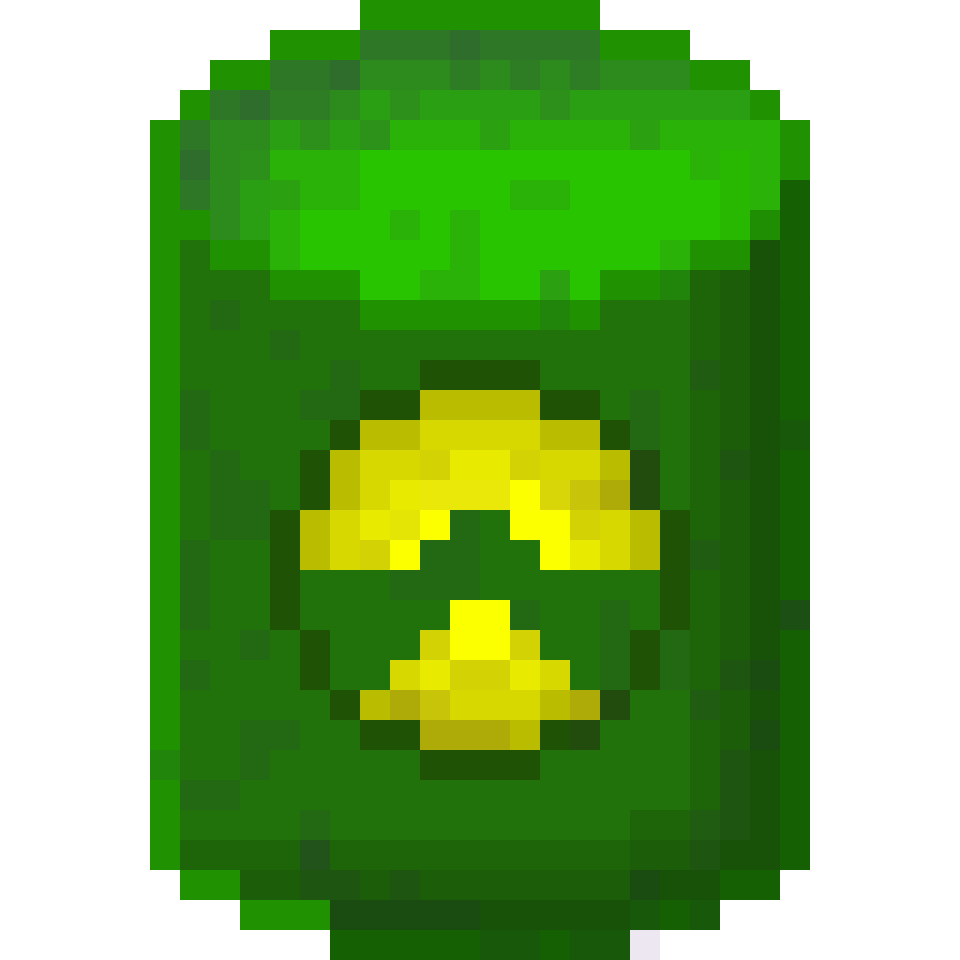
Just a Nuclear bomb, what else? Want to delete a village just for fun? Done! Want to clear an island from all the trees, stones, etc? Done! Nukes are fully configurable, just change the configs, located: - On Windows: "%APPDATA%/Necesse/cfg/mods" - On Linux "$HOME/.config/Necesse/cfg/mods" ($HOME -> /home/yourusername) They can be crafted in the Tungsten Workstation Changelog - upated to v1.1 of the game Config includes: - Can damage the owner - Can be crafted - Can destroy object - Can destroy tiles - Fuse time - Range - Damage - Armor penetration
Arcane Storage
76561198050745130 द्वारा
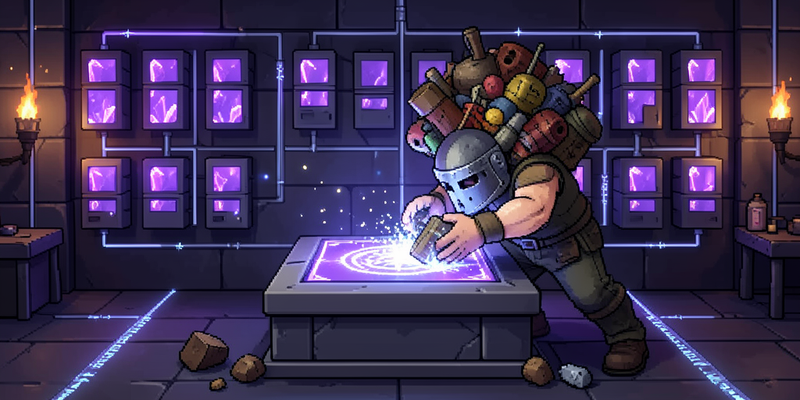
Necesse gives you plenty of chests. It does not give you a way to see what is in all of them at once. Arcane Storage adds a network you build out of Storage Units and conduits, and a terminal that shows everything on it as one searchable inventory. Craft straight from the whole network, using the crafting stations you have installed. Search, sort, and filter by category or by whether an item stacks. Building a network Place a Storage Terminal, run Arcane Conduits to Storage Units, and everything they hold becomes one inventory. Add units to grow it. There is no fixed cap. Install crafting stations into a Station Unit and the terminal's crafting tab offers their recipes, drawing materials from anywhere on the network. Moving items automatically Import and Export Buses sit next to any container and move items in or out of the network. Each bus has its own item rules and can be renamed, so a farm chest, a mine chest and a smelter row can each behave differently. A bus shows which container it serves. Reaching further A Wireless Terminal opens the network from anywhere, once it is paired with a Wireless Transceiver. Arcane Access Points and Base Stations link distant storage over a band, so an outbuilding on the far side of the base is on the same network as everything else. Four tiers Units, station units, transceivers and base stations upgrade through base, Demonic, Tungsten and Fallen rungs, following the same ladder the game's own crafting stations use. Each rung buys capacity, reach or channels. Two interface themes A slate style and a dark style, or the game's own if you have themed it yourself. Changed in the terminal's settings tab. Before you install This is not a client mod. A server and everyone connecting to it need it installed. Removing the mod removes its objects, and anything stored inside them goes with it. Empty the network first. A Storage Unit can be emptied into the rest of the network from its own panel, which is the intended way to relocate one. Help and bug reports A full player guide, with every item and what it does, is at github.com/EliasVahlberg/arcane-storage/wiki Bugs and crash reports are welcome in the discussion board on this page. A crash log helps a great deal: on Windows it is in %APPDATA%\Necesse, and on Linux in ~/.config/Necesse. For Developers Code and sprites are open source under MIT License: github.com/EliasVahlberg/arcane-storage I accept pull requests if you have properly passed the 58 JUnit tests and the 275 integration tests using my custom debugging framework: github.com/EliasVahlberg/necesse-headless-harness If you think you can make a better version, you are free to fork, plunder and steal, as the license permits it. Localization Nine languages, translated by AI as a first pass rather than left English-only. German, Spanish, Brazilian Portuguese, Russian, Simplified Chinese, Japanese, Turkish, Indonesian and Vietnamese now ship alongside English. The nine were picked by checking two things: how well Necesse's own locale covers that language, and how much a translation actually helps players of it, using the EF English Proficiency Index as a guide. This is a best-effort first pass, not a claim of professional translation. Corrections and additional languages from native speakers remain very welcome, and the mod stays 1.1.1 Updated for Version 1.3.3 of the game. 1.1.0 Reworked storage/crafting tabs : three-tiered grouping for both. QoL updates: tab state persistance, wireless terminal interaction override. Settlement: fix terminal issue, add access control. Thanks for all the feedback and support so far, hope you find this mod helpful!
ReverseHappinessPenalty
76561198107149921 द्वारा
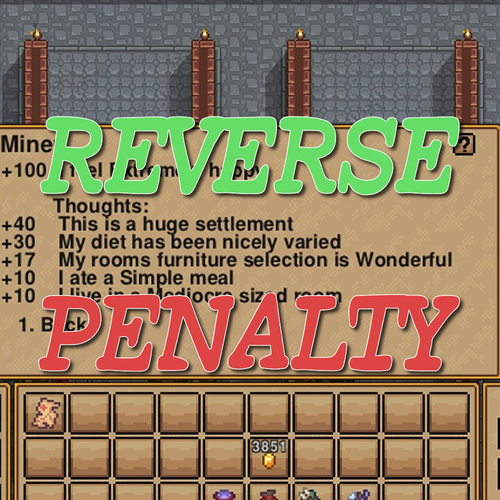
Bigger is happier, Isn't that so? This mod changes the happiness penalty based on settler to a happiness bonus. - Settler: ~5 : Happiness: +0 - Settler: ~11 : Happiness: +10 - Settler: ~17 : Happiness: +20 - Settler: ~23 : Happiness: +30 - Settler: 24~ : Happiness: +40 .jar on GitHub
NeceTalk
76561198043208170 द्वारा
NeceTalk - AI定居者对话 Mod 简介 / Introduction NeceTalk 为 Necesse 中的定居者赋予灵魂!利用AI大语言模型,让定居者根据职业、性格、环境和社交关系自动进行对话。他们会在闲聊中展现个性,和你自然地交流,甚至在无人时自言自语。 NeceTalk brings your Necesse settlers to life! Powered by AI large language models, settlers automatically chat based on their profession, personality, environment, and social relationships. They express personality in conversations, respond naturally to you, and even talk to themselves when idle. 使用方法 / How to Use 1. 安装mod后启动游戏 2. 点击右侧工具栏的NeceTalk按钮打开设置 3. 选择AI供应商并填入API密钥 4. 开启"自动对话"和"聊天气泡" 5. 靠近定居者即可看到他们开始聊天! 优化支持Player2这个API软件,推荐使用 1. Install the mod and launch the game 2. Click the NeceTalk button on the right toolbar to open settings 3. Select an AI provider and enter your API key 4. Enable "Auto Talk" and "Chat Bubble" 5. Walk near settlers and watch them start chatting! Optimize the use of the API supporting Player2 software, and recommend everyone to use this --- 注意事项 / Notes - 需要AI API密钥才能使用(推荐DeepSeek或SiliconFlow,性价比高) - 自动对话间隔可在设置中调节(1-30秒) - 对话历史随存档保存 - Requires an AI API key to function (DeepSeek or SiliconFlow recommended for best value) - Auto-talk interval is adjustable in settings (1-30 seconds) - Conversation history is saved with your save file 如果你觉得不错的话,可以去 爱发电 支持大叔,随缘随缘~ https://afdian.com/a/maiya0126 If you enjoy what I do, consider supporting me on Ko-fi! Every little bit means the world! https://ko-fi.com/maiya0126
Larger Oceans
76561198863359245 द्वारा
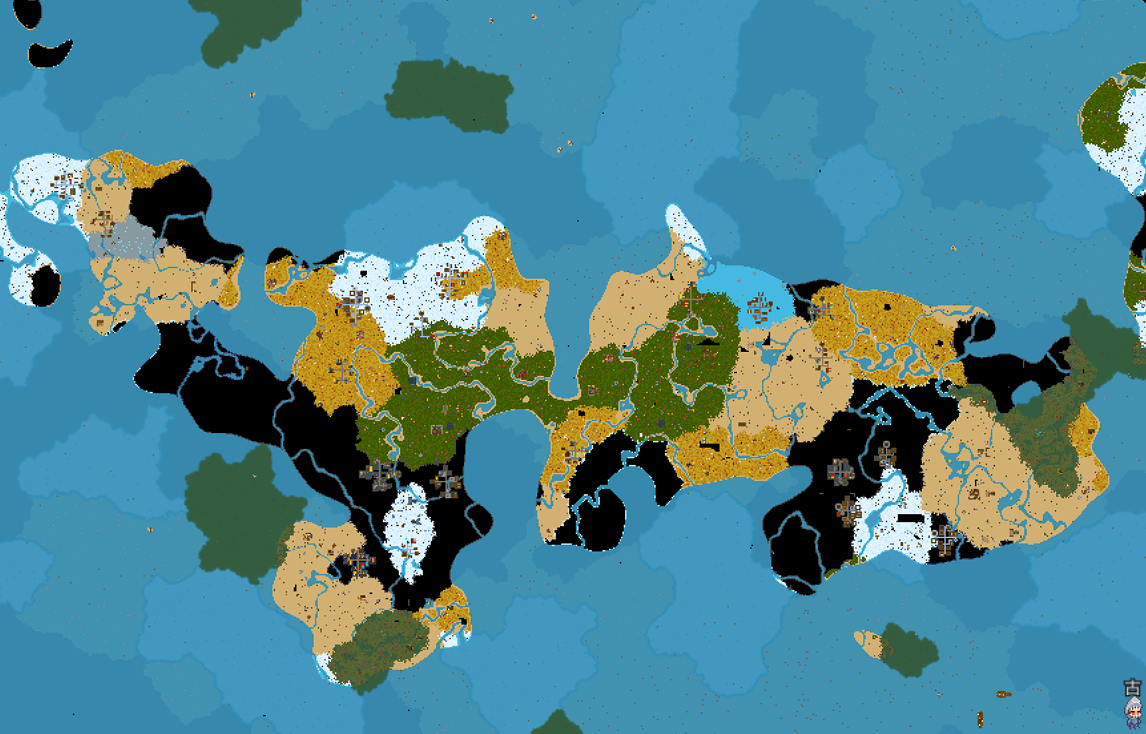
Larger Oceans ✓ The ocean coverage rate can be changed ✓ Continents are more widely distributed ✓ Significantly increased sailing distances ✓ Fixed crash issues when exploring new sea areas ✓ Make the game more challenging ❌ Original biome balance NOT maintained ✓ Partial restoration of the marshland While extensively tested during development, this mod fundamentally alters biome generation at the core level. Please BACKUP YOUR SAVES before use. For the best experience, start a NEW WORLD with this mod enabled. Remember to disable the mod when playing on old saves, as it will affect the generation of unloaded areas. Mod Name: Deathrite (Not Finished) (UPDATED TO 1.0)Issue Description This mod replaces every tile in the Ocean Underworld with starry sky tiles. Fortunately, no game crash issues have occurred so far during use. Configuration Settings Config file path: %APPDATA%\Necesse\mods\OceanSizeMod Vanilla Defaults: maxValue = -0.1 sizeModifier = 0.4 beachSize = 0.04 Current Default Preset: maxValue = 0.12 sizeModifier = 0.07 beachSize = 0.04 Customization Guide: maxValue: Higher values = larger oceans sizeModifier: 0.05 = long, stretched continents; 0.4 = long, stretched oceans beachSize: Controls beach size (range: 0~). Beach area occupies continental land — excessively high values will leave insufficient land and turn continents fully into sand. Note: When the value of the maxValue parameter is a positive number, every increase of 0.01 will cause the distance between the continents to become greater due to the increase in the proportion of the ocean. I have tested from -10 to 10 during the testing phase, but please try not to deviate too much from the original parameter. The game itself has significant restrictions on this parameter. When the sizeModifier is smaller, the continent will be larger. Do not try to input 0 or even smaller values. There will only be one continent. As for whether exploring the ocean will result in an error, it is unknown. Currently, the only possible error is an excessive liquid rendering error. beachSize refers to the width of the beach coastline. 0 is acceptable. I have not attempted a smaller value as it has no significance. When used together with Mountain2.0 mod, the recommended config of Larger Oceans is OceanSizeConfig = { maxValue = 0.12, sizeModifier = 0.04, beachSize = 0.04 } Mod update version: This mod will likely stop receiving updates https://steamcommunity.com/sharedfiles/filedetails/?id=3776317493

GridMod
76561198042878058 द्वारा
Mouse behavior (important) Left-click will always paint tiles and paste blueprints while paint or blueprint placement is active. Right-click deletes paint, exits selection, and cancels blueprint placement. If you feel like you can’t attack or place items, make sure you’ve exited selection mode or blueprint placement – those modes temporarily disable attacking and normal placement so they don’t interfere with painting or blueprint stamping. detailed controls: https://github.com/cr-2-4/necesse-Gridmod/blob/main/docs/controls.md GridMod Workshop Description GridMod is a QoL overlay that makes Necesse's construction and settlement tools feel like a proper level editor. It adds a clean grid, chunk indicators, settlement bounds, and a full paint/blueprint workflow entirely client-side, so you can lay out floors, walls, roads, and decorations with confidence before committing to the world. Recommended keybinds I strongly recommend binding at least these controls in the Controls → Mods → GridMod section: - Open Grid UI – opens the main configuration window. - Toggle Grid – show/hide the base grid overlay. - Paint: Toggle – turn paint logic on/off. - Paint: Clear – clear all paint for the current world. - Paint: Toggle overlay – hide/show the paint layer visually without disabling it. You can bind more later (blueprint hotkeys, settlement tools), but those five make the mod feel good right away. What you can do Grid overlay - Toggle a tile grid on top of the world. - Optionally show chunk and sub-chunk lines (with span/alpha controls). - Adjust grid and chunk opacity from the Grid UI or via hotkeys. Paint overlay - Turn paint logic on/off (Paint: Toggle) without touching your saved data. - Show/hide the paint overlay (Paint: Toggle overlay) while still painting “blind” if you want. - Pick a paint category (floors, walls, doors, lighting, furniture, etc.) in the Grid UI or the quick palette. - Every paint stroke lives on one of three layers (bottom, middle, top) so you can stack walls over floors or add detail passes without erasing your base layout. Switch layers from the quick palette while painting, and use the selection layer dropdown to isolate, copy, or clear individual layers. Lower layers remain visible underneath higher ones, so you can rough-in roads, then overlay walls, then sprinkle props without touching earlier work. - Adjust brush size (1–32) and see a preview square before placing tiles. - Hold Paint: Erase (hold) or use right-click to erase instead of paint. - Change per-category colors (grid lines, paint, selection, blueprint ghost) in the color tabs of the Grid UI. Selection tools - Switch between selection modes in the Grid UI: - None – selection disabled. - Rect – click-drag a rectangle of painted tiles. - Edge – freehand stroke; selects tiles along the path. - Edge+Fill – stroke + fills the enclosed polygon. - All – select all painted tiles. - Choose a selection layer (bottom/middle/wall/top) so only matching layers light up: - Top layer selection includes wall attachments and wall lighting. - Selected tiles glow with the same highlight style as hover, so you can see exactly what will move or be affected. Blueprints GridMod separates three blueprint types and exposes them through the quick palette sidebar: - Relative blueprints (per save) - Blueprints are created from the current selection, not from the entire overlay. - In the Blueprints panel, use: - Selection layer and Selection mode (Rect / Edge / Edge+Fill / All) to decide which tiles are included. - Save (dbl-click) to overwrite the currently selected blueprint with your selection (with a two-click overwrite guard). - Save As to create a new blueprint from the current selection (or overwrite an existing name, also with a two-click guard). - Load a blueprint to get a moveable ghost you can rotate/flip and stamp into the world. - Rename, delete, and manage your blueprints in the quick palette “Blueprints” panel. - Global blueprints - Use the “Global BPs” panel in the quick palette to store layouts that are not tied to a particular world. - Create new global entries, save the current paint into them, reload them later, and delete them when no longer needed. - Default blueprints (read-only pack) - The Default blueprints dropdown exposes curated .gridpaint templates like the Guidehouse and Crafting outline. - Typical use: - Pick a default from the dropdown. - Hit Load default to place it directly as a ghost in the world. - Defaults live inside the mod’s jar, so they never show up in your user blueprint folder and can’t be accidentally deleted or renamed. Blueprint placement works just like normal paint placement: - Use the quick palette buttons or blueprint hotkeys to Rotate CW / Rotate CCW / Flip while the ghost is active. - Left-click stamps the transformed blueprint into the world; right-click cancels placement. Settlement helpers - Toggle a settlement bounds overlay that shows the current tier size as a configurable rectangle. - Snap the settlement center to your current tile, preview the bounds, and adjust tier sizes in the Grid UI. Quick start 1. Bind keys for Open Grid UI, Toggle Grid, Paint: Toggle, Paint: Clear, and Paint: Toggle overlay. 2. Toggle the grid or paint: - Turning Grid on spawns the quick palette panels for Grid and Global BPs. - Turning Paint on adds the Paint, Blueprints, and Settlement panels. Then open the quick palette button on the left side of the screen and expand the panels you need. 3. Turn on Paint: Toggle and pick a paint category (for example Floors) and brush size. 4. Draw a simple layout, then use the Selection layer / Selection mode controls and Save / Save As in the Blueprint panel to store it as a blueprint. 5. Open the Default blueprints dropdown, pick Guidehouse or Crafting outline, and press Load default to place the bundled templates. Controls (as shown in the Controls menu) Control label – What it does Open Grid UI – Opens/closes the main GridMod configuration window. Toggle Grid – Shows or hides the base grid overlay. Grid alpha + / Grid alpha - – Increase/decrease grid line opacity. Chunk lines / Sub-chunk lines – Toggle chunk and sub-chunk guide lines. Chunk span 8/16/32 – Cycle chunk spacing used by chunk lines. Chunk alpha + / Chunk alpha - – Increase/decrease chunk line opacity. Sub alpha + / Sub alpha - – Increase/decrease sub-chunk line opacity. Paint: Toggle – Enables/disables paint logic (brush + selection + blueprint placement). Paint: Clear – Clears all paint data for the current world. Brush size + / Brush size - – Increase/decrease brush size. Paint: Toggle overlay – Shows/hides the paint overlay visually without disabling it. Paint: Erase (hold) – While held, painting erases tiles instead of placing them. Blueprint: Quick save – Saves the currently selected blueprint name to disk. Blueprint: Quick load/place – Loads the selected blueprint and enters placement mode. Blueprint: Rotate CW / Rotate CCW / Flip – Rotates or flips the active blueprint ghost while placing. Settlement: Place here – Moves the settlement center to your current tile and updates the bounds overlay. Settlement: Toggle overlay – Shows/hides the settlement bounds overlay. Settlement: Cycle tier – Cycles the settlement tier size used for bounds. All of these controls start unbound so you can map them to whatever layout makes sense for you. Bind a few essentials first, then add more as you start using the advanced features. --- Source & issue tracker: https://github.com/cr-2-4/necesse-Gridmod

DoubleLightLevel
76561198125574464 द्वारा
Doubles the light level of placed light sources. This only applies to objects with the default in-game light level of 150. We have discovered that there are display issues that make it appear as if some torches are not lit. After analyzing the issue, it appears that the game's processing can only handle screen rendering up to a light level of 250 (probably), and light levels above that appear to result in light sources that are not taken into account during rendering. Since it is difficult to address this issue with a mod, we have created a separate mod (Increase Light Level) that sets the light level to 250. Please use this mod if you are concerned about display issues.
Moyasis Character Retexture Patch
76561198040098873 द्वारा
Simple mod that fixes the game with the mod: Moyasi's Character Retexture Disclaimer: you need the original mod, this is not a copy and doesn't have the sprites, is just a simple patch in game logic. The symptoms: When using Moyasi's Character Retexture you will see sometimes settlers with white hair (no color white but pute white), also in character selection the 4 latest hair styles and the last facial hair are shown with an ERROR image. The Issue: There are 4 hair styles and 1 facial style not present in Moyasi's mod. the game internally tries to map out-of-bounds styles, the game breaks internally (but you can continue playing), resulting continuous small stutters. The Solution: The mods is a simple patch that maps the 4 extra hair styles and the extra facial hair that were added in 1.3.2 into the existing styles of Moyasi's mod. I used 4 similar styles within the existing ones, also changed the random probability so is shared between the copy and the reference so all styles have the same chance to appear in settlers. Ingame you'll see the 4 latest styles that are the same to other previous ones, but the important part: game won't break internally anymore, plus no more all-white hair dudes.
मॉड सपोर्ट के साथ Necesse सर्वर
संगत और समर्थित मॉड सर्वर डैशबोर्ड से इंस्टॉल करें।
Necesse सर्वर किराए पर लें