DayZ Mods & Plugins

SPBuilding - Nuclear reactor coolant, walls, platforms
76561198062521392 作
[h1]This mod will no longer be updated[/h1] [h1]REPACK IS ALLOWED[/h1] [h1]SP Building[/h1] It's a simple mod that add some custom building from my old dayz server, used for custom mapping. [h1]Classnames[/h1] [code]Land_sp_platform, Land_sp_platform_slim, Land_sp_platform_slim_d, Land_sp_dz_gate, Land_sp_dz_gate_2, Land_sp_dz_gate_3, Land_sp_dz_wall_dr_1, Land_sp_dz_wall_dr_2, Land_sp_dz_wall_dr_3, Land_sp_dz_wall_dr_4, Land_sp_dz_wall_dr_5, Land_sp_dz_wall_dr_6, Land_sp_dz_wall_ent_1, Land_sp_dz_wall_ent_2, Land_sp_dz_wall_ent_3, Land_sp_dz_wall_ent_4, Land_sp_dz_wall_ent_5, Land_sp_dz_wall_ent_6, Land_sp_dz_wall_gu_1, Land_sp_dz_wall_gu_2, Land_sp_dz_wall_gu_3, Land_sp_dz_wall_gu_4, Land_sp_dz_wall_gu_5, Land_sp_dz_wall_gu_6, Land_sp_nuclear, Land_sp_wreck_uh1y, Land_sp_wreck_mi8[/code] [url=https://www.paypal.com/donate/?hosted_button_id=RGUVKX93CFRHE]DONATE[/url]
DayZ-Expansion-Spawn-Selection
76561198959715227 作
[img]https://i.imgur.com/UumrOCx.png[/img] [h1]Features[/h1] DayZ Expansion Spawn Selection add the ability to choose where you will spawn on the map and to let server owners to customise what gear the player will spawn with. This mod provide: - Death Marker while in the spawn selection menu - Spawn Selection - Spawn Cooldown - Configurable Gear - Configurable Outfit - Configurable Loadouts (sets of clothing/gear) if combined with [url=https://steamcommunity.com/sharedfiles/filedetails/?id=2792982513]DayZ-Expansion-BaseBuilding[/url]: - Ability to spawn in your territory if combined with [url=https://steamcommunity.com/sharedfiles/filedetails/?id=2792984722]DayZ-Expansion-Navigation[/url]: - Ability to see the death marker in 3D and on your map [h1]Installation[/h1] If you need help to install the mods or the mission files please follow this guide: https://steamcommunity.com/sharedfiles/filedetails/?id=2430317812 [h1]Feedback[/h1] We're grateful to hear any feedback and suggestions from anyone, the best place to give it to us would be our Discord ( https://discord.gg/rMZuS4F ), please also join if you have any questions too! [img]https://i.imgur.com/r0rQ5EC.png[/img] [i]Copyright 2021 DayZ Expansion Mod Team. This item is not authorized for posting on Steam, except under the Steam account https://steamcommunity.com/id/dayzexpansion/[/i]
BetterVendingMachines
76561198122455860 作
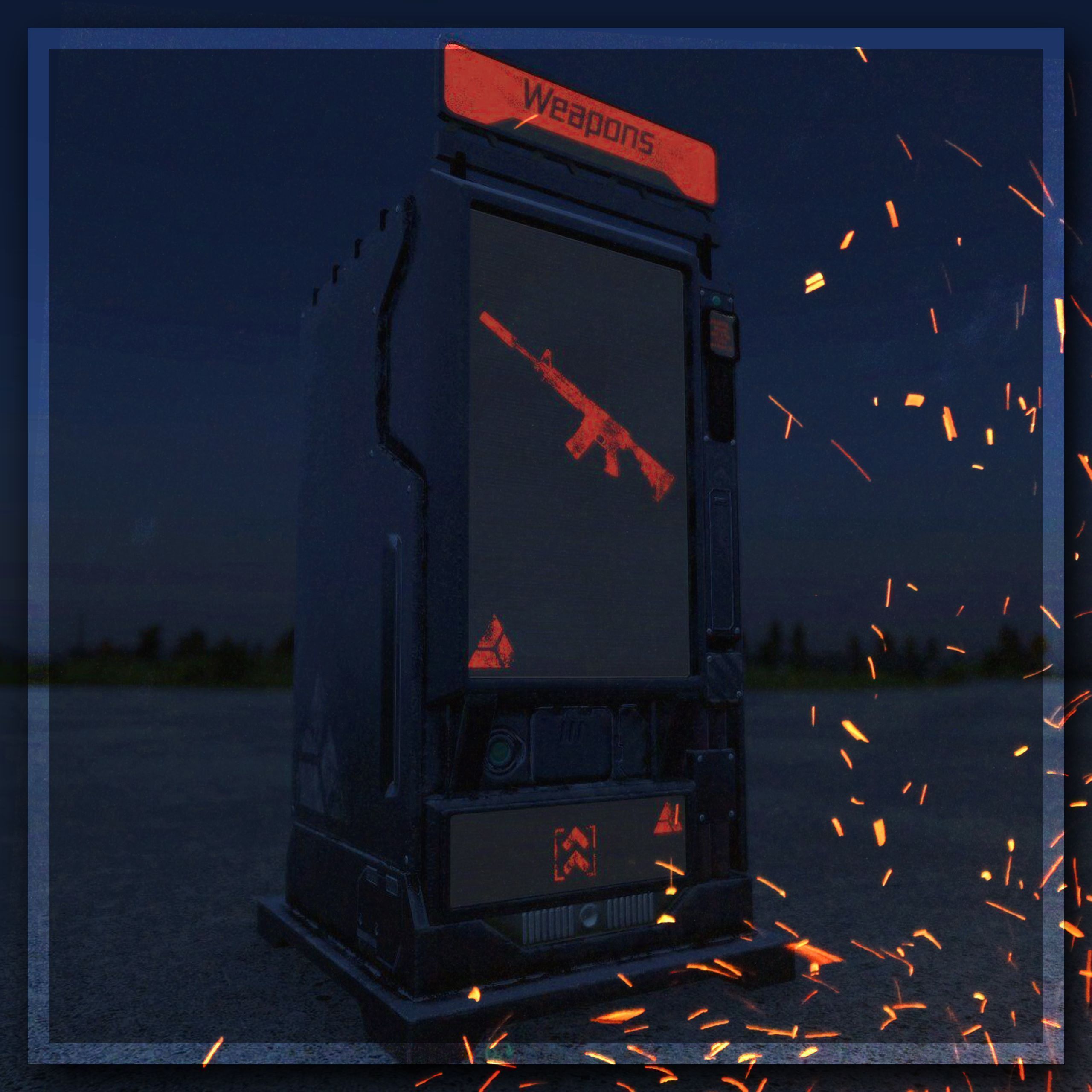
[img]https://i.imgur.com/SGMylzO.gif[/img] [img]https://i.imgur.com/TqbbeJm.png[/img] [img]https://i.imgur.com/uLsTOAn.png[/img] [b]BetterVendingMachines[/b] is a great addition to your server, if you're in search for amazing vending machines (and now an ATM). There is many different variants that can be used for your trader categories. And... For those very dark nights, the machines will glow. Any ideas/ suggestions you have for the mod, [b]leave a comment[/b] down below. I hope you [b]enjoy[/b] what this mod brings! [code]THIS IS NOT A STANDALONE TRADER SYSTEM[/code] [b]This mod is compatible/ requires one,[/b] [i]* Dr. Jones Trader[/i] [i]* TraderPlus[/i] This version is [b]not[/b] compatible with [i]DayZ Expansion Market[/i]. If you're looking for one that is compatible with [i]DayZ Expansion[/i]... click the image below, [url=https://steamcommunity.com/sharedfiles/filedetails/?id=2777701910][img]https://i.imgur.com/vWez3e0.png[/img][/url] [img]https://i.imgur.com/TqbbeJm.png[/img] [img]https://i.imgur.com/r4cCOvu.png[/img] - Sci-fi Vending Machine - Sci-fi ATM - Simple and clean look - Glows in the dark - Many different types of traders [img]https://i.imgur.com/TqbbeJm.png[/img] [img]https://i.imgur.com/tIgz9Ee.png[/img] [code]Anything marked with ([b]*[/b]) was added in most recent update[/code] [table] [tr] [th][h3]Type[/h3][/th] [th][h3]Classname[/h3][/th] [/tr] [tr] [th]Weapons[/th] [th][i]BVM_VendingMachine_weapons[/i][/th] [/tr] [tr] [th]* Firearms[/th] [th][i]BVM_VendingMachine_firearms[/i][/th] [/tr] [tr] [th]* Sidearms[/th] [th][i]BVM_VendingMachine_sidearms[/i][/th] [/tr] [tr] [th]* Melee[/th] [th][i]BVM_VendingMachine_melee[/i][/th] [/tr] [tr] [th]* Vanilla Weapons[/th] [th][i]BVM_VendingMachine_vanilla_weapons[/i][/th] [/tr] [tr] [th]* Modded Weapons[/th] [th][i]BVM_VendingMachine_modded_weapons[/i][/th] [/tr] [tr] [th]Ammunition[/th] [th][i]BVM_VendingMachine_ammunition[/i][/th] [/tr] [tr] [th]Attachments[/th] [th][i]BVM_VendingMachine_attachments[/i][/th] [/tr] [tr] [th]Donator[/th] [th][i]BVM_VendingMachine_donator[/i][/th] [/tr] [tr] [th]VIP[/th] [th][i]BVM_VendingMachine_vip[/i][/th] [/tr] [tr] [th]Special[/th] [th][i]BVM_VendingMachine_special[/i][/th] [/tr] [tr] [th]Exchange[/th] [th][i]BVM_VendingMachine_exchange[/i][/th] [/tr] [tr] [th]Tools[/th] [th][i]BVM_VendingMachine_tools[/i][/th] [/tr] [tr] [th]Spray Paint[/th] [th][i]BVM_VendingMachine_spray[/i][/th] [/tr] [tr] [th]Base Building[/th] [th][i]BVM_VendingMachine_building[/i][/th] [/tr] [tr] [th]Crafting[/th] [th][i]BVM_VendingMachine_crafting[/i][/th] [/tr] [tr] [th]Medical[/th] [th][i]BVM_VendingMachine_medical[/i][/th] [/tr] [tr] [th]Consumables[/th] [th][i]BVM_VendingMachine_consumables[/i][/th] [/tr] [tr] [th]Food[/th] [th][i]BVM_VendingMachine_food[/i][/th] [/tr] [tr] [th]Beverages[/th] [th][i]BVM_VendingMachine_beverages[/i][/th] [/tr] [tr] [th]Cooking[/th] [th][i]BVM_VendingMachine_cooking[/i][/th] [/tr] [tr] [th]Miscellaneous[/th] [th][i]BVM_VendingMachine_miscellaneous[/i][/th] [/tr] [tr] [th]Clothing[/th] [th][i]BVM_VendingMachine_clothing[/i][/th] [/tr] [tr] [th]Vanilla Clothing[/th] [th][i]BVM_VendingMachine_vanilla_clothing[/i][/th] [/tr] [tr] [th]Modded Clothing[/th] [th][i]BVM_VendingMachine_modded_clothing[/i][/th] [/tr] [tr] [th]Military Clothing[/th] [th][i]BVM_VendingMachine_military_clothing[/i][/th] [/tr] [tr] [th]Armor[/th] [th][i]BVM_VendingMachine_armor[/i][/th] [/tr] [tr] [th]Drugs[/th] [th][i]BVM_VendingMachine_drugs[/i][/th] [/tr] [tr] [th]Hunting[/th] [th][i]BVM_VendingMachine_hunting[/i][/th] [/tr] [tr] [th]Fishing[/th] [th][i]BVM_VendingMachine_fishing[/i][/th] [/tr] [tr] [th]Mining[/th] [th][i]BVM_VendingMachine_mining[/i][/th] [/tr] [tr] [th]Farming[/th] [th][i]BVM_VendingMachine_farming[/i][/th] [/tr] [tr] [th]Boats[/th] [th][i]BVM_VendingMachine_boats[/i][/th] [/tr] [tr] [th]Helicopters[/th] [th][i]BVM_VendingMachine_helicopters[/i][/th] [/tr] [tr] [th]Vehicles[/th] [th][i]BVM_VendingMachine_vehicles[/i][/th] [/tr] [tr] [th]Vehicle Parts[/th] [th][i]BVM_VendingMachine_vehicle_parts[/i][/th] [/tr] [tr] [th]Garage[/th] [th][i]BVM_VendingMachine_garage[/i][/th] [/tr] [tr] [th]Raiding[/th] [th][i]BVM_VendingMachine_raiding[/i][/th] [/tr] [tr] [th]* Explosives[/th] [th][i]BVM_VendingMachine_explosives[/i][/th] [/tr] [tr] [th]Blackmarket[/th] [th][i]BVM_VendingMachine_blackmarket[/i][/th] [/tr] [tr] [th]Collectables[/th] [th][i]BVM_VendingMachine_collectables[/i][/th] [/tr] [tr] [th]Dogtags[/th] [th][i]BVM_VendingMachine_dogtags[/i][/th] [/tr] [tr] [th]Crypto[/th] [th][i]BVM_VendingMachine_crypto[/i][/th] [/tr] [tr] [th]Bitcoin[/th] [th][i]BVM_VendingMachine_bitcoin[/i][/th] [/tr] [/table] [img]https://i.imgur.com/XSS0T2c.png[/img] [code]Anything marked with ([b]*[/b]) was added in most recent update[/code] [table] [tr] [th][h3]Type[/h3][/th] [th][h3]Classname[/h3][/th] [/tr] [tr] [th]* ATM (White)[/th] [th][i]BVM_ATM[/i][/th] [/tr] [tr] [th]* ATM (Red)[/th] [th][i]BVM_ATM_red[/i][/th] [/tr] [tr] [th]* ATM (Blue)[/th] [th][i]BVM_ATM_blue[/i][/th] [/tr] [tr] [th]* ATM (Green)[/th] [th][i]BVM_ATM_green[/i][/th] [/tr] [tr] [th]* ATM (Purple)[/th] [th][i]BVM_ATM_purple[/i][/th] [/tr] [/table] [img]https://i.imgur.com/TqbbeJm.png[/img] [img]https://i.imgur.com/ehpsDJA.png[/img] [h2]Dr. Jones Trader SETUP[/h2] Here is a [u]video guide[/u] on how to setup the vending machines for your trader, https://www.youtube.com/watch?v=W1SIJwruaHw If you've got NPC's setup in your trader currently, here is an example of replacing classnames in [b]TraderObjects.txt[/b] [code]// -------------------------------------- Trader Markers -------------------------------------- // Green Mountain: Weapons <TraderMarker> 0 // Weapons <TraderMarkerPosition> 3692.121, 402.012, 5995.818 <TraderMarkerSafezone> 600 // -------------------------------------- Objects to Spawn -------------------------------------- // Green Mountain: Weapons <Object> BVM_VendingMachine_Weapons // Weapons <ObjectPosition> 3692.121, 402.012, 5995.818 <ObjectOrientation> 74, 0, 0 <ObjectAttachment> NPC_DUMMY[/code] [i]If you're [u][b]unable[/b] to interact with the vending machine[/u] make sure your "ObjectAttachment" isn't commented out and is "NPC_DUMMY". Meaning there is two slashes in the front "//"[/i] [hr][/hr] [h2]TraderPlus SETUP[/h2] [i]Steam is not allowing me to post an example for some reason... If you'd need an example join my discord[/i] [img]https://i.imgur.com/fhkH8nU.png[/img] [u]Enhanced Banking[/u] | ATM setup can be found in [b]ATMPosition.json[/b] Requires a separate mod as it would require a dependency for the ATM to work. You can find the mod by [url=https://steamcommunity.com/sharedfiles/filedetails/?id=2937443835] CLICKING HERE! [/url] [code] [ { "classname": "BVM_ATM", "position": [ 0.0, 0.0, 0.0 ], "orientation": [ 0.0, 0.0, 0.0 ], ... }, ] [/code] [u]Advanced Banking[/u] | Requires a separate mod as it would require a dependency for the ATM to work. You can find the mod by [url=https://steamcommunity.com/sharedfiles/filedetails/?id=2905793274] CLICKING HERE! [/url] [img]https://i.imgur.com/TqbbeJm.png[/img] [img]https://i.imgur.com/2NGpFFz.png[/img] [img]https://i.imgur.com/LocdWko.png[/img] [quote=author][i]If you like this mod and would like to support me, consider donating. All donations are lovely and bring me great joy in life. You can also support me by giving this mod a thumbs up and recommending more servers to converting to these vending machines.[/i][/quote] [url=https://ko-fi.com/tteett][img]https://i.imgur.com/kKkMmka.png[/img][/url]

CJ187-MoreDrinks
76561197999836347 作
This mod contains many new foods for the fight for survival. Find new drinks in different flavors and properties. Find new bottles to drink at any time. In addition, there are other containers to store important liquids. Find a variety of new canned foods that can be consumed raw. Or find apples in different colors. In addition, this mod changes the nutritional value of the vanilla items. Meat, fish and certain mushrooms are not recommended to be eaten raw. The drinks have different nutritional values depending on how much sugar they contain. Credits: https://sketchfab.com/3d-models/monster-energy-drink-d9e8651b357e4b11909ae305024e1d37 [H1][b]For suggestions or questions, please contact me in my Discord. No Repack requests! Dont ask![/b][/h1] [URL=https://discord.gg/Zfs37XUGnN][IMG]https://i.ibb.co/bbdmLz1/Discord-Logo-Wordmark-Color.png[/IMG][/URL] It will be nice, when you will support me for more free Mods in the Future. [URL=https://paypal.me/cj187berlin][IMG]https://i.ibb.co/6bqs4Rd/1.png[/IMG][/URL] Classnames for your Types.xml and Traderconfig: [h1][b]Fruits:[/b][/h1] Apple_Red Apple_Yellow Apple_Green [h1][b]Bottles:[/b][/h1] Bottle_Milk Bottle_Cola Bottle_Pepsi OilCannister SmallOilCannister [h1][b]Sodacans:[/b][/h1] Cola Cola_Cherry Cola_Light MonsterEnergy1 MonsterEnergy2 MonsterEnergy3 MonsterEnergy4 MonsterEnergy5 MonsterEnergy6 MonsterEnergy7 MonsterEnergy8 MTN_Dew MTN_Dew2 Pepsi Pepsi2 Pepsi_Light Fanta Sprite [h1][b]Foodcans:[/b][/h1] BlackOlivesCan BlackOlivesCan_Opened CookedSpinachCan CookedSpinachCan_Opened FavabeansCan FavabeansCan_Opened FruitcocktailCan FruitcocktailCan_Opened GreenbeansCan GreenbeansCan_Opened KidneybeansCan KidneybeansCan_Opened SlicedbeetsCan SlicedbeetsCan_Opened SlicedpineappleCan SlicedpineappleCan_Opened
DayZ-Expansion-BaseBuilding
76561198959715227 作
[img]https://i.imgur.com/UumrOCx.png[/img] [h1]Features[/h1] DayZ Expansion BaseBuilding introduce new basebuilding constructions and a territory system. - Build and claim your Territory with your friends to protect your base from raiders - Tons of new territory flags - Codelock - modular constructions (walls, floors, ramps, stairs) - Safes - Raiding server settings - Building server settings - Territory server settings - Buildanywhere If combined with [url=https://steamcommunity.com/workshop/filedetails/?id=1564026768]Community-Online-Tools (COT)[/url]: - Admin menu to manage all the territories on your server If combined with [url=https://steamcommunity.com/workshop/filedetails/?id=2116157322]DayZ-Expansion-Licensed[/url]: - Some arma 2 props will be added as deployables (barbwire, signs, tents, gunrack, ...) If combined with [url=https://steamcommunity.com/sharedfiles/filedetails/?id=2804241648]DayZ-Expansion-Spawn-Selection[/url]: - Ability to respawn on your territory If combined with CodeLock to ExpansionCodelock Bridge: - The Expansion Codelock will be compatible with multiple mods using the CodeLock mod. [h1]Installation[/h1] If you need help to install the mods or the mission files please follow this guide: https://steamcommunity.com/sharedfiles/filedetails/?id=2430317812 [h1]Guides:[/h1] Please visit the Expansion Wiki for further info on how to use the mod: https://github.com/salutesh/DayZ-Expansion-Scripts/wiki/ [h1]Feedback[/h1] We're grateful to hear any feedback and suggestions from anyone, the best place to give it to us would be our Discord ( https://discord.gg/rMZuS4F ), please also join if you have any questions too! [img]https://i.imgur.com/r0rQ5EC.png[/img] [i]Copyright 2021 DayZ Expansion Mod Team. This item is not authorized for posting on Steam, except under the Steam account https://steamcommunity.com/id/dayzexpansion/[/i]
AirRaid
76561198829279936 作
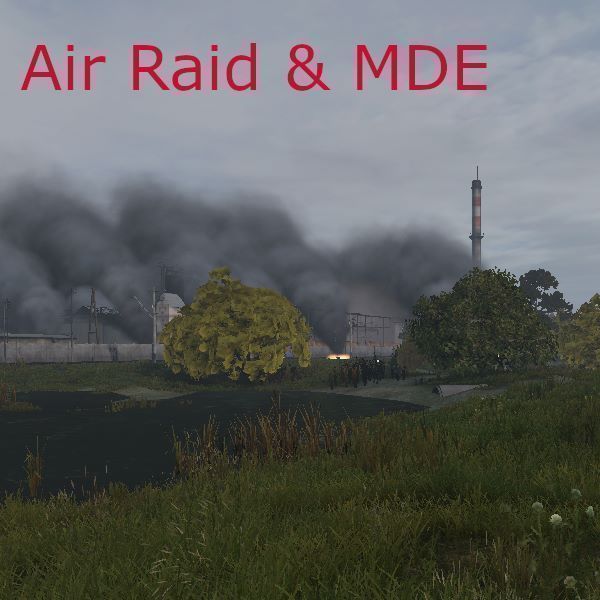
[h2]Description[/h2] This mod add more dynamic events to game. Its inspired by AirRaid mod for Arma 2. When air raid is coming siren started. Then arrive bomber, release bombs and after some short time siren stops. Explosions are very dangerous, be careful. In Chernarus map also add some new dynamic event to sea - patrol Submarine. Its only sailing south coastline. Later will have more events. New FishingBoat (WIP) sailing from Svetlojarsk to south. [url=https://www.twitch.tv/hunterzcz/clip/NastyToughEchidnaSpicyBoy]twitch clip of some early version[/url] Another dynamic event is AN-2 (Andula) biplane flying over map. Sometimes you can see and hear Soviet MiG-21. You can also met Soviet Mi-24 and Mi-6 helicopter. During night you can watch UFO. You can met Balloon too. [h2]Instalation[/h2] Installation: on server side just add mod, config file will be generated. Also dont forget copy key file to keys directory on server. Because mod adding new objects, of course must be installed on client and server too. Add -mod=@AirRaid to server startup options. [h2]Configuration[/h2] Configuration is server side in json file which is located in mod folder inside profile folder. eg. myprofile/AirRaid/AirRaid.json You can configure: -OwerrideMapSize (0= false/1=true) -MapSize in meters - when is owerride true -name of air raid location -siren postion -target position -type (light, normal, heavy) -number of bombs -interval between air raids (in minutes, setting to -1 disable bombing) -notifications(1 enable / 0 disable) -interval of submarine patrol (in minutes) -interval of Boat (in minutes) -enable ships - (1 enable / 0 disable ) - set to 0 in Livonia...(not enough water for submarine) -enable Andula (1 enable / 0 disable) Soviet biplane -interval of Andula -enable MiG-21 (1 enable / 0 disable) Soviet jet plane -interval of MiG-21 -enable UFO (1 enable / 0 disable) Better in night -interval of UFO -enable Mi-24 helicopter (1 enable / 0 disable) Soviet battle helicopter -interval of Mi-24 -enable Mi-6 helicopter (1 enable / 0 disable) Soviet transport helicopter -interval of Mi-6 -enable Balloon (1 enable / 0 disable) -interval of Balloon in minutes (do not set lower values than 20) rest of config is WIP (work in progress) Do not increase number of bombs too much - particles will start flickering/glitching. [h2]TODO[/h2] -bombing types -more dynamic events -more patrol waypoints to submarine -adjustable depth of submarine (diving) -admin "flare" -add particles TTL [h2]Further Info[/h2] [b]No repacks allowed. Don't ask. Repacking is cancer of DayZ community.[/b] You are allowed to look into mod for learning purposes or if you want know how it works. If you found some bugs or have suggestions, use discord. Thanks for any feedback! Discord: https://discord.gg/49FvN7rRpF HunterzCZ#4660 -Hunterz- [h2]Credits[/h2] Thx to [Lusk]-hlynge for preparing and modify models. Tu-95 model from helijah at sketchfab.com Kilo Submarine is from open3dmodel.com Fishing Boat is from open3dmodel.com AN-2 model is from open3dmodel.com MiG-21 model from Tim Samedov at sketchfab.com Mi-24 model from manilov.ap at sketchfab.com Mi-6 model from Pavlo Haichuk at turbosquid.com
DayZ-Expansion-Weapons
76561198959715227 作
[img]https://i.imgur.com/UumrOCx.png[/img] [h1]Features[/h1] DayZ Expansion Weapons is a pack of Firearms and optics. [img]https://i.imgur.com/QZsgj0O.png[/img] New Weapons: - Crossbow - RPG-7 - M72 LAW - M79 grenade launcher - Taser X2 Defender - M9 - Karabiner 98K - Vityaz-SN PP19-01 - MP7 - Beneli M4 - DT11 - M14 Springfield - M1A SOCOM - PP-91 KEDR - MP5A2 - MP5SD - AWM - M16A4 - G36C New Optics: - EOTech XPS3 HoloSight - Karabiner98K Scope - Walther MRS Sight - Leupold Mark 4 HAMR Scope - SB PMII 25x Sniper Scope New Grenades: - TearGas Grenade - M79 TearGas Grenade [h1]Installation[/h1] If you need help to install the mods or the mission files please follow this guide: https://steamcommunity.com/sharedfiles/filedetails/?id=2430317812 [h1]Feedback[/h1] We're grateful to hear any feedback and suggestions from anyone, the best place to give it to us would be our Discord ( https://discord.gg/rMZuS4F ), please also join if you have any questions too! [img]https://i.imgur.com/r0rQ5EC.png[/img] [i]Copyright 2021 DayZ Expansion Mod Team. This item is not authorized for posting on Steam, except under the Steam account https://steamcommunity.com/id/dayzexpansion/[/i]

Erapulsar_Zombies
76561197999079189 作
https://erapulsar.ru/ [h1]The mod will be maintained and updated thanks to your support[/h1] [quote= atonce] Do not forget to thank the authors for their work . Thanks to your support, new works are created, old ones are updated and existing ones are improved [/quote] [url=https://discord.gg/Y68rjwU9d3][img]https://i.ibb.co/T9HyrMj/Click-To-Join-Discord.png[/img][/url] Inside the mod there are many zombies with 3 types of customization (Standart, Medium, Hard) It is possible to obtain a sample of the virus from the brain of a dead zombie by skinning it. [h2]SETTINGS[/h2] [url=https://github.com/atonce-original/Erapulsar_Zombies_CE]Settings in GitHub[/url] [h2]Classnames[/h2] [code] Lite 150 HP Era_Zombies_BabyZmb Era_Zombies_Clot Era_Zombies_feeder Era_Zombies_Golovastik Era_Zombies_Kleshni Era_Zombies_Krovosos Era_Zombies_MumiaSlowZmb Era_Zombies_MurderZmb Era_Zombies_snork Era_Zombies_StlZomb1 Era_Zombies_StlZomb2 Era_Zombies_StlZomb3 Era_Zombies_StlZomb4 Era_Zombies_StlZomb5 Era_Zombies_StlZomb6 Era_Zombies_StlZomb7 Era_Zombies_StlZomb8 Era_Zombies_Zombie Era_Zombies_Zubastik1 Era_Zombies_Zubastik2 Era_Zombies_Zubastik3 MEDIUM 700 HP Era_Zombies_BabyZmb_MEDIUM Era_Zombies_Clot_MEDIUM Era_Zombies_feeder_MEDIUM Era_Zombies_Golovastik_MEDIUM Era_Zombies_Kleshni_MEDIUM Era_Zombies_Krovosos_MEDIUM Era_Zombies_MumiaSlowZmb_MEDIUM Era_Zombies_MurderZmb_MEDIUM Era_Zombies_snork_MEDIUM Era_Zombies_Zombie_MEDIUM Era_Zombies_Zubastik1_MEDIUM Era_Zombies_Zubastik2_MEDIUM Era_Zombies_Zubastik3_MEDIUM HARD 1700 HP Era_Zombies_HARD Era_Zombies_Clot_HARD Era_Zombies_feeder_HARD Era_Zombies_Golovastik_HARD Era_Zombies_Kleshni_HARD Era_Zombies_Krovosos_HARD Era_Zombies_MumiaSlowZmb_HARD Era_Zombies_MurderZmb_HARD Era_Zombies_snork_HARD Era_Zombies_Zombie_HARD Era_Zombies_Zubastik1_HARD Era_Zombies_Zubastik2_HARD Era_Zombies_Zubastik3_HARD # new v2.1 Era_Zombies_Possessed Era_Zombies_Possessed_MEDIUM Era_Zombies_Possessed_HARD # new v2.2 //standart zombies tube Era_Z_tubeR_red_s Era_Z_tubeR_blue_s Era_Z_tubeR_yellow_s Era_Z_tubeR_green_s //medium zombies tube Era_Z_tubeO_red_m Era_Z_tubeO_blue_m Era_Z_tubeO_yellow_m Era_Z_tubeO_green_m //hard zombies tube Era_Z_tubeB_red_h Era_Z_tubeB_blue_h Era_Z_tubeB_yellow_h Era_Z_tubeB_green_h [/code] [hr][/hr] 📌[h2] Functionality of Erapulsar_Zombies_Expansion server mod[/h2] [url=https://youtu.be/vcQhfgvZ1cE]YouTube [/url] [b]Log level control:[/b] from complete disable to full debug mode. [b]Zombie explosion settings:[/b] radius, health damage, blood loss, and shock effects. [b]Virus system:[/b] blood loss, temperature increase, coughing, and vomiting with different chances and effects depending on infection stage. [b]Vomiting effects:[/b] water and energy drain. [b]Zombie attributes:[/b] [list] [*]protection from contaminated zones, [*]chance to carry the virus, [*]chance to explode on death, [*]size scaling, [*]vehicle ramming damage, [*]ability to be skinned. [/list] [url=https://boosty.to/erapulsar/posts/ef37f0ce-ddca-4529-95c0-37d7f18807ce?share=post_link][img]https://i.ibb.co/gZXzyNDZ/Click-To-Join-Boosty.png[/img][/url] [url=https://buymeacoffee.com/erapulsar][img]https://i.ibb.co/hxQQ4bJx/Click-To-Join-Buy-Ma-C.png[/img][/url] [quote= atonce] Copyright belongs to the creator atonce. The product can only be published on Steam through an account immediately (account link https://steamcommunity.com/id/atonce_original/). Repackaging and publishing on Steam are prohibited. Anyone who is allowed to publish this work will be written in the description of this work.[/quote] [b]Repack => [u]DMCA[/u][/b] [b]FROM IDEAL INSPIRERS AND PROJECT CREATORS! WE WISH EVERYONE A PLEASANT GAME AND BRIGHT IMPRESSIONS! Your ADMINISTRATION.[/b] [hr][/hr]
Cold War Uniforms: Project Iron
76561198056252633 作
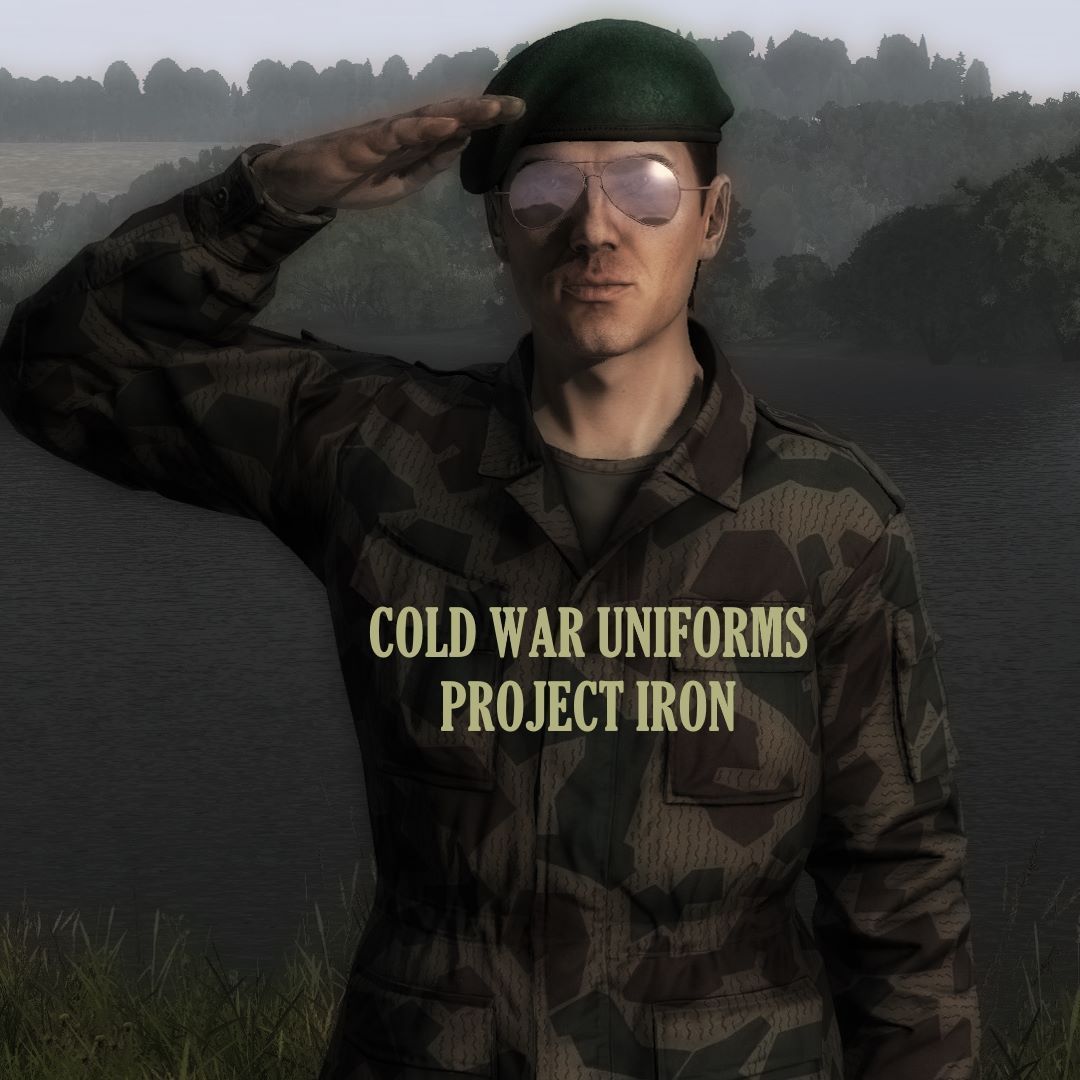
[h1]Introduction:[/h1] Greetings and welcome to Project Iron, I am very glad to have you here! In this mod you shall find a wide selection of Cold War Uniform types, different camouflage patterns with a vintage flair so we may feast our eyes upon some good old military surplus that would be available to anyone who dares to raid an army surplus store in the event of an apocalypse! I shall be working towards the development of Project Iron even after the initial build by adding in new content, possibly plenty more camo patterns, retexture more gear types and perhaps even bring in new models to the table, as long as I learn how to. Project Iron is a beginner's project, as I have not had previous experience modding, so I do ask for your patience regarding development and I hope that the mod brings you the joy and satisfaction it brings to me! [h1]Current Patterns: 10[/h1] [b][u][i]Combat Uniform Setup:[/i][/u][/b] M/68 East German Strichtarn M/79 Bulgarian Splinter M/62 Finnish Pattern M/63 Czechoslovakian Oblaky M/56 Belgian Jigsaw [b][u][i]Light Patrol Setup:[/i][/u][/b] P84 British DPM M/68 Bulgarian Frogskin Soviet TTsMKK Soviet KLMK Soviet KLMK SO Special thanks to the Facepunch Camo Thread artists that made works like this possible. [h1]Notes:[/h1] - Feel free to repack the mod into your server mods w/ credits. - Types XML is included, which's contents can be copied over to your server types xml, just note that I had no idea how it really works, so feel free to change the values at your own discretion.
RaG_BeeHive
76561197976782863 作
[h1]RaG BeeHive[/h1] [b]You’ll need a Beekeeper protection suit, to avoid getting stung and receive damage. Any NBC Gear works too, but you will need the Beekeeper Hat![/b] [b]Alternatively to the BeeSuit, you can use the Bee-Smoker. Once you added Bark to it and lit it using any lighter, it will generate smoke. Hold it in your Hands and move towards the Beehive. The Bees will now sleep and won't attack you anymore. How long this will last, depends on the Server-Setting. Default time is 5 Minutes.[/b] [i]Find a BeeHive Kit and place it. Find a Beetrap and add Bees to the Beehive, otherwise you won't be able to make Honey. The chance that Bees stay depends on the Server-Setting. Default is 50%[/i] [i]You can use a Sledgehammer on Trees to find Beetraps. The chance to get one depends on the Server-Setting. Default is 10%[/i] [b]Note: In order to use Honey and Honeywine as a liquid you will need: https://steamcommunity.com/sharedfiles/filedetails/?id=2921783686[/b] [h1]Server Settings (RaG_Beehive.json) explanation:[/h1] [code] { "GetFillFrameTime": 60, // Time in MINUTES - Time the Beehive needs, once a empty Frame got attached "GetSmokedStateTime": 5, // Time in MINUTES - Time the Damagetrigger will be deactivated once a Player used the Bee Smoker "GetChanceForBeesToStay": 50, // Range 0-100 - Percentage Chance that Bees will stay, once a Player added Bees to the Beehive using a Beetrap "GetChanceToFarmBeeTrap": 10 // Range 0-100 - Percentage Chance to get a Beetrap after using a Sledgehammer on a Tree } [/code] [h1]How to make Honey?[/h1] [code]Tools needed: - 3 Honeycomb Frames - Spatula - Alcohol Tincture/Iodine/any disinfectant - Honey dipper - HoneyPot[/code] [code]Step 1: Craft 3 Honeycomb Frames using 10 Nails and 3 Woodenplanks and attach them to the Beehive.[/code] [code]Step 2: Wait until the Bees filled the Honeycomb frames with Honey. How long it takes, depends on the Server Setting. Default is 1 Hour.[/code] [code]Step 3: Swap the full frames one by one to the next slot of the BeeHive to gain Honeycombs from it using a spatula. Once you gained 3 Honeycombs, you can stack them together.[/code] [code]Step 4: Get a Honey Pot (emptied) and sterilize it with Alcohol Tincture. Combine the 3 stacked Honeycombs with the sterilized Honey Pot.[/code] [code]Step 5: Attach the Pot to the next slot on the BeeHive and use a Honey dipper to make Honey.[/code] [b]As a result you’ll receive a full Honey Pot. The Honey will also raise your immunity level! You can also find empty Honey glasses or the Honey Jar and fill them with fresh Honey.[/b] [h1]How to make Honey Wine?[/h1] [code]Tools needed: - Test Tube - Honeywine Bottle (emptied) - HoneyPot (emptied) - Alcohol Tincture/Iodine/any disinfectant[/code] [code]Step 1: Gain 2 Honeycombs. (How-To see above)[/code] [code]Step 2: Sterilize the Honeypot.[/code] [code]Step 3: Fill the Test Tube with Water boil it. (It must be full!) Wait until it reached at minimum 100 C°. Tip: Wait until the Test Tube reached 200C° until you attached it, because you won’t be able to make Honeywine if the Temperature falls below 100C°.[/code] [code]Step 4: Attach the Full and boiled Test Tube, 2 Honeycombs and a sterilized Honeypot to the BeeHive.[/code] [code]Step 5: Use the Honey Dipper to combine all items together to make Watered HoneyPot.[/code] [code]Step 6: Attach the Watered Honeypot to the Beehive.[/code] [code]Step 7: Take a empty Honeywine Bottle in your Hands and make Honeywine.[/code] [code]Step 8: Get drunk![/code] [h1]Why does something not work?[/h1] [b]- Always make sure the Honeypot, Test Tube and Honeywine Bottle is sterilized. - Make sure the Test Tube is full of Water. It wont work with 99% filled. Must be 100% = full! - Read the instructions carefully.[/b] [h1]Donations[/h1] [b] If you want to support me: [url=https://ko-fi.com/rag_tyson]Ko-fi[/url] [h1]Monetization and Repacking[/h1] [b]This mod is not allowed to be monetized, repacked or reuploaded.[/b] [b]However, you are allowed to use this Mod on your approved Monetized Server, as long as this Mod is not part of the Monetization.[/b] read more here: [url=https://www.bohemia.net/monetization]Monetization[/url] Any "Can i repack" questions will be ignored. The Answer is no. Don't even ask. For any kind of question join my Discord: discord.gg/MRfe4c9h3x I do not accept Steam invites. Credits: Thanks to Lugge for making the Spatula, Frames. Honeycomb and Beekeeper Hat. Thanks to Creep for making the Beetrap Model.
BodyRemoval
76561198046441704 作
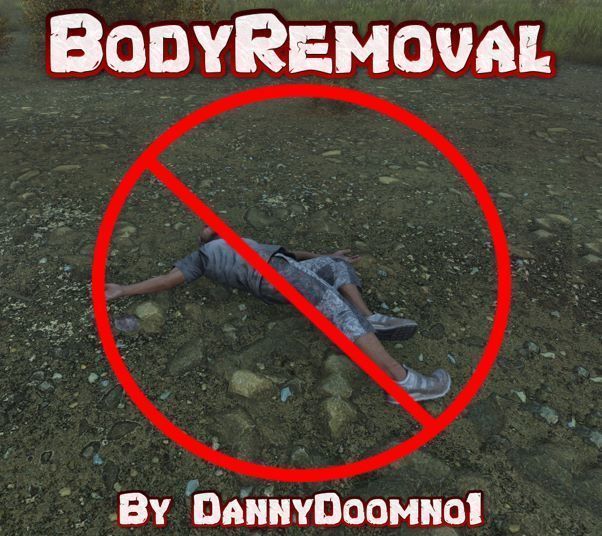
This mod causes fresh player bodies to be deleted if they are killed within a configurable amount of time, for example if they suicide straight away, we dont need to keep them there. You can also enable the cleanup of older player bodies after a configurable amount of time so that they are auto deleted after that set time. Adding this mod will significantly help with server FPS as it removes the resource hogging player bodies. Configuration: In ServerDZ.cfg add: QuickBodyCleanupLifetime = 120; // Body will be deleted if the player spawned less than [QuickBodyCleanupLifetime] seconds ago. (spawned <> logged in) QuickBodyCleanupTime = 60; // Time in seconds before freshie bodies are cleaned up. OldBodyCleanupEnabled = 1; // 1 = Body will be cleaned up after OldBodyCleanupTime. // 0 = Older Bodies will cleaned up as vanilla. OldBodyCleanupTime = 2700; // Time in seconds before older bodies are cleaned up if enabled. -- Support on all of my mods can be found on discord at: https://discord.gg/2T33rgJNVC -- Usage & Terms - You are permitted to unpack, repack and edit any files from this mod. - This item is not authorized for posting on Steam, except under the Steam account of [url=https://steamcommunity.com/profiles/76561198046441704/]DannyDoomno1[/url] - Permissions is granted to use this mod for server monetization under the conditions that you follow the DayZ Server Monetization agreement and have obtained permission from Bohemia through [url=https://www.bohemia.net/monetization]Bohemia[/url] If you like my mods and wish to support me any donations are much appreciated!! --- Paypal.me/DannyDoomno1 ---

sFramework
76561198152643098 作
[img]https://imgur.com/YqbBwor.gif[/img] [img]https://imgur.com/QBnkvZI.png[/img] [h1]Information[/h1] [b]sFramework[/b] is the core of the sUDE project. It ships many features and utilities used and/or implemented by sUDE modules : [list] [*]Advanced PostProcessing [*]Cameras Overlays [*]Game and User configuration interface [*]Helper classes and utilities for developing and debugging [*]Improvements to base game classes [*]more... [/list] [h3]PostProcessing effects[/h3] sFramework ships a centralized post processing effects manager, with the goal of allowing multiple requests of the same effects, without hardcoding them. [h3]SPPEffect[/h3] SPPEffect is the "container" of any PostProcess Effect you wish to add to it (e.g. saturation, vignette, motion blur etc.). [code] SPPEffect myPPE = new SPPEffect(); [/code] To add a parameter use the provided setters: [code] myPPE.setVignette(intensity, color); myPPE.setRadialBlur(powerX, powerY, offsetX, offsetY); myPPE.setChromAber(powerX, powerY); //... [/code] To apply it, "hand it over" to the SPPEManager, which will calculate the correct value of all active SPPEffect and then apply it [code] SPPEManager.activate(myPPE); //SPPEManager.deactivate(myPPE); // to deactivate the effect [/code] [h3]SPPEffectAnimated[/h3] A SPPEffectAnimated is just like a SPPEffect, but it has an animation mechanism which allows you to animate the values of a PostProcess effect. A SPPEffectAnimated is an abstract class. You need to implement it with your own class and override the onAnimate() method, which will be called on every frame. There also is a timed variant SPPEffectTimed, which will be automatically deactivated once a certain amount has passed. To create your animation, simply extend either SPPEffectAnimated or SPPEffectTimed [code] class MyLoopAnimation : PPELoopedParams{ override void onAnimate(float deltaTime){ /* change PPE values here setOverlay(...); setChromAber(...); setCameraEffects(...); */ setVignetteIntensity( Math.Sin(getTime()) ); } } class MyTimedAnimation : SPPEffectTimed{ override void onAnimate(float deltaTime){ setVignetteIntensity( Math.Cos(getTime()) ); } } [/code] A SPPEffectTimed also has a "duration" which can be set with the constructor, or the provided method: [code] MyTimedAnimation myTimedAnimation = new MyTimedAnimation(6); // the animation will last 6 seconds myTimedAnimation.setDuration(10.0); // the animation will last 10 seconds [/code] The activation of the animation is identical to any other SPPEffect [code] MyLoopAnimation myAnimation = new MyLoopAnimation(); SPPEManager.activate(myAnimation); MyTimedAnimation myTimedAnimation = new MyTimedAnimation(5.5); SPPEManager.activate(myTimedAnimation); [/code] If you want to manually manage the animation you can use the provided methods [code] myAnimation.start(); // Set the animation state to "Playing" myAnimation.stop(); // Reset the time and set the animation state to "Stopped" myAnimation.pause(); // Freeze the animation values and set the animation state to "Paused" myAnimation.resume(); // Resume the the animation and set the animation state to "Playing" [/code] [h2]Camera Overlays[/h2] A camera overlay is nothing else than an image, used like an HUD. The fundemental unit of camera overlays is the SCameraOverlay, a very simple wrapper for the ImageWidget (the DayZ UI component that holds an image). It can be used in countless ways: As an animated UI : [img]https://imgur.com/78gLf3X.gif[/img] or for emulating headgear damage: [img]https://imgur.com/u4Sng17.gif[/img] [i](from sVisual, MotoHelmet in various health state: Pristine, Worn, Damaged, BadlyDamaged and Ruined)[/i] Defining an overlay is very simple and very similar to SPPEffects, in fact there are three types as well and the logic is identical to the SPPEffects: [code] class MyAnimatedOverlay : SCameraOverlayAnimated { override void onInit(){ setImage("path/to/texture.edds"); //... } //onAnimate() gets called every frame! override void onAnimate(float deltaTime){ setSize(Math.Sin(getTime())); //setPosition(...) //setRotation(...) //setMask(...) //... } } [/code] To activate/deactivate an overlay, you use the SCameraOverlayManager: [code] SCameraOverlaysManager.getInstance().activate(myOverlay); [/code] A SCameraOverlay has many attributes you can play with, which can be set either by scripts or in the config. Currently available attributes are: [code] image=""; // Resource image path, can be whatever an ImageWidget accepts texture alpha=1.0; // [0.0 - 1.0] Alpha value (transparency) mask=""; // Resource image path, can be whatever an ImageWidget accepts as mask maskProgress=1.0; // [0.0 - 1.0] Mask progress maskTransitionWidth=1.0; // Mask transition width (used as progress + transitionWidth) position[] = {0.0, 0.0}; // [0.0 - 1.0] X and Y position in screenspace size[] = {1.0, 1.0}; // [0.0 - 1.0] X and Y size in screenspace rotation[] = {0.0, 0.0, 0.0}; // Yaw, Pitch and Roll defined in degrees priority = 0; // Higher priority means closer to the camera (also known as z-depth) targetCameras[] = {"DayZPlayerCamera"}; // Camera typename on which the overlay will be visible hidesWithIngameHUD = 0; // [0 = false, 1 = true] Determines if it must hides when the player hides the ingame HUD [/code] [h2]Utilities[/h2] sFramework also has many other utilities such as: [list] [*] sUserConfig : to help in storing and loading custom client settings [*] sRaycast : to help launching raycasts with more flexibility [*] sSpawnable : to help in spawning many items with multiple attachments [*] sFlagOperator : to help dealing with bitwise operations with flags [*] sColor, sLog, sGameConfig and more... [/list] For a better insight of the tools, give a look at the github page [h1] Github page [/h1] For a better insight give a look at the github page: [url=https://github.com/simonvic/sFramework]github.com/simonvic/sFramework[/url] [h1]Need help?[/h1] Come over to my [b][url=https://discord.gg/HEtYJHUyE5]DISCORD[/url][/b] [h1] Monetization [/h1] You are hereby given monetization approval, as long as you follow the [url=https://www.bohemia.net/monetization]DayZ Server Monetization rules[/url] and have obtained permission from Bohemia [h1] Repack [/h1] You are [b]NOT[/b] allowed to repack any part of this mod, unless given my explicit consent [h1]Contact me[/h1] Found a bug or want to give a suggestion? Feel free to contact me! Discord server: [url=https://discord.gg/HEtYJHUyE5]DISCORD[/url] [h1] Buy me a coffee [/h1] [url=https://paypal.me/simonvic][img]https://imgur.com/HtWkSnN.png[/img][/url]

RaidSchedule(OLD)
76561198025164215 作
A new version of this mod is now available here https://steamcommunity.com/sharedfiles/filedetails/?id=3010090417 Restricts the ability to raid to configured times, default is 17:00 and 22:00 UTC. The times and days can be configured through a server side config file. Big thank you to Wardog for this Compatible with BaseBuildingPlus [h1]Instructions:[/h1] A config folder([i]Raid Schedule[/i]} and file ([i]RaidSchedule.json[/i]) will be be automatically created in your servers profile folder. By default(see example config below) it's configured to run from 17:00 - 21:59, 7 days a week which means raiding will be possible from 17:00 until 22:00 All times used must be UTC When configuring times that are less than 10 please only input one digit. Please also ensure that EndMinute value is greater than your StartMinute value to avoid any issues. Times can be configured to run on certain days by adding or removing them from the config. If editing the config please remember to keep the correct format If you wish to add breaching charge to the schedule add this addon mod https://steamcommunity.com/sharedfiles/filedetails/?id=1914442045 If you wish to add code lock to the schedule add this https://steamcommunity.com/sharedfiles/filedetails/?id=2127960626 [code]{ "StartHour": 17, "StartMinute": 0, "EndHour": 21, "EndMinute": 59, "RaidDays": [ "Sunday", "Monday", "Tuesday", "Wednesday", "Thursday", "Friday", "Saturday" ] }[/code] [h1]Credits: [/h1] Wardog for pretty much everything Any questions or problems feel free to contact me here or on discord Square#1638 Discord: Square#1638 [url=https://paypal.me/iamsquaredude]Donations[/url] IMPORTANT NOTICE: - You are not allowed to repack or republish this mod on any platform including steam
Base Fortifications
76561198109711927 作
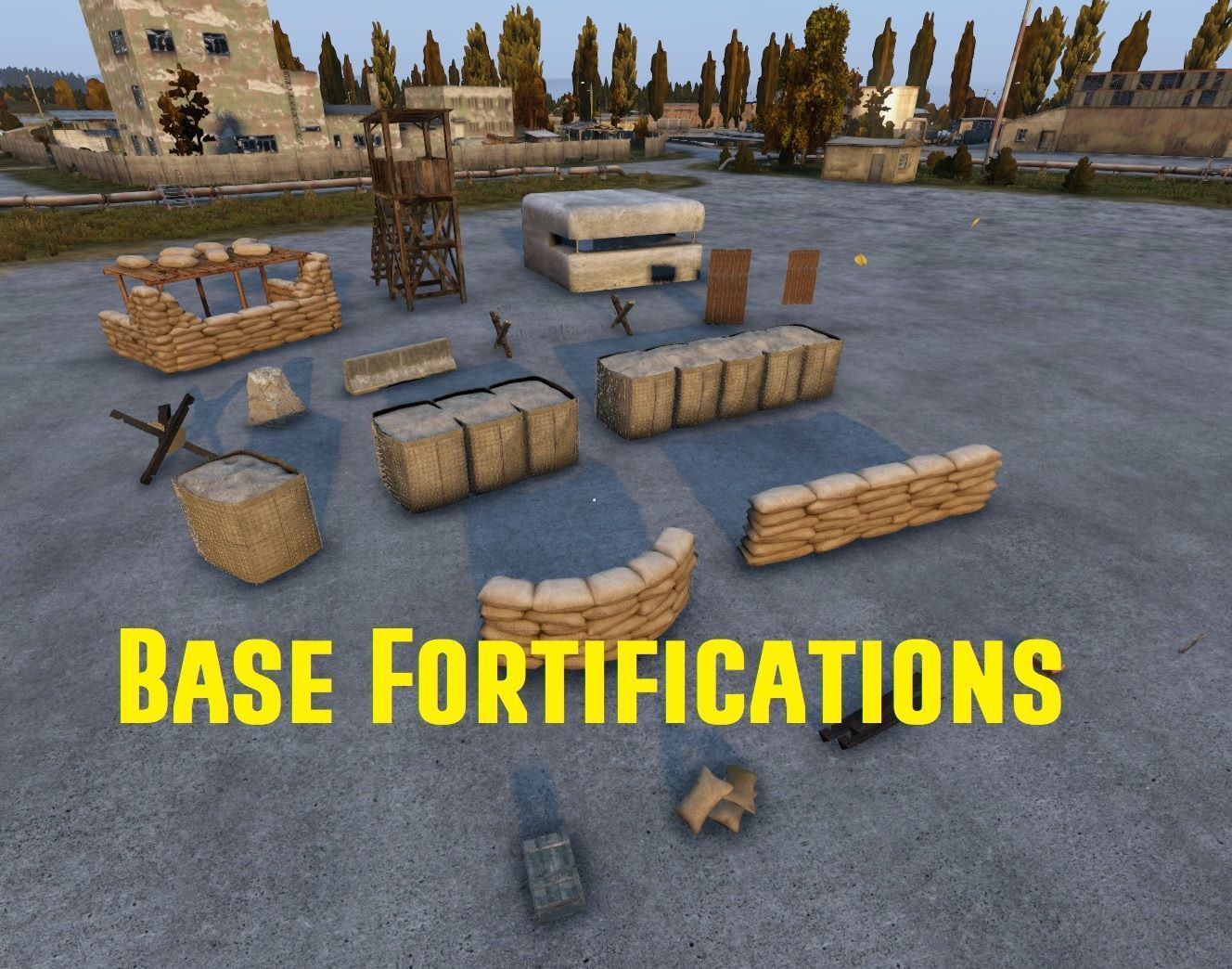
[b]Fortify your base or set up road blocks. This mod adds some extra items to help protect and defend your base. Some of the items are ideal for RP roadblocks/Checkpoints.[/b] [h1]To construct:[/h1] Military Nest - 20 x Empty Sandbags + 15x Wooden Planks Concrete Bunker - 10x Cement Bags + 20x Scrap Metal Door Barricade - 5x Wooden Planks + 20x nails Window Barricade - 5x Wooden Planks + 20x Nails Dragon Tooth - 2x Cement Bags + 5x Scrap metal Hedgehog - 1x Dismantled Hedgehog + Wrench (Wrench not destroyed) Razorwire Fence - 1x Wooden Log + 1x Barbed Wire Concrete Road Barrier - 5x Cement Bags + 10x Scrap Metal Long Sandbag Fence - 10x Empty Sandbags + Shovel (Shovel not destroyed) Round Sandbag Fence - 10x Empty Sandbag + Shovel (Shovel not destroyed) Wooden Watchtower Part - 20x Wooden Planks + 40x Nails Full Wooden Watchtower - Combine 2 Watchtower parts Hesco Barriers are found only (Cannot be crafted) Craftable Ingredients: Disassembled Hedgehog - 3x Scrap Metal + 3x Scrap Metal (Gives 1x Disassembled Hedgehog) Scrap Metal - 5x Metal Ore + 5x Metal Ore (Gives 5x Scrap Metal) (You will need the optional Plus200_Mining mod installed to mine Metal Ore, Instructions below) [h1]To Dismantle:[/h1] Military Nest - Hatchet (Ingredients returned) Concrete Bunker - Sledgehammer (No ingredients returned) Door Barricade - Hatchet (Ingredients returned) Window Barricade - Hatchet (Ingredients returned) Dragon Tooth - Sledgehammer (No ingredients returned) Hedgehog - Crowbar (Ingredients returned) Razorwire Fence - Pliers (Ingredients returned) Concrete Road Barrier - Sledgehammer (No ingredients returned) Long Sandbag Fence - Hatchet (Ingredients returned) Round Sandbag Fence - Hatchet (Ingredients returned) Wooden Watchtower - Hatchet (Ingredients returned) Hesco Barriers 1,3 & 5 - Hatchet (Kit returned) [h1]Server Owner Instructions:[/h1] Copy the @BaseFortifications folder to your server Copy the key from the Keys folder to your servers Keys folder. Add -mod=@BaseFortifications; to your startup. Copy and paste the contents of types.xml from the info folder to your servers types.xml If you use the Trader mod from DrJones then copy the TraderConfig.txt contents to your servers TraderConfig.txt [b]OPTIONAL: NOT NECESSARY FOR BASE FORTIFICATIONS TO WORK[/b] For ore mining to work: Due to a mod conflict with DayzOresAndGems, I have removed my own mining script. To enable mining ores from rock you will require the Plus200_Mining mod located [url=https://steamcommunity.com/sharedfiles/filedetails/?id=1939591537]here[/url]: Then: - Run the server with the mod - Go to "your_server_profile_directory\Plus200\Mining" - Open file config.json - At the bottom of the config, add "MetalOre": 200 below "Stone": 200, (remember to add the comma after "Stone": 200) - restart server You will then have Metal Ores spawning with the mined Stones. You can change the Ore probability using the guide on the Plus200_Mining Workshop page. Credits: Big thanks to Chopper for the insight and guidance in setting up strong side object placement Thanks too goes to DaddyPrapor for the assistance in getting this mod ready. Thanks to Fragility on Discord for assistance with increasing stacks for Wooden Planks. Assets: Various Purchased assets. Free Assets: Metal Beam - https://sketchfab.com/3d-models/free-iron-rod-8047c37dfde346258a5452e8da740ae7 Cement Bag - https://www.turbosquid.com/3d-models/free-3ds-model-cement-bag/609963 Empty Sandbags - https://sketchfab.com/3d-models/sand-bag-pile-232b9407f5ad46f68764093f134591f4 Placing Kit Box - https://sketchfab.com/3d-models/ammoweapon-crate-134d0d1134b34649a2cc8b8a51d8f0bf Hedgehog - https://www.cgtrader.com/free-3d-models/military/other/free-czech-hedgehog-anti-tank-trap-pbr Road Barrier - https://www.turbosquid.com/3d-models/road-blockades-max-free/1015436 Razorwire wooden Posts - https://sketchfab.com/3d-models/wood-spike-d31579c34a8a41dc8040fe483a8849b1 Arma 2 asset ports - Dragon Tooth & Hesco Barriers THIS MOD CANNOT BE ADDED TO A SERVER MOD PACK OR RE-UPLOADED HERE OR ELSEWHERE.

Namalsk_Igloo
76561198008668429 作
[h1]Mod Support ended with Version 1.26[/h1] [h2]Mod will work until it won't. Use it if you want but there won't be any more updates [/h2] [h2]Repack is still not allowed. Use DayZ modding system to do fixes if you wish so. [/h2] [h1]Namalsk Igloo[/h1] An addition to Namalsk Survival Mod. (Requires Namalsk Survival to run) Craft an Igloo kit (NM_IglooKit) with 4 sticks and 1 rope. Place the kit down to make an Igloo Site (NM_IglooSite). Add 10 large snowballs and 20 medium snowballs to get option to build the Igloo (NM_Igloo). Igloo has a barrel inside where you can place a fireplace (same as in the houses with grill). Enjoy a warm fire and cozy interior of the Igloo. Placeable only on snow or ice while running Namalsk Map. [h1]Class names[/h1] NM_IglooKit NM_IglooSite NM_Igloo [img]https://i.imgur.com/W2JT94I.png[/img] [h1]Credits:[/h1] Sumrak - Help with the model, motivation and making Namalsk [h1]Monetization[/h1] You may not run this on monetized servers. [h1]Copyright[/h1] Repack is not allowed. This item is not authorized for posting on Steam, except under the Steam account [url=https://steamcommunity.com/id/reddeadevileyes/]Helkhiana[/url]. [h1]Donations[/h1] [url=https://www.paypal.me/willowglade][img]https://i.imgur.com/wiK1fsX.png[/img][/url] [url=https://www.patreon.com/helkhiana][img]https://i.imgur.com/Iiv6uV4.png?1[/img][/url]
DayZCasinoV2
76561198196317725 作
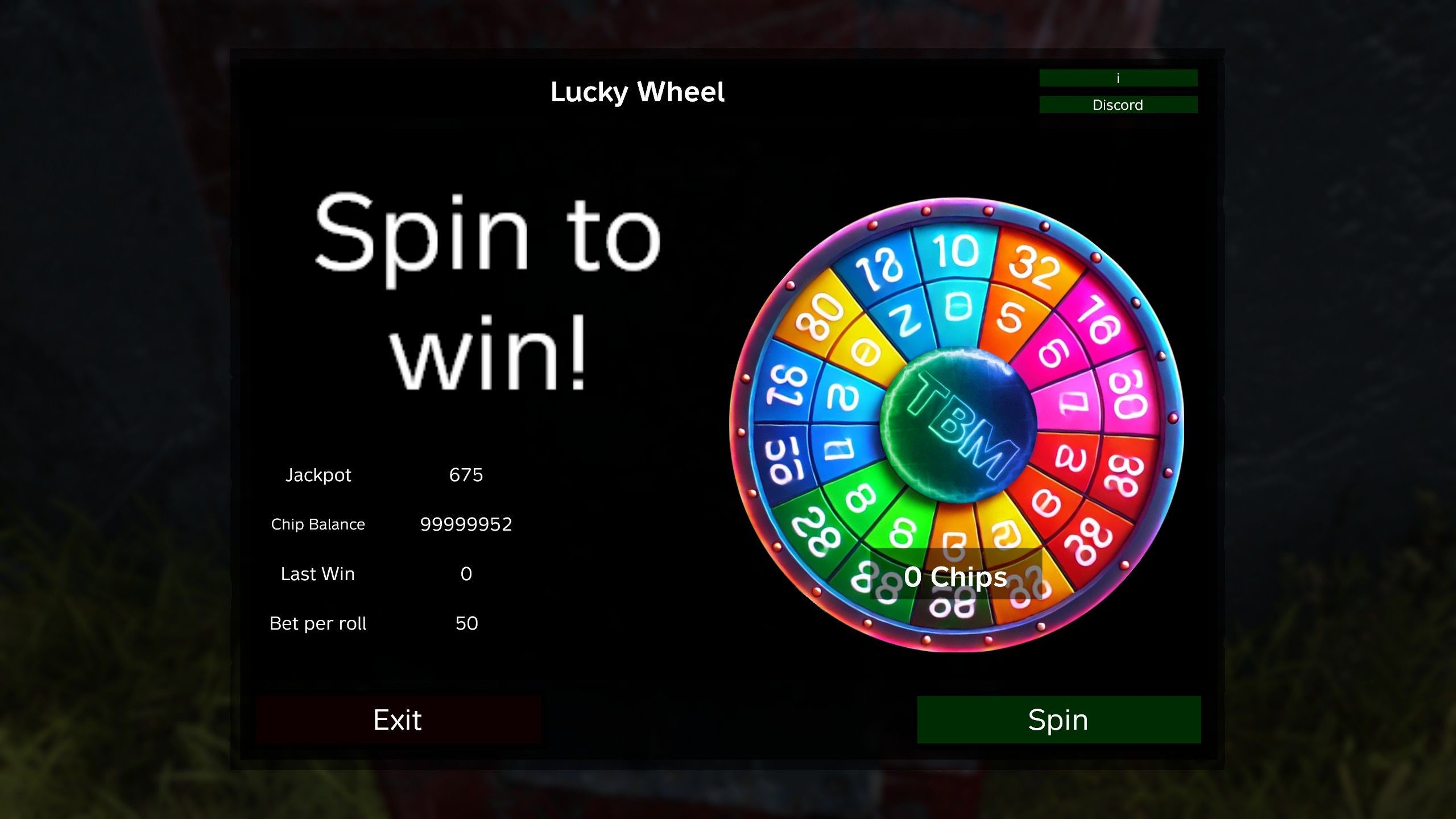
[h2] Support only via discord: https://discord.gg/mUZsvup3Sx Docs: https://doc.themodbase.com/DayZCasinoV2/Readme.html [/h2] Do you know it? You have been back to the Trader and don't remember where to put your rubles?? Now there is a possibility to bring your rubles among the people. DayZCasinoV2 Mod currently has four games. A dice game, blackjack, lucky wheel and a rat race. Go to the place where your admin placed the games, default is in Kumyrna church and press the "F" key. (You can change the key in you game settings) Then the respective game opens and you can start playing. This mod is also multilingual . [h2]It is not allowed to publish the mod in any other way without my permission. If you want to repack, please open a ticket on my discord: https://discord.gg/kGjN6gJy3m[/h2] [h2]Discord[/h2] https://discord.gg/mUZsvup3Sx [h2]Dice game:[/h2] Bet on a number from 1 to 12. Press the "dice" button and off you go. Here you can win your money back with a factor that can be configured by admin. [h2]Black Jack:[/h2] Collect as many cards as you can until you have 21 points. Then let the bank draw its cards. Whoever stays below 22 and is closer to 21 wins. If you have a 21 from the beginning, you win three times your bet. If you hit the bank, you get back double your bet. If the bank has as many points as you do, it's a tie and everyone gets their bet back. If the bank wins, you lose your bet. [h2]Lucky Wheel:[/h2] For each spin you bet a fixed amount defined by the admin. You now have the chance to win the jackpot or up to five times your bet. Of course there are also fields where you lose everything. If you lose, half of your bet goes into the jackpot. [h2]Rat Race:[/h2] Select a rat and start the race. If you have beet to the right rat you can win you bet multiply by the quota of rat. [h2]Donate:[/h2] I investigate a lot of time in modding of DayZ. If you want to support me, write a review of the mod and give me positive rating. You can also donate some money via patreon Link is: https://www.paypal.com/donate/?hosted_button_id=8UASRGVP88YE4 [h2]Translation Help:[/h2] if you want to help to improve the translation: https://bitbucket.org/dayzmods/dayzcasino-translations/src/master/ [h1]Admin Infos:[/h1] This mod works also in Levonia. As server admin you have to configure only the new location of games. See readme.txt in downloaded mod directory. Hint: Use NOT the default Notepad Editor to make any changes in files. I recommend to use editors like Notepad++. This mod is complete independent. The CF mod is used that player can change the key to open the game. Trader mod can be used to sell and buy chips. In moment there is NO safe zone implemented. But you can place the games in the trader safe zone. [h2]Ho to configure:[/h2] https://github.com/ihr-it-projekt/DayZModsInfo/blob/main/DayZCasinoV2/Readme.md [h2]Special thanks:[/h2] BLJADterteig´s wife for design the Lucky Wheel Many thanks to Sense². He helped me to make my first steps in mod development and took time to give me feedback. Thanks to the community of https://rasselbande-gaming.com . Here I was able to publish and test my mods. Thanks to Hajami for cutting the cards [h2]Donate:[/h2] I investigate a lot of time in modding of DayZ. If you want to support me, write a review of the mod and give me positive rating.We are also happy about any donation: https://www.paypal.com/donate/?hosted_button_id=8UASRGVP88YE4 Sources: Sounds from https://freesound.org Card Set by https://sketchfab.com/lejonlin
MosinScope
76561198018914897 作
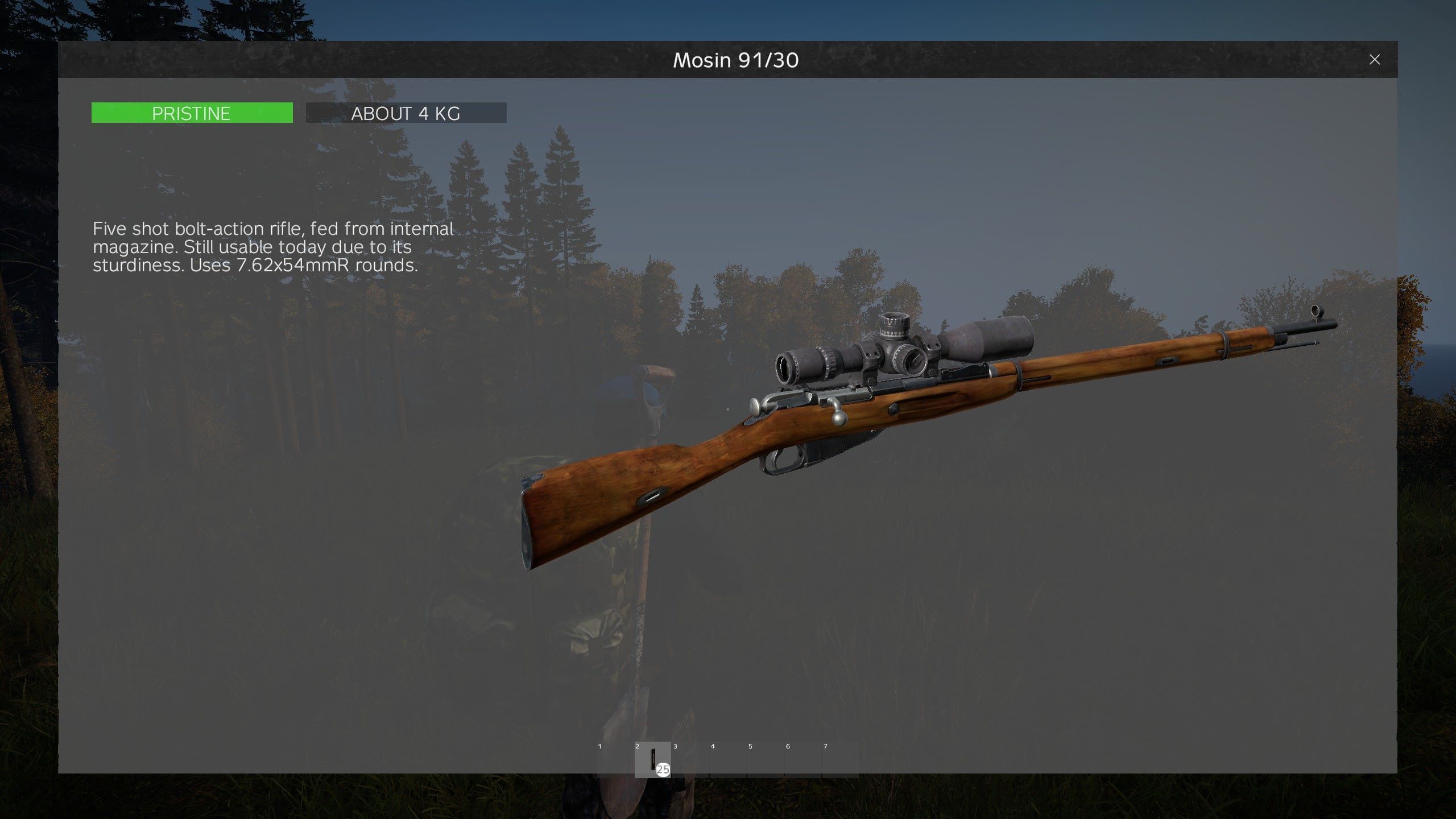
Very very simple mod, adds the LRS back in (MosinLRS class name) as an attachment for the mosin. Check the types folder for a snippet you can paste into your types.xml to get the item spawning. Note I have the min and nominal set to zero, you will have to configure those numbers yourself. [h1]Anyone who wants to repack this mod into their server mod, I give you full permission to do so, as this is such a basic mod. Can be used on monetized servers as well.[/h1]
CorpseSearching
76561198177819635 作
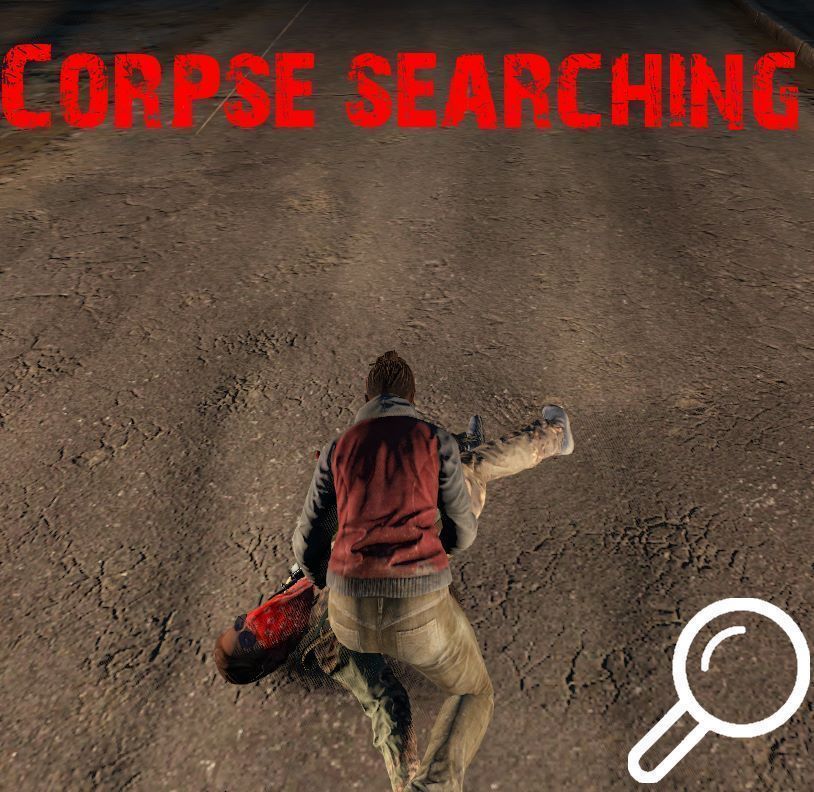
[h1] CorpseSearching [/h1] To see items in a corpse, you have to search it first. The [+] icon is removed, pointing at any item that you do not know until you look at its inventory. In this mod there is a configuration file (STCConfig.json) located at the path $profile:/ModConfigs/. The "AddTimeForEachItem" parameter enables the additional time for each item when searching the body. You can enable or disable it. Enabled by default. The parameter "TimeForEachItem", is for how many seconds to add to a search for each item in a corpse, works if the "AddTimeForEachItem" parameter is enabled. By default it is 2 seconds. The parameter "DefaultTimeToSearchPlayer" is for how many seconds will the search of a player's corpse last. By default, it will take 10 seconds. The parameter "DefaultTimeToSearchZombie" is for how many seconds will the search a zombie corpse. The default is 3 seconds. [b]Contact me in Discord DeAmouSE#0503 for any questions. Copyright 2020 DeAth[mouse]. This item is not authorized for posting on Steam, except under the Steam account named "DeAth[mouse]".[/b] If you want to donate to support my work, here's my [url=https://paypal.me/DeAmouSE]PayPal[/url]. Thank you!

No-Vehicle-Damage
76561198132006924 作
Мод отключает урон техники при столкновении с чем-либо. Совместимо с актуальной версией Dayz и Dayz Expansion. Mod disables oncontact vehicle damage. Works with current vanilla Dayz version and Dayz Expansion.

Banov
76561198104994458 作
[img]https://i.imgur.com/HFOBcVg.png[/img] [img]https://i.imgur.com/B2yYY2k.gif[/img] [img]https://imgur.com/SHIlBEm.png[/img] Banov is the first map inspired by the diverse Slovak landscape, specifically the Banov District and its surroundings. With an area of 256 km², it will keep you occupied all day if you decide to explore it in depth. Banov features 1 city, 35 villages, 2 water reservoirs, 1 large airport, 2 small airport, and many other interesting places and dwellings where the marks of time are evident. As a bonus, we've added special hidden locations throughout the map, and it will depend on your skills and abilities whether you discover them all. Banov means navigating through dense forests, crossing overgrown meadows, trekking through swamps, seeking refuge by wild rivers, all while getting to know the beautiful fauna of our region. You can enjoy panoramic views, search for items and food necessary for survival, but above all, it's a battle for survival as danger lurks at every step. You'll also be challenged by rapidly changing weather, where a sunny day can quickly turn into a heavy downpour. Additionally, Banov is home to four large underground complexes that play a crucial role in the map's storyline. These hidden and deeply concealed complexes add a new dimension and tension to the game, offering various challenges and mysteries that motivate players to explore and collaborate. Uncovering and exploring them is key to progressing in the map's narrative and can reveal important information, supplies, or unexpected dangers. So, be prepared for underground adventures and don't forget to rely on your courage and tactics when investigating them. Inspired by real cities, villages, and forests, you'll find not only beautiful scenery on the map but also safe locations where you can build your base and hide from other players, whether they are survivors without infection or those affected by the infection. Given the dense forests and watercourses on the map, you'll have plenty of options to obtain food. With a bit of skill, starvation will not be your fate. Good luck!! [url=https://github.com/KubeloLive/Banov-Central-Economy][img]https://i.imgur.com/R0PU0bs.png[/img][/url] [url=https://www.paypal.com/donate/?hosted_button_id=VXSHJJYETPU5J][img]https://imgur.com/Dzjz6EU.png[/img] [/url] Do you like the projects that I work on? Consider supporting me in my future endeavours! All money goes towards keeping my website and hardware up and running for the years to come. click or press [b]"Support the Author image"[/b] Thank you! [img]https://imgur.com/rTQQDky.png[/img] [b]WARNING & LICENSE NOTICE[/b] This project is protected by copyright law. The BANOV map and all related assets are provided for use within DayZ only. You are NOT allowed to: • Re-upload this map or its assets to other platforms without permission • Claim this map or assets as your own work • Sell this map or any included assets • Redistribute modified versions without written permission from the author • Use the map or assets in other games or commercial products Server monetization must follow official Bohemia Interactive monetization rules. Allowed examples include: • Voluntary donations • Cosmetic or non gameplay affecting supporter perks • Community support features Unauthorized re-uploads or redistribution may be subject to DMCA takedown requests. This project is not affiliated with or endorsed by Bohemia Interactive. DayZ is a trademark of Bohemia Interactive. [img]https://imgur.com/1qbiEse.png[/img] [b]Sumrak[/b] [b]Yama[/b] [b]Connor CDS[/b] [b]WarDog[/b] [b]Cuky[/b] [b]Yuretskiy[/b] [b]Arkaim[/b] [b]HunterzCZ[/b] [b]Ruffaz[/b] [b]DILLIGAF_TEX[/b] [b]AzuryAlpha[/b] [b]DanceOfJesus[/b] [b]Dumpgrah[/b] [b]Asmondian[/b] [b]Redmain11[/b] [b]Geordie_pv[/b] [b]-DL- Büskermolen[/b] [b]Donators[/b] [quote=KubeloLive] - This map utilizes assets from Central European asset pack https://steamcommunity.com/sharedfiles/filedetails/?id=2330497955 [b]Join the Official Banov Discord to share your experience, screenshots, videos, place suggestions, report issues or get details around hosting your own server below.[/b] [url=https://discord.gg/dayz-banov-638061185106837504][img]https://imgur.com/CqvgBiY.gif[/img] [/url]

DBN_FordRaptor_Scorpio
76561198254811494 作
[h1]🚙 DBN FordRaptor Scorpio REMASTERED v3.02 🚙[/h1] ❗❗❗ [b]High-quality, detailed model![/b] ❗❗❗ [h1]🔥 Ready to be installed on any server for everyone! 🔥[/h1] [b]Also available as an exclusive for specific communities![/b] [h1]❗ Re-uploading or modifying this mod without my permission is forbidden! ❗[/h1] [b]This is a fully functional Ford Raptor Scorpio, ready to be deployed on your server. If you encounter any bugs or issues, feel free to reach out to me via the Discord Community:[/b] [url=https://discord.gg/cYEpYSkxZT]Discord Don Bondino[/url] [h1]🔧 Easy Installation[/h1] [b]Simply subscribe to the mod. Pre-made types and Trader configs are included — just copy the data to your server and add the Key to the Keys folder.[/b] [h1]🚘 Mod Features:[/h1] [code] [b]- 5 unique liveries Slots for a jerry can, chest, barrel, weapon, and backpack Realistic sounds, animated gauges, working headlights[/b] [/code] [h1]🏁 Vehicle Specifications:[/h1] [code] [b]- Seats: 4 passengers, 500 slots 6-speed automatic transmission + AWD for extra stability Fuel tank capacity: 136 liters Fuel consumption: 14.8 L/100 km[/b] [/code] [h1]✔️ Compatibility:[/h1] DayZ 1.26 [b]Re-uploading, modifying, repackaging, or reusing this mod in the Steam Workshop without permission is strictly prohibited. For any questions, please contact me directly! If you wish to support the project, visit our Discord.[/b] [url=https://discord.gg/cYEpYSkxZT]Join Discord[/url] [h1]💰 Support the Modder![/h1] [code] [b]You can support me via PayPal: [email protected] If you wish to pack this mod into your server build, please contact the creators or join our Discord for detailed instructions.[/b] [/code] [hr][/hr] [code] Copyright 2024 Don Bondino. This item is not authorized for posting on Steam, except by the Steam account named Don Bondino. [/code]

AC-Mod-Pack
76561198076214822 作
Mod Pack for DayZ SA. [IMG]https://i.imgur.com/sS0NABg.gif[/img] [h1]Content:[/h1] [list] [*]AutoRun [*]Boost [*]Chat Global [*]Check Identity [*]Clear Zone [*]Compass [*]Ear Plugs [*]KillFeed [*]King Of The Hill (PRIVATE) [*]LoadingScreen [*]Logs [*]Server Information [*]Stamina [*]Starting Equip Setup [*]SpawnPoint (SpawnSelect) [*]AntiDropShot [/list] [url=https://www.paypal.com/cgi-bin/webscr?cmd=_donations&business=KQS8P492THZ4J¤cy_code=BRL&source=url][IMG]https://i.imgur.com/iFg0V0X.png[/img][/url] [url=https://discord.gg/QfGuzTF4Hk][IMG]https://i.imgur.com/aKWLAXN.png[/img][/url] [h1]License:[/h1] Copyright 2022 [Andrew Caires] This MOD is not allowed to repack, ReUpload or be posted on Steam without my permission. This item is not authorized for posting on Steam, except under the Steam account named Andrew Caires
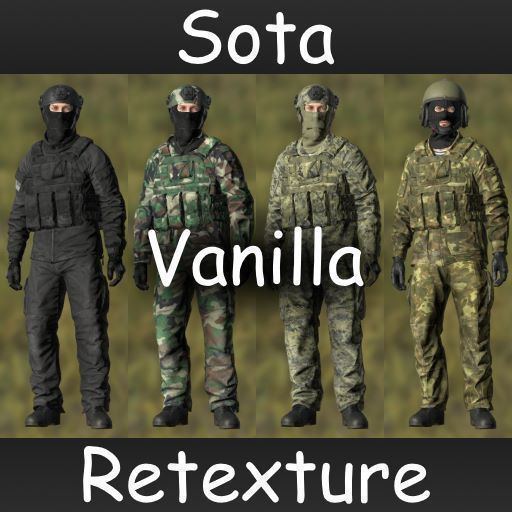
SotaVanillaRetexture
76561198092490825 作
[h1]My other addon:[/h1] [url=https://steamcommunity.com/sharedfiles/filedetails/?id=3049544225] SotaRealNames [/url] [h1]Retexture, fixing materials and parameters for some vanilla items. Compatible with DayZ 1.26[/h1] [b]Repacking the mod is prohibited, only adding to the list of required items.[/b] [h1]ADDED[/h1] [list] [*]Sets of clothes: [olist] [*][i]Black[/i] [*][i]Khaki[/i] [*][i]Olive[/i] [*][i]White[/i] [*][i]Winter (camo white)[/i] [*][i]Bdu[/i] [*][i]MarpatCity[/i] [*][i]MarpatDesert[/i] [*][i]MarpatKhaki[/i] [*][i]MarpatOlive[/i] [*][i]MarpatWoodland[/i] [*][i]Ttsko[/i] [/olist] [*]Black hunting set [*]Set of insulated clothing [i]Gorka[/i] (classname prefix "warm_") [*]Black [i]Deagle[/i] [*]Full Auto fire mode on [i]Glock[/i] [/list] [h1]FIXED[/h1] [list] [*]Greenish gloss in materials for some items [*]Missing damage materials for some items [*]Wrong damage texture mapping for some items [*]Incorrect destroyed state textures for [i]AliceBag[/i] backpack [*]Incorrect textures of [i]Gorka[/i] clothing items lying on the ground [*]Missing some details on the [i]Deagle[/i] texture [/list] [h1]CHANGED[/h1] [list] [*]Reduced specular and specularPower (gloss) parameters for some items [*]Damage textures for backpacks (destroyed state is now more visual) [*]Adjusted color for some items, classname of items didn't change (look in "classnames.txt") [/list] [h1]NOTE[/h1] [list] [*]White and winter sets are more logical and correct to use on winter maps, they have increased insulation and the detection coef for AI is reduced. [*]The insulated [i]Gorka[/i] set with the prefix "warm_" was made separately so that mod can be used on both summer and winter maps. [*]All new items have a classname prefix "sota_" for easy search in the admin panel. The "classnames.txt" list is located at the root of the mod folder. [*]XML files for Chernarus and Livonia: "sota_types.xml" and "sota_cfgspawnabletypes.xml" (separate and compatible with any version), "cfgrandompresets.xml" (v1.23), located in the "XMLs" folder in the root of the mod. The balance is close to vanilla, but the total number of items will be larger so that items of all types can spawn. [*]In order for a separate types file to work, it must be added to “cfgeconomycore.xml” (the modified file is in the “XMLs” folder). [/list]

Gold Nuggets
76561198017178056 作
Gold Nuggets for RP / Trader Server New ID´s (sorry for that) Goldbar_Base Goldbar10k Goldbar20k Goldbar50k Goldbar100k Nugget_Big Nugget_Middle Nugget_Small Now you can craft a some like this : 10 x Nugget Small + Hammer = Nugget Middle 10 x Nugget Middle + Hammer = Nugget Big 10 x Nugget Big + Hammer = GoldBar Sorry for a too late Update . Have Fun ---------------------------------------------------------------------------------------------------------------- @Edit : To spawn the Nuggts in the Wood´s Exmaple for events.xml : <event name="TrajectoryHumus"> <waves>0</waves> <nominal>140</nominal> <min>2</min> <max>4</max> <lifetime>180</lifetime> <restock>0</restock> <saferadius>25</saferadius> <distanceradius>100</distanceradius> <cleanupradius>25</cleanupradius> <flags deletable="0" init_random="0" remove_damaged="0"/> <position>player</position> <limit>parent</limit> <active>1</active> <children> <child lootmax="0" lootmin="0" max="1" min="0" type="AgaricusMushroom"/> <child lootmax="0" lootmin="0" max="1" min="0" type="PleurotusMushroom"/> <child lootmax="0" lootmin="0" max="1" min="0" type="Nugget_Small"/> </children> </event> <event name="TrajectoryConiferous"> <waves>0</waves> <nominal>140</nominal> <min>2</min> <max>4</max> <lifetime>180</lifetime> <restock>0</restock> <saferadius>25</saferadius> <distanceradius>100</distanceradius> <cleanupradius>25</cleanupradius> <flags deletable="0" init_random="0" remove_damaged="0"/> <position>fixed</position> <limit>mixed</limit> <active>1</active> <children> <child lootmax="0" lootmin="0" max="1" min="0" type="BoletusMushroom"/> <child lootmax="0" lootmin="0" max="1" min="0" type="MacrolepiotaMushroom"/> <child lootmax="0" lootmin="0" max="1" min="0" type="Nugget_Middle"/> </children> </event> You can Edit the Max and Min Values (for the spawn rate) ----------------------------------------------------------------------------------------------------------------- Types.xml : <type name="Nugget_Big"> <lifetime>900</lifetime> <flags count_in_cargo="0" count_in_hoarder="0" count_in_map="1" count_in_player="0" crafted="1" deloot="0"/> </type> <type name="Nugget_Middle"> <lifetime>900</lifetime> <flags count_in_cargo="0" count_in_hoarder="0" count_in_map="1" count_in_player="0" crafted="1" deloot="0"/> </type> <type name="Nugget_Small"> <lifetime>900</lifetime> <flags count_in_cargo="0" count_in_hoarder="0" count_in_map="1" count_in_player="0" crafted="1" deloot="0"/> </type> -------------------------------------------------------------------------------------------------------------------- Sni