Mods & plugins voor Necesse
Deze catalogus bevat Necesse-projecten van Steam Workshop. Items kunnen server-side, client-side of aan beide kanten nodig zijn en ook maps of andere gebruikerscontent bevatten. Controleer vóór installatie de gelinkte bronpagina, gameversie en afhankelijkheden.

More Summons
door 76561198097142771
Increase number of summons given by Sets by 6 ################################################################# version 1.4 game build 0.23.1 Spider Set => {Spider Helmet, Spider ChestPlate, Spider Boots} Ivy Set => {Ivy Circlet, Ivy ChestPlate, Ivy Boots} Ancient Fossil Set => {Ancient Fossil Mask, Ancient Fossil ChestPlate, Ancient Fossil Boots} Mycelium Set => {Mycelium Scarf, Mycelium ChestPlate, Mycelium Boots} NightSteel Set => {NightSteel Circlet, NightSteel ChestPlate, NightSteel Boots} Quartz Set => {Quartz Crown, Quartz ChestPlate, Quartz Boots} Spiderite Set => {Spiderite Crown, Spiderite ChestPlate, Spiderite Greaves} #################################################################

Where Is My Stuff?? (W.I.M.S.)
door 76561197973407006
Where Is My Stuff? Is a mod that allows you to search for items in chests and containers in the world. Simply press the 'Y' key (default) to open the search tool. This is a CLIENT mod, no need to have it on server or host Screens - Search window to find any items in a 32x32 square centered on the player - Displayed just above the player inventory - Open with Y (default), can be changed - Can search by item id (bread, coin, healthpotion) or by string (Potion, wood) Effects - When an item was found, gold stars will spawn above the container - When an item wasn't found, red crosses will spawn on the player Changelog 1.0 - Initial Release 1.1 - Updated sprites 1.2 - Fixed bug that prevented it from displaying particles by Aeyos Leave a tip! Thank you for the support ð TAGS: Utility, Client Side, QoL (Quality of Life), Search, Inventory, Items, Chests, Containers, UI, Visual Effects, Singleplayer Compatible, Multiplayer Compatible, Performance Frien
Endgame Upgraded
door 76561198088031326
A tiny mod that increases the maximum tier items and Incursions can go. Max item Tier 5 -> 100 Max Incursion rank 10 -> 1000

BetterEnchantment
door 76561198196818154
BetterEnchantment Are you tired of the mundane way of enchanting items which eats up your coins? Introducing the Better Enchantment Mod, a game-changer that will revolutionize the way you enchant your items. Say goodbye to using gold coins and hello to enchanting orbs, which can be crafted using enchanting shards obtained from defeating monsters and bosses in dungeons. And with the added bonus of a chance to find a Lucky Box in treasure chests, providing a large amount of enchanting shards, you'll have everything you need to enchant your items to their full potential. But that's not all! We've added a bag that can be purchased from the traveling trader, to make collecting enchanting shards a breeze. And if that wasn't enough, a new enchanting table has been added to compensate for the loss of a Mage in your settlement. And, discounts on enchantments are still based on the happiness of your Mage. as it is supposed to be. This mod is a must-have for any player looking to take their enchanting game to the next level. Subscribe it now and experience the better way of enchanting! Source Code Note: The shard (and without this ,mod: the gold) price and quality of the enchantment are influenced by the Mages happieness. So if you have more than 1 Mage in your settlement the price can variate between them. The enchantment table does the same and is influenced by the Mage with the highest happieness in your settlement.

MultiTools
door 76561198131804724
MultiTools Adds the Planner and tiered Pivelaxes to aid in building and mining. The Planner features automatic placement of placeable items filling a rectangular dimension, while Pivelaxes offer simultaneous and queued mining, and additionally a mining filter to suit any need. Singleplayer and multiplayer-tested with local server. Crafting The Planner is crafted at a workstation using 4 Map Fragments and 1 Gold Bar. Tiered Pivelaxes require 1 pickaxe, 1 axe, and 1 shovel of the respective tier. The last tier Pivelaxe (hidden) requires 2 pickaxes of that tier. Usage The Planner: - Click (or equivalent) in your inventory to open the container slot for the Planner. - Place a stack of a placeable item (walls, tiles, buckets, 1x1 objects) into the Planner. NOTE: The Planner always keeps a single item in it unused, so make sure to put more than one! - Click anywhere on the world to specify the first corner of the rectangle you want to fill. - Click on the world the the other corner of the rectangle to be filled. Automatic placement starts. - With the automatic placement process, come near the crosshair marks (often at the corners) to see the items placed! - Do note that placement always begins at the corners of the rectangle you specify, and continues where the crosshairs are marked at. - Click again to clear the targets. You can start to create another rectangle somewhere. Pivelaxes: - With a Pivelaxe held, a pane to the left of the screen allows you to filter what you can mine with the tool. (Filter settings are saved per tool!) - Hover over a filter item to see what that filter corresponds to: it will highlight tiles on the world that the hovered item can break. - Check the boxes of the tiles or objects you want to break. - Mining without smart mining: Hold-click on top the tiles you want to break. If it's within the filter, indicators will show. It won't target tiles not in the filter. - Mining with smart mining: Hold-click far from the player to auto-target mineable blocks (within the filter), moving the smart mine cursor to next valid tiles after locking targets. Holding click near the player manually targets tiles you hover on instead. - A crosshair indicator shows that a tile is being mined/broken. - A solid dot indicator shows that a tile is queued, meaning it'll be mined soon after current ones successfully break. - A semitransparent dot indicator means a tile is targeted but you are too far from it. Tiers Note that Pivelaxes have 80% of the corresponding Pickaxe mining speed to balance out simultaneous mining. That means vanilla Pickaxes still breaks a singular tile faster than a Pivelaxe. Pivelaxes can only be crafted from the Gold tier and up, with each tier with improved stats. - Gold: up to 2 tiles being mined simultaneously, up to 6 targets in queue. - Frost: up to 3 tiles being mined simultaneously, up to 8 targets in queue. - Demonic: up to 4 tiles being mined simultaneously, up to 10 targets in queue. - Ivy: up to 5 tiles being mined simultaneously, up to 12 targets in queue. - Tungsten: up to 6 tiles being mined simultaneously, up to 16 targets in queue. +1 tile added mining range. - ???: up to 8 tiles being mined simultaneously, up to 24 targets in queue. +2 tiles added mining range. Github source repository: github.com/DraSouls/Necesse-MultiTools Bugs and feedback welcome! Use the Discussion below to report bugs. (P.S. Again, I'm not a spriter, do tell if the sprites are good or bad, or what can be improved with the textures!) Other mods Check out other mods made by us ^^ NullStorage - Automatically delete excess items in pouch or storagebox form. StackReplaceTweak - Automatically replace a stack on hand when it depletes.
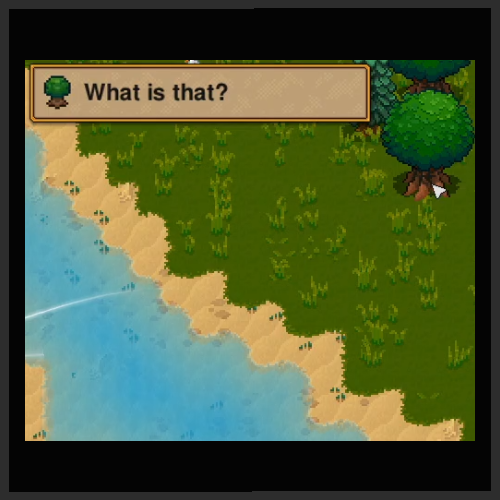
What is that? (WIT)
door 76561199375329607
An utility mod client-side for knowing what you are looking without needing to pick up the objects or using debug stuff, it also supports the mobs and tells the origin mod when possible. - Support for mobs, objects, and tiles - Support for telling the origin mod - Health, Armor and Resilience of mobs - Resizable and movable in-game - Different styles - A config file, located: - On Windows: "%APPDATA%/Necesse/cfg/mods" - On Linux "$HOME/.config/Necesse/cfg/mods" ($HOME -> /home/yourusername) - fiexed spam of debug messages at startup (sorry) - added keybind to filter display , by default, press K to give priority to a specific thing - added keybind to change style or hide the info box "The game didn't saved the new position": If this hapend, ensure to wait a few seconds before exiting correclty the game, the confings save is delegated to the game, and a chash may have caused an issue Updates This mod is unlikely to break between updates, so if the game says "wrong game version" give it a try

Vanilla Path +
door 76561198124071398
Mod Information Mod version: 1.0.7 Game version: 0.22.0 Vanilla Path + Path makes you walk faster, and with the other mod I wrote, it makes you walk a lot faster So... it's normal that you would build your base full of path right? But with the current existing 5 paths, it is hard to match them with your base theme. No worries! This mod will solve your issue! This mod added 11 more path, from stone brick path to dungeon path, all the floor you have, there is a path for it! All the best in base building! Multiplayer This mod needs to be downloaded for both host and client if playing in multiplayer. Important Notes: - May the floor be with you... Wait, may the path be with you! GitHub Bugs can be reported to here For server, jar file can be found here Collection See my collection of mod here[/url

Movement Evolved
door 76561198010829494
Mod to make movement feel snappier and quicker. Increased player movement speed from 35 to 60. Increased player traction from 3 to 6 (Less sliding) This WILL affect other players as well. If using this on a server, make sure everyone has the mod.

Ragnos Resourcepack
door 76561198170442262
Mod looking to overhaul the game's graphics. Currently revamps 528 of 2587 textures in the game. Ragnos Resources attempts to stay as faithful to the game's original textures as possible while also adding its own unique artistic interpretations. Hope you all enjoy!

Pochi's Grass : Retexture Pack
door 76561198014504352
草のタイルと、牧草タイルを置き換える単純なテクスチャMODです。 ・草タイル 草原を明るくし、草が豊かに生えているようにみせます。 雑草は細めに描き直しています。 黄色い花は見た目をちょっと変更しています。 ・牧草タイル 目に優しい色に抑えました。 This is a simple retexture mod that replaces the Grass tile and the Straw tile. • Grass Tile Brightens the overall look of grassy areas and makes the grass appear fuller. Weeds have been redrawn with thinner lines, and the yellow flowers have been slightly redesigned. • Straw Tile Toned the colors down to make them easier on the eyes. ✨Thank you for your interest and support — it really motivates me. 制作MOD一覧 Pochi's Animals : Retexture Pack Pochi's Characters : Retexture Pack Pochi's Grass : Retexture Pack https://images.steamusercontent.com/ugc/15234244573215109156/0917C81B08B40B3455E6EF63F6E3634E6D7FDC66/https://images.steamusercontent.com/ugc/11520324124727765921/79E9D95F88C3BD043C6D5C3C6DC245D32A7A3C14/https://images.steamusercontent.com/ugc/17181968999191722613/AA7D4183099634188D93671B7F4F91244FBC81D7/
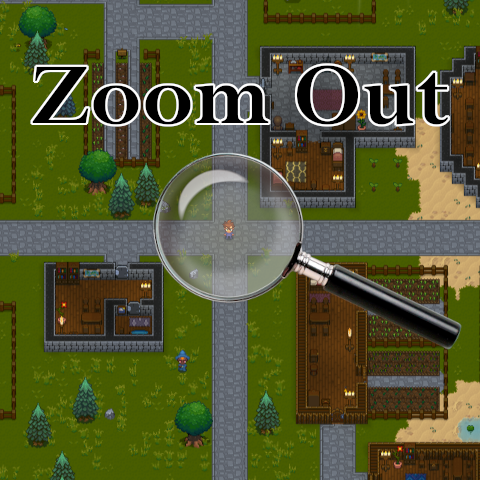
Zoom Out
door 76561198050477007
Unlocks the game camera and allows you to 'zoom out' beyond the 100% limit (up to 25%). The default keys are HOME (zoom custom to 50%) and END (zoom reset to 100%). You can set custom values for these settings in the '.cfg' file. You can also change the default keys in Settings -> Controls. The game's default zoom in/out keys work the same as always, but with the zoom limit unlocked. The mod is only needed on the client side, the server doesn't need this. *** Using a very low zoom (far view... for example 25%) will affect the game's performance and things will be very slow if your computer is not good enough *** For screenshot of the entire map, use the game built-in command "/mapshot". It's way better. -- v1.1: - Fixed the /zoom command. - Custom options included.

The Holy Rail
door 76561198010120482
Supported Necesse Version: 1.1.1 The Holy Rail The Holy gRail of minecart mods! The Holy Rail is a minecart improvement mod for Necesse. It adds the following items to the game: - Powered Tracks - Gives minecarts a boost of speed when powered with wire. - The Track Torpedo - A minecart with an overall higher top speed. - Chest Minecarts - Store items inside and send them on their way. - Station Tracks - Automate Chest Minecart movement all around your settlement and allows Chest Minecarts to automatically interact with nearby chests! This allows you to effectively automate your item movement around your settlement. Mod Notes Server Notes - If you want this mod on your dedicated server, then you must download the jar file located HERE and place it in your server's Necesse mods folder. More information can be found here. Powered Tracks - They are available at Demonic Workstations or higher. You'll need the following materials: - 2 Gold Bars - 1 Iron Bar - 1 Wood Log - 5 Wire - They require power. If you run over an unpowered Powered Track, you will slow down. - Powered Tracks will stop empty minecarts and Track Torpedos, but will always send on Chest Minecarts (if the track is powered). - They work with all current forms of power generation (sensors, levers, etc) - AFK mob farms are possible! See the mod's video for an example. Track Torpedo - They are available at Demonic Workstations or higher. You'll need the following materials: - 5 Tungsten Bars - 3 Gold Bars - 1 Firework Dispenser - They go roughly 1.7x faster than standard minecarts. Chest Minecart - They are available at any workstation. You'll need the following materials: - 1 Minecart - 1 Storagebox - They are designed to work with both Powered Tracks and Station Tracks. - They can hold any item and have 20 slots. Station Tracks - They are available at Demonic Workstations or higher. You'll need the following materials: - 1 Tungsten Bar - 1 Iron Bar - 1 Wood Log - 4 Wire - They are designed to work only with Chest Minecarts. Any other minecart will treat the station track like a normal track. - They are fully configurable. Right-click the Station Track after placing it down to configure it. Want to have Chest Minecarts automatically pull from one nearby chest? Or do you want Chest Minecarts to automatically dump their contents into nearby chests? This is where you configure that. - Station Tracks have two modes: Middle Of The Line and End Of The Line - Middle Of The Line mode is set when the Station Track is UNPOWERED - This mode will stop a Chest Minecart as you have configured it, and then send it in the direction it was facing when it stopped. - End Of The Line mode is set when the Station Track is POWERED - This mode will stop a Chest Minecart as you have configured it, and then it will turn it around and send it back in the direction whence it came. - This mode will be indicated by small yellow stripes along the rail. Changelog Latest version: 1.1.1 - Added support for Necesse 1.1.1 - Fixed entity tracking issues with Station Tracks (saved settings will now persist). Version: 1.0.2 - Added support for Necesse 1.0.2 Version: 0.8.2 - Added support for Necesse 0.33.0 Version: 0.8.1 - Added support for Necesse 0.32.0 - Adjusted deprecations - Fixed various style warnings Version: 0.8.0 - Updated to support Necesse version 0.29.0 - Updated Italian translation Version: 0.7.1 - Updated to support Necesse version 0.26.1 - Italian translation added thanks to chrisguglia! Version: 0.7 - Updated to support Necesse version 0.26.0 Version: 0.6.8 - Updated to support Necesse version 0.25.0 Version: 0.6.713 - Updated to support Necesse version 0.24.0 Version: 0.6.701 - Fixed a bug that would lock a player in if they attempted to mount/dismount from the Track Torpedo when equipped as a mount and used the mount hotkey. Version: 0.6.7 - Added compatibility for Necesse version 0.23.1 Version: 0.6.6 - Added compatibility for Necesse version 0.23.0 Version: 0.6.5 - Added compatibility for Necesse version 0.22.1 Version: 0.6.4 - Added compatibility for Necesse version 0.22.0 Version: 0.6.3 - Bugfixes - Fixed a bug that could cause a crash in 0.6.2. Version: 0.6.2 - Bugfixes - Fixed a null entity error that could occur when powering station tracks. Version: 0.6.1 - Additions - Added some text to the Station Track configuration form that gives user feedback on current Station Track mode. Version: 0.6.0 - Additions - Added Chest Minecarts - Added Station Tracks - See FAQ for more info. - Bugfixes - Fixed desync issues with minecart positions - Other - Completely retooled how powered rails add speed to minecarts. FAQ Can Station Tracks be powered? Yes! In fact, they are designed to be used both powered and unpowered. Powered Station Tracks (End of the Line Mode) are meant to be at the ends of your hauling lines because they automatically turn carts around after they've been stationed. Unpowered Station Tracks (Middle of the Line Mode) send minecarts in the direction they were originally going after being stationed. Can I configure a Station Track to be ignored? Yep. Set the Station Track to wait for 0 seconds. The Station Track will then act as a normal rail. I want this mod on my dedicated server. What do I need to do? First, download the jarfile located HERE. Then, place that jarfile on your server's Necesse mods folder. More info about that can be found here. Finally, have all the players connecting to your server subscribe to this mod. NOTE: You will need to manually update the jarfile every time this mod is updated. As of now, there's no way for me to automate this process for you. Other Information The source code for this mod is available here.
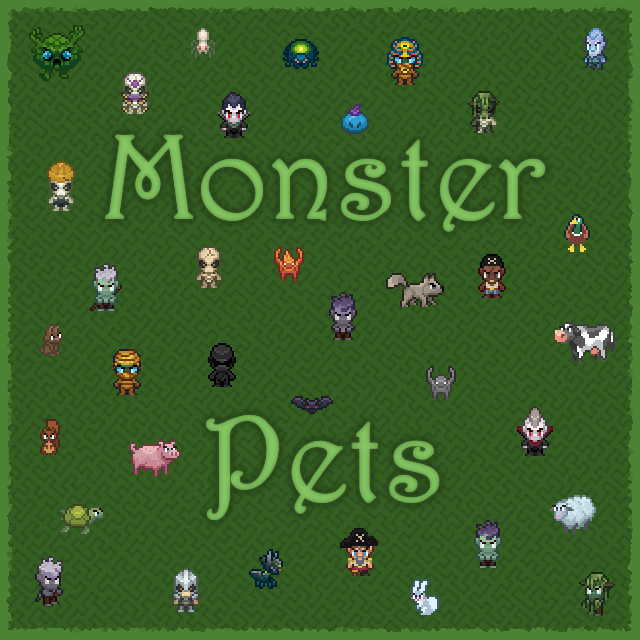
Monster Pets Mod
door 76561198334291362
Updated to 1.3.2 A mod that adds new items to summon pet versions of many monsters and critters. Currently adds: A new crafting station: Pet Altar All craftable pet items are made in this upgradable crafting station. Mob Pets: A total of 143 pets, including critters, monsters and hostile npcs. Hostile Critters: Angry hare, Angry rabbit A huge thanks to nikluz for the modding guide videos https://steamcommunity.com/sharedfiles/filedetails/?id=2859347404
![AutoNecesse [Discontinued] – Necesse Mod](https://images.steamusercontent.com/ugc/12578648609982911184/2CBF8454E58107E8FC86EA74B4031EC3E44DF0E8/)
AutoNecesse [Discontinued]
door 76561198979132550
Compatible with version v0.33 This mod adds several automation items, such as conveyors and filters. You can purchase them from the new settler, the Mechanic, or craft them yourself at the Workstation. Some items require the Demonic Workstation or Tungsten Workstation LANGUAGES - English - Spanish LINKS GitHub: https://github.com/AizSave/AutoNecesse Package: https://github.com/AizSave/AutoNecesse/packages Want to support me? This mod is no longer actively developed, but it will remain available for everyone to use. If you enjoyed the mod and would like to support my work or future projects, you can buy me a coffee: ☕ https://buymeacoffee.com/aizsave Any support is greatly appreciated ❤️

Loot Boxes. A new way to get cool loot (Now in 1.0!)
door 76561198404744877
-- REMEMBER TO VERIFY FILES AFTER EVERY UPDATE OR ELSE IT MAY NOT WORK -- A mod that adds increasingly better loot boxes from enemies, inspired by the Loot Bags mod for Terraria (and Minecraft because they both are called that. Maybe I should've just made these loot bags too lol) These may be VERY unbalanced. Tier 1 - 4 Loot Boxes drop from all enemies at a 3% chance, Tier 5 drop at a 1% chance (but keep Tier 4 in the loot table) Tier 1 - 4 Loot Boxes drop from all bosses at a 50% chance, Tier 5 drop at a 5% chance (but keep Tier 4 in the loot table) Tier 1 drop at the very beginning. Tier 2 drop after Evil's Protector is slain. Tier 3 after Void Wizard is slain. (Tier 3 has the littlest in terms of loot, balancing will be needed in the future) Tier 4 after Pirate Captain is slain. Tier 5 start dropping after Fallen Wizard is slain. You can downgrade every box at an alchemy table, and upgrade Tier 4 to Tier 5 at them as well. I'll be making a wiki for my mods sometime soon after the Vulpes Nova sprite update, the exact loot tables will be there, but in the mean time here's them: Tier 1 is most of the Forest and Snow cave loot (along with some of the ores) Tier 2 is most of the dungeon, desert, and swamp loot. (along with potions and ores) Tier 3 is pirate village loot (more potions and bars to make up for it not having much, and a shotgun cause why not) Tier 4 is a mix of all the deep cavern loot. (along with even more potions and some ores from this zone) Tier 5 is ALL loot from incursions. (including craftables, minus bosses not exclusive to incursions, also drops an essence and increased potions) Now there's 2 new boxes with specific consumables! Both are made using Tier 3 Loot Boxes at an Alchemy Table. One gives you 3 sets of random potions, the other 3 sets of random (fine or gourmet) food. Decided to take a break from working on Vulpes Nova resprites and work on a little side project. Thanks Jakapoa in the discord server for helping me figure out how to make the progression system work :) Make sure to check out the change logs for updates. Everything should work in both Single-player and Multiplayer. Also check me out on youtube, I'm KingEnder04 (and there's also a link here on the page!) If you want to help with translation you can reach out to me on discord! Translations - English - Me Mod is currently on Version 1.1
Terraformer + Builder
door 76561198066733651
TERRAFORMER + BUILDER NOTE: I am not currently maintaining this mod. It probably does not work on the current version. I am not sure if I will revisit Necesse or not, but it remains a possibility. The code for it is on Github if you are feeling ambitious. Designed to make building and shaping your world easy. Now upgradeable! Introducing: Terraformer: A tool made for landscaping tiles at bulk. Pick up and dump liquids and solids all over your island in four different shapes, with adjustable sizes. Builder: A bulk building tool for placing and removing objects such as walls en masse. Info Find these items at your nearest Elder. (Or in the debug menu) Includes hotkeys for adjusting size. Change it in your controls menu. Defaults: Size+: Size-: Planned Updates: * Item will be upgrade-able to extend placement range and shape size limits. As always, find the code and more information at my GitHub. Please do not edit this and re-release it under your name without direct credit. https://github.com/FerrenF/Necesse-Terraformer/ Builder will allow you to place objects on water, even if a preview isn't displayed. This is a bug that some people seemingly don't want removed, so for now... It shall stay. This being said, objects placed on water will break themselves and any connected neighbors on update (removal). Updates: 1.1.9: Patch for necesse 1.0.2. I'm back! 1.1.8: Patch for necesse 0.33.0. 1.1.7: Updated for Necesse 0.32.1, fixed possibility of crash during level change. Fixed a crash occuring on terminal-based dedicated servers. 1.1.6: Hotfix for item not showing up in Elder shop. 1.1.5: Hotfix for incorrect builder upgrades. 1.1.4: Updated for Necesse patch 0.32.0. Moved Upgrade Station to tungsten workbench to make upgrades more accessible. 1.1.3: Added upgrade paths for both Terraformer and Builder 1.0.3: Fix for client and server requesting the same tile updates, causing the entire request to fail sometimes. 1.0.2: Fix for terraformer not placing tiles correctly. Please do report something if you think it's not working correctly - i had no idea this was going on ;-; 1.0.1: Fix for enroaching/reappearing water and desync issues with placement. 1.0.0: Release of Builder Tool 0.0.2: Crash fix on changing level while terraformer is active.
DPS Everywhere
door 76561198023906697
DPS Everywhere Always have your current dps displayed under the minimap. Mod Info - Mod Version: 1.0.3 - Game version: 1.2.0 Git For server, release .jar file can be found on github Known issues are also tracked here.
![RPG Skills 2.9 - Necesse 1.3.3! [BR MOD] – Necesse Mod](https://images.steamusercontent.com/ugc/18284173211127137796/46A6DB793F0F31652F0D56C23B6777AE13CF4C38/)
RPG Skills 2.9 - Necesse 1.3.3! [BR MOD]
door 76561198877743500
RPG Skills Created and planned from scratch by Necromante96Official. OFFICIAL SITE Everything you need to know about RPG Skills is here: https://necromante96official.github.io/RPG-Skills-Site Classes, passives, progression, config, commands, compatibility, and guides - read the official site. This Workshop page is only a summary. Full details, numbers, and updates: always on the site. YouTube channel: https://www.youtube.com/@Necromante96Officiall I DO NOT AUTHORIZE anyone to take my mod and change it without my permission. That includes editing, redistributing, republishing, or claiming ownership of any part of it. Respect the original work! IMPORTANT: set RPG Skills to maximum priority, above all other mods. Otherwise you may get wrong-language text, mod conflicts, and crashes in settler shops. RPG Skills adds RPG-style progression to Necesse without replacing the game's identity: earn XP, level up, spend points, and build your character with combat, defense, mobility, mining, loot, fishing, settlement, and utility. Includes passives, actives, hotkeys, a QoL Shop, and a full Config menu (singleplayer and servers). Play your way - go full combat, full settlement, or mix both. - Compatible with Necesse 1.3.3 - Default max level: 165 (33 classes x 5 points) - Open window: K | Controller: hold LB+RB - Compatible with Safe Haven QOL - compat options in the RPG Skills menu Progression (how to level up) The loop is simple: XP -> level -> class points. Each level gives points you spend 1 at a time on the Classes tab (up to 5 per class). You gain XP from enemies/bosses (harder regions give more; summons grant no combat XP), mining, farming, harvesting, fishing, settlement work/recreation (daily cap), and special zone rules. Recruiting specialists/rescued settlers can also grant extra XP. Temporary XP buffs 2x / 5x / 10x come from the Shop or Controls hotkeys. Death penalty, curve, multiplier, and max level are configurable (on dedicated servers, the server config is authoritative). Want full XP sources, caps, and options? Official site. 33 classes Each class goes up to level 5. Enable/disable classes in Config (Master of Classes only counts enabled ones). Direct summary: Combat - War Master - melee, crits, armor pen, attack speed - Marksman Master - ranged and projectiles; Eagle Eye (highlights nearby enemies/animals) - Magic Master - magic, mana, and cast speed - Summon Master - summon damage, speed, and limits - War + Marksman + Magic + Summon at 5 -> Damage God (+50% total damage) - Bloodthirsty / Incendiary / Venomous / Freezing / Nightmare Master - DoTs (bleed, burn, poison, frost, darkness). At high levels: broken armor, freeze, rare hitkill - Blood Master - lifesteal, regen, and heal on kill Defense and survival - Resistance Master - less physical/magic damage and knockback - Elemental Resistance Master - debuff resists/immunities (poison, fire, frost, slow...) - Colossal Master - temporary defense when hit (with cooldown) - Vitality Master - max HP, regen; chance to survive a lethal hit (Vital Blessing) - Defense Master - armor and thorns - Resilience Master - max resilience, gain, and recharge Mobility and utility - Speed Master - move speed and sprint - Dash Master - more dashes, lower cooldown - Reduction Master - less ammo; less crit damage taken - Cavern Master - mining and cave vision; Vein Miner; level 5 unlocks Explosive Miner in the Shop - Construction Master - build/interact range and speed - Arcane Master - mana; Immortal Scribe (enchant scrolls not consumed) - Wealth Master - more gold; Gold Strike on hit - Loot Master - better loot and extra drop chance - Relic Master - extra trinket slots and larger pickup range Settlement, fishing, and world craft - Realm Master - settlements; level 5: Unrivaled QoL, mood-strike block, task XP x3 (capped) - Sea Master - fishing and swim; level 1: Angler's Reflex (auto catch/recast - AFK fishing) - Gourmet Master - much longer food; level 5: Always Full Belly (auto-eat) - Alchemy Master - much longer potions; level 5: Auto Potion (auto-heal at low HP) - Ranch Master - faster tame/breed; better ranch-zone drops at 5 - Machine Master - faster furnace/press/composter/grain mill/incinerator (settlement team) - Nature Master - faster crops and trees in your settlements - Trap Master - stronger traps; less ally damage; bleed at level 5 Multiple DoTs on one target: the blue number is the combined total. Passives and QoL (highlights) - Vein Miner and Explosive Miner (pickaxe blast with no player/mob damage; mutually exclusive) - Auto Potion, Always Full Belly, Immortal Scribe, Eagle Eye - Angler's Reflex, Vital Blessing, Master of Classes - Auto Weapon Select - picks the right hotbar slot near enemies/dummies (never TNT/bombs) - Accelerated Sleep - night passes almost instantly (configurable window) - Caveling hunt by summons (per-player hotkey + aggro radius in Config) - Extra trinket slots, larger world stacks, chest upgrades, and XP buffs in the Shop - Spoil loses 1 per cycle (not the whole stack; toggleable) - Inventory backup and controller support (SP/MP) Window, Shop, hotkeys, and commands - Status - character, passives, and active bonuses - Classes - bonuses, unlocks, and point spending - Shop - XP buffs, stack, chest slots, Explosive Miner, and more - Config - progression, classes, passives, economy, features, and compat - Optional hotkeys: XP 2x/5x/10x, advanced vein, explosive, trinket light, auto-weapon, caveling hunt - Commands: /rpgskills status, reset points; MP admin: set level, maxskills, stack/chest/XP, restore | help Full guide All important info - exact numbers, full lists, config, commands, FAQ, compatibility, and updates - is on the OFFICIAL SITE: https://necromante96official.github.io/RPG-Skills-Site YouTube: https://www.youtube.com/@Necromante96Officiall Evolve. Choose your class. Build your character. Dominate the world.
NPC Shops Expanded
door 76561198175462403
This mod reorganises NPC shops to increase the variety of items bought and sold, and remove unnecessary clutter. To ensure that the gameplay experience is reasonably balanced, many items are unavailable until certain bosses have been defeated, corresponding to the level of progression that they would typically become available at. Some items, such as pouches, bags, homestones, waystones, and explosives, are available for sale earlier than in vanilla Necesse, for the sake of convenience. Please note that the preview images of NPC shops on this page include their entire selection, and do not represent what is available at the start of the game. As you defeat various bosses, you'll unlock new items in the NPC shops. Changes: - Alchemists now sell a much wider variety of potions. This includes incursion potions, which are available after defeating the Fallen Wizard. They also sell potion pouches/bags. Alchemists will also buy a larger variety of ingredients and other items, including special fish, alchemy shards, and essences. - Anglers now sell all types of fishing rods. - Animal Keepers now sell basic husbandry equipment, such as Queen Bees, shears, buckets, and rope. Animal Keepers now buy leather, wool, and eggs. - Blacksmiths now sell iron, demonic, tungsten, and ancient fossil tier swords and tools, as well as basic wiring equipment. They'll also buy gemstones, and incursion crafting materials. - The Broken Pirate's shop has been reduced in stock, with some items moved to other shops. Iron bombs and dynamite have been moved to the Miner's shop to make them easier to acquire in the early game. - Exotic Merchants now sell a wider variety of paintings, and a selection of vinyls, in addition to their usual stock. A few items were moved to other shops. - Explorers now sell map fragments, and all types of maps (village map, dungeon map, pirate map, etc). - Farmers now sell all types of seeds and fruit tree saplings, along with lunchboxes, seed pouches, farmland, fertilizer, rope, and farming scythes. They'll also buy any crops or fruits you offer them. - Gunsmiths now sell the Ammo Box trinket, ammo pouches/bags, and a selection of guns, in addition to their selection of ammunition on sale. Gunsmiths now buy gemstones, and incursion crafting materials. - Hunters now sell the Magical Quiver trinket, Ninja's Mark trinket, ammo pouches/bags, and a selection of bows, in addition to their selection of arrows on sale. Their buying options are unaffected. - Mages now sell void pouches/bags, recall/portal flasks, homestones, waystones, recall scrolls, teleportation scrolls, magic/summoning weapons, magic/summoning potions, and a few magic/summoning trinkets. They'll also buy a few alchemical ingredients, books, and incursion crafting materials. - Miners now sell coin pouches, iron bombs, dynamite, and a few mining-related trinkets. - The Stylist's shop has been significantly expanded, offering the cosmetic options that have been moved here from other NPCs' shop inventories. To avoid compatibility issues or crashes, it is strongly recommended that you do not install any other mods that add vanilla items to NPC shops, as duplicate entries will cause the game to crash. If you're having any issues with this mod, please verify your game files before posting here, and make sure to post the crash log if you're experiencing crashes. It is recommend that you place this mod at or near the top of your load order to ensure that it will not overwrite mods that add non-conflicting items to NPC shops. This mod's source code can be found here: https://github.com/768gareth/npc-shops-expanded
Quest Tracker Minimize Button
door 76561198066733651
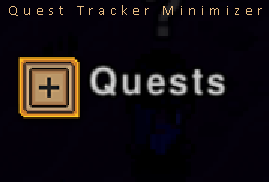
What is the Quest Tracker Minimize Button? This mod adds a minimize/maximize button to the quest tracker. The log can get pretty full if you have multiple settlements, so this way you can simply toggle it on and off. Find the code for this mod here: https://github.com/FerrenF/QuestTrackerMinimizer Changelist Version 0.3.1: Version update, scrollbar fix. Version 0.2.1: Clientside fix Version 0.2.0: Level Persistence Version 0.1.0: Initial Release
Cheat Equipment
door 76561198813044176
Just a cheat mod. This mod adds items that are created out of thin air: GGSword: Extremely fast with 9,999,999 damage + long range; GGBow: Extremely fast with 9,999,999 damage; GGGun: Extremely fast with 9,999,999 damage, but gun; GGFolio: Homing projectiles with 9,999,999 damage; GGTool; GGTrinket: Grants immortality and something else; GGCoin: Worth 5,000. Right-click to get coins; GGMagicHeart: Sets health and mana to 10 million; GGSummon; GGProtectiveCloak: Designed for settlers; GGApple: Restores hunger; GGWatch, but it doesn’t work. That’s why you won’t see it xD; There are also regular super tools if you don't like GGTool. ATTENTION To obtain the items, open your inventory and find them in the crafting window. ATTENTION https://github.com/Vozart/NecesseCheatEquipment

Equipment Expansion
door 76561199205469142
Equipment Expansion This mod aims to increase the amount of Armor, Weapons and Trinkets found around the world of Necesse. Currently there is only 26 additional items added. Ideas and Feedback is highly appreciated! Mod Version: 1.5.0 Game Version: 0.23.1 Server Jar File: GitHub Page Current Content - Nightmare Slime - 15% Attack Speed (to all Attack Types) - 22% Crit Chance - 11% Crit Damage - 35% Movement Speed - -35% Stamina Usage - +100% Mana Regeneration Rate - +50 Max Health - Goblin Armor - 5% Magic Attack Speed - 3% Crit Damage - 10% Movement Speed - 5% Magic Damage - Anglers Armor - 40% Fishing Power - +3 Fishing Line - Water Walking - Builders Armor - +5 Build Range - 250% Building Speed - 25% Movement Speed - -30% Mob Spawn Rate - Miners Armor - Emit Light - +2.5 Pickup Range - No Attack Movement Penalty - 50% Tool Damage - 25% Mining Speed - Trinkets - Tackle Box (Fishing Power) - Durable Fishing Line (Fishing Line) - Broken Lure (Fishing Power) - Protector's Retribution (Combined Melee Trinket) Special Thanks GameLogic#5155 - Helping with some code. Churfu#2228 - Sprite Artwork Zillion#2937 - Sprite Artwork крлл#4698 - Russian Translation

AutoMiner (Temporary Fixed)
door 76561198057282454
This mod provides automatic ore mining and was originally created by KKDJ20 and Agath. Since the original creators are no longer maintaining it, I have updated the mod. The description follows the same line as the original here: https://steamcommunity.com/sharedfiles/filedetails/?id=3440421710&searchtext=AutoMiner I hope you enjoy using it. --- The original mod has now been updated. Please unsubscribe from my version and subscribe to the original mod below: https://steamcommunity.com/sharedfiles/filedetails/?l=english&id=3440421710 --- I have added new items (Altar Dust, Wool, Topaz) and updated the version. I also reduced the amount of required resources.

Faster Forge
door 76561198105679714
Faster Forge! A very simple mod that allows user customization of the forge's smelting speed. Defaults to 2x vanilla speed, can configure the speed in Appdata/Roaming/Necesse/cfg/mods/FasterForge/config.cfg
Necesse server met modondersteuning
Installeer compatibele, ondersteunde mods via het serverdashboard.
Huur een Necesse server