Моды и плагины для Necesse
В этом каталоге перечислены проекты Necesse из Steam Workshop. Они могут быть серверными, клиентскими или требоваться с обеих сторон, а также включать карты и другой пользовательский контент. Перед установкой проверьте связанную страницу источника, версию игры и зависимости.
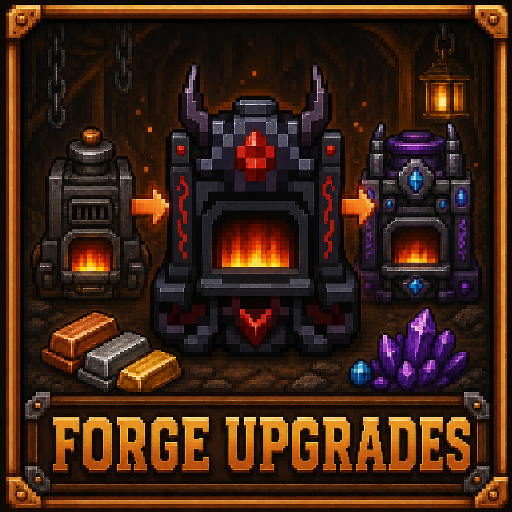
Forge Upgrades
автор 76561198038365196
Upgrade the vanilla forge through Demonic, Tungsten, and Fallen tiers, each increasing processing speed by 50%! Adds the following new items, by upgrading the Forge: 1. Demonic Forge (1.5x processing speed) 2. Tungsten Forge (2.0x processing speed) 3. Fallen Forge (3.0x processing speed) Changelog: Fixed issue where settlers couldn't use the workstation Fixed visual bug where Forge's activation wasn't visible Slots increase by 1 per Forge level, 2/2 for Forge 3/3 for Demonic Forge 4/4 for Tungsten Forge 5/5 for Fallen Forge More mods by me: Deconstructor: https://steamcommunity.com/sharedfiles/filedetails/?id=3730900523 Mine It All: https://steamcommunity.com/sharedfiles/filedetails/?id=3730263197 Necesse Power: https://steamcommunity.com/sharedfiles/filedetails/?id=3732508344 Like my workshop content? You might like my game - check it out on Steam: https://store.steampowered.com/app/3629280/Lone_Survivors/ Developed with AI assistance (GitHub Copilot), and art/icons created by ChatGPT + refined by myself.

Customizable UI
автор 76561198979132550
This mod lets you customize your UI in: Settings → Mod Setting → Customizable UI Want to support me? This mod is no longer actively developed, but it will remain available for everyone to use. If you enjoyed the mod and would like to support my work or future projects, you can buy me a coffee: ☕ https://buymeacoffee.com/aizsave Any support is greatly appreciated ❤️
![ClickerMod [Discontinued] – Necesse Mod](https://images.steamusercontent.com/ugc/26566983841614177/23702AFC310EF3AC449EE1FD17B4F683DDCB066C/)
ClickerMod [Discontinued]
автор 76561198979132550
Compatible with version v0.33 This mod reimagines the Necesse experience by incorporating clicker game mechanics into the core gameplay. Players are introduced to an interactive table that rewards each click with Click Points, which serve as a currency to boost your overall performance. As you use these points to increase your clicking power, you also must progress by defeating bosses A distinctive feature of this mod is the introduction of “cursor” weapons, a new type of armament that not only damages enemies but also generates additional Click Points with each hit. Alongside these cursors, you'll find a range of accessories designed to enhance their effectiveness. The progression is thoughtfully balanced: as you defeat bosses, more items become available, allowing you to strategically invest your Click Points in upgrades that further streamline your advance through the game ⚠ This mod adds content up to the Swamp Protector - Pirate Captain. More content will be added in the future FOR DEVELOPERS AND SERVERS GitHub: https://github.com/AizSave/ClickerMod Package: https://github.com/AizSave/ClickerMod/packages/ Want to support me? This mod is no longer actively developed, but it will remain available for everyone to use. If you enjoyed the mod and would like to support my work or future projects, you can buy me a coffee: ☕ https://buymeacoffee.com/aizsave Any support is greatly appreciated ❤️

Full Health Respawn
автор 76561198116189298
Tired of resting just to get your HP full after dying? This mod will make you respawn with full health! No need to rest, just die and respawn with full health!
Auto Fishing
автор 76561198411876096
This mod adds auto reel and auto recast features when performing traditional fishing
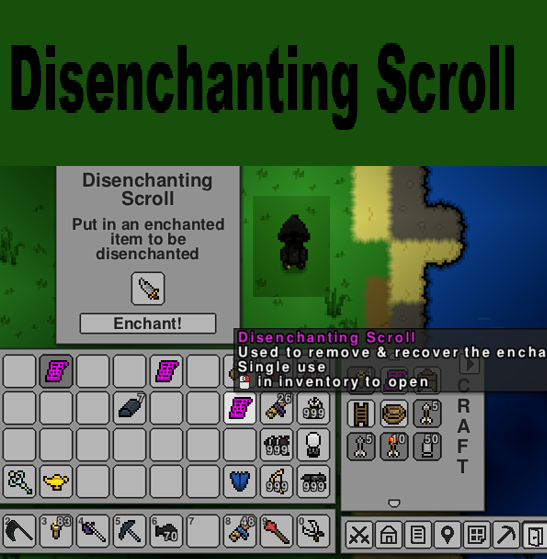
Disenchanting Scroll
автор 76561198105679714
Disenchanting Scroll Adds a scroll that lets you disenchant your enchanted gear & recover the enchantment scroll used on it. Remove that annoying curse from your favorite weapon, or use that masterwork enchant you've been saving up and just swap it to your new weapon later! The scroll will let you disenchant any enchanted item, be it weapon, tool, trinket, or armor. It will not (should not) accept any item that isn't currently enchanted. How to obtain Currently these scrolls are only obtainable as boss drops, being a 1 in 4 chance from early-game bosses, 1 in 3 chance from mid-game bosses, and 1 in 2 chance from late-game bosses. The scroll drop chance for each boss is configurable within the config file located at Appdata/Roaming/Necesse/cfg/mods/DisenchantingScroll/config.cfg. Within this config file, 1.0f represents a guaranteed 100% drop while 0.5f represents a 50% droprate, 0.1f represents a 10% drop rate, etc. Change log v0.91 - Fixed crashing bug related to Necesse patch v0.21.26

Area Copy Mod (in Survival Mode) v1.5(May19,2026)
автор 76561199204870000
Summery ・Area copying and moving is now available in Survival Mode! ・Copy or move a specified area and place supported objects with flip and rotation options. ・THIS IS NOT A CHEAT TOOL. When performing a copy build, required items are consumed from your inventory, and construction fails if you lack the necessary items. ・Wires, logic gates and traps are copied along with their settings, making it easy to deploy multiple anti‑raider trap setups. How to use 1. Craft the "Area Copy Marker" at a workstation. Since crafting them requires a number of materials, so this tool cannot be used in the very early game. This limitation reflects the intention not to make this mod feel like a cheat tool. 2. Define the source area using the settlement’s restricted‑area feature (if needed). 3. Place a Marker at top-left of the target location and right‑click. Select the defined area, or click the gear icon to choose an area with your mouse. 4. Press "Execute Copy" or "Execute Move" to proceed. 5. Marker is dropped after use, allowing that to be reused. Specification & Features: - Flip and rotation are performed around the marker position. - Copying requires the necessary items to be present in your inventory. Moving does not consume any items. - When moving an area, all characters within the source area are moved as well. Livestock can be moved together with their pens. - Workstations, cooking stations, beds, chests, and similar objects retain their settings when copied or moved within the same settlement. - Crops, trees, fruit trees, and berry bushes require their respective seeds or saplings to be copied. - Chest contents are moved along with the chest when moving. When copying, the original chest keeps its contents and the copied chest is empty. Arrow and Fire Trap Variant Handling: Arrow traps and fire traps cannot substitute for each other, but each trap type has around ten wall‑type variants. Since matching the exact variant during copy builds would be impractical, this mod treats variants within the same trap type as interchangeable and pulls the required traps from your inventory. Required Item Draw: When you press the "Draw Items" button, it draws the items required for construction from nearby chests into the player's inventory. Items that do not fit in the inventory will be dropped on the ground, and all required items must fit in the inventory for construction to proceed. Limitations: - Can only be used in surface. - Existing objects at the target location are destroyed and dropped near the player. If too many items are dropped at once, some of them may disappear. When targeting a large area, it is recommended to level or clear the area beforehand. - Construction cannot proceed if target area contains important objects (such as settlement flags or dungeon entrances). - When flip or rotation is applied, unsupported objects are ignored. - You cannot undo either a copy or a move. THIS MOD IS PROVIDED WITHOUT ANY WARRANTY. USE AT YOUR OWN RISK. If your world data becomes corrupted, try restoring it from the automatic backup. ************* このMODはいかなる場合でも無保証で提供され、使用者の自己責任の下使用することとなります。 ワールドデータが破損した場合は、自動バックアップからの復元を試みてください。 要約 サバイバルモードで建築物のコピー/移動ができます。 指定されたコピー元のエリアにあるコピー可能なオブジェクトを、別の指定先にコピー/移動できます。 これはチートツールではありません。コピーの場合に必要なアイテムはプレーヤーのインベントリ内から消費されます。アイテムが不足する場合、コピーは実行されません。 ワイヤー・回路・罠は設定を伴ってコピーするので対襲撃者トラップの複数配備が楽に行えます。 使用方法 1. "Area Copy マーカー"を細工作業台でクラフトします。 相応の材料を要求されます。そのためゲーム序盤では使用することができなくなっています。 これは、このツールをただ楽をするためだけのツールにしたくないという意図があります。 2. 開拓地メニューの「制限」機能を用いて、コピー/移動元のエリアを定義します。(必要な場合) 3. "Area Copy マーカー"をコピー/移動先にの左上隅に配置して右クリックします。定義したエリアを選択するか、歯車アイコンを押してマウスでエリアを選択します。 4. 「コピー実行」/「移動実行」を押します。 5. "Area Copy マーカー"は、コピー後にドロップするので再使用できます。 仕様: - 反転と回転はマーカー位置が原点になります. - コピーの場合、すべての必要なアイテムがプレイヤーのインベントリに収納されている必要があります。 移動の場合は建築アイテムは不要です。 - 移動の場合、移動元にいるキャラクターごと移動されます。そのため柵と家畜を同時に移動することができます。 - 作業台・調理台・ベッド・チェスト等はその設定を伴ってコピー/移動されます。ただし開拓地内での移動に限ります。 - 農作物・樹木・果樹・ベリーの茂みは、コピーのためにそれらの種または苗を必要とします。 - チェストの中身は、移動の場合は中身ごと移動されます。コピーの場合は中身はもとのチェストに維持されコピー先のチェストは空になります。 矢と炎の罠の柔軟な取り扱いについて: 矢の罠・炎の罠は、壁の種類別に10種類以上あり、ゲーム内で収拾が困難です。本Modでは、コピー時に別の壁タイプの罠を代替できるようにしています。(矢⇔炎の代替はできません) 引き当て機能: 「引き当てる」ボタンを押すと、プレイヤーの周囲のチェストから建築に必要なアイテムをプレイヤーのインベントリに引き当てます。プレイヤーがニモパンの場合、引き当てたアイテムは床に落ちます。建築に必要なすべてのアイテムはプレイヤーのインベントリに収まっている必要がありますのでその点注意してください。 制約: - 地表でのみ使用できます。 - コピー/移動先の既存アイテムは破壊され、回収されます。プレイヤーのインベントリに収まらなかった分は足元にドロップします。ドロップするアイテムが多量になると消失する可能性があります。多量のドロップが予見される場合は、あらかじめターゲットエリアを整地しておくことをお勧めします。 - ターゲットエリアに重要なオブジェクト(開拓旗やダンジョンの入り口など)がある場合は実行できません。 - 反転/回転が指定されたとき、対応していないオブジェクトは無視されます。 - コピー/移動は取り消すことはできません。
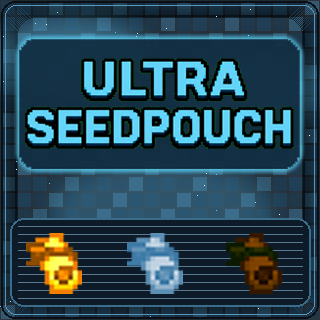
Ultra SeedPouch
автор 76561197978619661
Ultra SeedPouch for Necesse v1.3.2 Inspiration from Ultra Storage by Save Latest Updates: Game version now current. No other code was edited. All .lang files updated. Fixed: countIngredientAmount change in v1.3.2 update. Updated description/gradle for Necesse v1.3.1 No code was changed, let me know if any issues occur in discussions or comments tab. (Verify files or unsubscribe/resubscribe if update doesn't happen automatically, running older version shouldn't have any issues aside from version mismatch.) Fixed issue where items were deleted on upgrade if you had multiple pouches and one was empty. Localization files added for all Necesse Languages. Initial release ABOUT Ultra SeedPouch adds 3 more tiers to the basic seed pouch. Each tier by default increases: - Capacity Configurable so you can adjust storage growth and upgrade costs to fit your world. DEFAULT CONFIGURATION inventoryRowsPerTier=1 goldCost=20 glacialCost=20 ancientCost=20 .cfg file created after first launch. Configure the mod however you wish: "Roaming/Necesse/cfg/mods/ultraseedpouch" Enjoy! Known Issues ⚠️ None... for now. - Items deleted on upgrade if you have multiple pouches and one is empty. Logic issue with itemInventoryCount>0 check. Fixed in v0.1.3 - Post any issues you find here in the discussions tab. - Tested and working on local and dedicated servers. ================ Check out my other Necesse mods & collection/overhaul: RPG Mod REBORN Stack Resizer REBORN Ultra Bags Ultra Fridge Ultra Lunchbox Ultra SeedPouch TOMKYN Overhaul (Mod Pack) More to come! ================ Any support greatly appreciated: ☕Ko-fi PayPal If you're bored and/or want to support me for free, a sub to my new Youtube channel would be much appreciated! <3 Youtube.com/@ZanzahZ]
More Bullets
автор 76561198324373614
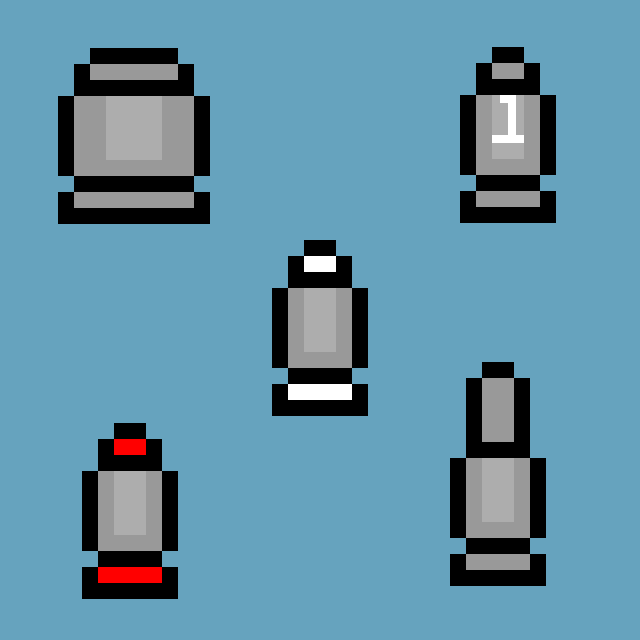
Eco Bullet ~ 100 seeds = 50 lesser bullets without any iron. Used to get rid of overflowing seeds in boxes. Can be used as a cheap alternative, but it is mainly consider a way to prevent chest to get full as bullets stack to 1000 instead of 100. Refined Bullet ~ 50 bullet + 1 Iron Bar = damage +1 Piercing Bullet ~ 50 bullet + 1 Gold Bar = +8 armor peneration (approx.+4 damage!) Rude Bullet ~ 50 bullet + 10 spoiled food = + 15% crit chance Compressed Bullet ~ 500 bullet = damage x2 (10 damage for a bullet. Expensive but worthwhile.) Refined Bullet II ~ 50 Refined Bullet + 1 Iron Bar = damage +1 again Tungsten Bullet ~ 1 Tungsten Bar = 50 Tungsten Bullet Refined Bullet III ~ 50 Refined II + 1 Iron Bar = +10% crit chance The mod is still updating. -Fixed the bug which caused grass to drop coins and bullets are unusable by most guns. -Fixed the bug which cause rabbits to go twice as fast. -More bullets added and reordered.
Deconstructor
автор 76561198038365196
Adds the Deconstructor: a 1x2 workshop that passively breaks items into their crafting ingredients. Runs on coal/wood fuel or a Necesse Power network (will come with a later mod). Changelog: Updated UI to match the Forge UI, allowing for shift-clicking, better visuals, etc. Added rotated visuals for the deconstructor Fixed collision issues with deconstructor Fixed compatibility with settlements; now has inventory filter and output filter NOTES: I haven't tested this extensively with all objects being deconstructed, it should function as follows, 1. Deconstructs any craftable object into it's ingredients 2. Shouldn't deconstruct an object if it doesn't have craftable materials to make it MORE BY ME: I'm also working on a game - if you like my mods you might like my game (no ai art in the game) -> check it out here: https://store.steampowered.com/app/3629280/Lone_Survivors/ Check out my other mods below, such as: Mine It All: https://steamcommunity.com/sharedfiles/filedetails/?id=3730263197 Forge Upgrades: https://steamcommunity.com/sharedfiles/filedetails/?id=3731042527 Necesse Power: https://steamcommunity.com/sharedfiles/filedetails/?id=3732508344 DISCLAIMER: Developed with AI assistance (GitHub Copilot). Art assets and icon made by ChatGPT's image generation.

InstaHouse
автор 76561198042366551
Depends on Mod Settings Lib. Adds recipe for an InstaHouse in the workstation. House configurable in mod settings - use copy to clipboard preset tool in creative mode. Server file @Jank's config & usage guide: Create a Creative mode game and character; build what you want; use Inventory > Tools tab > Presets section > Copy option; select your building. This copies a text version of the building to your PC's clipboard. Now open Settings > Mod Settings > Instahouse and delete the contents of the custom box. CTRL+V to paste your new house into the box. Click Save. Now you can go into any normal game; go to a workstation, search Instahouse and craft it. The item works like any single placeable block. However, remember that you have a limited build radius and so you need to stand near the top left of where you want to paste your building IE within the build radius of where the single block InstaHouse item is to be placed. If standing too far, it will consume the item and place nothing.

Vein Mining
автор 76561198109627026
With this mod, mining ore will also mine all connected ores in a vein at the same time.

Reusable Enchant Scroll
автор 76561198041680741
Enchant scrolls are reusable

Extra Tooltips
автор 76561199375329607
Know what you are watching with this tooltips client-side mod. The mod adds to the items tooltip: - Category - Value - Mod Press "shift" to show those the extra tooltips For editing, access the config file or use the command '/extraTooltips' Updates This mod is unlikely to break between updates, so if the game says "wrong game version" give it a try

Admin Tools
автор 76561198116244971
AdminTools 2.0 – Server-Synced Admin Menu Bring back the classic admin menu for Necesse 1.0+, rebuilt with full server authority so you can safely host co-op worlds without desync hacks. If you open your inventory, you can see a new button on the far right, kinda looking like a arrow pointing up. Thats the button to open the admin tools. Requirements: - Only players with Admin or Owner permissions see the menu button. - Install on both server and client. Sliders (instant server-sync): - Mob Spawnrate – adjust spawn cap/rate. - Crit Chance – force global crit chance. - Attack Speed – global attack speed modifier. - Damage Multiplier – flat damage multiplier. - Max Health – add or remove extra HP. - Mining Buff – mining speed + range. - Pickup Range – vacuum everything. - Super Summons – summon speed + attack speed. - Speed Bonus – smoother movement bonus (capped to stay render-friendly). Toggles: - (Nearly) Godmode - Unlimited Stamina - Unlimited mana - Afraid in the Dark (infinite light aura) - Infinite Ammo - Unlimited Summons - Invisible - Water Walking - Super Build (range + speed) - Worldmap High Range - Never Hungry (locks hunger at 100%) Actions: - Presets - save and load your custom settings - Heal – floods health regen and now also refills hunger. - Reset – clears every cheat and syncs it back to the server. - Achievement unlock - Unlocks all achievements in the game and grants them on steam - Mapscan - Uncovers the map around the player Other features: - Item spawner - Use ALT + Leftclick on map to teleport to the position

TPA Commands
автор 76561198211597016
TPA Commands Mod v1.5 A mod that adds TPA commands to the Necesse game. Main Features: Player-to-Player Teleportation System - /tpa - Request teleport to another player - /tpac - Accept specific player's teleport request (point-to-point) - /tpad - Deny specific player's teleport request (point-to-point) - /tpac - Accept all pending teleport requests (batch) - /tpad - Deny all pending teleport requests (batch) - Chinese commands: /传送请求, /同意传送 , /拒绝传送 , /同意传送, /拒绝传送 Back System (New in v1.1) - /back - Return to previous position (priority to death location, then teleport location) - /backcd - Set back cooldown time (admin only) - Chinese commands: /返回, /设置返回冷却时间 Warp Point System (New in v1.1) - /newwarp - Create warp point (admin, supports preset names like home, spawn, town, base) - /delwarp - Delete warp point (admin) - /warp - Teleport to warp point (default 15s cooldown) - /warplist - List all warp points - Chinese commands: /新建传送点, /删除传送点, /传送点, /传送点列表 Random Teleport System (New in v1.5) - /rtp - Random teleport to a random position in current level (default 15s cooldown) (Unstable, you may be caught by the wall) - /rtpcd - Set random teleport cooldown time (admin only) - /rtplimit - Set random teleport range limit (admin only, default 1000 pixels, min 100 pixels, no upper limit) - Chinese commands: /随机传送, /设置随机传送冷却时间, /设置随机传送范围 Position Query and Teleportation (Enhanced in v1.2) - /getpos - Get player position and level info (admins can query others) - /tppos - Teleport to specified coordinates and level (admin) - Chinese commands: /获取坐标, /传送坐标 v1.5 New Features: - Random Teleport System: Added /rtp and /随机传送 commands - Configurable Range Limit: Added /rtplimit command to set random teleport range (min 100 pixels, no upper limit) - Safe Position Checking: Automatically finds safe teleport locations - Cooldown Management: Default 15-second cooldown for regular players, admins and owners exempt - Unified Configuration Files: All configuration files use .dat format with standardized naming - Complete Biome Information Support: All teleportation systems record and display real biome information - Warp Point Biome Storage: Warp points automatically record current biome when created - Back System Biome Recording: Records real biome information from teleportation and death locations - Position Query Biome Display: GetPos command displays complete biome information - Owner Permission Support: Server owners have same permissions as administrators - Point-to-Point Teleport Response: Support /tpac playerName and /tpad playerName for precise accept/deny - Request Conflict Prevention: Each target player can only have one pending request - Code Cleanup: Removed unused parameters from configuration files - True Cross-Dimension Teleportation - Removed hardcoded dimension mapping, directly uses LevelIdentifier API - Supports game auto-completion - Code optimization, removed outdated island coordinate system Cooldown Configuration: All teleportation features have cooldown protection, default 15 seconds, admins can configure 1-3600 seconds. Permission Levels: - Regular players: Can use teleport requests, back, warp point, random teleport features - Admins: Can create/delete warp points, set cooldowns, coordinate teleportation, set random teleport range GitHub Repository: https://github.com/Shuazijun/TPA-Commands
Necesse Power
автор 76561198038365196
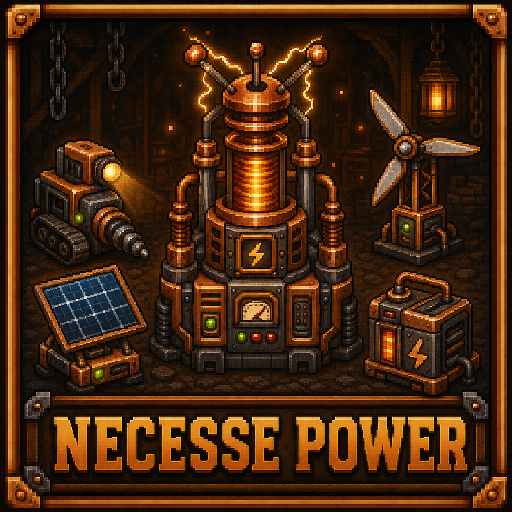
Necesse Power Build and run a full power grid in your world with generators, batteries, power towers, and automated mining. Necesse Power adds a copper-based power network that lets fueled machines run on shared network power instead of burning fuel individually. This also works for vanilla fuel-based machines such as the Forges, Cooking Stations, etc. What this mod adds: - Copper Generator - Windmill - Solar Generator - Copper Battery - Copper Power Tower - Powered Miner How it works: - Place one or more Copper Power Towers to create coverage zones. - Put generators and batteries inside tower range to feed/stabilize the network. - Place fueled machines inside tower range to let them consume network power. - Open a tower to view power stats and coverage. - Powered Miner consumes network power to generate ores over time. - Miner uses a pickaxe slot to determine what ores it can mine. - Miner output and installed pickaxe are dropped when the miner is destroyed. Power network behavior: - Generators produce power into the shared local network. - Batteries store excess power and discharge when demand is higher than generation. - Multiple towers can connect into larger coverage clusters. - Solar output is configurable and tuned for stronger daytime contribution. Config support: - Multiple config values are exposed so you can tune balance for your world/server. - Includes settings for tower range, generation values, storage behavior, and miner-related values. - Designed for progression and automation: Start with simple generation and expand into a distributed grid. Power multiple production machines from centralized infrastructure. Scale with batteries and additional towers as your base grows. Changelog: Initial release for Necesse 1.2.0 Added description fields to config; verisoning More mods by me: Deconstructor: https://steamcommunity.com/sharedfiles/filedetails/?id=3730900523 Forge Upgrades: https://steamcommunity.com/sharedfiles/filedetails/?id=3731042527 Mine It All: https://steamcommunity.com/sharedfiles/filedetails/?id=3730263197 Like my workshop content? You might like my game - check it out on Steam: https://store.steampowered.com/app/3629280/Lone_Survivors/ Developed with AI assistance (GitHub Copilot), and icon generated with DALL-E. ChatGPT was used in creating the in-game art assets as well with manual adjustments by myself in Aseprite.

Settler Appearance
автор 76561198196818154
Customize Settler Appearance It's a Client Side Only Patch Only you will see the changes Integrated in Settlement Equipment Menu and Shop Equipment Menu
Magical Miner
автор 76561198863359245
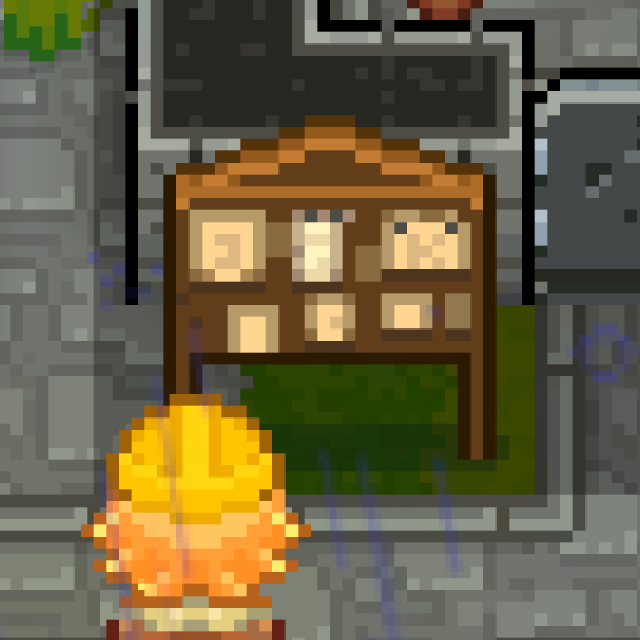
Send Miners - Obtain Items Over 200 types of original items can be obtained by paying gold coins. Wood: 10 types Stone: 12 types Building materials: about 80+ types (all grounds, floors, walls, etc.) Monster drops: 11 types Gems: 6 types Ores: 4 types //"Incursion ore expeditions require at least 30 of that item in settlement storage (not player inventory) to appear on the board." Special materials: 9 types Crafting materials: 3 types Essences: 13 types Others: about 50+ types (plants, decorations, traps, etc.)(Newly added enchanted scrolls; all types of scrolls are in a single pool, and obtaining them is relatively difficult.) Everything comes at a high price, at a rate higher than the merchants' selling prices. Some invasion items may be obtained in the early stage, but they can only be used during invasions.If there are any items that shouldn’t appear, please notify me to remove them. Mod Order: Recruitment Settler Finding Expedition Food and Potion Expedition Magical Miner Languages: All languages supported by the game (AI-translated) Credits: Quick Recipes Menu v2.0:Method for querying the association between items and the bosses they drop from
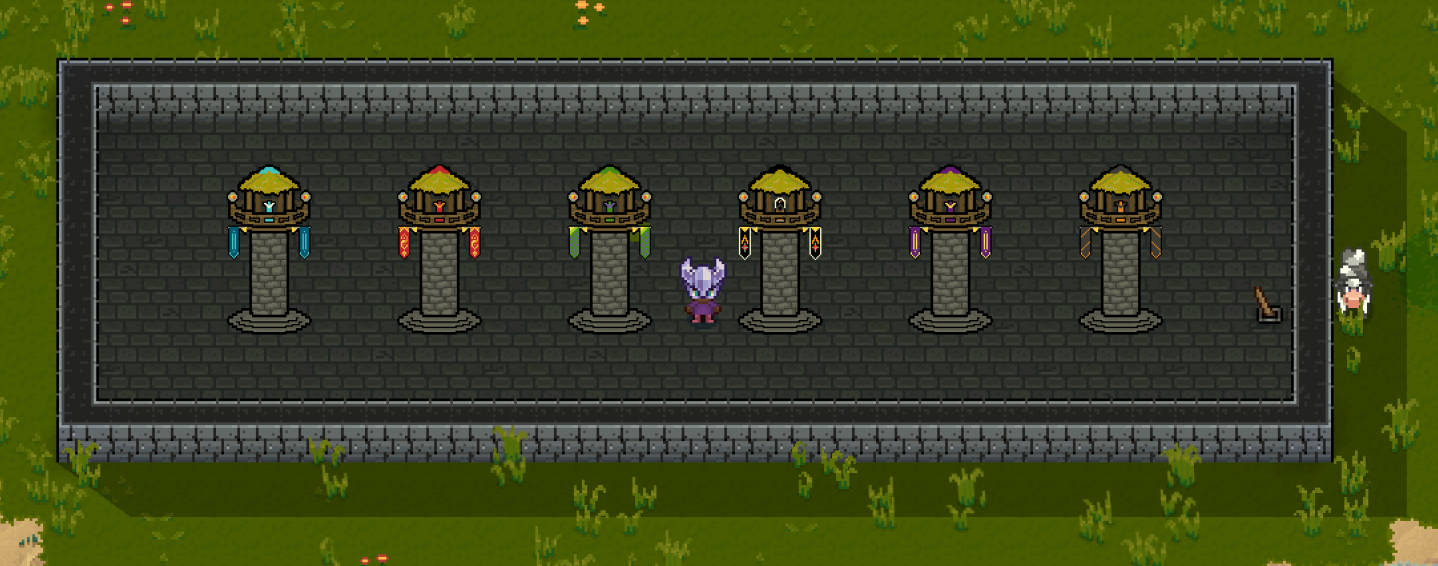
Defense Tower 2.0! (Bigger and Better! now for 1.3+)
автор 76561198048406841
Mod Information Mod version 1.145 Game version: 1.3+ Defensive Towers This is an updated and greatly expanded version of the original mod, I will remove this if he ever updates it (all credit goes to Chipmunks) for making the original. to Create the towers, use a regular workbench. - There are now SIX!(6) types of towers! - REWORKED Frost Tower that shoots sprinkler projectiles, smaller range than normal but applies the freeze debuff mainly used for CC of enemies - REWORKED Fire tower that shoots the sparklers projectiles, smaller range than normal but will light enemies on fire kind of acts like a magic flamethrower - Poison tower that shoots poison arrows and will poison enemies - Cannon tower that shoots cannonballs and does AoE but shoots slower than the others - NEW magic tower, shoots a void laser. Slower than the cannon tower but hits harder and has the most range think of it as a sniper tower - NEW bullet tower, shoots simple bullets VERY fast and applies bleed - Each one has 3 tiers to provide for early, mid, and late game options. Each tier does 3x the damage as the last and shoots faster. Multiplayer This mod is required on both server and client. Important Notes - The tower will attack the closest mob, even if it is behind a tree! It will also attack over walls - The tower is also a lighthouse, must put wires on it to a switch - you can no longer build them in incursions due to causing game crashes when they would try to shoot enemies in there - you are able to place them inside of the underground caves and on the overworld. - Towers WILL shoot bosses, so it is up to you if you want to use them on boss fights or not Feedback/Balancing -If you have any balancing suggestions or think the prices are too expensive to build, post in the comments and I can work on that. I don't think they are too outrageous for what they offer though. Patch Notes 4-26---- I have added 3 tiers to each tower type to provide a early, mid, late game option. 5-4----spent many hours messing around with the mod today, changed a bunch of building costs, damage, fire rates, range of towers. ---reworked the fire tower to now be a magic tower ---reworked the frost tower to now be a magic tower ---added a new magic sniper tower ---added a fast firing machine gun tower 5-5---Changed the visuals of the towers so each one stands out a bit more from each other. 5-7--Changed the crafting requirements of what bars they require to provide a clear early/mid/end game tier. Also adjusted damage values. BUGS There's a visual bug with the fire/frost towers. They DO shoot over walls but the animation gets stopped at the wall. It's just a vanilla issue with the sparkler/sprinkler projectile
Eternal Schematic
автор 76561198040279001
📐 Eternal Schematics Mod – Save, Paste & Protect Builds Bring powerful building utilities into Necesse! Create, save, reuse and protect entire structures with simple in-game commands. ✨ Features 🏗️ Save & Paste Structures Store any area as a schematic and paste it anywhere: /schem save <name> <radius> – Saves a full square area around you /schem paste <name> – Instantly places your saved structure Fully server-side and multiplayer-compatible Automatically reloads modified regions so clients see changes instantly 🎆 Visual Radius Preview Need to know exactly how big your schematic will be? /schem showradius <radius> Shows a perfect circle around you using fireworks for super clear visualization. 🛡️ Spawn Protection System Protect your spawn or town from griefing: /schem spawnprotect <radius> – Creates a persistent protection zone /schem spawnprotect remove – Removes protection on the current level Zones are saved to file and remain active even after restarts Blocks all tile/object breaking, placing, mob interaction, etc. (depends on mod stack) 📂 Schematic Management /schem list – Shows all saved schematics /schem del <name> – Deletes a schematic file Schematics stored in /schematics/ folder for easy sharing 📦 Perfect For ✔️ Server owners ✔️ Builders ✔️ RPG servers (town protection + teleport builds) ✔️ Anyone who wants fast building utilities 🌍 Used On Eternal World RPG Join the community: https://discord.gg/Kpw6PNPwfb
No Darkness
автор 76561199065354973
Removes darkness in caves, underground areas, and during night time on the surface. Works in the Deep Caves. Platform Support: This mod works on Windows, Linux, and Mac (Steam Workshop compatible for all platforms). Features: - Works in caves (including Deep Caves) and at night - Configurable brightness via cfg file (default: 20%) - Toggle on/off with L key (default) - Client-side mod (works on any server) - Optional: If you have Custom Settings Lib installed, you'll get a nice in-game UI with a brightness slider in Mod Settings! Configuration: Edit the config file at: - Windows: %APPDATA%/Necesse/cfg/mods/nodarkness.cfg - Linux: ~/.config/Necesse/cfg/mods/nodarkness.cfg - Mac: ~/Library/Application Support/Necesse/cfg/mods/nodarkness.cfg Change the value: darknessBrightness=0.2 (range: 0.0 - 1.0) - 0.0 = dark (no effect) - 0.2 = 20% brightness (default) - 1.0 = full brightness (maximum effect) After editing the config file, restart the game for changes to take effect. WARNING: This mod modifies game lighting and may show a message in chat like 'Allow cheats to do that' when entering dark areas. However: - The mod works perfectly fine without enabling cheats - Cheats remain disabled (you don't need to enable them) - Steam achievements still work normally - You can simply ignore the chat message - it doesn't affect functionality Use at your own discretion. This mod is intended for: - Single player gameplay - Private servers with permission - Quality of life improvement Use responsibly! Source code: The mod is open source: github.com/LargoScript/NoDarkness If you encounter any issues or have suggestions, please let me know in the comments.

Two Player Game Table
автор 76561198065228521
Play Chess Against NPCs and Friends in Necesse! Transform your settlement into a strategic gaming hub with the Two Player Game Table mod! Challenge your settlers to intense chess matches, track your competitive ranking, and prove you're the ultimate grandmaster of Necesse. ð® Core Features -Interactive Game Tables -Multiplayer support - play against NPCs or other players -Spectator mode - watch ongoing matches Chess Gameplay Full chess implementation with all standard rules Move validation and legal move highlighting Move history tracking with algebraic notation Intelligent NPC Opponents Challenge any settler in your settlement to a chess match! Each NPC type has a unique skill level: ð Difficulty Tiers (ELO 500-3000): Beginner (500-999): Villager, Guard, Carpenter, Miner Intermediate (1000-1499): Tailor, Chef, Fisherman Expert (1500-1999): Farmer, Blacksmith, Hunter Master (2000-2299): Gunsmith, Mage Grandmaster (2300+): Alchemist Super-Grandmaster (3000): Elder - The ultimate challenge! Dual Chess Engine System Bagatur Engine: Professional-grade chess AI with ELO ratings from 500 to 3000 Affects your competitive ELO rating Realistic difficulty progression Tournament-quality play at higher levels Custom Engine: Lightweight alternative for casual play Faster response times Doesn't affect ELO ratings Perfect for practice matches Comprehensive Statistics System Track your chess journey with the Game Statistics Board: ð Four Detailed Tabs: Overview - Total games, win/loss/draw records, current win streaks Opponents - Head-to-head records against each NPC (separated by engine type) Performance - Match history with timestamps and ELO changes Player Leaderboard - Global ELO rankings across all players in your worlds ð ELO Rating System: Global rankings that persist across all worlds Competitive tiers from Beginner to Super-Grandmaster Peak ELO tracking to remember your best performance Separate tracking for Bagatur vs Custom engine games ð¦ Crafting Recipes Game Table: 8x Any Log 4x Stone Crafted at: Workstation Game Statistics Board: 8x Any Log Crafted at: Workstation ð¯ How to Play -Craft a Game Table at your workstation -Place it in your settlement (automatically places chairs) -Talk to any settler In your settlement and select "Play Games" -Choose your engine (Bagatur for ranked, Custom for practice) -Select NPC's color (White or Black) -Play chess! Drag and drop pieces to move ** Only settlers in your settlement can play games with you. Elders can always play regardless of settlement! ð¨ Future Expansion The Game Table system is designed to support multiple games! Chess is just the beginning - the architecture supports adding checkers, tic-tac-toe, and other two-player games in future updates. ⚙️ Requirements Necesse version: 1.0.1 or higher Server-side mod: Required on both client and server for multiplayer ð Known Issues & Tips NPCs must be in your settlement to play games (except Elders) Higher-level NPCs take longer to think (realistic chess AI!) ELO ratings are global and persist across all worlds Custom engine games don't affect your competitive ELO ð¬ Feedback & Support Enjoying the mod? Leave a rating and comment! Found a bug or have a suggestion? Let me know in the discussions section. Happy gaming, and may your ELO rise to grandmaster heights! ♟️ð Author: Pyralis Version: 1.0 Mod ID: pyralis.twoplayergametable
Settlement Guard
автор 76561198040279001
🛡️ Settlement Guard – Territory & Animal Protection Mod A lightweight protection system that secures your settlements, structures, and all animals from unauthorized players. Used on Eternal World RPG. 🏠 What It Protects Everything inside a settlement is automatically protected, including: ✔ Territory Prevents unauthorized object placement Prevents object breaking or removal Blocks tile mining, digging, and modification Blocks access to chests, doors, crafting stations, etc. Prevents interaction with settlement buildings and structures ✔ Animals (important!) This mod also protects tamed animals, mounts, pets, and farm animals. Non-members cannot: Damage animals Kill or harm mounts Interact with animal inventories Access or manipulate any tamed creatures Interfere with NPC animal handlers Even animals wandering inside the settlement are protected. ✔ Settlers & NPC Workers Protects all settlers Protects Farmer NPC, Animal Keeper, and other NPC roles Prevents griefing of production and utility stations 🔧 Smart Protection Rules ✔ Only settlement members have full interaction rights ✔ All outsiders are automatically blocked ✔ Fully server-side ✔ No performance impact ✔ Works on any world and with all other mods Perfect for public servers and large communities. 🤝 Join Requests Non-members can still interact with the Settlement Flag to request joining a settlement. 🗂️ Commands This mod uses no player commands. Protection is automatic and configurable via simple .txt config files. 🧩 Compatibility Works with all mods Does not override vanilla settlement systems Safe to add or remove anytime Extremely lightweight 🌍 Used On Eternal World RPG Join the community: https://discord.gg/Kpw6PNPwfb
Сервер Necesse с поддержкой модов
Устанавливайте совместимые поддерживаемые моды из панели сервера.
Арендовать сервер Necesse