DayZ Mods & Plugins

CheckIdentity
76561198282979857 tarafından
[h1]Description[/h1] This mod is geared towards being able to retrieve the names of the survivors you comes across, either dead or alive. Server owners can configure the config in the server profile within the folder: [b]configs[/b]. [h1]Configuration[/h1] The default config is generated upon the start of the server when the mod is loaded. Below is the explanation of what each boolean controls. Changing these values only only apply after the server is restarted. [b]Location:[/b] ..\DayZServer\ServerProfile\configs\CheckIdentity.json [b]Default Config:[/b] [code] { "CanCheckAlive": 1, "CanCheckDead": 1, "CanCheckRestrained": 1, "CanCheckUnconscious": 1, "HideCargoNotifier": 1, "HideHealthDot": 0 } [/code] [b]Values:[/b] 0 = false | 1 = true [b]CanCheckAlive[/b] - Setting this to 1, allows you to check the identity of alive players (does not affect CanCheckRestrained or CanCheckUnconscious) [b]CanCheckDead[/b] - Setting this to 1, allows you to check the identity of dead players [b]CanCheckRestrained[/b] - Setting this to 1, allows you to check the identity when a player is restrained. [b]CanCheckUnconscious[/b] - Setting this to 1, allows you to check the identity when a player is unconscious. [b]HideCargoNotifier[/b] - Setting this to 1, removes the [+] text from players stating they have cargo [b]HideHealthDot[/b] - Setting this to 1, removed the colored health dot from players (including when they're dead) [h1]Usage & Terms[/h1] This item is [b]NOT[/b] authorized (strictly forbidden) for any of these conditions: - posting on Steam, except under the Steam account [url=steamcommunity.com/id/officialwardog/]officialwardog[/url]. - hosting on any download server other than CheckIdentity's current workshop download. - hosting on any launcher for distribution other than CheckIdentity's current workshop download. - to be packaged in any form other than CheckIdentity's current workshop download. - to create derivative works. [b]PERMISSION IS NOT GRANTED FOR THIS MOD TO BE INCLUDED IN A "SERVER PACK" or "MOD PACK" or "REPACK".[/b] Use a Collection if you want to include this mod on your server for your users. Monetization while using this mod is approved. Copyright 2019-2024 Wardog All rights reserved [url=https://wrdg.net/donate][img]https://i.imgur.com/iFg0V0X.png[/img][/url]

Saline Bag+
76561198068319538 tarafından
Want to bring back that old DayZ Mod feeling? Want to have more intense firefights? Want to have an option to actually [b]heal yourself[/b]? Well, here it is. The solution. [b]Saline Bag+ is a mod that makes the Saline Bag regenerate your health[/b] instead of just your blood when using it. It replaces the regular Saline Bag, so you don't need to change anything in the loottable/traders etc. When using 1 Saline Bag it will give you 10% of your health back instantly, and ~30% during the course of the next 1-2 minutes, resulting in [b]about 35-40% of your health restored after 1 usage[/b]. It provides players finally the option to heal themselfes and brings a meaning to the Saline Bags. A special thanks goes to Axelander for the idea!
Survivalists_FacePaints
76561197985160398 tarafından
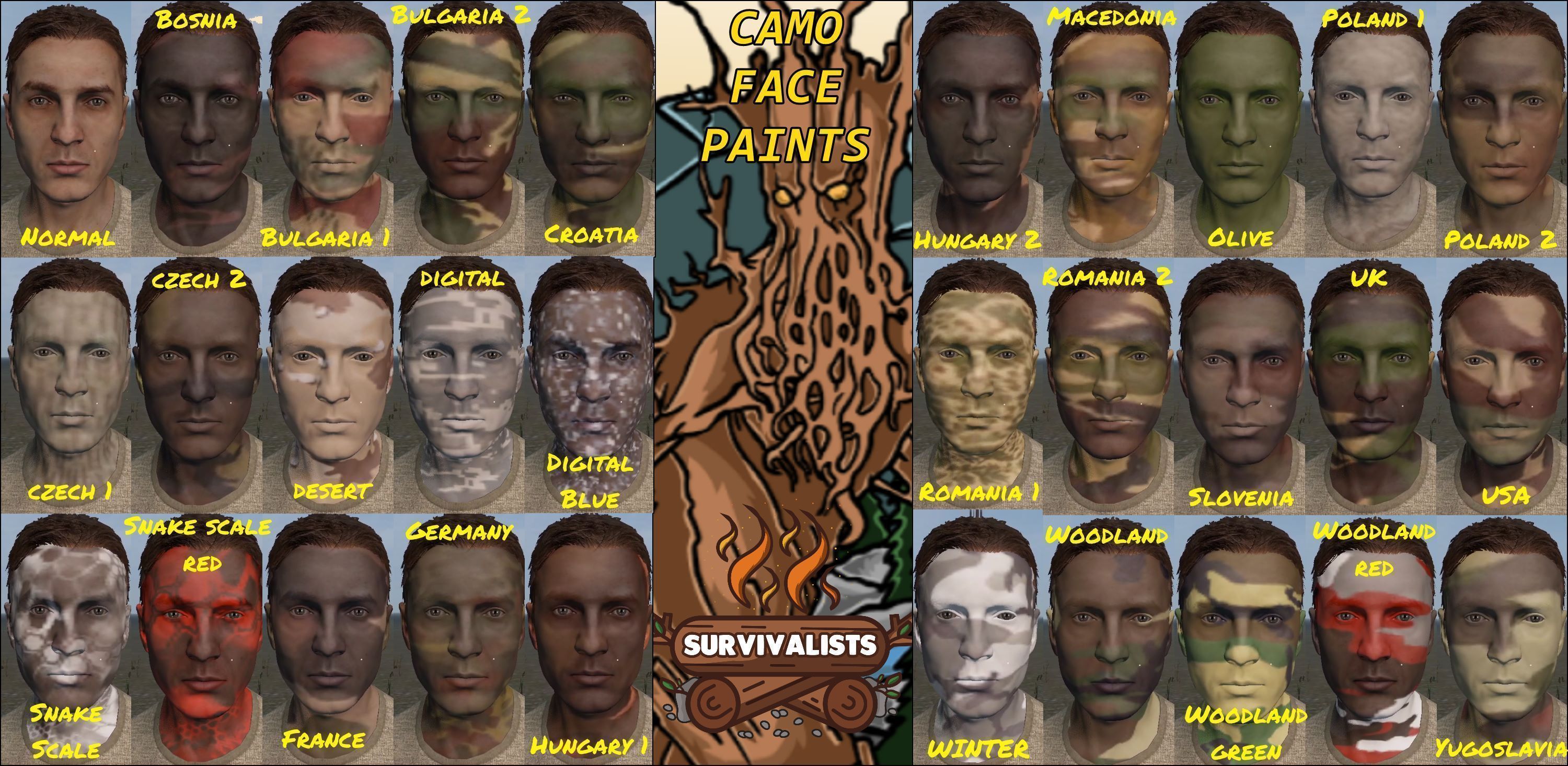
[h1]Survivalists_FacePaints[/h1] This mod is the first of many private mods that are being released publicly over time from [url=https://the-survivalists.net/#home]The Survivalists Role Play Server[/url]. Paint your face like a pro with the paint stick of the apocalypse. There are a few things left to add but I wanted to release it for the masses. Only 50MB large with over 60 face paints! [h1]Features[/h1] - [b]29 distinct camo patterns ranging from realistic to wierd[/b] - [b]1 Clown pattern for spooky faces [/b] - [b]31 country flags to bring out your inner hooligan[/b] - [b]1 Facial scar[/b] - [b]Cycle through options with a single item to reduce clutter[/b] - [b]Use a rag to wash off the paint when you are finished being pro[/b] - [b]Cannot paint face while wearing sunglasses or a mask [/b] [h1]How To Use[/h1] Suscribe to the mod and that is it!. The only item in this mod is [b]SRP_FacePaintStick[/b] [h1]THIS MOD MODIFIES THE PLAYERBASE STORAGE SCHEMA; REQUIRES A FULL WIPE WHEN ADDING AND REMOVING THIS MOD.[/h1] Modify damage per use in the server configuration file. $profile:\\Survivalists_FacePaint\\SRPFacePaintConfig.json [b]Does this file not exist?[/b] Step 1. Inside your Profile folder make a new folder called [b]Survivalists_FacePaint[/b]. Step 2. Go inside that new folder and create a new file called [b]SRPFacePaintConfig.json[/b]. Step 3. Paste the below into the file and save. (Update 2.0 to whatever damage value you want) { "m_PaintStickDamagePerUse": 2.0 } Here is the types.xml contents <?xml version="1.0" encoding="UTF-8" standalone="yes"?> <types> <type name="SRP_FacePaintStick"> <nominal>15</nominal> <lifetime>14400</lifetime> <restock>1800</restock> <min>8</min> <quantmin>-1</quantmin> <quantmax>-1</quantmax> <cost>100</cost> <flags count_in_cargo="0" count_in_hoarder="0" count_in_map="1" count_in_player="0" crafted="0" deloot="0"/> <category name="tools"/> <usage name="Military"/> </type> </types> [h1]Scripting??[/h1] In PlayerBase I have a function as shown below, you can call this on the server (not client) to set the facepaint of the player. The index is a 0 based integer representing the camo -1 representing no camo applied. void SetFacePaint(int index); -1 No Paint 0 Bosnia 1 Bulgaria1 2 Bulgaria2 3 Clown1 4 Croatia 5 Czech1 6 Czech2 7 Desert 8 Digital 9 DigitalBlue 10 DragonScale 11 DragonScaleRed 12 France 13 Germany 14 Hungary1 15 Hungary2 16 Macedonia 17 Olive 18 Poland1 19 Poland2 20 Romania1 21 Romania2 22 Slovenia 23 UK 24 USA 25 Winter 26 Woodland 27 WoodlandGreen 28 WoodlandRed 29 Yugoslavia 30 FlagBrazil 31 FlagGermany 32 FlagItaly 33 FlagArgentina34 35 FlagFrance 36 FlagEngland 37 FlagSpain 38 FlagNetherlands 39 FlagUruguay 40 FlagSweden 41 FlagBelgium 42 FlagUkraine 43 FlagRussia 44 FlagSerbia 45 FlagMexico 46 FlagPoland 47 FlagHungary 48 FlagPortugal 49 FlagSwitzerland 50 FlagCzechia 51 FlagAustria 52 FlagChile 53 FlagCroatia 54 FlagDenmark 55 FlagParaguay 56 FlagColombia 57 FlagUSA 58 FlagRomania 59 FlagSouthKorea 60 FlagNigeria 61 FlagJapan 62 FlagScottland 63 ScarLeftEyeBear [h1]Special Thanks[/h1] - Thank you to [DUG] Ammo for verifying the approach and giving hints here and there to get this across the wire. [h1]Usage & Terms[/h1] - You [b]MAY NOT[/b] repack or publish this mod on any platform including Steam. - You [b]MAY[/b] use this mod on monetized servers within the scope of [url=https://www.bohemia.net/monetization]Bohemia's Monetization Guidelines [/url] [h1][b]PERMISSION IS NOT GRANTED FOR THIS MOD TO BE INCLUDED IN A "SERVER PACK" OR "MOD PACK"[/b][/h1] Subscribe via the workshop, use a "Collection" or do not use the mod at all.

WeaponReduxPack
76561198018914897 tarafından
This mod is outdated and shouldn't be used, feel free to take whatever you want from it but I promise there's nothing worth using. Purely up for archiving. Original description below. Official support channel for Weapon Redux Pack: https://discord.gg/X96Ghvh This mod's aims is to bring back most if not all of the guns missing to .63 back into the game in a placeholder state, as well as some other guns from the game files that have never been in game until now. Not all guns are in yet, but we will hopefully have all of them in within the next week. The animations are all placeholder, we are learning how to use the animation tools and will have weapon specific animations soon. For any problems you have with this, you can contact us on discord: Not A Banana#9930, Clarkycal#7013. Weapons this adds: Colt 1911 (And engraved variant), AK101, AK74, AKS74U, Amphibian, Aug, Blaze 95, Desert Eagle, FAL, Glock19, Longhorn, M249, P1, Saiga12k, Scout, Sporter 22, Trumpet, VSS, Double barrel shotgon, and Winchester 70. Known Issues; Some animations fit less than others. For server hosts: Here's a video for how to set up the server: https://youtu.be/mGjp54MuhUw. Please watch it entirely before you ask for help. xml files are in xml files folder, key is in key folder. Credit to Modern from TW for the awesome title card image! Official support channel for Weapon Redux Pack: https://discord.gg/X96Ghvh
GSC Gameworld Assets OLD
76561198056748314 tarafından
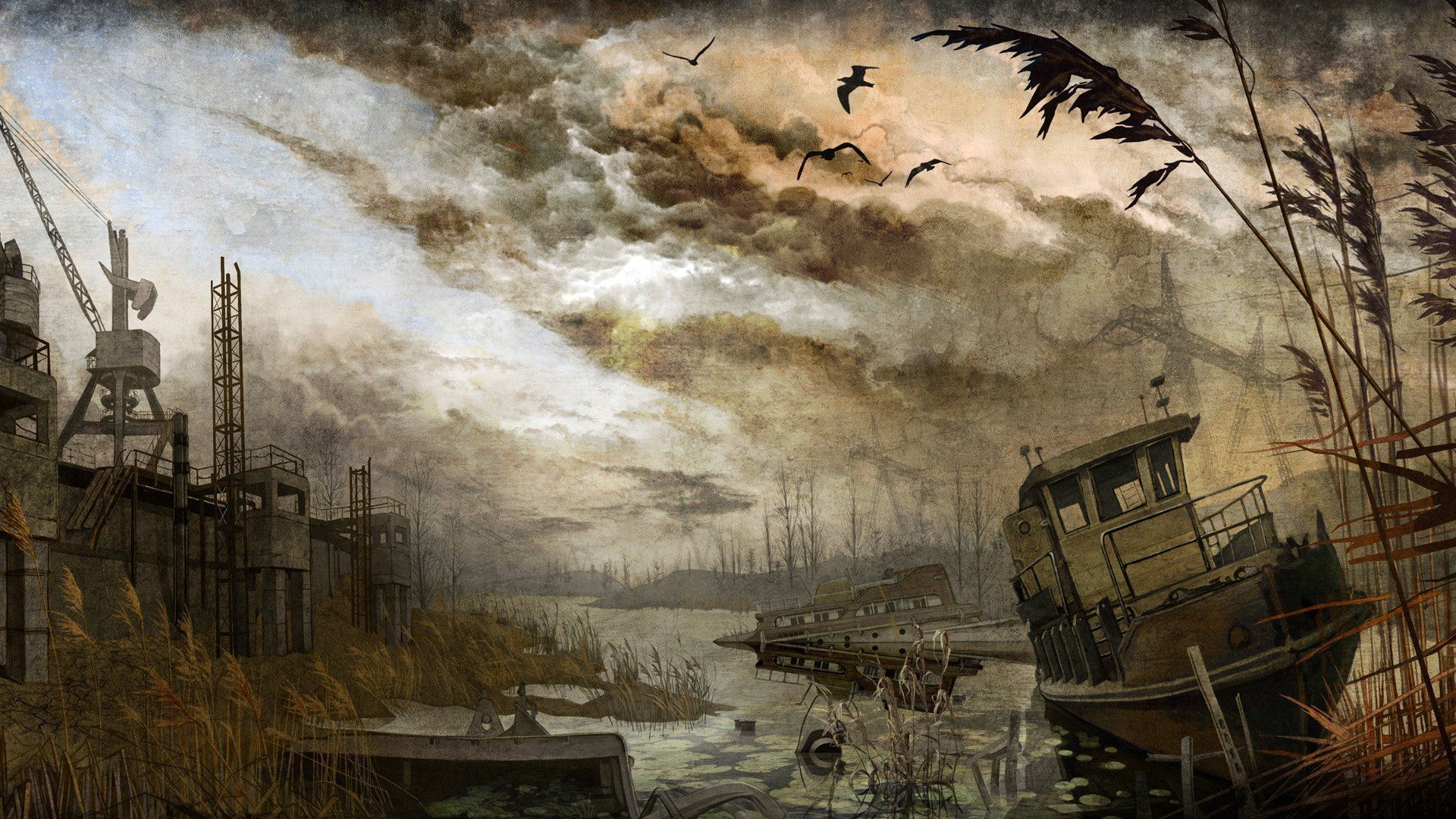
This mod is no longer being worked on. Apologies for this but team members do move on. You can find "GSC Gameworld Assets 2026" for the updated 2026 version https://steamcommunity.com/sharedfiles/filedetails/?id=3711012403 GSC TERMS! 1. The third party software (e.g. EULA of the game where you wish to implement GSC assets) allows you to use third party assets. 2. Such mods/maps must at all times remain non-commercial. 3. It must be evident that your project is not official, has no connection to GSC. This may be implemented by showing the messages on the greeting page of the map/server/launcher/loading screens or by other means that would allow the user to clearly understand that. Something along the lines “This mod/map is based on the S.T.A.L.K.E.R. universe and its assets which are created and fully owned by GSC Game World studio. This is fan made creation and it has no affiliation to GSC Game World Studio” 4. It must contain links to our store pages, where the user could purchase the original games from which the assets are borrowed. If the links are prohibited for any reason, a QR image leading to something similar and describing what it does could suffice. 5. It must at all times follow the remainder of the Guidelines, which mean no nudity, defamation and other prohibited, offensive content or damaging the reputation of GSC and so on. Please note, that this is not a license of any kind, we are not waiving any of our rights regarding our assets and not specifically granting you any, except as described in EULA and Guidelines. https://store.steampowered.com/franchise/stalker www.bohemia.net/community/licenses/dayz-end-user-license https://store.steampowered.com/subscriber_agreement/ Over 250+ Imported Stalker Buildings, all content is owned by either Bohemia Interactive or GSC Gameworld. Fixes to nearly all remaining assets, only a few more remaining. JUPITER PLANT DAYZ EDITOR FIX HERE - https://steamcommunity.com/sharedfiles/filedetails/?id=3038290111 ALL CHANGES: - Added - 5x Ladders to Darkvalley_base_building4_1 - Added - 3x Ladders to Rostok_wild_building10 - Added - Marshes_structures_13 Door open/close animations - Added - Military_building43 Gate open/close animations - Fixed - 2x Ladder bugs in Deadcity_building8 - Fixed - Stairs Placement in Dead City - Updated Textures - Agroprom_basement - Updated Textures - Rostok_wild_building25_3 - Updated Textures - Rostok_wild_building27_1 - 2 - Updated Textures - Jupiter_Building_anom1_1 - 4 - Updated Textures - Jupiter_Building_33_terr1 - 4 - Updated Textures - Darkvalley_base_building4_1 - Updated Textures - RedForest_building9terrain_1 - 6 - Updated Textures - RedForest_building11terrain_1 - 4 - Updated Textures - Darkvalley_gas_station_baks - Fixed Agroprom_underground_9 to 13 - Collision, Ladders, Step/Bullet Sounds, (number 11 got a new texture). - Fixed Agroprom_underground_11_proxy1 - Ladders where hanging off. Re-attached them to the wall so we can use them in the parent model - Added Doors and Doorways to agroprom_underground_3, 14 and 2 - Replaced Textures in most agro_underground assets - Replaced Texture escape_spline_terrain - Replaced Texture escape_village_dugout_spline - Replaced Texture Escape_village_traidershelter_spline - Replaced Texture Jupiter_Overpass_28 - Replaced Textures Escape_tunnels_terrain_1 to 7 - Replaced Textures Escape_tunnel_marshes1 and Escape_tunnel_marshes4 - Replaced Textures Escape_underground_x2_terrain_1 to 10 - Added 2x New cooking pots Land_Y_CookingPot and Y_CookingPotItem (land class for mappers Item class for player/economy) - Added the animated lights light_lamp2 - 4 (lights are for your bunkers/labs/sids/dugouts) (scripts in dz_yanova_scripts.pbo) - Fixed Jupiter_Overpass_2 large gate animations/sounds - Fixed Agroprom_shahta (Fake agroprom lab entrance) Ladders/Textures - Fixed Agroprom_underground_6 - hole in wall collision - Fixed Agroprom_Underground_11 - Invisible wall in doorway - Fixed Agroprom_underground_14 Collision, Footstep/Bullet Sounds and Ladders. - Fixed Agroprom_underground_1 to 8 Collision, Footstep/Bullet Sounds, Ladders. Fan animations. - Changed Model Textures. (If you are pulling models make sure you also take the new dz_yanova_textures.pbo or you will have issues) - Fixed Agroprom_underground_14 Collision, Footstep/Bullet Sounds and Ladders. - Fixed Agroprom_underground_1 to 8 Collision, Footstep/Bullet Sounds, Ladders. Fan animations. - Changed Model Textures. (If you are pulling models make sure you also take the new dz_yanova_textures.pbo or you will have issues) - Fixed Jupiter_Overpass_23 to 28 Collision, Doors, Ladders Animations, Footsteps, Bullet Sounds - Fixed Cooking Config
Treasure
76561198829279936 tarafından
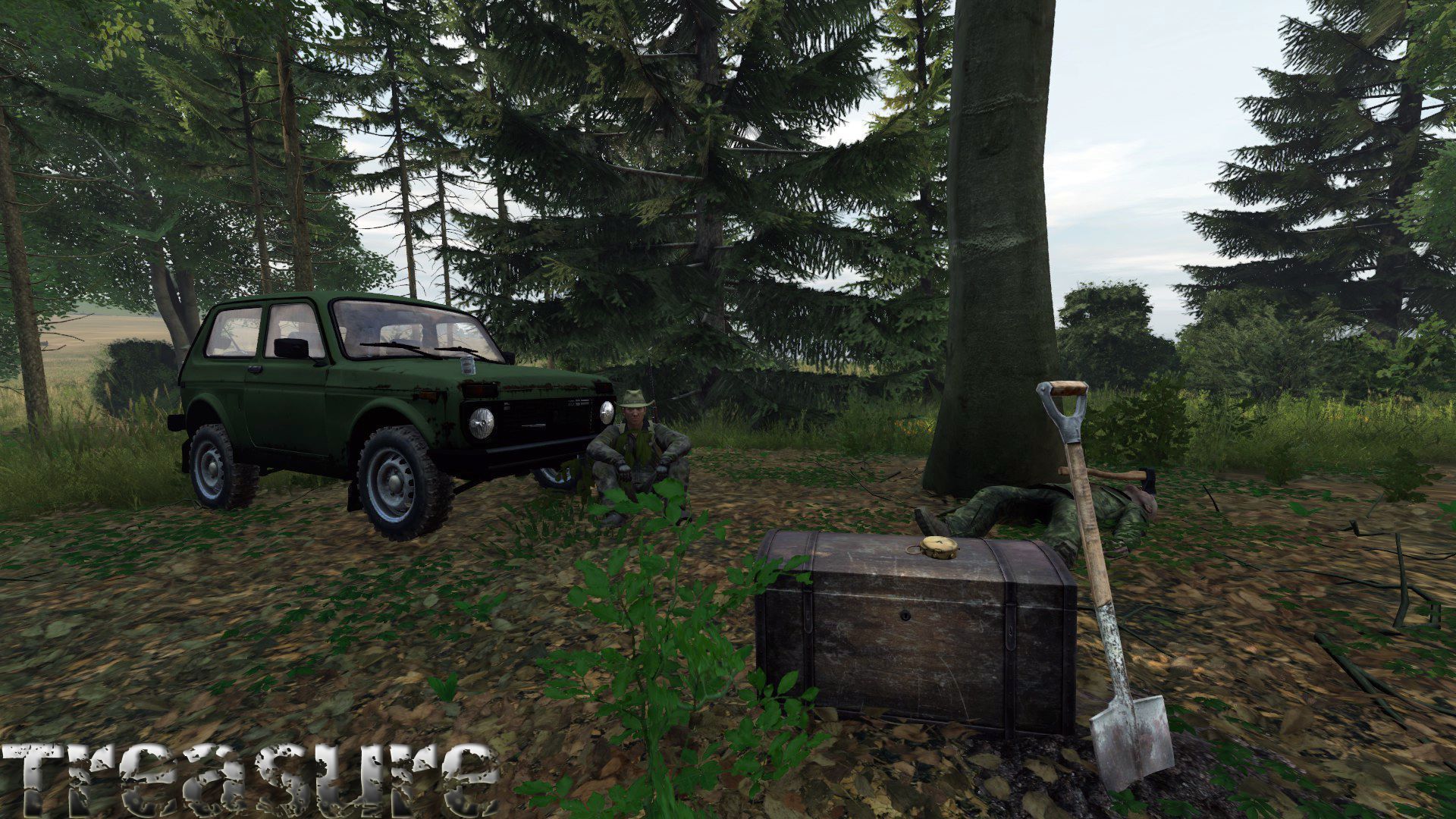
[h2]Description[/h2] This mod adds Photos that players are able to find that lead to hidden treasures. Uppon finding a photo and examining it (take to hand and left click to "Examine Photo") you get hint as to where the treasure is located. Some treasures are easy to find, but some are very hard. Currently there are 40 photos. [h2]Instalation[/h2] 1. You will need to add the content of the provided types.xml example file to your servers files. Photos 1-20 are for Livonia, 21-40 are for Chernarus. 2. Dont forget copy the provided key file to your keys directory on the server. 3. Add -mod=@Treasure to server startup options. Default configs: Photos 1-20 are for Livonia, 21-40 are for Chernarus. You can of course create own locations/descriptions editing these configs. That means you can use this mod on every maps. (Deer Isle, Chiemsee...) Default example types.xml - It have two example parts!!! One part for Livonia and second for Chernarus. There are also new item - Metal Detector, dont forget add it to types.xml on server too. Its needed add to types.xml HiddenStash and HauntedStash - everything is in example of types.xml in mod directory. If You have Trader mod, please do not sell photos. It should be rare. Also survivor will be happiest when found photo instead buy it. You can on server side configure: LootRandomization - value is between 0-1. For example 0.1 will give a 10% chance for each item that would spawn that the item wont spawn. So a box spawning 10 items with a LootRandomization of 0.1 would spawn 9 of those 10 items on average. RadioFreq - default 94.6 (If DayZ saves this value as something like '94.5999984741211' you may need to change it back but it should work) RadioInterval - in minutes how often will players recieve radio beacon treasure pings, set to -1 to disable feature RadioRange - in Meters how far will the radio pings travel in all directions, 30000 is 30Km (the entire map) TreasureLocations - name - The name of the Photo item that will be used to reveal the location, "ItemPhoto01" for example. - position - Coordinates of the location the loot will be found in format "X Z Y" but Z should always be 0 as the height is completed by the mod on execution - chest - the container the treasure will be held in when found - haunted - 0 = Not Haunted // 1 = Haunted - Haunted treasure locations have extra effects - hidden - 0 = Not Hidden // 1 = Hidden - You will need metal detector to reveal hidden treasure. - loot - A list of the loot that will be found in the treasure chest, you can use items from "PredefinedWeapons" like "TR_predefined_SVD" for example Everything is stored inside Treasure.json file, which you can find on server under profile directory(default is created automatically when server start). Btw in json you can see some predefined weapons. Thats because I would like have complete weapon inside treasure without adding attachments manually. Now is also possibe attach magazine. Examples: TR_predefined_SVD, TR_predefined_SKS etc. Everything inside json file. [b]Predefined weapons must have prefix TR_predefined_[/b] Changing descriptions is now possible using json files. Server owners should copy examples to mod directory under profile directory for example myprofile/Treasure language codes are: EN, FR, ES, IT, DE, CZ, RU, CHT, CHS, PL, JA, PTBR [b]Default language json files are stored in mod and need to be copied to mod folder under profile directory on server.[/b] Please make everytime English translation, it is used as fallback. For example you have mainly german players, but when come for example french player, and french translation missing on your server, this player get english version of descriptions. Loot randomization - value is between 0-1, when you set it to for example 0.1 its 10% chance item will be not inside treasure chest. You can for example add more loot than chest can take, then set randomization to 0.5 and see how it works. As server admin you can now configure everything. Also when you redefine description/locations you can use all 40 photos in Livonia/Chernarus/whatever map. Server admins also can see in log when someone unlocks treasure. Log is stored in mod folder inside profile folder. Client log is stored under appdata/DayZ. [h2]Custom Photos[/h2] There are new feature - extend this mod with own custom photos. It is a [url=https://steamcommunity.com/sharedfiles/filedetails/?id=2098595838]separate mod[/url], with documentation howto create own photos. [url=https://steamcommunity.com/sharedfiles/filedetails/?id=2675136800]Namalsk Photos[/url] [url=https://steamcommunity.com/sharedfiles/filedetails/?id=2724150590]DeerIsle Photos[/url] [url=https://steamcommunity.com/sharedfiles/filedetails/?id=2813277629]Banov Photos[/url] [h2]Hidden Treasures[/h2] When you unlock photo, to find this type of treasure you also need Metal Detector. When you turn on this detector you need move slowly with pressing Ctrl and also press right mouse button to raise detector. Then you need look to ground and slowly search place, which is described in photo description. https://clips.twitch.tv/EasyBoxyAnteaterWoofer Happy hunting! [h2]Treasures with Radio Beacon[/h2] New feature - Radio Beacon Treasures. To find these type of treasure you need radio. Default freq is 94.6 (configurable on server side) Then try to run around to locate direction of treasure. There is one treasure on map, as server admin you can set interval when will be new treasure spawned when old one was digged out (RadioInterval in minutes). When set to -1 Radio Treasures feature will be disabled. Is also possible set RadioRange, default is 30km to be possible catch signal everywhere on map. As server admin you can of course edit this to for example 5km range. Treasures are randomly spawned on map. It avoids building, roads, ponds, sea, stones etc. If you found treasure spawned and not accesible please let me know. This feature should work on every maps.(cherno, livonia, chiemsee...) Everything is logged into log for better troubleshooting. Serveradmins dont forget update types.xml with new entry "RadioBeaconStash". Example is shipped with mod. Loot is randomly selected from config, which is already defined in Treasures.json file. See how it works: https://www.twitch.tv/hunterzcz/clip/PolishedNiceKoupreyOMGScoots I am still working on this feature and know that need improve and optimize. [h2]Loot Tables[/h2] This is original idea of CJ-187 and first used in [url=https://steamcommunity.com/sharedfiles/filedetails/?id=2345073965]LootChests mod[/url]. Now is present in Treasure too. You can define tables with prefixes like: Table_Weapon and Table_Item. Weapon tables are for weapons with attachments, Item table is for single items. More info you can found in LootChests mod. [h2]Dynamic Stashes[/h2] Those stashes are random and not related to photos. See example config. [h2]Further Info[/h2] [b]No repacks allowed. Don't ask. Repacking is cancer of DayZ community.[/b] You are allowed to look into mod for learning purposes or if you want know how it works. Mod is now translated to English, Czech, German, Italian, Spanish, French, Russian, Polish, Chinese and Portuguese Brazil language. (Default examples of Treasures descriptions) Thanks to all translators! [url=https://steamcommunity.com/profiles/76561198829279936/myworkshopfiles/?appid=221100]See also my others mods in Workshop.[/url] If you found some bugs or have suggestions, use discord. Thanks for any feedback! Discord: https://discord.gg/49FvN7rRpF HunterzCZ#4660 -Hunterz- Credits: Kubelilive - logo and some location photos of chernarus Weyland - idea and sound effect of haunted treasure Caleb - model of green metal detector Aromaze - idea of radio beacon treasure Translators - thanks for translations to all supported languages.
Underground Bases
76561198079482921 tarafından
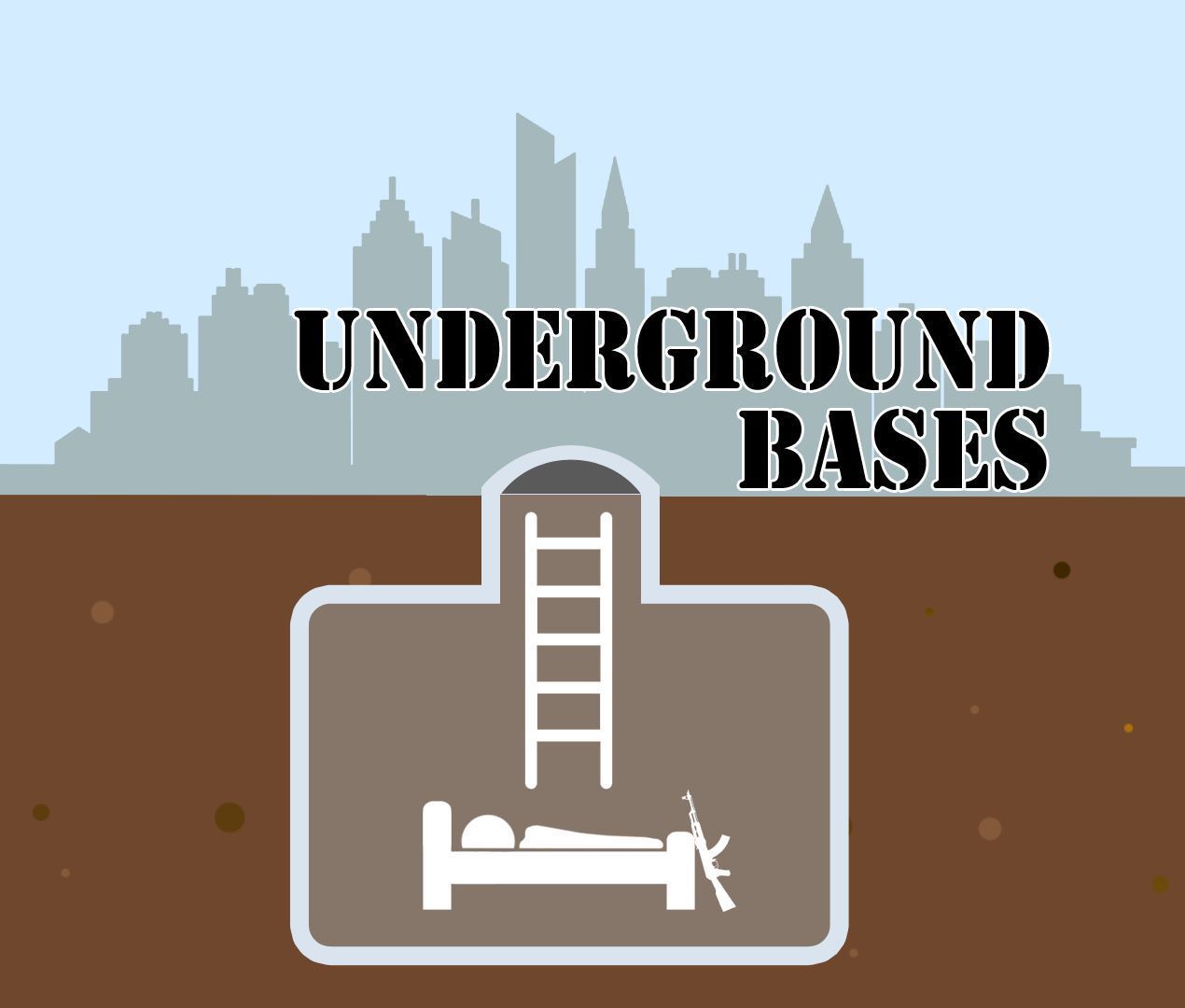
[img]https://i.imgur.com/SGMylzO.gif[/img] [img]https://iili.io/dwELU3g.png[/img] Take your DayZ survival to new depths with the Multi-Level [b]Underground Bases Mod![/b] This mod introduces a revolutionary concept, allowing you to build underground shelters with three distinct levels of upgrades. [img]https://iili.io/dwEiqFa.png[/img] [img]https://iili.io/dwEbVmG.png[/img] [b]Three Levels of Upgrades:[/b] Journey underground to craft your covert underground base across three distinct levels. Each level serves a unique purpose, from additional storage area to living quarters and beyond! [b]Strategic Advantage:[/b] Exploit the tactical opportunities offered by your multi-level underground base for observation, ambushes, and secure gear storage. [b]Personalization:[/b] Tailor each level to your preferences, whether it's for sleeping quarters, storage rooms, crafting areas, hatch camouflage, or even underground gardens. [b]Enhanced Security:[/b] Fortify your multi-level fortress with a code lock or combination lock! [img]https://iili.io/dwEiqFa.png[/img] [img]https://iili.io/dwEpFMQ.png[/img] How to build your Underground Base: [b]Level 1: [/b] 1. Choose Location: Find a flat, hidden spot for your base entrance. 2. Dig an Entrance: Use the shovel to dig a hole for the entrance. 3. Attach 6 wooden logs, 99 nails, 40 planks. 4. Drag a hatchet to hands and build level 1 underground hatch. [b]Level 2: [/b] 1. Drag a shovel to hands while inside your underground base, look at the floor/wall and "Upgrade Base". 2. Attach 6 wooden logs, 99 nails, 20 sheet metal, and 40 planks. 3. Put hatchet in your hands and "upgrade Base" to level 2. [b]Level 3: [/b] 1. Drag a shovel to hands while inside your underground base, look at the floor/wall and "Upgrade Base". 2. Attach 6 wooden logs, 99 nails, 20 sheet metal, and 5 concrete blocks. 3. Put hatchet in your hands and "upgrade Base" to level 3. [img]https://iili.io/dwEiqFa.png[/img] [img]https://iili.io/dwEy25X.png[/img] Thank you to [b][i]DaemonForge[/i][/b], [b][i]ChrisPBacon[/i][/b], [b][i]Shelby[/i][/b], [b][i]IceBlade[/i][/b], [b][i]HunterzCZ[/i][/b], [b][i]| RaG | Tyson[/i][/b], [b][i]MDC[/i][/b], [b][i]Gormirn[/i][/b], [b][i]Lad[/i][/b], and [b][i]BullsEyE[/i][/b] for making this mod possible! [img]https://iili.io/dwEiqFa.png[/img] Join our discord to see up coming changes and future plans for this mod! [url=https://discord.gg/catalyst][img]https://iili.io/dwEs0ga.png[/img][/url] I do not authorize this to be re-packed, re-uploaded, or modified in any way. Underground Bases is allowed to be used on monetized servers as long as you follow the monetization agreement given by Bohemia Interactive and you have the permission to do so by Bohemia Interactive. If you like this mod and would like to support me, consider donating! [url=https://ko-fi.com/shelbycatalyst][img]https://iili.io/2bXdMyQ.png[/img][/url] [i]Copyright 2024, DayZ Catalyst[/i]
FS
76561198083062628 tarafından
У меня есть официальное разрешение на использование контента из игры СТАЛКЕР от разработчиков.! Вопросы и деловые предложения по моду, пишите в личку моей группы https://vk.com/fidovpublic Или в личку Steam https://steamcommunity.com/id/FIDOv/ Questions and business proposals on fashion, write to my group https://vk.com/fidovpublic Or in a Steam PM https://steamcommunity.com/id/FIDOv/ ----------------------------------------- Models gsc game world, Vostok Games ------------------------------------------------------------------------------------------------------------------------------------------------ UPDATE 28.02.2025 Изменения GoPro -------------------------------------------------------------------------------------------------------------------------------------------------- Class names \\\ КЛАССОВЫЕ ИМЕНА В ЭТОЙ ТЕМЕ!! https://steamcommunity.com/workshop/filedetails/discussion/2428595209/3130541122085167872/ Если есть желание поддержать и дать стимул на разработку модов. Буду признателен за вашу любую помощь 🔸Boosty - https://boosty.to/fidov/single-payment/donation/303072?share=target_link Наша группа \ our group https://vk.com/fidovpublic
Gerphelius Zil-130
76561198027485622 tarafından
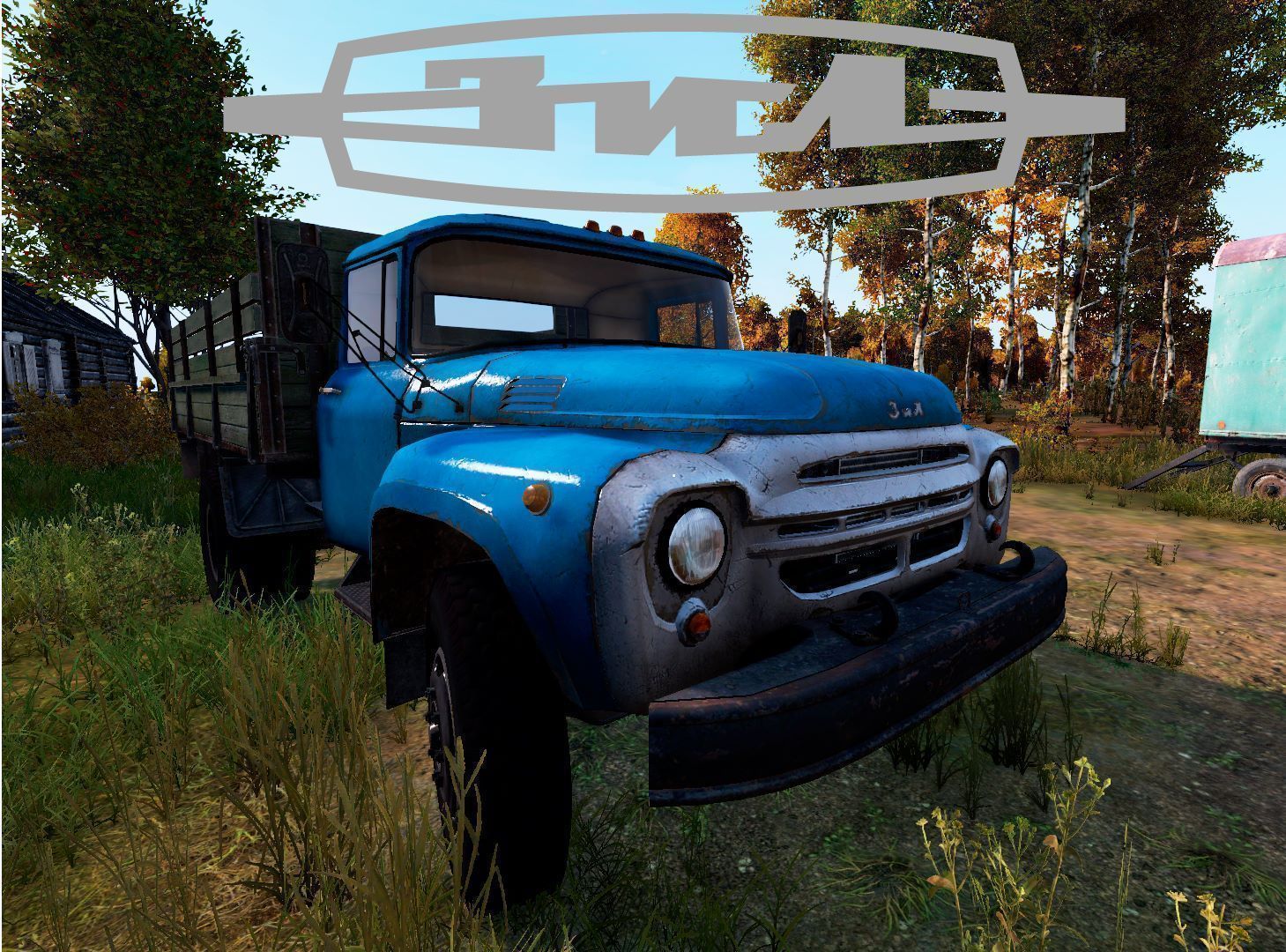
[h1] DayZ 1.29 Compatible [/h1][h1]Car features:[/h1][b][list][*] 2 colors (Blue, Green) [*]10 seats, 1000 slots, 175L fuel capacity [*]Spare wheel, 4 Barrel, 6 Wooden Crate slots[/list] [/b][h1]Classnames & required parts:[/h1][code] Gerph_Zil130 (_Green) Without barrels & crates: Gerph_Zil130_legacy (_Green) Zil130Doors_Driver (_Green) Zil130Doors_CoDriver (_Green) Zil130_Hood (_Green) Zil130_Tailgate SparkPlug TruckBattery CarRadiator HeadlightH7 2x Zil130Wheel 2x Zil130WheelRear 2x[/code] [u]You may not reupload/modify/build on this mod You may not redistribute this mod without my permission You may monetize your server with my mod installed[/u]

Rearmed Server Pack
76561198119680338 tarafından
Mod pack for Rearmed Community Servers. Please visit [url=https://rearmed.gg]Our Website[/url] or [url=https://discord.gg/rearmed]Our Discord[/url] for more info. Repacked Mods / Credit: Aimsounds SkyZ EVG_Planes Admirals Parachutes RF Helipad View Inventory Animation Advanced Groups Namalsk Clothing Expansion Shade Ghillie + Other retextures SPBuilding Bastard's Vehicles DBO Creatures MegaFoodPack Copyright 2023 DayZ Rearmed. This item is not authorized for posting on Steam, except under the Steam account https://steamcommunity.com/id/xdesignful/
Winter Chernarus V2
76561198041436271 tarafından
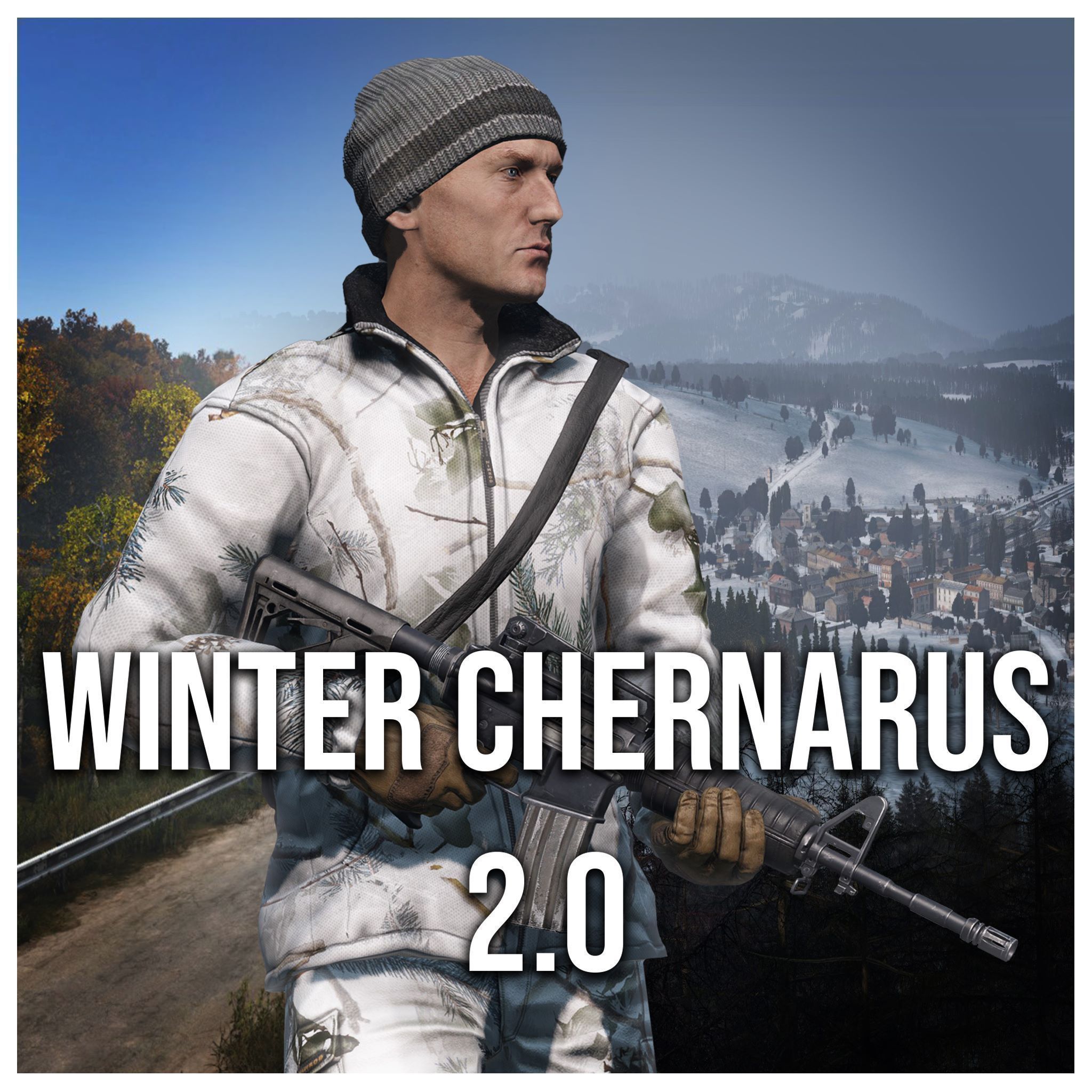
[h1]Mod Details[/h1] Due to the original Winter Chernarus no longer receiving updates, and me being the only member left willing to continue, I decided to create a living successor to Winter Chernarus, just simply called; Winter Chernarus V2 This mod aims to overhaul the entirety of Chernarus and bask it with snow. All the old elements of Winter Chernarus are still here, but will be changed over time as the mod continues to grow. Many assets and textures are done via prefixes which overrides the base files. This can be done and will be done to update more structures, items, objects, etc. Thanks to DrDeSync for the thumbnail! Thanks to Helkiana for the scripting rework! Big thanks to the original team of Winter Chernarus for all the time they have spent making the original Winter Chernarus. Without their contributions to the community, this project would never have been possible. [h1]Dependencies[/h1] It is NOT required to run the original Winter Chernarus with this mod, and is completely standalone. Winter mods for workshop maps that used the original Winter Chernarus as a dependency should switch to this one. If you were using chernarus_winter_scripts as a required addon, switch to WinterChernarusV2Scripts. [h1]F.A.Q[/h1] -Can you add X,Y,Z Feature? If it's do with scripting, probably not. I'm not a scripter and typically I'm a one man band with this. I can source help but it'll not be something I can focus on. -Why did you change the wind sounds? They were changed due to constant copyright claims from a company that has claimed a soundbyte as their own. Streamers, content creators and such were getting flagged and that's not ideal. I bought new sounds, customised them and simply replaced the tracks in config, and the volumes were reduced due to feedback. -The snow is blinding! Turn down the brightness! Unfortunately, that is not possible as snow is, well, bright. To mitigate the issue, configure your server date to sometime in winter. Refer to the init.c down below. If you'd like an inkling of blue sky, then February 20th is a good date too. [h1]Installation[/h1] [b]Mission Files[/b] The mission files are included in the mod, feel free the modify them as you see fit. https://github.com/ThatLad/WinterChernarusV2-Missions-Files [h1]Lad's Modding Workshop Discord[/h1] You can join my Modding Workshop discord to help report issues, give feedback and talk about my projects: https://discord.com/invite/jm49NcTPgh [h1]Usage & Terms[/h1] This item is [b]NOT[/b] authorized (strictly forbidden) for any of these conditions: - posting on Steam, except under the Steam account [url=https://steamcommunity.com/id/Ladimus]Lad[/url]. - hosting on any download server other than Lad's current workshop download. - hosting on any launcher for distribution other than Lad's current workshop download. - to be packaged in any form other than Lad's current workshop download. - to create derivative works. [b]PERMISSION IS NOT GRANTED FOR THIS MOD TO BE INCLUDED IN A "SERVER PACK" or "MOD PACK".[/b] Use a Collection if you want to include this mod on your server for your users. Monetization while using this mod is approved. [h1]Support[/h1] If you like this mod and want to support this or future mods you can do so below. Thanks. PS it does not get you sweaty feet pics. That is the platinum tier :^) [url=https://ko-fi.com/thatlad][img]https://cdn.ko-fi.com/cdn/kofi1.png?v=3[/img][/url]
DayZ-Bicycle
76561198829279936 tarafından
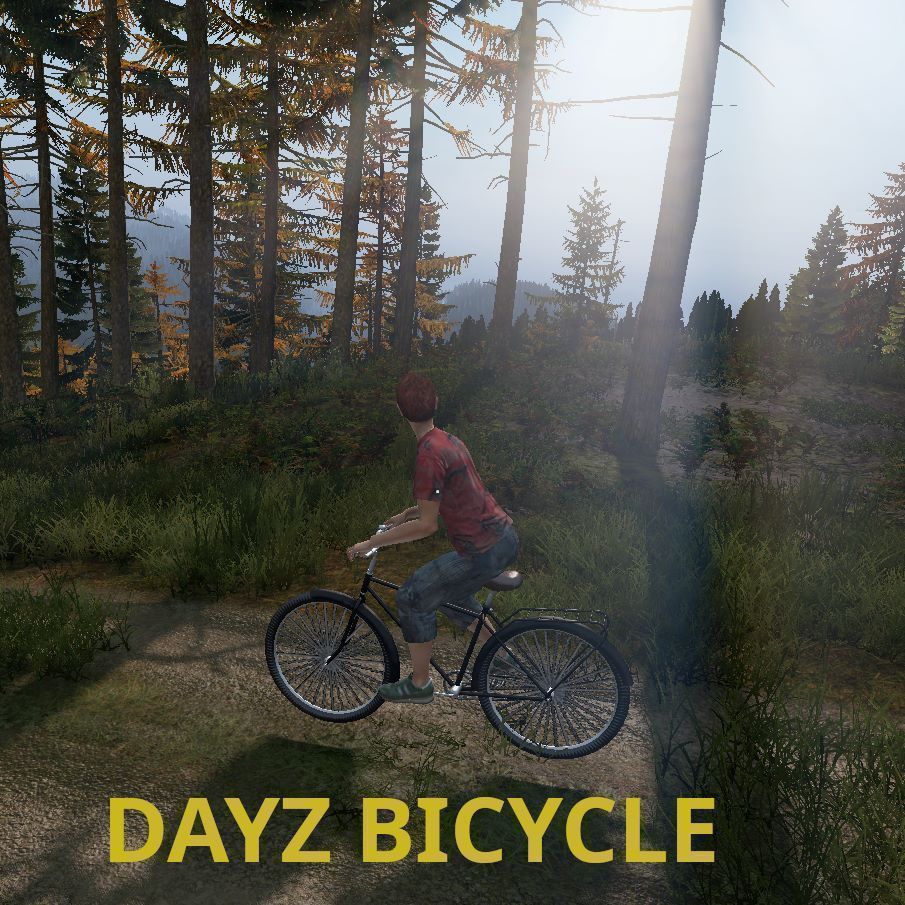
[h1]Description[/h1] This mod is an attempt to add the bicycle back into the game. We have done animations for this - thats why the Survivor Animations mod needs to be installed. The bicycle is like the car, but there is obviously no need to start an engine or add fuel. The bicycle comes with a small inventory and we may add attachments possibly in the future. [url=https://steamcommunity.com/sharedfiles/filedetails/?id=2971993210]Arma Bicycles[/url] is separate addon due ADPL-SA license. [h1]How it works[/h1] Its basically car. It start engine when you get in. It will set gear to first as well. So after entering to bicycle just press W to move forward. [h1]Installation[/h1] Install like any other mod. Dont forget install Survivor Animations as depedency. In mod folder are example xml files. [h1]Known Issues[/h1] - incompatible mod: Expansion Animations - lights not yet implemented (will be using dynamo) - likely more [h1]Further Info[/h1] [b]No repacks allowed. Don't ask. Repacking is cancer of DayZ community.[/b] You are allowed to look into mod for learning purposes or if you want know how it works. Discord: https://discord.gg/49FvN7rRpF Any feedback welcome! -Hunterz- [h1]Credits[/h1] Kamo - great help with blender animations and adjustments MarioE - general animation lessons Nazzgy - help with rvmats and models Sajid_Alfa - help with models RaG Tyson - help with models of vehicles, simulation and configs Chris P Bacon - sponsored model of bicycle Jacob Mango - hints regarding pedals synchronization
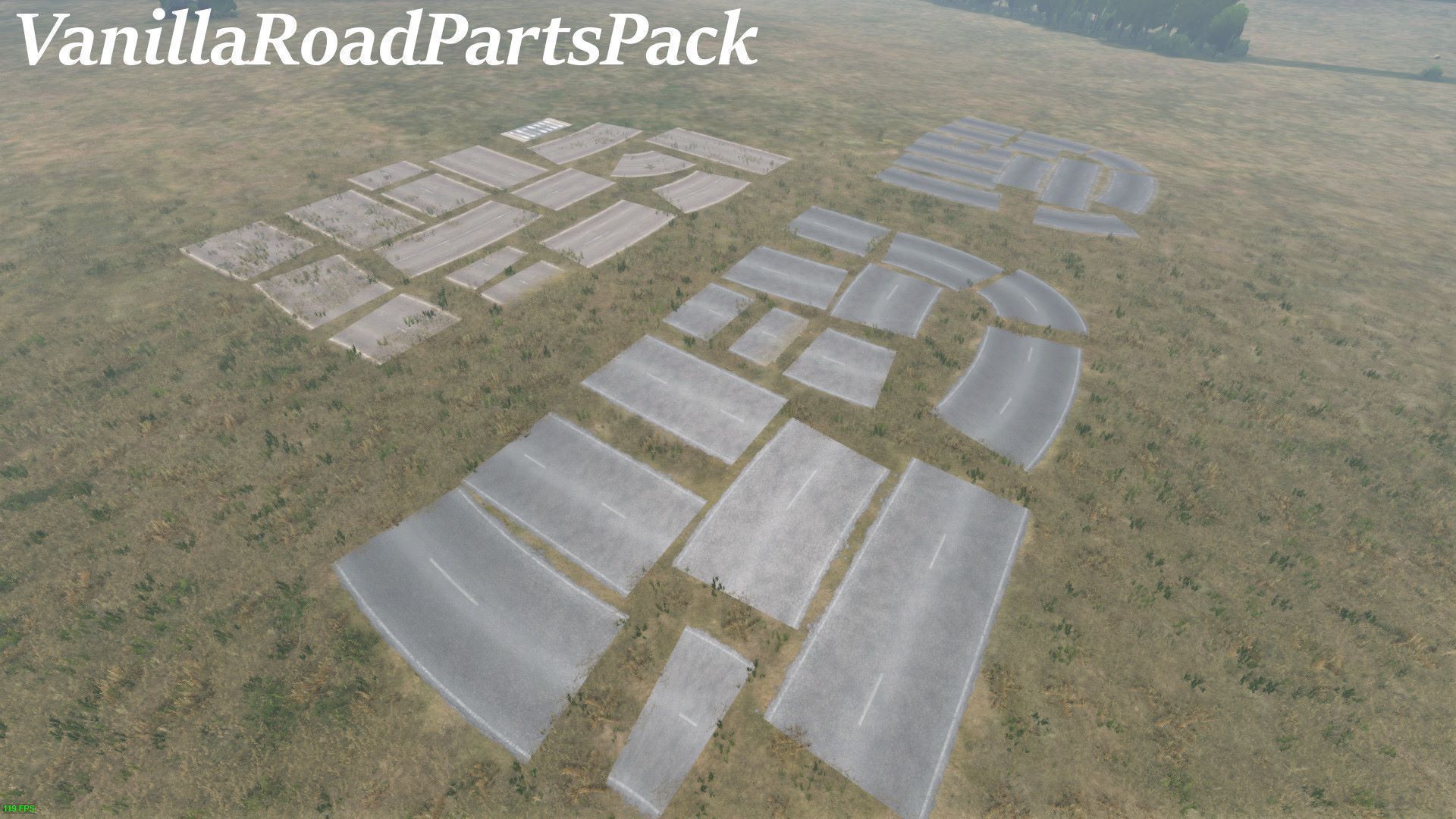
VanillaRoadPartsPack
76561198029844752 tarafından
[b][u]Note: This needs to be run on Server and Client.[/u] rbldr RBLDR rbldr_ Any Vanilla road you use (Not including these rbldr_) will break any baked road of that same object. Even vbldr or bldr because they all use the same models the game use. This mod is a copy of licensed models from Bohemia Interactive that has been licensed under ADPL-SA. These additional sets of roads when used with DayZ-Editor and DayZ-Editor-Loader will not cause texture issues with the baked roads throughout the map. Also, all road variants are now place able and will conform to the ground, regardless of the map! Recommend to use DayZ-Editor and Loader .dze file types to load edits server side. DayZ-Editor can be found here : [url=https://steamcommunity.com/sharedfiles/filedetails/?id=2250764298] Dayz-Editor[/url] DayZ Editor Loader can be found here : [url=https://steamcommunity.com/sharedfiles/filedetails/?id=2276010135] DayZ Editor Loader [/url] [b][u]There have been no attempts to test any of these models with any other mod that has the ability to place objects including init.c method. Just use .dze files from DayZ Editor/ Loader. Results may vary.[/u] Class-name prefix: rbldr_road easiest search for all usable roads, rbldr to show all others ie. path and runway. Changes were made to many models. Specifically how road-terrain behavior works, and Y axis values. No changes done to their default texture paths. There is also a config set up for them to be used. Crude change-log included. [h1]License[/h1] [img]https://i.imgur.com/iRet8G3.png[/img] With this license you are free to adapt (i.e. modify, rework or update) and share (i.e. copy, distribute or transmit) the material under the following conditions: • Attribution — You must attribute the material in the manner specified by the author or licensor (but not in any way that suggests that they endorse you or your use of the material). • Noncommercial — You may not use this material for any commercial purposes. • Arma and DayZ Only - You may not convert or adapt this material to be used in other games than Arma and DayZ. • Share Alike — If you adapt, or build upon this material, you may distribute the resulting material only under the same license. To view a copy of this license, visit https://www.bohemia.net/community/licenses/arma-and-dayz-public-license-share-alike-adpl-sa

PartyMe
76561198036625864 tarafından
[h1][b][WARNING][/b] The mod is Client AND [b]Server side.[/b][/h1] [h1][b]Beta: https://steamcommunity.com/sharedfiles/filedetails/?id=2121455395[/b][/h1] [h1][02/16/2024][/h1] Hello guys, First of all, happy new year to everyone! It's been a while since my last update in mid December, missed my goal of releasing the new version in December. I'll give the why for being transparent: - 23rd december, I had a heart problem, huge pain, shortness of breath - Lot of medical appointments in January (Still some this month) - Since mid-January, I've also been in the process of moving house, which will arrive on the 22nd of this month It's been pretty hard for me to make time for modding again with recent events, and I'm also very tired from it all on top of my work on the side. [b]Model images: https://imgur.com/a/72FUNuF[/b] I'd like to share at least some of what's been done, I'd like to show something other than models... Aside from that, I've started writing the mod's appearance with the idea of making it agnostic enough to be modified by other modders. To the next one, see you! [h1]Mod description[/h1] PartyMe is a mod that allows you to have a group with your friends. In the game as is, you don't have the possibility to know exactly where your friends are, or see their health. With this mod, you'll be able to see your friends health, but you'll also have an icon that follows your friend telling you the distance between you and them. This mod aims to facilitate communication between friends, and not to spend hours looking for your friend who doesn't know the names of the cities! [b]For opening party manager press P[/b] [h1]Server Installation[/h1] 1. Subscribe to workshop mod 2. Find folder of mod it should be located in something like [b]%SteamFolder%\workshop\content\221100\1582671564[/b] 3. Copy folder named: [b]1582671564[/b] into your server folder 4. Rename the folder: @PartyMe 5. Copy Key inside @PartyMe folder and transfer it to folder "keys" of your server (if doesn't exist, create the folder) 6. Add to your [b]-mod=[/b] party me ( e.g: [b]-mod=@CF;@PartyMe;[/b] ) 7. Launch your server [h1]Custom images / Icons for trackers[/h1] - Create an or download a TGA (For transparency image need alpha channel) - Add image into [b]C:\Users\YOURUSERNAME\AppData\Local\DayZ\TrackingIcons[/b] - In game press P go in options through the O next to close window - In [b]Icon 1 (Or 2) Image Name[/b] section, add the name of the image (That don't need the .tga, mod add it by default) - Click [b]Apply[/b] Note: The new icon appear only with new party members [h1]What now ?[/h1] - Party up to 5 players - HUD of party members life and name - Party member tracking - Tracker settings - HUD settings - You can implement your own icon tracker - Key binding for menu and hide trackers in dayz settings [h1]What next ?[/h1] - Server settings for turning off friendly fire of member in same party - Server settings for turning off party tracker - Server settings for turning off player health - Inspect party members outfits There are many things to exploit; and I invite you to give ideas to complete this mod ! [b]If you have a problem, open a new discussion on the steam page of the mod.[/b] [h1]Credits:[/h1] Thank's for OP, Not A Banana and Axelander for testing the mod with me ! Huge thank's to Rak for helping me to sign files correctly. Also a big thank's for creators of RPCFramwork, life is easier with that. [h1]Donations:[/h1] I develop this Mod in my free time, I create the content for myself, but also to produce content that would please the community! I was asked why I didn't have a donation section, so why not create it, if you want to help me buy in my external purchases of everyday life it would be appreciated! [url=https://www.paypal.me/DjCtavia]Make a donation here![/url] Thank's for supporting me guys and using my mod! [h1]Repack and others:[/h1] [b]You are authorized to repack the mod. But[/b], I like you to read my opinion on it. [b]Also, if you repack, quote me, or at least the steam page of the mod.[/b] Repacking mods will not improve your server's performance; using the excuse that it will reduce the number of mod names is slightly stupid. Server hosts can create groups of mods to overcome this problem, or clients using the official or unofficial DayZ launcher can download mods before entering a server. Concerning people wishing to make changes to the mod, if you only want to change a few values, I advise you to make a mod that mod PartyMe. You can find more details on the official DayZ wiki: https://community.bistudio.com/wiki/DayZ:Enforce_Script_Syntax#Modding The main advantage, is that you change only what you need, instead of having all the code, rework a code, even a few lines, if you don't know where you are you can quickly get lost. Especially in the current mod code which is not documented. That's all I have to say, having a little credit if you do repacking or modification will be a great pleasure! Have a good time!
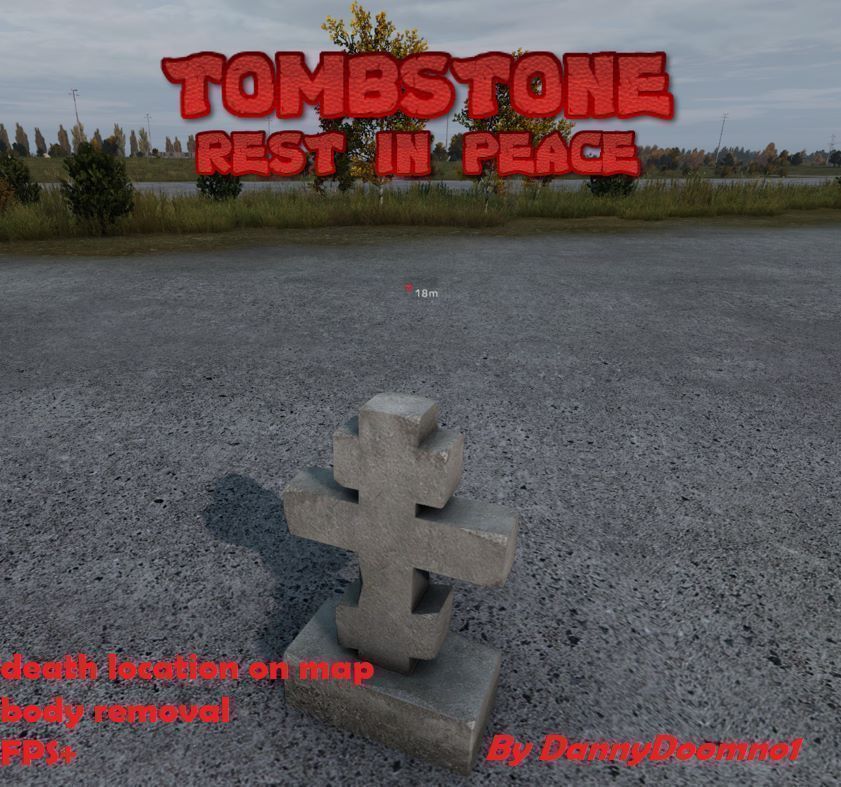
Tombstone V++ Map
76561198046441704 tarafından
This mod changes the function of player deaths, players bodies will be deleted and all items from those bodies will be moved to a small Tombstone, this includes items from hands. This tombstone is invulnerable and cannot be destroyed by other funtions but will auto delete 30 minutes (configurable) after the players death. The player will also get a marker on their map showing where they died (configurable). Adding this mod will significantly help with server FPS as it removes the resource hogging player bodies and itself is also cleared up automatically without relying on the loot ecconomy. ---- THIS MOD REQUIRES INSTALLATION OF THE [url=https://steamcommunity.com/sharedfiles/filedetails/?id=1623711988]VanillaPlusPlusMap[/url] ---- ---- THIS MOD REQUIRES INSTALLATION OF THE [url=https://steamcommunity.com/workshop/filedetails/?id=1559212036]Community framework[/url] ---- ---- IT IS RECOMMENDED TO USE [url=https://steamcommunity.com/sharedfiles/filedetails/?id=2225837273]InventoryFix[/url] TO STOP ITEM LOSS ON RESTARTS ---- Configuration: In your launch parameters add: -mod=@CF;@VanillaPlusPlusMap;@Tombstone; (Or the folder names you use for these mods) In ServerDZ.cfg add: // The tombstone will be deleted after this amount of time unless there was a restart. TombstoneLifetime = 1800000; // 1000 = 1 second ----- 1800000 = 30 minutes. EnableDeathMarkers = 1; // 1 enables the map markers on death, 0 is disabled. In Types.xml add: <type name="Tombstone"> <lifetime>1800</lifetime> <flags count_in_cargo="0" count_in_hoarder="0" count_in_map="1" count_in_player="0" crafted="1" deloot="0"/> </type> Feel free to report any issues to me :) --- IF YOU ARE USING VPP MAP AND WANT DEATH MARKERS USE THIS VERSION: [url=https://steamcommunity.com/sharedfiles/filedetails/?id=2395118966]Tombstone V++ Map[/url] --- --- IF YOU ARE MISSING ANY REQUIRED MODS TRY USING: [url=https://steamcommunity.com/sharedfiles/filedetails/?id=2395118966]Tombstone Vanilla[/url] --- -- Support on all of my mods can be found on discord at: https://discord.gg/2T33rgJNVC -- Usage & Terms - You are not permitted to unpack, repack, edit or reupload any files from this mod. - This item is not authorized for posting on Steam, except under the Steam account of [url=https://steamcommunity.com/profiles/76561198046441704/]DannyDoomno1[/url] - Permissions is granted to use this mod for server monetization under the conditions that you follow the DayZ Server Monetization agreement and have obtained permission from Bohemia through [url=https://www.bohemia.net/monetization]Bohemia[/url] If you like my mods and wish to support me any donations are much appreciated!! --- Paypal.me/DannyDoomno1 ---
DayZ-Expansion-Groups
76561198959715227 tarafından
[img]https://i.imgur.com/UumrOCx.png[/img] [h1]Features[/h1] DayZ Expansion Groups add the ability to create a team with your friends. - Team Hud if combined with [url=https://steamcommunity.com/sharedfiles/filedetails/?id=2792984722]DayZ-Expansion-Navigation[/url]: - Ping Locations to your friends - Share markers with your friends - See their location on the map and ingame if combined with [url=https://steamcommunity.com/sharedfiles/filedetails/?id=2792982897]DayZ-Expansion-Chat[/url]: - Talk with your friends in a Party chat (team chat) if combined with [url=https://steamcommunity.com/workshop/filedetails/?id=1564026768]Community-Online-Tools (COT)[/url]: - Ability to manage all the groups and markers [h1]Installation[/h1] If you need help to install the mods or the mission files please follow this guide: https://steamcommunity.com/sharedfiles/filedetails/?id=2430317812 [h1]Feedback[/h1] We're grateful to hear any feedback and suggestions from anyone, the best place to give it to us would be our Discord ( https://discord.gg/rMZuS4F ), please also join if you have any questions too! [img]https://i.imgur.com/r0rQ5EC.png[/img] [i]Copyright 2021 DayZ Expansion Mod Team. This item is not authorized for posting on Steam, except under the Steam account https://steamcommunity.com/id/dayzexpansion/[/i]
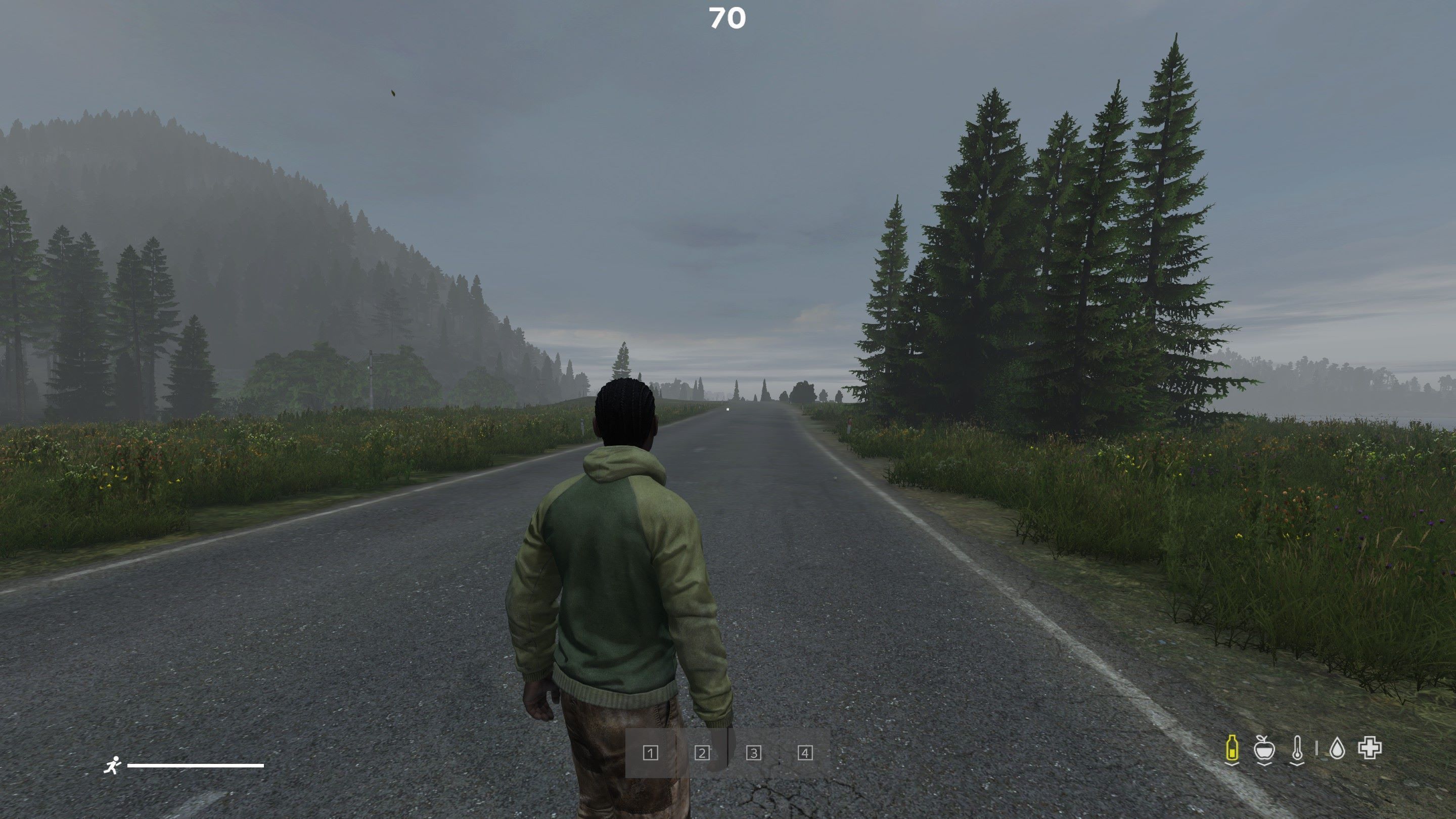
SchanaModCompass
76561198045960503 tarafından
[h1]DEPRECATED[/h1] Use https://steamcommunity.com/sharedfiles/filedetails/?id=3468061029
DayzUnderground
76561197964587850 tarafından
DayzUnderground.com - Enhanced Vanilla Survival This is the custom server mod for DayzUnderground. Visit our website https://www.dayzunderground.com/ for more information on rules, changes and everything DUG related. For a full list of the mods we run please check: https://www.dayzunderground.com/mods-on-dayzunderground/ We are running an enhanced vanilla survival server with organic RP. Read up on all the changes we made https://www.dayzunderground.com/?s=update&sentence=1 Do NOT repack our work. Do NOT steal our work. YOU ARE NOT ALLOWED USE THIS MOD ON MONETIZED SERVERS. WE DO NOT GIVE OUT XML FILES FOR THIS MOD Be excellent! Textures by: blend (xx_blindbandit_xx), DrDeSync, Iris, Jex, Novelin, PurePassion, QuartzPuffyStar, Tony, and Valdark Sherlock Pipe and Zippo by: Munghard Cassette Player functionality by: Arkensor Rolled/Joint Cigarette model by: Valdark Leggings, Shemagh, Poncho and Fingerless Gloves by: Windstride and OP EyePatch model by: https://sketchfab.com/Room_42 Leica model by: https://sketchfab.com/nocyde Wolf Headdress and Bushrag by: Valdark TR-4 Recon Pipe, Pocket Watch, Paint Stick, Wolf Whistle, Bugle and Fire Mace by: Creep Rottweiler, Dobermann, Shepherd and Pitbull models from Sajid_Alfa/HunterzCZ/DayZ-Dog Wanderer pants models from N3X (nexception) Asmond Vanilla Clothing integrated with permission from Asmondian ZensGunMoveSounds by: Zenarchist BookCase by: Helkhiana Scripting help by: Cristian and Manibull Additional scripting/mod support from Incinatus Crafting inforgraphic by: soi-cho Previous integrations now removed: No Fence Collissions integrated with permission from Cleetus. Bullet Rebalance and WeaponReduxPack integrated with permission from Not A Banana Fishing based on code from ZeroY, used with permission and improvements given back to him. Increased Lumens integrated with permission from Indianawinny. Classic Names and Descriptions integrated with permission from Lasyen. Copyright 2024 Ammo / DayzUnderground.com This item and the content included is not authorized for posting on Steam, except under the Steam account named Ammo.

DisableGardenPlots
76561197970992968 tarafından
Disables the ability to create Garden Plots with the shovel and the pickaxe, because they actually can be used to build stairs. Also tries to fix random bugged areas as it seems to be related to garden plots. Support @ https://www.paypal.me/groston1 [b]Alternative mod that doesn't remove the actions but blocks building stairs : https://steamcommunity.com/sharedfiles/filedetails/?id=2040409254[/b]
RaG_Vehicle_Pack
76561197976782863 tarafından
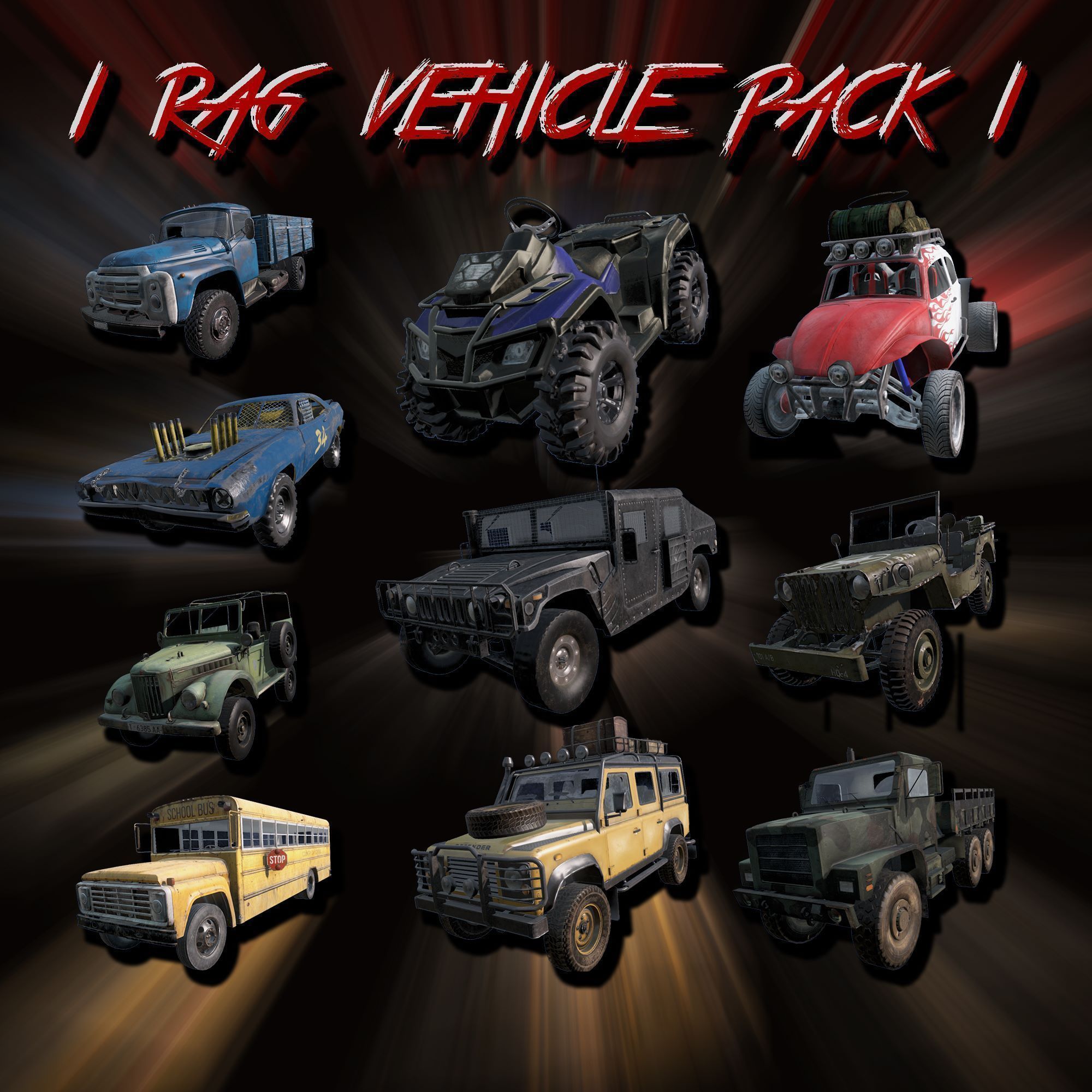
[h1]RaG Vehicle Pack[/h1] [b]ATV[/b] [code] - 2 Seats - 300 Slots - 6 Colors [/code] [b]Landrover 110[/b] [code] - 7 Seats - 500 Slots - 7 Colors - Attachments: 3x WoodenCrate, WalkieTalkie, Jerrycan, SeaChest, Spare Wheel - The Walkie Talkie can be used while driving! [/code] [b]Humvee[/b] [code] - 4 Seats - 1000 Slots - Armored - Attachments: Shovel, Jerrycan, First Aid Kit, Spare Wheel [/code] [b]Baja Bug[/b] [code] - 2 Seats - 300 Slots - Attachments: 2x Barrel, CamoNet, Jerrycan, Spare Wheel [/code] [b]Derby Car[/b] [code] - 2 Seats - 400 Slots [/code] [b]GAZ 69[/b] [code] - 6 Seats - 500 Slots - Attachments: Axe, Jerrycan, Spare Wheel [/code] [b]Schoolbus[/b] [code] - 15 Back Seats - 600 Slots [/code] [b]MTVR Truck[/b] [code] - 14 Back Seats - 1000 Slots - Attachments: Spare Wheel [/code] [b]ZIL-130[/b] [code] - 14 Seats - 600 Slots [/code] [b]Jeep Willys[/b] [code] - 3 Seats - 500 Slots - Attachments: Jerry Can [/code] [h1]All Vehicles are compatible with CarCover Mod by HunterzCZ[/h1] [h1]All Vehicles are compatible with Expansion Keys/Keychains including the required slot[/h1] [h1]Donations[/h1] [b] If you want to support me: [url=https://ko-fi.com/rag_tyson]Ko-fi[/url] [h1]Monetization and Repacking[/h1] [b]This mod is not allowed to be monetized, repacked or reuploaded.[/b] [b]However, you are allowed to use this Mod on your approved Monetized Server, as long as this Mod is not part of the Monetization.[/b] read more here: [url=https://www.bohemia.net/monetization]Monetization[/url] Any "Can i repack" questions will be ignored. The Answer is no. Don't even ask. For any kind of question join my Discord: discord.gg/MRfe4c9h3x I do not accept Steam invites.
Zeroy-FishingZ
76561197970879519 tarafından
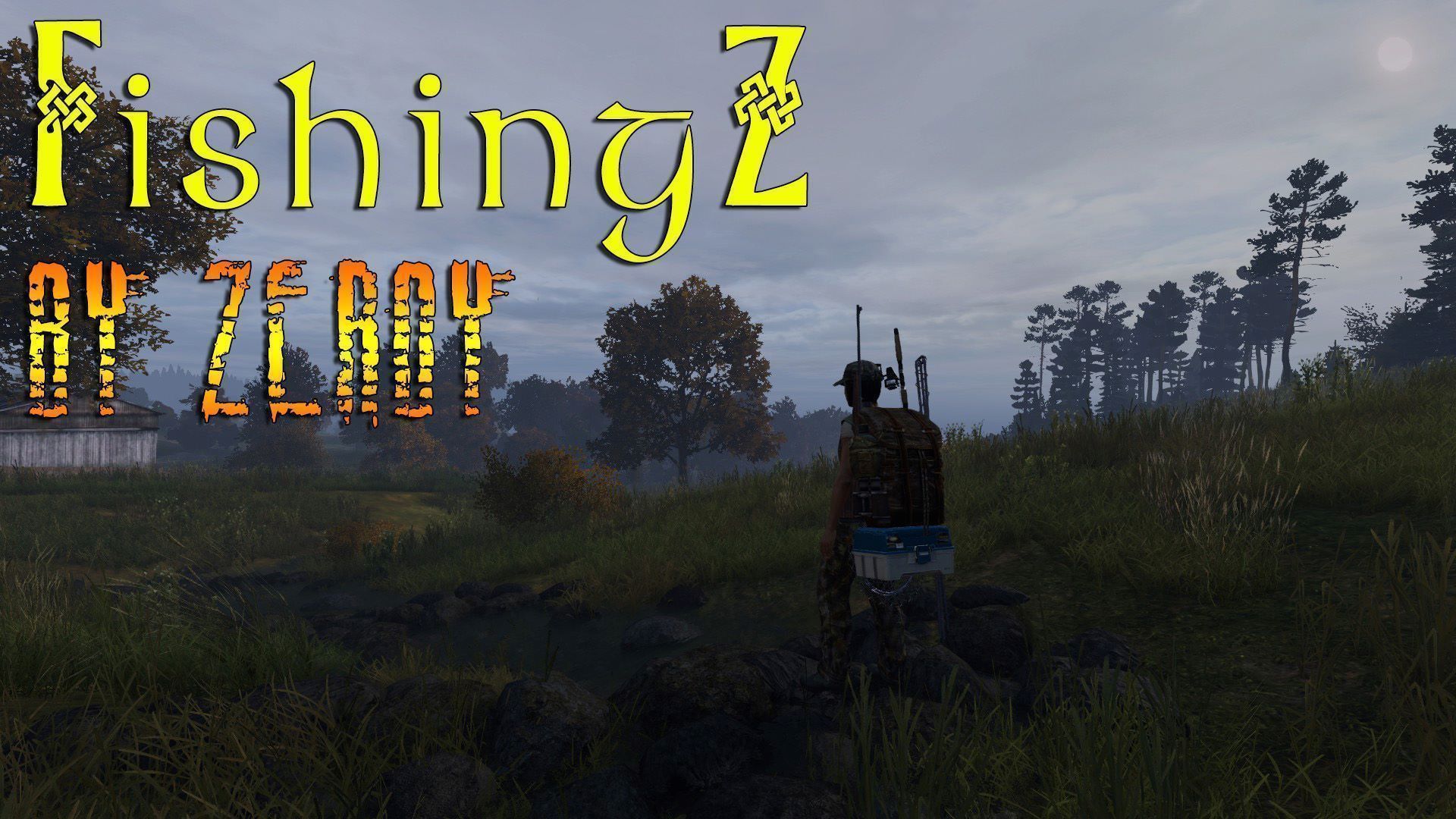
[h1]Features:[/h1] - Sea shore fishing for Shells (with digging equipment) - New fish type (Sea: Cod/Mackerel/Salmon/Scallops, Land: Carp/Pike) - Tacklebox item for storage (can be repaired) - Backpacks on which you can attach Cooking equipment, light, binoculars, Canteen, Fish trap, Tacklebox - Many items of clothing in Leaf Camo made by Creep: Bandana, Cap, Boonie, Pants, Raincoat, Jacket, Wellies, T-Shirt - 6X Lures which do not require bait attached (Thanks Helkhiana!) * You can craft a hook with metal wire + pliers * To dig out shell you need to be in sea water low depth and have a digging tool in hand, prompt should come up. (* this may not work on map other than Chernarus) * Shells can be cooked for maximum nutritional value. [h1]Classnames/Types/Trader files:[/h1] Class names and types file can be found in the Extras folder in the mod. Use the class names file to create your trader files. [h1]Known bugs:[/h1] * Languages translations may not be complete (send me translations!) * Backpack holding animation needs replacing [h1]Credits:[/h1] Big thanks to Helkhiana, Uncuepa, Not_A_Banana, Thurston, Arkensor, Jacob Mango, Camino, Ethan, Wardog, AeryesOG, Ammo, Weyland, Creep, Baroness, Munghard and MortenTardo. Thanks to Mikero for his marvellous tools! Models purchased thanks to donations! [h1]Monetization[/h1] Monetized Servers: I allow for this mod to be run on monetized servers however I do not allow to physically monetize this mod on such servers (no paywall to mod access) [h1]Copyright[/h1] You are welcome to open the mod and study it but [b]NO REPACK ALLOWED[/b] [h1]Donations[/h1] If you want to buy me a beer or add to the donation pot for more features on this mod you can do so here: [url=https://streamlabs.com/zeroy/tip][IMG]https://i.imgur.com/iFg0V0X.png[/IMG][/url]
DayZ-Expansion-Chat
76561198959715227 tarafından
[img]https://i.imgur.com/UumrOCx.png[/img] [h1]Features[/h1] DayZ Expansion Chat allow players to use multiple chat channels. If you have ever played ArmA this feature will be familiar to you. - Global Chat (can be seen by anyone anywhere) - Direct Chat (proximity chat, only nearby players can see what you will write) - Transport Chat (only the players inside the same vehicle) - Admin Chat (only admin can write in it, however everyone can see it. Useful to make announcements while ingame) - Party Chat (only teammates of your group can see it. Requires DayZ Expansion Groups) Colors of this channels can be changed in the server settings. Players can tweak the chat in their ingame options (for example the size of the chat). Players can block other players, preventing them to see their messages [h1]Installation[/h1] If you need help to install the mods or the mission files please follow this guide: https://steamcommunity.com/sharedfiles/filedetails/?id=2430317812 [h1]Guides:[/h1] Please visit the Expansion Wiki for further info on how to use the mod: https://github.com/salutesh/DayZ-Expansion-Scripts/wiki/ [h1]Feedback[/h1] We're grateful to hear any feedback and suggestions from anyone, the best place to give it to us would be our Discord ( https://discord.gg/rMZuS4F ), please also join if you have any questions too! [img]https://i.imgur.com/r0rQ5EC.png[/img] [i]Copyright 2021 DayZ Expansion Mod Team. This item is not authorized for posting on Steam, except under the Steam account https://steamcommunity.com/id/dayzexpansion/[/i]
PVEZ
76561198041047737 tarafından
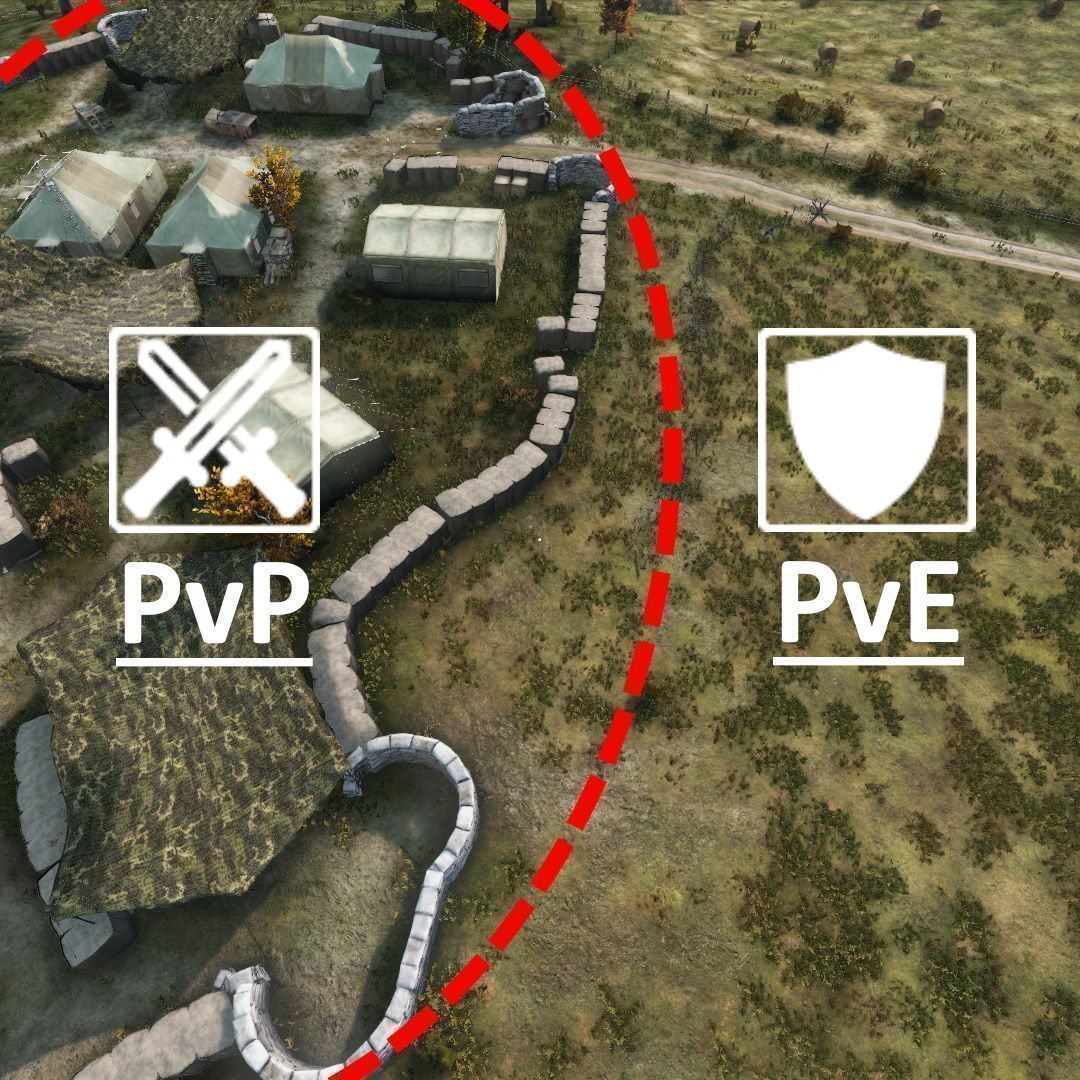
[h1]It is allowed to be used, copied, packed, modded, you're absolutely free to do whatever you want with this mod and it's source code.[/h1] The mod is designed for PvE/PvPvE servers. PVEZ provides several customizable features to help server admins to regulate and manage PvE rules on their server: - restore health lost when attacked by another player in PvE area; - reflect different types of damage to the attacker; - setup zones as PvP or PvE areas; - notifications sent to a player on entering/leaving a zone; - 4 modes: [list] [*]PvE with PvP zones, [*]PvP with PvE zones, [*]PvE (the whole map is PvE area), [*]PvP (same as vanilla, useful if you just want to use zones notifications). [/list] - disable damage to clothing and cargo if the damage is caused by other players in PvE area; - option to allow PVP damage from PVE to PVP zone and vise versa; - the Lawbreakers system, which helps to deal with those who break PvE rules; - option to show lawbreakers on the map; - bounties for killing lawbreakers; - quite a lot of other customizable options. [h1]What is the Lawbreakers system?[/h1] [list] [*]When someone breaks the rules by killing another player in PvE area, he gets the Lawbreaker status. A lawbreaker won't be healed upon getting damage even in PVE areas, and those who attack the lawbreaker won't get damage back (despite the settings). So, when a player sees the guy who have killed his friend, the player could get revenge for his friend and it will be considered an act of justice, no consequences for the player. [*]Within the "PVEZ_Config" folder (see step 4 of the server installation instructions) you'll find the file "PVEZ_Lawbreakers.json", it will store the data of all players who break the rules. Every lawbreaker data includes the lawbreaker UID (44 digits identificator), last three names he have recently used on the server, the amount of murders he performed against the law and date+time of his latest murder. [*]When a lawbreaker dies, he will not be a lawbreaker upon the respawn. But his murder count won't reset. [*]As an option, when someone becomes a lawbreaker the chat message could be sent to all players providing the information about who has broke the law. It also will be included in server logs (providing the info about lawbreaker name, his victim, the weapon and date+time of the murder. [*]Also, lawbreakers positions could be shown to other players on the map. If you enable it, consider to set the setting to allow lawbreakers to attack other players, so they could fight back when other player will hunt them down. [/list] [h1]Known issues:[/h1] Shotgun in the face kills. Grenades kill. If something can kill with just one hit - it will kill. Unfortunately, Bohemia doesn't let us to get access to the actual damage registration, we can't modify/disable damage at runtime. PVEZ just restores the health to a player who has been hit by another player in PvE area, but apparently, it doesn't work in one hit - one death cases. [h1]INSTALLATION INSTRUCTIONS FOR SERVER ADMINS:[/h1] [olist] [*] Subscribe to the PVEZ mod at Steam Workshop; [*] Copy/paste the mod folder from your "DayZ/!Wokshop/" folder into your server root folder ("DayZServer/"); [*] Copy/paste the *.bikey file from "@PVEZ/Keys" to your "DayZServer/Keys/" folder; [*] Set up your server *.bat to launch the server with PVEZ mod (e.g., -mod=@PVEZ;). [*] Start the server. [*] The mod will then create PVEZ folder within your server profile folder. In that folder you'll find the file Admins.txt. To use PVEZ UI menu in game, add your 44-sign GUID or Steam64 ID to the file and save it. Then relog to server. [*] Set the key to open PVEZ menu in the in-game input settings. [/olist] [h1]PLUGINS:[/h1] [url=https://steamcommunity.com/sharedfiles/filedetails/?id=2109062212]Airdrop plugin[/url] - turn airdrop points into PvP zones. [url=https://steamcommunity.com/sharedfiles/filedetails/?id=2109061314]VanillaPlusPlusMap plugin[/url] - display lawbreakers markers and zones borderlines on VPP map. [url=https://steamcommunity.com/sharedfiles/filedetails/?id=2229732236]DayZ-Expansion plugin[/url] - dislpay lawbreakers markers and zones borderlines on DayZ-Expansion map, turn Expansion airdrop points into PVP zones.
Hitmarker
76561198015358284 tarafından
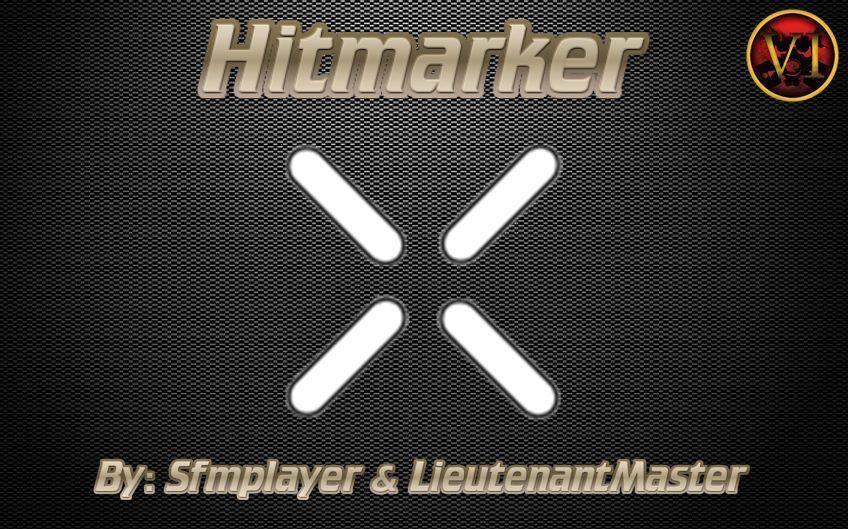
https://discord.me/revguns Contact me on discord for repack. Hitmarker is a visual cue and audio that tells the player that they scored a hit and damaged an enemy. This mod is plug & play ready without further configs to go over. [b]Usage & Terms[/b] This item is NOT authorized (strictly forbidden) for any of these conditions: - posting on Steam, except under the Steam account Sfmplayer ( 76561198015358284 ). - hosting on any download server other than Hitmarker current workshop download. - hosting on any launcher for distribution other than Hitmarker current workshop download. - to be packaged in any form other than Hitmarker current workshop download. - to create derivative works. PERMISSION IS NOT GRANTED FOR THIS MOD TO BE INCLUDED IN A "SERVER PACK" or "MOD PACK". Use a Collection if you want to include this mod on your server for your users. Monetization while using this mod is approved. Copyright 2022 Sfmplayer. Discord Sfmplayer#9751 https://discord.gg/dayzthefallenvi Donations https://www.paypal.com/paypalme/sfmplayer Much love to LieutenantMaster for making this happen.