Don't Starve Together Mods & Plugins

Status Announce
76561199020997345 tarafından
Released for compatibility with Chinese language, Please go to the original author Status Announcements mods to subscribe, rewards please go to: https://steamcommunity.com/sharedfiles/filedetails/?id=343753877

Craftable Gears
76561198130430187 tarafından
Adds gears as a craftable recipe in the Refine Tab. Recipe: x3 Flint, x2 Electrical Doodad Note: This was originally intended as private use only, a friend on steam requested that I make it public so their dedicated server could use it.

Status Announcements
76561198025931302 tarafından
[h1][b]How it works[/b][/h1] ALT(+SHIFT)+click parts of the HUD to announce their status ("I'm wounded!", "I have 2 twigs.", "We need more drying racks."). For controllers, the announce buttons show up on the HUD when in Inventory or Crafting mode. (SHIFT is needed for inventory items, because ALT+click already examines them). Holding CTRL in addition will cause it to whisper (or if you have it set to whisper by default, it will announce it globally). For controllers, hold Menu Misc 3, which by default is left-stick-click. Each character has their own quotes, and custom characters can define their own quotes (see below). Also available on [url=https://github.com/rezecib/Status-Announcements/releases]GitHub[/url]. If you find this mod super annoying, there's also an option ("Hide Announcements") to mute all uses of it (you won't see announcements from yourself or anyone else). [h1][b]Configuration Options[/b][/h1] Whisper by default: If toggled on, then you will whisper unless you hold ctrl. Show current/max: If toggled on, then you will announce your current/max health, sanity, and hunger. Custom X Quotes: If toggled off, X (one of the characters) will use default quotes instead of the custom ones written in their voice. [h1][b]List of things you can announce[/b][/h1] [list][*] [b]Current hunger/health/sanity/wetness/log/temperature[/b] status. Alt+clicking your health badge will announce "I'm in perfect health!" if your health is full, or "I'm mortally wounded!" if it's very low. Sanity and hunger have different announcements specific to them ("AAAH! Stay back, beasts of darkness!"). Announcing temperature requires [url=http://steamcommunity.com/sharedfiles/filedetails/?id=376333686]Combined Status[/url]. [*] [b]Craftable items[/b] in the craft tabs. If you know how to build it and you have the supplies, it will announce that you'll make one. If you don't know how to build it, it will ask if someone can make you one (e.g. you have a Wickerbottom and no science machine yet, and you want her to make you a backpack). If you know how to make one, but don't have the supplies for it, it will say "We need more [craftable]s". You can also announce item skins you have. [*] [b]Ingredients[/b] for crafted items. Let's say night is falling and you have two twigs and one grass. Alt+clicking the grass in the torch recipe will announce "I need 1 more cut grass for a torch.". [*] [b]Items in your inventory and backpack[/b]. Since alt+click already does something for these, you'll have to hold down shift as well. This will announce that you have the item, and how many: "I have 10 dragonpies." [*] [b]Items in chests or other containers[/b]. This works the same way as inventory ones, but will announce something like "We have 8 dragonpies here in this icebox".[/list] [h1][b]Custom Announcements for Character Mods[/b][/h1] Character mods can add their own quotes if they want. You don't need to worry about mod load order, just add the quotes to GLOBAL.STRINGS._STATUS_ANNOUNCEMENTS (make sure to check if it exists first, and if not, make it an empty table before adding your strings). See announcestrings.lua in the files for this mod on the format of the announcement strings. If you want to see an example of how to do this, look at [url=http://steamcommunity.com/sharedfiles/filedetails/?id=645436044]Elec Man[/url]. In addition, it's now possible to add announcements for stats that only your character has. There's a small guide inside the modmain, I recommend looking at that; you may need to refer to some other code there. [h1][b]Translations[/b][/h1] I have support for translations. However, I don't know all languages so if you're willing to translate the mod, then here's how to do it. If you're subscribed to the mod, then go to the game in Steam, click Properties, then the Local Files tab, then Browse Local files. Navigate to mods/workshop-343753877. Make a copy of announcestrings_english.lua and open it in a text editor (Notepad, Notepad++, Sublime, whatever). Translate all the strings and update the format and article parts at the top. Feel free to contact me to ask how those work if you need help writing it into the code there. Send me the translated file (for example, by uploading to pastebin.com and sending me the link), and I'll add in support for it-- I look at mods on the workshop that translate into that language, and then have this mod detect them and switch to the provided translations. Currently supported languages: [list][*] English (default) [*] Brazilian Portuguese (thanks to Vinicius Araújo for translating!) [*] Chinese (thanks to GoforDream and Shang for translating!) [*] Spanish (thanks to Gum and oPt for translating) [*] Russian, incomplete (thanks to deshkas and Shiro for translating) [*] German (thanks to Redhead for translating) [/list] Requested languages: [list][*] Let me know if you want one or want to help provide one. [*] French; if you know French and would like to write lines in keeping with the characters, please reach out to me :) [/list] [h1][b]Acknowledgements[/b][/h1] Thanks for SilentDarkness, SuperPsiPower, OSMRhodey, AceMurdock, and Lying Cake for help writing the character-specific strings. [h1][b]Troubleshooting[/b][/h1] [list][*]Because mods can't directly have their own keybindings, I'm using some of the game bindings to allow you to rebind ALT/SHIFT/CTRL. So if you've rebound any of the following, use those instead: [list][*] "Force Inspect (mod)" (default ALT) the main announcement key [*] "Force Container (mod)" (default SHIFT) press this as well to announce inventory items [*] "Force Attack (mod)" (default CTRL) press this as well to toggle whispering [/list] [*] Sometimes alt gets stuck when alt-tabbing. Pressing alt again should fix it. [/list]
ActionQueue RB3
76561198397747007 tarafından
This mod is an updated version of ActionQueue RB2 [list] [*]Added actions related to "Reap what you sow" [*]Fixed Tall Palmcone trees compatible [*]Fixed a snazzy pitchfork compatible [*]Added Erase paper action [*]Added Ocean trawler raise action [*]Added Ocean trawler lower action [*]Compatible with New drying rack [*]And so on (Additional bug fixes and compatible patches) [/list] Supported new languages: Korean, Chinese. [list] [*]한국어를 지원합니다. [*]支持中文 [/list] eXiGe's ActionQueue Reborn Original mod here: https://steamcommunity.com/sharedfiles/filedetails/?id=1608191708

Fire resurrection
76561197962288361 tarafından
Should be compatiable with various item ownership mods so you can only rez at your own fires if you use them. Allows you to ressurect yourself as a ghost when you haunt the various fires Works in modes where you can rez at the portal. Also adds a board worth of fuel to the fire, which lights firepits, so you can rez at night and not die instantly. Works on: Campfire Firepit Endothermic Fire Endothermic Fire Pit Delux Campfires mod Has options to set hunger/health/sanity/max health penalty on res if the admin wishes. Lighting strike on rez can also be removed if you don't like it. Also has options to enable/disable rez at all supported fire types. Defaults are all previous behavior. Also has an option to NOT spawn a skeleton on death per user requests.

Zoro
76561198162990845 tarafından
[h1]Update 7/24/15 - - Shusui's attack only takes 4 hunger instead of 6. - Sandai now has a teleport strike attack that does 45 dmg. - Art has been slightly changed - Now has 200 hunger - Wado Ichimonji now gives 50% absorb [/h1] The greatest swordsman is now in the Don't Starve Universe! He wields 3 swords; all named and each have their own perks. He's a really strong attacker, has a ranged and non ranged weapon + bonus stat giving items. He's pretty op when it comes to fighting but be prepared for his greatest downside before playing him ;) Zoro's stats: 200 Health 200 Hunger 175 Sanity Items only useable by Zoro: Wado Ichimonji - This is a sword item which he holds in his mouth. (gives 50% dmg absorb + little sanity) Shusui - A ranged sword which inflicts 60 dmg. When you use, it drains 4 hunger and 1 health per shot. Sandai Kitetsu - Sword which inflicts 45 dmg (cuts wood as well). Sheaths - Works as a custom backpack. While he's an incredibly powerful fighter, he has one of the biggest downsides. [h1][b]He has no sense of direction.[/b]This means his map is TURNED OFF.[/h1] Have fun c: -Zoro can no longer Force(Auto)attack small creatures freely anymore. *Basically that means you can't exploit him for killing things he shouldn't be killing the first place. *But instead of making too harsh to kill small creatures, we gave him the ability to Kill Rabbits, Turkeys, and Moles for food. A list of things he cannot kill by auto attacking: -crows(extremely exploitable) -robins(extremely exploitable) -Winter robins(extremely exploitable) -babybeefalo -penguin -butterfly -smallbird -catcoon -chester -mosquito We'll also buff and nerf according to suggestions. [spoiler]Also big thanks to the people over at Klei Forums and Ysovuka for helping us out! [/spoiler] -------- [b]We don't allow anyone to edit and re-upload our work onto the workshop or any other website.[/b]

Craftable Gears For DST
76561198048222787 tarafından
All credit for this mod goes to a fellow creator for his original dont starve mod, so go check his out! I just made this so people who play DST can have craftable gears too! Here is the link to the creator of this mod I ported: http://steamcommunity.com/id/armetik ---------------------------------------------------------------------------------------------------------------------------- The recipe is: 4 cutstone, 6 twigs, 4 goldnuggets, 6 flint. (Under the Refine tab.) Please Rate, Subscribe, and Favorite! (Was the first craftable gears mod) *For those who think the recipe price is too high, This mod was created as an alternative method to obtain gears, but not necessarily an easier method. I want to make sure the game feels as less cheated and authentic as possible. My hopes are that every subscribed player is having a fulfilling time with the game, even with the mod installed.

Small Map
76561198004604229 tarafından
This MOD adds a small minimap to the HUD. Full custom!!!! * If you are in trouble, use the M key to display the map! It may be improved. After that, if it doesn't improve, please send us a bug report.

Tradução Português (BR)
76561198081045324 tarafından
-------------------------------------AVISOS IMPORTANTES------------------------------------- 18.08.2016 - Traduzido 90% dos menus iniciais / principais. 03.08.2016 - Continuidade ao desenvolvimendo do Mod, aguardem atualizações. --------------------------------------------------------------------------------------------------------- Nota do Autor: Obrigado pelos 20.000 Inscritos, esse número é muito importante para a continuação da tradução. O Pacote de Linguagem Português do Brasil (ptBR) esta em desenvolvimento, por tanto não possui 100% da tradução completa, toda tradução contida nesse Mod eh feita de modo independente em relação a Klei Entertainment; Não deixe de avaliar o Mod, incentivará a continuidade do projeto. * Tradução incompleta. * Tradução não revisada. ====================== COMO INSTALAR E USAR ====================== 1) Clique em "Inscreva-se" 2) Entre no Don't Starve Together 3) Vá em "Mods > Client" procure Tradução Português (BR) e Ative o Mod 4) Pronto! ====================== PROJETO INICIADO: 08/Agosto/2015 ATUALIZADO EM: 18/Agosto/2016 Traduzido por: Tiago Abreu & Pamela Nogueira Palavras Chaves: Traducao, Tradução, Traduçao, Traducão, Portugues, Português, PT, Brasil, BR, Translate, Portuguese, Brazil
DST Advanced Farming
76561197989646930 tarafından
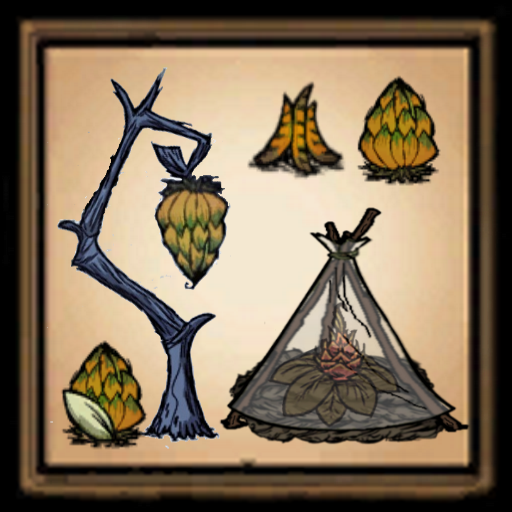
Please make Jesus Lord of your life today, I love you! The Advanced Farm is an agricultural breakthrough! Craftable under the FOOD TAB Easy recipe = 3 Boards, 3 Silk and 1 Rope. No Machine Required. Normal recipe = 3 Boards, 3 Silk , 2 Rope and 10 poop.. Use a Science Machine.. Hard recipe = 5 Boards, 6 Silk , 4 Rope and 10 poop.. Use an Alchemy Engine. With The Advanced Farm your crops will grow faster. Your crops will grow all winter long but at a slower rate. The Advanced Farm has a cool transparent effect,like a greenhouse. --------------------------------------------------------------------- The Hybrid Banana Tree The trees seeds are refined under the REFINE TAB Recipe = 1 Carrot Seed and 1 Dragonfruit Seed. Use an Alchemy Engine Plant these pretty much anywhere you want. Hybrid Bananas are very good for you when eaten. Healing = 20 Hunger = 25 Sanity = 15 Cookpot ingredient value = fruit ------------------------------------------------------------------------ Mod has 3 options so far, use config mod to set options. You can disable the banana seeds if you don't want them. You can set the Hybrid Banana Trees to bear fruit or not in the winter. You can set the Advanced Farm recipe. -------------------------------------------------------------------------------------- You may also buy me a burger or soda @ https://paypal.me/afro1967?locale.x=en_US If you like the mod, thumbs up and enjoy! 先进的农场是农业的突破! 在食物的标签下 简单食谱=3板,3丝和1绳。不需要机器。 正常食谱=3板,3丝,2绳和10便便。..使用科学机器。.. 硬配方=5板,6丝,4绳和10便便。..使用炼金术引擎。 有了先进的农场,你们的庄稼就会长得更快。 你的庄稼整个冬天都会生长,但生长速度会慢一些。 先进的农场具有凉爽透明的效果,就像温室一样。 杂交香蕉树 这些树的种子在精制标签下精制 食谱=1个胡萝卜种子和1个Dragonfru

Quick Drop
76561197971903310 tarafından
Hold Shift to be able to right click on an item to drop it! (Hold CTRL as well and it will drop a single item from a stack) Thanks to Mister L for whipping up a mod icon for me while my image editor was broken. YES, changing control is POSSIBLE! Change these options in your controls menu: [img]https://i.imgur.com/gc26BHL.png[/img] Удерживайте Shift что бы появилась возможность нажать на предмет что-бы выбросить его! (Удерживайте CTRL чтобы выбросить только одну вещь) Thanks to MeoWicE for Russian translation! 按住Shift并右键丢弃这组物品。同时按住Shift+Ctrl并右键丢弃这组物品中的一个。 Thanks to Muye for Chinese translation! Mantenha a tecla Shift pressionada e então clique com o botão direito do seu mouse em um item para largá-lo! (Mantenha a tecla CTRL pressionada se quiser largar somente um item da pilha acumulada!) Thanks to Mister L (again) for Brazilian Portuguese translation! Manten presionado shift para poder dar click derecho a los items y tirarlos desde tu inventario!!!(Manten presionado tambien CTRL y tiraras un solo objeto del inventario acumulado) Thanks to El Valiente for Spanish translation! Przytrzymując Shift i klikając prawym przyciskiem myszy, możesz błyskawicznie upuścić przedmiot! (Przytrzymaj CTRL, aby upuścić pojedyczną sztukę przedmiotu) Thanks to Hast for Polish translation! 아이템에 쉬프트+우클릭을 눌러서 캐릭터 바로 밑에 떨어트리세요! (컨트롤과 함께 누르면 1개만 떨어트릴수 있습니다.) Thanks to 번쩍 for Korean translation! Halte die Umschalttaste gedrückt und rechtsklicke auf ein Item im Inventar um es auf den Boden zulegen! (Wen Umschalt- und Steuerungstaste gleichzeitig gedrückt werden kann man ein einzelnes item aus einem Stack fallen lassen) Thanks to Mr.P for German translation! Maintenez la touche "Maj" pour déposer un élément de votre inventaire! (Maintenez la touche "Ctrl" enfoncée pour déposer un seul élément d'une pile.) Thanks to MaroonRaptor66 for French translation! Tartsd lenyomva a Bal Shift billentyűt, ahhoz, hogy eldobj egy tárgyat! (Ha közben a CTRL billentyűt is letartod, csak egy darabot fog eldobni a pakkból.) Thanks to _SPANGLI_ for Hungarian translation! Eşyayı bırakmak için SHIFT tuşuna basılı tutup sağ tuşa basın. (Toplu eşyadan bir adet bırakmak için CTRL tuşuna basılı tutun ve sağ tuşa basın) Thanks to Kerem Bilgin for Turkish translation! [h1][b]CHECK OUT THE CLIENT VERSION!:[/b][/h1] http://steamcommunity.com/sharedfiles/filedetails/?id=873350047 [url=http://steamcommunity.com/sharedfiles/filedetails/?id=873350047][img]http://i.imgur.com/hEYHdS7.jpg[/img][/url]
Beefalo Status Bar
76561197983080587 tarafından
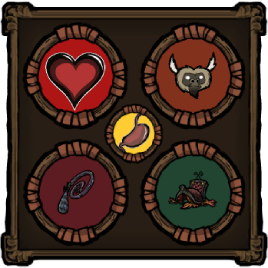
[h1]Beefalo Status Bar[/h1] It shows up when you mount a beefalo, goes away when you dismount. You can also toggle it on or off (when mounted) if you feel like it's getting in your way. Note that toggling will override the "Show Automatically" setting for the current shard session (going in and out of the caves or reloading will reset it to whatever it was originally set to). [h1]Information[/h1] Most everything should be pretty straight forward, except maybe the tendency and the hunger badge, so let me explain. [h1]Domestication and Tendency:[/h1] The color of the domestication badge will reflect the current tendency of your beefalo. This is configurable, but by default it goes like this: [img=https://i.imgur.com/bHMl3Sb.png ] [img=https://i.imgur.com/877HBr0.png ] [img=https://i.imgur.com/Mk7X39h.png ] [img=https://i.imgur.com/LtxSAfE.png ] There are 13 colors (8 unique and 5 variations) to choose from. Note: Last I checked, the only time the game tries to make your beefalo domesticated is when you feed it. This means that when you reach 100% domestication your beefalo won't become domesticated until you feed it something. [h1]Ride Timer:[/h1] This badge shows how much time you have left riding your beefalo before it bucks you off. Hovering over it will show you how many uses your saddle has left. [b]Note[/b]: Your saddle will [b]NOT[/b] lose durability when the timer runs out. The only time this happens is when the beefalo shakes it off it's back. [h1]Hunger Badge:[/h1] Your beefalo needs to have at least 15 hunger (configurable) at mount time to activate the hunger badge. Once activated, when the beefalo's hunger reaches 0 it will deactivate itself again. This should be low enough to easily trigger it while still in the process of domestication, but high enough to almost never see it once your beefalo is fully domesticated. [h1]F.A.Q.[/h1] [b]I don't see the numbers below the badges, why?[/b] - They are a feature of another mod called [b][url=https://steamcommunity.com/sharedfiles/filedetails/?id=376333686]Combined Status[/url][/b]. In order to see them you will need to download/subscribe to it (and enable it). [url=https://steamcommunity.com/sharedfiles/filedetails/?id=376333686]Click here[/url] to do just that. [b]Can you make this a client only mod?[/b] - No. Unfortunately, the beefalo information is not available on the client, so a client only version is not possible. [b]I'm using a HUD reskin mod, how do I make this mod use the reskinned badges?[/b] - Set the "Theme" option to "Default Theme". [h1]Latest Changelog:[/h1] [h1]v1.4.0[/h1] [h1]General[/h1] - Added support for resetting the ride timer by raising obedience when mounted. - Added Beige color (or close to it) as a color choice for all badges. - Changed the default domestication badge color for "Default" beefalo from White to Beige. - Increased the default hunger badge threshold from 10 to 15. [h3]Fixes:[/h3] - Fixed an issue causing the Status Bar to move up a little bit each time the player changes characters when using The Forge theme without Combined Status. [h3]Other:[/h3] - A small backend change for future-proofing that will hopefully not cause any trouble. [h3]Notes:[/h3] - In the upcoming game update, beefalo can be fed while mounted. This will increase their obedience (unless already maxed out), which will reset the ride timer. In case other scenarios where obedience is raised while riding are to be added in the future (like brushing for example), they should be properly accounted for as well. - Due to how mod configurations work in the game, if you already have a saved configuration the new defaults may not be properly reflected until you reset or change them manually.

防卡两招_新
76561198366922677 tarafından
功能: 1. 掉落物自动堆叠:新增更多堆叠对象和触发操作,同时兼容个人锁mod,加锁物品不会和无锁物品,其他人锁物品堆叠 2. 定期清理服务器: 定期清理地上的物品,清理名单可以设置 3. 批量给予:给与鸟笼、猪王、蚁狮、猴岛传送门、猴岛女王物品能够批量给予,而不用一个一个给了 如果仅需要[url=https://steamcommunity.com/sharedfiles/filedetails/?id=3046339764] 批量交易 [/url]可以订阅这个 清理机制:以腐烂食物为例:假设整个世界有5组腐烂食物,他们各自的堆叠数量为(1,6,18,40,40),清理过程会将5组腐烂食物清理至2组,至于删除哪3组,随机。 所以服务器会清理的东西如果想不被清理掉:一定要放箱子里或者随手做个背包扔地上放背包里!!! 所以服务器会清理的东西如果想不被清理掉:一定要放箱子里或者随手做个背包扔地上放背包里!!! 所以服务器会清理的东西如果想不被清理掉:一定要放箱子里或者随手做个背包扔地上放背包里!!! 新增批量给予功能:该功能暂不兼容对猪王/鸟笼/蚁狮等交换内容有改动的Mod, 可以设置里面单独关掉。 目前兼容永不妥协(只测试了鸟笼的怪物肉和榴莲,不保证全兼容) 新增支持堆叠: 1. 暗影收割者(镰刀)收割的作物 2. 拆解魔杖拆解后材料 3. 炮弹命中的地方,比如炸鱼工厂 4. 刮地皮头盔刮下来的地皮 5. 船体毁坏的材料堆叠 eg: 草船/木船/海盗船 6. 拆包裹 eg: 能力勋章mod坎普斯掉落的包裹批量拆开的零碎物品 7. 鱼人王交易后的物品 8. 女工投石机炮弹(例如:炸鱼)
Zoom+
76561198277113023 tarafından
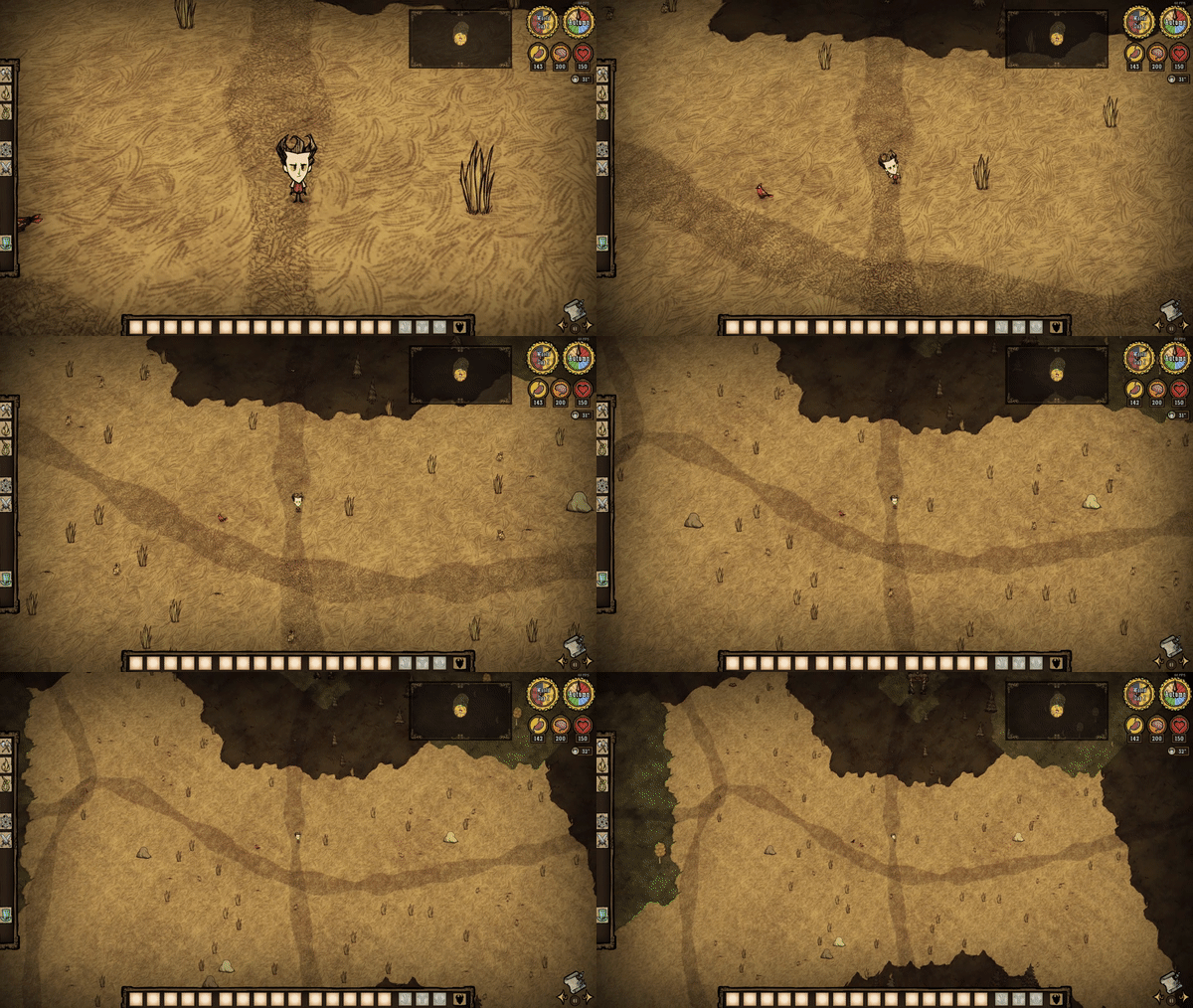
not working as far as i understand, so try one of these :) (sorry i haven't modded in a while) zoom++ by conrad https://steamcommunity.com/sharedfiles/filedetails/?id=2837642411 zoom+ fix by Карась https://steamcommunity.com/sharedfiles/filedetails?id=3715602247 Allows you to zoom in and out further. Despawns sea and some other stuff if you zoom out too far. Remember to disable Seafaring Camera in your settings to stop the camera reset after jumping to another boat :)

Global Positions (CompleteSync)
76561198398453893 tarafından
[h2] Main feature [/h2] Just like the original [url=https://steamcommunity.com/sharedfiles/filedetails/?id=378160973]Global Positioning[/url], it allows players to share exploration maps and mark signals on the map. However when using original mod, the maps between players are not completely synchronized, for example: 1. The player just joined the game, and the other players on the map have explored many places, but the newly added player cannot see the places explored by other players before he joined. 2. Player A is on the ground, and player B goes to the cave to explore. When player A enters the cave, he cannot see the place explored by player B before he enters the cave. 3. The player read the message in the bottle of the Crabby Hermit, and other players will not update the map like player A. This mod solves these problems and can achieve complete synchronization. See the videos for a demonstration. [h2]Bugs fixed:[/h2] 1. Fix the far away point of interest bug in the original mod. [img=https://steamuserimages-a.akamaihd.net/ugc/2425844467144089786/684C53427208270FBCB431A1E0ED9042045348A4/?imw=5000&imh=5000&ima=fit&impolicy=Letterbox&imcolor=%23000000&letterbox=false][/img] 2. The bug in the original mod that caused the signal marker to possibly deviate from the mouse position has been fixed. (In the original mod, if you dragged the map to its extreme position and continued dragging, the map would no longer move with the mouse. After that, the signal marker would deviate from the mouse position.) 3. Fixed the longstanding issue of icon misalignment in modules related to global positioning. Sometimes, the icons on the map would misalign, resulting in "mirages" on the map. For example, users might find that the building icons of their base are copied to another location on the map, or they may encounter strange icons outside the map boundaries. In fact, I believe this is a bug within the game itself, and the Global Position-type mods simply make it more likely to trigger ([url=https://forums.kleientertainment.com/klei-bug-tracker/dont-starve-together/a-long-standing-bug-in-the-maprevealer-which-causes-map-icons-to-be-misaligned-r46911/]Bug report[/url]). (Update: Klei has claimed to have fixed the bug I reported. It's very likely that this issue has also been resolved in other global positioning mods.) [img=https://steamuserimages-a.akamaihd.net/ugc/2425844467144080073/2844A976983D26F443E1087CF68152156035589F/?imw=5000&imh=5000&ima=fit&impolicy=Letterbox&imcolor=%23000000&letterbox=false][/img] [img=https://steamuserimages-a.akamaihd.net/ugc/43440899924063808/7F394F1C087EB999B30E6A27C28C488B30DFB27F/?imw=5000&imh=5000&ima=fit&impolicy=Letterbox&imcolor=%23000000&letterbox=false][/img] 4. Fixed the issue where the Beefalo icons would leave ghosting effects when their owner moving too quickly. In fact, this is a bug in the game itself, which I reported on the forum ([url=https://forums.kleientertainment.com/klei-bug-tracker/dont-starve-together/domesticated-beefalo-still-produce-map-icon-trails-r46296/?tab=comments#comment-66665]link[/url]). This mod will display the beefalo_bell icon instead of the beefalo. You can disable this option in the settings under "Remove Ghost Icons". [h2]Other functions:[/h2] 1. Now Walter can deliver items to teammates without using a compass. This feature can also be disabled in the options. Thanks to @Kerr for providing the coding idea. 2. Map areas revealed by the Zaptrocuter are now visible to all players, alongside a new option that allows the flying Portable Storage Unit's icon to be seen by everyone. 3. Added acceleration options to help reduce server CPU usage. All of these options are disabled by default. Among them, “Quick Map share” is expected to be quite effective and can be enabled if needed. Many thanks to @暮色黯然 and hisfriends for their enthusiastic testing. There are also options for “Disable fogrevealer” and “Remove maprevealer tag,” which might help reduce CPU consumption, though I’m not certain. These two options can cause other side effects, so it is recommended to leave them disabled. Enabling “Disable fogrevealer” will remove the circular bright area around teammates' icons, and will also prevent Wortox from jumping directly onto a teammate’s boat. Enabling “Remove maprevealer tag” will cause map icon updates around players to no longer synchronize. For example, if Player A digs up a tuft of grass, this option may cause Player B’s map to still show the grass icon. If you're interested, feel free to help test whether these two options provide a significant performance improvement—your feedback would be greatly appreciated. ====================== Note: 1. The mod is implemented based on the mod [url=https://steamcommunity.com/sharedfiles/filedetails/?id=378160973]Global Positions[/url]. In the previous version, I also used the codes from [url=https://steamcommunity.com/sharedfiles/filedetails/?id=2902364746]Global Positions -Remapped[/url] to sync the map. Please subscribe to them as a gesture of support (of course, the normal functioning of my mod doesn't rely on other mods). 2. If there are bugs or other modification suggestions, please give feedback. I sincerely apologize for the recent bugs that have caused map loss. If you still lost the explored map in the newest version, please leave a comment. 3. Known issue: If you switch from the original global positioning to this mod in an old save file, and immediately change characters or save the game, it can cause the loss of map exploration progress in caves. A temporary workaround is to visit the caves once before switching characters or save the game for the first time. I'm still trying to fix this problem. For now, it's best to use this mod in a new save file. Additionally, disabling this mod mid-game may also lead to map loss. If you need to disable this mod for some purposes like resolving mod conflicts, please make sure to back up your save file or record the maps of the cave and the forest into a map scroll. Thank @超级麦旋风 and @Halo Lemon for testing. 4. You may check the codes in [url=https://github.com/hellohawaii2/Global-Position-CompleteSync]Github[/url]
MapRevealer全图地图全亮
76561198078635366 tarafından
Reveal map on every level 全图开启,地图全亮 扩展更多地图资源图标显示 http://steamcommunity.com/sharedfiles/filedetails/?id=812723897 mod使用详细教程 https://www.bilibili.com/video/av38514518 中文mod http://steamcommunity.com/sharedfiles/filedetails/?id=460972875
![[T] Map Plugins(DST)](https://images.steamusercontent.com/ugc/279596875697606995/FE0ABC3D50FEEB7B315328E8841A736F111D7B6D/)
[T] Map Plugins(DST)
76561198271488571 tarafından
相信不少单机的人都用过我的地图插件,终于发布了联机版。 功能: More Map Icon - 更多图标显示 Wall Icon Display - 墙壁图标显示 [h1][b]中国的兄弟请帮忙点赞! If you like the mod give it a thumbs up.[/b][/h1] QQ 群:231241088(已满) QQ 群:790445377 Icon List - 图标列表 Common_PB_List = { --Core "beefalo", --牛 "babybeefalo", --小牛 "carrot_planted", --胡萝卜 "flint", --燧石 "rabbithole", --兔子洞 "rocky", --洞穴龙虾 "lightninggoat", --电羊 "molehill", --鼹鼠洞 "koalefant_winter", --冬象 "koalefant_summer", --夏象 "blue_mushroom", --蓝蘑菇 "red_mushroom", --红蘑菇 "green_mushroom", --绿蘑菇 "mandrake", --曼德拉草 "hound", --普通狗 "firehound", --火狗 "icehound", --冰狗 "skeleton", --骨架 "rock2", --金矿 "fireflies", --萤火虫 "dirtpile", --可疑土堆 "animal_track", --大象脚印 "tentacle", --触手 "chester_eyebone", --切斯特 "pighead", --猪头 "krampus", --坎普斯 "minotaur", --远古守护者 "bat", --洞穴蝙蝠 "spider_hider", --洞穴蜘蛛 "bishop", --发条教主 "bishop_nightmare", --损坏的发条教主 "knight", --发条骑士 "knight_nightmare", --损坏的发条骑士 "rook", --发条战车 "rook_nightmare", --损坏的发条战车 "spider_dropper", --洞穴白蜘蛛 "worm", --洞穴蠕虫 "walrus", --海象爸爸 "tentacle_pillar", --巨型触手 "bunnyman", --兔人 --BOSS "leif", --树人 "leif_sparse", --稀有树人 "spiderqueen", --蜘蛛女皇 "moose", --鸭Boss "mooseegg", --鸭Boss蛋 "dragonfly", --火蜻蜓 "deerclops", --巨鹿Boss "bearger", --熊Boss "warg", --狗王 }
Auto Stack and Pick Up
76561198008781092 tarafından
This mod gives you MANY settings for automatically stacking or picking up newly spawned and manually dropped stackable items. By 'automatically stacking' I mean that if an item is spawned (e.g., loot from monsters or workables, like trees) or it is manually dropped on the ground by the player, it looks for other stacks on the ground to merge with. All features can be enabled individually. You can also individually enable that if the player is within range, they will automatically pick up ANY stackable item spawned near them. You can also set whether the player MUST have one of the item in their inventory already for the auto pickup to happen. Useful in order to avoid cluttering your inventory with useless things! The mod can coincidentally [b]improve FPS[/b] (or rather, performance) because it reduces the amount of separate items on the map. You can toggle whether everything spawned on the ground during world generation / load should be auto stacked with similar things close by, which should improve FPS for everyone on your server. [b]Credit:[/b] This mod was inspired by the mod [url=https://steamcommunity.com/sharedfiles/filedetails/?id=1216718131]AntiStun[/url] for DST, but was rewritten to add more features and options. [h1][b]Settings Information[/b][/h1] [i][u]PLEASE NOTE: Many settings are TURNED OFF BY DEFAULT.[/u][/i] ---== [b]General Settings[/b] ==--- [b]Puff On Stack[/b]: Toggle whether auto stacking is visualized by playing a smoke puff effect. ---== [b]World Spawn Settings[/b] ==--- [b]World Drop Auto Stack[/b]: Enable/disable automatically stacking items dropped by the world. [b]World Gen Auto Stack[/b]: Controls whether items being spawned / placed while generating or loading a world should auto stack. Turn this off to keep the aesthetics generated by the world generation algorithm, e.g., a random skeleton might have more than one stack of the same item among the items spread out around it. [b]World Auto Stack Range[/b]: The radius within which a newly spawned item will look for stacks to add itself to. [b]World Auto Stack In[/b]: Setting this to 'Existing' means that new drops are added to surrounding stacks. 'Newest' means surrounding stacks are added to the newest stack. [b]World Auto Stack Ash[/b]: Also auto stack newly spawned ash? [b]World Auto Stack Poop[/b]: Also auto stack newly spawned poop? [b]World Auto Stack Seeds[/b]: Also auto stack newly spawned seeds? ---== [b]Manual Drop Settings[/b] ==--- [b]Manual Drop Auto Stack[/b]: Enable/disable automatically stacking items dropped by players. [b]Manual Auto Stack Range[/b]: The range within which a manually dropped item looks for a stack to join. You can still have separate stacks on the ground close to each other, if you set this to a low value (e.g., 2 to 5). [b]Manual Auto Stack In[/b]: Setting this to 'Existing' means that manually dropped items are added to surrounding stacks. Setting it to 'Newest' means surrounding stacks are added to the manually dropped stack. [b]Manual Auto Stack Ash[/b]: Also auto stack manually dropped ash? [b]Manual Auto Stack Poop[/b]: Also auto stack manually dropped poop? [b]Manual Auto Stack Seeds[/b]: Also auto stack manually dropped seeds? ---== [b]Auto Pickup Settings[/b] ==--- [b]Auto Pickup Items[/b]: Enable/disable automatically picking up stackable items dropped by the world. [b]Auto Pickup Range[/b]: The range within which a dropped item looks for a player to get picked up by. [b]Require Existing Stack?[/b]: Whether the player must already have one of that item in their inventory or backpack, in order to automatically pick up an item. Reduces inventory clutter! [b]Manual Auto Stack Ash[/b]: Also auto pick up newly spawned ash? [b]Manual Auto Stack Poop[/b]: Also auto pick up newly spawned poop? [b]Manual Auto Stack Seeds[/b]: Also auto pick up newly spawned seeds? [h1][b]Usage notes[/b][/h1] a. Ignores small livestock and small creatures, like bees, moles, rabbits, spiders, etc., because they start living when dropped. b. Ignores heavy, carryable objects, like glass/sand-spikes and -castles. c. This is a server mod. d. Does NOT require you to make a new world before working. Enabling/disabling this mod should NOT require a server restart. [b][url=https://steamcommunity.com/sharedfiles/filedetails/?id=1803281169]Link to DS / RoG / SW / Hamlet version[/url][/b] [h1][b]Change log[/b][/h1] See the Change Log tab. [h1][b]Links to my other DST mods (Steam pages)[/b][/h1] [url=http://steamcommunity.com/sharedfiles/filedetails/?id=1726886550]Blow Darts Any Feather [/url] - Allows you to add extra recipes for any blowdart, so you can use any feather to craft them. [url=http://steamcommunity.com/sharedfiles/filedetails/?id=436761544]Fishing Buddy[/url] - Allows you to edit all settings pertaining to fishing. [url=http://steamcommunity.com/sharedfiles/filedetails/?id=1503825995]Long-range Containers[/url] - Allows you to change the distance you can move away from containers before they automatically close. [url=http://steamcommunity.com/sharedfiles/filedetails/?id=436763648]Long-range Research[/url] - Lets you set the range from which you can use the research machines, and access recipes from more than one machine at a time! [url=http://steamcommunity.com/sharedfiles/filedetails/?id=436764979]Metabolizer[/url] - Allows you to set the base rate of hunger, from 400% of normal loss, and all the way to 200% gain. [url=https://steamcommunity.com/sharedfiles/filedetails/?id=1569662574]Monster Ash Drop Tuner[/url] - Allows you to set a chance for monsters, prey, animals and characters (not players), to NOT replace their loot with ash when they die burning and screaming. [url=https://steamcommunity.com/sharedfiles/filedetails/?id=1528148748]No Wet Items[/url] - Removes the possibility of inventory items being wet. [url=http://steamcommunity.com/sharedfiles/filedetails/?id=436769882]Resurrection Tuner[/url] - Tune the resurrection penalties, and starting stats after resurrection, plus crafting-cost of revival-items. [url=http://steamcommunity.com/sharedfiles/filedetails/?id=1561425565]RPG Items (global edition)[/url] - Any weapon, armor and helmet has a chance to be imbued with special modifiers when they are generated by the game (by world generation, crafting, drops etc). [url=http://steamcommunity.com/sharedfiles/filedetails/?id=443371186]Sanity Tuner[/url] - Allows you to tune the sanity gain and loss players receive from many things, including moisture and auras! [url=http://steamcommunity.com/sharedfiles/filedetails/?id=436772038]Sleepy Time[/url] - Allows you to set the amount of gain/loss of each stat for each sleep-tick, AND how often sleep-ticks occur, as well as # of uses for tents and siesta huts. [url=http://steamcommunity.com/sharedfiles/filedetails/?id=1570670279]Stat Regen And Degen[/url] - A customizable stat regen AND degen system for health, sanity and hunger. [url=http://steamcommunity.com/sharedfiles/filedetails/?id=530901403]Temperature Tuner[/url] - Allows you to tune the rate at which the temperatures of the players rise and fall (separately) using percentages, and change the minimum and maximum temperature caps for the players as well. [url=http://steamcommunity.com/sharedfiles/filedetails/?id=436774846]Time Your Own Boss[/url] - Allows you to set the number of day-cycles before bosses start to arrive. [url=http://steamcommunity.com/sharedfiles/filedetails/?id=1840116673]What am I crafting (fixed)[/url] - Shrinks the lock icon that appears on crafting recipes which haven't been prototyped yet, so you can see the silhouette of what you are crafting.

Too Many Items Increased
76561198976775947 tarafından
This is a machine translation! [h1]Extension of T key module! You must subscribe and open the T key to be effective! [/h1] [h1]Add to this module: [url=https://steamcommunity.com/sharedfiles/filedetails/?id=1365141672&searchtext=too]Too Many Items Plus[/url][/h1] Other versions of the T key have not been tested for compatibility [img]https://steamuserimages-a.akamaihd.net/ugc/2059877529801093737/F368EB89A8652924408B7B38384FE87EA96AFD52/?imw=5000&imh=5000&ima=fit&impolicy=Letterbox&imcolor=%23000000&letterbox=false[/img] 2022-5-10 Added robot related items 2022-6-6 Raven Youth added items 2022-7-1 New items at Moon Pier 2022-8-6 Granny Book supplement (all books have been moved to the magic bar) 2022-10-31 Stage-related items 2022-11-2 added Ravens and cats activities, and fixed the issue of some items not showing texture 2022-12-7 Found a "magician box" new items, next time to add it 2023-5-7 Added roots and previous character redo items 2024-01-25Added items from the last few updates, added some bosses and item images to display 2024-06-30Added items from the last few updates 2025-04-15updates [img]https://steamuserimages-a.akamaihd.net/ugc/2307599612047133589/17B756ADF8CA367EE919DC130F4E718D438098CF/?imw=5000&imh=5000&ima=fit&impolicy=Letterbox&imcolor=%23000000&letterbox=false[/img] ------------------------------------------------------------------------ Do you subscribe to the original T key module? This is only an additional module (see introduction). You must subscribe to the T key module to be effective. If you subscribe, I don't have the bug that T doesn't work in my own test. Can you close this module and try again?

Nanachi
76561198322764051 tarafından
Art:羽织haori Code:宵征 [b]Thank Peacock for completing nanachi custom speech.[/b] [b]Don’t forget to thumb up if you like it.[/b] You can click the following pictures to browse our other character mod from Made in Abyss. [url=http://steamcommunity.com/sharedfiles/filedetails/?id=1181077385][img] https://steamuserimages-a.akamaihd.net/ugc/859487587014340415/88B307BD31D411311DE5D1E6D3A266E15B420350/ [/img][/url][url=http://steamcommunity.com/sharedfiles/filedetails/?id=1217385169][img] https://steamuserimages-a.akamaihd.net/ugc/862866465561832438/3126A2E8693FC9F12F2C260DF726DBB27B564C1C/?interpolation=lanczos-none&output-format=jpeg&output-quality=95&fit=inside%7C*%3A0 [/img][/url] ------------------------------------------------------------------------------------------------------------------ [h1]Nanachi[/h1] [img] https://steamuserimages-a.akamaihd.net/ugc/859487587014380114/05377125342CF267B82693E2957A268F268E1AE8/ [/img] Health:130 Hunger:150 Sanity:300 Move quickly. She is friendly and lovely so she will not scary the small rabbits. And pigman will make friends with her when he is close to her. But you can only make one follower by this way. Bring her own hat, and can make Nairobi stew. Nanachi smells fragrant so players around her will regain sanity. Nanachi can perceive special things around her, such as gears, pigking, walrus house, huge beehive, chester eyebone and so on. [img] https://steamuserimages-a.akamaihd.net/ugc/859487587014381602/CAC751716415587350E0343967A1C73DA97C09DC/ [/img]Just a walrus hat without durability. Only Nanachi can pick it up. And it will not drop when nanachi dies. [img] https://steamuserimages-a.akamaihd.net/ugc/859487587014380982/B2F0A22288114CE8F23527E757F6DC7D845779C8/ [/img]nairobi stew: 1egg+1fish+2vegetable +40Health,+50Hunger,-20Sanity The taste is very terrible... But beefalo will get 5% domestication after eating it.

Observer Camera
76561198363386926 tarafından
A pure English version have been uploaded here: https://steamcommunity.com/sharedfiles/filedetails/?id=1596632143 Besides [b]all the functions[/b] from Aerial View mod, this mod add a new feature: As long as you hover the mouse over [b]any entity[/b] or [b]any position[/b] you want to observe and press the preset shortcut key, the camera will focus on that entity or position. The observed entity could be other player, a monster, or even a tree. Think about that when you hide in the berry bush and watch your friend solo a boss, and you want to get closer but are afraid of being attacked, all you need to do is to switch the focus of the camera to your friend, or even to the boss, isn't it funnnnnny? [h1][Version 1.3.4] - Update:[/h1] Fixed the bug of message overlap. [h1][Version 1.3.3] - Update:[/h1] More optional keys have been added and can also be disabled. [h1][Version 1.3.2] - Instructions:[/h1] 1. Press F9 to switch among default, aerial and vertical view mode; 2. Press F10 to hide/show game HUD; 3. Press F11 to hide/show your character; 4. Press O to focus the camera on the entity under mouse; 5. Press P to focus the camera on the position under mouse; 6. Press R to switch the focus of the camera between your character and recent selected entity/position; 7. Press ↑, ↓, ← and → to modify the FOV of the camera. (From 20 to 120, default value is 35.) Part of the key-bindings could be configured in mod configuration. Thanks for Aerial View mod and its author, you can find Aerial View mod here: https://steamcommunity.com/sharedfiles/filedetails/?id=694531911
![[BUG] Automatic chest sorting](https://images.steamusercontent.com/ugc/1643215980978580384/0AEC876E2E0C363E803B8B4EEFFBBF1C50D8647B/)
[BUG] Automatic chest sorting
76561198141846200 tarafından
Allows you to automatically sort loot in chest on closing Work with Chest, Scaled Chest, IceBox, Salt Box, Storeroom IceBox and Saltbox sorting is disabled by default, you can enable it in the settings. Update 1.0.2 : added compatibility with Storm Cellar mod [h1]Check out more of our mods:[/h1] [url=https://steamcommunity.com/sharedfiles/filedetails/?id=1766419951] [img]https://i.imgur.com/MHRaAMG.png[/img] [/url] [url=https://steamcommunity.com/sharedfiles/filedetails/?id=1766604413] [img]http://i.imgur.com/F8nYzRl.png[/img] [/url] [url=https://steamcommunity.com/sharedfiles/filedetails/?id=1752639063] [img]http://i.imgur.com/qYYTjzC.png[/img] [/url][url=https://steamcommunity.com/sharedfiles/filedetails/?id=1879413432] [img]https://i.imgur.com/9ETdeVz.png[/img] [/url][url=https://steamcommunity.com/sharedfiles/filedetails/?id=1936311585] [img]https://i.imgur.com/bTUAxmR.png?1[/img] [/url][url=https://steamcommunity.com/sharedfiles/filedetails/?id=1935893315] [img]https://i.imgur.com/TxtCPdw.png?1[/img] [/url][url=https://steamcommunity.com/sharedfiles/filedetails/?id=1932983865] [img]https://i.imgur.com/Vr7XV7A.png?1[/img] [/url][url=https://steamcommunity.com/sharedfiles/filedetails/?id=1935634240] [img]https://i.imgur.com/drKbgiQ.png?1[/img] [/url][url=https://steamcommunity.com/sharedfiles/filedetails/?id=2321974509] [img]https://i.imgur.com/HeXf3RF.png[/img] [/url] [url=https://steamcommunity.com/tradeoffer/new/?partner=181580472&token=2LHOG_X7] Donate items [/url] or [url=https://www.paypal.com/cgi-bin/webscr?cmd=_s-xclick&hosted_button_id=WNDK7WQBMK6FE&source=url] [img]https://i.imgur.com/bfnK23i.gif[/img] [/url]
Cherry Forest
76561198132027485 tarafından
[url=https://discord.gg/eeGTw4uYVj][img]https://i.imgur.com/06FVnow.png[/img][/url] [h1]Enjoying the mod or newcomer ? Join our Discord[/h1] [list] [*] Get notified for big updates and see early spoilers / sketches [*] Ask your questions, suggestions and share your stuff [*] Build community translations and report evil bugs [*] Or just to chat with us [/list] > https://discord.gg/eeGTw4uYVj [url=https://cherryforest.wiki.gg][img]https://i.imgur.com/IS1CB2B.png[/img][/url] [h1]Get started learning in deep on our wiki[/h1] [list] [*] ~100 pages of info about the mod features in details [*] Everyone is free to contribute and edit for more up-to-date data [/list] > https://cherryforest.wiki.gg > [url=http://39.107.158.116/20]Chinese translated wiki[/url] [img]https://i.imgur.com/sWVJ3qv.png[/img] [h1]A lushful world awaits you in the Constant[/h1] [b]Explore and discover the exclusive flora and fauna of this cheerful environment.[/b] This mod will expand your game experience by hours and days with its content : Including new mobs / bosses, hidden crafts to unlock around the forest, Crock Pot recipes, many new decorative or useful plants, buildings and turfs, tons of new items, tools, equipments and magic weapons ! [img]https://i.imgur.com/gcp201h.png[/img] [img]https://i.imgur.com/kkSuABm.png[/img] [url=https://steamcommunity.com/sharedfiles/filedetails/?id=1584218205][img]https://i.imgur.com/PmS89Cd.png[/img][/url] [h1]A new survivor arrived[/h1] [b]Wirlywings is a playable character for Cherry Forest ![/b] Often named Wirly for short, she's a little girl with a big heart and supernatural skills at making friends. She developed an ardor to a specific fairy tale her whole childhood which later on saved her by altering the course of events as she was being brought into the Constant by a luring shadow. [url=https://cherryforest.wiki.gg/wiki/Wirlywings]> Check out her perks and more on this wiki page[/url] [url=https://steamcommunity.com/sharedfiles/filedetails/?id=1584218205]>And her client mod for extra configurable keybinds and hud buttons [img]https://i.imgur.com/pnydnWx.png?1[/img][/url] Also includes a customisable themed menu style + jukebox, Birdy Melody Trade Inn minigame with 3 skins for the Royal Mantle and more client features [url=https://steamcommunity.com/sharedfiles/filedetails/?id=2812783478][img]https://i.imgur.com/yT1GlVN.png[/img][img]https://i.imgur.com/J9G5IYG.png?2[/img][/url] Wirly comes with some a-do-ra-ble skins : [img]https://i.imgur.com/616Lth8.png[/img] And belongings of the Cherry Forest when participating to the Beetlegale event and more : [img]https://i.imgur.com/kjWfyAc.png[/img] [url=https://steamcommunity.com/sharedfiles/filedetails/?id=2812783478]> Make sure to download and enable the Modded Skin API to have them[/url] [img]https://i.imgur.com/DyHFhQ0.png[/img] [h1]Mod Version : 1.6.104 [/h1] > [url=https://steamcommunity.com/sharedfiles/filedetails/changelog/1289779251]Full update changelogs[/url] [b]Dev Team & Credits - Follow and help us on Ko-fi to support our creative work ♥️[/b][list] [*][url=https://steamcommunity.com/id/admantoine]ADM[/url] - code, anims, audio - https://ko-fi.com/cherryteam [*][url=https://steamcommunity.com/profiles/76561198170913242]ClaireMya [/url] - sketches [*][url=https://steamcommunity.com/id/feything]FeyThing[/url] - art- https://ko-fi.com/feything [*][url=https://steamcommunity.com/profiles/76561198112484063]Notka[/url] - art [*][url=https://steamcommunity.com/profiles/76561198309425603/]oLuka[/url] - art[/list] [b]Special Thanks & Contributors[/b][list] [*]The amazing artists featured on the [url=https://imgur.com/a/f3W6fbv]Artwork Vitrine[/url] ❤️ [*]Driftee and 漫天风子 - for the Chinese translation [*]Forming_Rain - for the Korean translation [*][url=https://steamcommunity.com/id/ElC0nejo/]Bombobbit[/url] - for the Spanish translation [*][url=https://steamcommunity.com/id/Rebetter]Moaru[/url] - for the Russian translation [*][url=https://www.youtube.com/channel/UCo8MdFAxWZBIW-gXvRauPwg]Saikuno[/url] - for the Vietnamese Translation [*][url=https://steamcommunity.com/id/fabinhows]Fabin[/url] - on the [url=https://steamcommunity.com/sharedfiles/filedetails/?id=3161480628]Seasonal Farm Theme compat[/url] 🥔[*]Mayou - for Wirly's Halloween skin Portail 🎃 [*][url=https://hzsmith.com/]Mihut & Andrei (HZSMITH)[/url] - for Watchers sfx 🔔 [*][url=https://potriel.netlify.app]Potriel[/url] - for the Work & Hibees Queen themes 🐝 [*][url=https://steamcommunity.com/profiles/76561198094276763]Steamerclaw[/url] - for his help on the wiki ✏️[/list] [h1][b]For bugs and crashes: Read the pinned topic ![/b][/h1]
FarmCalc
76561198175394114 tarafından
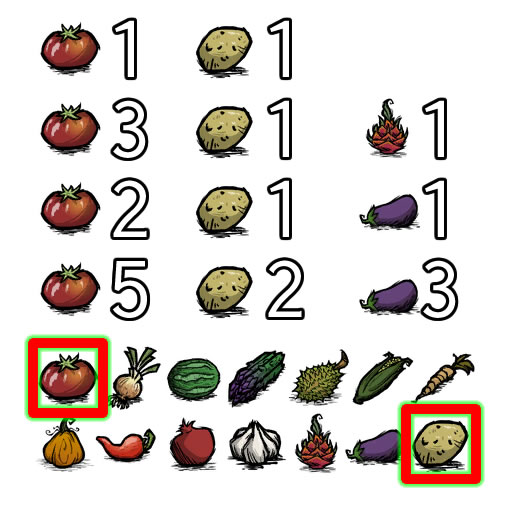
Client side. Calculating farming pair. Press K to start. Don't forget rating me!
Mod destekli Don't Starve Together sunucusu
Tüm modları panodan tek tıkla doğrudan yükleyin.
Don't Starve Together sunucusu kirala