Garry's Mod Mods & Plugins
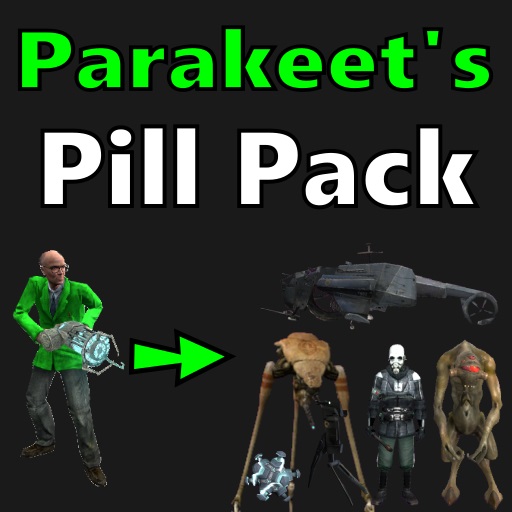
Parakeet's Pill Pack
76561197997945339 tarafından
Pills turn you into machines and critters from various games. This is the base pack. It contains Half-Life 2 pills and fun pills. You can find pills in the "Pills" tab of the spawnmenu. [i]Also known as the Morph Mod.[/i] See the "Documentation" thread in discussions for more information. See the "Bugs, Fixes, and Compatibility" thread in discussions if you're having problems. A GitHub repository is now available to receive pull requests: https://github.com/MDFL64/GmodPillPack [h1]Credits[/h1] Parakeet - That's me. I made it. Skylight - Made CSS/MLG morphs. Pdan - Answered my stupid modelling questions. Xerasin - Answered my stupid lua questions. Lab.Professor - Official server hosting/management. Inya - Trailer Videos Sunset - "Community Manager" Jake - Doge voice actor. Inya - Dingus voice actor. Fubar - Inspiration. [url=https://steamcommunity.com/profiles/76561197996826023]Vicky Frenzy[/url] - Fixes and improvements (current maintainer).
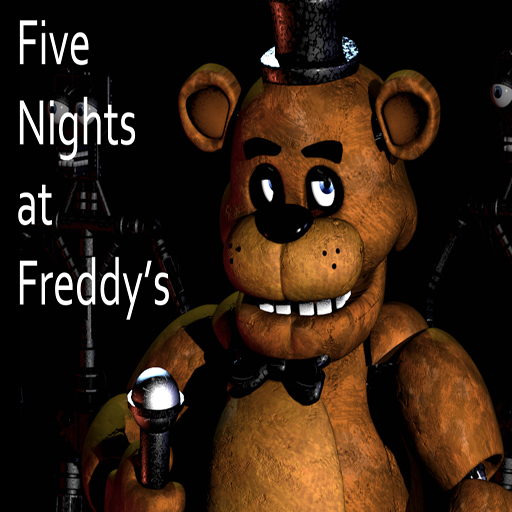
Freddy Fazbear's Pizza
76561198010891485 tarafından
PLEASE READ ALL OF THE FOLLOWING BEFORE COMMENTING!!! NPCs will NOT, I repeat, will NOT be added into this map. So please stop asking about NPCs, thank you. ***Please check the changelog every update as I won't always update the screenshots right away!!!*** The map can be found in the "Other" category and is titled "Freddys" THIS MAP REQUIRES COUNTER STRIKE: SOURCE! ------------------------------------------------------------------------------------------------------------------ "Welcome to Freddy Fazbear's Pizza a magical place for kids and grown-ups alike, where fantasy and fun come to life! Fazbear Entertainment is not responsible for damage to property or person, upon discovering that damage or death has occured, a missing persons report will be filed within 90 days or as soon as the premesis has been thoroughly cleaned and bleached, and the carpets have been replaced." Disclaimers aside, this is a 3D rendition of the building featured in the indie horror game "Five Nights at Freddy's". The map will be updated until the Badhamknibbs and I feel the map is complete. Map features: -Security room with working cameras -Spooky atmosphere -Working animatronics -Power switch (if you're brave enough) -Sounds and more! ------------------------------------------------------------------------------------------------ HOW THIS MAP IS INTENEDED TO BE PLAYED: First of all, make sure you disable the power (the swtich in the backstage room with the heads). Next, remain in the office and use the cameras to keep the animatronics in check. If you have problems with the cameras go down to the known issues section. The animatronics much at completely random so beware, they can go as far from the stage as they like. If an animatronic is outside your door, you will only have a couple seconds to close the door before they get you. Make sure not to approach the animatronics once the power is off, else you might end up dead. Once the power is out, quickly get to the generator to fix it. Enjoy. More updates to come. ------------------------------------------------------------------------------------------------- IF YOU ARE HAVING PINK OR STRANGE LOOKING ANIMATRONICS: You can fix this by typing "mat_specular 0" in the console without quotes. The console can be accessed by pressing the ~ key on your keyboard. Known Issues: - Reflections may act strange, to fix this, see above. - The cameras may sometimes freeze. This only occurs in multiplayer, so if you are playing multiplayer, I suggest you set up RT cameras using the RT camera tool, than spawn buttons linked to the same keys you used for the RT cameras. - This map can be hardware intensive, and therefor, if you have a low end PC, you may have trouble running the map. Nothing I can do about this. Sorry. Credits: Scott Cawthon - Orginal building and overall concept Keithy - Original addon creator, 3D mapping, custom textures, custom props Smorgie - Help with sound design Green Bandit - Wall texture Badhamknibbs - Some 3D mapping, lighting, and optimization I6NIS - Animatronic models, custom props ErrolLiamP - Menu map icon, custom props Spookles - Help with custom props Enjoy! And remember, when the power's off, anything can happen ;) RELEASES OF EDITED VERSIONS WITHOUT PERMISSION OF EITHER I OR BADHAMKNIBBS IS NOT ALLOWED!! If you would like to make an edited version or such, please contact us first. -------------------------------------------------------------------------------------------------------------------------- ***NEW*** Check out my YouTube channel for behind the scenes stuff and other things relating to my mapping projects and such here: [url]https://www.youtube.com/channel/UCTECzG1UtcSXoa-QGM6WguA[/url] The version without the spooky events can be found [url=http://steamcommunity.com/sharedfiles/filedetails/?id=311282498[/url] here.
![[LW] Shared Textures](https://images.steamusercontent.com/ugc/3296946004515293465/DD39F2BB2E7E0DDFC048C18A1B002E23A2C41AA0/)
[LW] Shared Textures
76561198073265803 tarafından
[h1]Info[/h1] If you dont have the LWCars SVN, You will need this to fix missing texture errors on any new cars. If you're reading this, Thank you for being smart enough to read the picture. Using a shared addon just makes it easier to update and will make missing textures much less likely. It will also reduce the file size of each new addon. No, The Jaguar is not included in this addon. This is purely the shared textures folder. You can find the Jaguar XJ220 in the workshop collection listed below. [h1]More stuff from me![/h1] [url=https://svn.code.sf.net/p/lwcarssvn/code]Get my SVN instead of this addon! More cars in one download![/url] [url=http://steamcommunity.com/groups/lwcars]Join the LWCars Steam Group![/url] [url=https://www.facebook.com/LoneWolfieCars]Lke the LWCars Facebook page![/url] [url=http://facepunch.com/showthread.php?t=1357681]Follow LWCars on Facepunch![/url] [h1]Legal[/h1] [b]Textures[/b] Driver: San Fransisco © UBISOFT REFLECTIONS Forza Horizon © TURN 10 STUDIOS Forza Horizon 2 © TURN 10 STUDIOS Forza Motorsport 4 © TURN 10 STUDIOS Shift 2 Unleashed © SLIGHTLY MAD STUDIOS Project C.A.R.S © SLIGHTLY MAD STUDIOS [b]Porting[/b] LoneWolfie This addon is not endorsed and does not reflect the views or opinions of the companies or anyone involved with said companies mentioned above.

ULib
76561197969399243 tarafından
The official ULib. Please see our website at ulyssesmod.net for information and discussion. For the most bleeding edge up to date versions of ULX and ULib, please download and use our github versions: ULib: https://github.com/TeamUlysses/ulib ULX: https://github.com/TeamUlysses/ulx For support, please join our discord. We do not monitor the workshop comments and you'll likely not get an answer. Discord: https://discord.gg/gR4Uye6

WAC Community 1
76561198009927934 tarafından
Welcome to my community aircraft pack for WAC. Of course, this being an extension of WAC itself requires the core WAC to function. You can find it here: [url]http://steamcommunity.com/sharedfiles/filedetails/?id=104990330[/url] - You may need to be signed into steam on the browser you use for it to appear - It has not been removed! On a note of requiring that, new code has been added that will automatically tell you and bring up the steam browser if WAC Aircraft has not been installed. If you don't know what WAC is and would like to know more, refer to the facepunch thread: http://www.facepunch.com/showthread.php?t=985744 Aircraft in this pack: • Aircreation 582SL • Bell 206B • Bell 206B Amphibian • Boeing AH-64D Longbow • CH-46 Sea Knight • CH-47 Chinook • Curtiss JN-4 Jenny F.A.Q: Q: I can't take off! A: Go to your settings via Spawnmenu/Options/WAC/Aircraft and after that click on the tab that says "Double Force" and make sure when you check it that there's a green check mark in there and then you'll be able to fly. Q: Some of the aircraft crash my game! What do I do? A: This is a known issue, for now as a temporary fix join a server with them on, or run a local multiplayer server. Q: Can you make <aircraft>? A: Yes, if you provide us with compatible models in the source engine. Q: Why did this addon keep getting banned? A: The addon was banned from workshop due to 'Lua Errors', aka people not installing the WAC Base. I have fixed this now and Gran PC allowed me re-upload of it. Q: Can I get the sauce for this addon? A: Sure, on my GitHub page: https://github.com/MattJeanes/WAC-Community-1 Q: What's up with those twin-bladed choppers? A: Support for them is very limited at the moment but will be improved over time. Q: Why doesn't it work? A: It highly depends what doesn't work. If you're getting the 'WAC not detected' message then you just simply need to follow the link to install it. If you have then done that and still nothing, or you only see a few of them, you're either missing all of my community packs or there are conflicts with other addons on workshop, weapon packs seem to be the no.1 cause but that doesn't mean the problem is exclusively caused by them. Q: Where can I play online with all these awesome aircraft? A: gmod.mattjeanes.com - My very own server. Q: I can't see any/some of the choppers, and I have 'WAC Aircraft' installed? A: You probably have too many addons, don't blame me, blame garry. Q: Wow this addon is amazing, anywhere I can donate? A: Donate to weltensturm himself: https://www.paypal.com/cgi-bin/webscr?cmd=_s-xclick&hosted_button_id=7LXRVRF8Q6UME IMPORTANT: Weltensturm DID NOT make this, so don't go-to him asking about stuff to do with this. Thank you!
Gm_Highway14800
76561197971618239 tarafından
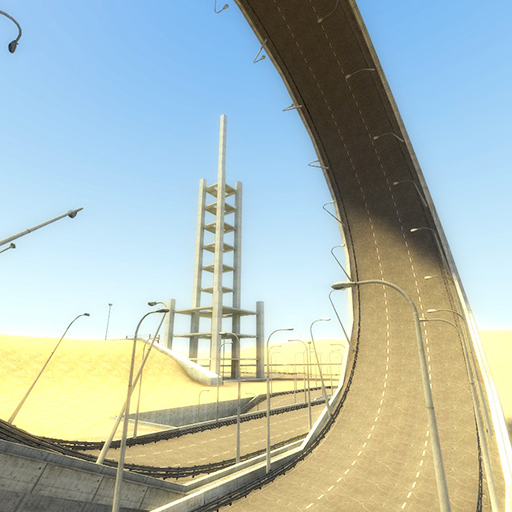
Version 1.0 A long and large road, with desertic environnement. Same map as Gm_Highway192000, but with a construct zone, a building, and new open areas. Perfect to test cars or vehicles. Inspired by the video clip 19-2000 by Gorillaz. Including nodegraph.
Wheatley's Parkour
76561198048820202 tarafından
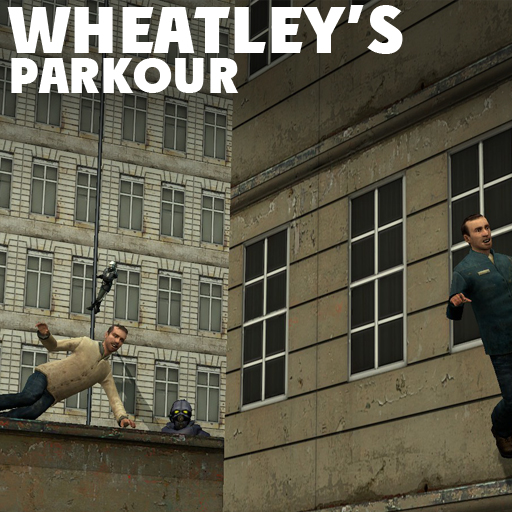
[h1][b]Wheatley's Parkour Mod for Garry's Mod[/b][/h1] This is actually a project I has abandoned a long ago, but a week ago (12-13 march 2015) I started work on it again. And now it's finnished! Enjoy! [h1][b]HUD[/b][/h1] This is my own HUD on the screenshots, its not part of the parkour mod. No, I'm not gonna release it! (anyway, I don't have the code anymore) [h1][b]Where can you find it?[/b][/h1] Open your spawn menu, go to Weapons tab, Wheatley's SWEPs, Parkour Mod. [h1][b]Tricks[/b][/h1] [b]Please read [url=http://steamcommunity.com/sharedfiles/filedetails/?id=413285922]this guide about tricks in this mod[/url].[/b] [h1][b]Pipes and other special props[/b][/h1] As climbable pipes you should use these props: [img]http://puu.sh/gI2VX/353d439d3f.jpg[/img] They can be found in [b]Construction Props[/b] in Your spawn menu. [h1][b]Don't forgot to disable collision of your pipe prop![/b][/h1] [b](Context Menu (C key) > Right Click on the pipe > Disable Collisions)[/b] [img]http://puu.sh/gI3qb/44c5f803e4.jpg[/img] This 2 props may save your life if you land on them from any height. The one on left can be found in the same folder as [b]Pipe props[/b]. The right one requires [b]Team Fortress 2[/b] and situated in [b]Team Fortress 2 -> Props[/b] category in spawn menu. [b]Ramps and Obstructions[/b] Ramps - props (world brushes) 36 units height which will 'throw' player in the air. Obstruction - props (world brushes) 48 units height that player can over-jump. [img]http://puu.sh/gI4xO/b1d3428b8e.jpg[/img] [h1][b]Configuring Tricks, HUD and Visual Effects[/b][/h1] [img]http://puu.sh/gKGbH/1784d82560.png[/img] This menu allows you to modify mod's tricks, HUD and some visual effects such as Motion Blur and Adrenaline Effects. You can find it in Your spawn menu, in options tab. [h1][b]Server-side convars[/b][/h1] There is small list of Server-controled convars, which allows you to control some of the mod's functions: [b]pm_sv_climbvel[/b] - amount of velocity to apply while climbing - default [b]160[/b] [b]pm_sv_disableadr[/b] - disables adrenaline feature - default [b]0[/b] [b]pm_sv_disablehud[/b] - disables HUD for everyone on the server - default [b]0[/b] [b]pm_sv_maxjump[/b] - clamps jumping velocity - default [b]650[/b] [b]pm_sv_maxspeed[/b] - clamps running speed - default [b]500[/b] [b]pm_sv_disabledoorbust[/b] - disables door bust (works only from server's console) [b]pm_sv_disablestabing[/b] - disables stabing (works only from server's console) [b]pm_sv_disablehealthregen[/b] - disables health regeneration (works only from server's console) [h1][b]Can I use other weapons while using Parkour mod?[/b][/h1] Nope. [h1][b]Will this ^ feature added in future?[/b][/h1] No. In order to have hands, Parkour mod will remain SWEP. [h1][b]FOLLOW ME[/b][/h1] [url=http://steamcommunity.com/groups/wheatley_mods]Steam Group[/url] [url=http://www.youtube.com/user/HalfLifeOblivionGame/feed]YouTube Channel[/url] [url=http://steamcommunity.com/id/wheatley_wl/myworkshopfiles/]Workshop[/url] Licenced under [url=http://www.apache.org/licenses/LICENSE-2.0]APACHE LICENCE 2.0[/url]. [url=https://www.paypal.com/cgi-bin/webscr?cmd=_s-xclick&hosted_button_id=ZG4UES58SAYBA][img]https://puu.sh/vkYbj/6048311593.png[/img][/url] or Donate with [b]RUB[/b]: [url=https://www.paypal.com/cgi-bin/webscr?cmd=_s-xclick&hosted_button_id=FJNSAMCPLADL2]PayPal[/url] Copyright © 2015-2017 ώħèâţļèŷ. This item is not authorized for posting on Steam, except by its [url=http://steamcommunity.com/id/wheatley_wl]original author[/url].

Easy Bonemerge Tool
76561197996891752 tarafından
An improved bonemerge tool. Features: * Support for effects * Proper undo system * Ability to remove already merged props * Ghost preview * Duplicator support * Ability to bonemerge props to yourself * Is not limited to props at all. You can use ANY entity. * Unlimited bonemerging depth ( See last screenshot ) [b][h1]Usage[/h1][/b]It is a TOOL under "Robotboy655" category. Scroll down your tool list. If you can't read that it says on the screen here's how you use it: 1) Right click on an entity you want to add props to ( Press Use + Right Click to target yourself ) 2) Left click on as much props as you desire 3) Celebrate with fireworks [h1][b]This is not a magic "put the prop into ragdoll hand tool". If you do not know what it does, do not use it and don't complain it doesn't work.[/b][/h1]
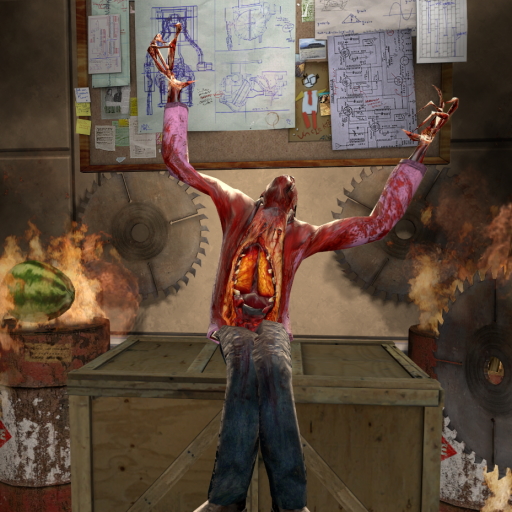
The Sit Anywhere Script!
76561197990877872 tarafından
This script allows you to sit on nearly every flat ledge or simply on the ground! Just press [b]Alt[/b] (or the key you have 'Walk (Move Slowly)' bound to) + [b]e[/b] (or the key you have 'Use' bound to) on the place you want to sit. Great for RP servers for that touch of sorta "realism"! [b]To Sit:[/b] Hold the [b][i]`Walk (Move Slowly)`[/i][/b] (by default Alt) key, while holding walk press the [b][i]`Use`[/i][/b] (by default E) key then releasing use will sit you down. Holding down use and moving the mouse will allow you to select the direction you wish to sit at. You can also bind +sit for the same functionality. [h1] Links [/h1] Source: https://github.com/Xerasin/Sit-Anywhere Issues: https://github.com/Xerasin/Sit-Anywhere/issues Variables: https://github.com/Xerasin/Sit-Anywhere/wiki/ConVars
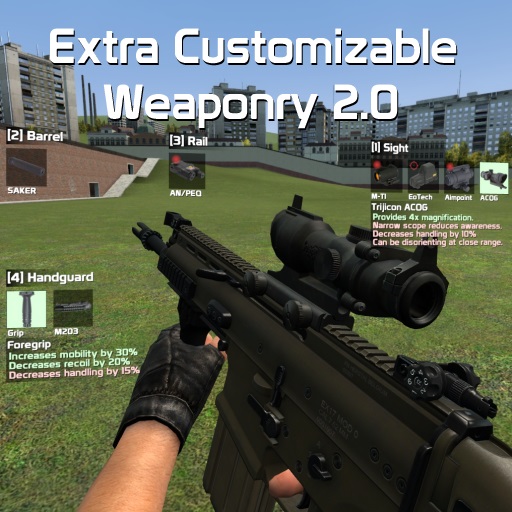
Extra Chuck's Weaponry 2.0
76561197986690883 tarafından
[url=https://store.steampowered.com/app/1486630/Intravenous/]Wishlist my new game and buy it when it comes out if you're into stealth/action games.[/url] [url=http://steamcommunity.com/sharedfiles/filedetails/?id=349050451]REQUIRES CUSTOMIZABLE WEAPONRY 2.0.[/url] Currently it includes: - FN SCAR-H - M14 EBR - H&K UMP .45 - M3 Super 90 - M4 Super 90 - Saiga-12K - H&K G36C - M1911 - Walther P99 - VSS Vintorez, AS VAL and SR-3M - MAC-11 - MP9 - FN Five-seveN - Serbu Super Shorty - M249 - L85A2 [b]Requests are not accepted nor will be.[/b] Want to know what Customizable Weaponry 2.0 is or have questions related to it? Head over to [url=http://steamcommunity.com/sharedfiles/filedetails/?id=349050451]its workshop page.[/url] Credits: tayley - VSS and MAC-11 Krycek - editing the L115 viewmodel mesh to use a different texture for the lens on the optics Vunsunta - sounds for multiple weapons I take no credits for any models provided in this pack.
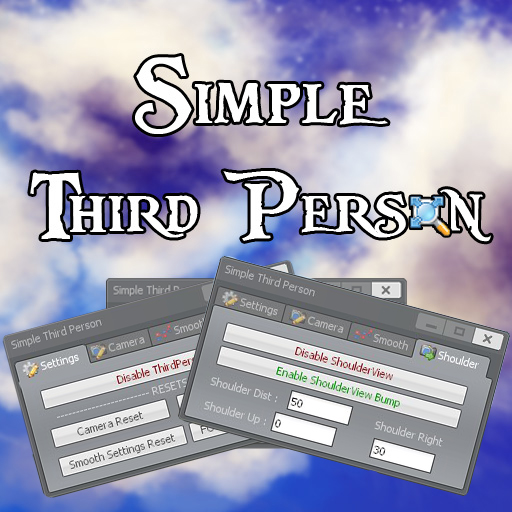
Simple ThirdPerson
76561198001836909 tarafından
[h1]Its just a simple client side ThirdPerson.[/h1] [h1]WORKS WELL WITH PAC3 :D![/h1] [h1]Note, the playermodel is a PAC[/h1] Wanna help out? Check https://github.com/edunad/simplethirdperson [img]http://i.imgur.com/zpNjjGk.png[/img] [b] If you Don't see yourself when in thirdperson, make sure there isn't an addon overwriting this one. Known Addons : - Make sure you disable sharpeye's thirdperson! It will overwrite this addon. [/b] [img]http://i.imgur.com/eM2XEV2.png[/img] [b] Its quite simple! Just press C (context menu) and click on the ThirdPerson icon. Then just play with the Camera Settings =). [/b] [img]http://i.imgur.com/SqSwMgV.png[/img] [b]=== Toggles ===[/b] [code]simple_thirdperson_shoulder_toggle (Toggles ShoulderView On / Off) simple_thirdperson_enable_toggle (Toggles ThirdPerson On / Off) simple_thirdperson_crosshair_toggle (Toggles Default Crosshair On / Off) simple_thirdperson_custom_crosshair_toggle (Toggles Custom Crosshair On / Off)[/code] [b]=== Other ===[/b] [code]simple_thirdperson_enabled 0/1 (Enables / Disables Thirdperson) simple_thirdperson_smooth 0/1 (Enables / Disables Smoothing) simple_thirdperson_smooth_mult_x <number> simple_thirdperson_smooth_mult_y <number> simple_thirdperson_smooth_mult_z <number> simple_thirdperson_smooth_delay <number> (Smooth Delay) simple_thirdperson_collision 0/1 (Enables / Disables Camera Collision with Walls) simple_thirdperson_cam_distance <number> (Camera Distance) simple_thirdperson_cam_right <number> (Camera Right Offset) simple_thirdperson_cam_up <number> (Camera UP Offset) simple_thirdperson_cam_pitch <number> (Camera Pitch) simple_thirdperson_cam_yaw <number> (Camera Yaw) simple_thirdperson_shoulderview 0/1 (Enables / Disables ShoulderView) simple_thirdperson_shoulderview_bump 0/1 (Enables / Disables Shoulder Bump) simple_thirdperson_shoulderview_dist <number> (Shoulder Distance Offset) simple_thirdperson_shoulderview_up <number> simple_thirdperson_shoulderview_right <number> simple_thirdperson_fov_smooth (Enables / Disables FOV Smooth) simple_thirdperson_fov_smooth_mult <number> simple_thirdperson_hide_crosshair (Hides / Shows the default crosshair) simple_thirdperson_custom_crosshair (Enables / Disables the custom crosshair) simple_thirdperson_custom_crosshair_r <number (0-255)> simple_thirdperson_custom_crosshair_g <number (0-255)> simple_thirdperson_custom_crosshair_b <number (0-255)> simple_thirdperson_custom_crosshair_a <number (0-255)> simple_thirdperson_menu (Opens simple_thirdperson menu)[/code] [h1]Server Convars[/h1] [code] simple_thirdperson_maxdistance - Sets the max distance the player can go (0 = disabled) simple_thirdperson_maxpitch - Sets the max pitch the player can go (0 = disabled) simple_thirdperson_maxright - Sets the max right the player can go (0 = disabled) simple_thirdperson_maxyaw - Sets the max yaw the player can go (0 = disabled) simple_thirdperson_maxup - Sets the min up the player can go (0 = disabled) simple_thirdperson_mindistance - Sets the min distance the player can go (0 = disabled) simple_thirdperson_minpitch - Sets the min pitch the player can go (0 = disabled) simple_thirdperson_minright - Sets the min right the player can go (0 = disabled) simple_thirdperson_minyaw - Sets the min yaw the player can go (0 = disabled) simple_thirdperson_minup - Sets the min up the player can go (0 = disabled) simple_thirdperson_shoulder_maxdist - Sets the max shoulder distance the player can go (0 = disabled) simple_thirdperson_shoulder_mindist - Sets the min shoulder distance the player can go (0 = disabled) simple_thirdperson_shoulder_maxup - Sets the max shoulder up the player can go (0 = disabled) simple_thirdperson_shoulder_minup - Sets the min shoulder up the player can go (0 = disabled) simple_thirdperson_shoulder_maxright - Sets the max shoulder right the player can go (0 = disabled) simple_thirdperson_shoulder_minright - Sets the min shoulder right the player can go (0 = disabled) simple_thirdperson_forcecollide - Forces the player to use collide or not (0 = disabled,1 = on,2 = off) simple_thirdperson_forceshoulder - Forces the player to use shoulder view or not (0 = disabled,1 = on,2 = off) simple_thirdperson_forcesmooth - Forces the player to use smooth view or not (0 = disabled,1 = on,2 = off) [/code]
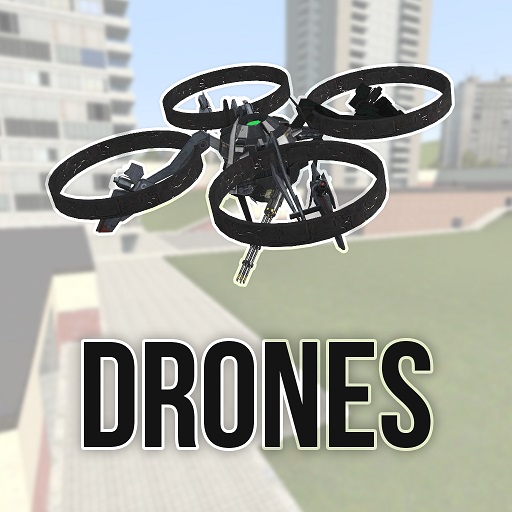
Drones
76561198076062109 tarafından
[b]NEW PART OF DRONES RELEASED!1 YOU CAN FIND IT [url=http://steamcommunity.com/sharedfiles/filedetails/?id=669642096]HERE[/url].[/b] Its a drones pack with which you can be the spy! (miniguns and rockets included); [h1]Controls[/h1] E - enter/out drone; W S - forward and back; A D - turn left and right; Space - up; Ctrl - down; TAB - thirdperson; Mouse 1 - fill your foes with lead Zoom Key (def T) - zoom or nightvision [h1]Tools[/h1] Drone Hacker - you can steal your friend's drones with it! Beeping is showing how are u far from selected drone. Drone Controller - lets you to choose and control drones. In the entities also is hack station - entity which can hack drones which are very far away. Take the drone remote, select foe's drone and click LMB near hack station; then press E to start hack. Maybe it wont be successful at first time so keep trying. When hacked successfully, take in hand Drone Hacker and click LMB near hack station to kick foe from drone. All done and you can drive his drone! [h1]FINAL UPDATE RELEASED.[/h1] I wont do any new drones in next few months, i will just fix some annoying bugs [b]which are encountered by everyone.[/b] final upd contains miniguns, some drones and tools. Dont spam comments like "when i launch map it crashes my game". try deleting some addons or checking your game cache. If you cant see materials (like grey plates instead of rotors) maybe you use too old videocard with DirectX 8.0 and it may not support that. Try launching GMod with -dx9 parameter. [h1]Credits[/h1] ProfessorBear - main code, main icon; me - minor fixes, various weps and drones; report ur bugs in topic below Hope u'll enjoy.
gm_Lair
76561197989875617 tarafından
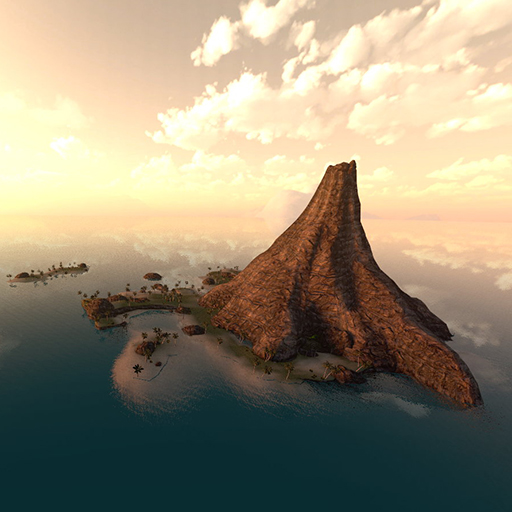
[b][h1][url=maps.TimRichter.de]►► maps.TimRichter.de ◄◄[/url][/h1][/b] gm_Lair features a tropical island and a Supervillains-like lair inside (you may have guessed it) a VOLCANO, cause honestly- what's cooler than a lair inside a volcano? Trailer made by Melting Terminal: http://youtu.be/4m61IHDPIQw Features: - A giant volcano - A field of lava running out of the volcano - Lots of tropical vegetation - A Shipwreck - Two smaller islands - A few ramps to make cool airboat-stunts- A small lava-pit - A glowstick-lit entrance-cave to the lair The lair contains: - A villains desk, authentically in front of a giant world map - Retractable cryogenic store cells for your favourite archenemy or other stuff - An Eyescanner- authenticated front gate - A dock inside the lair - An underwater exit, which only can be opened from inside - Shutters on the floor, which open a giant lava-pit - An triggerable alarm - A retractable weapons locker (its awesome) And- last but not least something that every Supervillain needs: - A giant, deadly LASER, which shoots through the volcano before it hits.. whatever you want... the moon?, the ozone layer?, Santa Clause? The Map in general also contains: - AI nodes - A huge skybox - Pretty good optimisation - A 3D- Skybox This map only requires Halflife²-content
SmartSnap
76561197990780636 tarafından
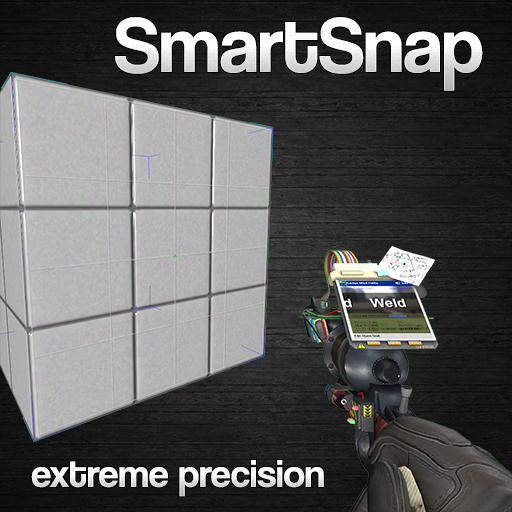
This is a client-side tool for building contraptions with extreme precision, aligning objects for either aesthetic or functional perfection. To accomplish this task a grid is projected onto the object you are pointing at and by pressing the use-button your weapon will lock onto that point and allow you to place objects with pin-point accuracy. For all entities be them square, round or uneven this tool will bring you perfect precision. Credit goes to Syanide!
![[simfphys] - Armed](https://images.steamusercontent.com/ugc/2351510342302429868/D85B1A8345B2ADE3886DBA8FF0E9961604818E3C/)
[simfphys] - Armed
76561197995010235 tarafından
[h1]Adds a weapon implementation system to simfphys vehicles. Included vehicles can be found in vehicles tab => simfphys => Armed Vehicles[/h1] [img]https://i.imgur.com/rTv7Qel.png[/img] [img]https://steamuserimages-a.akamaihd.net/ugc/773983150582822983/8FAB41F8FDC796EF2033B0AF3379DF5734DDC150/[/img] [img]https://i.imgur.com/rTv7Qel.png[/img] [h1][b]included vehicles:[/b][/h1] [list] [*] apc (explosive bullets) [*] combine apc (ar2, guided missles) [*] elite jeep (taucannon) [*] elite jeep (airboatgun) [*] jeep (taucannon) [*] jeep (airboatgun) [*] DIPRIP vehicles ( rockets (guided), minigun , machinegun turret ) [*] ww2 tiger tank (main cannon and coaxial mg controled controled by driver, front machinegun controled by passenger) [*] ww2 sherman tank (main cannon and coaxial mg controled by driver, front machinegun controled by passenger) [*] MW3 Leopard 2A7 (main cannon and coaxial mg controled by driver, turret 360° machinegun controled by passenger), re-rigged and re-animated version of [url=https://steamcommunity.com/sharedfiles/filedetails/?id=328618800]Kali's model[/url] [*] MW3 T-90MS (main cannon and coaxial mg controled by driver, turret 360° machinegun controled by passenger), re-rigged and re-animated version of [url=https://steamcommunity.com/sharedfiles/filedetails/?id=491695060]Kali's model[/url] [/list] crosshair can be disabled with "cl_simfphys_crosshair 0" [img]https://i.imgur.com/rTv7Qel.png[/img] [h1][b]Links[/b][/h1] [url=https://github.com/SpaxscE]GitHub[/url] [url=https://discord.gg/UqRpVde8yC]Discord[/url] [img]https://i.imgur.com/rTv7Qel.png[/img] [quote]No version or modification of this content is allowed to be uploaded to the workshop except under the account ID [url=https://steamcommunity.com/profiles/76561197995010235/]76561197995010235[/url][/quote]
SCP 096 - Nextbot
76561197992130737 tarafından
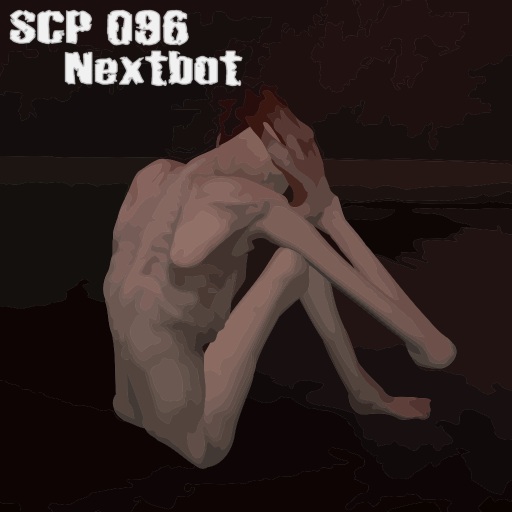
-Update: Invisible Fix (thanks to ErrolLiamP :)) -Can open Doors on the SCP Foundation Map -Update: Sound Fix ------------------------------------------ My second Nextbot: [b]SCP 096[/b] I hope you like it :) I converted the original meshes and animations. If you have any problems, please let me know, maybe I can fix it. If you have any Ideas, Scripts etc, please contact me :). [b]SCP-096: The "Shy Guy"[/b] [i]SCP-096 is normally extremely docile, with pressure sensors inside its cell indicating it spends most of the day pacing by the wall. However, when someone views SCP-096's face, it will enter a stage of considerable emotional distress. SCP-096 will cover its face with its hands and begin screaming, crying, and babbling incoherently. SCP-096 will begin running to the person who viewed its face (who will from this point on be referred to as SCP-096-1). 100% of cases have left no traces of SCP-096-1. SCP-096 will then sit down for several minutes before regaining its composure and becoming docile once again. It will then attempt to make its way back to its natural habitat.[/i] German: [b]SCP-096: Der "Schüchterne Mann"[/b] [i]SCP-096 ist normalerweise fügsam. Die Drucksensoren zeigen, dass er die meiste Zeit des Tages ausgerichtet zur Ostwand verbringt. Wenn jedoch jemand das Gesicht von SCP-096 sieht, startet für die Person eine Phase emotionaler Anspannung. Dann hält SCP-096 die Hände an sein Gesicht und fängt an zu schreien und zu weinen. Nach einiger Zeit nach dem ersten Sichtkontakt rennt SCP-096 zu der Person, die ihm ins Gesicht gesehen hat (zu diesem Zeitpunkt wird diese Person zu SCP-096-1). Wenn SCP-096 auf SCP-096-1 trifft, tötet es SCP-096-1 sofort. In 100% aller Fälle ist nichts von SCP-096-1 übrig geblieben. Nach dem SCP-096-1 getötet wurde, setzt sich SCP-096 hin und wird gefügig. Nach ein Paar Minuten kehrt es wieder zu seinem natürlichen Lebensraum zurück. Um eine Kettenreaktion zu verhindern, hat dies höchste Priorität. [/i] [b]ABOUT NEXTBOTS:[/b] Nextbots are NPCs, but they require maps with a "Nav Mesh" to work. A "Nav Mesh" (or Navigation Mesh) represents the "walkable areas" of a map. Maps without a "Nav Mesh" = Nextbots can't move and/or do nothing. If your map have no "Nav Mesh", you can create it:[list] [*]Open the console [*]type sv_cheats 1 [*]type nav_generate [*]Garrys Mod reload the map and then you can save the Nav Mesh with nav_save [*]type sv_cheats 0 [/list] Q: It's a Ragdoll, too? A: Not really. You can download a very good Ragdoll (Fingerposing etc) here: [url]http://steamcommunity.com/sharedfiles/filedetails/?id=166259429[/url] Q: "Ignore Player" works? A: Yes Q: The SCP 096 is invisible? A: Maybe it's a Directx problem, please try this: [url]http://steamcommunity.com/sharedfiles/filedetails/?id=149568349[/url] Q: Do the SCP 096 attack other npcs? A: No, only if they stand in the way :) Q: I'm not sure my map have a Nav Mesh? A: You can check it here: C:\Program files\Steam\SteamApps\common\GarrysMod\garrysmod\maps\ .bsp = the map .nav = the map nav mesh for example: gm_construct.bsp and gm_construct.nav Q: The SCP 096 can't move?! A: Did you read the whole description :P? Look under "ABOUT NEXTBOTS" :) [b]Credits:[/b] *sean - for the base attack & Door lua script. Thanks! Visit his workshop files: [url]http://steamcommunity.com/id/sillygamertag/myworkshopfiles/?appid=4000[/url] *[url]http://wiki.garrysmod.com/page/NextBot_NPC_Creation[/url] *Meshes, Textures & Sounds - SCP - Containment Breach Game: [url]http://www.scpcbgame.com/index.html[/url] [b]Recommended Map:[/b] SCP Foundation - Sandbox (requires Counter-Strike: Source) [url]http://steamcommunity.com/sharedfiles/filedetails/?id=290599102[/url] (sorry for my english :P) EDIT: Thanks to Kreacher for his youtube-video :)
![[wOS] Animation Extension - Base (Full Version)](https://images.steamusercontent.com/ugc/823440938850538572/C0F1E215E00F4EB86E7D8DC67088B8EBF0F10E92/)
[wOS] Animation Extension - Base (Full Version)
76561197987779820 tarafından
[h1]IF YOU ARE USING THE DYNABASE, ONLY SUBSCRIBE TO THE LUA ONLY VERSION OF THIS ADDON![/h1] [h1]THIS IS REQUIRED FOR ANY wOS EXTENSIONS TO WORK![/h1] [b]DO NOT REUPLOAD THIS BASE SOME EXTENSIONS MAY STOP WORKING IN THE FUTURE[/b] [b]DO NOT REUPLOAD THIS BASE SOME EXTENSIONS MAY STOP WORKING IN THE FUTURE[/b] [b]DO NOT REUPLOAD THIS BASE SOME EXTENSIONS MAY STOP WORKING IN THE FUTURE[/b] [b]DO NOT REUPLOAD THIS BASE SOME EXTENSIONS MAY STOP WORKING IN THE FUTURE[/b] The concept is simple but a little ambitious. As it stands, integrating animations into all player models globally requires someone to $IncludeModel them into the default m/f/z_anm.mdl files. Due to many different people wanted to integrate different animations, this leads to a lot of overwriting and compatability issues. The hopes of this animation extension system is to have all these integrations work together and let the client/server decide which ones they want to do at any given time. As long as the animation base is mounted, clients can enable/disable animation extension files in their GMod to change what animations are integrated. It will also eliminate the issue of clients having to restart their GMod after subscribing to one of the integrated animations. At the moment the system works by $IncludeModel 'ing extension slots. I have added some official integrations that I use for my addons. They do not take up any slots and are externally applied. You can find them in [url=http://steamcommunity.com/workshop/filedetails/?id=848978803]this collection[/url]. If you'd like me to include your model into the collection please make a thread here and I'll have a look. [u]For Clients[/u] Once you subscribe to this addon, make sure you unsubscribe from any other integrated animation addon. From there, go into Garry's Mod and let it download. Once it completes, enable it and restart the game. You can now enjoy using the animation system. There is a new context menu widget next to the player model button that will allow you to view the animations of your current model. You can use this to see what other animations you have, and get the names of the sequences. This animation viewer will also allow you to see more than the hardcoded limit of animations that can be listed in the "Edit Icon" entry of the spawn icons. [u]For Developers[/u] If you'd like to integrate your animations with the animation base it's very simple. Compile the animations as seperate models, and compile a new model that $IncludeModel's those files. The new model must be named after one of the extension slots. You can choose the number yourself. The QC entries are as follows: $modelname player/wiltos/anim_extension_modX.mdl // Where X is a number from 1 to 20 $IncludeModel "YOUR ANIMATION MODEL PATH HERE" Example QC: $modelname player/wiltos/anim_extension_mod5.mdl // The extension name $IncludeModel "player/dod_player_shared.mdl" // Includes all shared DOD:S Player animations The register to check if the base installed in any of your addon is a simple table check as such: [code] wOS.AnimExtension.Mounted[ "Base" ] [/code] You may also do GENDER SPECIFIC inclusions using the following: $modelname player/wiltos/anim_extension_GENDERLETTER_modX.mdl // Where X is a number from 1 to 20, GENDERLETTER is either f, m, or z $IncludeModel "YOUR ANIMATION MODEL PATH HERE" [u]Closing Remarks[/u] If you encounter any bugs or want any particular integrated animations officially supported, making a thread on this workshop page is the way to go. I hope we can get this whole thing off the ground at least until there's some method of $IncludeModel 'ing animations through lua [h1]Keep up to date with wiltOS Technologies by joining [url=http://steamcommunity.com/groups/wiltoscommunity]our Community Steam group![/url][/h1]
Left Shark playermodel
76561198004620253 tarafından
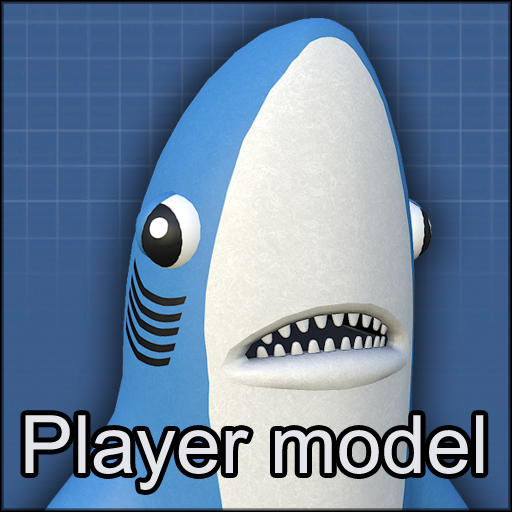
A player model and ragdoll of the real MVP. First skin uses the player colour, but switch to the second for that distinct and authentic all-shark blue! Say no to good choreography and dance like you're not wearing a shark suit Also, I don't know why I made this DISCLAIMER: It'll be a bit weird from having to fit it to the player animations, expect some noodly weirdness in the arms. You're totally welcome to add this to Pointshop, but do not lock it behind a donator wall by any means.
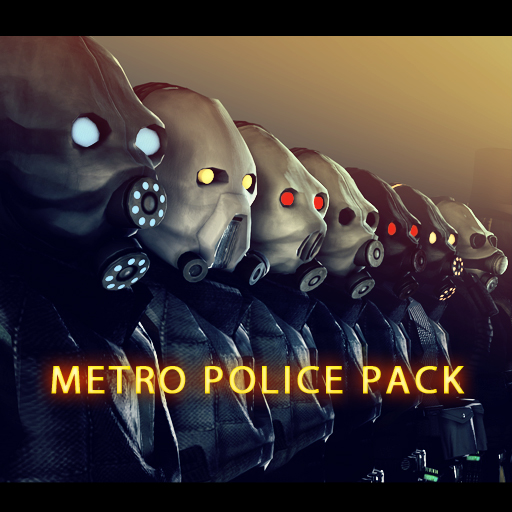
Metropolice Pack
76561198003809999 tarafından
[h1]Instalation[/h1] Click green subscribe button under the addon media. Make sure that you've restarted the game if you subscribed while running it. Make sure that you have read F.A.Q. [h1][b]Visit F.A.Q. in the disccusssions section for answers and troubleshooting. [/b][/h1] [h1]FEATURES[/h1] -30 different NPCs -Playermodels -First person arms -Props for gasmasks -Props for bodygrouped stuff -Bodygroups -Skins -HD textures -Advanced shading -Better physics (great for making poses) -Metrocop based AI (non combine_soldier) [h1]Valuable contributors of the devolopment:[/h1] -Alex Portman -highvoltage -HK KnightHawk -Evil Garlic -Long Nλngé -Kran4e [h1]People who also helped with making pack better:[/h1] -Silverlan -Kirik28_5 -Lt_C -Patrick Hunt -Also thanks to awesome people for supporting and giving feedback in the WIP thread. [h1]Related links: [/h1] [url=facepunch.com/showthread.php?t=1216573&p=37941187] Facepunch thread [/url] [url=http://dp-films.deviantart.com/art/Metropolice-NPCs-Wallpaper-Pack-331672019] Wallpaper Pack [/url] [url=img846.imageshack.us/img846/6266/thelisty.png] The list of the models [/url]

FA:S 2.0 Alpha SWEPs - Rifles
76561197986690883 tarafından
[url=http://steamcommunity.com/sharedfiles/filedetails/?id=180507408]Requires FA:S 2.0 Alpha SWEPs! (Click here)[/url] [url=http://steamcommunity.com/sharedfiles/filedetails/?id=180507408]Requires FA:S 2.0 Alpha SWEPs! (Click here)[/url] [url=http://steamcommunity.com/sharedfiles/filedetails/?id=180507408]Requires FA:S 2.0 Alpha SWEPs! (Click here)[/url] This is an optional SWEP pack that adds more rifles to the official FA:S 2.0 SWEPs pack that I worked along with the developers of the mod, to make sure that it matches their tastes. The base is written completely from scratch. In case you're interested, [url=http://www.firearms-source.com/]get the source mod here.[/url] This optional pack adds 8 more rifles: - M4A1 - G36C - FAMAS F1 - M14 - M21 - SG550 - SR-25 - M82 Features: - Weapon attachment system (sights, suppressors, extended magazines) - Dynamic accuracy - Dynamic recoil - Surface penetration - Surface ricochet - Sprinting - Near-wall - Holstering (takes a while to put a weapon away) - First-time draw animations - Unique weapon reloads for weapons like SKS, Raging Bull, M24 - Unique weapon behavior for weapons like M24, M3 Super 90 - Shell ejection - Bullet chambering - Empty/full reloads - Reload duration depends on amount of ammo in the weapon - Custom viewmodel movement when walking, sprinting, reloading + sprinting, standing still - Custom viewmodel sway - Custom ammo indicator - Firemodes (full-auto, semi-auto, bursts, etc.) - View bob during reloads - Weapon proficiency (after using a certain weapon for a long time you become proficient with it and as a result reload faster) - Custom ammo types (5.56x45MM, 7.62x39MM, 7.62x51MM, etc.) - World models Controls: PRIMARY ATTACK KEY - fire SECONDARY ATTACK KEY - take aim RELOAD KEY - reload/check magazine, firemode CONTEXT MENU KEY (default is C) - open customization menu; while aiming down a scope - peek away from the scope USE KEY + RELOAD KEY - change firemode USE KEY + SECONDARY ATTACK KEY - check magazine and firemode USE KEY + PRIMARY ATTACK KEY - quick grenade (requires the FA:S 2.0 Miscellaneous pack!) Known issues: Upon spawning the weapon for the FIRST TIME, your deploy sounds will be slightly delayed, based on the amount of time it took to load the models The M82 is missing it's lens and some scope textures. Nothing I can do about. Console variables/commands: fas2_differentorigins <0 - 1> - if set to 1, will use slightly different weapon origins. CLIENTSIDE. fas2_handrig <0 - 1> - if set to 1, weapons will use a sleeve along with different gloves; changes apply upon new weapon equip. CLIENTSIDE. fas2_handrig_applynow - applies the selected hand rig instantly (without having to get a new weapon). CLIENTSIDE. fas2_nohud <0 - 1> - if set to 1, it will disable the HUD elements that pop up when you reload. Requested feature. CLIENTSIDE. fas2_profgain <0 - 1> - controls the amount of proficiency increase with each reload. SERVERSIDE. fas2_holdtoaim <0 - 1> - if set to 1, then releasing your secondary attack key while aiming will go back to hip-fire

Vape SWEP
76561198037111412 tarafından
Please note that my vapes are NOT narcotics. They are devices that emit healthy, organic vapor. Vape List: [list] [*][b]Classic vape[/b] [*][b]Mega vape[/b] - it's big, and it's cloud is bigger [*][b]Juicy vape[/b] - press right click to change flavor [*][b]Medicinal vape[/b] - it heals you (organically) [*][b]Custom vape[/b] - choose your own accent color [*][b]Butterfly vape[/b] - for masters of vape-jitsu [*][b]Golden Vape[/b] - for the classy cloud chaser [*][b]Hallucinogenic Vape[/b] - for scientific and medical purposes (I do not condone recreational drug use) [*][b]Helium Vape[/b] - makes you feel like you're floating, because you are [*][b]Dragon's Breath Vape[/b] - a big vape loaded with mythical flaming juice [*][b]American Vape[/b] - a patriotic vape in honor of President Trump [/list] To use: Hold left click to inhale, then release to exhale. Inhale for longer to rip a fatter cloud, but don't hold it in! Press RMB to say "Go Green" Press R to say "Vape Nation" [i]For server owners: to disable these sounds, run "vape_block_sounds 1" in the server console.[/i] To spawn: They're in the weapons tab, under "Vapes". The entity names (same order as above) are: weapon_vape / weapon_vape_mega / weapon_vape_juicy / weapon_vape_medicinal / weapon_vape_custom / weapon_vape_butterfly / weapon_vape_golden / weapon_vape_hallucinogenic / weapon_vape_helium / weapon_vape_dragon / weapon_vape_american [b]Thank you for 1,000,000 subs! I'll put out a huge update when I have time![/b]

WAC Community 5
76561198009927934 tarafından
Welcome to my fifth community aircraft pack for WAC. Of course, this being an extension of WAC itself requires the core WAC to function. You can find it here: http://steamcommunity.com/sharedfiles/filedetails/?id=104990330 - You may need to be signed into steam on the browser you use for it to appear - It has not been removed! A new message will appear if WAC Aircraft is not installed, telling you exactly why you need it, and how to get it. If you don't know what WAC is and would like to know more, refer to the facepunch thread: http://www.facepunch.com/showthread.php?t=985744 This pack includes the following aircraft: • Boeing T-45C Goshawk • Fairchild Republic A-10A Thunderbolt • North American Aviation P-51D Mustang • Messerschmitt BF-109E • Supermarine Spitfire V • Mitsubishi A6M2 Zero F.A.Q: Q: I can't take off! A: Go to your settings via Spawnmenu/Options/WAC/Aircraft and after that click on the tab that says "Double Force" and make sure when you check it that there's a green check mark in there and then you'll be able to fly. Q: Can you make <aircraft>? A: Probably, but stop asking please - we have enough ideas already. Q: Can I get the sauce for this addon? A: Sure, on my GitHub page: https://github.com/MattJeanes/WAC-Community-5 Q: Where can I play online with these aircraft? A: IP: gmod.mattjeanes.com Q: I can't see any/some of the choppers, and I have 'WAC Aircraft' installed? A: You probably have too many addons, don't blame me, blame garry. Q: Rotors are missing on some of the choppers? A: Again, too many workshop addons - blame garry. Q: Where can I donate? A: https://www.paypal.com/cgi-bin/webscr?cmd=_s-xclick&hosted_button_id=7LXRVRF8Q6UME Q: The T-45 looks really weird and/or crashes my game? A: Turn your model detail to high - there is no other fix unfortunately. Q: How do you put up the landing gear? A: If available, it will work automatically - there is no control for it at this time. IMPORTANT: Weltensturm DID NOT make this, so don't goto him asking about stuff to do with this. Thank you!

Fire Extinguisher
76561197996891752 tarafından
Extinguish fire! A classic fire extinguisher, just like in Half-Life 2: Beta. And it pushes physics objects too! It uses custom ammo, which can be replenished by jumping into water or picking up another fire extinguisher.
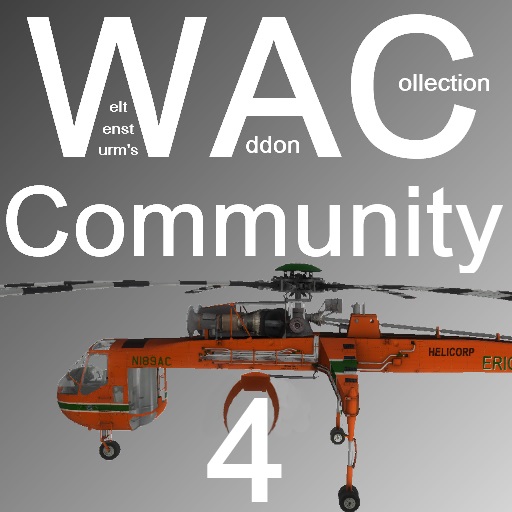
WAC Community 4
76561198009927934 tarafından
Welcome to my fourth community aircraft pack for WAC. Of course, this being an extension of WAC itself requires the core WAC to function. You can find it here: [url]http://steamcommunity.com/sharedfiles/filedetails/?id=104990330[/url] - You may need to be signed into steam on the browser you use for it to appear - It has not been removed! A new message will appear if WAC Aircraft is not installed, telling you exactly why you need it, and how to get it. If you don't know what WAC is and would like to know more, refer to the facepunch thread: http://www.facepunch.com/showthread.php?t=985744 This pack includes the following aircraft: • S-64 Skycrane • OH-23G Raven • C-130J Super Hercules • Junkers Ju-87 Stuka • Bell P-39D Airacobra • Curtiss P-40E Kittyhawk F.A.Q: Q: I can't take off! A: Check your bindings and make sure the engine is on. Q: Can you make <aircraft>? A: Probably, but stop asking please - we have enough ideas already. Q: Can I get the sauce for this addon? A: Sure, on my GitHub page: https://github.com/MattJeanes/WAC-Community-4 Q: Where can I play online with these aircraft? A: IP: gmod.mattjeanes.com Q: I can't see any/some of the choppers, and I have 'WAC Aircraft' installed? A: You probably have too many addons, don't blame me, blame garry. Q: Rotors are missing on some of the choppers? A: Again, too many workshop addons - blame garry. Q: Where can I donate? A: https://www.paypal.com/cgi-bin/webscr?cmd=_s-xclick&hosted_button_id=7LXRVRF8Q6UME Q: How do I use the winch/grabber on the Skycrane? A: You'll need to be in seat 3 to control it. Use W and S to retract and extend the winch respectively. Left click to grab or release an object within the grasp of the grabber. Q: Why no weapons on C-130? A: It's a C-130. It doesn't have any weapons. Q: Oh okay can you make a AC-130 from COD pls :)) A: No. Q: How do you close the ramp on the C-130? A: You can't. Q: How to use the gun on the second seat in the Stuka? A: You can't. Q: Does the Stuka drop bombs? A: Not at this time. IMPORTANT: Weltensturm DID NOT make this, so don't goto him asking about stuff to do with this. Thank you!
Mod destekli Garry's Mod sunucusu
Tüm modları panodan tek tıkla doğrudan yükleyin.
Garry's Mod sunucusu kirala