Necesse için Modlar ve Eklentiler
Bu katalog Steam Workshop kaynaklı Necesse projelerini listeler. Kayıtlar sunucu taraflı, istemci taraflı veya iki tarafta da gerekli olabilir; harita ve diğer kullanıcı içeriklerini de kapsayabilir. Kurulumdan önce bağlantılı kaynak sayfasını, oyun sürümünü ve bağımlılıkları kontrol edin.

Market Boxes
76561198145173805 tarafından
Reimplementation of the now non functional 'Pawnbox' and 'Compound Interest Banking' mods Original 'Pawnbox' mod: https://steamcommunity.com/sharedfiles/filedetails/?id=2827825378 Original 'Compound Interest Banking' mod: https://steamcommunity.com/sharedfiles/filedetails/?id=3334611397 The Pawn Box and Bank each have 6 tiers, with increasing pawn/compound intervals and increasing earnings for each tier. The recipes, earnings, and intervals for these 12 items can be modified in the mod config. Windows: %appdata%/cfg/mods/absolutedecimation.marketboxes.cfg Linux: ~/.config/Necesse/cfg/mods/absolutedecimation.marketboxes.cfg You can also disable Banks or Pawn Boxes in this config, in the event that you want one and not the other. You could also disable both, if you want. I don't know why you would do that, but you can.

Homing Void Missile
76561198136864887 tarafından
This mod adds a Homing Void Missile weapon. It acts as a controllable Void Missile, but with the added benefit of Blood Bolts homing mechanic. Make it by combining a Void Missile with a Blood Bolt in the worktable.
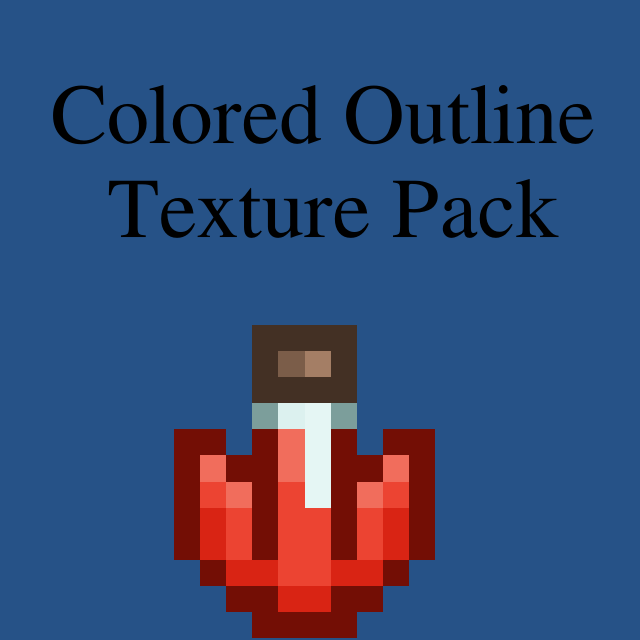
Colored Outline - Texture Pack (Incomplete)
76561198067548758 tarafından
Just a simple texture overhaul. Probably Wont be Finished.... With the goal to remove all black outlines from... everything. Only items in the 'items' and 'objects' folder have been recolored so there are probably icons in the inventory and things in the world that aren't updated yet... but I've recolored ~ 1000 files (and many more sprites than that), so it's taking some time. ** Walls are stuck with black outlines for now, If i ever restart the mod I will fix it.** This mod should work on client side, regardless of being added or not to the server because it doesn't add anything new. If anyone would like to complete the mod they may feel free to pick up where I left off, and upload a completed version, I only ask for credit on the work I have done. You can just link to this mod for that! Thanks.

Colorful LED Panel
76561198123111270 tarafından
Make LED Panel colorful v1.12 update game version to 0.22.1.

Infinite Lava Bucket
76561198047515848 tarafından
Infinite Lava Bucket, enough said. Crafted with 1 bucket, 50 firemone and 10 tungsten at a Tungsten workbench. Left Click to place lava, right click to remove.

Necesse Russian Localizer (1.0.1)
76561198131713495 tarafından
Чтобы загрузить/установить, просто нажмите кнопку «Подписаться», и оно появится в игре в меню «Моды». Описание Русификатор созданный на основе оригинального русского перевода игры, дополнен переводом непереведённых строк и включает некоторые исправления. Изменения - MrFireShard: Подарок вампира (vampiresgift) → Дар вампира Зефирный амулет (zephyrcharm) → Амулет Зефира Зефирные ботинки (zephyrboots) → Ботинки Зефира Вуаль из ниндзя (nightsteelveil) → Вуаль из ночной стали Кожаные тягуны (leatherdashers) → Кожаные бегуны Фоци магии (magicfoci) → Фокус магии Фоци дальнего боя (rangefoci) → Фокус дальнего боя Фоци ближнего боя (meleefoci) → Фокус ближнего боя Фоци призыва (summonfoci) → Фокус призыва Сбалансированный фоци (balancedfoci) → Фокус баланса Сбалансированный фоци ледяного пламени (balancedfrostfirefoci) → Фокус баланса ледяного пламени Доска Tic-Tac-Toe (tictactoeboard) → Доска для крестиков-ноликов Желтая кинга (yellowbook) → Желтая книга Кровавый колпак (bloodplatecowl) → Кровавый капюшон Рукавица солнечного света (sunlightgauntlet) → Перчатка солнечного света Охотник за головами (headhunter) → Хедхантер - Astray: Рубашка с цепочкой (chainshirt) → Кольчужная рубаха
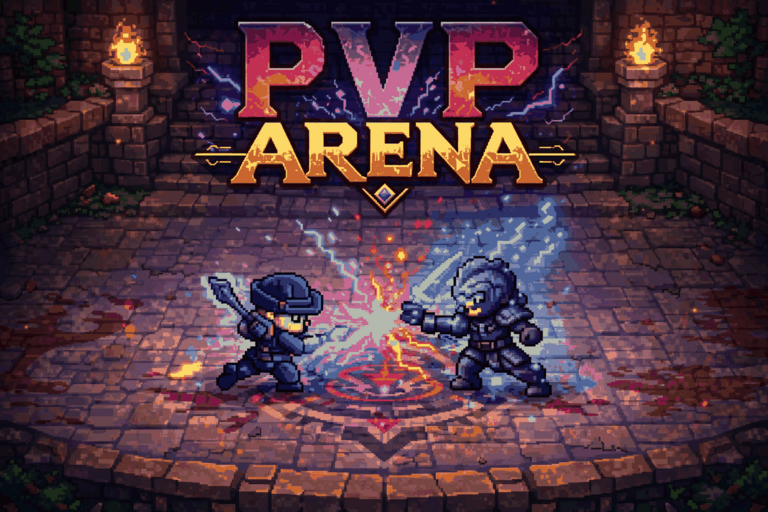
PvpArenaMod
76561198040279001 tarafından
⚔️PvP Arena Mod Bring competitive PvP battles into Necesse with a complete arena system designed for multiplayer servers. This mod adds a fully functional PvP arena with queue management, rewards, ranking, custom NPC interaction, and exclusive PvP armor progression. 🔥 Features • PvP queue system for joining arena battles • Dedicated PvP arena level • PvP NPC for joining matches • PvP reward shop NPC •Arena points system • Top players leaderboard • Reward claiming system 🛡️ Exclusive Deadly Armor set with class variants: •Melee •Mage •Ranger •Summoner ⚡Arena Mechanics •Automatic player freeze before match start •Countdown before battle begins •No death penalty inside arena •PvP damage balancing / cap system (max 100 dmg per hit) •Requirement to join arena: 600 Health or 300 Health + 300 Resilience 🔧Owner Commands /spawnpvpjoinnpc — Spawn PvP Join NPC /spawnpvpstorenpc — Spawn PvP Store NPC 🌍 Used On Eternal World RPG Join the community: https://discord.gg/Kpw6PNPwfb

Tips
76561198070570430 tarafından
Tips on the loading screen The tips are the ones that the Elder gives and also the ones that will be posted at the wiki page Guide:Tips Also adds a /tip command to show again the last tip if it went too fast. Source code at Github

RPGMod AdminTools
76561198211597016 tarafından
RPGModAdminTools - RPGSetPoint Command Usage Instructions Overview rpgsetpoint is an administrator command added by the RPGModAdminTools mod for the RPG mod, used to set different types of skill points for players. Command Format /rpgsetpoint /RPG设置点数 Parameter Explanation Player Name (Optional) Specifies the target player to whom skill points will be added. If omitted, the command affects the player who executed it. Supports player names or online player selection. Skill Point Type (Required) attribute or 属性点 - Attribute points (indirectly increased by leveling up). reset or 重置点 - Reset points (directly increased). mastery or 精通点 - Mastery points (indirectly increased by leveling up). class or 职业点 - Class points (indirectly increased by leveling up). Skill Points (Required) The number of skill points to add. Can be positive (increase) or negative (decrease). Usage Examples Add attribute points for the current player /rpgsetpoint attribute 10 /rpgsetpoint 属性点 10 /RPG设置点数 attribute 10 /RPG设置点数 属性点 10 Add reset points for a specified player /rpgsetpoint "Player Name" reset 5 /rpgsetpoint "Player Name" 重置点 5 /RPG设置点数 "Player Name" reset 5 /RPG设置点数 "Player Name" 重置点 5 Add mastery points for a specified player /rpgsetpoint "Player Name" mastery 3 /rpgsetpoint "Player Name" 精通点 3 /RPG设置点数 "Player Name" mastery 3 /RPG设置点数 "Player Name" 精通点 3 Add class points for a specified player /rpgsetpoint "Player Name" class 8 /rpgsetpoint "Player Name" 职业点 8 /RPG设置点数 "Player Name" class 8 /RPG设置点数 "Player Name" 职业点 8 Reduce reset points for a specified player /rpgsetpoint "Player Name" reset -2 /rpgsetpoint "Player Name" 重置点 -2 /RPG设置点数 "Player Name" reset -2 /RPG设置点数 "Player Name" 重置点 -2 Implementation Principle Since the RPG mod's skill point system is based on the following mechanisms: Attribute Points: Based on player level (2 attribute points per level). Reset Points: Directly managed, used for resetting skill allocations. Mastery Points: Based on player level (1 mastery point every 20 levels). Class Points: Based on player level (1 class point per level). Therefore, the rpgsetpoint command indirectly implements functionality as follows: attribute type: Increases experience to raise the level, thereby increasing attribute points. reset type: Directly increases reset points. mastery type: Increases experience to raise the level, thereby increasing mastery points. class type: Increases experience to raise the level, thereby increasing class points. Permission Requirements Requires administrator permissions (PermissionLevel.ADMIN). Owner permissions can also use it (owner permissions are higher than administrator permissions). Notes The command takes effect immediately and notifies all relevant clients. When adding attribute points, mastery points, or class points, the required experience is calculated and added at once. Using negative numbers reduces skill points, but they will not go below 0. The command execution result is displayed in the chat. The RPG mod must be loaded for the command to function properly. The command includes pre-execution checks; it will be blocked if the RPG mod is not loaded.

Health Mod / Super Potion / Better Hp Potion
76561198155818914 tarafından
Create a super potion that heals 100 health with a cooldown of 1 second! Tired of using the healing potion and having to wait eons to use another one? Here’s the solution! The goal of the mod is not to make the game broken, but just to make it a bit more "fair" when it comes to healing with the potion. If NPCs use potions quickly, why can’t we? :)

Asphalt Tile
76561199069828637 tarafından
Adds asphalt tile / block from Terraria. You can craft it with slime in alchemy table. Slime drops from swamp slimes. Asphalt tile gives you great speed boost, when you are walking on it. Mainly made this mod to test, how to make and upload mods to workshop. Update: Added asphalt path tile Small changes to textures
Jam Toast Mod
76561197983999638 tarafından
Adds Jam Toast item as well as a Cooking Pot recipe.

Music Utility Mod
76561198099065591 tarafından
The music utility mod! This mod helps explain to users how they can overwrite existing music tracks in their game. Please read the how-to section below to understand how this mod works. Though this mod creates the folder that is needed for overwriting music, you actually don't need the mod for this to work! You can also manually create the folders to achieve the same outcome. However, this mod may help guide you on the steps you need to take. How to use this mod After subscribing to this mod and launching Necesse for the first time, a folder will be generated in the installation path for your game. By default, that path will usually look something like this: C:\Steam\steamapps\common\Necesse\res\sound\music Your directory may be slightly different depending on where you installed Necesse. The "music" folder is where you must place any music files that you want to override. As an example, if you wanted to override the music file that plays when you enter the Pirate Biome, you would need to name your music file "pirateshorizon.ogg", and place it in music folder. In the example above, both of the following file path would need to exist: C:\Steam\steamapps\common\Necesse\res\sound\music\pirateshorizon.ogg Once the music file has been placed, Necesse will need to be relaunched. After relaunching the game, the original game music with the same name will be overwritten. To restore original music, simply erase the sound file from the "music" folders. A full list of tracks for the game (as of v0.27) can be found below. IMPORTANT!!! Music files must have the .ogg extension. Music Track Names adventurebegins forestpath awakeningtwilight depthsoftheforest secretsoftheforest meadowmeandering auroratundra polarnight glaciersembrace subzerosanctum watersideserenade gatorslullaby swampcavern murkymire sandcatacombs oasisserenade nightinthedunes dustyhollows losttemple voidsembrace pirateshorizon slimesurge venomousreckoning pastbehindglass stormingthehamletpart1 stormingthehamletpart2 thefirsttrial queenspidersdance pestwardenscharge wizardsrematch wizardsawakening rumbleoftheswampguardian ancientvulturesfeast piratecaptainslair reapersrequiem battleforthefrozenreign symphonyoftwins wrathoftheempress moonlightsrehearsal sunlightsexam dragonshoard theeldersjinglejam home waterfae muses running grindthealarms bythefield sunstones caravantusks homeatlast telltale icyruse icestar eyesofthedesert rialto silverlake away kronos lostgrip elektrak thecontrolroom airlockfailure konsoleglitch beatdown siege halodrome millenium kandiru Game Version Built for game version 0.27 Important Notice If your version of the mod doesn't appear to match the game version and/or mod version, you may need to verify the game files from Steam by right clicking on Necesse >> Properties >> Installed Files >> Verify integrity of game files

DisableSpoil
76561198125574464 tarafından
Disables food spoilage. The remaining time until spoilage will still be displayed, but the time remaining will be removed at the exact moment the food would spoil, preventing it from spoiling. This is a completely non-spoilable version of the similar mod "Only1LossPerSpoil".
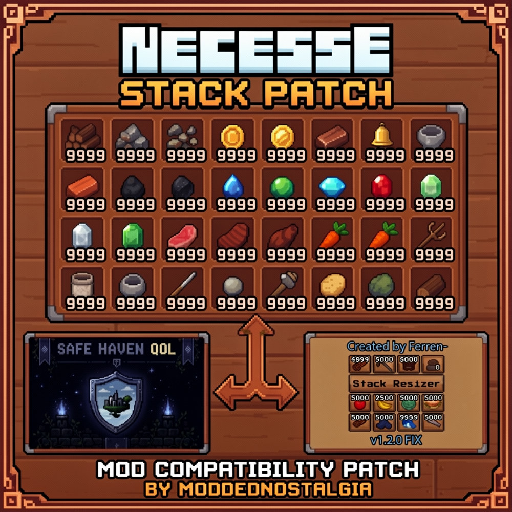
Stack Patch
76561198117714131 tarafından
Dynamically patches Safe Haven QoL's stack sizes into Stack Resizer (1.2.0 FIX) using Stack Resizer's built-in functions. It works basically by telling Stack Resizer to conform to Safe Haven QoL's stack sizes when those features are enabled. Lightweight and barely tested, but does the trick from my limited runs. Should retain custom stack sizes created using /stackresizer chat commands, but haven't tested it yet. Done in like an hour; the picture took more time to figure out than the code itself. Probably needs refinement tbh but I could care less. Probably should be loaded after both Safe Haven and Stack Resizer, but I'm not your mom. Open-source - just take it and don't ask me questions.
Brutal Shearing
76561198301620167 tarafından
Updated for game version 1.0.2 Shears sheep when hit by a player. If a sheep can be sheared (is fully grown and has wool), then any attack by a player will shear it. However, be warned! If you attack a sheep that can't be sheared, then it will receive the damage as usual. Source code can be found on GitHub here: snoobinoob/brutalShearing
More Building Components - Walls & Stairs
76561198863359245 tarafından
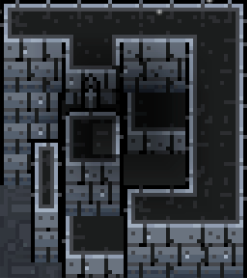
A visual layering mod that does not alter the game's 2D plane system Adds decorative building blocks, including Steps Stairs Tall Walls Low Walls Tall Wall Ladders Low Wall Ladders Top Walls Long Top Walls Fence Walls Half Walls Walls feature hidden connection conditions Covers most vanilla materials Also adds a large number of settler Art Connoisseur personalities, allowing more building blocks to be purchased from settler shops as quality of life increases Update 1.1: Add all recipes to the Fallencarpentersbench Art Connoisseur personalities do not take up personality slots Less Build Restrictions https://steamcommunity.com/sharedfiles/filedetails/?id=3780973569 Supported Languages: (using the game's built-in localization) All languages supported by the game
![Cheers! [EN, PL] – Necesse Mod](https://images.steamusercontent.com/ugc/9294558016160747918/F0BB83D32FE1E6647F7EBF309C27666C6DA38190/)
Cheers! [EN, PL]
76561198806903819 tarafından
Cheers! - Hops farming & Brewing Cheers! is a mod for Necesse that introduces a complete hop cultivation and brewing system. Expand your farming, brew unique beverages, and gain powerful buffs for your adventures! Main Features: - Hop Cultivation: Find hop seeds by exploring underground chests and crates in caves. Plant them, grow them, and harvest your own hops! - Brewing Station: Craft a Brewery Barrel directly at the regular Workbench and use it as a special station for your brewing needs. - Craft Beer: Brew 10 different types of craft beer using various ingredients such as wheat, fruits, honey, and even chili. Available Beers & Effects: Every beer provides unique stat bonuses, but beware – alcohol makes you slightly more vulnerable to incoming damage! Name Positive Effects Side Effect Grain beer +10 Armor, +10% All Damage +10% Incoming Damage Strawberry beer +15% Speed, +20 Max Health +10% Incoming Damage Apple cider +0.5 Health Regen, +20 Max Health +10% Incoming Damage Pumpkin ale +15 Armor, -20% Knockback +10% Incoming Damage Honey beer +0.75 Health Regen, +30 Max Health +10% Incoming Damage Lemon radler +20% Speed, +15% Attack Speed +10% Incoming Damage Hellish chili beer +25% All Damage, +10 Armor +15% Incoming Damage Corn beer +20% Mining Speed, +20% Building Speed +10% Incoming Damage Mushroom stout +40 Max Mana, +15% Magic Damage +10% Incoming Damage Tropical IPA +20% Speed, +20% Attack Speed, +0.3 Health Regen +15% Incoming Damage Have fun and drink responsibly!😉 Check out my other mods! Night Owl Trait Desire Paths Starred Mobs Cheers!
Loot Multiplier
76561198063400471 tarafından
Multiplies loot drops from all monsters + Loot potions (Update) v1.2 - Disable Container Dupe. - Disable Crafting Multiplier. - Disable Singular item (eg. weapons) Multiplier. - Add Config file. - Add Command support "bx_lootmul - Fix a bug where command "set" isnt being save correctly. You can dupe items by input the item inside the container and then break it, will be fix in the future this is just an testing version.

Bob's Mod
76561198083737752 tarafından
Edit 2/4/2024: Might return to this some time in the future but the official updates adding in some of these things discouraged me a bit (alongside having to figure out how to port the mod to newer versions). It was pretty fun to work on though. If I return to this I might stick to just adding some enemy changes for harder difficulties and keep the devil deal items in and scrap the other stuff. Fun fact: last thing I was working on was adding a demon trader which would trade boss souls for their respective devil deal item but I stopped working on the mod before I figured out how to properly set it up. (Description still a W.I.P.) Adds/changes different things in the game. Current Version: v0.3.5.2 New Content: - New mana mechanic - 3 New weapon types (Daggers, Wands, Greatbows) - Shield trinkets - 1 armor set - 2 new buffs & 1 new debuff - New loot item (Geodes) - 1 new vanilla recipe - New 'Devil Deal' items: Devil deal items are dropped from bosses only when playing on harder difficulties, these have very powerful effects with some negative trade offs Haven't really done enough testing to balance things properly so feedback is appreciated.
Increased Stats
76561198122309470 tarafından
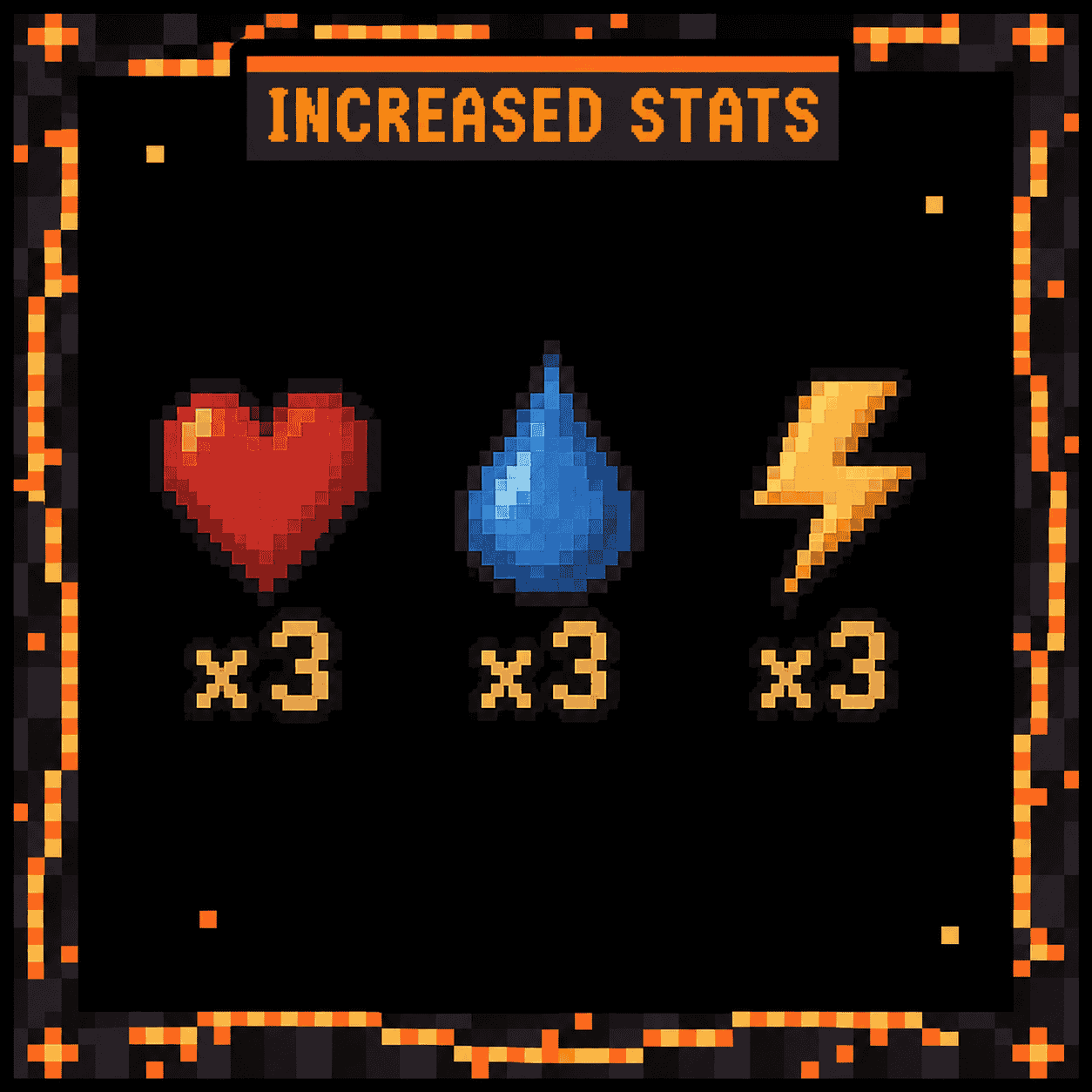
Triples the base stats every player has. Health upgrades, armor bonuses and buffs still stack on top of the new base, exactly like they do in vanilla. - Health 100 to 300 - Mana 100 to 300 - Stamina a pool three times as large, so you sprint and dodge three times as long YOU CAN CHANGE THE VALUE IF YOU WANT MORE THAN 300 OR LOWER The first launch writes torvian.increasedstats.cfg next to the mod jar in your mods folder, where you can set max_health, max_mana and max_stamina to whatever you like. Vanilla is 100 for each. The server and every player need this mod installed with matching config values. Nothing is written into your character save, so adding the mod raises existing characters as well as new ones, and removing it puts everyone back to normal.
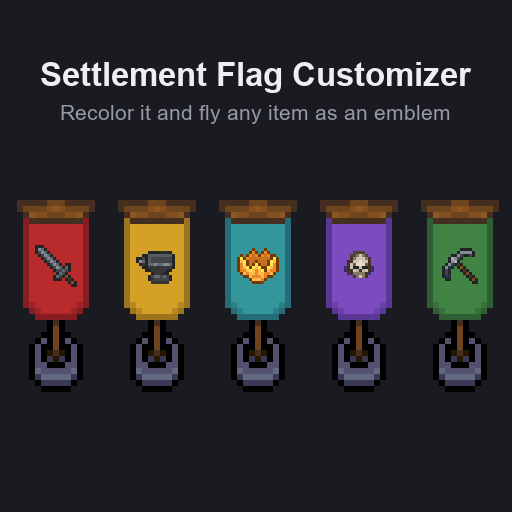
Settlement Flag Customizer
76561198048435182 tarafından
Change the settlement flag banner. The graphic and the color are both changeable. The changes are per settlement and it saves with the world.

CustomDataLib
76561198348399588 tarafından
THIS LIBRARY MOD HAS REPLACED CustomPlayerLib AND YOU SHOULD NOT USE THAT LIBRARY AS IT IS OUTDATED AND BROKEN. Base implementation for custom player data. This is a library and doesn't add any functionality itself. Docs available here. Credits Huge credit to darkluke1111 on discord for pointing out previous issues with the library and helping me fix them. As well as brainstorming with me on how to make the library better. And generally reviewing my code and suggesting some improvements. Credit for the CustomMob idea goes to real_thunderbear on discord as they needed it. I just added it to the library for ease of use for anyone in the future. For Developers Example mod using this library: To be added Make sure to modify your build.gradle file: - Add to dependencies: compileOnly "com.jubiman:customdatalib:1.+" - Add top level: project.ext.modDependencies = - If gradle can't resolve the package, add to the repositories (it should find it as it is in the Maven Central repository): maven { url "https://s01.oss.sonatype.org/content/repositories/releases/" } Using the library First off I recommend reading the documentation here Custom Player Data This is mostly the same as the original CustomPlayerLib. First you want to create a CustomPlayer class, which has a constructor with a long as argument. All code fragments can be found in the example public class MyPlayer extends CustomPlayer { public MyPlayer(long auth) { super(auth); } } Source Then create a CustomPlayersHandler class, which does the logic for all players in the game. public class MyPlayersHandler extends CustomPlayersHandler<MyPlayer> { // It's recommended to store the name in a static constant, so you can easily access it public static final String name = "myplayers"; public MyPlayersHandler() { super(MyPlayer.class, name); } // These methods are not necessary, but they are recommended. /** * This replaces CustomPlayerRegistry.get(MyPlayers.name).get(auth) * with MyPlayers.getPlayer(auth). * It's just less code to write :) */ public static MyPlayersHandler getInstance() { return (MyPlayersHandler) CustomPlayerRegistry.INSTANCE.get(name); } /** * A null safe way to get a player from the map, adds player if they don't exist yet * @param auth the authentication of the player's ServerClient * @return the MyPlayer object belonging to the player */ public static MyPlayer getPlayer(long auth) { return getInstance().get(auth); } } Source Then at last we need to register the classes by adding the following line to your mod's (annotated with @ModEntry) init() function: CustomPlayerRegistry.register(MyPlayersHandler.name, MyPlayersHandler.class); New modular system Instead of extending a different base class like CustomPlayerTickable, you can implement one or many of the different interfaces. Currently supported are: ClientTickable, Syncable, Savable and HUDDrawable. All CustomData classes are tickable from the server-side, but by defining it as ClientTickable it will also be ticked on the client-side. Please note that ClientTickable and Syncable require extra steps in order to properly function ClientTickable Currently only CustomPlayers are supported, as I do not see the need for client-side mob ticking. This interface should mainly be used to cache values on the client-side which could be used by the HUDDrawable interface. Most of the times you can ignore this interface. Please keep in mind that currently, only CustomPlayers are supported. Syncable The Syncable interface requires you to create a new packet: PacketMyPlayerSync (or whaterver your custom player naming is). A new instance of this packet will be created in the getSyncPacket() class you implement from the Syncable interface. The isContinuousSync() function should usually return false, as this will only sync once when the player connects. If this is set to true, the sync packet will be sent every second. An example of the custom packet: public class PacketSyncPlayer extends Packet {

SuperWoodSword
76561199039777494 tarafından
1. 木剑的伤害设为520。 2. 火把亮度翻倍。 3. 新增工作台配方:1木头做炸药、铁锭、钨锭、注魔卷轴。 --- 1. WoodSword attackDamage to 520 2. torch lightLevel to double 3. 1 log in workstation can make dynamitestick or craftingmat or enchantingscroll
Mod destekli Necesse sunucusu
Uyumlu ve desteklenen modları sunucu panelinden kurun.
Necesse sunucusu kirala