Project Zomboid Mods & Plugins
![[B42/41] Adrenaline - Panic Counters Tiredness](https://images.steamusercontent.com/ugc/15297208347146943/32076F49E5A0BF9E45F200A060A509E5407C436F/)
[B42/41] Adrenaline - Panic Counters Tiredness
76561198031391228 tarafından
[b]NOTE:[/b] Panic seems to be disabled or bugged in B42 MP, so the mod doesn't actually do anything in MP right now. [b]Adrenaline[/b] is a mod that adds a new mechanic to the panic and fatigue (tiredness) systems in Project Zomboid in a way that feels realistic. [h2]Now With Sandbox Options! (only in b42)[/h2] [list] [*] Adrenaline Boost Speed - How fast panic wakes you up. [*] Adrenaline Crash Speed - How fast drowsiness returns once you calm down. [*] Adrenaline Crash Multiplier - How much extra drowsiness is given to the player when they calm down. [/list] [h2]What Does It Do?[/h2] [b]Adrenaline[/b] makes the [b]Panic[/b] moodle temporarily reduce your character's [b]fatigue[/b], proportional to how panicked your character is. This simulates an adrenaline rush, waking the character up and reducing (or even removing) the [b]Tired[/b] moodle, allowing the character to perform and fight at a higher level. This provides a final burst of performance out of the character before they truly require sleep, potentially allowing you to escape dire situations or secure an impromptu safehouse. [h2]Why?[/h2] In vanilla, when the 'Drowsy' moodle appears, the character receives a whopping [b]50% damage debuff[/b], increasing to [b]80 / 90 / 95%[/b] as the character becomes more tired. (Vision and endurance are also reduced) Because this debuff is so large and it is applied instantaneously upon hitting 60% fatigue with no prior warning, I felt that it would be more balanced to allow the moodle to be temporarily reduced under stressful circumstances. [h3]However, there are limits and drawbacks:[/h3] [list] [*]After calming down, all the fatigue that the adrenaline took away [b](and then some)[/b], will sweep over your character, making them more tired than they were before. [*]Only so much fatigue can be countered by adrenaline. A ridiculously tired character will still keep their Tired moodle, even if at the max panic level. [*]Sleep is still a necessity. [b]Adrenaline[/b] does not change how tired your character actually is, it only disguises it up to a point. [*]If you go into a long, grueling fight, you might not realize you are tired until its over and calm down. [/list] [h1]Works in:[/h1] [list] [*] Singleplayer [*] Multiplayer [*] Local Co-op [/list] [img]https://i.imgur.com/p7Fv1Z6.gif[/img] Like and favourite to show support and fuel my addiction to fake internet points! [h3]FAQ[/h3] Q: What happens if I maintain panic, will I never have to sleep again? A: No, you will still get tired and need to sleep. [h1]Other Mods To Check Out![/h1] [url=https://steamcommunity.com/sharedfiles/filedetails/?id=2795677303][img]https://i.imgur.com/GEBet20.png[/img][/url] [url=https://steamcommunity.com/sharedfiles/filedetails/?id=2804531012][img]https://i.imgur.com/RD0EbXR.png[/img][/url] [url=https://steamcommunity.com/sharedfiles/filedetails/?id=2808679062][img]https://i.imgur.com/tDcAzoR.png[/img][/url] [b]If you enjoy my mods, consider supporting me on Ko-fi![/b] Otherwise, come check out some previews of what I'm working on next! [url=https://ko-fi.com/notloc][img]https://i.imgur.com/aB7u1cs.png[/img][/url] Workshop ID: 2807001835 Mod ID: ADRENALINE_MOD Mod ID: ADRENALINE_MOD
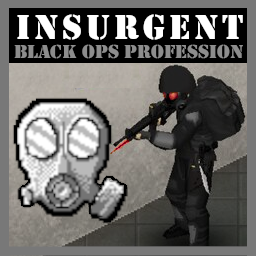
Insurgent - Black Ops Profession
76561198025569321 tarafından
Thanks to Spyjack for the Insurgent concept from [url=https://steamcommunity.com/sharedfiles/filedetails/?id=2496664082]Facility-7[/url]! ---------------------------------------------------------------------------------------------- [img]https://i.imgur.com/2W0PqE3.png[/img] ---------------------------------------------------------------------------------------------- [img]https://i.imgur.com/38f47JO.png[/img] —------------------------------------------------------------------------------------------- [img]https://i.imgur.com/3E7IDmj.png[/img] [list][*][b]Unique profession as a black operations soldier[/b], sent in as part of a clean-up operation. [*][b]24+ unique traits[/b] exclusive to the Insurgent profession. [*][b]Custom lore-friendly clothing[/b] exclusive to Insurgents. Cant be found in normal loot. [*][b]Ability to select military clothing[/b] in character selection. [*]Start with gear based on chosen traits. [*]Ability to start the game parachuted into Knox County (south of the Military base). [*][b]Chance to find rare deceased Insurgents[/b] throughout Knox. Allows civilians to find the valuable Insurgent gear.[/list] ---------------------------------------------------------------------------------------------- [img]https://i.imgur.com/twPDl6x.png[/img] [b]This mod allows you to start as a highly trained black-operations operative[/b], known only to a select few as the "Insurgents", sent into the Knox Event's Exclusion Zone for a highly classified mission. The codenamed “Insurgents” are a highly classified black-operations special forces unit serving under the US Special Operations Command, tasked to handle the most secretive of missions and government cover-ups. [b]Insurgent operatives are the best of the best[/b], comprised of highly decorated and experienced soldiers from many different specialised backgrounds. ------------------------------------------------------------------------------- As an Insurgent, you begin parachuted deep inside the Exclusion Zone on a highly classified mission. Each member of your 12-person team already parachuted into different areas of Kentucky on separate assignments before you. The high-secrecy of your mission demands absolute radio silence. Attempts made to contact your team are also met with silence.. [i]Armed, highly trained and determined in a hostile environment against an unknown threat, you must continue your mission alone.[/i] [b]Note:[/b] This mod does not add any actual objectives, however 2 secret items have been added to [spoiler]the military base[/spoiler]. ------------------------------------------------------------------------------- [img]https://i.imgur.com/yJ235mO.png[/img] You begin inserted into the Exclusion Zone, north of the landing position is a vast forest, which deep inside lies the [spoiler]secret military base[/spoiler]. Following the trail upwards near you to take you directly there. South of your position is the town of Rosewood. You will start with basic provisions and equipment. Further equipment can be added based on specifically selected traits. In character creation you will be able to select any military clothing, as well as additional insurgent-exclusive clothing. The following clothing is added: [img]https://i.imgur.com/zvIZhUZ.png[/img] Insurgent gear cant be found in normal loot. Non-insurgents can get their hands on the valuable gear by finding rare deceased insurgent operators across Knox County. Each one can only be found once. ------------------------------------------------------------------------------- [img]https://i.imgur.com/YfXKe0D.png[/img] Insurgents start with [b]+12 trait points[/b] and have a plethora of abilities at their disposal. 30+ new traits are split into: [i]Equipment[/i], [i]Ability[/i] and [i]Specialisation[/i]. Examples include: [b]Equipment traits[/b] determine your starting loadout. [img]https://i.imgur.com/gFCUtoD.png[/img] Rifleman = Start as a rifleman with an M16. [img]https://i.imgur.com/820nIh9.png[/img] Marksman = Start as a marksman with an M14. [img]https://i.imgur.com/6EdZp5o.png[/img] Assault = Start with a shotgun and sledgehammer. [b]Ability traits[/b] provide you with special abilities to aid you in combat. [img]https://i.imgur.com/5JjpnDw.png[/img] Breacher = Knock-down zombies when running. [img]https://i.imgur.com/Kk6GZz3.png[/img] Run n'Gun = Aiming penalties dont apply when moving. [img]https://i.imgur.com/Vj7UUXK.png[/img] Unstoppable = When close to death, regain health and continue the fight. [b]Specialisation traits[/b] reflect your Insurgent's specialisation in skills from many previous deployments. [img]https://i.imgur.com/oxrF6WN.png[/img] War Hero = +1 Aiming, +1 Reloading and +1 Running skills. [img]https://i.imgur.com/jZYD2Bd.png[/img] Survival Expert = +3 Farming, +3 Foraging, +3 Trapping skills. [img]https://i.imgur.com/Xzo6w7Y.png[/img] Demolitions Specialist = +3 Electrical skill & explosives recipes learnt. ------------------------------------------------------------------------------- [img]https://i.imgur.com/soQ6WpM.png[/img] [*][b]Susceptible:[/b] Hardcore trait also made by myself & Notloc! You'll even spawn with 2 gas mask filters. [url=https://steamcommunity.com/sharedfiles/filedetails/?id=2795677303][img]https://i.imgur.com/JcGgKwG.jpg[/img][/url] [*][b]SecretZ:[/b] For Insurgents wanting more cover-up missions for secret government facilities within Knox County. [url=https://steamcommunity.com/sharedfiles/filedetails/?id=2864652763][img]https://i.imgur.com/6goHNgs.jpg[/img][/url] [*][b]Insurgent Intro:[/b] Adds custom Insurgent intro text, very cool! [url=https://steamcommunity.com/sharedfiles/filedetails/?id=2926920475][img]https://i.imgur.com/b4xa3rt.jpg[/img][/url] [*][b]Insurgent Airdropped LUV[/b] Adds a trait that allows Insurgents to start with an airdropped car! [url=https://steamcommunity.com/sharedfiles/filedetails/?id=2927552076][img]https://i.imgur.com/QDSIhMD.jpg[/img][/url] [*][b]Parachute Start[/b] Start the game in a parachute! [url=https://steamcommunity.com/sharedfiles/filedetails/?id=2948659911][img]https://i.imgur.com/jKJf2yX.png[/img][/url] ------------------------------------------------------------------------------- [h1]Compatibility[/h1] [*] Works in singleplayer and multiplayer [b]Map Mods:[/b] [*] Works with map Research Facility, KY. [b]Weapon Mods:[/b] [*] Includes integrated Brita, VFE and Firearms B41 addons. [*][url=https://steamcommunity.com/workshop/filedetails/?id=2799742455]Improvised Silencers[/url] is required [b]if[/b] you want silencers from the Covert Operative trait in the non-addon version. [b]Translation:[/b] [*] RU translation credit to n e c r o [h1]READ THE FAQ IN DISCUSSIONS[/h1] Workshop ID: 2907683021 Mod ID: Insurgent Mod ID: InsurgentBRITAWEAPONS Mod ID: InsurgentVFE Mod ID: InsurgentFIREARMSB41 Mod ID: InsurgentEXMILITARY Map Folder: InsurgentSpawn
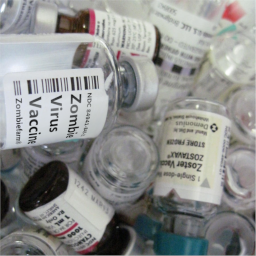
Zombie Virus vaccine Update 41+ MP
76561197989385971 tarafından
Zombie virus vaccine B41.65 + MP Translated into English, French, German, Russian, Korean, Brazilian. Mod fix : https://steamcommunity.com/sharedfiles/filedetails/?id=2512119000&searchtext=vaccin By Ehue232v and Dr Reaper (Google translated) Created for IWBUMS Build 41.50! Doesn't work in 41.51+!/b] Build up your laboratory, fill it with equipment and find a cure for the zombie virus. Books Search and explore new books on chemistry, virology and laboratory equipment that will open up a ton of new recipes for you. Equipment Workbench All equipment and decorations are created at the workbench. The workbench has all the tools you need for this except the welding torch. Easel Used for drawing posters. Spectrometer Used to test the blood of players for the virus. Centrifuge Used to separate blood into components. Microscope Used to isolate leukocytes from blood cells. Chem. laboratory Next to chem. all chemical reactions are carried out in the laboratory. To work with some substances, you need appropriate protection! Read the recipes carefully. Chromatograph Used to isolate antibodies from leukocytes. To work with the chromatograph you need to have a computer next to it! Muffle furnace It is used for melting glass and soft metals. First aid Open and study zombies to level up your first aid skill. For this you need special clothing and tools. Zombies can be opened in the field, gaining a small amount of experience. But if you find a sectional table (morgue table), then experience will be gained several times faster, although the table requires additional maintenance. On the main map, the table can only be found in one place, good luck in your search. Types of vaccines Simple vaccine Reduces infection rates by up to 15%. Weak reaction to Albumin (about 5 tablets). Does not affect immunity. High probability of infection when used by a healthy person (40%). Quality vaccine In case of illness: - Reduces infection rate by up to 10%. - Slightly slows down the early development of the virus. - Average reaction to Albumin (about 8 tablets). If taken healthy: - Not very high probability of infection (10%). - Gives weak immunity (20%) to the virus for a week. Improved vaccine In case of illness: - Reduces infection rate up to 5%. - Slows down the development of the virus at an early stage. - Good reaction to Albumin (about 11 tablets). If taken healthy: - Extremely low probability of infection (1%). - Gives good immunity to the virus for three weeks (65%). Medicine Completely cures the zombie virus. No side effects. Resets the effects of other vaccines. What else can you create Albumin Albumin tablets restore a small amount of health. The less it remains, the more its amount is restored. Plus, they reduce the infection rate after using the vaccine (read vaccine descriptions). Most effective in the middle-late stages of infection (50% - 75%). In fact, they prolong the effect of the vaccine. Chlorine tablets They are used for quick purification of raw water when there is no time or opportunity to boil it. Also with the help of chem. laboratories can create Bleach and Disinfectant. Workshop ID: 2685680439 Mod ID: VaccinDrReapers Mod ID: VaccinDrReapersMP
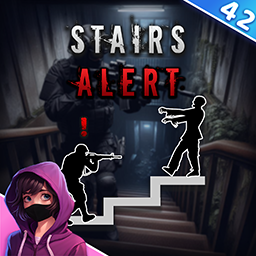
Stairs Alert
76561198261072538 tarafından
[img]https://i.ibb.co/bmLb7pQ/Banner-Features.png[/img] [h1]Stairs![/h1] They can be the bane of our existence. Why can't we see how many zombies are there upstairs?! Well this mod is here to change that! Now you are able to know how many hungry neighbors are waiting for you! [h1]How does it work?[/h1] Press the Interaction button ("E" by Default) to check if there's any zombies upstairs as you climb stairs. Your character's ability to see the zombies depends on where you are positioned when you press the button, where the zombies are, etc. [h1]Customization![/h1] You can personalize the mod to your liking using Sandbox Options. For instance, you can choose to have your Character say exactly how many zombies they see! [img]https://i.ibb.co/yQKWMxh/Banner-FAQ.png[/img] [h1]Does it work in Multiplayer?[/h1] Of course it does! [h1]Does it work on existing saves?[/h1] Absolutely! [h1]Is the mod compatible with [...]?[/h1] This mod shouldn't have any incompatibility with other mods. You can [url=https://steamcommunity.com/workshop/filedetails/discussion/3044807092/3883849064701096090/]click here[/url] to check which mods are currently known to cause issues. [img]https://i.ibb.co/jyH8rwy/Banner-Credits.png[/img] Powered by [b]BitBraven[/b]. Idea by [b]WicHammer[/b]. And of course, thank [b]you[/b] for supporting me! [img]https://i.ibb.co/h923kYv/Like-and-Fave-Transp-Bit-Braven.gif[/img] [h1]Like my mods?[/h1] Join me on Discord and maybe on Patreon if you feel like it! I also accept Ko-Fi tips. All money is used on mod development. [img]https://i.ibb.co/fD7qHWV/Idle-128.gif[/img] [url=https://ko-fi.com/N4N3EUJUZ] [img]https://i.postimg.cc/kMp1HZ3w/Banner-Ko-Fi-Steam.png[/img] [/url] [url=https://discord.gg/GmndN8qjrr] [img]https://i.postimg.cc/7P3nkYRB/Banner-Discord-Steam.png[/img] [/url] [url=https://www.youtube.com/channel/UCvAh20mgjJfT8RdBq4CDsBA] [img]https://i.postimg.cc/GhT7nQbR/Banner-Youtube-Steam.png[/img] [/url] [code]This product is protected under © copyright law. You are free to use it for personal purposes. Redistribution, for commercial purposes or not, is strictly prohibited without prior permission. Please note that the English version of this disclaimer takes precedence over translations, as they may be outdated. For more information, please [url=https://pdfhost.io/v/mUAohjA2S_End_User_License_Agreement]Click Here[/url] to read the full End User License Agreement. Enjoy! 💖 [/code] Workshop ID: 3044807092 Mod ID: BB_StairsAlert
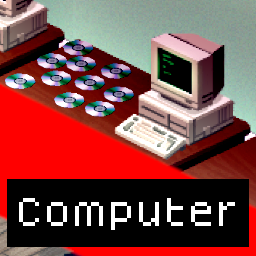
Computer
76561198011617754 tarafından
[h2]Info[/h2] - Work with latest version. - Work with multiplayer. - Work with existing savegame. [h2]FAQ[/h2] [b]Where can I find a Computer?[/b] You can find computer at the military base, military outpost and Louisville offices. [b]How does the computer work?[/b] Make sure it has a power source then turn it on with right-click menu. Insert Game CD and play it. [b]What can I do with a computer during the apocalypse?[/b] Start a game collection and play game to help your depression. [b]Where do I find games?[/b] Living rooms bookshelves, wardrobes, lockers, electronic stores, mailbox... [b]I have a Game CD but no game on it?[/b] If you have a Game CD without a game name, right click it in your inventory it will assign a random game. [b]Do I need all gamepack?[/b] You do not need any gamepack, the main mod Computer already add games. Game packs are optional. [b]Disabling game packs[/b] Game will not be deleted, but will not be usable until the pack is re-enabled. [h3]Included Games (Real Audio)[/h3] Project Zomboid Metal Gear Metal Gear 2: Solid Snake Snake's Revenge Elite Donkey Kong Contra The Legend of Zelda Final Fantasy The Lost Vikings Tetris Duke Nukem Doom Star Wars: X-Wing Lemmings Civilization Dune II Wolfenstein 3D Skate or Die! SimCity [h3]Grand Theft Auto Game Pack (Real Audio):[/h3] Grand Theft Auto Grand Theft Auto: London Grand Theft Auto II Grand Theft Auto III Grand Theft Auto: Vice City Grand Theft Auto: San Andreas Grand Theft Auto: Liberty City Stories Grand Theft Auto: Vice City Stories Grand Theft Auto IV Grand Theft Auto: Chinatown Wars Grand Theft Auto V [h3]Corporal's Game Pack (Random Audio)[/h3] "Starve.", "1993", "O-Kei Entertainment", "Survival" "Super Spiffo World!", "1990", "Spiffo Corp.", "Platformer" "Yoshi Commits Tax Evasion", "1993", "Nintendon't", "FPS" "Wii are resorting to violence", "1992", "Nintendon't", "Shoot 'em Up" "Karen Simulator", "1993", "The Management", "Simulator" "Blood Moon Rising", "1991", "Forged Labs", "Tower Defense" "Project W", "1993", "Project M", "Beat 'em Up" "Whatever happened to PAWS", "1992", "Spiffo Corp.", "Story Game" "DUST", "1992", "Facekick Studio", "FPS/Survival" "I hoped you would DIE", "1992", "Trevor Inc.", "Story/puzzle" "Polybius - Disc Release", "1987", "Steven Roach", "Hit 'n Run" "Tyrany 6", "1993", "Limb Entertainment", "Colony Builder" "Cataclysm: Dark Days Ahead", "1993", "Kevin Granade & Community", "Ultimate Survival Horror" [h3]Classics Game Pack (Random Audio)[/h3] "Minesweeper", "1990", "Microsoft Entertainment", "Puzzle" "Commander Keen in Invasion of the Vorticons", "1990", "Apogee Software", "Platformer" "Cosmic Commandos", "1978", "Otaio", "Shoot 'em up" "Candy Cat Adventure!", "1991", "Beacon Games", "Platformer" "King’s Quest I: Quest for the Crown", "1984", "Sierra Entertainment", "Adventure" "Myst", "1993", "Broderbund", "Adventure" "Ultima IV: Quest of the Avatar", "1985", "Origin Systems", "RPG" "Castle of the Winds", "1989", "SaadaSoft", "Roguelike" "Rogue", "1980", "Epyx", "Roguelike" "NetHack", "1987", "The NetHack DevTeam", "Roguelike" "Pac-Man", "1980", "Namco", "Arcade" "Space Invaders", "1978", "Taito", "Arcade" "Where in the World is Carmen Sandiego?", "1985", "Broderbund", "Educational" "The Oregon Trail", "1985", "MECC", "Educational" "Pirates! Gold", "1993", "MicroProse", "Adventure" "Prince of Persia", "1989", "Broderbund", "Platform" "Dragon’s Lair", "1983", "Cinematronics", "Interactive Film" "Solitaire", "1990", "Microsoft", "Card" "Earl Weaver Baseball", "1987", "Electronic Arts", "Sports" "The Bard’s Tale", "1985", "Electronic Arts", "RPG" "Might and Magic 5: Darkside of Xeen", "1993", "New World Computing", "RPG" "Starflight", "1986", "Electronic Arts", "Space" "Wasteland", "1988", "Electronic Arts", "RPG" "John Madden Football", "1989", "Electronic Arts", "Sports" "Populous", "1989", "Electronic Arts", "God Game" "Missile Command", "1980", "Atari, Inc.", "Shoot 'em up" "Batman Returns", "1992", "Konami", "Beat 'em up" "Star Control", "1990", "Accolade", "Shoot 'em up" "Star Control II", "1992", "Accolade", "Shoot 'em up" "Horror Zombies from the Crypt", "1990", "U.S. Gold", "Platform" "Isle of the Dead", "1993", "Merit Software", "FPS" [h2]My Mods[/h2] [url=https://steamcommunity.com/sharedfiles/filedetails/?id=2688538916]FuelAPI[/url] [url=https://steamcommunity.com/sharedfiles/filedetails/?id=2687798127]WaterDispenser[/url] [url=https://steamcommunity.com/sharedfiles/filedetails/?id=2635550102]Computer[/url] [h2]Github[/h2] https://github.com/Konijima/PZ-Computer-Mod Workshop ID: 2635550102 Mod ID: Computer Mod ID: ComputerClassicsGamePack Mod ID: ComputerCorporalsGamePack Mod ID: ComputerGTAGamePack
Days Gone Counter
76561198261072538 tarafından
[h1]Days Gone![/h1] But how many? This mod makes it so whenever you open the pause menu, a counter based on the amazing game Days Gone will show just that, how many days have passed! Yes, I mean in total, not just how long your current character survived for. [h1][b]F.A.Q[/b][/h1] [h1]Does it work in Multiplayer?[/h1] Of course it does! [h1]Does it work on existing saves?[/h1] Absolutely! [h1]Is the mod compatible with [...]?[/h1] This mod shouldn't have any incompatibility with other mods. You can [url=https://steamcommunity.com/workshop/filedetails/discussion/3039365081/3882722163305789062/]click here[/url] to check which mods are currently known to cause issues. [h1][b]Credits[/b][/h1] Powered by [b]BitBraven[/b]. And of course, thank [b]you[/b] for supporting me! [img]https://media1.giphy.com/media/wRhSi68hscY8xNOlXS/giphy.gif[/img] [h1]Like my mods?[/h1] Join me on Discord and maybe on Patreon if you feel like it! I also accept Ko-Fi tips. All money is used on mod development. [img]https://i.ibb.co/fD7qHWV/Idle-128.gif[/img] [url=https://ko-fi.com/N4N3EUJUZ] [img]https://i.postimg.cc/kMp1HZ3w/Banner-Ko-Fi-Steam.png[/img] [/url] [url=https://discord.gg/GmndN8qjrr] [img]https://i.postimg.cc/7P3nkYRB/Banner-Discord-Steam.png[/img] [/url] [url=https://www.youtube.com/channel/UCvAh20mgjJfT8RdBq4CDsBA] [img]https://i.postimg.cc/GhT7nQbR/Banner-Youtube-Steam.png[/img] [/url] [code]This product is protected under © copyright law. You are free to use it for personal purposes. Redistribution, for commercial purposes or not, is strictly prohibited without prior permission. Please note that the English version of this disclaimer takes precedence over translations, as they may be outdated. For more information, please [url=https://pdfhost.io/v/mUAohjA2S_End_User_License_Agreement]Click Here[/url] to read the full End User License Agreement. Enjoy! 💖 [/code] Workshop ID: 3039365081 Mod ID: BB_DaysGone_Counter
![[B42MP/B41]Surviving Through Seasons](https://images.steamusercontent.com/ugc/1804258056601720966/9488615A16E21BB286CD60E863CBEEDC0EE02D0D/)
[B42MP/B41]Surviving Through Seasons
76561197960272801 tarafından
[h1]Update 12/11/2025[/h1] [list] [*]Updated for B42 Multiplayer (Should work with future B42 MP Updates) [/list] [h1]Update 11/8/2024[/h1] [list] [*]New parameters per season! [*]You can now change month lengths per season (Spring, Summer, Fall, Winter). So you can have shorter spring months, and longer winter months for example. [*]You can now disable whole season by setting the parameter to 0. So if you want full length winters, set winters to 0, and Spring, Summer, and Fall you can set to between 1-15. [*]You can set all parameters to 0 to disable the mod so you don't need to unsubscribe if you want to disable temporarily. [*]Save game compatible, safe to add/remove mid-save (you may need to run your game with -debug mode to update your sandbox variables on an existing save else they will default to 10). [/list] [h1]Mod Summary:[/h1] [list] [*]Experience a multi-year/season playthrough without having to put in hundreds of hours or have incredibly short days to do so. [*]Always have something to prepare for eg. cold and scarce winters, hot and dry summers. [*]This mod allows the player (or host of a world) to set the max amount of days in a month. Min 1 to Max 15. [*]Based on the value set, the mod will dynamically simulate a shorter in-game month. [*][b]NEW 11/8/2024:[/b] You can now change month lengths per season (Spring, Summer, Fall, Winter). So you can have shorter spring months, and longer winter months for example. You can also now disable whole seasons or all seasons without having to unsub from the mod. [*]Should be compatible with all mods. [*][b]Example:[/b] 10-day months create a 2 day skip. At every end of the day, 2 days will be skipped. [url=https://www.youtube.com/watch?v=fb9GInHQW7I] See time-lapse video and pay attention to clock which simulates roughly 7-day months[/url] [/list] [img]https://i.imgflip.com/656yvw.jpg[/img] [h2]Time-lapse of Seasons:[/h2] [img]https://i.imgur.com/8uKAIwp.gif[/img] [img]https://i.imgur.com/kehPlLT.gif[/img] [h2]How does this affect water/electric shut-off, farming, erosion, days survived, etc.?[/h2] [olist] [*]Time-based sandbox settings (zombie/loot respawns included) will only progress when time progresses normally through gameplay and or sleeping (also sped-up time in singleplayer). [*][b]Example:[/b] Lets say your world starts on 7/9/1993 (MM/DD/YYYY) and you set water/electric to shut-off on day 10. [*]If you set this mod with 10-day months. Your water/electricity will NOT shut-off on 7/19/1993. [*]Instead it will shut-off around 8/13/1993, almost a month later because you've only played 10 in-game days but simulated a month of time passing. [/olist] [h2]More Info and recommendations:[/h2] [list] [*]If playing with 10-day (or less) months, set vanilla hours per day to 2+ so you have more time per day for tasks. [*]Generally, players may want to increase farming speeds and yields if playing with 10-day (or less) months. [/list] [h2]Compatibility:[/h2] [list] [*]Tested w/ B41, can be added/removed from an existing save. (Likely works w/ B40). [*][b]Multiplayer and dedicated server compatible.[/b] [*]Shouldn't conflict with any other mods. [/list] [h2]Future plans:[/h2] [list] [*]Additional settings to allow specific seasons or quarters of the year to be longer (such as winter). [*]If possible, develop settings to automatically scale farming speeds, erosion etc. [/list] [h2]Known issues:[/h2] [list] [*]Adjustments to code needed to factor in carry-over day settings above 15-20. Currently recommended to play with 20 or less days, though the calculations will still be off. [/list] [h2]Credits:[/h2] [b]Inspired from Initial mod:[/b] [url=https://steamcommunity.com/id/nigeleuh]nigel[/url] [url=https://steamcommunity.com/sharedfiles/filedetails/?id=2739115437]A faster months mod[/url] Workshop ID: 2753086629 Mod ID: survivingthroughseasons Workshop ID: 2753086629 Mod ID: survivingthroughseasons
![Building Menu [B41.78] - Dylan Tiles Addon](https://images.steamusercontent.com/ugc/2319983877122308641/1919542F80DE0A8ADACAA5705C16B08A1DA9600A/)
Building Menu [B41.78] - Dylan Tiles Addon
76561199033892043 tarafından
[img] https://raw.githubusercontent.com/eI1on/workshop_resources/main/building_menu_media/addons_media/building_menu_dylan_preview/BM_Workshop_Addons_Dylan_Desc_1.png [/img] [img] https://raw.githubusercontent.com/eI1on/workshop_resources/main/building_menu_media/workshop_images/BM_Workshop_Desc_2.png [/img] [url=https://www.youtube.com/watch?v=TbvAJmf9Lg4] [img] https://raw.githubusercontent.com/eI1on/workshop_resources/main/building_menu_media/workshop_images/BM_Workshop_Desc_3.png [/img] [/url] [img] https://raw.githubusercontent.com/eI1on/workshop_resources/main/building_menu_media/workshop_images/BM_Workshop_Desc_4.png [/img] [img] https://raw.githubusercontent.com/eI1on/workshop_resources/main/building_menu_media/workshop_images/BM_Workshop_Desc_5.png [/img] [quote=] [b] Windows [/b]: C:\Users\%USERNAME%\Zomboid\console.txt [/quote] [quote=] [b] Mac/Linux [/b]: $User$\Zomboid\console.txt [/quote] Open an issue and upload this file here: [url=https://github.com/eI1on/pz-building-menu/issues]GitHub[/url]. [img] https://raw.githubusercontent.com/eI1on/workshop_resources/main/building_menu_media/workshop_images/BM_Workshop_Desc_6.png [/img] [url=https://steamcommunity.com/sharedfiles/filedetails/?id=3067798182][img] https://raw.githubusercontent.com/eI1on/workshop_resources/main/building_menu_media/addons_media/bm_preview.png [/img][/url][url=https://steamcommunity.com/sharedfiles/filedetails/?id=3137094726][img] https://raw.githubusercontent.com/eI1on/workshop_resources/main/building_menu_media/addons_media/bm_melos_preview.png [/img][/url][url=https://steamcommunity.com/sharedfiles/filedetails/?id=3137092605][img] https://raw.githubusercontent.com/eI1on/workshop_resources/main/building_menu_media/addons_media/bm_pert_party_preview.png [/img][/url][url=https://steamcommunity.com/sharedfiles/filedetails/?id=3137092790][img] https://raw.githubusercontent.com/eI1on/workshop_resources/main/building_menu_media/addons_media/bm_simonMD_preview.png [/img][/url][url=https://steamcommunity.com/sharedfiles/filedetails/?id=3137091536][img] https://raw.githubusercontent.com/eI1on/workshop_resources/main/building_menu_media/addons_media/bm_ddd_preview.png [/img][/url][url=https://steamcommunity.com/sharedfiles/filedetails/?id=3244396311][img] https://raw.githubusercontent.com/eI1on/workshop_resources/main/building_menu_media/addons_media/bm_greenhouse_preview.png [/img][/url][url=https://steamcommunity.com/sharedfiles/filedetails/?id=3225710182][img] https://raw.githubusercontent.com/eI1on/workshop_resources/main/building_menu_media/addons_media/bm_extras_noises_preview.png [/img][/url][url=https://steamcommunity.com/sharedfiles/filedetails/?id=3246568083][img] https://raw.githubusercontent.com/eI1on/workshop_resources/main/building_menu_media/addons_media/bm_throttlekittys_preview.png [/img][/url][url=https://steamcommunity.com/sharedfiles/filedetails/?id=3246567767][img] https://raw.githubusercontent.com/eI1on/workshop_resources/main/building_menu_media/addons_media/bm_oujinjins_preview.png [/img][/url] [url=https://steamcommunity.com/sharedfiles/filedetails/?id=3341098558][img] https://raw.githubusercontent.com/eI1on/workshop_resources/main/building_menu_media/addons_media/bm_tryhonestys_preview.png [/img][/url] [img] https://raw.githubusercontent.com/eI1on/workshop_resources/main/building_menu_media/workshop_images/BM_Workshop_Desc_7.png [/img] [url=https://discord.gg/asA9BuAasd] [img] https://raw.githubusercontent.com/eI1on/workshop_resources/main/workshop_images/Workshop_Desc_PZ_Modding_Disc.png [/img] [/url] [img] https://imgur.com/eZp8dXD.png [/img] [url=https://github.com/eI1on/pz-building-menu][img] https://raw.githubusercontent.com/eI1on/workshop_resources/main/workshop_images/Workshop_Desc_Github_Banner.png [/img][/url][url=https://ko-fi.com/ely0n][img] https://raw.githubusercontent.com/eI1on/workshop_resources/main/workshop_images/Workshop_Desc_Kofi.png [/img][/url] [url=https://github.com/eI1on/pz-building-menu/blob/main/DEVELOPMENT.md][img] https://raw.githubusercontent.com/eI1on/workshop_resources/main/building_menu_media/workshop_images/BM_Workshop_Desc_10_Framework.png [/img][/url] [quote=author] This mod's permissions fall under TIS's policy [url=https://theindiestone.com/forums/index.php?/topic/2530-mod-permissions/] On Lockdown [/url] This mod cannot be modified by anyone else, for anything else, at all, ever. Even if the user disappears, he or she would much rather you didn't touch the fruits of their hard labour. [/quote] [url=https://theindiestone.com/forums/index.php/topic/2530-mod-permissions/?p=36479][img] https://i.imgur.com/UJYBoAp.png [/img][/url] Workshop ID: 3137091698 Mod ID: BuildingMenuDylanAddon
Plumbing
76561198012435478 tarafından
[h1]What's new[/h1] [b]April 28 - You can now repair or disassemble the pump. Sinks can now store more water. April 04 - Bugfix, check release notes for more info. March 29 - Use pipe wrench (instead of propane torch) to build or remove pipes. March 21, 2024 - You can now pump water FROM rain collectors. March 13, 2024 - You can now connect whole buildings by connecting pipe to edge of the building. [/b] [h1] Plumbing Mod [/h1] This mod lets you build a network of pipes to obtain water or fuel for various needs. You can transport water from rivers, lakes, wells, rain collectors and deliver it directly to barrels, connect whole houses to restore water after shutdown and also to irrigate farms. You can also transport fuel from gas stations to metal barrels. I spend hundreds of hours with this mod just for my pleasure. And if you like my work, you can [url=/ko-fi.com/M4M7SGR4P][img]https://storage.ko-fi.com/cdn/kofi2.png?v=3[/img][/url] It is OK to add this mod in the middle of the game. It works for single and multiplayer games. [h1] How does this work [/h1] [h2] Pumps [/h2] Every network must have at least one pump. Pumps are the only means of moving the water of fuel. In particular, this means, that the liquid will not move from barrels to anywhere else without a pump [h3]Building a pump[/h3] To build a pump, you need to access the "Plumbing" menu from the main context menu. The menu will be accessible once you have read Metalworking Magazine vol 2. Pumps must be build next to water or fuel sources. The only water sources pump can work with are: a water tile (lake or river), a well or a rain collector barrel. Fuel sources are gas pumps. Once you have built the pump, select "Attach water source" or "Attach fuel source". Water tiles (lakes, rivers) will provide with tainted water, wells with fresh water. Now you can click "Pump info" to see details about the pump. [h3]Powering the pump[/h3] In order to function, the pump needs electricity. You can use a power generator, but Immersive Solar Arrays mod will also work. Global power before blackout will not work. A running pump will consume 0.09L/h of fuel. When you open "Generator info" the pump will be listed as "Other". Click "Turn on" to start the pump. [h3]Pump efficiency[/h3] The pump you built, will have a starting efficiency depending on you metalworking skill. You will get 10% of efficiency for every skill level. Pump efficiency will very slowly decrease over time, lowering the volume of liquid pumped. 100% efficiency is 12L/10 mins. Pumps below 20% will be additionally susceptible to emergency stops or in rare cases will start fire. Never build pumps close to your base! A 100% healthy pump needs several months to wear out completely. Repair the pump to regain the efficiency. [h3]Water filtering[/h3] By default, a pump provides with tainted water. If you want the pump to deliver drinkable water, you can click "Add Charcoal Filter" if you have charcoal in your inventory. Water filter will be slowly used over time. Use pump info to see the current status of the filter. Water is filtered as long the status of the filter is above 0%. When pumping fuel, filters do not play any role. [h2] Collectors[/h2] Collectors are objects that have the ability of storing liquids. This mod has an explicit list of in-game vanilla object that are recognized as water collectors. This list includes small and big rain collector barrels, sinks, baths, toilets and washing machines. To collect fuel, build a Fuel Tank. To fill the collector a pipe must reach to it. [h2] Connecting Buildings[/h2] If the pipe reaches edge of the building, then all water collectors on every level of that building will be filled. The water will fill collectors one by one until full, not paralelly. Self-built houses cannot be connected. Each building must be connected individually, because building are ends of the network and will not relay water further. "Plumb" option is not necessary at all. If you pump tainted water, it will also be tainted in the sinks. [h2] Pipes [/h2] Pipes are the only means of transportation liquid from pumps to collectors. Pipes must be placed in a consecutive manner forming a pipeline. No other objects will relay liquid. In particular, this means, that if there is a barrel between the pipes, if will receive the water, but it will not relay it any further. Similarly a connected building is the end of the network and can't relay water to other structures. [h3]Building pipes[/h3] To build a pipe, use the "Plumbing" menu again. The pipes you place will adjust visually automatically. The first pipe will be a cross, but the next one you place next to it will fix both pipes. You can build a simple network, or network with multiple forks, you can even make a loop but then you computer may explode. Pipes can be built on multiple floors. Check the screenshot gallery how to achieve this. Just place the pipes in the shown order. If you build a pipe close to a collector object, the pipe should snap to it correctly. If that does not happen it means that the object is not recognized as a collector. To remove a pipe click "Remove Pipe", you will get you pipe item back. [h3]Water movement[/h3] If the pump is on, and the pipes are connected to it, liquid will start flowing. Every in-game 10 minutes, liquid will be transported to the end(s) of the network. If you networks forks, the liquid amount will be split. The split may be unequal in certain situations. For example if there are 13 units of water to be split across 2 pipes, one will receive 6 units, and the other will get 7 units. If there are too many consecutive splits, some pipes will not receive liquid at all, that happens when there is only 1 unit of liquid that needs to be split. You network can split liquid, but also join streams from multiple pipelines. Note, that the pipe however has a maximum throughput that is equal to the amount of five 100% efficient pumps. Joining streams strategy is effective if you want to transport large amount of liquid from multiple pumps using one shared pipeline. If you mix gasoline and water in one network, the network will not work. [h2]Valves[/h2] Every pipeline intersection has valves that can be changed. Valves are present on each ending or a pipe, so a T-shape pipe intersection has 3 valves, and the cross shape pipe has 4 valves. Valves are named by their placement, so there can be north, east, west and south valve. Each of these valves can operate in two modes [list] [*] Two-way valve - will allow liquid to flow in both directions [*] One-way valve (receiver) - will allow liquid to flow in one direction, it will allow liquid only to come in this pipe, and not come out to pipe connected to this end. [/list] Valve settings will have impact on how liquid is split or merged on intersections. To access valve information use context menu on the intersection and click "Valve info". This information is updated not immediately, but every 10 in-game minutes. Similarly, to change valve settings, use context menu on the intersection and click "Change valves". [h2]Farms irrigation[/h2] Farms built one square next to straight pipes will be watered automatically. Some portion of transported water will be used but only if the plant needs it. It works on vanilla farms, but also with other mods using standard farming system such as Mo Crops or Farmable Trees. [h1] Troubleshooting [/h1] [olist] [*] If there are problems, launch the game in a debug mode. In context menu, there will be more options you can use for debugging such as a map of your network. [*] Incompatibility with Hydrocraft, fix: https://steamcommunity.com/sharedfiles/filedetails/?id=3152142389 [/olist] Workshop ID: 3118159023 Mod ID: Plumbing
DIY Engine Parts!
76561198113572261 tarafından
[quote=The15karat] [i] Stop destroying machines on the server! Why can't we make these engine parts? [/i] [/quote] [h1] DIY Engine Parts! [/h1] [b]Craft your own engine parts![/b] This mod was designed to reduce server looting due to lack of engine parts. [h1] Craft: [/h1] Added three recipes for crafting engine parts: [olist] [*]Mechanics: [img]https://media.discordapp.net/attachments/941982981399142480/948183276567269376/unknown.png[/img] [*]Electricial: [img] https://media.discordapp.net/attachments/941982981399142480/948183659268169778/unknown.png [/img] [*]Metalworcking: [img] https://media.discordapp.net/attachments/941982981399142480/948183931302318080/unknown.png [/img] [/olist] [h1] Journal: [/h1] Don't forget the magazine! Before you create anything, you need to find "DIY Engine Parts Magazine" and study it. [img] https://media.discordapp.net/attachments/941982981399142480/948184750554746900/unknown.png [/img] [h1]Spawn Journal:[/h1] Look for magazines in garages near houses, as well as in libraries and magazine stores. Sometimes it can be found in the glove compartment of a car. [h1] [i] [u] Note: [/u] [/i] [/h1] [list] [*]Craft engine parts only consists of vanilla items; [*]Recipes are close to gaming reality. To create with an electrician, you need items that drop when disassembling electronics, as with other skills; [*]For each craft you will earn experience, depending on the selected recipe; [*]Added a new sound when crafting through the Automechanic; [*]At first glance, it may seem to you that the recipes are too easy, but in fact they are affordable. This will encourage players not to dismantle cars for parts. [/list] [h1] Compatibility: [/h1] Game version: [b]Build 41.77++[/b] Modes: MP/SP [h1] Translation: [/h1] [list] [*][EN] English - handwritten/machine (Google Translate) [*][DE] Germany - machine (Google Translate) [*][RU] Russian - handwritten. [/list] You can send your translations in the comments. Thanks! Workshop ID: 2770498315 Mod ID: DIY_EngineParts [quote=The15karat] The modification was created in order to improve the Project Zomboid servers. The author allows the use of modifications in modpacks and assemblies. But does not approve of re-uploading the mod to the Steam Workshop and other platforms. Thanks for understanding. Have a nice game! [/quote]
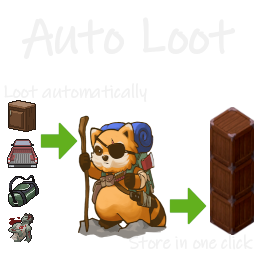
Auto Loot B41
76561198329871201 tarafından
With this mod looting is done automatically. With this mod store your loot in one click. So you are here ? Ah.. you're bored of spending your life looting dead corpses and searching through furnitures.. You've come to the right place. [h1]How to access your loot selection[/h1] You can (and should) change your configuration. You can access the [url=https://steamuserimages-a.akamaihd.net/ugc/2057630803899466981/643E966783EB19E0E92DF422ACA94F3A41838119/]configuration page[/url]: [list] [*]Whenever, by pressing the key selected under options >> key bindings tab >> UI >> Auto Loot Config (default key is NONE). [*]From Game, press escape >> select options >> select mods tab >> under Auto Loot part >> click on Change Configuration tick box. [*]From Main Menu, select options >> select mods tab >> under Auto Loot part >> click on Change Configuration tick box. [/list] [h1]How to modify your loot selection[/h1] On the configuration page, you have tools to help you change your configuration quickly: [list] [*]Filter on unique ID. [*]Filter on displayed name. [*]Filter on category through a combo box. [*]Filter on display category through a combo box. [*]Green and red buttons apply on current filter. [*]Double click on an item for individual selection. [/list] See [url=https://www.youtube.com/watch?v=sO-X6tShfdo]this video[/url] for a full exemple of the configuration interface. Alternatively -I do not recommend but- you can [url=https://steamuserimages-a.akamaihd.net/ugc/2057630803899449564/ACAB1C7FCBBC227CABC949AFDDBB8DBBD5E8A482/]add/remove an item type through contextual menu[/url]. [h1]Toggle ON / OFF[/h1] [list] [*]Toggle Auto Loot ON / OFF by pressing [url=https://steamuserimages-a.akamaihd.net/ugc/1849291364606231652/B7CD03834016D14FA528CD7BB615C8604FB0AB4B/]the text button on vanilla inventory window[/url]. [*]Toggle Auto Loot ON / OFF by pressing [url=https://steamuserimages-a.akamaihd.net/ugc/2057630803899374928/38F6812A99FF9307AE6993C389A670F48D74357E/]the key selected under options >> key bindings tab >> UI >> Auto Loot Toggle[/url] (default key is NONE). [/list] [h1]How to store your loot ?[/h1] This functionnality is an evolution of the great mod [url=https://steamcommunity.com/sharedfiles/filedetails/?id=966221273]SmartStack[/url]. By clicking on [url=https://steamuserimages-a.akamaihd.net/ugc/1849291364606231652/B7CD03834016D14FA528CD7BB615C8604FB0AB4B/]Store All[/url] icon/button, all items that are not equipped or favorite will be spread onto any reachable container that already has an instance of the same item. [h1]Annex functions[/h1] [list] [*]ModOptions allows to tune the mod a lot. [*]Sandbox option Loot Mode allows select one single mod for the whole server. [*]Sandbox options allows to deactivate bag priority option (if you find the function useless and do not wanna clog your contextual menu). [*]Sandbox options allows to deactivate bag filter option (if you find the function useless and do not wanna clog your contextual menu). [*]Sandbox options allows to deactivate bag activation/inhibition option (if you find the function useless and do not wanna clog your contextual menu). [*]Sandbox options allows to deactivate item type add/remove option (if you find the function useless and do not wanna clog your contextual menu). [*]You can permanently inhibit Auto Loot on a furniture or vehicle [url=https://steamuserimages-a.akamaihd.net/ugc/1862815243314627821/F12AE1045C574D45A30720F4CC0E43EEFB369C20/]through a contextual "Inhibit/Activate" toggle[/url]. [*]Inventory tooltip is added to Item List (both for the vanilla Debug and for the Autoloot configuration). [*]Inventory icon of modded item is corrected in the Item List (for the Autoloot configuration). [*]Inventory weight overlap is corrected. [/list] [h1]You have questions ?[/h1] [list] [*]Works in solo and multiplayer. [*]Can be added / removed mid game. [*]The mod still works, it will be tagged obsolete otherwise. [*]Check the [url=https://youtu.be/sO-X6tShfdo]tutorial video[/url]. [*]Any other question should be answered in the [url=https://steamcommunity.com/workshop/filedetails/discussion/2577903374/2958293022033269881/]FAQ[/url]. [/list] [h1]Tips & Limitations[/h1] [list] [*]Keep default settings (except loot configuration) for a vanilla friendly experience. [*]Set [url=https://steamuserimages-a.akamaihd.net/ugc/1849291364606231652/B7CD03834016D14FA528CD7BB615C8604FB0AB4B/]Auto Loot OFF[/url] in order to not plunder your own carefully ordered base. [*]KeyRing has the highest priority: "1" and cannot be changed. [*]If you wanna use Necroforge mod without Necroforge breaking the Vanilla Item List, activate AutoLoot mod after Necroforge mod. Moveables are mostly deactivated. [*]In case of mismatch between client and server in multiplayer, [url=https://theindiestone.com/forums/index.php?/topic/42925-how-to-fix-updated-mods-in-build-41-multiplayer/]Follow the steps here[/url]. [/list] [h1]Credits[/h1] [list] [*][url=https://steamcommunity.com/profiles/76561198244423548/myworkshopfiles/]YingSuHuaKai[/url] for the tests and reports. [*][url=https://steamcommunity.com/profiles/76561198052308958/myworkshopfiles/?appid=108600]Snlon[/url] for [url=https://steamcommunity.com/sharedfiles/filedetails/?id=966221273]Smart Stack[/url]. [/list] That's it. Why are you still here ? What ? You also wanna loot burnt Zs before they are consumed with their precious loots while being chased by a horde of runners ? I guess if you play with runners I can give you a secret.. you can activate the Instant Loot mode through ModOptions.. but beware ease is a close friend of boredom. Workshop ID: 2577903374 Mod ID: AutoDrop

Spongie's Hairstyle Unlocker
76561198042060301 tarafından
[h1][b]Used to be called Spongie's Hair API[/b][/h1] [quote] [h1][b]SERVER OWNERS DELETE "steam/steamapps/content/108600/3041733782" AND THEN RESUBSCRIBE TO UPDATE THE MOD[/b][/h1] [h1]Supports B41 and B42[/h1] [h1][b]LOAD THIS MOD AFTER IMPROVED HAIR MENU OR IT WON'T WORK[/b][/h1] [/quote] [quote] [h1]Features[/h1] [list] [*][b]All hairstyles of the same length are available when cutting your hair[/b] [*][b]Modded hairstyles can require hair gel/spray and can be permanently flattened when wearing hats[/b] [*][b]Fixes a bug where hair growth is reset when tying and untying ponytail hairstyles[/b] [/list] [/quote] [url=https://github.com/LazySpongie/SpongieHairAPI]View on Github[/url] [url=https://ko-fi.com/lazyspongie]Support me on Ko-Fi[/url] Workshop ID: 3041733782 Mod ID: SpnHairAPI Mod ID: SpnHairAPI
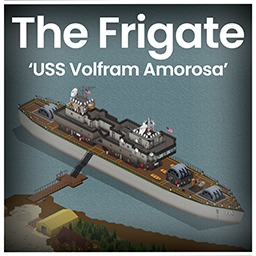
The Frigate (b41)
76561198016727334 tarafından
[b] Under the cover of night, the USS Volfram Amorosa docked along the Ohio River. It's mission: infiltrate, investigate, and unravel the chaos that besieges the land.[/b] [b] Please Read-[/b] [list] [*]Cell 41,21. No known conflicts. But I will add any to the description if they are found. [*]Situated between West Point and on the road up to Louisville. [*] Includes an in game map. [*] Includes Foraging. [*] Includes a spawn point. [*] Works in multiplayer. [*] The Frigate is worth visiting as it contains weapons and military items, though be careful... the tight corridors below the decks make it a hazardous place to visit. [/list] Recommended mod- [url=https://steamcommunity.com/sharedfiles/filedetails/?id=2907683021] [img] https://i.imgur.com/38f47JO.png [/img] [/url] Choose to spawn on the Frigate and then the Insurgent Profession for a great play through starting point. [quote]Thank you to all the tile makers, the mapping discord peoples and especially SimonMD who elevated this mod to the next level! Thank you also to Spoon for naming the Frigate! ----- This mod can only be added to and extended with the express permission from the original creator. Having received permission, credit must be given to the original creator, both within the files of the mod and wherever the mod roams online.If no permission is received you may not alter the mod, and it must be treated as a mod that is 'On Lockdown'. [/quote] [img]https://i.imgur.com/ki1CPZe.gif[/img] Workshop ID: 2991291149 Mod ID: The Frigate Map Folder: The Frigate
![Modern Status [B42]](https://images.steamusercontent.com/ugc/16028790699315887250/64B4180229567D8CBF83E3E41502BB9E64559CA2/)
Modern Status [B42]
76561199485575276 tarafından
[h2]Compatible with Project Zomboid B42.12.3–B42.19.0 (SP/MP)[/h2] [b]Modern Status[/b] is a flexible, highly customizable status HUD for [b]Project Zomboid[/b]. It turns character stats into clear circular indicators, horizontal/vertical bars, and compact matrix layouts, with detailed tooltips, presets, alarms, auto-hide, quick actions, and performance options. [b]Safe to enable or disable in new or existing saves.[/b] Modern Status is a UI/HUD mod: it reads your character status and displays indicators. It does not add items, traits, recipes, world data, or permanent save changes. [h2]Required Mod / Load Order[/h2] [list] [*][b]NeatUI Framework[/b] is required. [*]Place [b]NeatUI Framework[/b] above [b]Modern Status[/b] in the mod load order. [/list] [h2]Quick Guide / FAQ[/h2] For controls, presets, matrix setup, multiplayer, troubleshooting, and detailed setup help: [url=https://steamcommunity.com/workshop/filedetails/discussion/3451167732/837251071121396398/]Modern Status — Quick Guide / FAQ[/url] [h2]Main Features[/h2] [list] [*]Circular indicators, horizontal bars, vertical bars, and compact matrix layouts. [*]Individual indicators or shared matrix layouts. [*]Color and monochrome icon modes. [*]Optional values, thresholds, alarms, auto-hide, direction inversion, icons, names, and gradient colors. [*]Drag-and-drop positioning, multi-drag, locking, and grid snapping. [*]Dynamic matrix layout with optional [b]Fill Hidden Gaps[/b]. [*]Bundled presets and custom saved presets. [*][b]Modern Status Global Settings[/b] panel for global controls. [*]Quick [b]Modern Status[/b] submenu by right-clicking the Health / heart button on the left sidebar. [*]Configurable tooltips with contextual Detailed Info. [*]Optional vanilla moodle hiding. [*]Collapsible settings panels with title-bar navigation buttons. [*]Performance modes and per-indicator update intervals. [/list] [h2]Visual Styles[/h2] [img]https://i.imgur.com/G0PiBCB.png[/img] Move indicators freely, snap them to a grid, mix styles, or link them into a shared matrix for compact HUD layouts. [h2]Quick Access and Setup[/h2] Right-click the [b]Health / heart button[/b] on the left sidebar to open the [b]Modern Status[/b] submenu. From there you can quickly access: [list] [*][b]Global Settings[/b] [*][b]Presets[/b] [*][b]Multi Drag[/b] [*][b]Performance Mode[/b] [*][b]Hide Vanilla Moodles[/b] [/list] The old blue cog button can still be enabled from Mod Options, but it is disabled by default. A simple setup workflow: [list] [*]Open [b]Modern Status > Presets[/b] and load a bundled preset. [*]Open [b]Global Settings[/b] or [b]All Indicators[/b]. [*]Hide indicators you do not want. [*]Lock indicators you do not want to move by accident. [*]Move remaining indicators manually, with Multi Drag, or through the matrix. [*]Save your layout as a custom preset. [/list] [h2]Panels[/h2] [list] [*][b]Global Settings[/b]: presets, visibility, lock, grid, multi-drag, performance, tooltip options, and vanilla moodle hiding. [*][b]All Indicators[/b]: manage every indicator from one place. [*][b]Matrix Indicators[/b]: configure indicators linked to the shared matrix. [*][b]Independent Indicators[/b]: configure indicators outside the matrix. [*][b]Individual Bar / Circular panels[/b]: fine-tune one indicator at a time. [*][b]Presets panel[/b]: filter, load, overwrite, delete, and save presets. [/list] [h2]Matrix Layouts[/h2] Matrix mode lets several indicators share one compact layout. Indicators can be added to or released from the matrix individually. The [b]Fill Hidden Gaps[/b] option lets visible matrix indicators reflow when another indicator is hidden or auto-hidden, keeping order without leaving empty spaces. [h2]Tooltips, Quick Actions and Performance[/h2] Tooltips can show the indicator name, current value, thresholds, associated moodle, moodle title and description, and detailed contextual information. [img]https://i.imgur.com/dJm1Wax.png[/img] Some indicators support double-click actions: [list] [*]Drink for thirst. [*]Eat for hunger and nutrition. [*]Sit down for endurance. [*]Use vitamins, tea, coffee, medication, bandages, or painkillers when appropriate. [*]Open supported health/bandage actions from health-related indicators. [/list] Performance modes: [list] [*][b]Responsive[/b]: faster updates. [*][b]Balanced[/b]: default balance between responsiveness and performance. [*][b]Lightweight[/b]: slower updates for lower-end systems or heavy modlists. [*][b]Custom[/b]: used when individual update intervals are edited manually. [/list] [h2]Supported Main Indicators[/h2] [img]https://i.imgur.com/cSX0t4J.png[/img] [list] [*]Health, Bleeding, Bloodiness, Hunger, Thirst, Fatigue, Endurance [*]Stress, Panic, Boredom, Discomfort, Unhappiness, Anger [*]Drunkenness, Muscle Strain, Pain, Poison, Sickness [*]Wetness, Windchill, Temperature, Catch a Cold [*]Weight, Calories, Carbohydrates, Protein, Fat [*]Dirtiness, Carry Weight / Encumbrance [*]Medication duration: Antibiotics, Painkillers, Sleeping Pills, and Beta Blockers combined into one rotating indicator [*]Noxious Smell / Noxious Exposure [/list] [h2]Supported Mod Integrations[/h2] [list] [*][b]Wash or Rot / Wash or Rot SP/MP:[/b] Grime [*][b]LifeStyle: Hobbies:[/b] Hygiene Need, Bladder Need [*][b]Take A Bath And Shower:[/b] Body Grime [*][b]Excrementum:[/b] Stomach, Colon, Urine, Smell, Shame [*][b]Nature’s Call:[/b] Bladder, Bowel, Gut Health, Soilage, Digestive Effects [/list] [h2]Moodle Compatibility[/h2] Optional [b]Hide Vanilla Moodles[/b] support is included for vanilla right-side moodles. Some modded moodle systems may also be affected if they use compatible or replacement moodle UI systems. [h2]Recent Highlights[/h2] [list] [*]Added the new [b]Modern Status Global Settings[/b] panel. [*]Added quick Modern Status submenu on the Health / heart button. [*]Added Nature’s Call support. [*]Added Bloodiness and Windchill indicators. [*]Improved bundled presets and compact layouts. [*]Improved All Indicators panel with more bulk controls. [*]Improved panel collapse/pin behavior and title-bar navigation. [*]Expanded and reviewed translations for supported languages. [/list] [h2]Supported Languages[/h2] EN, CH, CN, DA, DE, ES, FR, HU, IT, JP, KO, NL, PL, PT, PTBR, RU, TH, TR, UA [h2]Troubleshooting[/h2] If indicators do not appear correctly, are misplaced, or end up outside the screen, close the game and delete: [code]C:\Users[your user name]\Zomboid\Lua\ModernStatusConfig.lua[/code] If necessary, also delete: [code]C:\Users[your user name]\Zomboid\Lua\ModernStatusPresets.lua[/code] [h2]Credits[/h2] [list] [*][b]Original mod by Rocco[/b]: [url=https://steamcommunity.com/profiles/76561199485575276/myworkshopfiles/?appid=108600]PZ Workshop Items[/url] [*][b]Build 42 maintenance, compatibility updates, translation integration, and continued development by Afyrmo[/b]: [url=https://steamcommunity.com/profiles/76561199133259679/myworkshopfiles/?appid=108600]PZ Workshop Items[/url] [/list] [hr] If you enjoy the mod and want to support it, buying me a coffee would be appreciated — but above all, enjoy your game! [url=https://afdian.com/a/23754956rocco][img]https://i.imgur.com/WLIHcQs.jpeg[/img][/url] [quote]About permission You are free to extract and use any content from this mod without asking for permission. If you want to republish this mod, you need to follow these rules: 1. There must be substantial and important improvements. 2. If this mod has not been updated for a long time and has caused many issues, you may modify and republish it.[/quote] Workshop ID: 3451167732 Mod ID: ModernStatus
![Neat Crafting [B42]](https://images.steamusercontent.com/ugc/10063063783802541784/F475A666DDE8FE3341B9A224A9403EF02C7FAB6E/)
Neat Crafting [B42]
76561199485575276 tarafından
[h2]Build Support: B42.9 to B42.19.x — Build 42 only[/h2] [b]Neat Crafting[/b] replaces the default Build 42 crafting menu with a cleaner, faster, and more compact interface. It is designed to make recipe browsing easier, with clearer icons, better categories, cleaner input/output panels, useful recipe-chain navigation, and smoother handling of large modded recipe lists. [b]Dependency:[/b] [b]NeatUI Framework[/b] must be enabled and loaded [b]before[/b] [b]Neat Crafting[/b]. [h3]⚠️ Multiplayer / Server Saves[/h3] If you use this mod on an existing MP server, please read the [b]Multiplayer / Saves Note[/b] section below before removing or changing mods. Build 42 server saves may keep references to mods that were previously enabled. Always make a backup before changing the mod list on a save/server you want to keep. [hr] [h2]📦 Main Features[/h2] [list] [*] Cleaner and more compact crafting window [*] Improved category list with clearer icons [*] Better input and output item panels [*] Faster browsing through large recipe lists [*] Useful search shortcuts for recipe chains [*] Improved support for grouped and modded recipes [*] Optional transparent UI styling [*] SP / MP support on recent Build 42 versions [/list] [h2]📌 Recommended Load Order[/h2] [list] [*] NeatUI Framework [*] Neat Crafting [*] Neat Crafting addons, if any [/list] If [b]NeatUI Framework[/b] is missing or loaded after Neat Crafting, the UI may not open correctly. [h2]Optional Addon: XP & Mod Display[/h2] If you want recipe XP gain and source mod information in the recipe list, try: [url=https://steamcommunity.com/sharedfiles/filedetails/?id=3540503606][b]Neat Crafting & Neat Building – XP & Mod Display[/b][/url] It adds optional: [list] [*] XP gain lines [*] XP breakdown formats [*] Source mod lines [*] XP-only and Mod-only filters [/list] [h2]Build 42 Only[/h2] If the mod does not appear in your mod list, you are probably running Build 41. This mod requires [b]Project Zomboid Build 42[/b]. [b]Tested on:[/b] multiple Build 42 versions, including recent [b]42.19.x SP / MP Host / Dedicated[/b] setups. [hr] [h2]✨ Better Layout[/h2] [img]https://i.imgur.com/wLbT9k9.png[/img] Neat Crafting redesigns the default crafting panel so important information is easier to spot. The goal is not to overload the screen, but to reduce clutter and make crafting feel smoother. Highlights: [list] [*] More visual and recognizable icons [*] Cleaner recipe list layout [*] Less unnecessary text in the main panel [*] Better use of tooltips for long names and descriptions [*] Moderate transparency for a cleaner NeatUI-style look [/list] [h2]🗂️ Better Categorization[/h2] [img]https://i.imgur.com/7cwgO6O.png[/img] The category list stays compact to save screen space, while detailed category names appear on hover. Recent versions also improve translated category names across supported languages. For modders: [list] [*] Custom category icons can be added in [b]media/ui/CategoryIcon[/b] [*] A base PSD file is included for convenience [/list] [h2]🧰 Better Input / Output Panels[/h2] [img]https://i.imgur.com/ViQqEoO.png[/img] The input and output panels are simplified so recipe requirements and results are easier to understand. [list] [*] Kept items are shown clearly [*] Partially consumed items are marked clearly [*] Fully consumed items avoid extra visual noise [*] Kept items are shown first [*] Popup item lists help compare available and missing items [/list] [h2]🔎 Recipe Chain Navigation[/h2] Neat Crafting includes search shortcuts to help follow recipe chains. For example, if a recipe requires an item that can also be crafted, you can use the magnifying glass button in the item panel to search for recipes that produce that item. Output navigation is also supported: [list] [*] Output slots can be selected and highlighted [*] Possible output items can be shown in a dedicated panel [*] Output item search can help find recipes that require that output [/list] This is especially useful for survival-style crafting chains where one crafted item is needed for another recipe. [h2]⚙️ Performance Improvements[/h2] [img]https://i.imgur.com/ieAnMMg.png[/img] The crafting panel logic has been reworked so it updates only when needed. This helps reduce unnecessary UI work and can improve responsiveness, especially with large modded recipe lists. Feedback is welcome from players using large modpacks or lower-end PCs. [h2]🎮 Gamepad / Controller Support[/h2] Neat Crafting is currently designed mainly for mouse and keyboard. Controller support is not fully implemented yet. It may be improved in the future, especially as Build 42 controller support continues to change. [h2]🧩 Mod Compatibility[/h2] [b]Compatible:[/b] [list] [*] Craft and Build Category Translate [B42] [*] The Shortcut [/list] [b]Known incompatible:[/b] [list] [*] what can i craft [*] what can i craft addon [/list] Other mods that directly modify the vanilla crafting panel usually should not affect Neat Crafting, but mods that add unusual or broken recipes may still cause issues. If you find a problem, please report it with: [list] [*] Project Zomboid version [*] SP / MP mode [*] Mod list and load order [*] Steps to reproduce [*] Relevant part of [b]console.txt[/b] [/list] [h2]⚠️ Multiplayer / Saves Note[/h2] In Build 42 multiplayer, some mods may register [b]WorldDictionary[/b] entries. If a world was saved with certain mods enabled and they are later removed, that save may fail to load. [b]Rule of thumb:[/b] [list] [*] If a world/server has used [b]Neat Crafting[/b], avoid removing it unless you have a backup [*] Always make a full backup before changing the mod list on a save/server you want to keep [/list] In single player, removing Neat Crafting is usually safer, but making a backup is still recommended. [h3]Safe Uninstall Support[/h3] If an old save/server no longer loads after removing Neat Crafting and shows a missing Neat Crafting / WorldDictionary entry, you may need: [b][url=https://steamcommunity.com/sharedfiles/filedetails/?id=3739088343][b]Neat Crafting – Safe Uninstall Support[/b][/url][/b] This is a small support mod for saves/servers that removed Neat Crafting. It is not the full crafting UI and should not be enabled together with the main Neat Crafting mod. [h2]🔄 How to Force a Workshop Update[/h2] [list] [*] Close Project Zomboid completely [*] Unsubscribe from this mod [*] Wait until Steam finishes removing it [*] Subscribe again and wait for the download to finish [*] Launch the game [/list] If something still seems outdated after a Project Zomboid update, you can also verify game files: [code]Steam Library → right-click Project Zomboid → Properties → Installed Files → Verify integrity of game files[/code] [h2]Credits[/h2] [list] [*] Original mod by [b]Rocco[/b]: [url=https://steamcommunity.com/profiles/76561199485575276/myworkshopfiles/?appid=108600]PZ Workshop Items[/url] [*] Maintenance, compatibility updates, and newer improvements by [b]Afyrmo[/b]: [url=https://steamcommunity.com/profiles/76561199133259679/myworkshopfiles/?appid=108600]PZ Workshop Items[/url] [/list] This Workshop item is shared with credit to [b]Rocco[/b], the original creator of Neat Crafting. [quote]About permission You are free to extract and use any content from this mod without asking for permission. If you want to republish this mod, you need to follow these rules: 1. There must be substantial and important improvements. 2. If this mod has not been updated for a long time and has caused many issues, you may modify and republish it.[/quote] Workshop ID: 3502080466 Mod ID: Neat_Crafting
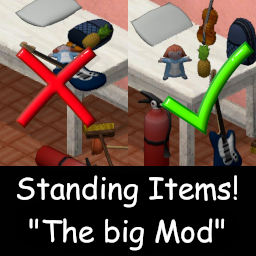
Standing Items 1.15 : Polished erection (of items)
76561198012414034 tarafından
[h1]ABOUT BUILD 42[/h1] The latest B42 update made this mod obsolete - it added a full 3D rotation option for items on the ground. So an update to B42 is no longer nescessary, thus a great era comes to an end. It was an honor for me helping you all with your erections in the past. And I am thankful for all the great feedback I got on this silly little mod of mine :-) Much love and keep bashing zombies! [h1]As often requested, here it is: The one mod to erect them all![/h1] Makes items stand up. A lot of items in PZ are displayed laying down: Fireextinguishers, brooms, guitars and rakes, to name just a few. This mod rotates their models, so they stand properly. Currently effects over 50 items. Also angles pillows. [h3] [b]Version 1.15[/b] features quite some polishing, to make the mod feel more "vanilla": It now is translated into all languages. I also added the correct fixing recipes, so that standing and lying items alike can be fixed. And the biggest quality of life feature this update: The recipes to erect/knock over items dont clog the crafting menu any longer![/h3] Previous updates: [h3] Version 1.1 features the option many of you asked for: You can now freely knock over and erect standing items as you desire![/h3] If you happen to find more items, that need to stand up for themselves, [b]let me know![/b] The mop is already underway - but it actually needs its own, handcrafted model and texture to look realistic. Works in Single- and Multiplayer, savegame compatible. There are no known conflicts - not even with the smaller Standing Items mods. If conflicts appear, let me know. Workshop ID: 3175484316 Mod ID: StaIte
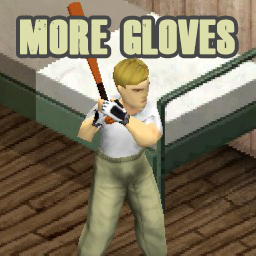
More Gloves
76561198882370092 tarafından
[h1][b]More Gloves!![/b][/h1] [hr][/hr] Have you ever wanted more customization for your dream character? The apocalypse won't be easy if you don't have the right pair of gloves This mod adds up to 16 whole new options with different stats, designed for different roles and occupations. Have you ever want to be real construction worker? an electrician? a bodybuilder? a pro fighter? [hr][/hr] [hr][/hr] [h3]PLUS:[/h3] [b]3 improvised and craftable hand wrappings made of ripped sheets, denim and leather strips[/b] Avaliable in: [list] [*]Spanish [*]French [*]English [*]Português / BR [*]Polski [*]Russian [*]Chinese [/list] [b]More to come! Any feedback is welcomed, might also take suggestions.[/b] [hr][/hr] [b]Models created by: darlak97[/b] [img]https://i.imgur.com/tHHouZ9.png[/img] Feel free to donate if you liked this content and want to support me https://ko-fi.com/simsimix ID workshop: 2945060824
Radio Hangul Translation
76561198322403990 tarafından
[b]This is a radio Hangul(Korean) translation mode.[/b] [b]이건 프로젝트 좀보이드 라디오 100% 한국어 패치 모드 입니다.[/b] English + Japanese + Reinterpretation 원문 + 일본어 + 재해석 으로 이루워져 있습니다. It may be very different from the original. I'm using a translator. I'm sorry about this. 번역 진행중 맞춤범 검사를 돌리지 않아, 오타 문제가 많을 수 있으며 재해석으로 인해 원문과 매우 다를 수 있습니다. 가능한 원문의 뜻을 최대한 담고 싶었지만 정말 죄송하게 생각합니다. If you have a problem, feel free to tell me. Have a good day, Thank you. 모드 문제의 경우 언제든지 문의를 남겨주시면 감사하겠습니다. 즐거운 프로젝트 좀보이드 되시길 -------------------------------------------------------------------------------------------- caution : This mode is not a translation of TV, radio, or add-mode. 주의 : 이 모드는 TV, 라디오 추가 모드 번역이 아닙니다. [포함되어있지 않습니다.] This mode translates the broadcasts in the game into Korean. (*No additional radio or TV broadcast) 이 모드는 프로젝트 좀보이드 게임 내에 있는 (별도 라디오, TV 추가 모드가 없는 오리지널 방송) "공식 라디오 방송만"을 한국어로 번역해주는 모드입니다. -------------------------------------------------------------------------------------------- 1. [b]The existing radio Hangul mode Not compatible.[/b] 1. [b]기존에 있는 라디오 한글 모드와 호환이 되지 않음[/b] 2.[b]Only one hangul radio mode is compatible.[/b] 2. [b]오직 하나의 라디오 한글 모드만이 호환이 됩니다.[/b] 3. [b]If you are using another radio Korean mode, please disable it.[/b] 3. [b]다른 라디오 한글 모드를 사용하는 경우, 둘 중 하나를 비활성화 해주세요.[/b] 4.Compatible with all radio add modes. (*TV Included) 4.모든 라디오 추가 모드와 호환이 됩니다. (*TV 포함) 5.The tested modes are as follows. 테스트한 모드는 다음과 같습니다. [url=https://steamcommunity.com/sharedfiles/filedetails/?id=2017654378] Survivor Radio V2.13 [MUSIC!] [/url] ,[url=https://steamcommunity.com/sharedfiles/filedetails/?id=975088107] More Radio and TV [/url] The two modes are compatible at the same time as the Hangeul mode. TV, 라디오 추가 모드를 하나만 적용시킬 필요없이 두개 이상의 TV, 라디오 추가 모드들은 한글 모드와 적용이 가능합니다. *Some users may take some time to apply. (After the game starts, 10 seconds to 1 minute) *일부 유저는 TV, 라디오 추가 모드가 적용(채널 추가)되기까지 시간이 약간 걸릴 수 있음 (게임 시작 후, 10초 ~ 1분) -------------------------------------------------------------------------------------------- Workshop ID: 2111645536 Mod ID: OHKKK111
![[Reworked] Madax Weapon Pack - B42](https://images.steamusercontent.com/ugc/1859425501045589553/DF406D6CF64F9EBE492724C98966C774658233E5/)
[Reworked] Madax Weapon Pack - B42
76561198074154615 tarafından
Greetings Survivors! I present to you the [Reworked] Madax Weapon Pack. What is different from the original you may ask? Well let me tell you just a few things! 1. Items are distributed into the loot tables, I tried to keep them as logical as possible. You will find more tools in a hardware store, more baseball bats in a sporting goods store, and so on... 2. There has been additional repair options for every item in the pack. If the vanilla counterpart of the item is repairable with something, so is the modpack item. 3. I attempted to add the context menu functions of each item relative to their vanilla counterpart... Axes chop, Machetes cut, Sledgehammers sledge.... This functionality has come and gone with updates but in my most recent testing it was working as intended. 4. Combined both the orignal Madax Weapon Pack and Madax's more recent weapon pack. ***Some repairs will need you to use the crafting menu due to changes in fixing scripts*** As always credit to Madax for creating an absolutely awesome original modpack and helping me get involved with the PZ community. If you have any constructive feedback feel free to let me know as I will be trying to have a more active role in updates and improvements to the modpack with whatever can be done. DISCLAIMER - If you come to this page to complain like an entitled *** in the comments I will ignore you. Workshop ID: 2732407704 Mod ID: MWPWeapons

Ammo Maker
76561198031783736 tarafından
Ammo Maker adds raw materials and processes to produce gunpowder and ammo from scratch. It focusses on the seamless integration with the base game and gun mods and covers 59 different calibres. It can be added to existing single- and multiplayer worlds and emphasises natural progression with unique assets and processes. [h2]DISCORD SERVER[/h2] [list] [*]Full wiki for B41 and B42 [*]Notifications on updates [*]Planned features [*]Bug reports [*]Over 1,000 community members [/list] [url=https://discord.gg/GatzBH78Rj][img]https://images.steamusercontent.com/ugc/12168809508413269752/E6E49956ADC9B392EDF0DC48F028AA8AD1A267F4/[/img][/url] [h2]FEATURES B42[/h2] [h3]Gunpowder[/h3] [list] [*]Make base game gunpowder from nitre, sulfur and charcoal powder [*]Collect bird excrement for nitre production with custom search focus in foraging mode [*]Use base game chicken or turkey droppings for nitre production [*]Custom gunpowder grains unit to represent accurate amounts of gunpowder per calibre [/list] [h3]Ammo[/h3] [list] [*]Make ammo from casings, bullets and gunpowder grains [*]Disassemble ammo to gather individual components [*]Size class system to allow using the same ammo components for similar calibres [*]Centralised ammo definitions for 59 calibres [/list] [h3]Casings[/h3] [list] [*]Dropping casings when firing regular firearms [*]Returning casings when re- or unloading break action firearms and revolvers [*]Re-use dropped and returned casings for ammo production [*]Randomly returning old casings to simulate wear [*]Collect old casings with custom search focus in foraging mode [/list] [h3]Components[/h3] [list] [*]Cast bullets with base game furnaces and sand mold [*]Recycle brass from unused casings or base game items like doorknobs [*]Produce brass sheet with any of the base game forges [*]Produce casings from brass sheet with simple or advanced forges [*]Pack up ammo components into boxes or bags of 25 pieces [*]Produce grenade projectiles with simple or advanced forges [*]Make armour piercing and sub sonic bullets for gun mods that support it [*]Find ammo components as regular loot in suitable locations across the map [/list] [h3]Tools and Entities[/h3] [list] [*]Bird feeders to convert excess seeds from farming into bird excrement [*]Gunpowder scale to convert base game gunpowder into grains and vice versa [*]Reusable sand mold to cast bullets with any of the base game furnaces [*]Brass catchers to capture ejected casings directly when firing regular firearms [*]Polishing compound to refurbish old casings for ammo production [*]Reloading press for bulk ammo production made with simple or advanced forges [/list] [h3]Systems[/h3] [list] [*]Dynamic recipe and loot management dependent on active calibres [*]Item clean-up system to remove dropped casings from world after pre-defined time [*]Sandbox options to customise many aspects of the mod to your needs [*]Custom spent round counter for all break action firearms and revolvers [*]In-position type updater for permanently placed world items like sand molds [/list] [h3]API[/h3] [list] [*]Allows gun mods to map custom ammo items to Ammo Maker ammo types [*]Definition of extra drop items when firing specific guns [*]Added definitions dynamically adjust all relevant systems [*]Templates with full description in: [i]…\AmmoMaker\api\42.15+\ammomaker_apiTables.lua[/i] [/list] [h2]COMPATIBILITY B42[/h2] [h3]Gun Mods[/h3] [list] [*][url=https://steamcommunity.com/sharedfiles/filedetails/?id=2256623447]Firearms[/url] [*][url=https://steamcommunity.com/sharedfiles/filedetails/?id=3183820077]Guns of 93 Test Build[/url] [*][url=https://steamcommunity.com/sharedfiles/filedetails/?id=3722134990]Guns of Marz[/url] [*][url=https://steamcommunity.com/sharedfiles/filedetails/?id=3238830225]Real Firearms[/url] [*][url=https://steamcommunity.com/sharedfiles/filedetails/?id=3243805556]Totally's NATO and Commonwealth Firearms[/url] [*][url=https://steamcommunity.com/sharedfiles/filedetails/?id=2961450523]Totally's Eastern Bloc Firearms[/url] [*][url=https://steamcommunity.com/sharedfiles/filedetails/?id=3017885370]Totally's American Firearms[/url] [*][url=https://steamcommunity.com/sharedfiles/filedetails/?id=3095278472]Totally's Historical Firearms[/url] [*][url=https://steamcommunity.com/sharedfiles/filedetails/?id=3611718925]VFExpansion Redux B42[/url] [/list] [h3]Casing Mods[/h3] [list] [*][url=https://steamcommunity.com/sharedfiles/filedetails/?id=3610677934]Hot Brass Visible Casing Ejection Framework[/url] [/list] [h3]UI Mods[/h3] [list] [*][url=https://steamcommunity.com/sharedfiles/filedetails/?id=3400854913]Accessible Containers[/url] [*][url=https://steamcommunity.com/sharedfiles/filedetails/?id=3437629766]Clean UI[/url] [*][url=https://steamcommunity.com/sharedfiles/filedetails/?id=2901962885]Reorder Containers[/url] [/list] [h2]SUPPORT US[/h2] If you enjoy Ammo Maker please [b]like[/b] 👍 and [b]favourite[/b] 🌟 We really appreciate your support for our community projects 💖 [list] [*][url=https://njb.design/store/products/ammomaker_birdfeeder_modelkit]Checkout the unique 1:20 Bird Feeder model kit[/url] [*][url=https://njb.design/store/products/ammomaker_sticker]Get Ammo Maker stickers in silver and black[/url] [*][url=https://www.paypal.com/ncp/payment/B25MW3LUV22PN]Donate via PayPal[/url] [*][url=https://store.steampowered.com/app/1527080/]Get XTHRUST on Steam[/url] [/list] [quote][h3]Ask for permission[/h3] This mod can only be added to and extended with the express permission from the original creator. If no permission is received you may not alter the mod, and it must be treated as a mod that is 'On Lockdown'. You are not allowed to repack this mod under any circumstances, ever. [url=https://theindiestone.com/forums/index.php?/topic/2530-mod-permissions/#comment-36478]Official disclaimer...[/url] All rights reserved.[/quote] Workshop ID: 2788256295 Mod ID: ammomaker
Easy Spare Magazine Reload
76561198037641428 tarafından
Adds the ability to load bullets into a spare magazine for whichever gun you currently have equipped with a single configurable keyboard input. By default the 'y' key is used, but it is configurable in the Options menu on the Key Bindings tab. Tested with vanilla firearms, as well as Brita's Weapon Pack. This mod is modeled after the vanilla firearms radial menu entry, so any firearms mod that uses the vanilla firearms radial menu entry for reloading spare magazines should work. If any incompatible firearm mods are found, please let me know in the comments so that I can look into it. Written for and tested in Project Zomboid version 41.53. Any earlier versions are untested. Thank you to RoyaleWithCheeseTV's Twitch stream chat for the idea and inspiration. Workshop ID: 2590662055 Mod ID: EasySpareMagazineReload
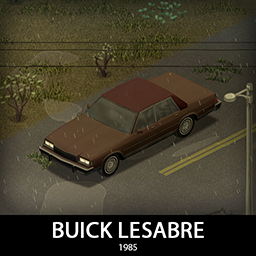
'85 Buick LeSabre
76561198089039119 tarafından
Even more GM b-bodies you say? Let's continue this epic series with Buick LeSabre, another classic full size sedan. It comes with multiple tire options, roof vinyls, metal and wooden armor and a set of parts that will be shared with other b-body cars. Now with coupes and wagons too! [b]Main features:[/b] [list] [*]Two tiered armor protection, wood and metal sets [*]Fully animated hood, trunk, doors and windows [*]Visible interior and character (with improved exit/enter/aim animations) [*]All parts have 3d objects you can remove and place in the world [*]Extra parts to craft and find in the world to make the vehicle truly yours (bumpers, bullbar, window armor, roofrack, vinyl roof covers etc) [*]Multiple texture variations [*]Armor protection for windows, doors, engine, headlights etc [*]4 seats [/list] [b][list] [*]You can use it in your current save game, just enable the mod in the load menu [*]It can tow and be towed [*]Not recolorable [/list][/b] If you can't wait to find this mod in your game and want to test it right away, use [url=https://steamcommunity.com/sharedfiles/filedetails/?id=2634426926]bikinitools[/url] to spawn it, hide the items that your character holds while in vehicle, or for all other good stuff that mod has, go get it! [b]If you like my mods, please consider supporting me with a coffee[/b], so I don't fall asleep while making new mods and supporting old ones :) [url=https://ko-fi.com/ki5mods][img]https://i.imgur.com/2uTskWl.png[/img][/url] Check out my vehicle mods: [url=https://steamcommunity.com/sharedfiles/filedetails/?id=2490220997][img]https://i.imgur.com/1C4iQ6U.png[/img][/url] [b]Credits:[/b] [list] [*]This mod is commission work by request of Gkmatt [*]Thanks to The Indie Stone for making this awesome game and all this possible. [*]Special thanks to bikinihorst for the huge help with code, optimization, and taking care of the multiplayer and part code.[/list] [quote=KI5] Ask for permission This mod can only be added to and extended with the express permission from the original creator. If no permission is received you may not alter the mod, and it must be treated as a mod that is 'On Lockdown'. You are not allowed to repack this mod under any circumstances, ever. [/quote] [b]Compatibility:[/b] ✅ B41 (b41.78.16) Single Player / Multiplayer fully supported ✅ B42 (b42.12) Single Player fully supported ✅ B42 (b42.13) Single Player / Multiplayer fully supported Vehicle IDs: 85buickLeSabreSedan, 85buickLeSabreCoupe, 85buickLeSabreWagon, 85buickLeSabreWagon2 Workshop ID: 3418252689 Mod ID: 85buickLeSabre
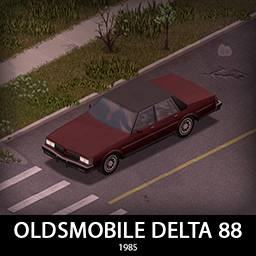
'85 Oldsmobile Delta 88
76561198089039119 tarafından
Time to finish the GM b-body series strong with Oldsmobile Delta 88! If i had to choose only one, i would go for this one, so i left it for the end of this series. It comes with multiple tire options, roof vinyls, metal and wooden armor and a set of parts that will be shared with other b-body cars. Now with coupes and wagons too! [b]Main features:[/b] [list] [*]Two tiered armor protection, wood and metal sets [*]Fully animated hood, trunk, doors and windows [*]Visible interior and character (with improved exit/enter/aim animations) [*]All parts have 3d objects you can remove and place in the world [*]Extra parts to craft and find in the world to make the vehicle truly yours (bumpers, bullbar, window armor, roofrack, vinyl roof covers etc) [*]Multiple texture variations [*]Armor protection for windows, doors, engine, headlights etc [*]4 seats [/list] [b][list] [*]You can use it in your current save game, just enable the mod in the load menu [*]It can tow and be towed [*]Not recolorable [/list][/b] If you can't wait to find this mod in your game and want to test it right away, use [url=https://steamcommunity.com/sharedfiles/filedetails/?id=2634426926]bikinitools[/url] to spawn it, hide the items that your character holds while in vehicle, or for all other good stuff that mod has, go get it! [b]If you like my mods, please consider supporting me with a coffee[/b], so I don't fall asleep while making new mods and supporting old ones :) [url=https://ko-fi.com/ki5mods][img]https://i.imgur.com/2uTskWl.png[/img][/url] Check out my vehicle mods: [url=https://steamcommunity.com/sharedfiles/filedetails/?id=2490220997][img]https://i.imgur.com/1C4iQ6U.png[/img][/url] [b]Credits:[/b] [list] [*]This mod is commission work by request of Gkmatt [*]Thanks to The Indie Stone for making this awesome game and all this possible. [*]Special thanks to bikinihorst for the huge help with code, optimization, and taking care of the multiplayer and part code.[/list] [quote=KI5] Ask for permission This mod can only be added to and extended with the express permission from the original creator. If no permission is received you may not alter the mod, and it must be treated as a mod that is 'On Lockdown'. You are not allowed to repack this mod under any circumstances, ever. [/quote] [b]Compatibility:[/b] ✅ B41 (b41.78.16) Single Player / Multiplayer fully supported ✅ B42 (b42.12) Single Player fully supported ✅ B42 (b42.13) Single Player / Multiplayer fully supported Vehicle IDs: 85oldsmobileDelta88Sedan, 85oldsmobileDelta88Coupe, 85oldsmobileDelta88Wagon, 85oldsmobileDelta88Wagon2 Workshop ID: 3418253716 Mod ID: 85oldsmobileDelta88
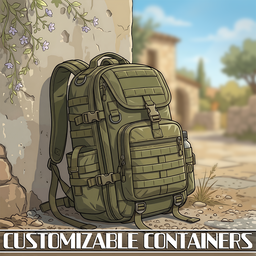
Customizable Containers
76561198083574461 tarafından
Independently tweak [b]Weight Reduction[/b], [b]Capacity[/b], and [b]Weight[/b], all through sandbox options. Supports [b]150+ mods[/b] with tons of settings to fine-tune your experience. Also adds highly customizable container labels, as well as Upgrade Kits for world containers with wide ranging capacities! [url=https://steamcommunity.com/workshop/filedetails/discussion/2719850086/3192490350118718571/][img]https://i.imgur.com/6oqoLQ2.png[/img][/url] [code][pullquote]𝗦𝘂𝗽𝗽𝗼𝗿𝘁𝗲𝗱 𝗩𝗲𝗿𝘀𝗶𝗼𝗻𝘀: 41.78.19 [i]/[/i] 42.19.0 UNSTABLE[/pullquote] [img]https://i.imgur.com/dMICiM6.gif[/img][/code] [code][pullquote][i]𝗙𝗲𝗮𝘁𝘂𝗿𝗲𝘀[/i][/pullquote] [list] [*][b][url=https://steamcommunity.com/workshop/filedetails/discussion/2719850086/595136072544989442/]Bypass B42's Hard-coded Capacity[/url][/b] [*][b][url=https://imgur.com/a/wI7vwxY]Tiered High-Capacity Storage Containers[/url][/b] [*][b]Highly Customizable Container Labels[/b] [B42] [*][b]Respawnable Containers for Existing Saves[/b] [*][b]Options to Wear a Satchel with a Backpack and Fanny Pack(s)[/b] [*][b]Option to Wear a Chest Rig with Fanny Packs and a Satchel[/b] [B42] [*][b]Option to Wear Shoulderpads with a Backpack[/b] [B42] [*][b]Option to Craft a Fanny Pack[/b] [*][b]Option to be Able to Pick Up Heavy Backpacks[/b] [*][b]Option to Exercise With Gear Equipped[/b] [*][b]Customizable Static, Randomized and Percentage Options[/b] [*][b]Customizable Backpacks, Bags, Chest Rigs, Fanny Packs and Satchels[/b] [*][b]Customizable Vehicle Parts[/b] [*][b]Customizable Clothing[/b] [*][b][url=https://steamcommunity.com/workshop/filedetails/discussion/2719850086/3192490350117740257/]Many Presets and Options[/url][/b] [/list][/code] [url=https://steamcommunity.com/workshop/filedetails/discussion/2719850086/595136186401468713/][img]https://i.imgur.com/SqleLNz.png[/img][/url] Spiffo's watching you... [url=https://theindiestone.com/forums/index.php/topic/2530-mod-permissions/?p=36479][img] https://i.imgur.com/zSaiAl9.png[/img][/url] Workshop ID: 2719850086 Mod ID: CapacityLimitBypass Mod ID: CustomizableBackpacks
Mod destekli Project Zomboid sunucusu
Tüm modları panodan tek tıkla doğrudan yükleyin.
Project Zomboid sunucusu kirala