Garry's Mod 模组与插件
此目录列出来自 Steam Workshop 的 1,984,000+ 个 Garry's Mod 项目。条目可能需要在服务器端、客户端或两端安装,也可能包含地图或其他用户生成内容。安装前请检查链接的来源页面、游戏版本和依赖项。
PropHunt (Hide'n'Seek) - Original
作者:76561198055937905
Prop Hunt plays much like a Hide and Seek. Players on the RED team, disguised as props, are given a 30 second set up time to hide, and afterwards players on the BLUE team must find and kill them in the given time period. At the end of each round, teams are swapped: Hunters (BLUE) become the Hunted (RED) and vice versa. Respawns aren’t permitted until the end of each round. -Originally made for TF2 - PLEASE READ THIS - PLEASE READ THIS - PLEASE READ THIS - PLEASE READ THIS I still have issues supporting this H&S mod cause of my little free time, sorry! I'll do my best. They might not work correctly with this/other mod/s on the workshop or they also might not work at all, damage your PC, burn your house down with lemons or even kill your cat. (Yep, true story!) Known issues ATTENTION! the addons "Post Processing PLUS" and "Player Weld Tool" are incompatible and have conflicts with the "Prop Hunt" mod if you have the "Post Processing PLUS" and "Player Weld Tool" addons enabled you cannot play the Prop Hunt mod, to play Prop Hunt mod disable these addons. (Thanks to ALMAJ) F.A.Q. Q: How do I download/subscribe/get this? A: It's pretty easy, just press the BIG GREEN button, and automatically Steam will install this for you Q: I Subscribed to Prop Hunt, Why it doesn't show in the Steam Library? A: Actually It downloads automatically when you launch Garry's Mod, When it's finished downloading, You can chose the gamemode from there. Q: I read A1, But I still did not get the addon. A: Do you have Garry’s mod? If not, then purchase the game. Q: Why do I need Garry’s mod for Prop Hunt to work? A: Well, Actually Prop Hunt is a gamemode addon for Garry's Mod. Q: Do I need something else to play? A: This gamemode might require CS:S for some props/maps. Anyway if you bought GMOD with CS:S you're ready to go ;) Q: How do I disguise as a prop? A: You need to be in the "hiders" team, obviously. If so, place yourself in front of a prop and press 'E'. Q: How do I swap team? A: Just press 'F2' Q: How can I taunt? <-- MUST TRY! A: Just press 'F3' when in prop mode. Q: How do i lock where my prop is facing? A: Just press 'R' when looking at the direction you like when in prop mode. Q: I don't know how this works! A: Check out the discussion "Help for Newer Players." by "☾ ILikeStargates ٣٩٤#" Q: There are error symbols and purple-black checkerboard .-. A: Check out the discussion "Solution for error symbols and purple-black checkerboard." Q: How do I play the game? A: You need at least one player in each team (Props and Hunters). The props (initially with Dr. Kleiner's skin) need to choose a prop in the current map and press 'E' to disguise as it. The Hunters need to find and kill them by shooting suspicious objects. If a hunter shoots an enemy team component, he gains some life points, elseif it loses some. Q: How do I use the fretta map vote? A: Actually, it's still a beta in this mod, I'm trying to fix it. Now you can only manually select a map from server list. FOUND A BUG? FIRST TRY TO DISABLE ALL PLUGINS! Check out also the incompatible plugins in the known issues thread u.u Just fill this form: {COLLEGAMENTO RIMOSSO} - If you can, please give a log. WANT TO CONTRIBUTE? Help us to find to fix all bugs! Fork our Git repo: https://github.com/kowalski7cc/prophunt-hidenseek-original CREDITS: Credit goes to the original authors of the gamemodes and those who made Prop Hunt compatible with GMOD 13. Originally written and released by Darkimmortal on Team Fortress 2 (TF2) Originally ported to GMod: AMT First fix for GMod 13: LeleuDK Enhanced, fixed, and published: Kowalski7cc Various Contributors: MrLuckyGamer (FRETTA fix & Rotation Lock) Thanks also who help answering people on the page :D If you are the author or if you have credit, and you don’t to see this mod on the Workshop anymore... just contact me Tested on Windows, Mac and Ubuntu Linux. . DEPENDENCIES: THIS MOD COULD REQUIRE CS:S (For some maps / elements) LICENSE: This program is free software: you can redistribute it and/or modify it under the terms of the GNU Affero General Public License as published by the Free Software Foundation, either version 3 of the License, or (at your option) any later version. This program is distributed in the hope that it will be useful, but WITHOUT ANY WARRANTY; without even the implied warranty of MERCHANTABILITY or FITNESS FOR A PARTICULAR PURPOSE. See the GNU Affero General Public License for more details. You should have received a copy of the GNU Affero General Public License along with this program. If not, see http://www.gnu.org/licenses/.

Star Wars Lightsabers
作者:76561197996891752
Fully working Star Wars Lightsabers with a lot of customization options. DO NOT REUPLOAD OR OTHERWISE REDISTRIBUTE ANY FILES OF THIS ADDON - LUA FILES ARE SENT FROM YOUR SERVER AUTOMATICALLY AND OTHER CONTENT IS AUTOMATICALLY FORCED TO BE DOWNLOADED BY THE MOD Have a question? A bug to report? PLEASE MAKE SURE TO READ THE PINNED THREAD IN THE DISCUSSIONS BEFORE ASKING QUESTIONS OR REPORTING BUGS! I WILL NOT RESPOND TO QUESTIONS ANSWERED IN THE F.A.Q. THREAD! THANKS! Features - 9 Different hum/idle sounds - 3 Different swing sounds - 9 Different ignition sounds - 14 Different hilts - Hit & kill sounds - Custom crystal (Blade) colors - A SWEP and SENT Information / Usage This is both a weapon and an entity. You can customize your SWEP by spawning a desired lightsaber with the TOOL. Or, If you don't have the weapon, just spawn one and it will inherit customization values from the tool. Tool controls: • Left click - Spawn Entity • Right click - Spawn Weapon Weapon controls: • Mouse 1: Attack / Swing • Mouse 2: Use selected Force type • Reload: Toggle Lightsaber • Press F ( Your "toggle flashlight" key ) to toggle Force power selection • Press 1, 2, 3, 4, 5 or 6 to select Force power • If it says "<NOT BOUND>", bind a key to "Toggle Flashlight" and "Slot <1-6>" in your in-game Options menu ( Keyboard tab ). See this image: http://i.imgur.com/9MhWJcQ.png - For more information if you don't know how to read. Entity controls: • Use: Toggle Lightsabe You can visit the following link for more information including a list of console commands and information about modding this addon. https://github.com/robotboy655/gmod-lightsabers/wiki Known bugs • This Player Resizer addon breaks this mod, uninstall it if you want to use this mod. • Blades don't collide Legal informationALL SOUNDS ARE PROPERTY OF LUCASARTS / DISNEY. They took however some editing from me. Models are from Revan Dark Lightsaber Pack from Jedi Academy, ported by Mr. Charles. Materials fixed by me. DO NOT REUPLOAD OR OTHERWISE REDISTRIBUTE ANY FILES OF THIS ADDON - LUA FILES ARE SENT FROM YOUR SERVER AUTOMATICALLY AND OTHER CONTENT IS AUTOMATICALLY FORCED TO BE DOWNLOADED BY THE MOD
VJ Base
作者:76561198005642324
VJ Base, short for Vrej Base, was established in 2012 with the aim of assisting in the development of various addons. It is popularly used to create scripted NPCs, thanks to its highly customizable and sophisticated artificial intelligence systems. For an overview of its capabilities, please refer to the feature list. Version - 3.2.0 Change Log - Releases Page Source - GitHub Documentation - Wiki Supports all branches! (main, dev, prerelease, x64-bit) FEATURES Please note that this is only an overview and features may differ between mods! - Spawn & Settings Menu - Automatically adds NPCs, weapons, entities, etc to the VJ Base spawn menu - Includes a search bar for the spawn and settings menus! - Developers can add icons for different categories in the spawn menu! - Organized and easy-to-use spawn menu - Extensive customization menu for NPCs and weapons - Widely used clean up buttons! - Localization into multiple languages! - Report bugs or give suggestions in-game - Installed plugins tab that reads all installed VJ Base addons - Information and developer tab - NPC Bases - Creature and Human bases - Subbases: - Tank chassis and gunner bases - Flying, aquatic and stationary move types - NPC Features - Customization through the menu and console - Difficulty System (Ex: Easy, normal, etc. - Dozens of levels!) - Behavior System (Ex: Passive, aggressive, neutral, etc.) - Advanced melee, range and leap attack (Ex: Unlimited number of attacks!) - Realistic Hearing System (Ex: Loudness affects the distance, investigate sounds, etc.) - Realistic Environment Interactions (Ex: pushing certain props towards the enemy, throwing grenades back, opening doors, etc.) - Realistic Relationships with class system (Ex: Allies helping each other, player allies turning against the player, calling for help, etc.) - Realistic Reactions (Ex: Spotting grenades, following the player, etc.) - Dialogue system which allows it to speak to players & other NPCs, can create custom dialogue between different NPCs! - Player Reactions (Ex: Bleeding, slowing down, screen blur, etc.) - Sounds (Ex: Pitch, volume, anti-overlap, stops when dead, etc.) - Blood System (Ex: Color, decals, particles, pools, etc.) - Dismemberment System (Ex: Damage force, decals, particles, etc.) - Bodygroups and Skins (Ex: Skin color, clothing, etc.) - Dynamic cover system for humans, will hide behind objects or walls and use it as cover! - Guarding system, they will protect a given position and will never abandon it - Weapon inventory system for humans, will change weapons depending on the situation - Misc Animations (Ex: Flinch, death, scared, angry, etc.) - Custom move/key frame system including support for sequences! - Advanced task system which can fail & succeed and it can chain different tasks together! - Custom Corpses (Ex: Localized bone velocity, Editable corpse limit, blood pools, combine ball & super physgun support, etc.) - Some have rare drops (Ex: Grenade, health vial, etc.) - Notifications (Ex: "Blank no longer likes you!") - Supports servers with different tick rates! - Properties Menu (C menu) with bunch of useful options! - Support for Hammer including inputs/outputs, level transition (HL1 & 2 Campaign) - Full save and duplicator support - Weapon Features - NPC Controller - Includes first/third person & custom HUD! - Weapon translation system that comes built in for many popular animation sets, developers can define their own! - Adds weapons that can be used by NPCs and some by Players: - Blaster, K-3, Ak-47, Glock 17, M4A1, MP 40, Flare Gun, SMG1, SPAS-12, .357 Magnum, 9mm Pistol, AR2, RPG, Crossbow, SSG-08, Crowbar - Custom synchronization system between client and server, allowing for proper bullet spawn position for NPC weapons! - Weapons can effect an NPC's accuracy, firing distance and behavior! - All animations sets (combine, metrocop, rebel) can use all hold types! - Custom effects and particles - Secondary fire system for NPCs & players! - Melee weapon system for NPCs! - Firing gestures for NPCs! - Ability to give NPCs a custom firing pattern! - Misc animations(Ex: Idle) - Most weapons have a distant sound effect that gives a war-like feeling - Tools - NPC Spawner - NPC Property Modifier - NPC Mover - NPC Bullseye - NPC Equipment - No Target - Entity Scanner - Health Modifier - Miscellaneous Entities - Admin health kit - Grenade entity - Fireplace - Wooden board - Flare round - Flag - Player Spawnpoint - Aerial NPC - Test NPC - Player NPC HELP & SUPPORT - Incompatible Addons: Link - Not Downloading or updating? - Make sure VJ Base is enabled. - Restart Garry's Mod. - Steam services may be under heavy traffic, wait until later. - Verify game cache. - Reinstall by deleting the gma file manually. - Performance issues? - Decrease number of addons! - Enable multicore rendering! - Use x64-bit branch! - Models invisible? Many models require DirectX 9+, please stop using an old PC! Applying the command "mat_dxlevel 90" could help! CREDITS - DrVrej (Me) - Author - Cpt. Hazama - Various contributions, suggestions, testing - Darkborn - Suggestions, testing - Oteek - Blood pool textures, testing - Orion - Helped with the first build (2011-2012) - BOO342 - Original campfire model - China-Mandem - Original K-3 model - Crowbar Collective - Original gib models, blood pool texture, Glock-17 model - Valve - Various assets

M9K Assault Rifles
作者:76561197975940404
FIGHT FOR NET NEURTALITY! This addon was not designed for TTT. DarkRP works with minor changes to settings, such as default clips, weapon stripping. See the description for info on how to adjust these settings to fit your needs. Included in this addon: Ammo boxes which can explode if damaged. Selective Fire: Some weapons can now change between full automatic and semi automatic. Hold Use (default E) and hit Reload to select auto or semi-auto. Silencing (only available on select weapons): Hold Use (default E) and hit Alt Fire (default right click). Optional Empty Weapon Stripping: Weapons with no ammo left will be dropped. Use the console command M9KWeaponStrip. Weapon stripping is disabled by default, and shame on me for not doing it earlier. Optional Gas Effects when firing your weapon. Use the console command M9KGasEffect. If you are using an older computer or lag severely when firing, disable the effect. To disable gas effects for all users on your server, use the console command M9KClientGasDisable 1. You can re-enable gas effects for clients by using the console command M9KClientGasDisable 0. Optional Dynamic Recoil: Recoil now will push your aiming direction. You will notice your aim being pushed upward after each shot. Don't like it? Use the console command M9KdynamicRecoil. Optional Bullet Penetration: Disable the penetration and ricochet, as well as their effects. Use the console command M9KDisablePenetration. Optional Ammo Box Detonation: You can decide whether my ammo boxes go kaboom or not. Use the console command M9KAmmoDetonation.. Unique Weapon Slots: Use the console command M9KUniqueSlots if you would like to enable/disable unique slot numbers (and fast weapon switching) for each weapon. (And let me know if I missed one!) Customizable Damage Multiplier: Use the console command M9KDamageMultiplier to scale up (or down!) M9K bullet damage. Customizable Default Clips: Use the console command M9KDefaultClip to select how many default clips weapons will spawn with. This addon does require CSS for hand textures, but you can find a suitable replacement here on the workshop. Garry has also included low-res fallback textures, so you should be able to play without looking at checkerboard hands. Included are 19 weapons, listed and credited below. Assault Rifles ACR M4A1 M16A4 FN FAL AK-74 AK-47 SCAR-H Aug A3 AS Val Vikhr F2000 FAMAS L85 G3A3 M14 HK 416 G36C Winchester 1873 AMD-65( Animations ) AN-94 Special Thanks: Mr. F-kusu, White, Generic Default, Worshipper, and Clavus. Darkaaja, Faze Spoder ------------------------------------------------- The weapons in this addon do not support custom playermodel hands. I tried to implement this feature, but the models broke when I decompile them. ------------------------------------------------- I don't think I will be making any more weapons. However, the weapon base is now public, so you can make them yourselves! Visit this link to download the base, and follow the instructions to start making your own weapons. Download Bob's Base at Murderthon9000.com ------------------------------------------------- Any problems? If you're having any problems, you should take a look at my troubleshooting page here: View Troubleshooting at Murderthon9000.com ------------------------------------------------- Check out my Administration Addon for easy configuration! Murderthon 9000 Administration ------------------------------------------------- Download .GMA files for PC and Servers here at Murderthon9000.com http://murderthon9000.com/murderthon-9000-assault-rifles/ IF YOU HAVE NO SOUNDS AND HAVE A CONTENT PACK FOR A GAME YOU DON'T OWN, GET RID OF THE CONTENT PACK. JOIN THE BATTLE FOR NET NEUTRALITY! THE FUTURE OF THE INTERNET DEPENDS ON YOU!

M9K Heavy Weapons
作者:76561197975940404
FIGHT FOR NET NEURTALITY! This addon was not designed for TTT. DarkRP works with minor changes to settings, such as default clips, weapon stripping. See the description for info on how to adjust these settings to fit your needs. Included in this addon: Ammo boxes which can explode if damaged. Selective Fire: Some weapons can now change between full automatic and semi automatic. Hold Use (default E) and hit Reload to select auto or semi-auto. Optional Empty Weapon Stripping: Weapons with no ammo left will be dropped. Use the console command M9KWeaponStrip. Weapon stripping is disabled by default, and shame on me for not doing it earlier. Optional Gas Effects when firing your weapon. Use the console command M9KGasEffect. If you are using an older computer or lag severely when firing, disable the effect. To disable gas effects for all users on your server, use the console command M9KClientGasDisable 1. You can re-enable gas effects for clients by using the console command M9KClientGasDisable 0. Optional Dynamic Recoil: Recoil now will push your aiming direction. You will notice your aim being pushed upward after each shot. Don't like it? Use the console command M9KdynamicRecoil. Optional Bullet Penetration: Disable the penetration and ricochet, as well as their effects. Use the console command M9KDisablePenetration. Optional Ammo Box Detonation: You can decide whether my ammo boxes go kaboom or not. Use the console command M9KAmmoDetonation.. Unique Weapon Slots: Use the console command M9KUniqueSlots if you would like to enable/disable unique slot numbers (and fast weapon switching) for each weapon. (And let me know if I missed one!) Customizable Damage Multiplier: Use the console command M9KDamageMultiplier to scale up (or down!) M9K bullet damage. Customizable Default Clips: Use the console command M9KDefaultClip to select how many default clips weapons will spawn with. This addon does require CSS for hand textures, but you can find a suitable replacement here on the workshop. Garry has also included low-res fallback textures, so you should be able to play without looking at checkerboard hands. Included are 28 weapons, listed and credited below. MACHINE GUNS Ares Shrike M249 Light Machine Gun Minigun M60 M1918 BAR FG42 PKM SHOTGUNS 1887 Winchester 1897 Winchester trench shotgun Browning Auto 5 world model Double Barrel M3 Remington 870 USAS SPAS-12 Jackhammer animations Striker 12 SNIPER RIFLES Remington 7615P Dragunov SVU Thompson G2 Contender PSG-1 Accuracy International AW50 Barret M82 Barret M98B M24 Dragunov Intervention Sl8 animations SVT-40 Special Thanks: Mr. F-kusu, White, Generic Default, Worshipper, and Clavus. Darkaaja, Faze Spoder ------------------------------------------------- The weapons in this addon do not support custom playermodel hands. I tried to implement this feature, but the models broke when I decompile them. ------------------------------------------------- I don't think I will be making any more weapons. However, the weapon base is now public, so you can make them yourselves! Visit this link to download the base, and follow the instructions to start making your own weapons. Download Bob's Base at Murderthon9000.com ------------------------------------------------- Any problems? If you're having any problems, you should take a look at my troubleshooting page here: View Troubleshooting at Murderthon9000.com ------------------------------------------------- Check out my Administration Addon for easy configuration! Murderthon 9000 Administration ------------------------------------------------- Download .GMA files for PC and Servers here at Murderthon9000.com http://murderthon9000.com/murderthon-9000-heavy-weapons/ IF YOU HAVE NO SOUNDS AND HAVE A CONTENT PACK FOR A GAME YOU DON'T OWN, GET RID OF THE CONTENT PACK. JOIN THE BATTLE FOR NET NEUTRALITY! THE FUTURE OF THE INTERNET DEPENDS ON YOU!

M9K Small Arms pack
作者:76561197975940404
FIGHT FOR NET NEURTALITY! This addon was not designed for TTT. DarkRP works with minor changes to settings, such as default clips, weapon stripping. See the description for info on how to adjust these settings to fit your needs. Included in this addon: Ammo boxes which can explode if damaged. Selective Fire: Some weapons can now change between full automatic and semi automatic. Hold Use (default E) and hit Reload to select auto or semi-auto. Silencing (only available on select weapons): Hold Use (default E) and hit Alt Fire (default right click). Optional Empty Weapon Stripping: Weapons with no ammo left will be dropped. Use the console command M9KWeaponStrip. Weapon stripping is disabled by default, and shame on me for not doing it earlier. Optional Gas Effects when firing your weapon. Use the console command M9KGasEffect. If you are using an older computer or lag severely when firing, disable the effect. To disable gas effects for all users on your server, use the console command M9KClientGasDisable 1. You can re-enable gas effects for clients by using the console command M9KClientGasDisable 0. Optional Dynamic Recoil: Recoil now will push your aiming direction. You will notice your aim being pushed upward after each shot. Don't like it? Use the console command M9KdynamicRecoil. Optional Bullet Penetration: Disable the penetration and ricochet, as well as their effects. Use the console command M9KDisablePenetration. Optional Ammo Box Detonation: You can decide whether my ammo boxes go kaboom or not. Use the console command M9KAmmoDetonation.. Customizable Damage Multiplier: Use the console command M9KDamageMultiplier to scale up (or down!) M9K bullet damage. Customizable Default Clips: Use the console command M9KDefaultClip to select how many default clips weapons will spawn with. Included are 31 weapons, listed and credited below. PISTOLS Colt 1911 Glock 18 SIG Sauer P229R Desert Eagle HK USP HK45C P08 Luger Beretta M9 REVOLVERS Colt Python M29 Satan Model 3 Russian Model 500 Model 627 Raging Bull Remington 1858 SUBMACHINE GUNS USC MP5 MP5SD Magpul PDR AAC Honey Badger Bizon MP7 P90 Sten Tommy gun Uzi UMP45 KRISS Vector MP9 TEC-9 KAC PDW MP40 OTHER MODELS Scope used with Raging Bull EOTECH Model on KAC PDW Special Thanks: Mr. F-kusu, White, Generic Default, Worshipper, and Clavus. Darkaaja, Faze Spoder ------------------------------------------------- The weapons in this addon do not support custom playermodel hands. I tried to implement this feature, but the models broke when I decompile them. ------------------------------------------------- I don't think I will be making any more weapons. However, the weapon base is now public, so you can make them yourselves! Visit this link to download the base, and follow the instructions to start making your own weapons. Download Bob's Base at Murderthon9000.com ------------------------------------------------- Any problems? If you're having any problems, you should take a look at my troubleshooting page here: View Troubleshooting at Murderthon9000.com ------------------------------------------------- Check out my Administration Addon for easy configuration! Murderthon 9000 Administration ------------------------------------------------- Download .GMA files for PC and Servers here at Murderthon9000.com http://murderthon9000.com/murderthon-9000-small-arms/ IF YOU HAVE NO SOUNDS AND HAVE A CONTENT PACK FOR A GAME YOU DON'T OWN, GET RID OF THE CONTENT PACK. JOIN THE BATTLE FOR NET NEUTRALITY! THE FUTURE OF THE INTERNET DEPENDS ON YOU!
Murder
作者:76561197992890246
A gamemode of deception and murder, based off of Murder in the Dark. One person is a murderer with a knife, who is trying to secretly kill off the other players. The other players must use their wits to find out who it is and kill them first. Unfortunately they only have the one gun between them. Requires Counter Strike: Source, you must own it and have it installed. If you don't have the maps, textures or some models you most likely are missing CS:S. Official supported maps Currently the officially supported maps are - cs_office - de_chateau - cs_italy - clue - mu_nightmare_church - de_chateau - de_prodigy - dm_lockdown - housewithgardenv2 - de_forest Official supported custom maps http://steamcommunity.com/sharedfiles/filedetails/?id=247622320 Lagging? If you are lagging as murderer you can try turning off halos with mu_halo_knife 0 or mu_halo_render 0. If footsteps are lagging you, you can change how long they will last with mu_footstep_maxlifetime, the maximum is 30 seconds. https://github.com/MechanicalMind/murder

M9K Specialties
作者:76561197975940404
FIGHT FOR NET NEURTALITY! This addon was not designed for TTT. DarkRP works with minor changes to settings, such as default clips, weapon stripping. See the description for info on how to adjust these settings to fit your needs. Included in this addon: Ammo boxes which can explode if damaged. Selective Fire: Some weapons can now change between full automatic and semi automatic. Hold Use (default E) and hit Reload to select auto or semi-auto. Optional Empty Weapon Stripping: Weapons with no ammo left will be dropped. Use the console command M9KWeaponStrip. Weapon stripping is disabled by default, and shame on me for not doing it earlier. Optional Gas Effects when firing your weapon. Use the console command M9KGasEffect. If you are using an older computer or lag severely when firing, disable the effect. To disable gas effects for all users on your server, use the console command M9KClientGasDisable 1. You can re-enable gas effects for clients by using the console command M9KClientGasDisable 0. Optional Dynamic Recoil: Recoil now will push your aiming direction. You will notice your aim being pushed upward after each shot. Don't like it? Use the console command M9KdynamicRecoil. Optional Bullet Penetration: Disable the penetration and ricochet, as well as their effects. Use the console command M9KDisablePenetration. Optional Ammo Box Detonation: You can decide whether my ammo boxes go kaboom or not. Use the console command M9KAmmoDetonation.. Customizable Damage Multiplier: Use the console command M9KDamageMultiplier to scale up (or down!) M9K bullet damage. Customizable Default Clips: Use the console command M9KDefaultClip to select how many default clips weapons will spawn with. The Davy Crockett is the only weapon that has a different blacklist command. To disable the Davy Crockett, use the console command DavyCrockettAllowed. Nerve Gas uses explosions to deal damage. If you'd rather disable this and use POINT_HURT instead, use the console command M9KExplosiveNerveGas. Setting Davy Crockett to Admin Only: set the console variable DavyCrocketAdminOnly to 1 and reload the map. The weapon will only be spawnable for admins.The M9K Administration addon also has a convenient button for this setting. Setting Orbital Strike to Admin Only: set the console variable OrbitalStrikeAdminOnly to 1 and reload the map. The weapon will only be spawnable for admins. The M9K Administration addon also has a convenient button for this setting. Explosives M79 Grenade launcher (animations) EX41 China Lake | Model and textures by Kosai106 Milkor MGL IED (left click to drop IED, right click to detonate) Proximity mine Timed C4 (left click to set time, right click to plant. WARNING! If timer is set to zero, the bomb will detonate in your hands!) M61 fragmentation grenade (hold right click to throw gently) Sticky Grenade (hold right click to throw gently) Nitro Glycerine (with particle effects by Jellal Fernandes.) RPG-7 M202 Rocket Launcher MATADOR Davy Crockett (can be disabled by server admins with the concommand "DavyCrockettAllowed 0") Melee Damascus sword (hold right click to guard against other sword attacks) Fists (hold reload to guard against other punching attacks, taking much less damage.) Knife Machete Harpoon Other Nerve gas Orbital Strike Special Thanks: Mr. F-kusu, White, Generic Default, Worshipper, and Clavus. Darkaaja, Faze Spoder ------------------------------------------------- The weapons in this addon do not support custom playermodel hands. I tried to implement this feature, but the models broke when I decompile them. ------------------------------------------------- I've made the weapon base public, so now you can make weapons of your own! Download Bob's Base at Murderthon9000.com ------------------------------------------------- Any problems? If you're having any problems, you should take a look at my troubleshooting page here: View Troubleshooting at Murderthon9000.com ------------------------------------------------- Check out my Administration Addon for easy configuration! Murderthon 9000 Administration ------------------------------------------------- Download .GMA files for PC and Servers here at Murderthon9000.com http://murderthon9000.com/murderthon-9000-specialties/ IF YOU HAVE NO SOUNDS AND HAVE A CONTENT PACK FOR A GAME YOU DON'T OWN, GET RID OF THE CONTENT PACK. JOIN THE BATTLE FOR NET NEUTRALITY! THE FUTURE OF THE INTERNET DEPENDS ON YOU!

Nyan Gun
作者:76561197996891752
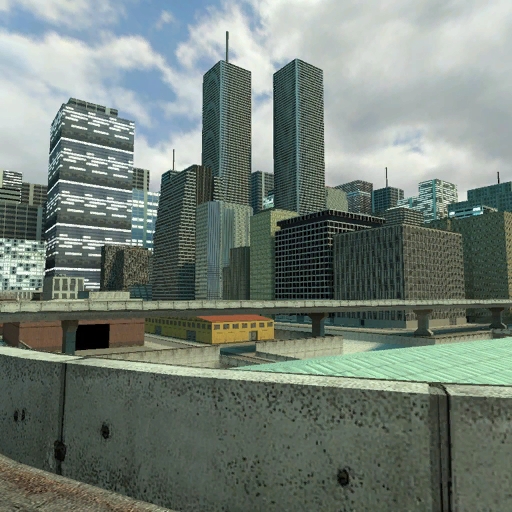
The Nyan Gun, the weapon of mass destruction and annoyance, updated! Now it plays the WHOLE song and you can shoot nyan cat bombs! To shoot Nyan Cat Bombs press RELOAD key. Do NOT reupload any modifications of this gun. The map on screenshots is ep2_outlands_03 from Half-Life 2: Episode 2.

WAC Aircraft
作者:76561197993195431
A collection of several aircraft (mostly helicopters) that can be flown with keyboard and mouse. Even more aircraft GitHub Q: How do I download? A: It's one of the green buttons. Q: After starting it goes crazy and crashes! A: Neurotec conflicts with WAC. Pick your poison. Q: It doesn't work! A: Garry's Mod has a Lua file limit of 2048. Disable all other addons and try again. If it works now, you'll have to choose which addons to keep :) Q: Why does the camera go crazy? A: You have an addon installed which overrides the camera when it shouldn't. Figure out which one it is and disable it. Q: What are the controls? A: Click "Options" in the top right corner of the spawn menu, there you should see a WAC Aircraft category. Q: How to make flying easier? A: Try Arcade Mode. Q: How to make them unbreakable? A: In the options (see above) is a checkbox called "No Damage" Q: How to use the joystick? A: There is a joystick module called gmcl_joystick for GMod 13 somewhere. You'll have to find it. Q: What is the Entity Linker/Seat Connector? A: You can link vehicles to the seat connector. After that you can switch between seats using number keys, like in helicopters.

The Ultimate Admin Gun Fixed
作者:76561197998673854
SPECIAL THANKS TO ROCKO FOR LETTING ME USE HIS SKIN! You guys asked for it back, well here it is This is an extremely OP admin weapon. fires every .05 seconds, 75 bullets per shot, and no recoil..... it's awesome. Right click spawns rapid fire explosions
Wiremod
作者:76561198096613988
A collection of entities connectable by data wires, which allows for the creation of advanced contraptions. This is the STABLE edition of wiremod, where updates progress much slower. If you need bleeding edge, use Wiremod Canary. Wiremod Landing Page: https://wiremod.com Discord: https://discord.gg/H8UKY3Y Github: https://github.com/wiremod Bug Reports/Suggestions: https://github.com/wiremod/wire/issues/new/choose Ultimate Guide to Fixing Wiremod: https://github.com/wiremod/Documentation/wiki/Ultimate-Guide-to-Fixing-Wiremod
![[simfphys] LUA Vehicles - Base – Garry's Mod Mod](https://images.steamusercontent.com/ugc/2351510342302423695/EA853ABB4B45333269D01D6A238A30A856F4F35E/)
[simfphys] LUA Vehicles - Base
作者:76561197995010235
simfphys is a vehicle entity script that is primarily aimed for four-wheeled-ground-vehicles. These vehicles can be edited ingame, thats cool i guess, but don't put all sliders on max and expect good handling lmao. included/supported vehicles (I do not take credit for any of these) - Master Chris's Vehicle Pack Addon is supported by this addon. If you have subscribed to it the Dodge Charger and Mad Max Interceptor will appear in the simfphys tab under "Base" - 2006 Alfa Romeo Brera from Need for Speed: Carbon ported by Red is supported and the car will appear under "Base" if you have subscribed to his addon - Synergy vehicles are included - a modified version of WinningRook's Dukes from GTA 5 is included - a modified version of Prewar HL2 Vehicles (Props) by -rusty- and Renafox is included Thanks to - SligWolf for scripting help and teaching me how to rig/animate in XSI. - Spacecode for scripting help. - Salza for playtesting, some model editing and mental support Links GitHub Discord No version or modification of this content is allowed to be uploaded to the workshop except under the account ID 76561197995010235
DrGBase | Nextbot Base
作者:76561198068425395
DrGBase is built on top of the default nextbot base to add stuff that you usually have to code yourself when creating a nextbot, such as AI behaviour or a relationship system. It also comes with a built-in possession system that allows you to quickly and easily add possession to any nextbot that is made on the base. It also fixes many bugs related to nextbots and adds behaviours that aren't available in the Lua API, such as climbing. Features: - Line of sight (if the nextbots don't detect you they won't attack you) - Nextbots react to sounds near them - Easy to setup possession system - Powerful relationship system - NPCs will react to the nextbot's presence (works without a bullseye!) - VJ Base and CPTBase compatibility - Weapon support - Works on maps with no navmesh - Ladder and ledge climbing - Lots and lots of helper functions Currently working on: - Rewriting the entire base - Optimisation (always) Q&A: Q: How to create a nextbot using this base? A: You can take a look at the wiki page of the base on Github, it features a template file to get you started: https://github.com/Dragoteryx/drgbase/wiki/Template-file However, making a nextbot still requires Lua knowledge, so if this is your first addon I'd suggest taking a look at the Gmod wiki first, and maybe trying to make a few simpler entities before making something more complex: https://wiki.garrysmod.com/page/Beginner_Tutorial_Intro If you have any questions relating to the base, I'll do my best to help you, however don't expect help from me for something that is not related to DrGBase. Q: How to possess a nextbot? A: If you are in Sandbox, you can use the possess property on the nextbot using the contextual menu. Just hover your mouse over the nextbot while holding C. You can also the Possession SWEP. Q: I've found a bug! A: Create a new issue on Github => https://github.com/Dragoteryx/drgbase/issues Credits: Dragoteryx: The code Roach: Bug testing and suggestions I think that's it.
Chuck's Weaponry 2.0
作者:76561197986690883
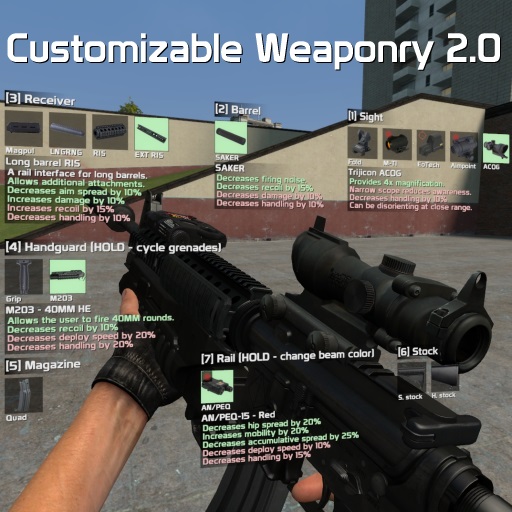
Check out 'Intravenous', a stealth/action game that I'm working on! Click here to open the base documentation. Features: - Dynamic recoil and accuracy - Custom viewmodel movement - Surface ricochet and penetration - Firemodes - Weapon holstering on weapon change - Optional free-aim - Inability to fire weapon when in water/climbing a ladder - Designed for both singleplayer and multiplayer - High weapon customization value - Ability to adjust position of sights - Weapon chambering - Optional blur effects when reloading/aiming/customizing - Ability to turn on simple telescopics and toggle the crosshair - Attachment preset system - Quick grenades - Very flexible, easy to use and modular plug-in system for developers - Heavy weapons slightly slow you down - Custom optional HUD elements for displaying health and ammo (Spawn Menu > Utilities > CW 2.0 > Client) Attachments: - Kobra, EoTech 553, Aimpoint, Micro T1, Trijicon ACOG, Trijicon RMR, Schmidt&Bender Shortdot, PSO-1, SG1 scope for G3, Nightforce NXS - PBS-1, SAKER, Tundra 9MM, Cobra M2 - AN/PEQ-15, Insight X2 LAM - Varying length barrels for weapons - Various handguards and stocks for weapons - Varying capacity magazines - M203 (underslung 40MM barrel) - Foregrip - Various attachments unique for specific weapons Ammo types: - Slug rounds and flechette rounds for shotguns - Magnum and match grade rounds for other weapons Weapons in this pack: AK-74 * 3 AKM AR-15 * 2 MR-96 * 3 HK MP5 * 3 HK G3A3 Desert Eagle * 3 AI L115 SVD FAMAS G2 All weapons marked with a '*' indicate amount of total barrel variants. Weapons not marked indicate one barrel variant. Controls: PRIMARY ATTACK KEY - fire weapon SECONDARY ATTACK KEY - take aim CONTEXT MENU KEY (C by default) - open customization menu, alternatively bind a key to cw_customize DOUBLE TAP USE KEY WHILE AIMING - switch to back-up sights, if there are any USE KEY (default is E) + RELOAD KEY - switch firemode USE KEY (default is E) + PRIMARY ATTACK KEY - quick grenade (if possible) USE KEY (default is E) + SECONDARY ATTACK KEY - toggle M203 mode (if possible) (IN M203 MODE) - aim down sights and press PRIMARY ATTACK KEY to fire M203 (IN M203 MODE) - press your RELOAD KEY to reload the M203 Useful console commands: cw_disable_all_attachments_on_spawn - don't give any attachments on spawn, admin-only cw_enable_all_attachments_on_spawn - give all attachments on spawn, admin-only cw_dropweapon - drops the currently equipped CW 2.0 weapon FAQ: Q: My game crashes with this or the FA:S 2.0 SWEPs. A: Uninstall various addons until the crash stops, Portal Gun is known to cause a lot of conflicts and crashes with other addons. Q: Where can I get ammo and attachments? A: Open your spawn menu, navigate to Entities, then click on either 'CW 2.0 Ammo' or 'CW 2.0 Attachments' and spawn whichever ammo source/attachment you want Q: I can't attach some attachments, why is that? A: Some weapons require special handguards in order to have a slot to place the attachment on. Q: Why are the attachment icons red? A: A red icon background indicates that you don't have the attachment. Q: I want THIS weapon! A: Cool. Go make it. Q: Add more attachments! A: No. Do it yourself. Q: I can't reload! A: you either have no ammo or you binge-subscribed to CW 2.0 addons like a fucking retard without reading what they do and now can't reload, disable the CW 2.0 mag system Q: I can't attach ANYTHING! A: Bind 1 to slot1, 2 to slot2, 3 to slot3, etc. etc. and make sure you have attachments you're trying to attach. Q: Where can I find the preset files? A: For Windows users: go to garrysmod/data/cw2_0/presets. There you will find multiple folders in case you made presets. They're sorted by weapon class names. Q: Why do the world models have no attachments on them? A: The focus is on first person features, rather than third person. Q: Why the huge filesize for a few weapons? A: The base pack contains all attachment models/textures/icons/etc. Some weapons also have a lot of various options for barrels, stocks and other stuff, which adds to the filesize. Q: How do I enable free-aim? A: Go to: Spawn Menu -> Utilities > CW 2.0 -> Client and tick "FREE AIM: active?" there. You can also modify various behavior related to free aim there. Q: Where can I turn on the HUD that's seen in the release video and on the screenshots? A: Open your spawn menu, navigate to Utilities, there you'll see a "CW 2.0" category, click on 'Client', and there you'll see several HUD related checkboxes. Q: Can you make a SWEP pack that'd use default CS:S models? A: No, they look like shit, have bad animations and are generally a pain to work with. Credits: tigg - various attachment models tayley - hacking together various models, compiling various attachments and weapon models Matsilagi - compiling AN/PEQ-15 wystan - several attachment models FA:S 2.0 team - particle effects when firing, sounds, some reticle textures Kari-Jukka, >:3, CGNick, marrub, Pyromancer - extensive testing Insurgency team - inhale/exhale sounds I can't list the actual weapon model creators since it would take up all available space on this Workshop page. However, in case you are the author of one of the models animations/models/textures, rest assured that I take no credits for your work. Bug reports without providing: 1. the weapon that was used (official or community made) 2. list of addons, especially weapon packs 3. steps to reproduce 4. Lua errors (if any) will be ignored. Errors that occur with community made weapons are not my concern. Take it up with the community, not me.
Zombie Survival
作者:76561197966880749
About Zombie Survival is a massive gamemode where humans are pit against a zombie horde. Once a human dies, they become a zombie. The game ends when all the humans are (un)dead or the humans survive a certain amount of time or complete objectives. It was originally conceived in 2006. Development discontinued as of 2018. This game is made and balanced to be played online and with a lot of players. Intelligent bots are available in a separate mod: D3bot Features - Zombies are all controlled by actual players. Once you die as a human, you will turn in to the undead, usually right on the spot enabling you to take revenge on your former team members who failed to save you. There are no NPCs in this mod. - In-depth barricading system. Use hammer and nails to fasten down props or deployables such as turrets and ammo crates. Ghosting system allows humans to slowly phase through fastened props. - Deal damage to the undead to acquire points. Use the points to purchase ammo, new weapons, and other tools from the arsenal crate. Arsenal crates are deployed by other players. Destroying them as a zombie effectively stops humans from buying any more. - Multiple unique classes for zombies which are unlocked as the round proceeds, making it harder for the humans as time goes on. - Fear-o-meter system makes it so zombies packed together take less damage, enabling hive-mind induced charges. - The zombie player with the highest damage dealt becomes a boss zombie between each wave. Annihilate the humans from afar as The Tickle Monster, make their life miserable as Puke Pus, or use one of the other boss zombie classes. - Original music score which intensifies with the intensity of the game around you. - Hundreds of ZS maps have been made over the years and is also compatible with nearly every zm_, zp_, ze_, etc. map. - Zombie Escape support. Zombie Escape maps play in their own style from ZS, closely mimicing the gameplay of the Counter-Strike: Source mod. - Other mutators such as Classic Mode and Pants Mode. Play ZS as it was when it first came out or try your chances at surviving vs. an army of pants trying to kick you to death. - Workshop version works for server hosts. Links - Github - Mapper FGD file - Bot addon
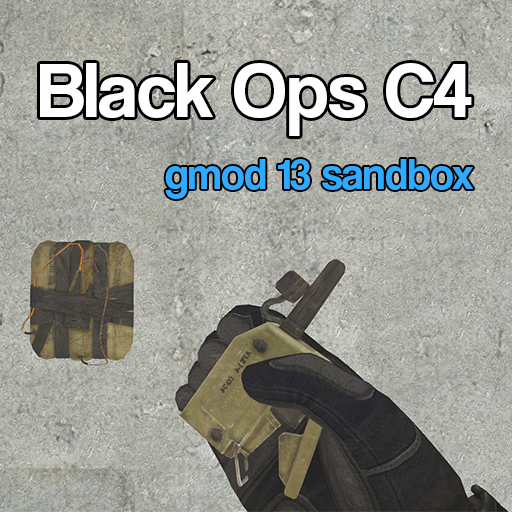
Black Ops C4 (Sandbox)
作者:76561198026871712
If you have any questions/comments/concerns, feel free to post them in the comments. This is the C4 ported directly from CoD Multiplayer. Before asking questions in the comments, check if it's answered in the FAQ! Server owners can use: resource.AddWorkshop("297646940") to download the addon on clients Usage: Sandbox In Sandbox, simply go to the CoD Multiplayer tab in the weapons menu, and spawn it in. You'll be given the SWEP and automatically pull out the detonator. What it does It allows you to throw c4 that sticks to walls, the ceiling, even vehicles and players. You can remotely detonate it with the detonator. C4 can be chain reacted with friends' C4 as well, or shot to trigger them. C4 can also (optionally) blast down doors too! FAQ Q: Can I have unlimited ammo? A: Yep, I made a convar to allow unlimited ammo. "C4_Infinite". 0 for limited ammo, 1 is infinite. This can also be changed in the C4 Settings panel of the spawn list Q: How do I change the settings in game? A: You can use the "C4 Settings" panel under "Hoff's Addons" on the Utilities tab on the right of your spawn menu, or change the cvars in the console directly Q: Why can't I see the C4 on my weapons menu? A: Be sure that the addon is enabled on the Addons menu in-game! Q: The throw delay seems too slow/fast, how can I change it? A: Use the cvar "C4_ThrowSpeed", It's a multiplier, default is 1 Q: The damage seems wayyy overtuned, can I change that? A: Yeah, use the cvar "C4_Magnitude" to change it, default is 175 Q: What ammo does it use? A: Slam Q: Can I attach it to my car and/or friends? A: Yep Q: Can you re-add the arms from the original version? A: No, they didn’t look good and you can get a much better version via player model by Hidden. You can subscribe to that here Q: Can I change something in the code and reupload my own version? A: No. The code is my own and thus protected under copyright. CVars: "C4_Infinite" (0/1, default = 0) "C4_Magnitude" (default = 175) "C4_RedLight" (0/1, default = 1) "C4_ThrowSpeed" (0-10, default = 1) "C4_KnockDoors" (0/1, default = 0) "C4_DoorKnockStrength" (100-2500, default = 500) "C4_DoorSearchRadius" (1-500, default = 75) Credits: Treyarch - Models & Animation Myself - Porting, coding, etc Deika - c arm guidance
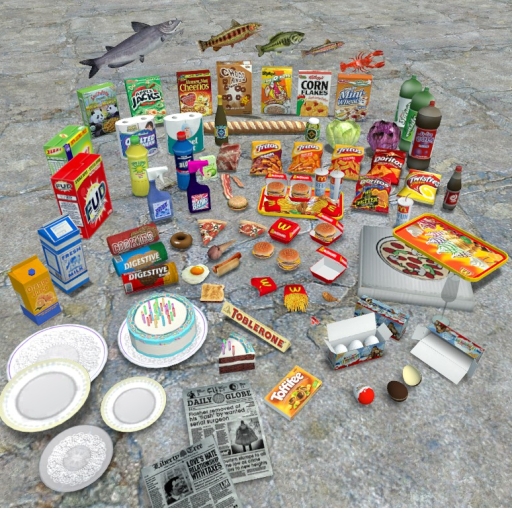
Food and Household items
作者:76561198018917478
This pack contains well over 200 props, mainly food but also cleaning products and other types of groceries. Includes: McDonald's Food Kinder Surprise + Box Chips bags Cillit Bang Wine bottles Much, much, more... 🍟🍗🍕🍔🍞🍉🍩🎂🍟🍗🍕🍔🍞🍉🍩🎂🍟🍗🍕🍔🍞🍉🍩🎂🍟🍗🍕🍔🍞🍉🍩🎂🍟🍗🍕🍔🍞🍉🍩🎂🍟🍗🍕🍔🍞 Spawnlist: As I am not allowed to upload .txt spawnlists inside addons, and that .lua spawnlists are quite glitchy, You can now download the spawnlist manually here. Extract to to your settings\spawnlist folder in the garrysmod archive. http://www.mediafire .com/file/onv7adkid4rdkk3/765-Food+and+Household+items.txt (Steam does not allow this link, so copy the link and remove the space before .com to use it) The spawnlist serves two purposes; First of all, it makes finding the models a lot quicker, second; it puts similar models into groups, which is a lot more pleasing to the eye. Yes, I would have loved to be able to include the list in the addon. But hey, this is the best I can do as it is. 🍟🍗🍕🍔🍞🍉🍩🎂🍟🍗🍕🍔🍞🍉🍩🎂🍟🍗🍕🍔🍞🍉🍩🎂🍟🍗🍕🍔🍞🍉🍩🎂🍟🍗🍕🍔🍞🍉🍩🎂🍟🍗🍕🍔🍞 ➡️ Oct. 1st 2016: Spawnlist for props have been added, which improves the layout compared to the old browse/addons spawn method. ➡️ Sept. 28th 2016: added more props. some of these include, more vegetables bell peppers, chili, corn, eggplant, coconut, grapes. More packed foods like instant coffee, nutella, peanut butter, aswell as shopping bags as someone once requested. ➡️ July 13th 2016: Yet new props have been added. These include, beer bottles, Beer cans, Soda cans, Energy drinks, Ice cream boxes, a chocolatine, a croissant and a slice of the HL2 melon. ➡️ May 1st 2016: Many new props have been added to the pack these include new fruit and vegebles; Apples, Pineapple, Leek, Halved Melon. Meat, Wine bottles, more chip bag, and much more. I also added unbreakable versions of the melon, CSS bananas and orange. + EP2 pumpkin. 🍟🍗🍕🍔🍞🍉🍩🎂🍟🍗🍕🍔🍞🍉🍩🎂🍟🍗🍕🍔🍞🍉🍩🎂🍟🍗🍕🍔🍞🍉🍩🎂🍟🍗🍕🍔🍞🍉🍩🎂🍟🍗🍕🍔🍞 To spawn the models as props, look under browse/addons. Or download the spawn list (recomended). Edible entities can be found in the entities tab. Current version: 1.9
TDMCars - Base Pack
作者:76561197994097627
This is the required base pack for TDMSCars and TDMCars. This is a collection of textures that is shared by all of the vehicles. Note that this is already a part of the SVN and you should not download it if you use the SVN! Forza Motorsport © Microsoft Corporation. TDMCars were created under Microsoft's "Game Content Usage Rules" using assets from the Forza Motorsport. It is not endorsed by Microsoft and does not reflect the views or opinions of Microsoft or anyone officially involved in producing or managing Forza Motorsport. As such, it does not contribute to the official narrative of the fictional universe, if applicable. More information and detailed restrictions can be found at http://www.xbox.com/en-US/community/developer/rules
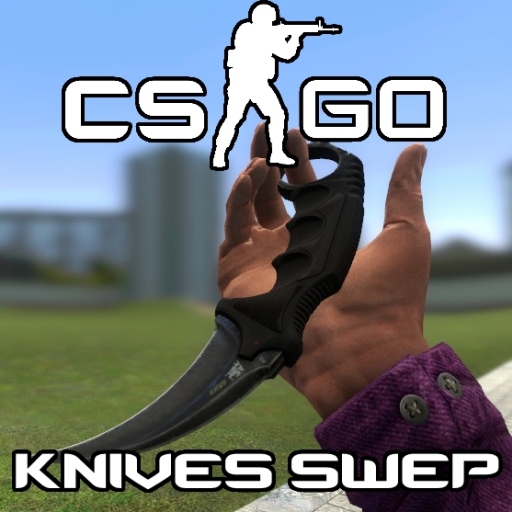
CS:GO Knives SWEPs
作者:76561198048089766
Now you can use the knives from Counter-Strike: Global Offensive as weapons in Garry's Mod! Features: - 12 different knives; - New sounds; - Viewmodel arms (c_arms) compatible; - Press Reload button ('R' button) to inspect knife; - Backstabs do more damage! To add them press green Subscribe button on this page. They will appear next time you load the game. Mini-FAQ: Q1: I can't see new skins when I spawn them! Q2: Garry's Mod is crashing when I enable this! Q3: I see errors instead of knives! Q4: All knives have black-purple grid texture! Q5: I can't hear sounds! A1: You probably use too many addons! Unsubscribe addons for Garry's Mod that you don't need. If it still occurs, purge all .gma files and folders in <Steam Location>/steamapps/common/GarrysMod/garrysmod/addons folder. Next time you launch Garry's Mod it will re-download all addons you subscribed before. A2: Make sure you're running Garry's Mod in Directx 9.0+ mode. Add '-dxlevel 95' into launch properties. A3: Disable all other addons. If problems stopped occurring, then it means some of addons conflicts with it. Q: I'm receiving lua/weapons/csgo_baseknife.lua:229: attempt to index a nil value error in console when I attack! A: I've fixed it already, but if still appears, type 'csgo_knives_oldsounds 0' in server's console. Or set it to 1. Q: Does it require CS:GO/additional addons/weapon bases etc.? A: No! Q: I've found a bug related to your knives... A: Write about it in Bug Reports topic. Server ConVars: Type these in console or in server config: Variable name Default value Description Bool variables cl_csgo_knives_lefthanded 0 (Clientside) Flip knives viewmodel and hold knives on left hand csgo_knives_backstabs 1 Allow backstabs csgo_knives_canbuy 1 Allow buying knives from traitor shop in TTT. May require server restarting if changing csgo_knives_decals 1 Paint wall decals when hit wall csgo_knives_force_ttt 0 Forces knives to enable TTT mode. For debug purposes. Normally you shouldn't enable it unless you haven't any trouble getting it work in ttt csgo_knives_hiteffect 1 Draw effect when hit wall csgo_knives_inspecting 1 Allow inspecting csgo_knives_oldsounds 0 Play old sounds when swinging knife or hitting wall csgo_knives_primary 1 Allow primary attacks csgo_knives_secondary 1 Allow secondary attacks csgo_knives_tfaskins 1 Add skins for TFA knives using this pack's base if any of them installed Numerical variables csgo_knives_dmg_prim_back 90 How much damage deal when hit with primary attack from behind csgo_knives_dmg_prim_front1 40 How much damage deal when firstly hit with primary attack in front or from side csgo_knives_dmg_prim_front2 25 How much damage deal when subsequently hit with primary attack in front or from side csgo_knives_dmg_sec_back 180 How much damage deal when hit with secondary attack from behind csgo_knives_dmg_sec_front 65 How much damage deal when hit with secondary attack in front or from side Alternate links Download latest release from github: https://github.com/xDShot/csgo_knives_sweps/ Credits: Models, sounds and textures are belong to Valve Corporation and other respective creators. Lua-code is based on CS:Source knife's, with some changes made by me. Preview videos - by elitepanda If you like this addon, please don't forget to vote up! Enjoy! :) P.S. This addon doesn't contain any files from any addons by users Clout or Roby!
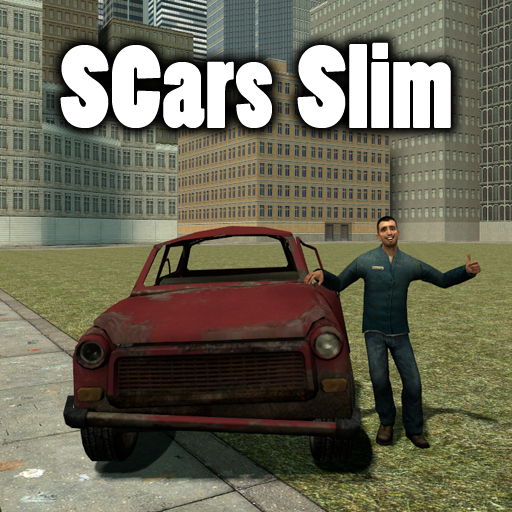
SCars Slim
作者:76561197970654881
SCars Version 2.3.5 Don't like normal hl2 vehicles? Then this addon is for you! With SCars you can customize your car in almost any way you want. Everything from paintjob and handling to suspension height and wheels. Keep in mind that this addon just contains the minimal content needed for SCars to work. You are supposed to combine this with other SCar packs such as SCars Basic and SCars Extra. You need SCars Slim in order for any SCar packs to work. Features: * Create your own race tracks with the checkpoint spawner tool. Have a race with your friends and measure your finishing times. The race handler will keep track on your current position during the race and your lap times. Once the race is finished the race handler will display the position you finished. * Make AIs drive the cars and have a derby competition. * Customize the car by changing paint job, suspension settings and other car characteristics to fit your needs. * Beat any car using the default vehicle base with SCars. Controls: USE: Enter or leave the SCar. WASD: Moving. SPRINT: Turbo. PRIMARY FIRE + A or S or D or W: Use hydraulics separately on the wheels. SECONDARY FIRE: Toggle the hydraulics. JUMP: Handbrake. Walk(Move slowly): Change seat. JUMP + W: Rev engine. W + S: Burnout. V: Toggle third person view. You can of cource change the controls. Go to Utilities->Controls. Just browse the pictures at the top. There should be one displaying how to find the controls Since people are too lazy to just click a link to check the FAQ i will put some here. FAQ There is nothing in my SCar tab You got too many addons installed. This is a weird issue that is caused when you got to many addons installed. Can't do anything about it since it's decided by limitations in GMod which I can't change. My wheels, cars or parts are missing/invisible I've never experienced this issue myself. People say that mounting certain games in GMod can cause this issue. Try to disable some and see if you get any result. How does the DeLorean work? There is a key called special key. It's B by default and it's just an extra key some cars use. If you press the special key while holding W at the same time you will start the time travelling function. If you just press the special key while not pressing any other keys you will toggle hover mode. How do I turn the police lights on? There is a key called "special key". It's B by default and it's just an extra key some cars uses. Police cars use it to turn the sirens on and off while the DeLorean uses it for both toggling hovermode and time travel. My third person view doesn't work! Are you pressing the correct button? The default button to switch view in SCars is V. If you are pressing the correct button and it still doesn't work you probably got a conflicting addon installed. There really isn't much I can do about that. Basically what happens is that some other addon is overriding my camera. The only solution is for you to find out which addon is overriding it and then disable/uninstall the conflicting addon. The camera is stuck in mode X Switch it back to default. Go to the Utilities tab and look for the SCar category. In the SCar category you should find something called "Camera". Click on it and then select default. SCars Misc Content You will also need SCars Misc Content. Sorry for the inconvenience but if you don't get it you will miss some sounds and textures. You can find it here https://steamcommunity.com/sharedfiles/filedetails/?id=844579400. Some of the content in Slim belonged to SCars Extra or SCars Basic but because of the file size limit it ended up in Slim. This content have now been put in SCars Misc Content instead. Again, sorry for the inconvenience.
Easy Bodygroup Tool
作者:76561197996891752
An improved bodygroup tool, also supporting skins! And it works on effects too! Usage Right/Left click on an entity to select it. Reload to select yourself If the entity is highlighted with halo effect, then open context menu and make changes. Everything is applied immediately. F.A.Q. This tool is useless, you can already do this with right click. - This tool was made way before that right click option was added into the game, and it is still faster than using the context menu option. Plus this tool supports per-model presets and it works on effects too.
DarkRP
作者:76561197978153864
This is an experimental, yet offical addon version of DarkRP. You can modify DarkRP with the DarkRPMod, which can be found here: https://github.com/FPtje/darkrpmodification
第 1 页,共 82789 页(1,986,913 个结果)
Garry's Mod Guides
Garry's Mod Server einrichten und TTT-Modus aktivieren – Schritt-für-Schritt
GMod-Server aufsetzen und TTT einrichten: Workshop-Collection, ULX-Admin-Tool und TTT-Konfiguration Schritt für Schritt erklärt.
Garry's Mod Workshop Addons installieren
So installierst du Garry's-Mod-Workshop-Addons auf deinem Server: Collection-ID, Steam Web API Key, Auto-Download und Troubleshooting.
Garry's Mod Server mieten – TTT, DarkRP und PropHunt
Garry's Mod Server einrichten: Spielmodus wählen, server.cfg pflegen, Steam-Workshop-Collection verbinden und TTT, DarkRP oder PropHunt testen.