Garry's Mod 模组与插件
此目录列出来自 Steam Workshop 的 1,984,000+ 个 Garry's Mod 项目。条目可能需要在服务器端、客户端或两端安装,也可能包含地图或其他用户生成内容。安装前请检查链接的来源页面、游戏版本和依赖项。
Enhanced PlayerModel Selector
作者:76561198105279898
It's the playermodel selector from Sandbox... but better! And available everywhere! Like your playermodel? Want to easily use it in all gamemodes? Annoyed that nowadays even maps overwrite it and block the spawnmenu? Then stop reading, you're in the right place! Click that green subscribe button already or you'll miss... Features - Standalone menu that works in gamemodes other than Sandbox. - Enforce your playermodel in gamemodes or maps that overwrite it. - Save your favorite model / bodygroup combination with the favorites list. - Instantly applies your customization, without having to respawn! Compatible with: - Playermodel - Skins and bodygroups - Viewmodel hands - Gmod Legs 3 and Enhanced Camera (if installed) - TFA-VOX || Player Callouts Redefined (if installed) - Player and weapon color - Easy to use Admin menu to change server-side settings. - Admins can blacklist gamemodes and Playermodel Selector will automatically disable itself in those gamemodes. - This addon uses and enforces (if enabled) the Sandbox cvars cl_playermodel, cl_playerskin and cl_playerbodygroups in all gamemodes. How to access - Sandbox: The usual way: Hold C and click on the "Player Model" icon. - Other gamemodes or if the spawnmenu is blocked: - Via console command: playermodel_selector - Or bind the command to a key. Enter into console: bind X playermodel_selector (replace X with a key of your choice) - Quick commands: - playermodel_apply Instantly applies your playermodel settings (if allowed server-side). - playermodel_loadfav "..." Load and (if allowed server-side) instantly applies a favorite.List of console commands and convars. FAQ - My playermodel still gets overwritten by a gamemode / map! First, make sure "Enforce your playermodel" is enabled client-side (checkbox on top of the menu) and it's allowed server-side (Admin tab). If all settings are on and it still doesn't work, please report the gamemode and / or map you tried to use. - I can no longer change my playermodel with other tools! Yes, that's intended functionality. You'll need to uncheck "Enforce your playermodel", if you need other mods like this. Please note that you'll lose functionality in other gamemodes. - Does this addon work in multiplayer? Yes, it should work on both listen and dedicated servers. Please note, that the server needs to have the addon installed, clients don't need to download it. - Isn't it bad if players can switch their models anytime in some gamemodes? Admins can always disable the ability to change the model without respawning. If you encounter an incompatible gamemode, it can be added to a blacklist and all functionality of PlayerModel Selector will be disabled there automatically. - No playermodels show up on my server, where I installed the models manually. If you're not using the lua files included with the models, you'll still need to register them yourself via player_manager.AddValidModel / player_manager.AddValidHands - Restrictions don't apply to admins! Yes, that's intended. Admins can change their playermodels anytime regardless of the settings. If you can't trust your admins, than you have more serious problems than worrying about their playermodel... - My problem isn't listed here. Report it here! Source code available here. Full credit for the original menu code goes to Facepunch Studios. Tags: player model playermodel mdl pm character person select selector context menu spawn spawnmenu skin skins bodygroup bodygroups flex flexes cloth clothes viewmodel hand hands c_hands legs voice speech expression vox tfa-vox switch apply instant direct enforcer enforcement force restriction blacklist custom favorite favorites save load
gm_fork
作者:76561197973077536
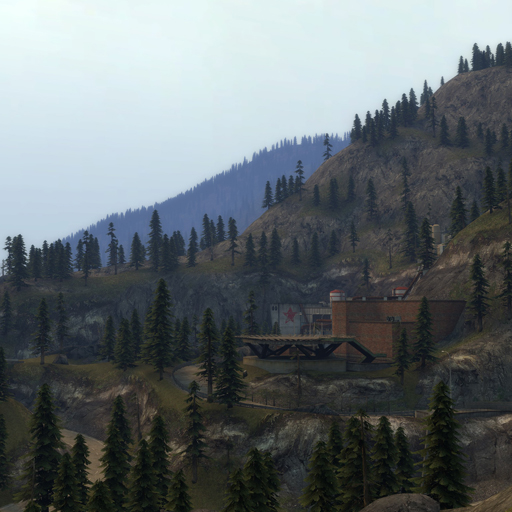
A quiet town lies near a mountainous forest littered with landmarks from a bygone era. No other games or addons are required! Features: - A large terrain (maximum map size) with a river, steep hills and dense forests - A town and various other buildings spread throughout the map, some with interiors - Lots of bendy roads to drive on - A small landing strip and a tall skybox for flying - HDR and LDR support - NPC/NextBot navigation support - Custom soundscapes If you like this map, check out my other map gm_boreas as well! Special thanks - The Facepunch mapping community for testing and feedback Source VMF The source files are free to download here: https://steamcommunity.com/workshop/filedetails/discussion/326332456/1742230617616409524/ If you enjoy my work, please consider donating via PayPal or supporting me on Patreon: https://www.paypal.me/wouterpleizier https://patreon.com/blueberry_pie
Prop Hunt
作者:76561198043048995
I won't reply any more comments. If you want help, subscribe this one instead. Sorry :( ==========PROP HUNT=========== Where did you find this? - Here. Who made this? - I don't know Who fixed this? - This guy Who added icons and settings - Me Frequently Asked Questions How do I install this? 1.Buy GMod(necessary) and CS:S(optional). 2. Install both of them and launch at least once. 3. Press Subscribe button. Steam client will download it automatically. 4. Now run GMod. GMod will install it automatically. 5. Look at the bottom right corner. Click Sandbox and change it to Prop Hunt. 6. Start a new game with CS:S maps(or some maps with many props). Lots of servers require CS:S. So I recommend you to buy one.. How do I disguise as prop? Aim the prop and press E. It doesn't disguise when you're Hunter team(holding gun). How do I host Prop hunt on Dedicated Server? Add +gamemode prop_hunt in batch file. Example batch file form : http://pastebin.com/rzvHr048 Refer to this document : http://wiki.garrysmod.com/page/Workshop_for_Dedicated_Servers Settings - prophunt_gametime : Maximum time (in minutes) for this fretta gamemode (Default: 30) - prophunt_hunter_blindtime : Number of seconds hunters are blinded/locked at the beginning of the map (Default: 30) - prophunt_kill_hpgive : How much health to give back to the Hunter after killing a prop (Default: 20)
Hit Numbers
作者:76561197990595605
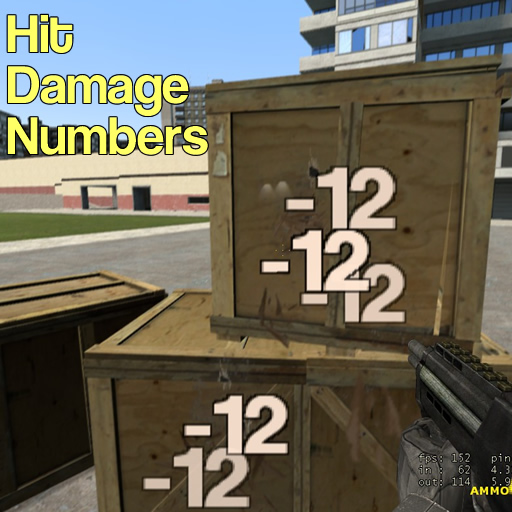
Adds damage indicators whenever you hurt something. This is a serverside (or singleplayer) addon. The server must have this addon installed in order to work in multiplayer. Console Commands: Click here for a full list of commands and settings to customize the indicators! Are the Hit Numbers too obnoxious or in the way? Try some of these tips to fine-tune them: - Use sv_hitnums_scale to modify the size of the indicators. - Set sv_hitnums_alpha to a low number, like 0.3 - 0.5 so you can see through them easier. - Include sv_hitnums_font_additive 1 in your server's server.cfg file to enable additive blending. ATTN: Server Admins and/or Developers: I have uploaded the code to GitHub. You may freely modify for your own needs and addons. However, this does NOT mean you can republish this (original) addon. Please credit the original author of this addon by linking back to this page. Thank you. See repository and more details here: http://github.com/ief015/hitnumbers Help! It's not working!!! Here are some considerations and things you can do to try to fix it: - Check the console for errors related to Hit Numbers. Post the error in the comments along with what you were doing to cause the error. - If you're in singleplayer or the server owner, make sure the console command sv_hitnums_enable is set to 1. - Disable all other addons except for Hit Numbers. If it's working as intended, another addon or addons (probably poorly written) is causing a conflict. You can then start re-enabling chunks of addons at a time, until it stops working again and you can pinpoint the offending addon. - "It's only working with some guns!" Hit Numbers only listens for damage using standard Source engine methods (via GM:EntityTakeDamage). Some addons do not report damage in this way and sometimes implement their own method of applying damage to a character or entity. This means that Hit Numbers does not have a proper way of showing that damage! - Please explain in detail what is happening in the comments. Be descriptive. Only saying "It's not working." is too vague and unhelpful, and I will likely not reply.
Gmod Legs 3
作者:76561197996456215
Gmod Legs Works with most custom playermodels Actively maintained since 2012 Like this addon? Award it! This will allow you to see your legs in first person, just like in Left 4 Dead or any modern FPS Info: Hold you context menu key and click "Valkyrie's Menu" on the left side then click the "Gmod Legs" tab. Commands: cl_legs Default = '1' cl_vehlegs Default = '1' Do not directly reupload this anywhere
Media Player
作者:76561197991989781
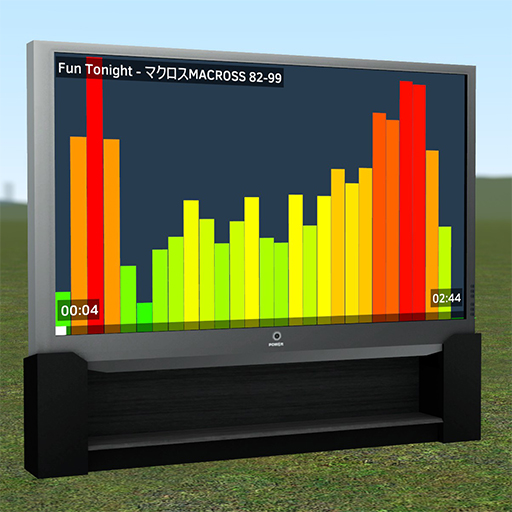
Watch videos or listen to music with friends in Sandbox—based on the Cinema gamemode. How to fix this mod (HTML5) ⚠️ GMod developers are working on a fix, this can't be fixed by the mod author! ⚠️ This addon no longer works on the default version of Garry's Mod. To fix this, you need to switch to the 'x86-64' branch of GMod (Note: this branch is under active development and may cause your game to crash). Read the guide for switching to the 'dev' branch on the wiki, but remember to choose 'x86-64' instead. As for why this mod broke, YouTube has stopped supporting old video encodings which GMod relied on. The GMod devs are working on a fix by updating the game to use Chromium/CEF. You can follow progress in the #next-update channel of the GMod Discord. Alternative: Metastream (not compatible with Garry's Mod) I'm working on a new web application, called Metastream, which provides similar features to this mod and supports more websites to synchronize. Try it out if you're interested. https://getmetastream.com Usage 1. Spawn the Big Screen TV from the spawn menu ('Entities' tab > 'Media Player' category). 2. Press use (E) on the TV to turn it on. 3. Hold C while looking at the TV to reveal the media queue. 4. Press the 'Add Media' button. 5. Navigate to a supported media page and press the 'Request URL' button. 6. Watch! Console Variables mediaplayer_3daudio 0/1 mediaplayer_allow_webpages 0/1 mediaplayer_fullscreen 0/1 mediaplayer_mute_unfocused 0/1 mediaplayer_volume 0.0-1.0 FAQ Q: Can the ads be closed on YouTube? A: Yes. While in Sandbox, hold C to reveal the mouse cursor. Then simply click the 'x' on the ad that appears on the media player screen. Q: How do I adjust the screen brightness? A: If the screen is too bright, it's likely caused by either bloom or HDR. Try disabling Bloom in the video options menu. Q: How do I request a website to be shown on the media player? A: Enter the following command into the console (must be the server host) to allow any URL to be requested: mediaplayer_allow_webpages 1 Q: Why do I only see a white screen on the media player? A: I've been told this is due to running the game in DirectX 8 mode. Try setting the DirectX level to 9 by opening the console and typing "mat_dxlevel 90" Links Source Code Brief Developer Getting Started Guide Servers using the Media Player addon Related addons Additional TV props for Media Player Another p cool media player addon Sick rollercoaster addon Additional Credits Clopsy for design of the playback menu. MacDGuy for the Big Screen TV model. Veitikka for fixing YouTube support.
Nuke Pack 4
作者:76561198034748759
DISCLAIMER: If you have any problems with this addon, it's likely some kind of conflict. Try disabling some other addons you have. Beyond that I can't help you, as my own installation works perfectly and I cannot reproduce any of the issues that have been reported. Press the use key (E by default) to arm the nuke and smash it to the ground to set it off. It also has wiremod inputs. Spawning the nukes requires admin permissions on a server, so you'll need make other players admins via users.txt. See: https://maurits.tv/data/garrysmod/wiki/wiki.garrysmod.com/index0c18.html I did not make this, I only fixed it for Garry's Mod 13. Credit (as far as I know at least) goes to RayFan9876, Teta_bonita, Hamster, fehic and Doomsale. I also made the entities save Wiremod connections in dupes, and added Wiremod inputs to TNT. NOTE: You need Counter-Strike: Source for some of the models.
SCars Extra
作者:76561197970654881
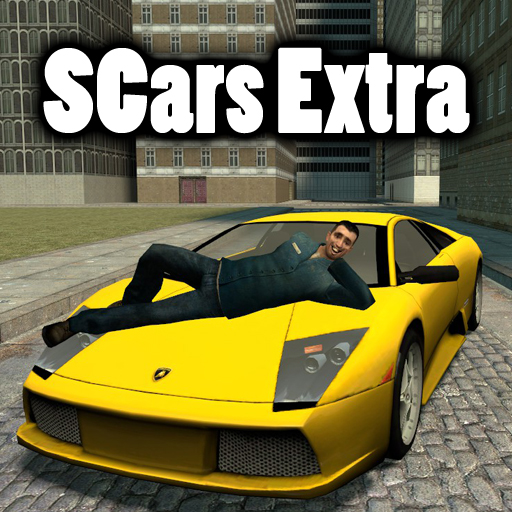
SCars Extra Version 1.2. YOU NEED SCARS SLIM FOR THIS ADDON TO WORK! Make sure you have subscribed to the SCars Slim workshop addon. This car pack uses the features that comes with SCars Slim. This pack includes 24 new cars! List: 2006 Dodge Ram SRT-10 Ford Mustang GT LamboDiablo LamboMurciCop Pagani Zonda Ilcar Brera 2003 Dodge Viper C.C Lamborghini Diablo Police Ferrari 360 Spider CarreraGT Porsche 911 Police LamboMurci 1996 Chevrolet Corvette FerrariF50 Jimmy Gibbs JR Yamahayfz350 Nissan Skyline GT-R Ferrari F430 Supra RZ Toyota GT-One Dodge Viper SRT-10 Abrams Porsche 911 Since people are too lazy to just click a link to check the FAQ i will put some here. FAQ There is nothing in my SCar tab You got too many addons installed. This is a weird issue that is caused when you got to many addons installed. Can't do anything about it since it's decided by limitations in GMod which I can't change. My wheels, cars or parts are missing/invisible I've never experienced this issue myself. People say that mounting certain games in GMod can cause this issue. Try to disable some and see if you get any result. How does the DeLorean work? There is a key called special key. It's B by default and it's just an extra key some cars use. If you press the special key while holding W at the same time you will start the time travelling function. If you just press the special key while not pressing any other keys you will toggle hover mode. How do I turn the police lights on? There is a key called "special key". It's B by default and it's just an extra key some cars uses. Police cars use it to turn the sirens on and off while the DeLorean uses it for both toggling hovermode and time travel. My third person view doesn't work! Are you pressing the correct button? The default button to switch view in SCars is V. If you are pressing the correct button and it still doesn't work you probably got a conflicting addon installed. There really isn't much I can do about that. Basically what happens is that some other addon is overriding my camera. The only solution is for you to find out which addon is overriding it and then disable/uninstall the conflicting addon. For more FAQ, instructions and bug/error reports. Please visit the forum thread. If you post a question/issue that can be answered/solved by reading the FAQ your post will get REMOVED!
Advanced Bone Tool
作者:76561197995805528
A tool to edit angles, scaling and the location of props bones. You can use this on any prop in gmod*. Also availible on GitHub: https://github.com/thirteen-io/Advanced-Bone-Tool *Some props will not allow for rotation or translation due to them being tied to physbones. NOTE: Due to problems with the recent patches I've rolled back to an earlier version of the addon for a short while. I hope to re-add the features in the coming days with people's complaints resolved!
![[DEPRECATED] Portal Gun - Aperture Science Handheld Portal Device – Garry's Mod Mod](https://images.steamusercontent.com/ugc/544134697624702040/72C9A355C8571B697C2B2D4D438820DA17491DB8/)
[DEPRECATED] Portal Gun - Aperture Science Handheld Portal Device
作者:76561198006484623
I'm no longer offering support for this addon. I recommend subscribing to cnick's portal gun instead! Find it here: https://steamcommunity.com/sharedfiles/filedetails/?id=1800764828 Description: A fully functional Portal Gun. This is by far the most eloquent and bug- free portal gun available within Garry's Mod. Left click to shoot a blue portal. Right click to shoot an orange portal. Reload to remove all portals. Press E to pick up an item. TO MAKE THE PORTALS LOOK AS THEY SHOULD, RUN "r_novis 1" IN CONSOLE. IF YOUR PORTALS ARE WHITE OR BLACK, YOU MUST START THE PROGRAM WITH -dxlevel 90. Windows is currently the only supported operating system. Please refer to the second video above for instructions if you are having trouble. Features: - Portals which look exactly like the portals in Portal 1 - Walk through portals just like the game. No more poofing! - Standalone, does not require Portal or Portal 2 to work correctly. - Velocity is (almost) entirely preserved as you enter the portal. - Optional dynamic lights - Several convars to adjust the portal gun to your liking (listed below). ConVars: - portal_arm <0|1> Whether to render the arm of the portal gun's viewmodel. (Default 0; requires portal 2). - portal_beta_borders <0|1> Whether to use different textures for the portals. (default 0) - portal_borders <0|1> Whether to render portal borders at all (default 1; 0 somewhat improves performance) - portal_crosshair <0|1> Whether to use the portal crosshair (default 1) - portal_dynamic_light <0|1> Whether to use dynamic lights with the portals (default 0; 0 drastically improves performance) - portal_limitcarry <0|1> Whether to limit the portalgun to pick up portal props only (default 1) - portal_projectile_speed <number> The speed of the projectile shot by the portal gun (default 3500) - portal_render <0|1> whether to render the other side of the portal (default 1; 0 drastically improves performance) - portal_vm <1-5> Changes your viewmodel to one of several options. (default 1) Links: Facepunch: http://facepunch.com/showthread.php?t=1435151 Github: https://github.com/Luabee/PortalGun Known Bugs: - Portal projectiles don't exist in multiplayer - Multiplayer in general is very unreliable - Props sometimes fall through the floor when they move through the portal - Roof portals don't preserve velocity for players. - Skybox sometimes doesn't draw within the portal. Thanks to everyone who helped make this possible, including but not limited to: Bobblehead - Making it actually work and look nice. Blackops - Much code and models Mahalis - Much code Fernando5567 - Some Code Matsilagi - Models/effects/testing Dr. Awesome - Swirly beta portal materials
SCars Basic
作者:76561197970654881
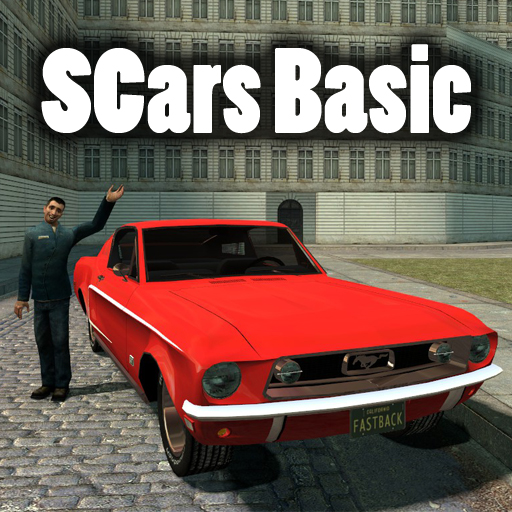
SCars Basic Version 1.2. YOU NEED SCARS SLIM FOR THIS ADDON TO WORK! Make sure you have subscribed to the SCars Slim workshop addon. This car pack uses the features that comes with SCars Slim. This pack includes 26 new cars! List: Hummer Ratmobile Chevy66 Camaro Humvee DeLorean Huntley Bus impala88 Sabre Studebaker Police impala88 Seat Bobcat Clydesdale Hedgehog Mustang Fastback Belair Ford GT Cadillac Comet Mothtruck Stag Pickup Banshee Taxi Chaos126p Since people are too lazy to just click a link to check the FAQ i will put some here. FAQ There is nothing in my SCar tab You got too many addons installed. This is a weird issue that is caused when you got to many addons installed. Can't do anything about it since it's decided by limitations in GMod which I can't change. My wheels, cars or parts are missing/invisible I've never experienced this issue myself. People say that mounting certain games in GMod can cause this issue. Try to disable some and see if you get any result. How does the DeLorean work? There is a key called special key. It's B by default and it's just an extra key some cars use. If you press the special key while holding W at the same time you will start the time travelling function. If you just press the special key while not pressing any other keys you will toggle hover mode. How do I turn the police lights on? There is a key called "special key". It's B by default and it's just an extra key some cars uses. Police cars use it to turn the sirens on and off while the DeLorean uses it for both toggling hovermode and time travel. My third person view doesn't work! Are you pressing the correct button? The default button to switch view in SCars is V. If you are pressing the correct button and it still doesn't work you probably got a conflicting addon installed. There really isn't much I can do about that. Basically what happens is that some other addon is overriding my camera. The only solution is for you to find out which addon is overriding it and then disable/uninstall the conflicting addon. For more FAQ, instructions and bug/error reports. Please visit the forum thread. If you post a question/issue that can be answered/solved by reading the FAQ your post will get REMOVED!
ttt_minecraft_b5
作者:76561198096128030
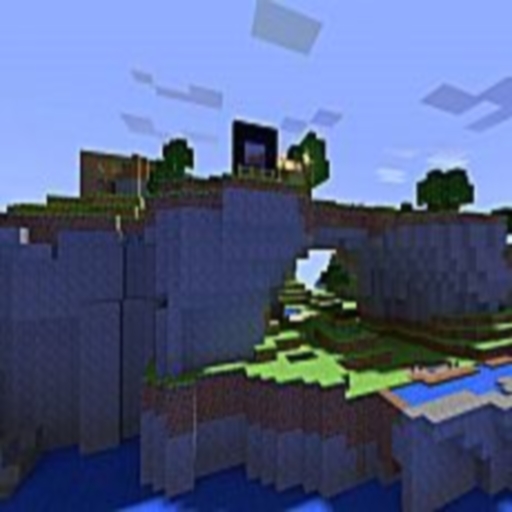
No credit to me i just uploaded all credit to (=CG=) Finniesp. A Trouble In Terrorist Town MC beta map. If the owner wants it off the workshop he can just leave a comment. *FEATURES* 1. Realistic minecraft blocks 2. Nether dimension portal 3. Small minecraft water ocean and lighthouse overlooking it P.S. Please leave a comment if you have any requests for maps. THANK ALL OF YOU FOR MAKING THIS ADDON ONE OF THE TOP RATED MAPS ON THE WORKSHOP!!!! ESPECALLY THANK Fnnesip FOR MAKING THIS GREAT MAP!!!! Oh and check out -SM-Guppy^'s workshop also!
3D2D Textscreens
作者:76561198047699606
Create 3D2D text anywhere in the world. This addon is now open source! Contribute to development of this addon on GitHub. All pull requests are welcomed! This tool can be found under "Construction" in your tool menu. Features: - Create 3D2D text anywhere in the world - Rotate and manipulate this text simply via your physgun - Up to 5 lines of text - Multiple different fonts, font sizes, and colours - Heavily optimised - Full scale testing on a highly popular RP server - Draw distance optimisations - Minimal FPS hit - Permanent text screens - Hold C for context menu, right click on the textscreen, and make the text screen permanent (only works for admins). This is perfect for welcome messages or rules. - Presets - Define preset textscreen data (size, text, colours, etc) and save/load these for future use at any time. This is very useful to trying to replicate multiple textscreens across maps. - Want more? Contribute to development of this addon on GitHub. All pull requests are welcomed! User Customisation - ss_render_range controls how far textscreens have to be away from you in order to render (default 1500). Setting this to a lower number can help with lag on older machines - ss_render_rainbow controls if rainbow textscreens should actually rotate their colours, or render as solid white (default enabled 1). 0 will cause them to render as solid white, which can be beneficial for accessibility Server owners - sbox_maxtextscreens controls the maximum amount of text screens that each player can spawn. This defaults to 1. This cvar only exists on the server, so make sure it's set via RCON, or in something like server.cfg. - ss_enable_rainbow controls whether players on your server can use the rainbow effect. Set this to 0 in your server.cfg to prevent anyone from using rainbow effects. - To install this onto your server, follow the instructions listed here. - This addon supports custom admin permissions and user/group permissions for placement via hooks. See my website for more information. Please do not contact us directly for support, especially Dellkan as he is no longer actively involved in development of this addon, and is listed solely as an original author for credit sake. Please direct any support enquiries to a discussion thread on this workshop item or an issue on github.
![[Official] Precision Tool – Garry's Mod Mod](https://images.steamusercontent.com/ugc/447358656220929166/6C7E9993B0C997DC8BD97DD1B16709B60A3DB37B/)
[Official] Precision Tool
作者:76561198014435136
IF YOU GET GETINFONUM ERRORS, DO THIS IN YOUR CONSOLE precision_defaultrestore Formerly 'Easy Precision', this tool allows exact movement of objects for accurate building. Push/pull, rotate, and snap props together at specific distances. It will always be under the Constraints section as "Precision". If you don't see it then something else is wrong! The grid is NOT part of this tool, it is part of Smart Snap. Search for it!. Bug Reports and Feature Suggestions Found a bug? Have an idea that could improve the tool? Let us know in our repository's Issues. Or use the Bug Report thread in our Discussions. Bug reports through Steam chat or workshop/profile comments will be ignored! ______________________________________________________________________________ Helping Out If you enjoy using the tool and you feel like you want to contribute, you can fork the repo and make some changes and submit some pull requests. Or donate! PayPal Patreon ____________________________________________________________________________ GitHub The Gihub Repository is synced with the workshop version on code changes Precision Tool Zip Format Download: https://github.com/generalwrex/precision-tool/archive/master.zip Git Clone Link: https://github.com/generalwrex/precision-tool.git Svn Checkout Link: Will not open in a webbrowser!! https://github.com/generalwrex/precision-tool/branches/master Other Stuff Feel free to advertise your servers in the comments! (keep it to a few lines please!) There will probally only be a single update if the tool ever breaks as people like it just as it is! It hasn't broke since 2012 so it will probally be fine till 2022! If you get this far, mention some sweet food item in your comment for reading the description! ____________________________________________________________________________ Contributors Wrex Hunted Sheders Comments are pruned to keep the section clean.
Extended Properties
作者:76561197996891752
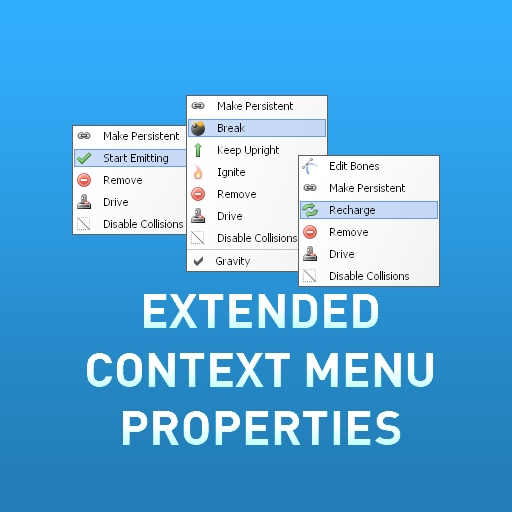
This addon adds a lot of properties to Half-Life 2 and Garry's Mod entites such as turrets, rollermines, suit chargers, flashlights, dynamites, NPCs and anti-antlion thumpers. There are over 72 different actions for different entites and NPCs. UsageHold C (Context menu button) and right click one of supported entities. (Which is almost every HL2 or sandbox entity) If you are getting "Property Disabled For Now" message, one or more of your other addons or the gamemode are blocking the properties, so you will have to unblock them before you can use these properties.
Cinema
作者:76561197991989781
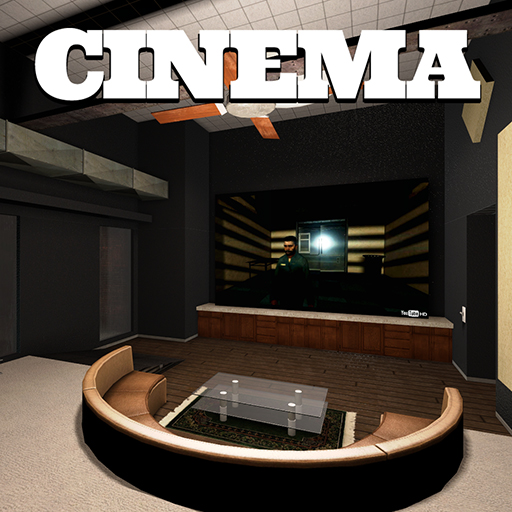
Watch videos with friends. HAVE A QUESTION? Click to read the FAQ Remember sitting down on a lazy afternoon with your friends, drinking a cup of hot cocoa and watching a movie? pixelTail Games does. It's a magical bonding experience between people, a timeless ritual that not many are able to do with some of their friends. After all, you've got one friend all the way over in Canada, another stuck in the middle of Belgium, heck even that guy from Swaziland. How on earth will you get them all together to watch your favorite episode of Sonic X? That would cost a lot a king's ransom! And you're hardly Viscount of Saline now are you? You might not even qualify for the title of Minister of Equine Destruction. Well stop cryin, ya big baby! We've got you covered. With Cinema you can watch internet videos with your friends from the comfort of a virtual theater! How ace is that? Settle down to watch the latest action flick, catch up on the latest adventure time together, challenge each other to get through your favorite horror show! First one to leave the room is a chicken! Now you might be asking "Wow where do I sign up?" well please re-button your lapels, it's as easy as downloading a free thing on the internet, BECAUSE IT'S FREE! All you need is the base game of Garry's Mod and you are good to go! No other games required. Not even Half-Life 2: Episode 2. Features - Synchronized video playback - Support for YouTube, Twitch.TV, Vimeo, Viooz, Justin.TV, Livestream, and Blip - Available in English, Russian, German, French, Spanish, Dutch, Finnish, and Italian (and more to come) - Intuitive video request system - Persistant video history - Private theater owner controls - Theater previews outside of theaters - Useable seats - Support for additional maps - Open source Supported Maps - cinema_theatron (Official map) - theater_nexmultiplex_1m - lp_cinema_rc3 - theater_gcinema Links Official Website Installation Instructions Facepunch Thread Mapping Tutorial Source code github.com/pixeltailgames/cinema The code is unmaintained. Issues aren't reviewed and pull requests won't be merged. Looking for Sandbox support? Try the Media Player addon created by the same developers as Cinema! HAVE A QUESTION? Click to read the FAQ

Minecraft SWEP
作者:76561197991123226
Spawn it first from the Weapons tab, then select it, then press R (or your rebound weapon reload button) to open the menu. Features: - Auto block rotation and intelligent placement (fence alignment, torches, etc.) - Growing vines - Exploding TNT - Animated viewmodels - Worldmodels - Writeable signs - Doors and trapdoors - Climbable ladders - Stackable slabs - Sounds - Edible cake Server ConVars: > minecraft_swep_blacklist 1,3,4 (you can block certain blocks; comma to seperate BlockIDs) > minecraft_swep_blocklimit 420 (per player block limit; defaults to 2048!) > minecraft_swep_enable_water_spread 0 (disable spreading water and lava for performance reasons) Get the BlockID by right-clicking a block in the Block Menu. Making it work with GMod 13 took me longer than expected, so no working Nether portals for now. However, thanks to the Steam Workshop I can easily update it at any time, way better than using garrysmod.org. Uses the Minecraft Model Pack by Dj Lukis.LT: http://steamcommunity.com/sharedfiles/filedetails/?id=106449281 The swep already includes all required parts of the model pack, you should still download it to get the spawnlist and lots of extra models and ragdolls which can't be placed as blocks. If you find any bugs please post them in the comments. Have fun! All Textures and Sounds are (c) Mojang 2014
Extended Spawnmenu
作者:76561197996891752
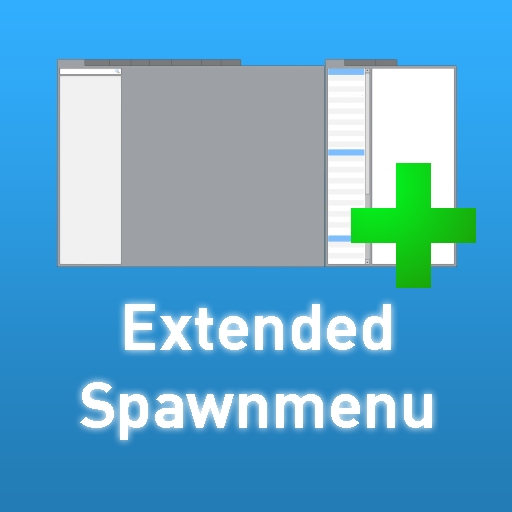
A small script that extends abilities of your spawnmenu: * Allows you to browse through Garry's Mod 12 / Legacy addon models * Allows you to browse through Game, Addon, Legacy Addon materials and sounds * Gives you detailed information on installed Workshop and Legacy addons, and cache sizes. * Loads old GMod 12 spawnlists * Using command "rb655_create_sm_tabs 1" you can bring back GMod 13 Beta styled Weapon/Vehicle/NPC tabs * Admin only console command "rb655_playsound_all <snd>" allows you to play a sound on all clients. Please read this before posting Legacy addons are the ones you put into steamapps/common/garrysmod/garrysmod/addons/. This addon will not detect any addons that don't have models folder. NOTICE for OS X AND LINUX Users: Make sure your legacy addons ONLY have lowercase characters and no spaces in folder names. Please watch the video before posting and saying it's not working. THIS IS NOT A MAGICAL "FIXES ALL OLD ADDONS" ADDON. DO NOT COMMENT ABOUT FIXING YOUR OLD MODS OR WHATEVER. Thanks.
More Materials!
作者:76561197998639066
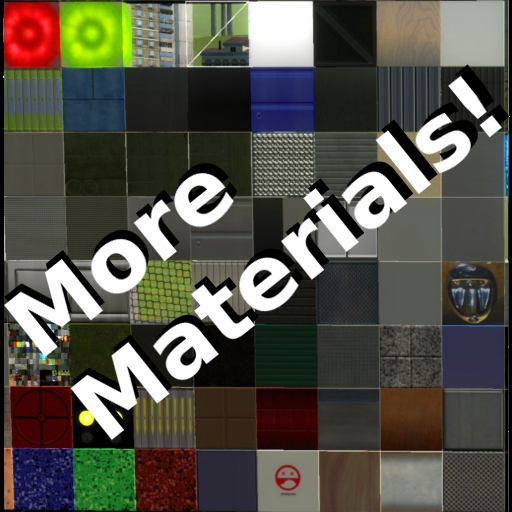
This simple little addon adds many stock materials to be selected on your material STool list. All materials come from either HL2 or Garry's Mod. CSS materials are also added, but only if CSS is mounted. You do not need CSS for this mod to work. This works for singleplayer, and for multiplayer if the server has it or if sv_allowcslua is set to 1.
ULX
作者:76561197969399243
The official latest release version of ULX admin mod (the same you'd get from our website). Please see our website at ulyssesmod.net for information and discussion. Only servers need to use this, not your individual joining players. YOU MUST ALSO SUBSCRIBE TO ULIB FOR THIS TO WORK -- http://steamcommunity.com/sharedfiles/filedetails/?id=557962238 For the most bleeding edge up to date versions of ULX and ULib, please download and use our github versions: ULib: https://github.com/TeamUlysses/ulib ULX: https://github.com/TeamUlysses/ulx For support, please join our discord. We do not monitor the workshop comments and you'll likely not get an answer. Discord: https://discord.gg/gR4Uye6
Playable Piano
作者:76561197972354223
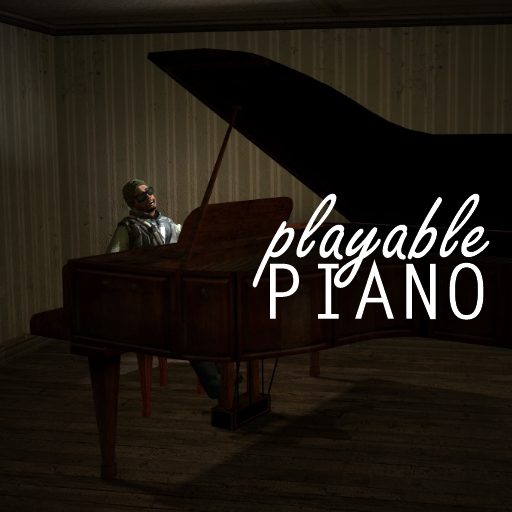
PLEASE SUPPORT THIS AUTHOR! I've moved on from Garry's Mod and I am now making a full game based on GMod Tower called Tower Unite. https://store.steampowered.com/app/394690/ This piano exists also in Tower Unite! ------- A completely playable piano that features multiple play modes, multiplayer support, and sheet music! Want To Contribute? The code is freely available on Github: https://github.com/macdguy/playablepiano Make sure you spawn the entity and not just the prop, otherwise it won't work!

FA:S 2.0 Alpha SWEPs
作者:76561197986690883
Check out the game I've released on Steam! This is the official FA:S 2.0 SWEPs pack that I worked along with the developers of the mod, to make sure that it matches their tastes. The base is written completely from scratch. In case you're interested, get the source mod here. To be able to attach weapon attachments, bind keys to slot1, slot2, slot3, slot4, etc. OPTIONAL ADDITIONAL PISTOLS (Click here!) OPTIONAL ADDITIONAL RIFLES (Click here!) OPTIONAL ADDITIONAL SUB-MACHINE GUNS (Click here!) OPTIONAL ADDITIONAL SHOTGUNS (Click here!) OPTIONAL MISCELLANEOUS WEAPONS (Click here!) OPTIONAL UNOFFICIAL RIFLES (Click here!) Features: - Weapon attachment system (sights, suppressors, extended magazines) - Dynamic accuracy - Dynamic recoil - Surface penetration - Surface ricochet - Sprinting - Near-wall - Holstering (takes a while to put a weapon away) - First-time draw animations - Unique weapon reloads for weapons like SKS, Raging Bull, M24 - Unique weapon behavior for weapons like M24, M3 Super 90 - Shell ejection - Bullet chambering - Empty/full reloads - Reload duration depends on amount of ammo in the weapon - Custom viewmodel movement when walking, sprinting, reloading + sprinting, standing still - Custom viewmodel sway - Custom ammo indicator - Firemodes (full-auto, semi-auto, bursts, etc.) - View bob during reloads - Weapon proficiency (after using a certain weapon for a long time you become proficient with it and as a result reload faster) - Custom ammo types (5.56x45MM, 7.62x39MM, 7.62x51MM, etc.) - World models Controls: PRIMARY ATTACK KEY - fire SECONDARY ATTACK KEY - take aim RELOAD KEY - reload/check magazine, firemode CONTEXT MENU KEY (default is C) - open customization menu; while aiming down a scope - peek away from the scope USE KEY + RELOAD KEY - change firemode USE KEY + SECONDARY ATTACK KEY - check magazine and firemode USE KEY + PRIMARY ATTACK KEY - quick grenade (requires the FA:S 2.0 Miscellaneous pack!) Known issues: Upon spawning the weapon for the FIRST TIME, your deploy sounds will be slightly delayed, based on the amount of time it took to load the models Console variables/commands: fas2_differentorigins <0 - 1> - if set to 1, will use slightly different weapon origins. CLIENTSIDE. fas2_handrig <0 - 1> - if set to 1, weapons will use a sleeve along with different gloves; changes apply upon new weapon equip. CLIENTSIDE. fas2_handrig_applynow - applies the selected hand rig instantly (without having to get a new weapon). CLIENTSIDE. fas2_nohud <0 - 1> - if set to 1, it will disable the HUD elements that pop up when you reload. Requested feature. CLIENTSIDE. fas2_profgain <0 - 1> - controls the amount of proficiency increase with each reload. SERVERSIDE. fas2_holdtoaim <0 - 1> - if set to 1, then releasing your secondary attack key while aiming will go back to hip-fire As updates for the actual mod get released, I will release optional weapon packs and update already existing weapons with newer models, textures and sounds. These packs will be - Pistols, SMGs, ARs, BRs, SRs, Carbines Credits: Danny - sway interpolation code
Parakeet's Pill Pack
作者:76561197997945339
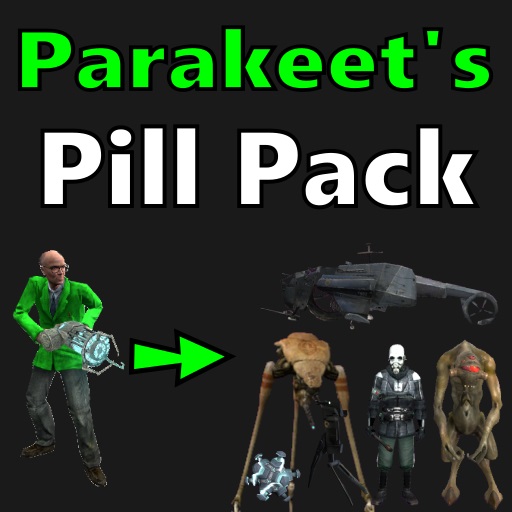
Pills turn you into machines and critters from various games. This is the base pack. It contains Half-Life 2 pills and fun pills. You can find pills in the "Pills" tab of the spawnmenu. Also known as the Morph Mod. See the "Documentation" thread in discussions for more information. See the "Bugs, Fixes, and Compatibility" thread in discussions if you're having problems. A GitHub repository is now available to receive pull requests: https://github.com/MDFL64/GmodPillPack Credits Parakeet - That's me. I made it. Skylight - Made CSS/MLG morphs. Pdan - Answered my stupid modelling questions. Xerasin - Answered my stupid lua questions. Lab.Professor - Official server hosting/management. Inya - Trailer Videos Sunset - "Community Manager" Jake - Doge voice actor. Inya - Dingus voice actor. Fubar - Inspiration. Vicky Frenzy - Fixes and improvements (current maintainer).
Drivable yacht
作者:76561198003096017
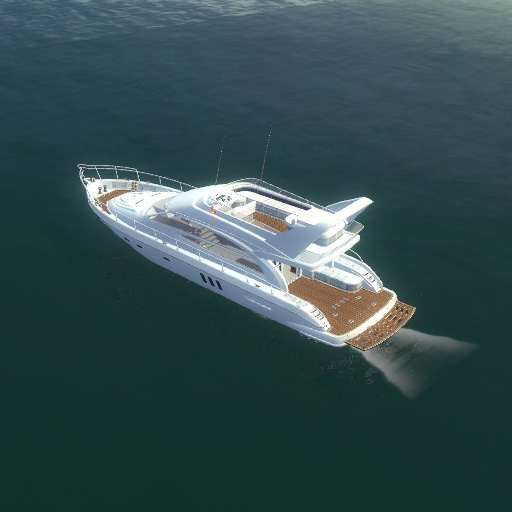
Lara's boat from Tomb raider Underworld. Two versions: one controlled from primary cockpit and one via flybridge. Usage: - Go to vehicles tab > TRU yacht Things changed since previous version on garrysmod.org: - Fixed custom particle issue (screwed up again by the gmod 13 - not working through addons). - Removed VU mod integration due to debug purposes. - Added render target texture to TV (as suggested) as additional skin. Use RT camera and Easy bodygroup tool for that.
Garry's Mod Guides
Garry's Mod Server einrichten und TTT-Modus aktivieren – Schritt-für-Schritt
GMod-Server aufsetzen und TTT einrichten: Workshop-Collection, ULX-Admin-Tool und TTT-Konfiguration Schritt für Schritt erklärt.
Garry's Mod Workshop Addons installieren
So installierst du Garry's-Mod-Workshop-Addons auf deinem Server: Collection-ID, Steam Web API Key, Auto-Download und Troubleshooting.
Garry's Mod Server mieten – TTT, DarkRP und PropHunt
Garry's Mod Server einrichten: Spielmodus wählen, server.cfg pflegen, Steam-Workshop-Collection verbinden und TTT, DarkRP oder PropHunt testen.