Project Zomboid 模组与插件
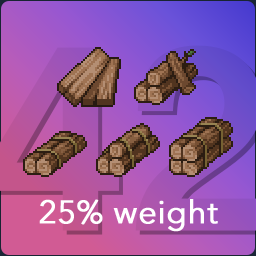
25% Wood Weight
作者:76561198029369281
[h1]Notice[/h1] I intend to keep this mod simple, as I made it for Build 40/41 originally. I wasn't sure how to update it correctly for B42+, with all the complicated new items. I ended up making a separate version for B42+ that does a smarter and configurable change to many more items, as well as a mod that does the same thing for (partially) metal items. Check them out: [table] [tr] [td] [url=https://steamcommunity.com/sharedfiles/filedetails/?id=3643808082][img]https://i.ibb.co/gFXShSYq/CACustom-Wood-Weight.png[/img][h3]Customizable Wood Weight[/h3][/url] [/td] [td] [url=https://steamcommunity.com/sharedfiles/filedetails/?id=3669302820][img]https://i.ibb.co/Ldw12W1Q/CACustom-Metal-Weight.png[/img][h3]Customizable Metal Weight[/h3][/url] [/td] [/tr] [/table] [hr][/hr] [h1]25% Wood Weight[/h1] Reduce weight of planks, logs and a few related items to 25% of their original weight. Affected items: [code]Firewood Firewood Bundle Firewood with Nails Log Log Stack - Two Log Stack - Three Log Stack - Four Notched Plank Plank Broken Plank Broken Plank with Nails Plank with Nails Sapling Tree Branch Large Branch Twigs Twigs Bundle Scrap Wood Charcoal Wood Charcoal Coke[/code] [img=https://i.ibb.co/YtXZJLr/blood1337.gif][/img] [hr][/hr] [h2]Details[/h2] [h3]Build 42+[/h3] Uses Lua to only modify the weight property of these items. This means this mod should not break anymore on future changes to related items. This affects the burning time of firewood items, as that is calculated based on weight. I don't intend to change that behavior, this mod is only focused on reducing encumbrance. [h3]Build 41[/h3] Uses scripts, which overrides all properties, but only of the items mentioned above. [hr][/hr] [h2]Other versions[/h2] [url=https://steamcommunity.com/sharedfiles/filedetails/?id=2377867605][img]https://i.ibb.co/gFFVfKFG/Reduced-Wood-Weight2x41.png[/img][/url] [url=https://steamcommunity.com/sharedfiles/filedetails/?id=2671262464][img]https://i.ibb.co/G3p80qVf/Reduced-Wood-Weight75p41.png[/img][/url] [hr][/hr] [h1]My other mods[/h1] [url=https://steamcommunity.com/sharedfiles/filedetails/3650035249][img]https://i.ibb.co/q305wHwD/CAExtended-Categories.png[/img][/url] [url=https://steamcommunity.com/sharedfiles/filedetails/3643807578][img]https://i.ibb.co/TxXxKDf4/CAKeep-Wood-On-Floor.png[/img][/url] [url=https://steamcommunity.com/sharedfiles/filedetails/3659357119][img]https://i.ibb.co/YFnRLNKc/CADrop-Vehicle-Parts-On-Floor.png[/img][/url] [url=https://steamcommunity.com/id/chekka-anchroviec/myworkshopfiles/?appid=108600][img]https://img.shields.io/badge/see_all-%E2%96%B6%EF%B8%8E-yellow?style=flat-square[/img][/url] [hr][/hr] [url=https://steamcommunity.com/sharedfiles/filedetails/changelog/2671262103][img]https://img.shields.io/steam/update-date/2671262103?style=flat-square&label=updated[/img][/url] [img]https://img.shields.io/steam/downloads/2671262103?style=flat-square&label=downloads[/img] Workshop ID: 2671262103 Mod ID: ReducedWoodWeight25p41
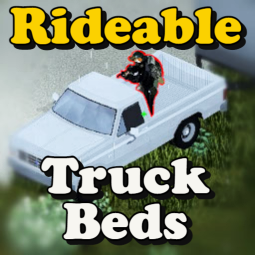
Rideable Truckbed
作者:76561198314318261
[h1]Note : This mod uses a very outdated method of physically overriding vehicle files. When I come back to PZ in B42 I will be using a new method that relies more on scripts rather than file overriding.[/h1] [i]This may not be compatible with new updates of Filibuster Rhymes' Used Cars.[/i] (Old Description Below) Ride in the back of Truck Beds! Now compatible with [url=https://steamcommunity.com/sharedfiles/filedetails/?id=1510950729]'Filibuster Rhymes' Used Cars'![/url] [i]Compatibility was a rushed feature, but it should work alright, there may be a few clipping issues with some vehicles. Please report all bugs in the appropriate discussion.[/i] [b]Works in Singleplayer/Multiplayer - 41.78[/b] You MUST run this after other vehicle mods in your mod load order, it overrides files! Ever wanted to ride in the back of trucks? Have your friend shoot zombies surrounding your car? Well now you can! Do Not Add to a Modpack without my permission, thank you! --- Are you also a modder and would like to help improve this mod? Contact me via steam! --- [i]Inspired by "Small Changes" by batple[/i] https://steamcommunity.com/sharedfiles/filedetails/?id=2863593785 --- Workshop ID: 2877551501 Mod ID: rideabletrucks
![Road between Fort Knox and Bedford Falls [41.78]](https://images.steamusercontent.com/ugc/1681520338017509530/0A70DC729DB9CE974105016D396C592BEB33A284/)
Road between Fort Knox and Bedford Falls [41.78]
作者:76561198033598643
Hi Survivors! This is a submod of the main map "Fort Knox linked to Eerie Country" https://steamcommunity.com/sharedfiles/filedetails/?id=2595249356 It's a road that connects Fort Knox to Bedford Falls. It overwrites 6 cells, south of Bedford Falls that are currently forests. The Cells are: 45x38, 45x39, 45x40, 45x41, 45x42, 45x43 You'll need to activate this mod only if you want to play with Fort Knox and Bedford Falls and if you want a road between them instead of a forest. Of course you can also decide to not use this mod, and walk through the forest, but if you have a car, you'll need it. In order to use this mod you'll need to activate the main mod https://steamcommunity.com/sharedfiles/filedetails/?id=2595249356 and of course Bedford Falls https://steamcommunity.com/workshop/filedetails/?id=522891356 The mod load order needs to be Road, Fort Knox, Bedford Falls. This map will not work if you don't have this load order. Workshop ID: 2595785944 Mod ID: FortKnoxRoad Map Folder: From Bedford Falls to Fort Knox
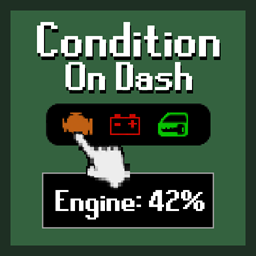
Condition On Dash
作者:76561198048687384
[b]Condition On Dash[/b] is a very simple QOL mod that will display the condition of the vehicles engine, battery, and headlights on the dashboard. If you're a reckless driver like me, you'll no longer need to guess the condition of your engine while driving. [b]Realtime condition:[/b] [img]https://i.imgur.com/RG6hGC8.gif[/img] [b]See the battery charge:[/b] [i]example shows car starting using charge[/i] [img]https://i.imgur.com/EOyWcDI.gif[/img] [h3]How to use:[/h3] Simply hover over the [b]engine[/b], [b]battery[/b], or [b]headlight[/b] icons on the dashboard and the condition will be displayed in the tooltip. Easy! [h3]Frequently Asked Questions:[/h3] [b]Is it compatible with X mod?[/b] [i]- There are no known conflicts.[/i] [b]Does it work in multiplayer?[/b] [i]- Yes.[/i] [b]Can I add it to my current save?[/b] [i]- Yes. It can be added or removed to a save with no issues.[/i] [b]Build 42?[/b] [i]- Yes.[/i] Workshop ID: 3306168142 Mod ID: ConditionOnDash
Louisville Spawnpoints
作者:76561198231150768
This Mod adds about 26'ish spawnpoints to Louisville KY since there is no way easy way to get inside the city from outside. Feel free to give feedback! [url=https://steamcommunity.com/sharedfiles/filedetails/?id=2985730744] 𝘾𝙝𝙚𝙘𝙠 𝙤𝙪𝙩 𝙢𝙮 𝙣𝙚𝙬 𝙢𝙖𝙥![/url] [img]https://imgur.com/18qcTSe.gif[/img][img]https://imgur.com/1a8MEt1.gif[/img][img]https://imgur.com/muFlTja.gif[/img] Workshop ID: 2678653895 Mod ID: LouisVille SP Map Folder: Louisville, KY
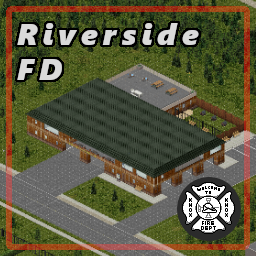
Riverside Fire Department
作者:76561198058344173
A well equipped fire department to assist with emergencies in Riverside and the surrounding area. [hr][/hr] [b]It adds the following:[/b][list] [*]Fire Department [*]Camping/Weapons shop [*]Garage storage [*]Gas station[/list] [b]Info:[/b][list] [*]Cell 22:17 [*]Game version [b]41.78[/b][/list] [i]if you like the mod[/i] [h1]I'm happy about a 👍[/h1] [hr][/hr] [Quote]⛔ [b]Permissions:[/b] Redistribution of this mod without explicit permission from the original creator is prohibited under any circumstances. This includes, but not limited to, uploading this mod to the Steam Workshop or any other site, distribution as part of another mod or modpack, distribution of modified versions. [i]© 2023 Myloo[/i][/quote] Workshop ID: 2799120190 Mod ID: Riverside Fire Department Map Folder: Riverside Fire Department
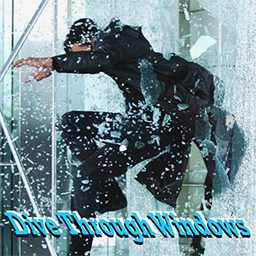
Dive Through Windows
作者:76561198046557694
You've jumped through windows, but now you can dive through windows like a badass! Uses the sprinting fence-hop animations instead of the window climb animation. Unofficial successor to the Jump Through Windows mod Thank you for 100k subs! Approved by Nurse 😁 [h2]Features:[/h2] [list] [b]NEW[/b] (1/28/2023) [*] This mod now fixes edge case bugs that are in the original Jump Through Windows mod (12/02/2022) [*] Realistic roll animation chance + new diving animation! [*] Train your Nimble skill or take Graceful to reduce your chance of falling and rolling. [*] [b]Sprint (left-alt by default)[/b] towards windows to smash through them. [*] Detailed injury model [*] Get a good headstart; not dashing long enough will bounce you back. [*] Building up a lot to the dive reduces injury risk from smashing into windows. [*] Running skill, Nimble skill, and armor protection lower the risk of injury. [*] Traits also affect your window-diving experience. (Overweight, Graceful, Thick Skin, etc.) [*] Tap Sprint while walking into an open window to safely climb it. [*] Tested to work in MP [*] Sandbox custom settings; decrease or increase injury chances or even roll animation chance to your liking [/list] Sprint (not run) to dive through windows in your path. For the best experience, I recommend for Sprint to be rebound to Ctrl and to uncheck the 'Toggle _ key to Sprint' in settings. Can be added to and removed from existing saves. Do [b]not[/b] use with the Jump Through Windows mod at the same time; it may lead to conflicts Workshop ID: 2891779083 Mod ID: diveThroughWindows
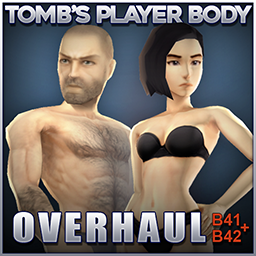
Tomb's Player Body Overhaul
作者:76561197960965404
[quote][h1]Tomb's Player Body Overhaul B41+B42[/h1] A complete overhaul of the Zomboid character models, designed with the goal of adding more detail but keeping the feel as "Vanilla+" as possible. Available for both B41 and B42 and fully integrated with Spongie's Character Customisation, allowing for a wide range of customisability options. [h3]NOTE: Spongie's mod is currently experiencing errors, i recommend [url=https://steamcommunity.com/sharedfiles/filedetails/?id=3699104148]using the fork here, made by twistonfire[/url] which is updated for the latest patches.[/h3] [/quote] [h1]December 2025 content update: Companion mod Tomb's Wardrobe: Alternative - Out now![/h1] [url=https://steamcommunity.com/sharedfiles/filedetails/?id=3616536783][img]https://i.imgur.com/1x8KCbK.jpeg[/img][/url] [quote][img]https://i.imgur.com/Dzm5NB9.png[/img] [h3]Important: Body mods can only load as the game is booting up, they must be enabled in the main menu mod list and the game MUST be restarted for them to work.[/h3] The mod comes with 5 files: [h3]Body - [/h3] The main mod containing the models. No textures are pre-packaged if you prefer to use vanilla / your own preference of texture. Like with all body mods they have no associated XML files, so the game [u]must be restarted[/u] for the model change to take effect. 3 options for textures. Select only one: [h3]Textures - [/h3] The default [b]underwear ON[/b] texture. [h3]Textures [DOLL] - [/h3] Naked, doll-like textures with no details for using ingame underwear. [h3]Textures [NUDE] - [/h3] Includes female nipples + pubic hair for each sex but no explicit nudity. and lastly: [h3]Customisation - [/h3] Adds 9 alternate heads for both Male and Female to Spongie's Character Customisation menu, for a total of 10 unique looks to choose from (requires Spongie's Character Customisation). [list] [*]Ensure that all the mods are loaded [i]after[/i] Spongie's Customisation, including textures and customisation. [*][b]RESTART[/b] Project Zomboid to complete the installation. [i][b]The mod will not take effect correctly until the next time you restart the game as the meshes only load on startup[/b][/i].[/list] [b]I also highly recommend setting the max texture size in the settings to at least 512.[/b] If everything is set up right your load order should look like this: [img]https://i.imgur.com/I1Z8evx.png[/img] Note that the mod files must be enabled on both the [i]main menu mods screen and also in the save file[/i] if you're adding this to an existing save.[/quote] [quote][h2]Notes on Multiplayer:[/h2] In order to use bodymods in MP each player [b][u]must have the body mod active on their own game[/u][/b] prior to joining a server. Rebooting the game is the only way to enable/disable body mods, once loaded they will persist into MP. If you run mods that require this mod as a dependency (wardrobe, etc) then it needs to be loaded on the server so that dependencies can activate.[/quote] [quote][img]https://i.imgur.com/KMX6oB3.png[/img] Some minor clipping issues with vanilla items and modded items can't be fixed without editing the clothing meshes. An optional (but [i][b]highly[/b][/i] recommended) compatibility patch is available at the link below where I'll be putting updates to address these clipping issues and creating custom compatibility patches for popular mods. [url=https://steamcommunity.com/sharedfiles/filedetails/?id=3431734923][img]https://i.imgur.com/24iFXDi.jpeg[/img][/url][/quote] [quote]Fancy getting your goth on? A huge selection of Alternative clothes? Then check out the [url=https://steamcommunity.com/sharedfiles/filedetails/?id=3531765630][b]Goth Skin[/b][/url] and [url=https://steamcommunity.com/sharedfiles/filedetails/?id=3616536783][b]Alternative Fashion Pack[/b][/url] addons below for all your (definitely not goth mommy) needs. [url=https://steamcommunity.com/sharedfiles/filedetails/?id=3531765630][img]https://i.imgur.com/NSrE7ZI.png[/img][/url] [url=https://steamcommunity.com/sharedfiles/filedetails/?id=3616536783][img]https://i.imgur.com/vAfDUIL.png[/img][/url] [/quote] [quote]If you want to stay up to date with future development and other upcoming mods feel free to join the Discord where I post updates regularly. [url=https://discord.gg/aKVnrSnsyh][img]https://i.imgur.com/Ls10O8p.png[/img][/url] More stuff is planned for the future, potential body shape variations etc, time permitting. I took every care to eliminate errors, but please report any problems in the comments, pinned report thread or preferably, the discord. Safe to use with existing saves etc (but you should always make backups!) [h3]If you like the mod please consider giving a like and a favourite to help others find it![/h3] [img]https://i.imgur.com/1w79ptG.gif[/img] [h3]If you want to support my efforts[/h3] [url=https://ko-fi.com/tomb_art][img]https://i.imgur.com/nTPm94r.png[/img][/url] Huge thanks to [url=https://steamcommunity.com/profiles/76561198102246223/myworkshopfiles/]EvilInside[/url] for being my sounding board during this project, helping to fine tune the bodies and test the mod, you're a beast bro. Also thanks to [url=https://steamcommunity.com/profiles/76561198046849708/myworkshopfiles/?appid=108600]Nik[/url], [url=https://steamcommunity.com/id/LazySpongie/myworkshopfiles/?appid=108600]Spongie[/url], [url=https://steamcommunity.com/id/the_docter0406/myworkshopfiles/?appid=108600]Ash[/url], [url=https://steamcommunity.com/id/throttlekitty/myworkshopfiles/?appid=108600]Throttlekitty[/url] and [url=https://steamcommunity.com/id/RAlNMAKER/myworkshopfiles/?appid=108600]Rainmaker[/url], for their resources/help/time/permissions while putting this all together! [h3]List of mods used in the thumbnail/screenshots[/h3] [url=https://steamcommunity.com/sharedfiles/filedetails/?id=2463184726]Spongie's Hair[/url] [url=https://steamcommunity.com/sharedfiles/filedetails/?id=2812326159]Spongie's Open Jackets[/url] [url=https://steamcommunity.com/sharedfiles/filedetails/?id=3387222454]Rain's Firearms & Gun Parts[/url] [url=https://steamcommunity.com/sharedfiles/filedetails/?id=3079948242]KATTAJ1 Military Pack[/url] [url=https://steamcommunity.com/workshop/filedetails/?id=3396622780]Lillie's Enhanced Militaria[/url] [url=https://steamcommunity.com/sharedfiles/filedetails/?id=3058134369]Pogo's Clothing Collection[/url] [url=https://steamcommunity.com/sharedfiles/filedetails/?id=2850935956]Boots Expanded[/url] [url=https://steamcommunity.com/sharedfiles/filedetails/?id=2761200458]Yaki's hair salon[/url] [url=https://steamcommunity.com/sharedfiles/filedetails/?id=2787539183]Yaki's hair retexture[/url] Further Notes: I am not adding a penis/vagina. Nor am I making the boobs, butt, muscles or whatever bigger or smaller. Do be aware that both bodies have more polygon density than vanilla and due to how the game works they will also replace all zombies. The textures are also higher resolution than vanilla. All this to say, the mod may affect your performance. In my B42 testing with 1000+ zombies on screen with these bodies enabled I was getting 1 FPS less than vanilla but take that with a grain of salt.[/quote] [quote][url=http://theindiestone.com/forums/index.php/topic/2530-mod-permissions/?p=36478][img]https://i.imgur.com/UkGgUrr.png[/img][/url] [h3]Please respect and support the original release and do not edit, re-package or re-upload this mod without permission TY.[/h3][/quote] Workshop ID: 3429790870 Mod ID: TombBody Mod ID: TombBodyCustom Mod ID: TombBodyTex Mod ID: TombBodyTexDOLL Mod ID: TombBodyTexNUDE
Improved Blood Effects
作者:76561198930103410
Makes blood realistic. [h1]What this mod changes:[/h1] [list] [*]Makes blood darker and less pixelated. [*]Adds bloody spray on impact / shot. (Watch the video). [*]Makes blood on walls and floors of the same color. [/list] [h1]Attention!!![/h1] Increase resolution of textures if they are too blurry. Custom size of blood splashes: https://drive.google.com/drive/folders/174gUhV5dU2inPLIOuBAlqDowkz0rFLLd?usp=sharing Workshop ID: 2648152698 Mod ID: Improved_Blood_Ffects
![[B41] Repair Wall](https://images.steamusercontent.com/ugc/2453970812943764515/24BAA4A7CA09826B72B271CAC638D2C789633724/)
[B41] Repair Wall
作者:76561198348138562
[h2]Now works with 'More Builds' and 'Improved building menu' too![/h2] To be honest, this should be in vanilla long time ago... Just right click on whatever you've built, and hover on "Repair" menu and repair your WALLS! [img]https://i.imgur.com/1geL0fn.png[/img] [h2]Features[/h2] [list] [*] Works in [b]Multiplayer[/b] / Coop / Singleplayer [*] Safe to be added / removed for any save. [*] Potential repair is based off your Carpentry/Metal Working level. The higher you have, the more you repair. [*] 'Handy' Trait makes your animation faster. (I made this for later expansions) [*] You can keep your items not only in your inventory, but also in backpack/bags/containers that you wear. [*] Fully Animated. [*] Nice-looking Menu with colorful tooltips. [*] Menu appears when object has less than 100% health. [*] [b]Show Wall Health[/b] is not required, but highly recommended. [b](REQUIRED IN MULTIPLAYER!)[/b] [/list] [h2]Balance[/h2] [list] [*] Before creating this mod, I didn't know exactly what I should put as needed items to repair broken walls because I wanted it to be useful. Walls are quite easy to make, so why would you ever repair them at huge cost? That's why I decided to stick with simple items like planks and metal pipes, which are really easy to come by. The amount to be repaired is as small as possible to convince you to repair them instead of making a new one. [*] Tool condition/fuel will not be taken after use. [/list] [h2]Mod Compatibility[/h2] [list] [*] Modded items such as hammers or blowtorches should work for needed items. [*] Every mod that adds "Destroyable" things should work for repair. (Examples: [url=https://steamcommunity.com/sharedfiles/filedetails/?id=2923027740]Destroyable World Fences[/url]) [*] If you want to make sure the mod is compatible, the object instance must be "IsoThumpable" AND must include material in Data such as "Wood" or "Metal". [/list] [h2]Translation[/h2] [list] [*] Every language has partial translation, but some of them are made using "Google Translator" which can make some words incorrect. [*] MY LANGUAGE SUCK! - You can contribute to the mod and add your own correction to the language. To do that, please join Discord (click on the banner below) and tag me there! [*] Github with available languages and templates - https://github.com/Kamer5555/Translation/tree/main [/list] [img]https://i.imgur.com/1geL0fn.png[/img] [h2][b]Want more?[/b][/h2] Join me on Discord to stay up to date! You can suggest or report anything there, you can also join the pz modding community ;). [img]https://i.imgur.com/gohg4Xu.png[/img] [url=https://discord.com/invite/fkCzCTDXdD][img]https://i.imgur.com/uIkpv0k.png[/img][/url] [url=https://discord.gg/tNzcyyDCkH][img]https://raw.githubusercontent.com/Chuckleberry-Finn/chuckImages/main/PZmodCommBanner1.png[/img][/url] Made by Kamer * Workshop_ID: 3006882690 * Mod_ID: KAMER_RepairWall * Version: 1.3.3
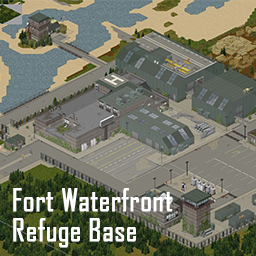
Fort Waterfront
作者:76561198254250210
There is a road near the intersection between Muldruagh and Rosewood that leads you to this medium-sized player base. INSTALLATION: Make sure you install 'Mod Template', 'Dylan's Tile Pack', 'Daddy Dirkire dirts tiles', and 'throttlekitty's tiles' before this map. Otherwise, this fort may not spawn or lost some texture. Workshop ID: 2779248414 Mod ID: Fort Waterfront Map Folder: Fort Waterfront
![Tread's Water Tank Trucks [41.65+]](https://images.steamusercontent.com/ugc/1823395430543786394/D5DB6BE34398730DF2FD9AF17295BBE32BA5FEFC/)
Tread's Water Tank Trucks [41.65+]
作者:76561198032308042
[h1]Tread's Water Tank Trucks [41.65+][/h1] This mod adds working water trucks and water tank trailers (and their water tank parts) to the game. It was made for 41.65 version of a game and should work both in SP and MP. Nonetheless I had limited testing capabilities so all bug reports are welcome. [h2]Vehicles are able to:[/h2] [list][*] serve as a tap for drinking, [*] dispense water to any water container in player inventory, [*] get filled from items containing water (that player has in inventory), [*] get fully emptied, [*] pump water between themselves, [*] pump water from "water tiles" (not puddles) and some water holding objects (like Water Barrels, sinks etc.), [*] pump water to some water holding objects, but not to others (Water Dispensers, Washing machines etc.), [*] pump water into Water Barrels one floor above - via pumping into the sink plumbed to that barrel (plumbing is native functionality), [*] have pumping functions blocked by walls, closed doors and windows that are between Water Vehicle and "pump to/from" object, [*] get tainted, by adding in or pumping in tainted water, [*] get emptied of tainted water and filled once more with clean (tainted flag gets removed on emptying the tank), [*] use Water Filter part to dispense clean water (ignoring whether tank contents are tainted), [*] vacuum trucks (liquid waste disposal trucks) cannot be cleaned and always dispense tainted water, [*] emit sounds during water tank operation.[/list] [h2]Added vehicles:[/h2] [list][*] Water Trailer (1500 units of water) - Based off TMC (Tsar's Modding Company) KBAC trailer [*] Water Truck (3000 units of water) - Based off Filibuster Rhymes Propane Truck [*] Army M50 Water Truck (3000 units of water + water filter part) - Based off Filibuster Rhymes M49 Fuel Truck [*] Vacuum Truck (3000 units of always tainted water) - Based off Filibuster Rhymes' Propane Truck [*] Fire truck (3000 units of water) - Added by toggleable sub-mod, requires [url=https://steamcommunity.com/sharedfiles/filedetails/?id=1510950729]Filibuster Rhymes' Used Cars[/url] [*] HBA201 Water Semi-Trailer (10000 units of water + water filter part) - Added by toggleable sub-mod, requires [url=https://steamcommunity.com/sharedfiles/filedetails/?id=2618213077]KI5 "'82 Oshkosh M911" mod[/url][/list] [i]Fire truck sub-mod overwrites Filibuster Rhymes Firetruck. It adds Water Tank to the vehicle. Fire trucks water inlet can be found on the side of the truck. Overwriting Filibuster Rhymes file may make his future updates to fire truck incompatible with this mod.[/i] [i]HBA201 Water Semi-Trailer sub-mod does not overwrite anything. It adds a new trailer to the game. Sub-mod requires [url=https://steamcommunity.com/sharedfiles/filedetails/?id=2618213077]KI5 "'82 Oshkosh M911" mod[/url] since it depends on its assets. Future updates to KI5 mod may be incompatible with this mod.[/i] [img]https://i.imgur.com/p7Fv1Z6.gif[/img] [h2]Water Filter:[/h2] Some Water Tank vehicles are equipped with Water Filter part. It can only be found on those vehicles and while installed it makes the dispensed/pumped water clean (disregarding tainted status of water in the tank). Filter works properly only if it is in good condition. Once it requires service, vehicle will dispense/pump water "as it is" in the tank (either clean or tainted). IF filter is in really bad shape, vehicle will dispense tainted water, even if filled with clean one. Water filter can be repaired with proper materials and skills. It can also be uninstalled and vehicle dispenses water "as is" in the tank. Filter slowly degrades with each water unit dispensed/pumped from the vehicle. Clean water (in the tank) causes slow degradation, whereas tainted one speeds it up. Uninstalling filter temporarily can be a valid approach in some situations. [i]I had to pick some arbitrary values for balance - all constructive balance advice is welcome![/i] [h2]How to add your own custom water storage vehicles and parts?[/h2] Please look into the discussion topic - Steam limits description length so I had to move it. [h2]Future:[/h2] I am not a professional programmer, experienced modder nor hardcore Zomboid gamer. I made the mod for myself and a few friends to include on our server. I thought that it might be useful for others therefore I share it on Steam Workshop. I will try to update the mod from time to time and fix any bugs found. Nonetheless I do not promise I will have time and skill to do it on any regular basis. If you wish to fuel my modding activities please consider supporting me: [url=https://ko-fi.com/tread][img]https://i.imgur.com/SHnNA1r.png[/img][/url] [h2]Languages:[/h2] [list][*] English (EN) [*] Polish (PL) [*] Dutch (NL) - thanks to my co-worker Nik for checking my translation [*] Brazilian Portuguese (PTBR) - translation by Papa_Chad [*] German (DE) - translation by Blacky [*] Spanish (ES) - translation by ИعşŞ [*] Russian (RU) - translation by Smile [*] French (FR) - translation by Kagoule [*] Traditional Chinese (CH) - translation by sweet-[/list] [h2]Credits:[/h2] I wish to thank a few people (and groups): [list][*] TIS - for making this great game and plenty of code I could chop into shape of my mod, [*] Filibuster Rhymes - for creating wonderful mod and allowing me to reuse his assets (models, textures, scripts) as base for my vehicles, [*] TMC (Tsar's Modding Company) - for allowing me to reuse their KBAC Trailer and its assets (models, textures, scripts) as base for my water trailer, [*] KONIJIMA - for creating great Water and Fuel related mods that inspired me to create this mod and for allowing me to reuse a function from his code, [*] PlanetAlgol - for creating fuel truck code for Filibuster Rhymes mod, code that I studied, when I tried to get grasp on how Zomboid fuelling functions work, [*] All the mentioned above - one more thanks for writing the code I could study and base on while learning to write this mod, [*] Pawel-Commandos - for making custom textures and icons I use in the mod (Textures are adjusted assets from Filibuster Rhymes and TMC), [*] KI5 - for allowing me to make water version of his "M967 Fuel Tanker Semi-Trailer" from his "'82 Oshkosh M911" mod and providing me with textures for it, [*] All translators.[/list] [h2]Known Issues:[/h2] [list][*]Vehicle Water tanks and World Objects (e.g. water barrel) can be used by multiple players at once in MP. It will result in wrong final content values since multiple functions overwrite it without acknowledging each other. [*]Pumping water into barrels that are connected together (by mod: "Irrigation pipes for farming and water supply [B41+]") can result in "water multiplication". It occurs when barrels "water equalisation" (Irrigation mod) ticks during pumping process. I will try to rewrite pumping function in a way that prevents it. [*]Pumping tainted water into the sink (connected to the barrel) results in clean water in barrel. Sink serves as kind of "water filter" in both ways. I personally think it is just a bug or omission of vanilla game, but don't want to strip players of this "filter feature" as some are used to it. I keep it this way to stay more compatible with vanilla game.[/list] [h2]Usage of my code in other mods:[/h2] I do allow usage of my code in other Zomboid mods. If you decide to do so please credit me in description. I cannot promise regular updates and long-term support therefore I do allow fixing, upgrading, updating etc. my code and uploading its adjusted versions. Nonetheless, please try contacting me first. Once more I only request crediting me for the work done. Workshop ID: 2719592131 Mod ID: RS_WaterCistern Mod ID: RS_WaterCistern_FR_Overwrite Mod ID: RS_WaterCistern_KI5_Addon
Save Our Station!
作者:76561197979041884
[h1]Save Our Station![/h1] This mod adds a [b]new gameplay mechanics[/b] to the Automated Emergency Broadcast System (AEBS) along with [b]new areas[/b] to explore in the vanilla Knox Country Map. [hr][/hr] [url=https://store.steampowered.com/app/3582810?utm_source=sos][img]https://www.dandelionvoid.com/hosting/sos/sos_wishlist.gif[/img][/url] Save Our Station has been a blast to work on, and we intend to keep it up to date, but we've also been working on our own title we think you'd be interested in. [url=https://store.steampowered.com/app/3582810?utm_source=sos]It's called Dandelion Void, and you can wishlist it here![/url] [hr][/hr] [h2]Please Read - Build 42 Development[/h2] [quote] [b]Yes, B42 support is planned, however, we don't have an estimated time for it.[/b] We will not be pushing any more patches for B41, as we've already committed to the B42 code structure internally, and have not run across any relevant issues in the last year. However, we are unable to support the latest version of Project Zomboid until official B42 mapping tools are released. [/quote] [hr][/hr] [h2]Repair the Emergency Broadcast System[/h2] [quote] Do you... [list] [*]...find yourself late in the game with nothing to do? [*]...want new areas to explore in Knox Country? [*]...take your hourly weather updates and air traffic alerts for granted? [/list] [b]Save Our Station[/b] spices up your survival experience by causing the Automated Emergency Broadcast System to occasionally suffer service outages. Travel to weather stations scattered around Knox Country to find, diagnose, and fix the broadcast system. Whilst the AEBS is built with emergency scenarios in mind, the backup systems can only last so long... [/quote] [h2]How it Works[/h2] [quote] At the end of every emergency broadcast, the system's integrity will be reported, communicating the status of the Emergency Broadcast System. Once the power shuts off in Knox Country, there's a chance the Emergency Broadcast System will fail. [b]System Faults[/b] When a system fault occurs, the network will run a self diagnosis - a process that may take several days. Upon completion, a location and diagnostic code will be broadcast. Refer to NWS - National Weather Service - Diagnostic Manuals and NWS Registers to find and troubleshoot the issue. The NWS Diagnostic Manual will tell you what is wrong, and the items needed to resolve thefault. The NWS Register will tell you where to find the weather station in trouble. Enter the control room of the appropriate weather station, and perform the repairs by right clicking on one of the weather terminals. Once the repairs are complete, the next Emergency Broadcast will be broadcast loud and clear... until the next fault occurs! [b]System Inturruptions[/b] For a more punishing experience, system interruptions can be enabled from within your sandbox settings. These interruptions are temporary system faults, during which the Emergency Broadcasts system will be unavailable. [/quote] [h2]What's New in Knox Country[/h2] [quote] Five new locations have been added to the vanilla map, in the outskirts of West Point, Riverside, Muldraugh, Rosewood, and [spoiler]REDACTED[/spoiler]. In addition to weather stations, each location includes additional points of interest, such as a dirt race track, a diner, secluded homes, [spoiler]REDACTED[/spoiler], and much more! [/quote] [h2]New Items[/h2] [quote] To troubleshoot faults in the Emergency Broadcast System and find weather stations, two new items have been added to the game. [b]- NWS Diagnostic Manual -[/b] [list] [*]The National Weather Service Diagnostic manual provides the information you need to interpret the diagnostic codes thrown by the Emergency Broadcast System during a fault. [/list] [b]- NWS Register -[/b] [list] [*]The National Weather Service Register contains the locations of all civilian weather stations, as well as a general layout of the major roads in Knox Country. However, you will not find [spoiler]REDACTED[/spoiler] on a typical NWS Register - but with some luck, someone may have written it down before the Knox Event started... [/list] Since these are technical publications with a niche appeal, they are pretty rare. Try your luck at the local bookstore, library, or home bookshelf. If you happen across a weather station, there's a good chance you'll find them in the control room, or in the trunk and glovebox of parked weather service vehicles. [/quote] [h2]Sandbox Options[/h2] [quote] [b]Save Our Station[/b] now supports [b]Sandbox Options[/b] for customizing your play style, such as: [list] [*]Toggle for the Knox-Power Grid failure requirement. [*]Toggle for enabling/disabling Faults and Interruptions individually. [*]Reliability profiles for determining the frequency of faults and interruptions. [*]Time multiplier, for increasing or decreasing how rapidly faults and interruptions progress. [/list] These options can be changed at any time, on both Dedicated and Host-Mode Servers, via the Admin Menu. Singleplayer users can set them when starting a new game, or can use a mod like [url=https://steamcommunity.com/sharedfiles/filedetails/?id=2894296454]Change Sandbox Options (by Star)[/url] to edit them in an existing world. [/quote] [h2]Mod & Map Compatibility[/h2] [quote] [b]Save Our Station[/b] is compatible with [i]many[/i] map mods. Please see the [url=https://steamcommunity.com/workshop/filedetails/discussion/2398274461/3785877016600078243/]stickied post in the Discussions section[/url] for a comprehensive list, and the Map Cells that are in use. [/quote] [h2]Frequently Asked Questions & Issues[/h2] [quote] [i]We have moved the [b]FAQ[/b] into the [url=https://steamcommunity.com/sharedfiles/filedetails/discussions/2398274461]Steam Discussions section[/url]. Please see the appropriate stickied post![/i] If you are running into a bug/issue, [b]please use our [url=https://github.com/BrianOstrander/pz-save-our-station/issues]GitHub Issue Tracker[/url][/b]. Your issue may have already been resolved. [/quote] [h2]What languages are supported?[/h2] [quote] The following languages are already supported, with more on the way! Check out the stickied post below to help localize Save Our Station. [list] [*]English - EN [*]German - DE [*]Spanish - ES [*]French - FR [i]Update Needed![/i] [/list] If you see English where it shouldn't be, it's because we need more help localizing this mod. See the relevant Steam Discussion Post for further information. [/quote] [h2]Credits[/h2] [quote] [list] [*]Spacew00t - Original mod creation, mapping, texturing, and Lua scripting. [*]YoshiWoof22 - Maintaining, code overhauls, Interruption system, Sandbox Options, German localization. [*]Krukrapok - Texturing the weather terminal and all around advice for improving my own textures. [*]throttlekitty - Answering my endless questions and providing awesome tiles! [*]Daddy Dirkiedirk - Textures and quality feedback. [*]Konijima & Chuck - Lua debugging for multiplayer support. [*]Xianah - French localization. [*]Nitropic - Spanish localization. [*]Lexx - Minor bugfix. [*]Olipro - Fixes for v41.78 update. [*]UNKNOWNFOX & Skizot - Vehicle texture help. [*]Special Thanks to everyone in the #mapping Discord channel, y'all are great!!! [/list] [/quote] [hr][/hr] [table] [tr] [td]Workshop ID[/td] [td]2398274461[/td] [/tr] [tr] [td]Mod ID[/td] [td]SaveOurStation_Core[/td] [/tr] [tr] [td]Mod ID[/td] [td]SaveOurStation_KnoxCountry[/td] [/tr] [tr] [td]Map Folder[/td] [td]SaveOurStation_KnoxCountry_World[/td] [/tr] [/table]
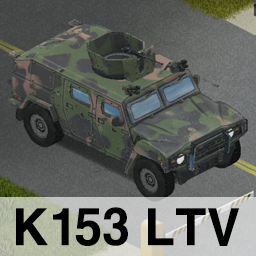
Brita's K153 LTV
作者:76561198010755218
This is my first vehicle mod, So please understand! [h1]K153 Armored Reconnaissance Vehicle[/h1] The K153 is a Light Tactical Vehicle (LTV) manufactured by KIA. [h1]4 Types of K153[/h1] (Original / Military Turret / Police / Emergency) There are 4 types of police, 3 types of emergency and 14 different colors for the original version and the military turret version. Copyright 2022 Brita. This item is not authorized for posting on Steam, except under the Steam account named Brita. https://ko-fi.com/brita99373 Here's my support page! I'm uploading pictures of my mod work. Workshop ID: 2794684100 Mod ID: Brita_K153
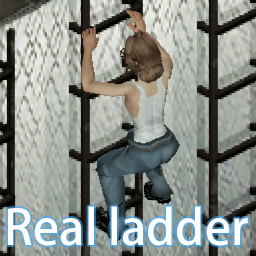
Real Ladder
作者:76561198419748977
1. Ladders on the map can now be climbed, and players can also build ladders. 2. Remember to turn off anti cheating when online 3. Press E up and down 4. The ladder can only be a floor 5.We can only sacrifice part of the animation effect so that the players will not be injured. Please forgive me Workshop ID: 2862018814 Mod ID: QNW_Ladder
![Vilespring's M113A1 Armored Personnel Carrier [Updated 2023]](https://images.steamusercontent.com/ugc/786376941020788082/D9D70AE71F7F97CC96B6E7FD20FEBFEDB92E68DF/)
Vilespring's M113A1 Armored Personnel Carrier [Updated 2023]
作者:76561198125195710
The M113A1, an American Armored Personnel Carrier constructed out of 5083 Aluminum Alloy at 28mm - 44mm. This machine and its variants have been in service since 1960 all over the world. In Project Zombiod, the M113A1 is a very rare and very powerful, yet balanced vehicle. The M113A1 can hold up to 2 crew members and 6 passengers in the back, making it a very good transport vehicle. When pressed into a cargo role, the seats can haul a decent amount of items, but not nearly as much as a dedicated truck. Another incredible feature of the M113A1 is high durability and protection. The machine has the ability to run over many zombies without much damage, and bullet protection of the armored hull, stopping all damage to its occupants. The only way to get injured while operating an M113A1 is accidents, and those would be quite painful. Due to the nature of armored vehicles, being in an accident when inside one, even at low speeds, will cause severe injuries. However, the M113A1 has many issues along with its extreme rarity. While it cannot be broken into through traditional means, hatches and doors can be removed even when locked. This however, requires lots of time and level 8 mechanics. Fuel economy is less than ideal, and the engine is very very loud and will attract unwanted attention quite easily. Quite a few other parts on the M113A1 are unique and require a high mechanics skill to uninstall and install, and also a high metalworking skill to repair. M113A1s also have a high chance of spawning with spare parts in them, to assist part scarcity until players can cannibalize another one. M113A1's can be found just about anywhere, since it's in the spawn table that police vehicles are, making it a special vehicle. However, the chances of finding on in a junkyard or wreck isn't that bad. They always have good loot in them! The mod only adds one vehicle, but it has 30 skins so finding another M113A1 that looks the exact same is quite improbable. NOTE: There are 3 mods included that determine where it's allowed to spawn. Enable as many as you want, or enable none to keep it from spawning if you wanted to. Notable mod interactions: Filibuster's Used Cars - The M113A1 will spawn along side the military vehicles. This significantly increases the chances of finding one. Superb Survivors - Bullet proofing! Hostile NPCs shooting at you will be greeted with a metallic clunk as the armor stops bullets! This bullet proofing should theoretically work in multiplayer, but I'm yet to get my friends to shoot at me. Known quirks: When armor defeats an attack, blood still sprays out The suspension is a bit wobblematic Spacebar makes the nose dive into the ground It's too light. It should be about 6x heavier but the game just hates it. Workshop ID: 1983277711 Mod ID: VileM113APC Mod ID: VileM113APCSPWNJNK Mod ID: VileM113APCSPWNMIL Mod ID: VileM113APCSPWNPOL
You drive, I sleep
作者:76561198012326036
[h3]Be able to sleep while someone else is driving.[/h3] Only to be used for long romantic road-trips with the bros. [h2][b]This is a compliment-mod for mods that allow for quick independent sleeping in MP.[/b][/h2] [i]Or if you like roleplaying and black screens.[/i] [url=https://ko-fi.com/chuckleberryfinn][img]https://raw.githubusercontent.com/ChuckTheSheep/chuckImages/main/kofi.png[/img][/url][url=https://discord.gg/SReMnbV4V7][img]https://raw.githubusercontent.com/Chuckleberry-Finn/chuckImages/main/PZmodCommBanner3.png[/img][/url] [url=https://raw.githubusercontent.com/Chuckleberry-Finn/chuckImages/main/bingo.png][img]https://raw.githubusercontent.com/Chuckleberry-Finn/chuckImages/main/readThrough.png[/img][/url] [img]https://raw.githubusercontent.com/Chuckleberry-Finn/chuckImages/main/noModPacks.png[/img] [url=https://chuckleberry-finn.github.io/issues/][img]https://raw.githubusercontent.com/Chuckleberry-Finn/chuckImages/main/bugHunt.png[/img][/url] [b][i][h1] [/h1][/i][/b] [h3]Copyright 2026 Chuckleberry Finn. This item is not authorized for posting on Steam, except under the Steam account named Chuckleberry Finn.[/h3] Workshop ID: 2830570280 Mod ID: YouDriveISleep
Paw Low Loot (41.50)
作者:76561197989740546
Just subscribe to install. Leave a like/fav <3 Please be nice. Consider donating so i can dedicate more time into modding, very appreciated! (button on the bottom). Accepting translations too :X the problem is not translating but inserting so many entries for everything. [h1]Paw Low Loot:[/h1] What's in: -Adds some fantasy/tactical mixed equipment and weapons i made for the game, in a balanced manner, to be [b]LOOTED[/b]! -[b]Fantasy items are optional in the mod list selection (see list for reference)[/b]. -[b]Guns are optional[/b]. -Only changes holster location. Functions added are fully standalone. -Equipment is [b]rare[/b] and in general, late game. Most stores contain spawns for the items, accordingly to the theme/material of that set. -Will work on old saves but areas already explored won't spawn any new items (unless you're using loot respawn, casul :X). [b]Fully compatible with most mods[/b]. -Extends usability with [url=https://steamcommunity.com/sharedfiles/filedetails/?id=2050264961]G.E.A.R.[/url], torso rig is useless without the mod, but it's not required. -Compatible with [url=https://steamcommunity.com/sharedfiles/filedetails/?id=2073178608]Armor Mod[/url] if you want the modded armour to block bullets too. -Compatible with [url=https://steamcommunity.com/workshop/filedetails/?id=1793461606]eris_nightvision_goggles[/url] -Works with other modded clothing, [url=https://steamcommunity.com/sharedfiles/filedetails/?id=499795221]Cheat Menu[/url] and [url=https://steamcommunity.com/sharedfiles/filedetails/?id=2020740322]Fashion Montage Mod[/url]. Sets are good for challenge maps and works on mannequins. I'm still learning and this is my first PZ mod ever (which i'll keep updating). [h2]Current List:[/h2] [b] {F} - Fantasy pack/extension[/b] [b]1.Witchy Set[/b] light [olist] [*]-Witchy Hat{F} [*]-Witchy Dress{F} [*]-Black-Striped Socks{F} [*]-Flak Vest [*]-Large Tactical Waist Bag (Back and front) [*]-Scorpion SMG. Minimum recommended aim lvl: 5 [*]-Witchy Staff{F} [/olist] [b]2.Rogue Set[/b] medium [olist] [*]-Rogue Sword [*]-T-Gewehr Rifle (13.2 ammo). Minimum recommended aim lvl: 7 [*]-Rogue Hood [*]-Rogue Vest [*]-Rogue Arms [*]-Rogue Greaves [*]-Rogue Gloves [*]-Rogue Shoes [*]-Rogue Waist Bag [*]-Rogue Gas Mask [*]-Wet Suit [/olist] [b]3.Tactical Knight Set[/b] heavy [olist] [*]-Metallic Helmet{F} [*]-Metallic Waist Armor{F} [*]-Metallic Arms Armor{F} [*]-Metallic Greaves{F} [*]-Metallic Chest Plate{F} [*]-Metallic Gloves{F} [*]-Metallic Boots{F} [*]-Great Sword [*]-Jackhammer Shotgun. Minimum recommended aim lvl: none [*]-Chain Mail Suit{F} [/olist] [b]4.Cleric Set[/b] medium-heavy [olist] [*]-500 Revolver (.500 ammo). Minimum recommended aim lvl: 5 [*]-Antique Mace [*]-Tac Pants [*]-Tac Neck Armour [*]-Altyn Helmet [*]-Caw Mask{F} [*]-Tactical Holster (Can switch sides and remove/add straps by convenience, just lighter than the regular holster). [/olist] [b]5.Peregrine Falcons Squad (PF) Set[/b] visual/complement [olist] [*]-Camping Vest (Opens/Closes) [*]-Camping Pants [*]-Camping Shorts [*]-Camping Knee Pads [*]-Wrapped Bandana [*]-Camping Cropped Top [/olist] [b]6.Wigs (WIP)[/b] Most models alternate by gender choice. [olist] [*]-Wig Piggy [*]-Wig Bob2 [*]-Wig Wide [*]-Wig Mendy [*]-Wig Bun2 [*]-Wig Short2 [*]-Wig Croft [*]-Wig Rachel2 [*]-Wig Fab (Fabian/Long hairstyle wig, for wearing with certain helmets, only available at the character creation or console commands) [*]-Wig Leo (Console/Char creation) [/olist] [b]7.Weapons[/b] Fun fact: All CORE weapons added are lore-wise (but the.500 lol) [olist] [*]-M32 Revolver. Minimum recommended aim lvl: 2 [*]-MAS38 SMG (.38 SMG Magazine). Minimum recommended aim lvl: 6 [*]-Jericho Pistol (vanilla .44 mag/ammo). Minimum recommended aim lvl: 3 [*]-P88 Pistol (vanilla 9mm mag/ammo). Minimum recommended aim lvl: 2 [*]-M79 Grenade Launcher (its a ball, cant change the icon of a throwable but have its own model, uses 40mm grenades, different firing types). Minimum recommended aim lvl: 4 [*]-PPSH41 (vanilla 45 auto). Minimum recommended aim lvl: 6 [*]-Lewis Machine Gun (vanilla 308 rounds). Minimum recommended aim lvl: 7 [*]-Tanto Dagger{F} [*]-MP5GL{F} (CONSOLE ITEM - 9mm SMG Clip, like the Skorpion SMG, with underslung M302, 40MM). Minimum recommended aim lvl: 6 [*]-M134{F} (CONSOLE ITEM - 5.56 belt. Extremely heavy weapon made for decimation, needs minimum distance to be fired). Minimum recommended aim lvl: 4 [*]-MK19{F} (CONSOLE ITEM - 40MM belt. Extremely heavy weapon made for decimation, needs minimum distance to be fired, different firing types) . Minimum recommended aim lvl: 4 [*]-Grimoire{F} (Melee one-use spawner, with enough level or just a comically weak weapon with entertainment value) [*]-Metallic Shield[{F} (WIP, CONSOLE ITEM) [/olist] [b]8.Accessories/Clothing[/b] fit the gaps with gear and clothing [olist] [*]-Fighter Shorts (Still only fashionmontage/debug) [*]-Tight Bandana (Opened and Closed, Still only fashionmontage/debug) [*]-Arm Wrappings and Leg Wrappings (Craftable, able to add patches for minor/desperate armour, but can look nice) [*]-Large Medical Waist Bag (back front) [*]-Military Holster (tactical holster green) [*]-Military Flat Cap (different textures) [*]-Paramedic Bag (tiers between the school bag and duffle) [*]-Thin-Framed Glasses [*]-Rounded Thin-Framed Glasses [*]-Cropped Tank Top [*]-Sports Tank Top (4 colours) [*]-Leggings (Tint) [*]-Elbow band, left and right [*]-Big Tuba Piece{F} (don't take it seriously, it will fall off your head easily) [*]-Pocketed Belt(Frontal fanny bag) [*]-Canvas Shoes (5 colours) [*]-Long Canvas Shoes [*]-Denim Mini Shorts [*]-HECU Mask{F} [*]-HECU Vest{F} [*]-Eyes contact lens (type 1 for vanilla & type 2 for animu) cosmetic only, different colours. Works together with all makeups) [*]-Spooky Suit{F} (Debug/cheat consoles only) [*]-Operator Cap (and headset) [*]-Waist Pouches (normal black and medical) [*]-Torso Rig (two sizes fits one, gives G.E.A.R mod slots) [*]-Carrier Vest (two sizes fits one) [*]-Adventurer's Bag (brown and black leather, has a pistol/dagger slot if using G.E.A.R. mod) [*]-Ares Prototype Mask{F} (Debug/cheat consoles only) & [*]-Ares Prototype Body{F} (My take on [url=https://steamcommunity.com/sharedfiles/filedetails/?id=1740559436]Daughter of Ares[/url]). Which was a Fallout mod as far as i remember. Only in Fashion Montage Union Suits or debug/cheat consoles. Very stronk. [/olist] [h2]Info/Changelog:[/h2] https://www.dropbox.com/s/805j2bx0ezf93ao/Changelog.xml?dl=0 [b]Future plans/ideas:[/b] -Keep fixing/enhancing some textures. -Less verts on meshes, i'm sorry lol, did my best for now. -Make everything better when AnimZed (custom clothing meshes, proper hairs, fluid movement animations), i don't know. Bugs: Asides from some model clipping (mostly wigs and hats) and very static models in some situations, this should work [u]just fine[/u] [strike][b]todd.jpg[/b][/strike]. Thanks the community for the support! [url=https://ko-fi.com/pawlow][img]https://i.imgur.com/E86M21T.png[/img][/url] [b]Creds:[/b] -Launcher and weapon codes base from Arsenal[26] -Some small pads textures from Relih -HECU and Rogue Gas Mask icons. Flat Cap textures by Mr.Hardcore -Holsters attachment positions and tons of teachings by planetalgol, from [url=https://steamcommunity.com/sharedfiles/filedetails/?id=2050264961]G.E.A.R.[/url] defs. -Leggings by Bunker Other mods on the pictures: -Advanced G.E.A.R. -BRITA's weapons pack -Soul Filcher's Exploring and Dressing time [b]I GIVE NO PERMISSION TO SHARE THIS MOD FILES AND ITS CONTENTS EXTERNALLY OR INTERNALLY THE WORKSHOP WITHOUT MY CONSENT.[/b] Workshop ID: 2279084780 Mod ID: PLLoot Mod ID: PLLootF Mod ID: PLLootG
![[B41/B42.16.3+]Smoking Sounds Overhaul](https://images.steamusercontent.com/ugc/2448341624959115317/FDC72048B37E94E0C0963F18CD35E997A24A1F00/)
[B41/B42.16.3+]Smoking Sounds Overhaul
作者:76561198027102149
Now working with B42.16.3+! (still working on support for direct smoking via a cig pack, everything else works fine) The normal smoking sound effect for cigarettes and cigars is kinda underwhelming. This mod adds 6 new smoking sound effects for both genders which includes: a zippo lighter opening/closing, matchbox opening/closing, match strikes, crackling sounds and inhaling/exhaling of smoke for your immersive smoking experience! ---------------------------- [h1]Adds:[/h1] ---------------------------- -3 smoking sound effects for both matches and lighters which randomly play when smoking cigarettes (so, female and male characters both have 6 different versions) -Lighter/matchbox sounds depending on which you use -Lighter makes zippo opening and closing sounds -Matchbox (technically a matchbook in the game) sounds of retrieving a match -Match striking sounds -Sounds of crackling -Exhaling of smoke ---------------------------- [h1]Suitable for:[/h1] ---------------------------- -B41 & B42.16.3+ -SP & MP -Existing save games (You can freely add or remove this mod at any point) ---------------------------- [h1]Known issues[/h1] ---------------------------- - In B42, smoking directly from a cigarette pack does not play any of the sounds, it seems to work differently than normal cigarettes. Working on it. ---------------------------- [h1]Compatible with[/h1] ---------------------------- -[url=https://steamcommunity.com/sharedfiles/filedetails/?id=3423984426]True Smoking[/url] (Recommended! allows you to edit smoke times and more. Fully compatible with SSO!) -[url=https://steamcommunity.com/sharedfiles/filedetails/?id=2026976958]Smoker [/url] (Compatibility patch included) -[url=https://steamcommunity.com/sharedfiles/filedetails/?id=1703604612]J's Green Fire[/url] (Compatibility patch included, plays for all non bong smokeables, thanks @Green -.- for testing!) -[url=https://steamcommunity.com/sharedfiles/filedetails/?id=2643751872]AutoSmoke[/url] -[url=https://steamcommunity.com/sharedfiles/filedetails/?id=2396329386&searchtext=cig]More Cigarettes Mod, Build 41.71[/url] -[url=https://steamcommunity.com/sharedfiles/filedetails/?id=2869248721]Smokers Delight [41.77+][/url] -[url=https://steamcommunity.com/sharedfiles/filedetails/?id=2795677303]Susceptible Trait - Airborne Infection[/url] (Compatibility patch included, will need fixing if some things get updated) -[url=https://steamcommunity.com/sharedfiles/filedetails/?id=2801714948]Better Masks[/url] -[url=https://steamcommunity.com/sharedfiles/filedetails/?id=2760742937]Working Masks[/url] -[url=https://steamcommunity.com/sharedfiles/filedetails/?id=2900366269]Skyler DrugMod [41+][/url] -[url=https://steamcommunity.com/sharedfiles/filedetails/?id=2923439994]More Smokes[/url] -[url=https://steamcommunity.com/sharedfiles/filedetails/?id=3101368286]Smoker's Cough[/url] (Thanks @[o_O]Seraphim_aia for testing!) -[url=https://steamcommunity.com/sharedfiles/filedetails/?id=3404956403]N&C's Narcotics[/url] Pretty much anything as long as it doesn't specifically change the cigarette eating action (ISEatFoodAction:start) but only for items tagged as "cigarette". Or adds a new lighter/matchbox item, I would have to add these manually ---------------------------- [h1]Semi-compatible[/h1] ---------------------------- -[url=https://steamcommunity.com/sharedfiles/filedetails/?id=2714198296]I Don't Need A Lighter[/url] (Uses their own sounds for cigarettes when using a stove or car lighter, normally smoked cigarettes will still use SSO's sfx) -[url=https://steamcommunity.com/sharedfiles/filedetails/?id=2855493549]Longer Smoke time[/url] (The sound will only play for 10 seconds, not 60, possible patch incoming for this... someday) ---------------------------- [h1]Not-compatible (still safe to combine)[/h1] ---------------------------- -[url=https://steamcommunity.com/sharedfiles/filedetails/?id=2081538550]Hydrocraft 41[/url] (Hydrocraft 40 untested) (Will run, but hydrocraft overwrites SSO's smoking sounds) *Not sure if this is still an issue -[url=https://steamcommunity.com/sharedfiles/filedetails/?id=2207313208&searchtext=carton]Cigarette Carton MOD for build 41[/url] (Will run, but CCM's logic overwrites mine so it doesn't play my sounds) ---------------------------- Please leave a rating if you like it ;) In follow up from my last mod I finally found out how to change smoking to not repeat the same audio clip and differ between matches, lighters and gender. *Use either Smoking Sounds Overhaul or Alternative Smoking Sound, not both* My (legacy) mod: [url=https://steamcommunity.com/sharedfiles/filedetails/?id=2676984124]here[/url] --I'm a programmer not a sound engineer so if you have any hints or tips please leave them in the comments! <3 -- Workshop ID: 2857762294 Mod ID: SmokingSoundsOverhaul

Show Skill Xp Gain
作者:76561197969620670
This mod will display the XP gain of any skill over the player's head. Strength and Fitness are disabled by default for being too spammy. There are options to hide various skills or not show the exact skill gain amount and only show the green arrow. Options only show if ModOptions is installed: https://steamcommunity.com/sharedfiles/filedetails/?id=2169435993 Installation on a current save game: 1. From the main menu, click Load 2. Select the save game, and click the More... button near the bottom right 3. Click the Choose Mods... button near the upper left 4. Find and enable Show Skill Xp Gain Update 1/14/2022: - Foraging is now hidden by default as the base game shows foraging XP so there was a duplicate. - Cleaned code and dropped support for build 40. Legacy version for build 40 is here: https://steamcommunity.com/sharedfiles/filedetails/?id=2719212362 Workshop ID: 2313633950 Mod ID: ShowSkillXpGain
![Fort Knox linked to Eerie Country [Build 41.78]](https://images.steamusercontent.com/ugc/1681520338013863175/3407CC36DA8A1942BC10C94D36D062E56472ED9E/)
Fort Knox linked to Eerie Country [Build 41.78]
作者:76561198033598643
Update 04/01/2023: In-game map added Hi Survivors! I've created this new version of Fort Knox to allow players to use this map alongside Eerie County since they were in the same spot, south of Muldraugh. Following the road southwest of Fort Knox, you'll reach Eren City, a location in Eerie Country. It also has a road up north, that connects Fort Knox to Bedford Falls. You can simply disable Bedford Falls, or Eerie Country if you don't want to play on one of those two maps. If you want to play with "Bedford Falls" map too, remember to activate the mod "Road between Fort Knox and Bedford Falls" https://steamcommunity.com/sharedfiles/filedetails/?id=2595785944 - Go to the Main Menu - Go to Mods - Click on "Mod Load Order" - Mods order is the following: 1) Fort Knox linked to Eerie Country 2) Eerie Country 3) Road between Fort Knox and Bedford Falls 4) Bedford Falls If you want to use the mod "Road between Fort Knox and Bedford Falls" with an existing save, follow this guide https://steamcommunity.com/workshop/filedetails/discussion/2442138468/3169946351449188290/ Check the pictures above to see exactly where the roads are. The original version of Fort Knox is here: https://steamcommunity.com/sharedfiles/filedetails/?id=1414568604 Both this and that version are compatible with Build40 and 41 WARNING!! You CAN'T use "eris_minimap_fort_knox_plugin" with this version of Fort Knox, because the position of the cells is different. This map doesn't conflict either, with the following maps: - Phoenix; Beta 1.4 "Final Flaw" either. - South Muldraugh Let me know if there is any other map in this spot. If you like my maps and want to offer me a coffee, click here! https://ko-fi.com/woldren93# Workshop ID: 2595249356 Mod ID: FortKnoxLinked Map Folder: Fort Knox linked to Eerie Country Map Folder: Near Fort Knox Map Folder: To Bedford Falls Map Folder: To Eerie Country
Simple Convert Vanilla to Brita 41.78
作者:76561197984920875
In brief, this is a simple mod to fix an annoying problem. Occasionally, whether through mods, custom vehicles or some weird happenstance, vanilla firearms will occasionally spawn while using Brita's Weapon Pack. While normally not detrimental to gameplay, vanilla firearms, with the exception of the shotguns, are wholly incompatible with Brita's and Gunfighter's systems, e.g, firearm functions and attachments. With that said, this mod provides a quick and easy way to 'convert' vanilla guns instantly and seamlessly into their Brita counterparts. The conversions are: M9 Pistol -> Beretta M9 M1911 Pistol -> Colt M1911 D-E Pistol -> IMI Desert Eagle M36 Revolver -> M32R M625 Revolver -> Colt Service 45 Magnum -> S&W Model 29 M-16 -> Colt M16A2 M-14 -> M14 Rifle MSR700 -> Colt Winchester 1894 MSR788 -> M40 Rifle Updated for B41.78. Comments, criticisms and bug reports are greatly appreciated. Tags:B41,Items,Military,Misc,Weapons Workshop ID: 2696120270 Mod ID: SimpleConvertToBritaSRC
More Maps (Updated 2024)
作者:76561198041411600
[h1]B42 version is released on a separate mod[/h1] Click here for the b42 version : [url=https://steamcommunity.com/sharedfiles/filedetails/?id=3390897023]More Maps b42[/url] This mod adds map items of vanilla map locations and modded map locations. [hr][/hr] [h1]Update: June 2024 [/h1] [list] [*] Made new lootable map items for 9 modded maps, bringing the number of mods accounted for to 131. [*] Heavier nerf of vannilla Louisville maps [*] Fixed some inconsistencies [/list] [hr][/hr] [h1]Sandbox Settings[/h1] Lootable map items can be removed through Sandbox Settings if you don't think a specific location should have a map. [b]Note:[/b] If the related mod is not enabled, the related lootable map items will be automatically be removed, EVEN if the tickbox is checked. Also, a loot multiplier is available to tweak how the maps' loot chances. If you enable the Louisville District Maps option, the vanilla Louisville maps spawn chance will be heavily nerfed Maps can be removed from Foraging tables as well. [hr][/hr] [h1]Lootable map items of vanilla map locations:[/h1] [list] [*] Valley Station [*] Valley Station - Mall Area [*] Valley Station - Summer Camp (rare) [*] Ekron (compatible with the mod "New Ekron") [*] Riverside Country Club (uncommon) [*] Scenic Grove Mobile Park [*] Dixie Mobile Park [*] Pony Roam-O (uncommon) [*] Warehouse Complex (south west of muldraugh) [*] Eastern Railyard [*] 5x Cabins (very rare, not found in the usual places) [*] Camp grounds (rare) [*] Louisville (COMPLETE map of louisville, VERY rare) [*] 15x Louisville Districts (15 maps of different districts, uncommon) [*] Western Farmlands (rare) [*] Western Abandoned Factory (rare) [*] Military Base (very rare, not found in the usual places) [*] Kentucky (COMPLETE map of Knox Country, INSANELY RARE, DISABLED by default, must be enabled in sandbox options, not found in the usual places) [/list] [hr][/hr] [h1]Lootable map items of modded map locations: [/h1] 131 mods. (9 new) Not enough space here. See the discussion: [url=https://steamcommunity.com/workshop/filedetails/discussion/2729427093/4035850170399907541][u][b][i]"List of modded map locations accounted for"[/i][/b][/u][/url]. [hr][/hr] Some mods have not added the ingame map feature to their map zones yet, so I can't make map items for them. Once they have mapped their mod, I will add the corresponding item (if they haven't already). [hr][/hr] [h1]WARNING : READ THIS[/h1] If you want to use one of these map items: Eerie Country maps, Slocan Lake maps, Fort Knox linked to Eerie Country, West Point Expansion, Glenport you will need the mod : "IngameMaps" by alree_unjammer. [hr][/hr] [h1]Where can I find these maps?[/h1] [list] [*] in vehicle gloveboxes, [*] on magazine racks, [*] in sidetables that aren't in bedrooms (very rare), [*] in survivor bags, hiking bags, duffel bags, school bags, golf bags and satchels, [*] in mechanics crates and shelves (rare), [*] in crates containing random junk (rare), [*] in crates of map factories, [*] On the following zombies :raiders, hunters, survivalists, police officers, private militia, military soldiers and officers, mechanics, fishermen, campers, bikers, bandits, ambulance drivers, park rangers, cyclists, tourists, traders, postmen, air crew (varying chance for individual maps relative to the outfit : military maps and big maps on military zeds, town maps on town zeds, countryside maps on country side zeds): [*] through Foraging (as junk category, starting skill level 4, can be disabled in sandbox options) [/list] Some mods (Bedford Falls, Pineville, Taylorsville, Trelai, Monmouth County, St Bernard's Hill...) already have a lootable map item. When that's the case, I add it to the loot tables above, but only if the mod author hasn't already done so. [hr][/hr] Workshop ID: 2729427093 Mod ID: MoreMaps
![Players On Map [B42 DEV BUILD]](https://images.steamusercontent.com/ugc/12634008664513334668/7E5260AD7191F37313C8B2F33D0022AC10C7EC09/)
Players On Map [B42 DEV BUILD]
作者:76561198387920638
[h1][b]SORRY, BUT I AM NOT MAINTAINING THIS MOD ANYMORE, SINCE I DON'T WANT TO SPEND MANY HOURS TRYING TO FIND BUGS. IF SOMEONE CAN FIX THE CODE AND SEND IT TO ME I WILL UPDATE THE MOD, BUT OTHERWISE, I DON'T WANT TO DO ANYTHING.[/b][/h1] [h3][b][i]As I see vanilla feature does not allow to see for very far away, while this mod should allow it.[/i][/b][/h3] Will show players on a map and minimap, since the original mod "Players On Map" stopped working. [b]This mod is not compatible with the original mod "Players On Map", so only one mod should be enabled. If you are still getting errors then try deleting the original mod.[/b] If mod is not working or loading, then just try disabling all other mods and checking again. If it works then there is some conflicting mods. [b]Writing that something doesn't work will not help me to fix it, Before writing it, try to understand why and when it does not work. And if there are errors then send them from console.txt.[/b] [b]I AM DISABLING THE COMMENT SECTION[/b], because there are too many people, who complain that something is not working, without providing me enough information, so I could fix it. If you want to help me fix issues from now on you can add me as a friend on [u][url=https://discord.com/users/346547743365398528]Discrod[/url][/u] and send what is your problem. Workshop ID: 2879960936 Mod ID: POM