Mods & Plugins für ARK: Survival Evolved
Dieser Katalog listet 28.000+ ARK: Survival Evolved-Projekte von Steam Workshop. Einträge können serverseitig, clientseitig oder auf beiden Seiten erforderlich sein und auch Karten oder andere nutzergenerierte Inhalte umfassen. Prüfe vor der Installation die verlinkte Quellseite, Spielversion und Abhängigkeiten.
![[Discontinued] Element Transfer System – ARK: Survival Evolved Mod](https://images.steamusercontent.com/ugc/85973750938955239/6E12ECF9EF76082DA3D7B01E1FA50F0E8170645C/)
[Discontinued] Element Transfer System
von 76561198033326701
Exchange Element to ETS Tickets. Use the Ark Cross Travel System. And change the ETS Tickets back to Element. Primarily for Ark Server Admins an Cluster Server. Terminals also usable as Tribut Terminals. If you like this Mod, please Thumbs up ;-) For Spawn and Engram Overwrites please read the Admin Commands Mod ID: 871075928 Check my other Mods NEW Pimp my Home Building Parts Pimp my Home Server Donation System Planting
Sizing - Random Dino Sizes
von 76561198159236829
ModID: 2896230730 Warning: This mod may be unstable. You have been warned! This mod is HIGHLY INCOMPATIBLE with Genesis 1! Description This mod modifies the size of all dinos at random between two configurable values. Along with this, their health, stamina, and weight are also configurably modified. The dinos Drag Weight also changes with its size. This means that you can do things such as take some creatures into boss fights that you previously couldnt, provided they are of a smaller than normal size. Known Issues * Babies dont inherit their parents size. They are instead completely randomly sized on birth. * This mod is INCOMPATIBLE with Genesis 1! * When you ride resized dinos, around 75% of the time you will be misplaced on the saddle and/or inside of the dino. This is NOT a visual bug! Your character is actually there and this matters if you try to swim through lava, for example. Removal Upon removal, all dinos will be unharmed and will scale back to their original size. Their stats may remain the same though despite the size change, but im not sure on that.

Ark Casino
von 76561198012337491
ModID: 1785902068 Did you ever thought about what to do with doubled blueprints or the tons of unused stuff in your storage boxes? Now there is a solution: gambling! Crush blueprints, ressources and items to get ARKadeCoins and use them to gamble at the "ARK Dino Mansion"! Feels like a real casino, but... only in ARK! Here are the steps you need to make in order to play the "ARK Dino Mansion Slot". 1. Step Grind your resources in the ARKCasino Crap Crusher to get "ARKade Coins". Items and Blueprints can be grinded in the "ARKCasino Crusher BP". 2. Step After you have enough coins, you can try your luck at the "ARK Dino Mansion". It's a slot machine with animation on spins. 3. Step Put your coins into this machine and set your bet (between 1,000 coins and 10,000 coins or 2,500 and 15,000 coins if you gamble on the only coins slot). 4. Step Spin and probably get a nice item or blueprint. Almost all items of ark can be won. The spin is animated on the slot ingame and in a own menu so you can choose how to gamble. Everything else is explained in the help menu within the slot menu. Have a look there for the bonus multipliers each of the dinos have. Unneeded blueprints or items can be again crushed at the both "ARK Casino Crushers" for unlimited fun! There are 2 different slot machines right now in this mod: The "normal" slot and a "coin" slot. On a normal slot you can win item AND coins. (by default, see config) On a coin slot you can only win coins. The mod includes some decoration for your brand new ARK(a)sino! Right now we included: - An animated Winner Canvas (and a smaller version of it) - A modern looking stool - A camera and a monitor for your security needs (only functional in singleplayer right now) - more to come... What can I crush to get coins? - EVERY ressource in ARK - EVERY tool in ARK - EVERY armor in ARK - EVERY saddle in ARK - EVERY structure in ARK and also all of that as a blueprint to "ARK Casino BP"! Give primitive items the same amount of coins as ascedant ones and give all resources the same amount of coins? No, the amount of coins granted for the given item/ressource varies: - ressources which are harder to farm grant more coins (f.e.: wood will grant more coins than fibers, see forum for more infos on that) - higher item rating items will grant more coins (customizable) - blueprints will also look after the item rating and will grant more coins when higher tier items are grinded - blueprints will also grant 4x more coins than normal items (customizable) You can win: - Tools - Weapons - Ammonation - Armor - Saddles - Structures in all qualities (random QI) from primitive to ascendant! This mod is fully configurable TotalWinChance=0.75 MinBet=1000 MaxBet=10000 BetInterval=1000 WinCoins="ENABLED" BlueprintWins="ENABLED" ChanceOfWinCoins=0.5 CoinWinMultiplier=1.0 BlueprintWinChance=0.2 BankDecreasePercent=0.1 Item_TotalWinChance=0.6 Item_MinBet=2500 Item_MaxBet=15000 Item_BetInterval=500 Item_BlueprintWins="ENABLED" Item_BlueprintWinChance=0.1 Item_BankDecreasePercent=0.1 Coin_TotalWinChance=0.6 Coin_MinBet=2500 Coin_MaxBet=15000 Coin_BetInterval=500 Coin_CoinWinMultiplier=1.0 Coin_BankDecreasePercent=0.1 CrushMultiplierBP=1.0 CrushMultiplierItemRating=1.0 MaxCrushedRes=25 We set up a discord. You're welcome to join us! https://discord.gg/xEwYf7N Sponsored By: ASHosting #1 Rated ARK Server Hosting Provider 2019 Click Image To Visit Our Partners Website:
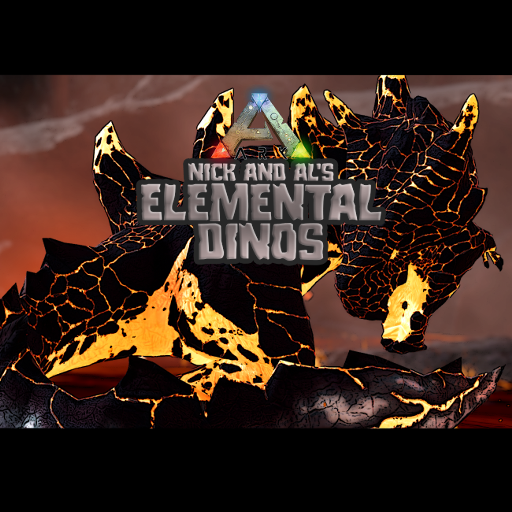
Nick and Al's Elemental Dinos
von 76561198058737981
MOD ID: 2944766986 Adds a bunch of elemental dinos to your game! Information on how to tame and control the critters can be found in the discussion channels. Spawn codes can be found there as well. A special thanks to - Dragonheart for making the trailer and taking the screenshots used on the mod page. Jimmy for making some animations for me. Dazza, Tristan, Trainspotting Vagabond and UpFromTheDepths for helping me with learning things in the ark dev kit. And obviously Big Al for making every model and texture you see that isn\'t from the base game, along with coding help. A good portion of this mod wouldn\'t be about without his help.
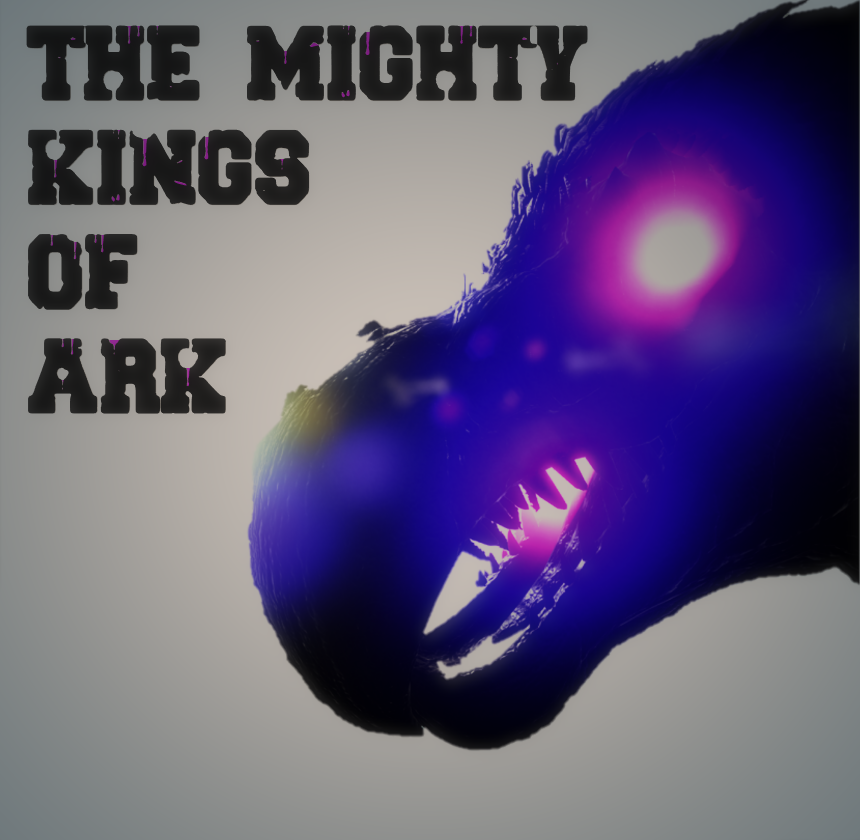
The Mighty Kings of Ark (Discontinued) USE AT YOUR OWn rISK
von 76561198063282150
Mod ID:1905241042 This is a Reupload of Zimboyy's Mod as i am taking it over. (God) (Immortal) Oblivion - The Embodiment Of Darkness (Bosses) (now have minion spawn) (mammoth do not have minions yet.) The Mighty Mammoth The Mighty Bear The Mighty Rhino (Alpha Boss) (now have minion spawn) The Mighty Fighter of ark _______________________________________________________________________________ It is Recommended to use another Dino Mod with this mod as the Bosses are not killable with vanilla dinos. Spawn Zones The Island: The Jungle _______________________________________________________________________________ This mod/code/work is protected by the Attribution-NonCommercial-NoDerivatives 4.0 International Creative Commons License. If you wanna join discord ! https://discord.gg/kPDrbzU If you enjoy the mod please give it a thumbs up !!

Dragonpunk PVE Overhaul
von 76561198031572049
MOD ID: 1409757911 What Exactly Is the PVE Overhaul? The ARK PVE Overhaul mod is an ongoing community initiative to make PVE and map exploration more rewarding, fun, and content rich. This mod is balanced specifically for vanilla ARK gameplay, but works great with most of the ARK re-balancing mods. Instead of grinding thousands of hides to make high quality items, you'll hunt creatures for their quality hide, scales, etc. With our flexible ini options, you have the power to control which creatures drop each of the five quality levels. There is much more to come for this mod, like new art for the custom workbenches, so keep checking back and let us know what other features you would like to see! Recommended Mods For a complete PVE overhaul experience, play this mod with Burgess’s Immersive Taming Mod Server Admin Guide So how do you actually set this up on a server? We've provided a full walk-through with descriptions of all the ini options here ! Proud Nitrado Sponsored Mod
![Kewee.NET QoL Tools [discontinued] – ARK: Survival Evolved Mod](https://images.steamusercontent.com/ugc/805494315540706047/B36F3C7F93EF9E88DB5A8D87763C9A245211F681/)
Kewee.NET QoL Tools [discontinued]
von 76561198087479521
************************************************ This mod has many known issues running on the current ARK server/client release - these issues will not be fixed. ************************************************ I recommend switching to the S+ mod as the developer is back supporting it https://steamcommunity.com/sharedfiles/filedetails/?id=731604991 Additionally the developer has added many new features, one that allows you to limit S+ structure engrams to a whitelist ...effectively this is the goal of QoL tools - but your custom list. To use the S+ mod with only the items/structures that you require use these INI settings: EnableEngramOverride=false SPlusEngramWhitelist={list here comma seperated all the engram's you wish to be available) S+ engrams list: https://docs.google.com/spreadsheets/d/e/2PACX-1vRBnQSrT5CidPWSbeIT5GK7WWBeYu9Uhu9unEkazAfytljMSe7g7qJSX5rhDtb4zI-kh1TIH2-ZNqAX/pubhtml Further S+ ini customizations: https://docs.google.com/spreadsheets/u/1/d/e/2PACX-1vTCz51gbAXrJjqpTySgqID0SvEScS6hBwpzEawIBj4h3l4iX0695S2TWgQYRaU6bL31h-IK_LLubGbO/pubht ************************************************ This Quality of Life Tools mod is designed for Kewee.net servers The purpose of this mod is to modify S+ to remove duplicated building structures without requiring a huge engram ini list, and to rename engrams that conflict with the base homestead update. This mod is based on Structures+ opensource code (as at 16 July 2019) ** GENESIS SUPPORTED ** MOD ID: 1746886372 ** RESOURCE PULLING into any inventory ** Structures included: - QoL Air Conditioner - QoL Animal Tender - QoL Bookshelf - QoL Charge Station - QoL Chemistry Bench - QoL Command Tool - QoL Cooking Pot - QoL Crafting Station - QoL Crystal Cracker - QoL Converter - QoL Dedicated Storage - QoL Dedicated Storage Intake - QoL Demo Gun - QoL Domesticated Bee Hive - QoL Dynamic Gate and Gateway - QoL Element Catalyzer - QoL Electric Cable Flexible, Straight, Intersection, Vertical - QoL Electrical Outlet - QoL Euthanasia Gun - QoL Fabricator - QoL Farmer - QoL Forcefield Wall - QoL Gates/Gateways: Wood, Adobe, Stone, Glass, Metal, Tek - QoL Behemoth Gates/Gateways: Adobe, Stone, Glass, Metal, Tek - QoL Gacha Gavager - QoL Gardener - QoL Glass Ceiling, Triangle Ceiling, Wall, Window - QoL Hatchery - QoL Industrial Cooker - QoL Industrial Forge (half sized) - QoL Industrial Grill - QoL Industrial Grinder - QoL Inventory Assistant - QoL Item Collector - QoL Metal Spike Wall - QoL Metal Storage Box - QoL Metal Water Pipes: Intake, Flexible, Straight, Vertical, Inclined, Intersection - QoL Metal Water Tap - QoL Model Selector - QoL Mutator - QoL Nanny - QoL Refrigerator - QoL Repair Gun - QoL Sheep Herder - QoL Standing Torch - QoL Tek Elevator - QoL Tek Generator - QoL Tek Glass Ceiling - QoL Tek Glass Wall - QoL Tek Replicator - QoL Tek Shield Generator - QoL Tek Transmitter (half sized) - QoL Transfer Gun - QoL Transfer Tool - QoL Transparency Cycler - QoL Wall Torch IMPORTANT: *** Do not use with Structures+ mod or other mods based on S+ *** NOTES: * Additional S+ QoL items may be added in the future. Core building structures will not be added. * The mod is designed for our Kewee.net servers, however is supported for others to use. For this reason, anyone wanting to migrate from S+ to this mod can do so without structure loss. S+ structures not listed above can be admin spawned.

Auto Rewards v2 (ARv2) b1.2.10202
von 76561198116627669
MOD ID: 3063820880 Auto Rewards v2 (ARv2) Auto Rewards v2 can be classed as a "shop" mod, it allows players to earn "points" referred to as ARc (Auto Reward Currency) simply by spending time on the server. Players can spend ARc on items and dinos in-game. Admins have full control and a lot of customisation in terms of what stats the items have, what level the dinos are, etc. This can be a double-edged sword, the amount of customisation means more control but it also means there is more work setting up purchasable items, etc which may not be for everyone, in which case I would refer you to one of the other shop mods which might suit your needs. Auto Rewards v2 (ARv2) is the successor to TCs Auto Rewards (TCsAR). This new version is a complete rebuild from the ground up, combining the successful elements of the original mod with highly requested new features that were previously unattainable. ARv2 benefits from the extensive experience gained during TCsAR's development, resulting in a more robust and versatile mod. It maintains the core functionality that players and admins loved while addressing longstanding community requests. NOTE: ARv2 is NOT compatible with TCsAR, please do not install both mods. NOTE: This mod is quite complex (a lot more than TCsAR) and I understand this page does not cover all instructions you might need, I will slowly rectify this issue as I get time (there is a lot of information I need to type up). While waiting, try to use your troubleshooting skills, investigate what you can. Join the Discord (link at bottom of page) if you are completely stuck. NOTE: This mod will constantly be maintained (unlike TCsAR) and as such you can expect new features and bug fixes to be added over time. What is different in ARv2 compared to TCsAR? The biggest difference is that ARv2 has server syncing / cluster support built in. It is much easier to setup. Among many more small additions like more options for random items / stats, etc (there are so many new features I can't put them all here, when I have time I will write up full documentation on everything). ARv2 doesn't use the old daily income system which was causing confusion and now relies solely on the playtime income system. A long standing request from the community was to be able to open the shop without having to be next to a base, so I added options to open the shop using a keybind and/or open the shop using an item (looks like a C4 remote detonator). Quick Setup Guide Single Server - Install the mod (refer to the Ark wiki if you need help with this) - Optional: Paste your ini settings in GameUserSettings.ini (only needed if you want to change something) - Optional: If you are going to be syncing multiple servers I'd suggest adding this ini setting to GameUserSettings.ini. Remember to replace <SteamID> with your actual steam ID without the < > symbols FounderID=<SteamID> - Start your server - Join your server - Once you load in game wait 10 seconds until you see the message "ARv2 can receive input", you can then use the default keybind ALT + W to open the UI - The first time you start the server with the mod installed, it will automatically create an account in the cloud for you to store your pack / player data. - If you have multiple servers you want to sync proceed to the next section - Recommended: visit https://timmycarbine.gg to claim your account Multiple Servers (cluster Support) - Ensure you have your first server up and running using the steps provided in the previous section (I will refer to that server as your Primary Server in this guide). - Ensure you added the FounderID setting to the GameUserSettings.ini of your Primary Server as stated in the previous section - Join your Primary Server - Open the UI and click on the Settings tab - Click on the Account tab (this tab will only show to the person that matches the Steam ID provided in the FounderID setting) - Click Generate Settings - Copy Text generated (the text is your account and syncing data) - Paste the Text in the GameUserSettings.ini file of all your other servers that you want to sync (doesn't need to be added to your Primary Server but won't hurt if you do add it) - IMPORTANT: If you have already started your secondary servers before adding the generated INI settings, you will need to delete the AutoRewardsV2 folder located in Saved/SaveGames/ on your server. - Start your other servers, they will all sync together Need Help or Have Feedback? - If you have any questions or feedback, join my Discord and post in the #arv2-questions channel if they haven't already been answered in the #arv2-faq channel - If you found a bug, you can submit it on Discord in the #arv2-bug-reports channel This mod/code/work is protected by the Attribution-NonCommercial-NoDerivatives 4.0 International Creative Commons License.
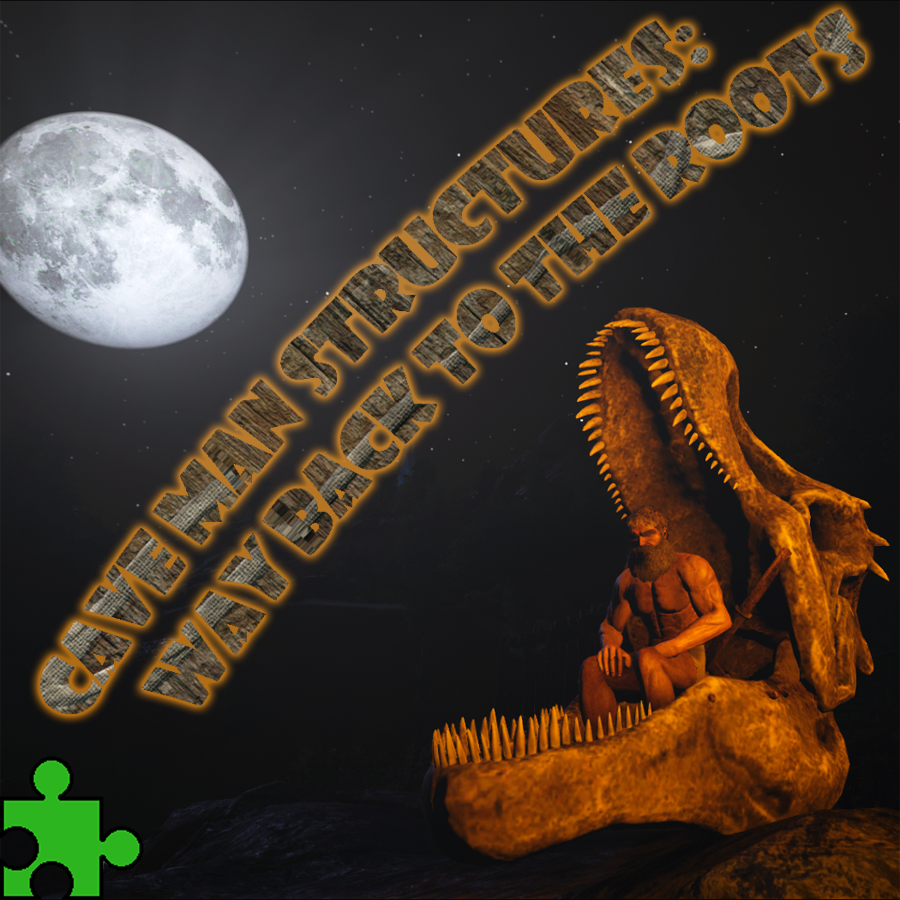
Caveman Structures: Way back to the roots
von 76561198085642890
You are overwhelmed by all the technological progress? You long for some quiet time in nature for meditation, may hunt down some rexes? Join the simple life of a caveman! Decorate your cave, worship the gods by offering them your quarry and enjoy the good old times. Mod Description: This mod adds a lot of new structures in simple wood (same durability as wood) and in bone (same durability as stone) categories. To get the new resource bone meal you have to worship the gods by offering them meat in the Blood Shrine or the Totempole. There are also a lot of usefull and decorative items, such as a primitive grill (thanks to the Hungry Hunter mod from Vas Costas), cave paintings, skull thrones, a skull drum... Not to forget some primitive weapons, armor and tools. I will add some detailed descriptions here. The Engrams can be learned from level 5 to 30. The construction costs should be proportional to the experience gained. Every item of this mod is crafted in the crafting place, kind of a new smithy. Cave Philosophy: The idea of the mod is to replace the high tech stuff with low tech for a more immersive gameplay. It doesn't aim for historical accuracy, but for a sinister (and sometimes funny) skull & bones theme. I will try to add more and more of such substitutions, hopefully get rid of electricity etc. Notice: The mod does not delete or change any existing engram entries, it just adds alternatives. So the player or server can decide which engrams to use or block. Roots: The Caveman Structures: Way back to the roots mod is based on my Cage Structures: Back to the roots mod. I copied most of the objects out of there, added lots of new stuff and rebuild the mod from scratch. I choose a different approach on how the placement works and I used different collision boxes. This grants better compability with vanilla structures, fixes some problems with the palisade and hopefully improves the performace a little. Because of those core changes it wasn't released as an update of the old mod, but as a new mod. Technical Stuff: Mod ID: 894590705 Spawn Codes: here Engram override list: here Stackability: This mod should be completely clean and stackable, tested with lots of other mods. Performance: There are reports about performance loss (fps drops) while building big bases out of cage structures. One way to avoid or at least reduce this is to combine the cage with wood/ stone/ adobe structures. Another way is to turn down the graphics (the shadows may cause big perfomance issues). The nice looking details of the structures have their price... Usage: This mod is protected by the Attribution-NonCommercial-NoDerivatives 4.0 International Creative Commons License. My other mods: here Donations: PayPal Thanks!
Individual Kibble Icons (OBSOLETE)
von 76561198010748316
*** Since the Kibble rework, it's made the mod obsolete. Only really useful for anyone who hasn't played in a good while to load up and allow their modded kibble to convert over. *** A small quality of life mod, which gives each kibble its own individual icon, preventing the need to hover over each kibble or enable the text overlay to find out which one is which. Mod ID: 685171762 Enjoy!

Fusion PVP Mod
von 76561198013718992
Mod for the Fusion PVP community. P=Tribe Scan MMB=Tribe Ping Keybinds can be change by holding R. GUS.INI Settings EnableTribeScan=True TribeScanInterval=0.0333 ( 0.0333= 30 updates a sec so it looks smooth on player screens ) VaultInventorySlots=350 CryoCooldownTime=300 CryoFridgeInventorySlots=72 CryoTime=3 UncryoCheckForEnemyStructures=True UncryoStructureCheckRange=6000 ( 300=1 Foundation ) FoundationsNeededForBaseUncryo=20 ShadowSteakTime=180 FocalChiliTime=900 BeerTime=120 AddNeuterAndLevelGun=false RagLavaGolemCaveLavaDamage=200 ( setting this to a negativ float will disable the setting. for example -1.0 ) FabSniperMagSize1= FabSniperMagSize2= FabSniperMagSize3= FabSniperMagSize4= TekTurretInventorySlots=5 HeavyTurretInventorySlots=58 DisableUncryoRagLavaGolemCaveCheck=false ( If true disables the Rag Lava Golem Cave uncryo check ) RagGolemCaveUncryoCheckRangeDebug=false ( if true will spawn a range sphere when you get restricted to uncryo so you can test or finetune the range ) RagUncryoCheckLocX= ( The 3 location settings are use to set the point in the map from with the the uncryo check system checks ) RagUncryoCheckLocY= RagUncryoCheckLocZ= RagUncryoCheckZoneRange= ( the range it considers to be in the golem cave ) BolaTime=30 BolaTimeForPlayers=15 BolaNeededCuts=3

Scribbles - Better Signs
von 76561197969341175
2178658724 If you enjoy this mod, please like and favourite. Join me on Discord Highly configurable signs. They are added in addition to the vanilla signs. They cost no engram points and have the same requirements as their vanilla counterparts. 2 additional custom signs(a little smaller than the vanilla ones). 1 wood, 1 metal. - A wide selection of fonts - Change font size - Change sign size - Make signs invisible(floating text) - Drastically increased the text length limit - Straightened crooked signs - Change text colors via paint brush/spray paint(Region #6) - Adjust text depth when sign is hidden(move forward/backwards) - Copy/Paste settings between signs - Signs craftable in Smithies, Replicators, Argents, Beavers and Thorny Dragons. cheat giveitem "Blueprint'/Game/Mods/SignsPlus/Signs/Large/PrimalItemStructure_MetalSign_Large_SignsPlus.PrimalItemStructure_MetalSign_Large_SignsPlus'" 1 0 0 cheat giveitem "Blueprint'/Game/Mods/SignsPlus/Signs/Small/PrimalItemStructure_MetalSign_Small_SignsPlus.PrimalItemStructure_MetalSign_Small_SignsPlus'" 1 0 0 cheat giveitem "Blueprint'/Game/Mods/SignsPlus/Signs/Wall/PrimalItemStructure_MetalSign_Wall_SignsPlus.PrimalItemStructure_MetalSign_Wall_SignsPlus'" 1 0 0 cheat giveitem "Blueprint'/Game/Mods/SignsPlus/Signs/SmallWall/PrimalItemStructure_MetalSign_Wall_Small_SignsPlus.PrimalItemStructure_MetalSign_Wall_Small_SignsPlus'" 1 0 0 cheat giveitem "Blueprint'/Game/Mods/SignsPlus/Signs/Large/PrimalItemStructure_WoodSign_Large_SignsPlus.PrimalItemStructure_WoodSign_Large_SignsPlus'" 1 0 0 cheat giveitem "Blueprint'/Game/Mods/SignsPlus/Signs/Small/PrimalItemStructure_WoodSign_Small_SignsPlus.PrimalItemStructure_WoodSign_Small_SignsPlus'" 1 0 0 cheat giveitem "Blueprint'/Game/Mods/SignsPlus/Signs/Wall/PrimalItemStructure_WoodSign_Wall_SignsPlus.PrimalItemStructure_WoodSign_Wall_SignsPlus'" 1 0 0 cheat giveitem "Blueprint'/Game/Mods/SignsPlus/Signs/SmallWall/PrimalItemStructure_WoodSign_Wall_Small_SignsPlus.PrimalItemStructure_WoodSign_Wall_Small_SignsPlus'" 1 0 0 EngramEntry_Scribbles_C MaxAllowedSignsInRange=0 MaxLengthMessage=2000 MaxAllowedSignsInRange: Controls how many signs are allowed within a 33 foundation radius. By default, no limit. MaxLengthMessage: Max length of message possible. Default, 2000 characters Thanks: Special thanks to Lifefire for making a bunch of fonts available. Join me on Discord - Mortal Wounds - Construction Tool - Custom Dino Loot - Fast Ammo Changer My Other Mods Need help creating mods? Join the Ark Modding Discord If you enjoy this mod, please like and favourite.
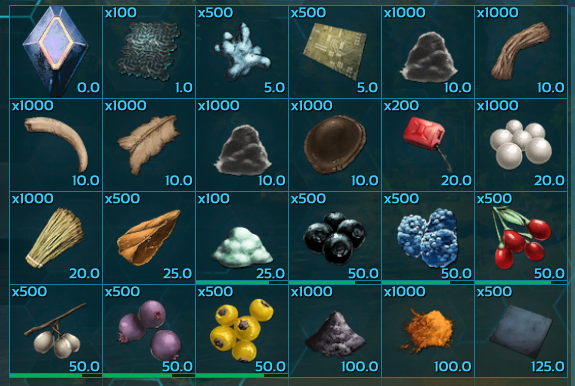
Stacks 2
von 76561198116339072
Same as my other stackmod except of honey and leech blood MOD-ID: 1351171495
KrayMon Chaos Monsters Wildlife Mod V5 (DEAD)
von 76561197978519517
Fantasy/Chaos Monsters Wildlife Mod currently holding 16 new monsters. Fully Compatible. If you like my mods and want to support further development please donate Mod ID: 854374743 8k subs awesome! Features: - All Monsters are rideable - All Monsters are in the wild - All Monsters are tameable - Monsters get merged in with existing wildlife, so no replacements. - All sounds by me - All monsters drop loot based on their strength - Harvesting monster corpses give a variety of resources Monsters: Alzamus (Godly) (Grasslands) Amocker (Beast) (Grasslands) Astra (Godly) (Mountains) Aculeus (Demon) (Grasslands) Aculeus Brute (Demon) (Grasslands) Anngra (Beast) (Grasslands) Cursed Anngra (Beast) (Grasslands) Anngra Chieftain (Beast) (Grasslands) Azrael (Demon) (Grasslands) Rioter (Beast) (Grasslands) Beast (Beast) (Grasslands/Jungle/Swamp) Rock (Beast) (Mountains) Barsilisk (Beast) (Jungle) Berial (Demon) (Swamp) Cyclops (Beast) (Mountain/Grasslands) Durahan (Demon) (Grasslands/Mountains) ------------------------------------------------------------------------ Latest Update - Durahan (Sword & Shield) - Sword & Shield for Astra - Staff for Alzamus - Fix sounds on Alzamus(Had Amocker sounds) - Monsters drop loot!!! - decrease spawn rate (Beast/Barsilisk) - Stat balancing (Astra) - custom corpse harvest resources Further out: - more special attacks(beast, berial, Azrael, Rock) - Durahan sounds - More Monsters Known Issues -Fall through map sometimes after dismounting These monsters are ripped from existing games. Mod is dead, the devkit did not accept the mod anymore. If you like my mods and want to support further development please donate
Stronger Dinos
von 76561199207215555
Mod Id: 2863616504 一个将官方生物做成强化生物的模组。这个模组会不断更新,我会不断添加经过修改的官方恐龙,本模组生物的生物都会以一定的概率替代官方生物。这个模组因为存在个人偏好所以生物之间并不是特别平衡。本模组并不像Kraken's Better Dinos那样修改官方生物,所以当你移除本Mod时,这些生物会被一起移除。 A mod that provides stronger official creatures.This mod will be constantly updated, and I will constantly add modified official creatures.The creatures in this mod will replace the official creatures with probability.This mod is not balanced among creatures due to personal preferences. This mod does not use the same method as Kraken's Better Dinos to modify official creatures. so when you remove this mod, these creatures will be removed together. 如果你安装了Shad's Critter Reworks或者Kraken's Better Dinos的话,有可能导致该mod的部分生物不会在地图上刷新。 If you install Shad's Critter Reworks or Kraken's Better Dinos, it may cause some creatures of this mod not to spawn on the map. 本模组的修改了大量生物,完整游玩模组内容需要横跨多个地图进行,可以通过其他辅助刷新的模组来进行,因为替换刷新会生效。 This mod has modified a large number of creatures. If you want to fully play the mod content, you need to cross multiple maps. ......................................................................................................................................................... 如果想要查看我修改的生物内容以及生物代码,请点击这里。 If you want to view the modifications I made and their spawn codes, please click here. 生物修改 (Modifications of creatures): https://www.bilibili.com/read/cv24169205/ https://www.bilibili.com/opus/972116395208736775 新的物品功能 (Functions of new items): https://www.bilibili.com/opus/974282592059654151 可驯服生物代码 (Tamable creatures' spawn codes): https://www.bilibili.com/opus/952476046643429380 不可驯服生物代码(Untamable creatures' spawn codes): https://www.bilibili.com/read/cv25351294/ INI配置文件(GameUserSetting INI): https://www.bilibili.com/read/cv32219884/ 发现bug的话,可以留言,我会尽可能修复。 If you find a bug, you can leave a message and I will try my best to fix it. 可以的话,给我点个赞吧.(=・ω・=)

Weight Increase Mod
von 76561197984159037
A modification that increases the inventory weight! Please rate and comment what you think. ;-) ATTENTION!: Always keep the inventory weight positive (except when walking(!) on yourself), otherwise the animal/vehicle won't be able to move! There are four different stackable items: - 5 weight units - 50 weight units - 500 weight units - 5000 weight units All Engrams are availible for 0 engram points each! To craft, you will just need one fiber/each! This mod is intended to expand other Mods (e.g. better Rafts) to increase those inventory weight-limits. Always watch your speed! :D I hope you enjoy, and please be kind, it's my first mod ;-) ModID: 753844210
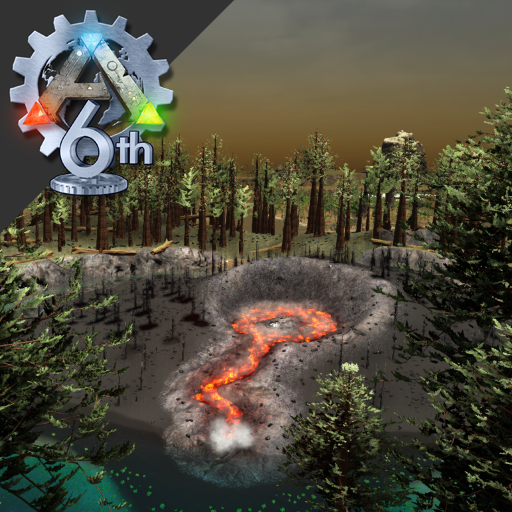
Epic Islands
von 76561198026896909
Epic Islands - /Game/Mods/600738253/Epic If you won´t play with my custom Spawns, load this Extension: http://steamcommunity.com/sharedfiles/filedetails/?id=724061917 This Extension is for all Mods who change the official Spawns to custom Spawns !!! Do you want have more Dinos on your Server? GameUserSettings.ini: DinoCountMultiplier=1.00000 (2.00000 is doubled amount of Dinos) This Map won´t get now any new updates !!! I have stopped modding ark, started 3 years ago to develop my own games as hobby. If you want be informed when my own survival gets released, follow me on my dev page: https://store.steampowered.com/developer/Butter-Fly-Games

Mesa City V4
von 76561198346564758
Custom PvP OSD Map for Mesa Servers 2026-06-17 https://discord.com/invite/mesark Copyright 2026. This item is not authorized for posting on Steam, except under the Steam account named "Sir.Caveman” "76561198346564758"

Speedy Flyers
von 76561198273748307
Mod Id: 919470289 Does this mod work?: Yes, this mod has always worked. A few people have complained it doesn't work. It's worked when I first released it, worked after the TLC patch, and works now. As with any dino mod, you must do a wild dino wipe. You must do this if your adding this mod to a established server or a new server. In your conole you type "cheat destroywilddinos" without the quotes. I assumed this was self evident as this is standard protocol for any dino mod. Vanilla fleirs that are already tamed will not get a speed boost. Again this a green mod. But new fliers in the wild will be boostable. That's not a bug, that's by design. And yes a admin can still spawn in the vanilla fliers if they wanted. As for the Argys, their is a bug with them due to a recent change in ark, they dont seem to grab players and grabbing other dinos is very hard. I will look into fixing this for next patch. Allows basic flyers to have speed increased. This includes: Argentavis Lymantria Pelagornis Pteranodon Quetzal Tapejara Fire Wyvern Poison Wyvern Lightning Wyvern It also adds reverse walking movement to: Argentavis Lymantria Pelagornis Pteranodon Quetzal This is a "green mod" and only adds new versions of these dino's, any tamed versions of the vanilla versions are still their. This mod stops the spawning of the vanilla versions and spawns in the speed boosted versions. You don't need to have a fresh install to use this mod such as a yellow or red mod. You can remove this mod and retain any vanilla versions. Vanilla versions will then spawn again. This mod uses vanilla saddles. Quetzals will not spawn automatically yet. You will want to manually spawn them in. Wyverns are tamable. However they are very hard to tame, the trick will be to find a higher level wyvern and knock it out. You will also want to keep it tranqed with your tranq gun as it will not take stimulants. But you must be carful as you can kill it. While this method of taming was untended, it does make it much more challenging as we all know wyverns can be OP on many servers.
![PogLoot [Depreciated] – ARK: Survival Evolved Mod](https://images.steamusercontent.com/ugc/436073278207317294/45696BF69EDC0E26222E6A3EB678D126E467158E/)
PogLoot [Depreciated]
von 76561197965391026
PogLoot is now depreciated due to the introduction of the game.ini setting "SupplyCrateClassString". More information about how to create your own custom loot tables can be found here. This mod reworks loot tables specifically designed for the private PvE server PogChamps running 1.25 difficulty (0.25 offset). See installation steps below to implement PogLoot to your game. The preview map (run optionally in step 5 of dedicated server installation) has one of every supply drop in order of regular and then double, followed by two sets of cave crates, and finally a test only crate to represent the maximum attainable quality. --- Loot Changes --- Loot: Tools (2 hatchets, 2 pickaxes, sickle, gps, trans-gps), weapons (3 bows, 2 pistols, 2 shotguns, rocket launcher), armor (including miner's), saddles, and resources available to view here (most fabricated weapons and armor are excluded in PogChamps's game.ini). Item quality: Difficulty modifier 1.25x (your recommended ini setting) & 0.25-4.0x base & 1.2x if roll is above 1 & crate multiplier 0.5-2x (see below). Currently seems to be allowing up to mastercraft. Outside supply drops: No blueprints, double beacons (rare) have +1 roll. Blue-red supply drops: Include previous sets (excluding previous resource set) at reduced chance, each tier increases max quality and # of rolls. Caves: Single bp per roll, each tier increases max quality and number of rolls. Quality definitions: Each tier reduces resource cost 55% (costs still scale upwards within the tier). Quality weights: Basic 80% (0.25-1x), Low 15% (1-2x), Medium 4% (2-3x), Good 1% (3-4x). Approximate set ratio: Weapons/Armor/Resources total @ 85% (~28.33% individually) to Saddles @ 15% available to view here. Resource loot sets: Available to view here. Unique rolls: All item entries random without replacement (cannot be drawn from twice in the same crate); armor, tools, and weapons are bundled to allow for non-unique rolls. White: 1-2x quality multiplier, 4 choices, 1 unique roll White double: 1-2x quality multiplier, 4 choices, 2 unique rolls Green: 1-2x quality multiplier, 4 choices, 1 unique roll Green double: 1-2x quality multiplier, 4 choices, 2 unique rolls Blue: 1-1.25x quality multiplier, 4 choices, 1 unique roll Blue double: 1-1.25x quality multiplier, 4 choices, 2 unique rolls Purple: 1-1.5x quality multiplier, 6 choices, 1 unique roll Purple double: 1-1.5x quality multiplier 6 choices, 2 unique rolls Yellow: 1-1.75x quality multiplier, 8 choices, 2 unique rolls Yellow double: 1-1.75x quality multiplier, 8 choices, 3 unique rolls Red: 1-2x quality multiplier, 10 choices, 2 unique rolls Red double: 1-2x quality multiplier, 10 choices, 3 unique rolls Tier 1 cave: 0.5-1.25x quality multiplier, 3 choices, 1 unique roll Tier 2 cave: 0.5-1.5x quality multiplier, 6 choices, 1-2 unique rolls Tier 3 cave: 0.5-1.75x quality multiplier, 9 choices, 2 unique rolls Tier 4 cave: 0.5-2x quality multiplier, 12 choices, 3 unique rolls (actually 2-3 if excluding flak) --- Installation --- Current updated version: Ark 217.0 Mod ID: 480016553 Stackability: PogLoot changes quality definitions and uses the supply crate remap array. If it is not the primary mod, it will lose quality definition changes (crafting costs) but otherwise it can be arranged as low priority as you like. PogLoot is incompatible with mods that also replace supply crates. Save compatibility: The mod is compatible with your current saved world and is currently packaged with an optional test map to easily see the new loot behavior (but don't use your save there). To run single player or local host (updates are automatic): 1. Subscribe 2. (Recommended) Backup your save directory: \steamapps\common\ARK\ShooterGame\Saved\SavedArksLocal 3. Launch the game and select "Host \ Local" 4. Select a map 5. Add PogLoot to the active mod list (top of list for quality definition changes) 6. Play! To run on a dedicated server (updates are manual for server admins): 1. Subscribe 2. Launch the game and close or minimize after it loads the mod (progress on the bottom right) 3. (Recommended) Backup your save directory: \ShooterGame\Saved\SavedArk#### 4. Copy the directory \steamapps\common\ARK\ShooterGame\Content\Mods\480016553 and the 480016553.mod to the similar location on your server in the same fashion as the client 5. (Optional) Customize your server's launch parameters to change the map (comma separated ModID will still work here but skip step 6, otherwise do not include ModIDs) like: ShooterGameServer.exe /Game/Mods/480016553/SupplyTestMap_Pog?listen?GameModIds=480016553 6. Customize your server's (\ShooterGame\Saved\Config\WindowsServer) GameUserSettings.ini to have mod IDs comma separated (no spaces) in order of priority like: ActiveMods=469987622,478736056 ;example only for PogLoot(priority),TorchBoost(secondary) 7. (Optional) Customize your server's GameUserSettings ini and Game ini to implement the PogChamps server configuration Clients that do not have the required mods or map but attempt to connect to the modded server will be automatically subscribed to the mods so they can connect. Running the mod on a newer ARK version should have no issues. If you still need help be sure to read the Server FAQ or read my post here otherwise comment below. --- Future Development --- - Reworked weapon quality scaling - Reworked armor quality scaling See my fuel rework mod over here at TorchBoost.

EZHeal 2.0
von 76561198085904333
EZHeal - Version 2.0 This mod includes: ★ Custom Healing Pistol, ★ 2x Healing Ammunition (.ini Configurable) ★ Torpor Ammunition (.ini Configurable) ★ Stim Ammunition. Spawn Codes .ini Config Options HealthPerSecond=0.02 // Values below 1 will be a % heal & values over 1 will be used as actual amount UpgradedHealthPerSecond=0.04 // Values below 1 will be a % heal & values over 1 will be used as actual amount TorporPerSecond=0.04 // Values below 1 will be a % heal & values over 1 will be used as actual amount UsableOnTamed=False // This applies to Tranq Bullets only! UsableOnPlayer=False // This applies to Tranq Bullets only! NOTE: ALL buffs tick for 5 seconds. CURRENTLY YOU MUST USE THE .ini OPTIONS (I'll set defaults next update) Using the example above: HealthPerSecond=0.04 is treated as a % (4%) - This means "add 4% of MAX per second for 5 seconds. This equals 20% of MAX over 5 seconds (4% + 4% + 4% + 4% + 4% = 20%)". Using values over 1 example: HealthPerSecond=100 - This translates to "100 per second for 5 seconds totalling 500 (100 + 100 + 100 + 100 + 100 = 500)". My Server: EZPvP 25x NO WIPES OR steam://connect/narkotix.strangled.net:27016 ★ Designed to heal players and dinos. ★ Healing Bullet: X Health per second for 5 second. (Non-Stackable) .ini configurable ★ Healing Bullet (Upgraded): +10% Health over 5 second. (Non-Stackable) ★ Torpor Bullet: X Torpor per second over 5 second. (Non-Stackable) .ini configurable ★ Stim Bullet: Removes 100% Torpor in 5 second. ★ Vanilla balanced to prevent infinite turret soaking with turtles. This EXLUDES Healing Bullet (Upgraded). If you like the mod guys, please show some love and give a thumbs up or DONATE My Other Mods: ★ EZTek ★ EZTame Huge thanks!! to Shiratori for assistance with the pistol model.
ARK: Survival Evolved Guides
ARK Admin Commands – Alle Cheats und Befehle 2026
ARK Admin Commands sicher nutzen: Konsole öffnen, enablecheats verwenden, Dinos spawnen, Spieler verwalten und Server speichern.
ARK Server mieten und einrichten - Guide 2026
So richtest du deinen ARK: Survival Evolved Server ein: RAM planen, Map wählen, .ini konfigurieren, Admin-Zugriff testen und Cluster vorbereiten.
ARK Mods installieren – Steam Workshop und manuelle Installation
Installiere ARK Mods sauber per Steam Workshop-ID: Vorbereitung, ActiveMods-Konfiguration, Reihenfolge, Neustart, Prüfung und Troubleshooting.
ARK: Survival Evolved Server mit Mod-Support
Starte deinen eigenen ARK: Survival Evolved Server in wenigen Minuten.
ARK: Survival Evolved Server mieten