Project Zomboid Mods & Plugins
Este catálogo incluye 52.000+ proyectos de Project Zomboid procedentes de Steam Workshop. Las entradas pueden ser para servidor, cliente o ambos, e incluir mapas u otro contenido generado por usuarios. Antes de instalar, comprueba la página de origen enlazada, la versión del juego y las dependencias.
![[B42]说话描述情绪B42.20 – Project Zomboid Mod](https://images.steamusercontent.com/ugc/12552376542008045703/A09EA44DCDCA298F35211DB7C71AF4554424B458/)
[B42]说话描述情绪B42.20
por 76561199112569902
说话描述情绪这个模组我修复了,目前匹配到了42.20版本,如果有乱码 那么就把steam\steamapps\workshop\content\108600\3446253876\mods\DescribeTheEmotionsWhenCharactersSpeak\42\media 这个目录下的sandbox-options.txt这个文件用一写文本编辑软件比如editplus或者notepad++这些 把编码改成utf-8,然后保存重新开个档试试,不行你就再改成ANSI编码保存,再重新开档试试 反正电脑操作系统不一样你两个都试一下,这样就能正常使用了。 如果不满意,你就自己用沙盒修改那个模组自己去游戏里修改说话的文本内容。 Workshop ID: 3628785043 Mod ID: qingxushuohuamiaoshu4213

Loot Remover (41)
por 76561198020696562
Designed for multiplayer to allow admins to prevent certain loot from appearing in the world. Define items you don't want to spawn in sandbox options. For items with module Base (vanilla items and some modded items) do not list the module. For other items, list them as ModuleName.ItemID. Separate entries with a semicolon. Will not affect already spawned items, item results from crafting, loot that normally spawns on any zombie, or items from other sources like traits, etc. Workshop ID: 3244592106 Mod ID: LootRemover

Make Vanilla Metal Parts from Hydrocraft Ingots
por 76561197974968019
Adds Recipes to create Vanilla Metal Pipe, Metal Bar and Metal Sheet Recipe: - 2 HCIroningot (consumed) - HCSmithyhammer (iron / steel / titanium) (keep) - Tongs (keep) - HCWorkgloves / HCOvenmittens (keep) - HCAnvil (Iron / lead) (keep) Adds a Recipe to Create ScrapMetal from 1 Hydrocraft Steel ingot Recipe: - 1 HCSteelingot (consumed) - HCSmithyhammer (iron / steel / titanium) (keep) - Tongs (keep) - HCWorkgloves / HCOvenmittens (keep) - HCAnvil (Iron / lead) (keep) Adds recipes to Convert HC "Small Metal Sheet" to Vanilla "Small Metal Sheet" and vice versa. - these dont give any xp - these only require the material that you want to convert. 1 HCMetalboard <-> 1 SmallSheetMetal Workshop ID: 1619810984 Mod ID: metalparts
SpringValley KY
por 76561199127321508
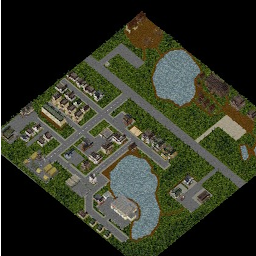
Una pequeña ciudad que contaba con muchos servicios, armerias, vhs,.... y hasta un campamento. Por desgracia la infeccion se propago muy rapido sobrepasando a los militares y condenando la zona de evacuacion a la muerte. Ahora unicamente quedan cuerpos sin vide recorriendo las calles. Es mi primer mapa, si notan cualquier cosa no duden en hacermela saber por comentarios! Buena suerte supervivientes! Workshop ID: 3054817845 Mod ID: SpringValleyKYAbisiMod Map Folder: SpringValleyKY

SanityMoodleRocky B41
por 76561198253011462
Required Mod For Sanity by Rocky. This is a replacement mod for the untranslated version called MoodleSanity removed requirements make sure to load moodleframework first and if you want more descriptive sanity description enable the desc after sanitymoodle. Workshop ID: 2884027700 Mod ID: MoodleDescRocky_X Mod ID: MoodleSanityRocky_X
Sagewood North
por 76561197992614310
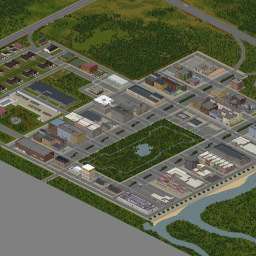
Come hang out and join our Community! We have our own dedicated PZ Server https://discord.gg/become-an-outcast Forever Backup: https://discord.gg/KgNBWyfcvZ Sagewood Sagewood is a "little big city" seemingly in the middle of nowhere Kentucky. When billionaire Edelton Sagewood was denied the purchase of Knox County he went ahead and bought a blank plot of land near the zig zag road west of March Ridge and south of the small town of Muldraugh. People thought he was insane when he suggested creating a little big city to rival that of not only Louiville, but of other great cities like New York, Miami, Chicago, Austin, and Los Angeles. Money poured in and when the first bowling alley below towering apartment buildings went up, people thought the sight was hilarious, unnatural, and somehow, gravitational. People from all over Kentucky started pouring into this new city. With so much supply, prices to buy were low and first-time buyers from all over the country flocked to the Sagewood haven! It's a small place, filled with TONS of people, lots of shops, anything you could wish for, and the famous Sagewood Park made to rival that of Central Park in New York and Balboa Park in San Diego. Sagewood welcomes everyone from all walks of life and lots of apartments are open for sale! Come buy yourself a piece of Sagewood and get into a big city while the prices are low. All the big brands are opening shop here, from Fossoil to Spiffos. The city might have gotten even bigger if it didn't go into lockdown due to some strange sickness that seemed to be ravaging the world. Everyone already lived through one major pandemic, it's not like the next one could end the world... Forge your future in Sagewood! This map is in Beta now, (hooray!) It's in its second draft and "complete". I am going to go through all the buildings, revise, and update/upgrade as I go through them to improve look and player experience. Please take a look at the preview pictures to see building progress that Mr. Sagewood is sharing to entice investors, like you, to subscribe and invest time and money into Sagewood! (Cells 35,37 | 35,38 | 36,37 | 36,38 | 37,37 | 37,38) - In Game Map Item A map item will appear around your playthrough which will reveal the Sagewood Map Workshop ID: 3319713964 Mod ID: Sagewood North Map Folder: Sagewood North

Better Smoker Drops
por 76561197964217531
Zombies that were smokers now carry matches or lighters along with their pack of cigarettes. Configuration available in Sandbox Options. Compatibility Note This mod performs the following actions: - When loading a game: Removes Cigarettes from Distributions for male and female zombies - OnZombieDead event: - If the zombie was a smoker, add cigarettes to zombie's inventory - If the zombie was a smoker and was carrying an ignition source, add a lighter or matches with variable amount of fuel remaining Source Code and Bug Reporting https://github.com/wonkozomboid/BetterSmokerDrops Workshop ID: 2690504807 Mod ID: BetterSmokerDrops

赛马娘特质(PrettyDerby Traits)
por 76561198334444403
The b42 version has been updated in the beta version. The beta version address is: https://steamcommunity.com/sharedfiles/filedetails/?id=3130858560 It is not recommended to use it. Currently, it is just a code porting. Even without any mods, b42 still frequently reports errors. There is no way to conduct a detailed test. A simple test showed that it can run. I've been wondering, we got Umaboid already but we ain't got any Traits. So I've decided to do the favor. It's my first try at modding Project Zomboid, more features are in progress but not all of 'em finished. I haven't done a lot of testing, feedbacks would be appceriated Abilities in this mod are affected by your hunger state Goes with the similar idea of the character Wolfgang in "Don't Starve" And there are four different states on Hunger/Endurance ·You gain more Carryable Weight, also a faster Endurance Recovery time, the worse the exertion, the faster the recovery (Recovery Per Minute=0.05*EnduranceLvL*HungerLvL*EnduranceRegenerationLVL) · You'll have extra stomach space, increasing hunger limit (!!! Currently removed due to possible interfere with food related mods !!!) (In-game it's something like eating doesn't fill your stomach like it used to, but it also makes you less likely to starve. However in code wise, It's more similar to having a secondary stomach that fill and drain with your stomach, I'll add the hunger bar if I got the chance. I'm struggling to code this part in a pretty way, so far It's going to work like this) (There's a new Sanbox Setting that control your extra hungriness, inputting 1 for 2x, 2 for 3x and so on, for instance fill in with 2 will get you a hunger bar consumption, consuming a food would only work like instead) ·You'll deal more damage with a higher critical chance using Melee Weapons ·Your Melee Attack will guarantee to Knock back Zeds ·But that also make your weapon more likely to wear, and draining your stomach (AdditionalDMG=DMG*DMGMultiplier*HungerLvL*0.1) (Attacking have a chance to trigger more durability loss on your weapon, which is affected by the Loss of Durability Rate in Sandbox Settings + your Maintenance skill + the durability of the weapon itself, for example: The Durability of the crowbar is default to 70, with no Maintenance skill, making it 2 times less durable under 35 Durability, Level 1 Maintenance gets you x1.5 more durable making it 52.5, and so on) (In addition, Multi-hit would no longer trigger this feature multiple times to prevent you from losing too much durability during Multi-hit) (If you don't want this feature to happen at all, set Loss of Durability Rate to 0 would disable it) ·Heavily increases your Stomp Damage (DMG=BaselineDMG*2*HungerLvL) ·Heavily increases your Running and Sprinting speed sacrificing your Hunger Level (You'll gain 1.5x speed under "Full to Bursting"/1.2x under "Starving") ·Really Hearty Appetite This can drain down your calories quickly, meaning more food is needed (Your tummy empties quicker when it's full) Code References This mod utilizes references from other mods, let me know if I missed your credit! Special thanks to Diaboliques for the help and coding support, helping me address and fixing a series of glitches https://steamcommunity.com/sharedfiles/filedetails/?id=1299328280 More Traits|更多特质 https://steamcommunity.com/sharedfiles/filedetails/?id=2890112851 Knock Over Zombie|僵尸可撞倒
Architect B41
por 76561198329871201
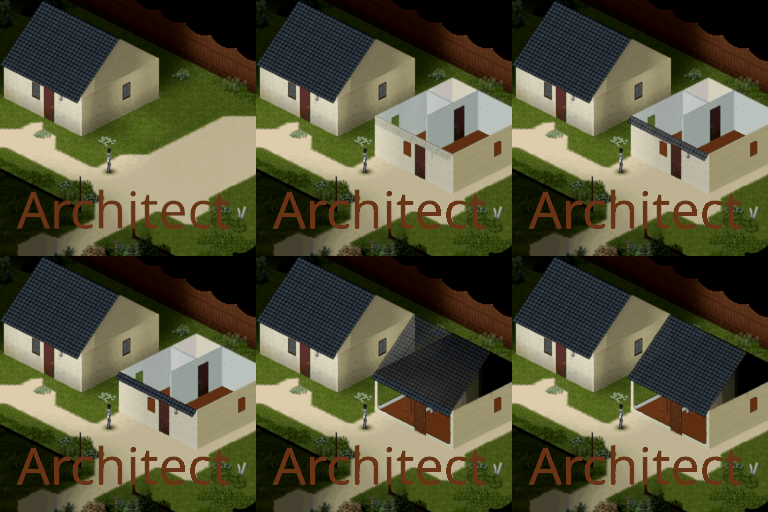
Create blueprints. Build from blueprints. Share blueprints. See this quick video for a basic exemple. How to make a virgin blueprint ? - You need something to write. - You need something to write on. - The exact recipe is known by everyone and can be found in the general recipe category. How to write the description of a building on a blueprint ? - You need virgin blueprint. - You need to right click a square inside a mapped building, select Architect menu and click on Save Building. - An action starts that gives you a little time to write the name of the blueprint and click on Save. How to build from a written blueprint ? - You need a written blueprint. - If activated from sandbox options, you need the associated building material (default: deactivated). - You need to right click a square select Architect menu and click on Place Building. - An action starts that takes a little time then the building is done. - If you deactivate "Adjust Building Zone" (default: activated) from sandbox options, the clicked square wil be the most south-east point of a rectangle around the building. - With "Adjust Building Zone" active, you can change the position of that most south-east point and validate with left click. - By keeping "Preview Building Zone" active (default: activated) from sandbox options, you can keep track of the rectangle around the building. - By keeping "Preview Doors" active (default: activated) from sandbox options, you can keep track of the doors around the building (as a thick green symbol). - You can cancel the building until the end of the action like with vanilla building actions (by pressing escape key or moving or being bitten by a Z). Building Cost (Sandbox options) - You can activate and tune the cost of buildings to your liking from sandbox options. - Building Cost is a number of items per "inside" square to build. - Tick: Activate Building Cost - Building Cost syntax is "Item1FulltType:NbOfItem1;Item2FulltType:NbOfItem2;Item3FulltType:NbOfItem3;". - Use Building Cost default value as an exemple. - The cost of a building is computed once when saving the blueprint. Changing the sandbox options afterward will have no impact on the cost for that blueprint. Technical details - Can be added and removed from any game save any time. - Multiplayer is not tested but is expected to work. - Joypad is not handled. - Only the structure of the building is copied, not the furnitures. - Only map-created buildings can be copied, not the ones your character built afterwards. - The resulting building has a similar behaviour to player-built structures, not to vanilla building. - You have a limited time to write the name of the blueprint. But you can still overwrite by repeating the save action on the same building if the default name does not comply. - Huge buildings are strongly NOT ADVISED ! Those (e.g. Malls) will create various unpredictable problems depending on MP / Solo including crashes, never ending freeze and up to save corruptions. - It is possible to improve the mod by implementing furniture copy but it is a huge work I will not do alone. see functions Arc.isoObject2ObjectPOD and Arc.objectPOD2IsoObject fellow modders. - No preview of the building occupied squares is available, sadly. I'm loosely working on it but have no date nor guarantee: don't hold your breath. - This mod is sort of overpowered which may lead to boredom, beware. Credits - Blueprint icons created by Freepik - Flaticon - This mod is dedicated to Sinai, who I know nearly nothing about except their pseudonym, but who's work for Outward modding community impresses me greatly. That's it. Ask for permission This mod can only be added to and extended with the express permission from the original creator. Having received permission, credit must be given to the original creator, both within the files of the mod and wherever the mod roams online. If no permission is received you may not alter the mod. You wanna support? You can donate on paypal. Workshop ID: 3373052306 Mod ID: Architect
Hydrocraft Essential Fixes
por 76561198132945670
🚨Requires a version of Hydrocraft for build 41+. Example: https://steamcommunity.com/sharedfiles/filedetails/?id=2778991696🚨 ⭐Tested with multiplayer! Hydrocraft Essential Fixes and Addons Major: - Adds Hydrocraft items to the new foraging system. You can find bee hives again! - The "Remove Grass" action gives you grass - Live and Hydrocraft animals can be trapped - New trap type: Bear Trap Minor: - Hunt for rabbits - Repack batteries so they stop clogging your storage space Foraging You can forage for Hydrocraft items again! 106 Hydrocraft items have been converted to the new foraging system: You'll find most objects in deep forest zones, but forest, farmland, and vegetation can also yield the same items at a lower frequency. The wild beehive in particular requires a foraging skill of 10 and is fairly uncommon, so keep trying. Harvesting Grass The "Remove Grass" action now gives you – you guessed it – grass. Simply right-click on any tile with overgrown grass and select "Remove Grass" in the context menu. Great for feeding chickens and other livestock or simply making twine. Trapping Live Animals 99 different Hydrocraft animals can now be caught in traps. In addition, you can now catch live animals in traps, particularly rabbits for your rabbit hutch. The full list of valid baits for traps is too lengthy to go into detail here, but in general I recommend: - Stick Traps: Bugs (Bug mash or crickets, cockroaches, etc.), berries (bunch of berries), grains (rice, bread, any color of corn, etc.) - Bear Traps: Eggs, bug mash, bunch of berries, butchered meat, fish fillet, acorns, honey - Everything else: Bug mash, bunch of berries, clover, grains, butchered meat, bark Rabbits can be caught with their original base-game baits in addition to blue, red, and white corn. Bear Traps Introducing a new trap type: bear traps! They will catch larger animals such as deer, boar, and of course bears. You will need the Hunting Textbook to craft them. 🚨Note that bear traps placed via Right click -> Place trap -> Set Bear Trap are different from bear traps placed via recipe “Set Trap”. The former will not hurt you when walking over it but the latter will. They also look the exact same when on the ground (though maybe you can use this to your advantage on PvP servers?) Minor Addons: - You can hunt for rabbits like any other animal with rabbit poop - You can repack some Hydrocraft items that couldn’t be repacked before such as small batteries, (metal) nuts, and cardboard boxes WIP: Craftable Armor You can currently craft chainmail armor and iron greaves if you find the Armor Crafting Textbook. These are a WIP and will soon receive new additions of gauntlets, breastplates, and more. To-Do: - Add more craftable metal armor - Allow certain foods to be dried and ground into spices such as sumac - Add 3D models for select Hydrocraft containers so they don't look ugly as sin when placed on the ground ✨If you've encountered a bug while using this mod or have ideas for future updates, then please let me know in the comments! ✨ Ave Atque Vale! Workshop ID: 2793540047 Mod ID: HydrocraftEssentialFixes
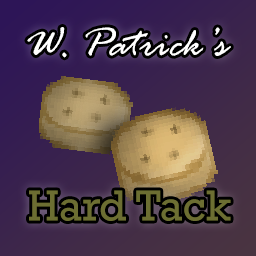
W Patrick's Hard Tack
por 76561197986179028
Adds a simple, dry bread called 'hard tack' to the game. This mod is basic and only adds a few new food items to vanilla. It should be compatible with other mods, can be added to any save (even removed, but you will lose your bread!) and should be multiplayer compatible, but I haven't tested cause I haven't played multiplayer yet. Here's a quick review video to see it in action. https://youtu.be/eCd9YxeHQC0 Features: ------------ Mix 2 units of water with 2 units of flour/corn flour to get 4 bits of hard tack dough (mixes faster with a bowl and utensil in your hands). Cook for ~1 hour, 45 minutes and you have an old fashioned, non-perishable bread item. It sucks to eat though, as you'll see. You can also occasionally find it where survivors may have also stashed beef jerky. You can soften it with water to remove the unhappiness and thirst debuff, but it will become perishable when moistened. It can be added to soups and stews. Pairs great with Soul Filcher's Farming Time mod, as it allows wheat and corn to be grown and converted into flour. Static inventory icons were custom made myself, world models are just oatmeal cookies and biscuits because how do Blender?? Future Plans: ------------------ I'd like to make them be softened with soda and various alcohols, so that you can have added happiness. But I haven't yet come up with a reliable way to do this. Notes: -------- I balanced it the best I could, and this is my first mod I've made and released, so go easy on me! I have many other projects planned but haven't figured out how to code it just yet. But expect more, I have a few other small finished mods complete. Go ahead and use the mod in any packs, just please please give the proper credit. Constructive feedback always appreciated! Check out my other mods, maybe? 🔞 More Nudie MagZ (adds stress-relief items) - https://steamcommunity.com/sharedfiles/filedetails/?id=2881673254 📚 Skill Literature (add items that give direct XP to most skills) - https://steamcommunity.com/sharedfiles/filedetails/?id=2892090512 🥩 Dried Meats (adds cans of dried, raw meat that can be rehydrated late game) - https://steamcommunity.com/sharedfiles/filedetails/?id=2900007566 💵 Tips also welcome and appreciated! - ko-fi.com/wpatrick Workshop ID: 2879211617 Mod ID: WPHardTack Workshop ID: 2879211617 Mod ID: WPHardTack
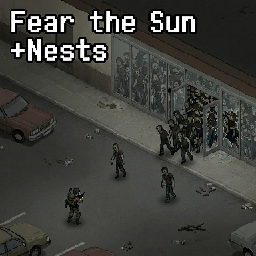
Fear the Sun +Nests (B42 SP)
por 76561198106506791
Zombies are teleported into buildings during the day, forming nests, and attempt to get indoors each morning/outdoors each evening. ADDED SANDBOX OPTIONS - SHOULD HELP WITH COMPAT BEFORE PROPER PATCHES CUSTOMISE THE SLEEPY TIME HOURS TO YOUR LIKING. Reimagining of Pillow's famous mod. Single player only for now, B42 is supported, B41 is WIP. NOTE: This blew up a bit! First off, thank you so much, I really just made this for my own playthrough. I'm very much an amateur with code. With the mod now going from a dozen or so (shoutout S4L & Marshmallow) to nearly 2000, I will need to be way more careful with pushes going forward. For now, here's a mostly-reliable 3.0 Build that I'll be updating more carefully/slowly in the future. NEW: Improved Zombie detection based on sounds, player stealth level, sneaking/walking/running. In general Nests are going to be far more reactive and less predictable. Yes, this is another feature I've rushed in simply because I wanted it for my own playthrough. The Mod: Player constructions & barricades help prevent spawn - each room has 50 random tiles scanned for constructions/barricades. To ensure safety, build one of these in each unique room (rooms smaller than 6 tiles do not host spawns) I personally advise DISABLING the Sandbox setting for “Credit” if playing low-pop and/or no respawn. It’s to ensure plenty of nests for people looking for action. 1. Daytime (05:30): Zombies are “banked”, and then “injected” into buildings out of player sight. Prioritises commercial buildings, similar to B42 population spreads. 2. Nighttime (21:30): Zombies attempt to pathfind outdoors. Prioritises roads. 3. Following morning: Zombies active/seen during night are not “banked”, you can see them looking for interior cells. 4. Daytime hibernation: Zombies can and will take notice of you depending on speed, sneak, noise, etc - they are much more dangerous and aware than in 3.0. FAQ: - Mod does not alter vanilla spawn mechanics - Developed for Single Player B42 - “Credit” system affords prioritised buildings (Commercial, Residential if no Nest nearby) a variable amount (depends on pop settings) in order to ensure Nests are formed even in instances where player has no banked zombies and walks into a high-pop nest building. Avoid if seeking realism, low pop/no respawn runs - this is an action-focused setting. Thank you for checking out my mod! Workshop ID: 3665787851 Mod ID: FearTheSunReAnimated
![[B42.13]RAboi' s Customize Samara Skin900 – Project Zomboid Mod](https://images.steamusercontent.com/ugc/59213011614564325/640E3431180FD5C9096C47C235901169D4821D6D/)
[B42.13]RAboi' s Customize Samara Skin900
por 76561198836697027
Because there is no Samara livery car in version B42, I upgraded the RAboi' s Customize Samara Skin mode to B42. The Samara livery car in version 41 has a power of up to 3000, which is simply too strong. During actual driving, it is very easy to crash because of the excessively high speed. Therefore, I changed its power to 900, balancing speed and control to avoid crashes caused by driving too fast. Be sure to enable the required dependency mod, and place this mod after the dependency mod in the load order! Otherwise, the vehicle will have no wheels! These are the versions for 41 of two mods: Autotsar Tuning Atelier - Chevalier Samara Workshop ID: 2850439818 Author:iBrRus RAboi' s Customize Samara Skin Workshop ID: 2967751810 Author:RAboi Workshop ID: 3433621410 Mod ID: RAboi' s Customize Samara Skin900 b42
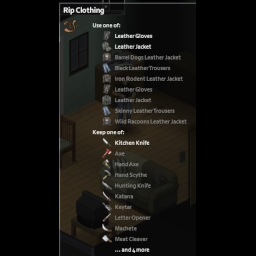
RIP Knife
por 76561198025841452
Allows you to rip leather and denims with knives. And machetes. And katanas. And Axes. And keytars. And wood Axes. And hand axes. It's 3 times slower than using scissor, so it's not a substitute, but reduces the penalty from not having a scissor. I will probably improve it later to automatically support mods, but for now it doesn't work with modded Knives, axes, swords and instruments. Workshop ID: 2696147945 Mod ID: RIPKnife

More Cereal
por 76561198201655917
This mod adds 15 types of cereal to the game. So bon appetit, my friends ( don't eat too much, otherwise you will get fat :P ) _______________________________________________________________ _______________________________________________________________ If you want to support me: https://www.donationalerts.com/r/wils0nka Workshop ID: 2836911728 Mod ID: More Cereal

instantlytransferandread.瞬间转移和阅读
por 76561198168977693
instantly read and transfer.You can choose which features work by sandbox. Workshop ID: 2822439734 Mod ID: wytransferandread
Peter's Vanilla Shoes Overhaul
por 76561198039872015
Introduction Have you ever looked at the vanilla shoes and said "Wow they are so ugly, why do they look like oversized socks."? Well, that's exactly how they were made, but with the help of my mod you can experience actual shoes that also fit the art style of the game. Jokes aside, I always hated the look of vanilla shoes and there are other alternatives on the workshop, but either they are too high quality to fit the style of the game or they do not pair with other clothing mods creating masking issues. Technical details This is a Build42 mod, it will not work on B41 My mod is built around Spongie's Clothing and Open Jackets mods, so there shouldn't be any masking problems and I haven't managed to encounter any so far. My models have some overlapping with certain pants-shoes combinations but nothing major and during normal gameplay shouldn't be that distracting. The textures are pretty ugly but that's the limitation of using 512x512 textures. My mod REPLACES the vanilla models and textures, so there will be overwriting issues with any other mod that modifies the vanilla shoes in any way. It also modifies some of the stats of the shoes giving them advantages and disadvantages. The mod is not finished, cowboy boots and sandals are still in development. Also all of the finished shoes have only 1 texture choice. Compatibility Compatible clothing mods that I also recommend: Spongie's Clothing Spongie's Open Jackets I Need More Style: Clothing Edition Bianca Wardrobe Vanilla Gear Expanded Compatible but with problems: Boots Expanded 11 for B41 and B42 - The clothing addon will work with no problems, the boots addon will cause overwriting issues. Vanilla Clothing Expansion - It will create some overwriting issues, forcing some of the dropped shoes models to be replaced with the vanilla ones. Tomb's Player Body Overhaul - It can be used but the shoes will be too large for the new character models. A compatibility patch is planned for a future update. Thanks and support If you enjoyed my mod leave a rating and give me some feedback in the comments. Also if you want to support my work you can do that here: Workshop ID: 3458413174 Mod ID: PetersVSO
![Anthro Survivors - Insectoids [B42.2] – Project Zomboid Mod](https://images.steamusercontent.com/ugc/14922589082935614683/E1EFB1E5ECA9F3BE0EC19790A68A6C8987E45096/)
Anthro Survivors - Insectoids [B42.2]
por 76561198119914147
UPDATED TO B42.2 The base anthro addon is still adjusting to the new update so B41 compatibility may be broken for now. Adds the Insectoid species to the base Anthro Survivors mod by Wolf and Jackal. Includes Male and Female models This model was commissioned by Navier, thank you for trusting me with your vision! Workshop ID: 3162204987 Mod ID: Insectoids
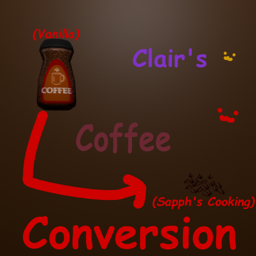
Vanilla Coffee to Sapph's Coffee
por 76561198322833896
A shrimple conversion of vanilla coffee to Sapph's coffee Also balanced around Soul Filcher's Farming Time's coffee I made this for me :3 Workshop ID: 3155519192 Mod ID: sapphcoffeeconversion
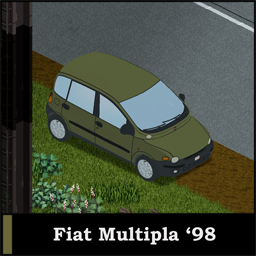
Fiat Multipla '98
por 76561198244694992
The mod adds Fiat Multipla to the game. Fiat Multipla is a worldwide known compact minivan with a very controversial "look" so to say. If you think it is ugly - you are not alone. It won the Top Gear "Car of the Year" award and additionally the "Ugliest car" award. It's superb design indeed is questionable so to say, but that's why we love it so much. Mod features 5 different Multipla color variants + 4 mixed variants(parts are not interchangeable) and the majestic multi-color version, also complete damage, blood and rust texture. If you find any bugs, please contact me, would appreciate that. Specs: Power: 330 hp Weight: 1388 kg Gear count: 5 Trunk space: 75 Glove box: 10 Gas tank: 63 Doors/Seats: 4/6 Enjoy! Workshop ID: 2770909054 Mod ID: fiatmultipla
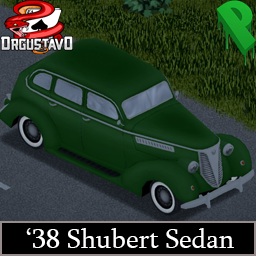
'38 Shubert Sedan
por 76561198824480527
The Shubert 38 is a mid-sized four-door sedan with the basic but functional styling of the 1940s era. (Based on the 1938 Chevrolet Master Sedan) Vehicle belonging to the Mafia 2 video game, which I exported to make it playable in Project Zomboid This model brings 3 variants with it: - Civilian Version : Which includes 9 color variants. - Hot-Rod Version : It is true that you can put a giant engine in a sedan vehicle, right? ...Certain? - Taxi Version : Don't forget the tip! - EACH VERSION HAS INTERIORS The model has door, hood and trunk opening animations, in turn when its doors are separated from the body, they have their own model in the world. It also includes an armor system and roofrack. Coding and Lua : Dr.Gustavo Texture, UV and Shades : Polynudj If you find any bugs in the mod, don't hesitate to contact us! Checkout my other mods too! - Workshop ID: 2923666785 - Mod ID: Shubert38Sedan

Udderly Attachments
por 76561197972393937
Want to run your own PZ server at a reasonable price with good support? 2 days free, click here! If this gains traction it will eliminate the need to make patch mods for guns and attachments to be intercompatible. Either way, I will be using this for my own gun releases. This supports VFE and Vanilla calibers and attachments out of the box! If a gun is set up in a group but is not present, or if an attachment is set up in the list but is not present, it will be skipped harmlessly. That said, due to the nature of this mod it may assign attachments to a different (wider) selection of guns than in Vanilla or VFE out of the box since it does it by caliber/type of gun rather than one-by-one. You must run at least one database (UdderlyAttachmentsLiteDatabase or UdderlyAttachmentsFullDatabase) as well as UdderlyAttachments. The Lite database doesn't expand upon VFE, the Full database expands access to attachments to anything sensible to have said access - things in the same group as things that have it but different calibers, or different types of guns in UA that aren't in VFE like LMGs. If there is interest, I will add other databases, but mind that it is more work to maintain as I add more. How It Works At runtime UA will scan through its table of functions added by other mods, and run the gun ones first, followed by the attachment ones. It will then go through all attachments in its database and for each one: - Iterate the guns in the groups it is assigned to and add them to a list of strings. - Build the MountOn list and reassign it to this list on the spot. How Do I Use It? (for modders) UA.Guns To use UA, add your guns to the UA.Guns table in the following way: UA.Guns.Type.Caliber Both Type and Caliber (or Barrel Count/Length, for shotguns) are tables. The reason for this is so that mods can change what groups are assigned to what attachments, as well as what guns are assigned to what groups independently, and everything will all mesh up and support the right attachments. The Types in UA by default: - Pistols - Revolvers - SARs - SMGs - Shotguns - BoltActions - ARs - LMGs The calibers available (for non-shotguns) by default: - Bullets22 - Bullets223 - Bullets308 - Bullets44 - Bullets45 - Bullets556 - Bullets762 - Bullets9 If you add new calibers to UA with one of your mods, please follow this naming convention. If you plan to use cartridge sizes (e.g., 7.62x54 rather than just 7.62), then write them as Bullets76254. If we all use the same naming convention then everything will stay compatible. The types for shotguns: - NoStock - ShortBarrel - DoubleShortBarrel - LongBarrel - DoubleLongBarrel - Military Military shotgun here means metal/fiberglass stock (e.g., not one that makes sense to replace with a fiberglass stock attachment) tactical shotguns like the SPAS12 that allow things like lasers to mount. In order to have your gun strings added to the relevant tables, you need to make a tiny LUA script for it, like this: print(" Initializing.") UA = UA or {} UA.GunAddingFunctions = UA.GunAddingFunctions or {} table.insert(UA.GunAddingFunctions, "table.insert(UA.Guns.BoltActions.Bullets308, \"SomebodyGuns.BigChonker\")") We do this instead of just running the code on the spot because UA has to set up its tables prior to you adding to it, and it has to run its code after every other mod has added to it - this facilitates that. Remember that if you want to set up a customized list of attachments for your gun and not inherit any from other mods/etc. (keep in mind this costs you in compatibility!) you can make a custom group for *just* your gun. Once you've got that in place, you're done if you're just adding one or more guns. If you want to assign a custom group to an attachment, or you have new attachments to add, then you need to mess with the UA.Attachments table. UA.Attachments The UA.Attachments table is pretty simple - under the main table is a table for each attachment with the same name as the name from the item script, e.g., "x2Scope". Inside this table are a string and three more tables with no name. The first contains the groups of guns that are assigned to it, the second contains one-off additions to the list (not groups, just gun name strings), and the third contains exceptions to the groups, e.g, add all guns from the group unless on this list. If you want to insert a new attachment for only 9mm Pistols called "Potato", you could do this: print(" Initializing.") UA = UA or {} UA.AttachmentAddingFunctions = UA.AttachmentAddingFunctions or {} table.insert(UA.AttachmentAddingFunctions, "table.insert(UA.Attachments, { \"PotatoAttachment.Potato\", { UA.Guns.Pistols9 }, { "PotatoGuns.PotatoPistol" }, { "PotatoGuns.NoPotatoPistol" } })" If you want to assign a gun group to an attachment, you can do: print(" Initializing.") UA = UA or {} UA.AssignmentFunctions = UA.AssignmentFunctions or {} table.insert(UA.AssignmentFunctions, "table.insert(UA.Attachments.x8Scope, UA.Guns.Pistols.Bullets308)") --Assigning all 308 pistols to x8Scope. Note the "" - the table you want to insert into is at this index, it will not vary, so just always include it. If you want to attach a single gun to an attachment without assigning other guns from the group to it, you can add it to index as a string. If you wish to add a group but not one (or more) member of it, you can add the guns to exclude to index as strings. A real world example for my PPSh mod combines some of these: print(" Initializing.") UA = UA or {} UA.GunAddingFunctions = UA.GunAddingFunctions or {} UA.GroupAssignmentFunctions = UA.GroupAssignmentFunctions or {} table.insert(UA.GunAddingFunctions, "table.insert(UA.Guns.SMGs.Bullets762, \"UdderlyGuns.PPSh\")") table.insert(UA.AssignmentFunctions, "table.insert(UA.Attachments.Sling, "\UdderlyGuns.PPSh\")") Future Plans - Other groupings built into UdderlyAttachments for other purposes, like stock material, intended range, etc. for ease of assignment. If you have ideas let me know! Like my mods? Help me survive, lol. Venmo: @UdderlyEvelyn Paypal: [email protected] (I do not check this email, do not contact me through it!) Ko-Fi: http://ko-fi.com/UdderlyEvelyn Workshop ID: 2850431623 Mod ID: UdderlyAttachments Mod ID: UdderlyAttachmentsFullDatabase Mod ID: UdderlyAttachmentsLiteDatabase
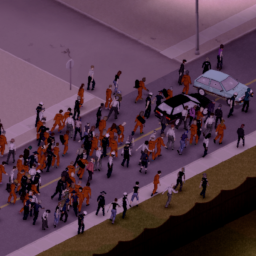
Hordes Alpha 0.7.2 (B42)
por 76561198357301839
Hordes This is an update of the Hordes Alpha 0.5 (B41) mod by derLoko along with a couple of features I've added. - This is B42 only. - For the moment I recommend Single Player. Multiplayer has syncing issues that I'm attempting to fix. Original mod: https://steamcommunity.com/sharedfiles/filedetails/?id=2311468324 Original mod description: Adds persistent hordes that roam the map. This is an alpha release! Expect glitches, performance issues, and your safehouse getting overrun by hundreds of zombies. Known issues: - Hordes ignore player-built structures when the player isn't in the area - Hordes love to get stuck at the Pizza Whirled in Rosewood - Hordes are unable to navigate on most custom maps Workshop ID: 2311468324 Mod ID: Hordes Below is a more in depth description of the features: The map is populated by large roaming hordes that travel along road networks and forest corridors, simulating large scale zombie movements. • Dynamic Meta-Hordes The world contains 300-500 "virtual" hordes that constantly migrate across the map. These groups exist even when you are far away and continue moving in real time. • Real/Virtual Conversion When a horde comes within loaded tiles around the player, it converts into real zombies. When it moves away, those zombies despawn and the horde becomes virtual again, preserving performance. • Directional, Zone-Based Navigation Hordes move intelligently using map metadata: - Primarily along Nav (road) zones - Optionally through most of the world including forests, farms, small roads and towns. (Experimental, hordes can get stuck or behave strangely, enable at your own risk) - They choose new directions based on zone geometry and their previous heading, creating natural flow patterns. • Chain Hordes & Meta Groups Some hordes are connected into multi-segment trains. If one segment joins the player’s loaded area, its followers trail behind it across the map. • Zombie Horde Leaders Roaming hordes have a zombie leader, the horde will try to follow the leader as it roams around. • Themed Horde Types Hordes are categorized (Civilian, Rural, Military, Scientists, etc.) and are dressed in appropriate outfits when they spawn near the player. • Random Local Horde Creation Occasionally, an idle zombie around the player can trigger the creation of a small temporary horde. These hordes are separate to the existing large roaming hordes (who spawn only once at the start of the game or split when they become too large). If a zombie close to the player is chosen, then existing zombies are collected from the cell and gathered together to form the horde. However if a zombie far from the player is chosen, then new zombies will spawn when the player gets close to form the horde (similar to the large hordes). When a temporary horde has been virtual for a while, it will disband. (configurable) Temporary hordes wander and behave just like the large hordes. Conditions needed for a temporary horde to form: - Cell must have at least 25 zombies. - Time speed is less than 3x (for example they won't form during sleeping) - Player is not in a car. - A successful random roll must be made if all other conditions are met. Rolls happen every 10 in game minutes. If all conditions are met this normally results in a successful roll roughly 6 times per in game day at default settings. • Growth & Splitting Each meta-horde gains size over time up to a cap (70). Overgrown virtual hordes may split, creating new child hordes that branch across the world. • Victory or Death (optional event) If the player stays at home too long, nearby hordes can be drawn toward their base, culminating in a coordinated convergence and a loud meta gunshot event. • Performance-Friendly Because most zombies are virtual until near the player, the mod adds massive horde behaviour without heavy FPS cost. Compatibility: • Works with existing saves • Wandering Zombies - I have tested it with Wandering Zombies and it does work. However because wandering zombies is very proactive in making zombies move, during horde navigation updates where zombies are waiting for the next target location, you'll see zombie behaviour that spreads them out more and causing hordes loaded around the player to lose some followers. The mod does mitigate this a little by occassionally forcing hordes to cluster back together before moving but it is not perfect. Still works decently well. I may try to make a compatibility patch in the future. FAQ • Does it work without vanilla zombie respawn? - Yes, normal hordes do not respawn. Temp hordes respawn based on zombies available, if you kill the zombies in an area temp hordes won't spawn. • Does it work with multiplayer? - No, not yet I'm afraid. Known Issues: • Syncing issues in the newly released B42 multiplayer. • Hordes can get stuck in or around buildings if sandbox setting "Navigate Outside Highways" is enabled. Changelog: v0.7.2 - Added sandbox settings for horde size, growth and splitting. - Added sandbox settings for temp horde size. - Added sandbox settings for the 'Victory or Death' event. - Fixed 'Temp Horde Roll Chance' sandbox setting, it now allows float values down to 0.01. - Fixed horde zombies not respecting vanilla zombie speed setting. For older versions - see workshop item changelog. If you like this mod and wish to support me, feel free to buy me a coffee :) buymeacoffee.com/lubsongg Workshop ID: 3618306391 Mod ID: Hordes
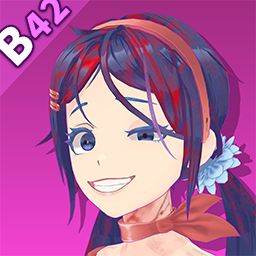
【B42/B41】MiSide Mita
por 76561198325256147
为既然无法留下来陪陪米塔,那干脆都一起消失吧! 模组自带脸部卡通渲染,无需替换任何游戏文件 一个钞票可以合成米塔 Update Fo B42! B41 Stil can be used. Workshop ID: 3417959086 Mod ID: MitaMitaB42
Project Zomboid Detalles →
Project Zomboid Guides
Instalar mods de Project Zomboid - guía del Workshop
Instala mods de Project Zomboid de forma limpia mediante Steam Workshop: introducir IDs, comprobar el orden, reiniciar el servidor y solucionar errores típicos.
Alquilar un servidor de Project Zomboid – guía multijugador
Configura un servidor de Project Zomboid: RAM, ajustes sandbox, mods de Workshop, permisos de admin y errores típicos bien revisados.
Servidor Project Zomboid con soporte de mods
Instala mods compatibles y admitidos desde el panel del servidor.
Alquilar un servidor Project Zomboid