Mods y complementos para Project Zomboid
Este catálogo incluye 52.000+ proyectos de Project Zomboid procedentes de Steam Workshop. Las entradas pueden ser para servidor, cliente o ambos, e incluir mapas u otro contenido generado por usuarios. Antes de instalar, comprueba la página de origen enlazada, la versión del juego y las dependencias.
![[B42] [MP] Working Wooden Signs – Project Zomboid Mod](https://images.steamusercontent.com/ugc/9226366149742959307/BE2825D6B2D6F5EB2071F683E53F4FD63951521C/)
[B42] [MP] Working Wooden Signs
por 76561199799625888
Working Wooden Signs is an immersive tactical and role-playing mod for Project Zomboid that finally makes wooden signs functional. Survivors can now write, edit, and display custom messages directly on constructed wooden signs to communicate with others in the post-apocalyptic world. Whether you're marking your territory, leaving warnings about a massive horde, or just labeling your loot crates, Working Wooden Signs enhances the social and tactical experience of your world! - It's quite easy. Just click the building icon on the left side of your screen, then type "sign" in the search bar. you'll see several sign options, but choose the one at the bottom, "Wooden Sign" - You can see the gif below: - Right click on the sign and you will see a new option at the top which is When you click on it there will be a UI textbox to put words into the sign. - Yes, the UI of the sign will disappear if the sign is blocked by something, so when the player tries to enter a room or object that is blocked, there is no need to worry because the UI of the sign will not to appear on the screen. - No, the UI of the sign is also affected by the surrounding light, so when it is bright the UI will be clearly visible and when it is dark the UI will also be difficult to see so there is no need to worry about the UI appearing very bright in the dark. If you enjoy this mod, please consider giving it a like <3 Check out my other mods! : Workshop ID: 3665238699 Mod ID: WWS

Maoken Assorted Sans 简体中文字体 Beta
por 76561199020860145
Maoken Assorted Sans 简体中文字体 Beta Workshop ID: 3393819035 Mod ID: MaokenAssortedSans Beta
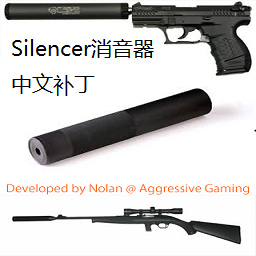
Silencer 中文补丁 Patch For Chinese Mod (40Bate)V1.0
por 76561198406706042
目前诺兰已经将Silencer / Suppressor Mod更新至41版本,改消音器版本在41环境下不会出现语言不同而导致的失效问题 这个mod需要在40版本下使用,需要配合老版本的消音器mod使用 该补丁mod会在41版本脱离测试后删除 1.修复一个在中文语言下消音器失效的bug,需要配合Silencer / Suppressor Mod使用 2.如果没有效果,可以尝试回主菜单关闭mod再进入游戏,再回主菜单启用Mod后再进入游戏,应该就有效了 3.如果有什么问题可以给我留言 4.如有雷同,纯属巧合 Fix a bug in the silencer in Chinese language.Need to work with Silencer / Suppressor Mod Workshop ID: 1689104667 Mod ID: SilencerPatchForChinese

FPS OPTIMIZER (FPS and Fixes)
por 76561198414279723
FPS OPTIMIZER FOR VANILLA AND MODS VISUAL (nothing)

NCR Veteran Ranger Occupation
por 76561198117945263
"Everything about them resemble the people, a few of them were married, almost every one of them drink alot but when it comes to war, eachone of them cost more than 50 men" Start as a NCR Veteran Ranger, a expensive occupation at -24 trait points cost. +2 Foraging +3 Aiming +1 Reloading +2 Sneaking +1 Sprinting +1 Mechanic +1 Electrical +1 Woodwork +1 Nimble +Hunter +Hiker +Explosive recipes Workshop ID: 2762430393 Mod ID: VeteranRangerProfession
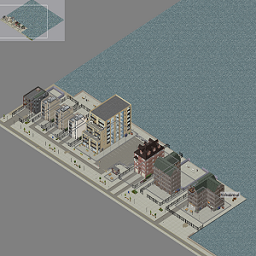
Louisville Docks
por 76561197971340278
Louisville Docks Map Mod this is my third map and my first upload many thanks to Daddy Dirkie and his fantastic mapping tutorials! this map takes place as an addon in Louisville at cell 43,3 it adds a bunch of modern and oldschool townhouses / apartments to the Louisville riverside / docks map contains 9 buildings, 345 rooms, mostly residential, a parking lot and a few shops checked room definitions and playtested credits and many thanks for tilesets required for this map go to Daddy Dirkie Dirk Workshop ID: 2337452747 Mod ID: Diederiks Tile Palooza melos_tiles Workshop ID: 2879745353 Mod ID: melos_tiles_for_miles_pack Dylan / (PlentyT) Workshop ID: 2599752664 Mod ID: DylansTiles Pertominus Workshop ID: 2837923608 Mod ID: PertsPartyTiles (i <3 your sonic youth poster!) 27.01.24 - fixed half walls/balconies 30.01.24 - added ingame map Workshop ID: 3143771604 Mod ID: LouisvilleDocks Map Folder: LouisvilleDocks
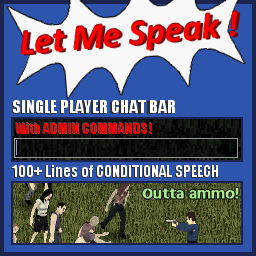
Let Me Speak! V1.4.3
por 76561198040010564
Let Me Speak! is a one of a kind mod. Whether you're a fan of immersion, roleplay, lua interpreters, conditional speech, or you just want to screw around with the admin commands, there's something in here for just about anyone. Features: A fully functional singleplayer chat bar, admin commands, admin command keybinding, built in Lua interpreter, and conditional speech with over 100 possible lines of dialogue. The amazing preview was done by Onkeen from The Indie Stone Forums. Massive kudos to him! ---------------------------------------------------------Let Me Speak!-------------------------------------------------- ------------------------------------------------------FULL DESCRIPTION--------------------------------------------- This version has a lot of cursing and reads off like a B-movie script. You can find the clean version here, courtesy of TurtleShroom: https://theindiestone.com/forums/index.php?/topic/24317-let-me-speak-v143-clean-version/ Note: Svarog and Aricane (owner of PZ-Mods) both had an unaltered copy of V1.2, the latest version before I had a PC failure that effectively erased this mod. If you like this mod, you have them to thank for its continued existence. This mod has something for just about everybody. Whether it be roleplay, immersion, Lua, singleplayer admin, etc, this mod has it all. What stemmed from a suggestion from here has become much, much more. Press T to open up the chat. As of V1.3, it supports Tiny Automated Version Checker. If you don't have it, I highly recommend you download it from its thread here or its Steam Workshop entry here. The forum thread for this mod can be found here. Is the download not working for you, or you just don't like the Steam Workshop? You can also download it from here kindly hosted by PZ-Mods. Features: A fully functional singleplayer chat bar. Admin commands. Admin command keybinding. A built in Lua interpreter. Conditional speech, with over 100 possible lines of dialogue. --------------------Admin Commands-------------------- /lua codehere -- built in Lua interpreter. can also access methods from CheatCore /help OptionalTopicOrPageNumber -- displays help. just type "/help" without quotes to display page 1 of help. /toggleconditionalspeech -- toggles conditional speech /godmode -- toggles god mode /creative -- toggles creative mode /deletemode -- toggles delete mode (when enabled, press X to delete the object under your mouse) /heal -- heals you /refillammo -- refills your currently equipped item. /repair -- repairs held item /infiniteammo -- it toggles, well, y'know /infinitedurability -- toggle infinite durability for held item /noshotdelay -- no delay between shots /toggleneed needhere -- toggles the need. type "/toggleneed all" to toggle all needs on or off. /firebrush -- toggles firebrush. when enabled, click to create fire /zombiebrush numberofzombiestospawn -- toggles zombiebrush. when enabled, click to create zombies. Type one of the following (without the quotes) to disable: "/zombiebrush disable", "/zombiebrush off", "/zombiebrush toggle", "/zombiebrush 0" /levelskill codedefinedskillnamehere numbertolevelto -- level up skill. "/levelskill all" levels all skills /instakill -- toggles instakill melee /settime numbertimehere timeordayormonthoryear -- set the time /barricadebrush numberofplanks -- press Z to barricade the object under your mouse /teleport X Y optionalZ -- teleports you to the specified X, Y, and optional Z (height). /additem caseSensitiveName optionalCount optionalItemBase -- adds the specified number of items /keybind key command infinite optional parameters -- binds the selected key to a command. /unkeybind key -- unbinds the selected key. /keybinds -- prints a list of all keybinds to the chat box. /fly -- toggles fly mode --------------------To Do-------------------- - Add a fully functional options menu. --------------------Special Thanks-------------------- Svarog and Aricane (owner of PZ-Mods), for providing a backup of the lost V1.2 version. This mod would've been lost forever if it wasn't for them. PZ-NOOB, for the amazing suggestion this was based on. This mod wouldn't be here if it wasn't for him. CzarUltra, for his contribution to the suggestion and the mod in general. He expanded the idea to something even more amazing. If it wasn't for him, there wouldn't be a chat bar at all, nor would there be admin commands or the lua debugger. Most if not all of the conditional speech lines were thought of or inspired by him. Mike280, for his contribution to the suggestion. His post was vital for outlining what kinds of things I should add conditions for.
Extra Logging by Gus Puffy
por 76561197984809068
Adds additional server-side logging capabilities for Project Zomboid. Sponsors After The Fall — The #1 multiplayer server in the world Requires Storm mod loader Tested and compatible with 42.20.0 Workshop ID: 3692065551 Mod ID: extra-logging-b42

Bow and Arrow Alternative Drawing Add-On (No Dry-Fire Loss)
por 76561198014349448
An edit of RobRendell's mod: https://steamcommunity.com/sharedfiles/filedetails/?id=2900287489 Works exactly as the mod link above, see that mod's description for instructions. The script has been edited to have no dry fire durability loss. Don't subscribe to this mod and RobRendell's mod at the same time, it may break things. Workshop ID: 2916233610 Mod ID: MandelaBowAndArrowAltDrawAddOn
![[B42] Read and Recall – Project Zomboid Mod](https://images.steamusercontent.com/ugc/14789116360554101495/F6745EBA9DA3E7098E62561009754FDFB6194E3C/)
[B42] Read and Recall
por 76561198875202045
Read and Recall Vanilla skill books in Project Zomboid give you XP just for finishing them. This mod adds an end-of-book check: after every skill-book chapter, you take a short quiz or play a hands-on minigame to KEEP the full XP multiplier. Skip or fail and you only get half the bonus. Ace it and the multiplier is yours. The result: skill books feel like LEARNING, not page-flipping. And every chapter ends in something memorable - drive a nail, read a horse's mood, dope the wind, choose the right quench for a sword, place primal cuts on a beef carcass. What's new - Dedicated server / co-op support - quizzes and minigames now trigger in multiplayer. - Compatible with "I Learn What I Read Too" - the two mods run side by side without conflict. - Fixed the double popup - enabling both editions no longer opens two windows per book. - Resizable quiz window - drag to resize; long question lists now scroll. 2 versions available Read and Recall (Real-Life) - real-world educational content. Each chapter teaches honest technique: hammer grips, food preservation chemistry, the working-temperature window for steel. Pass the quiz to prove you read it. Read and Recall: Knox Edition - the same skill books reimagined as in-universe Knox County textbooks, with Project Zomboid game mechanics woven into the narrative. Carpenter trait benefits, generator runtimes, the day the grid drops, magazine spawn locations - referenced in-story. The two editions are incompatible. Enable only ONE at a time. How it works - Finish reading a vanilla skill book as normal. - A Summary screen pops up with a recap of the chapter and two buttons: Take the Test or Skip (Half XP). - Pass the test (a quiz or a hands-on minigame, depending on the volume): you keep the full vanilla XP multiplier for that level range. - Skip or fail: you get the half multiplier ("floor") so reading is never a total waste. - Progress is saved per character per book, so you can come back and re-test later. Features - 24 skills supported - every craft, survival, and combat skill that has vanilla books. - 120 volumes of content: 72 written quizzes (11 hand-written questions each) and 48 hands-on minigames. - Sandbox-tunable: pick the test format, XP curve, and floor reward to match how you want the mod to feel (see below). - No XP cheese by default: the maximum multiplier is the vanilla one. Opt-in Bonus mode is available in sandbox if you want above-vanilla XP for acing. - Per-character progress stored in ModData. Multiple characters on the same save each track their own claims. - Themed UI: each skill has its own colour palette and emblem on the summary/test banner. Sandbox options Four toggles on the New Game settings page (both editions): - Test format - keep the mix of minigames and quizzes (default), or convert every minigame slot into a written multiple-choice quiz. Every minigame volume has an alt MC quiz authored - 96 across both editions. - XP mode - Default (linear graded curve from floor to vanilla), Lenient (90%+ instantly gives full vanilla XP), or Bonus (90%+ gives ABOVE vanilla XP for the perfectionists). - XP bonus multiplier - how much above vanilla the Bonus mode awards. 1.0 to 2.0, default 1.20 (20% above vanilla). - Floor percent - XP fraction kept when skipping or failing. 0.0 to 1.0, default 0.5 (half XP). Set to 0.0 if you want no reward for failing. Skill-by-skill book index Every volume ends in a written Quiz or a named minigame. Full breakdown here: Read and Recall - quiz & minigame index (Google Sheets) Compatibility - Compatible with any mod that does not replace that class wholesale. - Singleplayer supported. Multiplayer/co-op newly added - please report any issues. - No save corruption risk. Known issues / caveats - Quizzes draw fresh questions each attempt, but pools are 11 deep per volume - re-reading the same book several times will revisit some questions. - PZ's font does not render some Unicode dashes cleanly; all summaries use plain ASCII hyphens by design. - Wind direction in Dope the Wind follows hunter convention - "left-to-right wind" means wind moving from your left to your right. Have fun. Read carefully. Pass the test. Also check out my other mods in my collection! Your support is much appreciated! Workshop ID: 3728582856 Mod ID: ReadAndRecall Mod ID: ReadAndRecallKnoxEdition
![They Knew [B42] Stable Patch – Project Zomboid Mod](https://images.steamusercontent.com/ugc/17851587779815598649/AE13A4DCE128B950527F2BD3C1D468C340954431/)
They Knew [B42] Stable Patch
por 76561198003048289
Updates They Knew for Build 42.20 (tested on 42.20.03) and makes it work on a multiplayer server. They Knew is now the ONLY required mod. The separate 42.13 compatibility patch is no longer needed - unsubscribe from it, or at least remove it from your mod list, before using this version. Renamed from "They Knew Patch Patch". The mod ID changed too, so update your server Mods= line to TheyKnewB42Patch. Fixed - Crash to the main menu when killing a hazmat zombie. They Knew still registers its satchel through the Build 41 body-location API, which throws on 42.13+, so the item ends up with a body location the game cannot resolve. - All item scripts converted to the namespaced 42.13+ IDs (base:clothing, base:drainable, base:food, base:container, base:fullsuithead, base:satchel). - The hazmat suit lost its hazmatsuit/SCBA/ignore-zombie-density tags to a duplicated Tags line. Merged back in. - Hazmat zombies dropped no medication at all in singleplayer - the drop code only ran when isServer() was true, which is never the case outside a server. - Loot is now added server-side only, so it no longer duplicates or desyncs in multiplayer. - The hazmat outfit could be registered twice, silently doubling its spawn rate. - Medication effects now run on whichever side owns the player, so the drugs work for every player on a server, not just the host. - Missing sandbox options no longer throw - they fall back to their defaults. - Removed a per-frame infection check that duplicated the once-a-minute one. Load order TheyKnewB42 TheyKnewB42Patch Safe to add to an existing save. If you are coming from the old "Patch Patch", swap TheyKnewB42PatchPatch for TheyKnewB42Patch in your mod list - the ID changed with the rename. Inspired by and using code from pimat.studio https://steamcommunity.com/sharedfiles/filedetails/?id=3626161084 Workshop ID: 3640105892 Mod ID: TheyKnewB42Patch

Anthro Survivors Deceased Skins
por 76561197960269788
Adds deceased skins to the Anthro Survivors mod, mainly intended to work alongside the Furry Apocalypse or Anthro Zeds mod. Update 05/11/2024: Now includes support for Anthro Survivors: Scalies, More Anthro Survivors and Ungulate Friends. Use Furry Apocalypse to spawn zombies with these custom species. Load AFTER Anthro Survivors. REQUIRES Anthro Survivors to work New mod icon art by h0lycrow New texture modifications by Kaycoyote Asset help from Kaduseon Workshop ID: 3012531678 Mod ID: DeceasedAnthros
buffy's simple NPCs
por 76561197995819728
You don't need to start a new save for this mod. This is a Multiplayer mod intended to work in Multiplayer only. Description Admins can right click and set anything to be an interactive dialogue object. I'll make the right click less chaotic when clicking on busy tiles in a future update. Picking up or destroying the object that is set to have dialogue will remove the dialogue object, so be sure to export your NPCs to shards and keep them somewhere safe. Make sure to press 'ENTER' after entering text into the dialogue UI to have it reflect in the main menu, and don't forget to press 'Save' when you're done editing before you close the UI or you may lose your progress! This mod does not add moving NPC's or NPC models. It allows you to make an object into a dialogue interactable. Watch the demonstration video to see how it works. Want to update this or make changes? Here's your permission according to TIS policy: This mod can be added to and extended by anyone in the community, but credit must be given to the original author, buffy, within the files of the mod - and posted alongside the mod wherever it roams. ______ Buy me a coffee? https://ko-fi.com/G2G7I3KQD $buffymaybe on CashApp. Workshop ID: 2942472936 Mod ID: buffynpcs

Infoteo's Refill Propane Tanks
por 76561198450882774
# Refill Propane Tanks — Build 42.20.2 **Refill Propane Tanks** permite recargar tanques de propano y sopletes utilizando surtidores de combustible que dispongan de energía eléctrica. Al interactuar con un surtidor activo, el jugador podrá rellenar completamente los recipientes compatibles mediante una acción contextual. ## Características * Permite rellenar tanques de propano. * Permite recargar sopletes. * Funciona con surtidores conectados a la red eléctrica. * Admite surtidores alimentados mediante generadores exteriores cuando esa opción está habilitada. * Incluye validaciones para servidores multijugador. * Compatible con depósitos grandes y vehículos de propano añadidos por otros mods. * Compatible con **Project Zomboid Build 42.20.2**. El mod comprueba que el recipiente no esté lleno, que el jugador se encuentre cerca de un surtidor válido y que este disponga de electricidad y combustible. ## Agradecimientos Agradecimiento especial a **MineHost** por proporcionar el alojamiento y el entorno de servidor utilizado para realizar pruebas de funcionamiento y compatibilidad en multijugador dedicado. Su colaboración permite continuar desarrollando, revisando y adaptando mods para las nuevas versiones de Project Zomboid. ## Permission & Redistribution Notice Este mod no puede ser copiado, resubido, redistribuido, espejado, modificado, republicado, empaquetado, incorporado en colecciones privadas o públicas, incluido en modpacks, almacenado en sitios de terceros, utilizado como base para otros mods, ni utilizado total o parcialmente sin autorización escrita explícita del autor. Queda expresamente prohibido realizar forks de este mod, ya sea de forma pública o privada, total o parcial, con o sin modificaciones, sin permiso escrito explícito del autor. También queda prohibido extraer, reutilizar, adaptar, renombrar, modificar o redistribuir cualquiera de sus archivos, scripts, assets, sonidos, texturas, configuraciones, código Lua, traducciones o partes internas sin autorización escrita explícita. Se permite únicamente compartir el enlace original de Steam Workshop. Cualquier copia, fork, redistribución, reupload, modificación no autorizada, uso parcial, uso total, publicación alternativa o almacenamiento fuera de la página original será considerado una infracción a los permisos establecidos por el autor. Workshop ID: 3662405609 Mod ID: Infoteorefillpropanetanks
TwisTonFire - Better Pause
por 76561197960296580
FIRST IN MOD LOAD ORDER Compatibility Notice for Inventory Overhaul Mods Most of this mod will work with other mods as long as Better Pause is loaded early in your mod load order. However, complete inventory overhauls can overwrite vanilla inventory files and may bring the pause restriction back into the inventory context menus. Clean UI Compatibility - Build 42.19 Clean UI is supported in Build 42.19+ when the Better Pause Clean UI compatibility file is loaded after Clean UI. Recommended load order: 1. TwisTonFire - Better Pause 2. Clean UI 3. Better Pause Clean UI Compatibility File This allows the inventory right-click menus to work while paused, even when Clean UI replaces the inventory menu files. If another mod fully overwrites the inventory system after the compatibility file, that mod may still reintroduce the pause restriction. TwisTonFire - Better Pause This mod removes the pause-related restrictions that Project Zomboid normally enforces. In vanilla, a number of actions are explicitly blocked while Active Pause is enabled. In many cases, the player could otherwise simply queue actions, plan the next step, and continue playing when ready. This mod removes all pause restrictions currently known to me, allowing you to queue actions even while Active Pause is enabled. It also includes an optional Mod Option that can automatically pause the game right after you enter your world. This option is disabled by default and works in Singleplayer only. Important Load Order Information This mod must be placed at the very top of your mod load order, before all other mods. The reason is simple: - This mod uses full vanilla file overrides. - Those files must load first in order to cleanly replace the original game files. - If another mod loads before this one, its changes may not work properly or may not appear in-game at all. Why I made my own version There are already similar mods on the Steam Workshop. However, I do not want to depend on whether another mod is updated or abandoned. Because of that, I created and maintain my own version, so I can make sure it continues to work the way I want. Why this mod can be updated quickly Whenever Project Zomboid receives an update, I only need to run a script on my own PC. That script automatically takes the new vanilla files and removes the pause restrictions for me. This makes it easy for me to update the mod as quickly as possible after a game update, without manually editing every file by hand again. Why full file overrides are necessary Unfortunately, complete file overrides are the only sensible way to remove these restrictions. In most cases, the pause checks are placed very high up inside very long functions. Because of that, they cannot be cleanly removed with lightweight hooks or small compatibility patches. My goal with this mod My goal is to keep this mod updated as quickly as possible whenever the game changes, so the functionality remains available. I also make sure that each version of this mod only patches the exact Project Zomboid version it is intended for. Summary - Removes all pause restrictions currently known to me - Lets you queue actions while Active Pause is enabled - Optional automatic pause after entering your world - Auto-pause option is disabled by default - Singleplayer-only auto-pause option - Must be placed at the very top of the mod load order - Uses full vanilla file overrides - Designed for fast maintenance after game updates - Version-specific patching for the intended Project Zomboid version Is this mod better than X? I cannot say whether this mod is better than another one. What I can say is that this mod is very clear about how it is meant to be used: - It must be loaded before all other mods. - Nothing breaks when the game updates. - The patches only apply to the specific game version this mod was made for. - Its translation files also clearly warn that it must be placed at the very top of the load order. - 12 current translations of the in-game mod description. Another important difference is how this mod is maintained. It does not simply comment out these restrictions — it removes them entirely. Compatibility Mode 42.15 42.16 42.17 42.18 42.19 42.20 Singleplayer ✅ ✅ ✅ ✅ ✅ ✅ Multiplayer ❌ ❌ ❌ ❌ ❌ ❌ Clean UI ❌ ❌ ❌ ❌ ✅ ✅ FIRST IN MOD LOAD ORDER Your support helps me keep going — thank you very much in advance! Workshop ID: 3696291148 Mod ID: twistbetterpause Mod ID: twistbetterpause_cleanui_compat
![Ultimate Farming Patch [REDUX] – Project Zomboid Mod](https://images.steamusercontent.com/ugc/2517024137608701868/FB9D76C438737C89B4630CE529045E2D2DB8C8AC/)
Ultimate Farming Patch [REDUX]
por 76561198131954636
This mod is highly experimental. Use at your own risk. Make a backup if you can. It is recommended to use a new game save, though old crops will now attempt to convert to the new system where applicable. DO NOT REMOVE MID-SAVE IF YOU CAN HELP IT. This mod does not do much on its own, use it in combination with provided patchers and their corresponding mods. Please uninstall Ultimate Farming Patch if you plan to use this mod. Mod Features: - Crop mod origins are listed when planting. - Ability to make it so crops never rot. - Ability to make it so furrows take the place of harvested crops. - Ability to combine seeds from similar crops together for sowing. - Smarter translation system to ensure crop names are displayed correctly. - Crops only overwrite when necessary, crops that are similar but don't have the same harvest result won't overwrite each other, instead making distinct plants. - Crops missing growCodes will attempt to fall back to a previous counterpart if present in an attempt to prevent errors. - ..and more! Setup: "Ultimate Farming Patch - Base" should always come first in load order. This is a hard requirement. Place the mod you want supported, then the corresponding patcher, in a repeated manner. An example order: - Ultimate Farming Patch - Base - Le Gourmet Revolution - Ultimate Farming Patch - Le Gourmet Revolution Patch - Soul Filcher's Farming Time - Ultimate Farming Patch - Soul Filcher's Farming Time Patch Notes: - Crops placed through the map editor may be incorrect because of how Zomboid internally handles these things. There isn't much of a way around it, though they should still spawn in as some type of crop. - Some mods may be restricted to singleplayer only. This is beyond my control. - Some mods may be missing compatibility with some extra addons. Primarily only the base mods are supported. - Mods without a patcher should be considered incompatible or buggy. Mods that do not alter primary farming mechanics (such as Prepare For Winter) should be okay. Workshop ID: 3222569495 Mod ID: UltimateFarmingPatch
![[B41] Better Vitamins! – Project Zomboid Mod](https://images.steamusercontent.com/ugc/1797522561537365881/70C2A92B0F5A15FE392C80F6A796F25751DB20BD/)
[B41] Better Vitamins!
por 76561198032047054
Changes vitamins to reduce fatigue by a much more reasonable amount, balanced version changes it to be -5 fatigue, x2 is -10, ect ect. A simple test to see if I could alter or change items since I was tired of sleeping all day in singleplayer! Only tested in singleplayer, but should be multiplayer compatible as it only adjusts vitamins. Now updated to have multiple versions for you to select your level of chad vitamin strength. Workshop ID: 2862223101 Mod ID: BetterVitaminsBalanced Mod ID: UltraVitamins Mod ID: BetterVitaminsx2 Mod ID: BetterVitaminsx3 Mod ID: BetterVitaminsx4
![[B42.20] Bag Upgrade Plus Realistic – Project Zomboid Mod](https://images.steamusercontent.com/ugc/13699267505594806127/C6E0910014B5567FC8987AABFFFBA9A7AFAA1353/)
[B42.20] Bag Upgrade Plus Realistic
por 76561198042738029
ALL CREDIT GOES TO ORIGINAL CREATOR ---> ProduktFrosch Original mod : https://steamcommunity.com/sharedfiles/filedetails/?id=3403697073 Updated 42 version of the original mod (identical): https://steamcommunity.com/sharedfiles/filedetails/?id=3668094025 You have to pick one or the other (original updated or this one). Since the creator of this mod said he was facing heatlh issues and gave opportunity to carry on his mods, here is my take on updating it to v42 with some tweak for more "realism" Comptatible with multiplayer In this version, all bags variant, have a small chance to be found in the world, left behind by previous survivors ... So far you can only find the loot where you could find the original ones, if asked to, i could add some other lootspawn for upgraded variants of the bags. Make sure to check the KNOWN ISSUES topic before use Mod is fully compatible with ItemRarityUI mod Bag Upgrade Plus *Realistic* Transform your survival experience ! 🎒✨ This mod upgrades several bags and backpacks to "Plus" models, offering incredible benefits such as **an increased weight reduction** and **a total weight reduced for all upgraded bags**. Perfect for survivors looking to maximize their efficiency and mobility in Project Zomboid. Features Upgraded Bags and Backpacks: Convert your favorite bags into "Plus" versions with improved stats. More capacity (x10 for fannypacks). 👜 More weight reduction: Alleviate the burden of heavy items, allowing you to carry more without slowing down.⚖️ Lightweight design: Each "Plus" model weighs less and is very efficient for inventory management.🏃♂️ Additional slots: Some of the unique slots come from the Authentic Z mod. A big thank you to the author of Authentic Z for these fantastic features! Inventory management.👏 Authentic Z Support: To use the additional slots, you must have the Authentic Z mod installed. Plus backpacks can be upgraded with Authentic Z slots for an additional cost.💼 Additional locations (Thanks to Authentic Z): ALICE Bags: - Sleeping bag - Item compartments 1–3 - Bottle holders on the left and right - Plush toy - Umbrella - Flashlight Travel bags: - Item compartments 1–3 - Bottle holder - Plush toy - Umbrella - Flashlight Hiking backpacks: - Sleeping bag - Item compartments 1–3 - Bottle holders on the left and right - Plush toy - Umbrella - Flashlight Sling bags: - Can be worn simultaneously with a backpack. This mod can only be added to and extended with the express permission from the original creator. Having received permission, credit must be given to the original creator, both within the files of the mod and wherever the mod roams online. Workshop ID: 3669286020 Mod ID: BagUpgradePlusRealistic

Lake Fallas Spawnpoints
por 76561198172090795
A charming town in Meade County, embodies the essence of Small Town USA. Its rich history, welcoming community, and mouthwatering pies make it a hidden gem waiting to be discovered. Lake Fallas offers a glimpse into a bygone era with its historic town square and locally-owned shops.Whether you're enjoying a slice of homemade pie, mingling with friendly locals, or savoring the nostalgia, Lake Fallas' warm welcome is guaranteed. So, come experience the timeless charm of Lake Fallas, Kentucky, and become a part of its tight-knit community. This mod allows you to spawn in Lake Fallas Workshop ID: 3039100785 Mod ID: Lake Fallas SP Map Folder: Lake Fallas, KY Workshop ID: 3039100785 Mod ID: Ekron SP Map Folder: Lake Fallas, KY
![Reflection Enabler [B42.19 - B42.20.3] – Project Zomboid Mod](https://images.steamusercontent.com/ugc/10837937493283705286/232CFD0A560DC3FB5BA45D4F49A9893209EDA1D9/)
Reflection Enabler [B42.19 - B42.20.3]
por 76561197969272930
!!!!! YOU ONLY NEED THIS MOD IF ANOTHER MOD REQUIRES IT !!!!! What is it?! This is a java mod that re-enables reflection functionality that was disabled in B42.15. The following functions have been re-enabled: - getNumClassFields - getNumClassFunctions - getClassField - getClassFieldVal - getClassFunction - getMethodParameter - getMethodParameterCount Installation 1. Assuming default Steam install location, and Project Zomboid install location, navigate to: - Windows: C:\Program Files (x86)\Steam\steamapps\workshop\content\108600\3682136459\ - Linux: /home/<username>/.steam/steam/steamapps/workshop/content/108600/3682136459/ 2. Go into: mods/reflection-enabler/ 3. Copy the 'zombie' folder into the following: - Windows: C:\Program Files (x86)\Steam\steamapps\common\ProjectZomboid\ - Linux: /home/<username>/.steam/steam/steamapps/common/ProjectZomboid/projectzomboid/ If you're in the right location, you'll see some, or all of the following folders: - android - jre64 - launcher - license - linux64 - media - steamapps - Workshop 4. Enable the mod in-game, so it can validate that the Java mod is installed correctly, and up to date. Modders: How to check if the patch is enabled Two new functions have been added to lua globally: - getReflectionVersion() - Returns the version of this mod. - getReflectionGameVersion() - Returns the version the patch was created for. You can use lua's pcall function to test and get the results of these functions, to see if the patch is enabled: local status, result = pcall(getReflectionGameVersion) 'status' will return true if the function exists, and executed. 'result' will be the return value of the function. You can view the scripts included with this mod for further details. You should make the lua mod a requirement, so the lua can perform the version checking. Workshop ID: 3682136459 Mod ID: ReflectionEnabler

MCX
por 76561198134309423
-¿Cansado de no usar las municiones .223? ¡ Tengo la solución! Esta nueva arma utiliza munición .223 (sé que esto no es correcto en la vida real) y tiene sus propios accesorios. -Tired of not using .223 ammunition? I have the solution! This new gun uses .223 ammo (I know this is not correct in real life) and has its own attachments. -Añade un arma nueva al juego "MCX" -Add a new weapon to the game "MCX" -CARACTERÍSTICAS: Añade un nuevo modelo de arma "MCX", un cargador de 40 balas que utiliza munición del .223 y sus propios accesorios, "Silenciador","Empuñadura","Mira". -FEATURES: Adds a new weapon model "MCX", a 40-round magazine that uses .223 ammunition and its own attachments, "Silencer","Grip","Sight". -PRÓXIMAMENTE: Añadire mas accesorios. -COMING SOON: Add more accessories. -Nota: Puedes generar el objeto con "NecroForge". -Note: You can generate the item with "NecroForge". Otros mod: https://steamcommunity.com/sharedfiles/filedetails/?id=2735798649 -> HK416 https://steamcommunity.com/sharedfiles/filedetails/?id=2738278655 -> VECTORKRISS https://steamcommunity.com/sharedfiles/filedetails/?id=2741947428 -> M4A1 https://steamcommunity.com/sharedfiles/filedetails/?id=2743794678 -> MPX Te invito a valorar el articulo y dejar tus comentarios para poder ir mejorando! I invite you to rate the article and leave your comments to be able to improve! Workshop ID: 2742945511 Mod ID: MCX157
Remove Ammo Maker Cans From Loot
por 76561198050166062
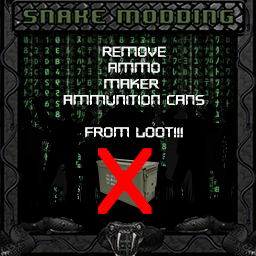
Remove ammunition cans, Ammunition cases and Lead Projectiles from the loot tables (Requires Ammo Maker mod). This mod was developed for people looking for a little more difficulty. Workshop ID: 3241862431 Mod ID: RemoveAmmoMakerCans

Sawed-off Shotguns in Holster
por 76561198025183202
Allow Sawnoff/Sawed-off (I don't actually know which one it is) shotguns to be placed in holsters. Requires: - Item Tweaker API Recommended: - Actual Sawnoff Shotguns (Otherwise the shotguns look ridiculous) Github url: https://github.com/aSeriousDeveloper/zomboid-sawedoff-shotguns-holster I had issues getting the Item Tweaker API to play nice while making this, so let me know if this doesn't work correctly and I'll take a closer look. Additionally, this should HOPEFULLY work on servers (lua code is stored as shared) but if it doesn't let me know also. Other feedback appreciated. Workshop ID: 2790421647 Mod ID: sawedoff-shotguns-holster-robboinnit
Map Symbol Size Slider PTBR
por 76561199131666750
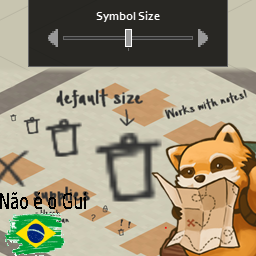
Tradução para PTBR o Mod Map Symbol Size Slider. Workshop ID: 2785226074 Mod ID: MapSymbolSizeSliderPTBR
Project Zomboid Guides
Instalar mods de Project Zomboid - guía del Workshop
Instala mods de Project Zomboid de forma limpia mediante Steam Workshop: introducir IDs, comprobar el orden, reiniciar el servidor y solucionar errores típicos.
Alquilar un servidor de Project Zomboid – guía multijugador
Configura un servidor de Project Zomboid: RAM, ajustes sandbox, mods de Workshop, permisos de admin y errores típicos bien revisados.
Servidor Project Zomboid con soporte de mods
Instala mods compatibles y admitidos desde el panel del servidor.
Alquilar un servidor Project Zomboid