Mods y complementos para Project Zomboid
Este catálogo incluye 52.000+ proyectos de Project Zomboid procedentes de Steam Workshop. Las entradas pueden ser para servidor, cliente o ambos, e incluir mapas u otro contenido generado por usuarios. Antes de instalar, comprueba la página de origen enlazada, la versión del juego y las dependencias.
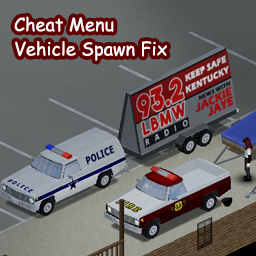
Cheat Menu Vehicle Spawn Fix
por 76561198050084283
----更新 增加了原版3个小拖车的生成 Add 3 default trailers spawning support. 这是Cheat Menu的一个补丁, 修复了原mod无法生成 "Dash Bulldriver (Police)"和 "Chevalier D6 (Fire Dept.)"的BUG。 使用本MOD必须同时使用Cheat Menu, 并且加载顺序,本mod在Cheat Menu之后,参考图2 原作者@dude person貌似失联很久了,联系未果后,决定决定先放上来 一定要配合原mod使用,否则无法生效。 如果后续原mod作者自己修复了该问题,我会下架本mod。 This mod is a patch for Cheat Menu. It requires Cheat Menu to work. Make sure to put this mod behind Cheat Menu in the loading sequence. In the original Cheat Menu Mod, you just can't spawn "Dash Bulldriver (Police)" and "Chevalier D6 (Fire Dept.)" due to a misspelling. So I simply correct the spelling to make it possible to spawn these two vanilla vehicles via Cheat Menu. All credits to @dude person for creating the awesome Cheat Menu Mod. Someday when the author decides to fix it in the original Cheat Menu Mod, this mod will be disabled. Workshop ID: 2591506723 Mod ID: CheatMenuVehicleSpawnFix

Goku Jumpscare Noises
por 76561198252806158
Updated for Build 42 Replaces the default jumpscare sounds with sound effects from the Dragon Ball series: -Instant transmission sound -First note of the ultra instinct theme -"Hey, it's me, Goku!" -All three aformentioned sounds at once Workshop ID: 2894970531 Mod ID: GokuJumpscare
![[B42.20 SP/MP] Totally's Historical Firearms Pack - Arms of The 3rd & 4th Republic – Project Zomboid Mod](https://images.steamusercontent.com/ugc/2274942716099842669/9DCD32C4D875B69C79316DDEEC0E232178B2F876/)
[B42.20 SP/MP] Totally's Historical Firearms Pack - Arms of The 3rd & 4th Republic
por 76561199025597402
An Standalone Addition to Totally's Historical Firearms Pack adding Firearms from the French 3rd Republic into the game. "The French Copy Nobody, and Nobody Copies the French�" France has long been a hot bed for technical development and the French Army always been at the forfront of Military Technological Innovation, and this can be seen by the weapons of the 3rd and the 4th Republic's of France c. From the development of the Metallic Cased Gras through the advent of Smokeless powder Lebel and the use of Chauchat Light Machinegun, France was always at the cutting edge. This mod attempts to add some of the weapons from the time period between the Franco-Prussian War and and the Start of the 2nd World War. The Weapons & Ammo included: 11x59mmR Gras: - Fusil Gras mle 1874 M80 - M1885 French Kropatchek 8mm Lebel: - Lebel Fusil Mle 1886/M93 - Berthier Fusil Mle 1907/15-M16 - Fusil Automatique Mod�le 1917 - Chauchat Modele 1915 CSRG - Fusil Gras mle 1874 M80 M14 - 7.5x54mm French: - MAS Modele 36 - MAS Modele 49 - MAS Modele 49-56 - .32 ACP: - Pistolet Automatique Ruby - 8mm French Ordnance: - Mod�le 1892 Revolver - 9mm: - MAT 49 Credits for the rest of the models to Ossalion Workshop ID: 3095278472 Mod ID: TIHFPA3R
Simple Status MP
por 76561198266144531
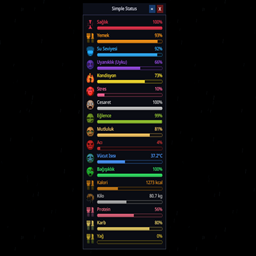
Simple Status MP v1.3.2 A customizable real-time status HUD for Project Zomboid Build 42.20. EN Simple Status MP keeps your character's important information visible in a clean, compact, and scalable HUD. Choose exactly what you want to see and arrange the panel to match your playstyle. Features - Clean neon-glassmorphism interface designed to stay readable during gameplay - Real-time tracking for 23 character, health, mood, and nutrition values - Choose exactly which status rows are visible - Status selections are remembered across reconnects, restarts, new characters, new worlds, Singleplayer, and Multiplayer - Reorder status rows directly from the settings window - Proportional scaling keeps bars, text, icons, spacing, and controls aligned at every size - Separate opacity controls for the complete HUD and its navy background - Adaptive text contrast keeps values readable over filled and empty bar sections - Precise formatting for temperature, weight, calories, proteins, carbohydrates, and lipids - Localized interface with automatic language detection - No gameplay or balance changes; the mod only displays existing character data Tracked Statuses Health, Hunger, Thirst, Fatigue, Endurance, Stress, Nicotine Withdrawal, Panic, Boredom, Mood, Pain, Sickness, Wound Infection, Food Sickness, Poison, Bad Smell, Zombification, Body Temperature, Calories, Weight, Proteins, Carbohydrates, and Lipids. Controls - F10: Show or hide the HUD - Gear button: Open status, ordering, and opacity settings - Top bar: Drag the panel - Right edge: Resize the panel width - Bottom-right corner: Resize the complete HUD proportionally - X button: Close the HUD; press F10 to show it again Compatibility - Project Zomboid Build 42.20 stable - Singleplayer and Multiplayer - Safe to add to existing saves - No save wipe or new character required - 14 languages: EN, TR, DE, CN, CH, RU, ES, PTBR, FR, KO, PL, UA, IT, JP TR Simple Status MP, karakterinizin onemli bilgilerini temiz, kompakt ve olceklenebilir bir HUD uzerinde surekli gorunur tutar. Tam olarak hangi degerleri gormek istediginizi secin ve paneli oynanis tarziniza gore duzenleyin. Ozellikler - Oynanis sirasinda okunabilir kalacak sekilde tasarlanmis neon-glassmorphism arayuz - Karakter, saglik, ruh hali ve beslenmeyle ilgili 23 degeri gercek zamanli takip - Hangi durum satirlarinin gorunecegini tamamen siz belirlersiniz - Durum secimleri yeniden girislerde, oyun yeniden baslatildiginda, yeni karakterlerde, yeni dunyalarda, Tek Oyunculu ve Cok Oyunculu modda hatirlanir - Durum satirlarini ayarlar penceresinden istediginiz siraya tasiyabilirsiniz - Orantili olcekleme sayesinde barlar, yazilar, ikonlar, bosluklar ve kontroller her boyutta uyumlu kalir - Tum HUD ve lacivert arka plan icin birbirinden bagimsiz saydamlik ayarlari - Dolu ve bos bar alanlarinda degerleri okunabilir tutan otomatik yazi kontrasti - Sicaklik, kilo, kalori, protein, karbonhidrat ve yag icin hassas sayisal gosterim - Otomatik dil algilamali yerellestirilmis arayuz - Oynanis veya denge degisikligi yapmaz; yalnizca mevcut karakter verilerini gosterir Takip Edilen Durumlar Saglik, Aclik, Susuzluk, Yorgunluk, Dayaniklilik, Stres, Nikotin Yoksunlugu, Panik, Sikinti, Ruh Hali, Aci, Hastalik, Yara Enfeksiyonu, Gida Zehirlenmesi, Zehir, Kotu Koku, Zombilesme, Vucut Sicakligi, Kalori, Kilo, Protein, Karbonhidrat ve Yag. Kontroller - F10: HUD'u gosterir veya gizler - Cark dugmesi: Durum, siralama ve saydamlik ayarlarini acar - Ust bar: Paneli tasir - Sag kenar: Panel genisligini ayarlar - Sag alt kose: Tum HUD'u orantili olarak boyutlandirir - X dugmesi: HUD'u kapatir; yeniden gostermek icin F10'a basin Uyumluluk - Project Zomboid Build 42.20 stable - Tek Oyunculu ve Cok Oyunculu - Mevcut kayitlara guvenle eklenebilir - Save silmeye veya yeni karakter acmaya gerek yoktur - 14 dil: EN, TR, DE, CN, CH, RU, ES, PTBR, FR, KO, PL, UA, IT, JP Workshop ID: 3674165689 Mod ID: simple_status_mp
HigherFPS
por 76561198083574461
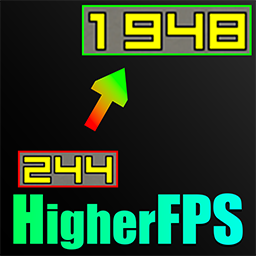
Are you tired of paying for a High-End PC and High Refresh Rate Monitor just for Game Developers to handicap your FPS? Then this is the mod for you! Build 42 of Project Zomboid has a hard-coded framerate cap of 244 FPS and they removed the "Uncapped" option that is present in Build 41. This means that even powerful PCs can't push the framerate higher through the default settings. This mod bypasses this limitation. And more... Features - Expanded Framerate Options: Adds new, higher FPS caps including 360, 480, 500, and 540. - Uncapped Option: A TIS Dev said this option will be added back. Until then, this mod adds it back - Seamless Integration: All new options are added directly to the vanilla "Framerate" dropdown menu in the Display settings. How to Use - Subscribe to and enable the mod in the "Mods" section of the main menu. - Go to Options -> Display & Performance. - Under Window, Find the "Lock Framerate" dropdown menu. - You will now see the new options available. - Select your desired framerate and click Apply. - Your FPS limit should Increase immediately and will be remembered the next time you launch Project Zomboid. Compatibility This mod is lightweight and should be compatible with most mods. It uses its own configuration file to store the fps setting. This method prevents conflicts with the game's core saving system and ensures your choice persists between sessions. It should work with existing saves. It can be added to or removed from a game at any time without issue. Workshop ID: 3520658825 Mod ID: HigherFPS
Avi's Hardtack
por 76561199088286216
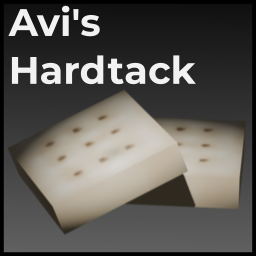
A simple mod that adds a recipe for hardtack. Hardtack has 2100~ calories, but largely drains your thirst, and makes you very unhappy. Doesnt spawn naturally, must be made. This mod is not balanced around vanilla. It is made and balanced for the Project Apocalypse Roleplay server. Workshop ID: 3129215170 Mod ID: HardtackAVI
Arsenal(26) GunFighter_CH_zh_tw & Brita's Armor Pack_CH_zh_tw & Brita's Armor Pack_CH_zh_tw
por 76561198064350203
Only Traditional Chinese ( CH ) Language Pack For details, please change language " 繁體中文 Traditional Chinese " Read Information Workshop ID: 2922868736 Mod ID: ARSENAL_26_GunFighter__CH_zh_tw Mod ID: ARSENAL_26_GunFighter_CH_zh_tw Mod ID: Brita's_Armor_Pack_CH_zh_tw

Lifestyle RU Translation
por 76561198161293463
Русская локализация для мода Lifestyle. Названия сонат (если такие там есть) не переводил. Workshop ID: 2990596781 Mod ID: LifestyleRU
![[B41] Cleaning: Keep Your Shelter Spotless! – Project Zomboid Mod](https://images.steamusercontent.com/ugc/58085209486729817/40DED522D78F2DB138A78A84510625E6D934B6AC/)
[B41] Cleaning: Keep Your Shelter Spotless!
por 76561198080577466
Introduction In the harsh world of Project Zomboid, survival is about more than just fighting off the undead and scavenging for supplies. A clean environment can mean the difference between life and death. The Cleaning mod enhances realism by allowing players to clean up their shelters, roads, and surroundings, reducing the risk of infection and improving morale. Whether you're scrubbing away bloodstains or clearing out debris, this mod provides the essential tools to keep your post-apocalyptic world tidy. Cleaning Tools Cleaning up the apocalypse requires the right tools. This mod introduces a variety of cleaning implements: Mops: Essential for cleaning grime, trash, and stains. Available options include: - Mop – A traditional tool for scrubbing away filth. The mop item can be turned into a weapon and back. Can be crafted using Ripped Sheets x4, Rope x1, Wooden Stick x1 and requires Woodwork Skill Level 2. - Sponge – Best for cleaning smaller messes and detailed work. - Dish Cloth – A versatile tool, perfect for wiping down surfaces. - Bath Towel – Larger and more absorbent, great for big messes. Purifiers: Different cleaning agents are available to ensure thorough sanitation: - Bucket of Water – Basic cleaning solution, effective for general messes. - Pot of Water – Similar to the bucket but smaller, ideal for on-the-go cleaning. - Sauce Pan of Water – Compact and useful for spot-cleaning. - Bucket of Chlorine Water – A stronger solution, excellent for disinfecting. Can be crafted using a Bucket of Water and Bleach. - Bleach – The ultimate cleaning agent for stubborn grime and hazardous stains. Cleaning Mechanics The mod introduces immersive cleaning mechanics, allowing players to maintain their surroundings with realistic actions: - Clearing Trash: Junk, broken glass, leaves, and burnt floors can be cleared using any mop, keeping interiors and exteriors debris-free. - Removing Grime: Floors and walls accumulate grime over time. Use any mop with a purifier to restore surfaces to their original state. - Eliminating Blood and Graffiti: Combat leaves its marks, but players can use any mop with a Bucket of Chlorine Water or Bleach to erase bloodstains and graffiti, ensuring a sanitary and livable space. Usage and Durability Cleaning purifiers have a limited number of uses before they are depleted: - Bucket of Water: 25 uses - Pot of Water: 25 uses - Sauce Pan of Water: 20 uses - Bucket of Chlorine Water: 30 uses - Bleach: 12 uses Conserve resources wisely and ensure you have enough purifiers on hand to keep your base spotless. Gameplay Benefits A clean environment offers numerous advantages in Project Zomboid: - Morale Boost: A tidy base improves the mental state of survivors, reducing stress and discomfort. - Infection Prevention: Bloodstains and filth can harbor bacteria; regular cleaning minimizes infection risks. - Aesthetic Appeal: A well-maintained shelter fosters a sense of order and control in an otherwise chaotic world. - Realism & Immersion: Enhance your survival experience by introducing meaningful and interactive housekeeping mechanics. Conclusion With the Cleaning mod, you can take control of your surroundings and maintain a sense of normalcy in an apocalyptic wasteland. No longer will you be forced to live in filth and decay—grab a mop, find some purifier, and restore order to your world! Download now and bring cleanliness back to Project Zomboid. Permissions Credit where it's due This mod can be added to and extended by anyone in the community, but credit must be given to the original author within the files of the mod - and posted alongside the mod wherever it roams. Workshop ID: 3418101323 Mod ID: Cleaning41
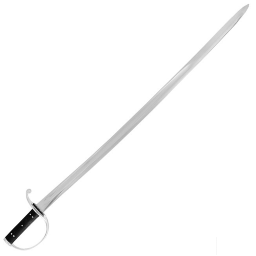
Cavalry Sabre
por 76561198076948732
This mod adds cavalry sabres to the game. These swords are heavier, and more durable than the machete and katana, do more damage than the machete but less than the katana. They can spawn rarely in the world. They can be repaired, but not be crafted (this may not apply to B42 version, not sure that long blade repair is implemented yet, if ever - notes in the game files imply some debate) For B42: Although there are now 11 swords in the game (including the cavalry sabre) most of them are no stronger than the machete, while the katana is still a beast in comparison. The Cavalry Sabre mod's sabre adds the same balance as in the B41 version in this regard. B42MP: Fixed to work for SP, haven't checked if it is working on MP. Please let me know. Workshop ID: 2923323542 Mod ID: CavalrySabre12 Mod ID: CavalrySabre
![[COS] Division Hunter 3 – Project Zomboid Mod](https://images.steamusercontent.com/ugc/5109928331660560402/424B99FB11256DE5FAD20CD3401688CAE0465643/)
[COS] Division Hunter 3
por 76561199178116693
How Do I Use It? - You can go to the link below to see how to use it. - Link Recommended mode - Fashionoid - Gear Transmog - Hide All Attached Items - Clipping animation Fix How to use COS mode in build 42. - Navigate to the path where the mod is installed. - Create a 42.0 folder. - Create a common folder. - Paste the media folder / mod.info / preview.png into the 42.0 folder. The recipe code writing method has been changed in 42Build. Since COS (Costume) mode has approximately over 200 modes, converting to 42Build's recipe code is an extremely laborious task. In 42Build, you cannot create costumes in (42 build) the crafting tab. There are two methods: Spawn items in cheat mode. Select items in the clothing selection screen when creating a character. Like My Mode? - Join Our Discord If You Want Commission
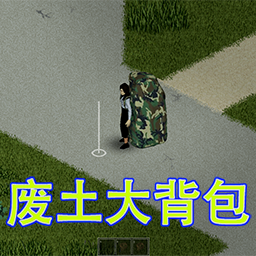
RuinsBag
por 76561198145796765
Made for Friend Workshop ID: 2804720570 Mod ID: RuinsBag
![[42] Marz Mods animsets for Linux – Project Zomboid Mod](https://images.steamusercontent.com/ugc/13548014279141056862/B41250609FF470ED0074231E106E60E56DB3F36A/)
[42] Marz Mods animsets for Linux
por 76561198008297400
This is for users playing on Linux, whether Hosting or Joining a server. Linux is case-sensitive, and AnimSets are a constant source of headaches for users because of it. Disable lua checksum too So use this to check/cover my mods: - Hot Brass - Guns of Marz - Gunworks Load this mod last to ensure changes take effect. Workshop ID: 3774316897 Mod ID: Linux_Animsets_Marz_Mods

Trait Training Books
por 76561197961900879
Adds books to the game that can be found and read to add or remove traits on an exchange system. Trait exchange works on a ladder based system for removing negatives and learning positives. This initial release specifically focuses on the reader line of traits. While intended for the /v/anguards real time MP server, this can also be used in SP games. Workshop ID: 606059733
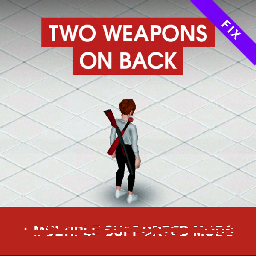
Two weapons on back FIX(RE-UPLOAD)
por 76561198392244237
Removes recipes and extra backpacks, the second slot for weapons is installed by default and is available even without a backpack. Link to the original https://steamcommunity.com/sharedfiles/filedetails/?id=2835583213 Workshop ID: 2949774969 Mod ID: TwoWeaponsOnBackFIX
![[B42] 更多缩放 – Project Zomboid Mod](https://images.steamusercontent.com/ugc/32185871447057876/FDBC8C6C469EC6BDA8DD32B1B8CE18CF07745FEE/)
[B42] 更多缩放
por 76561199193863491
更多缩放 本mod为Java mod 需要手动安装 将目录下的zombie文件夹复制到游戏目录覆盖 之前那个老外做的太唐了 Workshop ID: 3393339077 Mod ID: MoreScaleLevel

Brazilian Clay Water Filter
por 76561198021951651
Brazilian Clay Water Filter WHAT IS IT? A water filter made of clay, like those used for centuries in Brazil. It works naturally and sustainably: add dirty water and let gravity do the work. Clean water is ready to drink after passing through the ceramic filter. HOW IT WORKS - Craft the Filter: Combine 2 clay, 1 charcoal, and ripped sheets (90 seconds) - Place It: Position on counters, tables, or any surface - Filter: Add dirty water from a container - Collect: Wait for the filter to do its work and collect the clean water - Maintenance: Clean the filter after filtering 100 liters FEATURES - ✓ Filters water automatically over time - ✓ Stores filtering progress - ✓ Requires realistic maintenance - ✓ Fully localized in Brazilian Portuguese and English - ✓ Intuitive interface with context menu - ✓ Compatible with Project Zomboid Build 42+ Experience the authenticity of Brazilian tradition for your survival! Workshop ID: 3707424872 Mod ID: FiltroDeBarro
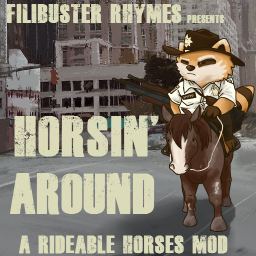
Filibuster Rhymes' Horsin' Around
por 76561197963499645
The mod has been updated! Head here for the new build 41 compatible version! https://steamcommunity.com/sharedfiles/filedetails/?id=2787602743 Hey guys! I know the devs are adding animals in a few updates, but I didn't wanna wait. These fine stallions will spawn in the Pony-Roam-O. Bring your own saddle. Workshop ID: 2043562972 Mod ID: FRHorsinAround
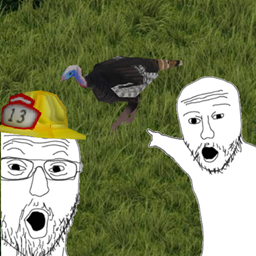
Wild Turkeys (B42)
por 76561198355679782
Allows turkeys to spawn as wild animals. In vanilla Zomboid turkeys can only spawn as a farm animal, this mod allows them to spawn in herds up to 10. These turkeys can and will run away from the player and zombies if spooked. They can be domesticated if picked up and placed in a ranch zone. They can also be tracked via the tracking skill like deer and rabbits. And they can also be caught in traps via the trapping skill to easily get live birds. Turkeys can be caught with crate, box, snare, and cage traps placed in forested areas. Bait for turkeys are the following: Peanuts Bread (Sliced or not sliced, it doesn't matter.) Acorns Corn Rice Crackers Wild Berries Insects of all types (except ladybugs) NOTE: I am unfamiliar with any mods this may interfere with. This mod should work fine if applied mid-save. If you come across any bugs or incompatible mods please comment them. Workshop ID: 3746263842 Mod ID: Wild Turkeys
![[B41/B42] Role Display System – Project Zomboid Mod](https://images.steamusercontent.com/ugc/17561571476862234405/A98C65152BE1623BEDD7EDC7B1545FBA194AFC80/)
[B41/B42] Role Display System
por 76561199033892043
A lightweight, server-friendly way to show player roles across chat, nameplates, and maps. Role Manager opens from the Dock Menu implemented by ElyonLib. Designed for multiplayer servers with admin hierarchies or custom communities. What it does - Chat: Adds colored role tags before usernames in messages. - Nameplates: Renders role tags next to player usernames above their heads with distance-based fading. - Map + Mini-Map: Draws role tags near player markers with a subtle background for readability; uses vehicle position when driving. - Multi-role support: Show all roles or only the highest priority. - Formatting: Choose bracket styles: , (Role), {Role}, <Role>, Role:, or none. Per-role color via RGB. Admin tools Open Role Manager from the Dock Menu (added by ElyonLib) to configure: - Create / rename / delete roles. - Set color, bracket style, and numeric priority. - Assign players via Online list or Manual input (usernames separated by semicolons). - See player counts per role and update in real time when changes are pushed. Visibility & rules - Respects DisplayUserName, ShowFirstAndLastName, and MouseOverToSeeDisplayName server settings. - Enforces line of sight for world rendering and hides invisible players from non-admins. - Map rendering follows MapRemotePlayerVisibility server settings. Sandbox options - Chat Integration: enable/disable chat role tags. - Map Integration: enable/disable map role tags. - Show Multiple Roles: show all roles or only the highest priority. Note: World nameplate role display is always on and follows server visibility rules. Performance - Client-side caching for chat and rendering. - Distance-based fading and off-screen cleanup. How to use - In-game as admin: open Role Manager from the Dock Menu or the Admin Panel. - Create one or more roles; set color, brackets, and priority. - Add players (online list or manual usernames) to each role. - Optionally adjust Sandbox: Chat/Map integrations and Multi-role display. Known notes - Role changes may take a few seconds to propagate due to client caching. - Very long role names can affect positioning in rare cases. Requirements - ElyonLib - load before Role Display System. It adds the Dock Menu shortcut to Role Manager, ships the shared UI theme for the configuration window, and includes helpers for admin checks and player lists used when assigning roles. Frequently Asked Question: Is it compatible with Multiplayer? Absolutely! Extensively tested and fully functional on MP servers. Does it work on existing saves? Absolutely! Enable it mid-save without issues. Does it work for all game versions? Only tested and working on the latest B41 game version. Developer Note: This mod is in development, featuring the latest improvements and experimental features. While thoroughly tested, some features may be refined in future stable releases. This mod was commissioned by the Dawn of the Dead community. I'm open to new commissions - contact me on Discord .ely0n or find me in the PZ Modding Discord. This mod's permissions fall under TIS's policy On Lockdown This mod cannot be modified by anyone else, for anything else, at all, ever. Even if the user disappears, they would much rather you didn't touch the fruits of their hard labour. Workshop ID: 3546349044 Mod ID: RoleDisplaySystem
![Butchering Animals Plus [B42.19] – Project Zomboid Mod](https://images.steamusercontent.com/ugc/16397957864108261246/C979AE54897E9365ADAF4970C57C6FDD729076D4/)
Butchering Animals Plus [B42.19]
por 76561199524429231
This mod aims to give the player a more reasonable amount of meat per animal slaughtered. Currently, in version B42, in addition to the difficulty of raising an animal for a long period, slaughtering any animal yields only a small amount of meat that lasts a few days, especially when the animal is cut off the hook. __________________________________________________________ --> Collection of animal fat on the hook added --> Some recipes with animal fat added -Make lard from animal fat. -Refill lantern with fat. - and more. --> The formula used to generate meat quantities will provide approximately the following: 11 - 20 steaks and fillets (cattle) 9 - 15 loins, pork chops, and bacon (pigs) 9 - 15 lamb meat (sheep) 10 - 15 venison 1 - 3 rabbit meat and more: 5 - 10 dirty tripe (cattle) 1 - 2 dirty tripe (poultry) 2 - 5 dirty tripe (pigs) 2 - 4 dirty tripe (sheep) 2 - 5 dirty tripe (deer) *The amount depends on the size and species of the animal. ** Yields may still be lower than those indicated above, but they are absolutely guaranteed to be better than the absurdly low quantities indicated in Build42. --> In addition to rebalancing animal slaughter, we have added new items and new recipes: Tripe (offal) Bone meal Bone marrow Blood meal New recipes (made from the items acquired): Mocot� jelly / Chorizo / Pork sausage / Chicken sausage Bag of animal feed Bag of grass Fertilizer --> Future Plan: -Make biofuel from animal fat -Feel free to give me more suggestions for recipes or items that make the game more immersive, and I'll add them. Notes This modification works with existing files. Workshop ID: 3432399223 Mod ID: ButcheringAnimalsPlus
![[B41] Event Teleport Manager – Project Zomboid Mod](https://images.steamusercontent.com/ugc/18082450754695887297/916823CC42174E1A08F1DC15AD1A011B6F34AB1C/)
[B41] Event Teleport Manager
por 76561199033892043
This mod provides a comprehensive event system: server administrators create timed events with teleport windows, and players register and teleport to event locations during those windows. Open the Event Teleport panel from the Dock Menu (ElyonLib); admins can still manage events from the Admin Panel where enabled. Core Features Event Creation & Management: - Create events with custom names and descriptions through the admin UI - Set specific coordinates for event locations on the map - Configure teleport time windows (when players can teleport to the event area) - Unique event IDs with 6-character codes for easy identification - Real-time event status tracking and management Player Registration System: - Players can view available events and register through the client UI - Admin-controlled registration options (self-registration or admin-only) - Bulk player management for efficient event coordination - Clear visibility of event details and registration status Teleportation System: - Time-windowed teleportation access (only during active teleport windows) - Automatic position protection - saves player locations before teleporting - Multiple return options: original position or safehouse after events - Safety checks including zombie density validation before teleporting - Configurable teleport cooldown to prevent abuse How It Works For Players: - Open the Event Panel from the Dock Menu (ElyonLib edge rail) - Browse available events and see teleport time windows - Register for events you want to participate in - Teleport to event locations during the designated time windows - Return to your original position or safehouse when done For Administrators: - Use the Admin Panel to create and manage events - Set event locations, names and teleport time windows - Manage player registrations and monitor participation - Control who can access events and when teleportation is available Key Concepts Event Creation: Admins create events through the UI, setting locations and teleport time windows Registration: Players can see events and register to participate Teleport Windows: Time periods when registered players can teleport to event locations Position Protection: Player locations are automatically saved and restored Configuration Options Customize the mod behavior through sandbox settings: - Event Admin Access: Set minimum permission level (None to Admin) - Player Registration: Enable/disable self-registration - Teleport Return Mode: Choose return behavior (Original, Safehouse, or Both) - Zombie Check: Enable safety checks before teleporting - Zombie Threshold: Maximum zombie count for safe teleportation (0-50) - Teleport Cooldown: Delay between teleports (0-3600 seconds) - Position Protection: Automatically save player positions Safety & Security Features - Automatic position saving before teleportation - Zombie density validation to prevent dangerous teleports - Permission-based access control system - Teleport cooldown to prevent spam/abuse - Event status validation before allowing actions - Comprehensive logging for admin oversight User Interface - Intuitive dual-interface design for admins and players - Real-time event status updates and registration management - Clear teleport time window indicators - Responsive notifications and status messages - Easy bulk operations for efficient event management Multiplayer Optimized - Server-side event management with client synchronization - Automatic updates pushed to all connected players - Minimal network overhead for smooth performance Requirements - ElyonLib - load before Event Teleport Manager. It provides the Dock Menu entry for the player and admin UIs, the shared styling, and the client/server messaging layer used for registrations, teleport windows, and safety checks. Frequently Asked Questions: Is it compatible with Multiplayer? Absolutely! Extensively tested and fully functional on MP servers. Does it work on existing saves? Absolutely! Enable it mid-save without issues. Does it work for all game versions? Only tested and working on the latest B41 game version. Developer Note: This mod is in development, featuring the latest improvements and experimental features. While thoroughly tested, some features may be refined in future stable releases. This mod was commissioned by the Dawn of the Dead community. I'm open to new commissions - contact me on Discord .ely0n or find me in the PZ Modding Discord. This mod's permissions fall under TIS's policy On Lockdown This mod cannot be modified by anyone else, for anything else, at all, ever. Even if the user disappears, they would much rather you didn't touch the fruits of their hard labour. Workshop ID: 3546347061 Mod ID: EventTeleportManager

UdderlySupport CA
por 76561197972393937
This mod was made for the UdderlyRP server, find us on Discord at https://discord.gg/9HUdNf7qGe Support for Chiiku Arms for UdderlyEvelyn's mods: - UdderlyAttachments - Udderly Ammo Crafting - Udderly Gun Reconditioning Like my mods? Help me survive, lol. Venmo: @UdderlyEvelyn Paypal: [email protected] (I do not check this email, do not contact me through it!) Ko-Fi: http://ko-fi.com/UdderlyEvelyn Workshop ID: 2883148611 Mod ID: UdderlySupportCA

BabyAnimalFood_CN
por 76561198314947920
BabyAnimalFood_CN的中文化 主要方便合集自用 ------------------------------------------------------ 制作动物幼崽食物 任意动物奶源制作小猪、小兔子、小羊、小牛的食物 还可以直接放进喂食器里让它们自己吃。 还等什么!快点带上桶去狠狠挤奶! ------------------------------------------------------ For non-Chinese users, you don't need this. Workshop ID: 3425380025 Mod ID: BabyAnimalFood_CN
Project Zomboid Guides
Instalar mods de Project Zomboid - guía del Workshop
Instala mods de Project Zomboid de forma limpia mediante Steam Workshop: introducir IDs, comprobar el orden, reiniciar el servidor y solucionar errores típicos.
Alquilar un servidor de Project Zomboid – guía multijugador
Configura un servidor de Project Zomboid: RAM, ajustes sandbox, mods de Workshop, permisos de admin y errores típicos bien revisados.
Servidor Project Zomboid con soporte de mods
Instala mods compatibles y admitidos desde el panel del servidor.
Alquilar un servidor Project Zomboid