Mods y plugins para Project Zomboid
Este catálogo incluye 52.000+ proyectos de Project Zomboid procedentes de Steam Workshop. Las entradas pueden ser para servidor, cliente o ambos, e incluir mapas u otro contenido generado por usuarios. Antes de instalar, comprueba la página de origen enlazada, la versión del juego y las dependencias.
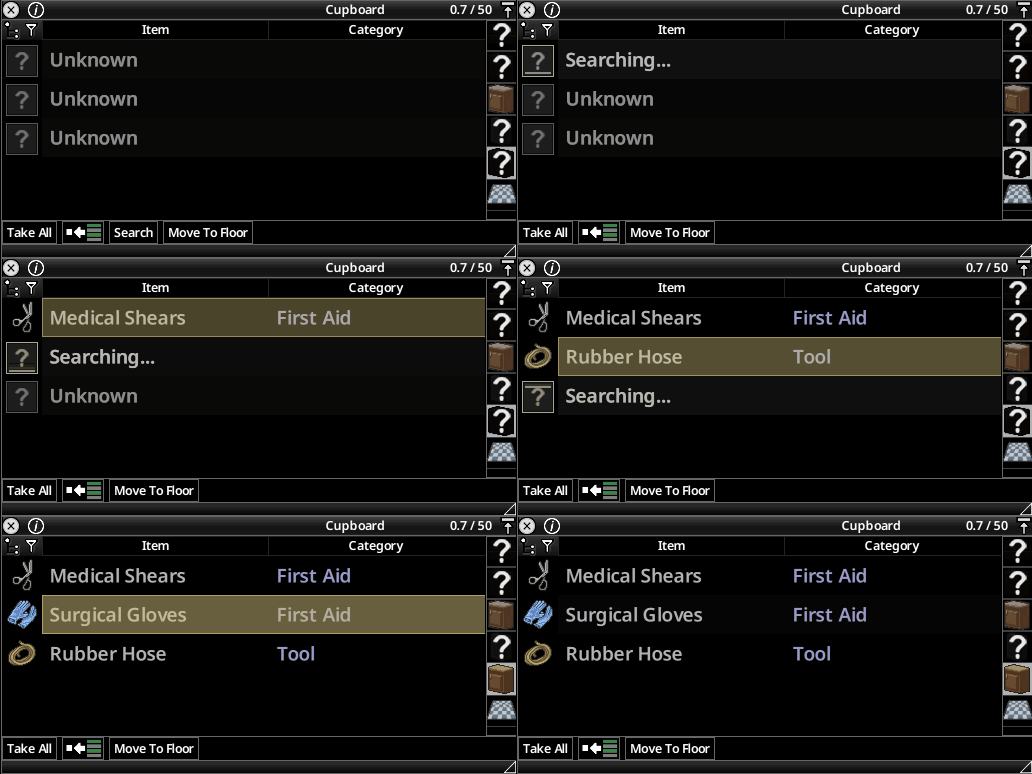
Immersive Looting B42: Search & Reveal
por 76561198135065695
Preface This mod is inspired by Immersive Looting: Search Mode and the gradual search-and-reveal looting experience in Escape from Tarkov. Based on that idea, I rebuilt it for Build 42 and added my own design ideas and features. Introduction Turns "opening a container and instantly seeing everything inside" into a looting process that actually takes time to confirm. When opening a container, the items inside will not be revealed immediately. Instead, they will first appear as unknown items. The player must search gradually to identify the contents of each item stack. This gives looting a bit more process, pacing, and tension; and before a container has been fully searched, Transfer All cannot be used directly. Searching creates a small amount of noise and may attract zombies. Holding Shift during searching allows fast searching, but it creates louder noise and may also cause sudden mishaps. If the darkness search penalty is enabled in Sandbox Settings, dim or dark environments will slow searching down, while player light sources can reduce this penalty. Darkness can also make fast-search mishaps more likely. Search time is affected by item value and rarity. More valuable or harder-to-identify items may take longer to reveal. The Foraging skill also affects looting speed. At high Foraging levels, low-value items may even be revealed instantly. Searching can grant a very small amount of Foraging XP. The Foraging skill does not affect item generation inside containers. Item generation still follows the vanilla logic completely; this mod only adds an unknown overlay and search process on top of existing items. Most of the settings above can be enabled, disabled, or adjusted individually in Sandbox Settings. Features - Gradual item reveal (default key Z, configurable in key bindings) - Fast search (default key Shift, configurable in key bindings) - Optional darkness-based search slowdown and fast-search mishap multipliers - Basic controller support (Interact to search, Run binding for fast search) - Search time affected by item value and rarity - Noise risk (normal, fast, mishap) - Further noise reduction based on the Dextrous trait and/or Sneaking skill - Foraging XP - Right-click search nearby containers (optional) - Exclude safehouse containers - Language support: EN / CH / CN / JP / KO / ES / RU Multiplayer Notes In multiplayer, search states for wild containers are shared through container and item modData within the range that the game itself can synchronize. In other words, the state is not stored on a single player. It is bound to world objects, container items, and items inside containers. As long as the server and game synchronize these objects correctly, other players arriving at the same location will see the same search progress. Even after leaving the area, the search state will still be remembered the next time you return. This helps you tell which of the countless zombie corpses along a fence have already been searched. For containers that have been fully searched, anyone opening them will see the revealed state instead of Unknown. If a container has only been partially searched, other players should theoretically see the same partial reveal state: revealed items display normally, while unrevealed items still appear as Unknown. Safehouse containers use a looser handling method to avoid turning base storage into a repetitive daily chore. Compatibility Notes This mod changes container and looting UI behavior, so it may conflict with the following types of mods: - Mods that replace the Loot Window - Mods that modify container buttons or Loot All behavior - Mods that change world object double-click interactions - Other UI/interaction mods that modify inventory, containers, or the looting process - Compatibility testing with CleanUI has been completed; in the future, I will only maintain compatibility with CleanUI Author Notes Essentially, this is a mod made for myself, my friends, and private servers. I will not actively reply to every comment, but if there is a bug caused by this mod itself, rather than a compatibility issue, I will maintain and fix it. You can leave feature suggestions, but I most likely will not reply and may not implement them. If there is an interesting idea, I may shamelessly take it for myself. That said, I am very willing to hear UI/UX feedback. I do not mind anyone using the source code, modifying it, integrating it into their own mods, creating and publishing derivative versions, or adding other languages. I give full permission here, and you do not need to ask beforehand. But if you are willing to leave a comment and let me know, I would be very happy, because I simply want to know whether this mod has actually helped someone. Ko-fi If this mod has genuinely improved your gameplay experience and you would like to support me in continuing to tinker with things like this, you can buy me a coffee here: https://ko-fi.com/supbot Workshop ID: 3778403732 Mod ID: ImmersiveLootingB42

Firearms B41 JP
por 76561198034560584
Japanese translation of Firearms B41 Workshop ID: 2962547868 Mod ID: firearmmodJP
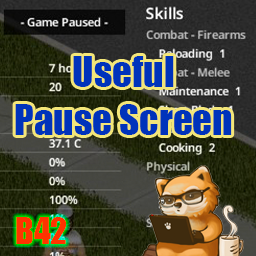
Useful Pause Screen
por 76561197975526631
Useful Pause Screen Fills the pause screen with everything you would otherwise have to unpause to check — your character, the world around you, and your generators. Switching the display (new in v1.19) Click the "- Game Paused -" message at the top of the screen while paused to cycle through display modes. The first click hides the information, leaving only the dimming; the second removes the dimming as well; the third brings the full display back. This choice lasts for the current game only. To keep the information hidden permanently, use Show info on the pause screen in the Mod Options. Alerts Conditions that need your attention line up as short badges at the top of the screen. The details stay in their own sections. - Injuries (bites, deep wounds, fractures, bleeding, wound infection and more), shown using the same criteria as the vanilla health panel - Major AEBS broadcasts (storms, blackout, helicopter). Today's forecast shows the name on its own, while later days add "(tomorrow)" or "(in 2 days)" — the matching broadcast line is highlighted in the AEBS Broadcast section - Generator problems (out of fuel, less than a day of fuel left, close to failure) Radio reception mixes noise into a broadcast, so parts of it may not come through. Only what you actually heard is recorded, which means the same hourly broadcast can read differently each time. Helicopter and blackout notices follow a different schedule than the weather forecast. They keep airing until 7 AM even after midnight has passed, so their badges stay up as well. Generator management Records generators you have started or refueled, so you can check their status on the pause screen even while away. - Automatically records each generator's coordinates, fuel, condition, and the time it was last checked - Even after you leave the area, it estimates the current fuel level and time remaining from the last known state (the fuel drain matches the game's internal calculation) - Time remaining is shown in days when 3 or more days are left, and switches to hours at 2 days or less - Green while running, white while stopped — amber once less than a day of fuel remains, orange when out of fuel or close to failure - Click the coordinates to open the map and mark the generator's location, without leaving the pause screen - Stopped generators are collapsed to a single line; hover to see their fuel and condition A generator's condition is shown as of the last check. Days remaining is an estimate based on fuel and does not account for an early stop caused by breakdown. What is shown - Character 3D model - Occupation / Weight / Hair / Beard / Favorite Weapon - Traits, Moodles, Skills - Body silhouette, health bar, Overall Body Status, protection silhouette - Date & time, Survived For, Zombies Killed, Room/Air Temperature, Core Temperature, body stats, coordinates (click the coordinates to open the map) - Season and days until the next one - Special days (New Year's Day, Summer Solstice, Independence Day, Halloween, Winter Solstice, Christmas) - Weather & wind speed - Travel distance (today's on foot and by vehicle, plus the all-time total. The total already includes today and grows as you move, not at midnight) - Today's food - AEBS Broadcast (the last emergency broadcast you heard; hover over the header to see the full text, one broadcast line per display line, with the lines behind the alert badges highlighted in orange. Parts lost to noise are not recorded) - Game mode, Sandbox Options (differences from Apocalypse), enabled mod list - Quick tips (same as the loading screen) How it works - Appears whenever you pause with F2 or the pause button (no extra keys) - Reads the information once at the moment you pause, so it is lightweight - Does not block clicks — you can browse your inventory as usual while paused - Hidden while the Map or the ESC menu is open - Adapts to your resolution (on small screens, elements shrink or are omitted to fit) - Works in split-screen (local co-op) — each player's info appears on their own half of the screen About the clock: the mod shows time to the minute; the vanilla wristwatch rounds to 10-minute steps and can appear up to 9 minutes behind. Mod Options (Options → Mods) - Show info on the pause screen (default: ON): when unchecked, pausing only dims the screen - Show game mode, sandbox settings & mod list (default: ON): when unchecked, hides these sections and re-centers the remaining info - Show all players in split-screen (default: ON): each player's info on their own screen, or only the player who paused across the whole screen - Per-section toggles (default: all ON): hide any section of the pause screen individually (weather & wind, body stats, moodles, and so on) - Distance Unit (default: Auto): choose metric (m, km) or imperial (ft, mi) - Wind Speed Unit (default: Auto): choose from m/s, km/h, mph, or knots Version & Compatibility - Target build: Build 42 (verified on 42.20.2) - Languages: follows your game language (the mod's own labels are translated into 26 languages) - Singleplayer: verified - Split-screen (local co-op): supported (verified with a 2-player split) - Multiplayer: not applicable — multiplayer has no pause - Dependencies: none - Conflicts: minimal — no new UI window is added - Existing saves: can be added or removed at any time (adds no items or world objects) Workshop ID: 3763966706 Mod ID: UsefulPauseScreen
Canadian Winters
por 76561198015945465
Makes winter colder (-15 in settings) Workshop ID: 2918770159 Mod ID: CanadianWinters
![Infection Threshold Mod [Build 41.78] – Project Zomboid Mod](https://images.steamusercontent.com/ugc/1840283929137564494/4F396D1016B9D4B6A52577DD8F854607DC939600/)
Infection Threshold Mod [Build 41.78]
por 76561197978107521
NOTICE: Mod now requires EasyConfig as a separate dependency. Tired of getting screwed over from getting infected on the very first zombie attack? Looking for a solution that doesn't involve disabling zombie transmission altogether? This mod aims at making the zombification mechanic a little more balanced without eliminating or changing it too drastically, allowing for it to be based more on cautious decision-making over pure dice rolls. How it works: -The first few "attacks" will never result in zombie infections by default. -After sustaining X number of injuries (injuries that have not fully healed yet), the next zombie-related injury and beyond will be particularly vulnerable to infection. -Attacks that have a small chance of infecting you can be increased, so scratches and lacerations will be more punishing after reaching the threshold. Default mod settings: -Injury Threshold is 2 (This means that any zombie attack after 2 sustained injuries can result in zombification) -Only zombie-related attacks are counted towards the threshold (Scratches, lacerations, etc.) -To compensate for the added "protection", the risk of infection after reaching this threshold is doubled -Think "arcade-style 3 lives only" or the "3 strikes you're out" rule. Custom settings include: -Injury threshold for zombification (Number of injuries you can sustain before you're at risk of getting the virus) -Option to choose which specific injuries/ailments/conditions are able to contribute towards the injury threshold -Percentage infection chances for specific zombification-causing attacks before/after the threshold is met -Debug mode Extra notes: -Custom settings can be found in the main options with a tab labeled "Infection Threshold" -This mod overrides sandbox transmission settings, so you will have to adjust infection rates manually within the mod. -This mod can also be used to modify vanilla zombification rates, simply set injury threshold to 0 and only change the "infection chance after threshold" settings. -UPDATE 5/22/22 - Decided to play around with my mod again to see if it still works and it does (41.71), but I discovered a small bug where getting attacked by more than one zombie may ignore an infection check because of the way the code loops. Not much I can do about it since devs got rid of a useful piece of Lua code to call attack events. -UPDATE 1/23/23 - Mod still works (41.78). However, there seems to be a small bug involving EasyConfig where settings aren't immedately updated when loading into a game. Just to be safe, you may want to reapply settings while in-game for any setting changes to take into effect. Credit goes to: *Chuckleberry Finn for the EasyConfig Mod. steamcommunity.com/workshop/filedetails/?id=2529746725 *derLoko for the Sandbox+ Mod which helped me write a good chunk of this mod. steamcommunity.com/sharedfiles/filedetails/?id=2115210472 *The Indie Stone for making a damn good game Workshop ID: 2717677231 Mod ID: InfectionThreshold
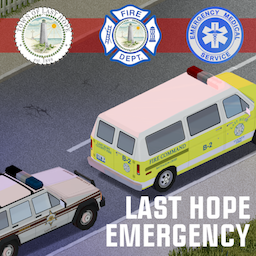
Last Hope Emergency Service Vehicles
por 76561198270973728
My first experience to make a mod for Project Zomboid. This is a pack of emergency vehicles for Last Hope standalone map by John Newbye. I recommend to check it if you are tired of Kentucky. This mod uses models from the Filibuster Rhymes' Used Cars mod, so all rights to them belong to Filibuster Rhymes. Huge thanks to Asierus24 for Cherokee and Econoline lightbar models. Also thanks to Colonel McKinsey for permission to use his siren sounds and general help. You should check them mods, they are really cool. You can add it to your server, just don't reupload it elsewhere. Also don't modify any files from it without my permission. Workshop ID: 3018389500 Mod ID: LastHopeEmergency
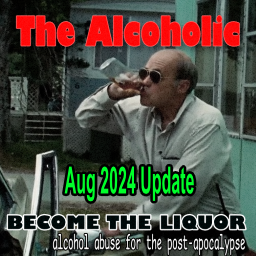
The Alcoholic
por 76561197963396537
AUTODRINK ADD-ON : https://steamcommunity.com/sharedfiles/filedetails/?id=3318994781 GUI ADD-ON : https://steamcommunity.com/sharedfiles/filedetails/?id=3318987527 You love to get sauced. It's the end of the world anyways! AUGUST 2024 UPDATE OUT! - Updated codebase - Bug fixes - Mod Options removed for Sandbox Options - Ready to be expanded by additional modules - Lots of values can be overwitten by custom values in the options now - Optimization Available on Github at https://github.com/axxessdenied/thealcoholic Feel free to fork and submit any PRs. Run this with Smoker for a true post-apocalyptic experience! *FEATURES* - 41.xx COMPATIBLE (Developed from 41.60 on but should work on earlier versions) - Provides 4 trait points - Dynamic - Become an alcoholic or sober up. - Withdrawal effects that become more severe the longer you don't have a drink. - Customizable options to adjust the mod to your playstyle **Withdrawal Effects** ## Phase 1 - Unhappiness, stress and fatique go up ## Phase 2 - You might get some headaches on top of phase 1 issues. ## Phase 3 - You might get a bit sick to your stomach now as well. ## Phase 4 - Everything gets worse from here. - If you get too sick you run the risk of dying so be careful! - *you can adjust the severity of the effects in the options if too hard or easy!* Open to suggestions, feel free to leave them in the comments below. Workshop ID: 2679739572 Mod ID: thealcoholic

Carwanna Addon: Cyt & Shark Pack
por 76561198030999511
Add supports for Cyt & Shark vehicles Created via script, report if there's missing vehicle Workshop ID: 2958340113 Mod ID: CarWannaCyt&Shark
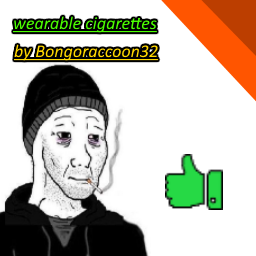
Wearable Cigarette
por 76561198852015246
Describtion Hello, have you ever wanted to roleplay as the doomer guy from the memes? Well now you can with this Mod! This rather simple mod adds a wearable cigarette to the game. This mod is the first time I added a 3D clothing model to the game. So I hope everyone enjoys :D Important Before someone in the comments says something like: "this allready exists in x and x mod" 1. This is my version 2. I might not have known that it allready exists 3. There isn't really a third reason needed Recipe To craft the wearable cigarette, you will need: one cigarette, yes one cigarette shocking I know Where can I find the crafting recipe? You will find the crafting recipe under the "General" tab KNOWN BUGS When wearing the cigarette with ripped clothing, the cigarette will lose it's texture for some reason FOR MODDERS I have no problem if you edit or use my mod as an asset, aslong you give credit to me. Workshop ID: 2942073873 Mod ID: Wearable_Cigarette
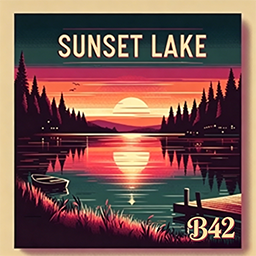
Sunset Lake Town B42 version
por 76561198846560974
Disclaimer The original creator of this map is @欧金金, who has stopped developing mods for Project Zomboid due to busy real-life schedules. With official authorization from the original author, I have updated and maintained this map to Build 42 and added new basements. ---------------------------------------- Introduction Nestled beside tranquil lake waters, Sunset Lake Town was once a serene retreat for weekend vacationers and fishing enthusiasts. Famous for its stunning sunsets and picturesque scenery, it served as the perfect escape from the noise and chaos of the city. Cozy lakeside cabins, lakeside trails, and a local diner turned this small town into a hidden gem among tourists. Yet now, far more menacing threats lurk beneath the calm lake surface and quiet streets. The undead have overrun its quaint homes and shops, reducing the once prosperous town to total ruins. The docks lie shattered, fishing boats drift aimlessly, and the once bustling campground is shrouded in an eerie silence. The gas station, once a vital stop for road trippers, has become a dangerous zone frequented by both scavengers and infected. You can explore abandoned fishing cabins, board up the lakeside houses, and scavenge leftover supplies from the long-deserted town market. But stay vigilant — this former peaceful getaway has turned into a grim trap for survivors. Twisting roads, thick surrounding woodlands, and winding lakeside paths stretch across the town, with dangers hiding around every bend. Will you make it through without falling victim to the lurking threats? Boasting a unique landscape blending open waterways and dense forests, every step you take in Sunset Lake Town could be your last. Do you possess the grit to survive the horrors of Sunset Lake Town? ---------------------------------------- Build 42 Update Log After taking over maintenance of this mod, I carried out comprehensive overhauls across numerous aspects of the map. A small number of texture packs and functional components that had not been updated for Build 42 were removed to ensure stable game performance. Over a dozen basements were added to the original buildings of Sunset Lake Town to expand playable space for players. Certain ladders are now functional: approach them and hold the E key to climb. Avoid destroying ladder structures arbitrarily, as this may lock off access to certain areas permanently. Road spike traps on the map have been nerfed. Vehicles driving over them will have their tire durability reduced to 10 (instead of 0 in the Build 41 version), leaving you enough time to drive out of zombie hordes and find a safe spot to replace tires. A Build 42 compatible biome map was created for the mod, enabling normal loot spawning functionality. Most structures from @欧金金’s debut map Wasteland were ported to the southern manor area of Sunset Lake Town, delivering an immersive post-apocalyptic wasteland atmosphere. A new optional "Story Addon" sub-mod has been added. When enabled, most spawn points in Sunset Lake Town will generate fixed supplies, alongside 21 readable notes featuring engaging lore. This addon was designed to motivate players to fully explore the entire map. Note: This sub-mod is completely optional. You may disable it if you feel it ruins your gameplay experience. ---------------------------------------- Chunk Coordinates 37_43, 37_44, 37_45, 37_46 38_43, 38_44, 38_45, 38_46 39_43, 39_44, 39_45, 39_46 ---------------------------------------- Credits Special thanks to @欧金金 for creating this awesome map! Thanks to @Oujiangjiang for providing the original map files. Thanks to @无聊的栀子 for extensive playtesting and offering countless improvement suggestions. Thanks to @十叁 @柳丁 for coding support on the Story Addon module! Thanks to all members of the Unofficial PZ Mapping Discord for creating exquisite texture packs! Thanks to everyone in the Project Zomboid Map Mod Creator QQ group for their continuous support! ---------------------------------------- Additional Information This is the Build 41 version of the mod: https://steamcommunity.com/sharedfiles/filedetails/?id=3340533122 If you’d like to buy @欧金金 a coffee, your support is greatly appreciated! https://ko-fi.com/oujinjin Workshop ID: 3752069346 Mod ID: Sunset Lake Town B42 version Mod ID: Sunset Lake Town B42 version (story addon) Map Folder: Sunset Lake Town B42 version
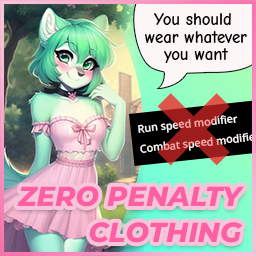
Zero Penalty Clothing
por 76561198047485926
Wear whatever you like. Nothing you put on will slow you down, blind you, deafen you, itch, or come off your head when a zombie grabs you. Every penalty the base game hangs on clothing is taken back off What it takes off - Run speed · nothing you wear slows your feet - Attack speed · nothing you wear slows your swing - Vision · helmets and masks stop narrowing what you can see - Hearing · nothing muffles what you can hear - Discomfort · nothing itches or chafes - Hats falling off · headwear stays on when a zombie grabs you Clothing, the armour pieces, bags, webbing and chest rigs alike. Shoes Every pair sprints at 1.1 and stomps at 2.5, the fastest trainer and the hardest boot the base game ships. No pair is a downgrade any more. Protection Bite, scratch and bullet defense are raised to the best the same body location already offers. - A jacket reaches what the fireman jacket has - A hat reaches what the SWAT helmet has - Shoes reach what the work boots have Per slot, never game wide, so a t-shirt does not turn into a riot helmet. Nothing is ever made worse Every number is read before it is written, and left alone unless the item sits on the wrong side of the target. A modded boot that already sprints faster keeps its speed. A modded plate that already stops more keeps its armour. Modded clothing is covered There is no list of items in here. Every piece of clothing, armour and bag the game has loaded is read at startup, the base game's and every mod's, and each one is levelled against its own body location. A clothing mod released tomorrow is covered the day you install it, with no update needed here. What it leaves alone Insulation and wind resistance, on purpose. The game reads both in two directions, so raising them would buy a warmer winter at the price of overheating, sweating and thirst all summer. That is a penalty in a bonus coat. Servers and hosted games The one file in here is shared, so it runs on the client and on the server alike. Put it in the server's own mod list and not only in yours; a hosted game counts as a server. Mods are matched by id, never by folder name. Mods=ZeroPenaltyClothing WorkshopItems=2901076061 It adds no items and edits no maps, so it is safe to put into or take out of a save at any time. Wear whatever you like, lose nothing for it (= ^_^ =) Build 41 Unchanged. The original list of 127 items is still there for B41 players, with the run speed, attack speed and stomp power changes only. Everything above describes the Build 42 side. If you like this mod, please consider giving it an upvote so that other players can discover and enjoy it as well. Workshop ID: 2901076061 Mod ID: ZeroPenaltyClothing
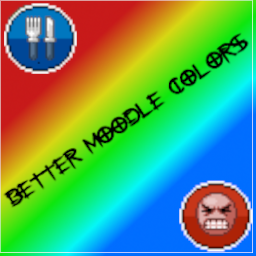
Better Moodle Colors
por 76561198124295438
Changes the colors of the moodles in the ui to be easier to distinguish. Workshop ID: 2573401121 Mod ID: Better Moodle Colors
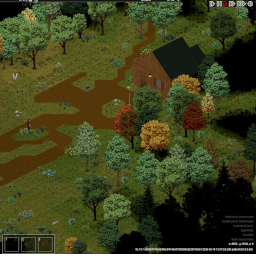
Forgotten Farm Bunker (B42)
por 76561197976596561
Hidden beneath an unassuming rural farm lies a relic of a more paranoid era. Built during the height of the Cold War, this small government bunker was designed to shelter a handful of personnel during a nuclear emergency. The facility contains two bunk rooms, a compact mess hall, and a modest recreation area — just enough to endure isolation for weeks at a time. At some point after the Knox Event, the lower sections of the bunker were breached and flooded, sealing off what may have once been deeper levels of the complex. Whether the damage came from neglect, sabotage, or something worse is unknown. Now partially abandoned and quietly forgotten, the bunker offers shelter, supplies, and secrets… if you’re willing to descend into the dark. I recommend a ladder climbing mod! If you enjoy exploring my maps, you can support future builds here ☕ One cup goes a long way! https://ko-fi.com/freebird550 Check out my other maps! Workshop ID: 3673620977 Mod ID: ForgottenFarmBunker Mod ID: ForgottenFarmBunker Map Folder: ForgottenFarmBunker
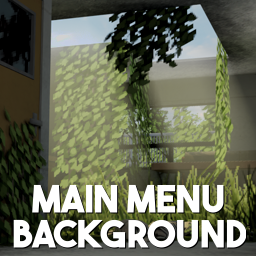
Main Menu Background - Overgrown Memories (16:9)
por 76561198302191900
Replaces the main menu background with the "Overgrown Memories" background. Includes 2 versions: Original and Swapped. Instructions - Enable mod in-game - Re-enter Project Zomboid Background Framework Version The version that requires Background Framework can be found here: https://steamcommunity.com/sharedfiles/filedetails/?id=3439141517 Additional information Have no more than one main menu background mod enabled. Suitable for Build 41 and Build 42. Workshop ID: 3434355989 Mod ID: OvergrownMemoriesBG Mod ID: OvergrownMemoriesBG2
![Scenarios [B42.20] - Where I Was When It Happened – Project Zomboid Mod](https://images.steamusercontent.com/ugc/10340709897760266987/1075D564B5FA80E2A52BBB3828B445EA65E03F3A/)
Scenarios [B42.20] - Where I Was When It Happened
por 76561198060919694
Where I Was When It Happened Tired of always spawning in a house? Want to experience what it was like for other citizens of Knox Country, those first few hours of the outbreak? Try all that, and a few new map areas, with "Where I Was When It Happened"! Escape from the sanatorium, respond to the outbreak as a police officer, find yourself trapped in prison, live out your doomsday prepper fantasy, or shelter from a storm at a remote radio outpost. Each scenario changes your starting location, clothing, equipment, condition, or surrounding world to create a different opening story. Optional challenges can also be enabled for players who want a defined objective. Important Information - Requires Project Zomboid Build 42.20 or later. - Currently designed for single-player only. - Scenarios are applied when creating a new world. - Existing worlds are not converted into scenarios. - The default setting is "No Scenario," which preserves the ordinary Project Zomboid start. - Optional Challenge is disabled by default. - No other mods are required. How to Select a Scenario Enable the mod, begin creating a new Custom Sandbox world, and open the Where I Was When It Happened page in the Sandbox settings. Choose your starting scenario and optionally enable Optional Challenge. Scenarios The scenarios below appear in the same order as the Sandbox settings. Commune The rapture came and went, and it didn't even go down the way your leader said it would. Optional Challenge: Your faith is unyielding. Remain alive without leaving the compound for 14 days. Sunderland Hills Sanatorium The sanatorium has been abandoned. You wake in a patient room wearing only a hospital gown and slippers. Find a way out. Optional Challenge: Find and escape through the sanatorium tunnel. Police Response You were approaching the scene of a reported shooting when all hell broke loose. You begin as a police officer beside a working cruiser with its lights and siren active. Optional Challenge: Check on your wife and children—reach and clear your marked Louisville home. Prison Break Only one way out: through loads of undead. You begin inside the Rosewood prison cell block. There should be a way out. Optional Challenge: Escape the prison area. Critical Condition Inspired by CDDA's Really Bad Day challenge. You wake in a hospital sick, exhausted, starving, dehydrated, and severely injured. Optional Challenge: Get rid of every negative moodle and restore your body to full health. Barricaded – Running Low You successfully barricaded your house when the outbreak began, but it has been a while and now you are running low on everything. The house has been lived in, picked over, and barricaded, with only a small collection of supplies remaining. Optional Challenge: Become self-sufficient by reaching level 3 in Farming or Animal Husbandry. Barricaded – Doomsday Prepper They all laughed. Well, who's laughing now? You begin inside a fully barricaded house stocked with food, water, medicine, weapons, ammunition, tools, and reading material. Optional Challenge: Survive for at least 30 days and reach level 5 in five skills. Fitness and Strength do not count. Storm Shelter You were working the graveyard shift at a remote ranger radio outpost when the outbreak hit. A severe thunderstorm is raging outside, and the power has gone out. You receive storm gear, basic emergency supplies, and a small snack pack. Optional Challenge: Restore power to the ranger radio outpost. The Tourist You chose the worst possible time to take your PTO. You begin in a nice hotel. Optional Challenge: Reach Coalfield Historic Reenactment Town within one week while keeping your camera. Lost Hiker You were hiking and got completely lost. You begin in the wilderness with hiking clothing, a backpack, a compass, and basic outdoor supplies. Optional Challenge: Reach civilization within four days. Prison Break – Probably Impossible Only one way out: through loads of undead. Unlike the standard Prison Break scenario, the prepared escape-route doors remain locked. I have no reason to think this one is possible. Left it in cause there's always someone who might try anyway. Optional Challenge: Escape the prison area. Alpha Release If a scenario fails to initialize safely, the mod attempts to return the character to the ordinary starting position without applying destructive inventory or injury changes. This is an alpha release for Build 42. The scenarios have been tested individually, but unusual sandbox combinations or other mods may cause unexpected behavior. This is my first mod ever, so, hope you like it! When reporting a problem, please include: - The selected scenario - Whether Optional Challenge was enabled - Whether the problem happened before or after reloading the save - Any relevant lines beginning with from your Project Zomboid console log Feedback about balance, starting equipment, map placement, and challenge conditions is welcome. I'm open to continuing adding/tweaking stuff anyway. Compatibility This mod targets Build 42.20+ and currently supports single-player games. Mod ID: WhereIWasWhenItHappened Workshop ID: 3782021029 Mod ID: WhereIWasWhenItHappened

True Music Addon: K-pop
por 76561199353940905
buenas les pido perdón si no funcionan bien juntas (hablo de las demás partes), ya que soy nuevo en esto.. Workshop ID: 2903187924 Mod ID: Kpop
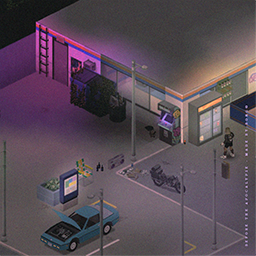
Main Menu ultrawide Before the Apocalypse - made by Bong©
por 76561198075366842
Main Menu made by Bong© - Before the Apocalypse I want to thanks Unconid who helped me with his video on youtube, Matsuyari for the request ( nice music by the way) and Im_DAFOX for her own main menu mod who inspired me to do my own and adpted to b42 workshop You guys can write in the comments what kind of vibe you want me to do next time! Thanks for the support and you can buy me a coffee here if you want to help buymeacoffee.com/GGDesign Workshop ID: 3407589478 Mod ID: Before_the_Apocalypse_made_by_Bong©-MainMenu_ultrawide Mod ID: Before_the_Apocalypse_made_by_Bong©-MainMenu_ultrawide
Senki's Military Themed Scenarios
por 76561198274695382
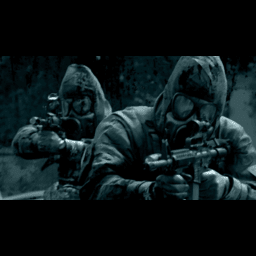
Description The mod currently contains 3 scenarios (with more to come!!!), and a small custom map (made by none other then DaddyDirkieDirk). SP ONLY! You can customize the scenarios settings by creating a sanbox preset named "Lone-Guardsman" and "National-Guard-Remnants-Scenario" (no " marks) for their respective scenarios. Default is Apocalypse Bugs and errors may happen, I am no lua wizzard. -Senki01 Remnants of the National Guard In this scenario, you find yourself in charge of a group of National Guard troops a month into the apocalypse. With no communication from higher-ups in weeks, your small encampment is the last operating unit in Kentucky. Can you lead your troops, keep them safe from the undead hordes, and navigate the challenges of this post-apocalyptic world? Inspired by TWD. - You spawn at a small military checkpoint manned by a group of friendly NG Troops (Superb Survivors) - You have several military vehicles at your disposal, however, fuel will be a issue. - You are fully kitted in NG Gear. NOTE: Superb Survivor is not a hard requirement. Without it the NPCs wont spawn though. Lone National Guardsman Step into the "Lone National Guardsman" scenario of as the sole survivor from your squad. With military gear and a Humvee at your disposal, your goal is simple: survive the post-outbreak chaos. Inspired by Abandoned Soldier from Pillows. - You spawn on the side of a highway, your humvee almost out fuel. - You are alone. - You are fully kitted in NG Gear. Crashed Helicopter Pilot Step into the "Crashed Pilot" scenario where a Knox infection has already decimated humanity. As a pilot whose helicopter crashed during a recon mission, you find yourself stranded and separated from your group National Guard soldiers. Armed with limited resources, you must navigate through a desolate Kentucky infested with ravenous zombies. Lucky that The Governor isn't around. Inspired by TWD. - You spawn in a remote field with a helicopter wreckage (Reguires Expanded Helicopter Events) - You have minimal survival gear - You managed to survive the crash with no injuries. Planned Features - Crashlanded Pilot Scenario (with wreckage) - More spawnpoints for LNG scenario. Suggest spawnpoints (Coordinates prefered) in comments - Suggest more scenarios in comments Credits Senki01 - Commissioned the mod, made "Lone National Guardsman" "Crashed Helicopter Pilot" scenario Poltergeist - Any and all code is by him, or based on his Daddy Dirkie Dirk - The map for "Remnants of the National Guard" Workshop ID: 2975381624 Mod ID: Senki's-Military-Themed-Scenarios Map Folder: Militarycheckpoint

Is This Cell Taken
por 76561198373185264
•Do you want to make the biggest map possible in the world of project zomboid but not sure which mods can you use/ which map mods overwrite others? •Did you start making a map only to find that someone else already made a map for that cell; as a result your map is forgotten by the community? •Do you just want to get an overall idea of pz map with mods enabled? This mod will help you find out if a cell already has a map mod on it or not. At the moment it is not a mod you can download for ingame as there are limitations to uploading exe,dll on steam. So to see the map you need to go to itch.io It's posted here because until I figure out all things you guys can help me point out mistakes and keep it updated for map makers to use and make it useful as is. https://rakib-ryan.itch.io/is-this-cell-taken #Note: In order for this tool to be used in it's full potential this needs a rewrite. Therefore 2.02.12 (41) will be the last update till rewrite. #How I chose what map is visible biggest>finished>least conflicts>still working>least buggy>oldest #Req in comment with cell no for your maps ## Future • in game version(still figuring it out) • when hovered over the cell it shows the map that occupy that cell. • Make a gui for coordinates • A better gui for maps listed • A system and gui for adding new maps , coordinates and steam link • Support for importing coordinates and map names from a txt/ java file • Add steam direct download link to all the maps • a gui for Auto subscribe all selected maps • actual tiled map for all of them so people who prefer can see the maps • Searchable maps • Polishing: map name and highlighting • Better map conflict finder with GUI ## F.A.Q Q: I can track the maps in spreadsheet why even make this? A: I started keep track that way too until I had the realization some cells have multiple conflicts those maps also conflict in other cells with different maps. So needed a better solution Q: Why is it so ugly? A: I am not good at this. This is literally my first time making anything involving game engines. Q: Will you keep it updated? A: I will try but I can only check so many updates alone. if you find discripancy try to comment down. I'll update. Eventually I'll try to create a system to auto find discripancy. but till then manual it is. Q: Can I help / take it for myself to create a better version of it? A: yes. Credits not needed but will appriciate. https://github.com/RakibRyan/IsThisCellTaken
Gyde's Trait Magazines Extended+
por 76561198204381577
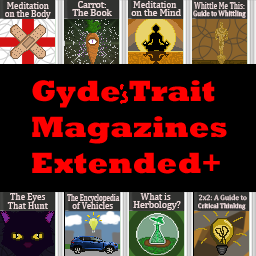
I expanded upon Gyde's Trait magazines, so all of the original scripts and programming is to be credited to him! I just edited it to add more and had Norstill make the magazine art. Adds magazines for the following perks: Cat's Eyes - "The Eyes That Hunt" Crafty - "The Handyman's Cookbook" Eagle Eyed - "Carrot: The Book" (Or removes Short Sighted) Fast Healer - "Meditation on the Body" (or removes Slow Healer) Herbalist - "What is Herbology?" Inventive - "2x2: A Guide To Critical Thinking" Night Owl - "Spooks To Keep You Up At Night" Vehicle Knowledge - "The Encyclopedia Of Vehicles" Wakeful - "Meditation on the Mind" (or removes Sleepyhead) Whittler - "Whittle Me This: Guide To Whittling" This mod also modifies Gyde's Trait Magazine, specifically with the perk "Handy," providing all of the stat bonuses that the actual perk would give you. If you would like to contribute to the translations, please check the steam discussions for this mod. FAQ: Do I need to install Gyde's Trait Magazines alongside this one? No, but this mod does extend upon it. Without that mod, you cannot get the original traits in books, so I'd highly recommend it. Do I need to sync up the spawn rate? Yes. I made the spawn-rate different from the original. For my mod, you just input the number as the spawn rate. Why did you change it from already having Gyde's books? Because I don't want to redistribute his hard work as his own. Workshop ID: 3776852122 Mod ID: GydesTraitMagazinesExtended
![[B42.20.1] HoYoverse Weapon Shop (Standalone) – Project Zomboid Mod](https://images.steamusercontent.com/ugc/17615426006575137437/62DD2AC03E35104243AD0581D1160C178561C7E8/)
[B42.20.1] HoYoverse Weapon Shop (Standalone)
por 76561199473200673
This mod has been merged into 【Nangong's Shop】. This is the standalone release. This mod has been merged into 【Nangong's Shop】. This is the standalone release. This mod has been merged into 【Nangong's Shop】. This is the standalone release. Find Nangong's Shop here: https://steamcommunity.com/sharedfiles/filedetails/?id=3431009562 Special Thanks to: Author of Not In Clothing Store, funtime. Special thanks to "BlackBlade of Bullets" for providing patched versions of this mod while I was away. Not In Clothing Store Player Group: QQ 715093737 | Everyone is welcome to join. Author's Project Zomboid Player Group: QQ 659056289 | Everyone is welcome to join. Ⅰ. Introduction 1. This is a weapon pack featuring weapons from HoYoverse games. Obtain weapons by crafting with cash in your crafting menu. Ⅱ. Included Models 1. Genshin Impact Splendor of Tranquil Waters Scorching Sun Staff of Homa Sword of Narzissenkreuz‑Light Sword of Narzissenkreuz‑Dark Luxurious Sea‑Lord Wolf's Gravestone 2. Zenless Zone Zero Jade Vase of Frost Deep‑Sea Visitor Housekeeper Demara Battery Mk‑Ⅱ Shattered Starfall Palace 3. Honkai: Star Rail Where the Unanswerable Lies Where Dreams Return Incessant Rain Night of Gleaming Hues Night of Frights Just Wait Burning Youth Dancing At Sundown Upon the Shores of Vanishing Time My Reflection Within The Mirror Hit That Follow Button! Weaving Gold From Time This Sword of Mine I Shall Chase The Hunt More weapons are currently in development!!! Workshop ID: 3434439758 Mod ID: mihoyoWeapon
Cast Nails Mod
por 76561198026117905
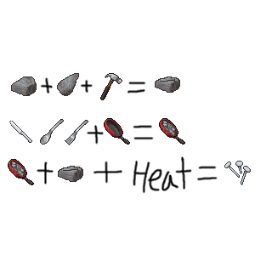
Craft your own nails with utensils, pan, and heating source! Ever run out of nails and wanted to craft your own nails? Now you can by following theses steps! 1. Get your frying pan, add any combination of 4 spoons, forks, or butter knives to get a frying pan with cast iron. You can empty out this frying pan just like any others, but be warned, you will not get your utensils back! 2. Find 1 stone, 1 chipped stone, and hammer or stone hammer to craft stone mold of nails. You will keep your hammer and chipped stone. 3. Place your frying pan with cast iron in any heatsources such as campfire. After it heats up a little, you will get an option to "cast nails" with stone mold of nails in your inventory. Each "cast nails" will give you 10 nails. I made this made after a VERY unlucky run where I could not find nails to save my life. When I searched for nails crafting mod, I couldn't find any other than hydrocraft, which I hear is an excellent mod, but personally complicated the game too much for someone like me. I simply copied the mechanic where you can basically "boil" the bandage into sterilized bandage in the base game, altered a few things, made 2 new icons, and this is what I got. I know melting utencils such as spoons or butter knives this way is kind of weird, but is the best I can do without getting too complicated. This is my very first mod, so let me know if there are any bugs you encounter during your game! Workshop ID: 1398944829 Mod ID: CastNailsMod
![Necroa Multiplayer Beta [B42 Stable] – Project Zomboid Mod](https://images.steamusercontent.com/ugc/14754531997595290960/5EE3504E2986F758D21FCA86554F1186CAF76F36/)
Necroa Multiplayer Beta [B42 Stable]
por 76561198963401118
NECROA MULTIPLAYER BETA Necroa Multiplayer brings the core Necroa experience to multiplayer. The mod retains its progressive zombie evolution system, airborne infection mechanics, unique infected variants, and escalating difficulty, but has now been adapted to function in multiplayer environments. IMPORTANT This release is currently considered a beta. While I have tested the mod as much as possible, multiplayer development is significantly more difficult when you only have access to a single PC. Because of this, there may be bugs, desynchronization issues, or unexpected behavior that did not appear during development. If you encounter any problems, please report them in the Discussions section. Bug reports are extremely valuable and will help improve the mod much faster. POST-LAUNCH PLANS For the first few weeks after release, I will be actively monitoring the mod and focusing on bug fixes, balance adjustments, and multiplayer stability improvements. After that period, I will be taking a short development hiatus of approximately two weeks to one month in order to work on an animation project. This does not mean the mod is abandoned. Development will continue after the hiatus. BUG REPORTS If you discover a bug, please create a discussion and include as much information as possible: • What happened • What you were doing when it happened • Whether it occurred on a dedicated server or host session • Error logs if available The more information provided, the easier it is to reproduce and fix the issue. Thank you for helping test Necroa Multiplayer and for supporting the project. Workshop ID: 3774839785 Mod ID: NecroaMultiplayer
True Music Addon: City Pop for Late Night Drive
por 76561199143439175
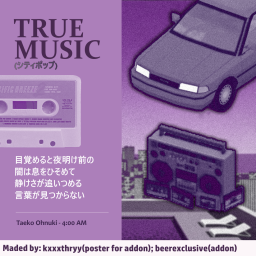
In this addon I have collected in my opinion the best City Pop tracks. Perfect for a long car ride. The addon will occasionally be updated with new tracks. Tracklist: (5 new tracks) Anri - BOOGIE WOOGIE MAINLAND Anri - Dancin' Blue Anri - Last Summer Whisper Anri - Surf City CASIOPEA - Looking Up (!) CASIOPEA - Take Me Junko Ohashi - Dancin' Junko Ohashi - I Love You So Junko Ohashi Minoya Central Station - Crystal City Junko Yagami - Bay City (!) Kaoru Akimoto - Dress Down Meiko Nakahara - So Shine Taeko Ohnuki - 4.00 A.M Taeko Ohnuki - Tokai Takako Mamiya - Mayonaka no Joke (!) Tomoko Aran - Body to Body (!) Tomoko Aran - Hitonatsu no Tapestry Tomoko Aran - I'm in Love Toshiki Kadomatsu - Secret Lover Tsuru Hiromi - Whispering Misty Night (!)Yurie Kokubu - Just a Joke Yurie Kokubu - Tobashite Taxi Man Yuuko Shibuya - Tokai no Ehon P.S: Hello! This is Kathry, or, kxxxthryy. Since I'm no longer talking with this person, I will leave it here as a request of taking my art from the mod thumbnail, if they notice it, sorry if I caused any inconveniences. Drink water and take care of yourself! Workshop ID: 2985803464 Mod ID: city_pop_4_late_night
Project Zomboid Guides
Instalar mods de Project Zomboid - guía del Workshop
Instala mods de Project Zomboid de forma limpia mediante Steam Workshop: introducir IDs, comprobar el orden, reiniciar el servidor y solucionar errores típicos.
Alquilar un servidor de Project Zomboid – guía multijugador
Configura un servidor de Project Zomboid: RAM, ajustes sandbox, mods de Workshop, permisos de admin y errores típicos bien revisados.
Servidor Project Zomboid con soporte de mods
Instala mods compatibles y admitidos desde el panel del servidor.
Alquilar un servidor Project Zomboid