Mods y plugins para Project Zomboid
Este catálogo incluye 52.000+ proyectos de Project Zomboid procedentes de Steam Workshop. Las entradas pueden ser para servidor, cliente o ambos, e incluir mapas u otro contenido generado por usuarios. Antes de instalar, comprueba la página de origen enlazada, la versión del juego y las dependencias.
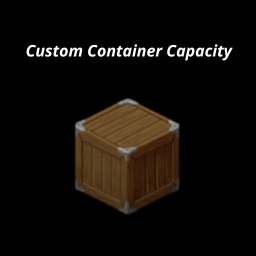
Custom Container Capacity
por 76561199106999378
Custom Container Capacity This mod was created for personal use, but maybe someone else will find it useful. Tested on: B42 (legacy_42_12) ⚠️ Known Limitations - Multiplayer B42.13+: Capacity bypass does NOT work in MP. The game has a hardcoded server-side limit (~100) that cannot be bypassed via Lua mods. This is a game limitation, not a mod bug. - Singleplayer: Works fully on B42.12.3 and B42.13.1 Description Allows you to change the capacity of individual containers via right-click menu. Each container can have its own custom capacity. How to use - Right-click on any container (cabinet, shelf, fridge, crate, etc.) - Select "Set Capacity" - Enter a custom value Options - Original - resets to default capacity - Custom - enter any value (1-10000) What it affects - ✔ Furniture (cabinets, shelves, fridges, crates, etc.) - ✔ Containers with multiple compartments (fridge + freezer) - ✘ Bags and backpacks - ✘ Floor/ground items - ✘ Vehicles - ✘ Corpses Features - Per-container customization - No limits (vanilla caps at 100, this mod bypasses it) - Works with modded furniture Compatibility - Safe to add mid-game - Safe to remove (containers revert to default on next load) Support If you'd like to support my work: ko-fi.com/bonkmods Workshop ID: 3632815544 Mod ID: CustomContainerCapacity
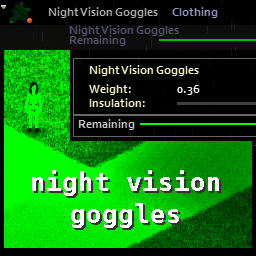
Eris' Night Vision Goggles RM update
por 76561198066517749
Original mod by Eris. All the original code and functionality is theirs, I resolved a few conflicts in the code to restore functionality, and rewrote the distributions file to work in the new procedural system. I also changed the model from a balaclava to a welder mask, because it seemed more logical to me, and removed the NV scope and taclights because they didn't have any actual functionality. Again, all original credit is to Eris. I just resurrected it. -RM UPDATE 8/26/24 Changed model to Shooting Glasses instead of welder mask. Eliminated clipping issues with hats, and there are no vanilla conflicts with glasses. Item is in the TorsoExtra slot, so it does conflict with aprons in vanilla and any mod that uses that slot. Workshop ID: 3135634599 Mod ID: eris_nightvision_goggles_RMupdate
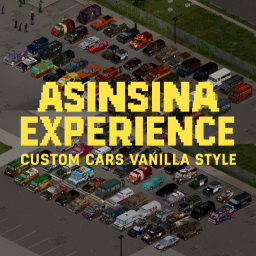
Custom Vanilla Cars
por 76561198387867714
Asinsina Cars – Vehículos Apocalípticos Este mod añade **más de 100 vehículos únicos** con una estética inspirada en el **apocalipsis zombie**. La colección está basada principalmente en vehículos de los **años 80 y 90**, incluyendo **coches, camiones, furgonetas y vehículos policiales**. Los modelos combinan estilos **militares, policiales y civiles** de distintos países, creando una flota variada que encaja perfectamente con la ambientación del juego. Características - Más de **100 vehículos únicos** - Inspirados en vehículos de los **años 80 y 90** - Coches, camiones, furgonetas y patrullas - Estilos **militares, policiales y civiles** - Texturas con desgaste y suciedad para un look postapocalíptico - Estética **vanilla-friendly** - Posibilidad de **blindar vehículos** con mejoras de ingeniería - Compatible con mods que añaden **interiores de RV** Todos los vehículos han sido diseñados para mantener la **inmersión y coherencia visual** con el juego, mostrando señales de uso, modificaciones de supervivencia y detalles propios de un mundo devastado. Este pack está pensado para mejorar cualquier partida, tanto en **singleplayer como en multijugador**, ofreciendo una flota amplia, útil y atmosférica para recorrer el mundo del juego. ---
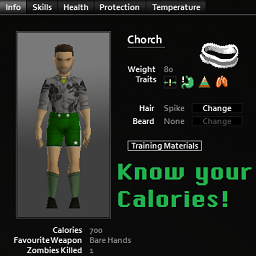
Know Your Calories!
por 76561198092221873
Shows your Character's Calories on the Info Tab How it works: After obtaining cooking level 5 or the nutritionist trait, your player's calories will now show up in the Info Tab. (Both the level needed and the trait interaction can be changed or disabled in the sandbox options) - 🔧 Sandbox Options 🔧 - + Whether the nutrients will be displayed as progress bars or as pure numbers. + If the nutrients amount will also be shown in numerical form when using progress bars or not. + How exact are the values shown. + If having the Nutritionist trait means you will always know your calories (and other nutrients). + At which cooking level you can know your calories (and other nutrients). - 💡 Frequent Questions 💡 - - Works on Singleplayer - Works on Multiplayer - Works in B41, B42.x, and B42.20 - Can be safely added to existing saves - Can be safely removed from existing saves - Should work with any mods that alter the Info Tab Future objectives > A quick and simple guide on what nutrients do and how to treat them for your own gain (optional) > Add an option that shows your calories as a display bar. > Fix issues with other mods that add information to the character screen. > Add an option to only show the character's calories after reaching a configurable level of cooking. > Add an option to only show the character's calories if you have the Nutritionist Trait > Correct text alignment when using higher font sizes. If you like this mod please consider dropping a rating and a favorite! Do not copy or reupload this mod. If you wish to add it to a modpack, use the Steam Collection feature. Workshop ID: 3257953004 Mod ID: KnowYourCalories
After The Fall: Economy
por 76561197994266242
Server-authoritative economy for After The Fall. Features: - Hourly paycheck once a player passes a configurable hours-played threshold. - Cash bounty for zombie kills, with a configurable hit chance and min/max amount per kill. - In-person player-to-player money transfer via right-click menu, range-gated and balance-checked server-side. - In-game balance window pinned to the equipped-item bar, listing every currency you hold; auto-refreshes whenever your balance changes. - Halo notifications for paychecks, bounties, and transfers (sent / received / failed).
![Functional Clothing Pockets [B42] – Project Zomboid Mod](https://images.steamusercontent.com/ugc/16807369291291326696/E9530FA7B7DFC6532C078445C783763342E011D0/)
Functional Clothing Pockets [B42]
por 76561198251177900
Adds functional clothing pockets to vanilla clothing in Project Zomboid Build 42. Compatible clothing becomes a equipped container, visible in the inventory side bar like a backpack. Pocket capacity is separate from the player's main inventory and is balanced around small, realistic storage. Features: - Vanilla-friendly clothing pockets for pants, jackets, coats, hoodies, vests, overalls, aprons, and other logical vanilla clothes. - Equipped clothing appears as its own side-bar container using the clothing icon. - Blocks oversized items, backpacks, containers, and clothing inside clothing pockets. Espanol: Agrega bolsillos funcionales a ropa vanilla de Build 42. La ropa equipada aparece como contenedor en la barra lateral del inventario, igual que una mochila, pero con capacidad pequena y balanceada. No agrega capacidad magica al inventario principal. Los bolsillos aceptan objetos pequenos y bloquean objetos grandes, ropa, mochilas y contenedores. Please DO NOT copy this code. NO copies este codigo porfavor. Workshop ID: 3731578189 Mod ID: FunctionalClothingPockets Workshop ID: 3731578189 Mod ID: FunctionalClothingPockets
![Resurrect Character [B42] – Project Zomboid Mod](https://images.steamusercontent.com/ugc/46828112636925105/A810E60A8947595769905A81E4B7603740602F8E/)
Resurrect Character [B42]
por 76561198410133704
The updated version for B42.7 has been released. Please unsubscribe then resubscribe, enable the mod and copy-paste the zombie folder, as usual. This mod can bring your dead character back to life. The fact Project Zomboid characters face permanent death kept us all in a constant state of paranoia. That's why this mod solves the problem, letting you try all kinds of crazy stuff and take on the hardest mods ever with your year-old character! With this mod, you can resurrect your character anytime by sacrificing some amount(RNG) of your Strength XP, which can be adjusted from 0% to 100% in the vanila Sandbox Options or using a (Change) Sandbox Options mod in game. This mod can be safely added to your existing save files, and does not directly conflict with other mods. This mod modifies a vanilla Java file, so it requires both a subscription and manual installation. Follow the installation instructions below carefully to manually install the mod. Uninstallation can be done by verifying the integrity of game files through Steam (However, be aware that this process removes ALL mods that modify Java code, "the Java mods", so you’ll need to copy and paste them again afterward for any you want to keep.) HOW TO RESURRECT: * After installing this mod, any save files of a dead character on the list in the LOAD menu will no longer have the skull icon. This means, loading such a save will not take you to the new character creation screen; instead, you can continue playing it as a normal save with an alive character. * When the character respawns, everything except the health remains exactly as it was before death, including in-game time, traits, skill levels, acquired knowledge, and the number of zombies killed, etc. Actually, it revives the original character's own database, unlike other mods that save character data and overwrite onto the database of another character who's newly spawned in a different place. * When the character resurrects, all items, including the bags, will remain on the previous corpse beneath the feet of the resurrected character who will respawn naked. You will need to retrieve them. * In case you die while surrounded by a horde of zombies or get dragged down, you’ll need to run to a safe area quickly immediately after resurrecting unless you want to keep losing Strength XP. Alternatively, and perhaps the better approach is, before exiting to resurrect, just to stay on the death screen for as long as needed until the surrounding zombies go away. Depending on their numbers, this may take a several minutes. You can fast-forward this using the hotkeys: F4 (5x), F5 (20x), and F6 (40x). Once they’re all gone, exit and restart the game. This will give you a better chance to recover your items from your corpse and escape safely after respawning. * This mod provides two safe start features: - Grace Time: During this time period any damages you take will be fully healed automatically. Its duration can be adjusted in the vanila Sandbox Options or using a (Change) Sandbox Options mod in game. - Safe Zone: Safe start feature that removes all the zombies within 20 tiles of the player upon resurrection. By default, this feature is disabled, but you can activate it using either the Vanilla Sandbox options or the (Change) Sandbox Options mod. * For saves with a skull icon, games where you died before installing this mod, you'll need to manually remove the skull icon. To do this, open the players.db file in your save folder using a database editor like SQLite, go to Browse Data under the View menu, and change the value of the isDead column from 1 to 0. (However, be sure to back up your save first, as any mistake with this database file can make your save unusable.) Unlike saves created after installing this mod, if you load this manually edited save into a game, your character will die instantly. To bring the character back to life, you'll need to exit and restart the game again. How to Install 1. Subscribe to the Mod - First, make sure your game version is B42, not B41, and that the game is fully closed. - Then, subscribe to Resurrect Character on the Steam Workshop. 2. Locate the Mod Folder In File Explorer, navigate to your Steam Workshop directory, which by default is: C:\Program Files (x86)\Steam\steamapps\workshop\content\108600\3433579563\mods\ResurrectCharacter\42 (You may copy and paste the above path into the Windows search bar or File Explorer to quickly open it.) 3. Copy the “zombie” Folder Within the 42 folder, locate a folder named “zombie.” Right-click this folder and select “Copy.” 4. Find the Project Zomboid Installation Directory Open a File Explorer window and navigate to your Project Zomboid installation folder. Typically, this can be found here: C:\Program Files (x86)\Steam\steamapps\common\ProjectZomboid Make sure you see an existing “zombie” folder in this directory. 5. Paste and Replace Files Paste the “zombie” folder from Step 3 into your main Project Zomboid folder. When prompted with a warning message indicating that 5 files already exist, choose “Replace the files in the destination.” This will overwrite the necessary files. You have successfully installed Resurrect Character . Now your fearless journey begins! No matter how we die, we will resurrect! NOTE: There is dependency between this mod and the Slow-Mo Fast-Mo: Limitless Game Speed Change mod. Therefore, when installing both mods, you must first copy and paste the 'zombie' folder from this mod and then copy and paste the Slow-Mo Fast-Mo mod afterward. Workshop ID: 3433579563 Mod ID: ResurrectCharacter Mod ID: ResurrectCharacter
![[B42] March Lake [DEPRECATED] – Project Zomboid Mod](https://images.steamusercontent.com/ugc/56960672874100188/E2FABFE41F93EFC53287D878A301BCA6F9A53D33/)
[B42] March Lake [DEPRECATED]
por 76561199188020977
Ever wanted to live the knox infection in 1893? Well now you can! March lake is a small map inspired off the wild wild west, it has 2 little small towns, 1 big apple and a ghost town right next to it with a big copper mine! Sooo many places to explore eh? Happy surviving partner! IMPORTANT: The map does not support b41. It takes place in 1893 Kentucky. This is a standalone map. It is not complete, there is still alot to be done. The map does mess with the loot spawns a bit. V1.4 Workshop ID: 3409318231 Mod ID: marchlake_b42 Mod ID: marchlake_b42 Map Folder: March lake Map Folder: March lake
Zre Apo Modern Armor
por 76561198215872069
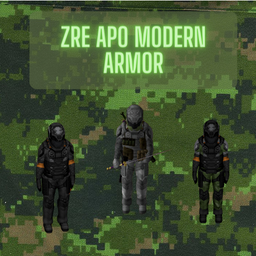
zRe Apo Modern Armor! craftea esta increible armadura! No es Nesario El Mod de System Absorb. pero si Quieres que tu armadura se le puedan meter Placas a lo Warzone Si! jaja. espero les Guste. Workshop ID: 3226550912 Mod ID: zReApoModernArmor
No Boring Work
por 76561198929132706
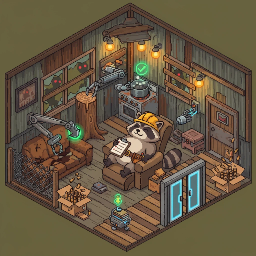
我不想做乏味的工作 / No Boring Work "重复的劳动交给自动化,你只负责做决策。" "Let automation handle the repetitive work. You just make the decisions." 适配 Build 42 | 纯客户端 | 性能影响极小 | 中英文支持 Build 42 | Client-side only | Minimal performance impact | CN/EN supported 核心体验 / Core Experience 末日生存不该被开门、关灯、反复砍树这些机械操作消磨掉。这个模组把 14 种最乏味的重复劳动自动化,让你专注于真正重要的事——活下去。 Survival shouldn't be ruined by repetitive tasks like opening doors, turning off lights, and chopping trees one by one. This mod automates 14 of the most tedious actions so you can focus on what really matters — staying alive. - 走路自动开关门 / Walk through doors:面朝门走过去就行,通过后自动关上 - 开车自动开门 / Drive through doors:车速>5km/h 自动打开前方的门和栅栏 - 进屋自动开灯 / Auto lights on:进入有电房间自动亮灯,离开自动熄灭 - 食物熟了自动关火 / Auto stove off:再也不用担心烧焦食物 - 区域拾取 / Area pickup:框选区域,选择物品类型,自动逐格拾取 - 区域砍树 / Area chop:框选区域一键砍光 - 区域清障 / Area clear:框选区域清理灌木、藤蔓、树桩、矿石、石块、杂草 - 区域撕衣 / Batch rip clothing:框选区域一键撕衣服(容器&尸体),牛仔裤需要有剪刀在身上 - 区域拆解 / Area dismantle:框选区域一键拆解家具和车辆 - 自动还原装备 / Auto restore equip:拆解/修理后工具归还原背包,自动重新装备原武器 - 自动拆弹药盒 / Auto ammo unbox:装弹时自动拆开弹药盒/箱 - 区域清物 / Area delete:右键删除选中/同名/区域地面物品 - 自动农业 / Farm automation:框选区域一键耕地、播种、浇水、收获 - 远程理货 / Remote sort:框选容器区域,统一管理物品分类 更新日志 / Changelog v1.4 - 优化 区域清障:新增石块、杂草清理支持 - 优化 区域清障:灌木清理支持斧类武器(含斧类战斗武器) - 优化 区域清障:缺少工具时仅提示受影响项目,其余目标照常执行 - 优化 右键菜单统一改为四字命名(区域×× / 远程理货) v1.3 - 新增 区域清障:框选区域一键清理灌木、藤蔓、树桩、矿石 - 新增 自动农业:区域耕地、播种、浇水、收获 - 新增 远程理货:框选区域统一管理容器物品分类 v1.2 - 新增 区域撕衣:框选区域一键撕衣服(容器&尸体) v1.1 - 新增 自动还原装备:执行动作后工具归还原背包,原武器自动重新装备 - 新增 原版单件拆解自动清空容器(与批量拆解行为对齐) - 优化 沙盒设置重构:10分区22项 → 4分区15项,新增「功能开关」总览区 - 修复 黑名单不再删除已生成的物品,现仅阻止新容器刷出 - 修复 自动砍树无法识别放在腰包/背包内斧头的问题 - 修复 多格家具容器重复倾倒的问题 Workshop ID: 3684788584 Mod ID: NoBoringWork Workshop ID: 3684788584 Mod ID: NoBoringWork
PZFateMagicTraits 圣杯魔术
por 76561198998855468
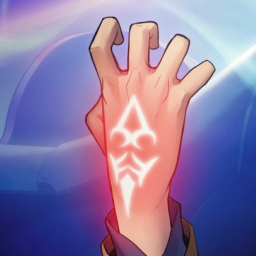
This mod integrates some cheat-like functionalities with magic and Noble Phantasms from the Fate series into Project Zomboid by consuming a large amount of trait points. The MP required for this series of traits is the character's stamina in the game, which is the opposite of fatigue. It can be restored by sleeping or eating vitamins. The calculation formula is: MP = 1 - Fatigue. The MP thresholds required for each trait can be modified in sandbox settings. The default three thresholds are: 0.25, 0.5, 0.75. When the character's stamina drops below each threshold, a red prompt like "MP: 75%" will be displayed above the head. If you are not using other status display mods, you can press "~" to check the current stamina percentage. Skill Descriptions: The Grail curse: Provides 65536 trait points. You can choose whether to enable this trait in sandbox settings (under testing, ineffective in single-player). Cleanliness Charm: The body and clothes will not get wet, dirty, or bloody. Protection Charm: Clothes will not tear. Reinforcement Magic: Restores the durability of items (weapons, tools, vehicle parts) in the inventory. Time Magic: Restores spoiled, rotten, and burnt food to freshness when placed in the inventory. Heat Magic: Heats food in the inventory. Basic Alchemy: Automatically fills gasoline containers in the inventory. (Stops triggering when there is a lighter in the inventory, making it easy to empty vehicle fuel tanks). Advanced Alchemy: Automatically replenishes propane, batteries, lighters, pills, etc. in the inventory. Water Magic: Automatically fills water containers in the inventory. (Stops triggering when there is a lighter in the inventory, making it easy to empty rainwater collection buckets; when Basic Alchemy is also possessed, it will prioritize filling gasoline. At this time, plastic bottles, wine bottles, etc. will be filled with gasoline, while stewpots, mugs, etc. will be filled with water). Avalon: Immediately restores health, cures infection, and knocks down surrounding zombies when health is below 25% or when being executed by zombies. When attacked by bandits, survivors, or PVP players, if health is below 75%, it will immediately restore health, cure infection, and knock down surrounding zombies. Dark Grail: Always maintains full stamina and zero fatigue. Archer: Doubles the damage, range, hit rate, critical rate, and aiming speed of firearms. Rider: Increases the maximum speed of vehicles by 25% when driving and will not be lower than 120. Collision damage to the player is 0, engine power is increased to over 1000, braking force is doubled, and sliding distance is increased. Servant's Fate: Only has a 7-day lifespan and will die immediately at the end of the 7th day. Projection Magic: Automatically loads the remaining bullets in the inventory into the currently held firearm when the firearm's ammunition runs out, equivalent to using the inventory as a large external magazine. Strengthening magic: Increases the character's carrying capacity by 70 relative value. Treasury of the King: The capacity of any backpack equipped on the right hand is increased to over 1024, and the weight reduction rate is increased to 100% (the effect will no longer be triggered if the capacity exceeds 1024). Unlimited Blade Works: Firearms have infinite bullets. Mount S+: When driving, press the bound key (default: W) to trigger vehicle repair. Fire Magic: Any attack will ignite zombies. Hercules' Rampage: Running or sprinting will knock down surrounding zombies. If the Fire Magic trait is also possessed, knocking down zombies will ignite them. Gordius·Wheel: Forces the vehicle to knock down zombies in front when driving. If the Fire Magic trait is also possessed, knocking down zombies will ignite them. Territory Creation: Press the bound key (default: HOME) to turn the build mode on or off. Time Alter: Bullet loading and magazine changing speed is increased to 3 times. Mount EX: Vehicles cannot be damaged by collisions. Bellerophon: Press the bound key (default: F) to instantly accelerate the vehicle, destroying trees and killing zombies. Magic Killer: Firearms will not jam. Origin Bullet: Bullets ignore damage and instantly kill zombies. Performance Issues: The Hercules' Rampage trait will obtain all zombies in the player's current area in real-time. If you enter an area with a high density of zombies, this trait may cause noticeable lag. Please choose this trait according to your computer. Conflicts: The Rider trait will be overwritten and become ineffective by mods like "More Traits" or "Engine Overload" which temporarily change vehicle attributes. If you have subscribed to the following mods I have previously released, it is recommended that you disable them when enabling this mod, as this mod integrates their functionalities: PZInfiniteFirearm枪械无限子弹和耐久 https://steamcommunity.com/sharedfiles/filedetails/?id=3354152137 PZSmoothShooting外接式弹匣 https://steamcommunity.com/sharedfiles/filedetails/?id=3365521897 FlameAttack火焰攻击 https://steamcommunity.com/sharedfiles/filedetails/?id=3360963930 PZExDriver真·超速狂魔 https://steamcommunity.com/sharedfiles/filedetails/?id=3356851223 PZPhenix不死鸟 https://steamcommunity.com/sharedfiles/filedetails/?id=3354162815 PZVehicleNoDestroy车辆撞不坏 https://steamcommunity.com/sharedfiles/filedetails/?id=3340045624 Reference Mods: 简单交易 https://steamcommunity.com/sharedfiles/filedetails/?id=2592897465 超级宝石 https://steamcommunity.com/sharedfiles/filedetails/?id=2870368509 更多特性 https://steamcommunity.com/sharedfiles/filedetails/?id=1299328280 引擎过载 https://steamcommunity.com/sharedfiles/filedetails/?id=3165968528 增加额外负重 https://steamcommunity.com/sharedfiles/filedetails/?id=2816675062 美少女万华镜 https://steamcommunity.com/sharedfiles/filedetails/?id=3125582213 Workshop ID: 3369211813 Mod ID: PZFateMagicTraits
![[COS] L4D_Bill – Project Zomboid Mod](https://images.steamusercontent.com/ugc/2475366304418108104/A714CF439BB74CECAE285CD168BC744A524D6E31/)
[COS] L4D_Bill
por 76561199178116693
How Do I Use It? - You can go to the link below to see how to use it. - Link Recommended mode - Fashionoid - Gear Transmog - Hide All Attached Items - Clipping animation Fix How to use COS mode in build 42. - Navigate to the path where the mod is installed. - Create a 42.0 folder. - Create a common folder. - Paste the media folder / mod.info / preview.png into the 42.0 folder. The recipe code writing method has been changed in 42Build. Since COS (Costume) mode has approximately over 200 modes, converting to 42Build's recipe code is an extremely laborious task. In 42Build, you cannot create costumes in (42 build) the crafting tab. There are two methods: Spawn items in cheat mode. Select items in the clothing selection screen when creating a character. Like My Mode? - Join Our Discord If You Want Commission
Panopticon's Miscellaneous Tweaks
por 76561198079959669
This mod gives you a consolidated patch of my lesser fixes & tweaks. Some of my previous work has been moved into this one to save space. Everything works optionally, so you don't have to worry about unwanted changes or missing requirements. Spiffo Caused This (Infected Beef) This gives you the option of enabling all food items in the base game that contain beef to infect you upon consumption. Located in the Sandbox Options under "Character". Immersive CD Players - Give Me My Discman! This overwrites the random chance of getting a CD player when you select the trait "Music Lover" from Immersive CD Players and instead guarantees you the items. Requires the main mod to use. Surrender Hotkey This gives you the ability to assign a hotkey for performing the surrender emote. By default it is set to nothing and is located in the keybinding options under "NPC Interaction" with Mod Options or "Surrender Hotkey" without it. Mod Manager - Stop Reloading Lua This gives you the option to stop Mod Manager from reloading Lua and wasting your time when you click "ACCEPT". Requires Mod Options to enable and the main mod to use. This has been disabled in the files, because it is not working as intended. Remove Vanilla, Smashed, and Burnt Vehicles This gives you the option of removing vanilla vehicles, removing all smashed vehicles, and replacing all burnt vehicles with the list of traffic jam vehicles (vanilla and modded) in the spawn zones. Located in the Sandbox Options under "Vehicles". This is now a separate submod, because it will not work through Sandbox Options. Compatibility - Compatible with every mod - Partially multiplayer compatible - Partially save-game compatible (some things will remain the same because they already exist) Permission Contact Info You can find me under @Panopticon in the Project Zomboid Discord server. Workshop ID: 2952327208 Mod ID: PanopticonMiscTweaks Mod ID: PanopticonMiscTweaksVehicles
![[KYR] Survival & Crafting – Project Zomboid Mod](https://images.steamusercontent.com/ugc/14831148890641470154/8ECD016F314D33D59CDF09D0E4314841591C44CA/)
[KYR] Survival & Crafting
por 76561198875404478
Gaming Community – Survival & Crafting Mod Please take the time to leave Feedback, Suggestions and Ratings ------------------------------------------------------------------------------------------------------ Mod Summary Visit the Survival & Crafting Mod Website Click above for full details of features, options and updates! ------------------------------------------------------------------------------------------------------ Our Other Mods: KYR Real Weather: https://steamcommunity.com/sharedfiles/filedetails/?id=3051276857 KYR Meds, Delays & Cures: https://steamcommunity.com/sharedfiles/filedetails/?id=3029240588 KYR Improvised Weapons & Armour: https://steamcommunity.com/sharedfiles/filedetails/?id=3099108027 KYR Heavy Metal Army: https://steamcommunity.com/sharedfiles/filedetails/?id=3009338583 ------------------------------------------------------------------------------------------------------ Community, Support & News: For feedback, latest news, new mods, and upcoming features, please come and support us: Discord - https://discord.gg/cWUETQmas9 Community Website - https://kyrgaming.com A huge amount of time and care goes into our mods and we’re very receptive on feedback and bug reports. If you’ve found something that doesn’t make you smile, please give us a shout! ------------------------------------------------------------------------------------------------------ Respect... Please don't add this mod to Collections or Server packs without my Permission. ------------------------------------------------------------------------------------------------------ Workshop Details Workshop ID: 2935985690 Mod ID: KYRCraftingMod
Sanatorioum/Asylum Spawn
por 76561198146532861
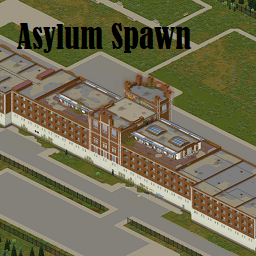
Whether you're a forgotten patient, an urban explorer, a paranormal invesigator or simply curious, you were at the Asylum on June 8th, 1993. All occupations have unique (and vaguely themed) spawn locations! Workshop ID: 3418586046 Mod ID: SanatoriumSpawn Mod ID: SanatoriumSpawn Map Folder: Sunderland Hills Sanatorium Map Folder: Sunderland Hills Sanatorium
PZ-ClothingUI B42
por 76561198072672249
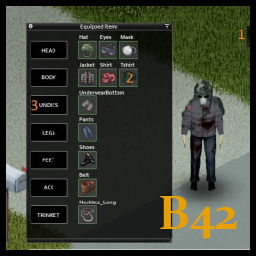
Port of PZ-ClothingUI for B42 Original mod is updated for B42 All credits to Ramp: Original mod author Mod will be removed on author request. Info This mode provides alternative graphical UI for equipped clothing items. Features - Draggable button to display equipped items in an overview window (drag by grey border) - Items are displayed in categories (right click category button or item icon for equip possibilities) - Left mouse double click on item icon for quick unequip - Item tooltips on mouse hover Languages Translations are now possible. Supported languages: - English (EN) - Russian (RU) - Chinese (CN) Compatible with Equipment UI and Inventory Tetris Workshop ID: 3400277077 Mod ID: ClothingUimod
![[B41/B42] GTA Pack – Project Zomboid Mod](https://images.steamusercontent.com/ugc/2495633770602886595/64F6F664570D476A763D3B32D796C91E9C6C6C86/)
[B41/B42] GTA Pack
por 76561198070517306
Freshly imported through unconventional means that are definitely legal, YOU can now get your hands on some of the best weapons America has to offer. "Whatever your needs are, we guarantee to have a tool of destruction that fits your purposes and more. If we can't find something that'll blow you away, we will throw in a box of fresh molotovs, on the house!" Notes -INSTALLATION, LOAD ORDER IS IMPORTANT: 1) Firearms nb - Build 42 use the ingame mod organizer A) REQ. GTA Pack - Weapons - Firearms (GTAPACKGUNS) B) OPT. GTA Pack - Weapons - Custom Mags (GTAPACKGUNSCUSTOM) C) OPT. GTA Pack - Weapons - Firearms - Icons Alt (GTAPACKGUNSICONS) 2) Melee A) REQ. GTA Pack - Weapons - Melee (GTAPACKMELEE) B) OPT. GTA Pack - Weapons - Melee - Icons Alt (GTAPACKMELEEICONS) 3) Mag Converter (only use for swapping between vanilla to/from custom) nb - Used to convert your vanilla/custom mags to the other, requires the first 2 firearms mods, A+B. Make sure the mags you want to convert are empty, then use the crafting system to convert the mags. A) GTA Pack - Mag Converter (GTAPACKSWAP) -Includes 90 Weapons scavenged from coast to coast -The charts in the photos shows all weapons added (only the GTA columns apply here), any red and crossed out weapons were not ported over -All weapons included have been added to the spawn lists of buildings and furniture, some are more rare than others -Not every weapon was able to be ported over successfully due to my limited experience and knowledge, but most were, and some were adapted to fit the game properly -All weapons should be vanilla friendly so no other mods are required to play with this -Duplicate weapons were avoided because they were exact reused copies, also to focus more on variety -Porting was done from SA to VC to 3, then LCS and VCS afterwards, so any weapons that were dupes will be from the earlier listed games -Weapons support attachments, had to be made as new items, must be found like vanilla attachments, have the same name as normal attachments but with "GTA" at the end, the attachments will also say what weapon it can be attached to, you can also modify any vanilla weapon attachments to use them with these firearms -Most weapon sounds were also ported over -Should be compatible with most other vanilla friendly weapon mods DO NOT KNOW IF IT IS COMPATIBLE WITH ANY GUN MODS THAT CHANGE HOW WEAPONS FUNCTION INGAME, LIKE GUNFIGHTER OR BRITA Bring the Classic West Coast Straight to your Backyard! MELEE FIREARMS EQUIPMENT Bat - Aluminum, Bat - Classic, Bat - Spiked, Steel Shovel, Aluminum Shovel, Uchigatana, Golf Club, Pool Cue, Walking Cane, Military Knife, Mini Chainsaw, Nightstick, 4x Massagers, Skateboard M1911A1, Silenced M1911A1, Desert Eagle MK. VII, Glock 17, Micro Uzi Taped, TEC 9 EXT Barrel, AK47, AKS-74U, M16A2, M16A2 Police, MP5A3, Marlin 336 Varmint Rifle, Remington 700 Sniper, PSG1 Sniper, Ithaca 37 EXT Tube, SPAS-12, Crudely Sawn DB Shotgun Molotov, Grenade Show Off Your Tan Lines and Shades With These Retro Tools of Trade! MELEE FIREARMS EQUIPMENT Dark Cleaver, Trim Hammer, Small Kukri, Bolo Machete, Screwdriver Beretta 92FS INOX, Python, Python Sport, .44 Wildey, MAC-10, MAC-10 Silent, Uzi, MP5K, MP5SD3, Skorpion, Ruger Mini-14, Ruger AC556, XM16E1, M16A2 Short, AUG A1, M60, M249, MSG90 Marksman Rifle, M21 SWS, SVD Dragunov, Ithaca 37, Ithaca 37 Stakeout, Ithaca 37 Stubby, SPAS-12 Stockless, SPAS-12 EXT Stock, Land Mine Prepare for the Worst With These Modern Pieces From the Concrete Jungle! MELEE FIREARMS EQUIPMENT Bat - Modern Micro Uzi, TEC 9 Mini, SP5K-PDW, AKM, AP-80, AR-10, Remmington 870 Folded, Browning O/U Shotgun Molotov, Grenade All My Content Manhunt GTA Meagher Valley, WY Dundreary Admiral Credits ** All base models and textures included from GTA 3/VC/SA/LCS/VCS were originally created by Rockstar Games, I have only ported these over and modified them ** All beta/unused models for San Andreas originally found and finished/recreated by DeKrA / Vadim M https://www.youtube.com/watch?v=L6m-pvoFi9o ** All beta/unused models for Vice City originally found and finished/recreated by Aztecas_5 / Heavy Weapons Guy / Vadim M https://www.youtube.com/watch?v=Na9LVsqzuNw **Created using Blackbeard's mod template and tutorials https://steamcommunity.com/sharedfiles/filedetails/?id=2628113354 ** Feel free to modify if you want, credit if you reupload Workshop ID: 2818757939 Mod ID: GTAPACKGUNS Mod ID: GTAPACKGUNSCUST Mod ID: GTAPACKGUNSICONS Mod ID: GTAPACKMELEE Mod ID: GTAPACKMELEEICONS Mod ID: GTAPACKSWAP Mod ID: GTAPACKTHROWABLES
More Simple Traits (MST) JP
por 76561198398241842
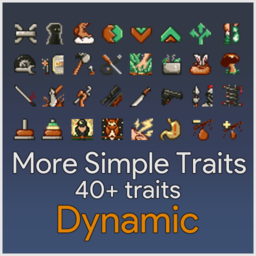
More Simple Traits (MST)を日本語化します 機械翻訳なので意味不明なところがあるかもしれません 時間があれば修正していきます 本家様 https://steamcommunity.com/sharedfiles/filedetails/?id=2792245343 Of course, if the creator contacts me, I'll provide it.
Survivor Skill Obelisk by Gus Puffy & NiteMan
por 76561197984809068
Survivor Skill Obelisk An in-world obelisk that carries part of a dead character's progression forward to their next life. On death the server snapshots the character's skills, books, recipes, watched media, and Lifestyles ambitions to a SQLite database in the save folder. When the next character finds a placed obelisk, they recover from one of their past lives. Special thank you to NiteMan for the incredible obelisk and monolith sprites! Requires the Storm mod loader on the server. Death tracking and recovery run server-side; the in-game UI is pure Lua, so connecting players just need the mod. Built for dedicated / multiplayer servers. Sponsors After The Fall: the #1 multiplayer server in the world What gets snapshotted - Skills: perk level and XP for every non-zero perk. - Recipes: every recipe the character had learned. - Skill magazines and books: literature the character had already read. - Print media: newspapers and print magazines. - Watched VHS and CDs: per-tape line counts, so finished tapes stay finished. - Lifestyles learned songs: per-instrument song lists. - Lifestyles ambitions: in-progress and completed ambitions with their goal progress. Recovering Right-click a placed obelisk and pick Recover Skills. A window lists the current character's past lives, most recent first. Select one and confirm. A timed action plays. When it finishes the server reapplies the snapshot to the live character. Steam ID and username are checked on the server, so a player only recovers their own past lives. Recovery Percent Skill Recovery (%) scales how much of the snapshot the character gets back. Defaults to 100. Applies to perk XP and to numeric Lifestyles ambition goal progress. A character who had 4000 progress toward a 5000 goal restores with 4000 * percent / 100 toward the same 5000 goal. Perk levels and XP granted by traits and profession at creation are excluded from the scaling, so a new character never undercuts their starting stats. Obelisk Binding Admins can right-click a placed obelisk and pick Configure Obelisk to bind it to a specific perk. The bound perk restores at 100% from any past life regardless of Skill Recovery (%). Other perks still scale by the configured percent. Useful for themed obelisks scattered around the map: a Mechanics shrine, a Cooking shrine. Server Options - Recover Skills: toggle perk level and XP recovery. Default on. - Recover Recipes: toggle learned recipes recovery. Default on. - Recover Skill Magazines: toggle read literature recovery. Default on. - Recover Read Print Media: toggle read newspapers and magazines recovery. Default on. - Recover Watched VHS / CDs: toggle recorded media recovery. Default on. - Recover Learned Songs (Lifestyles): toggle Lifestyles instrument song recovery. Default on. No effect if Lifestyles is not installed. - Recover Ambitions (Lifestyles): toggle Lifestyles ambition recovery. Default on. Numeric goal progress is scaled by Skill Recovery (%). No effect if Lifestyles is not installed. - Skill Recovery (%): 0 to 100, default 100. Scales perk XP and ambition goal progress. - Obelisk Curse: default on. Obelisks cannot be destroyed by players or zombies; a player who tries to sledgehammer one is struck dead by its curse. Turn off to simply block the attempt instead. Admins can always remove obelisks with the brush tool. Tested and compatible with 42.20.0 Workshop ID: 3755686015 Mod ID: survivor-skill-obelisk-b42
Generic Brita Settings
por 76561197983859485
Generic Brita Settings Generic Brita Settings Generic Brita Settings Workshop ID: 2766285344 Mod ID: Generic Brita Settings

True Music Addon: Outlaw Country! WOO!
por 76561198014748819
Rural Kentucky, early 90's. You're scavenging a music shop for cassette tapes to hopefully find something to help ease the tension. You reach into the shelf and pull out... NWA's Straight Outta Compton? Damn good album, certainly, but strains the disbelief a bit. It's a situation we've all seen before, so to help ameliorate it slightly we present you with 72 tracks of classic country, blues, and bluegrass to give you a proper soundtrack for sitting on your freshly built chair and having yourself a beer after a long hard day in the blood mines. A lot of them mention Kentucky, and a lot of them mention death. Like, a lot a lot. That was partially by design and partially because frankly most old country songs are about death. Or Kentucky. Not everything is on vinyl, but if I had cover art available for it then it should be. (Update #1:) Added some requested songs as well as a good amount of others, heavy bluegrass slant but the game is in Kentucky after all. Workshop ID: 2748570040 Mod ID: OCWOOA23
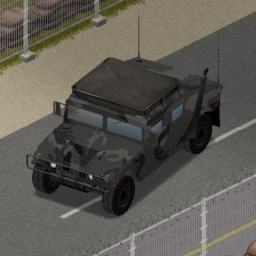
'92 AM General M998 Skins Expanded
por 76561199088286216
This mod is a worse version of https://steamcommunity.com/sharedfiles/filedetails/?id=3353186516 Use that one instead this ones SHIT, however they do work together you can use both if you'd like. Adds a whole load of new skins to the '92 AM General M998. Doesnt interfere with any other re-script mods! Workshop ID: 3318297807 Mod ID: HumveeSkins Do not alter the mod, and treat it as a mod that is 'On Lockdown'. You are not allowed to repack this mod under any circumstances, ever.
![[Tactician] – Project Zomboid Mod](https://images.steamusercontent.com/ugc/17078773429593348234/871081C614312FED85B45C3B025DE1AFE5404D61/)
[Tactician]
por 76561198068788655
Handgun Animations Replacer Ever Notice Your Guns Kinda...Lower? with My Older custom anims for handguns? Not Anymore! Adds a Full replacement suite of Handgun Animations! And a Cute Idle That Doesnt Get in the way ! Animations Made for AVA. her hand size and firearm location. Might work on default? IDK Support Free & Open Modding! You can Grab ALL of my mods including ones steam hates or has nuked Etc From report spam On My Discord! The Mod Haven Discord Project AVA V3X Is Found there :P PERMISSIONS. ASK FOR ALL MOD INQUIRIES RELATED TO PERMISSIONS: IE: do not re-upload this Mod under ANY circumstances. Not On the Workshop, or Anywhere. Support the 'Kentucky Firearm Safety 101' Release. Workshop ID: 3563103042 Mod ID: NPDM_Tactician
Stop Culling My Zeds (42.20.4 + MP)
por 76561198283593770
Stops Zomboid from deleting (culling) zombies after a certain number of zombies are present on the server. A set of patches to the code of Zomboid to effectively control zombie culling. VERY VERY IMPORTANT READ Downloading and enabling this mod on it's own wont do anything, you have to follow the installing instructions. Due to the nature of this mod (and any other mod that changes the core code), it will most likely be deprecated upon a game update. I'll try to keep it up to date but keep in mind compiling and recompiling stuff like this takes time. A server with patched files via this mod does not require the clients to have this mod and if you have it as a patched client, you won't cull the zombies around you in a unpatched server. As of build 42.19.0 client-side culling seems to be removed. CLIENT/SOLO INSTALLATION This is unnecessary for solo gameplay. DEDICATED SERVER Upon subscribing you will find the files you need under C:\Program Files (x86)\Steam\steamapps\workshop\content\108600\3672236687\mods\StopCulling\42.18.0 After copying the "zombie" folder which is in the mod folder, head over to your server installation folder then to the java folder which in its default should be under C:\Program Files (x86)\Steam\steamapps\common\Project Zomboid Dedicated Server\java Paste in the "zombie" folder you copied in the previous step or if you already have other patches manually copy the culling patches inside of the "zombie" folder. In sandbox options you can then set the zombie count before deletion to whatever you may like in the allowed limit, keep in mind values above 10k are likely to be unstable. (This option is not editable through the in-game admin panel, doing so will reset the number to 500.) CO-OP (INGAME HOST OPTION) INSTALLATION Upon subscribing you will find the files you need under C:\Program Files (x86)\Steam\steamapps\workshop\content\108600\3672236687\mods\StopCulling\42.18.0 After copying the "zombie" folder which is in the mod folder, head over to your game installation folder which in its default should be under C:\Program Files (x86)\Steam\steamapps\common\ProjectZomboid Paste the folder you've copied into the ProjectZomboid folder. In sandbox options you can then set the zombie count before deletion to whatever you may like in the allowed limit, keep in mind values above 10k are likely to be unstable. (This option is not editable through the in-game admin panel, doing so will reset the number to 500.) CREDITS Credits to beautiful-java for making the decompiler I used and No Mo Culling for inspiring this mod. @goonziel on discord if you have any questions Workshop ID: 3672236687 Mod ID: StopCullingBeforeIStopYou Workshop ID: 3672236687 Mod ID: StopCullingBeforeIStopYou Workshop ID: 3672236687 Mod ID: StopCullingBeforeIStopYou
Project Zomboid Guides
Instalar mods de Project Zomboid - guía del Workshop
Instala mods de Project Zomboid de forma limpia mediante Steam Workshop: introducir IDs, comprobar el orden, reiniciar el servidor y solucionar errores típicos.
Alquilar un servidor de Project Zomboid – guía multijugador
Configura un servidor de Project Zomboid: RAM, ajustes sandbox, mods de Workshop, permisos de admin y errores típicos bien revisados.
Servidor Project Zomboid con soporte de mods
Instala mods compatibles y admitidos desde el panel del servidor.
Alquilar un servidor Project Zomboid