Mods y plugins para Project Zomboid
Este catálogo incluye 52.000+ proyectos de Project Zomboid procedentes de Steam Workshop. Las entradas pueden ser para servidor, cliente o ambos, e incluir mapas u otro contenido generado por usuarios. Antes de instalar, comprueba la página de origen enlazada, la versión del juego y las dependencias.
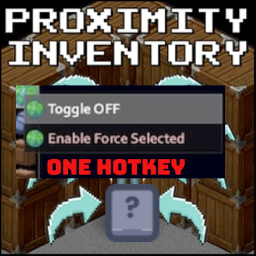
Proximity Inventory Hotkey
por 76561198080583313
Add a hotkey to toogle Proximity Inventory and force selected at same time Workshop ID: 3296387008 Mod ID: pInvHotkey
Rewarding Night Combat Server Options
por 76561198005669324
This is a mod that overrides Rewarding Night Combat's default options and thus allows servers to have custom icons and sounds. Basically, you can - Add your custom indicator, change the default position and the size. - Add your custom trigger sound and custom ending sound. - Add a custom text at the top of the tooltip. - Disable the tooltip that shows up when mouse is hovered on the indicator icon. The reason behind this mod is that it forces players connecting to your server to download and use your custom settings including icons, sounds. To do this, you need to publish your version in the workshop! WARNING Only use this mod if you plan to play multiplayer! Otherwise, you can just change the files in Rewarding Night Combat's mod folder. Steps - Go to "C:\Users\<YOUR_USER_NAME>\Zomboid\Workshop" directory. - There is a folder named "ModTemplate" and you will start modifying it; hence, you might want to create a copy and move it to somewhere else as a backup. - Rename that folder in the directory from "ModTemplate" to anything you want like "<YOUR_SERVER_NAME> Rewarding Night Combat Server Options". - Then go inside that folder and open "workshop.txt" with your text editor. Edit the values to your liking. - Navigate further through "Contents\mods", you will see that there is another folder by the name of "ModTemplate". Just delete it, you will replace it with this mod's data in the next step. - Open a new window and go to your steamfolder and navigate through "Steam\steamapps\workshop\content\108600\2789514273\mods\". Here copy the "RewardingNightCombatServerOptions" folder and paste it where you deleted "ModTemplate" in the 5th step. - Now you change the name of the folder you pasted to "<YOUR_SERVER_NAME>RewardingNightCombatServerOptions". Open it. - Open "mod.info" file and edit the values. ★Make sure to change★ "id=RewardingNightCombatServerOptions" to "id=<YOUR_SERVER_NAME>RewardingNightCombatServerOptions". - Now you can modify the options by opening the Lua file located in "media\lua\shared\RNC_options.lua". - Lastly, copy the "preview.png" in "Contents\mods\<YOUR_SERVER_NAME>RewardingNightCombatServerOptions" and put it where you modified "workshop.txt" in the 3rd step. (or you can create your own preview image for the workshop) Publishing - Open the game. - Click "WORKSHOP" and then "Create and update items". - Select your version of the mod. - Edit the values. - Follow the steps and upload. Workshop ID: 2789514273 Mod ID: RewardingNightCombatServerOptions
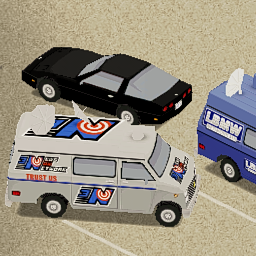
Vehicles Redistribution
por 76561198204745148
You'll unexpectedly find various special vehicles. The spawn rate of normal cars is extremely low. Workshop ID: 2187537112 Mod ID: carsredistribution
True Music Addon: Undertale
por 76561198856851998
Wanna listen to SANSational music? Then download this mod now! Credits to Toby Fox creator of the music and to @mozu_hayanie for the poster! Workshop ID: 2868900234 Mod ID: True_music_addon_undertale
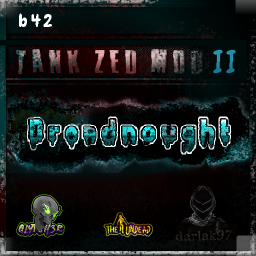
Dreadnought - Tank Zombie Mod II
por 76561199042257388
Dreadnought - Tank Zed Mod II (B41 / B42) ----------------------- --------------------------- Version 1 Link: https://steamcommunity.com/sharedfiles/filedetails/?id=3321170725 UPDATES: 2 versions of Dreadnought each has own sandbox settings optimized performance OLDER UPDATES: Overall Stabilitty Improved Fixed movement Animation flicker Fixed regular zed doing Dreadnought animation Added Alternative Damage System Option - use this instead (Mode2) New Hit React Blocking Animation Improved overall movement Slower pre bash animation speed Slower post bash animation speed Slower attack miss animation Vehicle Collision Damages Players and vehicle(sandbox) CarCrawl to prevent death (sandbox Option) reduced sound effects volume Admins wearing Dreadnought Skin will now Hide weapon automatically Refactored Spawn Function to server side reduced AI functions to improve overall stability improved sync timing Replace the name tag with sprite to reduce lag Removed Features: Removed the entire Instance Handler Lua Admin transparent alpha when invisible Hide Admin Tags Feature Dreadnought Overhead Stats I bet i added and improved more stuff but i sorta forgot.... I worked on this update for a long time in between commission works and down time it wasnt easy so if you have something negative to say then just dont download the mod if you appreciate this update and decided to use the mod again please do consider supporting me thru kofi ----------------------- --------------------------- Ever get tired of the same old zombies? Is the game too easy for you? Perhaps you just want to scare the living s**t out of people who you play with Unleash the Dreadnought! Transform your Project Zomboid world with the Dreadnought a powerful, unstoppable force of nature! Fully customizable and loaded with features, the Dreadnought is here to dominate the apocalypse with its brutal strength, devastating attacks, and unique behaviors. Whether you are a player looking for a challenge or an admin wanting to wield the power of this beast, the Dreadnought has something for everyone. Prepare yourself for the fight of your life! How to kill: Its immortal, to damage it you need to Attack From Behind Features: - Adjustable Minimum and Maximum Damage: Customize damage for normal attacks. - Bash Attack: Dreadnought can perform a bash attack; set to 0 to disable this feature. - Effects from Bash: Chance for additional effects when bash is applied. - Injury Chance: Can be adjusted to cause fractures when enabled. - Disarm Chance: Drops hand items when bashed. Set to 0 to turn this off. - Extra Pain Effects: Adds additional pain. - Toggle Visibility: Option to show or hide name tag and stats. - Adjustable Sprint Distance: Set the distance at which Dreadnought begins to sprint. - Customizable Health Points: Modify Dreadnought health. Once health reaches 0, it will become immobile and perish after being hit again. - Instant Kill on Critical Hit: 50% chance of an instant kill after a critical hit. - Knockdown Ability: Dreadnought can knock down other zombies. - Admin Feature: Admins can wear the Dreadnought skin. Latest Update: Optimized Load - made the mod less heavy Previous Updates: Added Sandbox option to toggle the ghostmode alpha effect for admins Added Sandbox option to toggle the admintags visibility for admins (might need to disable anti-cheat type 8) Added Sandbox option to adjust Spawn Rate Improved Admin Dreadnought Features While Wearing Dreadnought Skin Hides Admin Tag Knockdown Zeds upon Collision Make you transparent when invisible Sound effects from shout, getting attacked, attacking Added custom Shout Animation Dreadnought Zed Can Now Stagger While Moving Original Assets: - Custom model and 2 custom skin textures. - 2 behavior variations (Standing and Low Posture). - Custom sound effects. Compatibility: - Multiplayer Compatible: Yes. - Known Issues: Due to the larger size (stretched via DirectX animation files), there might be instances where the Dreadnought does not collide with the player during attacks. - Potential Mod Conflicts: This mod might not be compatible with other zombie mods that alter behavior and stats. - Possible incompatibility with LeaperZedMod when you spawn them using horde manager -------------------------------------------------- Code and Animation by Glytch3r Model and texture by Darlak97 Commissioned by Krusttyx Update Sponsored by Etherick For custom pz mod commissions contact me discord: glytch3r Workshop ID: 3321170725 Mod ID: TankZedMod Workshop ID: 3415569986 Mod ID: TankZedModII
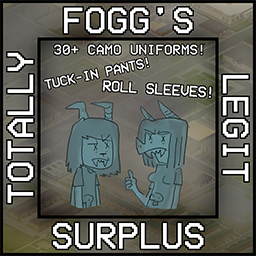
Fogg's Totally Legit Surplus
por 76561198799196919
ABOUT My first mod I really put effort into, this mod add's over 40 new camo uniform pieces (jackets, pants, and caps.) from the 1950s up to the 1990s to Project Zomboid, spawning in hunting locations and surplus stores. Staples of the mod include... Functioning tucking/rolling for pants and jackets. French/African Bigeard caps. Various more exotic camo patterns. (Syrian & Egyptian lizard, Yugoslavian MOL-68, Turkish Aegean Spot, and more!) Field caps. UPDATES Things planned for the future - Webgear (Eventually once I learn how to model it properly.) Vests Item icons (Maybe) More uniforms, including an update dedicated to more eastern-bloc ones CREDITS CmndrFello - Mod wouldn't have even been possible without him, provided the base templates to go off of in creating the uniforms and giving valuable assistance and guiding me through the process of making the mod, thanks a million! Characters in the thumbnail are from one of Cate Wurtz's comics, if anyone is interested in it. Workshop ID: 2984223185 Mod ID: FTLS
More Cookies
por 76561199083956497
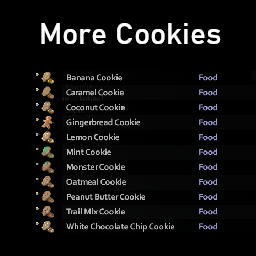
More Cookies adds a variety of new Cookies to the game. Cookies can be found at: Bakeries, Cafeterias and in Kitchens. Other Food can be found at: Grocery Stores, Kitchens, Fridges and Candy Stores. Magazines can be found at: Libraries, Post Offices and in Shelfs. All of the items in the mod are textured and modeled. All of the cookies bellow are craftable. Cookies Name Hunger Change Unhappy Change Monster Cookie -5 -8 Trail Mix Cookie -10 -3 Peanut Butter Cookie -8 -8 Coconut Cookie -5 -8 Mint Cookie -5 -5 Oatmeal Cookie -10 -8 Banana Cookie -7 -8 White Chocolate Chip Cookie -5 -6 Lemon Cookie -5 -8 Gingerbread Cookie -6 -10 Caramel Cookie -7 -6 Other Food The food bellow is used as ingredients for some Cookies. Name Hunger Change Thirst Change Unhappy Change Coconut -25 -10 0 White Chocolate -25 0 -15 Candy Coated Chocolate -7 0 -2 Caramel -5 0 -1 Magazines Name Teaches More Cooking Magazine Vol. 1 Teaches you how to cook all of the cookies in the mod. Check out all of my other fun mods here. Workshop ID: 3027423591 Mod ID: MoreCookies
Larger Flavoring
por 76561199263121994
Vanilla flavorings ( or other name, I don't know ) are probably a little bit too little. ( a bottle of salt only use 10 times ) Let's make a long story short: "this mod increased the amount of seasoning." ( holy......another name that translator just gave me......Any way, you know what I mean, right?) The current modified items are as follows: Ketchup ; Marinara ; Mustard ; PeanutButter ; Pepper ; Salt ; Soysauce. I may add more names in this list in the future. By the way: Anyone knows how to add some more pictures like other mods? Pics are ready to show but I don't know how to...... Workshop ID: 2949751734 Mod ID: Larger Flavoring
Jeeve's Zones
por 76561197963562430
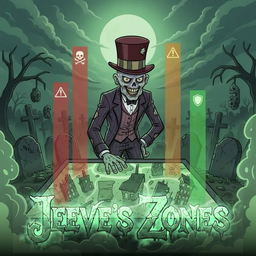
Jeeve's Zones Paint regions onto your map and give each one its own rules. Jeeve's Zones is an admin tool for Project Zomboid Build 42 servers: turn any area of the map into a managed zone with boosted loot, controlled zombie populations and behaviour, build and raid protection, PvP hotspots, danger warnings, and map markers — all from an in-game editor drawn straight onto the world map. Adding & Removing Mid-Save Add to an existing save: Safe. Zones are drawn after the fact, so nothing depends on when the world was created. The mod adds no items, no recipes and no tiles. Remove from an existing save: Safe, with nothing to clean up. Nothing is ever placed in the world. Every zone rule simply stops applying: zombie populations, PvP and build protection revert to your server's own settings. Zone definitions live in the world's global save data rather than in the mod, so re-adding it later brings your zones and templates straight back. Zone Editor Open the editor from the world map and draw a zone the way you would place a marker. Every zone carries its own independent rule set. - Draw on the map — Define zones as one or more rectangles directly on the in-game world map - Per-zone rules — Loot, zombies, protection, PvP and presentation are configured per zone across clean tabbed pages - Templates — Save a zone's rules as a named template and apply it to other zones in one click - Teleport — Jump straight to any zone from the editor - Live sync — Zones and their rules sync to every player in multiplayer Loot Control - Per-rarity tuning — Boost or reduce spawn rates for each loot category (food, weapons, medical, tools and more) - Beat the diminish — Zones bypass the world's loot-diminish curve, so high-traffic areas keep spawning - Fresh containers — Forces containers in the zone to re-roll their contents under the zone's rules Zombie Control - Population control — Hold a zone at a fixed zombie count, or set it as a percent of the server's population (amplify or choke) that scales with the zone's size - Keep it clear — Delete or relocate any zombie that wanders in, for safe hubs and event spaces - Speed — Set a zone's zombies to Random (with a sprinter percentage), Sprinter, Fast Shambler, Shambler or Crawler - Toughness — Make a zone's zombies fragile, normal or tough - Bandit handling — The same controls apply to Bandits2 NPCs in the zone Protection - Build protection — Block construction inside a zone - Anti-grief — Block destruction and dismantling of the world inside a zone - No claiming — Prevent safehouse claiming over a zone PvP Zones - Safe by default — Blanket the whole map non-PvP and carve out PvP pockets — cities, arenas, supply-drop sites — as the only places combat is allowed - Or hot by default — Run a PvP map and carve out safe zones instead - Auto-engage — Optionally drop a player's PvP safety automatically when they step into a PvP zone, and restore it on the way out Note: Per-zone PvP requires the server's PVP setting to be on. The game can only remove PvP from an area, never add it, so PvP zones are hot pockets on a PvP-enabled server. Immersion - Danger moodle — A shield, warning or skull icon warns players of a zone's danger level - PvP moodle — A crossed-swords icon marks PvP zones - Entry banner — An optional on-screen banner announces a zone as you enter - Map overlay — Staff always see every zone on the world map, colour-coded by danger and aligned correctly even on the isometric map; regular players see only zones you publish with the per-zone "Show to players on map" toggle For Mod Authors A small Lua API lets other mods create temporary or permanent zones at runtime. Jeeve's Drops uses it to raise a danger and PvP zone around every supply drop, then tears it down when the event ends. Compatibility Build 42 — Server-side mod with client components for the editor, moodles and map overlay. Six server-wide sandbox options sit alongside the per-zone rules. Jeeve's Integration is not required, but the danger and PvP moodles are drawn by its moodle framework — without it the zones still work and those two indicators simply do not appear. Part of the Jeeves Ecosystem - Jeeve's Integration — Discord relay, player ranks, moodles and server commands - Jeeve's Claims — Safehouse, land and vehicle claim protection - Jeeve's Drops — Airdrop and supply events with guarded loot - Jeeve's Hordes — Scheduled zombie horde night events - Jeeve's Journals — Skill recovery journals - Jeeve's Patches — Compatibility fixes for popular mods - Jeeve's QoL — Quality-of-life improvements bundle - Jeeve's Personal Computer — Computers, arcade games, training disks and skill backup - Jeeve's Build — Buildable walls, frames and fixtures from licensed tile packs - Jeeve's Solar Arrays — Solar power for Build 42 (Immersive Solar Arrays) Workshop ID: 3739941052 Mod ID: JeevesZones
Louisville Spawns
por 76561198059359075
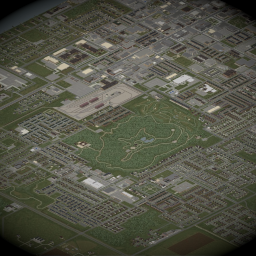
This mod adds various spawn points throughout the city of Louisville. The spawns are shared between all professions, meaning changing professions will not change the pool of spawn locations around Louisville, similar to the vanilla spawn points. Let me know if that is something you are interested in by leaving a comment below. Workshop ID: 3594819550 Mod ID: louisvilleSpawns Map Folder: Louisville, KY
![[B41] Bandits NPC – Project Zomboid Mod](https://images.steamusercontent.com/ugc/18446208496193087369/E7AD52761D6EFD868F2FC110AC816D58C513B5EC/)
[B41] Bandits NPC
por 76561199262183453
BANDITS V2 B41 Workshop ID: 3643625225 Mod ID: Bandits2
![RE2 Music Mod = Build [40] or [41.50] – Project Zomboid Mod](https://images.steamusercontent.com/ugc/1662353655039834249/572F53B541850ECDD0D40FBA4011BFA8F9C48389/)
RE2 Music Mod = Build [40] or [41.50]
por 76561198048940067
ATTENTION THIS MOD IS BROKEN AT THE MOMENT, DUE TO THE SOUND CHANGE I HAD IN 41.54, I AM WORKING ON A NEW MOD RELATED TO THIS This mod changes all the songs of the EARLY ACCESS version, for all the songs of the classic RE 2 Installation: after you sign up for the mod, you will have to go to the Steam\steamapps\workshop\content\108600/2290504564 folder.. mods\residentevil2musicmod\media\sound\banks\Desktop , copy file OldMusic.bank Locate the Steam\steamapps\common\ProjectZomboid\media\sound\banks\Desktop folder and paste the OldMusic.bank file ATTENTION: back up your OldMusic.bank file first , so you can go back to the original whenever you want.... if you did all that, now just start your PZ, go to options / audio, to switch to the EARLY version Notes: "If you think that some music didn't match the situation involved, you can tell me in the comments below" See also my other mod that changes the sound of zombies to the sound of the classic resident evil 2 https://steamcommunity.com/sharedfiles/filedetails/?id=2358773107 Workshop ID: 2290504564 Mod ID: residentevil2musicmod
Bulletproof Helmets
por 76561198243531456
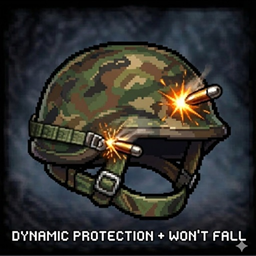
Bulletproof Helmets What is the point of having a military helmet if it doesn't stop bullets? This mod adds dynamic bullet defense to military and tactical helmets. Key Features: - Individual Protection: Set a custom protection % for EACH helmet variation independently. - Default Values: All helmets feature a 100% bullet defense by default, except for the WWII Army Helmet, which has 80%. - Sandbox Settings: Change values at any time through the in-game Sandbox menu. - Secure Fit: Helmets now have 0% chance to fall off (chin strap fixed). If you find that 100% protection is too overpowered, you can configure it through the sandbox settings for each helmet individually. Supported Helmets: - Army Helmet (Woodland Camo) - Desert Army Helmet - Desert Army Helmet New (Variation only obtainable using debug mode) - SWAT Helmet - WWII Army Helmet (Old Army Helmet) Translations: Sandbox options are fully translated into: English, Spanish, Chinese, Russian, and Brazilian Portuguese. SERVER ADMINS: Changes made to Sandbox options require a server restart for the item values to be updated. Compatibility: Works with existing saves. Works on Build 42. Workshop ID: 3649759035 Mod ID: BulletproofHelmet
Weight reduction for Propane Tank
por 76561198874558693
Mod simple y sencillo que va a reducir ligeramente un poco el peso de la bombona de gas al estar lleno y vacío. Simple and simple mod that will slightly reduce the weight of the propane tank when it is full and empty. Motivo por el que lo hice: El soplete fue reducido su capacidad de uso (10), llevando a esto que al desmantelar un auto (10/10) solo sería un soplete por auto, y para no estar cargando con muchos sopletes, ahora podemos cargar con al menos una bombona de gas y así evitar la sobrecarga de tantos sopletes encima. Reason why I did it: The torch was reduced in its usability (10), leading to this that when dismantling a car (10/10) it would only be one torch per car, and in order not to be carrying many torches, now we can carry at least one tank of propane and thus avoid overloading with so many torches on top. Cambios: -/- Changes: *-Peso al estar lleno -/- Weight when full: 5 *-Peso al estar vacío -/- Weight when empty: 2.5 No debe haber conflicto alguno con otros mod que usen el tanque, de la manera que lo hice solo se ajusta el peso, para así ayudar a una mejor compatibilidad. There shouldn't be any conflict with other mods that use the tank, the way I did it only adjusts the weight, to help better compatibility. -Solo funciona con las que se han encontrado luego de activado el mod, las ya encontrados o vistas, es posible no obtengan el efecto de reducción de peso. -It only works with the ones that have been found after the mod is activated, the ones already found or seen, it is possible that they do not get the weight reduction effect. Nota: Si lo se, es muy poco real guardar en una mochila una bombona de gas, pero fue lo mejor que se me ocurrió para no tener que estar cargando con tantos sopletes o usar algo que modifique el soplete de forma independiente, lo cual podría llevar a un conflicto en cierto momento. Note: Yes I know, it is very unrealistic to keep a gas cylinder in a backpack, but it was the best thing I could think of to avoid having to carry so many torches or use something that modifies the torch independently, which could lead to conflict at some point. Workshop ID: 2889021871 Mod ID: WRPropaneTank
![[B41] "No pants are the best pants" Trait – Project Zomboid Mod](https://images.steamusercontent.com/ugc/1822273333074455526/A6AD7D365843C5FC199AA580AF5B72531CA21716/)
[B41] "No pants are the best pants" Trait
por 76561199005857620
No pants are the best pants trait mod. English: This mod adding "No pants are the best pants" trait in the game. Trait counting as negative but gives +3 trait points and +1 Nimble for compensation. Your mood improves without pants or get worse when wearing them. Counts for any pants and suits. You still can use skirts, dresses, underwear, tights and stockings with no limits. Do not catch a cold in the winter season! Mod created for fun purposes and more challenge in winter. Based on Yen's Nudist Trait. You can check out my other works: Workshop ID: 2762373623 Mod ID: NoPantsTrait
![Quick Forage Icon Discard [B42] – Project Zomboid Mod](https://images.steamusercontent.com/ugc/14883276928941900787/7728AEE8672D8801821E241FF9590BB71F126B9D/)
Quick Forage Icon Discard [B42]
por 76561198100507820
One-click discard for foraged items - faster foraging without the context menu. Motivation The vanilla foraging context menu looks overwhelming when I only need the discard action. Since foraged items are automatically added to your active container, there's no value in selecting containers through the context menu. I loved the concept of Forage Icon Extension, however I found that interacting with the entire icon is much easier than aiming for a tiny discard button, especially when zoomed out. Build 42.13 NOTE: The vanilla game removed the discard feature in Build 42.13+. This mod brings the discard feature back using the implementation from B42.12, making it accessible via mouse button binding (right-click by default). Key Features - One-Click Discard: Discard foraged items instantly with a single mouse button press - Context Menu Still Available: Reassign context menu to a different mouse button or fully disable it - Translations: CN, DA, DE, EN, ES, FR, HU, IT, JP, KO, PL, PTBR, RU, TH, TR, UA Mod Options Configure the mod via: Menu / Options / Mods / Quick Forage Icon Discard Available Options - Discard Button: Choose which mouse button performs quick discard (Default: Right Mouse Button) - Context Menu Button: Choose which mouse button opens the context menu (Default: Middle Mouse Button) - Show Item Tooltip: Toggle item name tooltips when hovering over forage icons (Default: Enabled) Compatibility - Supported builds: 42.15+ (tested on 42.20.2 SP & MP) - Safe to add/remove mid-game - Multiplayer: Supported - Recommended with Foraging Tooltip Extended Known Issues & Limitations - You can't assign the same mouse button for both discard and context menu actions (only the Discard button will be active) - Dropped items (e.g., twigs or wood splinters after cutting trees, chicken eggs or feathers, or manually dropped items) still use the default RMB for the context menu and can't be discarded. This mod only affects foraged items. Feedback Found a bug or have suggestions? Leave a comment! I'd love to hear your thoughts and improve the mod further. Workshop ID: 3593442524 Mod ID: Ivmakk_QuickForageIconDiscard
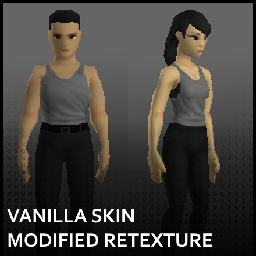
Vanilla Skin Modified Retexture
por 76561198064240215
Replaces the vanilla skin textures with slightly modified versions. Works for both B42 and B41. Now includes both a default option and a doll option. - The doll textures were made using DreddLypso's featureless retextures as a base. Their original mod can be found here. VSMR face option for Spongie's Character Customisation mod available here. I like the look of the vanilla skin texture. However, something always felt missing for me, and I think it was the simple eyes. I wanted something more than the dot eyes of the vanilla texture, but I also still wanted something closer to the original style. This retexture is basically the vanilla skin but with a few changes, with the main one being new eyes. It was inspired by the retextures from Mystic's Face Retexture & A lame player retexture, and developed from there. - From what I have tried in vanilla with this, makeup works to a certain extent. Lipstick works fine. Any makeup that covers the eyes (such as full face makeup) will cover the edges of this retexture's eyes, making them appear thinner. The tips of vanilla eyeshadow will also overlap with the eyes. That said, vanilla makeup & anything that works with the vanilla skin texture should work with this retexture as well, if you are fine with those limitations (or with how it looks). - To get the same look as the preview pictures: - Turn "Texture Compression" off in the Options menu. - Set the "Maximum Texture Size" option to 256. - Workshop ID: 3415461094 Mod ID: VanillaModifiedSkinRetexture Mod ID: VanillaModifiedSkinRetextureDoll
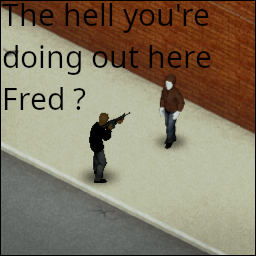
Fred B41
por 76561198329871201
"The hell you're doing out here Fred ?" Robert Neville, I Am Legend. Details The mannequin will never move if you never took care of it. (find by yourself what this means) The mannequin will never move while you are watching. Works for solo games. I'm pretty sure it won't work for multiplayer. Can be added midgame and removed anytime. Version B42 is here. Ask for permission This mod can only be added to and extended with the express permission from the original creator. Having received permission, credit must be given to the original creator, both within the files of the mod and wherever the mod roams online. If no permission is received you may not alter the mod. You wanna support? A nice word is always welcome. Constructive feedback too. Else you can Workshop ID: 2866782076 Mod ID: Fred
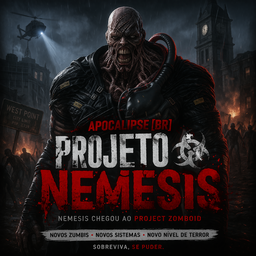
ApocalipseBR Projeto Nemesis
por 76561198394820414
ApocalipseBR - Projeto Nemesis Build 42 - Multiplayer Compatible A Resident Evil–inspired boss zombie mod that brings the relentless Nemesis to Project Zomboid. He will find you. What Does This Mod Do? This mod adds a boss-tier zombie wearing the iconic Nemesis outfit that the server automatically spawns near players using an escalating pressure system. The longer you survive without encountering him, the more inevitable his arrival becomes. It works by converting a zombie inside a range to the infamous Nemesis, and he's not like any other zombie: - Sprinter - he runs. Always. - Superhuman toughness - takes up to 10 hits to bring down (configurable). - Hawk vision & pinpoint hearing - he detects you from far away. - Long memory & navigation - he remembers where you are and pathfinds toward you. - Active redirect - even if distracted, he re-targets the nearest player every few seconds. - Doors and barricades - Nemesis does an icreased damage to doors and barricades, there's no stopping him. Also includes the Mr. X outfit as a secondary visual variant. Mr. X is slightly less armored but still uses the same boss module stats. Players cannot equip the Nemesis or Mr. X suits - the mod blocks wearing them from context menus, drag-and-drop, and as a safety net on clothing update events. Pressure Spawn System The server runs a background pressure loop every in-game minute: - Pressure increases by a configurable amount each minute (default: +3). - When pressure reaches the threshold (default: 30), a spawn roll is attempted. - The roll has a configurable success chance (default: 10%). - If the roll succeeds, Nemesis spawns 30–45 tiles away from a random eligible player. - On spawn or failed roll, pressure resets to zero and the cycle begins again. - There is no limit on how much Nemesis can be active at a time - too frequent spawn chances in the sandbox and you may be getting swarmed by Nemesis. With default settings, expect roughly 10 minutes of calm before the first threshold hit, and then it's a dice roll each cycle. Tension builds because you know he's coming - just not exactly when. Sound Design Nemesis has a full 3D positional audio system. All vanilla zombie sounds are suppressed on Nemesis-outfit zombies and replaced with custom ones: - Theme music - a looping ambient track audible within 60 tiles. You'll hear him before you see him. - "S.T.A.R.S." voice line - plays when Nemesis first detects you (40-tile range). Unmistakable warning. - Roars - periodic roars (3 variants) on an 8-second cooldown with a 40% chance per cycle, audible up to 80–100 tiles away. - Grunts - plays when Nemesis takes a hit (2 variants, 50% chance), audible within 40 tiles. New features (14/08/2026) Nemesis roars also create an AI sound pulse that can attract nearby zombies, making the fight messier, and harder to ignore. All sound ranges, cooldowns, and chances are configurable through Sandbox Options. You can tune or mute any layer. Boss Corpse & Loot When Nemesis dies: - Nemesis can roll up to 3 bonus loot items from a weighted loot table. - Ammo boxes, magazines, weapons, Resident Evil gear, and rare ammo cartons can appear depending on the roll. - Ammo cartons have the lowest drop chance because they are the rarest reward tier. Optional Bonus Drops Some loot entries are soft-integrations with other ApocalipseBR mods. These mods are not required. If you do not have them installed, their item IDs are skipped safely and Nemesis simply rolls from the items that exist in your mod list. - If you have Raccoon City B42, Nemesis can also drop items such as Samurai Edge magazines, Adapter Clips, Resident Evil backpacks/suspenders, and special Raccoon City weapons. - If you have ZVirus Vaccine / LabItems, Nemesis also drops biological lab loot: one high-quality infected human brain and 3–10 infected blood samples. This keeps Projeto Nemesis compatible with servers that do not run those extra mods while still rewarding players with thematic crossover loot when they are installed. Sandbox Options Everything is tunable from the server sandbox settings page: OptionDefaultDescription Pressure Per Minute3How fast spawn pressure builds Pressure Threshold30Pressure needed before a spawn roll Spawn Roll Percent10%Chance to spawn when threshold is reached Spawn Min/Max Distance30–45How far from the player Nemesis appears Boss Max Hits10Number of hits to kill Nemesis Detection Range80How far Nemesis detects players Theme Range60Audible range of the theme loop S.T.A.R.S. Range40Audible range of the detection voice line Roar Cooldown8sMinimum seconds between roars Roar / Grunt Chance40% / 50%Probability of each sound playing Redirect Seconds5sHow often Nemesis re-targets the nearest player Boss Cooldown Cycles3Pressure cycles to skip after a Nemesis dies Cooldown Scale by PlayersOffAdd extra cooldown cycles per online player DebugOffPrint spawn/pressure logs to server console What to Expect - A slow-burn tension loop that keeps you on edge throughout your session. - Audio cues that let you gauge distance and react - or panic. - A genuine threat that forces you to think about escape routes, weapon durability, and positioning. - Works on dedicated servers with multiple players - Nemesis picks a random target each spawn. - Fully configurable difficulty - dial him up for horror, or tone him down for a manageable challenge. - A genuine pure rush of adrenaline, specially when it comes unexpected. Known Issues - Nemesis zombies can get stuck attacking doors and windows easily. - He breaks doors and barricades despite roleplay state - Nemesis may fail to pathfind correctly when spawned too far away from the target player. - I've limited the maximum range in sandbox to an acceptable value to avoid missconfiguration - In roleplay zones where door attacks do not deal damage, zombies attacking doors can still be converted into Nemesis, causing Nemesis to get stuck inside those roleplay areas. - the same fix of Nemesis getting stuck on doors and windows easily apply here No knwon issues are in place anymore, if you have any issue feel free to share! Future planned features - Rare item drop table: guns, ammo, magazines, optional crossover loot, and rare cartons. - Nemesis corpse cleanup: keeps the boss suit and removes immersion-breaking underwear/clothing. - Nemesis roar attraction: roars can pull nearby zombies through the game's AI sound system. Credits - Original B41 ResidentEvilNemesis assets: Nemeth Workshop ID: 3706463588 Mod ID: ApocalipseBrProjetoNemesis
![MP Car Damage Limiter [B42] – Project Zomboid Mod](https://images.steamusercontent.com/ugc/10309993665104036313/3490EA5026ACFAEDC034EDAEB32A86DDA15F5545/)
MP Car Damage Limiter [B42]
por 76561197981335250
Server-side patch that limits vehicle part damage to at most 1% per 60 game ticks by polling all occupied vehicles and restoring any part that dropped more than 1% since the last check. What this means in practice: - Running over a zombie will only damage your car by 1% - Crashing into a tree at 100 MPH will also damage your car by 1% (you might not survive though) This can be used to circumvent the vehicle damage bug that was introduced in 42.16 and remains unfixed in 42.17, or if you simply want to make vehicle damage less punishing in general. Note: This mod does nothing in singleplayer. Alternative fix: https://steamcommunity.com/sharedfiles/filedetails/?id=3700081981 Workshop ID: 3698627524 Mod ID: MPCarDamageLimiter
![[Hx/B41] 커스텀 모드 - Core – Project Zomboid Mod](https://images.steamusercontent.com/ugc/2477633323973544324/DE9EBF1811BCD5C623CA84F71669E6B7F6BFACFE/)
[Hx/B41] 커스텀 모드 - Core
por 76561198062695591
※ B42 버전 업데이트 레시피 단순 레시피 통합 - More Craftable Vanilla Food and Condiments - MoriRope - Easy Charcoal - Vanilla Food Extension - Thread And Twine - Refillable Lighters 레시피 추가 - 물병 바닐라로 변경 레시피 추가 - 베개 & 매트리스 가위로 찢는 레시피 추가 - 음수 현금 추가 - 벨트 레시피 추가 - Fantasy Workshop VS2 금가루로 만들 수 있는 악세사리 추가 (Bianca Wardrobe) 카테고리 - 레시피 카테고리 통합 변경 - 샌드박스 옵션에 붕대, 사용자 지정 아이템 무게 배수 조정 기능 추가 - 샌드박스 옵션에 펜과 지우개 무게 배수 조정 기능 추가 - 샌드박스 옵션에 프로판 탱크 사용량 변경 조정 기능 추가 - Slow Consumption (아이템 소모값만 엄데이트하는 모드) - ExtraSauce42 Tweaks 변경 - Inspect Weapon - DebugMenu 모드의 디버그 메뉴를 쉬프트 누른 상태에서만 활성화 되도록 함 - MGRS 셀 좌표만이 아닌, X,Y 좌표도 출력되도록 함 - Context Menu Icon MANIA 아이콘 추가 - 음수현금 비/활성화 샌드박스 설정 토글 추가 모드 호환 Better Sorting 목록 추가 - First Aid Overhaul - More Medical - zRe Vaccine - Drugs DLC - GreenFire - Le Gourmet Revolution - SGarden Homestead - Arsenal Gun Fighter - Coryerdon - Crossbow - Ekron - Monmouth County - Perts Party Tiles - Pitstop - The Engineer - UVTrain Aiming The Workshop 도구 수납 벨트, Extra Gun Slot 호환 VS2 인피면구 장착 부위 변경 Addon 로젠바우어 판터 물탱크 Addon + 로젠바우어 판터 특수돌파차량 이동하도록 패치 번역 - AUD - Aiteron Userfriendly Debug - Quick Delete - Better Tiles Picker - Extra Gun Slot 한글 번역 애드온 추가 기타 설정 - 모드 구분용 더미 모드 추가 - 미니맵 크기 조절 샌드박스 설정 추가 해당 모드는 마음대로 업데이트 되니 사용 시 유의하세요. Workshop ID: 3342888770 Mod ID: Hx_KR_Custom_AUD Mod ID: Hx_KR_Custom_BetterBelts Mod ID: Hx_KR_Custom_BetterSorting Mod ID: Hx_KR_Custom_BetterTilesPicker Mod ID: Hx_KR_Custom_CategoryFix Mod ID: Hx_KR_Custom_CedarHill Mod ID: Hx_KR_Custom_CP_Recipe Mod ID: Hx_KR_Custom_ContextIconMANIA Mod ID: Hx_KR_Custom_DebugMenu Mod ID: Divider_Clothes Mod ID: Divider_Content Mod ID: Divider_Convenience Mod ID: Divider_Debug Mod ID: Divider_Dependency Mod ID: Divider_Fix Mod ID: Divider_Item Mod ID: Divider_Local Mod ID: Divider_Map Mod ID: Divider_New Mod ID: Divider_NoTilesMap Mod ID: Divider_PriorityMap Mod ID: Divider_SoundChange Mod ID: Divider_SpawnPoint Mod ID: Divider_Tiles Mod ID: Divider_Translate Mod ID: Divider_Vehicle Mod ID: Divider_Weapon Mod ID: Divider_Zeds Mod ID: PZGKO VScat7_Arsenal_BWardrobe Mod ID: Hx_KR_Custom_FirstAidOverhaul Mod ID: Hx_KR_Custom_ISWorldObjectContextMenu_FirstAidOverhaul Mod ID: Hx_KR_Custom_GCV_Panther Mod ID: Hx_KR_Custom_Core Mod ID: Hx_KR_Custom_API Mod ID: Hx_KR_Custom_ExtraGunSlot_Patch Mod ID: ExtraGunSlot_KO Mod ID: Hx_KR_Custom_InspectWeapon Mod ID: Hx_KR_Custom_LGR_Sapph Mod ID: Hx_KR_Custom_MGRS Mod ID: MiniHealthPanelReplaceBandagePatch_HxRequire Mod ID: Hx_KR_Custom_Minimap Mod ID: Hx_KR_Custom_MonmouthCounty Mod ID: Hx_KR_Custom_ExtraSauce42Tweaks Mod ID: Hx_KR_Custom_NoirRifleSlings Mod ID: Hx_KR_Custom_QuickDelete Mod ID: Hx_KR_Custom_ReplaceBandage Mod ID: Hx_KR_Custom_TrueCrawlBandits Mod ID: Hx_KR_Custom_VS2 Mod ID: Hx_KR_Custom_ZombieZoneDefinitions_AmmoPouch Mod ID: Hx_KR_Custom_ZombieZoneDefinitions_AuthenticZ Mod ID: Hx_KR_Custom_ZombieZoneDefinitions_FrockinSplendor Mod ID: Hx_KR_Custom_ZombieZoneDefinitions_MoreBags Mod ID: Hx_KR_Custom_ZombieZoneDefinitions_MoreGloves Mod ID: Hx_KR_Custom_ZombieZoneDefinitions_SapphCooking Mod ID: Hx_KR_Custom_ZombieZoneDefinitions_SecretZ Mod ID: Hx_KR_Custom_ZombieZoneDefinitions_SSAULAVI Mod ID: Hx_KR_Custom_ZombieZoneDefinitions_zReBL Mod ID: Hx_KR_Custom_ZombieZoneDefinitions_zReVAC2
![Undying Zombies (Immersive Respawn Replacement) [B42 STABLE] – Project Zomboid Mod](https://images.steamusercontent.com/ugc/15773576066725933175/964E456924BD74583026E10E8372FBCDA32DDCBF/)
Undying Zombies (Immersive Respawn Replacement) [B42 STABLE]
por 76561198075956106
Tired of zombies magically appearing out of nowhere? With this mod you can disable respawn but still face an endless threat. Clear the streets by destroying corpses (burn, bury, or stash them) or leave the corpses alone, and zombies will keep rising again forever. SANDBOX SETTINGS GUIDE: Revival Chance (%) – Sets the probability that a zombie will revive at all. For example, if set to 40%, there is a 40% chance the zombie will revive and a 60% chance it will remain dead. Fixed Revival Time – Set the number of in-game hours before a zombie revives. Note: If Random Mode is enabled, this value is ignored, and only the Min/Max Revival Time settings are used. Random Mode – When enabled, zombies revive after a random period instead of the fixed time. The revival time is calculated between the Min Revival Time and Max Revival Time settings. Min Revival Time – Defines the minimum number of in-game hours that must pass before a zombie can revive. For example, if Min is 5 and Max is 20, the zombie will revive somewhere between 5 and 20 hours. Max Revival Time – Defines the maximum number of in-game hours before a zombie can revive. Works together with Min Revival Time to create a random revival window. Workshop ID: 3555199477 Mod ID: UndyingZombies Workshop ID: 3555199477 Mod ID: UndyingZombies
![[J&G] Arcane Piltover Enforcer [B42/41] – Project Zomboid Mod](https://images.steamusercontent.com/ugc/16105530875760692799/F2B2229952A88AE09D60CA7F905F7B416070E75E/)
[J&G] Arcane Piltover Enforcer [B42/41]
por 76561198119546305
Piltover Enforcer! How To Get! Can be earned by crafting or finding an infected in military or general areas! Additional information! Spawn rates of infected can be adjusted in sandbox settings! There is a Piltover Enforcer Rifle too! However this is not finalised so wont spawn nor is it working with attachments yet. I couldn't decide on final textures! So I left both the bland flatter colours one in and then the more detailed version since half of the people I asked like one type over the other more! A Special Thank You! Xaphane for making the thumbnail! Update and status of mod! Build 42 stable! If you'd like to get a Straightforward update for all our content and Mods we have a Discord Server! If you wish to donate to help our mods going forward we also have a KoFi! Workshop ID: 3577881528 Mod ID: Arcane Piltover Enforcer
HairsprayBomb
por 76561198045160207
An alternative recipe for the Aerosol bomb, substituting a full lighter for the super-rare sparklers. This recipe is locked behind the Engineer Profession & the subsequent trap versions (Remote,Sensor,Timed) require the corresponding magazine to have been read. If you have Mods that alter Professions enable the 'HairsprayBombNoEngiChange' instead, this option won't overwrite the Profession code, but you'll need to spawn in a handy 'ModConflictMag' using either debug, cheatmenu or your item spawner of choice, plus you'll get a trendy new Pen for your trouble. SP Only. Save game safe. Locked behind Engineer Profession. Who has sparklers in July? Copyright 2022. This item is not authorised for posting on Steam or elsewhere in any format, including modpacks, except under the Steam account named Darkmoriarti Workshop ID: 2633606439 Mod ID: HairsprayBomb Mod ID: HairsprayBombNoEngiChange
Project Zomboid Guides
Instalar mods de Project Zomboid - guía del Workshop
Instala mods de Project Zomboid de forma limpia mediante Steam Workshop: introducir IDs, comprobar el orden, reiniciar el servidor y solucionar errores típicos.
Alquilar un servidor de Project Zomboid – guía multijugador
Configura un servidor de Project Zomboid: RAM, ajustes sandbox, mods de Workshop, permisos de admin y errores típicos bien revisados.
Servidor Project Zomboid con soporte de mods
Instala mods compatibles y admitidos desde el panel del servidor.
Alquilar un servidor Project Zomboid