Mods y plugins para Project Zomboid
Este catálogo incluye 52.000+ proyectos de Project Zomboid procedentes de Steam Workshop. Las entradas pueden ser para servidor, cliente o ambos, e incluir mapas u otro contenido generado por usuarios. Antes de instalar, comprueba la página de origen enlazada, la versión del juego y las dependencias.
![[COS] Geralt – Project Zomboid Mod](https://images.steamusercontent.com/ugc/2044106694545458716/F7CCC7B34219EB8C7B47062EB7A8473C1B2161E9/)
[COS] Geralt
por 76561199178116693
How Do I Use It? - You can go to the link below to see how to use it. - Link Recommended mode - Fashionoid - Gear Transmog - Hide All Attached Items - Clipping animation Fix How to use COS mode in build 42. - Navigate to the path where the mod is installed. - Create a 42.0 folder. - Create a common folder. - Paste the media folder / mod.info / preview.png into the 42.0 folder. The recipe code writing method has been changed in 42Build. Since COS (Costume) mode has approximately over 200 modes, converting to 42Build's recipe code is an extremely laborious task. In 42Build, you cannot create costumes in (42 build) the crafting tab. There are two methods: Spawn items in cheat mode. Select items in the clothing selection screen when creating a character. Like My Mode? - Join Our Discord If You Want Commission
GRIN Ballistics
por 76561198122232128
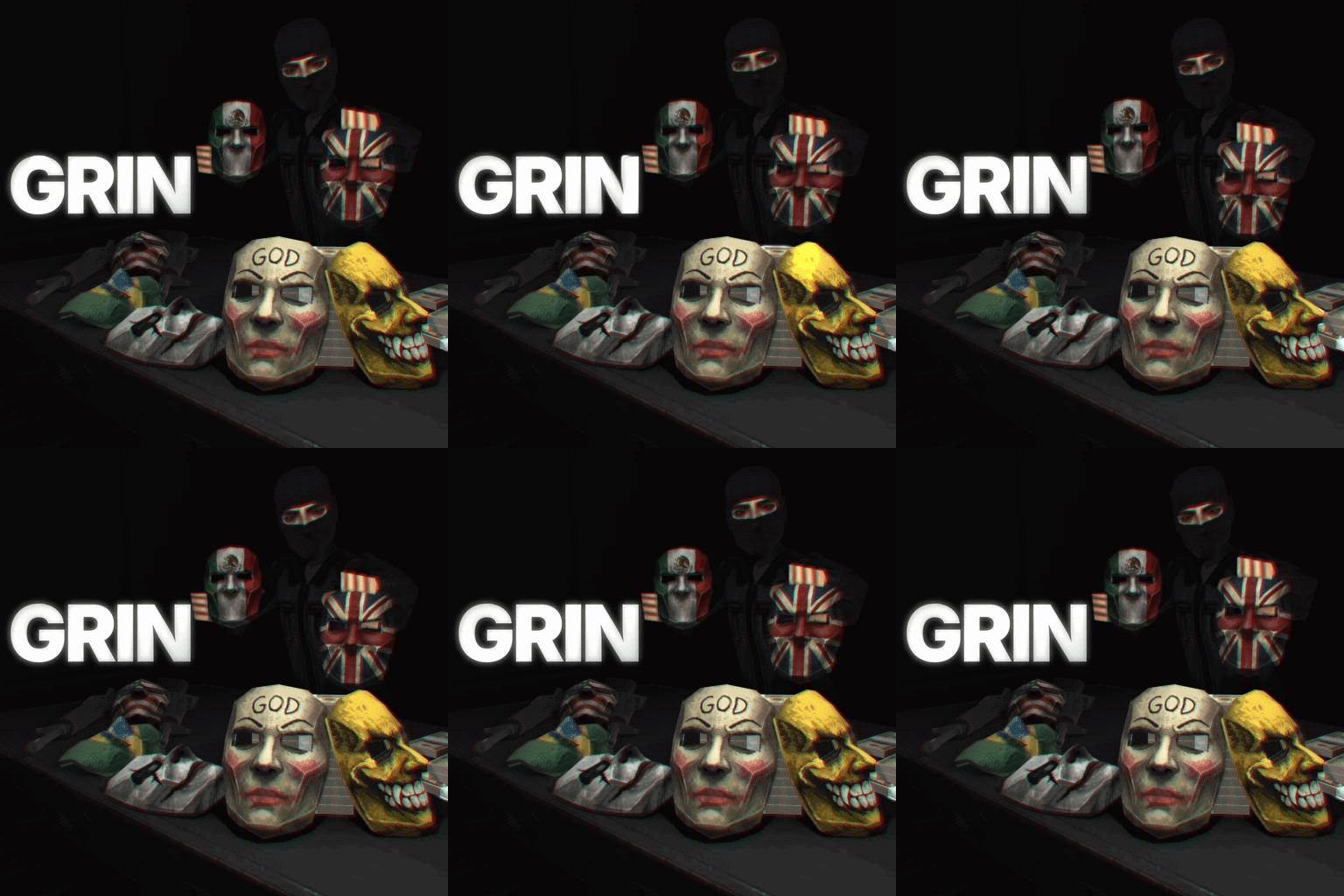
Overview (B42+) This mod adds a low poly BULLETPROOF Ballistic Mask and Tactical Balaclava that can be found in military/police lockers and crates, or an admin can spawn them in as-well. divemods discord: https://discord.gg/B2tcKP4y4c Admins/Server Owners Change the BULLETPROOF % to your liking in Sandbox Options, let me know if there is any other settings you would like me to add. Plans - Spray Paint the mask - Make chest armor reference name is : PS-930 Ranger Body Armor - Mask in neck position and back of head Compatibility This mod should work with any other mod, it has no dependencies and should have zero incompatibilities. Workshop ID: 3748044794 Mod ID: grinbal Originally posted by dive Redistribution of this mod without explicit permission from the original creator is prohibited under any circumstances. This includes, but not limited to, uploading this mod to the Steam Workshop or any other site, distribution as part of another mod or modpack, distribution of modified versions.The product can be published on Steam only through an account with the name dive. © 2026 dive
![Merit System [B42.20] Singleplayer only – Project Zomboid Mod](https://images.steamusercontent.com/ugc/13961187644682489521/8AADC595EE7F5B804B421DE70BFBF9409EA2F275/)
Merit System [B42.20] Singleplayer only
por 76561198074602915
Perk Track Keep track of your skill progression with style and precision! Tired of constantly opening the character window to check how much XP you need for the next level? Perk Track solves this by adding a modern, customizable, and draggable tracking system directly to your HUD. ✨ Features - Dynamic Skill Tracker (NEW!): Activate the special "Dynamic" bar that automatically switches to display whichever skill you most recently gained XP in, updating in real-time! - Visual XP History (NEW!): Progress bars feature a sleek dual-color design during gameplay. Previously earned XP is shown in blue, while newly gained XP from your current action is beautifully highlighted in green, complete with a live text indicator showing the exact amount earned during that burst. - Global HUD Profiles: Save your favorite screen layouts! The built-in Profile Manager lets you save your active bars and their exact positions, allowing you to easily load your custom setup across completely different saves and characters. - Quick Toggle Visibility: A handy button on the menu header lets you instantly hide or show all your active tracking bars with a single click, perfect for clearing your screen during intense combat moments. - Modern UI Menu: A sleek, floating "Skills" button opens a custom menu where you can toggle tracking for any skill in the game. - Draggable Progress Bars: Track multiple skills at once! Each skill gets its own independent, floating progress bar in a clean "pill" shape that you can drag anywhere on your screen. - Detailed Stats: The bars display the skill name, current level, exact XP gained vs. needed, and a precise completion percentage. - Full Persistence: The mod remembers your setup! Active tracking bars, the main button, and their exact screen positions are saved to your character. Everything will be right where you left it when you reload your game. - Dynamic Translation: Skill and category names automatically adapt to your chosen game language. ⚠️ Requirements This mod relies on the amazing NeatUI Framework for its clean, modern aesthetic and smooth scrolling panels. You MUST install and enable NeatUI Framework for this mod to work! 🎮 Compatibility - Safe to add or remove mid-game. - Works perfectly in Singleplayer and Multiplayer. Developed by: Kyo Beta Workshop ID: 3702862826 Mod ID: MeritSystem
Wolf Ears and Tail
por 76561198800866700
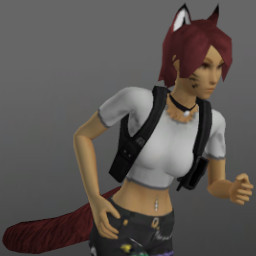
Wolf Ears and Tail The tail sways slightly while walking/running. The two items spawn randomly in the world. In B41, they come in 12 colour variations matching various vanilla hair colours. In B42, they can be dyed and have two decal options. The ears use the earring-top slot and the tail uses the tail slot. All items can be cut into leather strips. Conditional Clothing Framework (OPTIONAL) The wolf ears optionally support the Conditional Clothing Framework and will switch automatically between the variants depending on the player's moodles (panic, stress, unhapiness, none of the other). Credits (for the mod poster) - Hair: "Surfer" from the mod Spongie's Hair - Body: Tomb's Player Body Overhaul + Spongie's Character Customisation - Clothes: just vanilla (b42) items (Choker - Diamond, Crop Top - Arms, Holster - Shoulder, Jeans - Baggy with Patches) - Wolf ears and tail: this mod Related mods - Cat Ears and Tail - Faun Parts and Skin - Fox Ears and Tail - Fantasy Bodyparts - Harpy Parts Workshop ID: 3583888669 Mod ID: RabenRabo_WolfEarsTail

Madriguera Hats
por 76561198028711432
Máscara de MamaConejo. -NO ESTA HABILITADO EL RESPAWN EN CONTENEDORES (solo para admin) Workshop ID: 3294192099 Mod ID: Madriguera_Hat
![Hydroponic System [B42.20] SP/MP – Project Zomboid Mod](https://images.steamusercontent.com/ugc/13676085555405992202/9F575A8B041BD3AE180D6419CACCB13A03EA6DB3/)
Hydroponic System [B42.20] SP/MP
por 76561197982618586
Hydroponic system for indoor growing, year round. Ever wanted to grow plants indoors? Want to build an underground farm, greenhouse room, bunker grow-op, or indoor setup for your favorite modded crops? This mod adds a simple hydroponics system for Project Zomboid that lets you grow crops indoors while still respecting much of the vanilla farming experience. Hydroponics does not replace or overhaul the vanilla farming system. Crops planted in regular furrows still follow the normal vanilla farming rules, including seasonal restrictions. The hydroponic system is its own separate setup, designed to work alongside vanilla farming rather than overwrite it. The goal is to make indoor farming possible without turning farming into a free, effortless food printer. You still need to build the system, connect the parts, supply water, manage lights, plant seeds, wait for growth, and harvest when the crops are ready. Features - Grow crops indoors using hydroponic trays - Dedicated Hydro Controller to manage water, fertilizer, lights, and connected trays - Hydro Lights for powering indoor crop growth - Crops progress through growth stages similar to vanilla farming - Crops have health and growth tracking - Harvest crops when fully grown - Receive Farming XP from planting and harvesting - Harvested crops can return seeds, similar to vanilla farming behavior - Supports fertilizer to improve growth speed - Designed to work in multiplayer - Should work with crops added through the vanilla farming system Buildable Items Currently there are 3 buildable hydroponic objects: - Hydro Controller - Hydro Planter - Hydro Light To build the Hydro Controller, you first need to find a Green Wheelie Bin. Right click it and collect it as a Hydro Controller shell. All hydroponic buildables can be found under the Farming section of the build menu. How to Use - Collect the required materials for a Hydro Controller, Hydro Planter, and Hydro Light - Build the parts from the Farming build menu - Right click each hydro object and use Connect to link it into the system - Add water to the Hydro Controller - Optionally add fertilizer to improve crop growth speed - Plant crops in the trays by right clicking them - Make sure your trays have connected lights and power - Wait for your crops to grow - Harvest when ready Vanilla Farming Compatibility This mod is built to mirror parts of the vanilla farming loop where possible. Planting, growth, crop stages, harvesting, seeds, and XP are all intended to feel familiar if you already use the vanilla farming system. Hydroponics should work with any mod that properly integrates crops into the vanilla farming system. Tested with: HGO Expansion (42.17) Known Bugs - If you pick up and place the Hydro Controller, you currently cannot rotate it - Hydro systems will have power anywhere while world utility power is still active Planned Features - Crop disease / sickness chances - Climate requirements - More sandbox options - More balance tuning based on feedback Translations: - Korean - ToFu_ Beta Notice This is a beta release. Things may still change, and balance is not final. I wasn't even going to release it yet, but, I'm busy on other projects. Any balancing feedback would be awesome. Please report any bugs, issues, or suggestions. Feedback is appreciated, especially for multiplayer testing, modded crop compatibility, and balance. Workshop ID: 3714267911 Mod ID: Hydroponics

<<== WEAPONS ==>>
por 76561198014036706
This is mod is merely for organizing and categorizing your mod collection lists, it does not alter or affect gameplay in any way. When editing your workshop collections you can put this, and the other icons I've made, anywhere in the list and use it as a header to indicate the category which it describes. This can help create more oversight in your list of mods, happy sorting! Workshop ID: 3368329524 Mod ID: ModTemplate
Zombie Slayer Arsenal Repair
por 76561198068680632
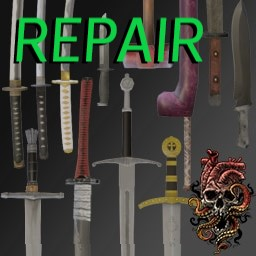
Allows the repair of all weapons from the Zombie Slayer Arsenal mod. Requires mid-to-late-game Metalworking skills (4-10) to repair, with rarer, more powerful weapons requiring higher levels. Workshop ID: 3128960585 Mod ID: Zombie Slayer Arsenal Repair
Bottle making!easy!
por 76561199140301824
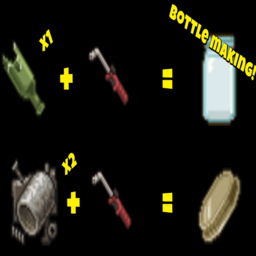
Do you want to make a lot of bottling? Now it's possible! =================== How to make it? -Empty bottle Smashed Bottle x1 Torch MetalWelding Level 4 ----------------------- -bottle Lid Scrap Metal x2 Torch MetalWelding Level 4 =================== My other mods? Gas mask breathing sound! "Material balance!" How many materials do you think should be required for crafting? Please feel free to share your thoughts! Workshop ID: 3370963745 Mod ID: Bottle_making

PvE Protection Mod
por 76561199042257388
PvE Protection Mod Adds the a free trait that players can take The "PvE" trait will disable PvP damages against and from the players with the trait Adds Tag above players head to indicate they are non PvP players The mod offers harmony between players of both play modes Made for MP Servers Can be installed mid game -------------------------------------------------- Mod by Glytch3r Commissioned by marxcorrigan 28 Days Later Server All my mods are commissioned including this one For custom pz mod commissions contact Glytch3r discord: Glytch3r#7331 / glytch3r https://ko-fi.com/glytch3r Workshop ID: 3356790977 Mod ID: PvE_Protection
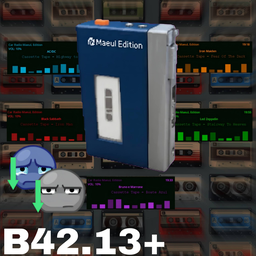
Walkman & Car Radio - Standalone Music Player
por 76561198209616376
Walkman & Car Radio Maeul Edition A fully standalone, immersive cassette player and car radio system for Project Zomboid. No external dependencies. No complex setups. Just find a tape, press play, and survive. - 🎧 Listen to music with your Walkman (silently) or Car Radio (and attract zombies). - 📼 Collect tapes and build custom playlists using Mixtapes with auto-skip. - 😌 Listen to music to actively reduce your character's boredom and sadness levels. - ⚙️ Fully customizable Sandbox options and translated into 11 languages! 🚗 Fully Functional Car Radio Take your road trips to the next level. Find a car, insert your favorite Mixtape, and enjoy the ride. - Custom Mini-Display: A unique, draggable, and resizable UI that overlays your vehicle's dashboard. - Immersive Audio Radius: Music from your car can be heard up to 40 meters away. - Zombie Attraction: Be careful. Loud music will attract the horde. ⭐ Key Features - Sandbox Ready: Control tape spawn rates and car radio volume in-game. - Global Support: UI and items fully translated into 11 languages. - Interactive UI: Watch the reels spin, control volume, and interact with real buttons. - Mood Boost: Actively decreases your character's boredom and sadness. - Auto-Skip System: Automatically plays the next track. Perfect for combat or long drives. - Mixtapes: Combine your favorite singles into one physical Mixtape item. - Immersive Loot: Tapes and players spawn naturally in bedrooms, wardrobes, and music stores. ⚠️ HOW TO USE (IMPORTANT) This mod is the PLAYER SYSTEM. To listen to music, you must enable Music Addons! - 1. Subscribe to this mod. - 2. Click here to download Music Addons. - 3. Enable both the main mod and the music packs in the game menu. 🛠️ CREATE YOUR OWN TAPES You don't need to code to add your own music! I released an Auto-Builder Tool. 👉 Check the PINNED DISCUSSION tab for the Guide & Download. ☕ SUPPORT & CREDITS Created and Coded by Maeul. - NO REPACKING: You are NOT allowed to repack without my explicit permission. - ADDONS ALLOWED: You are ALLOWED to create Music Addons. - VERSION: Build 42.13+. | MP UNTESTED >> BUY ME A COFFEE / DONATE << 🇧🇷 VERSÃO EM PORTUGUÊS Um sistema imersivo e totalmente independente de toca-fitas e rádio de carro. Sem dependências. É só achar uma fita, dar play e sobreviver. - 🎧 Ouça músicas com o Walkman (silenciosamente) ou Rádio do Carro (atrai zumbis). - 📼 Colete fitas e faça sua própria playlist usando a Mixtape com auto-skip. - 😌 Reduza os níveis de tédio e tristeza do seu personagem ouvindo música. - ⚙️ Opções Sandbox customizáveis e 100% traduzido para 11 idiomas! 🚗 Rádio de Carro Funcional - Mini-Display Customizável: Interface única que você pode arrastar e redimensionar. - Raio de Áudio: A música do carro pode ser ouvida a até 40 metros. - Atração de Zumbis: Cuidado com o som alto! ⭐ Funcionalidades Principais - Opções Sandbox: Controle o spawn das fitas e o volume do carro no jogo. - Multi-idiomas: Interface e itens traduzidos para 11 idiomas diferentes. - Interface Interativa: Veja a fita girando e interaja com botões reais. - Melhora de Humor: Reduz ativamente o tédio e a tristeza. - Sistema de Auto-Skip: Toca a próxima fita automaticamente. - Mixtapes: Junte várias músicas em uma só fita para poupar espaço. - Loot Imersivo: Encontre fitas e Walkmans em quartos e lojas de música. ⚠️ COMO USAR (IMPORTANTE) Este mod é o SISTEMA BASE. Você precisa dos Addons para ter músicas! - 1. Inscreva-se neste mod. - 2. Clique aqui para ver a Coleção de Músicas. - 3. Ative ambos no menu do jogo. 🛠️ CRIE SUAS PRÓPRIAS FITAS Use minha Ferramenta Automática para criar mods com suas músicas sem precisar programar! 👉 Confira o TÓPICO FIXADO nas Discussões acima. ☕ APOIO E CRÉDITOS Criado e Programado por Maeul. - PROIBIDO REPACK. - ADDONS LIBERADOS para você criar e postar. - VERSÃO: Build 42.13+. >> ME PAGUE UM CAFÉ AQUI << (Pix: [email protected]) Traducción al español por Bass. Workshop ID: 3666671483 Mod ID: walkmanmaeuledition
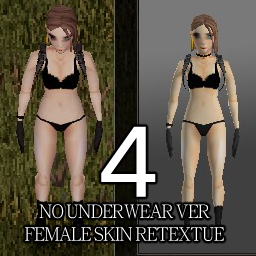
Skin Retexture4
por 76561198168620690
Skin Retexture4 좀더 날카로운 눈매와 홍조추가 Workshop ID: 2672884203 Mod ID: Skin Retexture4
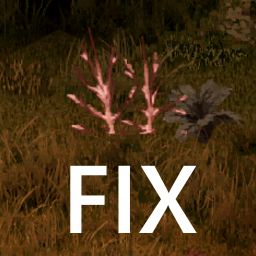
Tree Tile Fix B42MapB41
por 76561199187674890
Tree tile fix Workshop ID: 3740815480 Mod ID: treetilefixb421
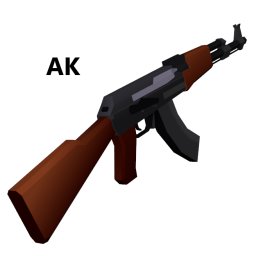
AK replacement for M16 (Build 41)
por 76561198060208392
AK replacement for M16 (Build 41) "The M16 in game fires so slow, so I made a mod that turns it into an AK" THIS DOES NOT ADD NEW GUNS, THIS REPLACES "AssaultRifle.X" under "media\models_X\weapons\firearm" Works with all 41.x builds as this only modifies model: "ProjectZomboid\media\models_X\weapons\firearm" This mod includes the remodel and each weapon finish texture Special thanks to OhGodSpidersNo I am aware that the muzzle flash does not align with the weapon properly, as a band-aid fix, heres a mod I made to remove the muzzle flash https://steamcommunity.com/sharedfiles/filedetails/?id=2099496047 Workshop ID: 2110301322 Mod ID: AKBlackGold Mod ID: AKBlack Mod ID: AKBlue Mod ID: AKChrome Mod ID: AKDefault Mod ID: AKGoldBlue Mod ID: AKGold Mod ID: AKPink Mod ID: AKreplacementforM16
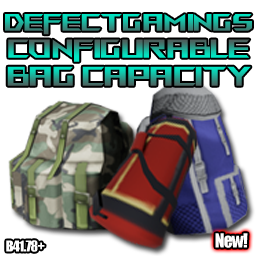
DG Configurable Bag Capacity
por 76561198065509973
Brief: This Mod allows you to Configure the Carry Capacity & Weight Reduction of all Vanilla Bags DefectGaming - Game Development & Modding Community - Please consider leaving Feedback, Suggestions and a Rating - Your support is greatly appreciated :) Description: DefectGamings Configurable Bag Capacity Mod is great for hoarders by increasing capacity, or those looking to add further challenges by lowering the capacity! - This Mod allows you to Configure the Storage Capacity of all Vanilla Bags within the sandbox Settings. - The Fanny Pack can be Configured individually from other Bags if you wish to have More/Less Capacity compared to others. - You can also Toggle Handheld Bags (Tote Bags, Garbage Bags, Food Sacks etc) to also have their Capacity modified within the Sandbox Settings. - Recently Included 'Weight Reduction' of all Vanilla Bags can now be Enabled, Configured and Limited, as well as adjustable 'Physical Weight' to enhance your gameplay FAQ: - Does this work on Existing Save Files? - Yes - But not pre-existing Bags, must be freshly found/spawned - This Mod is more Plug & Play on a Fresh Start, But Installing this Mod or Adjusting the Multiplier on an Existing Save you will have to find a new Bag from an unexplored zone for the Weight Adjustment to take affect. - Can it be Safely Removed? - Yes at anytime - Though the Capacity of Modified Bags will still remain Modified - Destroying Modified Instances and Finding a new Bag will fix this. - Does this work with Multiplayer? - Yes - Only tested on Locally Hosted MP with friends - Anyone hosting a Live Server is welcome to test and Verify Check out my Collection of Mods below: DefectGaming Collection Troubleshooting: - Here are some tips on fixing some common issues. - Loaded in to find your Bag Capacity wasn't changed after Adjusting the Multiplier/Installing the Mod? - Explenation: This is explained in detail in the FAQ Above, though in breif, this mod is not able to Adjust the Capacity of Equipped/Already Found Bags - Advice: You will need to find a new Bag from an unexplored zone. - Newly found Bags not having their Capacity changed or only certain Bags are being changed? - Explenation: This could be due to a Conflicting Mod that is also attempting to change the Capacity of Bags - When it comes to a Stand-off between 2 or more Mods changing the same Values the Last Mod Loaded will always win the fight - Advice: Which ever mod you would like to take priority over changing Bag Capacity, use the Mod Manager Mod to change the Priority of Mods - Place the mod you wish to have priority at the bottom of the list, or at least lower than conflicting Mod(s). Updates: - v1 - Initial Release - v2 - Converted from .TXT Based Item Replacement with a 2x Increase to a Configurable Capacity Multiplier adjusting only the Capacity Values which should improve compatability with seperate Mods. - v3 - Included Bag Weight Reduction - Including Sandbox Options to Seperatly adjust the Mulitpler and Limiter. - v4 - Added the ability to Modify the Physical bag Weights also. Workshop Info Workshop ID: 3174701145 Mod ID: DGConfigurableBagCapacity
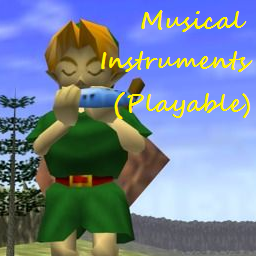
Musical Instruments (playable)
por 76561198225371748
This mod adds 16 Musical Instruments, 5 of them you can play. So was there a fun ban in Kentucky why the lack of instruments? This mod adds 29 short songs that you can play on the 5 instruments. You're not musically talented though so you'll have to find a song book to learn some songs. Items added. (instument) Song Books: Ocarina, Harp, Flute, Violin, Keyboard Playable Instruments: Ocarina, Harp, Flute, Violin, Keyboard Clutter Instruments: Accordion, Banjo, Bell, Drum, Saxophone, Horn, Guitar, Harmonica, Trombone, Trumpet, Ukulele. Spawns are what to expect Accordion etc. will be rare and flutes etc. more common. My first mod of the new year to ^^ Mod Demo Video: https://www.youtube.com/watch?v=xgf5W17Kb4w :( for the one PZ mod this time all, the other mod I released is my first mod over on Skyrim workshop I've been working on. http://steamcommunity.com/sharedfiles/filedetails/?id=863839204 So if you want more PZ goodness check the collection above, Until next time all. Workshop ID: 863841851 Mod ID: AInstruments
![[B41] Knox Net – Project Zomboid Mod](https://images.steamusercontent.com/ugc/11514265788425097531/D176D27505E654CF004D89AF9F0A75EC0BB71F9C/)
[B41] Knox Net
por 76561199033892043
Knox Net A server-friendly in-game messenger-direct chats, group chats, unread tracking, optional on-screen notifications when new messages arrive (delivered through the HUD notification stack in ElyonLib), and shared map locations woven into conversations. Open KnoxNet from the Dock Menu (supplied by ElyonLib); the dock badge shows your total unread count. When message alerts are enabled in sandbox, ElyonLib raises lightweight toasts beside the vanilla moodles so you notice traffic even when the chat window is closed. How it works - Start a DM by picking an online player, or typing a username (MP: recipient must exist / have used Knox Net at least once). - Create group chats with drafting, member management, and admin actions (sandbox can restrict who may create groups). - Scroll history for each chat, load older pages, and mark threads read from the UI. - Use Share Location to attach your current world position to a message (great for meetups and rescues). - View on map: click a history message that has a shared location attachment - Knox Net opens the world map centred on that pin (toggles map if it was closed). Singleplayer & multiplayer - Multiplayer: the server is authoritative - chat metadata and history persist server-side for co-op and dedicated hosts. - Singleplayer: runs locally with the same UI and persistence model. - Timestamps are stored as unix time and displayed in each player's local timezone. - Live notifications (optional) use ElyonLib HudNotify toasts when a new message lands while the messenger is closed-toggle cadence in sandbox. Group features - Add / remove members, promote or demote admins, temporary mutes, rename, leave, and disband flows. - Owner and admin capabilities respect Knox Net sandbox options where configured. Sandbox options Configure these on the KnoxNet sandbox page: - Maximum message length - History page size - Maximum stored messages per chat and retain indefinitely - Maximum group members / maximum groups per player - Who can create groups (everyone, admins only, or disabled) - Show live message notifications - Message rate limit (seconds between sends; 0 disables) Requirements - ElyonLib - load it before Knox Net. It registers the Dock Menu icon with unread badges, renders the chat UI using the shared Elyon theme, routes MP messaging, and powers optional HUD notifications via HudNotify. Frequently asked questions Does it replace the vanilla chat? No - Knox Net is a separate messenger for DMs and groups with its own persistent history. Will it work on an existing save? Yes; enable whenever you want - no dedicated new-save requirement. Why can't I DM someone on MP? The server resolves recipients by roster (they need to have connected once so Knox Net knows the username exists). Developer Note: This mod is in development, featuring the latest improvements and experimental features. While thoroughly tested, some features may be refined in future stable releases. This mod was commissioned by Kuma Khan from Club Oasis community. I'm open to new commissions - contact me on Discord .ely0n or find me in the PZ Modding Discord. This mod's permissions fall under TIS's policy On Lockdown This mod cannot be modified by anyone else, for anything else, at all, ever. Even if the user disappears, they would much rather you didn't touch the fruits of their hard labour. Workshop ID: 3723411241 Mod ID: KnoxNet

Unstack Logs on the Ground
por 76561198066080288
Stack/Unstack logs on the ground. When unstacking the ropes are still returned to the player. Workshop ID: 2747504431 Mod ID: unstacklogsontheground
Checkpoint Rosewood Only Checkpoint
por 76561198115442320
Hi there, This is only Checkpoint Rosewood. They're missing a gun store and VHS store here. if you are looking for a Checkpoint Rosewood Remake with stores here is the link: https://steamcommunity.com/sharedfiles/filedetails/?id=3159578653 This map conflicts with Rosewood Expansion and industrial Rosewood maps. If you want to check out my other stuff or just want to show your support, you can find info on how to here: https://steamcommunity.com/sharedfiles/filedetails/?id=3156342020 I'm always open to ideas and suggestions. Feel free to use this mod in your server, add to builds, or modify it. I've shared the source code for this project for free on my Boosty page. FAQ: - How can I add a map for a place I have already visited? - I made a small post on Boosty, how to add a map if a place has been visited before, you can also delete a map in an already created world in the same way. You can see the link to Boosty in my profile or in my collection of mods. Workshop ID: 3160536818 Mod ID: Checkpoint_Rosewood_Only_Checkpoint Map Folder: Road_Block_26x37_27x37
![Support Goods [B42.9] - MyComputer! – Project Zomboid Mod](https://images.steamusercontent.com/ugc/12936015530370825409/3ECB063017473EDDA48B32572CF4A6892402FB63/)
Support Goods [B42.9] - MyComputer!
por 76561198107736168
I have decided to start releasing the modules of the Support Goods Mega Mod seperately, starting with the Computer system! The Support Goods Mega Mod has many new features that totally expands onto your game! I will be working on releasing its parts seperately over time. This mod has several features including; - Writing notes (1,000 pages to write on!) using your laptop's writing software, WordOffice. - Over 95 floppy disks! These floppy disks allow you to print books, magazines, maps, and even play videogames using the VGC script! - Printing books and magazines! Find papers (Box of Papers), printer, and a floppy disk to print books that you find as you loot. All books, magazines, and maps are printable. Including skill books and magazines. - Laptop charging and Ink Refilling. Better find a charger and ink cartridges. - Battery Plug-in Charger! A simple plug that allows you to charge your batteries using any electricity-powered house. Very rare! - CD Drive! Play your favorite CDs by finding a CD drive and attaching it to your laptop. Coming soon (Maybe);- - Laptop repairs (Encounter viruses, laptop breakages and more) - Laptop bag Known Problems:- - Slight lag when printing recipes (When player has resources to print) are available due to the sheer amount of printing recipes available. - Incompatibility with Support Goods Mega Mod (The Support Goods Mega Mod contains this mod, this is simply one of its modules released separately :) ) Please leave any suggestions or feedback and report any bugs. Thank you and enjoy! Mod Team’s Discord. Join for updates, bug reports or technical support. --------------------------------------------------- MY OTHER MODS Support Goods Mega Mod MyRoom! Photography & Posters Expansion MODDING TOOL (DO NOT ENABLE): FOR TECHNICAL SUPPORT REGARDING SUB-MODDING OR HELP USING ANY OF THE FRAMEWORKS (MyCamo, MyRoom, etc) THEN MESSAGE ATHENS OR USE MOD DISCORD. MyCamo, add your own camo pattern or set If you'd like to show your support, feel free to donate to me to keep me modding: Workshop ID: 3508513470 Mod ID: SUPPORTGOODSCOMPUTERS
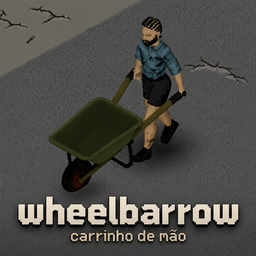
Wheelbarrow Multiplayer/Singleplayer - Carrinho de mão
por 76561198037514908
Also by me: AutoMark — marks looted buildings with an X and flags important items, automatically. Everyone does this by hand; now the mod does it for you. 🇧🇷 Português no final. A construction wheelbarrow for the loads the game punishes you for carrying: logs, generators, anvils, corpses. It is deliberately useless for ordinary loot. This is not a bigger backpack. The load - Items of 8 units and up are repacked — a fifth of the room, 95% off the weight. - Lighter items get nothing, and fill up fast. - About 21 logs, or 6 planks. Full of heavy cargo it weighs ~13 on your back. - Organized +30%, Disorganized −30%. What it costs - Both hands. No weapon while you hold it. - No running. Loaded or empty. - No fences, windows, sheet ropes or cars. Set it down first. - Doors, gates and stairs are fine. Rush it and you lose everything Picking it up and setting it down are timed actions. Interrupt one and it tips over, dumping the load and itself on the ground. Using it - E picks it up and sets it down. Like a vehicle, it is never in your inventory. - Load it: select items, right-click, Load into Wheelbarrow. - A corpse: drag the body, then right-click by the wheelbarrow. - Any action while holding it makes you park it and pick it back up automatically. The game's own limit — read this if it will not fill The game caps the total weight of items lying on a single tile. Since loading always happens with the wheelbarrow on the ground, anything else dumped on that tile counts against it — and the wheelbarrow stops accepting cargo early. Load it on a clear tile. If it will not take any more with room left on the bar, step away from your loot pile and try again. Getting one Crafting is the reliable way. MetalWelding 4, near any surface: - 2 Sheet Metal - 2 Metal Pipe - 1 Tire — any of the game's nine car tires, flat ones included - 4 Screws - 1 Welding Rod - Blow Torch and Welding Mask (tools — not consumed) Or find one: construction sites, warehouses, garages, tool stores and roadworks — but only a 3% chance per location, rolled once per save. They are meant to be a lucky find, not a plan. Also Multiplayer supported — tested against a dedicated server. 11 Sandbox options, 23 languages, no dependencies. Build 42. Removing the mod from a save that has wheelbarrows in it can cause load errors. Empty and destroy them first. PORTUGUÊS Também meu: AutoMark — marca com um X os prédios já saqueados e sinaliza itens importantes, automaticamente. Todo mundo faz isso na mão; agora o mod faz por você. Um carrinho de mão para as cargas que o jogo pune você por carregar: troncos, geradores, bigornas, cadáveres. Ele é inútil de propósito para loot comum. Isto não é uma mochila maior. A carga - Itens de 8 unidades para cima são reacondicionados — um quinto do espaço, 95% do peso a menos. - Itens mais leves não ganham nada, e enchem rápido. - Cerca de 21 troncos, ou 6 tábuas. Cheio de carga pesada pesa ~13 nas suas costas. - Organizado +30%, Desorganizado −30%. O que ele cobra - As duas mãos. Nenhuma arma enquanto você o segura. - Nada de correr. Carregado ou vazio. - Nada de cerca, janela, lençol ou carro. Largue antes. - Portas, portões e escadas funcionam normalmente. Com pressa, você perde tudo Pegar e largar são ações com animação. Interrompa uma delas e o carrinho tomba, derrubando a carga e ele mesmo no chão. Como usar - E pega e larga. Como um veículo, ele nunca fica no seu inventário. - Carregar: selecione os itens, botão direito, Carregar no Carrinho de mão. - Um cadáver: arraste o corpo, depois clique com o direito perto do carrinho. - Qualquer ação com ele na mão faz você largar e pegar de volta automaticamente. Um limite do próprio jogo — leia se ele não encher O jogo limita o peso total de itens jogados num mesmo bloco do chão. Como carregar sempre acontece com o carrinho no chão, tudo o que estiver largado naquele bloco conta junto — e o carrinho para de aceitar carga antes da hora. Carregue num bloco limpo. Se ele não aceitar mais nada com a barra ainda mostrando espaço, afaste-se da pilha de loot e tente de novo. Como conseguir um Fabricar é o caminho confiável. MetalWelding nível 4, perto de qualquer superfície: - 2 Chapas de Metal - 2 Canos de Metal - 1 Pneu — qualquer um dos nove pneus do jogo, inclusive murcho - 4 Parafusos - 1 Vareta de Solda - Maçarico e Máscara de Solda (ferramentas — não são consumidas) Ou encontrar: obras, galpões, garagens, lojas de ferramentas e obras de rua — mas só 3% de chance por lugar, sorteado uma vez por save. Ele é para ser um achado de sorte, não um plano. Também Multiplayer suportado — testado contra servidor dedicado. 11 opções de Sandbox, 23 idiomas, sem dependências. Build 42. Remover o mod de um save que tem carrinhos pode gerar erro no carregamento. Esvazie e destrua eles antes. Workshop ID: 3781716360 Mod ID: MNWheelbarrow

Zomboid Crossing Frogs Pack
por 76561198075099435
Animal Crossing Frogs in Project Zomboid. Featuring: Camofrog, Frobert, Lily, Ribbot, Drift, WartJr, Puddles, Jeremiah, Tad, Cousteau, Huck, Prince, Jambette, Raddle, Gigi, Croque, Diva, Henry, Workshop ID: 3383440085 Mod ID: ZomboidCrossingFrogs Mod ID: ZomboidCrossingFrogs

Kat's Big Degen's Addon: Busty Furry Dakis
por 76561198002525981
CONTENT WARNING: This mod contains NSFW content, specifically nudity and sexual themes. Do NOT download this mod if you are under 18 years old. Are your dakis looking a little too human? Want a busty furry babe to keep you company at the end of the world? This mod has just what you need. This mod adds 34 busty furry dakimakuras to the game featuring both well known characters as well as various OCs from the fandom! If you have a busty furry dakimakura design you want added to the game, let me know. CREDITS: --- Kat, Isabelle, Toriel, Loona, Lexy, Sammy, Sif, Lana, Juli, Claire, Kimiko, Noelle, Hightide, Naomi art by Chromapan Professor Rena art by AliaAnne Ceres art by Asaneman Zeno Coyote art by GalacticMichi Pudding art by Secretly Saucy Amaterasu art by Kokoni Haumi art by Exzamiel Nellko art by Slugbox Mora Linda art by Chalo PB art by TheyCallHimCake Ayyuu Miyuki art by Unknown Artist Kat Sahira owned by KatFox0326 Lexy owned by Leaverwin Sammy owned by Sammy G Sif owned by Freya Professor Rena owned by Roflfox Lana Wixwell owned by VixenEnjoyer Juli owned by Saori Claire owned by Guymush Naomi owned by Bronyman9000 Ceres owned by Radarn Hightide owned by OneTrick Saphira Sahira owned by Maeve Zeno Coyote owned by ZenoCoyote Pudding owned by Jakkid13 Haumi owned by Haumi Nellko owned by Slugbox Mora Linda owned by Chalo PB owned by TheyCallHimCake Ayyuu Miyuki owned by Ayyuu Miyuki Isabelle, Zoroark, Braixen copyright Nintendo Toriel copyright Toby Fox Loona copyright Spindlehorse Renamon copyright Toei Animation Kimiko Five-Tails copyright Fortnite Amaterasu, Okami copyright Capcom All depictions of copyrighted characters are used for entertainment purposes only in line with 'fair use' laws as defined in section 107 of US Copyright Law. If you are the owner of an original character depicted in this mod and you wish to have your character removed, please contact me via steam and the design in question will be removed as soon as reasonably possible. Workshop ID: 3562710198 Mod ID: KatDakis
![[COS] Negan – Project Zomboid Mod](https://images.steamusercontent.com/ugc/5815910309028699751/E34B95A6B65CACA23E8292A3542CAD16407ADAC0/)
[COS] Negan
por 76561199178116693
How Do I Use It? - You can go to the link below to see how to use it. - Link Recommended mode - Fashionoid - Gear Transmog - Hide All Attached Items - Clipping animation Fix How to use COS mode in build 42. - Navigate to the path where the mod is installed. - Create a 42.0 folder. - Create a common folder. - Paste the media folder / mod.info / preview.png into the 42.0 folder. The recipe code writing method has been changed in 42Build. Since COS (Costume) mode has approximately over 200 modes, converting to 42Build's recipe code is an extremely laborious task. In 42Build, you cannot create costumes in (42 build) the crafting tab. There are two methods: Spawn items in cheat mode. Select items in the clothing selection screen when creating a character. Like My Mode? - Join Our Discord If You Want Commission
Project Zomboid Guides
Instalar mods de Project Zomboid - guía del Workshop
Instala mods de Project Zomboid de forma limpia mediante Steam Workshop: introducir IDs, comprobar el orden, reiniciar el servidor y solucionar errores típicos.
Alquilar un servidor de Project Zomboid – guía multijugador
Configura un servidor de Project Zomboid: RAM, ajustes sandbox, mods de Workshop, permisos de admin y errores típicos bien revisados.
Servidor Project Zomboid con soporte de mods
Instala mods compatibles y admitidos desde el panel del servidor.
Alquilar un servidor Project Zomboid