Mods y plugins para Project Zomboid
Este catálogo incluye 52.000+ proyectos de Project Zomboid procedentes de Steam Workshop. Las entradas pueden ser para servidor, cliente o ambos, e incluir mapas u otro contenido generado por usuarios. Antes de instalar, comprueba la página de origen enlazada, la versión del juego y las dependencias.

Decorative Food
por 76561198321756529
What does this mod do? This mod was requested by Silverbane7. It adds every single (all but scrambled eggs) food item as craftable model to the game. This is for decorative purposes. The fake foods are crafted with 1 unit of paper mache and the food itself (can be rotten) Crafting recipe for a bucket of paper mache: - 2 of Newspaper / Magazine / ComicBook / Book / ToiletPaper / Notebook / Journal / Sheet Paper - 2 units of Water - 1 Unit of Glue - An empty bucket One bucket of paper mache lasts for 10 uses. The crafted items can only be placed, not consumed. They obviously do not expire and rot. Future plans - more complex recipes (crafting with paper mache or sawdust) (done) - add translations (if you want to help -> translation discussion) Feedback or recipe suggestions If you find a broken item / recipe, please report it in the error reporting discussion. If you want to suggest a recipe for an item post it in the recipes discussion Check out my other mods! - Refillable Lighters - Pool Ball Set - Decorative Food - Fast Reload - Pill Duration Or click here to visit my workshop page! Permission You can use this mod in your own creations, but please credit me if you do so. Workshop ID: 2860417716 Mod ID: FakeFood
![[CSD] SM4BootsExpanded – Project Zomboid Mod](https://images.steamusercontent.com/ugc/13962312493786538052/393B583FEEECA868E3299A631AADACF2CC789901/)
[CSD] SM4BootsExpanded
por 76561198821409422
WARNING! This mod is for my personal use and meant to be used for my personal server. DO NOT subscribe and use if you do not know what you are doing. mod CSD_SM4BootsExpanded_Insert: mergeCSD() with replaceItems and replaceChance flags set to false. inserts SM4BootsExpanded's entire ClothingSelectionDefinitions. mod CSD_SM4BootsExpanded_Insert_Changes_Only: mergeCSD() with replaceItems and replaceChance flags set to false. inserts only the changes that SM4BootsExpanded made to the original ClothingSelectionDefinitions. This means that only the new clothing are inserted. RECOMMENDED! mod CSD_SM4BootsExpanded_Insert_Shoes_Only: mergeCSD() with replaceItems and replaceChance flags set to false. inserts only the shoes/boots that SM4BootsExpanded added. Workshop ID: 3593191727 Mod ID: CSD_SM4BootsExpanded_Insert Mod ID: CSD_SM4BootsExpanded_Insert_Changes_Only Mod ID: CSD_SM4BootsExpanded_Insert_Shoes_Only
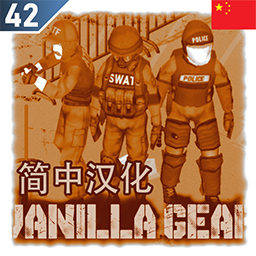
Vanilla Gear Expanded 简中汉化
por 76561198313502565
Vanilla Gear Expanded 简体中文汉化 42.17更新后统一模组汉化中关于Vanilla Gear Expanded的相关汉化内容在游戏中显示为英文,但原模组却能在游戏中正常运行。 因此我重新汉化了一下,该汉化mod目前在42.17中运行正常~ 不包含本体,不要忘记订阅原模组哦! Workshop ID: 3718329117 Mod ID: VanillaGearExpanded_CN

wgcore
por 76561198239818828
Made only for WildGaming community. Do NOT edit, re-package or re-upload this mod without permission. On Lockdown This mod cannot be modified by anyone else, for anything else, at all, ever. Even if the user disappears, he or she would much rather you didn't touch the fruits of their hard labour. Copyright (c) WildGaming — authorized for WildGaming use only. Workshop ID: 3714630057 Mod ID: wgcore Mod ID: wgshop Mod ID: wgzombies
![[B41/42]BetterNetworking网络优化 – Project Zomboid Mod](https://images.steamusercontent.com/ugc/2450602299152701919/6DBAD79E4D1EEC400325429460AC730EFD1DF156/)
[B41/42]BetterNetworking网络优化
por 76561198027821030
This mod supports all game versions. It runs parallel to the game. 本模组支持所有游戏版本,它不依赖游戏运行。 !!!This is a mod that requires to run at both Server and Clients side!!! !!!本模组需要同时在服务器和客户端上运行!!! This Mod works parallel to game's original connection. Servers running this KCP tunnel can accept connections from clients running / not running this tunnel at the same time. 本模组不影响游戏的直接联机方式,运行了本模组的服务器可以同时接受以前的直连玩家以及运行了本模组的玩家联机游玩。只不过直连服务器的玩家没有网络优化效果,仅此而已 The KCP protocol being used by many games comes to Project Zombiod! KCP is a fast and reliable application level protocol being used by many famous game titles including Genshin Impact. This mod provides a working KCP tunnelling software based on KCP protocol that can reduce network delay and avoid package loss. KCP协议是许多游戏使用的网络通信协议。它是一个快速可靠的应用层协议,被业内许多著名游戏用作网络通信,其中就包含了原神。本mod提供了一个基于KCP协议的隧道软件,可以有效改善高峰期延迟、避免丢包等网络问题。KCP自带丢包重传与纠错算法,从理论上避免了UDP的丢包问题,同时它改善了重传机制,在拥塞时能够快速重传数据,降低网络延迟,降低网络波动。 Supports Windows and Linux/MacOS!For Linux and MacOS, you need to figure out how to install KCPTube by yourself. Anyway, KCP Tube is open source, you can compile it yourself (on any operating system). 支持 Windows 和 Linux/MacOS!不过Linux/MacOS用户需要自己摸索安装软件的方法,毕竟代码都开源了,大不了自己编译呗。 How to Use使用方法 Any of the following 3 methods is OK! Choose whichever you like! 一下三种方法任选其一即可! Instant Configuring 极速配置 Unpack "BetterNetworking.7z" in mod folder. Run "BetterNetworking.exe". Done. 解压缩mod文件夹里的"BetterNetworking.7z"(必须解压缩,不能直接在压缩包里运行),运行“BetterNetworking.exe”。 This approach is intended for those unfamiliar with networking. I encourage you to use manual configuring to fine tune KCP performance. Due to the complexity of internet, this approach may fail to connect for your network, therefore, in this case, you have to find someone who knows manual configuring to help you. 这个极速配置是方便网络通信方面完全不懂的玩家使用的。如果你有能力,建议手动配置,这样能够更好的优化网络性能。但是请务必记得,由于网络环境复杂多变,这种简易的配置可能没法成功连接。这时候你就需要想办法找知道怎么手动配置的人帮你了。 找不到mod文件夹怎么办? 怎么解压缩?... ---不会百度么?没长手么?是不是还需要教你怎么插电源,怎么开机关机? Manual Configuring手动配置 You need to open mod folder and run the tunnelling software by yourself. Read the QuickStartGuid.pdf first for quick start. Refer to the Github page for advanced usage. 必须打开Mod文件夹,手动运行隧道软件。想要快速上手,运行前需要阅读使用说明,否则无法成功建立隧道。需要多个客户端同时连接等高级配置功能,情访问相应的Github网页。 This approach is intended for those who knows some basic knowledge about networking. 这个方法适合于懂得一定网络通信知识的人 Advanced Manual Configuring高级手动配置 Visit the Github repo of KCP Tube to view instructions. 访问KCP Tube的Github页面查看配置指南。 I am NOT the programmer of this tunnelling software. VISIT Github Page for details. 本人不是软件作者,详情情访问Github网页。 https://github.com/cnbatch/kcptube You can view the schematic diagram of KCP Tube here https://steamcommunity.com/sharedfiles/filedetails/?id=3259552108 点击此处查看KCP隧道原理图 https://steamcommunity.com/sharedfiles/filedetails/?id=3259556518 Disclaimer免责声明 If you concern about virus, please DELETE the exe file and download it form Github. The *.conf files and *.bat files can be opened with notepad. You can check them by yourself. 如果你担心电脑病毒,请删除可执行文件,自行从Github上下载软件。文件夹内的 *.conf和 *.bat 文件都是纯文本格式,可以用记事本打开自行查看。 The Mod Creator is not the programmer of this tunnelling software! The Mod Creator is only a user who wants to share this software to all PZ players because the networking code of PZ sucks. 本人不是软件作者,本人只是一个普通玩家,因为游戏的网络通信代码写的很烂,而国内网络高峰期会丢弃UDP数据包,所以将这个隧道软件分享给大家。希望能解决部分问题,提升游戏体验。 What is KCP protocol?什么是KCP协议? KCP is a fast and reliable protocol that can achieve the transmission effect of a reduction of the average latency by 30% to 40% and reduction of the maximum delay by a factor of three, at the cost of 10% to 20% more bandwidth wasted than TCP. It is implemented by using the pure algorithm, and is not responsible for the sending and receiving of the underlying protocol (such as UDP), requiring the users to define their own transmission mode for the underlying data packet, and provide it to KCP in the way of callback. Even the clock needs to be passed in from the outside, without any internal system calls. KCP是一个快速可靠协议,能以比 TCP 浪费 10%-20% 的带宽的代价,换取平均延迟降低 30%-40%,且最大延迟降低三倍的传输效果。纯算法实现,并不负责底层协议(如UDP)的收发,需要使用者自己定义下层数据包的发送方式,以 callback的方式提供给 KCP。 连时钟都需要外部传递进来,内部不会有任何一次系统调用。 The entire protocol has only two source files of ikcp.h, ikcp.c, which can be easily integrated into the user's own protocol stack. You may have implement a P2P, or a UDP-based protocol, but are lack of a set of perfect ARQ reliable protocol implementation, then by simply copying the two files to the existing project, and writing a couple of lines of code, you can use it. 整个协议只有 ikcp.h, ikcp.c两个源文件,可以方便的集成到用户自己的协议栈中。也许你实现了一个P2P,或者某个基于 UDP的协议,而缺乏一套完善的ARQ可靠协议实现,那么简单的拷贝这两个文件到现有项目中,稍微编写两行代码,即可使用。 Visit https://github.com/skywind3000/kcp for technical details. 要了解更多技术细节,可以访问链接 https://github.com/skywind3000/kcp What is KCP Tube?什么是KCP Tube? KCP Tube is a tunnelling software written in C++ that implements KCP protocol. It supports both TCP and UDP traffic, while most of the other KCP tunnelling software supports only TCP traffic. KCP Tube是一款使用C++便编写的隧道软件,实现了KCP协议,它同时支持传输TCP和UDP两种协议的数据流量。其他大多数的类似隧道都只支持TCP流量。绝大多数游戏都使用UDP传输数据,因此支持UDP流量对游戏玩家而言很重要。 Workshop ID: 3252822560 Mod ID: BetterNetworking Workshop ID: 3252822560 Mod ID: BetterNetworking
![[41] add Pickup/Drop Corpses Sounds - ADDON – Project Zomboid Mod](https://images.steamusercontent.com/ugc/1861687449963781988/F58C101E71D8B1B3E11C6A5667E3C23A6D785B88/)
[41] add Pickup/Drop Corpses Sounds - ADDON
por 76561198073717195
Addon: Pickup/Drop corpses sound Sound is added on pickup/drop corpse action for "Automove Corpses mod". This added sounds is my creation from audio samples like all my others audio mods. My others mods with Sounds effects : dead body corpse sounds effects: https://steamcommunity.com/sharedfiles/filedetails/?id=2811441212 add mechanic sounds LITE version: https://steamcommunity.com/sharedfiles/filedetails/?id=2840211821 add mechanic sounds + action time added: https://steamcommunity.com/sharedfiles/filedetails/?id=2738293620 transfer item sound effect: https://steamcommunity.com/sharedfiles/filedetails/?id=2840177363 dismantle objects sounds effects with action time added: https://steamcommunity.com/sharedfiles/filedetails/?id=2802234947 dismantle objects sounds effects LITE: https://steamcommunity.com/sharedfiles/filedetails/?id=2840232121 True Alert Sounds (no replace): https://steamcommunity.com/sharedfiles/filedetails/?id=2847593195 Replace sound to Level Up : Resident Evil: https://steamcommunity.com/sharedfiles/filedetails/?id=2845527101 Replace Death Music: https://steamcommunity.com/sharedfiles/filedetails/?id=2859030266 If you think this mod would be interesting for the community Workshop ID: 2812119421 Mod ID: addPickupDropCorpsesSoundsADDON
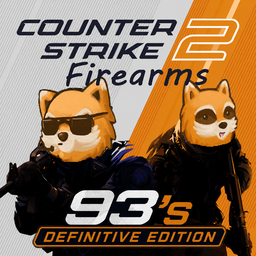
Counter Strike 2 93's Definitive Edition
por 76561198376830382
First of all, I want to thank Lucky for the great work creating the Counter Strike 2 Firearms mod itself. The CS 2 93's Definitive Edition mod aims to balance, adjust, add, and fine-tune several things. TESTED BY NOW FOR 42.18 AND EARLIER. Check out the list of changes :) 1. Added UI icons for the following weapons: AUG, Famas, MP5, Negev, Bizon, Galil, SG 553, M249, G35G1, Glock 18, Desert, Beretta, P90, Scar 20 (weapons with in-game icon swapping). 2. Fixed suppressors not emitting their own sounds; now there is one suppressed sound for each caliber type: low caliber (all pistols and submachine guns in the mod), medium caliber (M4A1, M4A4, AUG, FAMAS, Galil AR, SG 553, AK-47, M249, Negev, Mag 7, Nova, Sawed-Off, Desert, R8, etc.), and heavy caliber sniper rifles (AWP, SSG08, G35G1). 3. Weapons with less gray, more realistic textures. 4. Post-93 weapon spawns removed from the world (Negev, SCAR 20, MP7, UMP-45, XM1014, Nova, Five-SeveN, P2000, P250, R8 Revolver) 5. Snipers can now be equipped with suppressors, lasers, and flashlights. 6. Name change for the SG 553, SSG 08, and MP9; they become SG 552, SSG 69, and TMP. (Weapons that existed in '93 and have very similar aesthetics/functionality to their modernized versions) 7. MP5SD are now the same appearance as Hunk's from Resident Evil!!! ----------------------------------------------------------------------------------------------- Coming soon 1. Weapon stats have been rebalanced based on their actual stats. (MP5 with M4 damage? There is no logic! Not anymore!) 2. Weapon distribution rebalanced for a more realistic result. This mod rebalances and makes lore-friendly adjustments to make the original mod (CS2 Firearms by Lucky) more realistic, balanced. It's similar to how the firearms situation was in Kentucky in 1993, with the whole context of the biological disaster and strong military presence in the region. Workshop ID: 3741747172 Mod ID: CS 2 Firearms 93's Definitive Edition

Events Plus API
por 76561198063078194
This is API mod designed as a framework for other modders, it will not do anything on its own. API that allows you to use existing or create new event handlers that are not present in the base game to be utilized in mods. This is a community mod and anyone can contribute freely using git reporsitory. API is fully documented both on how to use or create new events in these repository readme files. Events Short events content description that are currently present in the mod (see link above for full documentation) Event Description OnActionCreated Fires when specific ISBaseTimedAction is constructed. OnActionPerformed Fires when specific ISBaseTimedAction is performed OnActionQueued Fires when specific ISBaseTimedAction is added to actions queue. OnActionStopped Fires when specific ISBaseTimedAction is stopped. OnCheatOption Fires when cheat option was changed. OnDestroy Fires when player destroys object with actions like sledgehammer. OnDrink Fires when player uses drinkable item. OnEat Fires when player eats food. OnItemEquipped Fires when item is equipped by a player, including one-handed or two-handed. OnItemMoved Fires when inventory item is put or taken by a player. OnItemPlaced Fires when inventory item is put down via place action. OnItemUnequipped Fires when item is unequipped by a player, including one-handed or two-handed. OnMedicalAction Fires when player performs any medical action OnMedicalStatus Fires when player body or part was affected by or healed from medical condition. OnPlayerSleep Fires when player is going in out of sleeping phase. OnStatsChanged Fires when player stats were changed. OnTraitChanged Fires when player trait collection was changed, returns trait and if it was aquired or lost. OnAccessLevelChanged Fires when online player access level was changed. OnSandboxOption Fires when sandbox option is being changed. OnVehicleLoad Fires when vehicle is loaded into cell and returns the vehicle Workshop ID: 3272364969 Mod ID: eventsplusAPI
![[COS] Vendetta – Project Zomboid Mod](https://images.steamusercontent.com/ugc/2226527842512514799/4C63A8FDD123D7FEF2C0CEF69C2AD84684F46295/)
[COS] Vendetta
por 76561199178116693
How Do I Use It? - You can go to the link below to see how to use it. - Link Recommended mode - Fashionoid - Gear Transmog - Hide All Attached Items - Clipping animation Fix How to use COS mode in build 42. - Navigate to the path where the mod is installed. - Create a 42.0 folder. - Create a common folder. - Paste the media folder / mod.info / preview.png into the 42.0 folder. The recipe code writing method has been changed in 42Build. Since COS (Costume) mode has approximately over 200 modes, converting to 42Build's recipe code is an extremely laborious task. In 42Build, you cannot create costumes in (42 build) the crafting tab. There are two methods: Spawn items in cheat mode. Select items in the clothing selection screen when creating a character. Like My Mode? - Join Our Discord If You Want Commission
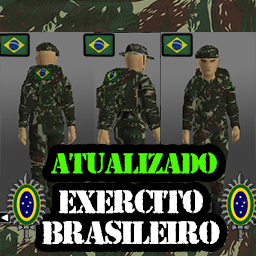
EXÉRCITO BRASILEIRO (ATUALIZAÇÃO)
por 76561198121845674
EXÉRCITO BRASILEIRO ATUALIZADO Substitui os arquivos originais do jogo (Roupas camufladas verdes)/b] INFORMAÇÕES NA IMAGEM ACIMA SELVA!!! Workshop ID: 2868541499 Mod ID: EXERCITO BRASILEIRO
![[B42] Nissan Skyline GTR R34 [42.20] – Project Zomboid Mod](https://images.steamusercontent.com/ugc/10981585334162821853/CAC1012E01C3F150237CE93DBC3F5FE598BA6E64/)
[B42] Nissan Skyline GTR R34 [42.20]
por 76561198400525210
Original vehicle, models and textures by TiggoRech. This is an updated Build 42.20 compatible version, focused on compatibility, multiplayer support and visual fixes. All credit for the original mod goes to TiggoRech. Features: - Build 42.20 compatible, Single Player and Multiplayer. - that DAMN Library integration: fixes the seated animation when aiming inside the car. - Dynamic window reflections and darker, more realistic glass. - Blood and damage fixed: cracks only when damaged, blood only from running over zombies. - 12 color options for the standard car (selectable skins). - Two special editions as separate, independent vehicles (not color skins): the 2 Fast 2 Furious (F&F) livery and the Wolf edition in Bayside Blue (hood vent, black wheels). They spawn as their own cars. - Adjusted scale, top speed, wheels, brake lights and hood detailing. REQUIRED: that DAMN Library. Subscribe to it or the car will not work correctly. Do NOT enable this together with the original R34 B42 mod at the same time (they share texture names and will conflict). Credits: TiggoRech - original vehicle, models and textures. KI5 - that DAMN Library This upload: Build 42.20 compatibility, multiplayer support, DAMN Library integration, window reflections, blood/damage and visual fixes. Not presented as an original creation. Workshop ID: 3759256921 Mod ID: SkylineGTRR34_B42_Fixed Workshop ID: 3759256921 Mod ID: SkylineGTRR34_B42_Fixed

TheWorkshop(new version) JP
por 76561198034560584
Japanese Translation of TheWorkshop(new version). Workshop ID: 2961720092 Mod ID: TheWorkshop(new version)JP
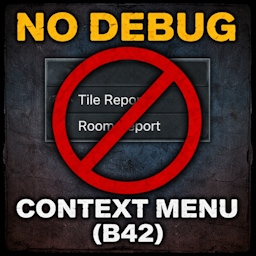
No Debug Context Menu (B42)
por 76561198114635860
Removes debug entries from the world right-click context menu (Tile/Room report etc.). B42 compatible (Project Zomboid Build (42.13.1 - 42.13.2 - 42.14.1 MP). Workshop ID: 3642835087 Mod ID: NoDebugContextMenuB42

Radial Barricading
por 76561198048282450
Adds a quick barricade option to the radial menu (V key) when standing near windows or doors. Allows fast access to barricading without opening the build menu. PATCH for ISBarricadeAction and ISUnbarricadeAction bugs in Build 42.13 by primat.studio Further Fixes for Barricade Actions for multiplayer Workshop ID: 3629305884 Mod ID: RadialBarricade

Spongie's Open Jackets ES
por 76561199071220011
Traducción al español actualizada del mod original Spongie's Open Jackets creado por spongie. Todo el crédito y mérito para él. Esto es solo una traducción por lo que requiere del mod base y ser cargado después para funcionar. Cualquier error o bug, por favor reportarlo. Todo el crédito a sus respectivos autores. Gracias :) Workshop ID: 3420519805 Mod ID: SpnOpenCloth_ES
Better Server Updater
por 76561197982780670
Better Server Updater Workshop update detection, scheduled restarts, player warnings, and clean shutdowns for Project Zomboid dedicated servers. Workshop ID: 3739959752 Mod ID: BSU Built for: Project Zomboid Build 42 dedicated servers Original concept: UdderlyEvelyn's UdderlyUptoDate You know the drill. Somebody's mod updates at 2am, and by morning half your players can't connect, the other half are posting checksum errors in Discord, and you're scrolling a 200 item mod list trying to figure out which one broke it. Better Server Updater handles that for you. BSU watches the Workshop items your server actually has loaded. When one updates, it tells you exactly which mod it was, warns your players, clears them off the server, saves the world, and shuts the dedicated server down so your restart wrapper or host panel can bring it right back up. It also does scheduled restarts, so you can set a daily maintenance time or a restart interval and stop thinking about it. Detect updates. Schedule restarts. Warn players. Save cleanly. Shut down properly. What BSU does - Detects Workshop updates for loaded server mods and logs exactly which one triggered the restart - Scheduled restarts: daily at a set clock time, or every X real hours after startup - Warns players ahead of time with a configurable countdown - Four notification methods, not just chat spam - Optional "wait until the server is empty" mode - Disconnects clients before saving to cut down on rollback and desync - Saves the world, then quits cleanly so your wrapper, panel, service, or Docker policy restarts it - Admin commands for manual restart control - Sandbox settings can be changed while the server is running Setup BSU quits your server. It does not relaunch it. Something outside the game has to bring it back, so the mod ships with a restart wrapper for Windows and Linux. Both live in: BetterServerUpdater\Contents\mods\BetterServerUpdater Both files ship with a .txt on the end and will not run until you remove it. Steam's uploader won't accept raw .bat or .sh files, so that's the only way to get them to you. Windows: rename StartServer64_BSU_Windows.bat.txt to .bat, drop it in your dedicated server folder, launch with it instead of the normal start script. Steam\steamapps\common\Project Zomboid Dedicated Server Can't see the .txt? Turn on File name extensions under the View tab in File Explorer. That's how people end up with a file still named .bat.txt. Linux: rename start-server_BSU_Linux.sh.txt to .sh, then: chmod +x start-server_BSU_Linux.sh ./start-server_BSU_Linux.sh Would rather not rename anything? Grab them from GitHub with the extension already correct: - StartServer64_BSU_Windows.bat - start-server_BSU_Linux.sh If a link opens as text instead of downloading, right click and Save link as, or take the whole repo as a zip. Already running systemd, Docker, or a hosting panel? Use that instead. The wrappers are convenience, not a requirement. Scheduled restarts You don't need a Workshop update to trigger a restart. - Daily - same real world time every day, using the server host's local timezone, not the in-game clock. - Interval - every X real hours from startup. Time multipliers, sleeping, and fast forward don't throw it off. You also choose how early the warning countdown kicks in: Restart at 04:00 Lead time: 15 minutes 03:45 - countdown starts 04:00 - server restarts Everything runs through the same pipeline, so Workshop restarts, scheduled restarts, and admin restarts all shut down the same way. Live Sandbox configuration Restart and notification settings live in the normal Sandbox Options menu. Change them as an admin and BSU picks them up while the server is running. No restart required just to change your restart schedule. Pending restarts get recalculated when you change something relevant. But once BSU is already disconnecting and saving, it finishes the job. Stopping a shutdown halfway through is how worlds get corrupted, so it doesn't do that. Player notifications Chat messages get missed, especially by whoever is three cells deep in a warehouse. Run as many of these as you want at once: - Chat messages - the classic - Halo text - floats the message above players - Center screen alerts - the game's alert UI for the messages that matter - Alert sounds - audio cue for critical warnings Admin commands Command What it does /restart Schedules a normal configured restart /restartnow Starts the restart flow immediately /schedulerestart N Schedules a restart in N minutes /cancelrestart Cancels a pending restart /checkworkshop Manually checks loaded Workshop items for updates How the restart flow works Workshop update, schedule, or admin command, it all runs the same way: - A restart is requested or scheduled - The warning countdown begins and players get notified - If configured, BSU waits for the server to empty out - Clients are disconnected before the save - The world saves - The dedicated server quits cleanly - Your restart system brings it back online One pipeline means one set of behavior to learn and one set of behavior to trust. Built for real servers If you're running a heavy mod list, Workshop updates and maintenance restarts are just part of the week. BSU means you find out from the server log instead of from an angry player. Workshop detection. Scheduled restarts. Configurable notifications. Live Sandbox settings. Clean saves. Clean shutdowns. Workshop ID: 3739959752 Mod ID: BSU Workshop ID: 3739959752 Mod ID: BSU
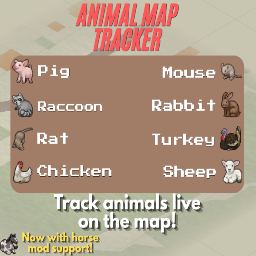
Animal Tracker
por 76561198968993381
Animal Map Tracker Tired of wandering aimlessly through the woods looking for livestock or wild game? The Animal Map Tracker turns your world map into a professional tracking tool, specifically designed for the new animal systems in Project Zomboid Build 42. Whether you are a farmer looking for stray cows or a hunter tracking deer, this mod provides real-time data and persistent memory to make sure you never lose sight of your prey or property. Important: You can only see the animals within your current chunk and its surroundings. It’s not possible to see an animal on the other side of the map. I tried to increase the limit as much as I could, but the game doesn't really allow for more. Core Features - Real-Time Tracking: View live animal locations on both the World Map and Minimap. - Animal Alert: Receive notifications when an animal appears on your map. - Custom Visuals: High-quality pixel art icons for every animal type (Cows, Pigs, Deer, Chickens, Turkeys, Rabbits, Raccoons, and even Rats/Mice, Horses). - Persistent Memory (3-Day History): Unlike basic debug tools, this mod remembers where you last saw an animal. If an animal moves out of your active "chunk," its icon remains on the map in a faded state for 3 in-game days. - Smart Cleanup: If you return to a "last seen" location and the animal is gone, the icon is automatically removed to keep your map accurate. Detailed Information Panel Right-click any animal icon on the map to open a detailed status window: - Identity: View Gender and Life Stage (Young, Adult, Elderly). - Health Status: Monitor if an animal is Healthy, Injured, or in Critical condition. - Appearance: Check if animals are Well Fed or Thirsty at a glance. - Attitude: See their current mood (Calm, Stressed, or Panicked). Fully Customizable Configure the tracker to fit your playstyle through mod options: - Scan Radius (for last seen animals): Adjust how far the tracker looks (from 500 to 20,000+ tiles). - Update Interval: Control how often the map refreshes to save performance. - Animal Filters: Toggle individual animals on or off. Don't want to see rats? Simply uncheck them! - On-Map Toggle: A dedicated "Animals: ON/OFF" button directly on your map UI for quick access. Performance Optimized - Scanning only occurs when the map is actually open. - Memory management ensures that "Last Known Positions" do not lag your game. - Safe for long-term saves. Roadmap & Known Bugs You can check the full roadmap and current known bugs here: - Full Roadmap - Known Bugs List Upcoming Mods My Other Mods: https://steamcommunity.com/sharedfiles/filedetails/?id=2795331647 Workshop ID: 3706760910 Mod ID: animalmap_tracker

Mercedes-Benz AMG Vision Gran Turismo
por 76561198035338496
This mod adds the Mercedes-Benz AMG Vision Gran Turismo as a standalone vehicle to the game. There are 2 variants of the car included in the mod: - Base model (ID:fhqMBVisionGT) - Unique model with monochrome fixtures (ID:fhqMBVisionGT_2) Note that at the moment, the vehicle will not spawn in the world, it must be added using debug mode or a similar method. The Mercedes-Benz Vision Gran Turismo is the first car in the Vision Gran Turismo series of concepts; concept cars made in collaboration with Polyphony Digital and auto manufacturers. The AMG Vision GT takes design inspiration from the Mercedes-Benz 300SL, incorporating a similar body shape as well as the famous gullwing doors. The concept car is equipped with a 5.5L twin-turbocharged V8 producing about 580 horsepower, giving the Vision GT supercar performance. This mod was commissioned by m4a3e2-76w, big thanks to them for the support! Also check out my vehicle pack here: In addition, some of my other mods are here: (Some mods are pending updates for B42.13+) Workshop ID: 3713018764 Mod ID: M-BVisionGTfhq

Yev Projeto Brasil Tiles
por 76561198190833943
Esse mod é uma coleção de sprites criada para meu mapa inspirado no Brasil. Esteja ciente de que atualizações podem surgir para correção de erros. Faça parte da comunidade brasileira de project zomboid. Entre no link abaixo no nosso discord. https://discord.gg/qWpdBKJYeP Workshop ID: 3385819890 Mod ID: ProjetoBrasilTiles
![[COS] Silver_Wolf – Project Zomboid Mod](https://images.steamusercontent.com/ugc/2383053386204977351/260F3EEEE6913C95CE6419FEED419309E30B4778/)
[COS] Silver_Wolf
por 76561199178116693
How Do I Use It? - You can go to the link below to see how to use it. - Link Recommended mode - Fashionoid - Gear Transmog - Hide All Attached Items - Clipping animation Fix How to use COS mode in build 42. - Navigate to the path where the mod is installed. - Create a 42.0 folder. - Create a common folder. - Paste the media folder / mod.info / preview.png into the 42.0 folder. The recipe code writing method has been changed in 42Build. Since COS (Costume) mode has approximately over 200 modes, converting to 42Build's recipe code is an extremely laborious task. In 42Build, you cannot create costumes in (42 build) the crafting tab. There are two methods: Spawn items in cheat mode. Select items in the clothing selection screen when creating a character. Like My Mode? - Join Our Discord If You Want Commission Workshop ID: 3309819386 Mod ID: Silver_Wolf
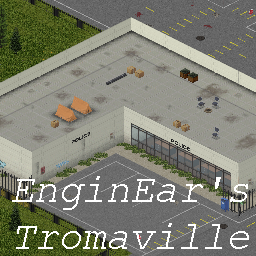
Engin Ear's Tromaville
por 76561198043798019
Hello friend. I made something and wanted to show you it. Build 41 made me feel as if I was playing Resident Evil all over again. but there was one major issue.. none of the towns felt claustrophobic. So I learned to map in about 24 hours and made this as a result fixing my mistakes as I went I hope you like it. I Recommend playing with high item spawns and a zombie pop of 2.0 with Redistribute Hours set to 1.0. Tromaville is a 1x1 Challenge Map with Survivors that is not connected to the playable game world. it is a small town in Nowheresville, USA. the town has been fenced in and you are not meant to leave. if you find a way out lemme know. if you find a bug lemme know. I didn't make any of the buildings on this map. all of them came from the pack blackbeard has put together on the fourms. Thank you too anyone, who has ever contributed assets. Lastly this is a Modders Resource. I've placed the raw files in a .rar in the mods directory to be used by anyone for anything. Mods Used: https://steamcommunity.com/workshop/filedetails/?id=2417853422 I made another map awhile ago, guess no one really saw it. Here's a Link: https://steamcommunity.com/sharedfiles/filedetails/?id=2461377022 If you post in the comments, know I'll be archiving it from now on. I will be Reposting your stupid comment if you deleted it, so everyone can laugh at it. Tags:B41 Workshop ID: 2417127730 Mod ID: ihavenomouseandimustedit Map Folder: Tromaville

Pizza tower Lifestyle Addon
por 76561198980047691
ADD MUSIC TO Lifestyle Addon FROM PIZZA TOWER!!!!!!!!!! Bye bye there! Pepperman Strikes Its pizza tieme!! Tropical crust Workshop ID: 2983362694 Mod ID: Pizzatime
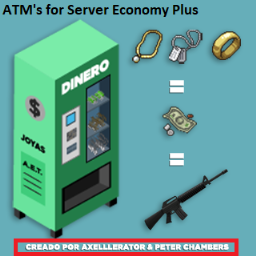
ATM's for Server Economy Plus
por 76561198073261004
Credits to @Axelllerator (the programmer) and Peter Chambers (3D and texture modeler, and translator). Workshop ID: 2872126389 Mod ID: AutomaticEconomyTraderPlus
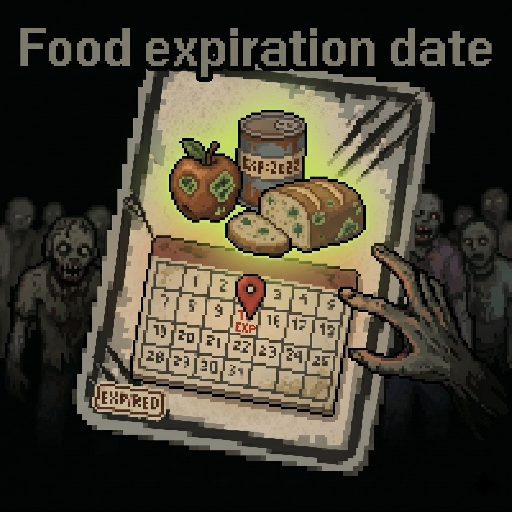
FoodExpirationDate (食物保质期参考)
por 76561198804823944
Food Expiry Display If you like my mod, please leave a free thumbs up! It means a lot to me. Game Version: Build 42.17 and later Supported Languages: Simplified Chinese (CN), Traditional Chinese (CH), English (EN) About This Mod This is a deeply optimized UI enhancement mod for Build 42. It allows you to view the remaining shelf life of food in real-time directly from the item tooltip, helping you manage your apocalypse supplies more efficiently. Key Features - Room Temperature Estimation: Automatically calculates how long food can be stored in the current environment (fully calibrated with sandbox rotting multiplier settings). - 4K & Large Font Support: Features a dynamic UI layout. The black background box automatically scales with text length, fully supporting high-resolution screens. - Universal Mod Compatibility: Works with any item categorized as "Food" (including food items added by other mods). My Other Mods Minimap Path Navigation One-Click Wash Tactical Card System Food Expiry Display Workshop ID: 3720209890 Mod ID: foodAll_v1
Project Zomboid Guides
Instalar mods de Project Zomboid - guía del Workshop
Instala mods de Project Zomboid de forma limpia mediante Steam Workshop: introducir IDs, comprobar el orden, reiniciar el servidor y solucionar errores típicos.
Alquilar un servidor de Project Zomboid – guía multijugador
Configura un servidor de Project Zomboid: RAM, ajustes sandbox, mods de Workshop, permisos de admin y errores típicos bien revisados.
Servidor Project Zomboid con soporte de mods
Instala mods compatibles y admitidos desde el panel del servidor.
Alquilar un servidor Project Zomboid