Mods y plugins para Project Zomboid
Este catálogo incluye 52.000+ proyectos de Project Zomboid procedentes de Steam Workshop. Las entradas pueden ser para servidor, cliente o ambos, e incluir mapas u otro contenido generado por usuarios. Antes de instalar, comprueba la página de origen enlazada, la versión del juego y las dependencias.
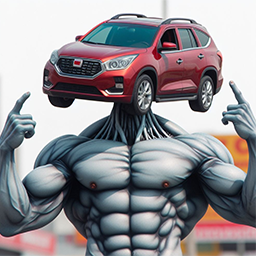
Slower Car Tear And Wear
por 76561198087134748
Description Your car parts are now more durable! All parts last 3 times longer from tear and wear!! This is part of my on going common sense mod , which I will add quality of life improvements and tweaks that add a bit of common sense to the game. This is achieved by modifying a universal vanilla vehicle function that's responsible for lowering the condition of car parts. Might conflict with mods that edits Vehicles.lua. My mod should overwrite theirs with no problem. Compatibility For third party car mods, if they utilize the vanilla degrade function, then this mod will work if it overwrites their car mods. This mod will not work if they have implemented their own degrade function, i.e they will not call the vanilla function that my mod have modified. Lastly If you like my dumbass AI generated mod cover image, or the mod itself, feel free to leave a like! Workshop ID: 3174846733 Mod ID: SlowerCarWear
![[COS] Price – Project Zomboid Mod](https://images.steamusercontent.com/ugc/2419067507445507398/36879879AE80B78B1A4A3362A145327E6FAFADA2/)
[COS] Price
por 76561199178116693
How Do I Use It? - You can go to the link below to see how to use it. - Link Recommended mode - Fashionoid - Gear Transmog - Hide All Attached Items - Clipping animation Fix How to use COS mode in build 42. - Navigate to the path where the mod is installed. - Create a 42.0 folder. - Create a common folder. - Paste the media folder / mod.info / preview.png into the 42.0 folder. The recipe code writing method has been changed in 42Build. Since COS (Costume) mode has approximately over 200 modes, converting to 42Build's recipe code is an extremely laborious task. In 42Build, you cannot create costumes in (42 build) the crafting tab. There are two methods: Spawn items in cheat mode. Select items in the clothing selection screen when creating a character. Like My Mode? - Join Our Discord If You Want Commission Workshop ID: 3174611053 Mod ID: price
![[B42.20 MP & SP] Terminal logistic – Project Zomboid Mod](https://images.steamusercontent.com/ugc/15017189947196513836/FB5D80592CDF5E3BE9BC3036EAE13BF05F7472F1/)
[B42.20 MP & SP] Terminal logistic
por 76561198087570913
LOGISTICS TERMINAL The first centralized container management mod for Project Zomboid. Turn a vanilla Desktop Computer into a complete logistics network for your safehouse. Browse every container from one interface, find items instantly, and transfer them without running from room to room. MAIN FEATURES • Access every safehouse container from one terminal • Search and sort stored items • Transfer items between inventories, containers, backpacks, and vehicles with visible progress • Access nearby vehicle storage • Create custom Storage Profiles • Include or exclude specific items and categories • Assign profiles to multiple containers • Automatically sort items into profiled containers with Transfer All • Try compatible containers alphabetically and skip full containers • Display container weight and capacity • Use custom vanilla container names • Skip rejected items without stopping the transfer queue • Prevent transfers to unsuitable or full containers • Allow access to the owner and faction members • Server-side multiplayer validation • Resizable and responsive interface • Built-in help for every tab • French and English support • Vanilla-friendly design • Access containers located in basements, including extended basement areas • Browse large storage networks with paginated loading and complete search results • Double-click an item from All Containers to open its source container • Rename containers directly from the terminal using Project Zomboid’s vanilla naming system • Grant or revoke terminal access for individual faction members • Save faction permissions separately for each safehouse HOW TO USE Claim a safehouse. Place a vanilla Desktop Computer inside it. Right-click the computer. Select Logistics Terminal. Use the three tabs to manage your storage: • Logistics Terminal — Search and transfer items. • Profile Manager — Create storage rules. • Profile Assigner — Assign profiles to containers. Automatic sorting To automatically sort an inventory using your Storage Profiles: 1. Create a Storage Profile in Profile Manager. 2. Add the accepted or excluded items and categories. 3. Click Apply Changes. 4. Assign the profile to one or more containers in Profile Assigner. 5. Return to the Logistics Terminal tab. 6. Select All Containers on the left. 7. Select the inventory, backpack, or nearby vehicle storage on the right. 8. Click inside the right-hand item list to use it as the transfer source. 9. Click Transfer All. Only containers with an assigned profile are used. If several containers accept the same item, they are tried in alphabetical order. Full containers are skipped and the next compatible container is used. Items without a compatible destination remain in the source inventory. STORAGE PROFILES Create rules that control what each container accepts. For example: • Allow only ammunition in a specific cabinet • Exclude food from a tool container • Allow one specific item even when its category is denied • Deny one specific item from an otherwise allowed category Specific item rules always take priority over category rules. Remember to click Apply Changes after modifying a profile. Storage Profiles are also used by the automatic sorting system. A container without an assigned profile is never selected as an automatic destination. SOLO PLAYER SETUP Solo mode is detected automatically, including on existing saves. No Sandbox option or new game is required. 1. Place the terminal Place a vanilla Desktop Computer inside or near the building you want to use. 2. Start the setup Right-click the computer and select Set My Zone. This uses Project Zomboid’s native safehouse system. 3. Set the first corner Stand on the first corner of the storage area and click Set First Corner Here. 4. Set the final corner Walk to the opposite corner while keeping the computer and desired containers inside the rectangle. Click Apply: your current position becomes the second and final corner. 5. Open the terminal Right-click the computer again and select Logistics Terminal. Every container inside the selected area, on every floor, can now be detected. Use the ? button if you need help during the setup. Moving to another location Select Erase Safehouse from the computer’s context menu, confirm the deletion, then use Set My Zone again at the new location. IMPORTANT This mod is made for Project Zomboid Build 42. If you encounter a bug, exploit, or possible duplication issue, please report it with as much information as possible. Thank you for your feedback and support! © Deltasubject. Unauthorized redistribution, reuploading, or reuse of this mod’s code is prohibited without permission. Workshop ID: 3766943005 Mod ID: TerminalLogisticByDeltasubject Workshop ID: 3766943005 Mod ID: TerminalLogisticByDeltasubject
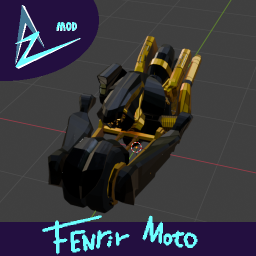
FenrirMoto芬里尔摩托(FF7)
por 76561198288508094
最终幻想7 芬里尔摩托FenrirMoto from FinalFantacyVII Workshop ID: 3426345030 Mod ID: Zal_moto_fenrir
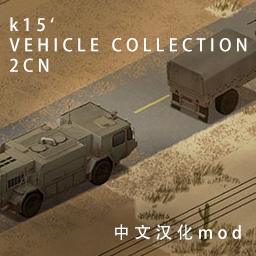
KI5-vehicle-collection-2-CN
por 76561199253254276
Project Zomboid mod 合集 KI5's vehicle collection 汉化 汉化合集内所有车辆,除未提供语言文件外的车辆。主要汉化为车辆信息界面,车辆物品配件暂无独立语言文件,如更新后有遗漏,call 我。 本项目语言文本翻译使用大语言模型翻译。 汉化mod地址订阅地址:https://steamcommunity.com/workshop/filedetails/?id=2490220997 Workshop ID: 3243575859 Mod ID: '49-Dodge-Power-Wagon-Crew-Cab-2-CN_for_DXCHXX Mod ID: '49-Ford-8N-Tractor-2-CN_for_DXCHXX Mod ID: '59-Cadillac-Miller-Meteor-2-CN_for_DXCHXX Mod ID: '63-Volkswagen-1300-Beetle-2-CN_for_DXCHXX Mod ID: '63-Volkswagen-Type-2-Van-2-CN_for_DXCHXX Mod ID: '67-Cadillac-Gage-Commando-V100-2-CN_for_DXCHXX Mod ID: '67-Shelby-GT500-+-Eleanor-2-CN_for_DXCHXX Mod ID: '69-Chevrolet-Camaro-2-CN_for_DXCHXX Mod ID: '69-Mini-Mk2-2-CN_for_DXCHXX Mod ID: '70-Dodge-Challenger-2-CN_for_DXCHXX Mod ID: '70-Plymouth-Barracuda-2-CN_for_DXCHXX Mod ID: '74-AM-General-M151A2-MUTT-2-CN_for_DXCHXX Mod ID: '75-Pontiac-Grand-Prix-2-CN_for_DXCHXX Mod ID: '76-Chevrolet-K-series-2-CN_for_DXCHXX Mod ID: '78-AM-General-M35A2-2-CN_for_DXCHXX Mod ID: '82-Jeep-J10-2-CN_for_DXCHXX Mod ID: '82-Oshkosh-M911-2-CN_for_DXCHXX Mod ID: '83-AM-General-M923-Hillbilly-2-CN_for_DXCHXX Mod ID: '84-Cadillac-Gage-LAV-300-2-CN_for_DXCHXX Mod ID: '84-Mercedes-Benz-W460-2-CN_for_DXCHXX Mod ID: '85-Mercedes-Benz-W123-2-CN_for_DXCHXX Mod ID: '86-Ford-Econoline-E150-2-CN_for_DXCHXX Mod ID: '86-Oshkosh-P19A-+-Military-Trailers-2-CN_for_DXCHXX Mod ID: '87-Buick-Regal-2-CN_for_DXCHXX Mod ID: '87-Chevrolet-Suburban-2-CN_for_DXCHXX Mod ID: '87-Ford-B700-Bus-2-CN_for_DXCHXX Mod ID: '87-TOYOTA-Land-Cruiser-FJ60-2-CN_for_DXCHXX Mod ID: '87-Toyota-MR2-2-CN_for_DXCHXX Mod ID: '88-Chevrolet-S10-2-CN_for_DXCHXX Mod ID: '88-Volkswagen-Golf-Mk2-2-CN_for_DXCHXX Mod ID: '88-Volkswagen-Jetta-Mk2-2-CN_for_DXCHXX Mod ID: '89-Dodge-Caravan-2-CN_for_DXCHXX Mod ID: '89-Ford-Bronco-2-CN_for_DXCHXX Mod ID: '89-Isuzu-Trooper-2-CN_for_DXCHXX Mod ID: '89-LAND-ROVER-Defender-110-2-CN_for_DXCHXX Mod ID: '89-LAND-ROVER-Defender-90-2-CN_for_DXCHXX Mod ID: '90-BMW-3-Series-(E30)-2-CN_for_DXCHXX Mod ID: '90-Ford-F350-Ambulance-Type-1-2-CN_for_DXCHXX Mod ID: '90-Lada-Niva-2-CN_for_DXCHXX Mod ID: '90-Pierce-Arrow-Pumper-2-CN_for_DXCHXX Mod ID: '91-Geo-Metro-2-CN_for_DXCHXX Mod ID: '91-RANGE-ROVER-Classic-2-CN_for_DXCHXX Mod ID: '92-AM-General-M998-+-M101A3-Trailer-2-CN_for_DXCHXX Mod ID: '92-Ford-Crown-Victoria-Police-Interceptor-2-CN_for_DXCHXX Mod ID: '92-NISSAN-Skyline-GT-R-(R32)-2-CN_for_DXCHXX Mod ID: '93-Chevrolet-Suburban-2-CN_for_DXCHXX Mod ID: '93-Ford-CF8000-Elgin-Street-Sweeper-2-CN_for_DXCHXX Mod ID: '93-Ford-F-350-2-CN_for_DXCHXX Mod ID: '93-Ford-Mustang-SSP-2-CN_for_DXCHXX Mod ID: '93-Ford-Taurus-2-CN_for_DXCHXX Mod ID: '93-Lincoln-Town-Car-2-CN_for_DXCHXX Mod ID: '97-ADI-Bushmaster-2-CN_for_DXCHXX Mod ID: that-DAMN-Library-2-CN_for_DXCHXX
![Movi3353's SPOON! [B41] – Project Zomboid Mod](https://images.steamusercontent.com/ugc/1620723298501421353/70BEB4362175A1EB69768700852C22CC7BE41E97/)
Movi3353's SPOON! [B41]
por 76561198047461503
A hommage of 'The Horribly Slow Murderer with the Extremely Inefficient Weapon' by Richard Gale. FEATURES 1. Huge increase of condition Max. (3->999) 2. Switched Swing motion and sounds. (now same as FryingPan) 3. Modified Critical chances and damage multiplier. (0->20/1->3) 4. Can break doors and chop trees. (not recommended!) Ver.1.1. 1. Now you can fix Spoon! 2. Start game with 2 Spoon. (Need fork, too?) KNOWN ISSUES 1. Gain EXP both SmallBlade and SmallBlunt. - May be because of ItemTweaker. Should I not use it? 2. Used spoon will break after reloading game. - Not fixable because of system loading sequence. still investigating. Built for and tested on B41.54+, but may work on B41. Created by movi3353 - Twitch Special thanks to DarkSlayerEX 리처드 게일의 영화 '숫가락 살인자'의 오마주 모드입니다. 모드 기능 1. 무기 내구도 대폭 증가 (3->999) 2. 무기 모션 및 사운드 교체 (후라이팬과 동일합니다.) 3. 크리티컬 확률 및 대미지 배율 변경 (0->20/1->3) 4. 문을 부수거나 나무를 자를 수 있습니다. (추천하지는 않습니다!) Ver.1.1. 1. 이제 숟가락을 고칠 수 있습니다! 2. 게임 시작시 2개의 숟가락을 가지고 시작합니다. (포크도 필요하신가요?) 알려진 문제 1. 단검과 짧은 둔기의 경험치가 동시에 올라갑니다. - ItemTweaker사용에 의한 문제 같습니다. 버릴지 고민 중 2. 사용한 숟가락은 게임 리로드시 부숴집니다. - 시스템 로딩순서에 의한 것으로 고칠 수 있을지 모르겠습니다. 조사중 B41.54+ 타겟으로 만들어졌지만, 아마도 B41라면 문제없이 동작합니다. Created by 트위치 모비입니다(movi3353) Special thanks to DarkSlayerEX Workshop ID: 2609153976 Mod ID: movi3353SPOON Mod ID: movi3353SPOONIT
![[B42] Living Hordes Beta 0.7 [Solo Only] – Project Zomboid Mod](https://images.steamusercontent.com/ugc/15109247396979599444/4B42A2B1D050FEFAC7F636C45F77A0A54FFC974A/)
[B42] Living Hordes Beta 0.7 [Solo Only]
por 76561198189872749
Living Hordes came out of a feeling every Project Zomboid player has had at some point. You know the one. You turn respawn off for the immersion, telling yourself you are finally going to get the Walking Dead feeling you deserve. Then the disappointment. The game does shuffle its population, but zombies only migrate into the empty parts of their own cell, a 256 tile square they never leave. Nothing crosses the map, nothing comes from another town. Reinforcing your base is pointless, because nobody has any reason to show up. They are right there, just next door, and yet they only move if you call them. We have all dreamed of living out The Walking Dead in Project Zomboid. Not you? I have. And this mod is what came of it. The map of Project Zomboid no longer lives through you. Zombies and hordes move whatever the distance, and the world does not wait for you. What this changes in your games - Hordes are not looking for you, but there are so many of them that one will eventually stumble onto your base. - Cleared the whole of Rosewood? Enjoy it, because migration will fill the gaps back in. And if the Muldraugh industrial district is empty when you get there, that happens too, but do not count on it. - The usual run between Rosewood and Riverside, no trouble as always. Right up to that horde crossing the middle of the road, big enough that turning back is the only option left. - Securing your base matters, and keeping it in one piece matters just as much. The hordes that pass by pile against the walls and the doors, and they leave real damage. When you come back, check that no breach has opened while you were away. This is not a rework of zombie behaviour It is a replacement of the simulation layer: the original population system is switched off. Tens of thousands of zombies cross the map at all times, and almost none of them exist for the engine. A zombie only becomes a game object if you could actually see it, and the mod queries the game's own visibility test for that. A horde can therefore pass through the town you are hiding in without a single one of its zombies becoming real. A map that is read, not filled in by hand When a game is created, the mod reads the entire map and works out not where people lived, but where they fled: police stations, military posts, hospitals, and the churches and schools opened as shelters. A prison therefore weighs more than the farms around it, and a bowling alley is nearly empty. Hordes then move from one point of interest to the next, along routes that are never straight lines and that go around rivers too wide to cross. New hordes come in through the map edges all the time, more readily along a road than across a field. And an area nobody goes near falls dormant, so an unvisited town keeps its population for weeks instead of emptying behind your back. And the same map never gives you the same game twice. The distribution is drawn at creation: the prison is still the worst address in Rosewood, but which wing to avoid is decided when you start. What is closed is really closed The engine knows the rooms of a building, and the mod works out which ones actually connect. Your own constructions are picked up the moment you place them. And what neither of those sees, a fenced yard or a walled car park, the mod goes looking for itself. A sealed space is not somewhere zombies cannot get into, it is somewhere they cannot cross the boundary of, in either direction. A horde that came in through a gate is trapped the moment it closes again. The zombies shut inside a house since the outbreak began are still in there. A closed area also keeps whatever was inside it when you left and hands it back when you return: your yard is waiting exactly as you left it. A large enclosure like the prison is recognised without touring it: walking into one courtyard is enough for the mod to read the ground behind the walls and take the rest in. It can then be opened by a breach on the far side from where you are. A car parked in a gap in the fence closes the enclosure. Sound carries further than the loaded terrain A gunshot does not only wake what is loaded around you. It travels through all three layers of the simulation. But the mod is deliberately deaf. Walking, opening a door, striking with bare hands produce nothing at all. Above that filter, a modest sound only reaches the zombies already nearby, and it takes a genuinely loud one to set a whole horde moving. The effect then falls off with distance: at the edge of the range almost nothing is left, and beyond it nothing is. Whatever hears it reacts according to what it was doing. A migrating horde has its destination pivot towards the source without ever turning back, a roaming horde leans, and a settled horde sends a piece of itself and keeps the rest: a shot draws part of the town, not the town. The helicopter is the expensive exception, by far the loudest event in the game. Persistence A horde is not a stable thing. They split on the way, absorb each other on contact, scatter when you run into them and rebuild behind you. What persists is therefore not a horde, it is the trace of what its population has been through. A horde remembers its wardrobe: how many outfits of each kind, how many crawlers, how many items left stuck in the bodies. When two hordes merge their wardrobes mix, and a horde scattered by your passing rebuilds with the same temperament. Run into a horde of military uniforms near Louisville. Months later over by Riverside, you may come across one that still carries the mark, mixed in with everything it absorbed on the way. They will not be the same zombies, just counters travelling with the population. Settings Three presets are enough to play: Post-Apocalypse for a late and quiet world, First Week for the start of the outbreak, Walking Dead for herds that reach the countryside. Four intermediate axes reshape one aspect of the world without needing to understand the others, and every slider underneath stays available. In game, the pause menu exposes a single control: zombie density. Everything else follows from it. The mod measures your machine on startup and adjusts its own limits accordingly, downwards and upwards alike. Compatibility Living Hordes keeps no list of mods. What works, works by design. Sound arrives through the engine event, not through a list: a gun added by a mod, a generator, an alarm, anything that makes noise feeds the system with nothing to declare. Outfits are held by name whatever that name is, so a mod that dresses zombies differently sees its outfits travel in horde wardrobes just like the base game's. Modded maps work: water fills in through exploration and unknown room names are classified by pattern matching. The balance is not guaranteed, however. A custom map is populated consistently with its own room names, which is not the same thing as being populated correctly. Documentation Every system is described in detail: https://belerion63.github.io/Living-Hordes/ Question & Bug ? FAQ https://steamcommunity.com/workshop/filedetails/discussion/3691686404/800091219296382097/ Bug/Performance report : https://steamcommunity.com/workshop/filedetails/discussion/3691686404/800091219296413154/ Workshop ID: 3691686404 Mod ID: ZombieMigration Discord : https://discord.gg/wdzDmZ5X5y Channel : https://discord.com/channels/908422782554107904/1485669657573589112 Workshop ID: 3691686404 Mod ID: ZombieMigration
![Stealth Attack [B42 SP/MP] – Project Zomboid Mod](https://images.steamusercontent.com/ugc/9734592205295687682/A6772A7BCAF73E3123D120E0BFBFFD46BED8DA06/)
Stealth Attack [B42 SP/MP]
por 76561198208669473
Let's be honest, sneaking is not that useful. That's why i made this mod ! What does it do ? Use your sneaking abilities to kill zombies in One-Shot ! How does it work ? Crouch behind a zombie that is unaware of your presence, and make him pay ! this mod uses your sneaking level to kill the zombie, the higher your level is, the higher chance you have to One-Shot him from behind. It works only with melee weapons ! (WORKS WITH WEAPON MODS TOO!) Chances of killing Level % Level 0 14% Level 1 26% Level 2 39% Level 3 51% Level 4 63% Level 5 75% Level 6 88% Level 7 100% Hope You Like It ! Please Don't Forget To Leave A Like (AI was used for Code Review & Improvement, the idea and the concept of this mod comes from me and me only !) Workshop ID: 3786073264 Mod ID: StealthAttackBySwas
![Necroa - Z Com Hazmat Suits [B42 Stable] – Project Zomboid Mod](https://images.steamusercontent.com/ugc/11590498137570744906/22CCE00083F9F80E7AE54A01F287E597D8B6C5B9/)
Necroa - Z Com Hazmat Suits [B42 Stable]
por 76561198963401118
Z Com Hazmat Suit - Standalone Version (THIS MOD HAVE NOTHING TO DO WITH RUSSIA) This mod replaces the vanilla Hazmat Suit with the Z Com protective suit originally introduced in Necroa Update 1.8. The models, textures, and designs featured in this release were created for the Necroa universe and have been adapted into a standalone package for players who enjoy the visual style of the suit but do not wish to play with the full Necroa experience. In addition to serving as a standalone replacement, this page also acts as an extension of the Necroa universe, presenting fragments of lore, equipment records, and background information surrounding the Z Com containment forces and their role during the collapse. Whether you are looking for a more militarized appearance, a different interpretation of the Hazmat Suit, or simply want to explore the world of Necroa, this mod is intended to provide that experience without requiring any additional content. Texture Quality Notice This mod uses high-resolution textures. If the suit appears blurry, pixelated, or lower quality than the screenshots shown on this page, the issue is usually caused by Project Zomboid's texture compression settings. For the best visual quality: • Open the game's Display settings. • Set Texture Compression to OFF. • Increase the Texture Size Limit from 256x256 to 2048x2048 Project Zomboid automatically compresses textures when these settings are enabled, which can significantly reduce the quality of detailed equipment textures. In case you want to help me, or want to hear more about the development of this mod, here is my Workshop ID: 3768183922 Mod ID: HazmatMK1 Mod ID: HazmatMK2 Mod ID: HazmatMK3

VHS Pack: Trapping
por 76561199230970910
Добавляет 5 кассет, просмотрев которые вы сможете словить НАСТОЯЩЕГО, не pngшного зайца в новом билде, ну или ловить png зайцев в 41 билде, кассету тоже поспособствуют Workshop ID: 3541401726 Mod ID: VHSPackTrapping
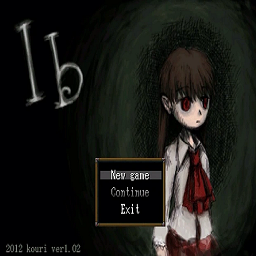
Lifestyle Acoustic Add-on: Ib
por 76561197995223614
Some acoustic tracks from Ib. Blind Alley, Departure, The Little Doll's Dream, Prelude, and Hide And Seek. All at Masterful. Obviously needs the Lifestyle mod for playing music. Workshop ID: 3004458221 Mod ID: LifestyleIb
![[B42.13 SP/MP] Proximity Inventory (Brazilian Portuguese) – Project Zomboid Mod](https://images.steamusercontent.com/ugc/17498256350692726228/1CDD7A8F612BA068683491928B3B71B312C112AD/)
[B42.13 SP/MP] Proximity Inventory (Brazilian Portuguese)
por 76561199131666750
Translation into Brazilian Portuguese of the Proximity Inventory mod (This mod needs the original mod to work). Making it clear that I have no intention of stealing the credits of the original creator, it's just a way I found to bring it to our language, that is, all rights go to the original creator of the mod: @K1ngKong Workshop ID: 3628578003 Mod ID: Inventario de Proximidade

Minecraft drink sound
por 76561198453788837
Description: Replaces the drinking sound effect with the minecraft sound effect. Workshop ID: 2841387070 Mod ID: MinDrinkSound
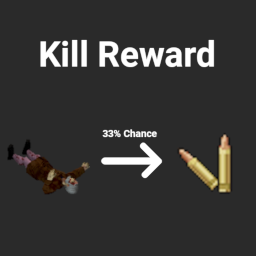
Kill Reward
por 76561198088870567
About Simple mod that rewards players for using firearms. This mod aims to encourage players to train their aiming skills, since the higher level they are, the less ammo they will waste on a single zombie How it works - For every zombie kill, there is a 33% chance that zombie will spawn: - A stack of ammo (about 5 for most ammo type, except .44, only 3) in their inventory. - Random from 1 - 6 rounds in their inventory - Note that this will only spawn the ammo for the firearm that was used to kill that particular zombie with. This does sacrifice a bit of realism, but a little fun wouldn't harm anyone - Of course, balance zombie's behavior/spawn rate/respawn rate and ammo spawn rate as you see fit for your playthrough Compatibility - Compatible with firearm mods - Compatible with current saves Like the mod? Buy me a coffee if you can :) Workshop ID: 3055282545 Mod ID: riskykillreward

抗病毒疫苗
por 76561198317979792
用Antiserum MOD简单模式改进了联机模式图标BUG并进行了修改制作的,如果原作者要求会进行隐藏下架。 1,测试感染需要医疗等级降为0。 2,低级疫苗样本需求改为20,急救等级需求改为0,只能压制感染进度,无法治愈。 3,中级疫苗抗体需求改为20,急救等级需求改为5,只能压制感染进度,无法治愈。 4,高级疫苗抗体需求改为25,急救等级需求改为7,可以完全治愈。 5,工作站制作需求降低,重量降低,电工等级需求改为1。 6,针管盒由一盒10根改为一盒15根。 Workshop ID: 2851018949 Mod ID: gg
![[B42 MP] OSRS XP Drops Retexture Fixed – Project Zomboid Mod](https://images.steamusercontent.com/ugc/15639484412266412041/4FAADDC30953E2592B5AA2A0AF72AFA2B205041C/)
[B42 MP] OSRS XP Drops Retexture Fixed
por 76561198176883591
MP-compatibility fix for the OSRS XP Drops Retextured mod by FishLord. Fixes crashes and broken XP bar tracking in multiplayer on Build 42.18. Mod ID: Infany_RUNE-EXP-RETEXTURED (updated from RUNE-EXP-RETEXTURED - update your server modlist if upgrading) --- IMPORTANT --- Only enable this patched version - do not run it alongside the original mod. Disable the original before activating this one. Note: This mod was not created by me. I am simply attempting to fix bugs and maintain compatibility. All original credit goes to FishLord (original retexture) and Broface (base XP drops mod). Workshop ID: 3730765389 Mod ID: Infany_RUNE-EXP-RETEXTURED
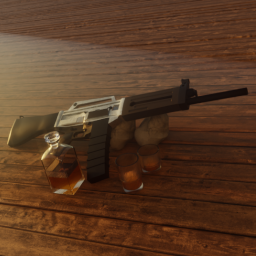
USAS12
por 76561198125763020
Adds a USAS12 to the game. Workshop ID: 3110217463 Mod ID: USA
![[COS] Ciri – Project Zomboid Mod](https://images.steamusercontent.com/ugc/2044106694557178560/1D101F2D60084FBE3B9BE8818963CF07046EC7D4/)
[COS] Ciri
por 76561199178116693
How Do I Use It? - You can go to the link below to see how to use it. - Link Recommended mode - Fashionoid - Gear Transmog - Hide All Attached Items - Clipping animation Fix How to use COS mode in build 42. - Navigate to the path where the mod is installed. - Create a 42.0 folder. - Create a common folder. - Paste the media folder / mod.info / preview.png into the 42.0 folder. The recipe code writing method has been changed in 42Build. Since COS (Costume) mode has approximately over 200 modes, converting to 42Build's recipe code is an extremely laborious task. In 42Build, you cannot create costumes in (42 build) the crafting tab. There are two methods: Spawn items in cheat mode. Select items in the clothing selection screen when creating a character. Like My Mode? - Join Our Discord If You Want Commission

True Moozic: Red Hot Chili Peppers
por 76561199446419840
Red Hot Chili Pepper Songs now in B42.13.2 and B42.14.0 Currently Adds -------------------- Scar Tissue Californiacation Under the Bridge Otherside Can't Stop Dani California Snow By the Way -------------------- By the Way Requested by: ogurec24555 Want a song added? Just put a comment with the song name! Workshop ID: 3662275722 Mod ID: TM_RedHotChiliPeppers

Gaucho Scoreboard B42
por 76561198316166770
PvP scoreboard for MP Server Workshop ID: 3649997127 Mod ID: GauchoScoreboard
![RV Interior Expanded [B41 Only] – Project Zomboid Mod](https://images.steamusercontent.com/ugc/13545190831659481576/5D89382716C6E3F1D395D69CDA82A9F4ECDCF60A/)
RV Interior Expanded [B41 Only]
por 76561197960801216
Arcadia RV Interior Expanded — 75-Slot Fork 75 interiors per vehicle template • 44 physical pools • 3,300 interior spaces • 549 registered vehicle identifiers Arcadia RV Interior Expanded is a multiplayer-ready fork with 75-slot pools, integrated vehicle compatibility, admin tools, and preserved interior assignments. It includes original RV Interior and Vanilla Addon support. ⚠ CRITICAL COMPATIBILITY WARNING Do not run the original RV Interior Workshop item alongside this fork. Loading both versions can create duplicate maps, duplicate events, conflicting assignments, broken transitions, and other unpredictable behavior. Install and enable this item on both the server and every connecting client. Clients must load the interior map or they may enter a black area or fail to transition correctly. Entering and exiting interiors teleports the player. If your server logs confirm teleport-related kicks or anti-cheat flags, you may need: AntiCheatProtectionType2=false AntiCheatProtectionType12=false Only disable these protections when your logs show they are interfering. ✅ MID-SAVE MULTIPLAYER COMPATIBILITY This fork and its vehicle_interior_arcadia75 map can be added to an existing multiplayer save without a wipe. Back up the complete save first. Existing vehicles assigned by the original RV Interior mod retain interiors 1–25, their contents, and player-built changes. The new slots 26–75 are available to newly assigned and previously unassigned vehicles without resetting existing owners. For a clean transition: - Back up the server. - Disable the original RV Interior system and standalone RV patches. - Enable ArcadiaRVInterior_MP, followed by ArcadiaRVInterior_Vanilla if wanted. - Replace the old map entry with vehicle_interior_arcadia75. - Restart and test one existing assignment plus one new assignment. 📦 INCLUDED MODS - ArcadiaRVInterior_MP — Required core system for assignments, teleporting, synchronization, administration, and the interior map. - ArcadiaRVInterior_Vanilla — Optional vanilla-vehicle add-on. Requires ArcadiaRVInterior_MP. Required mod order: ArcadiaRVInterior_MP ArcadiaRVInterior_Vanilla 🎉 75 INTERIORS PER VEHICLE TEMPLATE The original system provides 25 instances per interior template. This fork expands supported pools to 75 fully built, functional interiors: - Slots 1–25: original region - Slots 26–50: expanded region - Slots 51–75: expanded region - 44 physical 75-slot pools - 3,300 total interior spaces - 549 registered vehicle script identifiers, aliases, and retained B41 names All three regions are on the same map level—they are not second- or third-floor interiors. New interiors retain first-discovery furnishing, loot setup, and possible zombie spawning. The 549 figure counts registered vehicle IDs and compatibility aliases. This item supplies interior support, not 549 bundled vehicle models. 🔧 INTEGRATED VEHICLE COMPATIBILITY Separate RV patches are no longer required for supported vehicles. Integrated coverage includes Dash Roamer; KI5 F700, Step-Van, Type 2, campers and trailers; Moving trailers; Moki Taco Truck; Oshkosh vehicles and trailers; Armored International 4700; Motorious Zone RVs; UNIMOG RV trailer; buses; military vehicles; PZK; Blobs; Ford Transcontinental; MKI; Filibuster Rhymes; E150 families; and cross-build aliases. The Moki interior cell is integrated. Load vehicle_interior_arcadia75 first; supported vehicle mods remain required for their models and assets. 🗑 OLD MODS/PATCHES TO DISABLE Remove or disable these IDs because their functionality is integrated: RV_Interior_MP RV_Interior_Vanilla DashRoamerRVinterior RVIntKI5StepVan 87fordF700BoxInterior CNKI5STEPVANRVI CNKI5CAMPERSRVI CNKI5F700RVI CNKI5VWT2RVI P19A_RV_Interior fhqMotoriusZoneRVInt UNIMOG_RV_Interior Keep the actual vehicle mods enabled. 🛠 ADMINISTRATION TOOLS Authorized administrators can: - Identify the exact interior number while standing inside - Display a vehicle’s assigned interior - Assign a specific available interior - Mark an abandoned interior from inside - Adopt a marked interior with a compatible unassigned vehicle - Release a vehicle’s assignment - List interiors not entered recently - Reset all RV assignments globally Use global reset only during maintenance and after making a backup. 🗺 VEHICLE INTERIOR REGISTRY PYRAMID Safehouse/Map QoL Pack includes a detailed RV Registry Pyramid for both the original 25-slot map and this expanded map. It displays: - The hidden interior-map layout - All physical vehicle-template grids - Exact assignment numbers - Slots 1–25, 26–50, and 51–75 - Each grid’s vehicle pool and shared aliases - The map location of every interior The pyramid is a visualization and registry tool; the matching RV Interior map must still be installed and loaded. 🌐 SERVER MAP SETUP Append the Workshop item and mod IDs to your existing lists. Place the interior map first in your Map list: WorkshopItems=3770520783 Mods=ArcadiaRVInterior_MP;ArcadiaRVInterior_Vanilla Map=vehicle_interior_arcadia75;OtherMaps;Muldraugh, KY; ArcadiaRVInterior_Vanilla is optional. Replace OtherMaps with your actual map entries. Workshop ID: 3770520783 Map Folder: vehicle_interior_arcadia75 Challenge maps and other non-standard world configurations are not supported. 🛡 MULTIPLAYER HARDENING This fork adds server-authoritative enter/exit validation, administrative authorization, malformed-request throttling, bounded assignment scans, nil/stale-assignment protection, duplicate-watcher prevention, event-lifecycle corrections, and transition cleanup. It adds no uncontrolled near-capacity retry loops. The three-minute transition authorization timeout is a security cleanup window, not an expected loading time. 🚀 DEPLOYMENT CHECKLIST - Create a full backup. - Remove the original system and obsolete patches. - Install this item on server and clients. - Use the required mod order and map priority. - Restart completely. - Test entry/exit on an existing assigned vehicle. - Assign and test a previously unused vehicle. Mod ID: ArcadiaRVInterior_MP Mod ID: ArcadiaRVInterior_Vanilla Support Midgar's Project Zomboid Workshop If this mod has improved your game, server, or community, optional support helps fund Build 42 testing, compatibility updates, server infrastructure, artwork, audio production, and continued maintenance. Public fixes and releases remain free and are never paywalled. Join the Arcadia Rising Community Get update news, support, bug-report help, and join our active long-term Project Zomboid RP/PVE server community. Server: 50.5.46.175:16261
![[COS] Samurai – Project Zomboid Mod](https://images.steamusercontent.com/ugc/2226527842507258444/96FF5D289AF773EFA491777AF41B35AC57254E11/)
[COS] Samurai
por 76561199178116693
How Do I Use It? - You can go to the link below to see how to use it. - Link Recommended mode - Fashionoid - Gear Transmog - Hide All Attached Items - Clipping animation Fix How to use COS mode in build 42. - Navigate to the path where the mod is installed. - Create a 42.0 folder. - Create a common folder. - Paste the media folder / mod.info / preview.png into the 42.0 folder. The recipe code writing method has been changed in 42Build. Since COS (Costume) mode has approximately over 200 modes, converting to 42Build's recipe code is an extremely laborious task. In 42Build, you cannot create costumes in (42 build) the crafting tab. There are two methods: Spawn items in cheat mode. Select items in the clothing selection screen when creating a character. Like My Mode? - Join Our Discord If You Want Commission
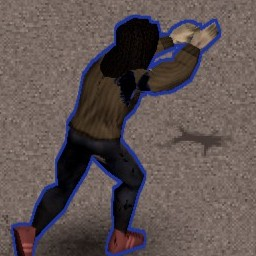
Deuteranopia Green Red Color Blindness Aiming Outline
por 76561198041733476
This is a color blindness accessibility mod. Changes the aim outline of a targeted zombie to be blue when locked on, and white when not locked on. Works by modifying aim outline fragment shader. Aim outline was originally green when locked on, and red when not locked on. Horrible for dudes with Deuteranopia. NOTE: The aim outline may turn a yellowish color if your aim skill is really poor, or you're using a sniper at close range. This yellowish color is normal. If your aim skill is moderately high, you'll probably never see this. Tested for Deuteranopia, on build 41.68 Not tested for Protanopia. Inspired by way2blue4u, Implemented by bihgboyy Workshop ID: 2797395414 Mod ID: deuteranopiaaimingoutline
![Weather Damage Mod [B41] [B42] Singleplayer – Project Zomboid Mod](https://images.steamusercontent.com/ugc/54714481498960630/A4981F631AB31869B68FE76178496F7C89E7381B/)
Weather Damage Mod [B41] [B42] Singleplayer
por 76561198218868119
NEW B42 Multiplayer Version click here: Weather Damage Mod B42 SP/MP 🇬🇧 Weather Damage Mod ⚠️ Severe Weather Warning! This mod turns rain, snow, and fog into real environmental threats. Stay outside unprotected, and your character will suffer — slowly but surely. 🧥 Proper clothing provides protection — but only if it's in good condition. 🌧️ Harsh weather wears down your gear over time. 😷 Wearing a gas mask? Great! But don't forget: the filter deteriorates, too. Features: ✔ Weather-based damage to health, endurance, fatigue, and sickness ✔ Clothing condition loss over time — customizable in hours and chance ✔ Gas masks protect against fog, but only with working filters ✔ Fully customizable via sandbox settings ✔ Compatible with other mods and multiplayer safe This mod adds a layer of survival realism — rewarding smart preparation, the right gear, and a close eye on the weather. 🇩🇪 Weather Damage Mod ⚠️ Unwetterwarnung! Diese Mod macht Regen, Schnee und Nebel zu echten Umweltgefahren. Wer sich ungeschützt draußen aufhält, muss mit schleichendem Schaden rechnen — an Gesundheit, Ausdauer, Müdigkeit und sogar durch Krankheit. 🧥 Kleidung schützt – aber nur, wenn sie in gutem Zustand ist. 🌧️ Dauerhafte Nässe zersetzt deine Ausrüstung Stück für Stück. 😷 Gasmaske gegen Nebel? Sehr gut – solange der Filter noch funktioniert. Besonderheiten: ✔ Wetterschaden an Gesundheit, Ausdauer, Müdigkeit und mehr ✔ Kleidung verschleißt über Zeit – Dauer & Wahrscheinlichkeit einstellbar ✔ Gasmaske schützt vor Nebel – mit begrenzter Filterkapazität ✔ Vollständig konfigurierbar über Sandbox-Optionen ✔ Kompatibel mit anderen Mods & Multiplayer-tauglich Diese Mod bringt ein Stück Überlebensrealismus ins Spiel – wer vorbereitet ist, kommt weiter. Workshop ID: 3464634208 Mod ID: WeatherDamageMod
Project Zomboid Guides
Instalar mods de Project Zomboid - guía del Workshop
Instala mods de Project Zomboid de forma limpia mediante Steam Workshop: introducir IDs, comprobar el orden, reiniciar el servidor y solucionar errores típicos.
Alquilar un servidor de Project Zomboid – guía multijugador
Configura un servidor de Project Zomboid: RAM, ajustes sandbox, mods de Workshop, permisos de admin y errores típicos bien revisados.
Servidor Project Zomboid con soporte de mods
Instala mods compatibles y admitidos desde el panel del servidor.
Alquilar un servidor Project Zomboid