Mods y plugins para Project Zomboid
Este catálogo incluye 60.000+ proyectos de Project Zomboid procedentes de Steam Workshop. Las entradas pueden ser para servidor, cliente o ambos, e incluir mapas u otro contenido generado por usuarios. Antes de instalar, comprueba la página de origen enlazada, la versión del juego y las dependencias.
zReVaccin 3(42.13~14) 한글 fix)
por 76561198078002984
zReVaccin 3 한글 번역본 저작권은 원작자에게 있음 14에서 정상 작동 확인 https://steamcommunity.com/sharedfiles/filedetails/?id=3643703198 원본 모드 원본모드가 필요합니다. 원본 아래에 배열되어야 합니다. Workshop ID: 3672348449 Mod ID: zReVaccin_3_kor
MSG Tweaks: Scrap Car Parts
por 76561198078141151
Scrap Car Doors, Hoods, and Trunk Lids Standard and Sports Parts are treated equally, Whereas Heavy Duty earns an extra Metal Sheet. High Value (Hoods, and Double Doors) multiply the Metal Sheets awarded Standard Car Door calculates: 1 = 1 (low value) Heavy Car Door calculates: 1 + 1 = 2 (low value) Standard Car Hood calculates: 1 * 2 = 2 (high value) Heavy Car Hood calculates: 1 + 1 * 2 = 4 (high value) Your Skill Level is a combination of Metalworking + (Mechanics * 0.25), reaching a Maximum of 12. Your Skill Level rewards +1 Metal Sheets at Level 7 or higher, As well as awarding Large Metal Sheets more often, the higher your Skill Level. Workshop ID: 2869283843 Mod ID: msg_tweaks
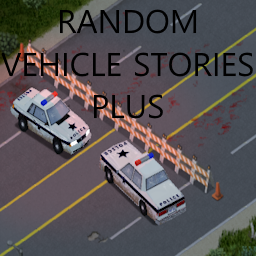
Random Vehicle Stories Plus (JAVA MOD!)
por 76561198833978028
WARNING: THIS MOD REQUIRES JAVA MODDING (check instructions below) You've installed thousands of vehicle mods. Kentucky now has huge fire trucks, police armored vehicles, and state of the art ambulances. However, it seems that on every burnt house, every barricade, and every ambulance crash they kinda forgot to use the latest aditions. Weird, huh? This JAVA mod fixes the vehicle events to use more than just vanilla cars (This was hardcoded in the events... Why?). The advantage of this compared to a vehicle replacer is that it can choose multiple different vehicles (at the proportions assigned in the lua files). See below for how to add support for other car mods. HUGE thanks to FedCap for making the java files. Dude's a legend. HOW TO INSTALL I added a link to the video installation guide of Dynamic Body Shape, the steps are the same, just go to 3336279347 instead of the Dynamic Body Shape folder You'll need to open 2 folders: Your project zomboid base game folder, and the workshop mod folder. Copy the entire zombie folder to the base game folder (you should overwrite 9 files, do not delete the original). The workshop mod folder is usually in: C:\Program Files (x86)\Steam\steamapps\workshop\content\108600\3336279347 You can also get a rar of the modified folder files from mega: https://mega.nz/file/K2J2yDaY#cBBsZ9OgFz1VhEYbUZZaozacKKdzeDjSvpA4XESXoLs You need to make sure the mod is enabled too, otherwise you won't get new vehicles in vehicle events. HOW TO UNINSTALL FedCap made the java modification as unintrusive as possible, but if you want to uninstall the mod for some reason: Deactivate the mod from the game, then on steam library right click PZ, go to properties, Installed Files and verify integrity of game files. COMPATIBILITY Works with the following mods out of the box: * PZK Vanilla Look-Like Car Pack * Filibuster Rhymes Used Cars Stable To add support for another mod, all modders have to do is add to the following vehicle zones: * rvseventfire * rvseventambulance * rvseventpolice * rvseventroadcrew * rvseventbandit Check in the workshop mod folder the file in media/lua/shared/RVSVehicleDistributions.lua Workshop ID: 3336279347 Mod ID: RVSPlus
NO MORE DIRT
por 76561198064443007
APOCALYPSE FASHIONISTAS REJOICE. RELOAD GAME AFTER ENABLING. CLOSE IT. THEN REOPEN. PROFIT. Load after any body mods. This is a simple mod. It removes the "dirt" overlay from body. YOU WILL STILL GET DIRTY..But no visuals to ruin your outfit. ♥ Enjoy. c: I HAVE BEEN CAMPING FOR TWO WEEKS STRAIGHT WITH RAIN AND MUD SURROUNDING ME, AND REMAINED CLEANER THAN A ZOMBOID CHARACTER DOES STANDING STILL IN A BLEACH CLEANED TILE ROOM. Workshop ID: 3039704328 Mod ID: NoMoreDirt

Ratinho Sound Alert
por 76561198113266447
Replaces the Zombie Alert with something more Ratinho Workshop ID: 2727863358 Mod ID: Ratinho-Alert
![Realistic Temperature [B42] - Русификация – Project Zomboid Mod](https://images.steamusercontent.com/ugc/13762914168745457358/831E93BC866B97659EAF23F730CFAE70AF52E7D3/)
Realistic Temperature [B42] - Русификация
por 76561198414246143
Русификация Realistic Temperature Мод делает температурную систему более реалистичной, полностью изменяя ощущение температуры воздуха, даже в помещениях. Зимой вам придется одеваться теплее, находить обогреватели и закрывать все двери и окна. Что делает мод? • Продвинутая симуляция температур: Теплый воздух проникает/уходит через открытые двери, окна и щели • Система помещений: Температуры в комнатах выравниваются based on их размеров и соединений • Оффлайн-симуляция: Температуры обновляются даже когда вы покидаете здание • Крупные здания: Торговые центры, больницы и аэропорты имеют системы HVAC при наличии электричества • Новая симуляция температуры тела: Эффективность одежды зависит от наслоения • Смертельная гипотермия: Быстрое переохлаждение без соответствующей одежды Ключевые особенности: Реалистичная симуляция температур, продвинутая система теплообмена, поддержка различных источников тепла. Dear foreign friends, this mod is only a localization of the main mod. If you came here because of the preview or text on it, you can safely go to the modification page itself. Хочу перевод Поддержать переводчика Workshop ID: 3601329551 Mod ID: REATEMRUS
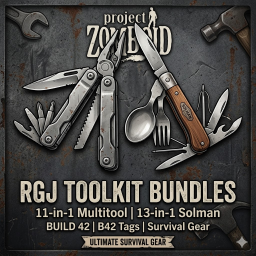
RGJ Toolkit Bundles
por 76561198297206322
Tired of carrying a backpack full of heavy tools? The RGJ Toolkit Bundle introduces high-quality, compact alternatives designed for the versatile survivor. This mod has been fully rebuilt for Build 42, utilizing the new tag system to ensure seamless integration with the game's evolving mechanics. 🧰 Featured Tools 1. The 11-in-1 Multitool (Vanilla Multitool Model) The ultimate mechanical companion. It’s a toolbox that fits in your pocket. Functions as: Hammer, Screwdriver, Saw, Knife, Can Opener, Bottle Opener, Scissors, Wrench, Pliers, and Tweezers. B42 Tags: Fully compatible with metalworking, mechanical repairs, and medical needs (removing glass/bullets). 2. The 13-in-1 'Solman' Survival Kit (Vanilla Handiknife Model) A masterwork for the outdoor chef and long-term survivor. Functions as: Fork, Spoon, Whisk, Spatula, Tongs, Paring Knife, Pliers, Awl, and Trowel. Survival Utility: Includes emergency tailoring (Needle/Thread) and gardening capabilities. B42 Tags: Essential for the new culinary and farming depth in Build 42. 🌍 World Distribution You won't just find these sitting on every kitchen counter. They are balanced to be rewarding finds: Spawn Locations: Glove boxes, camping stores, hardware shelves, and toolboxes. Zombie Loot: Rare chance to find the Solman on Survivalist zombies or the Multitool on Construction Worker zombies. 🛠️ Technical Features Belt-Ready: Custom attachment logic ensures the tools appear closed when hanging from your belt for maximum immersion. B42 Native: Built from the ground up using the new Build 42 tag system—no legacy logic to break your game. Lightweight: Designed to save inventory weight without sacrificing utility. First created and published mod! I’m active in the comments—please let me know if you have any issues, balance suggestions, or recommendations for future tools! Workshop ID: 3683617111 Mod ID: ToolkitsBundleMod
Reload Weapon While Running B42
por 76561198086563458
just an updated version of this mod - https://steamcommunity.com/sharedfiles/filedetails/?id=2964473017 Workshop ID: 3396222182 Mod ID: Load Weapon And Magazine While Running
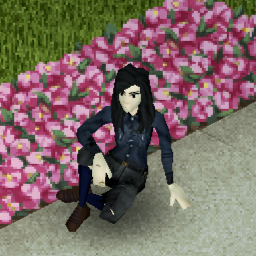
"Anime" Face Retexture
por 76561198067967566
Simple face retexture for a "Animeish" Female face without those big eyes you see everywhere. WORKS WITH ALL RACES Males coming soon Workshop ID: 2736040951 Mod ID: AnimeFaces

Auto Glass from Sand (41)
por 76561198020696562
Create Auto Glass from 1 full Sandbag and 10 charges of a Blowtorch under the Metalworking category. Requires Mask. Create Sandbags from 4 Stones and a Empty Sack using a Mortar and Pestle under the Carpentry category. Workshop ID: 2985194160 Mod ID: AutoGlassFromSand
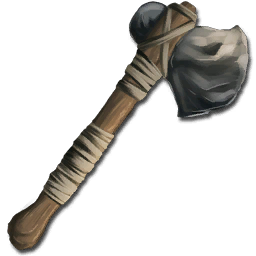
Stick Tools
por 76561197971916469
This is another super-basic mod that allows you to use sturdy sticks in place of tree branches in stone tool construction. Because why couldn't you? It is literally only one file, StickTools which goes into the scripts folder. Because it's so basic, it shouldn't conflict with any other mods. If there is a conflict, please verify that there are no mods with remove or change the Stone Axe, Stone Hammer, Wooden Spear, or Sturdy Stick. If there does seem to be a conflict, please let me know so I can look into it. Thanks! EDIT 2019-01-19: Mod is confirmed to work in the current stable build (40.43). However, because of the version update, you may have to resubscribe & reenable the mod. Workshop ID: 893655341 Mod ID: StickTools
![[Useful Badges] – Project Zomboid Mod](https://images.steamusercontent.com/ugc/17932197217069689102/0AC708E2982CD3F91EB9D3576AAFCB77C3DF5FD9/)
[Useful Badges]
por 76561198068788655
B42 Now you Too Can Wear that Stolen Badge With Honor (apparently) This lets you wear all three versions of the badges found in kentucky Right click a badge and convert it via its new mini recipe! Fits Everything. Male / Female, Tomb, Ava, Vanilla MOD PERMISSIONS ON LOCKDOWN This mod can only be added to and extended with the express permission from the original creator. Having received permission credit must be given to the original creator both within Any / All Of the files of the posted edit / mod and wherever the mod roams online. If no permission is received you may not alter the mod and it must be treated as a mod that is 'On Lockdown'. do not re-upload this Mod Modpack it Disseminate it under ANY circumstances. Workshop ID: 3679726528 Mod ID: UsefulBadges
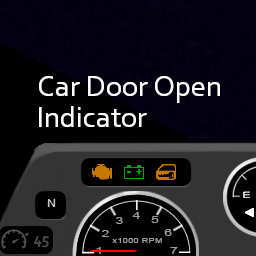
Car Door Open Indicator - No Chime
por 76561197984540815
Description Really really simple edit by Touchmytoes of this awesome mod by AaronFoley, original: https://steamcommunity.com/workshop/filedetails/?id=2955723750 Adds simple flashing indicators when any Door/Trunk/Hood is open whilst in the drivers seat of a car. Source: https://github.com/AaronFoley/CarDoorOpenIndicator Workshop ID: 3537353422 Mod ID: CDOI
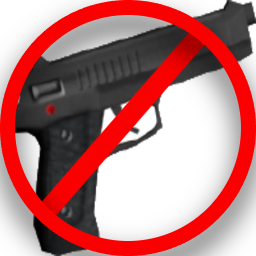
Remove Start Gun
por 76561199036525660
This mod removes the player’s default starting firearm loadout (pistol, magazines, and 9mm ammo box), ensuring a clean, firearm-free start for every survivor. ✅ Features: Automatically removes starter pistol, clips, and ammo box. Works both on new character creation and respawn after death. Guarantees that survivors begin with no guns by default. Lightweight script: doesn’t alter loot tables, balance, or other mechanics. 🎯 Why use this mod? Creates a more authentic survival experience without free weapons. Ideal for hardcore, realism, and roleplay servers. Prevents players from gaining an early advantage with firearms. Keeps progression tied to scavenging and survival skills. 🔧 Technical Notes: Uses the OnNewGame event to clean up starter equipment. Removes all instances of pistol, clips, and ammo box directly from the player’s inventory. Fully compatible with both singleplayer and multiplayer. No vanilla files are overwritten, ensuring broad mod compatibility. Workshop ID: 3556836481 Mod ID: RemoveStartGun

Breaking Bad Challenge
por 76561198992286124
"Mister White, i think we entered the wrong highway..." A Breaking Bad themed challenge that spawns you with the iconic RV and a hazmat suit. The default sandbox preset is Apocalypse, and for you nerds out there: The challenge would canonically occour after S2 E3, 4 Days Out. Workshop ID: 3129802664 Mod ID: breakingbadchallenge
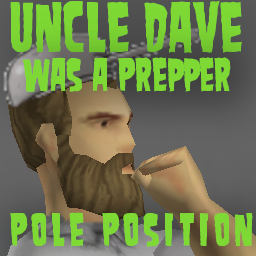
Pole Position Power/Water
por 76561198015081276
Adds a config for Uncle Dave was a Prepper allowing this location to be fully powered, fully connected plumbing and optional loot, controlled by the Uncle Dave mod. Notes: This is an addon, you can make it your primary spawn (though if you use other addons you will need to load the one you wish to select last in your mod order). If you don't enable all maps in UDWAP you will get the selected map and this map as an addon, meaning both will be active. Extra loot for this location is limited compared to most of the bases in UDAWP. Bonus, supports solar. Workshop ID: 3553734640 Mod ID: DWAPPolePosition Map Folder: DWAPPolePosition

Darknuage Sword pack
por 76561199143346101
test Workshop ID: 3155842147 Mod ID: BritaGFKatanastanceFixedbyDarknuage Mod ID: Deadly Katanas FixedbyDarknuage Mod ID: HashiraKatanasFixedbyDarknuage Mod ID: KnifeKatanaSheathremakedbyDarknuage Mod ID: KSFIX Mod ID: SsaulaviFixedbyDarknuage Mod ID: YCKatanaLegacyFixedbyDarknuage Mod ID: ZombieSlayerkatanaFixedbyDarknuage
![Thigh High Gothic Leatherette's [V1X] [Vanilla] [Tomb] – Project Zomboid Mod](https://images.steamusercontent.com/ugc/17464928294094938671/C5C2D34F7BDFBB5E7DEAD64445AD0486849E01DC/)
Thigh High Gothic Leatherette's [V1X] [Vanilla] [Tomb]
por 76561198068788655
Thigh High Gothic Leatherette's Do those boots go all the way up? Why yes. they do! FITS EVERYTHING. 512x512 textures! Mod - Haven Discord MOD PERMISSIONS ON LOCKDOWN This mod can only be added to and extended with the express permission from the original creator. Having received permission credit must be given to the original creator both within Any / All Of the files of the posted edit / mod and wherever the mod roams online. If no permission is received you may not alter the mod and it must be treated as a mod that is 'On Lockdown'. do not re-upload this Mod Modpack it Disseminate it under ANY circumstances. Workshop ID: 3671815340 Mod ID: StepOnMeGothicBoots

Simple Lightbars Expanded
por 76561198833978028
In light of recent events, there are now pride flag taxi adverts, to show my support for the LGBTQ+ community. I have made attempts to avoid being intrusive with these additions. If you have a problem with that, deal with it. Ever wonder why nobody ever made a mod for more lightbars? Wonder no more! I present to you Simple Lightbars Expanded! Comes complete with a submod for PZKVLC support, the vanilla cop car, SVU3 support, and... That's about it really. For the inevitable "WhErE's PzK?!?!?!?!", PZKVLC IS NOT NEEDED. I repeat: Do NOT use the PZKVLC submod if you don't have PZKVLC!!! I do NOT plan to support Filibusters with this for now, as it's only me working on this!!! I also do NOT plan to support VVE or any other mod besides PZKVLC at this time. STFR will support it. NOTE: Currently only police cars are affected. Not all PZK police vehicles are supported yet. HUGE THANKS to PeterHammerman from PZK for the lightbar models! TODO: * Ranger Vehicles? * Firetrucks? * Ambulances? * PZK Towtrucks? Workshop ID: 3333150055 Mod ID: SimpleLightbarsExpanded Mod ID: SimpleLightbarsExpandedPZK
CootsFish
por 76561198042069087
Adding some rare fish and items for Cooterville Server! Workshop ID: 3329032164 Mod ID: CootsFishTest
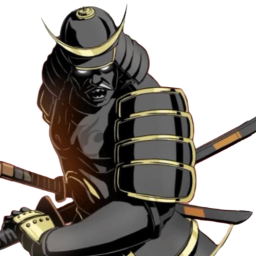
幕府将军Shogun profession
por 76561198896609461
如果你觉得太强可以试试我做的另外两个shogun mod If you think it's too strong you can try the other two shogun mods I made 将军 ?武士?根本不存在这个时代! 没错幕府将军一直被军方秘密研究复活计划 据说军方曾想制造一个杀戮机器(粗糙的故事()) 对于将军来说有优秀的反应和果断的勇气才能领导好自己的部下们 幕府将军拥有杀人不眨眼和夜间高度警觉 并且自身的剑术高超 麻木不仁 夜猫子 长刀+3 短刀+3 冲刺+1 灵活+1 使用冷兵器攻速翻倍 点数-24 Workshop ID: 2990704468 Mod ID: Shogun
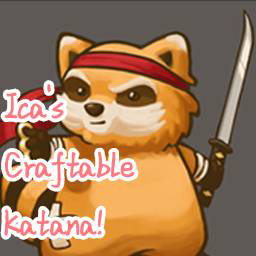
Ica's Craftable Katana(Complex Making Recipe)
por 76561199085995725
Do you want to own a katana? As the most powerful and rare weapon in the vanilla game, you need to work hard to make a katana - let it become your heirloom weapon! In order to make a katana, you need to read 3 magazines to teach you about forging steel, making handles and making katana. You can find them in bookstores, bedroom cabinets and other places. The main material for forging steel is UnusableMetal, which should be collected as much as possible. Considering that it is difficult to obtain unusable metal after the improvement of metalworking level, I added recipes of using sledgehammer to decompose automobile parts. Go and try it! In addition, making a katana requires some materials that are not often used, such as dirtbags and charcoal. Discover how to get them in the game! Workshop ID: 2869038197 Mod ID: Ica'sCrftableKatana
![Loot Quality System: Reforged [B42.20+ | SP & MP] – Project Zomboid Mod](https://images.steamusercontent.com/ugc/10727202161941557145/4D841CC8302B20FA8DD5173A80664505319B99EB/)
Loot Quality System: Reforged [B42.20+ | SP & MP]
por 76561198047924019
Loot Quality System: Reforged Version 3.0.15 | Build 42.20.x | Singleplayer and Multiplayer V3.0.15 storage notice: back up important saves before updating. Supported legacy LQSP quality data is migrated to the compact storage format without rerolling valid quality. Do not use a save migrated by the withdrawn Storage T2.0 test build. Update the server and every client together, then fully restart before reconnecting. Make Loot a Decision Loot Quality System: Reforged adds quality tiers and dedicated affixes to weapons, tools, clothing, ammunition, medicine, food, electronics, vehicles, farming, fishing, trapping, and resources. Quality is more than a color: it follows supported native properties, crafted outputs, item conversions, and ammunition paths. Seven Tiers, Dedicated Affixes - From Wretched and Flawed items to the highest grades, quality can grant positive or negative affixes. - Items are classified from native type, tags, capabilities, recipe roles, and live state so composite items use valid pools. - Quality effects cover durability, capacity, ammunition, firearms, clothing defense, tools, food, medicine, electronics, and other native systems. - Quality generation, numeric effects, conversion results, and accessory skill XP use server-authoritative paths. Ammunition Remembers Its Quality Supported ammunition packing, loading, firing, unloading, and weapon-replacement paths preserve each round's real quality identity. Mixed-quality ammunition is not incorrectly flattened into an average value; supported packages keep a manifest and restore it when opened. Two Quality Toolkits Precision Service Kit Use it at a nearby vanilla crafting surface to replace one positive affix on a durable item. The item tier stays unchanged, and a successful service consumes kit condition. Master Reassembly Kit Reassemble items with the same native type and tier. The result may succeed, preserve the primary without forming, or suffer catastrophic failure. Both kits include recipes, custom models, a dedicated operation window, and the Knox Quality Service Manual. Sandbox and Category Controls Sandbox options control tier weights, category modules, effect multipliers, and affix blacklists. When a category is disabled, its color, quality name, and affixes are hidden and no longer applied, but stored quality data is retained for a later re-enable. Do not batch-delete quality data just to hide a category. UI and Compatibility Modules - TooltipLib details, colored vanilla inventory names, and highest-quality-first stack display are supported. - Administrators can start storage migration or request its status from the world context menu without opening an inventory. - Ergonomic UI: enable the included ErgonomicUI Compatibility module. - CleanUI: enable the included CleanUI Compatibility module. - Better Item Info: enable the included Better Item Info Compatibility module for LQSP-aware information. - Ergonomic UI and CleanUI compatibility modules are mutually exclusive. Do not enable both. Installation and Compatibility Required: TooltipLib - Tooltip Framework for Modders Recommended: Unified Carry Weight Framework (UCWF) for full carry-weight support. Do not enable overlapping quality systems such as Loot Quality System, Random Gear Modifiers, or Zed's Item Tiers. Accessory Skill Bonuses functionality is already integrated. Optional VFE compatibility: Vanilla Firearms Expansion, STALKER pack, and Post '93. Optional vehicle integration: Project Summer Car. After updating, make sure the server and every client use the same version, then fully restart the game and server. Languages and Credits Supports English, Simplified Chinese, German, and Russian. Loot Quality System by Nein.123.4; TooltipLib by Dark Sauce. Thanks to everyone who supplied logs, saves, screenshots, and unusual items. Workshop ID: 3761032180 Main Mod ID: Loot_Quality_System_PLUS Workshop ID: 3761032180 Mod ID: Loot_Quality_System_PLUS_BII Mod ID: Loot_Quality_System_PLUS_CleanUI Mod ID: Loot_Quality_System_PLUS_ErgonomicUI Mod ID: LQSP_ProjectSummerCarCompat Mod ID: Loot_Quality_System_PLUS_UnderwearProtection Mod ID: Loot_Quality_System_PLUS_VFE Mod ID: Loot_Quality_System_PLUS
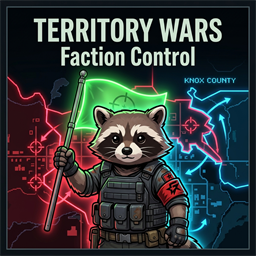
TerritoryWars - Faction Control
por 76561198029331614
TerritoryWars — Faction Control Turn your server into a living battlefield. Factions fight to claim, hold, and profit from territory across the map. Dynamic Territory Control Admins can mark any area of the map as a Capture Zone. Factions must stand inside the zone to claim it. The more players you have inside, the faster it captures. If you leave, your progress slowly decays — so you have to actually hold the ground. Live Map Overlay: Zones show up on the world map in your faction's color. Both top-down and side-view modes render the zones as transparent, ground-mapped polygons so they always fit the terrain perfectly. Each zone is clearly labeled with its name, owner name, and allied status. Multi-Floor Zones: Capture zones support 3D areas. Admins can designate precise Z-levels (heights) to create multi-floor zones in multi-story buildings. Faction Diplomacy & Alliances - Form Alliances: Faction Leaders can form or revoke alliances directly via the Unified Territory UI (accessible via Hotkey or right-click). - Co-op Defense: Allied factions will not trigger capture progress against each other. Allies standing in your zone count toward the defense, helping you fend off attackers together. Offline Raid Protection Prevent "ninja-capping" while your faction is asleep. - Strict Protection: Zones cannot be captured if the owning faction has no players online. - UI Feedback: Attackers will see "" on their progress bar when trying to take an offline faction's zone. - Decay: Partially captured zones still slowly decay back to 0 if left uncontested. Rewards & Benefits - Daily Salary: Every morning at 9:00 AM, online players are paid in supplies (Ammo, Food, Meds) based on how many zones their faction holds. Prevents double-payout exploits. - Restocking Crates: Admins can link any container to a zone. While held, the crate automatically restocks with loot every 24 in-game hours. - Specialized Zone Types: Admins can define zones as an Armory, Hospital, or Workshop to automatically tailor the restock loot with specific bonus items and active player buffs. - Territory Buffs: While inside your own territory, gain faster Endurance recovery, lower Stress, and passive XP training in Aiming, Fitness, and Strength. Interface & Visuals - TerritoryWars UI: A unified, tabbed window to track zone status and manage alliances. Toggle it with a custom hotkey or the right-click menu. - Native Faction Moodle: Custom visual feedback for your active territory buffs. Built directly into the mod—no external dependencies required. Tooltips update dynamically to show active buffs depending on the zone type. Detailed Sandbox Configurations Everything is fully tunable to fit your server's hardcore or casual playstyle: - Capture & Decay Speed: Adjust exactly how many seconds it takes to flip a zone. You can set the "Decay Speed" to ensure that if a team fails a push, their progress resets quickly or stays for a follow-up attack. - Offline Protection Toggle: Enable or disable the protection system. When enabled, you can also set an Expiry Timer—if a faction stays offline for too many days, their protection drops, allowing others to reclaim the land. - Salary System: Choose the Item Type (Cash, Ammo, High-End Loot) and Amount players receive. The more territory held, the richer the faction becomes. Support for Custom Items is also included! - Passive XP Rates: Fine-tune the training speed for Aiming, Fitness, and Strength. This turns held territories into literal "Training Grounds" for your soldiers. - Abandonment Timeout: Set a timer for how long a zone can go unvisited. If a faction doesn't step foot in their zone for a week (configurable), the zone automatically reverts to Neutral, preventing "ghost factions" from hoarding the map. - Global Announcements: Toggle whether the entire server is notified when a zone is being contested or captured, driving more organic PvP encounters. Admin Tools (In-Game) Everything is managed with a simple right-click menu for admins: - Create Zones: Set start and end points to draw a box anywhere. Set specific zone types directly from the UI. - Link Loot: Right-click any crate inside a zone to turn it into a reward container. - Rename & Change Type: Rename existing zones or change their specialized type on the fly without having to recreate them. - Manage: Delete zones instantly. Latest Update Changelog - Fixed custom sandbox configurations resetting to default values on dedicated server restarts. - Updated world map text labels to match the owning faction's color (with brightened contrast for optimal readability). - Integrated alliance indicators. Allied zones display "(Ally)" on both the map and the UI zones list. - The capture progress bar HUD now displays the name of the faction capturing the zone. - Implemented a payday duplication guard to prevent duplicate daily salary payouts on server reboots or time shifts. - Fixed a desync where height checks for custom zones were ignored on the server. - Optimized capturing progress calculations from O(N*M) to O(N+M) to prevent tick lag. - Updated offline protection tracking to update player faction activity timestamps in real-time. - Added admin tools to Rename Zones and Change Zone Types on-the-fly from the context menu. - Updated the custom moodle tooltip to display specialized active buffs based on the territory type. - Added server-wide radio chat announcements when a zone is abandoned due to inactivity. - Fixed client-side red script errors when opening the Territory window. - Removed custom minimap rendering to preserve default vanilla minimap behavior. - Added support for multiple custom items in salary and crate loot rewards (use semicolon separation like Base.Axe;Base.Hammer). - Added Faction & Territory Control Panel: A premium, unified dashboard containing all diplomacy options, active zone checklists, and administrative visual editing tools. - Interactive Admin Map Widget: Fully integrated a high-resolution, scrollable, and zoomable world map directly inside the admin panel. - Drag-to-Draw Boundaries: Admins can select and preview custom capture zone boundaries by simply left-clicking and drag-drawing on the map widget. - Map Context Actions: Right-click anywhere on the map widget to teleport to specific zones, rename zones, change zone types (Armory, Hospital, Workshop), delete zones, or set start/end pins. - Streamlined Reward Crate Linking: Link crates, fridges, or shelves as capture zone rewards by right-clicking them in the 3D world and selecting the target zone from the submenu dropdown. 💖 Love & Support? If you enjoy TerritoryWars - Faction Control and want to support its active development, consider buying me a coffee! Your support helps keep this mod updated, optimized, and packed with new features. ☕ Buy Me A Coffee on Ko-fi Designed for Build 42. Requires players to be in a Faction to claim territory. Solo nomads can enter zones but cannot capture them. Workshop ID: 3715656105 Mod ID: FactionWar
Project Zomboid Guides
Instalar mods de Project Zomboid - guía del Workshop
Instala mods de Project Zomboid de forma limpia mediante Steam Workshop: introducir IDs, comprobar el orden, reiniciar el servidor y solucionar errores típicos.
Alquilar un servidor de Project Zomboid – guía multijugador
Configura un servidor de Project Zomboid: RAM, ajustes sandbox, mods de Workshop, permisos de admin y errores típicos bien revisados.
Servidor Project Zomboid con soporte de mods
Instala mods compatibles y admitidos desde el panel del servidor.
Alquilar un servidor Project Zomboid