Mods y plugins para Project Zomboid
Este catálogo incluye 60.000+ proyectos de Project Zomboid procedentes de Steam Workshop. Las entradas pueden ser para servidor, cliente o ambos, e incluir mapas u otro contenido generado por usuarios. Antes de instalar, comprueba la página de origen enlazada, la versión del juego y las dependencias.
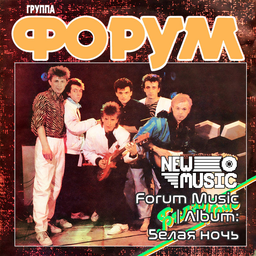
Forum Music | Album: Белая ночь
por 76561199258285984
Forum Music | Album: Белая ночь Generated with New Music Builder Белая ночь Side A 01 Белая ночь 02 Какая нелепость 03 Беда 04 Улетели листья 05 Островок Белая ночь Side B 01 Давайте созвонимся 02 Что сравнится с юностью 03 Журавль (Журавль в небе) 04 Форум 05 Поверьте Workshop ID: 3754269491 Mod ID: 1ForumAlbum

Donny's Company Cars
por 76561198042485382
Bring your city to life with Donny's Company Cars! Revamp your zombie survival experience with this vehicles texture mod. Say goodbye to generic vehicle designs and hello to a world where even amidst the apocalypse, brand loyalty prevails! This mod replaces the textures of in-game vehicles with recognizable Project Zomboid brands, adding a touch of realism and immersion to your gameplay. Features - Adds over 100 Project Zomboid business vehicle skins. - Adds spawn points for vehicles at business locations so that vehicles will spawn in parking lots and loading bays of their respective businesses. - Vehicles will spawn full of goods that the business has in its stores! - Vehicles will also spawn in areas where they might be making a delivery to another business. (ex. Plonkies truck might be delivering to a grocery store where you find Plonkies.) - Custom vehicles will also spawn in various rare locations to find and collect!. - Unique and Rare spawn locations that spawn custom cars with cool paint jobs! Update The included spawn map is no longer required, making it easier to add to existing games. Vehicles will spawn throughout the world even if the map is not enabled. If you want vehicles to spawn in the loading zones/locations of specific businesses, you will need to enable the map. Uploaded by Doncaster Ask for permission - Please do not redistribute or utilise the files of this mod without permission from the mod creator. - Please do not use files from this mod to create your own mods without permission from the mod creator. - You are free to use the mod for personal use and in multiplayer servers. Like my mods? Consider supporting me at: https://www.buymeacoffee.com/doncaster Check out my other mods: https://steamcommunity.com/sharedfiles/filedetails/?id=3163764362 https://steamcommunity.com/sharedfiles/filedetails/?id=3163352433 https://steamcommunity.com/sharedfiles/filedetails/?id=3146585240 https://steamcommunity.com/sharedfiles/filedetails/?id=3188779531 Workshop ID: 3162123545 Mod ID: DCCars Workshop ID: 3162123545 Mod ID: DCCars Map Folder: DCCSpawnZones
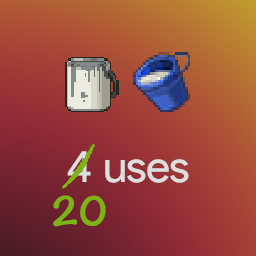
More Paint and Plaster (39)
por 76561198029369281
Changes the amount of uses for paint cans and plaster buckets from 4 to 20. Tested with build 40.43. If you play on another version please let me know whether it works or not. Build 41 version: https://steamcommunity.com/sharedfiles/filedetails/?id=2290447799 Inspired by "Fix Paint and Plaster" (https://steamcommunity.com/sharedfiles/filedetails/?id=617707824), but overrides nothing beside all paint cans and plaster buckets themselves. Workshop ID: 2280076178 Mod ID: MorePaintAndPlaster
![Lootbound: RPG Equipment Bonuses [B42] – Project Zomboid Mod](https://images.steamusercontent.com/ugc/10441029366095754857/9F703F258CA7072FA0C0F3E148734C07EAF440F9/)
Lootbound: RPG Equipment Bonuses [B42]
por 76561198089891314
Don't forget to like it, if you enjoy! Switching from Accessory Skill Bonuses Lootbound is a separate successor to Accessory Skill Bonuses, not a direct update. The two mods are marked as incompatible and cannot be active together. Disable Accessory Skill Bonuses before enabling Lootbound for your save. Existing saves are supported, but bonuses previously assigned by Accessory Skill Bonuses are not transferred. After enabling Lootbound, eligible equipment will be processed using Lootbound's new item families, skill pools, and sandbox rules. Previously annotated accessories may therefore receive different results. Back up your save before switching. A new save is not required, although starting fresh provides the cleanest and most consistent equipment progression. Updates / Fixes 8/9/2026: v1.0.2 - Added the new Bonus Quality sandbox setting. Choose from Very Low, Low, Default, High, or Very High to control how frequently stronger bonuses appear without changing the overall number of bonus items. Default preserves the existing balance. Current saves automatically remain on Default, and previously processed equipment keeps its original bonus permanently. 8/7/2026: v1.0.1 - Removed the label from regular items for cleaner inventory names. No-bonus results are still stored permanently and cannot reroll. Every Piece of Gear Can Shape Your Build Lootbound: RPG Equipment Bonuses is the ambitious RPG successor to Accessory Skill Bonuses. It expands the idea from accessories into a complete equipment-driven progression system for Project Zomboid. Clothing, armor, bags, jewelry, underwear, watches, belts, conventional melee weapons, and firearms can become permanent finds with themed XP bonuses. The result is a world where checking one more wardrobe, corpse, locker, or weapon rack can genuinely change the build you are creating. Build a Survivor Through Their Equipment Every supported item family has a deliberate skill pool. Technical gear can favor crafting and maintenance. Field clothing can support survival skills. Bags can reward physical or practical development. A conventional weapon supports its own weapon skill, while firearms favor Aiming or Reloading. Jewelry and underwear are the wild cards: their bonuses can reach across the complete skill list, creating unusual combinations and giving collectors a reason to inspect even the smallest finds. Permanent, Individual Loot Each eligible item is processed from its own unique game identity. Its result is stored permanently and does not change when it is dropped, transferred, equipped again, placed in a container, or carried across a server restart. Most equipment remains ordinary. Useful bonuses are uncommon, stronger results are rare, and exceptional pieces can become the center of an entire loadout. Features - More than 1,700 explicitly selected vanilla equipment definitions - Wearable clothing, armor, accessories, bags, underwear, and conventional weapons - Themed skill pools based on equipment family and weapon type - Permanent deterministic bonuses unique to each individual item - Matching equipped bonuses stack additively - Weapons provide their bonus only while held - Works with ordinary XP, skill books, television, VHS, and trait-modified XP - Colored item annotations show bonus strength at a glance - Total equipped bonuses appear directly in the Skills panel with tooltips - Inventory, worn-item, opened-container, and loot-generation scanning - Single-player and multiplayer support - English interface text with no forced replacement of vanilla translations Explosives, traps, throwables, bare hands, and ambiguous improvised objects are intentionally excluded. Your World, Your Rules Lootbound includes five Bonus Frequency presets. The default setting keeps bonuses small and rare, while higher settings make equipment progression increasingly noticeable. Additional sandbox controls let you: - Include or exclude conventional weapons - Include or exclude protective equipment - Allow or remove the rare +10% item tier - Enable or disable a nearly impossible mythical discovery Changing these options affects newly processed items. Equipment already discovered keeps its permanent result. A Secret Worth Searching For There are rumors about an extraordinary piece hidden among the world's belly-button jewelry. Most survivors will never see it. The stubborn, the lucky, and the truly obsessed may want to keep looking. Adding Lootbound to a Game For a new game, subscribe, restart Project Zomboid if it is running, enable Lootbound: RPG Equipment Bonuses in the Mods menu, and make sure it is enabled for the new save. For an existing save, choose Load, select the save, choose More..., open Choose Mods..., and enable Lootbound. Carried and worn equipment will be processed automatically. Other existing items are processed when encountered or when their container is opened. Multiplayer Lootbound uses server-authoritative XP awards and permanent synchronized item data. Hosts and dedicated servers should add both the Workshop item and Mod ID to their configuration. Every player must use the same current Workshop version. If you report a multiplayer issue, please mention whether you were hosting, using a dedicated server, or joining as a client. Compatibility Built for Project Zomboid Build 42.20+. Lootbound uses explicit vanilla item IDs, so custom equipment from other mods is normally compatible but will not receive bonuses. Lootbound replaces Accessory Skill Bonuses and should not be enabled alongside it. Feedback and Bug Reports This is an ambitious system with a lot of equipment and many possible loadouts. Feedback, balance ideas, compatibility reports, and clear bug reports are always appreciated. When reporting a problem, include the item name, expected and observed behavior, active sandbox options, solo or multiplayer mode, and a screenshot or console error when possible. Originally Posted by: onestis Ask for Permission This mod can only be added to and extended with the express permission of the original creator. Having received permission, credit must be given to the original creator, both within the files of the mod and wherever the mod appears online. If no permission is received, you may not alter the mod, and it must be treated as a mod that is "On Lockdown." Workshop ID: 3779251105 Mod ID: LootboundRPGEquipmentBonuses
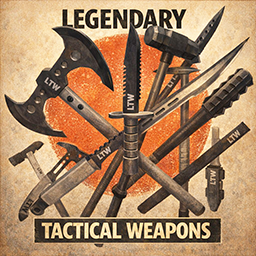
Legendary Tactical Weapons - RU Fix
por 76561198176883591
Fixes broken Russian translation for component part names and forge recipes in Legendary Tactical Weapons. Load after LegendaryTacticalWeapons. Note: This mod was not created by me. I am simply attempting to fix bugs and maintain compatibility. All original credit goes to the original author(s). --- CHANGELOG --- 1.0.1: Исправлены названия рецептов кузницы (ключи рецептов) 1.0.0: Исправлены названия компонентов Workshop ID: 3730767548 Mod ID: InfanyLTW_RU_Fix
![[42.20, SP+MP] Woody's Physical Outfit Manager – Project Zomboid Mod](https://images.steamusercontent.com/ugc/14222149059222508907/46EBC49EC8A6295756F5E33364896C2404CA125D/)
[42.20, SP+MP] Woody's Physical Outfit Manager
por 76561198001041185
The wardrobe is the preset. Changing clothes costs eleven right-clicks each way, so most people change once at the start and then never again. One action brings the habit back: strip to longjohns by the fire, put the outdoor gear on when you leave. There is no list to name and keep up to date. Clothes wear out and a saved set goes stale the day they do - whatever you put in the dresser is what comes back out. - Any wardrobe, dresser, crate, locker, shelf or counter. Wear All, and next to it one button that knows whether to store, wear or swap. - Bags as well - dropped, set on a table, or the one on your back, which comes off first and goes back on after. - Shoes, bags, belt, underwear, shirt, trousers and headgear stay on, each its own switch, all on by default. Plus a custom list for the watch you never take off. - Buttons say on mouseover when the set will not fit, and what stays on you. The washing machine is furniture too. One button takes everything dirty, what you are wearing and what is in your bags. A dryer offers two, because being soaked and being tidy are different problems. If a dryer stands near the washer, the finished load moves across in one action. Works with wardrobes, armoires, closets, cupboards, dressers, drawers, cabinets, filing cabinets, crates, chests, trunks, lockers, shelves, bookshelves and counters. For laundry: washers, dryers and the combination units. Clothes come off piece by piece, so a full inventory does not leave you overloaded halfway through. Tools and weapons are ignored. Bandages, wounds and makeup stay where they are. Multiplayer: tested on a dedicated server with a connected client. Requires Woody's Lib (3622629134). Safe to add or remove at any time. Not a competitor to Outfit Control by Yuki - that one does named presets you can call up anywhere. Here the clothes live in furniture, and where you are standing decides what you can change into. They run together happily. More of my mods How dressing out of a bag got decided How this one actually got built - what broke, how long it took to find, and what the game turned out to be doing instead. Costs nothing to read and needs no account. Please don't reupload or copy this one. If you want to build on it, ask me first. If it saved you an evening and you feel like buying me a coffee, the button is below - and if not, that is genuinely fine. Mostly I hope you have a good run out there. Dedicated server: WorkshopItems=3622629134;3613340250 and Mods=WoodysLib;WoodysOutfitControl, in that order. Workshop ID: 3613340250 Mod ID: WoodysOutfitControl

Craft Recipe Debugger Fix (Mod for debugging)
por 76561198062695591
레시피 디버거 오류 수정 및 디버그 활성화 시, 레시피 모드 명 추가 Workshop ID: 3411600552 Mod ID: CraftRecipeDebuggerFix Mod ID: CraftRecipeDebuggerFix_CraftingXPDisplay Mod ID: CraftRecipeDebuggerFix_IntuitiveCrafting

Mod money Currency Exchange
por 76561199143346101
Zamazon and Zbay money Currency Exchange Workshop ID: 3295799818 Mod ID: Mod money Currency Exchange
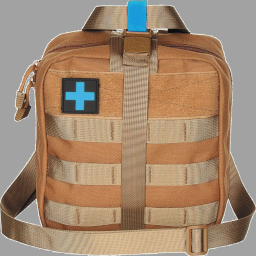
Buraki Backpack
por 76561198057240717
A new backpack which you can craft from Military Backpack. This new backpack has 88 weight limit and 99 percent weight reduction. It works in Multiplayer. You can add it to existing saves. To be able to craft it you need a Military Backpack, Tailoring Skill Level 1 or above, 1 needle, 3 threads, 2 duct tapes and 1 first aid kit. Have fun! Workshop ID: 3143616519 Mod ID: BurakiBackpack
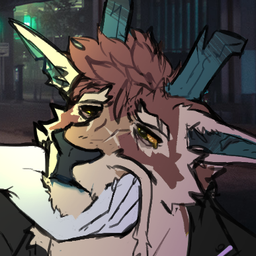
Anthro Survivors - Kilo The Noodle
por 76561199117439476
Add my truesona (references taken of Xochi) The character is my propety, i hope y'all like it! Workshop ID: 2981978017 Mod ID: KiloNoodle

Fat man saying Joe Biden (intro text) (EN, RU)
por 76561198413053811
Joe Biden This mod only works if your settings are set to English or Russian. Workshop ID: 2977716469 Mod ID: joebiden
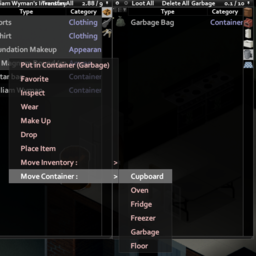
Item Move To Right Click
por 76561198174819823
Add item movement to the item's right-click menu. 아이템의 우클릭 메뉴에 보관함 이동을 추가합니다. Workshop ID: 2925286254 Mod ID: MNItemMoveContextMenu
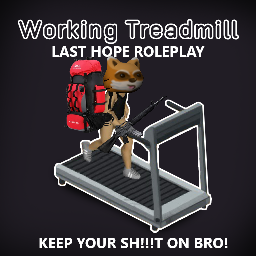
LAST HOPE WORKING TREADMILLS
por 76561198082088147
This is a redux of the mod WORKING TREADMILLS by FC4RICA. Removed the need to remove containers and bags but KEPT restrictions on TOO HEAVY TO USE! KEEP YOUR SH!!!T ON BRO! Redone for LAST HOPE ROLEPLAY by Physiks Join us for Amazing Roleplay by Amazing People! discord.gg/QM4GVebZwW Workshop ID: 3400436623 Mod ID: LH HamsterWheelRedux
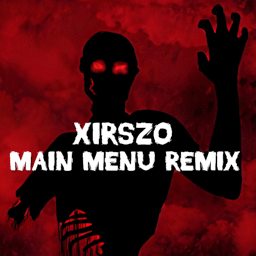
Xirszo Main Menu Remix (B41)
por 76561198048833753
B41 version! B42 version HERE A remixed version of the main menu! Comes with 2 different (but similar) 16:9 HD backgrounds to choose from and the Xirszo main theme remix! -REQUIRES "MUSICAL MENU FRAMEWORK" -RESET YOUR GAME TO SEE ALL CHANGES This mod is also included in my mix and match pack: HD Main Menu Suite Also did you know you can use all MMF main menu mods together? Use my Menu Suite as a base! Check out the other standalone mods in this series: - We are F*cked Main Menu with Music - False Hope Main Menu with Music - Hope is Lost Main Menu with Music - Left 4 Dead Main Menu with Music - The Last Of Us Main Menu with Music - The Walking Dead Main Menu Remix - 28 Days Later Main Menu with Music - Project Zomboid Main Menu HD - Days Gone Main Menu with Music - DayZ Main Menu with Music - Dying Light Main Menu with Music - Refashioned Main Menu Remix - MaDeInCCCP Main Menu Remix Serious massive thanks to Ryuku for his framework, support and help with most of the coding! Please go and like/favourite his Framework! Also thanks to Zodiac for his logo code and dannyboy for allowing me to use his mod as a base. Credits to Xirszo for the theme song! Workshop ID: 3185604283 Mod ID: XirszoMMV1 Mod ID: XirszoMMV2
True Music Addon:RA Corridos
por 76561199229068090
no quema cuhh Workshop ID: 2992083566 Mod ID: RA_music
More Nimble
por 76561198037538179
More Nimble grants additional Nimble skill xp (configurable) when walking in combat stance. It can also be configured to grant Nimble xp when moving outside of combat stance. ---------------------------------------- TL;DR Grants 3x ADDITIONAL Nimble xp for a total of 4x Nimble xp when walking in combat stance. ---------------------------------------- The amount is configurable in the sandbox settings. Additionally, you may set an amount of xp to grant when the player is moving outside of combat stance. The setting will be multiplied by the amount normally given. Example 1 - Additional aiming xp set to 3: - If you character normally was gaining 1.3 Nimble xp while moving in aim mode, they will continue to do so - They will also occasionally gain 3.9 additional xp - this will average out to 4x normal xp gain Example 2 - Moving xp set to 2: - If you character normally was gaining 1.3 Nimble xp while moving in aim mode, they will continue to do so - They will also occasionally gain 2.6 additional xp when walking, running, sprinting or sneaking I know this is a bit of an odd way to do this, but I wanted the mod script to be as minimally invasive as possible for the sake of stability. Workshop ID: 2908195009 Mod ID: CMMORENIMBLE
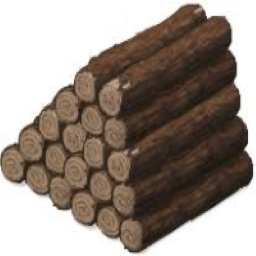
NoWeightForLogsAndPlanks (old build 41, pre-log sprite change. process on how to change an items weight in comments)
por 76561198272335246
I finally fixed the plank issue (I did the plank one wrong, apparently you can't do the item trick for the plank like how I did for the log since it's under weapons instead of items like the log) ((sorry about that and sorry for the update taking a long time, I had pc problems)) (my Mod maybe defunct as its rather old (old builds of 41, pre-spite change). I did make a guide awhile back on how to change an items weight in the comments, that info should still work)
SSR:Examine - Vanilla Conversion
por 76561197995819728
A mod of the SSR:Examine mod that converts existing vanilla journal/sheets of paper to use the examinepanel system. There are 6 unique images that can be displayed, 3 for journals and 3 for sheets of paper, that are also unique to the object and persist each time its viewed; so for instance two people will see the same crummy journal image for immersion. The sound upon examining can be toggled in Sandbox Options. Workshop ID: 2796224858 Mod ID: examineMod
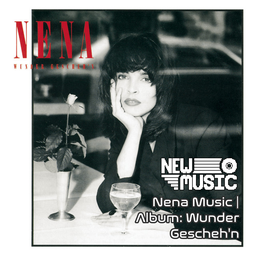
Nena Music | Album: Wunder Gescheh'n
por 76561199258285984
Nena Music | Album: Wunder Gescheh'n Generated with New Music Builder Wunder Gescheh'n Side A 01 Wunder gescheh'n 02 Du bist überall 03 Hero 04 Schlaflied 05 Weißes Schiff Wunder Gescheh'n Side B 01 Im Rausch der Liebe 02 La vie c'est la chance 03 Keine Langeweile 04 Steht auf 05 Abschied Workshop ID: 3756208530 Mod ID: 6NenaAlbum
![Upgrade Hydration Backpack[SP/MP][42.20] – Project Zomboid Mod](https://images.steamusercontent.com/ugc/18214349470641562590/3418F26C100AACB380F410A06F5D6ABC705E172F/)
Upgrade Hydration Backpack[SP/MP][42.20]
por 76561198327185242
Travel Lighter, Ditch the Canteen! Tired of always carrying a water bottle in your inventory? This mod turns your backpack into a portable liquid reservoir—so you can leave the canteen behind. We’ve added a customizable liquid container to the backpack system. Set your own storage capacity, and free up that precious inventory slot normally reserved for bottles and flasks. Drink directly, refill on the go—your backpack is now your hydration station. Whether you’re exploring, building, or looting, one less container means more room for what really matters. Travel light, survive smarter. Key Features 🎒 Backpack as Canteen:Built-in liquid storage—no extra bottle needed ⚙️ Customizable Capacity:Set your preferred liquid volume per backpack 🧪 Works Naturally:Drink, refill, and use liquids directly from your backpack 🧰 Most Backpacks Supported:Configure everything from daypacks to military bags Upgrade your backpack with Duct Tape and a Plastic Water Bottle to add extra water storage. Even a backpack without a built-in hydration bladder can be granted water-carrying ability. Note: Support backpacks from other mod Mod ID:vac_hydration_backpack Workshop ID: 3712569610 Mod ID: vac_hydration_backpack

Paint Signs | More wall patterns
por 76561199218026428
Description This mod adds more designs for painting signs and can be easily expanded to add more options. Overlaying colors can produce countless combination. It's any world builder's must have mod! Compatibility Tread's Paint Symbols : tested, no issues found. Created by: Poltergeist Tiles by: Poltergeist, Glytch3r Commissioned by: RavenousEye, xRetrox Permissions: Ask for permission Workshop ID: 2966846210 Mod ID: TOMorePaintSigns
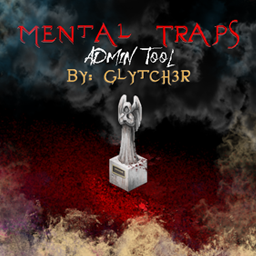
MentalTraps
por 76561199042257388
Mental Traps by Glytch3r Admin Tool / Trap: Admins can now participate in without being unfair they can now setup ambiance sounds and more by placing markers on the ground when a player steps on it events will occur Note the Fogs are local only including the ones on the admin.. so every one has their own experience of fogs and lights Controls Fog, Lights and Sound Player animation changed when panic Most of the events are visible to the player who got trapped only no one else can see it, hence the title Mental Trap Best suited for horror themed or RP themed servers Join Glytch3r Mods Discord Server: https://discord.gg/2skchrKrDv Coded by Glytch3r Commissioned by FuReNzIc Dead Runner Server Contact me if you need any custom mod for your server Discord: Glytch3r#1337 Hire Team Orbit for Custom Mod Commission Click the banners Donations: Workshop ID: 2931916573 Mod ID: MentalTraps

Comrade (My Best Friend) - NPC MODE -
por 76561198971905740
NPC FRIEND MODE: You can avoid loneliness by saying "NPC Follow". You can assign your NPC various tasks such as load handling, crafting, building structures, and working on the farm, allowing them to take over these responsibilities. You can trade with some NPCs, recruit NPCs from small groups, or fight, loot, and exchange them as a last resort. NPCs can be sent to different locations to gather items and protect you. However, be careful not to send them alone, as they might not survive. NPC characters use zombie artificial intelligence, but there are no significant difficulties in handling them. With NPCs, you can create your own story, plan routes, and develop your own adventure and movie-like experiences. Note: (Some of our followers weren't satisfied with the original explanation, so I revised it. I hope you like this version. My English isn't the best, but I worked on improving the mod's description. Also, this is for a canceled mod that you may have forgotten. I fixed the explanation and made a 3D cover photo. Do you like it? ).
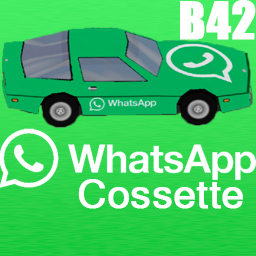
WhatsApp Cossette
por 76561199113984281
This mod adds WhatsApp Chevalier Cossette to the game. The vehicle's speed is slightly faster than average Cossette. YOU SHOULD CHECK MY OTHER ADDONS, NOW! . 👉SUGGEST YOUR MODS IDEAS👈 Workshop ID: 3490249128 Mod ID: StasiksWhatsappCossette
Project Zomboid Guides
Instalar mods de Project Zomboid - guía del Workshop
Instala mods de Project Zomboid de forma limpia mediante Steam Workshop: introducir IDs, comprobar el orden, reiniciar el servidor y solucionar errores típicos.
Alquilar un servidor de Project Zomboid – guía multijugador
Configura un servidor de Project Zomboid: RAM, ajustes sandbox, mods de Workshop, permisos de admin y errores típicos bien revisados.
Servidor Project Zomboid con soporte de mods
Instala mods compatibles y admitidos desde el panel del servidor.
Alquilar un servidor Project Zomboid