Project Zomboid Mods & Plugins
Ce catalogue répertorie 52 000+ projets Project Zomboid provenant de Steam Workshop. Les entrées peuvent être côté serveur, côté client ou requises des deux côtés, et inclure des cartes ou d’autres contenus créés par les utilisateurs. Avant l’installation, vérifiez la page source liée, la version du jeu et les dépendances.
TwisTonFire - modLOADFIX
par 76561197960296580
Mod Load Order & Save Mod List FIX This mod improves and fixes parts of Project Zomboid's vanilla mod load-order system and makes editing the mod list of an existing save significantly safer. The original Mod ID is kept for compatibility, but the current version primarily focuses on mod load-order handling, AUTO sorting, and protecting save-specific mod lists. What this mod improves - Safer save-specific mod editing – changes to an existing save's mod list are tracked instead of being silently accepted. - BACK really means BACK – leaving the mod editor without accepting changes no longer silently writes the modified mod list to the save. - Confirmation before saving – if the mod or map order of an existing save was changed, you are asked before those changes are written. - Confirmation before discarding – using BACK after making changes asks whether those changes should really be discarded. - Missing mods are preserved – temporarily unavailable Workshop mods are no longer automatically removed from an existing save simply because their files cannot currently be found. - Missing maps are preserved – the same protection applies to temporarily unavailable map entries stored by the save. - Safer Load Order panel – missing mod files can remain visible as placeholder entries instead of causing broken entries or disappearing from the load-order list. - Improved AUTO Sort – the sorter works with the mods actually present in the current load-order list and respects their declared load-order rules. - Supports loadAfter – mods declaring that they must load after another mod are placed accordingly. - Supports require – required mods are treated as dependencies and placed before the mod requiring them. - Supports loadBefore – mods declaring that they must load before another mod are also handled correctly. - Safer dependency validation – the load-order panel checks loadAfter, require, and loadBefore relationships when determining whether the current order is valid. - Handles circular or impossible rules safely – conflicting dependency rules will not cause the AUTO sorter to endlessly fail; unresolved entries retain a deterministic fallback order. - Better handling of removed mods – accepting or AUTO-sorting the load order will not silently delete temporarily missing Mod IDs from the save's stored list. - Better Pause stays first – if TwisTonFire - Better Pause is active, its Mod ID is kept at the beginning of the load order as required by its patching behavior. - Double-patch protection – the patches contain guards so the same functionality is not installed multiple times. Why this matters Project Zomboid normally performs cleanup when saving the mod configuration of an existing save. If a subscribed mod or map is temporarily unavailable, this can result in its stored entry being removed from the save. This mod intentionally avoids that cleanup when editing an existing save. Temporarily missing mods and maps remain stored until you explicitly change the save's configuration. This is especially useful when: - a Workshop mod temporarily failed to download, - Steam Workshop content is temporarily unavailable, - a mod was temporarily unsubscribed, - a server or client installation is incomplete, - or you simply want to inspect a save's mod configuration without unintentionally rewriting it. Improved AUTO Sort The vanilla load-order system relies on dependency information supplied by mods. This mod improves the automatic sorting logic with a more predictable dependency-based sorter that considers: - loadAfter - require - loadBefore Only relationships between mods actually present in the current load-order list are used. Missing mods are preserved, but because their metadata is unavailable, they are not used to create dependency rules until their files are available again. Important This mod does not magically determine the perfect load order for every mod. AUTO Sort can only use the dependency information that mod authors provide through their mod definitions. If a mod does not declare a relationship with another mod, the sorter cannot know that one must load before or after the other. Compatibility - Patch-based – only the relevant vanilla functions are modified. - Build 42.20 compatible. - Missing-mod safe – unavailable mods can remain in existing save configurations. - Patch guards included – the same patch will not be installed twice. You don't need this mod if you are using one of the mods listed below, because the required fixes are already integrated there where needed: - TwisTonFire - QoL Modpack Using both should not cause the same patch to be applied twice because protection against duplicate patching is included. Your support helps me keep going, thank you very much in advance! Compatibility Mode 42.12 42.13 42.15 42.16 42.17 42.18 42.19 42.20 Singleplayer ✅ ✅ ✅ ✅ ✅ ✅ ✅ ✅ Multiplayer ❌ ✅ ✅ ✅ ✅ ✅ ✅ ✅ FAQ Can this mod be added to an existing save? Yes. Does it remove missing mods from my save? No. Preserving temporarily unavailable mod and map entries is one of the main purposes of this mod. Does AUTO Sort know every mod's correct load order? No. It uses loadAfter, loadBefore, and require information provided by the individual mods. Workshop ID: 3560668866 Mod ID: tofmodoptionsfix

The Last of Us Acoustic Lifestyle Addon
par 76561198355798974
This is more or less a compilation of music i prefer to have in the lifestyle addon in general. This being said this will not be restricted to just "The Last of Us" music and I'm down to add more music in the future. Enjoy! Song Video The Last of Us Main Theme - Gustavo Santaolalla https://youtu.be/BOUpNtk5Spk (Acoustic Trench) All Gone "No Escape" - Alan Umstead+Gustavo Santaolalla https://youtu.be/HliMcRLungE (Evan Handyside) Wayfaring Stranger - Johnny Cash https://youtu.be/9ae-B8oIpK4 (Zheng) The Choice - Gustavo Santaolalla https://youtu.be/57GwlMln_Jw (CallumMcGaw) Longing - Gustavo Santaolalla https://youtu.be/XgPBMOVwIfk (Luminous Dark) Inextinguishable Flames - Gustavo Santaolalla https://youtu.be/GklhNabDL8U (Andy Hillier Guitar Channel) Unbroken - Gustavo Santaolalla https://youtu.be/E9KlkCo4eQk (Andy Hillier Guitar Channel) Allowed to be Happy - Gustavo Santaolalla https://youtu.be/49sHeuofhCo (Andy Hillier Guitar Channel) Beyond Desolation - Gustavo Santaolalla https://youtu.be/lIgHetMdf-w (Andy Hillier Guitar Channel) It can't last - Gustavo Santaolalla https://youtu.be/ryQRFtCCowk (Andy Hillier Guitar Channel) Yes i realize Andy Hillier is the goat. Check out his channel to formally support his content (https://www.youtube.com/@AndyHillier) Workshop ID: 3328966572 Mod ID: TLoU Acoustic Lifestyle Addon
![[A&M] [Fennec] Hairstyle Redux – Project Zomboid Mod](https://images.steamusercontent.com/ugc/10459313684702589890/A9C423E6686D52DF16B6E6512237AEEB77103D80/)
[A&M] [Fennec] Hairstyle Redux
par 76561198068788655
Hairstyle Redux B42 Adds a Standalone Redux of my Fennec 'Tactical Girlie' Hairstyle Designed for Females! Has Hair Movement Works with: Tomb female body Desire Female Body or anything based on tomb dimensions. Hat hair uses Group01 Helmet hair uses Group02 Desire Body Mod can be found on my discord. Workshop ID: 3763011457 Mod ID: A&M_Fennec
DylansSensibleLoot Phyume Version
par 76561198031331657
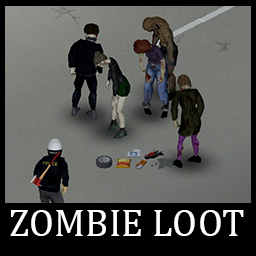
This is a zombie loot mod, originally designed by Dylan's. I customized it reducing almost every drop by 95%. Also I added most of the objects added by Jope's. Plus female zombies also drop this loot although slightly changed values from male rates. I love the idea of zombies dropping all kinds of loot, axes, crowbars, gas cans, and food. However, I personally found that the original mod was way too generous and you could just kill zombies to survive. *Neither of these mods is required.* Original Dylan's file https://steamcommunity.com/sharedfiles/filedetails/?id=2686972114 Original Jope's file https://steamcommunity.com/sharedfiles/filedetails/?id=2747155236 *Neither of these mods is required.* Disclaimer: I'm not a modder, i just tuned down some numbers on a notepad, don't expect anything too complicated Workshop ID: 2703942591 Mod ID: DylansZombieLootPhyume'sVersion
![Survivor Journals [Not maintained] – Project Zomboid Mod](https://images.steamusercontent.com/ugc/911282858094802502/A66E65168467B6C8163966A080933496CBFA67A5/)
Survivor Journals [Not maintained]
par 76561198111983175
Adds procedurally generated survivor journals with useful hints The journals can be found in suitable containers the first time they are checked, as well as on the body of zombies. Aside from their survival recollections, they may contain hints about things you can find nearby or how dangerous is the area, plus a few survival tips. Workshop ID: 1209397445 Mod ID: SurvivorJournals
![InGameMaps [Lost Province] – Project Zomboid Mod](https://images.steamusercontent.com/ugc/2265940681587007309/E55743E88DE87F120944FB8D99709F3F89006527/)
InGameMaps [Lost Province]
par 76561198040780708
InGame Maps Add in-game maps for several older mods. Expect errors, sometimes lack of precision as the maps are computer generated. At least, now you have maps without external mods. Want a map? just ask and point the mod, I'll check if it's doable. MP/SP Compatible. Do not require a new game/save You just have to enable this mod and map appear only if you also have the proper map enabled. Actual maps added (if author add proper ingame map, I'll delete mine): This mod should be enabled AFTER every mods adding map to your world If you do not know how to do it, I can only redirect you to : https://steamcommunity.com/sharedfiles/filedetails/?id=2694448564 Dedicated Server Install ? in servertest.ini Mods=InGameMaps_LostProvince;Lost Province Map=LostProvince_map;Kings County, PE;Prince County, PE;Queens County, PE;Prince Edward Island WorkshopItems=3142065914;3121920070 Credits goes to original author Lost Province Oppolla https://steamcommunity.com/sharedfiles/filedetails/?id=3121920070 Workshop ID: 3142065914 Mod ID: InGameMaps_LostProvince Map Folder: LostProvince_map
Rugged Recipes 简中汉化
par 76561198307270463
Rugged Recipes 的个人简中汉化包,如有遗漏之处欢迎指出 该Mod仅提供翻译文本,请确保同时启用了原Mod!! 文本可能会被汉化合集Mod覆盖,或是被原Mod内置的汉化文件覆盖 若想使用本Mod的翻译文本,请 先 加载原Mod/汉化合集,然后 再 加载本Mod 注意:翻译更新后,你可能需要重新订阅该Mod以强制下载最新文本 保鲜食谱 添加了一些有助于长期生存的食谱。 酿酒 找到"酿,都可以酿-酿酒指南"杂志,或者拥有"酿酒工艺"特性,然后开酿 目前添加的酒有: - 自酿烈酒:在蒸煮锅中加入水果,水,酵母,糖后烹饪,放置8天。过滤后倒入空酒瓶即可。 - 浆果酒:加入浆果和酵母,等待3周。过滤后倒入空酒瓶。浆果酒能有效缓解不开心和压力。 - 格瓦斯:在罐子中加入水果,面包和糖,经过5天发酵,过滤并倒入水瓶。格瓦斯和啤酒有些相似。但这可是正版的毛子饮品! 肉类保鲜 找到"腌,都可以腌-自制肉干指南"杂志,或者拥有"肉干工艺"特性,然后开腌 目前添加的配方有: 比尔通: 能极大的延长肉类的保质期。需要盐。 牛肉干:将牛肉制成肉干,其保质期足以经过漫长的冬季。需要盐。 熏鱼干:让鱼肉度过漫长冬夜的最佳选择。需要盐。 发酵食品 找到"做,都可以做-自制泡菜指南"杂志,或者拥有"发酵工艺"特性,然后开做 目前添加的食品有: 韩式泡菜:长期保存蔬菜的方法,一般以卷心菜为主。需要8-9天的时间来发酵。原装肯塔基州纯天然有机绿色无污染食品!卷心菜,辣椒,胡萝卜,韭菜都可以。需要罐子和盖子。 泡菜:将黄瓜制成泡菜!需要罐子,盖子,黄瓜,水和醋。装罐后放置8天,Duang~你就有了泡菜。 德式泡菜:加入卷心菜和盐。等待2周。 果干 找到"晒,都可以晒-果干制作指南",或者拥有"果干工艺"特性,然后开干 果干的饱食度与原水果相同,但重量减半且能保鲜数月。但作为代价,吃果干会稍稍降低你的口渴值奇迹和魔法可不是免费的哦 目前添加的食品有: - 所有原版水果都能制成果干! 其他改动 - 你能够种植黄瓜了!(如果你启用了Snake's Mod Pack模组,该功能将禁用) - 制做罐装食物不再需要醋和盐。因为这是发酵,不是制成罐头。 - 打开一个罐头(玻璃罐)就会得到一个盖子。盖子不再会虚空消失了。 - 新的配方,不需要阅读杂志。在烹饪配方一栏,叫做"预处理土豆(烘培)"。 Workshop ID: 2753237992 Mod ID: Rugged Recipes_CN

Comically Organised Literature and Media
par 76561198326010701
Exhilaratingly Organized? You Mean Comically Organized! A spiritual heir to the truly superlative sorting experience created by Oh God Spiders No Features: Sorting Order: - 🠟 Inventory - 🠟 Literature - 🠟 VHS - 🠟 CD - 🠟 Tapes - ◼ Trash Sub categories are then sorted as follows: - Literature Module: - Recovery Books - Like Skill Recovery Journal - Maps - Schematics - Skill Books - Special Magazines - Like Herbalist Mag or Generator Mag - Recipe Magazines - Seed Packets - Only sorts empty packets - Skill Magazines - Like Passive Skills - Entertainment Magazines - Entertainment Books - Skill Book Sets - Writing - Junk Literature - Literature that has very little use - VHS Module - Recipe VHS - Like Generator VHS Tape - Skill VHS - VHS providing skill experience - Entertainment VHS - CD Module: - Recipe CD - Not yet used - Skill CD - Not yet used - Entertainment CD - Tapes Module: REQUIRES: True Music: Mixtape Megapack - Recipe Tpes - Not yet used - Skill Tapes - Not yet used - Entertainment Tapes Compatibility & Supported Mods: - I recommend using Mod Load Order Sorter - Compatible with any mod - List of supported mods Known Issues & Limitations: - ENGLISH ONLY - translations are welcome - NEW WORLD IS BETTER - If installed mid game existing items with randomly generated names (Random books, CD, Random mags, etc...) will not be affected by the sorting, only newly generated items, on these items sorting persists on uninstall Workshop ID: 3490232325 Mod ID: zzz_ComicallyOrganisedLiterature Mod ID: zzz_ComicallyOrganisedMediaCD Mod ID: zzz_ComicallyOrganisedMediaTapes Mod ID: zzz_ComicallyOrganisedMediaVHS

Aoldri's Patch for Survivor Radio V3.6.1
par 76561198027975522
In the original mod, sounds are bound to the specific device that started the broadcast and missing the start of the broadcast means no sound is played. This patch aims to improve how the radio sounds work in Survivor Radio. Effectively this means channel-surfing, more consistent sounds, and working radios on belts. This must be applied after the original Survivor Radio mod. Yes, this works in MP. You can repack this if you have permission to repack the original Survivor Radio mod. Saves with Survivor Radio v3.6.1 should work with this patch applied. A new save is required if you didn't start with Survivor Radio loaded. Features: - Sound moves to the loudest nearby device, which takes distance and volume setting into account - Sounds from voiced broadcasts are loaded if at least 1 person on server hears the start of broadcast - Working radios on belts - Also appears to work with other modded equipment that allow attaching belts - Restored sims-like mumbling to non-voiced broadcasts - Bug fixes for destroying radios in middle of broadcasting and correcting timestamps in broadcast Known Issues: - No sound for music when tuning into broadcasts mid-way (No way to fix this without being able to play sounds part way through) - No sound during bad weather (Vanilla issue: Playing sounds relies on a drunkenness tag at the start of the broadcast, which is removed in bad weather due to noise and obfuscation) - Lag spike when faraway players listen to voiced broadcasts (This is an unfortunate side effect of making sure sounds for voiced broadcasts are started. You can toggle off 'Play Faraway Sounds' in mod options to disable this feature, but this means if you tune into a channel started by another faraway player, you won't hear the broadcast.) - No radio in vehicles in MP (Vanilla issue, introduced in v41.71) - Only 1 radio per channel plays at a time in MP (Vanilla issue, introduced in v41.71) Mod Compatibility - Probably incompatible with anything that overrides ISRadioWindow:update(), which I modified to allow working radios on belts. Workshop ID: 2744132659 Mod ID: SurvivorRadioPatchAoldri

Ellie's Skin Retexture (b41/b42)
par 76561198229348352
About this mod: 1024*1024 retexture - Replaces both male & females - Has body hair Option - Has SFW & NSFW - Defined body features - Adds new eyes & lips make up WhatsNew: - Skin colors adjusted - Feet color toned down - Fixed some seams issues - Body hair color changed to be darker - Using It with: "Ellie's Hands and feet " is Recommended - added black eyeshadow (standalone no need to use green anymore) Best of luck survivors. Future Plans: - Some small edits depending on feedback (optional) Notice No more delay i got my workshop NOW!! Open to suggestions and let me know of any issues that arise! Current Translations for this mod: EN Special Thanks: Main Idea, Textures : ElictraV Workshop ID: 2735092125 Mod ID: Ellie's Real Skin Makeup ADD ON Mod ID: Ellie'sRealSkinRetexture (NSFW) Mod ID: Ellie'srealSkinRetexture(SFW)
![KI5PT-BR [B42] – Project Zomboid Mod](https://images.steamusercontent.com/ugc/11636288057765484178/BD75100E89B70947E13324DDAC10D5FBA71DAA41/)
KI5PT-BR [B42]
par 76561199196685053
Pacote de Tradução dos Veículos KI5 + That DAMN Library + Military Tool Kit Inclui tradução de: - Peças dos veículos - Nomes de itens - Receitas - Trailer - Containers! - Painel de criação e desmontagem 🚘 Veículos traduzidos (KI5) Este pacote contém traduções para dezenas de veículos do KI5. Alguns exemplos: - Veículos Traduzidos KI5 🪖 Military Tool Kit – Mods com tradução Traduções adicionais para quem utiliza os mods do Military Tool Kit. Alguns exemplos: - R.U. BTR-80 by Papa_Chad - Fallout Hummer by Papa_Chad - Ford Excursion (2005) - U.S. M41 Walker Bulldog - R.U. BMP-2 - U.S. M998 Humvee As traduções foram feitas de forma autoral por mim. Caso encontre erros ou inconsistências, por favor avise para correção. Fiz a tradução de todos os veículos compatíveis com a B42. À medida que novos veículos forem sendo atualizados para a B42, o mod também será atualizado. 📌 INSTRUÇÕES IMPORTANTES • Ative este mod por último na lista de mods. • Esta tradução funciona exclusivamente com o idioma Português Brasileiro. 🌎 SOBRE A TRADUÇÃO Este mod tem como objetivo melhorar a experiência dos jogadores brasileiros, trazendo uma tradução clara, adaptada e fiel ao conteúdo original. 🧩 OUTRO PROJETO MEU Se você gostou deste trabalho, aproveite para conhecer também meu outro projeto para Project Zomboid: 👉 CONHEÇA MEU OUTRO MOD NA STEAM WORKSHOP ⭐ APOIE O PROJETO ⭐ ★★★★★ Se este pacote de tradução melhorou sua experiência no Project Zomboid, seu apoio faz toda a diferença. 👍 Avalie positivamente Ajuda o mod a ganhar mais visibilidade dentro da Steam Workshop. ⭐ Adicione aos Favoritos Assim você pode acompanhar o projeto e encontrá-lo facilmente sempre que precisar. 💬 Deixe seu comentário ou feedback Sugestões, correções e opiniões ajudam diretamente no desenvolvimento e nas próximas atualizações. 📢 Compartilhe com outros jogadores Ajude mais pessoas da comunidade brasileira a conhecer o projeto. Cada avaliação, favorito, comentário e compartilhamento contribui para que o mod continue crescendo e recebendo novas traduções, melhorias e atualizações. ❤️ OBRIGADO PELO APOIO! Seu apoio ajuda a manter este projeto vivo e em constante evolução. Workshop ID: 3651208014 Mod ID: PTBR_KI5damnlib
Realistic reshade preset - Forsaken
par 76561197968370483
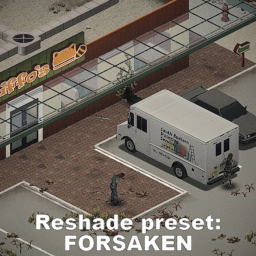
Includes only a settings preset that should be used with Reshade soft and requires manual install. Setup consists of color correction, sharpness tweaks and others. It's not changing the picture drastically, only brings a bit more desperation yet somehow makes the world more alive. REQUIRES MANUAL INSTALL. How to: 1. Subscribe to the mod and find settings preset file in a mod folder: ...Steam\steamapps\workshop\content\108600\3655671723\mods\ReshadePresetForsaken\Common\media\Reshade; 2. Find and start an install of a Reshade software. I personally recommend older version, ReShade 5.9.2 - it has less glitches when used in Zomboid in my experience. Look for it over the internet or dm me; 3. Choose OpenGL and ProjectZomboid64.exe when asked to during intallation; 4. Choose the reshade preset you've found in the mod folder, reshade will download additional files from its library it needs to use this particular preset; 5. Launch the game; 5. After the first launch you'll have to either skip or read a reshade tutorial which interface will be popping now at the upper part of the screen. But don't close it yet (you can always open it again using hotkey, default one is "Home") in "Add-Ons" i strongly suggest that you turn off the "Generic Depth" option. Then close the reshade UI and re-start the game; 6. Now you can freely play with new reshade preset, adjust it to your liking or make a new one, choice is yours. Many different parts of different mods can spotted in screenshots, they are obviously not included. Workshop ID: 3655671723 Mod ID: ReshadePresetForsaken Mod ID: ReshadePresetForsaken
Eggon's Sharpen Your Blades!
par 76561198093590691
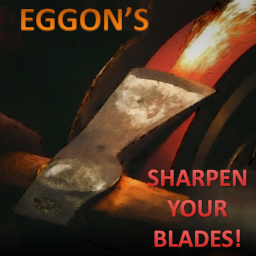
Do you want to experience the joy of splicing up zeds with your freshly sharpened weapons ?? Do you want to feel the frustration of the blade going blunter and blunter with EVERY HIT? Do you want to make your precious Katanas last long when you learn how to properly maintain them? If so, just subscribe. Features Introduces to the game fully functional sharpness mechanic for chosen Affected Weapons (see list below). Sharp blades will do much more damage than blunt ones and each hit on zeds, doors or trees will gradually blunten the blade. Blades can be resharpened at the cost of losing some condition. The condtion mechanic for Affected Weapons is overridden too. Repairing Affected Weapons is not allowed. And, yeah, I'm very sorry, but swords are carried on belts. :P Now also working in MP! Check out the slides of the Steam Workshop page to find details on how ESYB works! Affected Weapons ESYB provides sharpness to all Small Blade, Long Blade and Axe weapons. Their default stats are applied to weapons of sharpness 80%. 7 vanilla weapons (Axe, Hand Axe, Wood Axe, Meat Cleaver, Hunting Knife, Machete and Katana) have a separate configs and will be finetuned and balanced further in the future. If you want to create your own configs to some weapons, check out the API description. Existing saves I recommend using ESYB for new games. It will work with existing saves, but your weapons will get converted and you won't have the Whetstones to resharpen them. It will be the bigger problem the more world you have already explored. Considerations/recommendations Since the sharpening is very dependent on Maintenance level you might want to use some mod providing Maintenance skill books, such as Soul Filcher's Learning Time, More Skill Books, or any other of your liking. If you do that, I strongly recommend decreasing amount of XP gains in ESYB's options. Another nice addition will be Weapon Condition Indicator, which shows weapon condition and flashes when condition is decreased. It will warn you when it's good time to stop using a weapon. Feedback/Balance I'm looking forward to your feedback especially on the balance and spawn chances, as it is impossible for one person to judge it. ESYB provides a bunch of options which can help you to tweak the balance to your liking. There's no option on the spawn chances unfortunatelly. I will probably have a look at the relevant strength of the Affected Weapons and try to rebalance them, in particular Katana seems to be too OP (being based on vanilla values). I'd like it to remain the best weapon, but in slightly different way. Compatibility ESYB is incompatible with melee mode firearms with attached bayonet from Arsenal(26) GunFighter Mod (sharpening affects condition of the gun). ESYB might be incompatible with mods which programatically change condition or conditionMax of the Affected Weapons. Let me know if you find any incompatibilities and we'll see what can be done about it. ESYB should be compatible with modded weapons. Confirmed compatibility: ? Scrap Weapons! API for modders If you would like to configure sharpness behavior of your modded weapons (or weapons from any third-party mod) ESYB provides API for doing it. Check out the API guide. Credits and thanks Lots of thanks to: @ NCrawler for cool icons and sharpening sound! :D @JaySparrow for help with the foraging system and foraging bug @Deon ☣ for help with the foraging icon Requirements ESYB requires: 1) Eggon's Modding Utils - my support mod 2) ModOptions - providing options interface SUPPORT ME If you appreciate my content and want to encourage me to deliver more... consider supporting me on Ko-Fi or Patreon! Also check out my other mods! :) Workshop ID: 2656148564 Mod ID: eggonsSharpenYourBlades
![Realistic Weapon Durability [MP B41.65+] – Project Zomboid Mod](https://images.steamusercontent.com/ugc/1635359795421553592/7A054E73B8E0C854E8F68B281DA296FE39A13D56/)
Realistic Weapon Durability [MP B41.65+]
par 76561198064194652
Since the More Durable Steel Weapons was broken by some of the recent updates and there's been no word on them being fixed, I've decided to tweak the weapons myself and fix them back up. Workshop ID: 2606740327 Mod ID: RealsticWeaponDurability
Chopped Vehicle Salvage
par 76561198115448020
If the vehicles on your street are looking absolutely chopped, it is time to open a chop shop. Dismantle those clapped cars for spare parts and scrap metal. No cap, it is the best way to clean up the map. Multiplayer compatible. Safe to add to existing saves. CHOPPED VEHICLE SALVAGE This simple mod expands the vanilla wrecked vehicle dismantling mechanic to include all normal vehicles and trailers. While similar mods exist, this mod was born out of frustration with compatibility, or lack there of, these have with popular vehicle claiming and respawn mods. The goal was to make this as lightweight as possible. By relying mostly on base game mechanics and only adding a thin layer on top, this mod maximises compatibility and minimises the chance of breaking during future game updates. HOW IT WORKS Vehicles can be salvaged using a welding mask and a propane torch. Doing so destroys the vehicle, yields metalworking materials, and optionally recovers installed parts. - Welding skill level 3 or higher is required to salvage normal vehicles or trailers (configurable in sandbox options). - Higher Welding levels yield more materials upon dismantling. - Normal vehicles take 2x as long to dismantle as burnt wrecks (configurable in sandbox options). - Higher Welding levels increase dismantling speed. - Installed parts drop upon salvage (min/max parts dropped can be configured or disabled in sandbox options). COMPATIBILITY Vehicle salvage action is derived from base game's burnt wreck dismantling, only adding skill requirements, part drops, and claim checks. It should work out of the box with most mods. - Another Vehicle Claim System (AVCS) - Claimed vehicles cannot be salvaged. - Vehicle Life Cycle Systems (VLCS) - Derives "ISRemoveBurntVehicle", meaning a respawn ticket is created when a vehicle is salvaged. Disable "Allow Scrapping Normal Cars" (AllowScrapNormal = false) in VLCS sandbox settings. - Vehicle Repair Overhaul - Disable "Full Vehicle Salvaging" (VRO_EnableFullVehicleSalvaging = false) in VRO sandbox settings if you are using "Vehicle Salvage Overhaul" mod. If you use a vehicle claim system that is not listed here, a small compatibility patch might be required. Drop a comment and I will look into it. ⠀⠀⠀⠀⠀⠀⠀⠀⠀⠀⠀⠀⠀⠀⠀⠀This mod was created for the Second Dawn server. Free for all This mod can be added to and extended by the whole community. Crediting the original author would be lovely, but isn't necessary. (Then again, this community values loveliness above all else.) Workshop ID: 3727602756 Mod ID: ChoppedVehicleSalvage
Suzuki Jimny
par 76561199032624524
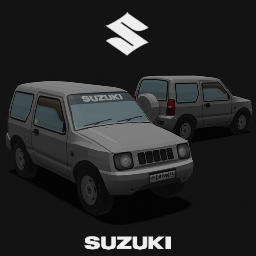
The Suzuki Jimny is a series of four-wheel driveoff-roadmini SUVs, manufactured and marketed by Japanese automaker Suzuki since 1970. I tried to fix some bugs, was able to improve the lighting somewhat, I will try to do everything better for the next works. Workshop ID: 3059802373 Mod ID: JIMNY23
Mount Crow City: Aftermath
par 76561198042198169
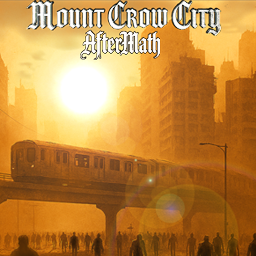
Time to try out something that isn't Kentucky. Mount Crow City: is a dense urban environment that is packed with zombies. Unique features include an elevated tram-system, and multiple hidden bunkers that are massive. The map is meant to be difficult with high migration / refill. The map is polished but currently in BETA still, please enjoy. AFTERMATH UNIQUE FEATURES: 1. Standalone – 3600 cells total in combination with Dead Sun Expanse (Vanilla MC is 36 cells), MC: Aftermath is 100 cells. 2. Environment – Mountainous regions now surround Mount Crow City. There are many secrets and treasures hidden within. 3. Cryo Vaults – Discover high-tech bunker systems infused with Cryo-Technology (10+ throughout map). 4. Caves – Big or small, these are hidden all over the mountains and some might make a nice home. 5. Infinite fight zones – secret and hidden, there just may be some Cryo-Warpgates hidden somewhere that infinitely unleash hell upon you. 6. Immersion – Unique location-based music to immerse you in this new world. 7. A MEGA-Vault/Bunker system with 5k+ Zombies. GAMEPLAY TIPS: * When you spawn look for caves. *Cactus have water - right click them ;) *Repair the monorail to travel easy. ACTIVATING THE HIDDEN WARPGATES: *All zombies in the structure or near the Warp Gates must be dead for these to gain function. DISCLAIMER: The standard amount of RAM allocated to vanilla PZ is 3GB. The minimum recommended RAM to allocate to PZ in order for the best experience in Mount Crow City: Aftermath is 6-8GB, and nothing less. This is a tutorial on how to increase your RAM for PZ: https://www.reddit.com/r/projectzomboid/comments/spsq6c/tutorial_to_allocate_more_ram_to_finally_play/ DEVELOPMENT: Mount Crow City & Mount Crow City: Aftermath will always receive the same updates per buildings, expansions, etc. as they further in development. REQUIREMENTS: 1. Dead Sun Expanse: 2. 6gb RAM minimum allocated to PZ. Requirements Recommended Mods Copying, instancing, or Redistribution of the map in whole or part is not permitted without permission from the map mod creator (DevTech). Re-uploading this mod to Steam Workshop or other hosting sites, modifying the map and redistribution as part of another mod requires prior authorization. LOAD ORDER: *Load Dead Sun Expanse before loading Mount Crow City: Aftermath. (So it loads all the rules and tiles first etc.). MAP PRIORITY *Give Mount Crow: Aftermath the highest map priority. (So it overrides the physical cells of DSE). MULTIPLAYER SETUP: Check out Cash's page for multiplayer setup for DSE / MC: https://steamcommunity.com/sharedfiles/filedetails/?id=3485704125 JOIN US: If your server is hosting Dead Sun Expanse, contact me to be featured here. https://discord.gg/USXcr9PY CREDITS and big thanks: Cash -- Developer of Dead Sun Expanse, and all desert tile assets. Unofficial Mapping PZ Community -- Always very helpful. Tryhonesty -- Cool af - veteran af - has helped me figure out a lot of stuff that you're gonna love. GAME MUSIC: (Adjust under: Options: Audio--Advanced--World______) with mod: Advanced Volume White Bat Audio - Karl Casey: https://karlcasey.bandcamp.com/ -- LICENSE -- Creative Commons 1. Ghost 2. The Hunger 3. Transcendence 4. Hellbender Support on Kofi: https://ko-fi.com/devtechpz THE MAP ONLINE (Vanilla version): https://pzfans.com/en/Mount_Crow_City/ Workshop ID: 3575541768 Mod ID: MountCrowCityAftermathDSE Map Folder: Mount Crow City - AfterMath Workshop ID: 3575541768 Mod ID: MountCrowCityAftermathDSE Map Folder: MC Connector West Map Folder: Mount Crow City - AfterMath
WW2 German Wehrmacht Uniform - Ultraviolet
par 76561198130139709
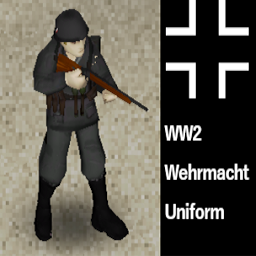
Don't ask me how can you find Wehrmacht clothing in the middle of Kentucky. Maybe Señor Hilter once lived here... Who knows... This mod adds four pieces of clothing that German infantry wore in WWII: A uniform top(idk what to call this), a pair of pants(with boots),some fieldgear set(that is also a backpack) and a helmet. Along with my other mod, US Paratrooper Uniform, you can manage to pull off pretty good WW2 roleplays. Or just do whatever you want. I may add some extra pieces of clothing such as a coat but I'm too exhausted making the already existing ones. Just like my other mod, these clothings spawn in any container that has vanilla Veteran clothings. Although I'd like to hear ideas for a better and more realistic way to let players obtain these items. Also it may have some bugs or missing features, i will fix them soon. Workshop ID: 2937198358 Mod ID: UVGermanUniform
![[OBSOLETE] B42 Thread Consolidation Fix – Project Zomboid Mod](https://images.steamusercontent.com/ugc/4039658088260765/3FDF33E7B1A12EBA61510E4C4CBF5014C162636A/)
[OBSOLETE] B42 Thread Consolidation Fix
par 76561197994453674
fixed in 42.4.1 - commented out all code and added tag so that people know to remove it Fixes a bug that causes 1 charge of the item to be deleted when consolidating drainable items. Includes thread, Painkillers, Beta Blockers, Sleeping Pills, Fishing Line, Wire, Duct Tape, etc. This was causing small stacks of thread to just be deleted. Also fixed "Consolidate All" You might also want this mod: https://steamcommunity.com/sharedfiles/filedetails/?id=3400804695 - Fixes full Batteries/Car Batteries/Propane Bottles saving at 16%/32%/32% respectively (linked mod links to Nepenthe's simpler to install LUA only mod that fixes this bug) - Fixes all non-full items (including all the items this mod affects) losing 1 charge on every save/load (only fixable with this mod AFAIK) Workshop ID: 3400965619 Mod ID: b42threadconsolidationfix
RV Interior for KI5 Campers B41
par 76561198131104743
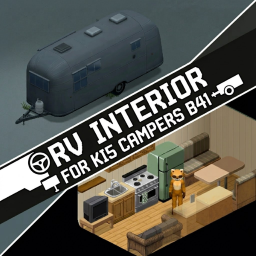
Links all 4 KI5 Camper models to functional RV interiors Each camper with unique interior Works for multiplayer This is my first mod, so if you notice any bugs or issues, please let me know :) Credits to: Campers - KI5 RV Interior - Maxwelt44, RobRendell and AuD Workshop ID: 3724297913 Mod ID: CampersRvInteriorforB41
Excavation + Ladders Addon
par 76561198118247404
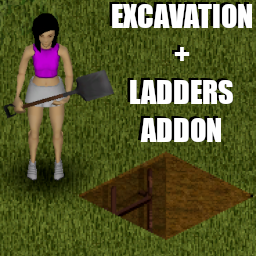
This mod is a compatibility patch for Excavation and Ladders?!. Allows you to create basements using Ladders when you have them in your inventory. Requires the mods "Excavation" and "Ladders?!" to work. Notes - Can be added/removed mid save. - Works in singleplayer. - Not tested in multiplayer. Credits albion: Autor of the mod Excavation - Basement Expansion co`: Autor of the mod Ladders!? Workshop ID: 3632426259 Mod ID: ExcavationLaddersAddon

Global Kill Counter
par 76561197972633241
Keeps track of and displays the total number of zombies killed by all players on a server. Players are able to toggle the kill count widget on/off and move the move it anywhere they want. Admins can do the following: - Change the label in the widget - Set a goal number of kills - Reset current count - Adjust the rate of client/server sync (default 60 seconds) to improve responsiveness or reduce potential lag (for busy servers) Anyone is free to use this mod or it source code for any purposes they desire. If you modpack this mod, please change the Mod ID to prevent issues. Workshop ID: 3218557015 Mod ID: GlobalKillsCounter
Location Identifier Framework
par 76561198179177535
Description Location Identifier Framework is a framework designed to help mods easily identify in-game world locations using coordinates. With LIF, you can retrieve structured and detailed information about any known map area, both vanilla and modded, by simply passing X and Y world coordinates. Please note that this is a framework, not a standalone mod. It’s intended to be used by other mods that require detailed data of a certain location. How It Works LIF maintains a curated list of map regions, including both vanilla zones and areas added by supported map mods. On game start, LIF detects which mods are active and dynamically loads only the relevant location entries. Usage Examples local LIF = require("LIF") -- Get location data from coordinates local loc = LIF.getLocation(5420, 9450) print(loc.shortName) -- Outputs: Dixie -- Get the current location of a player local playerLoc = LIF.getPlayerLocation(player) print(playerLoc.longName) -- Outputs: Dixie, KY Each location entry includes: - longName – Full name of the location (e.g., "Dixie, KY") - shortName – Abbreviated name (e.g., "Dixie") - id – A lowercase ID key (e.g., "dixie") - mod – The mod ID that added the location. If the location is vanilla, it will return "Vanilla" - isVanilla – Boolean flag for vanilla locations - startX/endX/startY/endY – Bounding coordinates Compatibility - Other Mods - Should be fully compatible with all mods. Only interacts with coordinates and does not alter gameplay. - Game Version - Tested and works on 41.73+. Not tested on earlier versions. - Multiplayer - Functional in multiplayer - Pre-existing saves - Can be added to pre-existing saves. Known Bugs/Issues - No known issues. Links Project page on github for documentation, list of locations, and possible contribution - Join me on Discord - I love Coffee. Perhaps you'll consider buying me one? Feedback Whether it is a suggestion, feedback, or something else you've got on mind, it'd be hugely appreciated! Credits - This framework utilizes location data originally created by Braven in his mod "Where Am I", and has been extended to include additional metadata. Huge thanks to Braven for granting permission to build upon his work! This mod's permissions fall under TIS's policy Ask for permission This mod can only be added to and extended with the express permission from the original creator. Having received permission, credit must be given to the original creator, both within the files of the mod and wherever the mod roams online. If no permission is received you may not alter the mod, and it must be treated as a mod that is 'On Lockdown'. Workshop ID: 3473144811 Mod ID: LIF

Cash to Server Points
par 76561197968989085
Convert cash money to Server Points. The maximum amount of money extracted from wallets can be changed in the Sandbox settings. CashToServerPoints = { -- Minimum=1.00 Maximum=1000.00 Default=3.00 WalletMoneyLimit = 3.0, }, Requires the Server Points mod (2823055977). Workshop ID: 2874337988 Mod ID: CashToServerPoints
Project Zomboid Détails →
Project Zomboid Guides
Installer des mods Project Zomboid - Guide Workshop
Installe proprement des mods Project Zomboid via le Steam Workshop : saisir les IDs, vérifier l’ordre, redémarrer le serveur et corriger les erreurs typiques.
Louer un serveur Project Zomboid – guide multijoueur
Configurer un serveur Project Zomboid : RAM, paramètres sandbox, mods Workshop, droits admin et vérification propre des erreurs typiques.
Serveur Project Zomboid avec support des mods
Installez les mods compatibles et pris en charge depuis le tableau de bord.
Louer un serveur Project Zomboid