Mods et extensions pour Project Zomboid
Ce catalogue répertorie 52 000+ projets Project Zomboid provenant de Steam Workshop. Les entrées peuvent être côté serveur, côté client ou requises des deux côtés, et inclure des cartes ou d’autres contenus créés par les utilisateurs. Avant l’installation, vérifiez la page source liée, la version du jeu et les dépendances.

Blind without glasses
par 76561199274641623
You spawn with a pair of glasses unique to anyone with the trait "Blind without glasses" They do not respawn, and they can get broken (when they drop) , but you can also fix them, so you better keep them on your face because without them: 1) you cannot forage. 2) you cannot read. 3) you gain all thumbs trait. 4) the whole screen is blurry. Don't try sprinting into walls, that will cause you to drop them and what's on your head. It gets a whole lot more difficult if you happen to also have the "Clumsy" trait: 1) running or sprinting into walls, objects and cars will cause you to stumble and have them fall off. 2) you will stumble and lose them when you try vaulting while running or sprinting. 3) if anyone bumps into you by running or sprinting, you will lose them. 4) without the glasses, you will bump into walls, objects, cars and trees even when walking (can be avoided by crouching and walking). There are now 4 versions of the mod: 1) Is the original, which is you spawn with the big framed glasses which spawns with you. 2) Same as number 1 but with the small framed reading glasses 3) One that gives +4 points and is more manageable as any normal glasses you find will help you see. 4) Same as number 3 but with the reading glasses model I don't recommend turning all 4 together, I still haven't been able to make them work altogether. This is just a hard mode for the sake of being hard. I think +8 points is good for the trait. I'm not that good at the game, so I made these changes to the original mod to prevent myself from sprinting and running too much Credits to Onkeen for the original "Myopia & Hyperopia traits with Functioning Glasses " mod": https://steamcommunity.com/sharedfiles/filedetails/?id=2698765788&searchtext=Myopia If you like this mod, you can Buy me a Pizza Slice or whatever you like if you want. This would give me great incentive to learn more about modding games. Workshop ID: 2921510330 Mod ID: BlindwithoutGlasses Mod ID: BlindwithoutGlasses_N Mod ID: BlindwithoutGlasses_R Mod ID: BlindwithoutGlasses_S

Cheery's Intro Text Pack - Optimistic Intro & More
par 76561198060458852
These change the intro text when starting a new game (B41/B42) or when loading a save game (B41 Only). These only work if your language is set to english. I'm only fluent in english. I apologize. You have my permission to release translated versions, though. You can only have one option enabled at a time. Options: -- AFrostEvie's Quote -- LOOK, EVERYTHING ♥♥♥♥♥♥ UP BUT THUG THAT ♥♥♥♥ OUT YOU GOT THIS BIG DOG -- Cheers to You Quote -- (thank you to daisling and orc_junior) YOU'RE THE ONE WHO STEPS UP AND GETS THINGS DONE AROUND HERE! YOU'RE DOING A GREAT JOB! A GREAT JOB! IF ANYONE ASKS, WE'LL TELL 'EM! A GREAT JOB! -- Blasé Intro -- YOU KNOW THE DRILL BUNCH OF ZOMBIES GO DO THE THING -- Game Grumps Failed Haiku -- SONIC THE HEDGEHOG YOU ARE THE BEST GAME EVER IT'S SNOWING ON MT. FUJI -- Loading Screen -- LOADING... LOADING... LOADING... -- Nick's Opening Quote -- (thank you to CopsBrokeMyBong and Moskorism) I HAVE NOT... COME THIS FAR... ...TO DIE NOW -- Optimistic Encouraging Intro -- YOU CAN DO THIS DON'T LOSE HOPE YOU WILL PERSEVERE -- Triple-N Final Broadcast -- ''IF YOU ARE STILL ALIVE... IF THE FEVER DIDN'T GET TO YOU...'' ''IT ALL RESTS ON YOU...'' ''PLEASE. FIND A WAY TO SURVIVE. PLEASE.'' Workshop ID: 3117680649 Mod ID: cheeryIntroAFrostEvie Mod ID: cheeryIntroCheersToYou Mod ID: cheeryIntroCheeryBlase Mod ID: cheeryIntroGGNotHaiku Mod ID: cheeryIntroLoading Mod ID: cheeryIntroNick Mod ID: cheeryIntroTripleN Mod ID: cheeryOptimisticIntro
![[B42]Forest Spawn Locations – Project Zomboid Mod](https://images.steamusercontent.com/ugc/50207798130096024/B5E9FE16D533B54FA4F2EE017D7161EEB288D056/)
[B42]Forest Spawn Locations
par 76561199122070219
Adds 7 potential spawn locations in the wilderness next to a body of water. Workshop ID: 3443307335 Mod ID:FSL
![[COS] Shadow Company NV – Project Zomboid Mod](https://images.steamusercontent.com/ugc/2049738728148300827/ECEA2E861A9F57BB172D56581FCB3D339AE6588B/)
[COS] Shadow Company NV
par 76561199178116693
How Do I Use It? - You can go to the link below to see how to use it. - Link Recommended mode - Fashionoid - Gear Transmog - Hide All Attached Items - Clipping animation Fix How to use COS mode in build 42. - Navigate to the path where the mod is installed. - Create a 42.0 folder. - Create a common folder. - Paste the media folder / mod.info / preview.png into the 42.0 folder. The recipe code writing method has been changed in 42Build. Since COS (Costume) mode has approximately over 200 modes, converting to 42Build's recipe code is an extremely laborious task. In 42Build, you cannot create costumes in (42 build) the crafting tab. There are two methods: Spawn items in cheat mode. Select items in the clothing selection screen when creating a character. Like My Mode? - Join Our Discord If You Want Commission
![[B42] Tame-able Wolves ~ LEGACY – Project Zomboid Mod](https://images.steamusercontent.com/ugc/9837534014137176481/62B97951DBB90268AD43695032B27191A98E066E/)
[B42] Tame-able Wolves ~ LEGACY
par 76561199249323542
Has the Apocalypse ever felt lonely in your runs? ... well this is the perfect mod for you!! INTRODUCING:: Tame-able Wolves! Now you can finally have a friend to bring along for all of your Singleplayer Adventures! He's your new best bud & traveling companion!! ======================== ~ ~ ~ CORE FEATURES: ~ ~ ~ ======================== ----- WOLF NEEDS ----- -- Your new friend needs care! Be sure to give them plenty of food and water. the Woofo will eat almost every raw meat item in the game! -- -- HOW TO FEED YOUR WOLF: -- --- press the "Z" key to open up the Status Menu! simply navigate to the wolf you'd like to feed / water! --- ----- TAMING SYSTEM ----- - Wild Wolves can be tamed with food! what do they eat you might ask? most vanilla meats work! - - to tame a wild wolf, walk up close to them and press the "E" key! - wild wolves can be found in Vanilla Ranch zones, or in Forests with our Dynamic Spawn system! - currently the Player can tame a maximum of 3 Wolves! ----- INVENTORY SYSTEM ----- - Tamed wolves can help you carry items! - - each tamed wolf can carry its own unique inventory! - - options for increasing max carry-weight coming soon! - ----- WOLF COMMANDS UI ----- - All of your wolf control tools are right at your fingertips! Simply press the "G" key after you have tamed a wolf - Wolf Commands: 1. Follow: automatically follows the player 2. Stay: removes the 'following' state from the wolf 3. Pack: spawns the wolf's inventory at any given time 4. Teleport: is your wolf stuck or lost somewhere? use this tool to teleport him to you!! ----- WOLF SUMMONING ----- INTRODUCED in V1.0.3: - Players can craft an item for summoning wild wolves!! - - search for "Wolf Lure" -- it is craft-able using 10 bone fragments and 2 large bones! - -- to summon a wolf, right-click the Wolf Lure and select "Spawn Wolf" from the drop-down! -- ---- note: this recipe may change in a future patch ---- ----- DYNAMIC SPAWN ZONES ----- INTRODUCED in V1.0.4: - Wolves will now spawn naturally in your worlds! - - they can be found easier in forest zones, but can still spawn in cities and places with trees - - for every 75 tiles you travel, there will be better chances of wolves spawning in your immediate cell! - ----- CUSTOM TRAITS!! ----- --- THE WANDERER --- -- for only 2 trait points you can start your game with a pet wolf!! -- to summon the wolf: right-click the "Wolf Lure" item then select "Spawn Wolf"! -- -- Press "E" next to your new friend to tame him! -- --- ONE OF THE PACK --- -- cost effective at only 1 trait point! By pressing the "T" key with the trait, you can now track Wild Wolves!! -- -- this trait will be further built upon when more wolf features are rolled out ;) ============================= ------- INSTALLATION GUIDE ------- --- BROKEN ANIMATIONS FIX!! --- READ THIS: due to the system TIS has for animals at the moment, you must do the following when installing the mod for the first time!! 1. Enable the mod from the Main Menu (look for "B42 Tame-able Wolves") 2. Load into a New Save 3. Exit back to the Main Menu 4. Load back up a Saved game and the wolf will be fixed!! — NOTE: it is possible to install the mod mid-save! there should be no conflicts with other mods (that we know of currently) — ===================== - UPCOMING FEATURES: - - proper fence-hopping mechanics - better logic for wolves both tamed & wild - wolves helping you fight the undead - more wolf traits! - wolf gear & cosmetic items! - custom textures for the radial UI - aggression system for wild wolves! - translations for languages other than english!! - and so much more!!! (to see our official roadmap, please join the discord) (NOTE: Modding custom animals into Zomboid is trekking new frontiers. This is currently an early-dev project however we have a clear roadmap ahead! If you encounter any bugs while using the mod, please reach out to me on Discord!) KNOWN BUGS (as of Version 1.0.4): -- wolves cannot hop fences currently -- the Commands Menu cannot read wolves from over 200+ tiles away -- radialmenu files will throw a couple harmless errors on launch (this is the system booting up) -- using the teleport command will throw a couple errors. these are harmless -- in rare cases; zomboid jankiness prevents the animations from loading properly (under investigation) ---- please report any bugs to our discord server! --- IMPORTANT NOTICE for Mac / Linux Users: --- -- due to slightly different requirements for these operating systems versus Windows; Mac/Linux users will need to follow a different installation guide for getting the mod to work. please view the Bug-Report Discussion thread for the full guide! -- ---- MAIN UI CONTROLS: ---- 1. Wolf Needs -- accessible by pressing the "Z" key! 2. Taming System -- tame wild wolves by pressing the "E" key! 3. Doggo Command System -- press the "G" key to open up this menu! 4. One of the Pack Detection System -- looking for new friends? press "T" if you have the trait to begin searching! ~ Big Credits to Ash/EtherealShigure ~ ~ Custom UI Arts done by @xylewood on Discord! ~ ~ Credits to the Horse mod team for their help getting the animations in-game ~ ~ the wolf photographs used in the posters belong to their respective copyright owners ~ I hope y'all enjoy playing with the mod as much as I did creating it!! - with love ~Freylith this is my first passion project for Zomboid. it would mean the world if you left a like! <3 -----NOTICE----- under ZERO circumstances should this mod be re-uploaded, modified, or used in any public modpack. For any inquiries regarding permissions of use -- please DM @Freylith on Discord Interested in hearing about our latest progress or upcoming content? Join our Discord at https://discord.gg/YS8EacWWBU ! Workshop ID: 3581134738 Mod ID: WolfoMod
Trade with Different World
par 76561198136491631
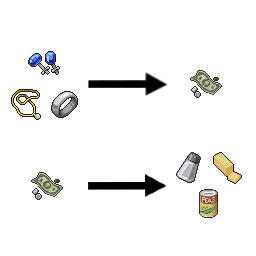
You have the ability to exchange things with other worlds. In some worlds, it is said that if you save precious metals, you will pay for it. In another world, it is expensive, but if you want, you can find long-lived foods and ingredients. Unfortunately, fresh food on the street will rot during transmission. 다른 세상과 물건을 주고받을 수 있는 능력이 생겼습니다. 어떤 세상에서는 귀금속을 구해다 준다면 수고비를 준다고 하며 또다른 세상에서는 비싸긴 하지만 원한다면 보관기간이 긴 음식 및 식재료들을 구해다 준다는군요. 아쉽게도 거리상 신선음식은 전송도중 다 썩어 버릴 것입니다. 1 precious metal -> 1 cash 1 귀금속 -> 1 현금 money -> CannedFood or Spice or FoodIngredient 현금 -> 통조림 or 향신료 or 식재료 The higher the calories, the more expensive it is. If you don't have enough money, eat Canned_Carrots and hang in there. One bill will do for Canned_Carrots. 값은 칼로리가 높을수록 비쌉니다. 돈이 부족하다면 통조림(당근)을 먹고 버티세요. 통조림(당근)은 1장밖에 안하니까요. A purchase sale item appears in the production window. 제작창에 구매 판매 항목이 생깁니다. Workshop ID: 2483075103 Mod ID: TradeWithDifferentWorld

Party System
par 76561198088870567
About Not having friends that play PZ? Need to check on your chicken coop before it gets dark while doing a long loot trip? Need a getaway driver? This mod allows you to play up to 8 characters by yourself. By open the radial menu (default to TAB, and is rebindable), you can choose to add new members to your party, to switch to their perspective and play as them! This comes with these constraints: - New member will be spawned next to your leader (the character you created in the main menu) and you can only add new member when controlling the leader - When a member dies, they cannot be revived and is removed from the party - When the leader dies, you can create a new character as the leader, and your party would be kept the same - When someone in the party sleeps, their fatigue status will be set for all other party members when they wake up, since sleeping in this game is weird and also UI based, not all player based Vehicle constraints Due to vehicle registering and rendering differently than player, I have to enforce this so no one can crash their game. If there's at least one out of all local members (members within the currently rendered cell, about 300x300 from the selected member) inside a vehicle, you have to make sure they exit the vehicle before being able to switch to members that are outside of the currently rendered cell. If you , however, walk away from members inside a vehicle until they are outside of render range, open the party radial menu will force kick them out of the vehicle. tl;dr: if you wanna switch to a far away member, make sure all the closeby members (usually the one that you can select) are not in a vehicle. Simple AI (Experimental) When unfocused member are close, they will: - Attempt to drink / eat when thirsty / hungry, only when drink (only select few liquid container for now) / food is in inventory - Read existing books, newspaper and magazine when bored. Note that for B42, the reading system is reworked. The AI may reread an already read book and yield no benefit, other than immersion Command (Experimental) - You can ask a member to follow you by right click on top of them and choose the "Ask ... to follow" option - You can ask a member to stop follow you by right click on top of them and choose the "Ask ... to stop follow" option Random event (Experimental) When switching to a member that is far away, there's a 10% a random event is trigger on that member. Random events currently available are: - Eat when hungry, even if no food is in the inventory prior to switching - Drink when thirsty, even if no drink is in the inventory prior to switching More events will be added in the future! Controller You can access the party radial menu by selecting the new "Party" option in your "Select" radial menu. Once the menu pops up, use right thumbstick to highlight slice and confirm the slice with "Right Bumper" Note that the character creation does not work with controller yet, it's currently still cooking! Known bugs - On Build 42, the characters that isn't the currently controlled one have their model disappeared. This is due to the new lighting change and for some reason IndieStone specifically told the renderer not to render another player object (FBORenderCell @ line 3527). Thanks Naneek for the FBO cell rendering discovery! There is now a temporary fix for this, but you need to patch your game by overwriting some game files, instruction is provided here. Frequently asked questions Why is the limit 8? - I ran out of distinguishable color. Are non-leader members their separate entities, with their own moodles and stats? - Yep. Every character has their own moodles and stats, just like in multiplayer. The only thing that they share right now is level of exhaustion, since there's the limit in the base game where each player can only sleep once every certain amount of time. It's a pain in the neck to get them all to sleep though, I wouldn't think anyone would like to tuck them all to sleep at the same time, so it works out this way. Does this work with B41 / B42? - Yes, the mod works with both B41 and B42 Is this multiplayer compatible? - I haven't tested it, but I would say no, since a lot of things are hardcoded for 1 player. Try it if you want, but you have been warned. What mods are compatible? - Mods that modifies character such as traits, stats, etc. are most likely not compatible (unless they have a module for integration). You can always try and let me know which one is and which one isn't. If you found it incompatible, why not just ask if they can integrate? It's easy, I promise! Just send them this thread Why are some members disabled on the radial menu? Why can't I select them? - Check the Vehicle constraints section above! Mod integration You can learn more on how to integrate your mod into this system thru this thread Credits Massive thanks to: - nolanritchie for his work on Superb Survivor, a lot of discoveries helped making this mod - Naneek for the FBO cell rendering discovery - Jianghao for CN translation - JimmyCC for KO translation And all early subscribers for testing out and reporting issues! Like the mod? Buy me a coffee if you can :) Workshop ID: 3395761583 Mod ID: RiskyPartySystem

True Music Addon: French Music
par 76561198062556944
This mod adds French musics. All of the music match with the game's period, so no songs who come from after 1993. Song list : - Cassettes Chagrin d'Amour - Chacun Fait C'qui Lui Plait Debut de Soiree - Nuit de Folie Eddy Mitchell - Sur la route de Memphis Elegance - Vacances J'Oublie Tout France Gall - Il Jouait Du Piano Debout Francky Vincent - Fruit de La Passion Ginni Gallan - L'Amour ca rend fou Indochine - L'aventurier Jean Jacques Goldman - Quand la Musique est Bonne Jean Pierre Mader - Macumba Jean Schultheis - Confidence pour Confidence Johnny Hallyday - Je Ne Suis Pas Un Heros Johnny-Hallyday - Diego Libre Dans Sa Tete La Compagnie Creole - Ca fait rire les oiseaux Les Inconnus - Auteuil Neuilly Passy Liane Foly - Au Fur et a Mesure Mariella - Coeur Mandarine MC Solaar - Bouge de la Mylene Farmer - Desenchantee Partenaire Particulier - Partenaire Particulier Patrick Bruel - Decale Patrick Bruel - Qui a le droit Phil Barney - Tell'ment Je Pense a Toi Renaud - Marchand de cailloux Thierry Hazard - Le Jerk William Sheller - Un Homme Heureux ( Version Longue ) - Vinyls Boris Vian - La java des bombes atomiques Boris Vian - Le Deserteur Boris Vian - On n'est pas la pour se faire engueuler Charles Trenet - Y'a d'la joie Edith Piaf - Non je ne regrette rien Francis Lemarque - Le Temps du Muguet Jacque Brel - La valse a mille temps Jacques Brel - Ne Me Quitte Pas Serge Gainsbourg - Le Poinconneur des Lilas Version B42 : https://steamcommunity.com/sharedfiles/filedetails/?id=3777042861 Workshop ID: 2738120301 Mod ID: Skibidipa
![Sleep On It [B42.20 Unofficial SP/MP] – Project Zomboid Mod](https://images.steamusercontent.com/ugc/9247927943592369094/EAFEF0BD2EABC3673C77E5A7F5890CDB6AC1ABF3/)
Sleep On It [B42.20 Unofficial SP/MP]
par 76561198064430607
Built for version 42.19+ - Updated working in Multiplayer Sleep reduces boredom and unhappiness. Workshop ID: 3741561003 Mod ID: sleeponit
![[B42] Realistic Distributions: Alcohol, Cigarettes, Clutter – Project Zomboid Mod](https://images.steamusercontent.com/ugc/17501939973195924143/09535DA34F1B670876BF6427E7938A5CD74BBE65/)
[B42] Realistic Distributions: Alcohol, Cigarettes, Clutter
par 76561198045742109
Three optional files that increase the random spawn distributions of 1. alcoholic drinks, 2. cigarettes and tobacco in various forms, and 3. clutter that is realistically more commonplace e.g. cutlery, soap, toilet paper, etc. Distribution location rules are largely preserved, i.e. these items will not spawn anywhere they would not spawn otherwise, this mod adds to the existing possible chances. Can be activated and deactivated on an ongoing save, but new areas need to be explored for changes to take effect. Build 42.12 note: Compatible with the newest update. Alcohol: Chances are more or less doubled. Cigarettes (and tobacco): Roughly 2.5x for the common cigarettes and chewing tobacco, reasonable increase for various less common items. Cars had a good chance of holding cigarettes, however the most minuscule of other products - these have been greatly increased. Includes increased chances for lighters and rolling papers, etc. Clutter: General increase in the spawn rate of ubiquitous items e.g. cutlery, dishware, salt, pepper, jars and their lids; household items such as soap, toilet paper, etc. More empty bottles and discarded cans, more immersive bin and dumpster contents. Also affects a small number of food and clothing items. This is a kind of in-spirit B42 update to my miscellaneous spawns component of Sensible Balance: Item Weights and Miscellaneous Spawn Rates. Clutter (plus Sledgehammers and Generator Magazines): Same file as above, but triples the chance of finding sledgehammers and 'How to Use Generators' magazines, too. Permissions: Please do not modpack or reupload. If this mod is deleted, you are welcome to reupload to Steam Workshop only. Thanks and enjoy! Other mods for B42: Clothing Protection: Rebalanced Temperature Affects Food Spoilage Rate Rebalanced Yields: Butchering Quality of Life and Miscellaneous Tweaks Immersive Preservation: Canning and Jarring of evolved recipes Workshop ID: 3545605445 Mod ID: RealisticDistributionsAlcohol Mod ID: RealisticDistributionsCigarettes Mod ID: RealisticDistributionsClutter Mod ID: RealisticDistributionsClutterSledgeGenMag
Week One RUS Translation B41
par 76561199421951139
b41. Workshop ID: 3434104184 Mod ID: BanditsWeekOneB41RU
![Winter Scarves [B42] – Project Zomboid Mod](https://images.steamusercontent.com/ugc/11021660575604865561/82892362FE8D8EAE186A5F2E9A0FBC8C77EE8E58/)
Winter Scarves [B42]
par 76561198926475201
Adds scarves for male and female characters. ⚠️ This mod does NOT work on game versions below 42.13. --- Mostly found in bedrooms and clothing stores, with occasional spawns in other random locations. They do not spawn on zombies. You can also equip any scarf directly by enabling Unlock All Clothing in the Sandbox settings under the Scarves category. The scarves use 1024x1024 textures. Using a lower resolution may make them appear blurry. --- Body model used in preview: Cute Skins Girls & Boys V2 Hairstyle: Yandere's New Hairstyles If you like this mod, please rate it and consider supporting me: 🔗 Workshop ID: 3624433923 Mod ID: collectionofscarves
Anthro Survivors - Alligator and Shark
par 76561198119914147
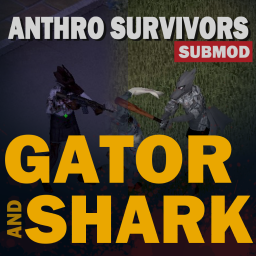
Adds alligator and shark species to the base Anthro Survivor mod by Wolf and Jackal. Has M/F variants, 5 color variants, and a hair option. Textures and Model portions copyright of CAESURA, please do not redistribute these files or modified versions thereof! Workshop ID: 3069371309 Mod ID: GatorAndShark
![Darker Fog [B41/B42] – Project Zomboid Mod](https://images.steamusercontent.com/ugc/14264360110661631537/8BF3EBB88178EA6401108D46F87F8090209903D9/)
Darker Fog [B41/B42]
par 76561199133259679
Compatible with Project Zomboid Build 41.78 and Build 42.0 – 42.20.2 Darker Fog lets you make fog darker — and optionally add a subtle color tint — so fog feels more atmospheric, heavier, and less washed out. It works on both Build 41 and Build 42 through separate internal branches. Visual-only mod. Darker Fog only changes the appearance of fog while fog already exists. It does not create fog, extend fog duration, shorten fog events, change weather timing, or alter gameplay balance. Main Features - Darken fog with a configurable brightness multiplier. - Optionally add a color tint for a moodier atmosphere. - Build 42: brightness slider and color picker through the in-game Mod Options system. - Build 41: brightness and color presets through the external Mod Options mod. - Optional Sandbox Options to lock settings on multiplayer servers. - Client-side visual changes only. - Safe to add or remove from existing saves. What This Mod Changes - Fog brightness. - Optional fog color tint. - How dark, dense, cold, or atmospheric fog feels visually. What This Mod Does Not Change - Fog spawn frequency. - Fog duration. - Weather timing. - Rain, snow, storms, wind, or temperature. - Player stats, traits, moodles, vision, or gameplay mechanics. - Map data, items, recipes, or save data. How to Configure Mod Options — recommended for single player - Open ESC > Options > Mods > Darker Fog. - Adjust the brightness multiplier and color tint. - Press Apply / Accept for changes to take effect. Sandbox Options — useful for multiplayer servers Server owners can use Sandbox Options to control shared settings. - Set Use Mod Options to Off if you want to force Sandbox values. - Configure Fog brightness multiplier. - Configure the Fog color preset. This is useful if you want all players on a server to experience the same fog settings. Build 41 note On Build 41, the external Mod Options Workshop mod is only needed if you want to change Darker Fog from the in-game Options menu. Without it, Darker Fog still works with default values or Sandbox Options. Compatibility Notes - Supports Build 41 and Build 42 through separate internal mod branches. - Reviewed through Project Zomboid Build 42.20.2. - Compatible with Build 42.0 – 42.20.2. - Client-side visual mod. - Safe to add to existing saves. - Safe to remove. - No known incompatibilities with normal gameplay/content mods. Possible conflicts are only expected with mods that also override or heavily modify the same climate/fog visual systems. Languages Sandbox Options and Mod Options are available in: EN, ES, FR, DE, PT, PTBR, RU, TR, PL, UA, CN, CH, IT, KO, TH and JP Translation suggestions and corrections are welcome. More Mods & Feedback You can find my other Project Zomboid mods here If you find Darker Fog useful, please consider leaving a thumbs up and adding it to your favorites — it helps other players discover it. Feedback, suggestions, bug reports, and translation improvements are always welcome in the comments. Workshop ID: 3613351176 Mod ID: DarkerFog

Achievements B41
par 76561198329871201
Adaptation to B41 of PZ Achievements Please NolanRitchie, don't be upset for me trying to adapt your mod. You're the best. Details - remove self.Image:addToUIManager(); from AchievementDescWindow.lua to avoid UI crash - change Molotov achievement name to avoid conflict with molotov.png - integrate Achievements specific code to updated (B41) TimedActions/*.lua files (using FWolfe guideline) - add option to deactivate the persistent icon (requires Mod Options) - add option to see the Achievements only on completion. active by default (deactivation requires Mod Options) - change Utilities.lua name in order not to conflict with other Nolan Ritchies mods. Change its content to minimize symbol conflicts with other mods. (thx to MR.SEEO) - integrates B41 weapon system (adding all available weapon categories achievements, correct old ones). FAQ - Does work in multiplayer (except split screen). - Does not work in splitscreen. B41 Adaptation probably cost far less than the initial mod work. So all credit goes to NolanRitchie. Workshop ID: 2530961065 Mod ID: Achievements_B41
Sapph's CookingRU
par 76561199103017443
Это перевод мода Sapph's Cooking. Перевод от Гачамучи устарел и давно не обновялется, так что я решил сделать свою версию. Для работы мода нужен оригининальный мод. Постарался, чтобы перевод был максимально правильным с точки зрения русского языка и логики. При обнаружении ошибки в переводе, писать в комменты под модом. Workshop ID: 2912034913 Mod ID: SapphCookingRU

This Is How You Commited Tax Evasion
par 76561198282555633
THE IRS IS ON YOU. THIS IS WHAT HAPPENS WHEN YOU COMMIT TAX EVASION- Introduction Exploring game files i found out i can change literally EVERYTHING. And then i saw komp's video about changing in-game introduction text. So i decide to make a mod out of it. Available on (mostly) all languages Workshop ID: 2902638247 Mod ID: thisishowyoucommitedtaxevasion
True Music Addon: Metal Gear Rising: Revengeance
par 76561198195023459
Adds the OST from Metal Gear Rising: Revengeance in both vinyl and cassette form. Workshop ID: 2761003145 Mod ID: MGR_Revengeance_Music_Pack
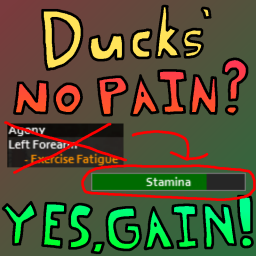
Ducks' No Pain? Yes, Gain!
par 76561198049372798
Tired of sitting around all day waiting for your exercise pain to go away? This mod is for you! This mod removes exercise fatigue and pain and replaces it with a basic exercise stamina system. After a day of not exercising, you will gain all of your exercise stamina back, and will be able to exercise until your exercise stamina runs out. I made this mod specifically in mind for Multiplayer, as it was simply not fun to wait around for your exercise pain to go away. The vanilla settings are tuned with Multiplayer in mind, but it's perfectly capable of working with Singleplayer. There are sandbox settings included to help tune stamina to your liking. Pain is directly transformed into stamina loss, so things like Regularity and having a high Fitness level will decrease the exercise stamina you lose. (Did you know that at 100% regularity in an exercise in Vanilla Zomboid, you will only take ~17% as much pain? It's totally broken and it applies to this mod too!) This mod is 100% safe to add and remove from your saves. Workshop ID: 2942815535 Mod ID: ducksNPYG
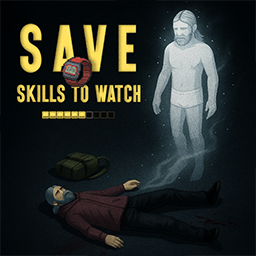
Save Skills To Watch Updated for Build 42.20
par 76561198099801860
Save Skills To Watch — Build 42.20 Updated and tested for Project Zomboid Build 42.20. What it does Save your character's skills into a wrist watch and restore them later on a new survivor in the same world. The mod preserves perk levels and exact XP progress from the moment of saving. What's new - Updated for Build 42.20. - Improved skill and XP restoration. - Added English, Ukrainian and Russian translations. - Fixed Lua errors when opening the watch context menu. - Added support for watches saved with the previous mod version. - Reworked multiplayer synchronization with server-side validation. How to use - Find a wrist watch. - Right-click it and select Save Skills. - Leave the watch at your base or recover it from your corpse after death. - As a new survivor, right-click the watch and select Apply Skills. - The saved snapshot is consumed after a successful restoration. What gets restored - Perk levels. - Exact XP progress. - Traits, inventory, body weight and read books are not restored. - The watch works only in the same save or world. - A character cannot apply its own saved snapshot. Compatibility - Project Zomboid Build 42.20. - Single-player support. - Multiplayer synchronization has been reworked with server validation. - For multiplayer, add the Workshop ID and Mod ID to the server. Multiplayer support is still considered experimental. Test it on a fresh server before using it in a persistent world. SUPPORT THE PROJECT If you would like to support my work: Your ratings, feedback, and clear bug reports help motivate me to develop more Project Zomboid mods. Workshop ID: 3617723542 Mod ID: CO_WatchSaver_B42
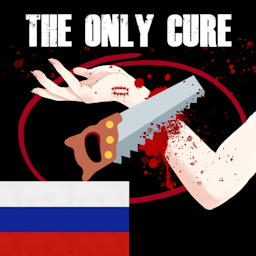
The Only Cure RU Translate
par 76561198267730658
Перевод популярного мода "Единственное лечение" на русский язык Оригинал мода TOC для работы перевода не требуется, но так как я не являюсь автором исходников, ссылку на оригинальный контент закреплю ниже. https://steamcommunity.com/sharedfiles/filedetails/?id=2703664356 Приятной игры! Workshop ID: 3147170384 Mod ID: AmputationToRU
B42)SpiffoMoodles
par 76561198089881136
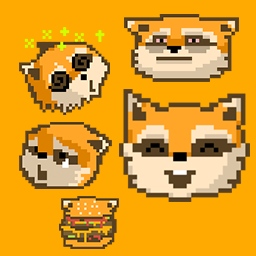
B42)SpiffoMoodles ==If the image feels small, change it in the option== ++32x32,48x48 images have been color corrected++ ] step1: checkbox on mods page step2: select saved game -> more..->choose mods -> select mod Workshop ID: 3415594509 Mod ID: 111010111001101PQ098spiffomoodles
![Project Dirtroad [B42] – Project Zomboid Mod](https://images.steamusercontent.com/ugc/16962128530473921200/EC32F59FD07EADA744A39BEAF05FE1F581C33138/)
Project Dirtroad [B42]
par 76561197960417099
Repeated vehicle and foot traffic gradually wears natural ground into persistent dirt roads and walking paths. Bushes are crushed before removal, maintained tracks suppress obstructive regrowth, and abandoned routes slowly fade. Tested for B42.20 single-player and multiplayer. Safe to add to existing saves and servers, but take a backup. This mod contains no custom assets, it uses the vanilla sprites and tile set. But once those sprites are placed in the world, they are part of the map and will remain if the mod is removed. A "Cleanup" option is planned. To get rid of paths for now, turn off Vehicle and Player Traffic and set erosion high (10), and they will fade away on their own over time. For bug reports, please open a discussion thread, describe it as fully as you can. If a screenshot might help please include. Background On the server I play on, we had a base at the Lakehouse / McCoy estate. Which sucks to get in and out of. So we lumberjacked our way to the road north for a faster exit. But then, the saplings grew. And then they grew on the vanilla dirt drive way too. And so this mod was born. Options The following can be independently enabled or disabled: - Vehicle paths - On by default. - Player paths - On by default. - Bush destruction by vehicles - On by default. The first hit damages the bush, the second destroys. - Grass destruction by vehicles - Off by default. The first hit damages the grass, the second destroys. This removes the sound of driving over grass and makes for nicer looking roads, but it's a little more destructive so I left it off by default. By default, a vehicle must pass over a location 6 times before a visible path appears. A walking player passes over 60 times. Adjust the multipliers for wear and erosion for each for faster or slower rates. The minimum speed needed to destroy bushes or grass is also configurable. Known issues - Dirt roads may appear on top of concrete pads from Neat Building. So far, I haven't seen this happen for native floors. Neat Building appears to be classifying the concrete pad as a Sand floor, which we overlay. - The edges of a dirt road may be visible through snow. Some might call that a feature. Plans Planned changes upcoming. Version numbers to be determined, things may be bundled together, just depends how things go. - 0.5.0: - Smoothing/blending improvements for the paths. Almost ready, a few edge cases I'm still working on for narrow sharp bends. - New option to protect sand from being overlaid. Haven't decided if it will be on by default or not. - 0.6.0: - Option to entirely hide paths while still tracking vehicle traffic and wear to prevent overgrowth. - Option to pour gravel on a square to prevent the dirt road from eroding with disuse. "Lock in" the road. - Option to "Cleanup" the mod. It will disable all the features and begin removing mod data whenever encountered, to return the world to normal, if someone so chooses. - 0.?.0: - Optional Snow destruction/tracks - Optional Animal and/or zombie path wearing Erosion Rates Roads and walking paths gradually lose wear when they are not being used. Higher Erosion Rate values make tracks disappear faster; lower values preserve them longer. Times below are measured in in-game days and assume the route receives no new traffic. Erosion Rate One Early Layer Fully Developed Route 0.25120 days600 days 0.5060 days300 days 1.0030 days150 days 2.0015 days75 days 3.0010 days50 days 4.007.5 days37.5 days 5.006 days30 days 10.003 days15 days Visual Stage Breakdown At Erosion Rate 1.0, a fully developed 30-wear route fades through its visual stages as follows: Stage Wear Range Time in Stage Stage 4 — Mature packed dirt30 down to 2050 days Stage 3 — Packed dirt20 down to 1240 days Stage 2 — Faint grass/dirt12 down to 630 days Stage 1 — Fading grass/dirt6 down to 030 days Vehicle and foot traffic have separate Erosion Rate settings. When both rates are equal, the table applies directly. Mixed-use routes with different vehicle and foot erosion settings will decay according to how much wear came from each source. Any renewed traffic adds wear and can maintain or rebuild the route. Workshop/Mod ID Workshop ID: 3782929173 Mod ID: ProjectDirtroad
Better Call Saul Level Up
par 76561198316785177
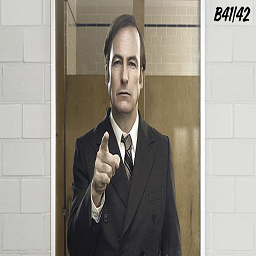
This mod replaces the PZ level up noise with the Better call saul theme. Original mod: https://steamcommunity.com/sharedfiles/filedetails/?id=2842711311&searchtext=better+call Workshop ID: 3386644536 Mod ID: saullevelup
Project Zomboid Guides
Installer des mods Project Zomboid - Guide Workshop
Installe proprement des mods Project Zomboid via le Steam Workshop : saisir les IDs, vérifier l’ordre, redémarrer le serveur et corriger les erreurs typiques.
Louer un serveur Project Zomboid – guide multijoueur
Configurer un serveur Project Zomboid : RAM, paramètres sandbox, mods Workshop, droits admin et vérification propre des erreurs typiques.
Serveur Project Zomboid avec support des mods
Installez les mods compatibles et pris en charge depuis le tableau de bord.
Louer un serveur Project Zomboid