Mods et extensions pour Project Zomboid
Ce catalogue répertorie 52 000+ projets Project Zomboid provenant de Steam Workshop. Les entrées peuvent être côté serveur, côté client ou requises des deux côtés, et inclure des cartes ou d’autres contenus créés par les utilisateurs. Avant l’installation, vérifiez la page source liée, la version du jeu et les dépendances.
![[B42] WildMaker – Project Zomboid Mod](https://images.steamusercontent.com/ugc/12079481803519213651/7AF7D009CEBFC1DBCE809E01AE0F8C5FD7BCE4B9/)
[B42] WildMaker
par 76561198387867714
WildMaker B42 Started this because it always felt strange that survivors could forage, hunt, farm and build remote homesteads, but still had to loot cities for basic supplies that already exist as vanilla items. WildMaker B42 expands vanilla crafting with alternative ways to produce essential tools, maintenance supplies and metalworking materials while living away from urban areas. No custom weapons or tools are added. Final products are based on vanilla Build 42 content. Features - 24 new crafting recipes - 5 progression magazines - Craft matches and candles - Produce glue, wood glue and improvised duct tape - Make soap and fishing line - Forge essential tools and hardware - Produce welding rods and reclaimed metal parts - Uses vanilla Build 42 skills and resources - English and Spanish translations - Multiplayer compatible Craftable Vanilla Items - Matches - Candles - Fishing line - Glue - Wood glue - Duct tape - Soap - Screwdriver - Can opener - Awl - Ball-peen hammer - Claw hammer - Welding rods - Welding mask - Metal pipe - Metal bar - Nails - Screws - Jar lids Skills Used - Foraging - Cooking - Carving - Fishing - Carpentry - Tailoring - Blacksmith - MetalWelding Example Crafting Chains Extract Pine Resin -> Prepare Wood Ash -> Prepare Match Compound -> Make Matches Extract Pine Resin -> Render Fat -> Cook Resin Glue -> Make Improvised Duct Tape Forge Hammer Head -> Carve Handle -> Assemble Ball-Peen Hammer -> Produce Welding Rods -> Roll and Weld Metal Pipe Progression Recipes are unlocked through five WildMaker magazines: - Vol. 1: Fire and Fibers - Vol. 2: Resins and Maintenance - Vol. 3: Essential Tools - Vol. 4: Reclaimed Metal - Vol. 5: Homestead Supplies Magazines can be found in locations such as: - Camping stores and lockers - Farms and barns - Fishing and hunting locations - Ranger stations - Tool stores - Mechanic shelves - Bookstores and magazine racks Design Philosophy WildMaker is intended for survivors who avoid cities and depend on foraging, farming, fishing, hunting and crafting. The recipes provide alternative progression routes without making survival effortless. Advanced supplies still require appropriate skills, tools, workstations and processed resources. WildMaker does not replace or remove vanilla recipes. Compatibility - Project Zomboid Build 42 - Can be added to existing saves - New magazines appear in unexplored loot containers - Singleplayer and Multiplayer compatible - Vanilla-focused - English and Spanish Workshop ID: 3747795879 Mod ID: WildMaker
Position Breakdown
par 76561198276941338
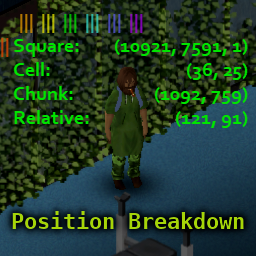
I am on an indefinite hiatus from Project Zomboid. Feel free to use my code for future mods, and feel free to update my mods for B42. Please do not reuse their exact names or mod id's to avoid confusion and bugs for B41 players. I can only guarantee my mods worked when used alone before B42 dropped. I will no longer be retesting them when people have conflicts. Thanks for the support over the years. This mod is a major reimagining of PositionXY by Mamka. Adds a useful overlay that includes info on your player's position. The overlay has unique behavior when the world map is open! Mouse around (or move around with the gamepad) to see the breakdown of position information for any square on the map! Press X (while your world map is open) to copy the location under your mouse to your clipboard! Position Breakdown is extremely customizable. Change the overlay's position, font size, font color, and opacity. Even choose one of five display modes: Neat: Rectangular overlay in which lefthand and righthand elements are independently aligned. Compact: Concise overlay in which each coordinate pair is presented on one line succinctly. Abbreviated: Another compact overlay; abbreviates labels and drops parentheses to save space. Verbose: A more vertically arranged overlay in which each coordinate is independently labeled. Simplified: Also vertically oriented, but with simplified output and dropped parentheses. Options can be activated using keyboard shortcuts, clickable buttons, and gamepad buttons. Keyboard and gamepad shortcuts can easily be turned on or off to minimize the need for rebinding. Please see below. (Fully compatible with Dawn of the Zed, my mod for hiding your UI.) A Note On Colors: By default, buttons will have a rainbow theme for ease of telling them apart, and the overlay turns black for increased visibility whenever the world map is open. For those who strongly prefer to see one color all the time (on the buttons, in the map, et cetera), there are options in the config for accomplishing this. Please see the end of this description for info about the config file. Toggling Option Shortcuts: In order to reduce the odds of conflict with all other mods, I have included both keyboard and gamepad bindings for quickly disabling and enabling the mod's responses to either source of input. On gamepad, you must triple-tap R1 (or Right Bumper), hold it, and then tap L1 (or Left Bumper). This complexity is to reduce the likelihood of accidentally enabling the action listeners for this mod on gamepad. On keyboard, you must hold the right Ctrl key (not the left), hold F10, and strike F9. Key and gamepad button combinations are used as shortcuts in this mod to reduce the keys needed for performing a wide range of useful functions. Please refer to the shortcuts below. Additionally, you may move the overlay by clicking and dragging the sunset red button that appears when you are mousing near the overlay's origin point (which is near the top-left by default, or the top-right if you have moved the overlay to the right side of your screen and allowed it to automatically realign itself). Clickable Buttons: Color-coded buttons can be used to navigate many features of this mod (though not all). By default, these buttons are color-coded as follows: Sunset Red: Click and Drag: Move Overlay Double-Click: Collapse or Expand Overlay Orange: Click: Cycle Through Levels of Detail Yellow: Click: Cycle Through Opacity Options Green: Click: Cycle Through Style Options (affects Font Size, Spacing, and Face) Turquoise: Click: Cycle Through Color Options Blue: Click: Cycle Through Display Modes Violet: Click: Toggle Automatic Alignment of the Overlay White: Click: Copy Location to Clipboard Keyboard and Mouse Controls: Note: Keyboard inputs are DISABLED by default in order to minimize interruptions for people adding this mod to existing servers. Turn them on by holding the right CTRL key, holding F10, and striking F9. Key: RC: Right Control RA: Right Alt Summary of Functions: F9: Cycle Opacities F10: Cycle Sizes F9 (Hold) + F10: Toggle Visibility RC: Cycle Modes RC (Hold) + F9: Cycle Details RC (Hold) + F10: Cycle Colors RC (Hold) + RA: Toggle Automatic Alignment RC (Hold) + F9 (Hold) + F10: Randomize Everything Except Position RA + Move Mouse: Move Overlay Summary of Keys: Control: Display Mode and Alternate Action Access F9: Opacity, Detail, and Alternate Action Access F10: Size, Color, Toggle, Randomization Right Alt: Overlay Movement and Automatic Alignment Gamepad Inputs: Note: Gamepad inputs are DISABLED by default in order to minimize interruptions for people adding this mod to existing servers. Turn them on by pressing R1 three times, holding it, and tapping L1 once. Summary of Functions: A: Cycle Opacities B: Cycle Sizes L1: Cycle Modes L1 (Hold) + A: Cycle Details L1 (Hold) + B: Cycle Colors R1 (Hold) + A: Toggle Visibility R1 (Hold) + B: Toggle Automatic Alignment L1 (Hold) + R1 (Hold) + A: Randomize Everything Except Position R1 (Hold) + L1: Cycle Overlay Movement Precision R1 (Hold) + D-Pad: Move Overlay R1 + R1 + R1 (Hold) + L1: Toggle Gamepad Shortcuts Summary of Buttons: L1 / Left Bumper: Alternate Action Access, Display Mode, Shortcut Toggling, and Overlay Movement Precision R1 / Right Bumper: Alternate Action Access, and Overlay Movement Activation A Button: Opacity, Detail, and Randomization Button B Button: Size, Color, and Alignment Button D-Pad: Overlay Movement Using Config File: The first time you load this mod, it will create a config file called PositionBreakdown.ini in the Zomboid/Lua, which is located in your user directory on Windows. (Please do not confused the Zomboid directory with the ProjectZomboid directory. They are different.) You may manually edit this config file if you so desire. There are a few options that are only available by editing this config, such as hiding buttons entirely, changing line labels, and changing the custom color. IMPORTANT: If you accidentally edit your config file in a way that causes a misread of the file (e.g., by adding extra lines to the file, or misspelling a boolean, or adding a space to a boolean or numerical value), the file will automatically be overwritten with mod defaults. I have included a README in this mod's main folder explaining how to edit PositionBreakdown.ini. All lines of the config file are described in detail. You can find it in Steam/steamapps/workshop/content/108600/2888465592 (for the uninitiated, this last number, the Workshop ID, is also in your URL right now). Workshop ID: 2888465592 Mod ID: PositionBreakdown

Pull-Up Panels
par 76561197980336958
Adds the option to collapse UI panels towards their bottom. Usage The mod modifies the panel collapsing logic to make them collapse downwards whenever the panel's closer to the bottom of the screen than the top. Compatibility The mod was developed for version 41.78.16 and 42.13.1 of Project Zomboid. It is known to be incompatible with other windowing mods, like Windows Everywhere. Known Issues and Limitations - In some cases panels might get stuck off-screen, which requires the deletion of the %USERPROFILE%\Zomboid\Lua\layout.ini file to fix. - Panels which dynamically change their height (skills, health, device options, etc.) will collapse to the bottom of their current height. These panels can also move around when loading into a game from the downwards collapse state. - Panels which are forced to open in a certain state (crafting, building, etc.) will move around on subsequent openings from the downwards collapse state. - The mod's effect on the controller UI or the accessibility settings was not tested. - The mod's effect on multiplayer was not tested, but it's most likely required to be installed on the server and every client to function correctly. - Some vanilla bugs are inherited, like the make up panel's pin button randomly not appearing or the generator panel vanishing when collapsed. Identifiers and Links GitHub: https://github.com/soosgjr/Pull-Up-Panels Workshop ID: 2676813523 Mod ID: pull-up-panels
![Profesiones Argentinas MP [B42.20] – Project Zomboid Mod](https://images.steamusercontent.com/ugc/56955669374852173/CB69999F2D762FAA0CAF2D5A27D4E56A4EF5A04D/)
Profesiones Argentinas MP [B42.20]
par 76561198389441993
Estoy reparando algunas cosas sueltas En caso que no funcionar comentar Recomendable leer las notas de cambios Version 42.20 Estable Es seguro agregarlo a un mundo ya comenzado Profesiones Argentinas, esto mod fue pensado para partidas multiplayer Se recomienda configurar los puntos de traits y restarle -1 a la suma total (para mas balance) Soporte de Idioma solo ESpañol y ARgentino Si queres echar una mano para traducir bienvenido. Compatible con el modo -debug Este mod contiene 17 Profesiones base, que si bien no todas son propias del pais se le da la vuelta haciendo referencias del pais. Profesiones (1.0) Cartonero (Recolector Urbano) +1 Arma larga contundente +1 Fuerza +2 Rebuscar Trait "Humildad" Puntos Base: 0 Item Inicial: Carne Deshidratada x5 Rugbier +1 Estado fisico +3 Fuerza Trait "Poder de la Manada" Puntos Base: 0 Item Inicial: Balon de Rugby x1 Fisura +1 Carrera +1 Estado fisico +2 Punteria +2 Recarga Trait "Loco por el Vino" Trait "Vicio por fumar" Puntos Base: -4 Item Inicial: Vino x1 // Cigarros x1 Trapito (Cuidacoches) +2 Arma de hoja corta +1 Fuerza +2 Pies ligero Trait "Pago por adelantado" Puntos Base: -4 Item Inicial: Cuchillo de Caza x1 Palermitano +1 Arma larga contundente +1 Mantenimiento +2 Pies ligeros +1 Sastreria Trait "Centro del Mundo" Puntos Base: -5 Item Inicial: Tarjeta de Credito x1 Piquetero +1 Arma corta contundente +1 Arma de hoja corta +1 Carrera -2 Estado fisico Trait "Mas planes sociales" Puntos Base: 4 Item Inicial: Ninguno Antidisturbios +1 Arma corta contundente +1 Mantenimiento +3 Punteria +1 Recarga Trait "Formacion Antipiquetes" Puntos Base: -6 Item Inicial: Porra Policial x1 // Escopeta x1 // Caja de Cartuchos 12g x1 Defensor de Derechos Humanos +1 Arma de hoja corta +1 Arma de hoja larga +1 Arma corta contundente +1 Arma larga contundente +1 Hacha +1 Lanza +1 Primeros Auxilios Trait "Vienen por tus derechos" Puntos Base: -14 Item Inicial: Ninguno Jubilado +1 Carpinteria +2 Cocina -1 Estado fisico -1 Fuerza +1 Punteria Trait "Amasijador de chorros" Puntos Base: 4 Item Inicial: Rifle MSR 700 x1 // Cargador de Rifle MSR 700 // Caja de Cartuchos 223 x2 // Botella Vacia x1 // Paquete de Azucar x1 Barrabrava +1 Carrera +2 Pies ligeros +1 Recarga Trait "Hincha" Puntos Base: 3 Item Inicial: Ninguno Motochorro +1 Carrera +1 Mantenimiento +1 Mecanica +3 Sigilo Trait "Picadas" Puntos Base: -5 Item Inicial: Destornillador x1 Rediturro +1 Estado fisico +1 Fuerza Trait "Rutina de gimnasio" Trait "Ahorrador en dolares" Trait "Visitante de Winter" Trait "Programador" Puntos Base: 2 Item Inicial: Ninguno, ya sos el mas picante Azafata +1 Carrera +1 Destreza +2 Pies ligeros +1 Sigilo Trait "24h de Guardia" Puntos Base: -2 Item Inicial: Ninguno Barrendero +1 Lanza +1 Mantenimiento Trait "Limpia calles" (receta unica) Puntos Base: -2 Item Inicial: Escobillon x1 (Objeto fabricable) Movilero +3 Carrera Trait "Busca primicias" Puntos Base: 2 Item Inicial: Ninguno Inspector de transporte +3 Mantenimiento Trait "Atendedor de dolobus" Puntos Base: -3 Item Inicial: Boligrafo x1 // Hoja de Papel x1 Planero -3 Estado fisico -3 Fuerza Trait "Vividor de planes" (desactiva todas las trait positivas de elaboracion/pasivas como fuerza y estado fisico) Puntos Base: +16 Item Inicial: Botella de Refresco x1 NUEVAS PROFESIONES (1.1) Repartidor +1 Sigilo +2 Mecanica +1 Arma de hoja larga Trait "Entrega de comida" Puntos Base: -3 Item Inicial: Machete x1 Cumbiero -1 Fuerza +1 Estado fisico +1 Pesca Trait "Maximo volumen" Puntos Base: +3 Item Inicial: Keytar x1 Encargado del Ciber +2 Electronica +1 Sigilo +2 Pies ligeros Traits "Acceso a internet" Puntos Base: -8 Item Inicial: Ordenador de sobremesa x1 Sindicalista +1 Primeros Auxilios +1 Lanza +1 Electronica Trait "Afiliado al sindicato" Puntos Base: -2 Item Inicial: Vendaje esterilizado x1 Empleado municipal +1 Mantenimiento -2 Estado fisico Trait "Sedentario" Puntos Base: +13 Item Inicial: Galletas x4 // Refrescos x3 Camionero +1 Cocina +1 Metalisteria +2 Arma de hoja corta Trait "Bloqueo" Puntos Base: -4 Item Inicial: Hamburguesa x1 // Lata de cerveza x1 // Cuchillo de cocina x1 Centro de estudiantes +1 Carrera +1 Agricultura Trait "Estudiante de sociologia" Puntos positivos: +4 Item Inicial: Libro x1 // Cuaderno vacio x1 // Boligrafo x1 // Boligrafo azul x1 // Boligrafo rojo x1 Ex-convicto +1 Carrera +2 Arma de hoja corta +2 Estado fisico +1 Fuerza Trait "Vengativo" Puntos Base: -8 Item Inicial: Cuchillo de Caza x1 Remisero +1 Arma contundente corta +2 Rebuscar Trait "Viejos valores" Puntos Base: +3 Item Inicial: Lata de Cerveza x6 Fuerza armada (militares) +3 Punteria +2 Recarga +1 Destreza +2 Carrera +1 Estado fisico Trait "Habil tirador" Puntos Base: -10 Item Inicial: Rifle M16 x1 // Cargador M16 x1 // Caja de municion 556 mm x1 NUEVAS PROFESIONES (1.2) Gaucho +1 Trampas +2 Pesca +1 Carpinteria +1 Rebuscar +2 Arma de hoja corta Trait "Contrapunto" Puntos Base: -10 Item Inicial: Ninguno Guardia de Boliche (Baile) +4 Fuerza Trait "Fuerza Bruta" Puntos Base: -3 Item Inicial: Ninguno Carnicero +2 Arma de hoja corta +1 Arma de hoja larga +1 Cocina Puede manipular huesos y creara nuevos equipamientos (Hueso/Cuchillo de hueso/Cuchilla larga de hueso/Lanza de huesos) Trait "Restos" Puntos Base: -6 Item Inicial: Cuchillo de Cocina x1 Costurera (1.2.3 // Ya disponible SOLO b41) +3 Sastreria +2 Arma de hoja corta +2 Destreza Capaz de elaborar ropa a partir de retales de tela y algunas accesorios extras... Trait "Catalogo de ropa" Puntos Base: -8 Item Inicial: Tijera de costura x1 (Objeto obtenible a partir de kit de costura) Atencion ProfesionesArgentinasES ProfesionesArgentinasItemsIniciales Build 42 Workshop ID: 3365432387 Mod ID: ProfesionesArgentinasB42 Mod ID: ProfArgItemsIniciales Build 41 Workshop ID: 3365432387 Mod ID: ProfesionesArgentinasES Mod ID: ProfesionesArgentinasItemsIniciales
Your Bar
par 76561197986171181
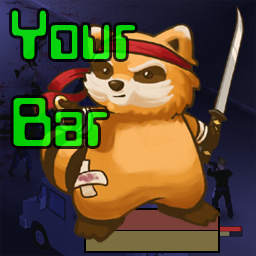
Absolutely zero hassle HP and Endurance bars. Tired of looking for HP bars only to be completely burdened with settings and placement ? Most bars get in the way of gameplay, and distract you from focusing on your character. YourBar follows your character, is opaque and does not impede mouse clicks. Keep the game focused where it belongs, on your character Features: - Single player - Multiplayer player - Scales with zoom - Buttery smoothe - Opaque - Does not impede mouse clicks or game visibility. Configurable Options: - On / Off - Display - Health and Stamina - Health only - Stamina only - Location - Under Player - Above Hotbar - Left or Right of Hotbar Workshop ID: 3243757444 Mod ID: YourBar

Hydrocraft More Trading Options
par 76561198112435564
Adds more trading options to Hydrocraft's trading posts. Workshop ID: 1314824644 Mod ID: HCMTO
Hunter's Base B42
par 76561198108704211
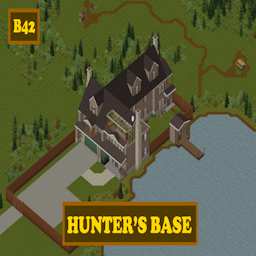
Hunter's Base NEW and IMPROVED for B42 In the deep forests of Riverside lived a seasoned old hunter. When the apocalypse had come he acted quickly and made sure his home would hold in this twisted world. Since there it is, his lake for fish. High fences and some plot to farm for the long haul. What could go wrong... Features: + A livingroom with a fireplace and TV unit. + A large kitchen with lots of storage and a freezer. + An underground armory with enough storage. + A master bedroom. + A smaller bedroom. + A bedroom/working space in the attic. + A garage with many shelves. + Tall fences that cover entire base. + A lake for fishing. Located south of Riverside. It occupies the cells 20x19. Wonderful tiles by Erika are needed. Occupies the cells in B42: 23X22, 23X23, 24X22, 24X23 Occupies the cells in B41: 20X19 Workshop ID: 3664225685 Mod ID: Hunter'sBaseB42 Mod ID: Hunter'sBaseB42 Mod ID: Hunter'sBaseB42Small Mod ID: Hunter'sBaseB42Small Map Folder: hunter's_base Map Folder: hunter's_base_small
Walkie-Talkies | No+Baterias | AW
par 76561198118903575
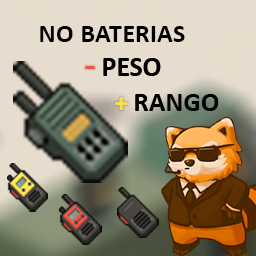
MODIFICACIONES: - Todos los Walkie-Talkies pesaran 0.1. - Todos los Walkie-Talkies no consumiran sus baterias (energia ilimitada). - Todos los Walkie-Talkies tendran un rango de 16000 tiles. - Todos los Walkie-Talkies tendran un rango de frecuencia de 0.2MHz a 1000MHz. IMPORTANTE: - Al instalar este mod obtendras tres versiones del mismo, solo activa uno; Walkie-Talkies | AW = Esta version contiene las cuatro modificaciones mencionadas anteriomente. Walkie-Talkies |NoBaterias/Peso 0.1| AW = Esta version contiene las modificaciones 1 y 2 mencionadas anteriomente. Walkie-Talkies |Peso 0.1| AW = Esta version contiene solo la modificacion 1 mencionada anteriomente. - Para un correcto funcionamiento en MP/SP se recomienda activarlo antes de crear el mundo. - Probado y funcionando en Multiplayer / Single player. - Creado en la version 41.78. Mods recomendados para utilizarlos junto a este: Keep That Radio On! Lite! Workshop ID: 2933681972 Mod ID: WalkieTalkiesAW Mod ID: WalkieTalkiesAW-v2 Mod ID: WalkieTalkiesAW-v3
Radar
par 76561197985667510
Attention This mod is broken after latest 41.78 update. Please don't use this mod for now. I will take a look at possible solutions if there is any. Can't guarantee if it's possible to be fixed. This mod adds radar feature which allows you to see players on the map. By default, everyone is displayed on radar. Read first Update 'b41.73' introduced a new feature known as vanilla name display. This feature has caused two names to be displayed next to player's indicator. In order to fix this problem, That new feature needs to be disabled manually from this mod's option pages. Both world map and mini map. Known as 'Vanilla - Show Player Names'. Do note that it's not disabled by default because you might need to enable it back if this mod breaks from it's new update. Accessing mod's sandbox settings Coop Host (In-game Host): 1. Enable this mod from 'Main Menu' > 'Mods' > 'Radar' 2. Open server settings and scroll for 'Sandbox' section Server Admin: 1. Access it from the game's admin panel sandbox settings. Features 1. Customize radar according to your needs. 2. Separate settings for world map (which also known as big map for some players) and mini map. 3. Admin panel and server settings. Guide for changing indicator color for local co-op players 1. Player 1 start first. 2. Select personal text color for next player's indicator color. 3. Let next player join the game as new player. 4. Repeat step 2 and 3 if you have more players to join. 5. Select personal text color for player 1. 6. Done. Current Available Options* 1. Vanilla - Show Players: Display local player indicators 2. Vanilla - Show Remote Players: Display online player indicators 3. Vanilla - Show Player Names: Display name next to player's indicator. 4. Display Mode: Enable radar with specified mode. This option affects display mechanics and color scheme for player indicators. 5. Display Players: Filter players to be displayed on radar. 6. Display Self Character's Name: Display your character's name. 7. Display Faction Member's Name: Display faction player's name. 8. Display Non-Faction Member's Name: Display other player's name. 9. Display Range: Maximum distance for players to be disabled on radar. Setting it to '0' will disable this feature. 10. Always Show Faction Members: Always show faction members. 11. Hide Sneaking Players: Sneaking players will not be visible on radar. 12. Show Faction Members Only: Display faction members only. This feature is required for other faction related features. 13. Display Players Seen By Characters: Display detected players on radar. 14. Faction - Require Walkie-Talkie: Display faction members with walkie-talkie. 15. Faction - Use Walkie-Talkie's Range: Display faction members with walkie-talkie within the item's range. *Some options will be merged to make it more intuitive. And some will be renamed into something less verbose and accurate with tooltip provided. They will also be separated into multiple pages. This will be worked on after releasing new mod which will replace this mod. Supports vanilla version of world map and minimap. Tested on 41.76+. Required Mod ============= - Simplify Mod Workshop ID: 2830413036 Mod ID: radar
Realistic Mannequins
par 76561198163646760
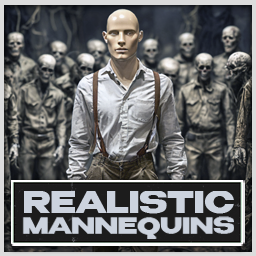
This mod changes the texture of black mannequins to the texture of realistic mannequins with faces. If you are someone who likes to decorate your hideout with mannequins, but you are tired of your "roommates" constantly wearing masks, gas masks and helmets, then this simple mod is for you! This mod adds retextures to mannequins. Now they look like people, yes, with and even human faces! To ensure that this mod does not break the overall appearance of the game, only rare, black mannequins were retextured. Where to find them is another problem. The mod works great in combination with "Wigs and Beards" and "Craftable Mannequins" P.S.: Underwear not included! Workshop ID: 3357519790 Mod ID: realisticmannequins
![Gnome Alert Sound [Build 41 Version] – Project Zomboid Mod](https://images.steamusercontent.com/ugc/1844785624130738111/37A4484AF1ABB32C12E2AEBA727A2FE4725524B1/)
Gnome Alert Sound [Build 41 Version]
par 76561198026496957
BUILD 42 VERSION: https://steamcommunity.com/sharedfiles/filedetails/?id=3388236287 Replaces the Zombie-Alert-Player Violin sound with something more gnomish. Preview: https://vocaroo.com/1iy1lo77X5Ke The one and only Noggin Clontith! He's g'not a g'noblin, he's a g'nome! Share it with your friends and have a g'nomin' good time! HOO! Perhaps add it to a mod list, and tell your buds to install the list with the "subscribe all" button and they'll be none the wiser. :) Also, if you're looking for a good set of mods to run on your server or singleplayer, I manage a fantastic categorized mod collection! Check a look! https://steamcommunity.com/sharedfiles/filedetails/?id=2694526565 Workshop ID: 2704009889 Mod ID: Gnome-Alert
New Music Builder
par 76561197978419457
New Music Builder Made by Talismon. Free, Easy to Use, and Free! New Music Builder is a tool for creating Project Zomboid Build 42 music-pack mods. THIS APP IS UP ON GITHUB, THE WORKSHOP ITEM IS AN EXAMPLE PACK MADE FOR: Build a Pack in Minutes: Import songs, organize them into mixtapes or Singles groups, assign covers and appearances, convert/export audio, and generate a workshop-ready mod folder automatically. What The Builder Can Make - Cassette, Vinyl, and CD media items - Mixtapes with A-side / B-side support - Singles groups with flat one-track export option - Generated (not AI) Lua, script, model, and automatically composited textures - mod.info and workshop.txt scaffolding - Workshop-ready export folders Main Features - Row-based pack building for mixtapes and Singles - Drag songs between rows - Drag songs between A-side and B-side - Automatic audio conversion/export - Physical audio-file dedupe when the same source song is reused - Per-row cover and appearance setup - Custom textures and generated cover-based assets - Save/load project state and recent projects Typical Workflow - Set your mod name, mod ID, author, and poster - Add songs to rows - Choose Mixtape or Singles mode per row - Choose Cassette / Vinyl / CD output - Set covers and appearance options - Build and Export the finished pack Notes - This builder is meant to make companion music packs quickly and repeatably. - If Parent Mod is left blank, the builder packages required assets into the output. - This Workshop page is not the app download itself. Use the GitHub releases page above. Keybinds ActionKeybind Save ProjectCtrl+S Select All SongsCtrl+A Remove Selected SongsDelete Support Support on Ko-fi Example Pack Only Get the Builder from GitHub using the link above. Workshop ID: 3750003838 Mod ID: NMExample
Superior Survivors Clothing Addon - SWAT NPC
par 76561198011463963
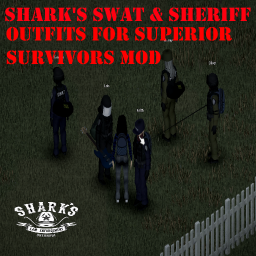
SWAT Outfits for npc from Shark's Law Enforcement Overhaul. Works on Version 16.3+ of the superior survivors mod. Those npc are rare to find just like the police ones. They wear Black, Blue, Sheriff and Riot outfits from the Shark's Law Enforcement Overhaul mod. Also includes presets for all of them. ***This doesn't include other mods assets, only code to make npc use other mods clothing*** Requires Shark's Law Enforcement Overhaul mod & Superior Survivors mod: https://steamcommunity.com/sharedfiles/filedetails/?id=2616752828 https://steamcommunity.com/sharedfiles/filedetails/?id=2821231605 Thanks to shark and Ryuu for their mods Want other outfits on your npc's? tell me! im open to suggestions. Workshop ID: 2833774764 Mod ID: mysurvivors_swatsharknpc
Medical Meister _CN
par 76561198314947920
Medical Meister 的中文化 主要方便合集自用 ----------------------------------------- 4.12更新 加入了口渴和自选不同级别的应对行动 我们现在可以直接在右侧情绪状态栏 点击相关情绪状态,快捷进行相应操作 耐力不足:使用人参。 疲惫:使用维生素。 饥饿:进食。 以下食物不会作为进食目标:未烹饪的、未开封的(罐装等)、腐烂的、烧焦的、冷冻的(冰淇淋除外)、有毒的、含酒精的、调料、鱼饵(昆虫等)、收藏的食物。 恐慌:使用 β- 阻断剂。 生病:使用柠檬草。 无聊:阅读书籍或杂志。 不开心:使用抗抑郁药。 流血:使用绷带等。 每次操作止血 1 单位,优先处理受伤最严重的部位。 湿透:使用毛巾等。 感冒:使用锦葵。 压力大:阅读书籍或杂志。 疼痛:使用止痛药。 ----------------------------------------------- For non-Chinese users, you don't need this. Workshop ID: 3437642574 Mod ID: MedicalMeister_CN
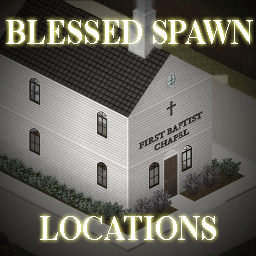
Blessed Spawn Locations
par 76561198182908886
Compatible with B41 and B42 Players can select any church or chapel in the world map as a spawn location. Sponsored by King Zog. Join my Discord server to talk about my mods: https://discord.gg/dzbZgzXNTT And if you can always... Tags:B41,B42,Misc Workshop ID: 2872389955 Mod ID: BlessedSpawnLocations Map Folder: BrandenburgChurch Map Folder: DarkWallowLakeChurch Map Folder: DixieChurch Map Folder: DoeValleyChurch Map Folder: EchoCreekChurch Map Folder: EkronChurch Map Folder: FallasLakeChurch Map Folder: IrvingtonChurch Map Folder: LouisvilleChurch Map Folder: MarchRidgeChurch Map Folder: MuldraughChapel Map Folder: MuldraughChurch Map Folder: RiversideChurch Map Folder: RosewoodChurch Map Folder: ValleyStationChurch Map Folder: WestPointChurch
Basements Tyrir Patch
par 76561198039088893
Description: This patch fixes an errors that occurs when calling the context menu on some tiles. For example, when trying to interact with a campfire etc. Описание: Данный патч исправляет ошибки, возникающие при вызове контекстного меню, на некоторых тайлах. Например, когда вы пытаетесь взаимодействовать с костром и т.д. Credits:/Благодарности: Tyrir - thanks a lot for this patch! Workshop ID: 3062049945 Mod ID: Basements Tyrir Patch
![[v42] Zombie Butcher – Project Zomboid Mod](https://images.steamusercontent.com/ugc/13056819711174009/B80B4195AA63D262057D48DC6BD1BB5AFC3B5C09/)
[v42] Zombie Butcher
par 76561199383933171
Allows butchering zombies for bones, meat and fat. Actual features: Butcher zombies for usefull resources: meat, bones, fat. Butchering zombies drains your stamina and raises your stress level. No way you can heartlessly tear a human flesh without feeling stressed out and exhausted. The income you get from butchering corpses depends on your Butchering skill. Each level increases the chance of obtaining materials by 2 percent. From one corpse you can get up to 10 items of each type. Right now you can use: Human meat ... ... to poison someone by using it in food recipes ... for farming as rotten food placed into composter ... to eat it and afterall finish story of your death Rotten bones ... ... to make glue by performing multilevel almost realistic recipe. Shortly: you must clean the bones, crush it into dust, mix it with water and boil. Fat ... ... to make soap by performing multilevel almost realistic recipe as well. Shortly: you must mix soda and fat with water and boil it. ... to make candles by performing multilevel almost realistic recipe as well. Shortly: you must boil fat and use muffin tray as mold for candles. Just wait it to cool (must be unfresh) and then extract your new candles from tray. The list above will be updated with every mod update. Roadmap: - Custom traits and basic traits influence on butchering process. - Eating zombie meat will have a chance to raise your zombification level. (make a pet out of your friend :3) - Custom textures for new items Workshop ID: 2942795802 Mod ID: ZombieButcher Workshop ID: 2942795802 Mod ID: ZombieButcher
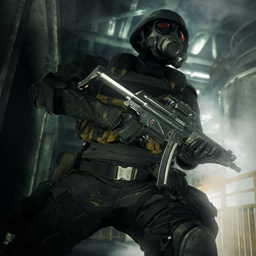
H.U.N.K Profession
par 76561198067672831
This mod adds a new profession that equips your character with the Umbrella Corp Uniform outfit and associated goodies, letting you start your runs fully kitted out and mission-ready: "Ready to start the mission." Requirements: Umbrella Corp Uniform (required for the uniform assets) KATTAJ1 Clothes Core (required for clothing framework compatibility) Compatibility: ✅ B42 (b42.20+) Single Player / Multiplayer fully supported Workshop ID: 3678932953 Mod ID: HUNKPro KNOWN ISSUES: - Selecting the H.U.N.K profession, removing traits, then switching to another profession does not reset trait points back to 0. Workaround: Do not remove traits while the H.U.N.K profession is selected.
Second Dawn Weaponry
par 76561198180152967
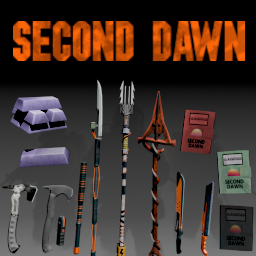
(WORKS FOR 42.20) Second Dawn Weaponry 1993 Second Dawn is the last of three emerging factions. It is a fragile coalition of massive bio-research organizations that survived the initial chaos. Hidden in their underground facilities, they are willing to run over the remaining survivors in their search for a cure to the Knox virus, but is cure truly what they seek? Features: A set of 9 new and powerful weapons, split into three categories - standard, advanced and legendary. Standard and advanced require a magazine to craft which can be found in the military/police areas. You will be able to craft all weapons once you find and learn the recipes. Legendary weapon can only be found from zed loot. These 9 weapons are divided into 4 weapon types: - 2 short blunt weapons - 2 axe weapons - 2 long blade weapons - 2 spear weapons +1 legendary spear weapon Notes: - This mod should be safe to add mid-save, try at your own risk. - Should work in multiplayer - Weapons can only be crafted, the only weapon that can be found in zeds and is non-craftable is the legendary one - If you encounter errors, try switching mod load order to last or first, if that doesnt work then post full error log in the bug report section - These weapons require advanced forge to craft - This mod was made for newly created Project Zomboid server - Second Dawn: https://discord.gg/GzJ78KDeMJ - item description/tooltip mod: https://steamcommunity.com/workshop/filedetails/?id=3378285185 - You need to install this mod otherwise the main mod will not work! Wanna buy me an energy drink, or perhaps youre interested in commission? All support is greatly appreciated! https://ko-fi.com/xerdes Credit: - To the modding community, which is keeping the game alive and fresh! - To Indie Stone for making such a great game like this! - To albion for his awesome Starlit Library! [Copyright 2026 <Xerdess>. This item is not authorized for posting on Steam, except under the Steam account named <Xerdess>. Workshop ID: 3680810727 Mod ID: SecondDawnWeaponry18
Spiffo Skills Mod (Build 40 Edition)
par 76561198050166062
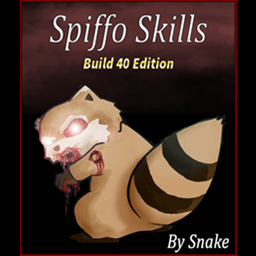
This mod adds the possibility to obtain a blessing or curse when "Look at Spiffo eyes" on the Spiffo item. (Item consumed after using it) Blessings: Level up one random skill. (In case of receiving the blessing in a skill that is already at the maximum level, you will receive a global xp point to spend on the skill you want) Curse: Receives random scratches anywhere on the body. (Do not contain Z infection) Chances will depend on certain traits you have. It works in Singleplayer and MP. Language support at the moment: ES_es, ES_ar, IT_it,FR_fr, EN_en. If you want to add a another language support contact me!!! Special thanks to: NickSho_ (Italian Translation) Viarra (French Translation) Workshop ID: 1557480479 Mod ID: SpiffoSkills
Masamune
par 76561198035269189
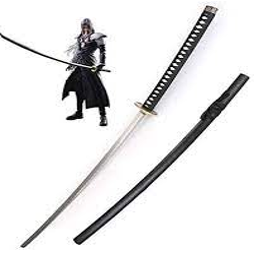
Masamune from Final Fantasy 7 Tags: Anime, Manga, Final Fantasy 7 Crisis Core, Katana, Sword, Masamune Workshop ID: 2853126643 Mod ID: Masamune
![Protein Shake [B42] – Project Zomboid Mod](https://images.steamusercontent.com/ugc/19807983201065524/56D8664E2CEF24D466ED04A5982F4CC68D5D13AD/)
Protein Shake [B42]
par 76561197993908696
ProteinShake The Protein Shake Mod for Project Zomboid introduces a new consumable item—protein shakes—designed to help players maintain their strength and endurance in the zombie apocalypse. This mod adds various flavors of protein shakes, each providing a balance of calories, hydration, and essential nutrients. Players can craft these shakes using ingredients like protein powder, milk, and fruits, making them a valuable resource for survivalists looking to sustain muscle mass and avoid malnutrition. Perfect for fitness-focused survivors, this mod enhances gameplay by offering a realistic nutrition boost to keep characters strong while battling the undead. Features New Consumable: Protein Shakes - Several types of protein shakes, each with unique nutritional benefits. - 100% Whey Protein Isolate; focus on building more muscle - 100% Whey Protein; to build muscle and maintain weight - Serious Mass Gainer; to gain more weight - Helps maintain strength and endurance, reducing the risk of losing muscle mass. Crafting System Players can craft protein shakes using ingredients like: - Protein Powder (1 scoop) - Protein Shaker - Water >= 300ml Icon Name Proteins Carbs Lipids Calories 100% Whey Protein Isolate 25 1 0.5 110 100% Whey Protein 24 2 1.5 120 Serious Mass Gainer 25 126 2.25 625 Protein Shaker Nutrition & Survival Benefits - Protein boost helps improving XP gained from excercises - Improve endurance and reduce pain (drink it when got pain after excercise) - Medium in calories and high protein, maintain current weight, preventing fatigue - Provides hydration, making it a great alternative to water Spawning Areas Protein shakers and powders be found in crats, lockers, gyms, supermarkets, and kitchens. Note See Protein Boost Benefits at PZ Wiki - Exercise document Workshop ID: 3441138219 Mod ID: ProteinShake
![Inventory Tetris - Grid Based Inventory Overhaul [B42 Stable MP Patch] – Project Zomboid Mod](https://images.steamusercontent.com/ugc/11700984582298230548/68CB517BBA7CDB0D8BC5F796E63BC50324EA1D61/)
Inventory Tetris - Grid Based Inventory Overhaul [B42 Stable MP Patch]
par 76561198988888123
Build 42 Stable Multiplayer Compatibility Patch This is an unofficial compatibility patch for Inventory Tetris by notloc that adds multiplayer support, now updated for Build 42 Stable (42.20). Original Mod Inventory Tetris - Grid Based Inventory Overhaul by notloc Patch Notes - Build 42 Stable (42.20) - Added 42.20 version folder for Build 42 Stable - Removed the metal bar barricade patch, which is obsolete on 42.20 - vanilla moved barricading to the build system (ISWorldObjectContextMenu.onBarricade), which already sources materials through the patched ISInventoryPaneContextMenu.getContainers - Aligned modversion across all version folders Earlier Patch Notes - Added B42.15 version folder for compatibility with the latest PZ unstable branch - Updated API calls to use B42.15 enums (ItemTag, CharacterTrait) instead of hardcoded strings - Fixed server-side crash in NoActionQueueClearScope.lua (ISTimedActionQueue is client-only) - Fixed key rings not opening in multiplayer (relaxed MP anti-dupe check to use isInPlayerInventory) - Fixed items not transferring when dropped on inventory pane outside of grid cells - Replaced ModData.transmit/request networking with sendClientCommand/sendServerCommand pattern - Server now broadcasts accepted grid updates to all clients and sends corrections only to the stale client - Fix null-parent crash in ISInventoryPane.refreshContainer during MP UI initialization - Ported ISAnimalContextMenu butchering fix from 42/ to 42.13/ - Extracted repeated cacheGridData pattern into helper; added UUID guard on incoming server commands - Added versionMin=42.15.0 to mod.info for proper version detection - Separated TetrisWindowManager creation into its own patch file - Various null-safety improvements and type annotations If you enjoy the original creator's mods, consider supporting them on Ko-fi! Required! Known compatibility issues - Clean UI - Tidy Meister Workshop ID: 3688186430 Mod ID: INVENTORY_TETRIS
FBImod
par 76561199042257388
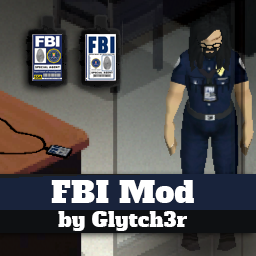
FBI mod by Glytch3r Adds S.T.A.R.S. Samurai Edge Pistol from Resident Evil Adds 2 FBI Badges that you can wear as necklace. For RP purposes Adds Injury Animation when you have Torso Damage Join Glytch3r Mods Discord: https://discord.gg/2skchrKrDv FBI mod by: Glytch3r Ossalion Dislaik Commissioned by Shaky cakes (Devin) Click the like button and check out my other mods: https://steamcommunity.com/id/glytch3r/myworkshopfiles/ Contact me if you need custom mods for your server Discord: Glytch3r#1337 Hire Team Orbit for Custom Mod Commission Workshop ID: 2914368494 Mod ID: FBImod Mod ID: InjuryAnimations
Project Zomboid Guides
Installer des mods Project Zomboid - Guide Workshop
Installe proprement des mods Project Zomboid via le Steam Workshop : saisir les IDs, vérifier l’ordre, redémarrer le serveur et corriger les erreurs typiques.
Louer un serveur Project Zomboid – guide multijoueur
Configurer un serveur Project Zomboid : RAM, paramètres sandbox, mods Workshop, droits admin et vérification propre des erreurs typiques.
Serveur Project Zomboid avec support des mods
Installez les mods compatibles et pris en charge depuis le tableau de bord.
Louer un serveur Project Zomboid