Mods et plugins pour Project Zomboid
Ce catalogue répertorie 52 000+ projets Project Zomboid provenant de Steam Workshop. Les entrées peuvent être côté serveur, côté client ou requises des deux côtés, et inclure des cartes ou d’autres contenus créés par les utilisateurs. Avant l’installation, vérifiez la page source liée, la version du jeu et les dépendances.
Challenge Traits - SPANISH1
par 76561199592234537
Traduccion completa del mod Challenge Traits al Español para B42. Workshop ID: 3666720617 Mod ID: ocstraits_es_b42

Soul Filcher's Farming Time (Legacy Build 40)
par 76561198182908886
The main objective of this mod is to allow compatibility between separate farming mods without the need to add crop types to the main farming files. For this reason I have not added crop types that already exist in the Farmoid and mod. To make farming mods compatible they will need to be updated to use my modified farming files. Check the examples I used in this mod and in case you find it difficult to understand, let me know and I will help. These are the features supported by the current version: -Allows new crop types in the "Sow Seed" menu without the need to replace ISFarmingMenu.lua. -Adds new crop types without the need to change farming_vegetableconf.lua. -Uses specific grow functions for each crop type, without the need to reference them directly in basicFarming.lua. -Allows custom growing stage descriptions (seedling, young, ready for harvest, and so on) for each stage, Check corn for examples. -Allows custom plants to remain in a spot when harvested just like strawberries. They revert to the growing stage number defined in "retainOnHarvest" for that crop type. Tags:B40,Food,Framework,Items Workshop ID: 928422722 Mod ID: SoulFilchersFarmingTime

MandoDB - Custom Icon URL with Link
par 76561199158095080
This mod adds buttons that let server owners create clickable buttons which open predefined links in the sandbox options, with different button icons. The currently available buttons (icons) are: - YouTube - Twitch - Discord - Vote - Website All of these are customizable in the following ways: - Change the URL - Change the position - Disable a specific button/icon Upcoming features: - Change icons via a URL, e.g., https://myurl.com/my_image.(jpg, png, webp, jpeg) - Add new predefined icons - Bug fixes Workshop ID: 3284624620 Mod ID: MandoDB_CustomBtn
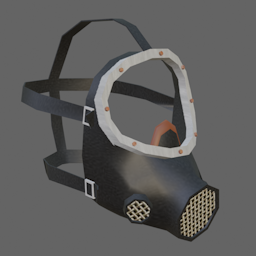
JM El Eternauta Style Gas Mask Replacer
par 76561197993777857
El Eternauta themed Gas Mask that replaces the vanilla gas mask. Inspired by the excellent The Eternaut - Deadly Snow mod by Tizi and bubby_pz33, and of course the comic and TV series. Hope you like it. :) Workshop ID: 3481160923 Mod ID: JMGasMaskReplacer(El_Eternauta) Mod ID: JMGasMaskReplacer(El_Eternauta)
![[B42]Whose Key Is This? – Project Zomboid Mod](https://images.steamusercontent.com/ugc/15426892774051191853/40ADD2249E3BD52FF7CF0F4080CA0417D454AF96/)
[B42]Whose Key Is This?
par 76561198013004553
What is this mod? Have you ever picked up a key and had no idea what it opens? This mod is designed to solve that exact problem! Features - Key Interactions: Right-clicking a key in your inventory gives you four options: 'View on Map', 'Show Direction', 'Rename', and 'Favorite'. You can also favorite your Key Ring to prevent it from being accidentally dropped or lost. - Auto-Detect Keys on the Ground: Displays a text label above small, hard-to-see keys on the ground to help you spot them easily. The text will not reappear for keys that the player drops after picking them up for the first time. - Direction, Minimap & Map Indicators: Activating 'Show Direction' displays a marker on both the minimap and the main map, pointing towards the interactable location or vehicle. You can toggle this off by right-clicking again, and it will automatically disable once the key is used. - Auto-Track on Death: By right-clicking your Key Ring and enabling tracking, it will automatically track your corpse upon death. This feature can be disabled in Mod Options or Sandbox Options. - Custom Map UI: Opening the map reveals a new key management window. - Supports resizing and minimizing. - Right-click on categories to change their colors. - Clicking a key on the list will automatically pan the map to its target location. - Double-clicking a key opens the rename prompt. - Clicking the star (Favorite) icon pins the key to the top of your list and prevents it from being dropped. - Auto-sorting by key type, plus right-click menus for setting a primary key, drop settings, and grouping duplicate keys. - Sandbox Options (Includes Realism Elements): 5 sandbox options are provided: - Require Compass - Require Region Map - Explored Areas Only - Toggle Auto-Detect Keys on the Ground (Text Display) - Toggle Auto-Track on Death (More specific rules added) Supported Languages - EN - KO - ZH Is it safe to add mid-save? Yes. It is completely safe to install mid-playthrough. Compatible Mods - N3WO Map Overhaul Known Issues - Identified issues and bugs will be continuously fixed. - Compatibility patches with other mods will be considered upon request. Newbie Crow's Mod Collection Check out my other mods! Workshop ID: 3784348098 Mod ID: WhoseKeyIsThis
Military Locker Plus / SP
par 76561198244326742
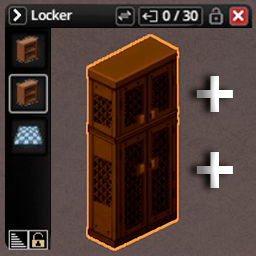
Every military locker in the base game (yes, the big double lockers you find in armories and military locations) only uses the bottom half of its sprite for storage — despite the artwork clearly showing room for more. Meanwhile, other furniture like fridges already split their storage into two separate compartments. This mod brings that same idea to this lockers. Workshop ID: 3763685646 Mod ID: MilitaryLockerPlus
![[B42] Infinite Irrigation Pipes – Project Zomboid Mod](https://images.steamusercontent.com/ugc/14164867450269182369/34D3DDA37A8C68654CCEF1B4ADF576372295FA0E/)
[B42] Infinite Irrigation Pipes
par 76561199190194269
Infinite Irrigation Pipes — Farming, Water and Power in One Pipe A Build 42 utility system that combines configurable crop automation, infinite clean water and native electrical power in one zero-weight pipe item. Quick Start - Craft 16 Infinite Pipes from 1 Ripped Sheet anywhere, even in the dark. No table, crafting surface, workstation, or tool is required. - Right-click and choose Place Infinite Pipe. - Select an initial preset: Irrigation Only, Water Supply Only, Irrigation + Water Supply, Power Supply Only, or All Functions. - Select a line, cross, corner, or T-junction shape and place the pipe. - Right-click any placed pipe to switch Irrigation, Water Supply and Power Supply independently, or change that pipe's irrigation range. All three functions can be combined freely. Switching everything off leaves a reusable inactive floor pipe; removing it returns the item. Configurable Infinite Irrigation - Global and Per-Pipe Farming Range: Choose a global 1x1, 3x3, 5x5, or 7x7 default. Each placed pipe can follow the global value or use its own range. - Smart Watering: Maintains a suitable water level for each crop instead of blindly setting every plant to 100. - Immediate Response: Covered crops receive care when newly seeded and immediately after vanilla harvesting; they do not need to wait for the maintenance cycle. - Crop Protection: Optional pest and disease removal, free composting, health recovery, mature-crop protection and no-rotting behavior. - Recovery and Growth: Optional revival can restore dead, rotten, or harvested crops; instant growth can advance living crops to harvestable maturity. - Per-Pipe Auto-Plowing: Each pipe can follow the global setting, force auto-plowing on, or force it off. Auto-plowing depends on irrigation: disabling irrigation preserves the preference, and clicking Auto-Plowing: Off on the pipe menu restores both in one action. - Existing-Save Repair: Mature crops affected by the previous rotting issue are repaired when they enter active irrigation coverage. - Harvest XP Ownership Repair: Ownerless legacy or mod-created crops inherit the nearest pipe owner when cared for. Existing vanilla ownership is never overwritten. - Explicit Legacy-Pipe Claiming: Ownerless multiplayer pipes show a Claim Pipe action. Function switches and irrigation-range changes never claim a pipe automatically. Irrigation works without barrels, rain collectors, pumps, plumbing, electricity or consumable water. Infinite Clean Water - Enable Water Supply on any placed pipe. - Use the pipe directly for vanilla drinking, filling water containers and cleaning actions. - To supply a sink, washing machine, or another plumbable appliance, place an enabled supply pipe one floor above the appliance within its upper 3x3 area. - Hold a Pipe Wrench, right-click the appliance and use the vanilla plumbing action. - Water access and appliance lookup use Build 42's native fluid behavior; the mod does not run a refill polling task. Infinite Native Power - Enable Power Supply on any placed pipe. Refrigerators, lights and other vanilla electrical devices then use the game's native electricity check. - Horizontal and vertical coverage follows the world's vanilla generator range sandbox settings. - Power is infinite and silent: no fuel, wiring, noise or exhaust fumes, and no visible or interactable generator to maintain. - Overlapping powered pipes are compressed per loaded chunk while preserving the same powered tiles, keeping dense pipe fields out of long vanilla power-query lists. Designed for Low Runtime Cost - No per-frame crop, water, or appliance scan. - Crop maintenance follows a low-frequency cycle; planting, harvesting, placement and per-pipe range changes use targeted immediate paths. - Coverage maps are rebuilt incrementally with work limits and a small time budget, so 5x5 and 7x7 farms do not create one large update spike. - Coordinate indexes provide direct pipe lookup, and adaptive processing chooses between covered tiles and the smaller native plant list. - Power-source registration occurs on placement, switching, chunk loading and low-frequency safety refreshes; dense overlap is deduplicated by chunk. Single-Player, Multiplayer and Saves - Supports Project Zomboid Build 42 single-player and multiplayer. - Multiplayer placement, removal, function switches and per-pipe range changes are server-authoritative and distance-validated. - Pipe modes, direction, shape, power state and custom irrigation range survive mode switching and save loading. - Compatible with existing saves; no new world is required. - Supports vanilla crops and most modded crops registered through the standard farming system. Languages - English - Simplified Chinese - Russian — fully integrated for items, recipes, sandbox settings, Mod Options and all pipe menus. Settings - The default irrigation range, global auto-plowing behavior, revival, revival destination, pest care, composting, no-rotting protection and instant growth can be configured separately. Each placed pipe can override auto-plowing independently. - The current world's values are also shown in the in-game Mods settings. They are editable in single-player and read-only for multiplayer clients, where the server owns them. Recipe - 1 Ripped Sheet → 16 Infinite Pipes - The recipe is unlocked by default and can be made by hand anywhere, even in the dark. It requires no table, crafting surface, workstation, or tool. Credits Continued from the work of: - Irrigation Pipes by ttr & Aragon - Irrigation Pipes — Build 42 Fix by Si'rrakx Thanks to @兮去来兮 and @notaname for compatibility help, and to everyone who reported issues or suggested improvements. Workshop ID: 3548529064 Mod ID: InfiniteIrrigationPipes

Large Thai Font ฟอนต์ไทยขนาดใหญ่
par 76561197987104084
Large Thai Font by Artdekdok ฟอนต์ไทยขนาดใหญ่ Workshop ID: 2697973844 Mod ID: LargeThaiFont
Boots and Clothes Expanded CN
par 76561198205215485
This is an chinease Translate Workshop ID: 3169108213 Mod ID: Boots and Clothes Expanded B41 by SM4 CN Mod ID: Boots and Clothes Expanded - Vanilla Clothing Rebalance (OPTIONAL)CN

Patagonia tools
par 76561198818101799
Crafting used on the server Workshop ID: 2941436046 Mod ID: PatagoniaTools

Sheet&Tarp Conversion
par 76561198080179262
This mods allows you to create sheets from ripped sheets, create tarps from sheets, and rip tarps into sheets. I do not plan on updating/maintaining this mod in the future, however due to its highly simplistic nature it will likely work across game updates. I give full permission to anyone to update and maintain this mod Workshop ID: 2514149473 Mod ID: STTmod
sch1zk's True Respawn
par 76561198073982327
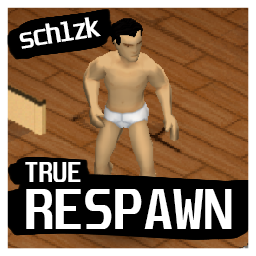
Original idea and implementation: Scribl Mod is recreated for public use by: sch1zk Mod adds respawn button when you character died. This button can respawn your character with all his stats, skills, knowledge, recipes and even visuals! This mod can be helpful for PvP/RP servers, where you can die easily or just don't wanna loose your dear character! Why not to use Keep Inventory & Respawn? Because my mod also saves character's name and visuals, but not inventory, and spawn system works as vanilla, so you can respawn not on TV but preconfigured server spawn point, random spawn point or safehouse. Why not to use Udderly Knocked Out? Because my mod adds "Respawn" button to death screen, not occupation. It's just easier to use because after death you can just click one button and respawn with all your old character's stats. Known issues: - Due to game mechanics, you get 75 first aid xp when die. So you can just repeatedly die and respawn to get free 10 lvl first aid. So I just disabled its saving. WARNING! For MP, edit AntiCheatProtectionType15 to false in server config! Workshop ID: 3262001812 Mod ID: TrueRespawn

taibeiroad4 B41
par 76561199384028827
1 Workshop ID: 3378359820 Mod ID: Taibeiroad4 Map Folder: taibeiroad Map Folder: taibeiroad_spawns
Immersive Overlays 4K B42
par 76561198253011462
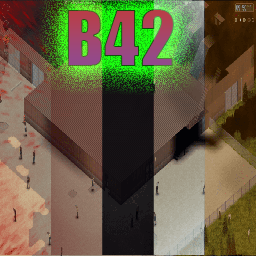
Fixed overlays in 4K Includes Sanity overlay if you install the sanity mod aswell otherwise it will work standalone. Workshop ID: 3394725377 Mod ID: overlay_mod_improved_4k_b42
Cigarette pack helmet
par 76561198184090322
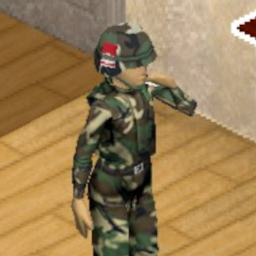
Military helmet.. and can hold cigarettes!? Why aren't we funding this. This mod adds military helmet upgrade with 1 storage and upgrade of an upgrade with 2 storage. Works both in 41 as well as 42 with version 41 having different recipe and 42 only allowing cigarettes, rolled cigarettes and cigars to be stored in it. Future plans: -More helmets Workshop ID: 3463923723 Mod ID: Cigarette_helmet
![Project Fallout: [ The RatSlayer ] – Project Zomboid Mod](https://images.steamusercontent.com/ugc/2491128438804891404/89A19DD2BF4BDAE55966BF7ED3EA7902BC92189F/)
Project Fallout: [ The RatSlayer ]
par 76561198068788655
" A Project Fallout Weapon Release " The RatSlayer ~ Full Sound Work Included Location's Found At - GunStoreDisplayCase (1) AmmoType - 5.56x45mm Firearm Info: - JamChance 0.3% - AmmoType: 556Bullets - AmmoBoxType: 556Box - Max Effective Range: 21 - Minimum Damage Per Shot: 1.4 - Maximum Damage Per Shot: 2.3 - Critical Chance: 32% - Critical Damage Multiplier: x5 - Effective Sound Radius: 18 Tiles - Magazine Type: 1 x Box Magazine - Ammo Max: 8 Rounds The Project Fallout Discord ~ All Right's Reserved: Bethesda / Bethesda Softworks ~ Ash: SoundWork / Optimising / Testing Project Fallout And it's Content May Not be Released By Any Non Authorised Team Member On The Workshop, And Follow's PZ Permission's Listed Below Workshop ID: 3223921838 Mod ID: Project_Fallout_Ratslayer

RolePlay Hair Colors From Mab
par 76561198448417775
This mod adds 10 new hair colors. !The mod works on 41 build! _________________________________________________ Этот мод добавляет 10 новых цветов волос. !Мод работает на 41 версии! Workshop ID: 2071304907 Mod ID: RPHC

Anime Menu pack 1 (Highschool of the Dead) (学園黙示録)
par 76561198110747808
Menu (Only) Workshop ID: 2833196988 Mod ID: Anime_Menu Mod ID: Anime_Menu_2 Mod ID: Anime_Menu_3 Mod ID: Anime_Menu_4 Mod ID: Anime_Menu_17 Mod ID: Anime_Menu_18 Mod ID: Anime_Menu_19 Mod ID: Anime_Menu_20 NEW Mod ID: Anime_Menu_31

Nimble XP Rebalance
par 76561197960296580
TwisTonFire - Nimble XP Rebalance Usually, I only create quality-of-life mods that do not change core gameplay. This is one of the very few balance adjustments I wanted to make, because I believe the vanilla system is simply broken. What does this mod do? This mod rebalances how Nimble XP is gained. Instead of relying almost entirely on vanilla's random XP lottery, this mod adds predictable, distance-based Nimble XP while moving in combat stance. In simple words: - Move in combat stance. - Actually cover distance. - Gain steady Nimble practice over time. - Nearby zombies increase the XP rate. - Very close zombies give the best XP rate. Why does this mod exist? Vanilla Nimble XP is painfully slow and extremely inconsistent. In vanilla, Nimble XP is only checked when: - You are in combat stance / aiming. - You are moving. - You are not in a vehicle. But even if all of that is true, the game does not reward you based on how much you actually moved. It simply rolls the dice. At normal game speed, the vanilla chance is roughly: - Singleplayer: 1 chance in 700 per valid movement check. - Multiplayer: 1 chance in 100 per valid movement check. If the roll succeeds, you only get: - +1 base Nimble XP That +1 base XP is still affected by the usual vanilla learning multipliers from traits, professions, and XP settings. Example: No multiplier in nimble = 0.25 final XP every 1/700 chance on player movement in aim mode. The problem is that most valid movement checks still give you nothing. You can move in combat stance for a long time and make no visible progress at all, simply because the hidden XP roll did not succeed. The problem with vanilla Nimble Nimble is one of the most important long-term combat skills, but without a starting bonus it levels absurdly slowly. The reason I started looking into this was my own long-term character: - No Nimble skill bonus. - More than 5 years survived. - Over 1,000,000 zombie kills. - Still only around Nimble level 8. At that point, this no longer felt like difficult progression. It felt like broken progression. A skill that is used constantly during combat should not feel almost impossible to train naturally. How this mod changes Nimble XP This mod keeps the idea of Nimble as combat footwork, but makes the progression more logical. Instead of only asking: Did the random XP roll succeed? The mod asks: How much did the player actually move in combat stance? XP is based on real movement distance. - Combat stance movement gives measured Nimble progress. - Zombies nearby increase the XP reward. - Very close zombies count as higher threat and give the best reward. - Teleporting or large position jumps do not grant huge XP. - Singleplayer and Multiplayer are both supported. Sandbox Option This mod intentionally keeps sandbox settings simple. There is only one admin-facing option: - Require nearby zombie - If enabled, Nimble XP is only gained while moving in combat stance with a zombie nearby. Multiplayer Multiplayer is supported. In Multiplayer, the client measures local combat-stance movement, but the server validates the movement before XP is awarded. This means: - XP is still handled server-side. - Teleport or lag-spike movement is protected against. - Nearby zombie threat is checked by the server. - The system remains lightweight and performance-friendly. Is this a cheat mod? No. This mod does not instantly level Nimble. It does not hand out free XP for standing still. It simply replaces a frustrating random progression system with a more predictable one based on actual combat-stance movement. Characters with Nimble-related traits or profession bonuses still benefit from vanilla XP multipliers. Characters without bonuses still learn slower, but they are no longer completely at the mercy of random chance. Summary - Rebalances Nimble XP gain. - Distance-based combat-stance XP. - Nearby zombie threat bonus. - Works in Singleplayer and Multiplayer. - Server-side XP validation in Multiplayer. - Teleport and large movement jump protection. - Simple sandbox setup. - Designed to make Nimble progression feel fair, not free. I have been using my mod for quite some time now, and I currently have a long-term character alive with a survival time of 9 months. My character has a small Nimble bonus from the Gymnast trait, over 150,000 zombie kills, and has reached Nimble level 8. It feels a hundred times better than the vanilla Nimble roll system. I can honestly recommend this rebalance mod to everyone. It really does feel great. Compatibility Mode 42.18 42.19 42.20 Singleplayer ✅ ✅ ✅ Multiplayer ✅ ✅ ✅ Your support helps me keep going — thank you very much in advance! Workshop ID: 3732469752 Mod ID: twistnimblexp

Certified Bangerz
par 76561198034201437
Were you born between 1940 and 2010? Have you ever wished for the most bipolar playlist you have ever seen in your life, Swap that cassette from Led Zeppelin to Frank Sinatra, Limp Bizkit to Meatloaf, Morgan Wallen to Slipknot... This is probably the BIGGEST True Music Add-on to date, 400 Songs of pure genious. The best, the very best, of EVERY GENRE and EVERY TIME PERIOD... If you arent mashing zombie skulls to Frank Sinatra, are you really mashing zombie skulls? 2GB of music (im sure my ISP is very happy with me right now, but i did it for the boys) LISTEN TO UNDEAD RELENTS CERTIFIED BANGAZ, Also a Certified Hood Classic... Join my Root or live in squalor. Peasant... https://rootapp.gg/ACzxY4TngQqm1EgWPYAsEQ Fridays are for the boys, Saturdays are for the Zombois. Workshop ID: 3228358956 Mod ID: CertifiedBangerz

Prism Power
par 76561199151439614
Overview : Makeup cannot be performed if the mirror is not in the first level of inventory, such as in a bag. This mod will allow makeup to be executed if there is a mirror somewhere in the inventory. It also provides several other features related to makeup. Confirmed to work with Build 41/42 Stable and in MP. Features : - 1. Easier makeup execution conditions - If there is a mirror somewhere in your inventory, you will be able to perform makeup. - Makeup can be performed near the outside of the driver's/passenger's seat of a vehicle, using the side mirror (by the way, makeup can be performed in the rearview mirror in a vehicle by the vanilla specification). - 2. Added "Eyes Makeup With Mirror" - A new item "Eyes Makeup With Mirror" will be added. - This item includes a mirror so you can apply makeup on its own. - It is available at the same locations as regular "Eyes Makeup", but the probability is lower. - 3. Added new color pattern - The following colors will be added to eye shadows and lipsticks. For Modders : If you are adding items with mirror attributes, you can maintain compatibility with this mod in the following ways. - Add the “p4mod:mirror” tag in the item's settings. Tags = p4mod:mirror, Known Issues : - Nothing Future plans : - Bug fix (if it exists) Release Notes : - v1.7 - Added support for Build 42.20. - v1.6 - Hotfix for Build 42.15. - v1.5 - Hotfix for Build 42.13. - v1.4 - Added new colors (Black/White). - v1.3 - Compatible with Build 42. Please refer to "Change Notes" for the older history. If you enjoy this mod and would like to support its development, donations through Ko-fi are greatly appreciated. Donations help cover the cost of a dedicated server for MP testing and AI services used during development. Thank you for helping me continue maintaining and improving my mods! Workshop ID: 3235103558 Mod ID: P4PrismPower
![[COS] arctic_suit – Project Zomboid Mod](https://images.steamusercontent.com/ugc/2475365670288092627/05EF507C15ED3BE6D77EB70F5B1A32382284B530/)
[COS] arctic_suit
par 76561199178116693
How Do I Use It? - You can go to the link below to see how to use it. - Link Recommended mode - Fashionoid - Gear Transmog - Hide All Attached Items - Clipping animation Fix How to use COS mode in build 42. - Navigate to the path where the mod is installed. - Create a 42.0 folder. - Create a common folder. - Paste the media folder / mod.info / preview.png into the 42.0 folder. The recipe code writing method has been changed in 42Build. Since COS (Costume) mode has approximately over 200 modes, converting to 42Build's recipe code is an extremely laborious task. In 42Build, you cannot create costumes in (42 build) the crafting tab. There are two methods: Spawn items in cheat mode. Select items in the clothing selection screen when creating a character. Like My Mode? - Join Our Discord If You Want Commission

Read All Literature
par 76561197979041575
Update notice (upgrading from the old version): the craftable bookshelf item has been removed in favor of enhancing the game's existing bookshelves. If you built bookshelves with the previous version, they (and their contents) will be lost when this update loads. Empty them before updating. Tired of reading skill books and recipe magazines one by one? This mod lets your character read or collect a whole shelf - or a whole room - in a single click, and adds new skill books for the skills the base game forgot. Two ways to read or collect: - In the loot window: "Read books" and "Collect books" buttons in the title bar act on ALL containers shown in that window at once (floor, shelf, nearby crates...). On narrow windows they fold into a small ">>" menu, so nothing is ever hidden. The old glitch where the buttons overlapped the vanilla "delete all" button on trash bins is gone. - On the bookshelf itself: right-click a shelf for "Read all books here" / "Collect books" without even opening the window. What the two options do: - Read: your character reads every skill book and recipe magazine he doesn't know yet, one after another, and puts each one back afterwards (magazines included - the old queue error is fixed). - Collect: picks up every skill book / recipe magazine you don't already have. - The number of unread / uncollected works is shown right in each option. - Reading and collecting are cleanly separated: just reading a shelf no longer marks its books as "collected". New skill books for combat, firearm and agility skills: Adds vanilla-style skill books (5 volumes each) for the skills that have no book in the base game: Axe, Blunt, Short Blunt, Long Blade, Short Blade, Spear, Maintenance, Aiming, Reloading, plus Sprinting, Nimble, Lightfooted and Sneaking. They spawn in bookstores and libraries (firearm books also on gun store magazine racks). Bookshelf improvements: - Uses the bookshelves already in the game - no custom furniture to craft. - (experimental) Higher storage capacity on classic bookshelves. - (experimental) Shared collection (factions): the collected-book list is shared within your faction, so members don't collect duplicates. Everything is optional: Every feature can be turned on or off in the sandbox / server settings - the read and collect options, putting books back after reading, faction sharing, the bookshelf capacity boost (incl. the target value) and spawning of the new combat and agility books. Now available in all 27 game languages. Credits: - A thank you to tyriell, who came to me with the idea. Latest changes: - Fixed: collected books were not remembered in singleplayer-with-faction and co-op host games (and could briefly re-appear as collectable right after joining a server), so the same titles could be collected over and over. Each character now reliably keeps its own collected-book list, with the faction list shared on top of it. Note: titles collected before this fix are not recovered retroactively. Known bugs: - None currently known. Planned for the future: - More new books for the game. Wishes and suggestions are welcome in the comments. Workshop ID: 2898147094 Mod ID: ReadAllLiterature
Server Players Profile
par 76561198137645538
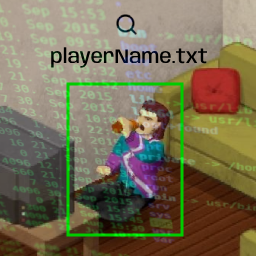
Get real-time player data in text files. MP Only. This is a modification of the Death Log (can be activated together if you want) How does this mod work? Every 10 minutes of the game, players send their data to the server, and this is saved in two server folders: Zomboid/Lua/player_profile and player_kills. Each server will have a subfolder, and each player has a file with their own username.txt. Player Profile Displays current player data. It's not history, it's real-time data. Files: player_profile/<serverName>/<userName>.txt File contents: - Profile Date: when the data was received - Username, SteamID, Steam Name, Character Name/Gender/Profession, Fav Weapon, Current Position, Traits, Skills - Infected: "true" if the player is infected - Death Cause: how he died (if he is dead) - Zombie Kills: how many zombies he killed with this character - PVP Kills: how many humans he killed with this character - Survived Time: survival time in the game - Game Date Time: current day and time in the game - Inventory: Objects he is carrying. * = equipped. Player Kills Files: player_kills/<serverName>/<userName>.txt List of players the current character has killed. When this character dies, this file is reset. 2024-03-22 18:20:33 jowi 2024-03-22 18:20:33 martin 2024-03-22 18:20:33 jowi Server Death Log Files: player_kills/<serverName>.txt List of all deaths on the server. This is a log record and will never be reset. 2024-03-22 18:20:33 jowi killed xereca 2024-03-22 18:24:54 xereca killed jowi 2024-03-22 18:35:24 maria killed paulo 2024-03-22 18:36:38 carlito died Workshop ID: 3196291902 Mod ID: ServerPlayersProfile
Project Zomboid Guides
Installer des mods Project Zomboid - Guide Workshop
Installe proprement des mods Project Zomboid via le Steam Workshop : saisir les IDs, vérifier l’ordre, redémarrer le serveur et corriger les erreurs typiques.
Louer un serveur Project Zomboid – guide multijoueur
Configurer un serveur Project Zomboid : RAM, paramètres sandbox, mods Workshop, droits admin et vérification propre des erreurs typiques.
Serveur Project Zomboid avec support des mods
Installez les mods compatibles et pris en charge depuis le tableau de bord.
Louer un serveur Project Zomboid