Mods et plugins pour Project Zomboid
Ce catalogue répertorie 52 000+ projets Project Zomboid provenant de Steam Workshop. Les entrées peuvent être côté serveur, côté client ou requises des deux côtés, et inclure des cartes ou d’autres contenus créés par les utilisateurs. Avant l’installation, vérifiez la page source liée, la version du jeu et les dépendances.

Read All Literature
par 76561197979041575
Update notice (upgrading from the old version): the craftable bookshelf item has been removed in favor of enhancing the game's existing bookshelves. If you built bookshelves with the previous version, they (and their contents) will be lost when this update loads. Empty them before updating. Tired of reading skill books and recipe magazines one by one? This mod lets your character read or collect a whole shelf - or a whole room - in a single click, and adds new skill books for the skills the base game forgot. Two ways to read or collect: - In the loot window: "Read books" and "Collect books" buttons in the title bar act on ALL containers shown in that window at once (floor, shelf, nearby crates...). On narrow windows they fold into a small ">>" menu, so nothing is ever hidden. The old glitch where the buttons overlapped the vanilla "delete all" button on trash bins is gone. - On the bookshelf itself: right-click a shelf for "Read all books here" / "Collect books" without even opening the window. What the two options do: - Read: your character reads every skill book and recipe magazine he doesn't know yet, one after another, and puts each one back afterwards (magazines included - the old queue error is fixed). - Collect: picks up every skill book / recipe magazine you don't already have. - The number of unread / uncollected works is shown right in each option. - Reading and collecting are cleanly separated: just reading a shelf no longer marks its books as "collected". New skill books for combat, firearm and agility skills: Adds vanilla-style skill books (5 volumes each) for the skills that have no book in the base game: Axe, Blunt, Short Blunt, Long Blade, Short Blade, Spear, Maintenance, Aiming, Reloading, plus Sprinting, Nimble, Lightfooted and Sneaking. They spawn in bookstores and libraries (firearm books also on gun store magazine racks). Bookshelf improvements: - Uses the bookshelves already in the game - no custom furniture to craft. - (experimental) Higher storage capacity on classic bookshelves. - (experimental) Shared collection (factions): the collected-book list is shared within your faction, so members don't collect duplicates. Everything is optional: Every feature can be turned on or off in the sandbox / server settings - the read and collect options, putting books back after reading, faction sharing, the bookshelf capacity boost (incl. the target value) and spawning of the new combat and agility books. Now available in all 27 game languages. Credits: - A thank you to tyriell, who came to me with the idea. Latest changes: - Fixed: collected books were not remembered in singleplayer-with-faction and co-op host games (and could briefly re-appear as collectable right after joining a server), so the same titles could be collected over and over. Each character now reliably keeps its own collected-book list, with the faction list shared on top of it. Note: titles collected before this fix are not recovered retroactively. Known bugs: - None currently known. Planned for the future: - More new books for the game. Wishes and suggestions are welcome in the comments. Workshop ID: 2898147094 Mod ID: ReadAllLiterature
Server Players Profile
par 76561198137645538
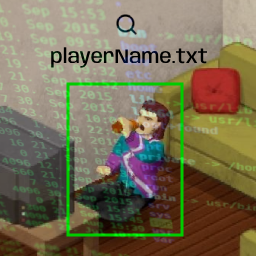
Get real-time player data in text files. MP Only. This is a modification of the Death Log (can be activated together if you want) How does this mod work? Every 10 minutes of the game, players send their data to the server, and this is saved in two server folders: Zomboid/Lua/player_profile and player_kills. Each server will have a subfolder, and each player has a file with their own username.txt. Player Profile Displays current player data. It's not history, it's real-time data. Files: player_profile/<serverName>/<userName>.txt File contents: - Profile Date: when the data was received - Username, SteamID, Steam Name, Character Name/Gender/Profession, Fav Weapon, Current Position, Traits, Skills - Infected: "true" if the player is infected - Death Cause: how he died (if he is dead) - Zombie Kills: how many zombies he killed with this character - PVP Kills: how many humans he killed with this character - Survived Time: survival time in the game - Game Date Time: current day and time in the game - Inventory: Objects he is carrying. * = equipped. Player Kills Files: player_kills/<serverName>/<userName>.txt List of players the current character has killed. When this character dies, this file is reset. 2024-03-22 18:20:33 jowi 2024-03-22 18:20:33 martin 2024-03-22 18:20:33 jowi Server Death Log Files: player_kills/<serverName>.txt List of all deaths on the server. This is a log record and will never be reset. 2024-03-22 18:20:33 jowi killed xereca 2024-03-22 18:24:54 xereca killed jowi 2024-03-22 18:35:24 maria killed paulo 2024-03-22 18:36:38 carlito died Workshop ID: 3196291902 Mod ID: ServerPlayersProfile
Real Names & Textures for Filibuster Rhymes' Used Cars! - Animation Beta
par 76561199765844966
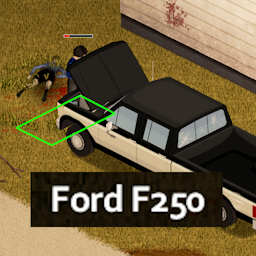
Gives Filibuster's cars their real life names and removes modern easter egg textures. If you'd like to restore the Vanilla UI, then download this: Vanilla UI Restored for Filibuster Rhymes' Used Cars - Animation Beta Note on Permissions You don't have to ask me for permission to fork, patch, or repost my mods! Do whatever you want with it My Mods Workshop ID: 3335828697 Mod ID: FRUsedCarsBetaRealism

Lunchbox Bomb
par 76561198045160207
For legal reasons this is not a Bottlecap Mine. Adds a mid-tier explosive between the Aerosol Bomb & the Pipe Bomb. Created from shrapnel packets, Gunpowder, a Lunchbox with some good'ol Duct tape to bind it all together. Shrapnel comes in a few flavours; - A box of Nails - A box of Screws - 5 Unusable Metal wrapped in Aluminium - 5 Stone wrapped in Aluminium - 5 Chipped Stone wrapped in Aluminium - 20 Brick Toys wrapped in Aluminium (My personal favourite) This recipe is locked behind the Engineer Profession & the subsequent trap versions (Remote,Sensor,Timed) require the corresponding magazine to have been read. If you have Mods that alter Professions enable the 'LunchboxBombNoEngiChange' instead, this option won't overwrite the Profession code, but you'll need to spawn in a handy 'ModConflictMag' using either debug, cheatmenu or your item spawner of choice, plus you'll get a trendy new Pen for your trouble. SP Only. Save game safe. Locked behind Engineer Profession. What did your mum pack in your lunch today? Copyright 2022. This item is not authorised for posting on Steam or elsewhere in any format, including modpacks, except under the Steam account named Darkmoriarti Workshop ID: 2636356742 Mod ID: LunchboxBomb Mod ID: LunchboxBombNoEngiChange

True Music Addon: 2023理塘丁真格莱美唱片集
par 76561198144864054
More XP! Decrypt drives Mechanic.
par 76561197993789924
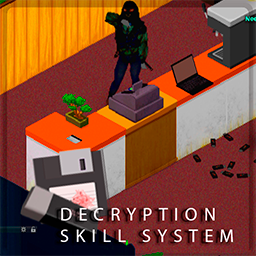
RELEASE. First of all, it's not intended to be realistic in terms of time (USB Drive.) Tho there's a Diskettete and Laptop from the '90s There is a DISKETTE-only version. Use the second MODID But I recommend using the base. mod id The second is kinda outdated for now. Decrypting the drives will randomly give you exp in almost all perks. Very very randomly. The idea of the MOD is; you can find some confidential information in each drive that makes you get better in all the fields. (Like find a tutorial for farming, some information about spies that makes you better at sneaking ...) The level earned can be set in the sandbox. The default max is 250. But Again all is very random. You can find 10 USBs but only 5 of them could work. After that, you have to try your luck looking for information inside of them and the chance of earning Exp can be from X to Y (set in the sandbox) Latest Changes - More Sandbox Options added! Yet more customizable. (Careful to brick your zomboid experience!) - Fixed USB Skills. - Missing tooltip added. - Laptop's real model name added. - Laptop's specs. added. Just for lore. Check change notes for more info. How does it work? First, Kill a lot of zombies! To collect a good amount of diskettes and USB The USB has an extra mechanic. You will need to open it and there's a 50% probability to get a working USB or a damaged USB Of course a laptop will be needed too . Those are really really hard to find. Recommend places to find'em: Schools, Survivor bags, Living rooms. Once you get a Laptop, open it. Place it anywhere you want and get close enough to TRY to decrypt drives. Note: - USB Drives only work on Asus Zephyrus Laptop - Diskettes only work on 90's Laptops versions. But wait! is not that easy. have a high chance to corrupt your USBs and diskettes, but also If you succeed there's a chance to don't consume the drive and keep trying! To-Do: - Translation. - Ingoing - More laptop models. - Not priority - More Recipes. - Ingoing - Lucky trait affects probability. - Not priority - Progressive experience learn. - Priority - Perks. - Not priority - Sandbox Options - Done Workshop ID: 2854518149 Mod ID: DecryptSkillSys Mod ID: DecryptSkillSysDskt
Wolf's Craftable Car Battery Charger
par 76561198951774225
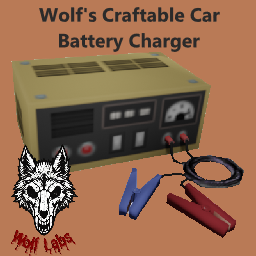
Craftable Car Battery Charger This is a very simple mod that adds a recipe to craft your own car battery charger. I'm not sure if these are as much of a pain to find in B42 as they were in B41 but I did notice that they are still not craftable. Well, now they are. This mod was only developed with B42 in mind. Crafting Recipe In order to craft the charger, you will need: - 10 Scrap Electronics - 2 Electric Wire - 12 Screws - 6 Steel Sheet - Small - 1 Screwdriver - 1 Pliers Feedback and Support If you have suggestions or encounter any issues, feel free to leave a comment on the Steam Workshop page. Your feedback is greatly appreciated! Workshop ID: 3423232225 Mod ID: WL_CraftableCarBatteryCharger
![OSRS Exp Drops [B42.13.2 FIX] – Project Zomboid Mod](https://images.steamusercontent.com/ugc/10591015251198300748/4FAADDC30953E2592B5AA2A0AF72AFA2B205041C/)
OSRS Exp Drops [B42.13.2 FIX]
par 76561198821073082
Barra de XP Não Atualizando – Correção para a Build 42 Na Build 42, o evento Events.AddXP mudou de comportamento ou deixou de ser disparado de forma confiável no lado do cliente, especialmente em Multiplayer. Como consequência, o mod acabava perdendo a informação de ganho de XP, fazendo com que a barra de XP não fosse exibida corretamente. Essas falhas eram silenciosas, sem qualquer erro no console, indicando que o evento simplesmente não estava ocorrendo como esperado. Correção Aplicada A lógica antiga baseada no Events.AddXP foi substituída por um sistema de monitoramento ativo usando OnPlayerUpdate. Em vez de depender do jogo para avisar quando o XP é ganho, o mod agora verifica o XP do jogador a cada tick, comparando com um cache interno. Isso garante 100% de precisão e compatibilidade, inclusive em ambientes Multiplayer. Alterações em RUNE-EXP.lua Cache de XP Foi adicionado um sistema que armazena o XP atual de todas as habilidades no momento em que o personagem é carregado. Monitoramento Ativo (Polling) A lógica antiga baseada em onAddExp foi substituída por OnPlayerUpdate. A cada tick, o script percorre todas as skills da PerkFactory, compara o valor atual de XP com o valor armazenado no cache e, ao detectar ganho, chama a função de efeito visual (barHandle:expDrop). Filtragem e Proteções Foram adicionadas proteções para ignorar: Variações minúsculas de XP causadas por erros de arredondamento Resets inesperados ou valores inválidos de XP Resultado Ao ler diretamente os valores reais de XP do personagem, essa abordagem ignora as inconsistências da API de eventos da Build 42 e garante detecção confiável de ganhos de XP. Barra de XP funcionando corretamente em Singleplayer e Multiplayer Eliminação total de falhas silenciosas Independência de eventos instáveis Compatibilidade total com a Build 42 Essa solução garante feedback de XP consistente e preciso, independentemente das mudanças internas do jogo ou do sistema de eventos. XP Bar Not Updating – Build 42 Fix In Build 42, the Events.AddXP event changed behavior or is no longer being triggered reliably on the client side, especially in Multiplayer. As a result, the mod was losing XP gain information, causing the XP bar to not update visually. These failures were silent (no console errors), indicating that the event itself was simply not firing as expected. Applied Fix The old logic based on Events.AddXP was replaced with an OnPlayerUpdate-based monitoring system. Instead of waiting for the game to notify XP gains, the mod now actively checks the player’s XP every tick by comparing it against an internal cache. This guarantees 100% accuracy and full compatibility, even in Multiplayer environments. Changes in RUNE-EXP.lua XP Cache A cache system was added to store the current XP of all skills when the character is loaded. Active Monitoring (Polling) The previous onAddExp logic was replaced with OnPlayerUpdate. Each tick, the script iterates through all skills from PerkFactory, compares the current XP with the cached value, and when an increase is detected, triggers the visual drop handler (barHandle:expDrop). Filtering and Safety Checks Additional safeguards were added to ignore: Extremely small XP changes caused by rounding glitches XP resets or invalid values Result By reading the actual XP values directly from the character, this approach completely bypasses Build 42 event API inconsistencies and ensures reliable XP detection. XP bar updates correctly in Singleplayer and Multiplayer No dependency on unreliable XP events Silent failures fully eliminated Fully compatible with Build 42 changes This solution ensures consistent and accurate XP feedback regardless of internal engine or event system changes. Workshop ID: 3650883381 Mod ID: RUNEXP
![Trunk Craft [B42.20] – Project Zomboid Mod](https://images.steamusercontent.com/ugc/14218387128604955328/8559970DB1D7BBC97DFEF1689AE375B4B9F6C93A/)
Trunk Craft [B42.20]
par 76561198038603475
Trunk Craft Ever been travelling by car, miles away from a proper base, with all the tools and materials you need... except for a table? Build 42 handcraft recipes can require a generic surface. That makes sense for things like cutting leather into strips or welding together rough scrap weapons - but when you are living out of a vehicle, the trunk is often the closest thing you have to a workbench. This mod lets nearby vehicle trunks, cargo areas, and truck beds count as valid crafting surfaces. Features - Lets vehicle cargo areas satisfy the AnySurfaceCraft requirement. - Works with open and closed trunks. - Works with vanilla vehicles. - Designed to work with modded vehicles that use normal trunk/cargo/truck-bed vehicle parts and areas. Compatibility - Does not edit vanilla or modded recipes. - Does not edit vehicle scripts. - Patches only the handcraft surface lookup, and always lets vanilla surface detection run first. - Tested in a large modpack alongside CleanUI, Neat Crafting, Proximity Inventory, Common Sense, Tsar's Common Library, Autotsar Trailers, RV Interior / Project RV Interior, and KI5/K5-style vehicle mods. Build support - Minimum version: Build 42.16. - Compatible with stable Build 42.20. - This is a maintenance update; gameplay behaviour is unchanged. - If a specific modded vehicle or recipe fails, please report it. Work in progress This is a small compatibility-focused mod and it is still in development. If you find a vehicle where the trunk should count as a surface but does not, please report the vehicle/mod name, the recipe, and your log if possible. Русское описание Мод позволяет использовать багажник, грузовую зону или кузов машины как поверхность для крафта в Build 42. Если рецепт требует стол, пень или другую подходящую поверхность, теперь рядом с машиной можно использовать багажник. Это полезно в долгих поездках, когда все инструменты с собой, а нормального верстака рядом нет. Совместимость - Не изменяет ванильные и модовые рецепты. - Не изменяет скрипты машин. - Работает с ванильными машинами и модовыми машинами со стандартными trunk/cargo/truck-bed зонами. - Проверялось в большой сборке вместе с CleanUI, Neat Crafting, Proximity Inventory, Common Sense, Tsar's Common Library, Autotsar Trailers, RV Interior / Project RV Interior и машинами KI5/K5-типа. Поддержка версий - Минимальная версия: Build 42.16. - Совместим со стабильной версией Build 42.20. - Это техническое обновление: игровая логика не менялась. - Если не сработает конкретная модовая машина или рецепт, сообщите название и лог. Workshop ID: 3717886348 Mod ID: VehicleTrunkCraftingSurface Workshop ID: 3717886348 Mod ID: VehicleTrunkCraftingSurface
![Kentucky's AmmuNation [2.0] – Project Zomboid Mod](https://images.steamusercontent.com/ugc/2013706124460915828/5C310671196CC4F5A11F1EF258FB14E95FB51B12/)
Kentucky's AmmuNation [2.0]
par 76561198317979792
Ever found yourself traversing through jungles and roads, eyes fixed on that perfect ride, only to be halted by a swarm of undead? As the sun sets, do the roars of zombies outside your safe haven keep you huddled in a bathtub, too afraid to venture out? Fear not! With Kentucky's AmmuNation's airdrop service, you're just a call away from acquiring the ultimate arsenal against these flesh-eating monsters. Quick ordering, doorstep delivery. Hassle-free gun maintenance, effortless ammunition restocking, and a vast array of firearms and accessories await you at Kentucky's AmmuNation. 2.0 Update Overview: Language Support: Currently offering simplified Chinese. English support will be added based on community feedback and demand. Modular Shop Selection: Customize your experience by enabling or disabling specific shops. Tailor your gameplay to your liking, without feeling overwhelmed by overpowered shops. Enhanced Mod Compatibility: Shops now seamlessly integrate with items from other popular mods, providing a richer and more immersive gaming experience. Streamlined Shopping: Official shop versions offer a curated selection of the most popular and essential items, while Beta versions cater to those seeking a wider variety of products, including niche ammunition and weapons. Revamped Recycling System: Focusing on precious metal recycling and wallet/credit card reuse, the system now offers a more balanced and rewarding approach to resource management. Adjusted Pricing Mechanics: Cash, wallets, and credit cards now have distinct purchasing power ranges, providing a more realistic and engaging economic system. Community-Driven Updates: Future weapon and ammunition additions will primarily be based on community feedback and requests, ensuring that Kentucky's AmmuNation remains relevant and engaging for all players. Workshop ID: 2850973486 Mod ID: Brita's Shops Ammo Mod ID: Brita's Shops Ammo Beta Mod ID: Brita's Shops Bomb Mod ID: Brita's Shops-Hard Mod ID: Brita's Shops-X1 Mod ID: Brita's Shops-X5 Mod ID: Brita's Shops Freight Mod ID: Brita's Shops Gun Mod ID: Brita's Shops Gun-Beta Mod ID: Brita's Shops Mag Mod ID: Brita's Shops Mag-Beta Mod ID: Brita's Shops MRE Mod ID: Brita's Shops Planet Mod ID: Brita's Shops Vehicle

True Music - Jazz addon Part 2
par 76561198076077903
About: Addon for True Music. Added 28 vinyl records from soundtrack to the game This is the Police 2. Light Jazz, ideal for reading books. Works correctly with other music packs Album Playlist: Link Other Addons *Are compatible *Guide to creating your own music pack https://steamcommunity.com/sharedfiles/filedetails/?id=2731198279 Workshop ID: 2718919266 Mod ID: True Music Jazz addon Part 2
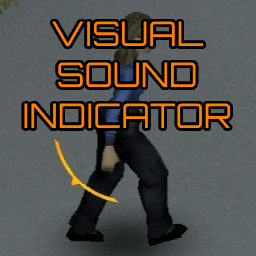
Sound Direction Indicator (Default Off)
par 76561198093306664
Original Mod from nolanritchie in 2021 - https://steamcommunity.com/sharedfiles/filedetails/?id=2560478285 If requested, i'll take this one down. Changes from original mod: - Defaults to OFF on first install (for dedicated servers that want to give the option without forcing it) - Corrected Typo - Commented out console chatter Requires IWBUMS beta version 41.53 Ever been in a narrow hallway with doors all around you, you hear growling and banging close by. You can't tell which way the sound is coming from so you enter the wrong door into a swarm of idle zombies! This wouldn't happen in real life, you would be able to tell the direction of the various sounds indicating Z danger. But now it does not need to happen. This mod will give you a flashing arrow like indicator around your character to help you identify the direction and distance/volume of world sounds. The color and flashing is used to help indicate how close/strong a sound is. Faster blinking/Redder color equals closer/stronger sound. SOME Possible applications: - Playing the game muted or without sound could be a lot more possible. - Also does the same thing for hearing impaired players - Playing the game with a blind (or just poor vision) character that has good hearing to make up for that. Things to note. - Only WORLD Sounds are detected by this system. A WorldSound is what it sounds like, a sound that has a source/position (in the world) and a range and volume. Some more examples of worldSounds would be zombies banging against objects, radios, TVs, vehicle engine noise, breaking windows etc. Ambient sounds for example would not be detected. - Any sound that was caused by the player himself, will be ignored by the system - This system takes into account any hearing related traits. Poorer hearing results in lower detection range, keen hearing trait increases it. This mod will do nothing at all if you have the deaf trait. - There are 2 options in the ACCESSIBILITY options screen, 1 to turn this feature on or off , and one to set if you want to ignore generators or not. both can be changed in game with immediate effect. Like my work? Check out my 2D physics sandbox game available on steam here: https://store.steampowered.com/app/1554320/Freedom_Physics/ Workshop ID: 3014350694 Mod ID: SoundDirectionIndicator_DefaultOff Workshop ID: 3014350694 Mod ID: SoundDirectionIndicator_DefaultOff
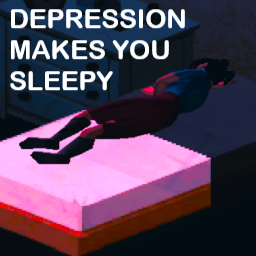
Depression Makes You Sleepy
par 76561199052487763
Being severely depressed makes you more sleepy over time. Starting when you get the "Severely Depressed" moodle this simple mod will effect your fatigue making you more sleepy. Works for SP and MP. Try my other mods that compliment this one: https://steamcommunity.com/workshop/filedetails/?id=2926177147 Permissions: http://theindiestone.com/forums/index.php/topic/2530-mod-permissions/?p=36478 Workshop ID: 2926172521 Mod ID: dmys

Minidoracat Server Disable Server Distributions
par 76561198033176898
用來關閉各種 MOD 大量的物品生成規則 因為那應該是 Server 端在檢查的 客戶端跑起來沒有意義,又浪費時間 Workshop ID: 2869379119 Mod ID: CatDSD
![[KYR] Improvised Weapons & Armour – Project Zomboid Mod](https://images.steamusercontent.com/ugc/17417430618158053761/B717AC95EC60D48591501E66D2091E05EE85E920/)
[KYR] Improvised Weapons & Armour
par 76561198875404478
Gaming Community – Improvised Weapons & Armour Mod Please take the time to leave Feedback, Suggestions and Ratings ------------------------------------------------------------------------------------------------------ Mod Summary Visit the Improvised Weapons & Armour Mod Website Click above for full details of features, options and updates! ------------------------------------------------------------------------------------------------------ Our Other Mods: KYR Real Weather: https://steamcommunity.com/sharedfiles/filedetails/?id=3051276857 KYR Meds, Delays and Cures: https://steamcommunity.com/sharedfiles/filedetails/?id=3029240588 KYR Survival & Crafting Mod: https://steamcommunity.com/sharedfiles/filedetails/?id=2935985690 KYR Heavy Metal: https://steamcommunity.com/sharedfiles/filedetails/?id=3009338583 ------------------------------------------------------------------------------------------------------ Community, Support & News: For feedback, latest news, new mods, and upcoming features, please come and support us: Discord - https://discord.gg/cWUETQmas9 Community Website - https://kyrgaming.com A huge amount of time and care goes into our mods and we’re very receptive on feedback and bug reports. If you’ve found something that doesn’t make you smile, please give us a shout! ------------------------------------------------------------------------------------------------------ Respect... Please don't add this mod to Collections or Server packs without my Permission. ------------------------------------------------------------------------------------------------------ Workshop Details Workshop ID: 3099108027 Mod ID: KYRImprovisedWeaponsArmourMod
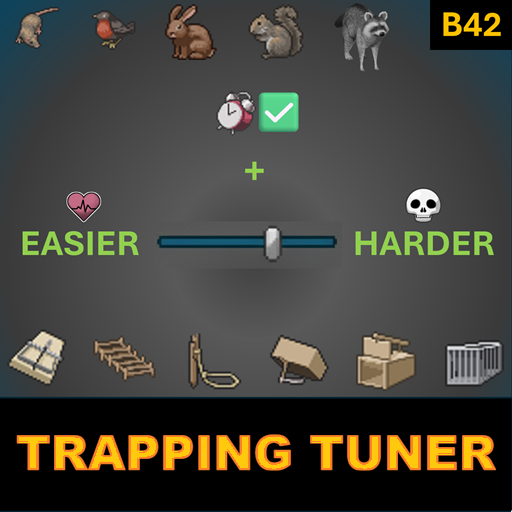
Trapping Tuner
par 76561199133259679
Compatibility: Build 42.12.1 to Build 42.20.x Fine-tune Project Zomboid trapping with optional sandbox controls for difficulty, trapped-animal progression, cold-weather catches, and nearby-player behavior. Trapping Tuner keeps vanilla trapping familiar while giving you more control over how forgiving, harsh, or survival-focused trapping should be. It does not add new traps, animals, loot, recipes, or trapping content. Its scope is focused on tuning existing vanilla trapping behavior and adding a few reliability safeguards around trap state handling. What This Mod Does - Adds sandbox tuning: adjust trapped-time progression, optional time caps, cold-weather catch reduction, and whether traps can catch while the player is nearby. - Keeps vanilla trapping recognizable: the core trapping system remains the same; this mod only adjusts specific behavior. - Includes trap-state safeguards: helps trap bait/state data and trap menu information stay aligned where possible. - Works in SP and MP: designed for both single-player and multiplayer setups. Sandbox Tuning Options All options appear under Trapping Tuner: - Hourly Increase Multiplier — controls how quickly trapped-animal time accumulation progresses. - Limit Maximum Trapped Time — enables or disables a maximum trapped-time cap. - Hour Limit for Trapped Animals — sets the cap value used when the limit is enabled. - Cold Capture Modifier — enables or disables cold-weather catch reduction. - Cold Temperature Threshold (°C) — below this temperature, catch chance is reduced. - Cold Capture Percent — percentage of normal catch chance used when temperature is below the threshold. - Allow Catch Near Player — allows traps to catch animals even if the player is nearby. Example Setups Easier Trapping - Set Hourly Increase Multiplier to 0–0.5 so trapped animals do not progress as harshly. - Enable Limit Maximum Trapped Time and use a lower cap so animals are more likely to survive until checked. - Enable Allow Catch Near Player if you want traps to keep working while you stay in the area. Harsher Trapping - Raise Hourly Increase Multiplier to 5–10 so leaving traps unchecked becomes much more punishing. - Enable Cold Capture Modifier for a tougher winter trapping experience. - Set Cold Temperature Threshold to 0°C and Cold Capture Percent to 10% or even 0% for very harsh cold-weather trapping. How to Change Sandbox Options - New games: start a game with Custom Sandbox. The Trapping Tuner tab will appear in Sandbox Options. - Existing saves: use a sandbox editing mod, then reload the game after making changes. Compatibility - Game version: compatible with Project Zomboid Build 42.12.1 to 42.20.x. - Single-player and multiplayer: designed for both, with core trap processing handled server-side and UI-related safeguards reflected client-side. - Saves: safe to add or remove from existing saves. - Load order: if another mod changes the same trap logic or trap UI internals, load this mod after it so its hooks are applied last. FAQ - Does this add new traps, animals, items, or loot? No. It only tunes existing vanilla trapping behavior. - Does this replace vanilla trapping? No. The goal is to make vanilla trapping more configurable, not to replace it with a new system. - Why was the mod renamed from Trapping Tuner & Sync Fix? Recent Project Zomboid builds already addressed some older trapping issues. The mod still includes trap-state reliability safeguards, but its main purpose is now better described as trapping tuning. - Is it performance-heavy? No. It runs around vanilla trap-processing logic, so overhead should be minimal. - Why use this mod? Because it gives you more control over how forgiving, punishing, or survival-focused trapping should be in your game. Background The old vanilla issue where trapped-animal alive hours could carry over between captures was fixed in Build 42.12.1. Trapping Tuner focuses on sandbox-based tuning and lightweight trap-state reliability safeguards on top of current vanilla behavior. Languages Includes translations for: EN, ES, CN, DE, FR, JP, KO, PT, PTBR, RU, PL Translation suggestions and corrections are welcome. Feedback & Bug Reports Feedback, bug reports, balance suggestions, compatibility reports, and translation improvements are welcome. Useful reports include: - Project Zomboid build. - Trapping Tuner version. - Single-player, MP Host, or Dedicated Server. - Relevant mod list and load order. - Sandbox settings used for trapping. - Steps to reproduce the issue. - Console errors or logs, if available. More Mods & Feedback You can find my other Project Zomboid mods here If you find Trapping Tuner useful, please consider leaving a thumbs up and adding it to your favorites — it helps other players discover the mod. Workshop ID: 3566474196 Mod ID: TrappingTuner
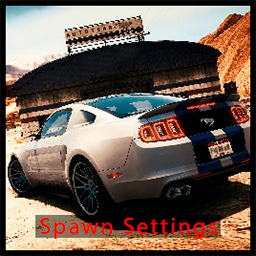
AutoTsar Mustang SpawnSettings
par 76561198072602765
This is a mod to change the vehicle spawn for the Tsar Mustang mod. Mod adds sandbox settings where you can easily change vehicle spawn chance For solo: 1) Activate Tsar's Common Library 2.0 https://steamcommunity.com/sharedfiles/filedetails/?id=2392709985 2) Activate Autotsar Tuning Atelier - Fjord Mustard https://steamcommunity.com/sharedfiles/filedetails/?id=2681635926 3) Then activate this mod https://steamcommunity.com/sharedfiles/filedetails/?id=3020666430 4) Launch a new game with sanbox and you will see "Tsar Mustang SpawnList Customization" Tab 4.1) If you want to change spawn settings during the game- you need to have "Change Sandbox Options" mod https://steamcommunity.com/sharedfiles/filedetails/?id=2670674997 Spawn settings will be updated after restarting the game and will ONLY affect spawning in unexplored areas of the map 5) Have fun) For Host/MP: 1) Activate this mod in Main menu-Mods https://steamcommunity.com/sharedfiles/filedetails/?id=3020666430 That will show Spawn Settings in Server configuration menu 2) Add Tsar's Common Library 2.0 to your server https://steamcommunity.com/sharedfiles/filedetails/?id=2392709985 3) Add Autotsar Tuning Atelier - Fjord Mustard to your server https://steamcommunity.com/sharedfiles/filedetails/?id=2681635926 4) Add this mod to your server https://steamcommunity.com/sharedfiles/filedetails/?id=3020666430 5) Change Spawn Settings in Server Configuration tab before launching the server. 5.1) You can change Spawn Settings ingame from Sandbox Settings in Admin menu, but you need to restart the server 6) Have fun) Be aware, all spawn changes occur during the launch of the game. To change the spawn, change the settings and restart the save/server. Spawn will change only in unexplored parts of the map, nothing will change in already explored parts. If you encounter errors or incompatible mods (although there may be incompatibility only with the original car mod), please comment in the comments, I will try to respond promptly Thanks to IbrRus for great mods and inspiration Workshop ID: 3020666430 Mod ID: ATSS_Mustang

saul tv
par 76561198060459566
SAUL GOODMAN INVADING THE AERIAL WAVES! BETTER CALL SAUL Workshop ID: 2853136705 Mod ID: saul
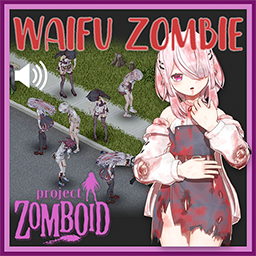
少女僵尸
par 76561199206604731
自用防覅丢失 Workshop ID: 3118564354 Mod ID: girl zombie Mod ID: sound
Vanilinha City B42
par 76561198012562067
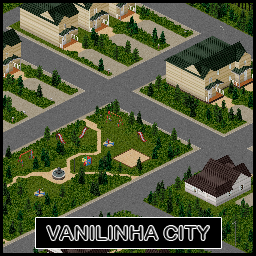
Vanilinha City - 100% Vanilla Map for Project Zomboid Welcome to Vanilinha City, a fully handcrafted city built entirely with Project Zomboid's original vanilla tileset - no mods, no external assets. Pure vanilla style, with a unique identity. - Location: Near Muldraugh and March Ridge - Size: 36 cells - Highlights: - A unique, city-owned shopping mall - A small functional airport - Numerous apartment buildings - Streets and zones designed for exploration, looting, and survival Every detail was carefully crafted over months of work to provide a fresh experience while staying true to the classic vibe of the game. Ready to survive in Vanilinha City? Workshop ID: 3652882003 Mod ID: VanilinhaCityB42 Mod ID: VanilinhaCityB42 Map Folder: VanilinhaCityB42
![[B41/B42] Desert Shemagh Mod – Project Zomboid Mod](https://images.steamusercontent.com/ugc/9705335120582608202/8E54CBABA7DDEA9E041AC5E1C998253207791FD4/)
[B41/B42] Desert Shemagh Mod
par 76561198142763662
Desert Shemagh Mod Description - This mod adds a new shemagh to the game. - The Desert Shemagh has low insulation, so you can wear it in summer. Where to Find - You can find the Desert Shemagh in clothing stores, army surplus stores, military storage areas, etc... Note - This mod does not replace the shemagh from the base game. - No recipe. 42.12 42.13 Workshop ID: 3482177310 Mod ID: DesertShemagh
MakePropaneToch
par 76561198224658060
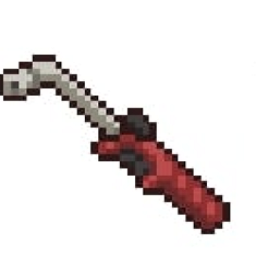
MakePropaneToch Workshop ID: 3036962884 Mod ID: MakePropaneToch

te4
par 76561198865147948
임시 Workshop ID: 2940263169 Mod ID: PZGKO VScat4 Mod ID: PZGKO VScat5 Mod ID: PZGKO VScat6

Where Am I? + WorldMap Name Symbols
par 76561198062695591
Where Am I 지역에 심볼이 추가된 지역 추가 Where Am I 모드 아래로 배치해주세요 WorldMap Name Symbols 모드 바닐라 마을에 있는 구역은 바닐라 이름이 나오도록 별도로 추가 안했습니다 - 더커담 - 더커담 오버더리버 - 오버 더 리버 - 윈체스터 - 사우스우드 - 오버룩 호텔 - 포트 락 릿지 - 트렐라이 - 월넛릿지 - 그린포트 - 리틀 타운쉽 - 컴파운드 - 에드의 차량수리점 - 제약 공장 - 델타크릭 군수공장 - 에크론 - 성 파울로스 해머 - 윌보어 - 블루베리 - 웨이하우젠 - 연구 시설 - 웨스트우드 - 로즈우드 확장 - 로즈우드 비디오 & 총포상 - 오키드우드 - 멀드로우 군사기지 - 마치릿지 확장 - 군 연료 창고 - 탄딜 - 더 몰 - 레드스톤 서킷 - 멀드로우 배송회사 - 워킹데드 : 감옥 - NSCarWorkshop - EVAC 멀드로우 - 투가랜드 - 래빗 해시 - 공군기지 - 스프링우드 - 박물관 - 웨스트포인트 확장 - 글렌포트 - 메가몰 - 체로키 레이크 - Park Rangers - Fort Waterfront - 뉴 터시 - 컴벌랜드 호수 - 루이빌 선적항 - 루이빌 국제공항 - 밸류테크 놀이공원 - 루이빌 격리구역 - Louisville Riverboat - 쇼트레스트 카운티 - 시크릿Z - 뉴 올버니 - 생존자 화물선 로메로 - 테일러스빌 - 테일러스빌 - 코라이어돈 다리 - 코라이어돈 - 피네간 정신병원 - 시크릿Z 마치릿지 연구센터 - 헤이븐릿지 - 파인빌 - Build It - 하이룰카운티 - 이어리 컨트리 - 탄딜과 겹쳤을 때 활성화 될 영역 - 콘스타운 - 하트버그 - 선셋 레이크 타운 - 트림블 카운티 발전소 - 레븐버그 - 리버사이드 다리 - 레븐버그 - 제스퍼빌 - 엘리엇 연못 - 이벤트 섬 - 킹스머스 - 북서부 봉쇄 - 홈파이 - 오크 데일 대학교 - 건팩토리 - 라쿤시티 - 세이지우드 노스 Workshop ID: 3363183507 Mod ID: BB_WhereAmI_WorldMapNameSymbols
Project Zomboid Guides
Installer des mods Project Zomboid - Guide Workshop
Installe proprement des mods Project Zomboid via le Steam Workshop : saisir les IDs, vérifier l’ordre, redémarrer le serveur et corriger les erreurs typiques.
Louer un serveur Project Zomboid – guide multijoueur
Configurer un serveur Project Zomboid : RAM, paramètres sandbox, mods Workshop, droits admin et vérification propre des erreurs typiques.
Serveur Project Zomboid avec support des mods
Installez les mods compatibles et pris en charge depuis le tableau de bord.
Louer un serveur Project Zomboid