Mods et plugins pour Project Zomboid
Ce catalogue répertorie 52 000+ projets Project Zomboid provenant de Steam Workshop. Les entrées peuvent être côté serveur, côté client ou requises des deux côtés, et inclure des cartes ou d’autres contenus créés par les utilisateurs. Avant l’installation, vérifiez la page source liée, la version du jeu et les dépendances.
True Music Addon: K-pop
par 76561199353940905
buenas les pido perdón si no funcionan bien juntas (hablo de las demás partes), ya que soy nuevo en esto.. Workshop ID: 2903187924 Mod ID: Kpop
![Bus Stop Fast Travel [B42] – Project Zomboid Mod](https://images.steamusercontent.com/ugc/11900027562689051043/99C747EA62A2456FC2E489DF0BFEAF585069B23D/)
Bus Stop Fast Travel [B42]
par 76561198077465326
Adds admin-placed bus stops to any server. Players walk up, pick a destination, pay the fare, and get teleported with a fade transition. Fully server-authoritative. How It Works Players: walk up to a stop, right-click and choose Use bus stop, pick a destination in the travel panel, then confirm to travel. Screen fades out, you're teleported, fades back in. Destinations with Return Trip get a free one-click return on your next visit; Random Trip sends you somewhere random if enabled. Holding a Bus Ticket item pays for the trip for free (consumed on use) at any stop that accepts it. Admins: right-click any tile to Build bus stop here, right-click a stop to Remove it, or right-click anywhere to open Manage bus stops for the full admin panel. Features - Travel panel — searchable, scrollable destination list; select then confirm, no accidental trips - Random Trip — configurable price, optional toggle - Fade transition — full-screen fade with bus sound effects, adjustable volume - Arrival protection — brief zombie immunity with a countdown HUD after teleporting - Pricing — Free, Fixed, or Dynamic (distance-based) fares, with a per-stop multiplier - Economy — pay with an inventory item, a bank mod (simple 3-function API), or both; includes a Survivor Shop bridge example - Bus Ticket item — findable in schools, offices, houses, and on zombies; pays for one trip free; each stop can accept or reject it; fully configurable via sandbox - Admin panel — edit any stop's fields inline, teleport to it, or delete it - Map markers — every active stop shown as an icon on the map - Wipe-proof — stops survive new worlds and soft-wipes; the stop registry is the source of truth, tiles rebuild automatically on first use Stop Options FieldDescription Display NameShown in menus and on the map Price TypeFree, Fixed, or Dynamic Price MultiplierScales the fare (2.0 = double) AvailableYes/No — hidden from players when off Return TripYes/No — free one-click return after arrival Accept Bus TicketYes/No — whether a ticket item works here Sandbox Options Under Sandbox: Bus Stop Fast Travel OptionDefaultDescription Pay with ItemsYesDeduct from inventory; charged first if both sources are on Pay with BankNoDeduct via a bank mod API; covers any shortfall Bank Mod Global(empty)Bank mod's Lua global name; required for Pay with Bank Currency ItemBase.MoneyItem used for Pay with Items Base Price1Minimum fare on every trip Price Per Tile1Extra cost per tile (divided by 1000), Dynamic pricing only Enable Random TripYesShow the Random Trip button Random Trip Price0Flat fare for a random trip Return Trip Duration24In-game hours a return ticket stays valid Enable Bus Ticket ItemYesMaster switch for the ticket mechanic Ticket ItemBusStop.BusTicketItem type recognized as a free fare Spawn Ticket in BuildingsYesAdd it to school/office/house loot Ticket Building Spawn Rate2Chance weight in building loot Spawn Ticket on ZombiesYesAdd it to zombie corpse loot Ticket Zombie Spawn Rate1Chance weight in zombie loot Dynamic price = ceil( (BasePrice + distance x PricePerTile / 1000) x stop multiplier ) Build: 42+ Multiplayer: Yes (server-authoritative) Singleplayer: Yes Safe to add mid-game: Yes Manage permission: Admin/Moderator Save file: ~/Zomboid/Lua/BusStopData.txt Translations Available in English and Brazilian Portuguese. Want to add your language? It's two small files, usually under an hour: contributor guide here. Contributors are credited in this description. Permissions Ask for permission. Not to be included in modpacks, collections, or any redistribution without express permission. Credit required if permission is granted. Copyright 2026 Leandro Ferreira. Not authorized for posting on Steam except under the account leozimmelo. All rights reserved. Workshop ID: 3711522956 Mod ID: BusStopFastTravel
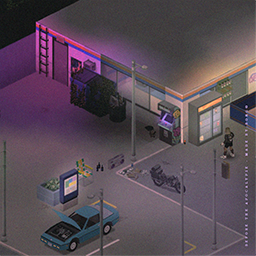
Main Menu ultrawide Before the Apocalypse - made by Bong©
par 76561198075366842
Main Menu made by Bong© - Before the Apocalypse I want to thanks Unconid who helped me with his video on youtube, Matsuyari for the request ( nice music by the way) and Im_DAFOX for her own main menu mod who inspired me to do my own and adpted to b42 workshop You guys can write in the comments what kind of vibe you want me to do next time! Thanks for the support and you can buy me a coffee here if you want to help buymeacoffee.com/GGDesign Workshop ID: 3407589478 Mod ID: Before_the_Apocalypse_made_by_Bong©-MainMenu_ultrawide Mod ID: Before_the_Apocalypse_made_by_Bong©-MainMenu_ultrawide

Senki's Military Themed Scenarios
par 76561198274695382
Description The mod currently contains 3 scenarios (with more to come!!!), and a small custom map (made by none other then DaddyDirkieDirk). SP ONLY! You can customize the scenarios settings by creating a sanbox preset named "Lone-Guardsman" and "National-Guard-Remnants-Scenario" (no " marks) for their respective scenarios. Default is Apocalypse Bugs and errors may happen, I am no lua wizzard. -Senki01 Remnants of the National Guard In this scenario, you find yourself in charge of a group of National Guard troops a month into the apocalypse. With no communication from higher-ups in weeks, your small encampment is the last operating unit in Kentucky. Can you lead your troops, keep them safe from the undead hordes, and navigate the challenges of this post-apocalyptic world? Inspired by TWD. - You spawn at a small military checkpoint manned by a group of friendly NG Troops (Superb Survivors) - You have several military vehicles at your disposal, however, fuel will be a issue. - You are fully kitted in NG Gear. NOTE: Superb Survivor is not a hard requirement. Without it the NPCs wont spawn though. Lone National Guardsman Step into the "Lone National Guardsman" scenario of as the sole survivor from your squad. With military gear and a Humvee at your disposal, your goal is simple: survive the post-outbreak chaos. Inspired by Abandoned Soldier from Pillows. - You spawn on the side of a highway, your humvee almost out fuel. - You are alone. - You are fully kitted in NG Gear. Crashed Helicopter Pilot Step into the "Crashed Pilot" scenario where a Knox infection has already decimated humanity. As a pilot whose helicopter crashed during a recon mission, you find yourself stranded and separated from your group National Guard soldiers. Armed with limited resources, you must navigate through a desolate Kentucky infested with ravenous zombies. Lucky that The Governor isn't around. Inspired by TWD. - You spawn in a remote field with a helicopter wreckage (Reguires Expanded Helicopter Events) - You have minimal survival gear - You managed to survive the crash with no injuries. Planned Features - Crashlanded Pilot Scenario (with wreckage) - More spawnpoints for LNG scenario. Suggest spawnpoints (Coordinates prefered) in comments - Suggest more scenarios in comments Credits Senki01 - Commissioned the mod, made "Lone National Guardsman" "Crashed Helicopter Pilot" scenario Poltergeist - Any and all code is by him, or based on his Daddy Dirkie Dirk - The map for "Remnants of the National Guard" Workshop ID: 2975381624 Mod ID: Senki's-Military-Themed-Scenarios Map Folder: Militarycheckpoint
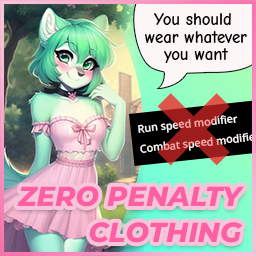
Zero Penalty Clothing
par 76561198047485926
Wear whatever you like. Nothing you put on will slow you down, blind you, deafen you, itch, or come off your head when a zombie grabs you. Every penalty the base game hangs on clothing is taken back off What it takes off - Run speed · nothing you wear slows your feet - Attack speed · nothing you wear slows your swing - Vision · helmets and masks stop narrowing what you can see - Hearing · nothing muffles what you can hear - Discomfort · nothing itches or chafes - Hats falling off · headwear stays on when a zombie grabs you Clothing, the armour pieces, bags, webbing and chest rigs alike. Shoes Every pair sprints at 1.1 and stomps at 2.5, the fastest trainer and the hardest boot the base game ships. No pair is a downgrade any more. Protection Bite, scratch and bullet defense are raised to the best the same body location already offers. - A jacket reaches what the fireman jacket has - A hat reaches what the SWAT helmet has - Shoes reach what the work boots have Per slot, never game wide, so a t-shirt does not turn into a riot helmet. Nothing is ever made worse Every number is read before it is written, and left alone unless the item sits on the wrong side of the target. A modded boot that already sprints faster keeps its speed. A modded plate that already stops more keeps its armour. Modded clothing is covered There is no list of items in here. Every piece of clothing, armour and bag the game has loaded is read at startup, the base game's and every mod's, and each one is levelled against its own body location. A clothing mod released tomorrow is covered the day you install it, with no update needed here. What it leaves alone Insulation and wind resistance, on purpose. The game reads both in two directions, so raising them would buy a warmer winter at the price of overheating, sweating and thirst all summer. That is a penalty in a bonus coat. Servers and hosted games The one file in here is shared, so it runs on the client and on the server alike. Put it in the server's own mod list and not only in yours; a hosted game counts as a server. Mods are matched by id, never by folder name. Mods=ZeroPenaltyClothing WorkshopItems=2901076061 It adds no items and edits no maps, so it is safe to put into or take out of a save at any time. Wear whatever you like, lose nothing for it (= ^_^ =) Build 41 Unchanged. The original list of 127 items is still there for B41 players, with the run speed, attack speed and stomp power changes only. Everything above describes the Build 42 side. If you like this mod, please consider giving it an upvote so that other players can discover and enjoy it as well. Workshop ID: 2901076061 Mod ID: ZeroPenaltyClothing

Is This Cell Taken
par 76561198373185264
•Do you want to make the biggest map possible in the world of project zomboid but not sure which mods can you use/ which map mods overwrite others? •Did you start making a map only to find that someone else already made a map for that cell; as a result your map is forgotten by the community? •Do you just want to get an overall idea of pz map with mods enabled? This mod will help you find out if a cell already has a map mod on it or not. At the moment it is not a mod you can download for ingame as there are limitations to uploading exe,dll on steam. So to see the map you need to go to itch.io It's posted here because until I figure out all things you guys can help me point out mistakes and keep it updated for map makers to use and make it useful as is. https://rakib-ryan.itch.io/is-this-cell-taken #Note: In order for this tool to be used in it's full potential this needs a rewrite. Therefore 2.02.12 (41) will be the last update till rewrite. #How I chose what map is visible biggest>finished>least conflicts>still working>least buggy>oldest #Req in comment with cell no for your maps ## Future • in game version(still figuring it out) • when hovered over the cell it shows the map that occupy that cell. • Make a gui for coordinates • A better gui for maps listed • A system and gui for adding new maps , coordinates and steam link • Support for importing coordinates and map names from a txt/ java file • Add steam direct download link to all the maps • a gui for Auto subscribe all selected maps • actual tiled map for all of them so people who prefer can see the maps • Searchable maps • Polishing: map name and highlighting • Better map conflict finder with GUI ## F.A.Q Q: I can track the maps in spreadsheet why even make this? A: I started keep track that way too until I had the realization some cells have multiple conflicts those maps also conflict in other cells with different maps. So needed a better solution Q: Why is it so ugly? A: I am not good at this. This is literally my first time making anything involving game engines. Q: Will you keep it updated? A: I will try but I can only check so many updates alone. if you find discripancy try to comment down. I'll update. Eventually I'll try to create a system to auto find discripancy. but till then manual it is. Q: Can I help / take it for myself to create a better version of it? A: yes. Credits not needed but will appriciate. https://github.com/RakibRyan/IsThisCellTaken

Vanilla Agriculture Fix
par 76561199116881450
Vanilla Agriculture Fix A vanilla-friendly overhaul that makes Agriculture a rewarding and viable survival profession in Build 42. Farming in Project Zomboid requires a huge investment of time, water, fertilizer, protection, and patience, yet the rewards are often disappointing. This mod improves the entire farming progression while staying faithful to the vanilla experience. Farming Experience Overhaul Instead of earning experience only from planting, every important farming action now contributes to your Farming skill. - Creating furrows grants Farming XP. - Sowing seeds grants Farming XP. - Watering crops grants Farming XP. - Fertilizing crops grants Farming XP. - Harvesting crops grants Farming XP. - Map-spawned crops can also grant harvest XP. - Optional Sandbox setting that restricts Harvest XP to the player who originally planted the crop. XP is naturally split across the entire farming process, rewarding players who actively maintain their crops instead of only planting or harvesting. Hidden Agriculture Specialization Bonuses As your Farming skill increases, your crops become significantly more productive. - Level 0: Normal harvest yield. - Level 3: +20% Harvest Yield. - Level 5: +35% Seed Yield. - Level 7: +25% Crop Growth Speed. - Level 10: +50% Harvest Yield and an additional +15% Crop Growth Speed. Sandbox Options Nearly every feature can be customized to fit your preferred gameplay style. Harvest Seed Multiplier Increase the number of seeds returned after harvesting. - Poor: Vanilla (x1) - Normal: x2–x3 - Abundant: x4–x6 - Very Abundant: x7–x10 Giant Harvests Increase the amount of food produced by every successful harvest, making Agriculture a realistic long-term food source, especially in multiplayer. Examples: - Potatoes: 12–18 - Tomatoes: 10 - Corn: 4–8 Cultivated Crop Calories Increase the calorie value of harvested crops from Vanilla up to +400%, making home-grown vegetables a much more sustainable food source. Dry Crop Removal Enable a right-click option to remove dried crop vegetation (vegetation_farm_01_32 through vegetation_farm_01_39) and keep your fields clean. Additional Features - New Fertilizer recipe. - Improved farming progression. - Designed for both single-player and multiplayer. - Fully configurable through Sandbox settings. - Vanilla-friendly gameplay. Grow more. Harvest more. Progress faster. Make Agriculture a true path to survival. This mod's permissions fall under TIS's policy Ask for permission This mod can only be added to and extended with the express permission from the original creator. Having received permission, credit must be given to the original creator, both within the files of the mod and wherever the mod roams online. If no permission is received you may not alter the mod, and it must be treated as a mod that is 'On Lockdown'. The only exception is that servers may freely include this mod in their modpacks, with the freedom to alter it or make modifications as they see fit, as long as credits are properly given to the original creator. Support the Mod Support the Project If you enjoy this mod and want to support future updates and new systems: Your support helps expand the project and keep development active. Every contribution makes a difference. Thank you for your support! ❤️ A like or favorite helps a LOT! Workshop ID: 3751370563 Mod ID: VanillaAgricultureFix
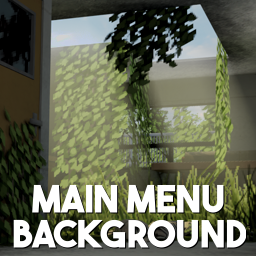
Main Menu Background - Overgrown Memories (16:9)
par 76561198302191900
Replaces the main menu background with the "Overgrown Memories" background. Includes 2 versions: Original and Swapped. Instructions - Enable mod in-game - Re-enter Project Zomboid Background Framework Version The version that requires Background Framework can be found here: https://steamcommunity.com/sharedfiles/filedetails/?id=3439141517 Additional information Have no more than one main menu background mod enabled. Suitable for Build 41 and Build 42. Workshop ID: 3434355989 Mod ID: OvergrownMemoriesBG Mod ID: OvergrownMemoriesBG2
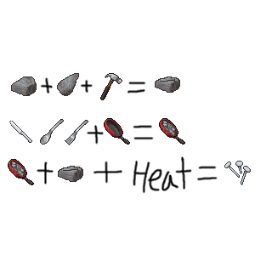
Cast Nails Mod
par 76561198026117905
Craft your own nails with utensils, pan, and heating source! Ever run out of nails and wanted to craft your own nails? Now you can by following theses steps! 1. Get your frying pan, add any combination of 4 spoons, forks, or butter knives to get a frying pan with cast iron. You can empty out this frying pan just like any others, but be warned, you will not get your utensils back! 2. Find 1 stone, 1 chipped stone, and hammer or stone hammer to craft stone mold of nails. You will keep your hammer and chipped stone. 3. Place your frying pan with cast iron in any heatsources such as campfire. After it heats up a little, you will get an option to "cast nails" with stone mold of nails in your inventory. Each "cast nails" will give you 10 nails. I made this made after a VERY unlucky run where I could not find nails to save my life. When I searched for nails crafting mod, I couldn't find any other than hydrocraft, which I hear is an excellent mod, but personally complicated the game too much for someone like me. I simply copied the mechanic where you can basically "boil" the bandage into sterilized bandage in the base game, altered a few things, made 2 new icons, and this is what I got. I know melting utencils such as spoons or butter knives this way is kind of weird, but is the best I can do without getting too complicated. This is my very first mod, so let me know if there are any bugs you encounter during your game! Workshop ID: 1398944829 Mod ID: CastNailsMod
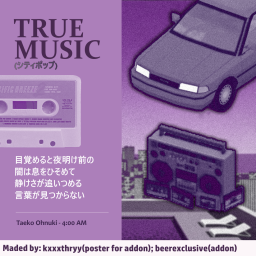
True Music Addon: City Pop for Late Night Drive
par 76561199143439175
In this addon I have collected in my opinion the best City Pop tracks. Perfect for a long car ride. The addon will occasionally be updated with new tracks. Tracklist: (5 new tracks) Anri - BOOGIE WOOGIE MAINLAND Anri - Dancin' Blue Anri - Last Summer Whisper Anri - Surf City CASIOPEA - Looking Up (!) CASIOPEA - Take Me Junko Ohashi - Dancin' Junko Ohashi - I Love You So Junko Ohashi Minoya Central Station - Crystal City Junko Yagami - Bay City (!) Kaoru Akimoto - Dress Down Meiko Nakahara - So Shine Taeko Ohnuki - 4.00 A.M Taeko Ohnuki - Tokai Takako Mamiya - Mayonaka no Joke (!) Tomoko Aran - Body to Body (!) Tomoko Aran - Hitonatsu no Tapestry Tomoko Aran - I'm in Love Toshiki Kadomatsu - Secret Lover Tsuru Hiromi - Whispering Misty Night (!)Yurie Kokubu - Just a Joke Yurie Kokubu - Tobashite Taxi Man Yuuko Shibuya - Tokai no Ehon P.S: Hello! This is Kathry, or, kxxxthryy. Since I'm no longer talking with this person, I will leave it here as a request of taking my art from the mod thumbnail, if they notice it, sorry if I caused any inconveniences. Drink water and take care of yourself! Workshop ID: 2985803464 Mod ID: city_pop_4_late_night
![[B42.20.1] HoYoverse Weapon Shop (Standalone) – Project Zomboid Mod](https://images.steamusercontent.com/ugc/17615426006575137437/62DD2AC03E35104243AD0581D1160C178561C7E8/)
[B42.20.1] HoYoverse Weapon Shop (Standalone)
par 76561199473200673
This mod has been merged into 【Nangong's Shop】. This is the standalone release. This mod has been merged into 【Nangong's Shop】. This is the standalone release. This mod has been merged into 【Nangong's Shop】. This is the standalone release. Find Nangong's Shop here: https://steamcommunity.com/sharedfiles/filedetails/?id=3431009562 Special Thanks to: Author of Not In Clothing Store, funtime. Special thanks to "BlackBlade of Bullets" for providing patched versions of this mod while I was away. Not In Clothing Store Player Group: QQ 715093737 | Everyone is welcome to join. Author's Project Zomboid Player Group: QQ 659056289 | Everyone is welcome to join. Ⅰ. Introduction 1. This is a weapon pack featuring weapons from HoYoverse games. Obtain weapons by crafting with cash in your crafting menu. Ⅱ. Included Models 1. Genshin Impact Splendor of Tranquil Waters Scorching Sun Staff of Homa Sword of Narzissenkreuz‑Light Sword of Narzissenkreuz‑Dark Luxurious Sea‑Lord Wolf's Gravestone 2. Zenless Zone Zero Jade Vase of Frost Deep‑Sea Visitor Housekeeper Demara Battery Mk‑Ⅱ Shattered Starfall Palace 3. Honkai: Star Rail Where the Unanswerable Lies Where Dreams Return Incessant Rain Night of Gleaming Hues Night of Frights Just Wait Burning Youth Dancing At Sundown Upon the Shores of Vanishing Time My Reflection Within The Mirror Hit That Follow Button! Weaving Gold From Time This Sword of Mine I Shall Chase The Hunt More weapons are currently in development!!! Workshop ID: 3434439758 Mod ID: mihoyoWeapon
![Half-Life: '93 Jeep Cherokee Black Mesa Themed Vehicle Pack [B41 + B42] – Project Zomboid Mod](https://images.steamusercontent.com/ugc/62588809113950416/A1DD73A07BCBD4DF082B1A39C1AE9DCA57B40A8F/)
Half-Life: '93 Jeep Cherokee Black Mesa Themed Vehicle Pack [B41 + B42]
par 76561199101667638
Adds the fictional Half-Life universes coveted security forces vehicles to Project Zomboid. Vehicles this pack brings; - Standard Security Jeep (Emergency w/Siren - Red & Blue Lights) - First-Response Jeep (Emergency w/Siren - Amber Lights) - Maintenance Jeep (Civilian) - Civilian Transports Jeep (Civilian) Security & First Response variant used is from Last Hope Emergency Service Vehicles, Civilian variant & and vehicle wheels is from Filibuster Rhymes' Used Cars. Credit to both of them. Workshop ID: 3349209925 Mod ID: BlackMesaJeepCherokee
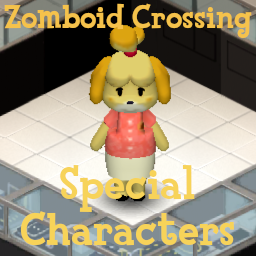
Zomboid Crossing Special Characters Pack
par 76561198075099435
Animal Crossing Special Characters in Project Zomboid. Featuring : TomNook, Isabelle, KKSlider, Blathers, Celeste, CJ, DaisyMae, Flick, Gulliver, Resetti, Rover, Sahara, Reese, Cyrus, Booker, Copper, Harv, Katrina, Redd Workshop ID: 3378358285 Mod ID: ZomboidCrossingSpecialCharacters Mod ID: ZomboidCrossingSpecialCharacters
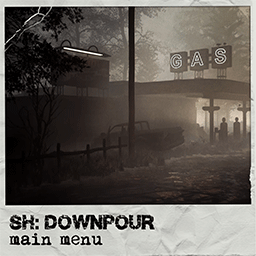
Silent Hill: Downpour. Main Menu Background (1920x1080)
par 76561198042131011
Silent Hill: Downpour. "Gas Station". Main Menu Background. 1920x1080. "Disable Welcome Message" and "Silent Hill Music Replacement v2" mods aren't necessary for using this one, but preferable for more immersive effect. You might interested in Silent Hill Radio REDUX - Zombie Detector by Monkey aswell. If mod doesn't work properly, just re-subscribe or shift one in the load order. It's just a simple re-texture mod, that not affect anything, but re-write a main menu's background texture. Art by Pasquale Scionti. Sciontidesign Script of "HD Logo" mod by Melon All the rights of Silent Hill trademark and it's products belongs to Konami Holdings Corp. Workshop ID: 2757939665 Mod ID: mainmenushdownpour
Cookies in Sewing Kits
par 76561199083956497
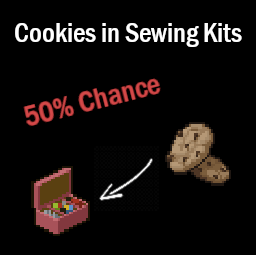
Cookies in Sewing Kits adds a 50% chance for Cookies to spawn in the Sewing Kit. Check out the (Sewing Kit) Cookie Box mod by Dante271 it goes great with mine. Check out all of my other fun mods here. Workshop ID: 3025989887 Mod ID: CookiesInSewingKits
Forgotten Farm Bunker (B42)
par 76561197976596561
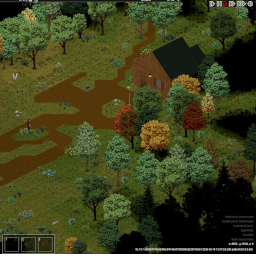
Hidden beneath an unassuming rural farm lies a relic of a more paranoid era. Built during the height of the Cold War, this small government bunker was designed to shelter a handful of personnel during a nuclear emergency. The facility contains two bunk rooms, a compact mess hall, and a modest recreation area — just enough to endure isolation for weeks at a time. At some point after the Knox Event, the lower sections of the bunker were breached and flooded, sealing off what may have once been deeper levels of the complex. Whether the damage came from neglect, sabotage, or something worse is unknown. Now partially abandoned and quietly forgotten, the bunker offers shelter, supplies, and secrets… if you’re willing to descend into the dark. I recommend a ladder climbing mod! If you enjoy exploring my maps, you can support future builds here ☕ One cup goes a long way! https://ko-fi.com/freebird550 Check out my other maps! Workshop ID: 3673620977 Mod ID: ForgottenFarmBunker Mod ID: ForgottenFarmBunker Map Folder: ForgottenFarmBunker
Metum's Global Sound Effects Addon
par 76561198090367168
Give me a Ko-Fi! <3 (Remember to select the 'one-time' payment method to donate ❤️ I used to have a roleplay server, which is why the Ko-fi looks like that. I'll fix it later :'3) This is an addon for the "Global Sound Effects" mod by El1oN :'] It adds 94 sounds + the 2 template sounds by El1oN (King & Church Bells): 1. Church Bell. 2. King. 3. Zeeds 3. 4. Zeeds 2. 5. Zeeds 3. 6. Zeeds 4. 7. Zeeds 5. 8. Walkie-Takie Interference. 9. Toc-Toc. 10. Small Meteor. 11. Meteor. 12. People Screaming. 13. Shooting. 14. Creepy Kids Laughs 15. Creepy Laughs 1. 16. Creepy Laughs 2. 17. Banshee Screams. 18. Clickers (TLOU). 19. Drumrolls. 20. Claps. 21. Ak-47 Reload. 22. Alarm 1. 23. Alarm 2. 24. Argentina Anthem. 25. Bombing 1. 26. Bombing 2. 27. Bombing 3. 28. Canada Anthem. 29. Car 1. 30. Car 2. 31. Car 3. 32. Cassette Tape. 33. Chorus From Heaven 1. 34. Chorus From Heaven 2. 35. Deep Bass. 36. Deep Breath. 37. Demonic Chorus. 38. Door Opening. 39. Earthquake. 40. Fighting Sound Effect. 41. Footsteps 1. 42. Footsteps 2. 43. Footsteps 3. 44. Gun Reload. 45. Hallelujah. 46. Interior Whispers. 47. Jumping sound Effect. 48. Manhunt - Fuelled By Hate (OST). 49. Mexico Anthem. 50. More Gunfight 1. 51. More Gunfight 2. 52. More Gunfight 3. 53. More Screams From Hell. 54. Photo 1. 55. Photo 2. 56. Photo 3. 57. Radar. 58. Rainforest. 59. Running Effect. 60. Scare Tactics 1. 61. Scare Tactics 2. 62. Scare Tactics 3. 63. Scare Tactics 4. 64. South Korea Anthem. 65. Spain Anthem. 66. USA Anthem. 67. USSR. 68. Whispers (Creepy). 69. World Trade Center. 70. Human Heart Beats. 71. Fart. 72. Fart 2. 73. Apache war song. 74. Aztec - Mayan Death Whistle Sound. 75. Aztec Death Whistle. 76. Epic Death Whistle Sound Effect. 77. Indian Calling. 78. Native American chants in Hawaii. 79. Southern African Traditional Music - Tribal War Chant. 80. Dead By Daylight - Albert Wesker Theme Song. 81. Dead By Daylight - Nemesis Theme Song. 82. Resident Evil 3 - Nemesis Theme Song. 83. Resident Evil 3 Nemesis - Feel the Tension. 84. Resident Evil 5 Wesker Theme-Winds of Madness. 85. Resident Evil - Theme Song. 86. TWD - The Mercy Of The Living. 87. TWD - A Walk Amongst the Dead. 88. TWD - CDC Explosion OST. 89. TWDG - Alive Inside. 90. TWDG - Armed With Death. 91. Epic Dark Battle Music MECHANIZED TRINITY by Nick Tzios. 92. Republic Clone Army March x Order 66 Theme EPIC VERSION. 93. Marvel vs Capcom 3 - Nemesis T-Type. 94. Marvel vs Capcom 3 - Theme of Wesker. Workshop ID: 3056230324 Mod ID: MetumGSEAddon Workshop ID: 3056230324 Mod ID: MetumGSEAddon
B41 Patch For Totally's Historical Firearms Pack - WW2 Axis Firearms
par 76561199025597402
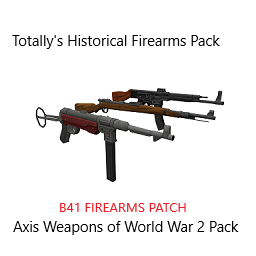
Patch For Totally's Historical Firearms Pack - WW2 Axis Firearms to allow the added Repair Kits from B41 Firearms to work on the added firearms Workshop ID: 2956454440 Mod ID: TIHFPWW2AFB41Patch

Electrical Ethan TV Show
par 76561198254049935
This adds a Electrical TV show directed by Ethan. Watch the TV Show every day for seven days to gain experience in Electrical. You can watch this every day at 13:00! As said before, there is seven episodes There are VHS tapes added on into the mod. This mod can be added midsave, but the Electrical Ethan show will not appear on the TV as it requires a new save because it manually puts in a new show. The VHS tapes however can be found in unexplored areas. Incompatibilities: I am unsure if my VHS tapes interfere with other VHS tapes mods but it is highly unlikely. This mod should be compatible with any mod. If there is issues, please write in the comments or join the discord and let me know. I will work on fixing it as soon as possible https://discord.gg/cxVHEb9eGt Permissions: Permission is NOT given to redistribute this mod in whole or in part. I do not wish it to be reposted anywhere other than Steam. If you have questions regarding this, send me a message. My thoughts will highly unlikely change. If you plan on adding it into a MODPACK. Make it known to me and give credit. Workshop ID: 2905196396 Mod ID: ElectricalEthanTVShow
![Music for the End: Home Labelled [True Music] – Project Zomboid Mod](https://images.steamusercontent.com/ugc/2070008807823875867/DD102749D5CB8AC4DFDF9B8125E9619150C50A51/)
Music for the End: Home Labelled [True Music]
par 76561197974457006
This is the standalone version of the Home Labelled pack that was once included in the mod Music for the End of the World. This pack adds 90 modern songs, listed here. I chose to separate it from the rest of the songs because I wanted more space within my 1,000 song limit, and I felt that it was more appropriate to use the maximum amount of space possible on things that people are most likely to want, and modern songs are a bit less of a common desire than time-period accurate or close-ish songs. This mod works exactly like the old pack did. It requires MFTEOTW: Core to work, and will slot into the loot system of MFTEOTW just like it always used to. Enjoy! Workshop ID: 2915429368 Mod ID: MusicfortheEndHL

Arthur Morgan Voice
par 76561199507339925
Adds a new Arthur Morgan voice option, with over 200 lines, for any situation you may find yourself in. Let me know if you all would like to see a John Marston voice, too :) Workshop ID: 3406414584 Mod ID: ArthurMorganVoice Mod ID: ArthurMorganVoice
![Doctor Show - Estate, MD! [MP Updated!] – Project Zomboid Mod](https://images.steamusercontent.com/ugc/1811003793566061237/CF56B5F2FBDC70220E7DE72070DE8ED80E20E346/)
Doctor Show - Estate, MD! [MP Updated!]
par 76561198021922521
Follow along as Doctor Estate helps various patients with various ailments including some of the hospital staff! Learn about First Aid and some of the uses for some of the medical items you will uncover and some hints as to where you can find these items. The show is broadcast on the following schedule: Channel: Hound 1st Day - 10:00 AM 2nd Day - 9:00 AM 3rd Day - 9:00 AM 4th Day - 9:00 AM 5th Day - 9:00 AM 6th Day - 9:00 AM 7th Day - 9:00 AM 8th Day - 9:00 AM After the 8th day, the channel is cut off to reflect the same problem the other tv broadcasts suffer in the Project Zomboid World. If you have Fast Learner, Fast Reader, access to all the appropriate First Aid Books you can get up to First Aid 6. FYI, tapes have now been added to this mod. The tapes have a chance of appearing anywhere you can find Retail VHS. MP UPDATE!!! ------------------------------------------------------------------------------------------------------------------------------------------------------------------------------------------------------------------------------------- To work with multiplayer you will have to delete the Client folder in the media-> lua folder of this mod. The new multiplayer servers do not read from this folder. Spanish translations have been added thanks to Cagon! Russian translations have been added thanks to юmix! Disclaimer: I do not guarantee this mod will work with any other mods. Workshop ID: 2641076078 Mod ID: DoctorShow
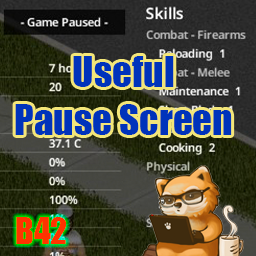
Useful Pause Screen
par 76561197975526631
Useful Pause Screen Fills the pause screen with everything you would otherwise have to unpause to check — your character, the world around you, and your generators. Switching the display (new in v1.19) Click the "- Game Paused -" message at the top of the screen while paused to cycle through display modes. The first click hides the information, leaving only the dimming; the second removes the dimming as well; the third brings the full display back. This choice lasts for the current game only. To keep the information hidden permanently, use Show info on the pause screen in the Mod Options. Alerts Conditions that need your attention line up as short badges at the top of the screen. The details stay in their own sections. - Injuries (bites, deep wounds, fractures, bleeding, wound infection and more), shown using the same criteria as the vanilla health panel - Major AEBS broadcasts (storms, blackout, helicopter). Today's forecast shows the name on its own, while later days add "(tomorrow)" or "(in 2 days)" — the matching broadcast line is highlighted in the AEBS Broadcast section - Generator problems (out of fuel, less than a day of fuel left, close to failure) Radio reception mixes noise into a broadcast, so parts of it may not come through. Only what you actually heard is recorded, which means the same hourly broadcast can read differently each time. Helicopter and blackout notices follow a different schedule than the weather forecast. They keep airing until 7 AM even after midnight has passed, so their badges stay up as well. Generator management Records generators you have started or refueled, so you can check their status on the pause screen even while away. - Automatically records each generator's coordinates, fuel, condition, and the time it was last checked - Even after you leave the area, it estimates the current fuel level and time remaining from the last known state (the fuel drain matches the game's internal calculation) - Time remaining is shown in days when 3 or more days are left, and switches to hours at 2 days or less - Green while running, white while stopped — amber once less than a day of fuel remains, orange when out of fuel or close to failure - Click the coordinates to open the map and mark the generator's location, without leaving the pause screen - Stopped generators are collapsed to a single line; hover to see their fuel and condition A generator's condition is shown as of the last check. Days remaining is an estimate based on fuel and does not account for an early stop caused by breakdown. What is shown - Character 3D model - Occupation / Weight / Hair / Beard / Favorite Weapon - Traits, Moodles, Skills - Body silhouette, health bar, Overall Body Status, protection silhouette - Date & time, Survived For, Zombies Killed, Room/Air Temperature, Core Temperature, body stats, coordinates (click the coordinates to open the map) - Season and days until the next one - Special days (New Year's Day, Summer Solstice, Independence Day, Halloween, Winter Solstice, Christmas) - Weather & wind speed - Travel distance (today's on foot and by vehicle, plus the all-time total. The total already includes today and grows as you move, not at midnight) - Today's food - AEBS Broadcast (the last emergency broadcast you heard; hover over the header to see the full text, one broadcast line per display line, with the lines behind the alert badges highlighted in orange. Parts lost to noise are not recorded) - Game mode, Sandbox Options (differences from Apocalypse), enabled mod list - Quick tips (same as the loading screen) How it works - Appears whenever you pause with F2 or the pause button (no extra keys) - Reads the information once at the moment you pause, so it is lightweight - Does not block clicks — you can browse your inventory as usual while paused - Hidden while the Map or the ESC menu is open - Adapts to your resolution (on small screens, elements shrink or are omitted to fit) - Works in split-screen (local co-op) — each player's info appears on their own half of the screen About the clock: the mod shows time to the minute; the vanilla wristwatch rounds to 10-minute steps and can appear up to 9 minutes behind. Mod Options (Options → Mods) - Show info on the pause screen (default: ON): when unchecked, pausing only dims the screen - Show game mode, sandbox settings & mod list (default: ON): when unchecked, hides these sections and re-centers the remaining info - Show all players in split-screen (default: ON): each player's info on their own screen, or only the player who paused across the whole screen - Per-section toggles (default: all ON): hide any section of the pause screen individually (weather & wind, body stats, moodles, and so on) - Distance Unit (default: Auto): choose metric (m, km) or imperial (ft, mi) - Wind Speed Unit (default: Auto): choose from m/s, km/h, mph, or knots Version & Compatibility - Target build: Build 42 (verified on 42.20.2) - Languages: follows your game language (the mod's own labels are translated into 26 languages) - Singleplayer: verified - Split-screen (local co-op): supported (verified with a 2-player split) - Multiplayer: not applicable — multiplayer has no pause - Dependencies: none - Conflicts: minimal — no new UI window is added - Existing saves: can be added or removed at any time (adds no items or world objects) Workshop ID: 3763966706 Mod ID: UsefulPauseScreen

Limited Area Reuploaded
par 76561197996118146
Map Limited Area Workshop ID: 2863032223 Mod ID: LimitedArea Map Folder: LimitedArea
Project Zomboid Guides
Installer des mods Project Zomboid - Guide Workshop
Installe proprement des mods Project Zomboid via le Steam Workshop : saisir les IDs, vérifier l’ordre, redémarrer le serveur et corriger les erreurs typiques.
Louer un serveur Project Zomboid – guide multijoueur
Configurer un serveur Project Zomboid : RAM, paramètres sandbox, mods Workshop, droits admin et vérification propre des erreurs typiques.
Serveur Project Zomboid avec support des mods
Installez les mods compatibles et pris en charge depuis le tableau de bord.
Louer un serveur Project Zomboid